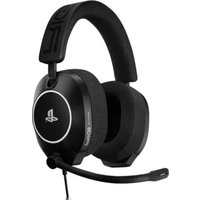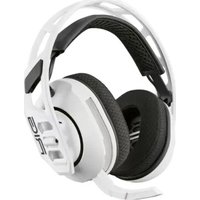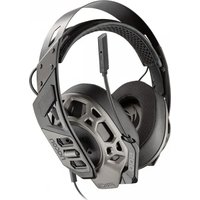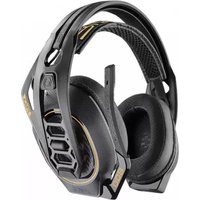
RIG 100HC - Headphones Nacon - Free user manual and instructions
Find the device manual for free RIG 100HC Nacon in PDF.



| Product type | Wired audio headset |
| Brand | NACON |
| Model | RIG 100HC |
| Compatibility | PS4, Xbox One, PC |
| Ear cup type | Circumaural (over-ear) |
| Speaker diameter | 40 mm |
| Impedance | 32 ohms |
| Sensitivity | 111 dB |
| Frequency response | 20 Hz - 20 kHz |
| Microphone | Unidirectional, rotating boom |
| Cable length | 1.3 m |
| Weight | 250 g |
| Color | Black |
| Volume control | Slide on cable |
| Mute button | Slide switch activation (red LED) |
| Power supply | None (passive) |
| Care and cleaning | Clean with a soft, dry cloth |
| Safety | Refer to included safety guide |
| Spare parts | Not available separately |
| Repairability | Not user-repairable |
| Warranty | 2 years |
| Manufacturer | NACON, 396 466 Rue de la Voyette, CRT2 59273 Fretin, France |
Frequently Asked Questions - RIG 100HC Nacon
User questions about RIG 100HC Nacon
0 question about this device. Answer the ones you know or ask your own.
Ask a new question about this device
Download the instructions for your Headphones in PDF format for free! Find your manual RIG 100HC - Nacon and take your electronic device back in hand. On this page are published all the documents necessary for the use of your device. RIG 100HC by Nacon.
USER MANUAL RIG 100HC Nacon
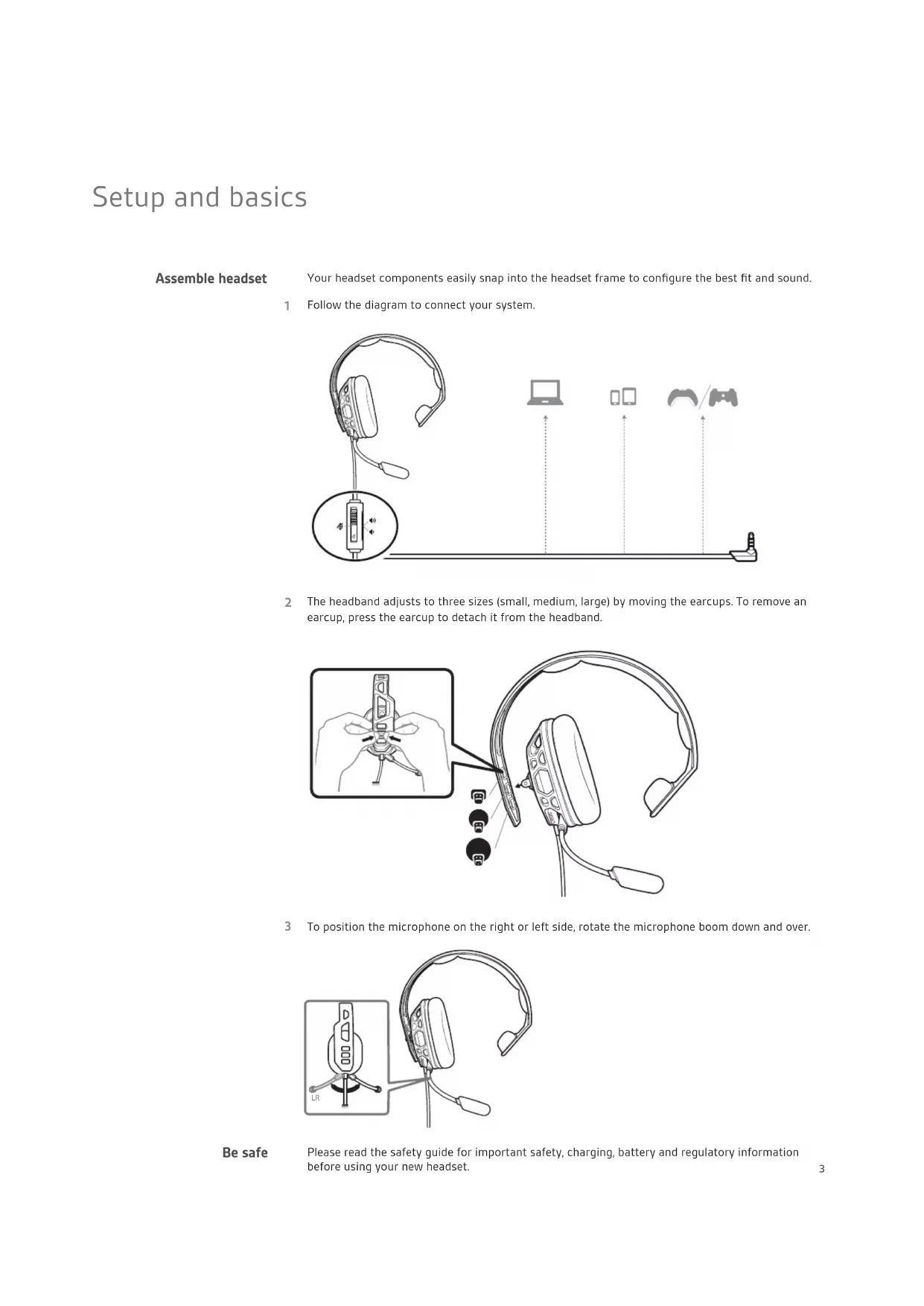
Your headset components easily snap into the headset frame to configure the best fit and sound.
1 Follow the diagram to connect your system.
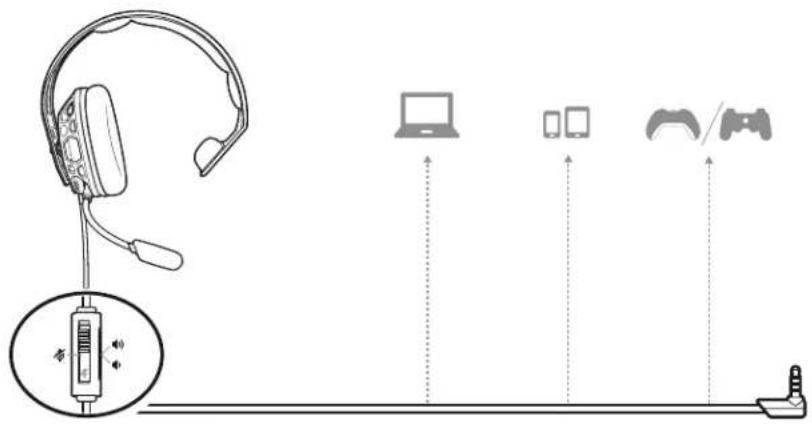
text_image
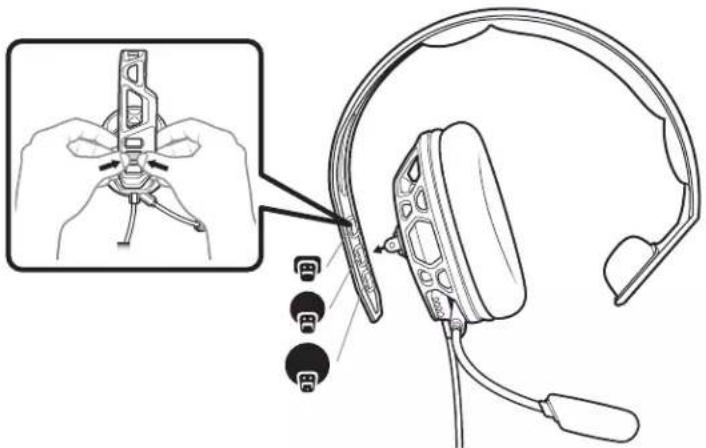
Diagram illustrating the connection between headphones, devices, and a device via wireless communication.2 The headband adjusts to three sizes (small, medium, large) by moving the earcups. To remove an earcup, press the earcup to detach it from the headband.
natural_image
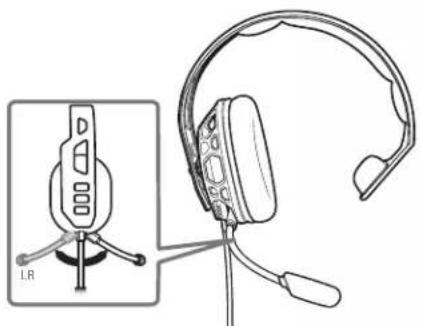
Line drawing of a headset with a close-up inset showing the head assembly and connector details (no text or symbols)3 To position the microphone on the right or left side, rotate the microphone boom down and over.
natural_image
Technical line drawing of a headset with front-mounted head and rear-mounted ear, shown from two views (no text or symbols)Be safe
Please read the safety guide for important safety, charging, battery and regulatory information before using your new headset.
Setup PS4
1 To setup your headset for PS4, first go to Settings > Sound and Screen > Audio Output Settings > Output to Headphones > Select All Audio
2 Then go to Settings > Devices > Audio Devices > Headsets and Headphones > Volume Control (Headphones) >
Setup Xbox One
To setup your headset for Xbox One, go to Display and sound > Kinect and devices > Select device and adjust settings
Volume
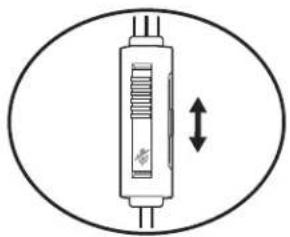
To adjust the volume, slide the volume control.
natural_image
Simple line drawing of a vertical cylindrical device with internal structure and bidirectional arrow (no text or symbols)Mute
To mute your headset, slide the mute switch to reveal the red color.

text_image
Diagram of a syringe with internal components and an upward arrow, enclosed in an oval frameSupport
NEED MORE HELP?
www.nacongaming.com

nacon
NACONG GAMING, Inc
10400 NE 4 ^th Street, Suite 500,
Bellevue, WA 98004 USA
(+1) 800-617-0174
Headquarter
NACON
©2020 NACON. NACON and RIG are trademarks of NACON, registered in the US and other countries. "PlayStation" and "DUALSHOCK" are registered trademarks of Sony Interactive Entertainment Inc. All rights reserved. All other trademarks are the property of their respective owners.
Patents: US 8,504,115; 8,983,081; 9,008,319; D666,993; D667,388; D747,293; IN 245078; 245079; 268129; TW D154413; D154414; D171922. 211816-06 (06.20)
RIG
Gamme RIG 100
Guide utilisateur
FR
Sommaire
text_image
Diagram illustrating the connection between headphones, devices, and a device via wireless communication.natural_image
Line drawing of a headset with a close-up inset showing the head being adjusted for a component (no text or symbols present)natural_image
Line drawing of a headset with tripod-mounted stand and head cover, shown from front and side views (no text or symbols)Soyez prudent
natural_image
Simple line drawing of a vertical cylindrical device with a double-headed arrow indicating vertical displacement (no text or symbols)Touche secret
text_image
Diagram of a syringe with an arrow indicating upward movement, showing internal structure and red label on the cylinder.Assistance
BESOIN DE PLUS D'INFORMATIONS ?
www.nacongaming.com

nacon
NACONG GAMING, Inc
10400 NE 4 ^th Street, Suite 500,
Bellevue, WA 98004 USA
(+1) 800-617-0174
Headquarter
NACON
text_image
Diagram illustrating the connection between headphones, devices, and a device via wireless cable, with labeled components.natural_image
Line drawing of a headset with a close-up inset showing the head assembly and connector details (no text or symbols)natural_image
Technical line drawing of a headset with an inset showing the front view and rear view (no text or symbols)natural_image
Simple line drawing of a vertical cylindrical device with internal structure and bidirectional arrow (no text or symbols)Stummschaltung
text_image
Diagram of a syringe with an arrow indicating upward movement, showing internal structure and label 'S'Support
text_image
Diagram illustrating the connection between headphones, devices, and a device via audio and playback controls.text_image
Diagram showing a headset with connector pin and cable attachment, including a close-up of the component being adjusted.natural_image
Technical line drawing of a headset with tripod mount and headband, shown from two views (no text or symbols)Wees veilig
natural_image
Simple line drawing of a vertical cylindrical device with internal circuit lines and a double-headed arrow indicating bidirectional motion (no text or symbols)Mute
text_image
Diagram of a syringe with an arrow indicating upward movement, enclosed in a circleOndersteuning
HULP NODIG?
www.nacongaming.com

nacon
NACONG GAMING, Inc
10400 NE 4 ^th Street, Suite 500,
Bellevue, WA 98004 USA
(+1) 800-617-0174
Headquarter
NACON
text_image
Diagram illustrating the connection between headphones, devices, and a device via wireless cable, with labeled icons for each component.text_image
Diagram showing a headset with connector pins and a close-up of the head assembly, including a magnified inset of the device's handle.natural_image
Technical line drawing of a headset with a small inset showing a device labeled 'LB' (no text or symbols on the device itself)natural_image
Simple line drawing of a vertical tube with internal structure and bidirectional arrow (no text or symbols)Mute
natural_image
Diagram of a syringe with an arrow indicating upward motion (no text or symbols)Asistencia
text_image
Diagram illustrating the connection between headphones, devices, and a device via wireless cable, with labeled icons for each component.natural_image
Line drawing of a headset with a close-up inset showing the head assembly and connector details (no text or symbols)natural_image
Technical line drawing of a headset with an inset showing the front view of the device (no text or symbols present)Sicurezza
natural_image
Simple line drawing of a vertical cylindrical device with a double-headed arrow indicating vertical displacement (no text or symbols)text_image
Diagram of a syringe with an arrow indicating upward movement, enclosed in a circleSupporto
text_image
Diagram illustrating the connection between headphones, devices, and a device via wireless cable or audio transmission.natural_image
Line drawing of a headset with a close-up inset showing the head assembly and connector details (no text or symbols)natural_image
Line drawing of a headset with a small inset showing a device labeled 'LR' (no text or symbols on the device itself)Esteja em segurança
natural_image
Simple line drawing of a vertical cylindrical device with internal components and a double-headed arrow indicating vertical displacement (no text or symbols)Corte de som
text_image
Diagram of a syringe with an arrow indicating upward movement, showing internal structure and label 'S'Assistência
PRECISA DE MAIS AJUDA?
www.nacongaming.com

nacon
NACONG GAMING, Inc
10400 NE 4 ^th Street, Suite 500,
Bellevue, WA 98004 USA
(+1) 800-617-0174
Headquarter
NACON
text_image
Diagram illustrating the connection between headphones, devices, and a device via wireless cable or cable connector.natural_image
Line drawing of a headset with a close-up inset showing the head being adjusted for a component (no text or symbols present)natural_image
Line drawing of a headset with a small inset showing the front view of the device (no text or symbols present)Будьте осторожны!
natural_image
Simple line drawing of a vertical cylindrical device with a double-headed arrow indicating vertical displacement (no text or symbols)Отключение звука
natural_image
Diagram of a syringe with an arrow indicating upward motion (no text or symbols)Поддержка
ТРЕБУЕТСЯ ПОМОЩЬ?
www.nacongaming.com

nacon
NACONG GAMING, Inc
10400 NE 4 ^th Street, Suite 500,
Bellevue, WA 98004 USA
(+1) 800-617-0174
Headquarter
NACON
text_image
Diagram illustrating the connection between headphones, devices, and a device via wireless communication.natural_image
Line drawing of a headset with a close-up inset showing the head assembly and connector details (no text or symbols)natural_image
Line drawing of a headset with a small inset showing a device labeled 'LR' (no text or symbols on the device itself)natural_image
Simple line drawing of a vertical cylindrical device with internal circuit lines and a double-headed arrow indicating vertical displacement (no text or symbols)natural_image
Diagram of a syringe with an arrow indicating upward motion (no text or symbols)支持
需要更多帮助?
www.nacongaming.com

nacon
NACONG GAMING, Inc
10400 NE 4 ^th Street, Suite 500,
Bellevue, WA 98004 USA
(+1) 800-617-0174
Headquarter
NACON
text_image
Diagram illustrating the connection between a headset, connected to devices via wireless communication and display, with Chinese labels.natural_image
Line drawing of a headset with a close-up inset showing the head assembly and connector details (no text or symbols)natural_image
Technical line drawing of a headset with a small inset showing a device labeled 'LR' (no text or symbols on the device itself)製品を安全にお使いい ただくために
natural_image
Diagram of a syringe with bidirectional arrow indicating movement (no text or symbols)ミュート
natural_image
Diagram of a vertical tube with internal structure and directional arrow, enclosed in a circle (no text or symbols)サポート
サポートが必要な場合
www.nacongaming.com

nacon
NACONG GAMING, Inc
10400 NE 4 ^th Street, Suite 500,
Bellevue, WA 98004 USA
(+1) 800-617-0174
Headquarter
NACON
text_image
Diagram illustrating the connection between headphones, devices, and a device via wireless communication.natural_image
Line drawing of a headset with a close-up inset showing the head assembly and connector details (no text or symbols)natural_image
Line drawing of a headset with a tripod-mounted sensor and a small inset showing the front view (no text or symbols)natural_image
Simple line drawing of a vertical cylindrical device with internal circuit lines and a double-headed arrow indicating vertical displacement (no text or symbols)natural_image
Diagram of a syringe with an arrow indicating upward motion (no text or symbols)설명서로는 부족하세요?
www.nacongaming.com

nacon
NACONG GAMING, Inc
10400 NE 4 ^th Street, Suite 500,
Bellevue, WA 98004 USA
(+1) 800-617-0174
Headquarter
NACON
특허: US 8,504,115, 8,983,081, 9,008,319, D666,993, D667,388, D747,293, IN 245078, 245079, 268129, TW D154413, D154414, D171922.
211816-18 (06.20)