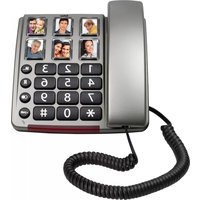
TX-560 - Telephone Fysic - Free user manual and instructions
Find the device manual for free TX-560 Fysic in PDF.


| Brand | Fysic |
| Model | TX-560 |
| Product Type | Wired telephone |
| Power supply | Via telephone network (no batteries) |
| Wall mounting | Possible with supplied bracket |
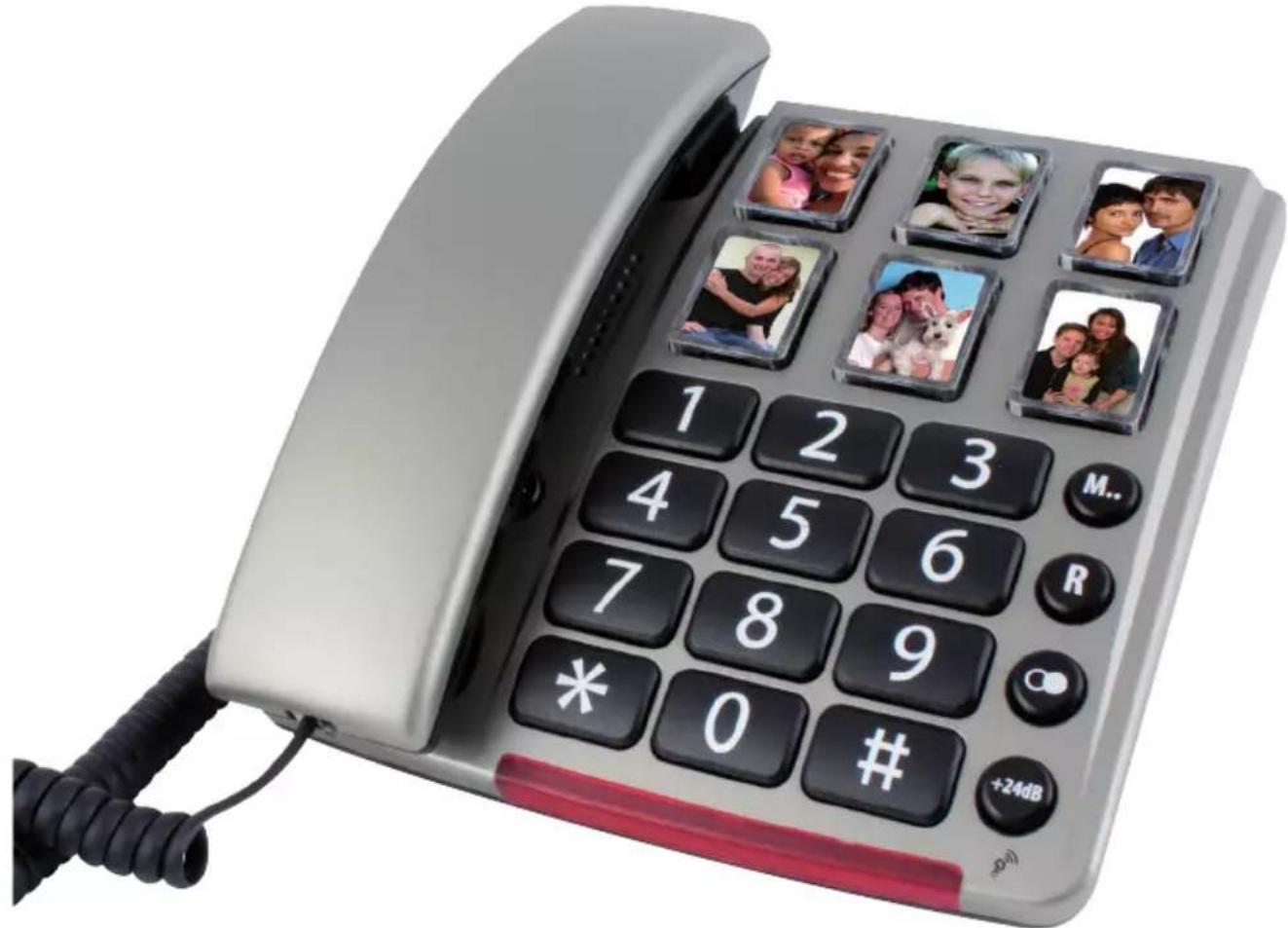
| Memory capacity | 6 photo keys + 10 memories (0-9) |
| Number of digits per memory | Up to 32 digits |
| Volume adjustment | Wheel under handset and +24dB key |
| Tone adjustment | Slide control |
| Microphone amplifier | Yes, adjustable |
| R function (recall) | Allows taking or starting a second call |
| * and # keys | Used for banking transactions |
| Ringer | Adjustable volume and melody |
| Redial key | Yes (key ) |
| Pause key | Yes (key ) |
| Maintenance and cleaning | Clean with a damp cloth only |
| Safety precautions | Do not use near water, do not cover, unplug before cleaning |
| Warranty | 24 months after purchase date |
| After-sales service | Profoon / Commaxx B.V., see manual |
| Photo window dimensions | 20 mm x 28 mm |
Frequently Asked Questions - TX-560 Fysic
User questions about TX-560 Fysic
0 question about this device. Answer the ones you know or ask your own.
Ask a new question about this device
Download the instructions for your Telephone in PDF format for free! Find your manual TX-560 - Fysic and take your electronic device back in hand. On this page are published all the documents necessary for the use of your device. TX-560 by Fysic.
USER MANUAL TX-560 Fysic
ProFoon®
TX-560
NETWERKCOMPATIBILITEIT
ProFoon®
21
TX-560
COMPATIBILITE DU RESEAU
ProFoon®
41
TX-560
NETZWERKKOMPATIBILITÄT
Profoon®
61
TX-560
NETWORK COMPATIBILITY
This telephone is designed for use on the ‘public switched telephone networks (analogue single line)’ of telephony and cable companies in all countries of the EU. However, each provider could require a different connecting wire with plug.
The TX-560 has a connecting factor of 25 (this is in accordance with a connecting factor of 1.0 according to the old method)
MAINTENANCE
- Only clean the housing with a moist cloth, never use chemical cleaning agents.
- Never place the TX-560 onto cellulose-treated surfaces; the rubber feet could leave tracks.
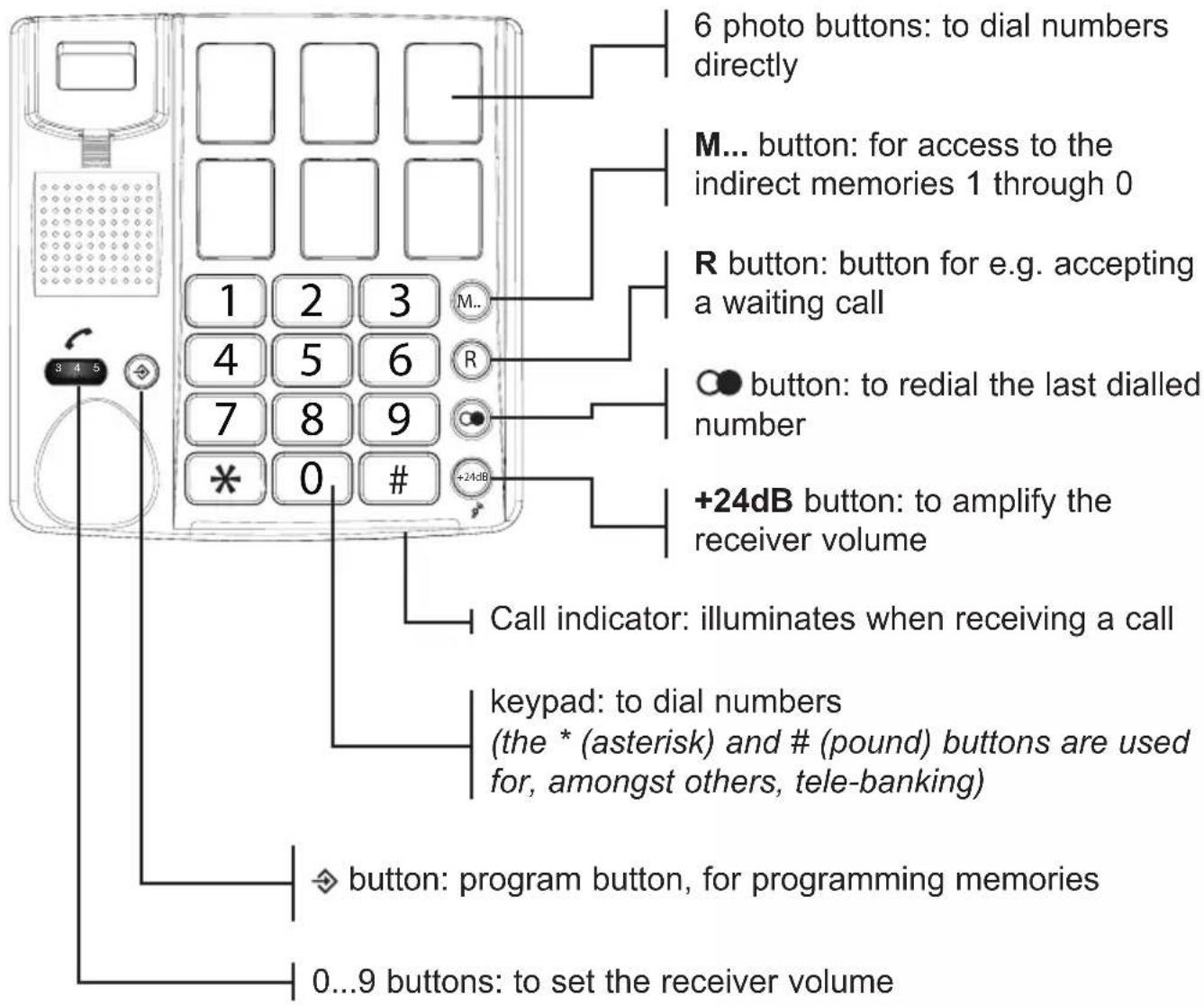
PHONE OVERVIEW
INSTALLATION
Receiver:
-
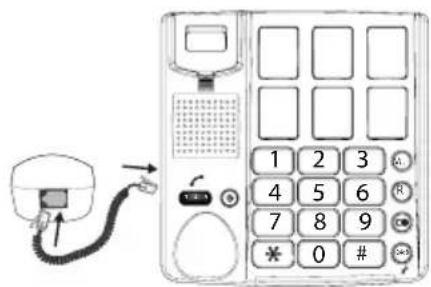
connect the receiver with the telephone by attaching one side of the spiral cable to the bottom of the receiver and the other side to the left side of the telephone
-
push in the plugs until they're securely connected
Telephone:
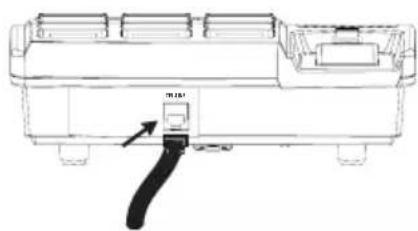
-
plug the telephone wire into the bottom of the telephone
-
insert the telephone plug into a telephone wall socket
Wall-mounting:
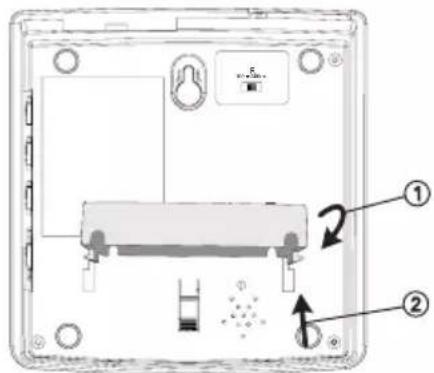
- click the wall bracket onto the bottom of the phone (1) and press it upward (2) according to the illustration below
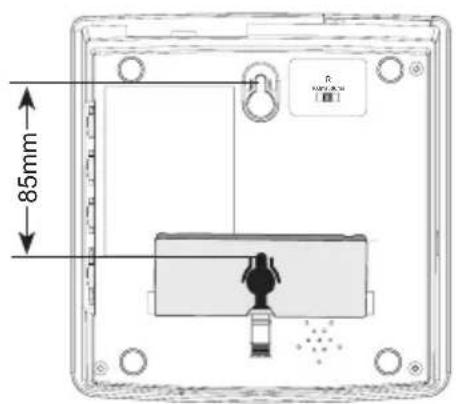
- in a vertical line, drill 2 holes at a distance of 8.5 cm from each other and insert plugs and screws; let the head of the screws protrude for 5 mm
-
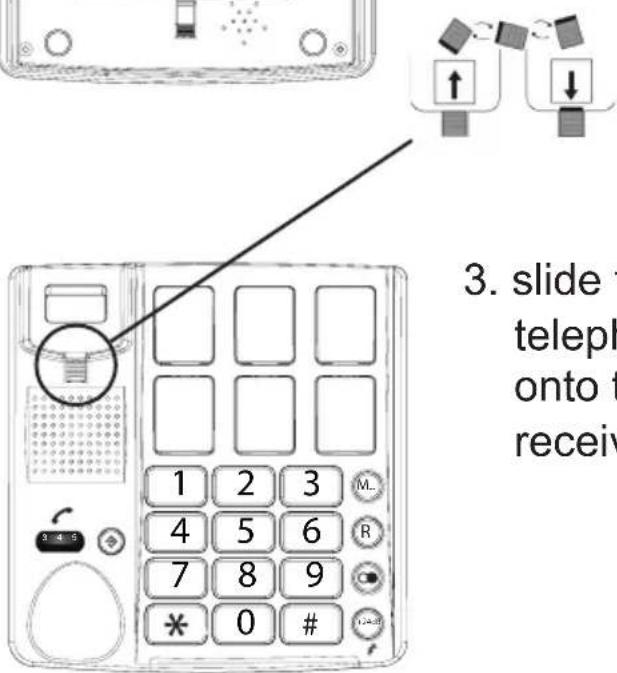
slide the receiver clamp out of the telephone, turn it 180° and place it back onto the telephone; this clamp will hold the receiver in case of wall-mounting
-
hook the telephone with the screw holes over the screws and press it downward
- fix the telephone wire to the wall using the cable clips
USING THE TELEPHONE
Dialling numbers:

pick up the receiver
input the phone number using the keypad

at the end of your conversation, put down the receiver to disconnect the call
Answering calls:

pick up the receiver to accept incoming calls

at the end of your conversation, put down the receiver to disconnect the call
Call signal:
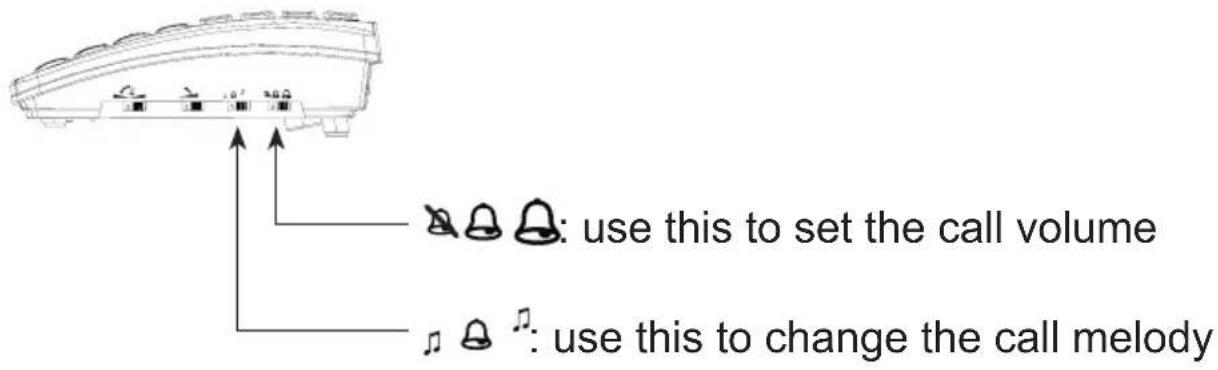
Redialling:

pick up the receiver and press the button to redial the last dialled number
Photo dialling:
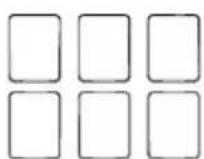
pick up the receiver and press the desired photo button to dial the corresponding number (see page 13 for programming the photo buttons)
Memory dialling:

pick up the receiver

press 1x the M... button

press the desired memory button (0 \~ 9) to dial the corresponding memory number (see page 14 for programming the memories)
Call volume:
ATTENTION: EXCESSIVE VOLUMES CAN LEAD TO HEARING LOSS. IF SHARING THE PHONE WITH MULTIPLE USERS, ALWAYS TURN THE CONTROL BACK TO 0 AFTER EVERY CONVERSATION.
use the rotary control underneath the receiver to adjust the receiver sound

press the +24dB button to amplify the sound to 24dB (you can use this in combination with the rotary control 3 4 5)
Pitch:
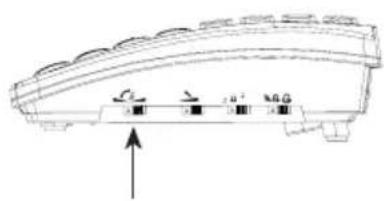
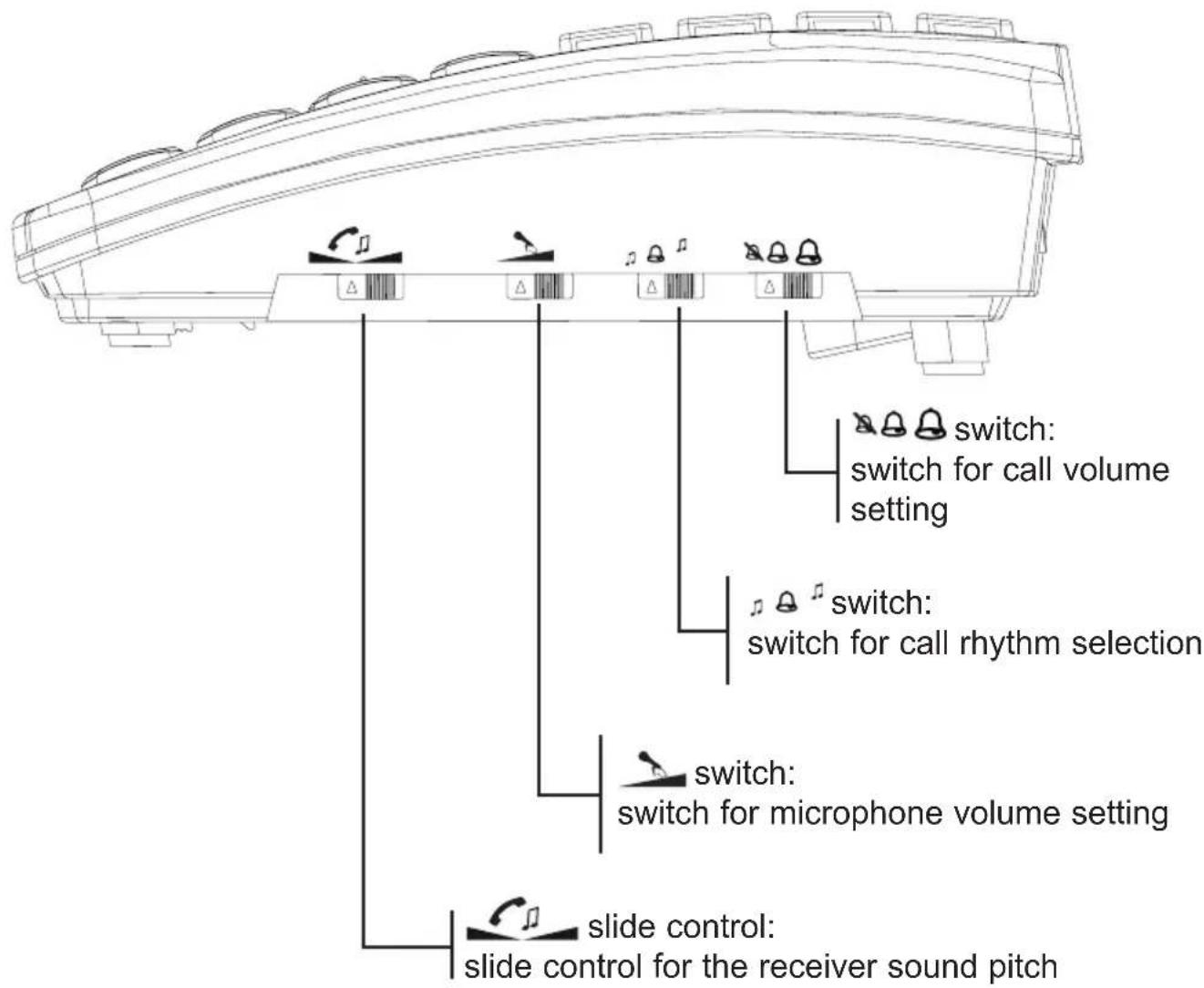
use the slide control to adjust the pitch of the receiver sound
use the slide control to slightly lower the microphone signal (slide to the left) or to amplify it (slide to the right); slide to the middle for a neutral microphone volume
Extra functions:
'asterisk' and 'pound' buttons:
the * and # buttons are used mainly for tele-banking:
- press the * button when asked to press the ASTERISK button
- press the # button when asked to press the POUND button

R button:
you can use the R button to accept or start a 2nd call
keep in mind that this service is not offered by every telephone service provider and that it most likely requires an additional subscription
when connected to a switchboard, you can also use this button to forward calls; for this, refer to the user manual of your telephone switchboard or the installer

dial pause:
press the button to insert a dialling pause
MEMORIES
Your phone has a memory capacity for 6 phone numbers to be stored under the photo buttons and 10 number memories to be stored under the dial buttons 0-9.
Programming photo buttons:

Pick up the receiver and put it next to your phone

press 1x the button
use the keypad to input the desired phone number (press the button to insert a pause)

press 1x the button
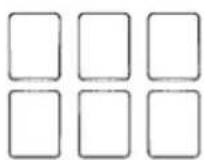
press the photo button under which you'd like to save the number

put the receiver back onto the phone
Programming number memories:

Pick up the receiver and put it next to your phone

press 1x the 🔊 button
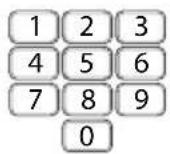
use the keypad to input the desired phone number (press the button to insert a pause)

press 1x the button
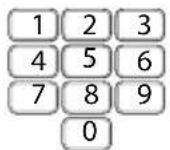
press one of the 0-9 buttons to save the number

put the receiver back onto the phone
Dialling photo buttons:

pick up the receiver

press the photo button to dial the corresponding assigned number
Dialling number memories:

pick up the receiver

press 1x the M... button
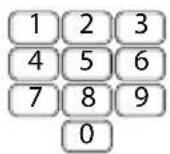
press one of the 0-9 buttons to dial the corresponding assigned phone number
Replacing photos of photo buttons:
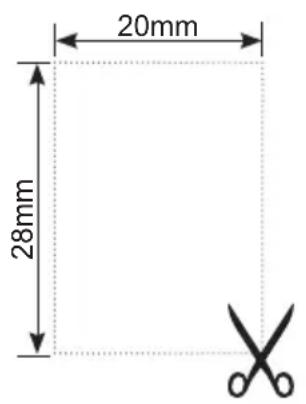
the frames of the photo buttons are provided with an indentation at the sides; use this indentation to lift up the frames with your fingernail
cut your photos to the dimensions 20mm wide x 28mm high
put your photo on the phone and replace the frame over this button
instead of photos, you can also use logos or icons (for example, a red cross for your doctor, a police car for the police, etc.).
Tips and remarks:
The phone uses the voltage of the telephone connectors to store the memories, which means you don't need to insert batteries. However, make sure to keep the phone connected at all times. A brief interruption, e.g. for quickly moving the phone, is possible without losing the memories.
A memory number may contain up to a maximum of 32 digits.
In addition to normal phone numbers, you can also store the numbers of mobile phones.
Editing or deleting:
- You can change a number by programming the new number over the old number. This will overwrite and delete the old number.
- You can delete a number by programming a non-existing number (e.g. 0000) over the old number. This will overwrite and delete the old number.
TIPS AND WARNINGS
General:
- Read the user manual carefully and follow all instructions.
- Always disconnect the phone plug from the phone socket before cleaning your phone.
- Never place or use the phone in a wet or moist room or environment.
• Take care of proper heat dissipation; never cover the phone and do not place them directly beside a heat source.
• Take care that the cable of the phone and the adapter do not get damaged, and prevent that they cause tripping or falling. - Never disassemble the phone. This may only be done by qualified personnel.
Installation:
- Connect or disconnect the cables of the phone only to the base station when the power supply adapter has been unplugged from the mains socket, and the phone connector has been disconnected from the phone socket.
- Do not install the phone during a lightning storm.
- Do not install a phone connection point in a wet or moist environment.
- Do not touch uninsulated phone, unless they are disconnected from the phone network or the mains power.
Environment:

The packaging of this telephone can be collected as old paper. However, we recommend you to save it, to adequately protect the phone during transport. When replacing this telephone, please return it to the supplier to ensure environment-friendly processing.
WARRANTY
For the Profoon TX-560 you have a warranty of 24 months from the date of purchase. During this period, we guarantee the free repair of defects caused by material and workmanship errors. All this subjected to the final assessment of the importer.
HOW TO HANDLE: If you notice any defect, first refer to the user's manual. If the manual provides no definite answer, please contact the supplier of this baby video monitor or contact customer service of Profoon on www.profoon.com
THE WARRANTY BECOMES NULL AND VOID: In case of improper use, incorrect connections, leaking and/or incorrectly installed batteries, use of unoriginal parts or accessories, negligence and in case of defects caused by moisture, fire, flooding, lightning and natural disasters. In case of unauthorised modifications and/or repairs performed by third parties. In case of incorrect transportation of the device without adequate packaging and when the device is not accompanied by this warranty card and proof of purchase.
The warranty does not cover connecting cables, plugs and batteries. All further liability, especially concerning any consequential damages, is excluded.
Profoon®
Service Help




WWW.PROFOON.COM
SERVICE@PROFOON.NL

Commaxx B.V.
Wiebachstraat 37
6466 NG, Kerkrade
The Netherlands
BRUGERVEJLEDNING
Profoon®
81
TX-560
NETVÆRKSKOMPATIBILITET
ProFoon®
101
TX-560
KOMPATIBILITET MED NÄTVERK


- PROFOON®
- TX-560
- NETWERKCOMPATIBILITEIT
- COMPATIBILITE DU RESEAU
- NETZWERKKOMPATIBILITÄT
- NETWORK COMPATIBILITY
- MAINTENANCE
- PHONE OVERVIEW
- INSTALLATION
- RECEIVER
- TELEPHONE
- WALL-MOUNTING
- USING THE TELEPHONE
- DIALLING NUMBERS
- ANSWERING CALLS
- CALL SIGNAL
- REDIALLING
- PHOTO DIALLING
- MEMORY DIALLING
- CALL VOLUME
- PITCH
- EXTRA FUNCTIONS
- R BUTTON
- DIAL PAUSE
- MEMORIES
- PROGRAMMING PHOTO BUTTONS
- PROGRAMMING NUMBER MEMORIES
- DIALLING PHOTO BUTTONS
- DIALLING NUMBER MEMORIES
- REPLACING PHOTOS OF PHOTO BUTTONS
- TIPS AND REMARKS
- EDITING OR DELETING
- TIPS AND WARNINGS
- GENERAL
- ENVIRONMENT
- WARRANTY
- BRUGERVEJLEDNING
- NETVÆRKSKOMPATIBILITET
- KOMPATIBILITET MED NÄTVERK
Brand : Fysic
Model : TX-560
Category : Telephone