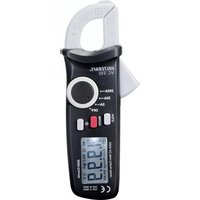
VC-310 - Multimeter VOLTCRAFT - Free user manual and instructions
Find the device manual for free VC-310 VOLTCRAFT in PDF.



| Product Type | Clamp meter (clamp multimeter) |
| Brand | Voltcraft |
| Model | VC-310 |
| Measurement Category | CAT II 600 V, CAT III 300 V |
| Measured Quantities | Alternating current (AC) up to 200 A |
| AC Measurement Ranges | 2.000 A, 20.00 A, 200.0 A |
| Resolution | 1 mA (2 A), 10 mA (20 A), 100 mA (200 A) |
| AC Accuracy | ±(4% + 30) at 2 A, ±(3% + 10) at 20 A, ±(2.5% + 5) at 200 A |
| Frequency | 50/60 Hz |
| Display | LCD 2000 counts with backlight |
| Special Functions | Hold, MAX recording, backlight, auto power-off (15 min) |
| Power Supply | 2 AAA batteries (1.5 V) |
| Max. Jaw Opening | 16 mm |
| Dimensions (L x H x D) | approx. 158 x 60 x 34 mm |
| Weight | approx. 150 g |
| Operating Temperature | 0 to +40 °C |
| Operating Humidity | ≤75% RH (0-30 °C), ≤50% RH (30-40 °C) |
| Max. Operating Altitude | 2000 m |
| Protection Class | II (double insulation) |
| Maintenance and Cleaning | Clean with a slightly damp lint-free cloth; annual calibration recommended |
| Spare Parts and Repairability | User-replaceable AAA batteries; repair by a specialist only |
| Package Contents | Clamp meter, 2 AAA batteries, instruction manual |
Frequently Asked Questions - VC-310 VOLTCRAFT
User questions about VC-310 VOLTCRAFT
0 question about this device. Answer the ones you know or ask your own.
Ask a new question about this device
Download the instructions for your Multimeter in PDF format for free! Find your manual VC-310 - VOLTCRAFT and take your electronic device back in hand. On this page are published all the documents necessary for the use of your device. VC-310 by VOLTCRAFT.
USER MANUAL VC-310 VOLTCRAFT
www.business.conrad.at
- Introduction......16
- Intended use....17
- Delivery content....17
- Explanation of symbols....18
a) Symbols in this operating instruction....18
b) Symbols on the product ....18
- Safety instructions ....19
- Batteries .....20
- Operating elements ......21
a) Current clamp....22
b) LCD display....22
- Inserting/changing the batteries ....23
- Operation....23
a) Turning on/off / selecting the measuring value....23
b) Illuminant....23
c) Saving energy ....24
d) HOLD function....24
e) Recording maximum values....24
f) Current measurement....24
- Maintenance and cleaning....25
a) General information....25
b) Calibrating....25
- Disposal....26
a) Product....26
b) Batteries....26
- Technical data....27
1. INTRODUCTION
Dear Customer,
In purchasing this Voltcraft® product, you have made a very good decision for which we would like to thank you.
Voltcraft® - In the field of measuring, charging and network technology, this name stands for high-quality products which perform superbly and which are created by experts whose concern is continuous innovation.
From the ambitious hobby electronics enthusiast to the professional user, products from the Voltcraft® brand family provide the optimum solution even for the most demanding tasks. And the remarkable feature is: we offer you the mature technology and reliable quality of our Voltcraft® products at an almost unbeatable price-performance ratio. In this way, we aim to establish a long, fruitful and successful co-operation with our customers.
We wish you a great deal of enjoyment with your new Voltcraft® product!
All company names and product names are trademarks of their respective owners. All rights reserved.
If there are any technical questions, please contact:
International: www.conrad.com/contact
United Kingdom: www.conrad-electronic.co.uk/contact
2. INTENDED USE
Current clamp for measuring and displaying electrical parameters in the range of the overvoltage categories CAT II to max. 600 V and CAT III to max. 300 V against ground potential, in accordance with EN 61010-1 and all lower categories.
• Measures alternating currents to a maximum of 200 A
The product must only be used with the specified battery type.
The measuring device must not be used when it is open, when the battery compartment is open or when the battery compartment cover is missing. Measurements must not be made in damp rooms or when there are adverse ambient conditions such as moisture, high humidity, dust, flammable gases, vapours, solvents, storms or strong electrostatic fields.
For safety and approval purposes (CE), you must not rebuild and/or modify this product. If you use the product for purposes other than those described above, the product may be damaged. In addition, improper use can cause hazards such as short circuiting, fire, electric shock etc.
Read the instructions carefully and keep them. Make this product available to third parties only together with its operating instructions.
This product complies with the statutory national and European requirements.
3. DELIVERY CONTENT
- Current clamp
- 2 x AAA batteries
- Operating instructions
a) Symbols in this operating instruction
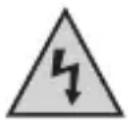
This symbol indicates a health hazard, e.g. electric shock.

The exclamation mark indicates specific risks associated with handling, function and use.

The "arrow" symbol indicates special tips and operating information.
b) Symbols on the product
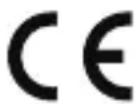
This product conforms to CE standards and complies with the necessary European directives.

The device is built according to protection class II (double or reinforced insulation, protective insulation).

The lightning symbol in the square permits current measurements on uninsulated, hazardous active conductors and warns of the possible hazards. Personal protective equipment must be used.
CAT II
Measurement category II for measurements on electrical and electronic devices that are directly connected to the mains voltage via a mains plug. This category also includes all lower categories (e.g. CAT I for measuring signal and control voltages).
CAT III
Measurement category III for measurements in building installations (e.g. power outlets and sub-distribution units). This category also includes all lower categories (e.g. CAT II for measuring electrical devices).
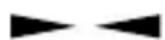
Position marker for the conductor to ensure the correct current measurement.
5. SAFETY INSTRUCTIONS
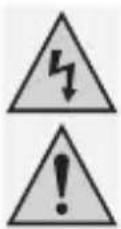
Read the operating instructions carefully and especially observe the safety information. If you do not follow the safety instructions and information on proper handling in this manual, we assume no liability for any resulting personal injury or damage to property. Such cases will invalidate the warranty/guarantee.
a) Persons / Product
- This product is only designed for use in dry environments. The entire product must remain dry and must not become wet or damp. Never touch the product with wet hands to avoid damaging it.
• The product is not a toy and must be kept out of the reach of children. - Do not leave packaging material lying around carelessly. These may become dangerous playing material for children.
-
If it is no longer possible to operate the product safely, take it out of operation and protect it from any accidental use. Safe operation can no longer be guaranteed if the product:
-
is visibly damaged,
- is no longer working properly,
- has been stored for extended periods in poor ambient conditions or
- has been subjected to any serious transport-related stresses.
- The voltage between the connection points must not exceed the specified voltage.
- Be particularly careful when dealing with voltages >25 V/AC and >35 V/DC! At these voltages you may receive a fatal electric shock when touching electrical conductors.
- Set the measuring device to the desired unit before each measurement. A false measurement may destroy the product!
- When taking measurements, ensure that no objects are trapped by the current clamp sensor, such as cables.
- Inspect the measuring device for damage before each measurement. Never take measurements when the insulation or the product is damaged.
- When taking measurements, ensure that the connections/measuring points do not touch each other. There is a risk of a short circuit!
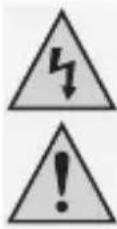
- Avoid using the device in the immediate vicinity of:
- Strong magnetic or electromagnetic fields
- Transmitting antennas or HF generators.
- In industrial facilities, the accident prevention regulations for electrical equipment and facilities issued by the Industrial Employers' Liability Association must be adhered to!
- In schools, educational facilities, hobby and DIY workshops, measuring devices must be operated under the responsible supervision of qualified personnel.
b) Miscellaneous
- Consult an expert when in doubt about operation, safety or connection of the device.
- Maintenance, modifications and repairs are to be performed exclusively by an expert or at a qualified shop.
- If you have questions which remain unanswered by these operating instructions, contact our technical support service or other technical personnel.
6. BATTERIES
- Correct polarity must be observed while inserting the batteries.
- Batteries should be removed from the device if it is not used for a long period of time to avoid damage through leaking. Leaking or damaged batteries might cause acid burns when in contact with skin, therefore use suitable protective gloves to handle corrupted batteries.
- Batteries must be kept out of reach of children. Do not leave batteries lying around, as there is a risk, that children or pets may swallow them.
- All batteries should be replaced at the same time. Mixing old and new batteries in the device can lead to battery leakage and device damage.
- Batteries must not be dismantled, short-circuited or thrown into fire. Never recharge non-rechargeable batteries. There is a risk of explosion!
7. OPERATING ELEMENTS
text_image
1 CAT II 600V CAT III 300V 200A 200A~ 20A~ 2A~ OFF* H10H HXXV 7 9 8 3 4 5 6 CE CAT II 300V CAT II 900V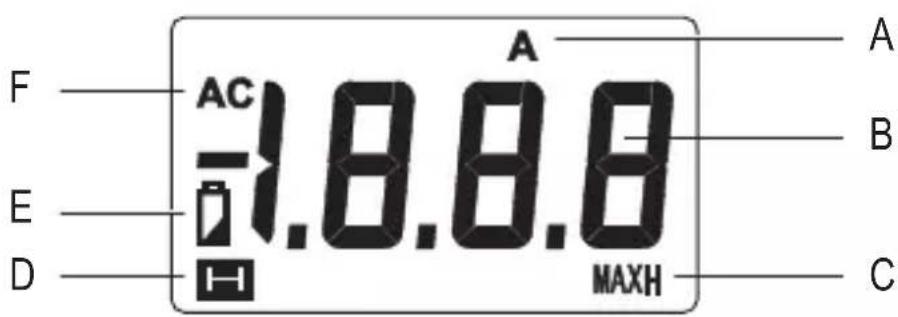
text_image
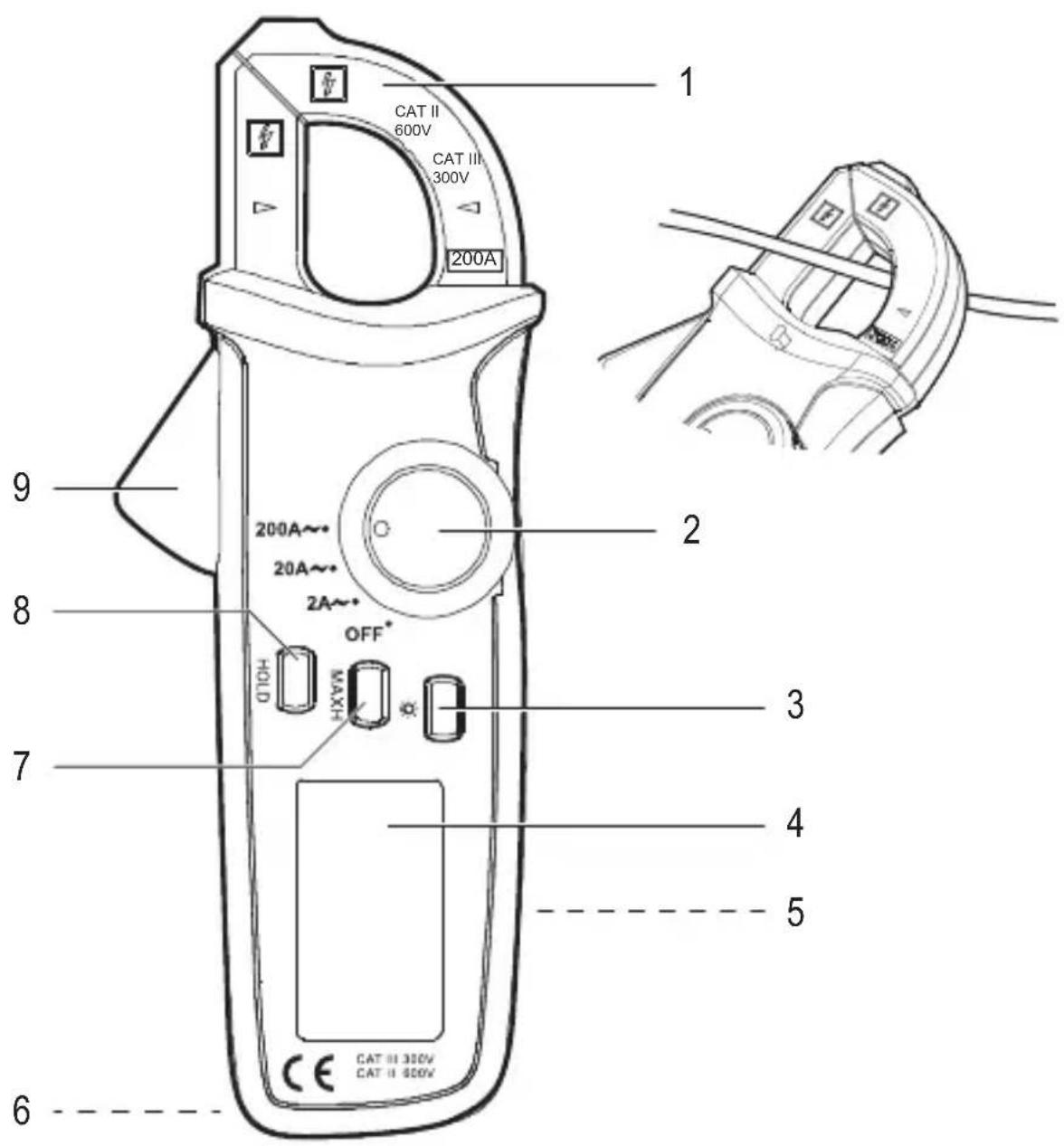
F AC A 1.8.8.8 E D MAXH A B Ca) Current clamp
1 Clamp 6 Hole for a strap
2 Setting wheel 7 MAXH button
3 Light button 8 HOLD button
4 LCD display 9 Opening lever
5 Battery compartment (back)
b) LCD display
Symbols
No. Symbol Control display/display
| A | A | Control display - current |
| B | -- | Measurement value |
| C | MAXH | Control display - maximum value |
| D | Control display - hold | |
| E | Control display - battery | |
| F | AC | Control display - alternating current |
Resolution
Measurement range Resolution Accuracy
| 2.000 A~1 mA ± (4 % + 30) | |
| 20.00 A~10 mA | ± (3 % + 10) |
| 200.0 A~100 mA | ± (2.5 % + 5) |
Specified accuracy ± (% of the reading + display errors in counts). The accuracy is maintained for one year at a temperature of +23 °C (± 5 °C) at a relative humidity of ≤75 %, non-condensing.
8. INSERTING/CHANGING THE BATTERIES
→ Batteries are not normally inserted when the product is delivered to you. Follow the steps below to prepare the product for use.
→ Using rechargeable batteries is not recommended due to their low voltage.
Low battery:
- < 📋 > appears on the display.
• The backlight is dim or off altogether
Replace the batteries as soon as possible according the following steps:
- Turn off the device and disconnect it from any measuring objects. Refer to chapter "9. Operation" on page 23.
- Turn the device over and place it on a soft surface that will protect the display from scratches.
- Loosen the screw on the battery compartment cover (5) using a suitable Phillips screwdriver. Remove the battery compartment cover.
- Remove the old batteries and dispose of them in an environmentally-friendly manner. Refer to chapter "11. Disposal" on page 26.
- Place two new AAA batteries into the battery compartment, paying attention to the polarity markings.
- Replace the battery compartment cover (pay attention to the tab) and screw it into place with the screw. Do not use any force.
9. OPERATION
a) Turning on/off / selecting the measuring value
- The product is turned off when the setting wheel (2) is in the OFF position. Turn off the product after you have finished using it.
- To select a measuring value, turn the setting wheel to the desired value (2A\~, 20A\~, 200A\~). Important! Set the measuring value before you start measuring the object.
b) Illuminant
- Turn the backlight on by pressing the light button (3) for 2 seconds. The backlight turns off automatically after about 15 seconds.
c) Saving energy
- To save energy, the current clamp turns itself off automatically after approximately 15 minutes of inactivity. Press the light button or the MAXH button to wake the current clamp.
- The automatic shut-off can be switched off. Turn the current clamp off. Press and hold the HOLD button to turn the current clamp on. The automatic shut-off is now switched off.
- Alternatively, you can disable the automatic shut-off by waking the current clamp using the HOLD button after it has turned itself off automatically.
- To reactivate the automatic shut-off, turn the setting wheel to OFF and then turn the current clamp on again.
d) HOLD function
- With the HOLD function, the current measurement value is shown on the display and the measurement process is put on hold.
- Enable the function by pressing the HOLD button (8). Press the button again to disable to the function.
- < H > appears on the display when the function is enabled.
- You can continue measuring after you have disabled the function.
e) Recording maximum values
- The maximum value function registers and displays the highest measured value.
- Enable the function by pressing the MAXH button (7). Press the button again to disable to the function.
- < MAXH > appears on the display when the function is enabled.
f) Current measurement
→ Only ever cover one conductor with the current clamp. No measurement reading will be obtained if you cover more than one conductor.
→ Due to the permanent magnetism of the current sensor, a low current may be shown on the LCD display even when no conductor has been covered.
→ "OL" is displayed on the LCD display when there is an overflow.
- Set the measurement value with the setting wheel (2A\~, 20A\~, 200A\~). < A > and < AC > appear on the display. The device is now ready for taking measurements.
- Open the clamp (1) using the opening lever (9), cover the conductor (which you wish to measure) and then slowly close the clamp until it is fully closed.
- The ▶ and ←arrows on the clamp show the geometric centre through which the conductor should be guided.
- The measured current is shown on the LCD display.
- Open the clamp after you have finished the measurement and carefully remove it from the conductor.
- Turn off the current clamp after you have finished using it.
10. MAINTENANCE AND CLEANING
a) General information
- Turn off the current clamp before cleaning and remove it from the measured object.
- The current clamp does not require maintenance except for occasionally changing the batteries.
- Under no circumstances should you service any of the components in the interior of the device. For this reason, never open the product (except for inserting/changing the batteries as described in these operating instructions).
- Repair or maintenance work must only be carried out by a specialist or a repair centre.
• Always clean the current clamp with a clean, lint-free, antistatic and slightly damp cloth. - Never use any aggressive detergents or chemical solutions. This could damage the surface of the current clamp. In addition, do not use any sharp objects to clean the device, e.g. screwdrivers or metal brushes.
b) Calibrating
- In order to ensure that the measuring device maintains its accuracy over a long period, you are recommended to calibrate the product once every year.
a) Product
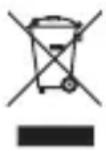
Electronic devices are recyclable waste and must not be disposed of in the household waste.
At the end of its service life, dispose of the product according to the relevant statutory regulations.
Remove any inserted batteries and dispose of them separately from the product.
b) Batteries
You as the end user are required by law (Battery Ordinance) to return all used batteries. Disposing of them in the household waste is prohibited.
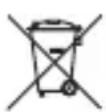
Contaminated batteries are labelled with this symbol to indicate that disposal in the domestic waste is forbidden. The designations for the heavy metals involved are: Cd = Cadmium, Hg = Mercury, Pb = Lead (name on batteries, e.g. below the trash icon on the left).
Used batteries can be returned to collection points in your municipality, our stores or wherever batteries are sold.
You thus fulfil your statutory obligations and contribute to the protection of the environment.
12. TECHNICAL DATA
Power supply....2 x AAA batteries
Automatic shut-off......After approx. 15 minutes
Measuring category....CAT II 600 V, CAT III 300 V
Current clamp opening range....16 mm
Measurement range .... max. 200 A\~ (2 A\~, 20 A\~, 200 A\~)
Overload protection 200 A\~
Crest factor ...... non-sinusoidal waveforms:
Crest factor 1 – 2 : +3% deviation
Crest factor 2 - 2.5 : +5% deviation
Crest factor 2.5 - 3 : +7% deviation
Frequency.....50/60 Hz
Display type......LCD display with backlight
Display....2000 Counts (2 – 3 renewals / sec.)
Resolution.... 1 mA (2 A\~) / 10 mA (20 A\~) / 100 mA (200 A\~)
Operating altitude .... max. 2000 m (above sea level)
Operating temperature ....0 to +40 °C
Operating humidity ....75 % (0 to +30 °C), 50 % (+30 to +40 °C)
Storage temperature....-10 to +50 °C
Storage humidity....75 % (0 to +30 °C), 50 % (+30 to +40 °C)
Dimensions (W x H x D) .... approx. 158 x 60 x 34 mm
Weight .....approx. 150 g
Page
France (email): technique@conrad-france.fr
Protection anti-surcharge ....200 A\~
© Copyright 2015 by Conrad Electronic SE.

Legal Notice
This is a publication by Conrad Electronic SE, Klaus-Conrad-Str. 1, D-92240 Hirschau (www.conrad.com).
All rights including translation reserved. Reproduction by any method, e.g. photocopy, microfilming, or the capture in electronic data processing systems require the prior written approval by the editor. Reprinting, also in part, is prohibited. This publication represent the technical status at the time of printing.
© Copyright 2015 by Conrad Electronic SE.

Information légales
© Copyright 2015 by Conrad Electronic SE. V2_0615_02_JH