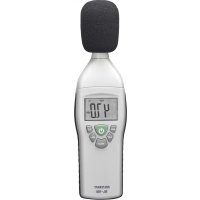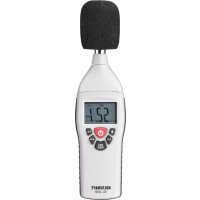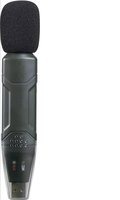
VOLTCRAFT DL-161S - Sound level meters

DL-161S - Sound level meters VOLTCRAFT - Free user manual and instructions

Find the device manual for free DL-161S VOLTCRAFT in PDF.

English EN Download 💬 AI Question 10 questions ⚙️ Specs
📄

Document temporarily unavailable

The manual is currently being transferred to our new server. It will be accessible again in a few hours. Thank you for your patience.

View the manual : Français FR Deutsch DE English EN Nederlands NL
Pick your language and provide your email: we'll send you a specifically translated version.
Product type Sound level meter (dB meter) class 2
Brand Voltcraft
Model DL-161S
Dimensions (L x H x D) 140 x 25 x 30 mm
Weight 77 g
Power supply Lithium battery 3.6 V 1/2 AA
Battery life Approx. 200 hours
Standards IEC 61672-1 Class 2
Measurement range 30 to 130 dB
Accuracy ±1.4 dB
Frequency range 31.5 Hz to 8 kHz
Volume range 50 dB
Frequency weighting A and C
Time weighting FAST (125 ms), SLOW (1 s)
Microphone Electret condenser microphone 1.27 cm (1/2 in)
Operating altitude ≤ 2000 m
Operating conditions 0 to +40 °C, ≤ 90% RH (non-condensing)
Storage conditions -10 to +60 °C, 10 to 75% RH (non-condensing)
System requirements Windows XP, 7, 8, 10, 11
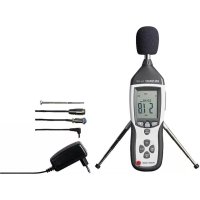
Package contents Sound level meter, protective cover, wind noise suppressor, lithium battery 3.6 V 1/2 AA, CD-ROM, instruction manual, mounting bracket, 2 dowels, 2 screws
Main functions Sound level measurement, data recording, configurable alarms, USB connection, analysis software
Maintenance and cleaning Clean with a dry, lint-free cloth; do not use harsh cleaning products; do not immerse in water
Safety Follow safety instructions; handle battery with care; avoid moisture and extreme temperatures
General information Portable sound level meter with data logger, compliant with EN 61672-1

Frequently Asked Questions - DL-161S VOLTCRAFT

How to replace the sound level meter battery?
Use a pointed and blunt object (e.g., mini screwdriver) to carefully remove the battery compartment cover. Insert a lithium battery 3.6 V 1/2 AA, observing polarity, then replace the cover until it clicks into place. Save data before removing the battery.
How to use the sound level meter without a computer?
The product can operate stand-alone. Point the microphone at the sound source from a distance of 1 m, then press and hold the record button to start or stop recording. Data is stored internally. Refer to the manual for details on stand-alone recording.
How to connect the sound level meter to a computer?
Make sure the software is installed (see next question). Plug the product into a USB port on the computer using the USB-A connector. Open the software and follow the on-screen instructions to establish the connection. Do not disconnect during a data transfer.
How to install the software provided with the sound level meter?
Insert the CD-ROM into the drive. Installation should start automatically. Otherwise, open the setup.exe file. Follow the on-screen instructions. For the latest version, download it from www.conrad.com/downloads by searching for the item number.
How to set up alarms on the sound level meter?
Alarms (high and low limits) are configured via the provided software. Open the software, connect the sound level meter, then access the alarm settings. You can set thresholds. Once configured, the ALM LEDs (red) indicate exceedance: 2 flashes for exceeding the high limit, 1 flash for the low limit.
What is the meaning of the LED indicators?
The ALM LED (red/yellow) indicates alarms and manual stop. The REC LED (green) indicates recording. For example: REC green flashing during measurement at the configured frequency; ALM red 2 flashes = exceeding high limit; ALM yellow flashes every 10 s after manual stop. Refer to the full table in the manual.
How to calibrate the sound level meter?
You need a class 2 acoustic calibrator (sold separately) generating a 94 dBA signal at 1 kHz. Connect the microphone to the calibrator, start the test signal, record it, then compare the measurement with the software. If a deviation is found, use the software to adjust. Refer to the software help for the calibration module.
What are the recommended operating conditions?
Operating temperature: 0 to +40 °C, relative humidity ≤ 90% non-condensing. Altitude ≤ 2000 m. Avoid direct sunlight, flammable gases, shocks and moisture. Storage: -10 to +60 °C, 10 to 75% RH.
How to clean the sound level meter?
Use a dry, lint-free cloth. Do not use harsh cleaning products, rubbing alcohol, or chemical solutions. Never immerse the device in water. Regular cleaning helps prevent malfunctions.
What to do if the sound level meter does not turn on?
First check the battery status: the red and green LED flashing every 10 seconds indicates a low battery. Replace it with a lithium battery 3.6 V 1/2 AA, observing polarity. If the problem persists, consult the manual or contact technical support.

User questions about DL-161S VOLTCRAFT

0 question about this device. Answer the ones you know or ask your own.

Ask a new question about this device

The email remains private: it is only used to notify you if someone responds to your question.

No questions yet. Be the first to ask one.

Download the instructions for your Sound level meters in PDF format for free! Find your manual DL-161S - VOLTCRAFT and take your electronic device back in hand. On this page are published all the documents necessary for the use of your device. DL-161S by VOLTCRAFT.
USER MANUAL DL-161S VOLTCRAFT

Manual assistant
Powered by Anthropic
Waiting for your message
Product information

Brand : VOLTCRAFT

Model : DL-161S

Category : Sound level meters