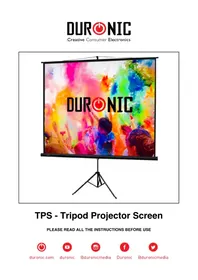
TPS - Projection screen Duronic - Free user manual and instructions
Find the device manual for free TPS Duronic in PDF.



| Product type | Projection screen on tripod |
| Brand | Duronic |
| Model | TPS |
| Screen material | PVC |
| Deployment mechanism | Manual with telescopic pole and tripod |
| Dimensions (approx.) | Adjustable height, screen up to about 100 inches diagonal |
| Weight (approx.) | Approximately 5 kg |
| Power supply | None (manual operation) |
| Recommended use | Indoors, on flat surface |
| Main functions | Projection of images or videos, height and tilt adjustment |
| Assembly | Pre-assembled, immediate setup |
| Care and cleaning | Dry cleaning (soft cloth or duster); stains: damp cloth with mild soap, without pressure |
| Usage precautions | Extend gently, retract after use to avoid dust and damage to the latch |
| Storage | Retracted in its case, protected from dust and moisture |
| Warranty | 1 year (Shine-Mart Ltd) |
| Spare parts and repairability | Not specified in the manual; contact customer service |
| Certifications | CE, WEEE |
| Included accessories | Handle on the pole, tripod, protective case |
| Prohibited cleaners | Abrasive chemicals or solvents |
| Operating temperature | Avoid high temperatures during assembly or use |
| Compliance | European plug, 3A fuse |
Frequently Asked Questions - TPS Duronic
User questions about TPS Duronic
0 question about this device. Answer the ones you know or ask your own.
Ask a new question about this device
Download the instructions for your Projection screen in PDF format for free! Find your manual TPS - Duronic and take your electronic device back in hand. On this page are published all the documents necessary for the use of your device. TPS by Duronic.
USER MANUAL TPS Duronic
Creative Consumer Electronics
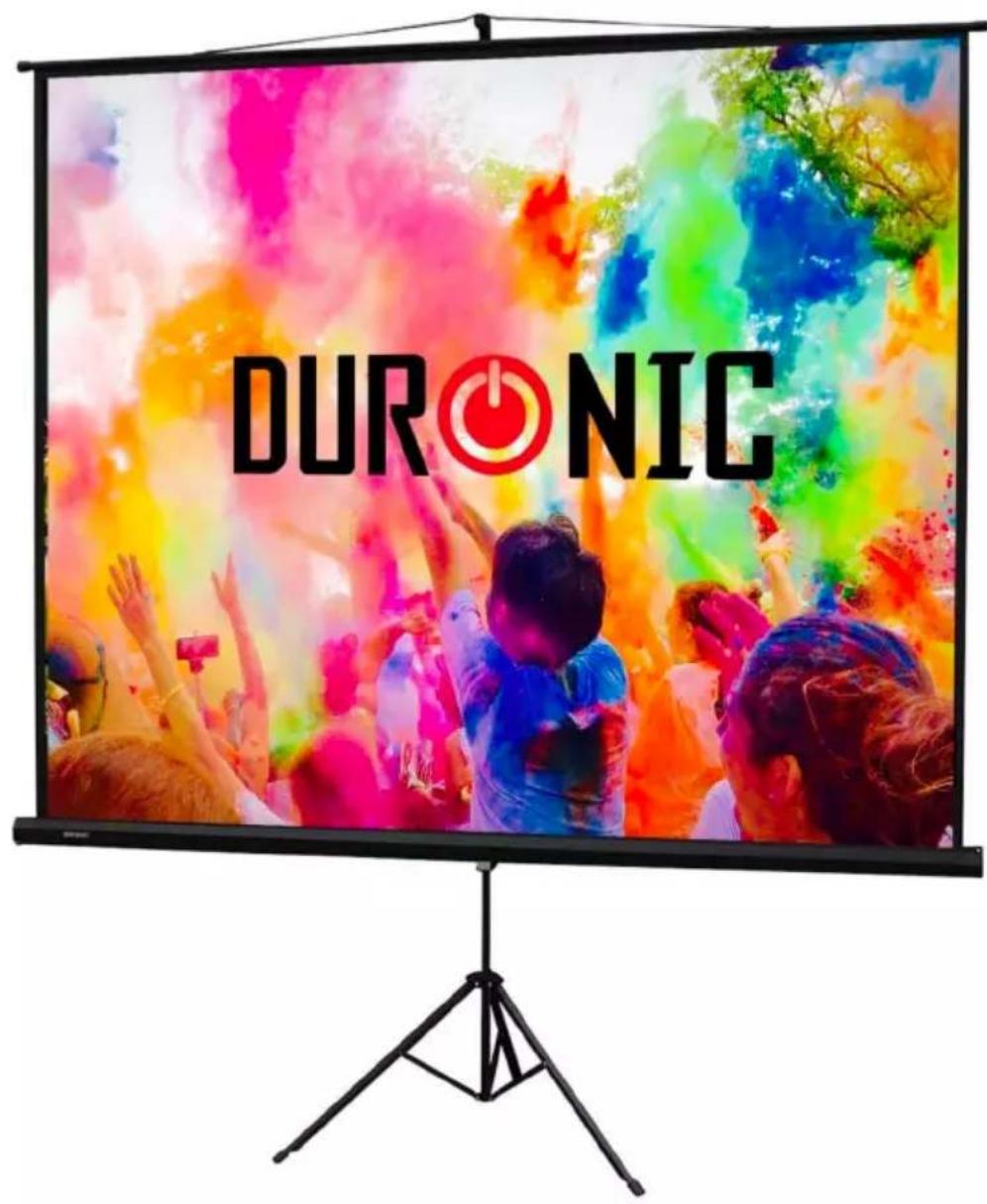
TPS - Tripod Projector Screen
PLEASE READ ALL THE INSTRUCTIONS BEFORE USE

duronic.com

duronic

@duronicmedia

Duronic

@duronicmedia
DURONIC
Contents
English Manual 5
- Remove all packaging and set aside.
- Clear a large enough area to assemble the screen. Make sure the area is larger than the sides of the screen.
- Do not assemble the screen in areas of high temperature or wind to avoid incurring any damage to the screen.
- Ensure that you read through this manual entirely before beginning to assemble the screen.
- This screen can be transported using the handle on the pole, either as one full unit or in two parts.
Assembly Instructions
This projector screen comes fully assembled and can be used straight from the box.
Lift out the projector screen from the box and place aside.
In order to protect the screen from getting marked or stained, ensure that the screen is kept away from dust and dirt.
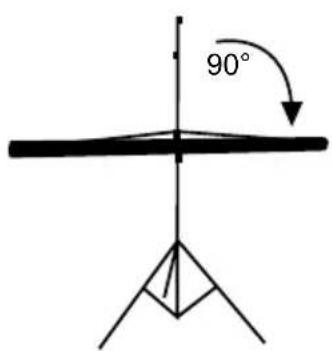
Decide on a location for your screen. The TPS screen is a projector stand which is held freestanding by a tripod stand.
a. Open up the tripod stand and place in the location you wish to erect it in.
b. Rotate the screen 90° so that it lies horizontal on the pole.
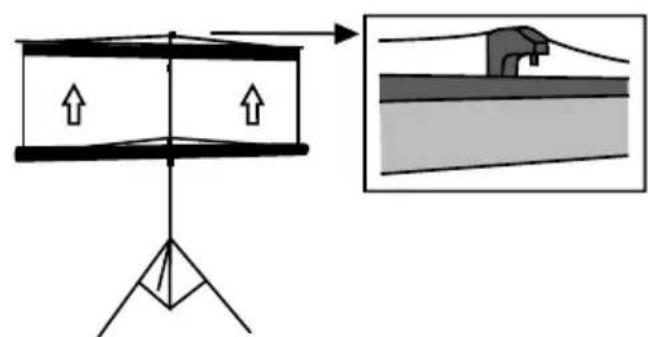
c. Lift the screen a little and hook it onto the top of the pole.
Operating Instructions
Extending the Screen
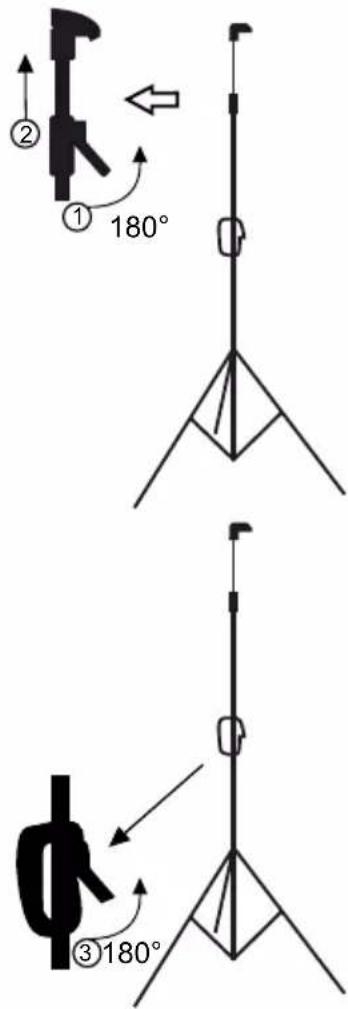
- Lift the first lever on the side of the pole to release the pole lock, and extend the pole upwards until the screen is fully extended.
- Push the lever back down to lock the pole and screen in place.
Retracting the Screen
- Lift the same (first) lever on the side of the pole to release the pole lock, and lower the pole downwards.
- Push the lever back down to lock the pole in place.
Lowering the Screen
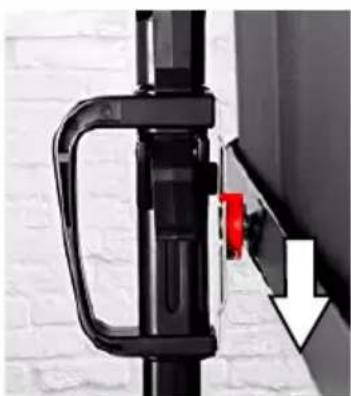
- Lift the second lever and use the handle to slide the screen downwards.
- Push the second lever back down to lock the pole in place.
Lifting the Screen
- Lift the second lever and use the handle to slide the screen upwards.
- Push the second lever back down to lock the pole in place.
Cautions:
- Make sure that the screen is extended from the casing gently.
- Make sure that the screen is retracted back into the casing after each use. Failure to do so may result in damage to the locking catch and can also allow the screen to gather dust.
natural_image
Close-up of a black mechanical component with a red handle and white arrow pointing to a small detail (no text or symbols visible)DURONIC
Cleaning
If the screen or casing gather dust, simply clean with a dry cloth or duster.
The screen is made of PVC. If the screen has a mark or stain that needs to be removed, use a wet cloth with a mild soap to gently clean the screen. Use minimal pressure to prevent damaging the fabric.
Do not use any abrasive chemicals or cleaning agents on any part of the screen or casing.
DURONIC
Warranty
1 Year Guarantee from Shine-Mart Ltd, Trademark owners of Duronic Products. NOTE: THESE STATEMENTS DO NOT AFFECT YOUR STATUTORY RIGHTS AS A CONSUMER
This product has been manufactured under the strictest or quality control procedures, and using the highest quality of materials, to ensure excellent performance and reliability. It will give very good and long lasting service, provided it is properly used and maintained. The product is guaranteed for 1 years from the date of original purchase. If any defect arises due to a faulty materials or poor workmanship, the faulty product must be returned to the original place of purchase. Refund or replacement is at the discretion of that company.
Duronic Products are offered with a 1 year guarantee under the following conditions:
- The product must be returned to the retailer with original proof of purchase.
- The product must be installed and used in accordance with the instructions contained in this operating manual.
- It must be used only for domestic purposes.
- It does not cover wear and tear, malicious damage, misuse, neglect, inexpert repairs or consumable parts.
- Shine-Mart Ltd has no responsibilities for accidental or consequential loss or damage.
- Shine-Mart Ltd are not liable to carry out any type of servicing work, under the guarantee
- Valid in the UK only
This product is fitted with CE:1363 plug and fuse Imported by Shine-Mart Ltd, RM3 8SB

Information on waste Disposal for Consumers of
Electrical & Electronic Equipment.
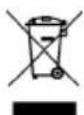
This mark on a product and/or accompanying documents indicates that when it is to be disposed of, it must be treated as Waste Electrical & Electronic Equipment, (WEEE).
Any WEEE marked products must not be mixed with general household waste, but kept separate for the treatment, recovery and recycling of the materials used.
For proper treatment, recovery and recycling; please take all WEEE marked waste to your Local Authority Civic waste site, where it will be accepted free of charge.
If customers dispose of Waste Electrical & Electronic Equipment correctly, they will be helping to save valuable resources and preventing any potential negative effects upon human health and the environment, of any hazardous materials that the waste may contain.
Follow Us