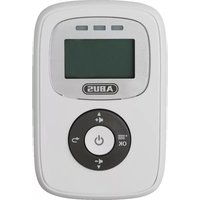
JC8230 TOM - Security alarm ABUS - Free user manual and instructions
Find the device manual for free JC8230 TOM ABUS in PDF.



| Product type | Baby monitor (acoustic surveillance for infants) |
| Brand | ABUS |
| Model | JC8230 TOM |
| Technology | DECT |
| Frequency | 1.8 GHz (1881.792 - 1897.344 MHz) |
| Max. transmission power | Baby unit: 18.62 dBm; Parent unit: 17.80 dBm |
| Channels | 120 digital channels |
| Dimensions baby unit | ~ 95 x 36 mm |
| Dimensions parent unit | ~ 90 x 45 mm |
| Weight baby unit | ~ 48 g |
| Weight parent unit | ~ 105 g (with batteries) |
| Weight of power adapters | ~ 41 g each |
| Range | ~ 300 meters in line of sight (without obstacles) |
| Power supply baby unit | Integrated power adapter (6 V DC / 450 mA) |
| Power supply parent unit | Rechargeable NiMH batteries (2 x 1.2 V / 400 mAh) and integrated power adapter (6 V DC / 450 mA) |
| Battery life parent unit | Approx. 10 hours (depending on battery condition, temperature, display) |
| Main features | Acoustic monitoring, sound level display, LCD screen, temperature alarm, silent mode, connection indicator |
| Compliance | Directive 2014/53/EU (radio equipment) |
| Maintenance and cleaning | Clean with a damp cloth and mild detergent |
| Safety | Keep out of reach of children, do not cover, do not use near water, check before each use |
| Repairability | Repairs only by qualified technicians; do not open yourself |
Frequently Asked Questions - JC8230 TOM ABUS
User questions about JC8230 TOM ABUS
0 question about this device. Answer the ones you know or ask your own.
Ask a new question about this device
Download the instructions for your Security alarm in PDF format for free! Find your manual JC8230 TOM - ABUS and take your electronic device back in hand. On this page are published all the documents necessary for the use of your device. JC8230 TOM by ABUS.
USER MANUAL JC8230 TOM ABUS
Security Tech Germany
natural_image
Line drawing of a mobile device front panel with control knob and indicator lights (no text or symbols)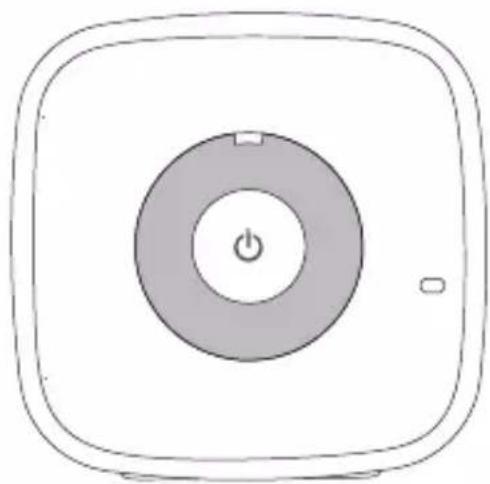
natural_image
Simple line drawing of a square button with a central power symbol and two buttons (no text or labels)DE Montage- und Bedienungsanleitung
EN Assembly and operating instructions
FR Notice de montage et d'utilisation
IT Montaggio ed istruzioni per l'uso
DE Inhalt
EN Contents
Baby phone for audio monitoring of your infant or baby from another room for private reasons. Device may only be used for the purpose described.
This baby phone is in compliance with all the relevant standards with regard to its electromagnetic fields and is safe to operate if it is used as described.
WARNING:
Read instructions carefully before set-up or operation and follow the instructions!
There is a danger of injury in the event of non-compliance.
Keep instructions for future use!

DANGER:
Risk of electric shock through voltage-carrying components on the inside of the device.
Keep batteries away from children under all circumstances. There is a danger of swallowing. This could lead to internal burning and death.
Safety instructions

WARNING:
- Keep packaging parts and small parts away from children.
- Children and persons with limited skills or lack of experience and knowledge may not assemble or operate the product without supervision.
- Do not set up baby phone and connection cable within reachable distance of children.
- Set up baby station at a distance of approx. 1 m from cot.
- Do not cover the devices with cloths, etc.
- Do not use the devices nearby water.
- Batteries may not be reachable by children.
- Comply with manufacturer's instructions with regard to batteries.
- Children may not play with the baby phone.
- The device does not replace any duties of supervision. Always supervise children!
- Do not use baby phone if parts thereof are damaged or missing.
- Before each use, check to ensure proper functioning and sufficient battery charge in the case of battery operation!

Safety instructions
Care and maintenance:
WARNING:
- Repairs may only be carried out by authorised professionals. Under no circumstances may you open or repair the device or parts thereof.
- Regularly check, according to instructions, to ensure that the device is functioning correctly.
- Clean with a damp cloth and mild cleaning agents.
- Information relating to product warranty can be found in the enclosed warranty voucher.
Disposal:
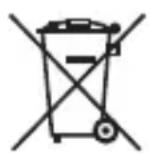
Product may not be disposed of with normal household refuse and must always be disposed of in the correct way.
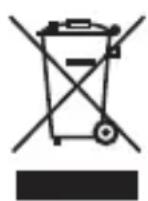
Used batteries may not be disposed of with household refuse. Users are legally bound to bring batteries to a suitable collection point of the trader or the local authority. This disposal is free of charge.
You can also send your used batteries back to us.
Safety instructions

No guarantee or liability in the cases of:
- Non-compliance with the instructions
- Incorrect installation or operation
- Independent modification of the product
Warnings
Take note of and comply with the warnings.
Non-compliance can lead to injury or material damage.
Warnings are marked by the following symbols.

= DANGER: Mortal danger in the event of non-compliance.

= WARNING: Risk of injury in the event of non-compliance.

= NOTE: Instructions for assembly.
EU declaration of conformity:
Hereby, ABUS August Bremicker Söhne KG declares that the radio equipment type baby monitor TOM JC8230 is in compliance with Directive 2014/53/EU. The full text of the EU declaration of conformity is available at the following internet address: www.abus.com
natural_image
Line drawing of a portable electronic device with a screen and control knob (no text or symbols)
natural_image
Line drawing of a multi-pin electrical plug connected to two cables (no text or symbols)
natural_image
Simple line drawing of a square button with a central power symbol and small square buttons at the bottom (no text or labels)
![i | [ ] [ ] [ ]](/content/2026/04/657648/images/6df59ecc2867b620ff8127054b970ebc82805aaadbee04c4cba4f9a8e3d151fc.jpg)

natural_image
Warning symbol with exclamation mark inside triangle (no text or numbers)
DE
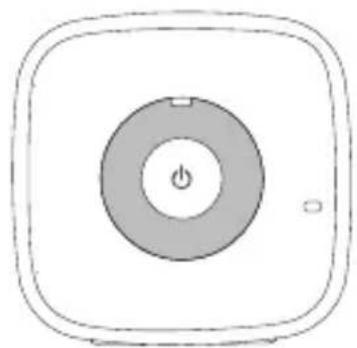
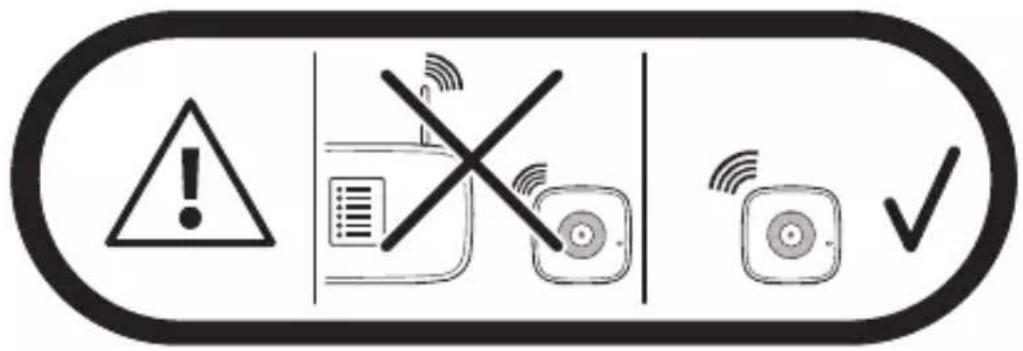
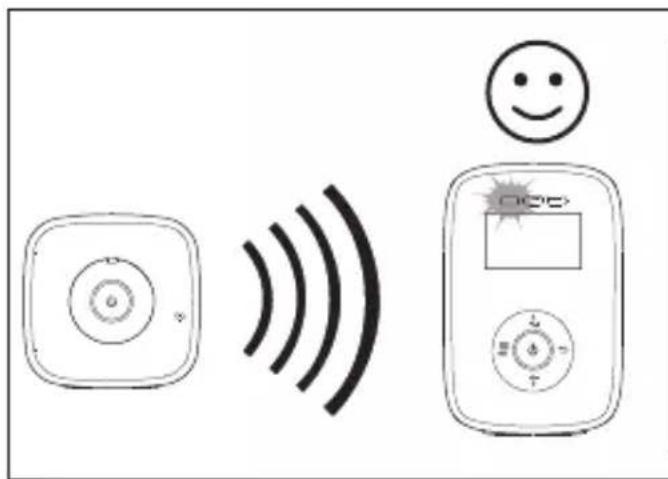
- Place the baby station in a convenient location.
- The range of the wireless connection can be affected by walls or furniture!

FR
Description of baby station
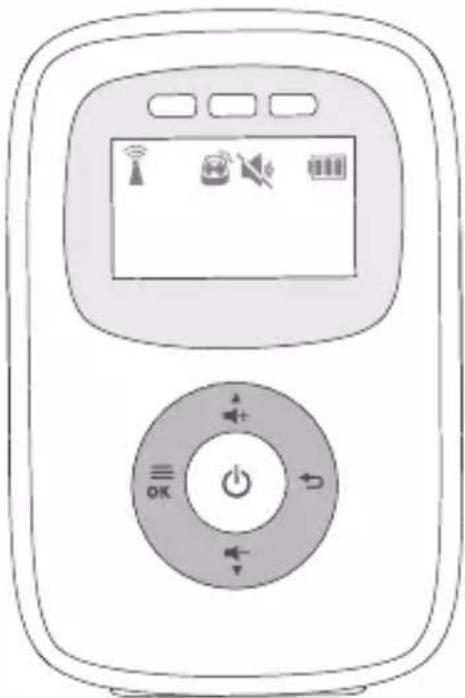
2. Description of parents' station

Description of parents' station

No. Symbol Part / function
- Noise level display
- LCD monitor
- Volume higher
- Back
- Volume Lower
- ON/OFF button
- Menu / OK
- Link / Power LED
- Speaker
- Mains socket
3. Description of monitor
LCD monitor

Description of monitor
EN
| Symbol | Description / function |
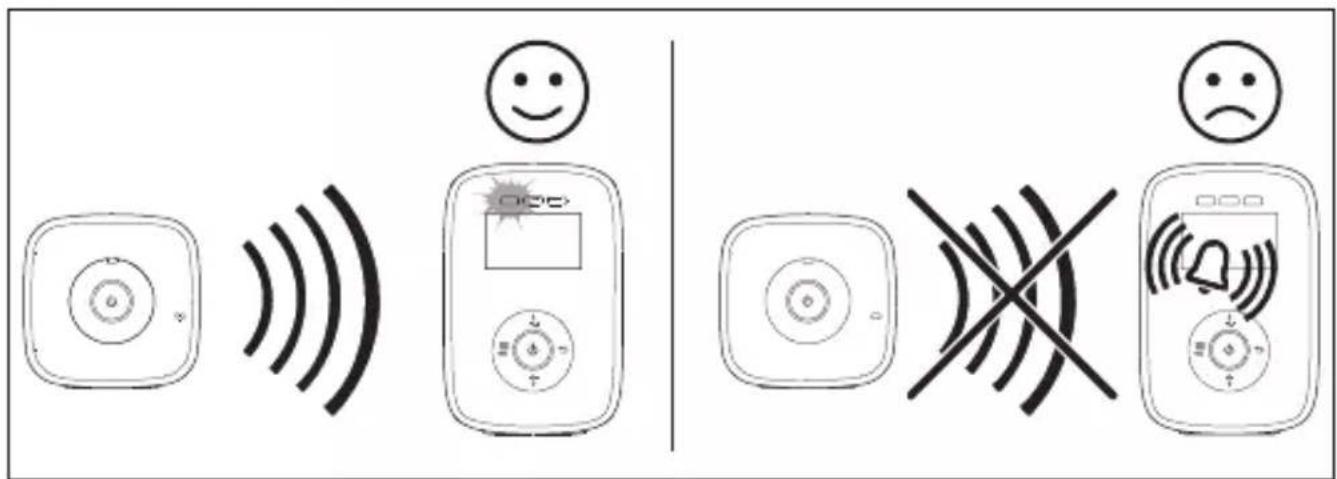
 | On, if parents and baby unit are connected. Flashes, if there is no connection. |
 | On, if the alarm is switched on. Flashes, if the alarm has been triggered. |
 | On, if the device has been set to mute. |
 | Low power - charge as soon as possible |
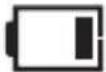 | Battery status 1/3 charged |
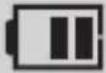 | Battery status 2/3 charged |
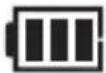 | Battery status fully charged |
 | Alternating, if batteries are charging |
natural_image
Pure electrical circuit symbols and a patterned bar, no text or labels presentEN Commissioning of baby station

Commissioning of parents' station – mains operation
Mise en service du combiné côté parent – Fonctionnement sur secteur Messa in funzione stazione genitori - funzionamento con collegamento alla rete
1.


5.1




Einstellungen Sprache Settings for language Réglages de la langue Impostazioni lingua
6.
DE
EN
FR
IT


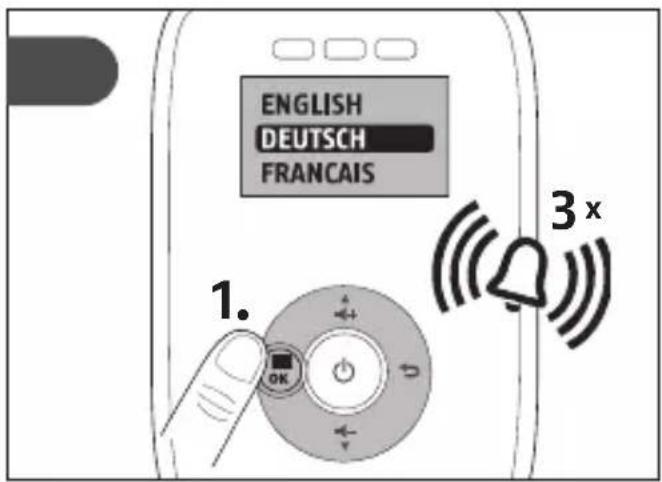
6.
DE
EN
FR
IT

Lautstärke
Volume
Volume
Volume




DE
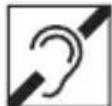
The device can also be used by persons with hearing damage.
FR
The displayed temperature can diverge from the actual temperature and must always be checked!

FR
Reset - reset to factory settings
natural_image
Hand pressing a button on a device component (no text or symbols visible)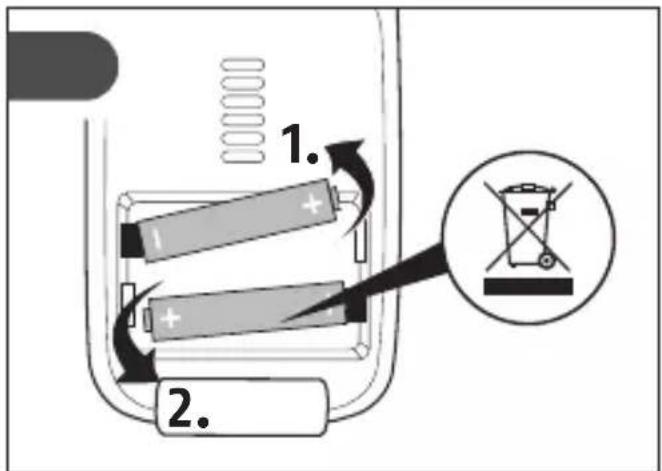


DE Störungen
| Problem Resolution | |
| Power LED does not illuminate after device has been switched on. | Check whether• all electric cables have been plugged in.• the batteries are fully charged or chargeable batteries are in working order and charged (parents' station). |
| An audio signal is emitted from the parents' station. | Check whether• the maximum reception distance has been exceeded.• the electric cable of the baby unit has been plugged in correctly.• the baby unit has been switched on.• the batteries are fully charged or chargeable batteries are in working order and charged (parents' station). |
| No audio signal is emitted from the parents' station. | • Check the volume setting on the parents' station. |
| The device automatically switches off. | • Remove or charge the batteries (parents' station). |
| The signal is weak, the connection is interrupted and the signal is affected. | • Ensure that both stations are not located in the proximity of electrical devices, televisions, mobile phones and computers.• Try to place the parents or baby station at different locations around the room.• Ensure that both stations are not too far from each other. |
Technical data

• DECT technology
• 1.8 GHz frequency (1881.792 - 1897.344 MHz)
• Transmission power max. Baby station: 18.62 dBm
• Transmission power max. Parents station: 17.80 dBm
• 120 digital channels
- Measurements: Baby station: \~ 95 x 36 mm
Parents station: \~ 90 x 45 mm
• Weight: Baby station: \~ 48 g
Parents station: \~ 105 g (with batteries)
Mains adapter: \~ 41 g each
- Range: \~ 300 metres linear distance (without interferences)
| Operation Baby station: | Integrated mains adapter (6 V DC/450 mA) Parents' station: NiMH chargeable batteries (2 x 1.2 V/400 mAh) and integrated mains adapter (6 V DC/450 mA) |
| Service life of chargeable batteries (dependent on battery status, environmental temperature, LCD display, etc.) | Parents' station: approx. 10 hours |
FR Anomalies
Security Tech Germany
© ABUS | D 58292 Wetter | (Germany) abus.com

RED Directive 2014/53/EU
www.abus.com



- DE Inhalt
- EN Contents
- WARNING:
- DANGER:
- Safety instructions
- Care and maintenance:
- Disposal:
- No guarantee or liability in the cases of:
- Warnings
- EU declaration of conformity:
- Description of baby station
- Description of parents' station
- Description of parents' station
- No. Symbol Part / function
- Description of monitor
- Description of monitor
- EN
- DE Störungen
- Technical data
- FR Anomalies
Brand : ABUS
Model : JC8230 TOM
Category : Security alarm