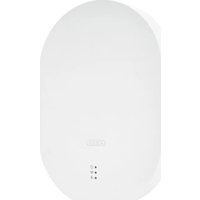
Smartvest Pro FUAA45010 - Security alarm ABUS - Free user manual and instructions
Find the device manual for free Smartvest Pro FUAA45010 ABUS in PDF.


Pick your language and provide your email: we'll send you a specifically translated version.
| Type of product | Wireless Alarm System |
| Brand | ABUS |
| Model | Smartvest Pro FUAA45010 |
| Dimensions (H x W x D) | 120 x 80 x 30 mm |
| Weight | 200 g |
| Power supply | 5V DC (USB) or 4 x AA batteries |
| Main functions | Wireless alarm control panel with GSM/4G, app control, motion detection, door/window sensors, siren, remote arm/disarm |
| Communication | Wi-Fi, Ethernet, GSM (optional) |
| Sensors included | Motion detector, door contact, remote control |
| Smartphone app | ABUS Smartvest Pro App (iOS/Android) |
| Notifications | Push, SMS, email |
| Battery backup | Up to 12 hours |
| Operating temperature | -10°C to 50°C |
| Humidity range | 0% to 95% non-condensing |
| Safety features | Tamper protection, encrypted communication, battery low indicator |
| Maintenance | Check batteries every 6 months, clean casing with dry cloth |
| Spare parts / repairability | Replaceable batteries, spare sensors available from ABUS |
| General information | Indoor use only, compatible with Smartvest Pro accessories |
Frequently Asked Questions - Smartvest Pro FUAA45010 ABUS
How do I install the Smartvest Pro FUAA45010?
Install the control panel in a central location, plug in power, and follow the app setup wizard. Mount sensors using included adhesive or screws.
Can I use the system without the app?
Yes, you can arm/disarm using the included remote control or keypad. The app adds remote access and notifications.
How do I connect the system to Wi-Fi?
Open the ABUS app, go to settings, select Wi-Fi network, and enter your password. Ensure the control panel is within router range.
What happens during a power outage?
The system switches to battery backup (4x AA) for up to 12 hours. Alerts still work if GSM module is active.
How do I add additional sensors?
In the app, tap 'Add device', put the sensor into pairing mode, and follow instructions. Sensors must be within 100m of the control panel.
Why do I get false alarms?
Check sensor placement: avoid direct sunlight, heating vents, or pets. Adjust sensitivity in app settings or reduce trigger delay.
How do I reset the control panel to factory defaults?
Press and hold the reset button on the back for 10 seconds until the LED flashes red. The system will restart.
Can I use the system with Alexa or Google Home?
Yes, through the ABUS Smartvest Pro skill. Enable it in the Alexa or Google Home app and link your ABUS account.
How do I update the firmware?
Firmware updates are automatic via the app when connected to the internet. Ensure the control panel is powered and Wi-Fi is stable.
What is the warranty period?
ABUS offers a 2-year warranty from date of purchase against manufacturing defects. Register your product online for support.
User questions about Smartvest Pro FUAA45010 ABUS
0 question about this device. Answer the ones you know or ask your own.
Ask a new question about this device
No questions yet. Be the first to ask one.
Download the instructions for your Security alarm in PDF format for free! Find your manual Smartvest Pro FUAA45010 - ABUS and take your electronic device back in hand. On this page are published all the documents necessary for the use of your device. Smartvest Pro FUAA45010 by ABUS.
USER MANUAL Smartvest Pro FUAA45010 ABUS


Manual assistant
Powered by Anthropic
Waiting for your message
Product information
Brand : ABUS
Model : Smartvest Pro FUAA45010
Category : Security alarm