BPM120 - Blood pressure monitor Duronic - Free user manual and instructions
Find the device manual for free BPM120 Duronic in PDF.


| Product Type | Automatic arm blood pressure monitor |
| Dimensions | 93 x 130 x 32.5 mm |
| Weight | Approx. 162 g (without batteries) |
| Power Supply | 4 AAA batteries 6V DC or USB adapter 5V-1A (not included) |
| Display | Backlit LCD 60 x 41 mm |
| Measurement Method | Oscillometric |
| Blood Pressure Measurement Range | 40 mmHg – 230 mmHg (systolic/diastolic) |
| Pulse Measurement Range | 40-199 pulses/min |
| Pressure Accuracy | ±3 mmHg |
| Pulse Accuracy | ±5% |
| Cuff | 22-42 cm |
| Memory Capacity | 60 saves per user (2 users) |
| Functions | Irregular heartbeat detection (IHB), movement indicator, WHO classification |
| Safety | CE 0123 compliant, type BF applied part |
| Operating Conditions | 5°C to 40°C, humidity ≤85% |
| Storage Conditions | -20°C to 60°C, humidity ≤93% |
| Warranty | 1 year |
| Included Accessories | Arm cuff, 4 AAA batteries, user manual |
| Care and Cleaning | Clean the device with a dry cloth, do not immerse, do not wash the cuff |
| Protection Rating | IP21 |
Frequently Asked Questions - BPM120 Duronic
User questions about BPM120 Duronic
0 question about this device. Answer the ones you know or ask your own.
Ask a new question about this device
Download the instructions for your Blood pressure monitor in PDF format for free! Find your manual BPM120 - Duronic and take your electronic device back in hand. On this page are published all the documents necessary for the use of your device. BPM120 by Duronic.
USER MANUAL BPM120 Duronic
Creative Consumer Electronics
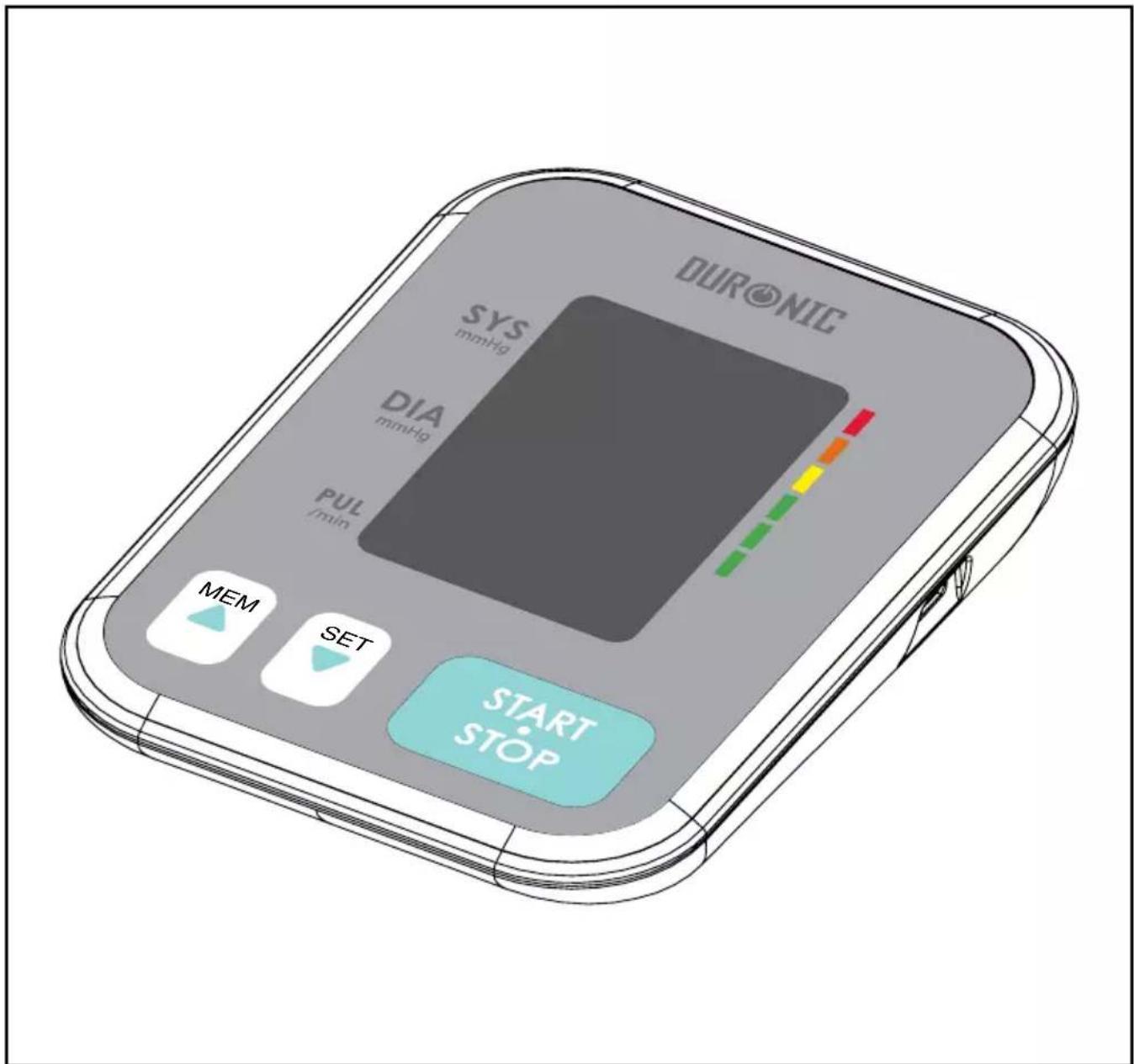
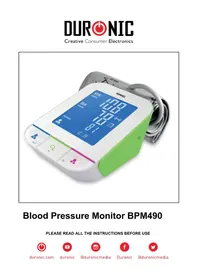
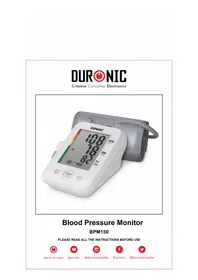
BPM120 - Blood Pressure Monitor

duronic.com

duronic

@duronicmedia

Duronic

@duronicmedia
DURONIC
Contents
English Manual 5
The choice of power supply
Installing and replacing the batteries
Setting date and time
Select the User
TAKING MEASUREMENTS 15
Tie the cuff
Start a measurement
Tips for accurate measurements
Maintenance
ABOUT BLOOD PRESSURE 21
What are systolic pressure and diastolic pressure?
What is the standard blood pressure classification?
Irregular Heartbeat Detector
Why does my blood pressure fluctuate throughout the day?
Why do I get a different blood pressure at home compared to the hospital?
Is the result the same if measuring on the right arm?
TROUBLESHOOTING 24
SPECIFICATIONS 25
CONTACT INFORMATION 26
COMPLIED EUROPEAN STANDARDS LIST 26
AUTHORISED COMPONENTS 27
EMC GUIDANCE 27
WARRANTY 28
Thank you for selecting Duronic BPM120 arm blood pressure monitor. The monitor features blood pressure measurement, pulse rate measurement and auto-saves the results recorded. This model provides you with at least two years of reliable service. Readings taken by the blood pressure monitor are equivalent to those obtained by a trained observer using the cuff and stethoscope auscultation method. This instruction manual contains important safety and care information, and provides step-by-step instruction for using the product. Please read the manual thoroughly before using the product.
BPM120 Features:
- 60x41mm Digital LCD display
- Holds a maximum of 60 records
- Uses inflating measuring technology
Safety Information
Product Symbols
The symbols shown below may appear in the user manual, labelling or other components. They are the requirement of standard and using.
 | THE OPERATION GUIDE MUST BE READ |  | Type BF Applied Parts |
 | CE Mark: Conforms to essential requirements of the Medical Device Directive 93/42/EEC. | 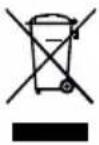 | DISPOSAL: Do not dispose this product as unsorted municipal waste. Collection of such waste separately for special treatment is necessary. |
 | Manufacturer Direct Current |  | |
 | Serial Number |  | Authorized Representative in the European Community |
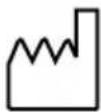 | Manufacture Date |  | RECYCLE: Electrical waste products should not be disposed of with household waste. Please recycle where facilities exist. Check with your local authority or retailer for recycling advice. |
 | The Green Dot is the license symbol of a European network of industry-funded systems for recycling the packaging materials of consumer goods. |

Cautions
This device is intended for adult use only. This device is intended for non-invasive measuring and monitoring of arterial blood pressure. It is not intended for use on any extremities other than the arm or for any functions other than obtaining a blood pressure measurement. Do not confuse self-monitoring with self-diagnosis. This machine allows you to monitor your blood pressure. Do not begin or end medical treatment without asking a doctor for treatment advice.
If you are taking medication, consult your doctor to determine the most appropriate time of day to measure your blood pressure. Never change a prescribed medication without consulting your doctor. When the device is used to measure patients, who have common arrhythmias such as atrial or ventricular premature beats or atrial fibrillation, the best result may occur with deviation. Please consult your doctor about the result.
If the cuff pressure exceeds 40 kPa (300 mmHg), the unit will automatically deflate. Should the cuff not deflate when pressure exceeds 40 kPa (300mmHg), detach the cuff from the arm and press the START /STOP button to stop inflation.
The equipment is not AP/APG equipment and is not suitable for use in the presence of a flammable anesthetic mixture with air of with oxygen or nitrous oxide. The operator shall not touch output of batteries and the patient simultaneously. To avoid measurement errors, please avoid exposing the machine to strong electromagnetic field radiated interference signal or electrical fast transient/burst signal.
The user must check that the equipment functions safely and see that it is in proper working condition before being used. This device is contraindicated for any female who may be suspected of, or is pregnant. Besides providing inaccurate readings, the effects of this device on the fetus are unknown.
Manufacturer will make available on request circuit diagrams, component parts list etc.
This unit is not suitable for continuous monitoring during medical emergencies or operations. Otherwise, the patient's arm and fingers will become numb, swollen and even purple due to a lack of blood.
Please use the device under the environment which was provided in the user manual, otherwise, the performance and lifetime of the device will be impacted and reduced.
During use, the patient will be in contact with the cuff. The materials of the cuff have been tested and found to comply with requirements of ISO 10993-5:2009 and ISO 10993-10:2010. It will not cause any potential sensitization or irritation reaction.
Please use the accessories and detachable parts specified/authorised by Duronic. Otherwise, it may cause damage to the unit or danger to the user/patients.
The device should not need to be calibrated within the two years of reliable service. When disposing of the accessories, detachable parts, or any of the medical equipment, do so according to the local refuse/ recycling guidelines.
If you have any problems with this device, such as setting up, maintaining or using it, please contact the Customer Care Team at Duronic. Do not open or repair the device by yourself.
When cleaning, use the soft cloth to clean the whole unit. Don't use any abrasive or volatile cleaners.
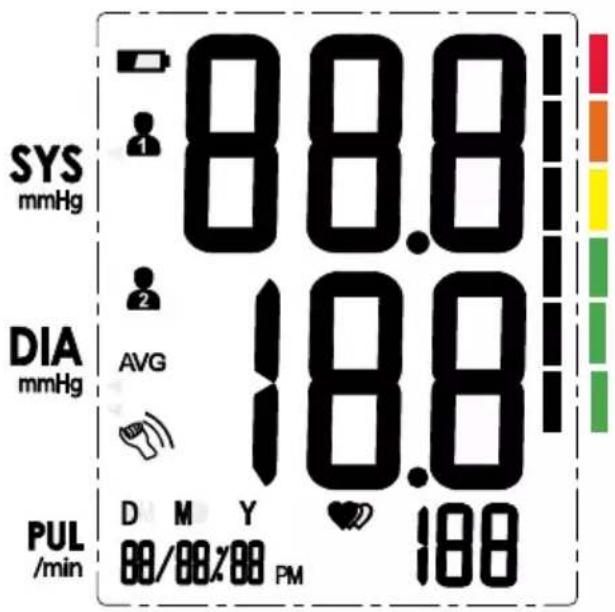
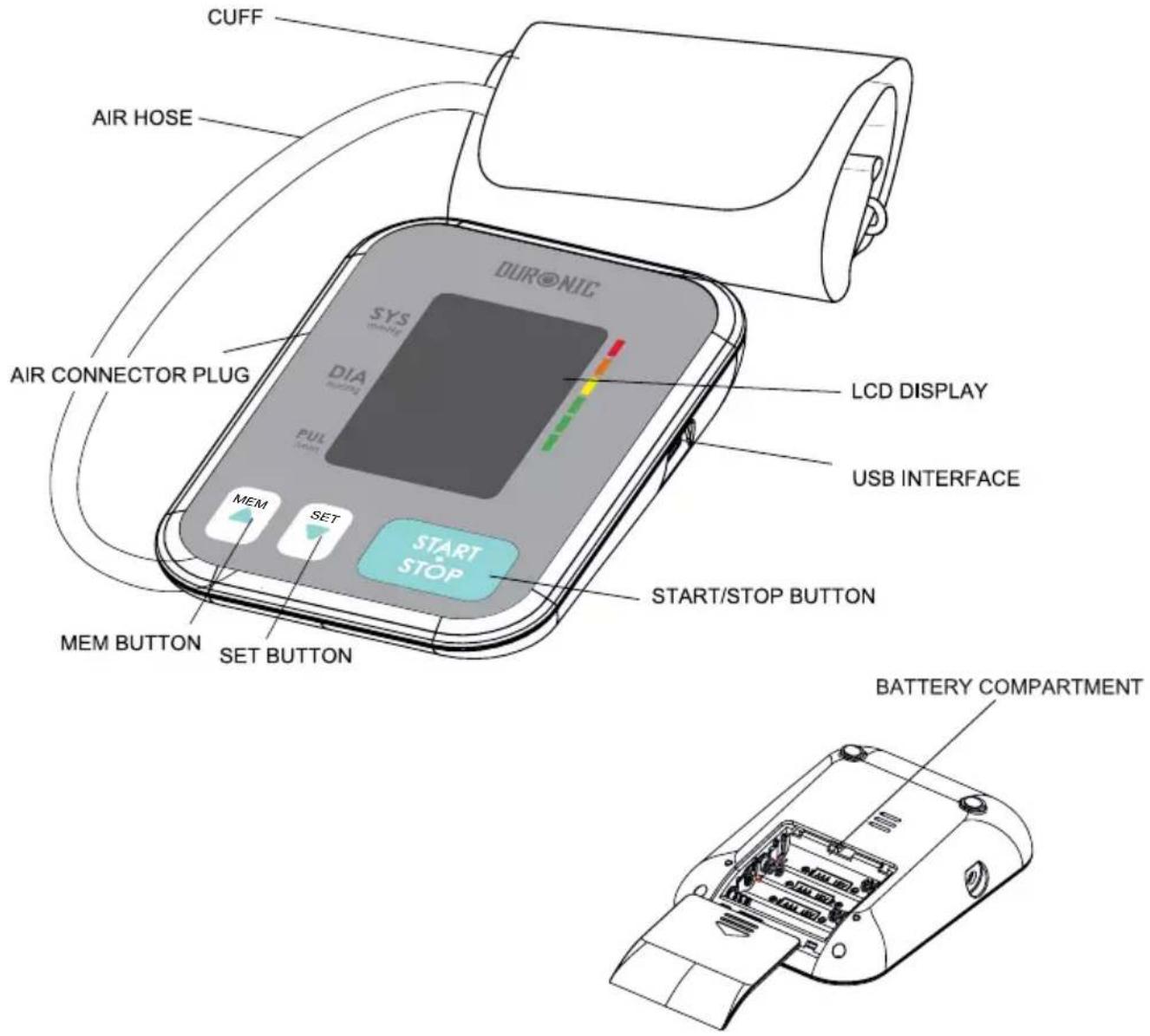
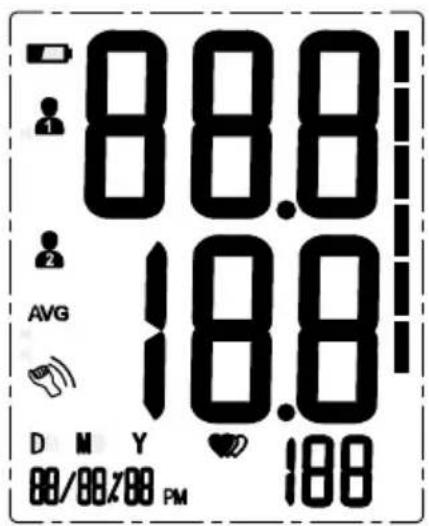
LCD Display
other
| Metric | Value | | :--- | :--- | | SYS mmHg | 88.8 | | DIA mmHg | 18.8 | | PUL /min | 188 | | AVG | 18.8 | | DM Y 00/00×00 PM | 188 | Color bar on right indicates measurement range from red to green.| SYMBOL DESCRIPTION EXPLANATION | ||
| SYS | Systolic blood pressure | High blood pressure |
| DIA | Diastolic blood pressure | Low blood pressure |
| PUL/min | Pulse display | Pulse in beats per minute |
| AVG | Average value | The average value of blood pressure |
| 1/3 | Memory | Indicates memory mode and memory group |
| Motion indicator | Motion may result in an inaccurate measurement | |
| mmHg | mmHg | Measurement Unit of the blood pressure (1mmHg=0.133kPa) |
L | Low battery | Batteries are low and need to be replaced |
 | Irregular heartbeat | Blood pressure monitor is detecting an irregular heartbeat during measurement. |
| Blood pressure level indicator | Indicate the blood pressure level | |
DMY  | Current Time | Year/Month/Day, Hour/Minute |
 | Heartbeat | Blood pressure monitor is detecting a heartbeat during measurement. |
| DT3Y | User 1 | Start measurement for User 1 |
 | User 2 | Start measurement for User 2 |
Monitor Components
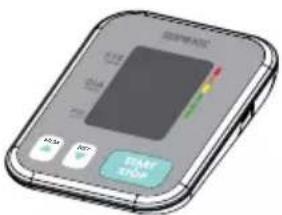
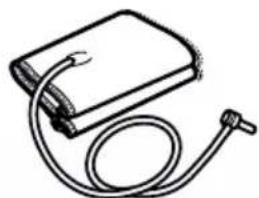
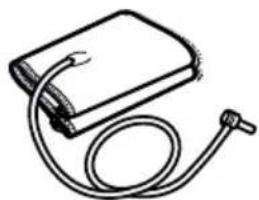
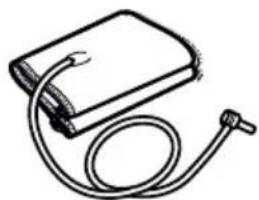
Box Contents
- Blood Pressure Monitor
- Cuff (22\~42cm) (Type BF applied part)
- 4x AAA Batteries 4. User Manual
natural_image
Simple line drawing of a medical device with a coiled tube and a rectangular block (no text or symbols)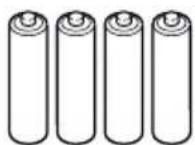
DURONIC
Choice of Power Supply
- Battery powered mode: 6VDC 4*AAA batteries
- AC adaptor powered mode: 5V---1A (not included) Corresponding AC adapters with USB cables are widely available.
If in doubt, contact Duronic for advice.
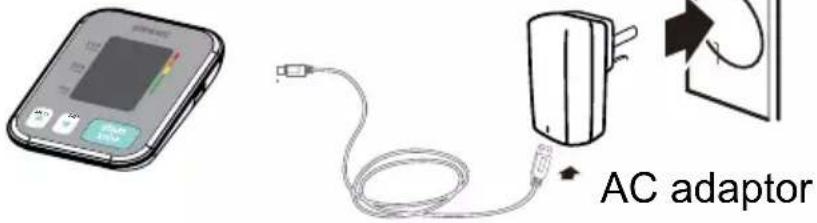

Caution: In order to get the best effect and protect your monitor, please use the right battery and special power adapter. Do not use different types of batteries together.
Installing and Replacing the Batteries
- Slide off the battery cover.
- Install the batteries by matching the correct polarity, as shown.
- Replace the cover.
Replace the batteries whenever the below happens:
- The lo+ symbol shows
- The display dims
- The display does not light up
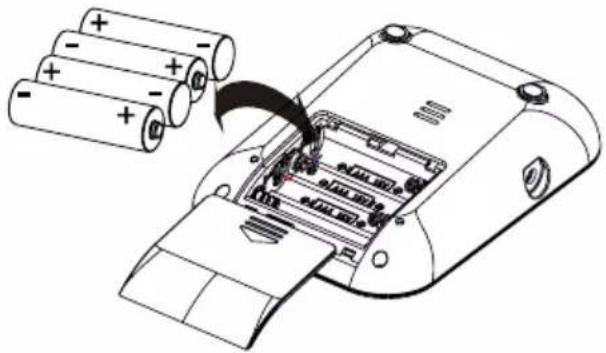
natural_image
Diagram of a battery pack being inserted into a device, showing charge distribution (no text or symbols present)
Caution:
Remove batteries if the device is not likely to be used for some time. Old batteries are harmful to the environment - do not dispose of with other daily rubbish. Remove the old batteries from the device and follow your local recycling guidelines. Do not dispose of batteries in fire - batteries may explode or leak.
Setting Date and Time
It is important to set the clock before using your blood pressure monitor, so that a time stamp can be assigned to each record that is stored in the memory. (year: 2018—2058 time:24H/12 H)
-
When the monitor is off, press the "SET" button and hold for 3 seconds to enter the mode for year setting.
-
Press the "MEM" repeatedly to change the [YEAR].
-
When you get the correct year, press "SET" to save and it will turn to next step automatically.
-
Next, repeat steps 2 and 3 to set the [MONTH] and [DAY].
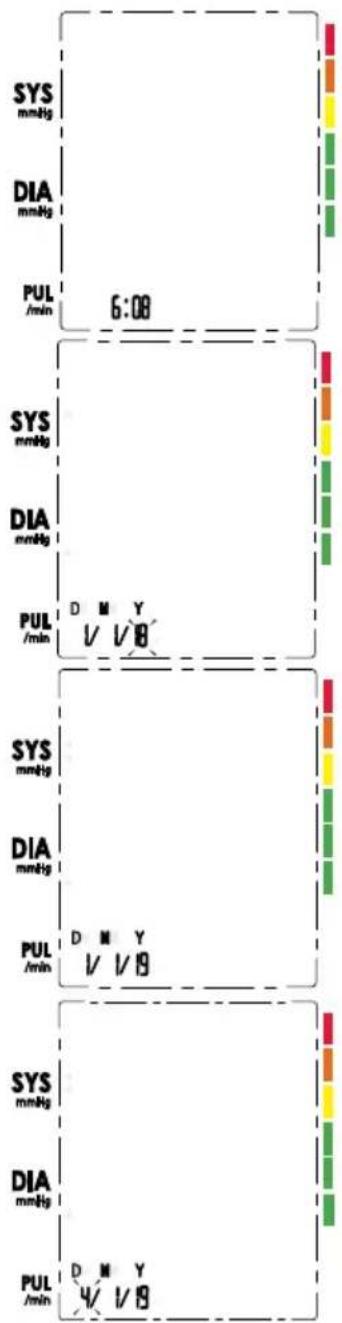
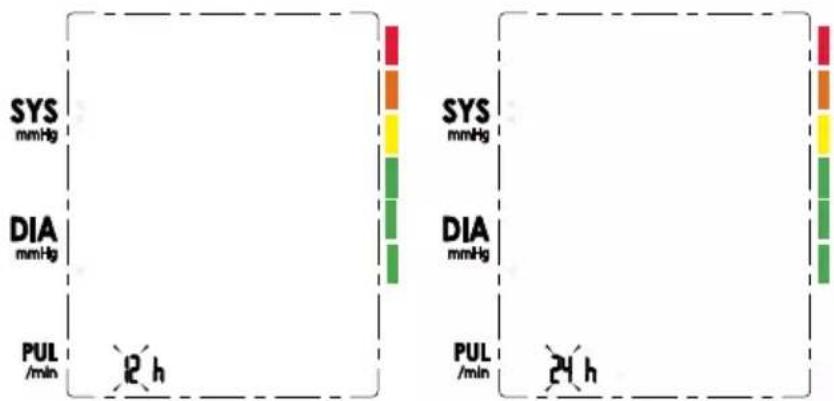
- Repeat step 2 and 3 to set the [TIME FORMAT] between 12h and 24h.
bar
| Measurement | SYS (mmHg) | DIA (mmHg) | |---|---|---| | PUL /min | 2 h | 24 h | The chart displays a comparison of systolic and diastolic blood pressure measurements at two time points: 2 h and 24 h. The left panel shows systolic values for both hemoglobin types, while the right panel shows diastolic values for the same hemolayers. No numerical values are labeled on the bars.- Repeat steps 2 and 3 to also set the [HOUR] and [MINUTE].
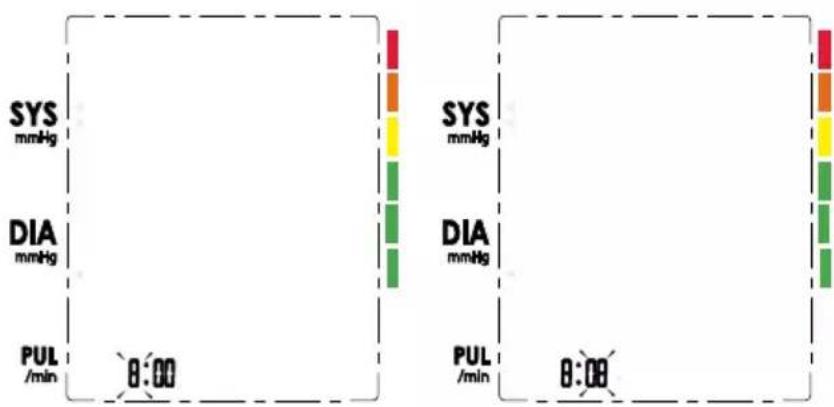
bar
| Measurement | SYS (mmHg) | DIA (mmHg) | |---|---|---| | PUL /min | 8:00 | 8:00 | The chart displays a single vertical bar for each measurement. The left panel shows 'SYS' and 'DIA' values, while the right panel shows 'SYS' and 'DIA' values, both measured in mmHg. The bars are color-coded to indicate different measurements. No trend or correlation is present due to the absence of labels or data series.- After the [MINUTE] is set, the screen will show "DONE", it will show you the date/time you have set and then it will turn off automatically.
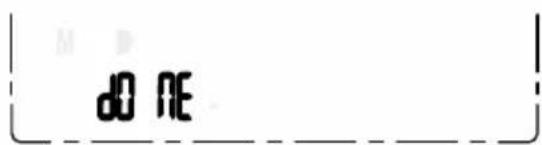
DURONIC
Select the User
- When the monitor is off, press and hold the "MEM" button to enter the user setting mode. The user ID will blink showing the User 1 symbol.
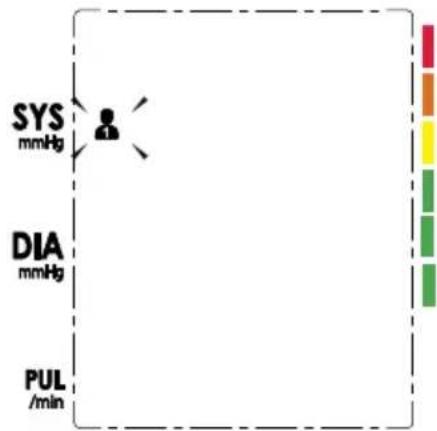
- Then press "MEM" button again to select between User 1 and User 2.
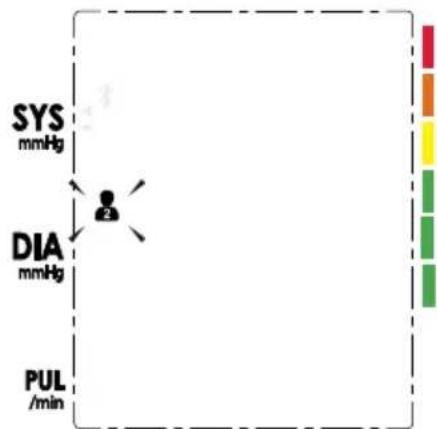
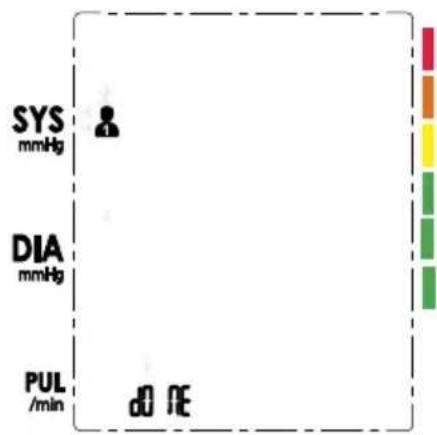
- After selecting the suitable user ID, press the "SET" button to confirm and save. It will display the selected user with the word "DONE". It will then turn off automatically.
Tie the Cuff
Remove all jewellery such as watches, bracelets from your left arm. If your doctor has diagnosed you with poor circulation in your left arm, use your right arm instead.
-
Roll or push up your sleeve to expose the skin. Make sure your sleeve is not too tight.
-
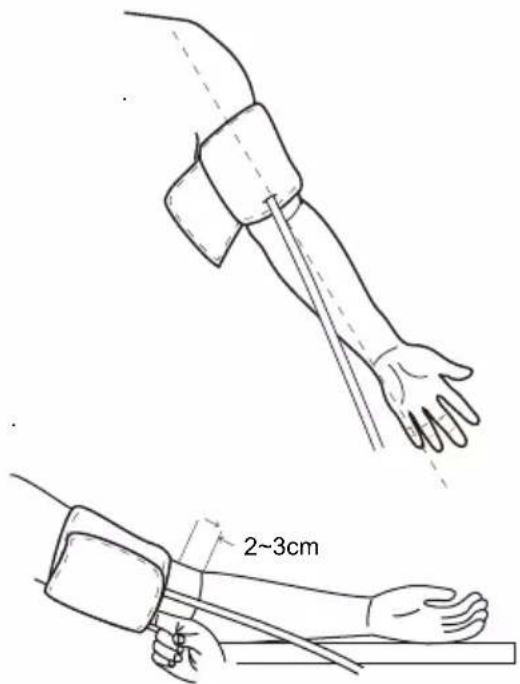
Wrap the cuff around your upper arm, then position the tube off-centre toward the inner side of arm, in-line with the little finger.
-
The cuff should be snug but not too tight. You should be able to insert one finger between the cuff and your arm.
-
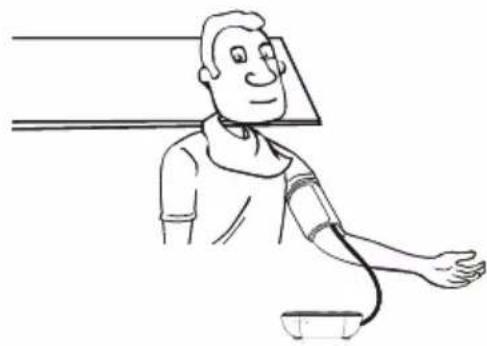
Sit comfortably with your left arm resting on a flat surface. Place your elbow on a table so that the cuff is at the same level as your heart. Turn your palm upwards. Sit upright and take 5-6 deep breaths.
natural_image
Line drawing of a person measuring blood pressure (no text or symbols)Tips for Accurate Measurements
- Rest for 5 minutes before measuring.
- Wait at least 3 minutes between measurements. This allows your blood circulation to recover.
- For a meaningful comparison, try to measure under similar conditions. For example, take daily measurements at approximately the same time, on the same arm, or as directed by a doctor.
- Sit comfortably. Do not cross your legs and keep your feet flat on the ground. Keep your back against the backrest of the chair.
Start a Measurement
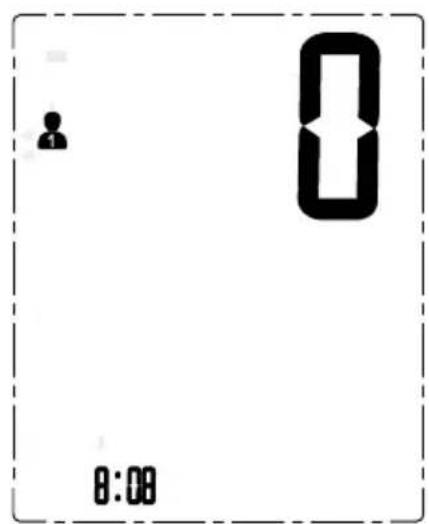
- When the monitor is off, press the "START/STOP" button to turn on the monitor. It will start and finish the whole measurement automatically.

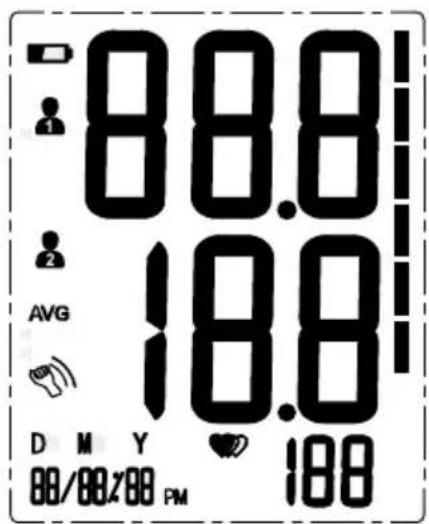
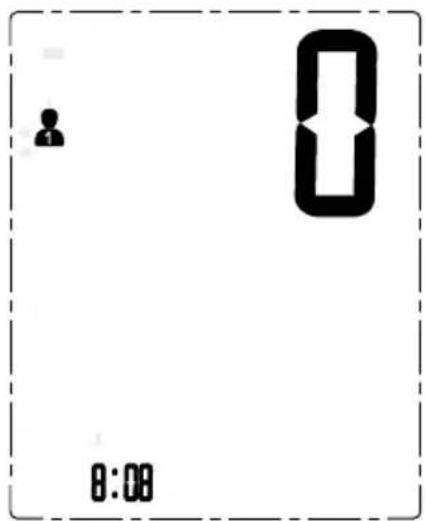
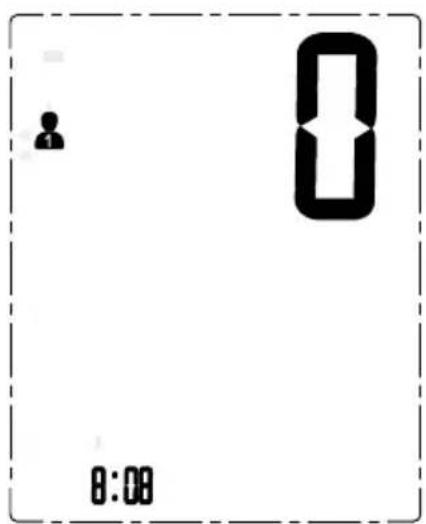
LCD Display when switched on.
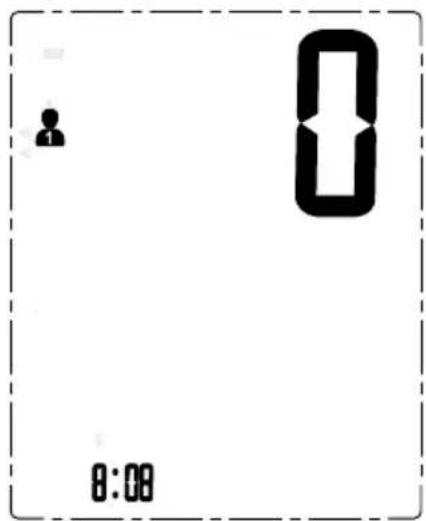
Adjusts the zero automatically.
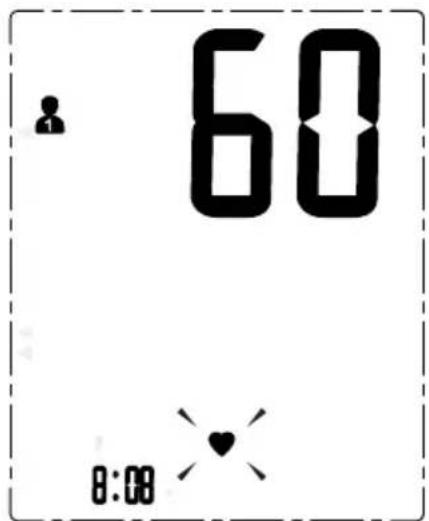
Inflating and measuring automatically.
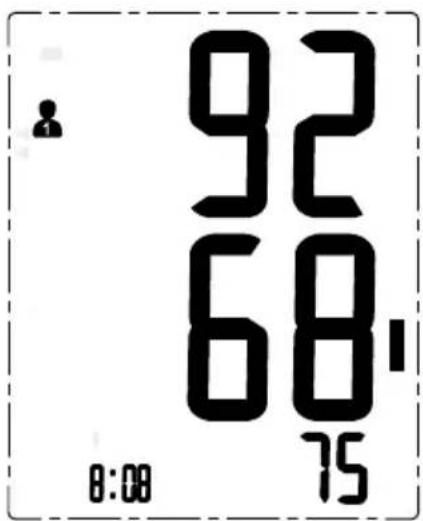
Displays and saves the results automatically.
- If you need to turn off the monitor during the measurement process, press the "START/STOP" button to turn it off, otherwise it will turn off automatically within 1 minute when it completes the measurement.

Recall the Records
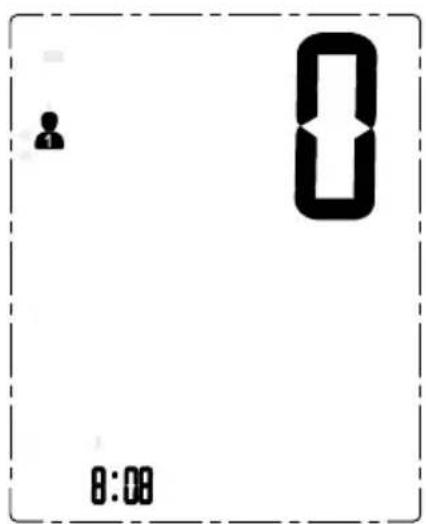
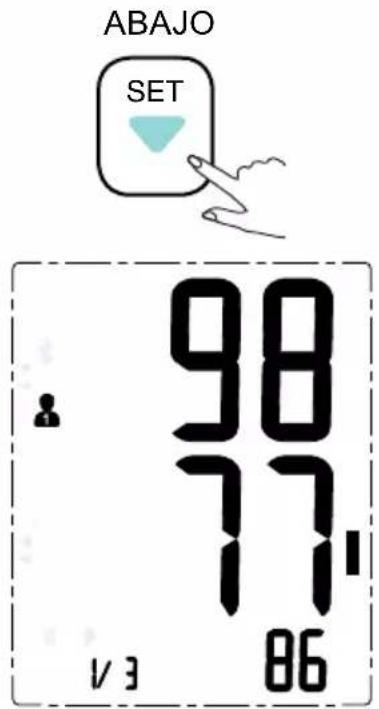
- When the monitor is off, press the "MEM" button to show the most recent record.

- Press the "MEM" or "SET" buttons to move through the historic records to find the record you want.
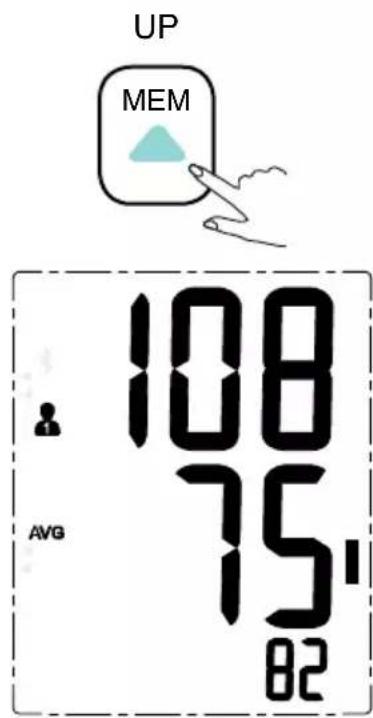
The record will be shown in this order: first showing the record number, followed by the date and then the time.
V3
The current No. is No. 1 three records in total.
D M Y 1/7/9
The corresponding date is 2019 year July 1st.
10:38
The corresponding time is 10:38.

Caution: The most recent record (1) is shown first. Each new measurement is assigned to the first (1) record. All other records are pushed back one digit (e.g., 2 becomes 3, and so on), and the last record (60) is dropped from the list.
Delete the Records
If you did not get the correct measurement, you can delete either single records individually, or delete the whole set of records altogether.
A: To delete one individual record:
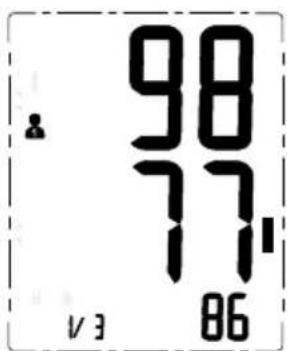
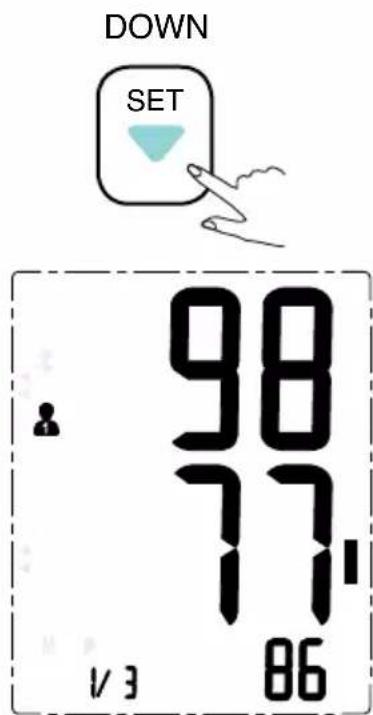
- Press the "MEM" button once to enter Memory Recall Mode. Press the "SET" button to find the record you wish to delete.
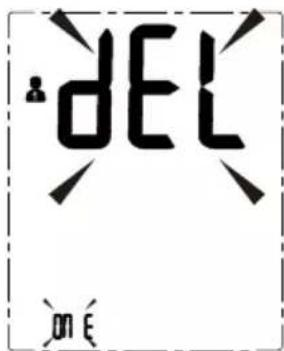
- Press and hold down the "SET" button until the screen above shows, with the words "del" and "one".
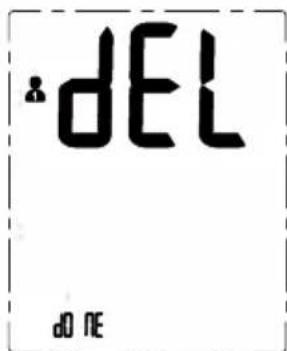
- Press and hold down the "START/ STOP" button until the screen above shows, with the words "del" and "done".
B: To delete all of the records:
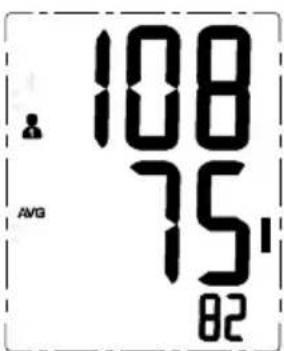
- Press the "MEM" button once to enter Memory Recall Mode. The above screen will show.
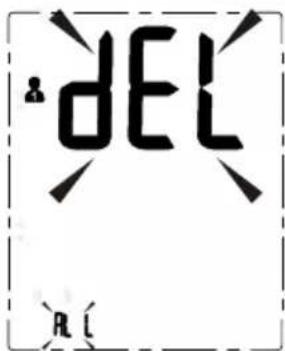
- Press the "MEM" and hold down until the above screen shows, with the words "del" and "all".
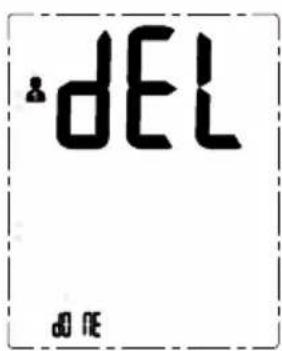
- Press and hold down the "START/STOP" button until the screen above shows, with the words "del" and "done".
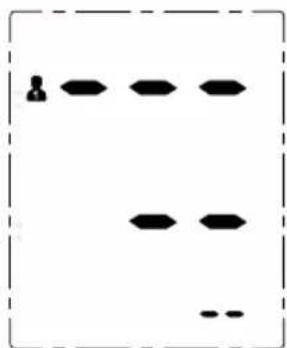
natural_image
Pure diagram of a grid layout with black shapes and symbols, no text or labels present- When there is no record, the screen display above will show on the monitor.
Note: To exit out the delete mode press "Start/Stop" button shortly.

Tips for Accurate Measurements
Measurements may be inaccurate if taken during the following circumstances:

natural_image
Cartoon drawing of a person eating with a bowl and chopsticks (no text or symbols)
natural_image
Cartoon illustration of a smiling man making a peace sign while sitting at a table with a coffee cup (no text or symbols)Within 2 hours of eating or drinking. Immediately after drinking tea or coffee, or after smoking.

natural_image
Simple line drawing of a person holding an elongated object (no text or symbols)
natural_image
Cartoon illustration of a man in a suit talking on the phone, with no visible text or symbolsWhen talking or moving your fingers. Within 20 mi

natural_image
Simple line drawing of a person with closed eyes and long hair, surrounded by swirling lines (no text or symbols)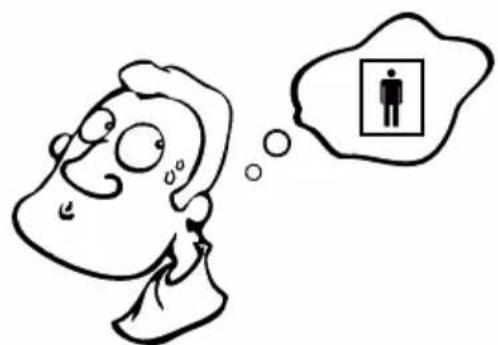
natural_image
Cartoon illustration of a person with a thought bubble showing a person inside a box (no text or symbols present)In a very cold environment. When you want to discharge urine.
DURONIC
Maintenance
In order to get the best performance, please follow the below instructions.
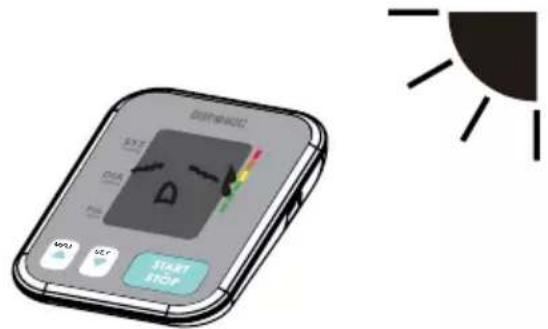
Store in a dry place and avoid direct sunlight.
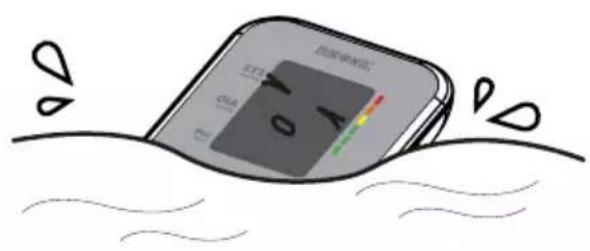
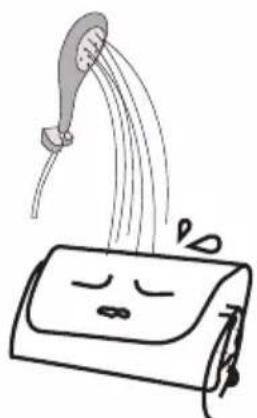
Avoid the monitor touching water. If the machine gets wet, dry immediately afterwards.
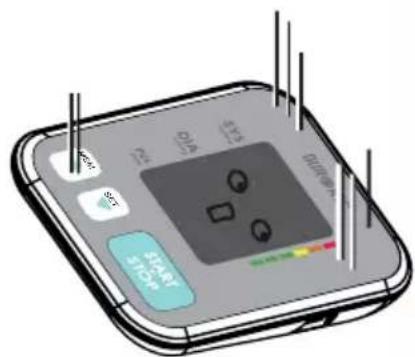
Avoid intense shaking and collision.
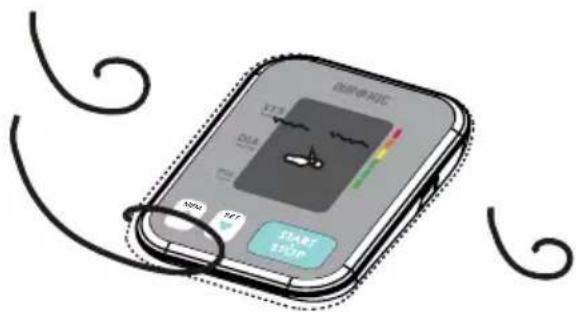
Avoid dusty environments and unstable temperatures.
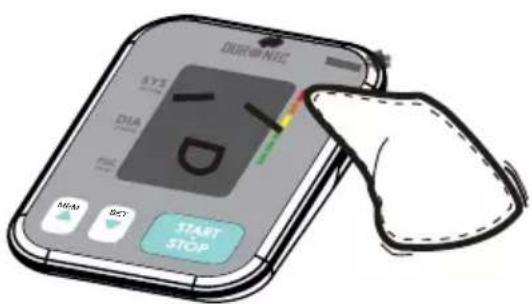
Use a wet (well wrung) cloth to remove any dirt.
natural_image
Simple line drawing of a showerhead spraying water onto a box with eyes closed (no text or symbols)Do not clean the cuff with water and never immerse the cuff in water or any other liquid.
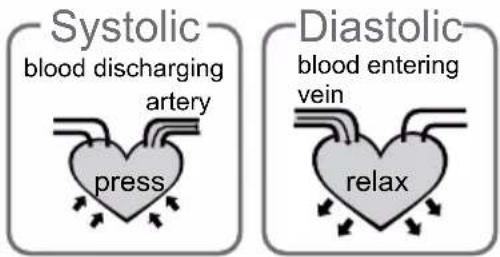
What are systolic pressure and diastolic pressure?
When heart ventricles contract and pump blood out of the heart, blood pressure reaches its maximum value, the highest pressure in the cycle, which is known as systolic pressure. When the ventricles relax between heartbeats, the lowest blood pressure is known as diastolic pressure.
What is the standard blood pressure classification?
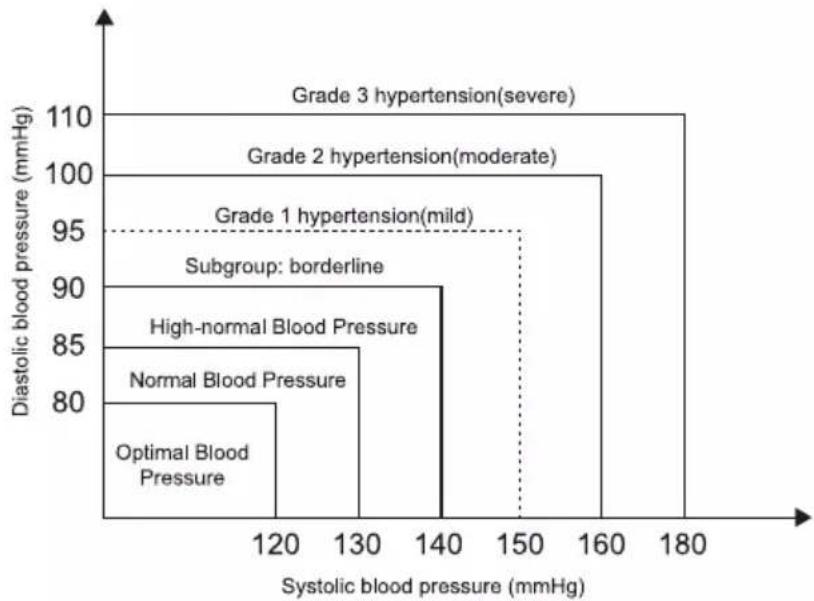
The blood pressure classification mode by World Health Organization (WHO) and International Society of Hypertension (ISH) in 1999 is illustrated below:
bar
| Category | Diastolic blood pressure (mmHg) | |---|---| | Optimal Blood Pressure | 80 | | Normal Blood Pressure | 85 | | High-normal Blood Pressure | 90 | | Subgroup: borderline | 95 | | Grade 1 hypertension(mild) | 95 | | Grade 2 hypertension(moderate) | 100 | | Grade 3 hypertension(severe) | 110 || Blood Pressure (mm Hg) \ Level | Optimal | Normal | High-normal | Mild | Moderate | Severe |
| SYS | <120 | 120-129 | 130-139 | 140-159 | 160-179 | ≥180 |
| DIA | <80 | 80-84 | 85-89 | 90-99 | 100-109 | ≥110 |

Caution: Only a doctor can tell you your normal blood pressure range and the point at which you are at any risk. Contact your doctor for advice if the measurements taken with these monitor falls outside the range.
Irregular Heartbeat Detector
An irregular heartbeat is detected when a heartbeat rhythm varies while the monitor is measuring the systolic pressure and diastolic pressure. During each measurement, the monitor will keep a record of all the pulse intervals and calculate the average value of them.
If there are two or more pulse intervals, the difference between each interval and the average is more than the average value of +25% then the irregular heartbeat symbol will appear on the display with the measurement result.
If there are four or more pulse intervals with the difference between each interval and the average is more than the average value of +15%, then the irregular heartbeat symbol will appear on the display with the measurement result.

Caution: The appearance of the IHB icon indicates that a pulse irregularity consistent with an irregular heartbeat was detected during measurement. Usually this is NOT a cause for concern. However, if the symbol appears often, we recommend you seek medical advice. Please note that the device does not replace a cardiac examination, but serves to detect pulse irregularities at an early stage.
Why does my blood pressure vary throughout the day?
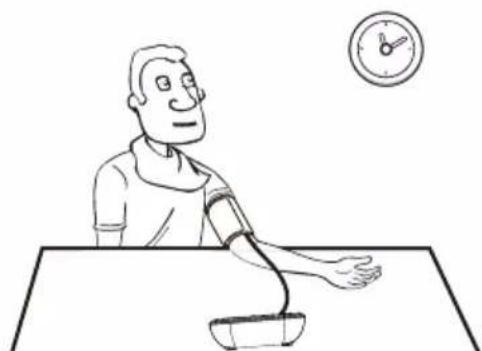
Individual blood pressure varies naturally multiple times during the day. It is also affected by the way you tie your cuff around your arm and the position of your arm during measurement. For this reason, we advise you take measurement at the same time of day and in the same position.
Please note: If the user takes medication the pressure will vary more.
If you wish to measure a second time, wait at least 3 minutes before taking another measurement.
natural_image
Line drawing of a person measuring blood pressure with a clock in the background (no text or symbols)Why do I get a different blood pressure at home compared to the hospital?
Blood pressure is different even throughout the day due to weather, emotions, exercise etc.
Also, there is the “white coat” effect, which means blood pressure usually increases in clinical settings due to anxiety or nerves.
What you need to pay attention to when you measure your blood pressure at home:
- If the cuff is tied properly.
- If the cuff is too tight or too loose.
- If the cuff is tied on the upper arm.
- If you feel anxious.
Advice: Take 2-3 deep breaths before beginning a measurement as this will help get a more accurate result. If you are particular anxious or upset, relax yourself for 4-5 minutes until you calm down.
Is the result the same if measuring on the right arm?
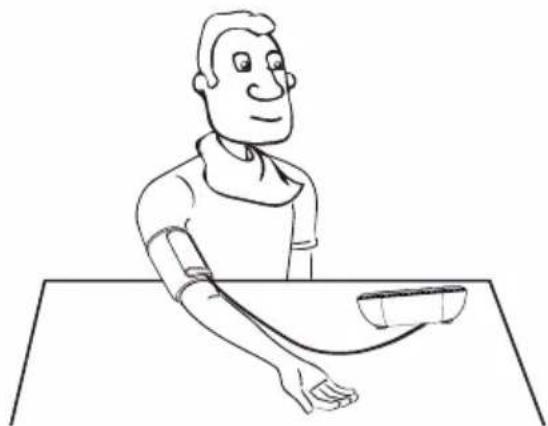
It is fine to use the cuff on either arm, but some people will experience a difference in measurement results.
For this reason, we recommend using the same arm every time.
natural_image
Line drawing of a person sitting at a desk with a medical or health device, no text or symbols presentTroubleshooting
This section includes a list of error messages and frequently asked questions for problems you may encounter with your blood pressure monitor. If the monitor is not operating as you think it should, check here before arranging for servicing.
| Problem Symptom Check This Remedy | |||
| No power | Display is dim or will not light up. | Batteries are exhausted. | Replace with new batteries. |
| Batteries are inserted incorrectly. | Insert the batteries correctly. | ||
| AC adapter is inserted incorrectly. | Insert the AC adapter tightly. | ||
| Low batteries | Shows on the display. | Batteries are low. Replace with new batteries. | |
| Error message | ‘E01’ shows | The cuff is not secure, either too tight or too loose. | Refasten the cuff and then measure again. |
| ‘E02’ shows | The monitor has detected motion, talking, or the pulse is too poor while measuring. | Relax for a moment and then measure again. | |
| ‘E03’ shows | The measurement process does not detect the pulse signal. | Loosen the clothing on the arm and then measure again. | |
| ‘E04’ shows | The treatment of the measurement failed. | Relax for a moment and try again. | |
| ‘EExx’ shows | A calibration error occurred. | Retake the measurement. If the problem persists, contact Duronic for further assistance. Refer to the warranty for contact information. | |
| Warning message | ‘out’ shows | Out of range measurement. | Relax for a moment. Refasten the cuff and then measure again. If the problem persists, contact your doctor. |
Specifications
| Power supply | Battery powered mode:6VDC 4*AAA batteriesAC adaptor powered mode: 5V --- 1ACan be supplied by AC adaptor model(Not Included) |
| Display mode Digital L | CD V.A.60*41mm |
| Measurement mode Oscil | lographic testing mode |
| Measurement range | Rated cuff Pressure 0mmHg~299mmHg(0kPa39.9kPa) Measurement pressure: SYS:60mmHg~230mmHg (8.0kPa~30.7kPa) DIA:40mmHg~130mmHg (5.3kPa~17.3kPa)Pulse value: (40~199) beat/minute |
| Accuracy | Pressure:5°C~40°Cwithin±0.4kPa(3mmHg)pulse value:±5% |
| Normal working condition | Temperature:+5°C to +40°C. Relativehumidity range of 15% to 90%. Atmosphericpressure: 700 hPa to 1060hPa |
| Storage & transportationcondition | Temperature: -20°C to 60°CRelative humidity: ≤93%Atmospheric pressure: 50kPa to 106kPa |
| Measurement perimeter ofthe upper arm | About 22cm~42cm |
| Weight | Approx.162g(Excluding the dry cells) |
| External dimensions | Approx.93x130x32,5mm |
| Attachment 4*AAA batteries,user manual | |
| Mode of operation Continuous operation | |
| Degree of protection Type | BF applied part |
| Protection against ingress ofwater | IP21 |
| Software Version A01 | |
Contact Information
Distributed by:
Company: SHINEMART LTD
Address: Unit 1, Spilsby Road, Harold Hill, Romford, Essex, RM3 8SB, UK.
Manufactured by:
Company: Guangdong Transtek Medical Electronics Co., Ltd.
Address: Zone A, No.105, Dongli Road, Torch Development District, Zhongshan, 528437, Guangdong, China.
Authorized European Representative:
Company: MDSS - Medical Device Safety Service GmbH Address: Schiffgraben 41, 30175 Hannover, Germany.
Complied European Standards List
| Risk Management | EN ISO 14971:2012 / ISO 14971:2007 Medical devices - Application of risk management to medical devices |
| Labelling | EN ISO 15223-1:2016 / ISO 15223-1:2016 Medical devices. Symbols to be used with medical device labels, labelling and information to be supplied. Part 1 : General requirements |
| User Manual | EN 1041:2008 +A1:2013 Information supplied by the manufacturer of medical devices |
| General Requirements for Safety | EN 60601-1:2006+A1:2013/ IEC 60601-1:2005+A1:2012 Medical electrical equipment - Part 1: General requirements for basic safety and essential performanceEN 60601-1-11:2015/ IEC 60601-1-11:2015 Medical electrical equipment - Part 1-11: General requirements for basic safety and essential performance - Collateral standard: Requirements for medical electrical equipment and medical electrical systems used in the home healthcare environment |
| Electromagnetic Compatibility | EN 60601-1-2:2015/ IEC 60601-1-2:2014 Medical electrical equipment - Part 1-2: General requirements for basic safety and essential performance - Collateral standard: Electromagnetic disturbances - Requirements and tests |
| Performance Requirements | EN ISO 81060-1:2012 Non-invasive sphygmomanometers - Part 1: Requirements and test methods for non-automated measurement typeEN 1060-3:1997+A2:2009 Non-invasive sphygmomanometers - Part 3: Supplementary requirements for electro-mechanical blood pressure measuring systemsIEC 80601-2-30:2009+A1:2013 Medical electrical equipment- Part 2-30: Particular requirements for the basic safety and essential performance of automated non-invasive sphygmomanometers |
| Clinical Investigation | EN 1060-4:2004 Non-invasive sphygmomanometers - Part 4: Test procedures to determine the overall system accuracy of automated non-invasive sphygmomanometersISO 81060-2:2013 Non-invasive sphygmomanometers - Part 2: Clinical validation of automated measurement type |
| Usability | EN 60601-1-6:2010+A1:2015/IEC 60601-1-6:2010+A1:2013 Medical electrical equipment - Part 1-6: General requirements for basic safety and essential performance - Collateral standard: UsabilityIEC 62366-1:2015 Medical devices - Part 1: Application of usability engineering to medical devices |
| Software Life-cycle Processes | EN 60601-1-6:2010+A1:2015/IEC 60601-1-6:2010+A1:2013 Medical electrical equipment - Part 1-6: General requirements for basic safety and essential performance - Collateral standard: UsabilityIEC 62366-1:2015 Medical devices - Part 1: Application of usability Engineering to medical devices |
| Bio-compatibility | ISO 10993-1:2009 Biological evaluation of medical devices- Part 1: Evaluation and testing within a risk management processISO 10993-5:2009 Biological evaluation of medical devices - Part 5: Tests for in vitro cytotoxicityISO 10993-10:2010 Biological evaluation of medical devices - Part 10: Tests for irritation and skin sensitization |
Authorised Components
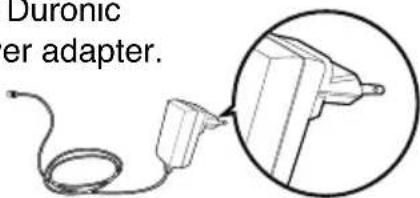
Please use the Duronic authorised power adapter.
(Not Included)
Adapter
Input: 100\~240V, 50\~60Hz, 400mA
Output: 5V = 1000mA
Type: BLJ06L0501000U-V
BLJ06L0501000U-B
EMC Guidance
This medical equipment monitor is suitable for home healthcare environments.
Warning: Don't near active HF surgical equipment and the RF shielded room of an ME system for magnetic resonance imaging, where the intensity of EM disturbances is high.
Warning: Use of this equipment adjacent to or stacked with any other equipment should be avoided because it could result in improper operation. If such use is necessary, this equipment and the other equipment should be observed to verify that they are operating normally.
Warning: Use of accessories, transducers and cables other than those specified or provided by the manufacturer of this equipment could result in increased electromagnetic emissions or decreased electromagnetic immunity of this equipment and result in improper operation.
Warning: Portable RF communications equipment (including peripherals such as antennas) should be used no closer than 30cm (12 inches) to any part of the equipment TMB-1872-A, including cables specified by the manufacturer. Otherwise, degradation of the performance of this equipment could result.
Table 1 Guidance and MANUFACTURER's declaration – ELECTROMAGNETIC EMISSIONS- for all ME EQUIPMENT and ME SYSTEMS
| Guidance and manufacturer's declaration - electromagnetic emissions | |
| Emissions test | Compliance |
| RF emissionsCISPR 11 | Group 1 |
| RF emissionsCISPR 11 | Class [ B ] |
| Harmonic emissionsIEC 61000-3-2 | Class A |
| Voltage fluctuations/flicker emissionsIEC 61000-3-3 | Comply |
Table 2 Guidance and MANUFACTURER's declaration – electromagnetic IMMUNITY – for all ME EQUIPMENT and ME SYSTEMS
| Guidance and manufacturer's declaration - electromagnetic Immunity | ||
| Immunity Test | IEC 60601-1-2Test level | Compliance level |
| Electrostatic discharge (ESD)IEC 61000-4-2 | ±8 kV contact±2 kV, ±4kV, ±8 kV, ±15 kV air | ±8 kV contact±2 kV, ±4kV, ±8 kV,±15 kV air |
| Electrical fast transient/burstIEC 61000-4-4 | ±2 kV for power supply lines±1 kV signal input/output100 kHz repetition frequency | ±2 kV for power supply lines±1 kV signal input/output100 kHz repetition frequency |
| SurgeIEC61000-4-5 | ±0.5 kV, ±1 kV differential mode±0.5 kV, ±1 kV,±2 kV common mode | ±0.5 kV, ±1 kV differential mode±0.5 kV, ±1 kV,±2 kV common mode |
| Voltage dips, short interruptions and voltage variations on power supply input linesIEC 61000-4-11 | 0 % UT; 0,5 cycle. At 0°, 45°, 90°, 135°,180°, 225°, 270° and 315°.0 % UT;1 cycle and 70 % UT; 25/30 cycles;Single phase: at 0°.0 % UT; 250/300 cycle | 0 % UT; 0,5 cycle. At 0°, 45°, 90°, 135°,180°, 225°, 270° and 315°.0 % UT; 1 cycle and 70 % UT;25/30 cycles; Single phase: at 0°.0 % UT; 250/300 cycle |
| Power frequency magnetic fieldIEC 61000-4-8 | 30 A/m50Hz/60Hz | 30 A/m50Hz/60Hz |
| Conduced RFIEC61000-4-6 | 3 V0,15 MHz – 80 MH z6 V in ISM and amateur radio bands between 0,15 MHz and 80 MH z80 % AM at 1 kHz | 3 V0,15 MHz – 80 MH z6 V in ISM and amateur radio bands between 0,15 MHz and 80 MH z80 % AM at 1 kHz |
| Radiated RFIEC61000-4-3 | 10 V/m80 MHz – 2,7 GHz80 % AM at 1 kHz | 10 V/m80 MHz – 2,7 GHz80 % AM at 1 kHz |
| NOTE UT is the a.c. mains voltage prior to application of the test le vel. | ||
Table 3 Guidance and MANUFACTURER's declaration – electromagnetic IMMUNITY – for ME EQUIPMENT and ME SYSTEMS that are not LIFE-SUPPORTING
| Guidance and manufacturer's declaration - electromagnetic Immunity | |||||||
| Radiated RF IEC61000-4-3 (Test specifications for ENCLOSURE PORT IMMUNITY to RF wireless communications equipment) | Test Frequency (MHz) | Band (MHz) | Service Modulation Modulation Modulation Modulation Modulation Modulation Modulation Modulation Modulation Modulation Modulation Modulation Modulation Modulation Modulation Modulation Modulation Modulation Modulation Modulation Modulation Modulation Modulation Modulation Modulation Modulation Modulation Modulation Modulation Modulation Modulation Modulation Modulation Modulation Modulation Modulation Modulation Modulation Modulation Modulation Modulation Modulation Modulation Modulation Modulation Modulation Modulation Modulation Modulation Modulation Modulation Modulation Modulation Modulation Modulation Modulation Modulation Modulation Modulation Modulation Modulation Modulation Modulation Modulation Modulation Modulation Modulation Modulation Modulation Modulation Modulation Modulation Modulation Modulation Modulation Modulation Modulation Modulation Modulation Modulation Modulation Modulation Modulation Modulation Modulation Modulation Modulation Modulation Modulation Modulation Modulation Modulation Modulation Modulation Modulation Modulation Modulation Modulation Modulation Modulation Modulator Modulation Modulation Modulation Modulation Modulation Modulation Modulation Modulation Modulation Modulation Modulation Modulation Modulation Modulation Modulation Modulation Modulation Modulation Modulation Modulation Modulation Modulation Modulation Modulation Modulation Modulation Modulation Modulation Modulation Modulation Modulation Modulation Modulation Modulation Modulation Modulation Modulation Modulation Modulation Modulation Modulation Modulation Modulation Modulation Modulation Modulation Modulation Modulation Modulation Modulated Modulation Modulation Modulation Modulation Modulation Modulation Modulation Modulation Modulation Modulation Modulation Modulation Modulation Modulation Modulation Modulation Modulation Modulation Modulation Modulation Modulation Modulation Modulation Modulation Modulation Modulation Modulation Modulation Modulation Modulation Modulation Modulation Modulation Modulation Modulation Modulation Modulation Modulation Modulation Modulation Modulation Modulation Modulation Modulation Modulation Modulation Modulation Modulation Modulation Modultification Modulation Modulation Modulation Modulation Modulation Modulation Modulation Modulation Modulation Modulation Modulation Modulation Modulation Modulation Modulation Modulation Modulation Modulation Modulation Modulation Modulation Modulation Modulation Modulation Modulation Modulation Modulation Modulation Modulation Modulation Modulation Modulation Modulation Modulation Modulation Modulation Modulation Modulation Modulation Modulation Modulation Modulation Modulation Modulation Modulation Modulation Modulation Modulation Modulation Modutilization Modutilization Modutilization Modutilization Modutilization Modutilization Modutilization Modutilization Modutilization Modutilization Modutilization Modutilization Modutilization Modutilization Modutilization Modutilization Modutilization Modutilization Modutilization Modutilization Modutilization Modutilization Modutilization Modutilization Modutilization Modutilization Modutilization Modutilization Modutilization Modutilization Modutilization Modutilization Modutilization ModutilizationModutilization Modutilization Modutilization Modutilization Modutilization Modutilization Modutilization Modutilization Modutilization Modutilization Modutilization Modutilization Modutilization Modutilization Modutilization Modutilization Modutilization Modutilization Modutilization Modutilization Modutilization Modutilization Modutilization Modutilization Modutilization Modutilization Modutilization Modutilization Modutilization Modutilization Modutilization Modutilization Modutilization Modtilization Modutilization Modutilization Modutilization Modutilization Modutilization Modutilization Modutilization Modutilization Modutilization Modutilization Modutilization Modutilization Modutilization Modutilization Modutilization Modutilization Modutilization Modutilization Modutilization Modutilization Modutilization Modutilization Modutilization Modutilization Modutilization Modutilization Modutilization Modutilization Modutilization Modutilization Modutilization Modutilization Modutilation Modutilization Modutilization Modutilization Modutilization Modutilization Modutilization Modutilization Modutilization Modutilization Modutilization Modutilization Modutilization Modutilization Modutilization Modutilization Modutilization Modutilization Modutilization Modutilization Modutilization Modutilization Modutilization Modutilization Modutilization Modutilization Modutilization Modutilization Modutilization Modutilization Modutilization Modutilization Modutilization Modutilization modutilization modutilization modutilization modutilization modutilization modutilization modutilization modutilization modutilization modutilization modutilization modutilization modutilization modutilization modutilization modutilization modutilization modutilization modutilization modutilization modutilization modutilization modutilization modutilization modutilization modutilization modutilization modutilization modutilization modutilization modutilization modutilization modutilization modtilization modutilization modutilization modutilization modutilization modutilization modutilization modutilization modutilization modutilization modutilization modutilization modutilization modutilization modutilization modutilization modutilization modutilization modutilization modutilization modutilization modutilization modutilization modutilization modutilization modutilization modutilization modutilization modutilization modutilization modutilization modutilization modutilization modutilation modutilization modutilization modutilization modutilization modutilization modutilization modutilization modutilization modutilization modutilization modutilization modutilization modutilization modutilization modutilization modutilization modutilization modutilization modutilization modutilization modutilization modutilization modutilization modutilization modutilization modutilization modutilization modutilization modutilization modutilization modutilization modutilization modutilizationmodutilization modutilization modutilization modutilization modutilization modutilization modutilization modutilization modutilization modutilization modutilization modutilization modutilization modutilization modutilization modutilization modutilization modutilization modutilization modutilization modutilization modutilization modutilization modutilization modutilization modutilization modutilization modutilization modutilization modutilization modutilization modutilization modutilization modtutilization modutilization modutilization modutilization modutilization modutilization modutilization modutilization modutilization modutilization modutilization modutilization modutilization modutilization modutilization modutilization modutilization modutilization modutilization modutilization modutilization modutilization modutilization modutilization modutilization modutilization modutilization modutilization modutilization modutilization modutilization modutilization modutilization modUtilization modutilization modutilization modutilization modutilization modutilization modutilization modutilization modutilization modutilization modutilization modutilization modutilization modutilization modutilization modutilization modutilization modutilization modutilization modutilization modutilization modutilization modutilization modutilization modutilization modutilization modutilization modutilization modutilization modutilization modutilization modutilization modutilization modutilitization modutilitization modutilitization modutilitization modutilitization modutilitization modutilitization modutilitization modutilitization modutilitization modutilitization modutilitization modutilitization modutilitization modutilitization modutilitization modutilitization modutilitization modutilitization modutilitization modutilitization modutilitization modutilitization modutilitization modutilitization modutilitung modutilitization modutilitization modutilitization modutilitization modutilitization modutilitization modutilitization modutilitization modutilitization modutilitization modutilitization modutilitization modutilitization modutilitization modutilitization modutilitization modutilitization modutilitization modutilitization modutilitization modutilitization modutilitization modutilitization modutilitization modutilituation modutilitization modutilitization modutilitization modutilitization modutilitization modutilitization modutilitization modutilitization modutilitization modutilitization modutilitization modutilitization modutilitization modutilitization modutilitization modutilitization modutilitization modutilitization modutilitization modutilitization modutilitization modutilitization modutilitization modutilitization modutilitration modutilitization modutilitization modutilitization modutilitization modutilitization modutilitization modutilitization modutilitization modutilitization modutilitization modutilitization modutilitization modutilitization modutilitization modutilitization modutilitization modutilitization modutilitization modutilitization modutilitization modutilitization modutilitization modutilitization modutilitization modutilitation modutilitization modutilitization modutilitization modutilitization modutilitization modutilitization modutilitization modutilitization modutilitization modutilitization modutilitization modutilitization modutilitization modutilitization modutilitization modutilitization modutilitization modutilitization modutilitization modutilitization modutilitization modutilitization modutilitization modutilitization modutilitATION modutilitization modutilitization modutilitization modutilitization modutilitization modutilitization modutilitization modutilitization modutilitization modutilitization modutilitization modutilitization modutilitization modutilitization modutilitization modutilitization modutilitization modutilitization modutilitization modutilitization modutilitization modutilitization modutilitization modutilitization modutilitateriodilution modutilitateriodilution modutilitateriodilution modutilitateriodilution modutilitateriodilution modutilitateriodilution modutilitateriodilution modutilitateriodilution modutilitateriodilution modutilitateriodilution modutilitateriodilution modutilitateriodilution modutilitateriodilution modutilitateriodilution modutilitateriodilution modtiliteriodilution modtiliteriodilution modtiliteriodilution modtiliteriodilution modtiliteriodilution modtiliteriodilution modtiliteriodilution modtiliteriodilution modtiliteriodilution modtiliteriodilution modtiliteriodilution modtiliteriodilution modtiliteriodilution modtiliteriodilution modtiliteriodilution modtiliteriodilution modtiliteriodilutionmodtiliteriodilutionmodtiliteriodilutionmodtiliteriodilutionmodtiliteriodilutionmodtiliteriodilutionmodtiliteriodilutionmodtiliteriodilutionmodtiliteriodilutionmodtiliteriodilutionmodtiliteriodilutionmodtiliteriodilutionmodtiliteriodilutionmodtiliteriodilutionmodtiliteriodilutionmodtiliteriodilutionmodtiliteriodilutionmodtiliteriodialutionmodtiliteriodialutionmodtiliteriodialutionmodtiliteriodialutionmodtiliteriodialutionmodtiliteriodialutionmodtiliteriodialutionmodtiliteriodialutionmodtiliteriodialutionmodtiliteriodialutionmodtiliteriodialutionmodtiliteriodialutionmodtiliteriodialutionmodtiliteriodialutionmodtiliteriodialutionmodtiliteriodialutionmodtiliteriodialutionmodtilteriodialutionmodtiliteriodialutionmodtiliteriodialutionmodtiliteriodialutionmodtiliteriodialutionmodtiliteriodialutionmodtiliteriodialutionmodtiliteriodialutionmodtiliteriodialutionmodtiliteriodialutionmodtiliteriodialutionmodtiliteriodialutionmodtiliteriodialutionmodtiliteriodialutionmodtiliteriodialutionmodtiliteriodialutionmodtiliteriodialutionModulatorModulatorModulatorModulatorModulatorModulatorModulatorModulatorModulatorModulatorModulatorModulatorModulatorModulatorModulatorModulatorModulatorModulatorModulatorModulatorModulatorModulatorModulatorModulatorModulatorModulatorModulatorModulatorModulatorModulatorModulatorModulatorModulatorModulatorDimodulatorModulatorModulatorModulatorModulatorModulatorModulatorModulatorModulatorModulatorModulatorModulatorModulatorModulatorModulatorModulatorModulatorModulatorModulatorModulatorModulatorModulatorModulatorModulatorModulatorModulatorModulatorModulatorModulatorModulatorModulatorModulatorModulatorModullerModulatorModulatorModulatorModulatorModulatorModulatorModulatorModulatorModulatorModulatorModulatorModulatorModulatorModulatorModulatorModulatorModulatorModulatorModulatorModulatorModulatorModulatorModulatorModulatorModulatorModulatorModulatorModulatorModulatorModulatorModulatorModulatorModulatorDomulatorModulatorModulatorModulatorModulatorModulatorModulatorModulatorModulatorModulatorModulatorModulatorModulatorModulatorModulatorModulatorModulatorModulatorModulatorModulatorModulatorModulatorModulatorModulatorModulatorModulatorModulatorModulatorModulatorModulatorModulatorModulatorModulatorModuolar/ModulatorModulatorModulatorModulatorModulatorModulatorModulatorModulatorModulatorModulatorModulatorModulatorModulatorModulatorModulatorModulatorModulatorModulatorModulatorModulatorModulatorModulatorModulatorModulatorModulatorModulatorModulatorModulatorModulatorModulatorModulatorModulatorModulatorDial/ModulatorModulatorModulatorModulatorModulatorModulatorModulatorModulatorModulatorModulatorModulatorModulatorModulatorModulatorModulatorModulatorModulatorModulatorModulatorModulatorModulatorModulatorModulatorModulatorModulatorModulatorModulatorModulatorModulatorModulatorModulatorModulatorModulat/ModulatorModulatorModulatorModulatorModulatorModulatorModulatorModulatorModulatorModulatorModulatorModulatorModulatorModulatorModulatorModulatorModulatorModulatorModulatorModulatorModulatorModulatorModulatorModulatorModulatorModulatorModulatorModulatorModulatorModulatorModulatorModulatorModulato/ModulatorModulatorModulatorModulatorModulatorModulatorModulatorModulatorModulatorModulatorModulatorModulatorModulatorModulatorModulatorModulatorModulatorModulatorModulatorModulatorModulatorModulatorModulatorModulatorModulatorModulatorModulatorModulatorModulatorModulatorModulatorModulatorModulater/Modulater/Modulater/Modulater/Modulater/Modulater/Modulater/Modulater/Modulater/Modulater/Modulater/Modulater/Modulater/Modulater/Modulater/Modulater/Modulater/Modulater/Modulater/Modulater/Modulater/Modulater/Modulater/Modulater/Modulater/Modulater/Midulater/Modulater/Modulater/Modulater/Modulater/Modulater/Modulater/Modulater/Modulater/Modulater/Modulater/Modulater/Modulater/Modulater/Modulater/Modulater/Modulater/Modulater/Modulater/Modulater/Modulater/Modulater/Modulater/Modulater/Modulater/Dimulater/Modulater/Modulater/Modulater/Modulater/Modulater/Modulater/Modulater/Modulater/Modulater/Modulater/Modulater/Modulater/Modulater/Modulater/Modulater/Modulater/Modulater/Modulater/Modulater/Modulater/Modulater/Modulater/Modulater/Modulater/Regulater/Modulater/Modulater/Modulater/Modulater/Modulater/Modulater/Modulater/Modulater/Modulater/Modulater/Modulater/Modulater/Modulater/Modulater/Modulater/Modulater/Modulater/Modulater/Modulater/Modulater/Modulater/Modulater/Modulater/Modulater/Industal/Modulater/Modulater/Modulater/Modulater/Modulater/Modulater/Modulater/Modulater/Modulater/Modulater/Modulater/Modulater/Modulater/Modulater/Modulater/Modulater/Modulater/Modulater/Modulater/Modulater/Modulater/Modulater/Modulater/Modulater/Modulate/Modulate/Modulate/Modulate/Modulate/Modulate/Modulate/Modulate/Modulate/Modulate/Modulate/Modulate/Modulate/Modulate/Modulate/Modulate/Modulate/Modulate/Modulate/Modulate/Modulate/Modulate/Modulate/Modulate/Modulate/Modulates/Modulates/Modulates/Modulates/Modulates/Modulates/Modulates/Modulates/Modulates/Modulates/Modulates/Modulates/Modulates/Modulates/Modulates/Modulates/Modulates/Modulates/Modulates/Modulates/Modulates/Modulates/Modulates/Modulates/Modulates/Modulate/Modulate/Modulate/Modulate/Modulate/Modulate/Modulate/Modulate/Modulate/Modulate/Modulate/Modulate/Modulate/Modulate/Modulate/Modulate/Modulate/Modulate/Modulate/Modulate/Modulate/Modulate/Modulate/Modulate/Modulrate/Modulrate/Modulrate/Modulrate/Modulrate/Modulrate/Modulrate/Modulrate/Modulrate/Modulrate/Modulrate/Modulrate/Modulrate/Modulrate/Modulrate/Modulrate/Modulrate/Modulrate/Modulrate/Modulrate/Modulrate/Modulrate/Modulrate/Modulrate/Modulrate/Modulate/Modulate/Modulate/Modulate/Modulate/Modulate/Modulate/Modulate/Modulate/Modulate/Modulate/Modulate/Modulate/Modulate/Modulate/Modulate/Modulate/Modulate/Modulate/Modulate/Modulate/Modulate/Modulate/Modulate/Modulats/Modulats/Modulats/Modulats/Modulats/Modulats/Modulats/Modulats/Modulats/Modulats/Modulats/Modulats/Modulats/Modulats/Modulats/Modulats/Modulats/Modulats/Modulats/Modulats/Modulats/Modulats/Modulats/Modulats/Modulats/Modulat/Modulat/Modulat/Modulat/Modulat/Modulat/Modulat/Modulat/Modulat/Modulat/Modulat/Modulat/Modulat/Modulat/Modulat/Modulat/Modulat/Modulat/Modulat/Modulat/Modulat/Modulat/Modulat/Modulat/Modulat/Modulati/Modulati/Modulati/Modulati/Modulati/Modulati/Modulati/Modulati/Modulati/Modulati/Modulati/Modulati/Modulati/Modulati/Modulati/Modulati/Modulati/Modulati/Modulati/Modulati/Modulati/Modulati/Modulati/Modulati/Modulati/Modulat/Modulati/Modulati/Modulati/Modulati/Modulati/Modulati/Modulati/Modulati/Modulati/Modulati/Modulati/Modulati/Modulati/Modulati/Modulati/Modulati/Modulati/Modulati/Modulati/Modulati/Modulati/Modulati/Modulati/Modulat/Modulat/Modulat/Modulat/Modulat/Modulat/Modulat/Modulat/Modulat/Modulat/Modulat/Modulat/Modulat/Modulat/Modulat/Modulat/Modulat/Modulat/Modulat/Modulat/Modulat/Modulat/Modulat/Modulat/Modulats/Modulats/Modulats/Modulats/Modulats/Modulats/Modulats/Modulats/Modulats/Modulats/Modulats/Modulats/Modulats/Modulats/Modulats/Modulats/Modulats/Modulats/Modulats/Modulats/Modulats/Modulats/Modulats/Modulats/Modults/Modulats/Modulats/Modulats/Modulats/Modulats/Modulats/Modulats/Modulats/Modulats/Modulats/Modulats/Modulats/Modulats/Modulats/Modulats/Modulats/Modulats/Modulats/Modulats/Modulats/Modulats/Modulats/Modulats/Modulats/Modulars/Modulats/Modulats/Modulats/Modulats/Modulats/Modulats/Modulats/Modulats/Modulats/Modulats/Modulats/Modulats/Modulats/Modulats/Modulats/Modulats/Modulats/Modulats/Modulats/Modulats/Modulats/Modulats/Modulats/Modulats/Modulots/Modulots/Modulots/Modulots/Modulots/Modulots/Modulots/Modulots/Modulots/Modulots/Modulots/Modulots/Modulots/Modulots/Modulots/Modulots/Modulots/Modulots/Modulots/Modulots/Modulots/Modulots/Modulots/Modulots/Modulots/Modulotimes/Modulotimes/Modulotimes/Modulotimes/Modulotimes/Modulotimes/Modulotimes/Modulotimes/Modulotimes/Modulotimes/Modulotimes/Modulotimes/Modulotimes/Modulotimes/Modulotimes/Modulotimes/Modulotimes/Modulotimes/Modulotimes/Modulotimes/Modulottimes/Modulotimes/Modulotimes/Modulotimes/Modulotimes/Modulotimes/Modulotimes/Modulotimes/Modulotimes/Modulotimes/Modulotimes/Modulotimes/Modulotimes/Modulotimes/Modulotimes/Modulotimes/Modulotimes/Modulotimes/Modulotimes/Modulotimes/Modulotms/Modulotms/Modulotms/Modulotms/Modulotms/Modulotms/Modulotms/Modulotms/Modulotms/Modulotms/Modulotms/Modulotms/Modulotms/Modulotms/Modulotms/Modulotms/Modulotms/Modulotms/Modulotms/Modulotms/Modulotss/Modulotss/Modulotss/Modulotss/Modulotss/Modulotss/Modulotss/Modulotss/Modulotss/Modulotss/Modulotss/Modulotss/Modulotss/Modulotss/Modulotss/Modulotss/Modulotss/Modulotss/Modulotss/Modulotss/ModulotSS/ModulotSS/ModulotSS/ModulotSS/ModulotSS/ModulotSS/ModulotSS/ModulotSS/ModulotSS/ModulotSS/ModulotSS/ModulotSS/ModulotSS/ModulotSS/ModulotSS/ModulotSS/ModulotSS/ModulotSS/ModulotSS/ModulotSS/ModulotS/ModulotSS/ModulotSS/ModulotSS/ModulotSS/ModulotSS/ModulotSS/ModulotSS/ModulotSS/ModulotSS/ModulotSS/ModulotSS/ModulotSS/ModulotSS/ModulotSS/ModulotSS/ModulotSS/ModulotSS/ModulotSS/ModulotSS/Modulot SS/ModulotSS/ModulotSS/ModulotSS/ModulotSS/ModulotSS/ModulotSS/ModulotSS/ModulotSS/ModulotSS/ModulotSS/ModulotSS/ModulotSS/ModulotSS/ModulotSS/ModulotSS/ModulotSS/ModulotSS/ModulotSS/ModulotSS/Modulotss/Modulotss/Modulotss/Modulotss/Modulotss/Modulotss/Modulotss/Modulotss/Modulotss/Modulotss/Modulotss/Modulotss/Modulotss/Modulotss/Modulotss/Modulotss/Modulotss/ | ||||
DURONIC
Warranty
1 Year Guarantee from Shine-Mart Ltd, Trademark owners of Duronic Products. NOTE: THESE STATEMENTS DO NOT AFFECT YOUR STATUTORY RIGHTS AS A CONSUMER
This product has been manufactured under the strictest or quality control procedures, and using the highest quality of materials, to ensure excellent performance and reliability. It will give very good and long lasting service, provided it is properly used and maintained. The product is guaranteed for 1 years from the date of original purchase. If any defect arises due to a faulty materials or poor workmanship, the faulty product must be returned to the original place of purchase. Refund or replacement is at the discretion of that company. Duronic Products are offered with a 1 year guarantee under the following conditions:
- The product must be returned to the retailer with original proof of purchase.
- The product must be installed and used in accordance with the instructions contained in this operating manual.
- It must be used only for domestic purposes.
- It does not cover wear and tear, malicious damage, misuse, neglect, inexpert repairs or consumable parts.
- Shine-Mart Ltd has no responsibilities for accidental or consequential loss or damage.
- Shine-Mart Ltd are not liable to carry out any type of servicing work, under the guarantee
- Valid in the UK only
CE 0123
Information on waste Disposal for Consumers of
Electrical & Electronic Equipment.
This mark on a product and/or accompanying documents indicates that when it is to be disposed of, it must be treated as Waste
Electrical & Electronic Equipment, (WEEE).
Any WEEE marked products must not be mixed with general household waste, but kept separate for the treatment, recovery and recycling of the materials used.
For proper treatment, recovery and recycling; please take all WEEE marked
waste to your Local Authority Civic waste site,
where it will be accepted free of charge.
If customers dispose of Waste Electrical & Electronic Equipment correctly, they will be helping to save valuable resources and preventing any potential negative effects upon human health and the environment, of any hazardous materials that the waste may contain.
Follow Us

duronic.com

duronic

@duronicmedia

Duronic

@duronicmedia
ACCESSOIRE COMPATIBLE 51
GARANTIE 52
other
| Parameter | Value | |---|---| | SYS mmHg | 88.8 | | DIA mmHg | 18.8 | | PUL /min | 188 | | D M Y 88/88%88 PM | ♥️ 188 | Legend: Color scale from red to green.natural_image
Diagram of a battery pack with two batteries and a device, showing internal components and battery casing (no text or symbols)
Avertissement:
bar
| Measurement | SYS (mmHg) | DIA (mmHg) | |---|---|---| | PUL /min | 8:00 | 8:00 | The chart displays a single vertical bar for each measurement. The left panel shows 'SYS' and 'DIA' values, while the right panel shows 'SYS' and 'DIA' values, both measured on a scale from 0 to 100. The bars are color-coded by category: red for SYS, orange for DIA, yellow for DIA, green for PUL. No trend or correlation is present due to the absence of data labels.natural_image
Line drawing of a person measuring blood pressure (no text or symbols)Astuces:
natural_image
Cartoon drawing of a smiling person sitting at a table with chopsticks and a bowl (no text or symbols)natural_image
Cartoon illustration of a man pointing at a steaming cup with a spoon (no text or symbols)natural_image
Simple line drawing of a person holding a long object (no text or symbols)natural_image
Cartoon illustration of a man in a suit talking on a phone, with no visible text or symbolsnatural_image
Simple line drawing of a person holding an apple, surrounded by swirling lines (no text or symbols)natural_image
Cartoon illustration of a person with thought bubble showing a person inside a box (no text or symbols)natural_image
Illustration of a submerged digital device with a smiling face, partially submerged in water (no text or symbols)natural_image
Simple line drawing of a bag with a swast and a funnel pouring liquid from its side (no text or symbols)natural_image
Line drawing of a person using a blood pressure monitor at a desk, with a wall clock showing time (no text or symbols)natural_image
Line drawing of a person sitting at a desk with a curved line extending from the arm (no text or symbols)Dépannage
natural_image
Diagram of a cable being inserted into a connector, with an inset magnified view showing the connector detail (no text or symbols present)Accessoire compatible
Entrée: 100\~240V, 50\~60Hz, 400mA
Sortie: 5V — 1000mA
Type: BLJ06L050100U-V
BLJ06L050100U-B
Garantie
other
| Parameter | Value | |---|---| | SYS mmHg | 88.8 | | DIA mmHg | 18.8 | | PUL /min | 188 | | D M Y 88/88%88 PM | ♥️ 188 | Legend: Color scale from red to green.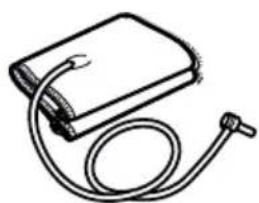
natural_image
Line drawing of a medical device with a coiled tube and bulb (no text or symbols)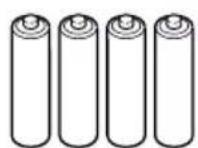

natural_image
Diagram of a battery pack being inserted into a device, showing charge distribution (no text or symbols present)
Vorsicht:
bar
| Measurement | SYS (mmHg) | DIA (mmHg) | |---|---|---| | PUL /min | 8:00 | 8:00 | The chart displays a single vertical bar for each measurement. The left panel shows 'SYS' and 'DIA' values, while the right panel shows 'SYS' and 'DIA' values, both measured on a scale from 0 to 100. The bars are color-coded by category: red for SYS, orange for DIA, yellow for DIA, green for PUL. No trend or correlation is present due to the absence of labels or data series.natural_image
Line drawing of a person receiving a blood pressure measurement (no text or symbols)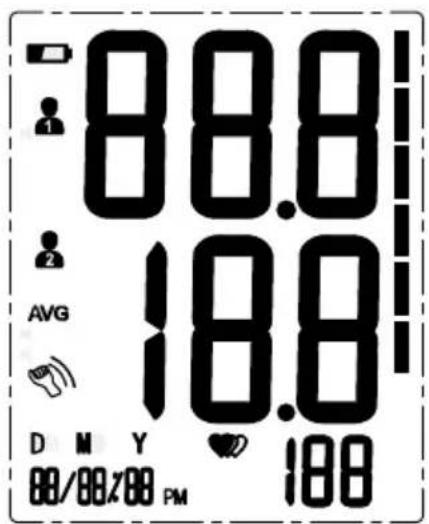
natural_image
Cartoon drawing of a smiling person eating at a table with chopsticks and a bowl (no text or symbols)natural_image
Cartoon illustration of a man making a peace sign while sitting at a table with a coffee cup and steaming coffee (no text or symbols)natural_image
Simple line drawing of a person holding a long object (no text or symbols)natural_image
Cartoon illustration of a man in a suit talking on a phone, with no visible text or symbolsnatural_image
Simple line drawing of a cartoon character with expressive eyes and a closed mouth, surrounded by swirling lines (no text or symbols)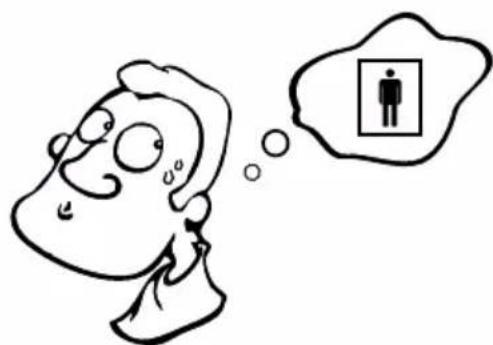
natural_image
Cartoon illustration of a person with a thought bubble showing a person inside a box (no text or symbols present)natural_image
Illustration of a submerged digital device with a smiling face, partially submerged in water (no text or symbols)natural_image
Simple line drawing of a showerhead spraying water onto a bag (no text or symbols)natural_image
Line drawing of a person using a blood pressure monitor at a desk, with a wall clock showing time (no text or symbols)natural_image
Line drawing of a person sitting at a desk with a medical or health device, no text or symbols presentFehlerbehebung
natural_image
Diagram of a medical or laboratory device with a coiled cable and magnified view of the tip (no text or symbols)Adapter
Input: 100\~240V, 50\~60Hz, 400mA
Output: 5V = 1000mA
Type: BLJ06L050100U-V
BLJ06L050100U-B
Gewährleistung
natural_image
Simple line drawing of a medical device with a coiled tube and cap (no text or symbols)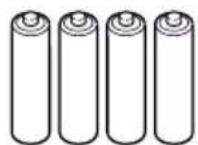
DURONIC
natural_image
Diagram of a battery pack with an open circuit board and two batteries inserted (no text or symbols visible)
bar
| Measurement | SYS (mmHg) | DIA (mmHg) | |---|---|---| | PUL /min | 2 h | 24 h | The chart displays two sets of vertical bars representing systolic and diastolic blood pressure values at 2 hours. The left panel shows a horizontal bar for PUL and a vertical bar for DIA at 2 h. The right panel shows a horizontal bar for PUL and a vertical bar for DIA at 24 h. No numerical values or units are provided for either metric.bar
| Measurement | SYS (mmHg) | DIA (mmHg) | |---|---|---| | PUL /min | 8:00 | 8:00 | The chart displays a single vertical bar for each measurement. The left panel shows 'SYS' and 'DIA' values, while the right panel shows 'SYS' and 'DIA' values, both measured on a scale from 0 to 100. The bars are color-coded by value: red for SYS, orange for DIA, yellow for DIA, green for PUL. No trend or correlation is present due to the absence of data labels.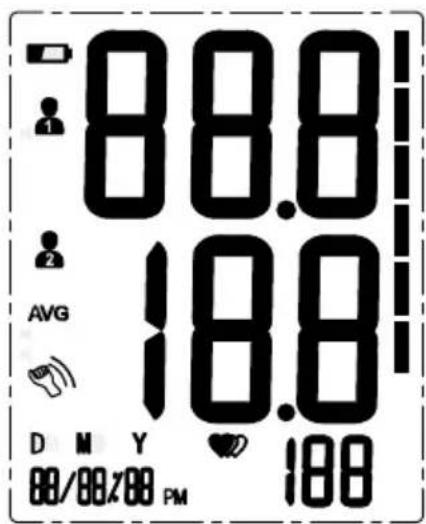
Pantalla LCD encendida.
Ver mediciones
natural_image
Cartoon illustration of a smiling person eating at a table with chopsticks and a bowl (no text or symbols)natural_image
Cartoon illustration of a smiling man making a peace sign while holding a steaming cup (no text or symbols)natural_image
Simple line drawing of a person holding a long object (no text or symbols)natural_image
Cartoon illustration of a man talking on a phone with his mouth open, showing surprise or shock (no text or symbols)natural_image
Simple line drawing of a person with exaggerated facial expression and swirling lines (no text or symbols)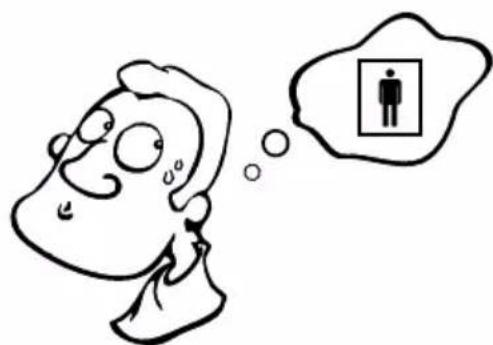
natural_image
Cartoon illustration of a person with thought bubble showing a person inside a box (no text or symbols)natural_image
Illustration of a submerged digital device with a smiling face, partially submerged in water (no text or symbols)natural_image
Simple line drawing of a showerhead spraying water onto a bag (no text or symbols)natural_image
Illustration of a person measuring blood pressure with a clock above (no text or symbols)natural_image
Line drawing of a person sitting at a desk with a medical or health device, no text or symbols presentnatural_image
Diagram of a medical or laboratory device with a coiled cable and magnified inset showing a tip (no text or symbols)Adaptador
Entrada 100\~240V, 50\~60Hz, 400mA
Salida: 5V = 1000mA
Modelo: BLJ06L050100U-V
BLJ06L050100U-B
Garantía
other
| Measurement | Value | |---|---| | SYS mmHg | 88.8 | | DIA mmHg | 18.8 | | PUL /min | 188 | | D M Y 88/88/88 PM | ♥️ 188 | Legend: Color scale from red to green.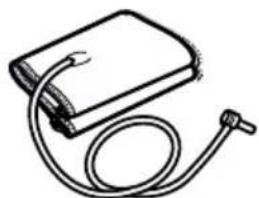
natural_image
Simple line drawing of a medical device with a coiled tube and cap (no text or symbols)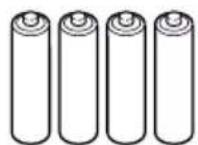
natural_image
Diagram of a battery pack being inserted into a device, showing charge distribution (no text or symbols present)
ATTENZIONE
bar
| Measurement | SYS (mmHg) | DIA (mmHg) | |---|---|---| | PUL /min | 2 h | 24 h | The chart displays two sets of vertical bars representing systolic and diastolic blood pressure values at 2 hours. The left panel shows a horizontal bar for PUL and a vertical bar for DIA at 2 h. The right panel shows a horizontal bar for PUL and a vertical bar for DIA at 24 h. No numerical values or units are provided for either metric.bar
| Measurement | SYS (mmHg) | DIA (mmHg) | |---|---|---| | PUL /min | 8:00 | 8:00 | The chart displays a single vertical bar for each measurement. The left panel shows 'SYS' and 'DIA' values, while the right panel shows 'SYS' and 'DIA' values, both measured on a scale from 0 to 100. The bars are color-coded by value: red for SYS, orange for DIA, yellow for DIA, green for PUL. No trend or correlation is present — this is a static comparison of systolic and diastolic blood pressure measurements at 8:00.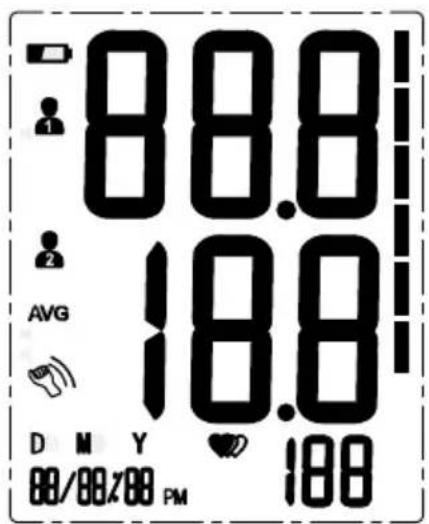
natural_image
Cartoon drawing of a smiling person eating at a table with a bowl and chopsticks (no text or symbols)natural_image
Cartoon illustration of a man with glasses and a smile, holding a steaming cup and making a peace sign (no text or symbols)natural_image
Simple line drawing of a person holding a long object (no text or symbols)
natural_image
Cartoon illustration of a man talking on a phone with his mouth open, showing surprise or shock (no text or symbols)natural_image
Simple line drawing of a cartoon character holding an apple, surrounded by swirling lines (no text or symbols)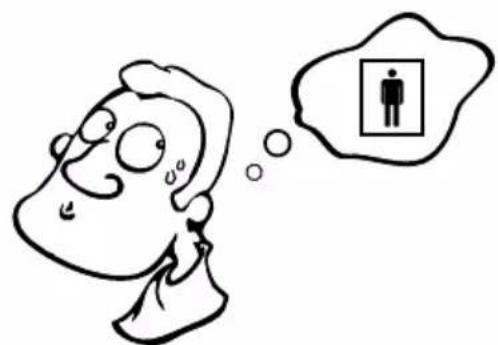
natural_image
Cartoon illustration of a person with thought bubble showing a person inside a box (no text or symbols)natural_image
Illustration of a submerged electronic device partially submerged in water, with no visible text or symbols.natural_image
Cartoon illustration of a showerhead spraying water onto a bag with a sad face (no text or symbols)natural_image
Line drawing of a person sitting at a desk with a hand near the arm and a clock in the background (no text or symbols)natural_image
Illustration of a person measuring blood pressure using a syringe (no text or symbols)natural_image
Diagram of a medical or laboratory device with a coiled cable and magnified view showing internal components (no text or symbols)Alimentatore
Input: 100\~240V, 50\~60Hz, 400mA
Output: 5V = 1000mA
Tlpo: BLJ06L050100U-V
BLJ06L050100U-B
DURONIC
Garanzia
natural_image
Simple line drawing of a medical device with a coiled tube and cap (no text or symbols)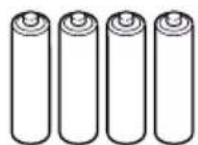
DURONIC
Wybór zasilania

natural_image
Diagram of a battery pack with two batteries and a device, showing internal components and battery casing (no text or symbols)
Uwaga:
bar
| Measurement | SYS (mmHg) | DIA (mmHg) | |---|---|---| | PUL /min | 2 h | 24 h | The chart displays two sets of vertical bars representing systolic and diastolic blood pressure values at 2 hours. The left panel shows a horizontal bar for PUL and a vertical bar for DIA at 2 h. The right panel shows a horizontal bar for PUL and a vertical bar for DIA at 24 h. No numerical values or units are provided for either metric.bar
| Measurement | SYS (mmHg) | DIA (mmHg) | |---|---|---| | PUL /min | 8:00 | 8:00 | The chart displays a single bar for each measurement. The left panel shows 'SYS' and 'DIA' values, while the right panel shows 'SYS' and 'DIA' values, both measured on a vertical color scale from red to green.natural_image
Line drawing of a person measuring blood pressure (no text or symbols)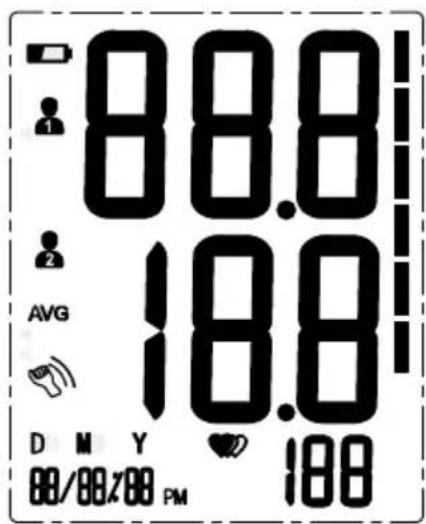
Zapisane pomiary
natural_image
Cartoon drawing of a person eating with a bowl and spoon (no text or symbols)natural_image
Cartoon illustration of a man sitting at a table with a steaming cup and coffee cup (no text or symbols)natural_image
Simple line drawing of a person holding an object (no text or symbols)natural_image
Cartoon illustration of a man in a suit holding a phone to his ear, with no visible text or symbolsnatural_image
Simple line drawing of a person holding an object with decorative swirls (no text or symbols)natural_image
Cartoon illustration of a person with thought bubble showing a person inside a box (no text or symbols)natural_image
Illustration of a submerged digital device with a smiling face, partially submerged in water (no text or symbols)natural_image
Simple line drawing of a showerhead spraying water onto a bag (no text or symbols)natural_image
Line drawing of a person measuring blood pressure with a wall-mounted device and clock (no text or symbols)natural_image
Line drawing of a person sitting at a desk with a medical or health device, no text or symbols presentnatural_image
Diagram of a medical or electrical device with a cable and connector, shown in two views (no text or symbols)Zasilacz
Input: 100\~240V, 50\~60Hz, 400mA
Output: 5V = 1000mA
- Creative Consumer Electronics
- Contents
- TAKING MEASUREMENTS 15
- ABOUT BLOOD PRESSURE 21
- TROUBLESHOOTING 24
- SPECIFICATIONS 25
- WARRANTY 28
- BPM120 Features:
- Safety Information
- Product Symbols
- Cautions
- Box Contents
- DURONIC
- Choice of Power Supply
- Installing and Replacing the Batteries
- Caution:
- Setting Date and Time
- Select the User
- Tie the Cuff
- Tips for Accurate Measurements
- Start a Measurement
- Recall the Records
- Delete the Records
- A: To delete one individual record:
- B: To delete all of the records:
- Maintenance
- What are systolic pressure and diastolic pressure?
- What is the standard blood pressure classification?
- Irregular Heartbeat Detector
- Why does my blood pressure vary throughout the day?
- Why do I get a different blood pressure at home compared to the hospital?
- Is the result the same if measuring on the right arm?
- Troubleshooting
- Specifications
- Contact Information
- Distributed by:
- Manufactured by:
- Authorized European Representative:
- Authorised Components
- EMC Guidance
- Warranty
- Avertissement:
- Astuces:
- Dépannage
- Garantie
- Vorsicht:
- Fehlerbehebung
- Gewährleistung
- Ver mediciones
- Garantía
- ATTENZIONE
- Garanzia
- Wybór zasilania
- Uwaga:
- Zapisane pomiary
Brand : Duronic
Model : BPM120
Category : Blood pressure monitor