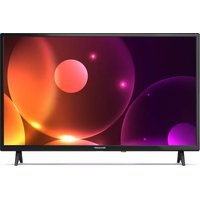
32FA2E - Television SHARP - Free user manual and instructions
Find the device manual for free 32FA2E SHARP in PDF.



| Product Type | LED TV |
| Screen Size | 32 inches (81 cm) |
| Resolution | HD (1366 x 768 pixels) |
| Tuners | DVB-T / DVB-C / DVB-S2* |
| Connectivity | 3x HDMI, 1x VGA (PC), 1x SCART, 1x Composite (CVBS), 1x Component (YPbPr), 1x RF, 1x satellite*, 2x USB, optical digital audio output, 3.5 mm headphone jack |
| Smart Functions | No (non-connected TV) |
| Image Formats | Auto, 4:3, 16:9, Zoom 1/2, Point by Point (HDMI) |
| Audio Modes | Standard, Music, Video, Sports, Personal |
| Audio Power | 2 x 8 W |
| Power Consumption (standby) | < 0.5 W |
| Power Supply | 220-240 V ~ 50/60 Hz |
| Weight (with stand) | Approx. 4.5 kg |
| Dimensions (with stand) | Approx. 732 x 476 x 190 mm |
| Energy Class | A+ (according to EU standard) |
| Wall Mount | VESA 100 x 100 mm |
| Screen Cleaning | Soft, damp cloth (pure water only) |
| Operating Temperature | 5 °C to 35 °C |
| Box Contents | TV, remote control, 2 AAA batteries, table stand, user manual, warranty card |
Frequently Asked Questions - 32FA2E SHARP
User questions about 32FA2E SHARP
0 question about this device. Answer the ones you know or ask your own.
Ask a new question about this device
Download the instructions for your Television in PDF format for free! Find your manual 32FA2E - SHARP and take your electronic device back in hand. On this page are published all the documents necessary for the use of your device. 32FA2E by SHARP.
USER MANUAL 32FA2E SHARP
Important safety instructions

Please, read these safety instructions and respect the following warnings before the appliance is operated:
In order to prevent fire always keep candles and other open flames away from this product.

- Television sets with 43'' size screens or more must be lifted and carried by at least two people.
- This TV does not contain any parts which could be repaired by the user. In case of a fault, contact the manufacturer or the authorised service agent. Contact with certain parts inside the TV might endanger your life. The guarantee does not extend to faults caused by repairs carried out by unauthorized third parties.
- Do not remove the rear part of the appliance.
- This appliance is designed for the receiving and reproduction of video and sound signals. Any other use is strictly forbidden.
- Do not expose the TV to dripping or splashing liquid.
- To disconnect the TV from mains please unplug the mains plug from the mains socket.
- If the supply cord is damaged, it must be replaced by the manufacturer, a service agent or similarly qualified persons in order to avoid a hazard.
- The suggested distance to watch HD TV is approximately three times longer than the screen diagonal size. Reflections on the screen from other light sources can make the quality of the picture worse.
- Ensure the TV has sufficient ventilation and is not close to other appliances and other pieces of furniture.
- Install the product at least 5cm from the wall for ventilation.
- Ensure that the ventilation openings are clear of items such as newspapers, table-cloths, curtains, etc.
- The TV set is designed to be used in a moderate climate.
- The TV set is designed exclusively for operation in a dry place. When using the TV outside, please, make sure it is protected against moisture (rain, splashing water). Never expose to moisture.
- Do not place any objects, containers filled with liquids, such as vases, etc. on the TV. These containers might get pushed over, which would endanger electric safety. Place the TV exclusively on flat and stable surfaces. Do not place any objects such as newspaper or blankets, etc. on or under the TV.
- Make sure the appliance does not stand on any power cables as they might get damaged. Mobile phones and other devices such as WLAN adapters, monitoring cameras with wireless signal transmission, etc. might cause electromagnetic interference and they should not be placed near the appliance.
- Do not place the appliance near heating elements or in a place with direct sunlight as it has a negative effect on cooling of the appliance. Heat storage is dangerous and it can seriously reduce the lifetime of the appliance. In order to ensure the safety, ask a qualified person to remove the dirt from the appliance.
-
Try to prevent damage to the mains cable or mains adapter. The appliance can only be connected with the supplied mains cable/adapter.
-
Storms are dangerous for all electric appliances. If the mains or aerial wiring is struck by lightening the appliance might get damaged, even if it is turned off. You should disconnect all the cables and connectors of the appliance before a storm.
- To clean the screen of the appliance use only a damp and soft cloth. Use only clean water, never detergents and in no case use solvents.
- Position the TV close to the wall to avoid the possibility of it falling when pushed.
- WARNING - Never place a television set in an unstable location. A television set may fall, causing serious personal injury or death. Many injuries, particularly to children, can be avoided by taking simple precautions such as:
- Use cabinets or stands recommended by the manufacturer of the television set.
- Only use furniture that can safely support the television set.
- Ensure the television set is not overhanging the edge of the supporting furniture.
- Not place the television set on tall furniture (for example, cupboards or bookcases) without anchoring both the furniture and the television set to a suitable support.
- Not place the television set on cloth or other materials that may be located between the television set and supporting furniture.
- Educate children about the dangers of climbing on furniture to reach the television set or its controls.
- Ensure that children do not climb or hang onto the TV.
- If your existing television set is being retained and relocated, the same considerations as above should be applied.
- The software on your TV and the OSD layout can be changed without notice.
- Note: In case of electrostatic discharge (ESD) the apparatus may show incorrect function. In such case, switch the TV off and back on. The TV will work normally.
Warning:
- Do not use TV set directly after unpacking. Wait until TV warms up to the room temperature before using it.
- Never connect any external devices to a live appliance. Switch off not only the TV but also the devices which are being connected! Plug the TV plug into the wall socket after connecting any external devices and the aerial!
Always make sure there is free access to the TV mains plug. - The appliance is not designed for a use in a workplace fitted with monitors.
- The systematic use of headphones at high volume might lead to irreversible hearing damage.
- Ensure environmental disposal of this appliance and any components including batteries. When in doubt, please, contact your local authority for details of recycling.
- While installing the appliance, do not forget that furniture surfaces are treated with various varnishes, plastics, etc. or they might be polished. The chemicals contained in these products might have a reaction with the TV stand. This could result in bits of the material sticking to the furniture surface, which are difficult to remove, if not impossible.
- The screen of your TV has been produced under top quality conditions and was checked in detail for faulty pixels several times. Due to the technological properties of the manufacturing process, it is not possible to eliminate the existence of a small number of faulty points on the screen (even with maximum care while in production). These faulty pixels are not considered faults in terms of guarantee conditions, if their extent is not greater than the boundaries defined by DIN norm.
-
The manufacturer cannot be held responsible, or be liable, for customer service-related issues related to the third party content or services. Any questions, comments or service-related inquiries relating to the third party content or service should be made directly to the applicable content or service provider.
-
There are a variety of reasons you may be unable to access content or services from the device unrelated to the device itself, including, but not limited to, power failure, the Internet connection, or failure to configure your device correctly. SCEP, its directors, officers, employees, agents, contractors and affiliates shall not be liable to you or any third party with respect to such failures or maintenance outages, regardless of cause or whether or not it could have been avoided.
- All third party content or services accessible via this device is provided to you on an "as-is" and "as available" basis and SCEP and its affiliates make no warranty or representation of any kind to you, either express or implied, including, without limitation, any warranties of merchantability, non-infringement, fitness for a particular purpose or any warranties of suitability, availability, accuracy, completeness, security, title, usefulness, lack of negligence or error-free or uninterrupted operation or use of the content or services provided to you or that the content or services will meet your requirements or expectations.
- 'SCEP' is not an agent of and assumes no responsibility for the acts or omissions of third party content or service providers, nor any aspect of the content or service related to such third party providers.
- In no event will 'SCEP' and/or its affiliates be liable to you or any third party for any direct, indirect, special, incidental, punitive, consequential or other damages, whether the theory of liability is based on contract, tort, negligence, breach of warranty, strict liability or otherwise and whether or not SCEP and/or its affiliates have been advised of the possibility of such damages.
Important information regarding use of video games, computers, captions and other fixed image displays.
- The extended use of fixed image program material can cause a permanent "shadow image" on the LCD screen (this is sometimes incorrectly referred to as "burnout to the screen"). This shadow image is then permanently visible on the screen in the background. It is irreversible damage. You can avoid such a damage by following instructions below:
- Reduce the brightness/contrast setting to a minimum viewing level.
- Do not display the fixed image for a long period of time. Avoid displaying of:
» Teletext time and charts,
TV menu
» In the n Pause mode (hold): Do not use this mode for a long time, e.g. while watching a video.
Turn off the appliance if you are not using it.
Batteries
- Observe the correct polarity when inserting the batteries.
- Do not expose batteries to high temperatures and do not place them on locations where the temperature might increase quickly, e.g. near the fire or on the direct sunshine.
- Do not expose batteries to excessive radiant heat, do not throw them into the fire, do not disassemble them and do not try to recharge un-rechargeable batteries. They could leak or explode.
Never use different batteries together or mix new and old ones.
» Dispose of batteries in an environmentally friendly way.
» Most of the EU countries regulate the disposal of batteries by law.
Disposal
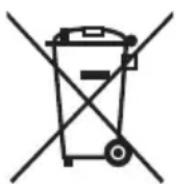
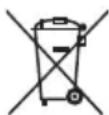
- Do not dispose of this TV as unsorted municipal waste. Return it to a designated collection point for the recycling of WEEE. By doing so, you will help to conserve resources and protect the environment. Contact your retailer or local authorities for more information.
Cd

CE Statement:
- Hereby, Sharp Consumer Electronics Poland sp. z o.o. declares that this equipment is in compliance with the essential requirements and other relevant provisions of RED Directive 2014/53/EU.
- The full text of the EU declaration of conformity is available by following the link www.sharpcomer.com/documents-of-conformity/
What is included in the box
Supply of this TV includes following parts:
- 1xTV - 1x User guide
- 1x Remote control - 1x TV stand installation packet
- 2x AAA batteries - 1x Technical leaflet
- 1x Warranty card
Attaching the Stand
Please follow the instructions in Technical leaflet, located in the accessories bag.
Getting started - initial set up
- Insert the batteries supplied into the Remote control.
- Using the RF cable supplied, connect the TV to the TV Aerial wall socket.
- Connect the power cable to the Electrical outlet and switch the TV on by using the standby button on the TV.
- After turning the TV on, you will be welcomed by the First Time Installation menu.
If it does not appear, on the remote control, please press [MENU] then 8-8-8-8 and the menu will appear.
If you wish to make changes to any of the default settings, use the scroll / / buttons. To exit this menu at anytime, press [EXIT] button.
- Please set desired settings in FIRST TIME INSTALLATION screen. DVB Antenna - You can choose between Terrestrial (DVB-T), Cable (DVB-C) or Satellite (DVB-S)*.
Language - Set the TV Menu language.
Country - Set the desired country.
Tunning Mode - Choose if you want to tune only Digital (DTV) Analogue (ATV) or both Digital and Analogue (DTV + ATV)
Environment - Select the location of TV.
For home use, please select Home Mode. For shop demonstration mode, set Store Mode.
Sorting by LCN - Set LCN to ON if you want to arrange channels by provider preferences (only applies to DVB-T and DVB-C channels).
- Press [ENTER] button to start the tuning process.
- Optional channel presets DVB-C:
Keep all default settings as recommended. If DVB-C channels are not found, contact your network provider for the valid "Network ID". Then perform a new search. Press the [MENU], select "Network ID" and enter the network ID.
- Optional channel presets DVB-S2*: Select "Satellite" in the "DVB Antenna" in the menu for the optional channel presets. Here you can choose between the various satellites. Since selection completed, then the channel list of the exact satellite will be available to be imported into your TV system.
Confirm with [ENTER] button on the remote control, to start scanning.
TIP: If you are missing channels, the reason for this is likely to be signal strength, you should consider connecting signal booster and re-tuning the TV.
* - Available only for TVs with DVB-S tuner
Remote control
Refer to remote control picture on the second page of this user manual.
- STANDBY - Switch on TV when in standby or vice versa.
- MUTE - Mute the sound or vice versa.
- 0-9 - to select a TV channel directly
- TV/RADIO - Switch to Digital and switch between TV and radio in Digital mode.
- FAV-To display favourites menu.
- VOL + / - To increase/decrease the sound level.
- RECLIST - No function
- GUIDE - Opens the 7 Day TV Guide (Digital mode).
- CH + / - To increase or decrease the channel being watched.
- REC - No function
- MTS - To change the audio language (if available).
- ASPECT - To switch the screen between the different picture formats.
- MENU - To display OSD menu.
- ( / / / ) - Allows you to navigate the on-screen menus and adjust the system settings to your preference. While watching TV, press ENTER to show Channel list.
- SOURCE - To display the input/source menu.
- EXIT-To exit all menus.
- DISPLAY - Press to display the source and channel's information
- COLOUR BUTTONS- Additional teletext and OSD functions
- To play in fast rewind mode.
- INDEX - Teletext mode - To display the index page
-
- To play in fast forward mode.
- TTX - Teletext mode - To enter Teletext
- Push 1x to restart the current chapter/push 2x for previous chapter
- SUB.PG - Teletext mode - Switch to the next subpage
-
- To advance forward to the next chapter
- REVEAL - Teletext mode - To reveal or hide the hidden words
- -To stop the playback
- HOLD - Teletext mode - Hold current page which is displayed
- -Toplay/pause
- CANCEL - Press this button in Teletext when searching for a page to return to TV mode. When the page is found, a notification will appear on the screen. Press the CANCEL button again to return to Teletext and view the page.
- SIZE - Teletext mode - To change the display size in Teletext mode
- SUBTITLE - To switch the dialogue at the bottom of the screen (on/off).
TV buttons*
Vol+ Volume up and menu right
Vol-Volume down and menu left
CH+Programme/Channel up and menu up
CH-Programme/Channel down and menu down
MENUDisplaysMenu/OSD
SOURCE Displays the input source menu
STANDBY Standby Power On/Off
*for TV with buttons
TV Control Stick*
TV control stick is located on the lower left corner of back side of the TV. You can use it instead of remote control to control most of the functions of your TV.
While TV is in standby mode:
- short press of control stick - Power On
While watching TV:
- RIGHT/LEFT - volume up/volume down
UP/DOWN - changes channel up/down - long press UP (or DOWN) - Displays Sources/Inputs menu
- short press - Displays Menu
- long press - Standby Power Off
While in menu:
RIGHT/LEFT/UP/DOWN - navigation of cursor in on-screen menus
- short press - OK/Confirm selected item
- long press - Back to previous menu
*for TV with control stick
TV Control button*
TV control button is located on the bottom side of the TV front.
Short press - open or navigate menu
Long press - OK/Confirm selected item
*for TV with control button
Choosing Mode Input/Source
To switch between the different input/connections.
a) Using the buttons on the remote control:
- Press [SOURCE] - The source menu will appear.
- Press [ ] or [] to select the input you require.
- Press [ENTER].
b1) Using the buttons* on the Television:
- Press [SOURCE].
- Scroll up/down using CH+/CH- buttons to the input/source you require.
- Press [VOL + ] to change input/source to the one selected.
b2) Using the TV control stick*:
- Press control stick UP (or DOWN) for few seconds to enter SOURCES menu.
- With control stick choose the input/source you require.
- By short press of control stick to center, you will change input/source to the one selected.
* - optional
Connections
Please follow the instructions in Technical leaflet, located in the accessories bag.
| USB USB-Input 1, 2* | |
| HDMI 1, 2*, 3* in HDMI-Input 1, 2*, 3* | |
| VGA(PC)* VGA PC-Input | |
| VGA (PC) Audio In* 3.5mm PC audio input | |
| R/L - Video & YPbPr audio In* Component / Video audio input | |
| Video (CVBS)* VIDEO input |
| Component / YPbPr* Component HD Input | |
| SCART* SCART-Input | |
| CI Card IN CI input | |
| RF In RF / TV Aerial Input | |
| Sat In* Satellite Input | |
| Digital Optical Audio Out* Digital optical output | |
| Digital COAX Audio Out* Digital Coax output | |
| HEADPHONES* 3.5mm Headphone output |
- Only on supported devices
TV Menu navigation
To access this menu, press [MENU] button on the remote control. To enter a menu press [ENTER]. If you wish to make changes to any of the default settings, use the scroll ( / / ) buttons. To confirm any settings press [ENTER] button. To exit this menu at anytime, press [EXIT] button.
Picture
Picture Mode - Choose from the following presets.
ü Dynamic - Recommended settings for fast moving pictures
Standard-Default settings
ü Mild - Set to be lighter in colour and less bright
ü Personal - Lets you manually alter all the settings
Economy - Consume 15% less energy.
Contrast - Switch the balance between black and white.
Brightness-Increase or decrease the brightness of the picture.
Colour-Increases the colour from black and white.
Tint - Lets you increase or decrease the level of tint within the picture (for NTSC signal only)
Sharpness - Increase or decrease the sharpness of the picture.
Colour Temperature - Choose from the following presets.
Cold-Increases blue within the picture
u Normal - Default settings
u Warm-Increases red within the picture
Noise Reduction - Filters and reduces the
noise (interference) of the picture
Aspect Ratio - Picture format varies depending on the channel/broadcast.
There are a number of different options to best meet your needs.
ü Auto - Automatically displays the best picture format.
So the picture is in the correct position. May have black lines at the top/bottom and/or sides.
ü 4:3 - Displays the 4:3 picture in its original size.
Side bars are shown to fill the 16:9 screen.
ü 16:9 - Fills the screen with a regular 16:9 signal.
Zoom 1/2- The picture is the correct proportion but zoomed in to fill the screen.
Dot by Dot (HDMI) - Will display the picture in its original resolution without any change.
HDMI Mode - settings for HDMI sources.
Auto - recommended option, TV will set best option
based on connected device by HDMI.
ü Video - picture will be with overscan to get
optimal aspect ratio for watching movies.
VGA/PC** - picture will be without overscan. Set this option manually in case part of screen is hidden, after you connect PC to the TV.
PC*
Auto Adjust - Lets you automatically configure the
television to be used as a computer monitor.
H Offset - Changes the horizontal position of the picture.
V Offset - Changes the vertical position of the picture.
Size - increase picture size.
Phase - To adjust delay time of phase in order to reduce the noise of picture
TIP: If the computer is left in-active for a period of time, the
television will switch into a 'sleep' state (the screen will power off
to save power). To switch back on press the standby button.
-Only on supported devices
Sound
Sound Mode - Choose from the following presets
u Standard - Default settings
ü Music - Emphasises music over voices
Movie - Provides live and full sound for movies
ü Sports - Emphasises sound for sports
Personal - Selects your personal sound settings
Equalizer-Adjusts the volume of different sound
frequencies. The equalizer sound levels can only be adjusted
when the sound mode 'Personal' is selected.
Balance - To switch the sound between the left and right speakers.
Auto Volume Level (AVL) - When 'on' is selected, the volume
will stay at a constant level regardless of input/source.
Surround Sound - Allows you to turn surround sound effect ON or OFF.
Digital Output - This is the digital Audio output.
Choose from the following options:
u Off-Off
u Auto - Selects the best settings automatically
PCM - Select this option if you are connecting to a Stereo
Hi-fi via digital cable (Pulse-code modulation (PCM) is
a digital representation of an analogue signal)
SPDIF Delay (ms) - Enables the user to adjust sound setting to sync picture and audio for external speakers connected via digital audio output.
Audio Delay (ms) - Enables the user to adjust sound setting to sync picture and audio for TV speakers.
Audio Description - Additional sound track for visually impaired.
Available only on selected DTV shows.
AD Volume - to adjust volume of Audio Description sound track
Channel
Auto Tuning - Allows you to retune the television for all digital channels, digital radio stations and analogue channels.
Analogue Manual Tuning - Allows you to
manually tune your analogue signal.
Digital Manual Tuning - Allows you to manually tune your digital signal.
Channel Edit - Allows you to delete, skip and add favourite channels.
Red Button - delete selected channel.
u Yellow Button - Move selected channel. Go with cursor to channel, which you wish to move to different position, then press YELLOW button. Now move selected channel with UP, DOWN arrow to desired position and press YELLOW button again to confirm its new position in channel list.
ü Blue Button - Skip selected channel. Channels selected to Skip will not be displayed while pressing CH+ or CH- buttons.
Schedule List - Lists your programme reminders.
Signal Information - Information about DVB signal.
CI Information - Pay per view services require a "smartcard" to be inserted into the TV. If you subscribe to a pay per view service the provider will issue you with a 'CAM' and a "smartcard". The CAM can then be inserted into the COMMON INTERFACE PORT (CI Card In).
Satellite Setup* - This menu is only available in DVB-S2 mode. You can select the type of satellite, your transponder and your LNB type, etc.
- Only for models with DVB-S tuner
Time
Clock - Set the date and time. Date and time is
set up automatically in DVB mode.
Off Time - Allows you to set a specific time for your TV to turn off.
On Time - Allows you to set a specific time for your TV to turn on, the channel it will then display, the source it will be on and also the volume.
This function can then be toggled to repeat every day or a certain day.
Time Zone - Change your current time zone.
Sleep Timer - Lets you set the sleep timer so the television
automatically switches off after a set amount of time.
Auto standby - Adjustment for the auto standby in
hourly increments: Off -> 3h -> 4h -> 5h
OSD Timer - Lets you adjust the amount of time the On
Screen Menu stays on the screen before disappearing.
Lock
System Lock - Allows you to lock or unlock the menu. You will be asked to enter a 4 digit password. Use the button to quit the password input. Use the button to clear. Default password is 0000.
Set Password - Change the default password.
Channel lock - Lock specific TV channels.
Parental Guidance - Lock TV channels based on age restriction.
Key Lock - Lock the TV buttons.
ü Off - All TV buttons are unlocked
ü Full - All TV buttons are locked
Settings
Language - Allows you to change the language of the menu.
TT Language - Allows you to change Teletext language.
Audio Languages - Allows you to change audio
language on selected DVB channels.
Subtitle Language - Allows you to change subtitles
language on selected DVB channels.
Hearing Impaired - If signal provides support for the hearing impaired, the subtitles can be played by pressing the "Subtitle". If you set Hearing Impaired ON and switch to a channel with supports for hearing impaired subtitles will be activated automatically.
Blue Screen - Changes the background when there is no input between transparent and a blue background (Only available on some sources).
First Time Installation - Starts the first time installation.
Reset TV - This resets the menus to factory settings.
Software Update (USB) - From time to time we may release new firmware to improve the operation of the television (available to download). This menu lets you install the new software/firmware onto the television.
Further details of how to do this will be issued with the firmware.
WARNING: Do not turn off the TV's power until the upgrade is complete!
HDMI CEC* - Allows you to operate devices
connected via HDMI with TV remote control.
ü CEC Control - set CEC functions on/off.
Audio Receiver - Sends audio signal from terrestrial/satellite broadcast via HDMI to the AV receiver without using any additional audio cables, this functions is available only on HDMI 1 or 2 output (- optional base on model).
Device Auto Power Off - Automatically turn off connected devices via HDMI CEC, when you turn off TV.
TV Auto Power On - when you turn on any of connected HDMI CEC devices, TV will start up automatically.
Device List - show list of connected CEC devices
- Device Menu - Allows you to access devices menu and operate the menu using TV remote control.
Version Info - shows version of TV software
Store Mode** - switch ON/OFF shop demonstration mode
-
- HDM1 CEC must be supported by connected device.
** - available only if store mode was selected during first time installation
- HDM1 CEC must be supported by connected device.
7 Day TV Guide
TV Guide is available in Digital TV mode. It provides information about forthcoming programmes (where supported by the Digital channel). You can view the start and end time of all programmes and on all channels for the next 7 days and set reminders.
- Press [TV GUIDE]. The following 7 Day TV Guide will appear.
- Navigate through the menu using / / .
You can now:
Set a reminder by pressing GREEN.
View a previous day by pressing YELLOW.
View the next day by pressing BLUE.
[INFO] shows detailed information about the selected post
- Press [EXIT] to exit the 7 day TV Guide.
USB mode / Media player
USB mode offers playback of various different types of content that you have saved on your USB Memory Stick. On switching to USB source the USB mode menu screen will appear. The content will be divided into Photo, Music, Movie and Text based on file type.
- You can navigate through the menus using the scroll / / / buttons. To confirm the item you wish to play/view press [ENTER] button.
- Select the drive you require. (If your drive only has 1 partition you will only see 1 item).
- You can now access the item. Press ENTER to view.
- While viewing you may control the item playback modes by using the remote control buttons or by invoking playback navigation menu and selecting on-screen buttons / / / and [ENTER]
NOTE: USB extension cables are not recommended as they can cause a reduction in picture/audio quality and stoppages during play back of USB content.
BaxHn mHctpyKznn 3a 6e30napoCT

Ipeu da 3anoheTe pa6oTa cypea, moJnpoueTe HNCTpyKcHnte 3a 6e3onacHOcnt nCna3BaIte npdeynpejXdEHHra,TocOueHn no-dony:
C ue npedotbpaTbaHe Ha noxap BnHaRn dpbXkTe CBeuN nn dpyr n3TOUHnCu Ha OTKpNT orbH daJeU OT To3n IpOdyKT.

TeBnOpTe cekpaHnOT 43" Tp86Ba da 6bDat NOBunraHn HocEHn OT NoHe Dbama duyn.
To3n TeIeBn3Op He cIbIbPka qactN, KOnTO 6xHa MOrnn Da ce nonpaBAt OT notpe6ntela. B clyuay Ha nobpeDa ce cIbPjKeTe C npOn3Bodntela nn C yIbHOMOoeh CepBn3. DOnnpBt Do onpeJeHn qactN, HAMIPAuC Ce b TeIeBn3Opa MoKe da 6bJe OnaceH 3a JxNBota Bn. FapAnzraTa He e BaIInda H bclyau Ha nobpeDn BCJeCTBne Ha peMOHTN, I3BbPbBaHn OT HeyIbJIHOMOoHe N TpeTn CTpaHn.
He cBaIaIte 3aHaTa yAcT Ha ypeDa.
Toba yctpoiCTBO e npoeKTIpaHO 3a nOlyuYabaHe n Bb3npOn3BexJaHaHe Ha BnIeO u 3ByKObU CnHAn. BcKaKaB BnD npyra yNtpe6a e cTporo 3a6paHaHa.
- Na3eTe TeLeBn3Opa O T KaIeUu ININ pa3INBaUc Ce TeHocTn.
3aДаИЗКЛIOUHTeTeJIeBUN3OpaOT OCHOBHToEneKTpO3aXpaHBaHe,MOI, N3BaTeTe UENCeJa OT KOHTaKTA.
B cnuyaey 3axpaHbauyT Ka6en 6bJe NOBpeH, ToI Tp8Ba da 6bJe 3aMeHen OT pOnu3BODHTeY, HerOB cepBnNn OIT NIOe C Noo6Ha KBaIIINΦKaUcHcN Da 6bJe n36erHata eEBHTyAInHa onaCHOCT.
- PpenopbHHTeHTo pa3ctOHe 3a rIeJaHe Ha HD TeleBn3n e np6n3nteHNO dnaRoHaHa ekpaHa, yMHOKeH No nT PbTN. OTPaKeHnra T BpXy ekpaHa OT dpYr N3TOUHnCu Ha CBETnHa MoTa D a BNoWt KaueCTBOTo Ha KapTnHaTa.
- YBepeTe Ce, Ye TeneBn3OpbT e NocTaBeH Ha DoCTaTbUHO npoBeTpnoM MRCTo, KaKTo Iue He e pa3NoJIOKeH B HenOceDCTBeHa 6IIN3OCT do DpyrEneKTPOyPeDN IIN DomAKHNCKO O63aBeXdaHe.
3a nocturahe Ha do6pa BeHTnlaun, MOHTnpaTe ypeHa Ha MHHMaJIHO pa3cTOrHne ot 5 cm ot cTeHaTa.
YBepeTe Ce,Ye BeHTnlaaHOnHHTe OTBOpN He ca 3aKpTN O T PpeMeTn KaTo HApnPmep BcTHNu, NOKpNBkN, 3aBeCn I.T.H.
TeBnOpbTe npoeKtpaH 3a n3noI3BaHe npu ymepeHn KInMaTnHy cIOBna.
ToT Tp8Ba Da 6bde n3nOJI3BaH eINHCTBHeHO h cyxM MeCTa. Korato N3nOJI3BaTe TeNEBUN3OpA Ha OTKpIto, MoJy YBepeTe ce, ye e 3aUInTe HOT BODa (DbjD, pa3JIbBaUa ce BOJa). HIKORA He I3JraaiTe To3n EeKTPooypeiHa BOJa.
He noctabnIte HnkaBn npedmetn,cbIOBe C TeuHcTn, KaTO Ba3n I dp. Bbpxy TeneBnOpa. Te MoarTa Da bDaT 6yTHaTn, KoTo 6n DoBeno Do onaCHOCT OT TOKOB yAp. NocTabnIte TeneBnOpa eINHCTBeHO Bbpy NIOCKN cTaNHN NOBbPxHoCTn. He noctabnIte npedmetn, KaTO HanpImep BcTeHnU, NOKPUBKn T.H. Bbpy Nn IOe TeneBnOpa.
- YBepete ce, Ye ypeTbHe n e noCTaBeH BbPxy 3axpaHbaun Ka6en. Toba 6n rnoBpeuIIO. Mo6uHNr TepeoHn uDpyru yctpoiCtBA, KaTo 6e3xNCHMpeXOBu KApTu, KaMepr 3a Ha6KnOJeHne C 6e3xNCH npedabaHe n T.H. MoRa Ta a npuHnT eEKeTpOMarHHTn CMUeHn H He Tp6Ba Da 6bDat NoCTaBHaN B 6bn30CT do ypeA.
He nocTabraTe TeneBn3opa B 6n3oCT Do ypeNi, n3ToUHnK Ha BnCoka TemnepaTypa, KaTOn Hn Ha MeTa C npKa CbHueBa CBeTInHa, TbN KaTO TOBA OKa3Ba OTrpuCaTeHNO BnnaHnE BbPxy OxNaXdaHeTo My.
AkymynipaHTo Ha ToPnHa e onaCHO mOKe cepno3HO da HamaJIN XNBOTa Ha ycTpoiCTBO.To. O6bPHeTe ce KbM KBaIINuPapaHO nIue 3a NOUcTBaHe Ha HATpyNaHaT a MPbCOTn OT ypeDa, c cen OcnHypBaHe Ha 6e3OnacHata My pa6Ota.
- PanaTe MpeXOBn Ka6eN n aanTep OT nobpeKdaHe. YpeBt MoKe Ja 6bJe CbP3BaH eINHCTBeHO C npEIOCTaBEHnTe MpeXOB Ka6eN / aanTep.
- 6pynte npedctabnbaat onachocst 3a BCNUKN eNEKtpoypeu. Ako rnaBHOT3axpaHbAHe mHa nAHTehaTa 6bDat npa3eHn OTMbHNy, ypeBt MoKe Da 6bJe NOBpeH DenOpn KOrato e N3Kluoyen. PpeDu Bpyr Tpa6Ba Da N3KIOUHTe BCNUKN Ka6eNn KOHEKTOpO NTycpoCTBOTO.
3a nouctbaHe Ha ekpaHa n3noI3BaIte eHnCTBeHo BnaKHa mEka Kbpna. H3noI3BaIte caMo uNCTa Boda, HNKora nouctBaun npenapatn B HHKAKB Cnyaip a3TBOpNTeIN. - NocTabeTe TeneBn3Opa B 6JIn3OCT Do CTHe, C cIen n36yRbAne Ha Bb3MOxHOCHTTa OT naHaNe, B cIyuaYe 6bJe 6yTHaT.
BHIMAHHE: Hukora He noctabaite Telebeun3opa Bbpxy Hectaunno Macto. ToM Moze da naHe n Da npuHn cepno3HO fN3uecko HapaHraBe Hn mcbpt. MHorO HapaHbaHn, oO6eHo Ha neca, Morat Da ce n36erHaT KaTo ce npedpneMaT cneHnTe lechn npedna3Hm MepKn:
-ИЗползBAиTeшкфОБЕин cToiKN,прелорьанOTпроIЗВODИТЕЯ На TeIeBn3Opa.
-ИЗпONSЗВайтсамоMe6eи,КОТоMOraT6e3OanacHoДаСлУжat3aOnopaHaTeLEBn3Opa. - YBepete Ce, Ye TeneBn3OpbT He BnCn Ha p6ba Ha Te3n Me6einn.
- He nocTabraIte TelenBnOpa Bbpxy BucOKn Me6eNn (HaNP. 6iofeTn nn en taeXepKn) 6e3 da 3axBaHTe KaKTo Me6eNtTe, taKa n TelenBnOpa KbM noDxoJa o npa.
He nocTabraTe TeneBn30pa Bbpxu NOKPnBka nn npMaTePnAn, KOITOMorat da ce HAMnpaT MeKdy TeneBn30pa n CnyKeunTe 3a ONopa Me6eni.
3a0n3HaTe DeaTa C onacHocTne npi KaTepeHe Bbpxy Me6eNtTe, 3a da DOCTnHAT TeleBnOpa nn 6yToHnTe My. - YBepete ce, Ye deuata He ce KaTepeTn He Bucrt Bbpxy TepeBu3opa.
Ako hactoianr Bnte neBn3op 6bJe 3ana3en n npemecTeH, Tpa6Ba da ce npinoxat CbIuTE npedna3Hm Mepkn.
CoTepbHa Baunna TeneBn3Op, KaKTo n EkapHnO To oΦopMneHn Moat da 6bDat npomeHn 6e npedBaupTeHn H3BcTe.
3a6eJekKa: B cnyaHa eKtPoCTaTuHcpeApaTg (ESD) ypeBt MoKe Da noka3Ba HnPaBnHa fynKuJa. Ako ToBa ce cnyu, n3KnIOUeTe TeJeBnOpa, cIe KoeTo ro BkIoUeTe HaHO. TeJeBnOpBt Ie 3aNoUHe Da pa6oTH HopMaJIHo.
BHUMAHNE:
- He n3n03BaIte TeNeBUN3opa HEnocpeDCTBeHO CneI pa3oNaKOBaHe. Ppei Da ro BKNIOUHTe N3uKaaiTe, DOKATO ce akImMaTIN3npa Do CTaHa TEMnepaTypa.
Hnkora He Cbbp3BaIte BbHnH yctpoiCTBa DOkaTTo TeneBn3OpBT e BkIOueH.NKIOUbaIte He cAmO TepeBn3Opa,aNyctpoiCTBaTA,KoNTO ce Cbbp3BaT.BKnIOyTe IeNcEJa Ha TeneBn3Opa B KOHTaHa CteHaTa, CNeI KaTO CTe Cbp3aIN BbHnHInTe yctpoiCTBa N Ka6eJa Ha aHTeHaTa.
BnHaIe yBepBaITe,Ye mMa DoCTbI Do 3axpaHbaunr Ka6en Ha TeJeBn3Opa. - YpeIbT He e npedHa3Hauen 3a ynoTppe6a Ha pa6oTHO MxCTO, o6OpyDbaHO C MOHTOPN.
CnCTeMHata ynoTpe6a Ha cnUyuaKn npn Bucoka cna Ha 3Byka MoKe da DOBeDe Do Heo6paTMn YBpeKaDaHn Ha cnYxa. - YBepete ce, ue ypeIbT I BCNUK HiEROB N KOMIOHeHTN, BKNIOUHTeJIHO 6aTePN, Ue 6bDaT n3XbPneHn Pio 6eOJnaceH 3a OKoJIHaTa CpeJa HauIN. Ppi CbMHeHn OTHOCHO NocJeHOTo, Ce CbPKeTe C MeCTHIne Blaact, OT KOITOn OIyUnTe NOBeYe INHOpMaunz 3a HaunHIne Ha peuNKlnpahe.
- Pn MOHTnpaHc Ha yctpoCTBOTO He 3a6paBraIte, Ye NOBbpxHOCTNte Ha pa3JIuHNTe Me6eIN O6uKHOBeHo ca 6oPa6OTeHN cJaKOBe, NlaCTMaCn I.T.H. INI c NaIIpAHH. XUMKAnITe, KOInTO ce CbDbpKaT B Te3N npOdyKTN MoT a Cb3daT peakun C NoCTabKaTa Ha TeneBn3Opa. Toba MoKe Da IOBede Do 3aJIenBaHe Ha YactN OT MaTePnJala 3a NOBbPxHOCTTa Ha
Me6eJIte, cIeN KoETo IpeMaxBaHeTo IM 6n 6uNo TpydNo uIn dOpN HeBb3MOxHO.
EkpaHbT Ha BaWnIa TeEbn3Op e npOn3BeDen npu yCNoBna Ha Na-BvCOKo KaueCTBO n He KcONKoKpTaHO npOBepBaH DeTaNHO 3a DeeKTHNI NKCEII. Nopadn TexHOJIOUHNHe OOCeHocTN Ha npOn3BOdCTBeHnRA IpOec, PbHNOTo eNIMMHNpaHe Ha MNHMaJIHnB 6poi DeeKTHNI NKCEII Ha ekPaHa He e Bb3MOXHO (DOpn PnMaKcMaJIHa rPnKa B InpceCa Ha npOn3BOdCTBO).Te3N DeeKTHNI NKCEII Hc Ce CHTAT 3a DeeKTHn, NO OTHOWeHne Ha rapAHIOHnTe YCNoBn, B cLuyaay Ye TexHn 6poi He naBmuaBra pAnuTe, onpeJeHn B cTaNdapTa DIN.
- PpOu3BODIHTeJIrHe HcOuOTROBOPHOC3a Ipo6JIeMn, CbP3AHn CNotpe6nteKToO6cNyKBaHe Ha cBdIbpXaHne NIn yCnyr, NpeIOCTaBeHn OT TpeTn Nua. BcKaKbN BbIpcO, KOMeHTapn Nn 3aITbAHn, OTHacuNc KeMb CbIbpXaHne NIn yCnyr, NpeIOCTaBeHn OT TpeTn CTpaHn CNeBa Da 6bDaT OTnpabHn DInpeKTHO KbM DoCTaBuHaHa CbDbpXaHne NIn yCnyr.
CbIeCTByBaT pa3nHn npuHn, npaHn KOTo e Bb3MOxHO da HMaTe DOctbn Do cbbpJxHaHe nnn ycnyr ot YcTpoiCTBOTo, KOTo He ca CbBp3aHn CbC camTO ycTpoiCTBO, BKIOUHTeHNO, Ho He cAmo, ppeKbCBAHe Ha enEeKtpnueCTBOTo, Bpb3KaTa c INHTepHe,TnHnHe npabunHO KoHfNpynpaHe Ha ycTpoiCTBOTo BN. SCEP, HeHNITe MeHNIXbpr, pbKOBOHNTeHn, cnJyHtEnn, npedCTaBHTeHn, n3NbHHTeHn I NOpa3deneHHe HocT OTROBOPHOCT nped Bac nnn TpeTa CTpaHa No OTHOWeHne Ha taKaBa HeBb3MOXHOCT nnn npKeBcBAHna 3a NODpBjka, He3ABNCIMo OT npuHnHaTa, n EbeHTyaHnTa Bb3MOxHOCT NocJeDHTe Da 6bxa MoRn Da 6bdat N36erHaTn.
- cIaIOTO cbIbpxHHe IIN ycLyHn Ha TpeTn CTpaHn, DocIbTHNo Upe3 TOBa yCTpoiCTBO Bn ce npedocTabra "kakTo-e" n "kakTo e HAIuHNO" IN SCEP n HeHnITE NOpa3deneHn He Bn npedocTabar KAKBTO n da 6NIO rapaHnIn, dIpeKTn IIN KOCBeHn, BKIOUHTeHNO, 6e3 orpaHnueHne, BCNUr rapaHnCn 3a npodabaemoc, IINca Hapuyehne, npiroDHOCT 3a onpeJehHa ZcE, IIN kAKBTO n da 6NIo rapaHnN 3a rOHOCT, DOCTbNHOCT, ToCHOCT, NJIHOTa, CnHyPOCT, 3aRNaBE, NONE3HOCT, 6e3norpeSha IIN HenpeKbChata paBoTa IIN N3NON3BaHe Ha CbIbpxHHeTo IIN ycLyrTe, KOtTO ca Bn npedocTabaHn, IIN Ye TOBa CbIbpxHHe IIN ycLyrN tse OTROBAPAT Ha BaWnte N3NCKBAHn IIN OaKaBAHn.
"SCEP" He e npdctabnten H He Noema OTROBOPHOCTa DeIcTBnraT a nn 6e3deNCTbnaT ha TpeTIne CTpaHn, DoCTaBnuuHa CbDbpKaHne nn yCnyn, HnTo 3a KoTo n da 6nlo acNeKT Ha CbDbpKaaHne To nn yClyrata, Cbbp3aHa C TaKnBa DOCTaBnuu.
B HNKoCnuyaN SCEP N/INHeHHTe NoDpa3JeHHe H HocT OTROBOPHOCT KbM BAc NIN Dpyr TpeTn CTpaHn 3a KaKBtO n Da 6nIO npKeN, KOCBeHN, CneuAJIHN, CnyauHn, HakaTaEJIHn, 3aKOHomepHn INI Dpyr UeTI, He3aBucmO daJIn TeOpjraT a 3a OTROBOPHOCT Ce OCHOBaHa DoTROBOP, HeNo3BOJeHO yBpeXdaHe, He6peXhoCT, HapUeHne Ha rapaHcIraTa, 6e3BnHObHa OTROBOPHOCT n T.H. n DaJIn SCEP n/INn HeHHTe NODpa3JeHHe H ca 6NJn PpeDynpedeHn 3a Bb3MOxHoCTTa OT Bb3NHkBAHeTO Ha TaKINBa UeTI.
Baxha uHΦopMaζη OTHOCHO 3nON3BaHeTo Ha BnDeo nrgu, KomnIoTpN, HApnucn IpyrnporpaMn C φικcnpaH o6pa3.
IpoobJnxTeHnata ynoTpe6a Ha nporpaMn MaTePnAin C fNkCupan H o6pa3 MoKe da IOBepe Do nOCToHHa "cHKA B o6pa3a" Ha TeHOKpncTaHnna ekpan (noHkora HnnpabUNHO hapuHa "nperapHe Ha eKpHa"). TaHnBa B o6p3a OCTaBA nOCToHHo BuIMMa BBfOHOB pexIm. Toba e Heo6paTMa NobpeJa. MoKeTe Da Ja n36eHete, KaTo cneBbATE INHCTpyKUInTE, NOCOeHN No-DoNy:
- Hamalte Hactpoikata 3a npKoCT/KOHpact Do Bb3MOXHO HaHnCKNTe HnBa,Ha KOnTO MoKeTe Da rneJaTe.
He Bb3npo3BExaJte Oukcpanh 6pa3 3a Dblr npnoi OT BpeMe. N36arBaTe Bb3npo3BExaHTo Ha:
»ВрemeиДиагамнHaTeNeTeKCT,
TV MEHIO
npn 3aBpKhahe B pexkM ,ay3a" : He n3non3BaIte To3n pexkM 3aToJIeMI npIOND, HApIMep DOKaTO rJeDAte BnDEOkJIn.
13KJIQUyBaIe ypeDa, KOraTo He To n3NoJ3BaTe.
Batepnu
- PnI NOCTaBHeTo Ha 6aTePunTe O6bPHeTe BHMaHne DaJI NpIpaTepTe bTe cna3eH npabuHIO.
He n3naarate 6aTeepnte Ha Bucokn TemnepaTpyn He ngocTabraHte Ha MeCTa, KbJeTo TemnepaTypa 6n MoIgJa da ce NobuHs 6bP3o (KaTO HApnPmep 6n3o do OrBn NnHa DnpeKTHa CbHueBa CBETNIHa).
He n3laarate 6aTeepnnte Ha cnHa IbYncta ToPiHa, He rXbPJIaTe BOrh, He rI pa3rno6BaIte Hc ce OINTBaIte Da npEzapExkDaTe 6aTeepn, KOITo He ca cneuaHNo npriOdoHn 3a ToBa. B IpOTuBeH CnyaH e Bb3MOxHo Te da npOTEkat nn da ekCnIOOpnat.
Hikora He n3nol3BaTe 3aeHNO pa3nUHN 6aTePN IN He cMecBaiTe HOIN CTAPN TaKINBA.
IM3XbPJIyTeI3pa3xoJeHte6aTePNNo 6e3oNaceH 3a OKoHaTa CpeHaHaHH.
IM3XbBpIaHToHa6aTePnEperynpaHO Cbc 3aKOH B noBeYeTO cTpaHOnOTEC.
I3BExKaHe OTeKcnPoaTaUa
He n3xbpIyTe To3n TeIeBn3Op Hape cIpyrnte 6ntOBn OTnaDbuN. BbPHTe Ro B hAkoI OT ONpeDeneHnte UeHTPOBe 3a peuKlnpaHe cbrlacHo DInpeKTNBata 3a NYEEO. IIO To3n Haun NoIOMarate 3ana3BaHTo Ha pecypcn n 3auNTabate OkonHata Cpea. 3a nobuee INΦopMaunCe CBpbXeTe C hain-6n3KnJdo Bac TbPROBc nn C MeCTHnTe Blactn.

CE Dekaupaun:
C HactoIto, Sharp Consumer Electronics Poland sp. zo.o. 3aABA, ye TOBa o6OpyDbaHe e B CbOTBeTCTBne C OCHOBHnTe n3NCKBaHn I npTu yMeCTHn pa3nope6n Ha InpEeKtNbA 2014/53/EC (RED) 3a paAnocbOpbJxehn.
- Пьлниг Тект На Декларцунда за сботberтбипе На EC можete Дд поче te Ha aDPEC www sharpcnsumer.com/documents-of-conformity/
KaKBO e BKNJIOyeHO B NaKeTa
Pn 3akynbahe Ha To3n TeJeBu3Op, ige noIyUHTe CneHNTe eIemEnTu:
TeBn3op-16p. NaKeT 3a MoTax Ha
TeNEBUNOHHaTnocTabKa-16p.
-ДиctaHcnoHNo ynpabVeHne
PbkoBODCTBO Ha NoTpe6nte
-16p.
-16p.
- BaTeepu pa3Mep AAA - 2 6p.
TexHHuecka 6poospa-16p
- RaapanoHa KapTa-16p
PnKpenBaHe Ha noctaBkata
CledbaiTe yka3aHnTa B TexHnueckata NICTOBKa, KOrTo ige oTKpneTeB Top6uKATA c npHaadJeXHoCTN.
Пьрв NTbKN - nbpBOHaayalna NaCTpoiKa
- NocTabete npedoctabeHnTe Bn 6aTeepnB DnctahuOHHOynpabJIeHne.
- CbpxTe TeneBnOpa c aHTeHHTo rHe3o Ha cTeHaT, n3noJ3BaKn npedocTabeHnRt Bn paNouecToTe Ka6en.
- CbpxKeTe 3aXpaHbAunna Ka6eI KbM eNEKtpnueckn KOHTN nIIOBBAite 6yToHa 3a peXm Ha rTOBHOCT Bbpxy TeJeBu3Opa, 3a da FO BKIOHNTe.
4.CnK KaTO BKNIOUHTe TELBUN3Opa,ue 6bJe NOKa3aHO MeHOTo 3a IIpbBOHaJHnHnCTaJauu.
B cnyaaye TaKbB He ce noBn,HaTncHeTe [MENU]/MEHIO/n 8-8-8-8 BbpxynCTaHcUNOHOTO ynpabNEHne, CnE KOETo MEHOTO ue 6bDe nokaHO. Ako Jenaete Da HApBaNTe IpomEHn B HkONOT Oa6pnuHO 3aadaHNTe HAcTPOIKN, IN3NO3BaHTe 6yTOHNTe 3a PpeBbptAte ( / / ).3a n3XoD ON MeHOTO BbB BCEKN eINH MOMENT, HaTNCHeTe 6yToH [EXIT]/I3XOD/.
5.ИЗберетеЖеланITEOTBacHACTpOKNBEKpaHПьрвацлнMHCTanaIGNA.
UΦOB Tn-MoKTe Da n36epeMeMkDy Ha3EmHO (DVB-T),Ka6enHo(DVB-C)nnCaTeuTHo(DVB-S)*.
E3NK-3aDaBaHe Ha e3NK 3a MeHIOTo Ha TeNEBu3Opa.
Dbpxkaba-3aDaBaHe Ha dbpKkaBa no n36Op.
PeknHa HacTpoKa-n36peTe daJNKeJaTe da HacTpOne eInHCTBeHO Lnpob (DTV),AHAnorOB(ATV), nIu n DbaTa Bnda-LpOb u AHAnorOB (DTV +ATV)
3a06nkaIa CpeHa -n36Op Ha MeCTOnONIOXeHHeTo HA TeNEBn3opa. 3a ynoTpeBa B DomauHN yCNOBna, n36peTe Eko CpeHa. 3a peKIM Ha DeMOHCTpaUNB MaarAnH, 3aainTe DeMOHCTpaUNA. LCN-BkniouTe LCN, 3a da NopeDIne KaHAnTE no npEINoHTAHnO t ODCTABnK (pnpNoXmO eHNCTBeHo 3a KaHAn DVB-T n DVB-C).
-
Hatnche 6ytoh [ENTER], 3a da cnapate npoueca ha hactpoiBahe.
-
Ппебартелни Habстору no n36op 3a kahan DVB-C:
IopbpaKte BcunKn HacTPOuKn no nOpa36npaHe, KaKTo ce npenopbya.
AKe He 6bdam omkpumu DVB-C KAnanu ce cebpxeme c docmabuka cu Ha MPekobu ycnyu, 3a da noJyume banudeh "Network ID"/ Mpekob udehmufukamop/. Cned moBa u3nbHeme HoBo mbpcehe. HamucHEME [MENU], u36epeme "Network ID" u b8eDeme MPekobua udehmufukamop.
8.Ппебарптелнн Habсторкnoи66op 3a KaHann DVB-S2*:
I36epete "CateiNT" B "LcNphiOB TIN" B MeHIOTo 3a npedBapnteHNn HactpoiKn 3a KaHaJIte NO I36Op. OT TyK MoKeTe Da n36npate I3MeXy pa3IInuHHTe caTeJNT. Cne KaTO I36OpbT 6bDe pNknOueH,
CnncbkbTcKaHaHnHa onpeJeHHe caTeHNTe MoKeJa 6bde HmnpTpapB H TeBn3NoHnHaTa Bn CnCTema.
IOTBbpeTe c6yToH [ENTER] Ha dNCTaHcHOnHO To ynpabHeHne, 3a da CTApTnPaTe cKaHnPae.
NORCHEHNE: Ako uma lunceauku kana, npuunama 3a moba Hau- bepoamHo e b cunama Ha cuzhana. Ipu 8b3moxhooc c6bpxeme ycunbamen Ha cuzhana u hacmpoume meenebu3opa omHOBO.
* - Hanucho eduhcmbeho npu meenebuzopc DVB-S myhep.
Vol- HamaJIaBaHe Ha CnIaTa Ha 3ByKa I nIpeMInHaBaHe KbM MeHIO TO BIABO
CH+ nporpaMa/KaHaI Harope n IpemHabAhe KbM MeHTo rope
CH- nporpama/kaHan HadoJy n npemHHaHe KbM MeHIOTo 0ny
MENU noka3Ba MeHIO/OSD
SOURCE NOKa3BaHe Ha MeHIO 3a N3TOUHnKa Ha BXOeH CNrHaJ.
STANDBY BKJIIOUBAHe/ɪəKJIIOUBAHe Ha TeIeBn3opa,doKaTo e BpeJIM Ha TOTOBHOCT.
*- npu modenu c 6ymoHa meeneu3opa
BpeXMM Ha FOToBHOCT:
KpaTKo HaTnCKaHe Ha JxOoiCTnKa - BKIIOuBaHe
DokaTo rneDaTe TeneBn3nA:
HAJRCHO/HANBAO-yeBnUaBaHe/HaMaJIbAHe cNtTa Ha 3ByKa
HAROPE/HADONY-npeBKnUoyBaHe Ha KaHaI HArope/HaOny
- npOdbnKnteHNO haTnCKaHe Ha 6yToH HAGOPE (nHn HAIOJY) - noka3Ba MeHIO N3TOUHNu/BxOHN CnHAn
KpaTKo HaTnCKaHe - NOKa3BaHe Ha MeHIO
- npOdbJnxTeHNO HaTnCKaHe - NoCTaBnE BpeKIM Ha RotOBHOCT
DokaTo ceHAMnPaTe B MEHIOTo:
HAJRCHO/HANBAO/HAGOPE/HADOJY-HABUNIPAHeHaKypcopaB MeHKTataHaekpHa
KpaTko HaNTCKaHe - OK / NtBbpxJaBaHa Ha 36paH enemr
- PpOdbIbIXnTeHNO HaTmckaHe - BpbuHaNe KbM ppeDnHTo MeHo
*-npu modenu cdooucmuk
Digital COAX Audio Out*
UΦpOB KoakcnAneHn3XoD


CNYUJAIKN*
3.5 MM m3XoJ 3a CnyuzaJIKN
*-EduhcmeeHo npu ycmpoicmbama, koumo 20 noodbpxam
UnpaBleHne Ha MeHIOTo Ha TeJeBu3Opa
3a DocbI Do TOBa MeHIO HaTnCHTe 6yToH [MENU] Bbpyx DnCTaHNoHHoTo ynpabneHHe. 3a Da Bne3eTe B MeHIO To HA TnCHTe 6yToH [ENTER]. Ako Xelaete Da HapabNTe npomeHN B HAKO nO t o a6pnuHO 3a daJeHte NaCtpoKu, N3N03BaYte 6yToHTE 3a npeBbPTane ( / /) .3a NOBbPjDaBaHe Ha HAcTpoKa HaTnCHTe 6yToH [ENTER]. 3a n3XoD ot MeHIO To BB BCEKn eINH MOMENT, HaTnCHTe 6yToH [EXIT]/N3XOD/.
Kaptnha
PekmHa KaptnHaT-Im3epeTe HkoT O TneHnTe npdBapntEno 3aAdeHn HactpoKn.
ü CtaHdapTeH -фабрчHo 3aJaDeHn HAcTpOuKN
UdHannmnyeHN - npenopbHTeHH NaCTpoKn
3a 6bp30dBnHexe Ce KapTuHn
üMepen-cno-6neuCBeTOBe nno-HnCKaRPKoCT
ü Nepcohaen - no3BolraBa Bn da npomeHrTe pBUHO BCNUKn HAcTpoKN
u KhoHOMnueh-KoHcymnpa 15% no-MaIko eHeprna.
KoHTpact- npomHa Ha 6aHaHc MeJy 6aNo n cepHo.
RpkocT -yBENuBa nn HaMaJIraBa RPKOCTTa Ha KapTHHaTa.
LBYBENHuaBaZBEToBeTeOTepeHO6AIO.
OTtehK - NO3BOJRABa yBEnuBaHe Nn HaMaJraBaHe Ha CTeneHTa
Ha HIOaHCnTe B KapTHaTa (eINHCTBeHo npu NTSC cnHaJ).
Octpota - yBENuBa Hn HaMaJbBa OCTpoTaHa KapTHHaT.
CBeTOba TemnepaTypa -I36epeTe HrKoR OT CJIeHNTe npEdbapntEnHO 3aJaDeHn HaCtpoiKn.
ü CtydeHa- yBENHnAba CNHnBcBbTbHaTa
HopmaHa -a6pnuHO 3aadeHn HactpoKn
Tonn- yBennuabauepeBHeNnUBAKapTuHaTa
HamaIyBaHe Ha Wyma -ΦnITpnpaHe n HamaIyBaHe Ha Wyma (INHTpeFeyCHO)OT N3NbYBaHaTAt KapTuHa.
TeIeBn3HOnHH nponopun - fOpMaTbT Ha KapTnHaTa MoKe Da BaIpaB 3aBNCIMOCOT KAHaNA/IN3lbYBaHETO. CbIeCTbByBaT rOJAM 6poi pa3NCHOnu, KOnTO da OTRObApT Hau-do6pe Ha HyKInTe Bn.
U ABTomATNUHO -ABTOMATNUHO B3POn3BExKaHe Ha Hau-Do6pnaΦopMaT Ha KapTuHaTa. KapTuHaTa e B ONTMaHOTo CNIIOJKeHne. Bb3MOxHo e da Nma YepnN INHHIN BROPATA/DONHATA qACT n/nn CTpaHNTe.
U4:3- NOKa3BaHe Ha KapTnHa C fOpMaT 4:3 B OpTuHaJIHHn Hpa3Mep. NOKa3BaT ce YepHn JIeHTN, KOnTO 3aIbIbAT OCTaTbKa OTeKpAHa BB fOpMaT 16:9.
ü 16:9 - ekpaHbT ce 3aTbJbA npn HopMaJIeH cnHrHan 16:9.
ü Zoom /ybenuene/ 1/2 - KapTHaTa e B npaBnHaTa nponopun, Ho ybenuena, 3a da 6bde n3bIHeN ekpaHa.
U Toka no toka (HDMI) - NokaBaHe Ha KapTuHaTa BOpuHaHaHaTaIpeoJIOuJa6e3 npomeHn.
PexHMDI -HaCTPOKn 3a n3TOHnHa HDMi cHnAn. U ABToMaTuChen PexHM -npenOpBHTeHa onu. TeBeNtOpBt 3e 3aJaHe Ha-Do6pTa oUnA 3a n3JIbYr OT yCTPOJCTBO, n3TOHnK Ha HDMi cHnAn.
Bnpeopxum -kapTnHaTa ue npexBpna paMKnte Ha ekpaHa C cen NoluyabaH e ONTMaHn HTeEBNHOHH nponOpu 3a TneJaHc HnIM.
U VGA/PC* - noka3BaHaTa KapTnHa HmA Da npexBbpnpaMKNTe Ha ekpHa. Ta3n Ounna MoKe Da 6bDe 3aJaDeHa pBuHO, BcnyauyueacT oekpHa ocTaHe cKpnt, CneKaTO KOMNtBpbT 6bDe CBbp3AhkBM TeneBn3Opa.
PC*
ABTomuHa HactpoKa -IO3BOJbA aBTOMaTHUHO KOHfpynpaHe HA TENEBU3Opa 3a N3NOB3BaHETo MY KATO MOHTOP.
XOpu3oHTaIeH oOcET - IpOMeHЯ XOpu3oHTaJIHOTOnIIOJKeHne Ha KapTuHaTa.
BepTKaJIeH oocet - npOMEHa BepTKaJIHOTO NIOJOKeHne Ha KapTHaTa. Pa3Med - VBENUHbApa3Mepa Ha KaPTNuHata.
Φa3a -peylnpaHe Ha a3oBOTo 3aKbCHeHne c
cen HamaIbAHe Ha Wyma OT KapTuHaTa.
NORCHEHNE: Ako komnombpme e Heakmuen 3a u3becmen nepuod om 8peme, meleubopm ue npemune B cbcmohue cBn (ekpaHb m ue ce uKJIIOUc, 3a da ce cbxpanu ehepzur). 3a da 20 KJIIOUme omHOBO, Hamucheme bymoHa 3a pexum Ha zomoeHocm.
*-EduhcmbeHo npycmpooucmeama, koumo zo noodpzxam
3Byk
3BykoB pexum - H36epete HraKoA OT CneHnTe
PpeBapntelno3aadenHnHaTpoiKn
U CtaHapTeH - 46pHNO 3aJaHe H NaCTPOKIN
U My3nka-nopeTpaba My3nkata Hnd rnaCobete
UΦHMM- npeoCTABKnB INbIeN 3ByK 3a IneJaHe HaΦHMM
ü Cnopt - noüepTaH 3Byk 3a rIeJaHe Ha cnopt
U N36epTe JnHnTe cn HacTpOKn 3a 3ByK
Ekbaaep-PeynnpaHa Ha pa3nHHTe 3BykoB Neu cctOTN.
HnBaTa Ha ekBanaJ3epa Moar Da 6bDat perynipAHn eINHCTBeHO, KOratoe n36paH 3ByKOB pexmI 'PepcohanE'
Banac -PpeBknHouBaHe Ha 3ByKa MeKdy JIeBNTe IJeCHHTeROBOpTeJI.
ABTO.HNBO Ha CnNaTa Ha 3ByKa-KoTATOaHfHKUe BKJIIOueHa,CnNaTa Ha 3ByKa Ie OCTaHe Ha NOCTOHHHO HNBO,He3aBNCMIOOTBXODHnCUNHAN/IN3TOHNKA.
Surround Sound -no3BOLIBA Bn da BKNIOUOBATE n 13KNIIOUBAte efeKaTa 3a CbpayHn Ha 3Byka.
UΦPOBn3xOa-ΦpOBaynOu3xOa.
H36peTe HAKOaOT CnEHNTE ONUIN:
uN3KJ.N3KIOUyeHO
u ABTomatnuho - aBTomatnuhen 36op Ha haN-do6pnte HactpoKn
uPCM- n36epete Ta3n onpua aKc cBbP3BaTe KbM Hi Fi ctepeo ue3 uΦpoB Ka6e (mMnylcho-Koobata Moynaqra (PCM) npedctablaRa uΦpOBO npedeCTaBHe Ha aHaNoROB cnHai
SPDIF 3aKbCHeHne (ms) -No3B0JIaBa Ha NoTpe6nTeIa da peryIInpa 3ByKOBuTE HAcTPOJKN TaKa, Ye KapTINHa T aayINOTo OT BbHUnr IOBOpNTeN Da 6bDat CnHXPOHN3pAHI.
Ayno 3aKbcHeHne (ms)-no3B0nlaBa Ha noTpe6nTeIa da peryInupa 3BykOBuTE HacTpOoiKa TaKa, Ye KapTuHaTa n ayDnToOT roBOpnteNTe Ha TeneBnOpa Da 6bDaT CNHXPOHN3npAHn.
3BykoBoOnncHne -DonbInTeJeH onncaTeen KaHaJI, npeHa3NaueH 3a 3pnteC yBpeJeHO 3peHne. DocTbeH eINHCTBeHO 3a N36paHN cNpPBOB TeneBn3IOHH npedeBaHna.
ADVolume-HaCTPoinBaHeHaCnIaTaHa3BykaHaayDIOONICAHNETo.
KaHaJ
AbTomatnuHa Hactpoika -no3BoJbBa Bn da HactponTe OTHOB TeBnOpa 3a BCNUKn UΦpOBN KaHAn, UΦpOBN paNo CTaHmN n aHAnorOBN KaHAn.
AHaIorOBo pBHyO cKaHnPaHe -No3BOJBa Bn da HAcTPOnte pBHyO aHaIorOBn CnHAn.
UΦpOBo pBcHObckAHPaHe -no3BOJBA Bn da HacrponTe pBuHO UΦpOBuCnHaI.
PepaknHa KaHAn -no3B0JBa Bn da n3TpNaTe, npecKaaTe nn Do6aBte JIO6mN KaHAn.
UepeBb6yToH-NTPnBaHe Ha N36paH KaHaJ.
ü XbI 6yToH - npemecBaHe Ha n36paH KaHAn. NocTabeTe Kypcopa Bbpxy KaHana, KOto JxenaTe Da npemecTne, CnEi KoETo HATncHete XbTTN8 6yToH. CnE ToBA npemecTe I36paHnHa KaHAn CbC CTpenKa HATOPE/HADOJYdoXeHaNATA No3uN B CnNCbKa C KaHAn HATncHete XbTTN8 6yToH OSe BeHNbK, 3a Da NotBbpnte I36bopa CN
ü CnH 6yToH - npOnyckaHe Ha n36paH kaHaN. N36paHnTe 3a npOnyckaHe KaHaHn Hma Da 6bDat noka3BaHn PnpHaTnCKaHe Ha 6yToHn CH+ /kaHaHn HapPe/ nn CH- /kaHaHn Ha3a/.
Cnncbckrpaqun-cnncbucBaunTeHaNoMHNHn3a nporpaMn
HΦopmaa3a CnRHa - HΦopMaia 3a ηΦOBN TeteBn3nOHeCnHaJ.
CINHΦopmaJn - nIaTeHnTE yCnyr n3NcKBaT B TeNeBn3Opa da 6bJe noCTaBeHa "cMapTkapTa".Ako ce a6oHnape 3a nIaTeHa yCnyra, 1ocTabuKbT ue Bu n3JaDe 'CAM' n "cMapTkapTa". CAM Moke da 6bJe noCTaBeHa B OBUINHTEPFENCEH IIOPT (CI Card In).
CateHTa KOHpyaun*TOBa MEHO eOCTbH0 eINHCTBeHO BpeJIM DVB-S2.MoKeTe Da n36epeTe BnJa Ha caTeIHTa, BaJNA TpaHCNOHep, BnJa Ha BaJNA LNB t.H.
*Eduhcmeho npu modenu c DVB-S myhe
Bpeme
AbTomuHc nHxpoHn3npahe - ABTomuHc 3aDaBaHe Ha ToeH cac n data Ha TeleBn30pa. Heo6xoJIMO e TeleBn3OpbT da 6bde pa6to n C uHpOB CnHnA /n/nn NHTepHc Tbp3ka. 3a pBuHO perynipaHa HaCtPoKInTe 3a ToeH cac n data NkNIOUeTe fHKUraTa "ABTomuHc cnHXPOHn3npaHe". Ako "AbTomuHc CNHxpoHn3npaHe" 6bde N3KnIOueHo, a cAcbT n dataT - HAcTpoEHn PbHOb, Ta3n INhOfmaunIe 6bde HyIpHa npn PpeCTaHOBBAHe Ha 3axpaHbaHeTo Ha TEleBn30pa.
YacOBHnK-BbBeTe DaTa n yac.DaTa n YacbT ca aBTOMaTuH0 3aJaDeHn BpeKM DVB.
Bpeme 3a n3KIOUbahe - IO3BOJRABa Bn da 3a daJeTeOppeJeNEHO Bpeme 3a N3KIOUbaHe Ha TeNeBu3Opa.
Bpeme 3a BkIIOUBaHe -no3BOJBA Bu da 3aJaTe onpeJeHo BpeMe 3a BKJIIOUBaHe Ha TeLEBn3Opa, Da n36epeTe KaHa, KoIT Oue 6bIe NOKa3AH, KaT0 INNTOUHnKa HA B3npON3BeXJaHe IN CInaTa Ha 3Byka. Ta3n FyHKUma MoKe da 6bIe ppeBKnIOUeHa Taka, Ye da Ce NOBTapra BCEKn DeH mnn B onpeJeH DeH.
Yacoba 30Ha - npomHa Ha Tekyuata Bn yacoba 30Ha.
Taimepa 3a 3acnBahe -no3B0JraBa Bn da HactponTe TaImepa 3a 3acnBaHe Taka,Ye TeLeBn3OpbT da Ce n3KlIOyBa aBTOMaTuHcNe onpeJeH nepuOd OT BpMe.
Auto standby/ABTomaTHNO NOCTABRHE BpeKIM Ha
TOTOBHOC/ -perynipaHe Ha ABToMaTnHnT PEXMM HA TOTOBHOCT Bacobn CtbKn: Off /M3KIIuOeHo/- >3y->4y->5y.
OSD TaHMeP -No3B0JbBA Bn da perynipate nepnoa ot BpeMe, 3a KOeTO MeHIOTo OCTaBa Ha ekpaHa Npei Da n3ye3He.
3aKlIOUbaHe
CnCTeMHO 3aKIOUbaHe - N03BOJRABa Bn Da 3aKIOUHTe INN OTKIOUHTe MeHIO.To. 6bDeTe npKaHeHn Da BBBeTe napOa ot 4 CmBONA. H3NON3BaIte 6yToH △, 3a Na ppeYctAHOBITE BbbEJaHTo Ha napOla. H3NON3BaIte 6yToH ▷, 3a da n3uCTne. D6pNUHO 3aJaHeHaTa napOla e 0000.
3aabaHa Ha npoma -npomHa Ha a6puHc 3aJaHeHa Ta npona.
3aKnIOuBaHe Ha KaHann -3aKnIOUBaHe Ha onpeJeEH TeJeBn3IOHH KaHaJI.
Podntenckn KOnTpon -3aKIOUBaHe Ha TeIeBn3IOHNN KaHaJIbB3 OCHOBa Ha Bb3pACTOBO ORpaHnueHne.
3aKIOUbaHe Ha 6yToHnTe -3aKIOUbaHe Ha 6yToHnTe Ha TeNeBu3Opa.
U N3KIOUOHeNo - BCNUK6yToHn Ha TeNEBn3Opa ca OTKIOUeHN
üПьлно-Всчк6утонHaTepeизораca3aknIOueHn
HactpoKn
E3NK -no3BONBA Bn da npomeHrTe e3Nka Ha MeHIOTo.
E3NK Ha TeneTeKCT - Bb3MOXHOCT 3a npOMHa Ha e3NKa Ha TeneTeKCT.
Ayno e3nui -no3Bovna Bn da npomeHte aynO e3nuiTe Ha n36paHn uΦpOu KaHAn.
E3nkHa cy6TnTpTe -No3BOJRABa Bn da npomehrTe e3nkA Ha cy6TnTpTe Ha n36paHn cnpoBN KaHAn.
Ybpehen Cnyx -Pn HauHne Ha cy6tntpu 3a Xopa c Ybpehen Cnyx B onpeHeneHN KaHAn, NocHeHIne MoRat da 6bDat NOKa3BaHn Upe3 HATNCKe H a 6yToH "Subtite" /Cy6tntpu/. Ako BKIOUHTe fynKcIyra "Hearing Impaired" n npEKBIOUHTe Ha KaHAn, 3a KOnTO Ta e noDbpKaHa, cy6tntpuTe ue 6bDat NOKa3BaHn ABOTMaTHNo.
CnH ekpan - npn nnnca Ha BXOeH cnHnI npomeH foHa H npo3paueH nII CNH (naHnueH cAmO npn HAKON n3TOHNi).
PbPBOHaayHa HhctaIauN - CtapTnpaHe Ha npboHaaHHaTa HhctaIauN.
Reset TV/Bb3ctahOBBaHe Ha a6pHNo 3a4aHeHte HactpoKn/ DeiCTBnETo 8 B3CTaHOBmEHOTata Do a6pHNO 3a4aHeHnIM BnI.
Akyann3aunna Hcoftyepa (USB)- nepnoDnHOn n3daBame HOB bpmyep c en noDopbahe pa6oTaHa TeneBu3Opa (HAnuH 3a n3TeTnane).TOBa MeHO Bu no3BOJRA Da nHCTannpaTe HOBNcoftyep/ bpmyep B TeNEBnOpa. DOnbHnTeHN NoPpO6HoCTN OTHOCHO 3nBHeHnTo Ha TOBa ige 6bDaT NOKa3aHn 3aeHNO C bpyepa.
BHMMAHNE:He u3KIOueaume meNeBuaOp npedu naepzpaXdAema da e npuknOuno.
HDMI CEC* - NO3BOJRA Bn da paBOTITE c yCTPOINCTBaTc, CBpb3AH Upe3 HDMIC NOMOHTa Ha NCTAHUONHOTo YnpaBNeHHe Na TeneBn3opa.
ü CEC ynpabHeBn- BKNIOHbHe/INKIOHbHe Ha yHKUNTe 3a
ynpabneneHa notpe6ntenckn eNeKtpoHHn ycTpoCTBa.
U Aynno npneMHNK -I3npaauaynO CnHAnOT Ha3eMHO/
caTeIHTHO n3NbBaHe ype3 HDMKbM ayDIO BnDeo npneMHnka
6e3 nOoMTa Ha IOnbIHNITeHn ayno KaBenn. Ta3n yHKnua
eDocTbNHa eDnHCTBeHo npu H3No3BaHe Ha n3xoJeH cnHnAaI
HDMI 1*nn2* npodykunia (^* - onuohna6a3aHa moela).
ABTOMaTHNO 3KNIIOVAHe Ha yCTpOINCTBO
aBToMaTnUHNo 13KJIIOUBaHe Ha yCTpoIcTBaTa,Cbbp3AHu ue3HDMI CEC, npn 13KJIIOUBaHe Ha TeneBu3Opa.
u ABTomauho BkIOUbahe - npn BVKIOUbaHe Ha yCTpoIcTBO, CBp3aHO ue3 HDMl CEC, TeeneBUNOpBT 6bJe BkIOUeH ABTomauHo.
u Cnncbk cyctpoctBa -NOKa3BaHe Ha
CnncbK BCnueKNCyTpoNCTBa.
U MeHIO Ha yctpoictbo -no3BOJRA DoCTbN uYnpaBHeHne Ha MeHOTaHa ycTPOIcTBaTa Upe3 NCTaHUNOHTO ynpaBHeHne Ha TeNEBnOpa.
HhOpmaa3a BepnTa -NOKa3Ba BepnTaHa coOpTyepa Ha TeNeBn3opa
Demohctpaun** - BKIOUOBAHe/N3KIOUOBAHe HapeXIM 3a DEMOHCTpaun B MaRa3H
*-HDMI CECmpraea da ce noodbpxa om cebpahomo ycmpoicmeo.
**-HauHo e cAm o aKo peXum DeMoHcmpauae 6un u36paH npu npbpoHaayHomo unCmIupane
CedemndeBentelEBn3noHcnpaBOuHk
TeneBnIOHHNtCnpaBOuHKe e DoCTbNeH npu cHPOB peKIM Ha pa6ota.To npedocTabra HOpmaun 3a npedctoAHTe nporpam (ako ce noDtpkaOTcHPOBNA KaHa).Tam MOKeTe Da BnITe HaaHINr KpaHnYac Ha BCNUKn pOgPAM, Ha BCNUKN KaHaN 3a CneBaHTe 7 dHn N da 3aDaTe HAnOMHnHn.
-
HacntHeTe [TVGUIDE].Ie ce nOBn CeemHBeHNrT TeBn3noHc npabOuHnK.
-
YnpabJIbAte MeHOTo, KaTO n3NON3BaTe 6yToHInTe △/▼/▲/■. MoXeTe Da:
3aJaTe HaHOMHnHa CHaTnCKaHe Ha 3EJIeHn6yToH.
PpernnaTe PpennuHnJe HcHaTnCKaHe Ha XbNTn6yToH.
IperneadaTe cIeBauaHn deHc HATNCKHe Ha CINHn6ytoH.
[INFO] noka3Ba noDpo6Ha nHΦopMaζη 3a n36paHaT a ny6nkaζη
- HatncheTe [EXIT] 3a n3xOJ OT CeIeMnHeBnIy TeIeBn3nOHeH cnpaBOuHnK.
Pexm USB / Myntmeien npeibp
Pekim USB daba Bb3MOKHOCT 3a Bb3PON3BExJaHe Ha pa3nHn BVIOBe CbIbpxKaHne, 3anameTeHN BbPxy USB KapTaC nAmet. Pnp BKIOUbaHe HA USB n3TOuHKn, Ha ekpaHa ige ce noRbM MeHo 3a pa6Ota B peXIM USB. CbIbpxKaHneTo ige 6bJe pa3deneHo Ha ChmKn, My3Nka, FInMM IN TekCTOBO B 3aBNCMOCT OT TnPa faiNoBe.
- Moxete Da ynpabnaBaTe MeHIOTo, n3non3BauKn 6ytoHtTe △/▼/▶. HaTncHeTe 6ytoH [ENTER], 3a da NotBbPdnte enemeHa, KoITo Jenaete Da Bb3pnoun3BeJeTe/nperneJaTe.
2.ИЗберете усточьTO,OT KOETO кениerte Да Вьзпpon3beTeфи.(Ако усточьTO Bn Има сamo_edидял,и龟 ВДNTe сamo edinH enement). - Beue mame dooctbn do enemeHa. Hatnche TE OK 3a npereid.
4.ПоВрemeHa npereJekdaHTo moKeTe da ynpaBnBaTe peKIMnTe Ha Bb3POnu3BexKaHe Ha enEmeHTa C NOMOHTa Ha 6yToHInTe Ha nCTaHcIOHHOTo ynpaBnHeHne uN KaTO n3BeTeMeHIOTo 3a HABINrpaHne uN36pePeTe 6yToHInTe Ha ekpHaA ▲/▼/▶n [ENTER]
3A6EJEXKKA: IVnon3BaHemo Ha USB ka6enu 3a yobnkaBaHe He ce npenopb4Ba, mbu kamo moBa moKe da doBeDe do HamaIbaHe Ha Kauecmbomo Ha Kapmunama/3eYka u npek6cbAHua no 6peme Ha 6b3npou3Bexdahemo Ha USB cbDpXaHue.
Sedmidenni TV program
Digital COAX Audio Out*
STANDBY Standby Taend/Sluk
VGA (PC)* VGA PC-Input


VGA (PC) Audio-indgang* 3,5mm PC audio-input


R/L - Video og YPbPr audio-indgang*
KComponent / Video audio input


Video (CVBS)*VIDEO input


Component/YPbPr*
Component HD-input
| SCART* SCART-Input | |
| CI kort-indgang | |
| CI-input | |
| RF-indgang | |
| RF / TV-antenna-input | |
| Sat Indgang* | |
| Satellit-input | |
| Digital optisk audio-udgang* | |
| Digital optisk output | |
| Digital COAX audio-udgang* | |
| Digital Coax-output | |
| HOVEDTELEFONER* 3,5mm hovedtefon-output |
* - Kun for understotted enheder
TV-menu-navigation
Versionsinfo - viser TV'ets softwareversion
Butikstilstand** - saetter butiks Demonstration stilstand ON/OFF
-
- HDMI-CEC skal understøtes af den tilslutte dehed.
u Anevpy. -Anevpyooinon
u Autopato - Autopatn Etnoytow AIOwv puOioewv u PCM-EIIeTE av npayatooite e ouveon e eva oTepeooviko
ouotma Hi-fi eouo aoxovikou kaawiou (To Pulse-code
modulation PCM) (iaupopwn nauioku kwika) ivai n
ypiakn avanapaoan evoc avaloyikou nmuotc)
Kaoutpnon SPDIF (ms) -Eitptenei oTo xpiotn va npoapmoe i npuogianxouyia to ouxypovioeikovac kai nxou ano eWtepiKa nxieia, nou exouov uovdeei meow tn cpsiakc e660ounxou.
Kaouetpon hou (ms) -EittpeneoTO xpon va npooapuoei tn puOmuion hou yia to ouyxpovio Eikovac kalhox ano ta nxieia tncnlaopocn.
Hxntikn ppiypa (AD) - Einnpoa0eTo kouia xou ia atoMa e npba nata akoc. diatitetai mvo e eileyvec ektonec DTV.
uEvtaonnxou AD -yia npooapoyn tnc Evtao nctou koumuatikou Hxntiknic pripypapnic.
Kaváλi
Autópatoc ouvtoviooec -Eitpienei tov autópato avauvtovioo TnCtnAeopaonCiia oTa yipiaKa kavalia, Touc yipiaKouc padoopwviokocotaOmuockai avaoyikakavalia.
ATV Xeipokivntoc ouvtoviooC -Eniptpei tov xeipokivnto ouvtovioo tou avaoyikou onuataoc.
DTV Xeipokivntoc ouvtovioc -Eniptenei tov xeipokivnto ouvtovioo tou ypiakou onatoc.
EnEepyaaia kavaaiou -EniPenei Tn diaypaan, npaaleynk aipnooikn ayanqevwv kavaaiw.
Kokkooupi -diaypaon tou eilaeevou kavaiou.
u Kitpivo Koumi - Metakivnon tou eileyevou kavaioou. Metaitee me tov dpouea oTO kavai nou theve va metakivnthe OE diaopoptikn theon kai, otu vexia natote TO KITPINO Koumi. Metakivnote to eileyevvo kavai ME ta bI NANKATO nV ENIbuih th eon kai nato To KITPINO Koumi Eava yia eniiebaiwn tnc veac the ont lota kavaiwv.
uMnKoumi-NapaleiTou EMIeEvou kavaiaou. Ta Kavalia Toun EMIeoyovtai Yia npaleiyn 6ev 8a npoalovtai otav natae ta koumia CH+ nCH-
Aioa npoypaatoc - NapaTei tic uveuulieic npoypaumawac.
Pnpopopiec omuotc - npopopiec cxytik a to ona DVB. Pnpopopiec CI - Oi unnpoeic pay per view (nnpomega kata tnv napakoounon) anaitouv tnv totoeton niac "Eunnc kaptac" otynleopaan. Av iote ouvbpounntc oe ia unnpeaia pay per view, 0a oac npaox eian tov npoxo eva otoixio CAM' kal iua "Eunv npota. To otoixio CAM npopei otouveixia va tonoe tneoi ot HYPAAIEIAPH2 COMMON (Eioooockaptac Cl).
Pouon dopupopokou mouto-Toevoauro diatietai mOvo aIeitoupyia DVB-S2.Mnpoeite va eIIeEeTe Tov tOno dopupopou, Tov npnoektn oac kai Tov tNo LNB, kT.
'EAeyxoc CEC -evpyoioi(on)/anevpyoioi(off) tic,lambdaic CEC.
U Aektnc Hxou -TLeVEnyntko onma ano metadoon eniyiac kepaia/
dopupopou meow HDMI oTov sEkn AV xwpic va xnpoiopoiouvta
enipoo0eTa kaWdi nXou. H aeitoupyia autn diatietai mvo yia
EeOdo HDMI 1* n2" npaywn (^* - npoadpeticn Bao nTo movtlo).
u Autopatn Anevepyooinon ouakeunc - O ouvdepevecuoukeuec meow HDMI CEC anevepyoiouvtai autoupa, mIoic anevepyoioinote nTv tnleopaon.
u Autopatn Evpyooinon Tnaeopaoc-otav evpyoioite oioeodnoote auoeedeuevec ouakeuec HDMI CEC, n tnalepaon 0a evpyoioietai autupaata.
U AioTa Suokewv -epavicieta iota twovud8e6evwovokewv CEC u Mevo Suokeun- EITPENEi TnV npoaaon 0t evouTwv oukeuwkai npuhuiou tou evou Touc eow Tou nlexipiotnpiou nleopaanc.
IInpoopiec ekdoan- emuaviiei Tnv ekdoan Tou loyioikou tnc tnleopaanC
Botones* de la television
Palanca* de control de la television
Entrada RF/antena de television

Sat In*
Entrada de satélite

Digital Optical Audio Out
Salida optica digital

Digital COAX Audio Out*
Salida coaxial digital

HEADPHONES*
Salida de auriculares de 3,5 mm
Olulised ohutusjuhised

Digital COAX Audio Out*
Digitalne koaksialvajlund


HEADPHONES*
Composant/Entree audio video

Vidéo (CVBS)*
EntreeVIDEO
Component/YPbPr*
Digital COAX Audio Out*
Digitala koaksiala izvade

HEADPHONES*
3,5 mm austinu izvade
* - Tikai atbalstitam iericem
Controlo CEC - liga/desliga as funções CEC.
Mod USB/Player media
Digital COAX Audio Out*
Digitány koaxíány vystup

HEADPHONES*
3.5mm sluchadlov yystup
* -len pre vybrane modely
TV menu navigácia
Do menu sa dostanete stlacenim tlacidla [MENU] na dialkovom ovladaci. Do ponuky sa dostanete stlacenim [ENTER]. Ak chcete zmenit akekolvek predvolene nastavenie, pouzite tlacidla pre / / / rolovanie.
Akékolvek nastavenie potvrdite tlacdilm [ENTER]. Menu mozete kedykolvek opustit stlacenim tlacdla [EXIT].
Obraz
CH+ program/kanal gor in meni gor
CH- program/kanal dol in meni dol
m = 311 ;
Pun tekst EU deklaracije o usaglasenosti je dostupan ako se sledi veza www.sharpconsumer.com/documents-of-conformity/
b1) Paina television painikkeita*:
The terms HDMI, HDMI High-Definition Multimedia Interface, HDMI trade dress and the HDMI Logos are trademarks or registered trademarks of HDMI Licensing Administrator, Inc.

The DVB logo is the registered trademark of the Digital Video Broadcasting - DVB - project.

Manufactured under license from Dolby Laboratories. Dolby, Dolby Audio, and the double-D symbol are trademarks of Dolby Laboratories Licensing Corporation.
Compatible files in USB Mode
| Media File Ext. | Codec | Remark | ||
| Video Audio | ||||
| Movie | .mpg MPEG-1, MPEG-2 | MP3, AAC, PCM, AC3 | Max Resolution: 1920x1080 Max Data rate: 40 Mbps | |
| .avi | Xvid, MJPEG, MPEG-4 SP/ASP, H.263/H.264 | Max Resolution: 1920x1080 Max Data rate: 20 Mbps | ||
| /ts MPEG-2, H.264, H.265 | HEVC | |||
| ".mov/ .mkv" | MPEG-4 SP/ASP, H.263/H.264, H.265/HEVC | |||
| .dat MPEG-1 | ||||
| .mp4 | MPEG-4 SP/ASP, H.263/H.264, H.265/HEVC | |||
| MPEG-1, MPEG-2 | Max Resolution: 720x576 Max Data rate: 40 Mbps | |||
| .vob MPEG-2 | ||||
| Music | .mp3 - MP3 | Sample Rate 8K-48KHz Bit rate: 32K - 320Kbps Channel: Mono/Stereo | ||
| ".m4a/ .aac" | - AAC | Sample Rate 16K-48KHz Bit rate: 32K ~ 442Kbps Channel: Mono/Stereo | ||
| Photo | ".jpg/ .jpeg" | Progressive JPEG Max Resolution: 1024x768 | ||
| Baseline JPEG Max Resolution: 15360x8640 | ||||
| .bmp BMP | Max Resolution: 9600x6400 Pixel Depth 1/4/8/16/24/32 bpp | |||
| .png | Non-Interlaced Max Resolution: 9600x6400 | |||
| Interlaced Max Resolution: 1280x800 | ||||
- Important safety instructions
- Please, read these safety instructions and respect the following warnings before the appliance is operated:
- In order to prevent fire always keep candles and other open flames away from this product.
- Warning:
- Important information regarding use of video games, computers, captions and other fixed image displays.
- Batteries
- Disposal
- CE Statement:
- What is included in the box
- Supply of this TV includes following parts:
- Attaching the Stand
- Getting started - initial set up
- Remote control
- TV buttons*
- TV Control Stick*
- While watching TV:
- While in menu:
- TV Control button*
- Choosing Mode Input/Source
- a) Using the buttons on the remote control:
- b1) Using the buttons* on the Television:
- b2) Using the TV control stick*:
- Connections
- Please follow the instructions in Technical leaflet, located in the accessories bag.
- TV Menu navigation
- Picture
- Sound
- Channel
- Time
- Lock
- Settings
- Day TV Guide
- You can now:
- USB mode / Media player
- BaxHn mHctpyKznn 3a 6e30napoCT
- Ipeu da 3anoheTe pa6oTa cypea, moJnpoueTe HNCTpyKcHnte 3a 6e3onacHOcnt nCna3BaIte npdeynpejXdEHHra,TocOueHn no-dony:
- BHUMAHNE:
- Baxha uHΦopMaζη OTHOCHO 3nON3BaHeTo Ha BnDeo nrgu, KomnIoTpN, HApnucn IpyrnporpaMn C φικcnpaH o6pa3.
- Batepnu
- I3BExKaHe OTeKcnPoaTaUa
- CE Dekaupaun:
- KaKBO e BKNJIOyeHO B NaKeTa
- Pn 3akynbahe Ha To3n TeJeBu3Op, ige noIyUHTe CneHNTe eIemEnTu:
- PnKpenBaHe Ha noctaBkata
- Пьрв NTbKN - nbpBOHaayalna NaCTpoiKa
- BpeXMM Ha FOToBHOCT:
- DokaTo rneDaTe TeneBn3nA:
- DokaTo ceHAMnPaTe B MEHIOTo:
- UnpaBleHne Ha MeHIOTo Ha TeJeBu3Opa
- Kaptnha
- PC*
- 3Byk
- KaHaJ
- Bpeme
- 3aKlIOUbaHe
- HactpoKn
- CedemndeBentelEBn3noHcnpaBOuHk
- Pexm USB / Myntmeien npeibp
- Sedmidenni TV program
- Digital COAX Audio Out*
- TV-menu-navigation
- Kaváλi
- Botones* de la television
- Palanca* de control de la television
- Olulised ohutusjuhised
- Mod USB/Player media
- TV menu navigácia
- Obraz
- b1) Paina television painikkeita*:
Brand : SHARP
Model : 32FA2E
Category : Television