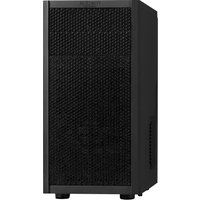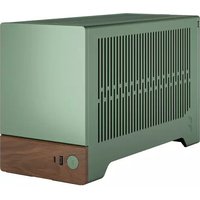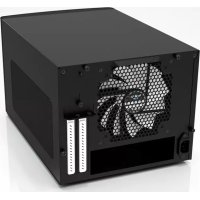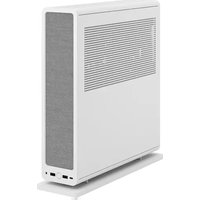
Ridge - Desktop Computer Fractal Design - Free user manual and instructions
Find the device manual for free Ridge Fractal Design in PDF.


| Product type | PC Case (Desktop) |
| Brand | Fractal Design |
| Model | Ridge |
| Form factor | Mini-ITX |
| Dimensions (L × P × H) | 375 × 115 × 380 mm |
| Weight | 3.8 kg |
| Materials | Steel, ABS plastic, tempered glass |
| Drive bays | 1 x 3.5" (internal) and 2 x 2.5" |
| Included fans | 2 x 140 mm (non-RGB) |
| Supported PSU | SFX/SFX-L (not included) |
| Max GPU length | 325 mm |
| Max CPU cooler height | 70 mm |
| Front I/O | 2 x USB 3.0, 1 x USB-C, audio jack |
| Warranty | 24 months (manufacturer) |
| Maintenance | Clean with a dry soft cloth; avoid liquid products |
| Safety | Disconnect before any intervention; avoid shocks |
| Repairability | Spare parts available from authorized dealers |
| Main features | Compact vertical design, optimized airflow, tempered glass panels |
| Included accessories | Mounting screws, cables, user manual |
| Special features | Vertical design, non-slip feet, removable dust filter |
Frequently Asked Questions - Ridge Fractal Design
User questions about Ridge Fractal Design
0 question about this device. Answer the ones you know or ask your own.
Ask a new question about this device
Download the instructions for your Desktop Computer in PDF format for free! Find your manual Ridge - Fractal Design and take your electronic device back in hand. On this page are published all the documents necessary for the use of your device. Ridge by Fractal Design.
USER MANUAL Ridge Fractal Design
PykoBOCTBO nonb3OBaTeIJA
用户指导/使用者指南



Fractal
For more information and product specifications, visit fractal-design.com
Introduction
Einführung / Präsentation / IntroductiOn / IntroductiOn / BeteHeme /はじしに/介絹/簡介
Builder's Guide
Montageanleitung / Guide de montage / Guia de montaje / Monleringsguide / RykoBocBo no cbope / リルダーナイド / 安装指导 / 安装指南
Optional Steps
Optionale Schritte / Etapes facultatives / Pasos OPCINULE / Frivillig moment / Bozmoxhne anrpei /任怎の手順 /可选步骤 /道項步驟
Additional Info
Weitere Informations / Informations supplémentaires / Informacion adiabicai / Ovrig informacion /Добнонтеньяйс immorpaima / 加送報價 / 附加信息 / 其他資訊
Support and Service
Support und Kundendienst / Assistance technique et maintenance / Soporte y service technique / Support och service / Podepkka n o6cbnykuaHnO / 恩一卜卡一匕/ 支持与服务 / 支援和服务
Specification
Technische Daten / Specificaciones / Specifikationer / Texhnueckne xapakTepcntu / 仕樣 / 规格 / 规格
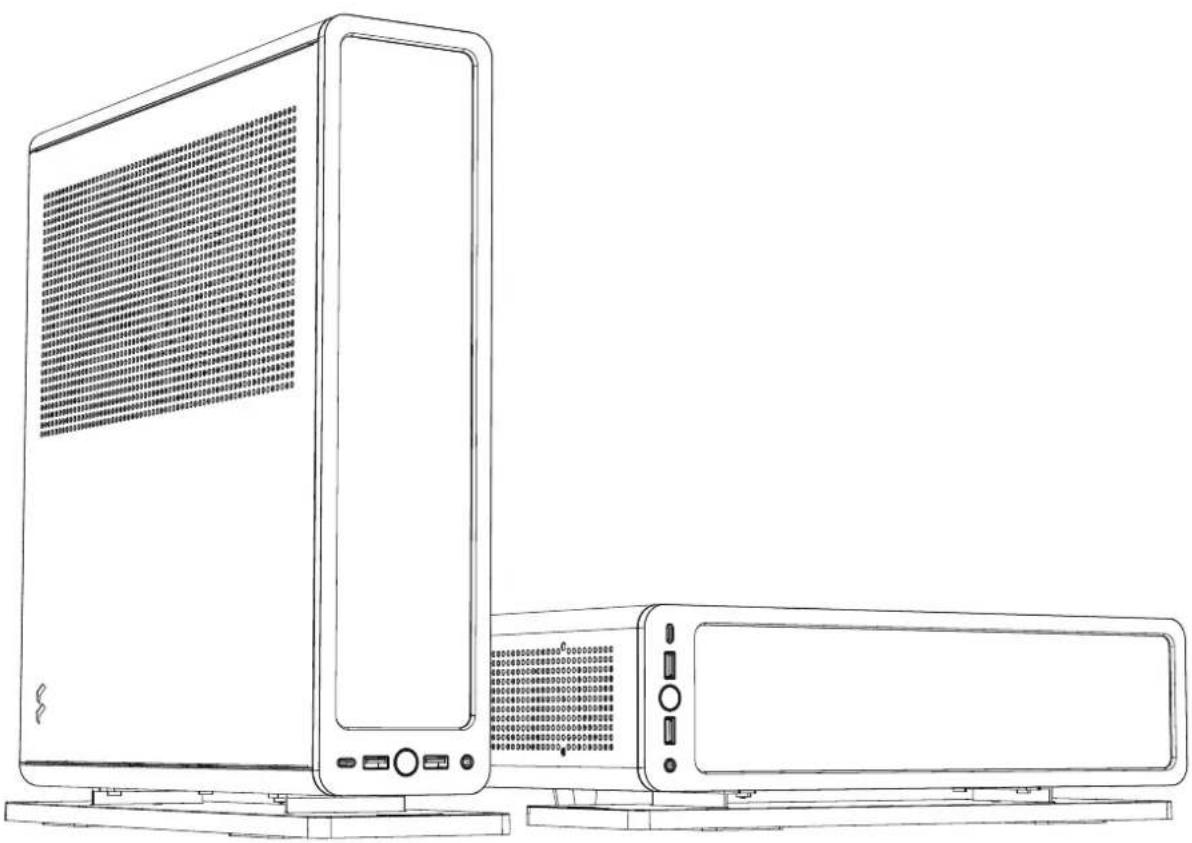
Case dimensions (LxWxH) Case 355 × 95 × 375 ~mm (without feet/screws/protrusions)
Vertical 374× 110× 395mm
Horizontal 360× 375× 115mm
Dedicated 2.5" drive positions 4
Motherboard compatibility Mini-ITX, Mini-DTX (with one 140 mm case fan removed)
Power supply type SFX, SFX-L
Front ports
1x USB 3.1 Gen 2 Type-C, 2 x USB 3.0, Audio & Mic
Side radiator
Up to 280 mm (See p. 47 for more details)
120mm with ≤ 175mm GPU
PSU max length
130 mm
GPU max length
335 mm (See p. 43 for more details)
GPU max thickness
57 mm with side fans
82 mm without fans
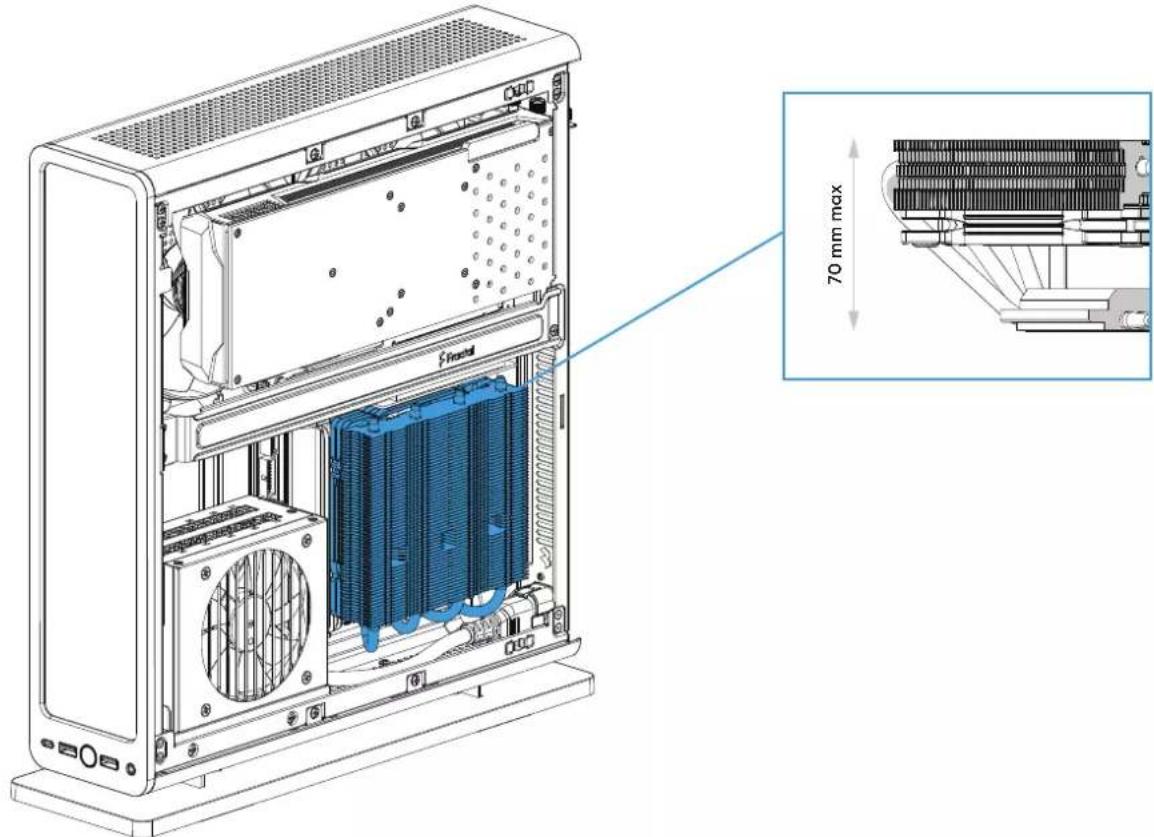
CPU cooler max height
70 mm
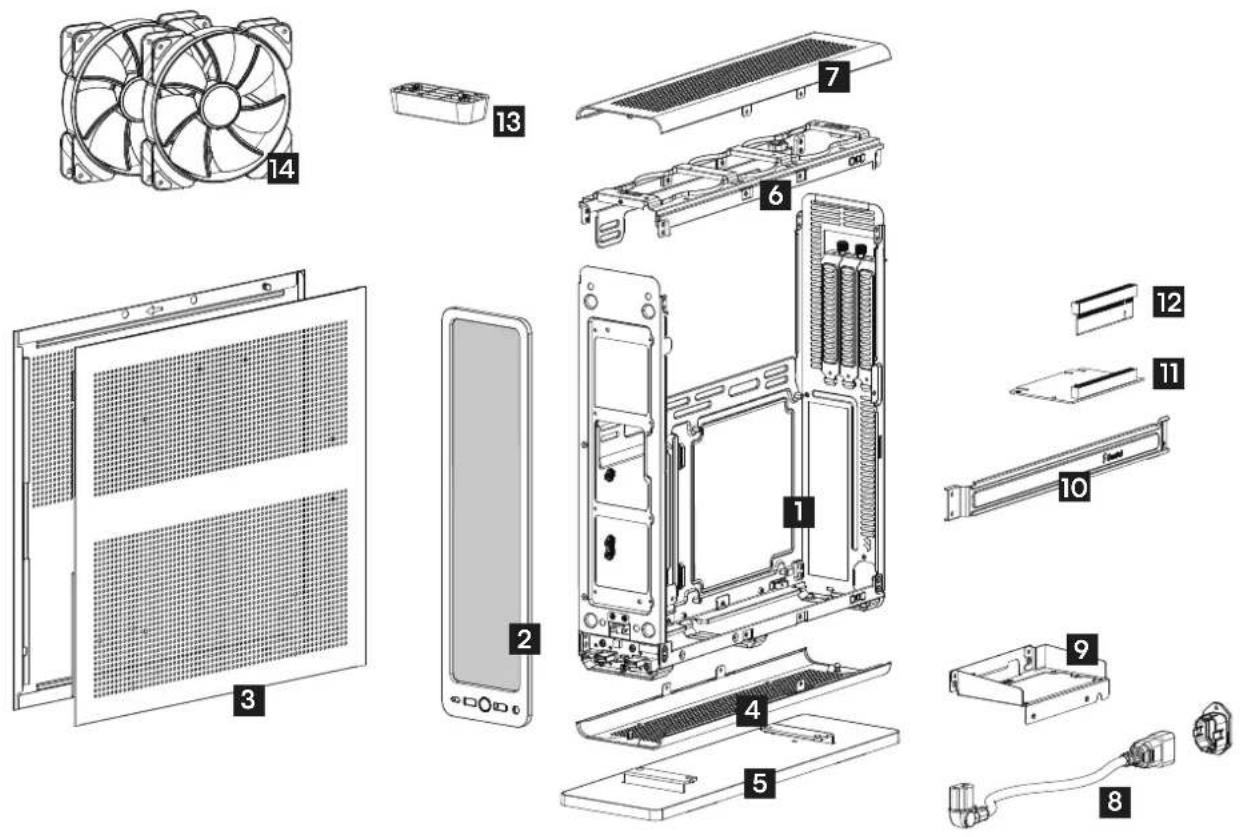
Case Overview
ComputerGehaue-Übersicht/Vue d'ensemble du boitier de I'ordinateur/Resumen de la caja de la computadora/Datoroversikt/O6aopkomiunotepnixcnyaei/CONBVCunaTofKusF
Vertical Stand
Haltung zur vertikalien Positionierung / Support vertical / Sopporté vertical / Vertika/na/ba noidratak/a / 垂直式端子/立式机架/垂直式支乘
SFX PSU Bracket
SFX PSU-Halter/
Support du bloc d'alimentation SFX/
Sopportde la PSU SFX/
Fasiplatta for SFX-nadel/
CokaSFX-6noka natrium/
SFX PSU 7kafot/
SFX PSU支架/ SFX PSU 支架
13 Horizontal Stand 2 x Aspect 14 PWM fan Horizonto S/Flto / Support horizontal
Horizontal Standout? Support Horizontal Soporte horizontal / Horizontel lot / Tropisme horizontal/ La stréige / 水平水準下 / 椭放支架 / 椭放支架
Front Bezel
Frontpanel / Panneau avant / Panel frontal /Frontpanel / Nepereignaisnien /FLOTANBARAL/前画板/前画板
Top Bracket
Top Bracket / Support supérieur /
Soporte supérieur / F支持 platfaissat topp /
Bepexe xpanenewio / 上国波兰克卜 /
顶部支集 / 部顶托架
Graphics Card Bracket
Haellering fur Grafikkarten/
Bride de la carte graphique/
Soporte para tarjela grafica/
Fastiplatta for grafikkort/
Kponchetre en par la binocepatr/
Grufla rkskata-1ok-1n the frafokt /
显卡托果/新示卡支架
2. August 14 PMMU (L)
2 Aspect 14 PWM-Liter
2 ventilator Aspect 14 PWM
2x ventilador Aspect 14 PWM
2x Aspect 14 PWM flakt
2 biornithop Aspect 14 PWM
2x Aspect 14 PWM FAN
2x Aspect 14 PWM风扇
2x Aspect 14 PWM风扇
#
Side Panels
Solteinte / Panneaux lateraux / Paneles laterales / Sidopanelor / Ebonoe ne panen / 凸面/杀儿 / 面板 / 金铜侧面板
7 Top Panel
Obere Platte / Panheau supneur /
Panel superior / Toppanel / Bepxnnn naanb /
上部八儿/顶板/顶端圆板
Angled PCIe Riser Card
Angewinkelte PCIe Riser Karte / Carte sur support PCIe coude / Tarjetare PCIe angular / Vinklat PCIe riserkort / Niopehyrae nepexozhaar nma PCIe / AnulkerKPCLRAIVAER-A-1D 三角PCI转接卡/箭向式PCI转接卡
m = 311
Bottom Panel
Bodeplate / Panneau inférieur / Panel inferior / Undro panel / Hypothes namen / 底面 / Y/幸儿 / 底板 / 底部面板
PCIe Riser Card
PCieRiserKarte/Carte sur support PCie/ TarjeteraRiserPCle/PCileriserkort/ ItnatrapacimpeniPcIeRiser/ PCloLAFaI-力卡PClo转接卡PClo精接卡
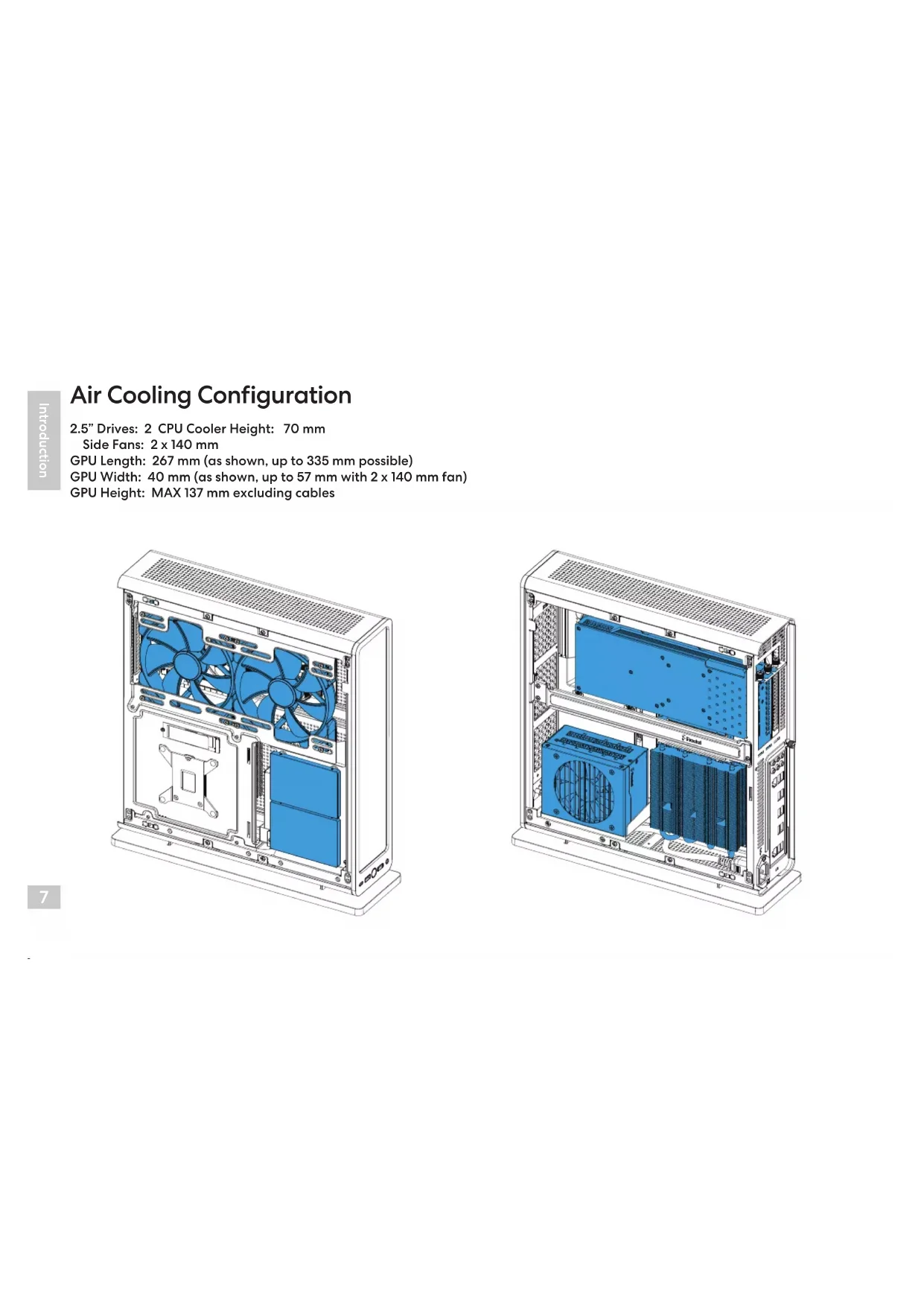
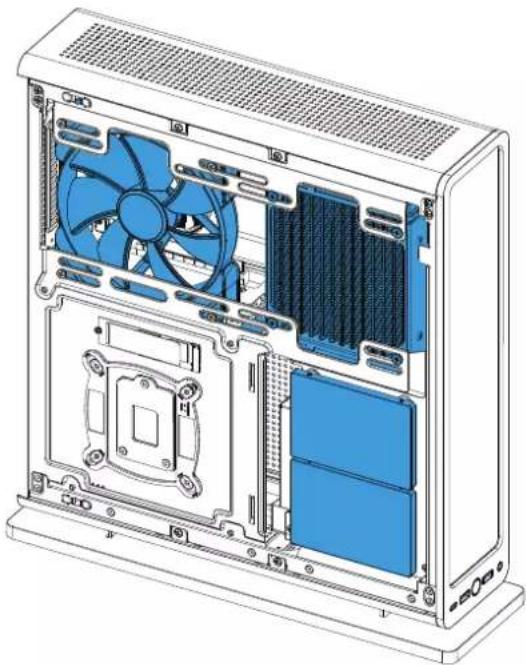
Air Cooling Configuration
2.5" Drives: 2 CPU cooler Height: 70 mm
Side Fans: 2 × 140 ~mm
GPU Length: 267 mm (as shown, up to 335 mm possible)
GPU Width: 40mm (as shown, up to 57mm with 2× 140mm fan)
GPU Height: MAX 137 mm excluding cables
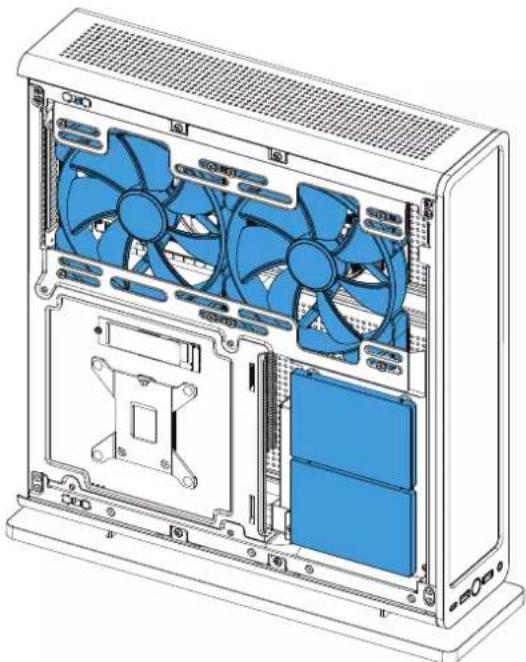
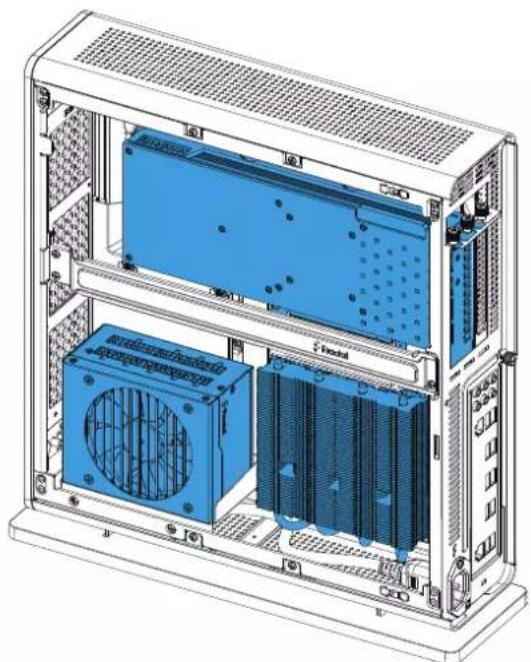
Home Theater PC Configuration
2.5" Drives: 4 PCIe Card Length: up to 290 mm possible
Side Radiator: 280 × 140 ~mm
CPU Block Height: 43 mm (as shown, up to 70 mm possible)
PCIe Card Width:
up
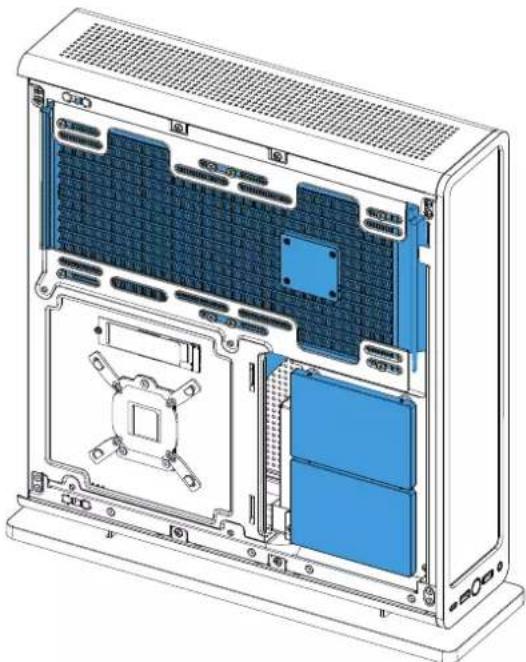
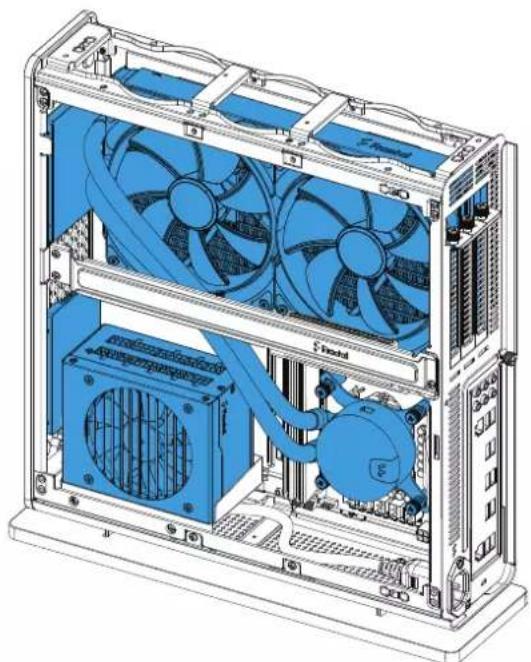
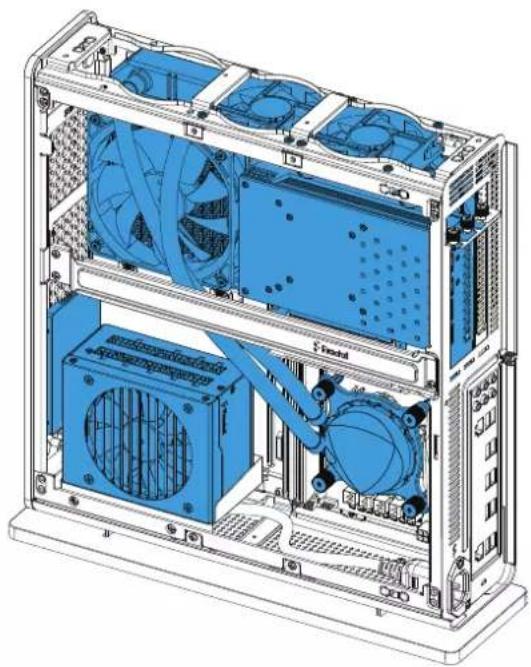
All-in-one Water cooler Configuration
2.5" Drives: 3 GPU Length: 175 mm
GPU Width: 40 mm (as shown, up to 50 mm possible)
Side Radiator: 120 × 120 ~mm GPU Height: MAX 125 mm including cables
CPU Block Height: 30mm (as shown, up to 70mm possible)
Top Fans: 2 × 80 ~mm
Side Fan: 1 x 140 mm
Accessory Box Contents
Zubehoreb - Inhalt / Contenu de la boite d'accessoires / Contenido de la caja de accesorios / Innehali tillbehorsbox / Komnnekeaua kopo6k a caceccyapam / Anksarbo - Pokssk's内容/配件包内容/配件包内容
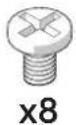
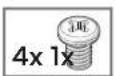
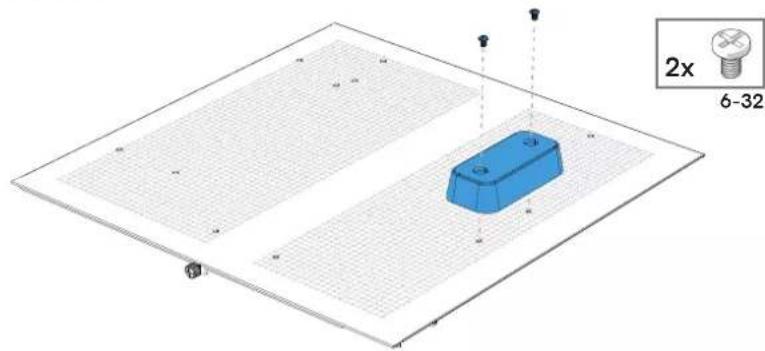
Mounting Screw (6-32)/Montageschraube (6-32)/ Vis de montage (6-32)/Tomillo de montaje (6-32)/ Monteringsskuv (6-32)/Bnlt Kpenneu (6-32)/ 取1付用(6-32)/安装螺钉(6-32)/安装螺丝(6-32)
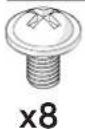
Mounting Screw (M3)/Montageschraube (M3)/
Ves de montage (M3)/Tornillo de montaje (M3)/
Monteringsskruv (M3)/BHTXpennenHn(M3)/
取1付用有U(M3)/安装螺钉(M3)/安裝螺絲(M3)
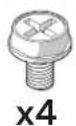
Power Supply Screw /Netzeilschraube /Vis de l'alimentation/ Tornillos para la fuente de alimentacion /Nataggregatskruv / Bnhty dny yctanokn boka nntanu/ 電源裝置用奈子/电源用螺丝/電源供應器用螺絲
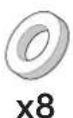
Rubber Spacer / Gummri-Abstandshalter / Intercalaire en caoutchoc / Espaciarde goma / Gummidistans / PesinnoBra npoknka / メムスーハー/ 橡胶垫片 / 橡膠垫片
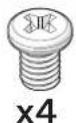
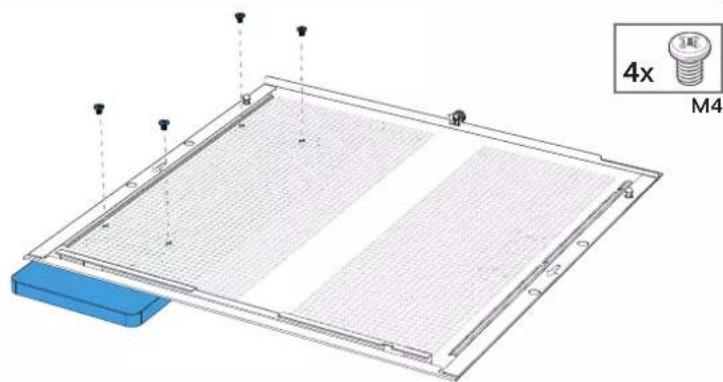
Mounting Screw (M4)/Montageschraube (M4)/ Vis de montage (M4)/Tornillo de montaje (M4)/ Monteringingskruv (M4)/BHTKpennenna (M4)/取1付用(M4)/安装螺钉(M4)/安装螺(M4)
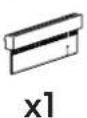
PCleRisKard/PCleRiserKarte/Cartesur supportPCle/TarjetaRiserPCle/pcleserkort/tnana paucupehnaPCleRiser/PCleIvSA-力一卡/PCle转接卡/PCle转接卡
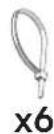
Cable Tie / Kabelbinder / Serre-cabés / Sujétacables / Buntband / Kaféniñan / cTárrka / キームルロー /束线带 /束線帶
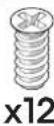
FanScrew/Lufterschraube/Vispourventilateur/Tomillo deventilator/Flakskruv/BHTBentnrtropa/FANX用奈/S风扇螺丝/风扇螺丝
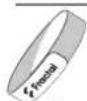
Cable Straps / Klettbandverschlisse / Crochet et boucle / Goncho y buce / Kardboreband / Kpok u netn / 面方士一尼龙搭扣/松扣带
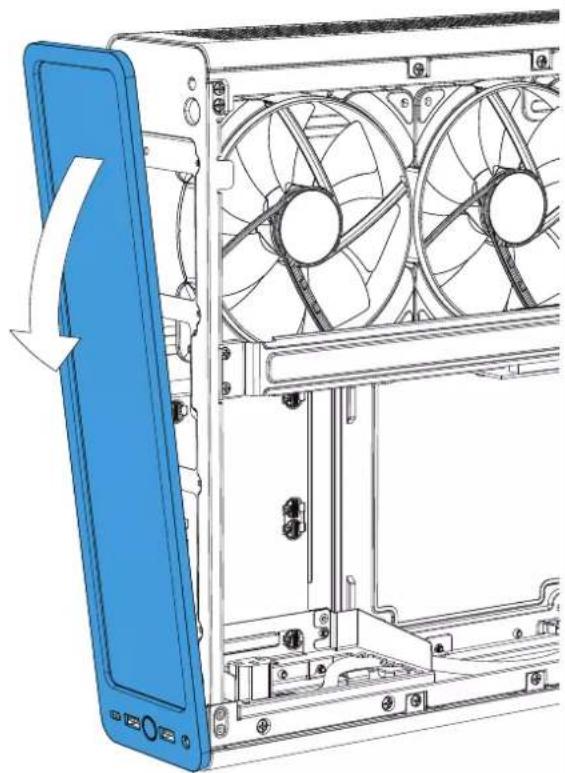
Remove the Front Panel
Frontbleb abehnem / Retiree le panneau frontal / Retiree el panel frontal / Ta bort frontpanen / Yuandinbperepehno kanehe / Fbrontbulenokou取外上衣 / 卸下前面板 / 卸下前面板
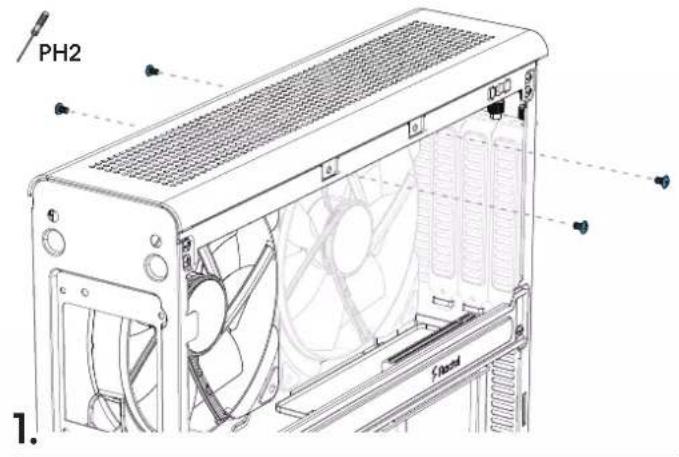
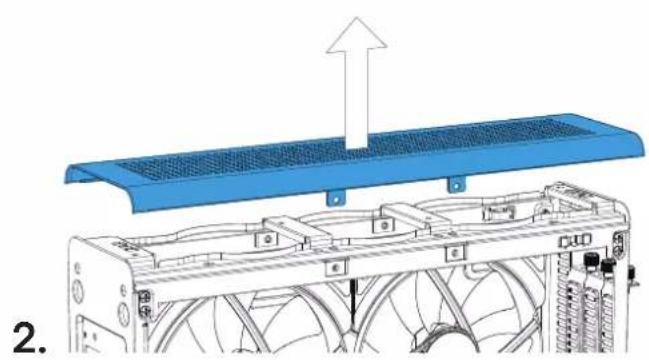
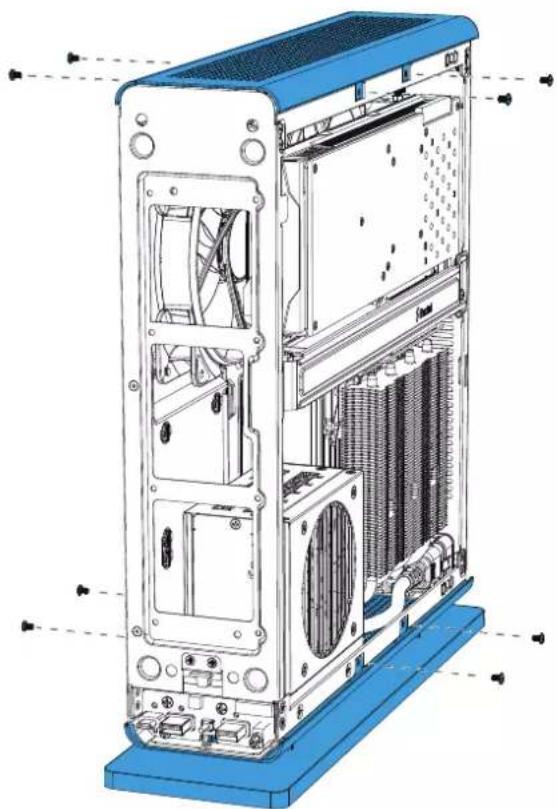
Remove the Top Cover
Obere Abdeckung abnehmer / Enevleze die couverde supérieur / Retire la cubiera superie / Montera va toppeldeen / CnertbyBepxHko kBykny / auf体力/一左寸/移除上盖 /取出上方外貌
Remove the Bottom Panel
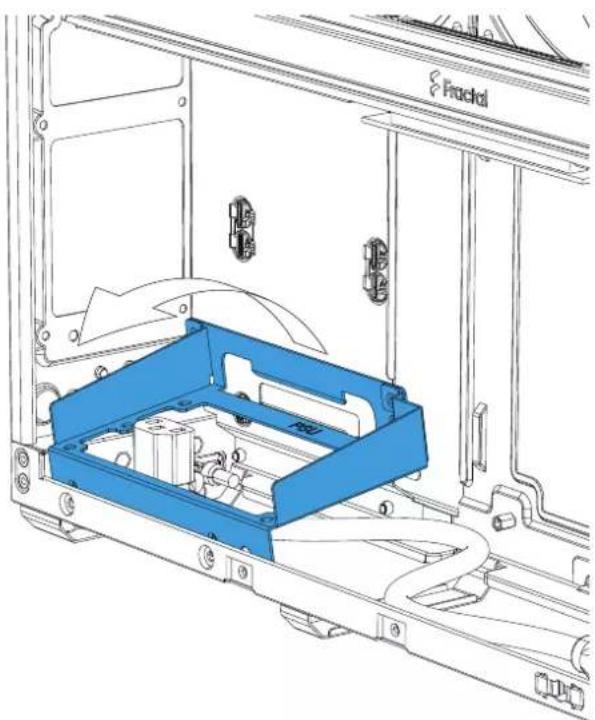
Remove the Power Supply Bracket
Ausbau der Netzeil-Halterung / Retirer le support de l'alimentation électrique / Retirer el soporte de lafueente de alimentacion / Ta bort fastplatae for natal / CHMMTE KPOHHTEN BIOKA TINAHAN /
Remove the GPU Bracket
Ausbau der GPU-Haltung / Retirer le support du GPU / Retirer el sostope de la GPU / TaBOT montierngsoplat for grafikkort / CHMMTE kpoHHTeIN GPU / GPUFRAKT toour除外 /移除显卡托架/拆下GPU支架
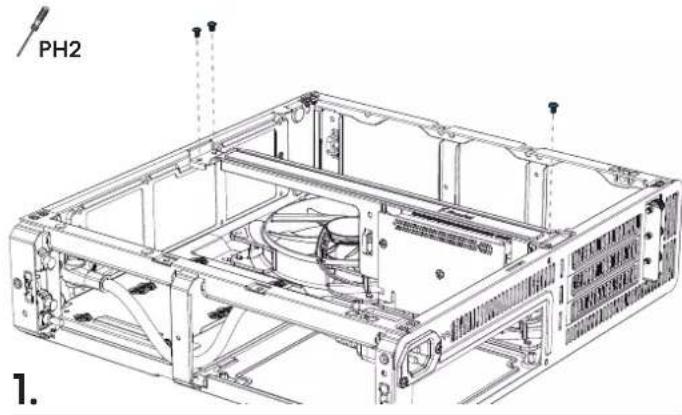
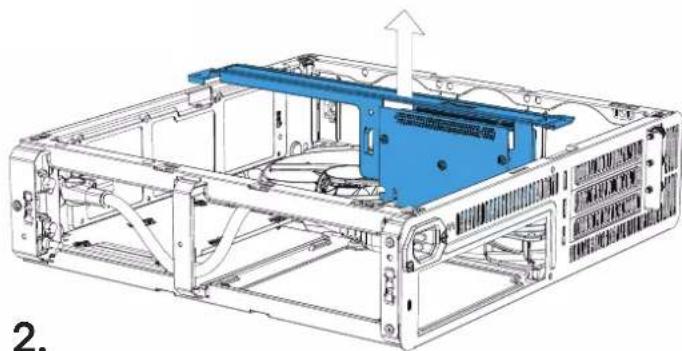
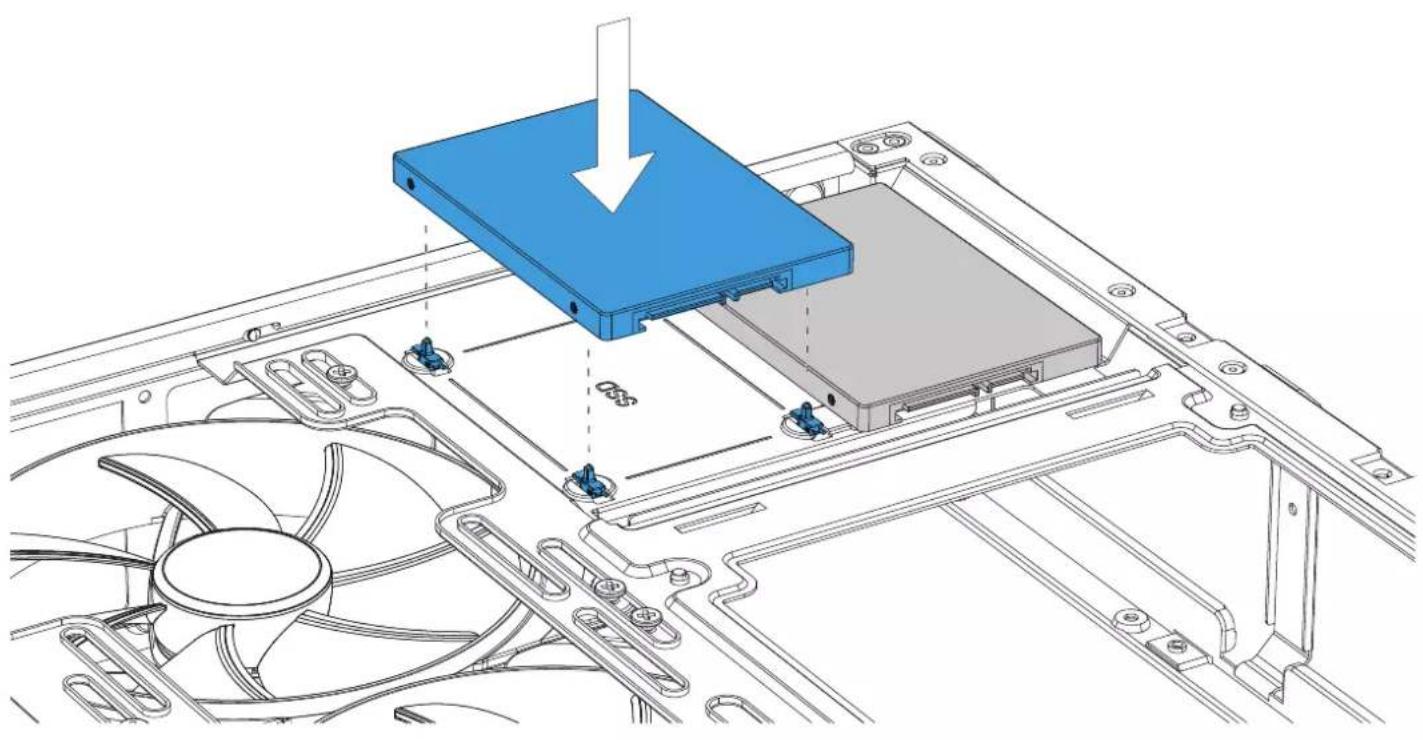
Install a 2.5" Drive
Installation 2,5-Zoll-Laufwerke / Installer des disques 2.5 / Instale las unidas de 2,5" / Installera 2,5"enheter / YcTahOBte 2,5" npmbdo nnn dckn
2.5 1nT DIAI'Fの取付付/安装2.5"硬碟/安装2.5"磁碟
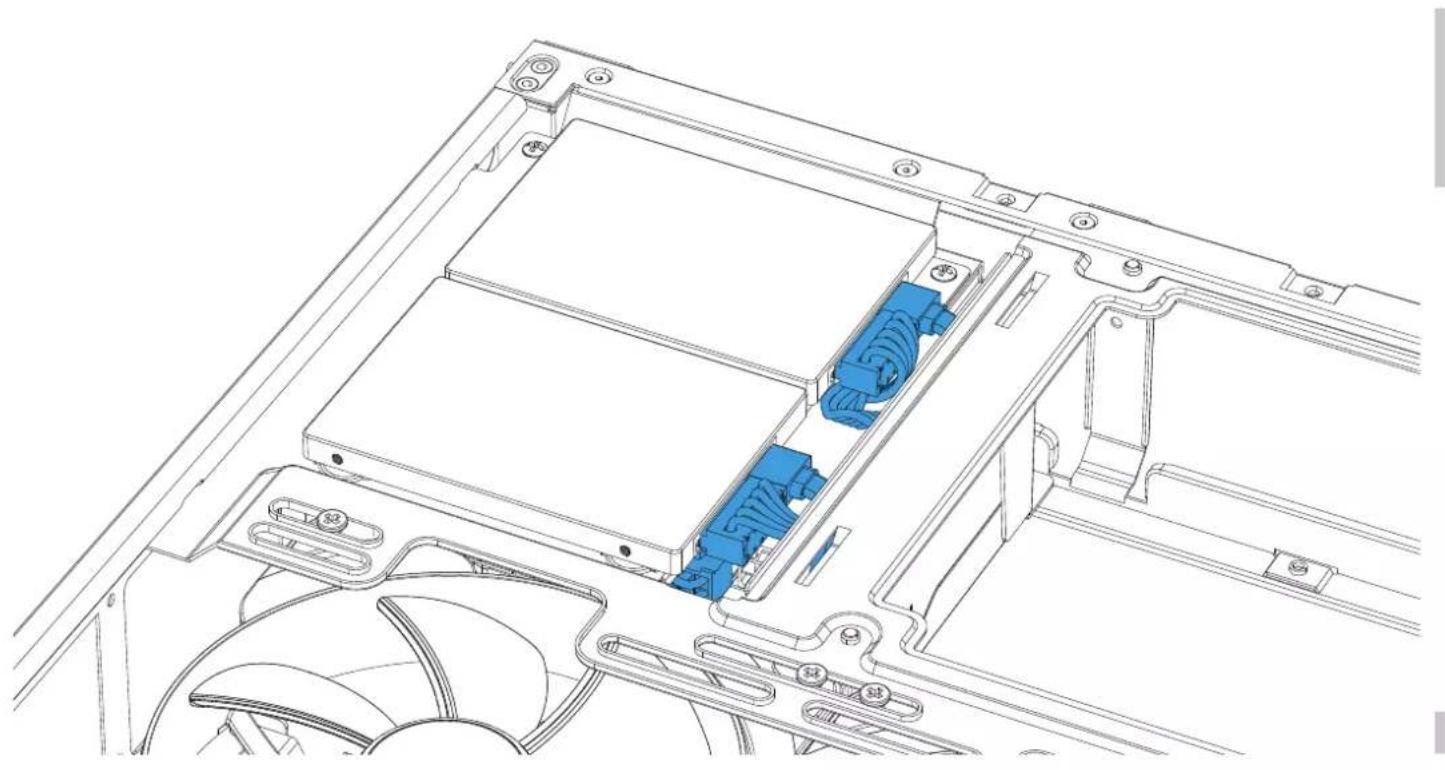
Connect Drive Cables
Laufwerkabel anschlieben / Connector les cables du lecteur / Conecte los cables de la unidad / Anslut hardiskkablar / Podknoyte kabelen hakonnten /
卜拉伊个一扎儿接统示/连接硬盘线缆/连接硬碟管
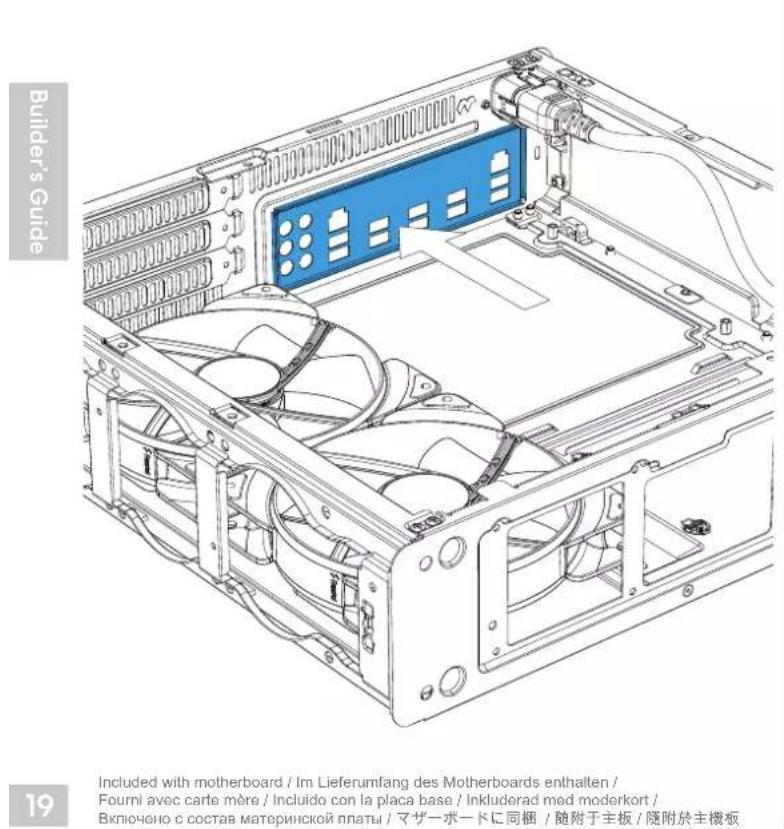
Install the I/O Shield
Installieren Sie die I/O Schild / installer le plaque d'E/S / Instale la proteccion de E/S / Installera I/O platen / Yctahonite Bbda / BbBba pntchy / I/O 小一尔卡の取付付 / 安装I/O 指板 / 安装I/O 插板
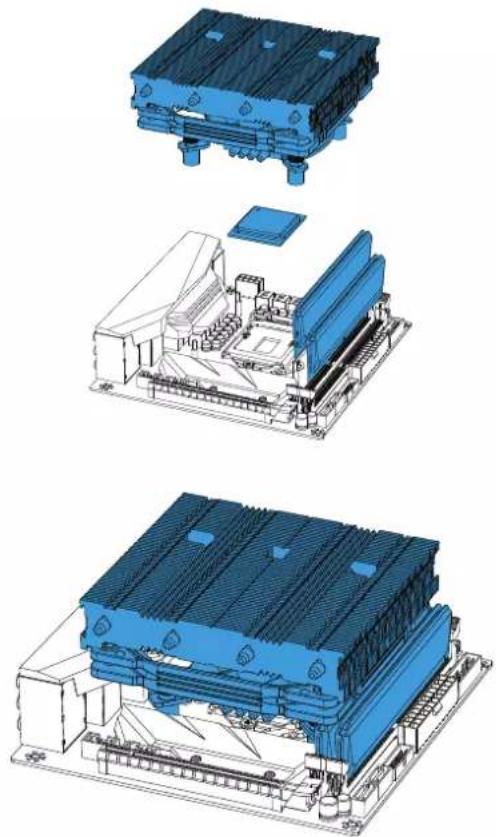
Prepare the Motherboard
Vorbereitung Hauptplatie / Präparer la carte mère / Prepare la place base / Förbernd modernkortert / Montodotte mateprounccky nuTAY / マダ一ト一ロ・準備 / 准备主板 / 每備主機板
Install the Motherboard Assembly
Installation Hauptplatinenzubehor / Installerl l'ensemble carte mere / Instale la placal base / Installera mordenkort / Yctanobite MATEPHKIO nnatry /
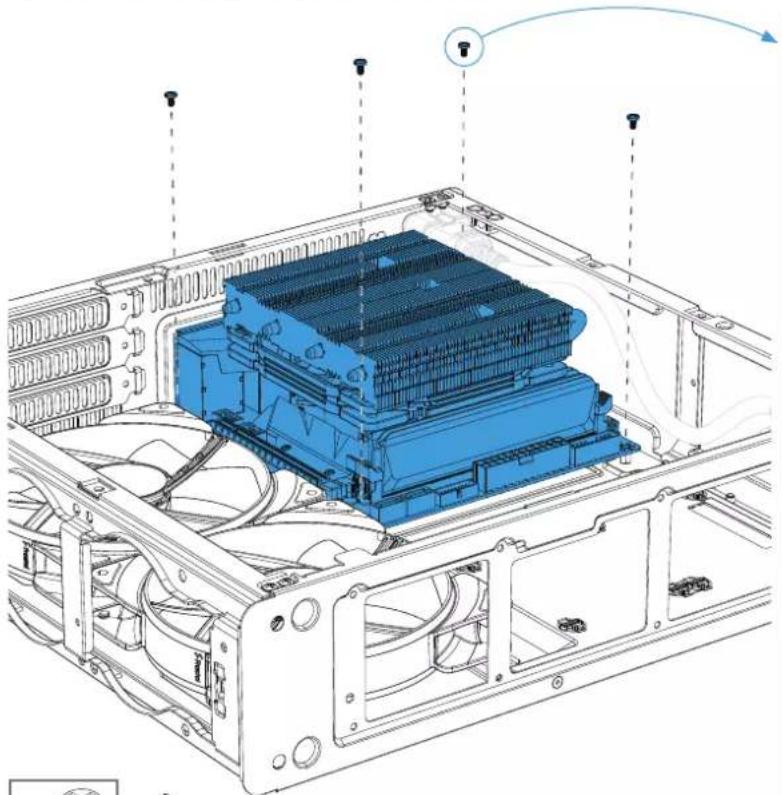

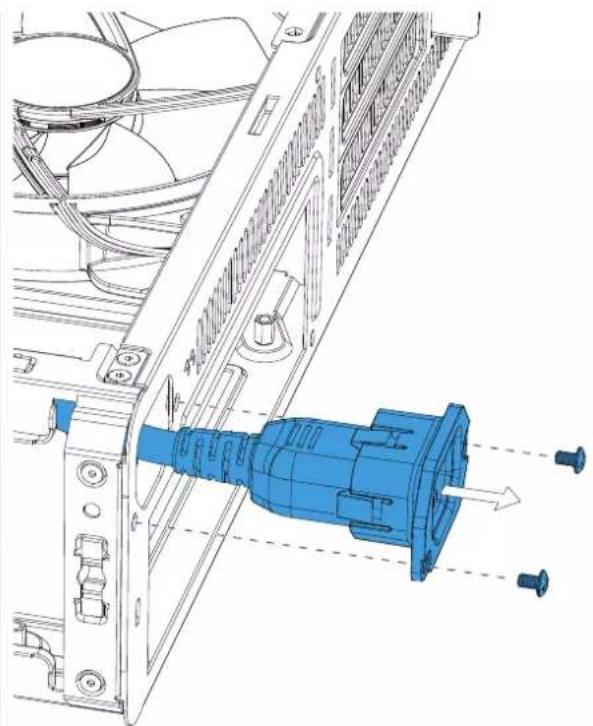
If needed, the internal power supply cable can be released by removing two screws.
Sofem nichtwendung, kann das interne Netzteilkabel durch das Lösen von zwei Schrsuben abmontiert werden / Si nécessaire, die cable d'alimentation interne peut être libre en retirant deux vis / Si es nécessario, peut quedar dos tollementes para liberar el cable de la fuente de alimentacion interna / Om ncvodligit, kan stromkabelt till natielen avlgasnas after att tvskuvhar ar meronters tort / Prp hnoeboxmoqnnctn Kaebel bnytprenhero Bnoa nntanm KNOHO OcnoOBoHbT, oKpyuBn da Hnra THa.必要に広て、2のネトを装束い内部の電源一ルの接続を外すむ。如有需要,可下个零号松开内部电源以有需要,拆下网架结构即可揭開内部电源保
Install the Power Supply
Installation Netzeil / Installer le bloc d'alimentation / Instale la fuente de alimentacion / Installera nataggregat / Yctanohre 6nok mntanra / 電源裝置の取付 / 安装电源 / 安装電源供應器
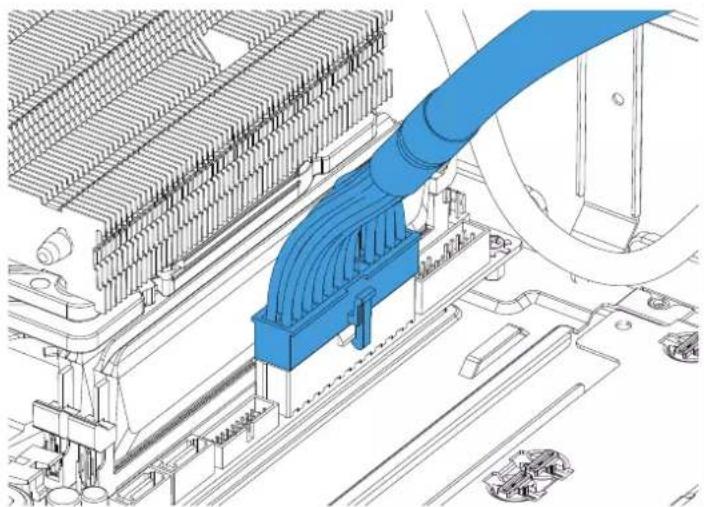
If you have a large CPU heatsink, we recommend installing the ATX24 cable and front panel connections prior to installing the SFX power supply /
Install the GPU Bracket
Installation der GPU Halterung / Installer le support du GPU / Instale el soporte de la GPU / Installerera monteringsplat for grafikkort/YctaHOBITE KPOHUNH GPU / GPUPLAOKTをインストールする /安装显卡托架/安装GPU支架
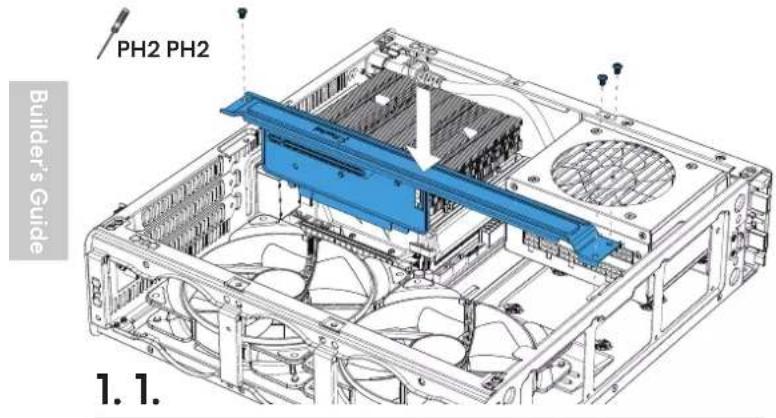
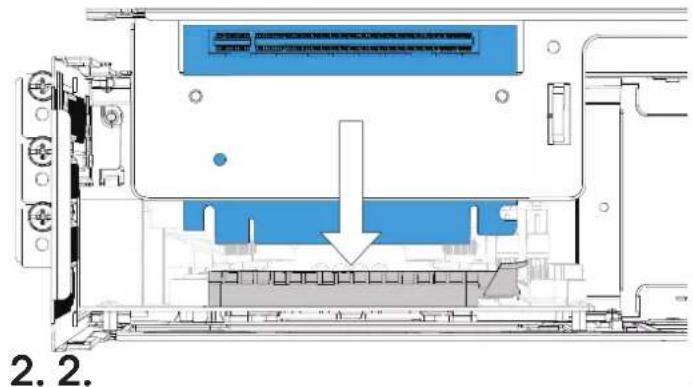
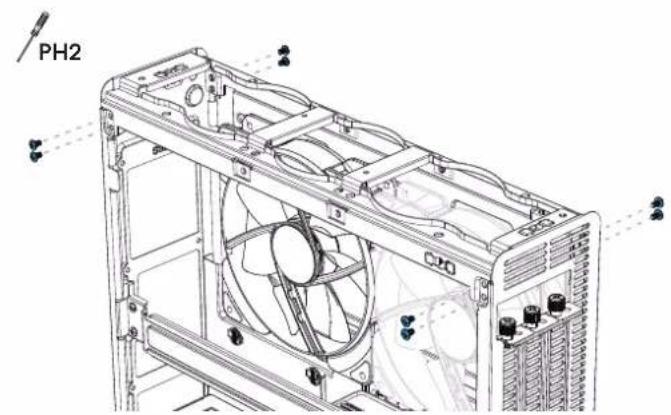
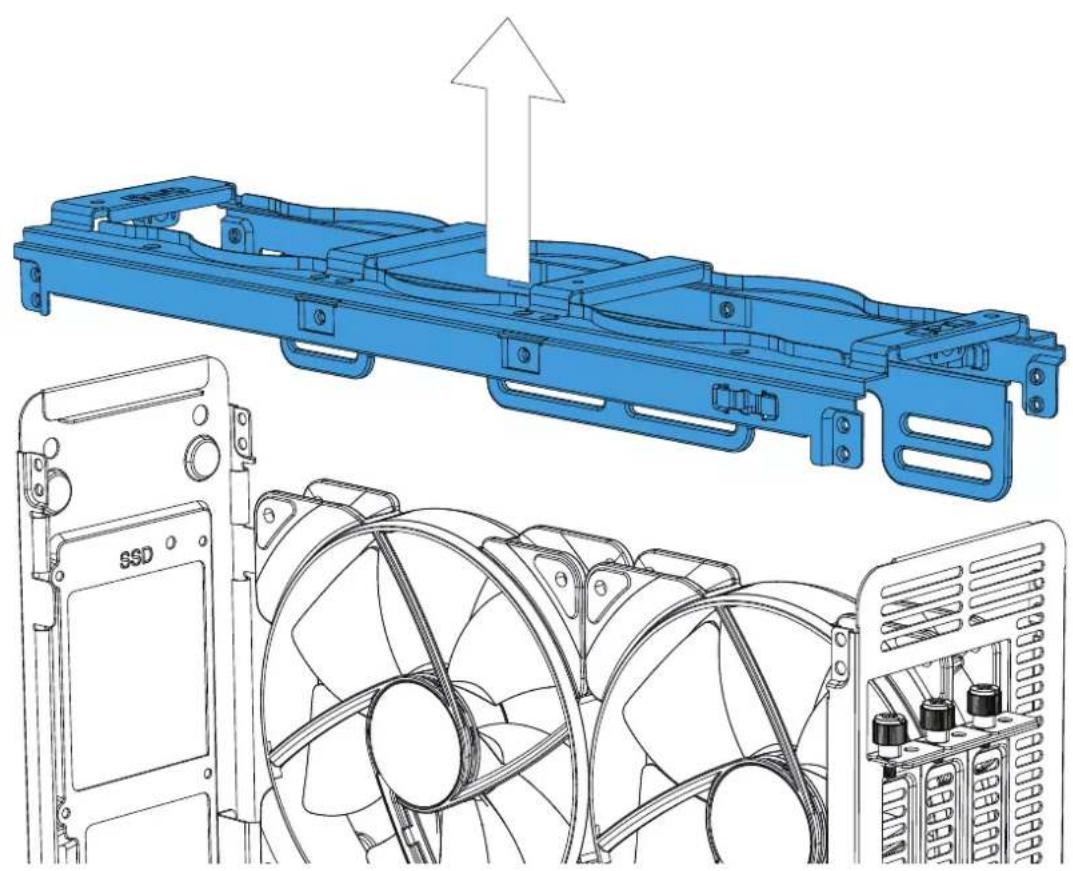
Remove the Top Bracket
Ausbau des Top Brackets / Retirer le support supérieur / Retire el soporte superior / Ta bort ovre ramsekton / ChimmTe BepxHH KPOHHTeH / 上面PLAKT to 取口外s/移除顶部托架 / 拆下顶部支架
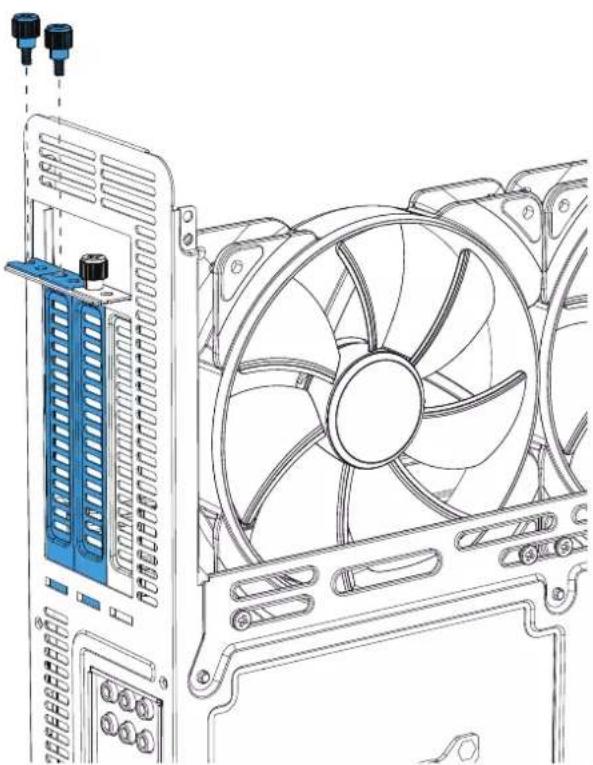
Install a Graphics Card
Installation Grafikkarte / Installer la carte graphique / Instale la tarjetaGRAFICA / Installereragrafikkortet/ Yctahonurerpapnueynary/grafic力一の取付け/安裝显卡/安装顯示卡
1.3.
2.
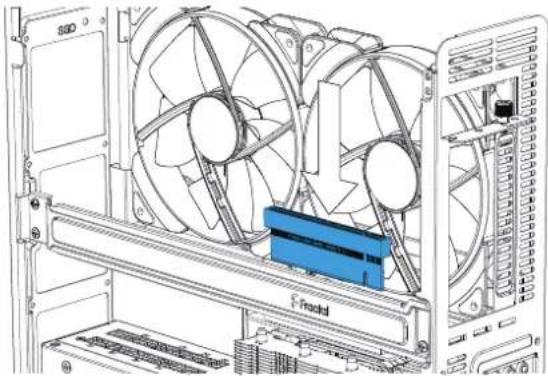
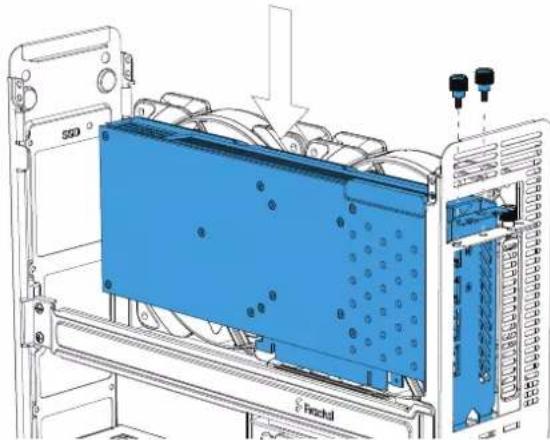
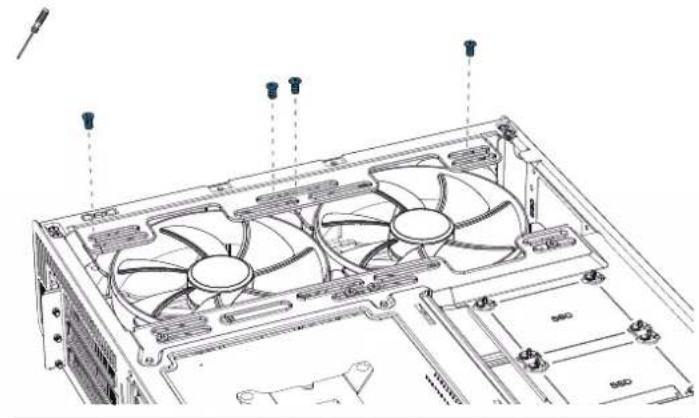
Install the Top Bracket
Installation des Top Brackets / Installer le support supérieur / Instale el soporte superlor / Installera ovre ramsekion / yctanaotheeepxnnkpoohteh /上面徕款を検示は安装部承架 /安装顶部支梁
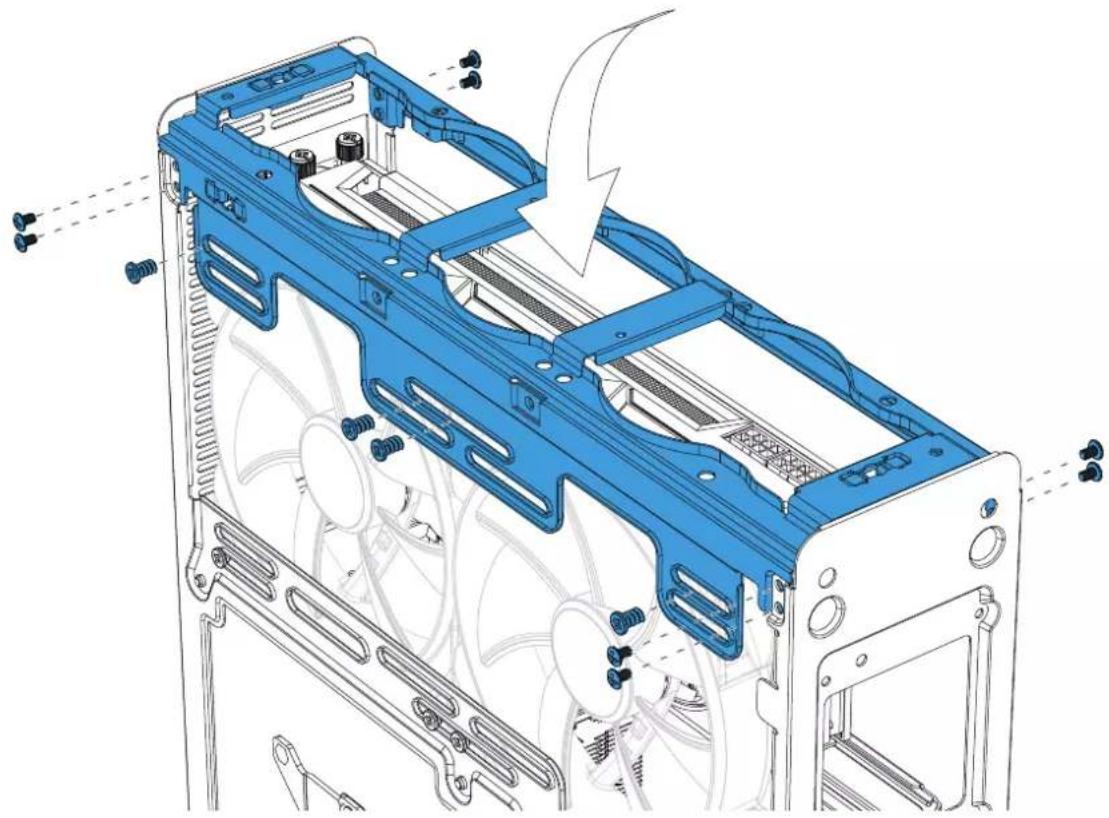
PH2
Connect Cables for Front I/O
Anschlusskabel für Frontanschüsse / Connector les cables aux E/S frontales / Connecte los cables paraE/S frontal / Koppla in kablar till fronten /Побъедиите кабелегадих устрий в Вьда-вьда /前面 I/O 用の接続ケフル /为I/O 前面板连接电线/正面I/O的連接線
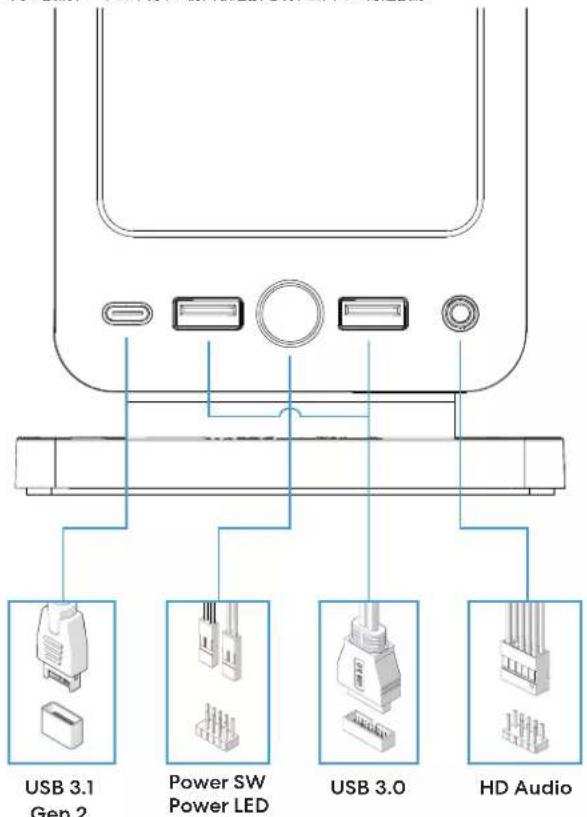
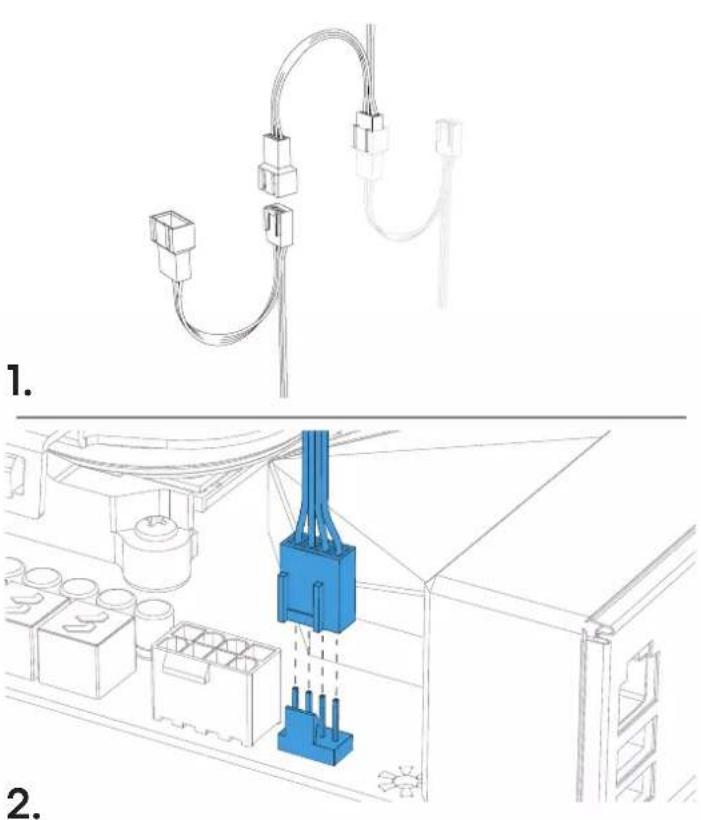
Connect the Fans
Lufütheranschläufige Branchen des ventiladores / Conexión de los ventiladores / Ansflet flaklar / Podknichnene BENTHINITROPby/ Flánn en接管する / 连接風雨 / 连接風雨
Install Vertical Stand
Installation der vertikalien Stutz / Installer e le support vertical / Instale el sporte vertical / Installera vertical fot / Yctanohne Beptrkanshyo ctoky /
M4
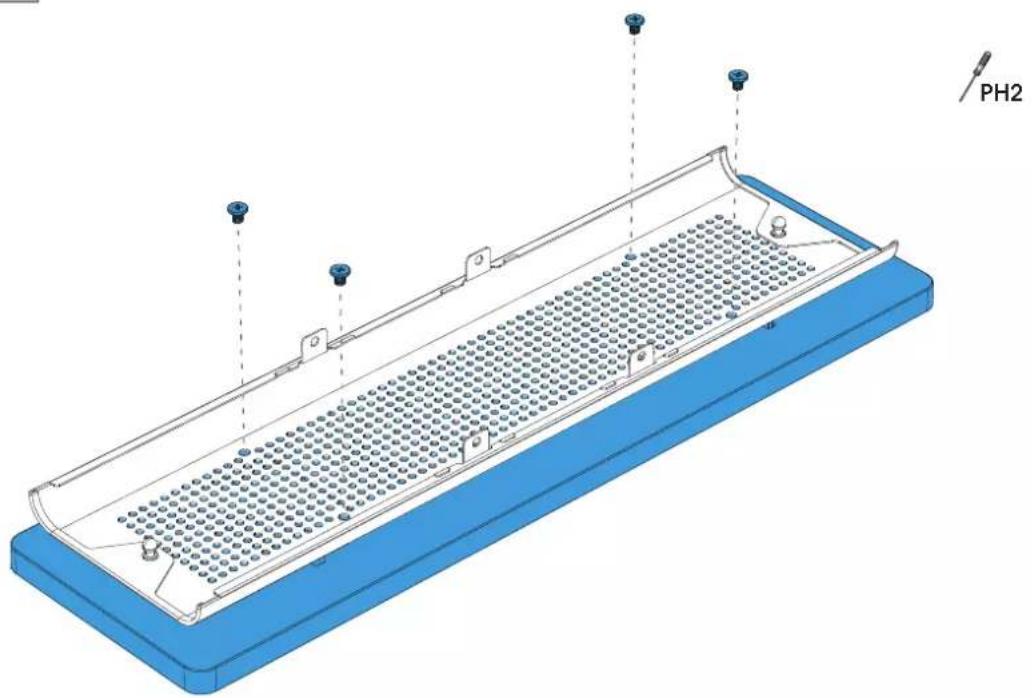
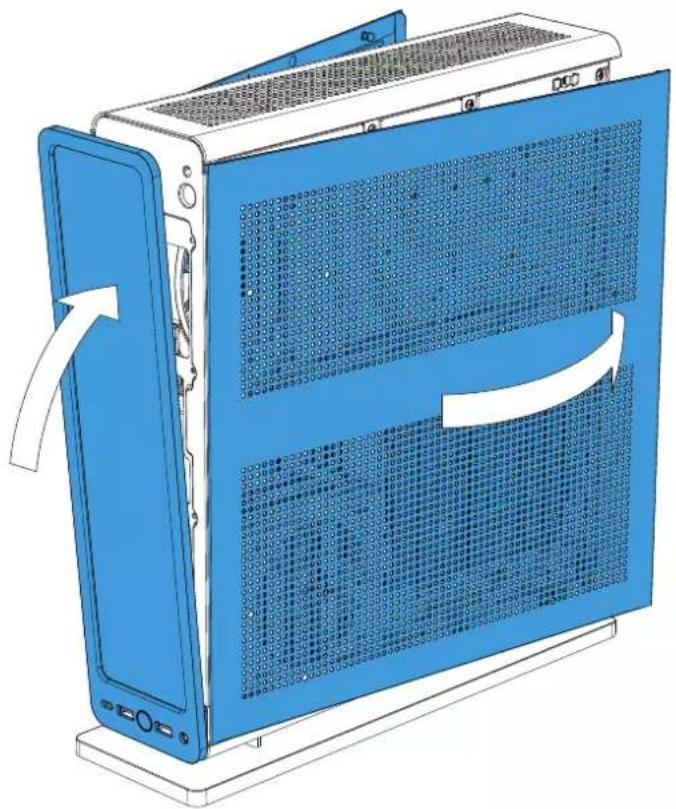
Install the Case Panels
Installation der Panels de Gehäuse / Installer les panneux du bottier / Instale los paneles de la torre / Installer la chassispanéler / Yctañoitre naneón kopyca / カス ハルをイドローする / 安装机箱面板 / 安装機柜面板
PH2
2.
Optional Steps
Optionale Schritte / Etapes facultatives / Pasos optionales / Frivoliga moment / Bozmoxhne anrpei / 任意の手順 / 可進步驟 / 選項步驟
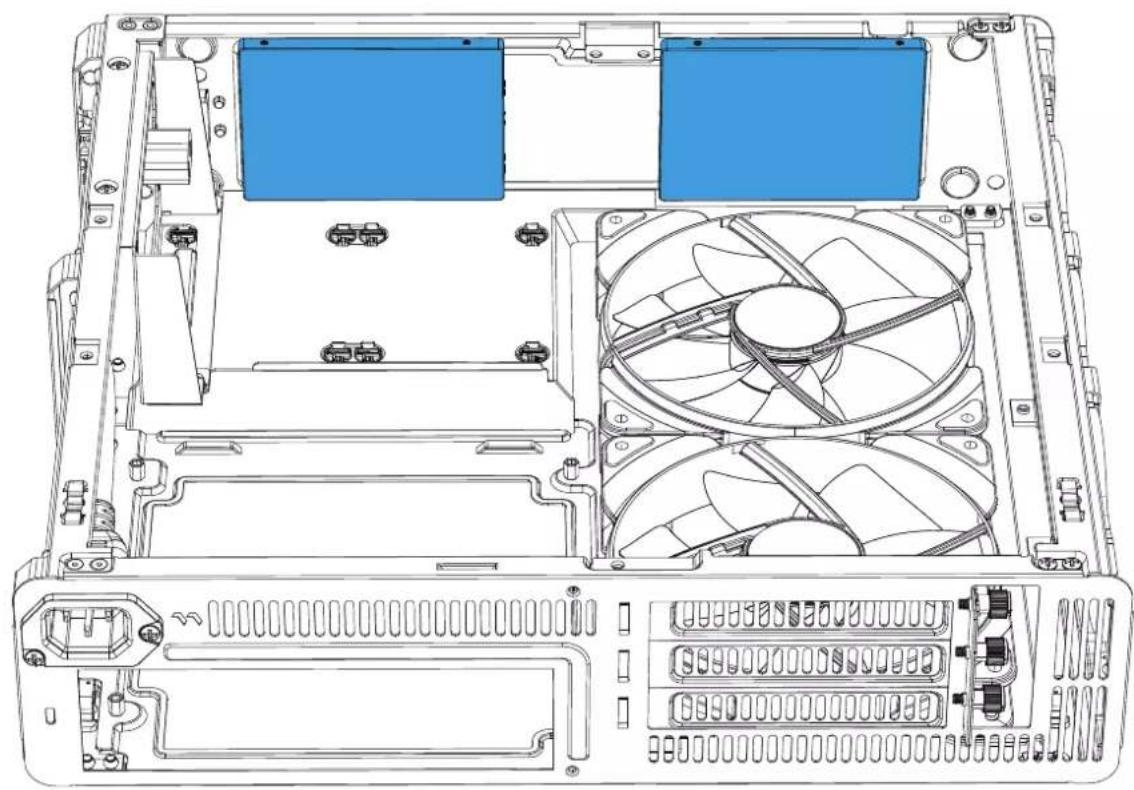
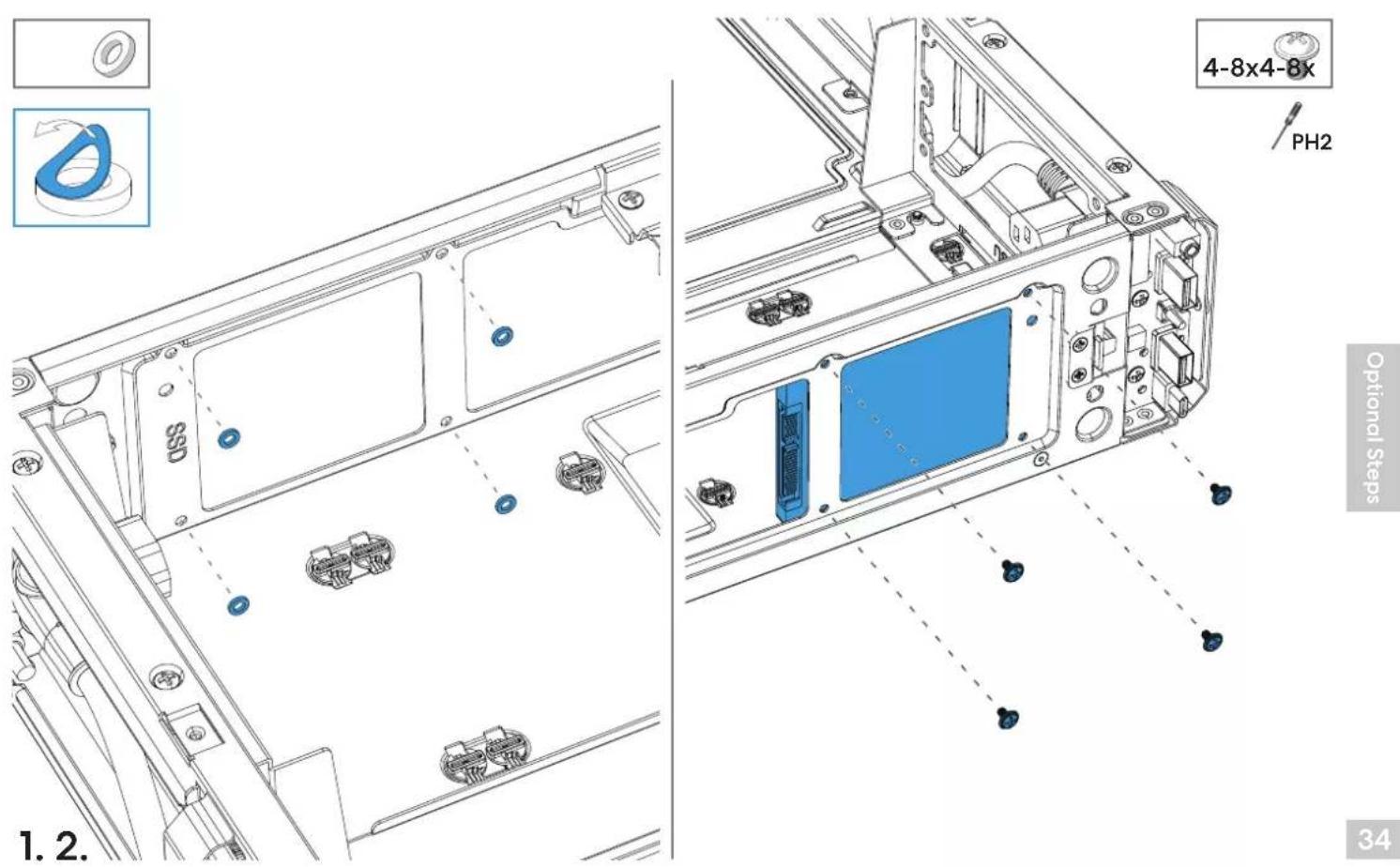
Install Additional 2.5" Drive(s)
Installation zusatzlicher 2.5" Laufwerke / Installer le(s) lecteur(s) 2,5 po supplémentaire(s) / Instale las unidades de 2,5" adiconales / Installerera extra 2.5" hardsk(ar) /
YcTaHOBNTeDIOONHHTeBbHb2,5-koMBObHakOnNTeBn()/追加的2.5"D拉IPE为INsT一儿山/安装额外的2.5"硬碟/安装额外的2.5"硬碟
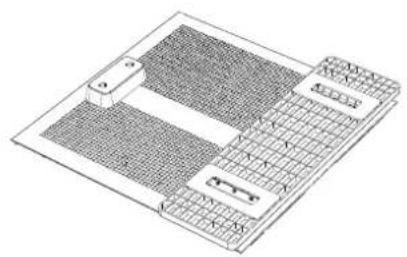
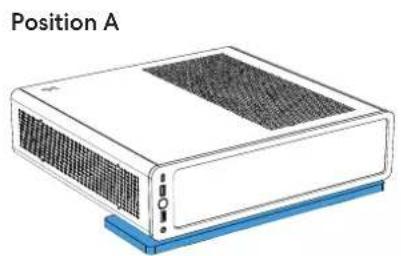
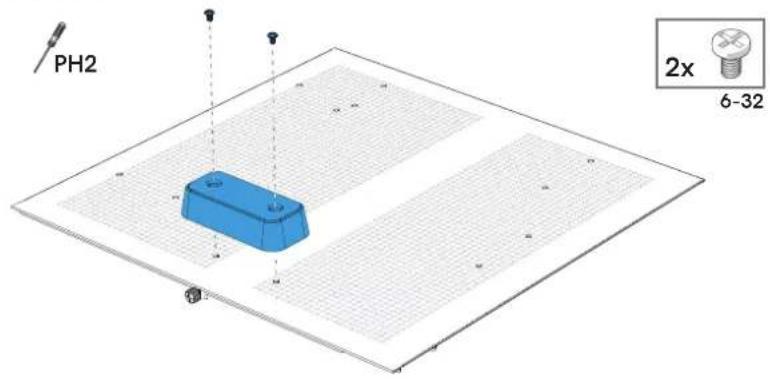
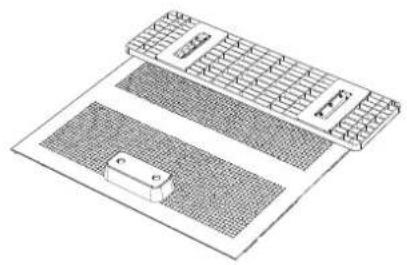
Converting to Horizontal Position - A
Wechset zur horizontalen Positionierung / Converten en position horizontale / Conversion a la position horizontal / Konvertera till horizontell positif/ PtepepehnteB toponohtanbhoe noonokene /水平取)付计入变/转换为横向放置/隔蝶藻调整为横放
A1.
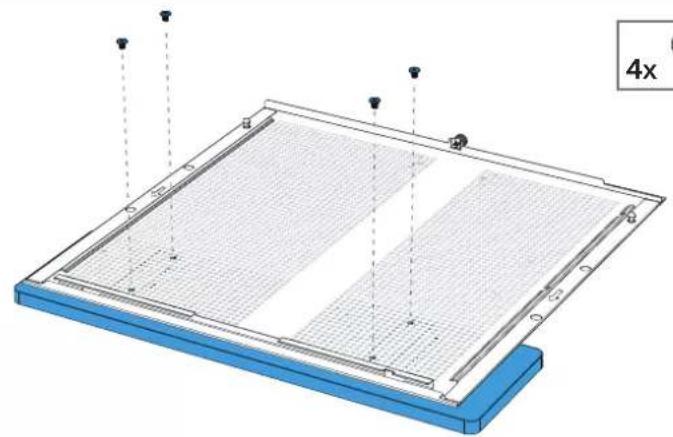
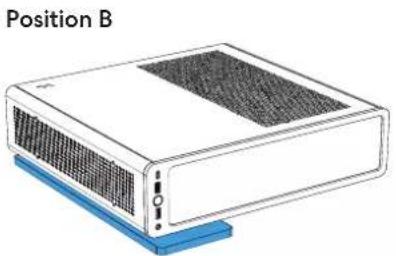
Converting to Horizontal Position - B
Wechse zur horizontalen Positionierung / Convertir en position horizontale / Conversiona la positrono / Konverteraill horizontell position /IpehepsHTeBropnohtanbHoe nooxKeHne/水平取4付个变换/转换为横向放置/爆爆器调整为横放
B1.
B2.
Converting to Horizontal Position
Wechsel zur horizontalen Positionierung / Converten position horizontal / Conversion a la positron / Konvertera till horizontell position /пегернгов в посточьше /水平取付付个变換 /转换为横向放置 /隔爆藻调整为横放
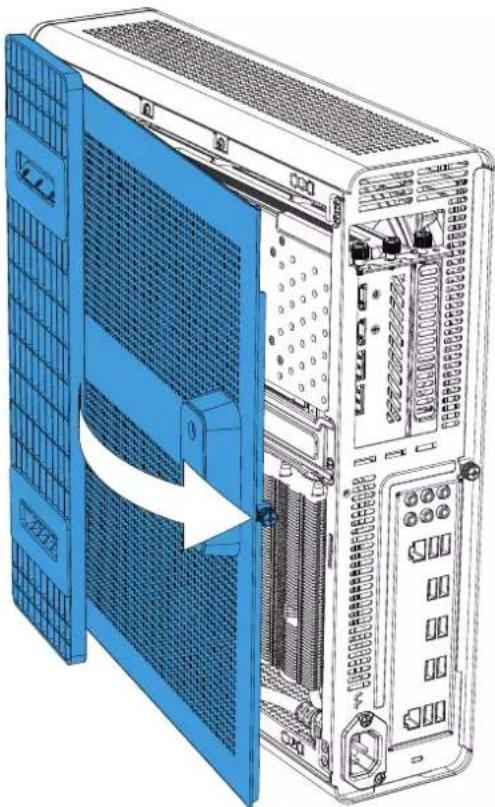
37 3.
Additional Info
Weitere Informationen / Informationsuplementaires/Informacionadiconional/Ovriginformation/ DononHHTbHaHnFOpmau/追加情報/附加信息/其他資訊
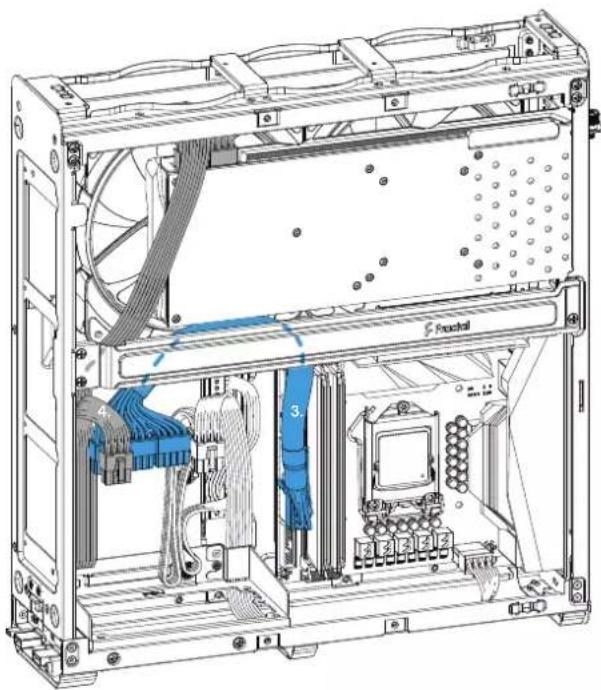
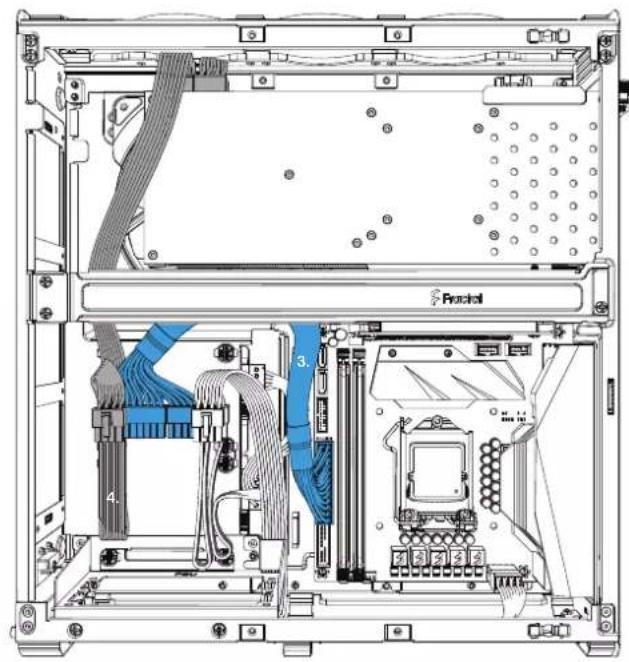
Cable Management Tips
Hinweise Kabelmanagement / Conseils pour la gestion de câblage / Consejos para la organizeación de cables / Kabeldrangningstips / Ποςεπινητα τακελία / イーユル配線のCNTB / 走线管理小贴士 / 布線小技巧
- SATA Power - Fold excess length behind PSU
- ATX12V - Route behind PSU and along lower frame roll
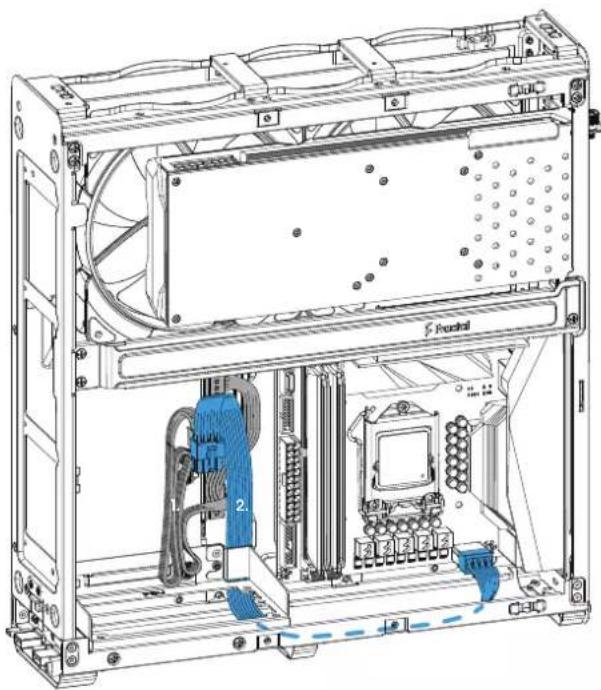
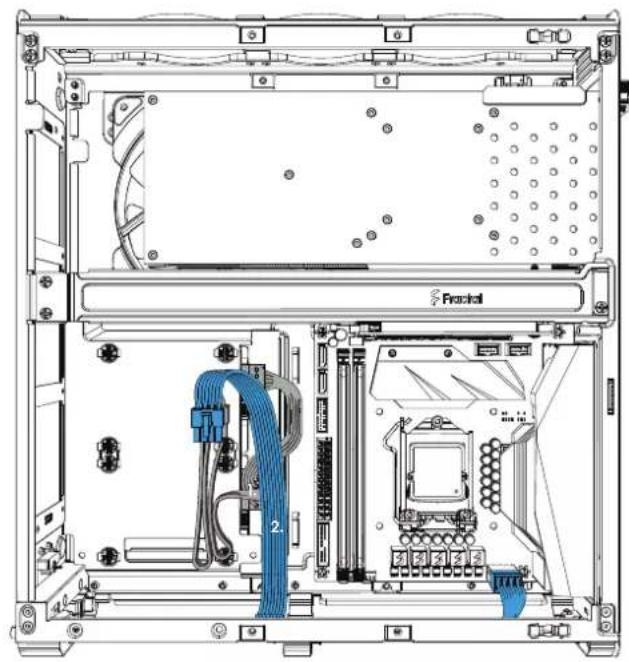
- ATX24 - Route cable towards GPU support bracket Tie down cable against bracket
- PCIe Power - Fold excess length behind PSU Route cable up towards GPU area
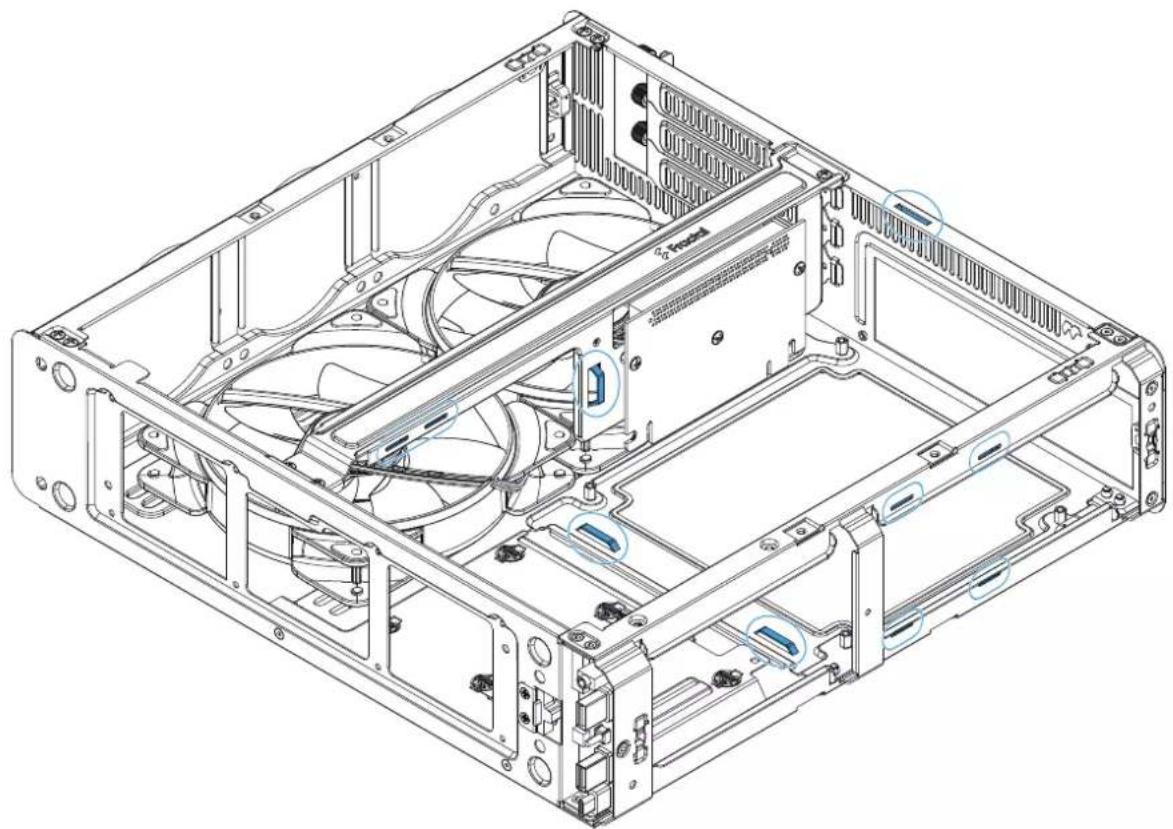
Cable Management Tips - Tie Down Points
Positionen fur Klettbander / Kabelbinder / Points d'attache / Puntos de amarre / Platser for kardborreband / 3aФксрут e pellenne / 束缘木不卜 / 束紧点 / 编定點
CPU cooler Limitations
CPU-Kühngren, Limitations du refroidissement du proceseur / Limitaciones del refrigerador de la CPU / Restriktioner for CPU-kylare / Orphanenmenia para kynepoe L / CPU イーラーの限事項 / CPU散熱器限制 / CPU散熱器限制
Graphics Card Limitations
Possible Fan Locations
Mögliche Lüberleitung / Emplacements possibles des ventilateurs / Posiblesubicaciones de los ventiladores/Mojlga fluktpositioner/Mecra para yctanohm BENTATOP0/ FANEN 設產を設置erton場所支援風扇的位置支援風扇的位置
120 mm
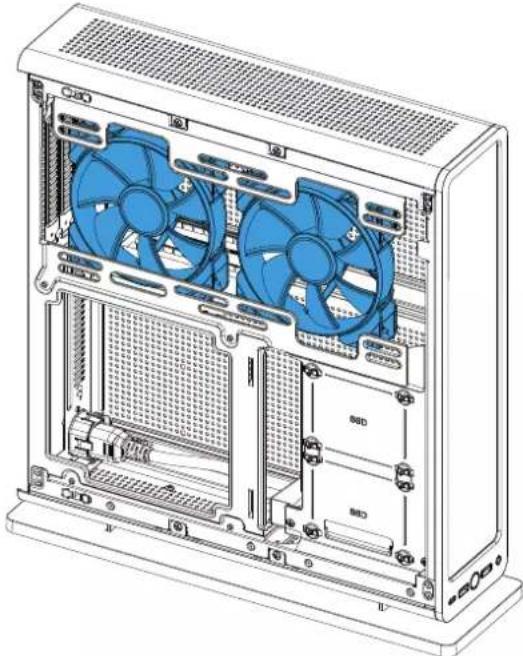
140 mm
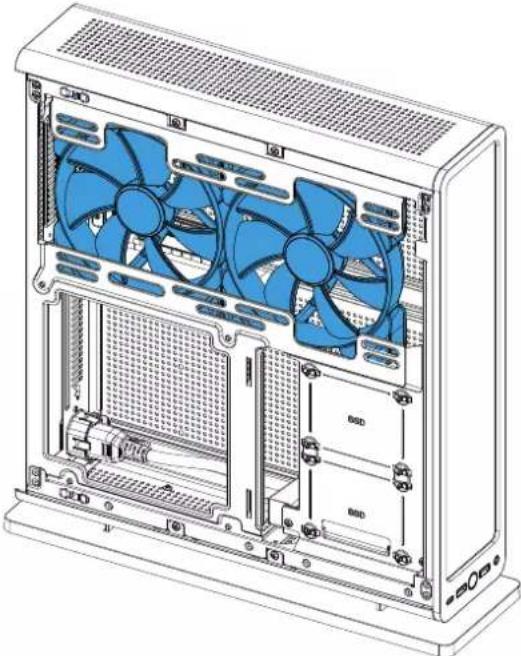
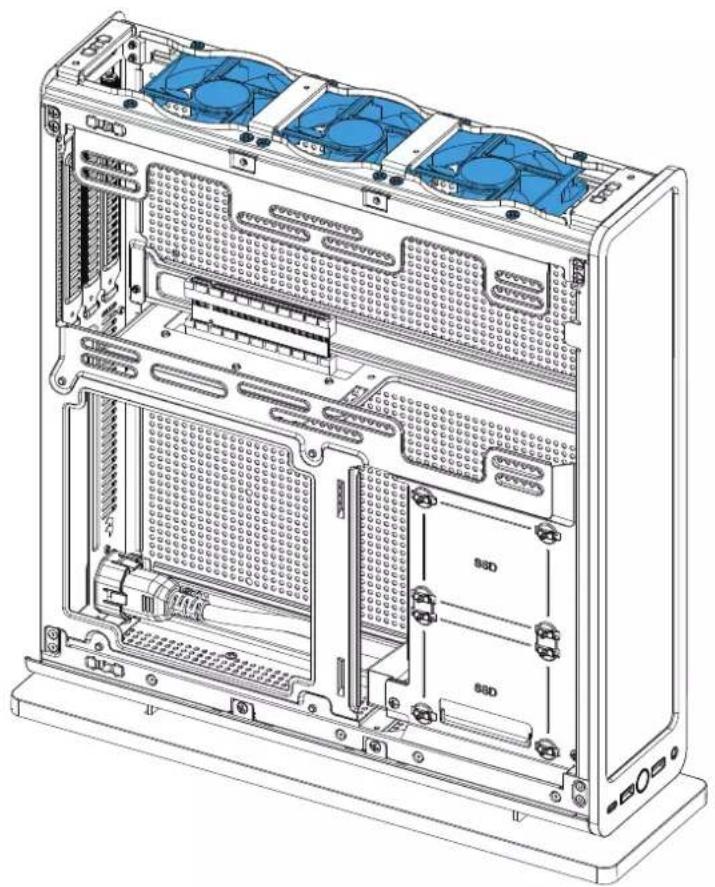

80mm
Water Cooling Radiator Options
Optionen fur Wasserlungen / Options der radiates er defreisemper eau / Opiones de radiates de refrigeracion liquida / Vattenkylningsamglicher / Yctanobka padatopora boanoro oxianchen /水冷却法兰工一者才/水冷却器选件 /水冷散熟器选题
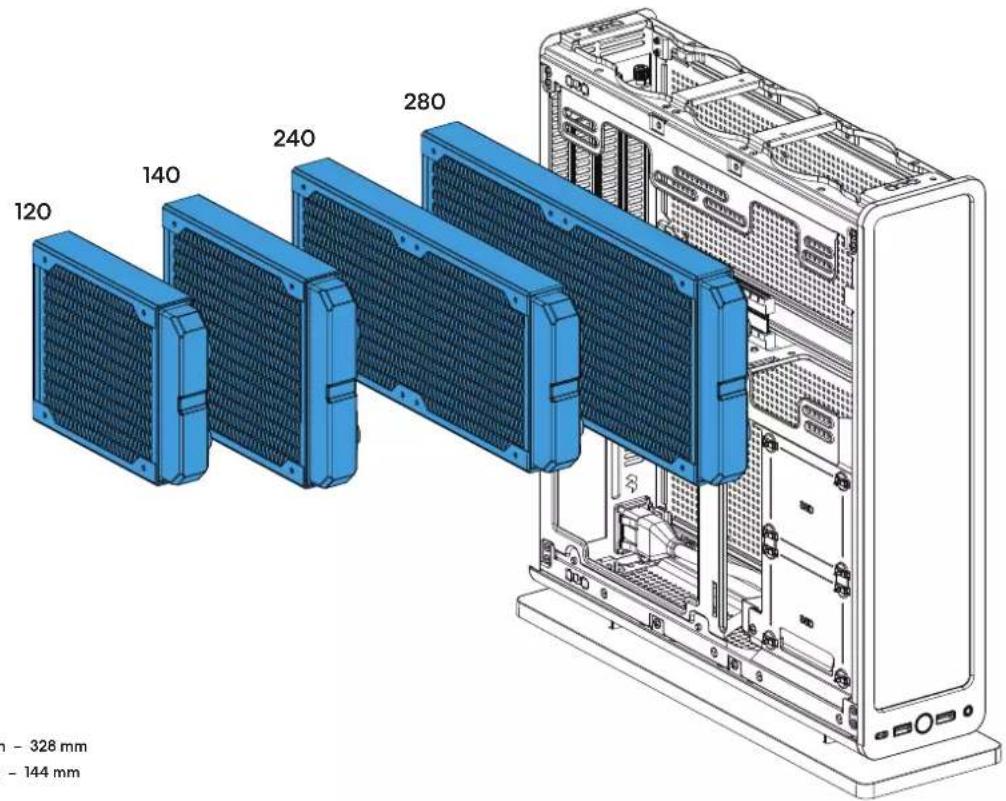
Radiator max length - 328 mm
Radiator max width - 144 mm
Security Lock Slot
Slof für Schreitschloss / Fente de verrouillage de sécurité / Ranura de bloqueo de segundar / Öppning for lás / 3aФкнчуne cnot δezoanachostn / ユルデリロックスロット / 安全顿槽 / 安全罐插孔
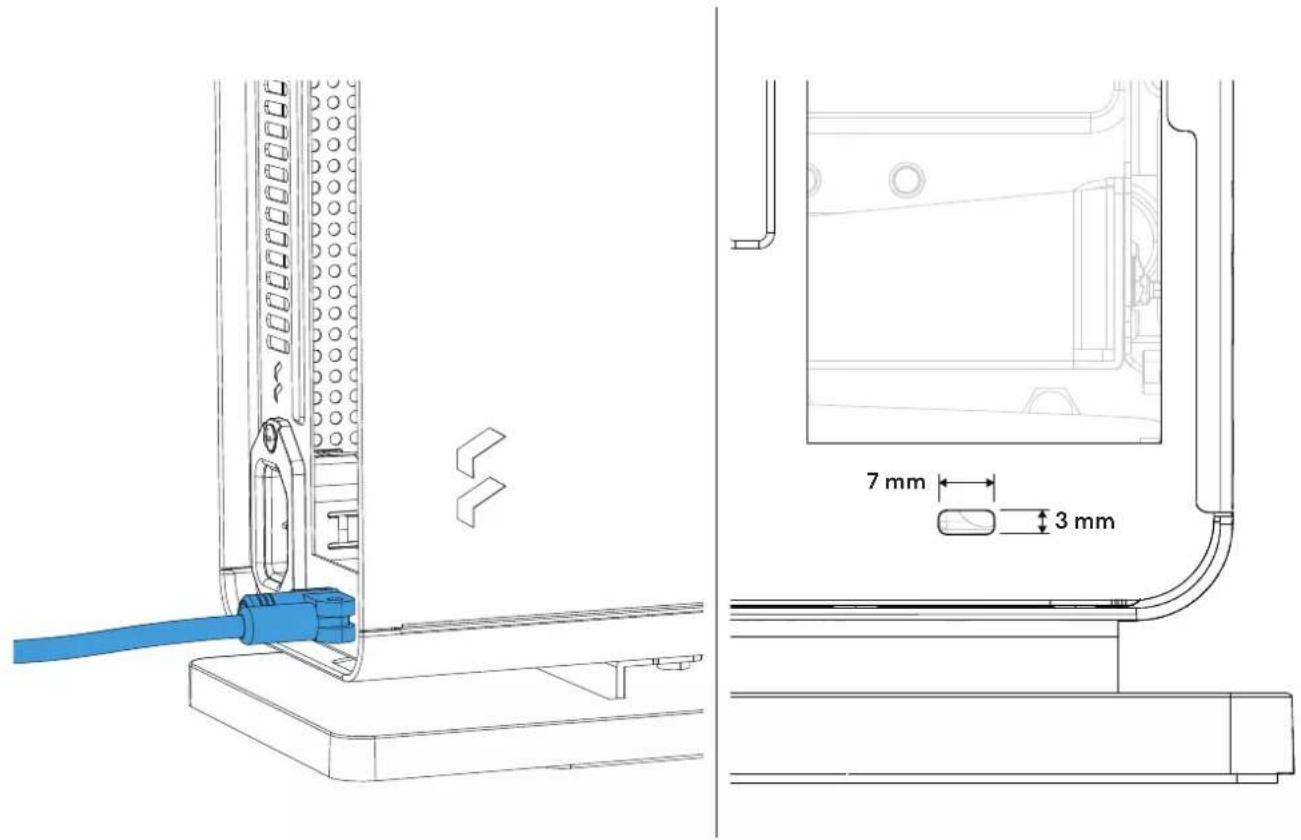
Fan Specifications
Lüfter Spezifikationen / Spécifications del ventilador / Fläktspecificationen / CneuФицаь вenturaюр / フアн仕様 / 風景規格 / 風景規格
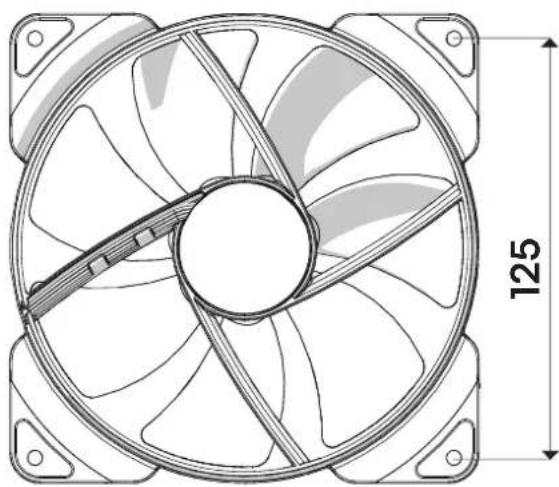
Aspect 14 PWM
Type of fan: 4-pin PWM
Rated voltage: 12V DC
Max. rated input current: 0.24 A
Max speed: 1700 RPM
Support and Service
Support und Kundennistenz / Assistance technique et maintenance / Soporte y service Tecnico / Support ochervice / Podjeperknaи obsoletkyuanhe/ サト一ト一匕久 / 支持与服务 / 支援和服
For Assistance, Please Contact
BcKHTeRtZn / 4

STEP1:Go to "support.fractal-design.com"

STEP2: Click on "New support ticket"


Submit a ticket
Requester
Type
Where are you from?
Product Category
Subject
Description of Problem
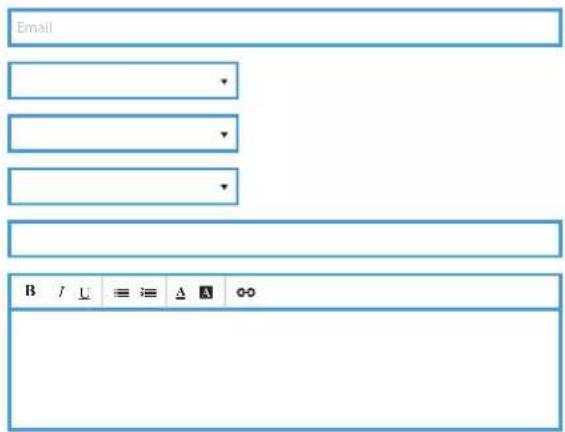
STEP 3: Fill in ticket request and submit
Limited Warranty and Limitations of Liability
This product is guaranteed for twenty four (24) months from the date of delivery to end-user, against defects in materials and/or workmanship. Within this limited warranty period, the product will either be repaired or replaced at Fractal Design's discretion. Warranty claims must be returned to the agent who sold the product, shipping prepaid.
The warranty does not cover:
- Products which have been used for rental purposes, misused, handled carelessly or applied in such a way that is not in accordance with its stated intended use.
- Products damaged from an Act of Nature including, but not limited to, lightning, fire, flood and earthquake.
- Products whose serial number have been tampered with or removed
- Products which have not been installed in accordance to the user manual
Fractal Design's maximum liability is limited to the current market value of the product (depreciated value, excluding shipping, handling, and other fees). Fractal Design shall not be liable for any other damage or loss, including but not limited to loss of profit, revenue, or data, or incidental or consequential damage, even if Fractal Design has been advised of the possibility of such damages.
MAKMMANHAR OBTETCBEHNOCTb Fractal Design ORPAHNNBBAETC K TEXUeJ BHOHONOTMOCTnIPOyKTc (ocTTOHAR CTMOCTN, 3A HCKNJHHEHM DCtABKN, 06pAbOtIK, NApYrMEc6Opj).Fractal Design HE HECET OTBETCBEHNOCTa 3NIOBJ APYrO yuepe IN bEyITK, AKNIOAY, HO He ORPAHNNBAACb, NOTEPIO npBUN, DOxOoB, INN DAHNX, INN CNYAHIN NIKOCBEHNb yuepe, DaKe eCNF Rcal Design 5bJa IpeDyIpEkeHa BO3MOXHOCTTAMK y6bITKOB.
限定保证与责任制限
CONBUN-10000000000000000000000000000000000000000000000000000000000000000000000000000000000000000000000000000
Fractal Design, All rights reserved.
Fractal Design, the Fractal Design logotypes, product names and other specific elements are trademarks of Fractal Design, registered in Sweden.
Other product and company names mentioned herein may be trademarks
of their respective companies. Contents and specifications as described or
Illustrated are subject to change without notice.
Fractal Gaming AB
Victor Hasselblads Gata 16A,
S-421 31, Västra Frölunda, Sweden
Represented by:
Authorised Rep Compliance Ltd.
ARC House
Thurnham
Lancaster
LA2 ODT
Designed in Sweden
fractal-design.com