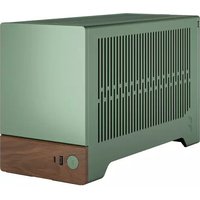
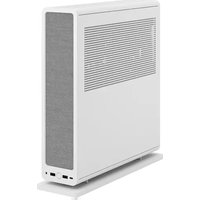
Terra - Desktop Computer Fractal Design - Free user manual and instructions
Find the device manual for free Terra Fractal Design in PDF.


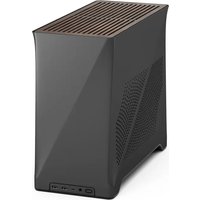
| Product Type | PC Case |
| Brand | Fractal Design |
| Model | Terra |
| Supported Motherboard Form Factor | Mini-ITX |
| Dimensions (L × W × H) | 343 × 153 × 325 mm |
| Weight | Approximately 3.5 kg |
| Material | Brushed aluminum, steel |
| Power Supply | Not included, compatible with ATX (max 140 mm) |
| Key Features | Compact design, aluminum panels, optimized airflow, dust filter, 120 mm fan support |
| Maintenance and Cleaning | Regular dusting of front, top, and bottom filters |
| Safety | Do not block ventilation openings, use only with compatible components |
| Spare Parts and Repairability | Available on the Fractal Design website; repair by a qualified technician |
| Warranty | 24 months limited against defects in materials and workmanship |
Frequently Asked Questions - Terra Fractal Design
User questions about Terra Fractal Design
0 question about this device. Answer the ones you know or ask your own.
Ask a new question about this device
Download the instructions for your Desktop Computer in PDF format for free! Find your manual Terra - Fractal Design and take your electronic device back in hand. On this page are published all the documents necessary for the use of your device. Terra by Fractal Design.
USER MANUAL Terra Fractal Design
For more information and product specifications, visit fractal-design.com
Introduction
Dedicated 2.5" drive positions 2
Motherboard compatibility Mini-ITX
Power supply type SFX, SFX-L
Front ports
1xUSBType-C20Gpbs,1xUSBType-A5Gbps
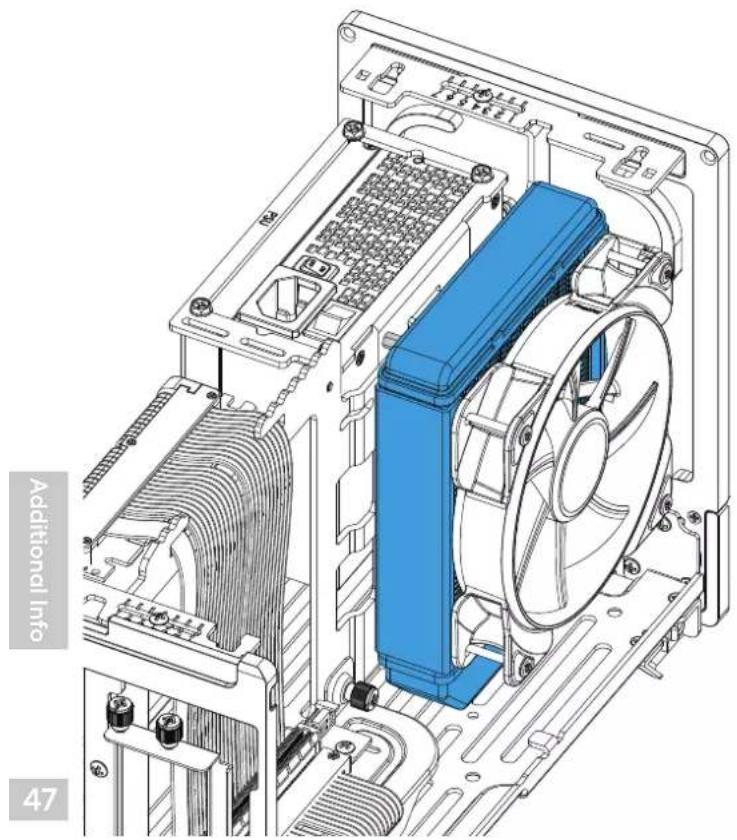
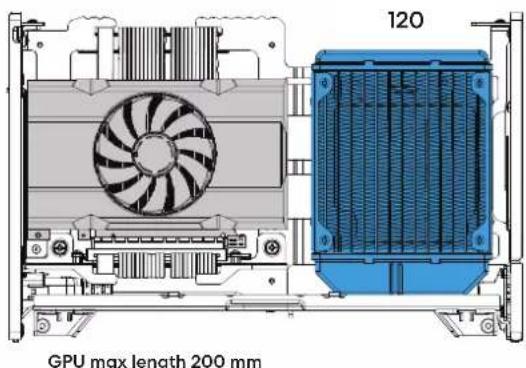
Side radiator 120 mm (200 mm GPU, see p. 47)
PSU max length 130 mm
GPU max length 322 mm
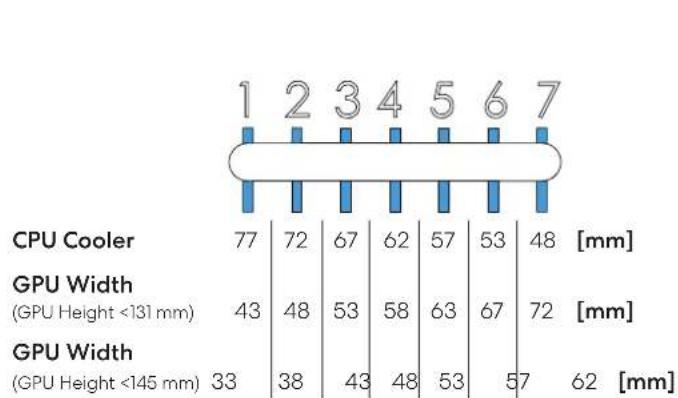
GPU max thickness
43 - 72 mm (see p. 51 for more info)
CPU cooler max height
48 - 77 mm (see p. 49 for more info)
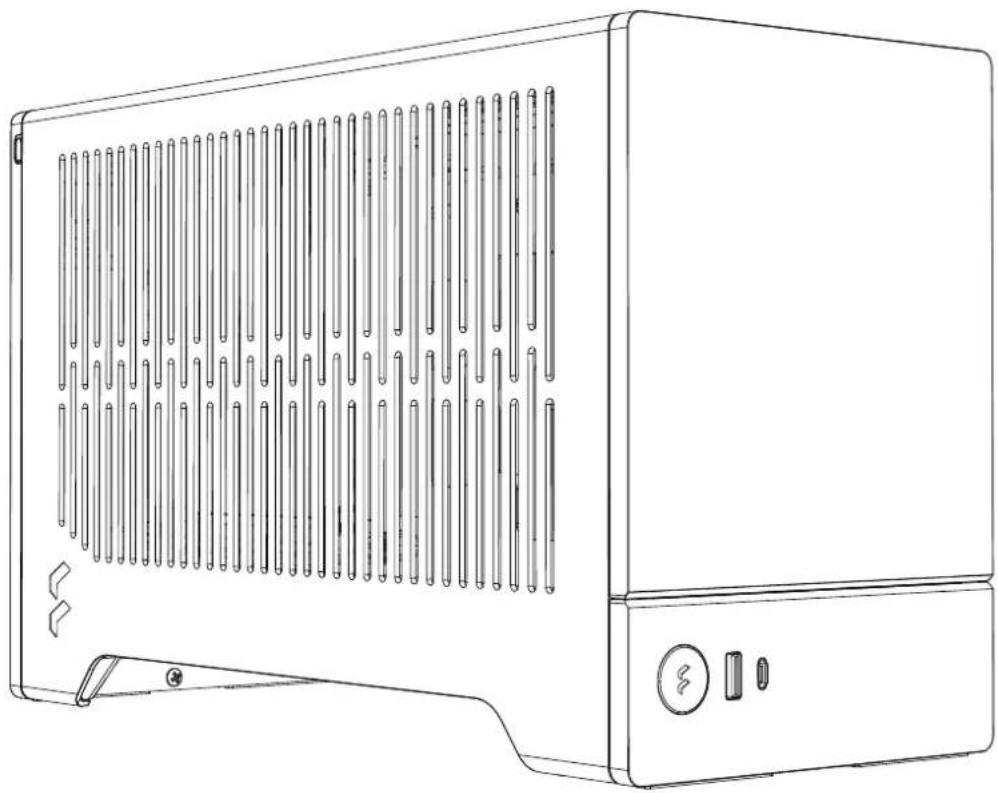
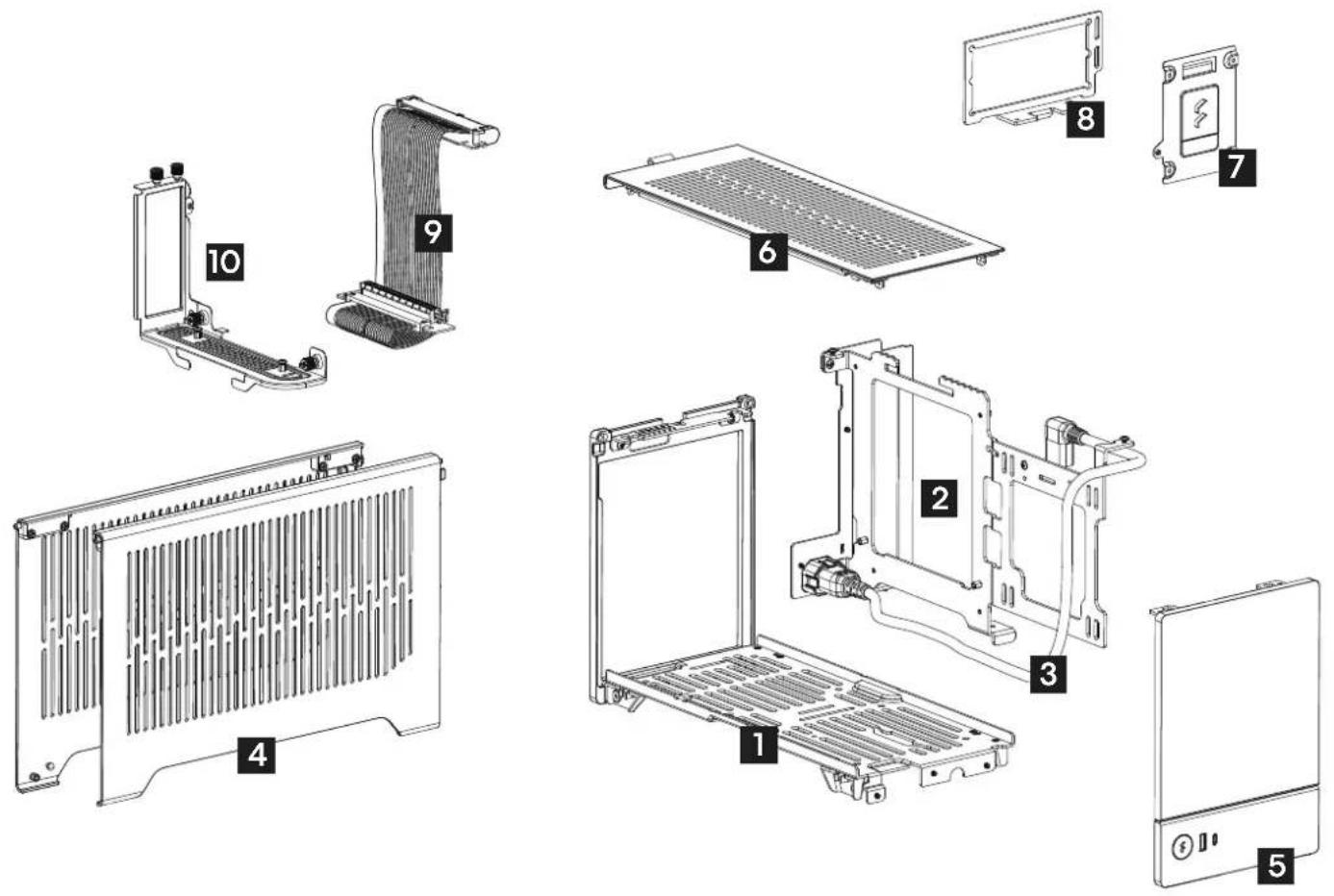
Case Overview
ComputerGehaue-Übersicht/Vue d'ensemble du boitier de I'ordinateur/Resumen de la caja de la computadora/Datoroversikt/O6aopkomiunotepnixcnyaei/CONBVCU-unaのー大情報/计算机案例概述/计算规案概述
5 Fron+Bezel
Frontpanel / Panneau avant / Panel frontal /Frontpanel / Perpêneia naient / Flôntônôralé /前面板 /前面板
PCI-E Gen. 4 Riser Cable
PCI-E Gen. 4 Riser Kabel
PCIe Gen . 4 cables RiseCable niner PCIe 5 Con . 4 '
PCEL 4. Bisekabel
Paiep ka6ebPCI-E4 noxonenHn/
PCI-EGen.4L4s4e4FJ
PCI-E第4代直立电缆/PCIe 4.0颗卡延长排缘

Graphics Card Bracket
Hallering fur Grafikkanten /
Bride de la carte graphique /
Sopporte para tarjeta grafica /
Fastplatta for grafikkort /
Kponuchetin dan binoceopartby/
Grafika kustak-1oknablaografik /
显卡托架/展示卡支架

Power Extension Cable
PSU-Verlängerungsschnur /Cordon du bloc d'alimentation /Cable alargador de la PSU /Ntagreggatsfolrangingsladl. 甲 _ 甲 nienanbenthe mnpo bko nntnra/PSU延长一P-1 PSU延长线/PSU延长螺
1x2.5"Bracket
1x2.5-Zoll-Laufwerkssträger/
1Supports do 2.5/
1sopportes de 2.5' 1x2.5' fastapltada/
1xpenneniend nain haonokentene 2.5/
2.5' 1nchenTlFRAcket x1/
1个2.5英寸的支架:2.5英时托架
Side Panels
Suilente / Panneaux lateraux / Paneles laterales / Sidopanelor / Boisboche nanehen / 侧面八奈儿 / 侧面板 / 多侧副面板
SFX PSU Bracket
SFX PSU-Halter/
Support du bloc d'alimentation SFX/
Sopporté de la PSU SFX/
Fistpla tta for SFX-natid/
Cxa6a SFX-6noka nmtahel/
SFX PSU7LAKOT/
SFX PSU 支梁/ SFX PSU 支梁
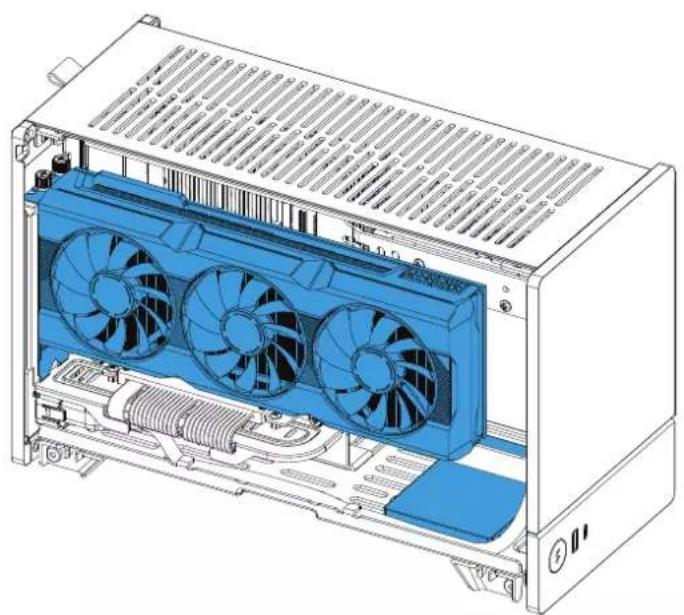
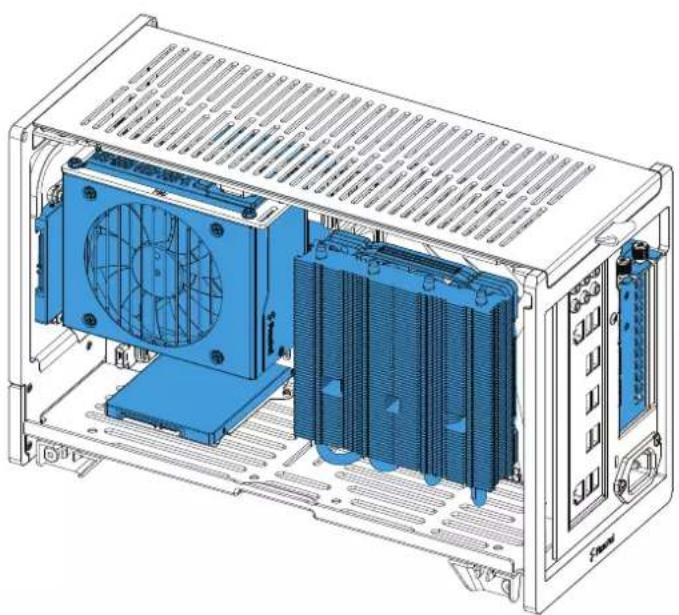
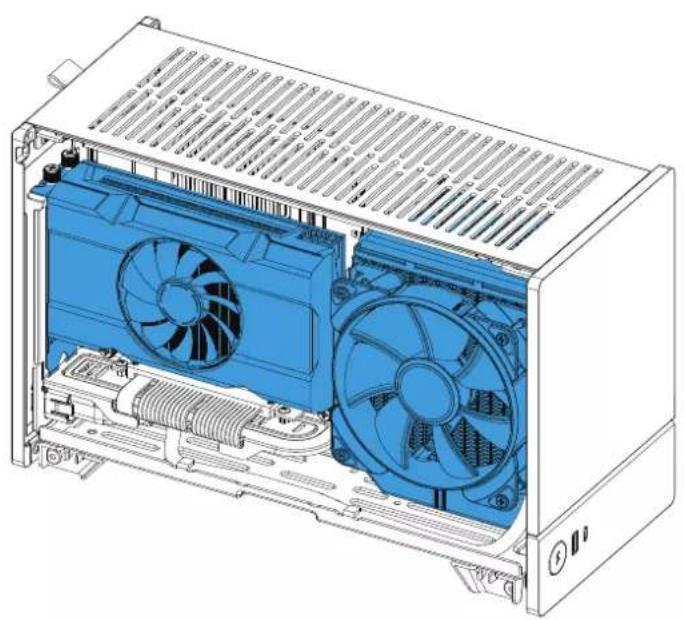
CPU cooler Focused Configuration
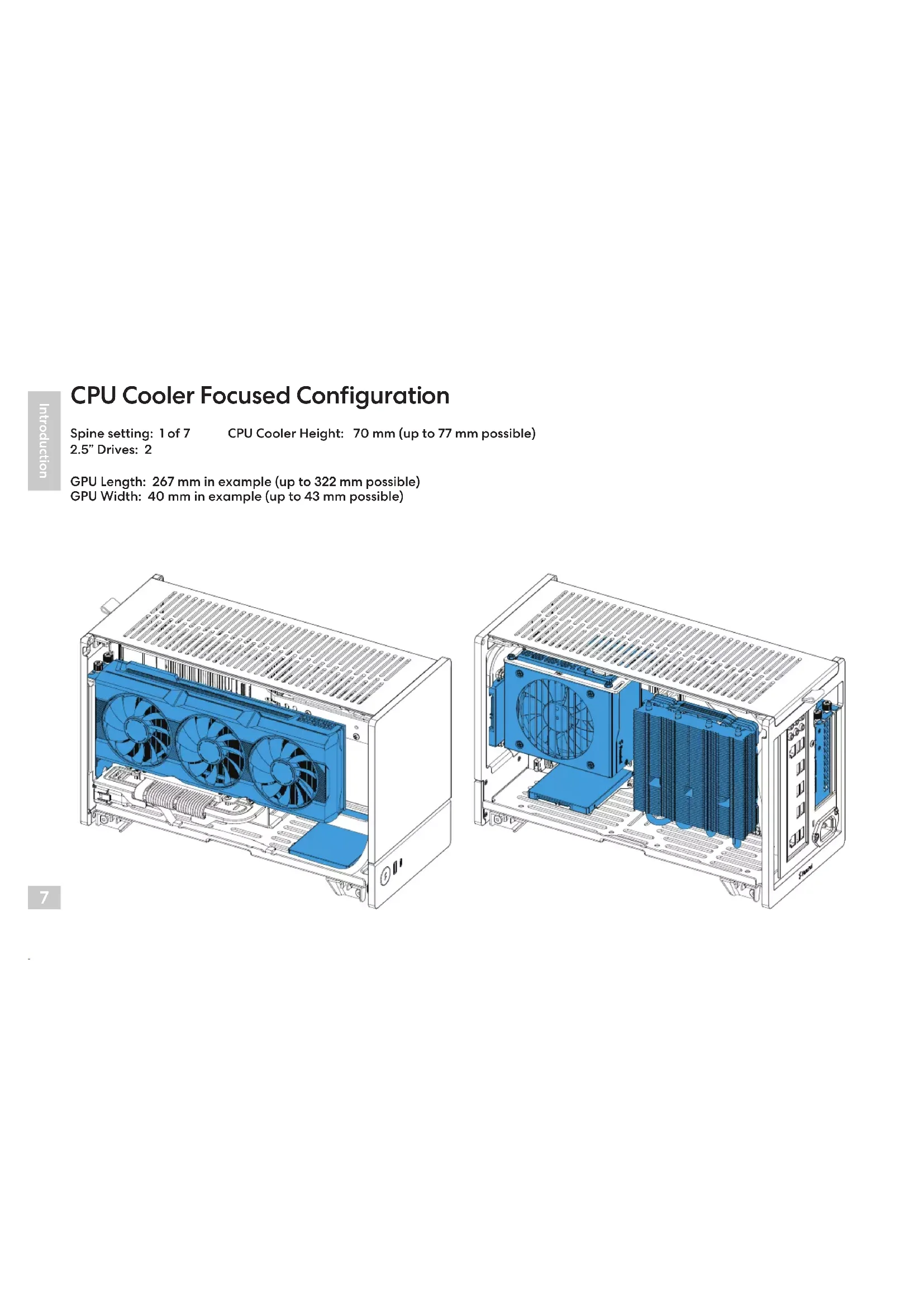
Spine setting: 1 of 7
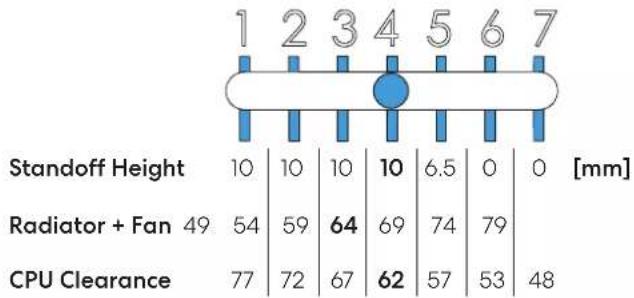
CPU Cooler Height: 70 mm (up to 77 mm possible)
2.5" Drives: 2
GPU Length: 267 mm in example (up to 322 mm possible)
GPU Width: 40 mm in example (up to 43 mm possible)
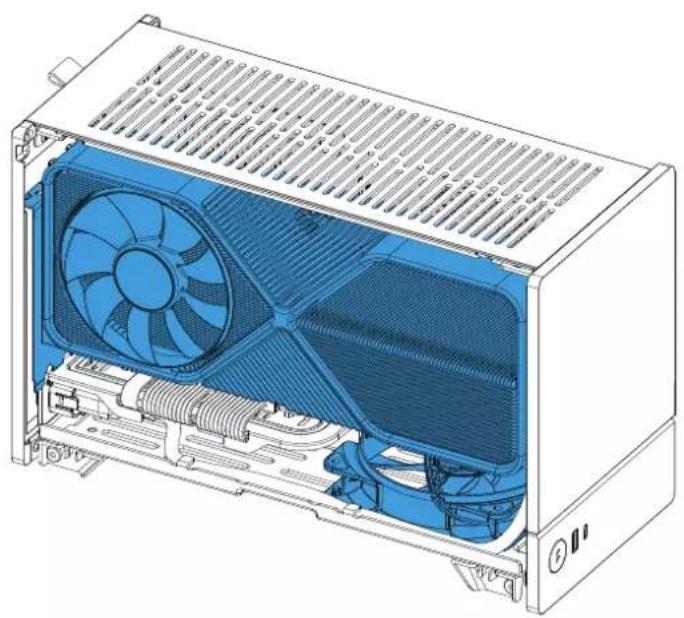
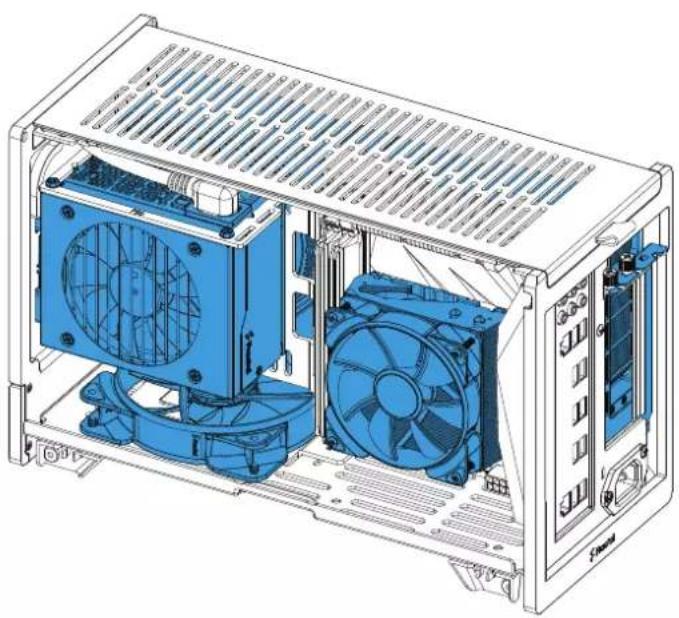
Triple Slot GPU Focused Configuration
Spine setting: 4 of 7
CPU Cooler Height: 52 mm (up to 62 mm possible)
2.5" Drives: 1(front)
Case Fan: 1 × 120 ~mm
GPU Length: 315 mm in example (up to 322 mm possible) PSU Spacer: 10 mm
GPU Width: up to 58 mm
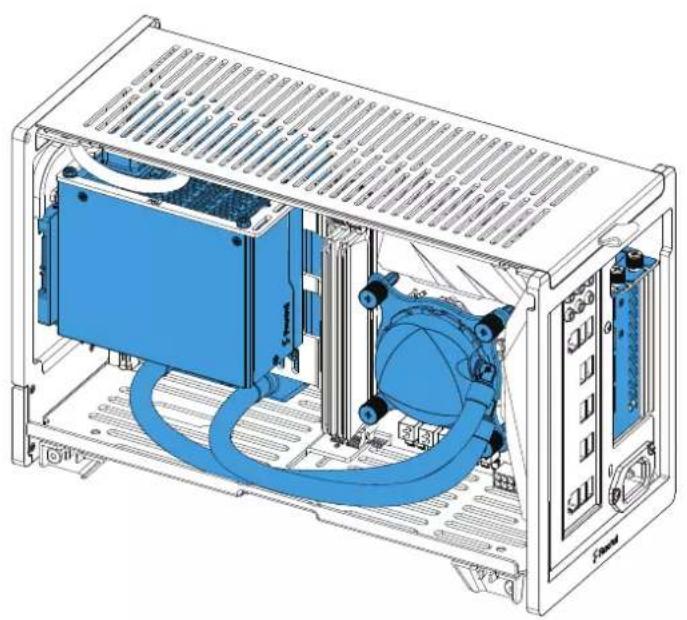
All-in-one Water cooler Configuration
Spine
setting:
3
of
7
GPU
Length:
175
mm
up
2.5" Drives: 1
GPU Width: 40 mm (up to 53 mm possible)
Front Radiator: 120 × 120 ~mm (max 121 mm wide for 200 mm GPU) PSU Spacer: 10 mm
CPU Block Height: 30 mm in example (up to 67 mm possible)
Accessory Box Contents
Zube horebox-Inhalt/Contenu de la boite d'accessoires/Contenido la caja de accesorios/Innehali tillbehorsbox/Komplteza kopo6km aaceccyapam/Aksessar oboKs内容/配件包内容/配件包内容

x10
Mounting Screw (UNC 6-32) / Montageschraube (6-32) / Vis de montage (6-32) / Tornillo de montaje (6-32) / Monteringingskruv (6-32) / BnHT kpenneHRA (6-32) / 取U付付用L(6-32)/ 安装螺钉(6-32)/ 安装螺丝(6-32)
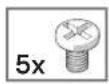
x4-Motherboard screw x5-Transport screw x4-CCP screw

Mounting Screw (M3) / Montageschraube (M3) / Vis de montage (M3) / Tomilio de montaje (M3) / Monteringskruv (M3) / BnHT KPNENNRA (M3) /取V付用耘(M3)/安装螺钉(M3)/安装螺(M3)
x4 x3

x4 x4

Fan Screw / Lütherschaube / Vis pour ventilateur / Tornilo de ventilador / Flaktskruv / Binten benthurtopa / Fânon用薪氫 / 风凰蝶丝 / 风凰蝶丝
x4 x2
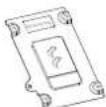
2.5" Bracket / 2.5" Träger / Console 2,5 po / Soporte de 2,5"
2.5"Fastplatta/2.5"KpOHTeRn/2.5"FJrA#Tb/2.5"硬磁支架/2.5"硬磁支架
x1x2
Cleaning Cloth / Reinigungstuch / Chiffon de nettoyage / Paño de limpieza / Rengorgirduk / Núctrauaa candemkra / 清掃用ケロス / 清洁布 / 清漂布

Cable Straps / Klettbandverschlüsse / Crochet et boute / Gancho y bucle / Kardborreband / Kpokn nertna/面F斯一/尼龙搭扣/粘扣带
Cable Tie / Kabelbinder / Serre cãêts / Sujetacables / Buntband / Kaébènbaâr ǎétrk⤠/ ケ�焼り / 紅帶線
10mm PSU Spacer / 10 mm PSU Abstandshalter /
Entroise PSU de 10 mm / Espaciador de fuente de alimentacion de 10 mm / 10 mm distans for natal / 10 mm Bn npoknka / 10 mm PSU久一 -/ 10 mm PSU垫片 / 10 mm PSU垫片

6.5 mm PSU Spacer / 6.5 mm PSU Abstandshaller / Entrenoise PSU de 6.5 mm / Espaciar de fuente de alimentacion de 6.5 mm / 6.5 mm distans for natal / 6.5 mm SF npocnagka / 6.5 mm PSU変一/-6.5 mm PSU垫片/6.5mm PSU垫片
Builder's Guide
Montageanleitung / Guide de montage / Guia de montaje / Monteringsguide / Pykooboctno no c6opke / ヒルダーダ イイド / 安装指導 / 安装指南
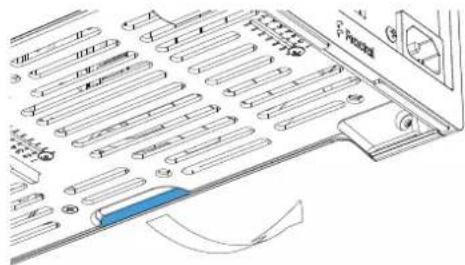
Remove Side Panels
AusbauSeitenbleche /Enlever les panneaux lateraux /Retire los paneles laterales /Montera av sidopaneler /Chinnme 6okobie naHen /侧面/取外L /拆下侧面板 /拆除侧面板
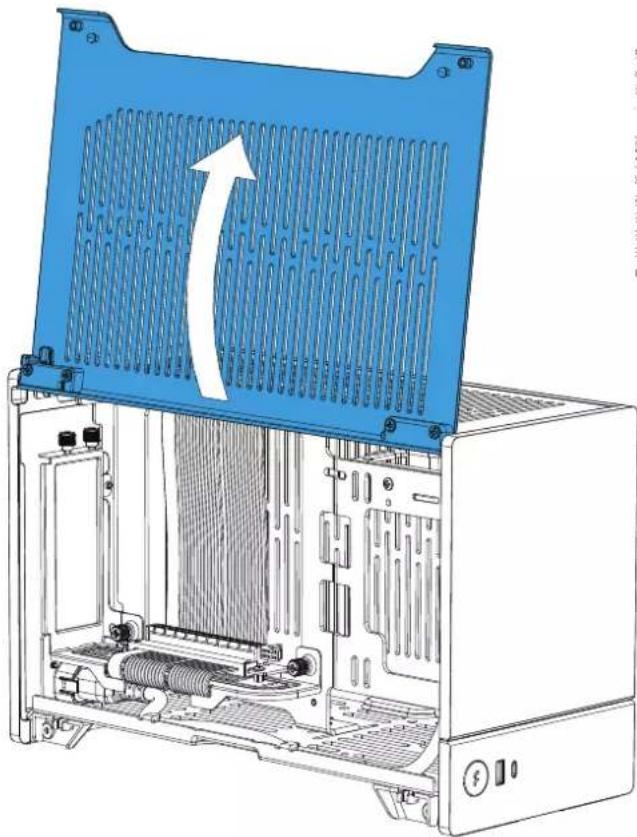
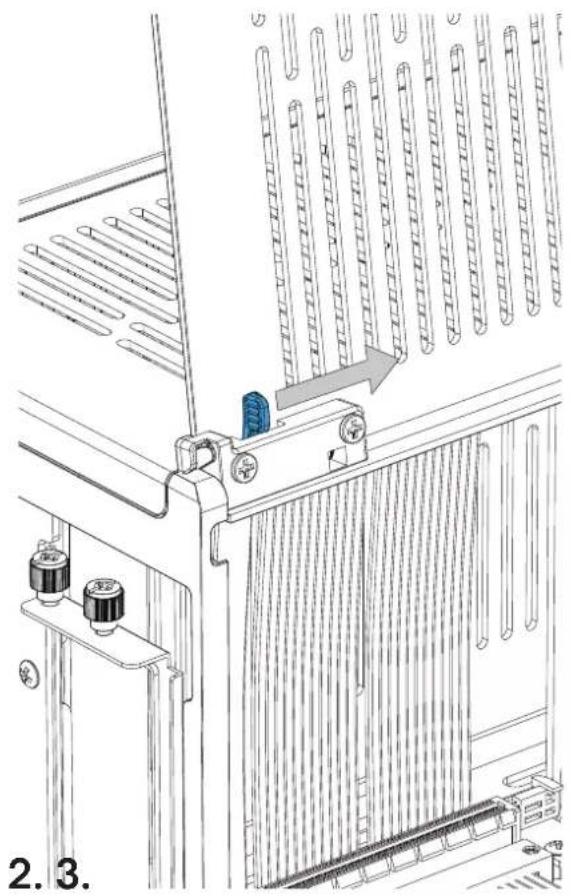
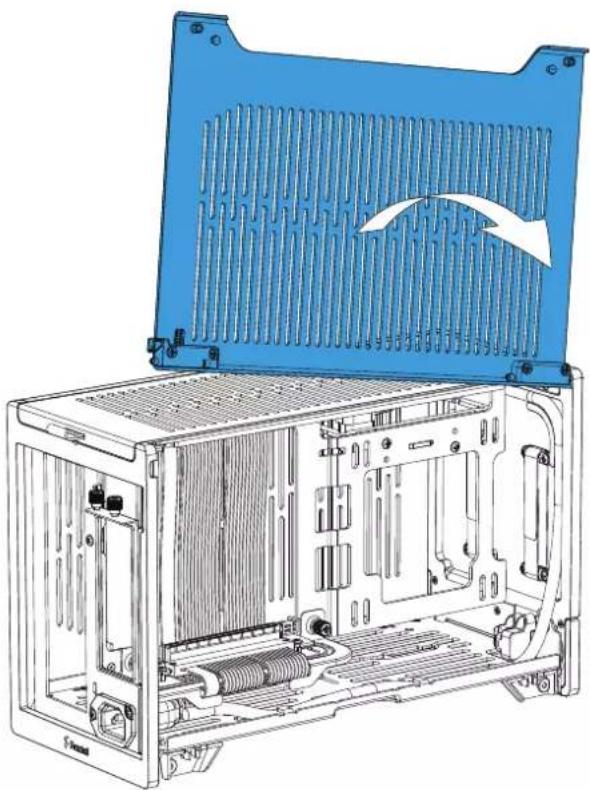
Remove Top Panel
Obere Abdeckung abnehmer / Enevez le couvercie supérieur / Retire la cubierta superior / Montera av toppdelen / ChTb BepxHIOKpkiuKy / 上部力八一をはさ / 移除上盖 / 取出上方外殼
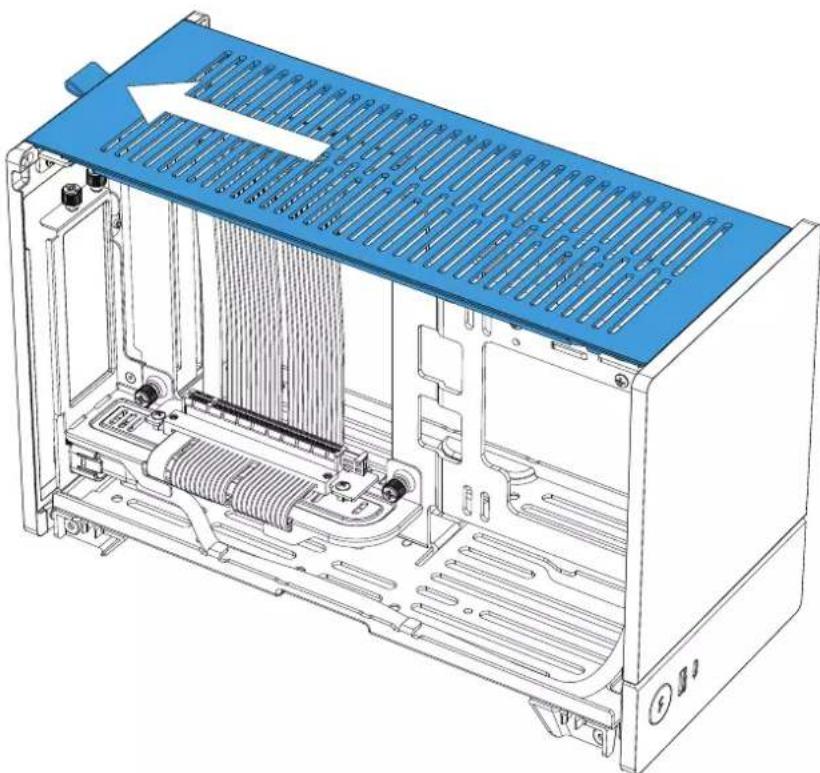
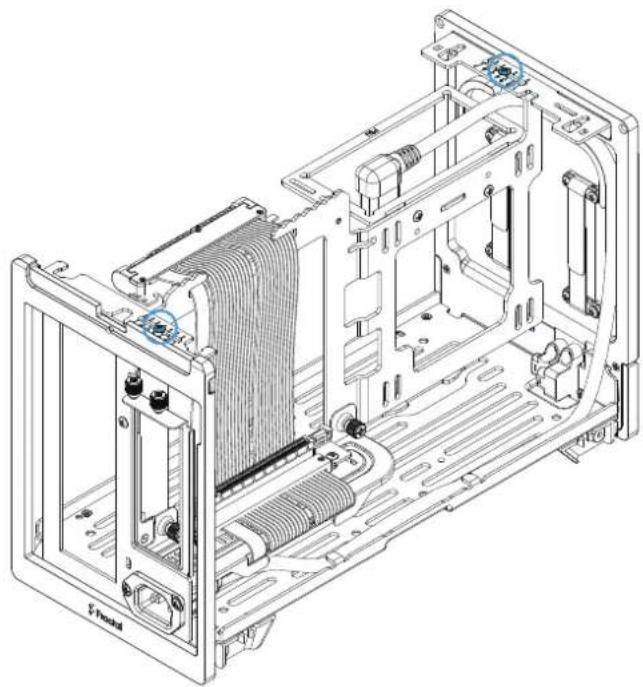
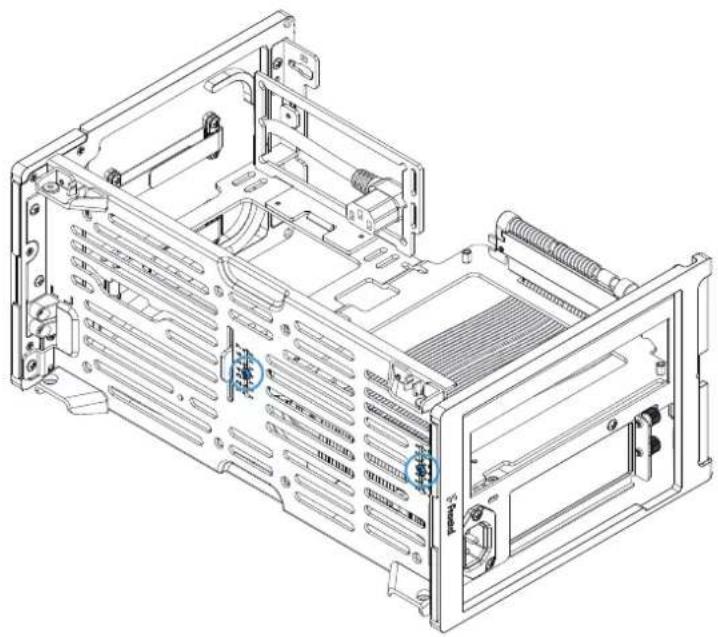
Remove Transport Locks
Entferen der Transportsicherungen / Retirer les verroux de transport / Retirer las fijaciones de transporte / Ta botransportas / Chatb tpaehcnopthefkcatopb/ 持等連用のロルク取を外します /拆下运输機 /移除固定機
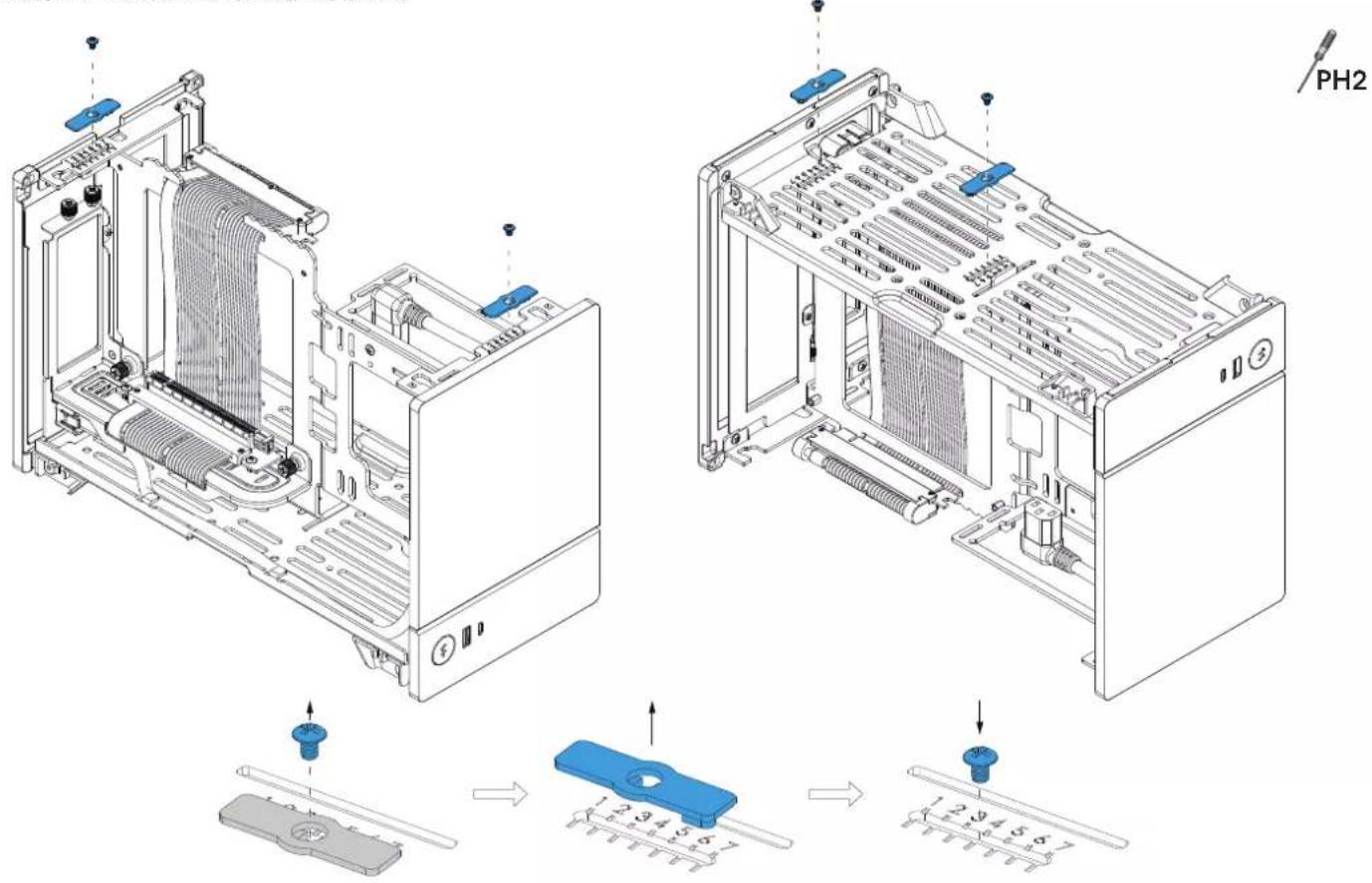
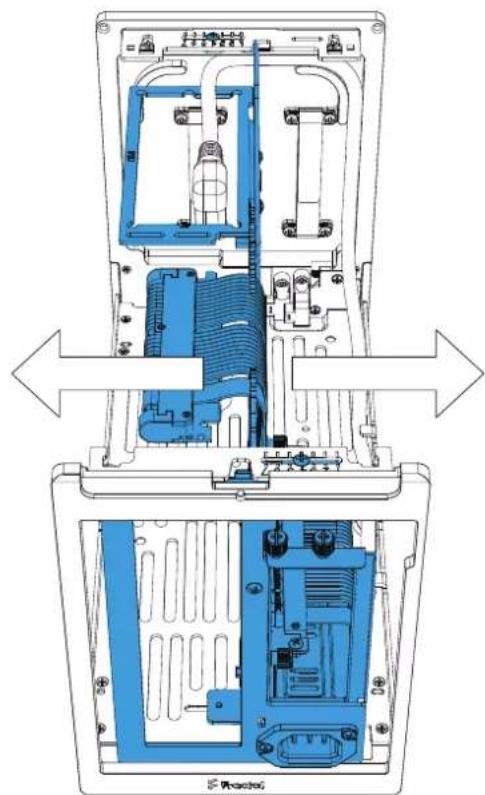
Adjust Movable Spine for Hardware Clearance
Positionierung der Komponentenhaltung / Ajustement du spine mobile pour le dégagement du matériel / Ajuste la colonna mobili para dejar espacio para el hardware / Anpassa justerbar moderkortsplat after komponentutrémme / PerynipoBeka ochoBaan dno obeceueHn 3a0pa / /-dUFAの位置を確保するたに可動式マす一トレイ調整しま� / 調整可移动中権,到達適當的硬件间隙/调整可拆式支架,以利硬壓安裝
PH2
Movable Spine Configuration
Konfigurations je Position der Komponentenalterung / Configuration du spine mobile / Configuration au justerbar moderkortaplaf /Иземене подовникову срсшалу /可動式マダーパートレイの設定 /可移动中枢配置 /可拆式框架配置
Recommended max backplate width 4 mm

P.49-52
Secure Movable Spine
Sicherung der Komponentenhalterung / Fixe die phone mobil / Fust justober moderkortspiat / Φκικαίην συβάνηρο σουθόναι /可動式マダーパートレイを固定|mす / 固定可移动支架 / 固定可拆式支架
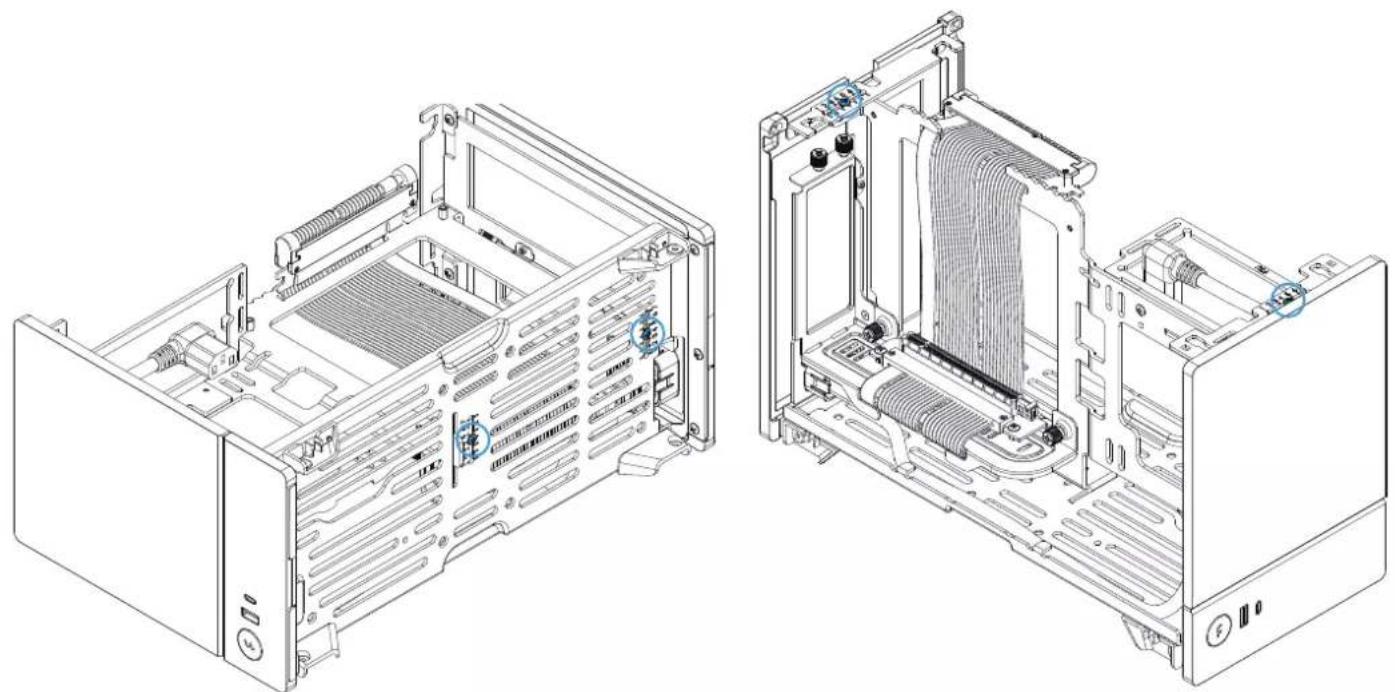
PH2
Install 2.5" Drive
Installation 2.5-Zoll-Laufwerke / Installer des disques 2.5 / Instale las unidas de 2.5^ / Installerera 2.5^ enheter / Yctanobte 2.5^ npBouh/ 2.5 I nch DlAIPoRnE4
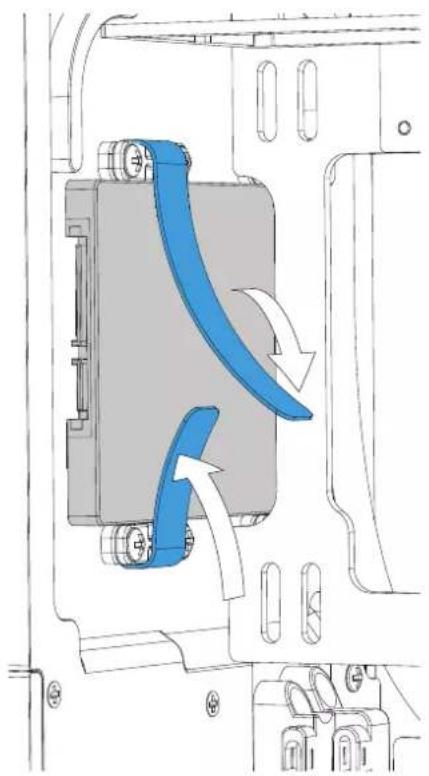
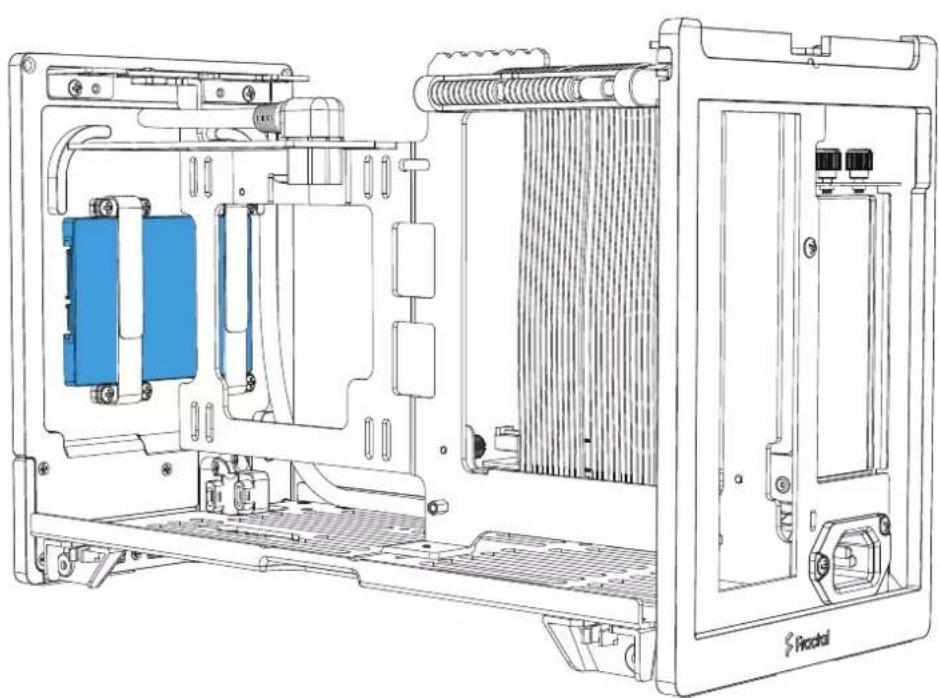
Remove GPU Bracket
Install the I/O Shield
Installieren Sie die I/O Schid / installer le plaque d'E/S / Instale la proteccion de E/S / Installerera I/O-platen / YctaHOBIOBE BBODAI BBBODAI MACTINHy / I/O-SHULの取付付 /安装I/O指板 /安装I/O插板
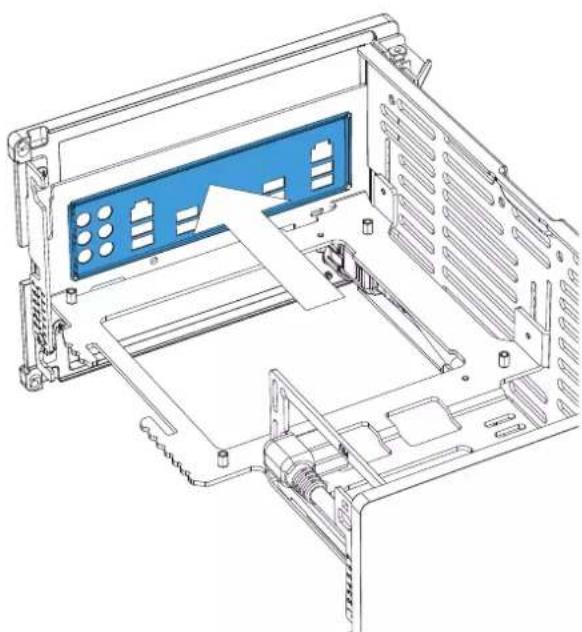
Included with motherboard / Im Lieferumfang des Motherboards enthalten / Fourni avec carte mère / Incluido con la base base / Inkluiderad med modernkort / Bicnueheo c cocta a materhckon nmatr / ママガ一水一卡同框 / 隔附于主板 / 隔附于主板
Prepare the Motherboard
Vorbereitung Hautplatz / Préparer la carte mère / Préparer la place base / Forbörder moderkortet / Montodrotte materincky uino/ Mašav 一本の準備 / 准備主機板
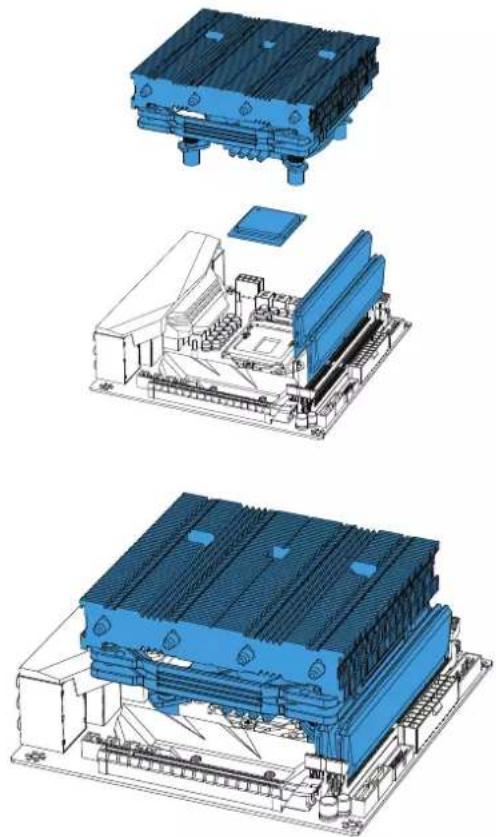
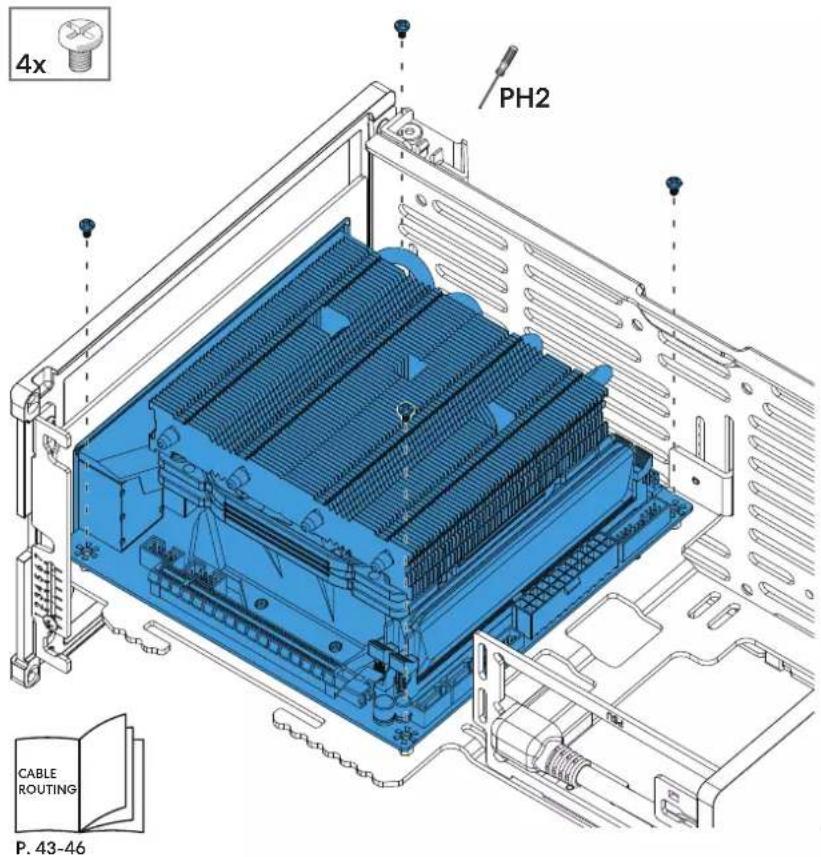
Install the Motherboard
Installation Hauptiplatinenzubehor / Installerer l'ensemble carte mère / Instale la placabase /
Installera modernkortet/ Yctanobite MATEPENKCYI nATy / Māsārē-BoD A Senplüの取付け /
安装主板组件 / 安装主機板組件
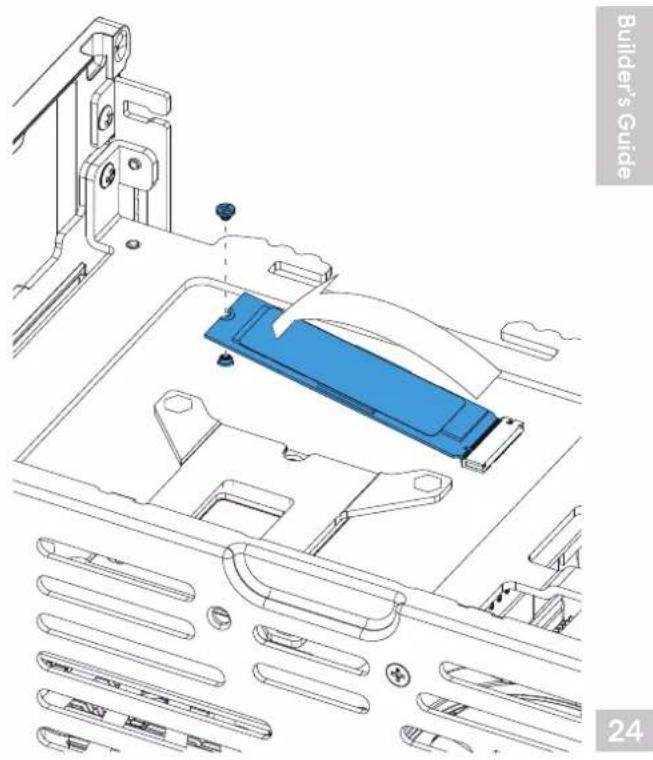
Install M.2 Drive (optional)
Installation M.2-Laufwerke / Installer le lecteur M.2 / Instale la unidad M.2 /
Installera M.2-enhet / YctanOBNe duM.2/
2.5 {!nien ムラフの取りけ / 安装M.2硬標 / 安装M.2 SSD
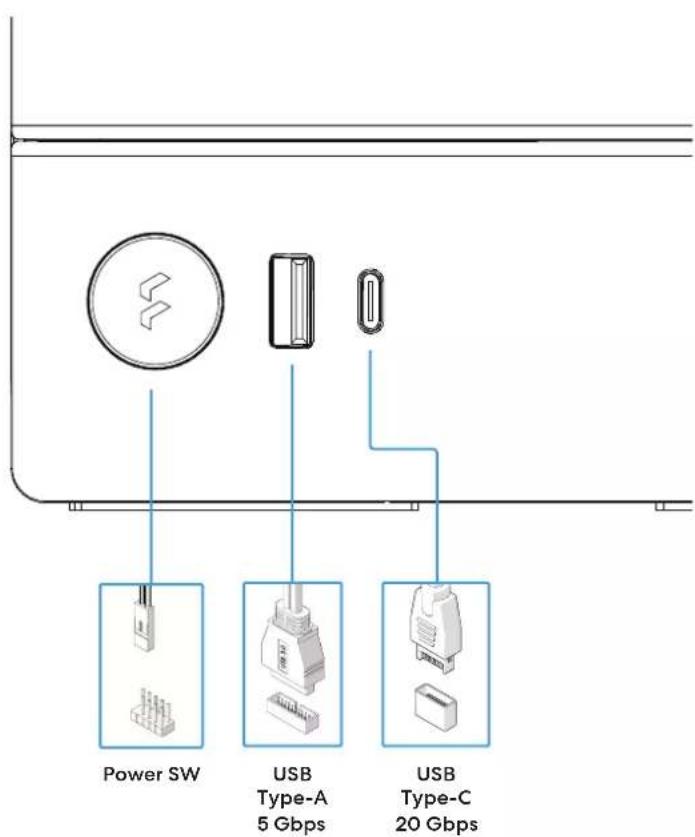
Connect Cables for Front I/O
Anschlusskabel für Frontanschüsse / Connecter les cables aux E/S frontales / Conecte los cables para E/S frontal / Kopla in kablar till fronten / Nopceeneite Kabelen nperepnx yctpoctBaBdoa-bvBoa /前面 I/O 用の接続ケ一 フリ /为IO 前面板连接电线 /正面I/O 的連接段
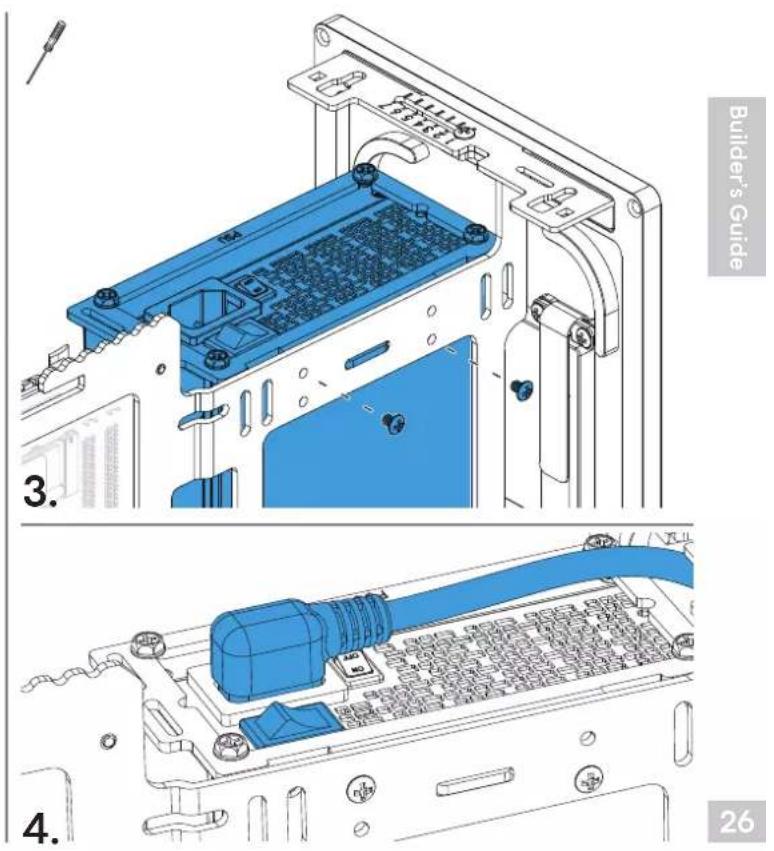
Install the Power Supply
Installation Netzeil / Installer le bloc d'alimentation / Instale la fuente de alimentacion / Installa nalaggregatel/ YctanohBte 6nK nTANH/ 電源裝置の取付 / 安装电源/安装电源供應器
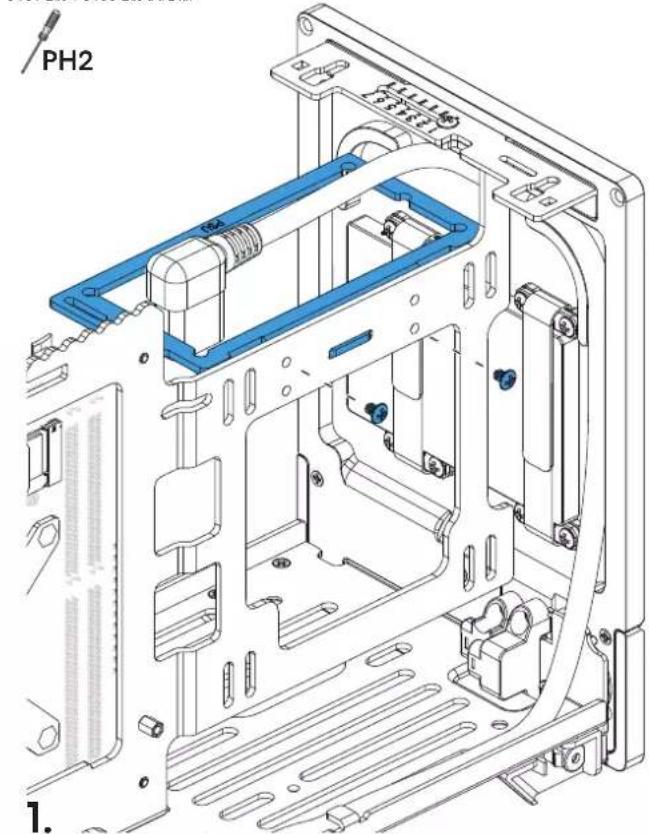
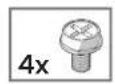
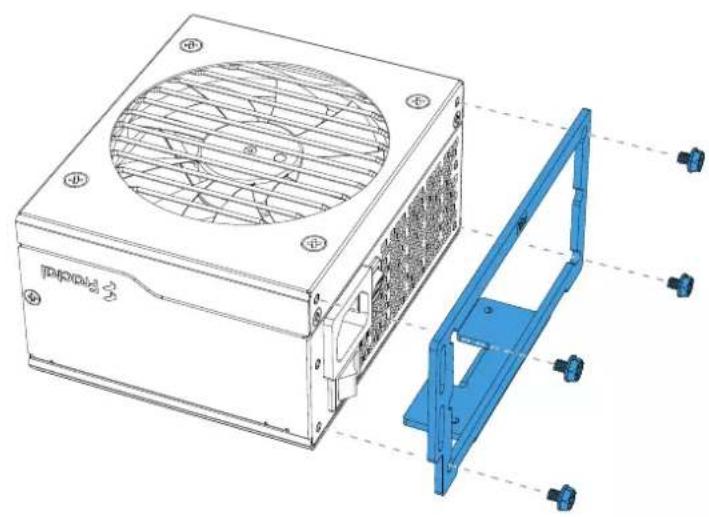
2.
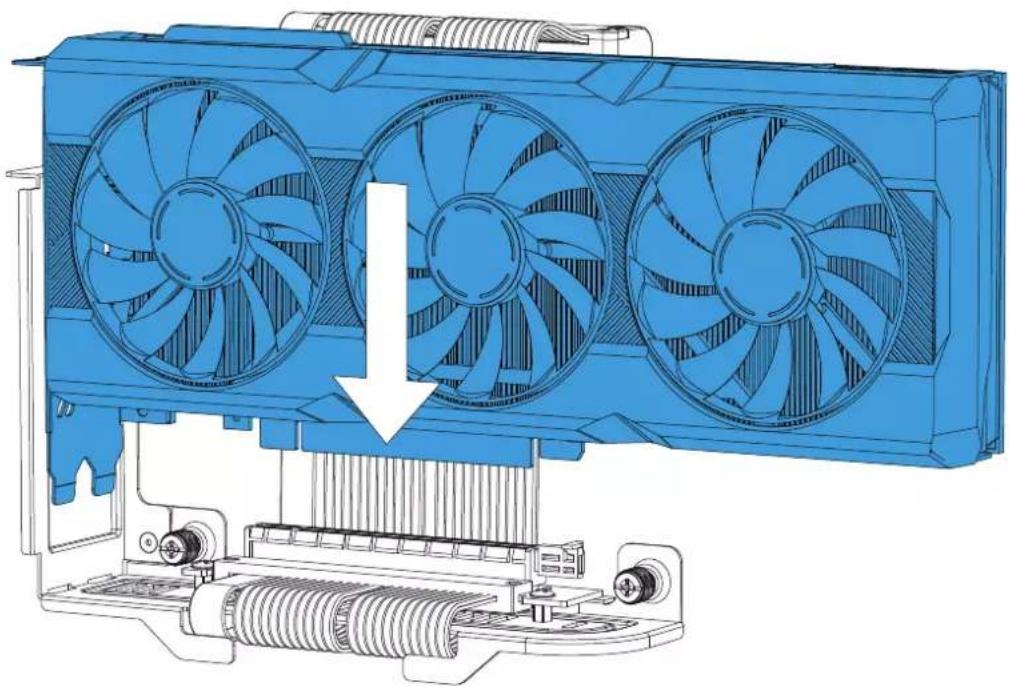
Install a Graphics Card
Installation Grafikkarte / Installer la carte graphique / Instale la tarjetaGRAFICA / Installerera grafikkortet/ YcTahOBrER rpaPnueckyo nnaTy / GrAflIeK力一卡の取付け / 安装显卡 / 安装顯示卡


2.
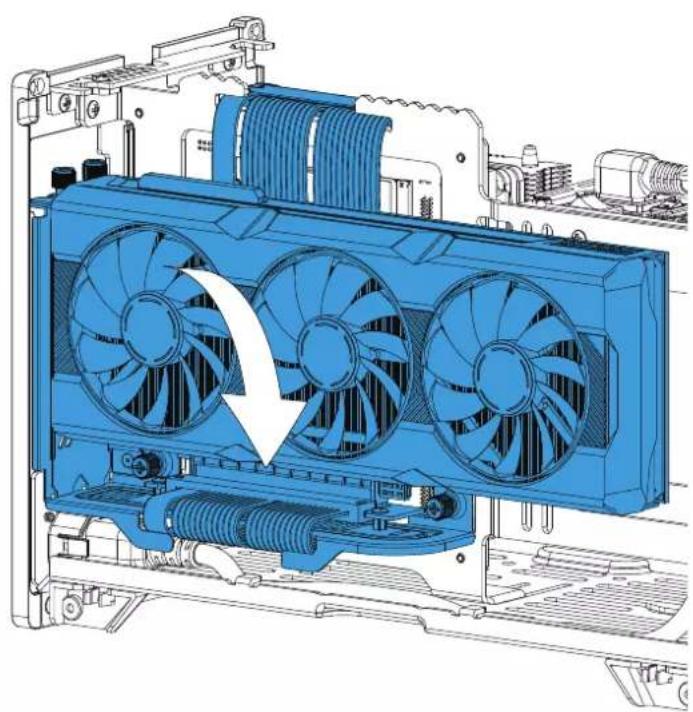
Install a Graphics Card
Installation Grafikkarte / Installer la carte graphique / Instale la tarjeta grafic / Installerera grafikkortet / Yctanohme rpaufneckyo nnaty / glrafiok力一の取付け / 安装显卡 / 安装顯示卡
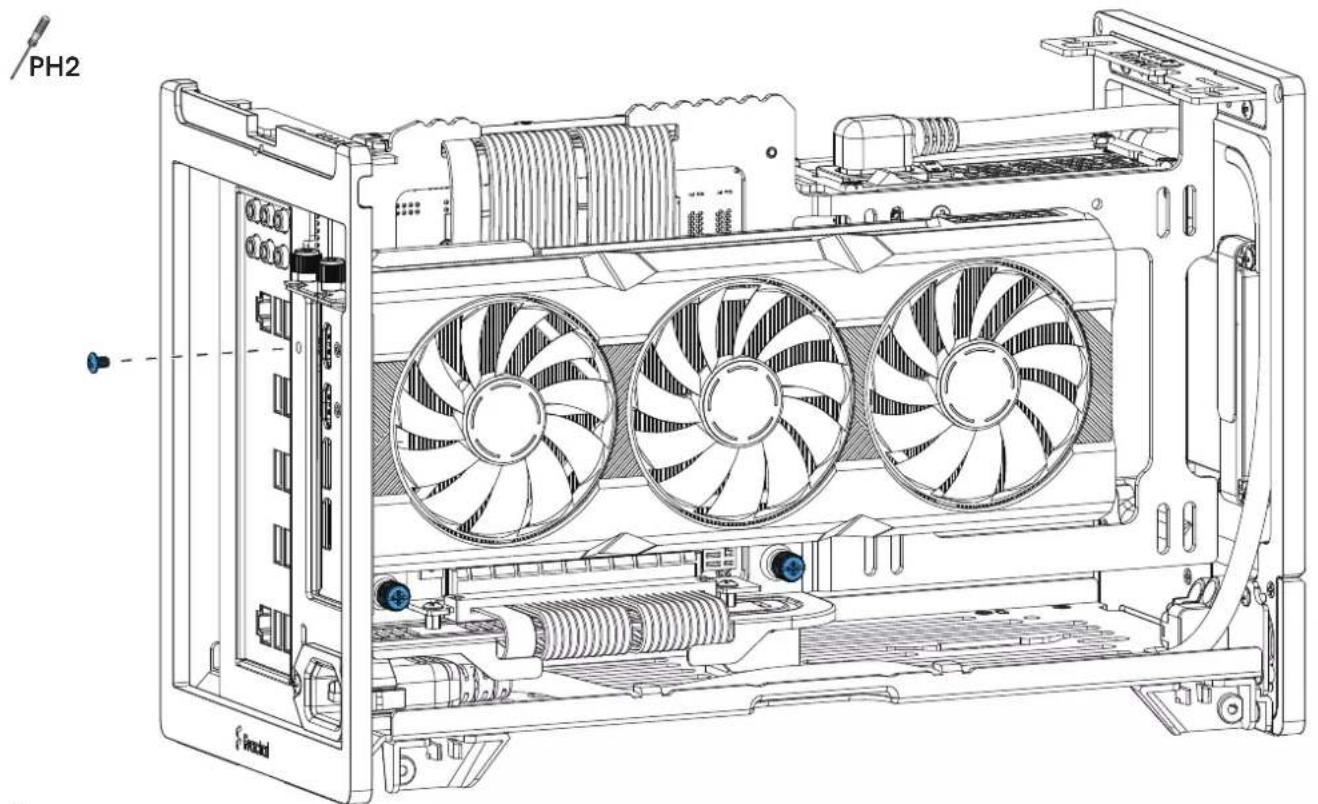
5.
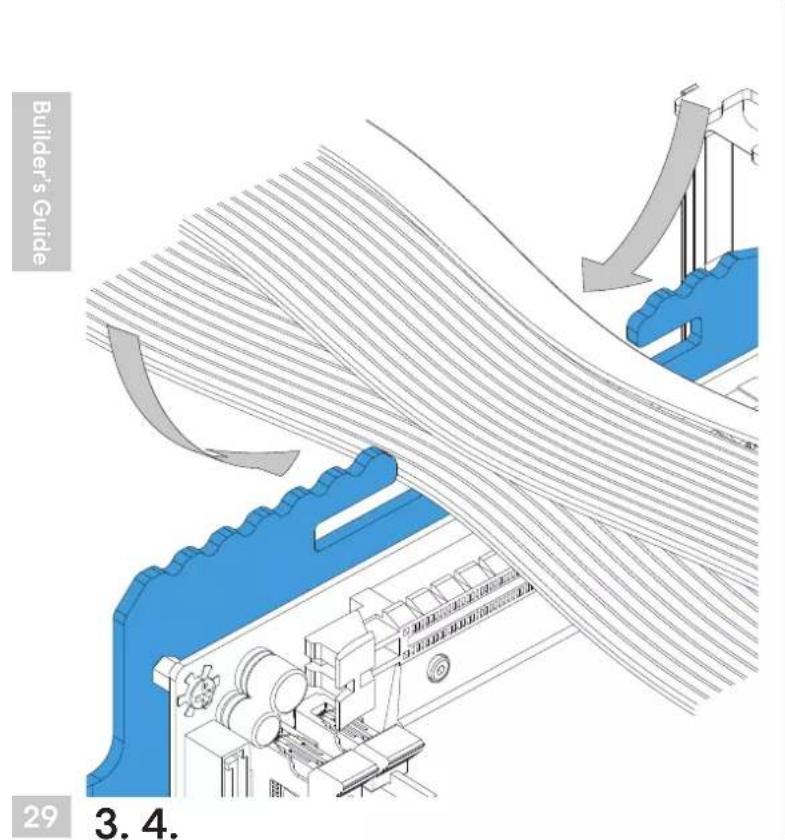
Install Riser Cable
Installation des Riser Kabels / Installer le cable Riser / Instale el cable riser / Installera riserkabel / Yctanohka pa3ep ka6en /
Flow-through GPU Cooler Offset
Installation der Abdasthalter zur verbesserten GPU Kühlung / Décalage du refroidisseur de GPU à flux continu / Desplazamento del refrigerador de la GPU / Forskutning für GPU-kylare av genomifódestyp / Cmeuènée kynepa Bùndeokapét / Fóroulésel-GPU-Krae-oeiôfét / GPU导流风扇转速抵消 / GPU导流风扇翻转速抵消

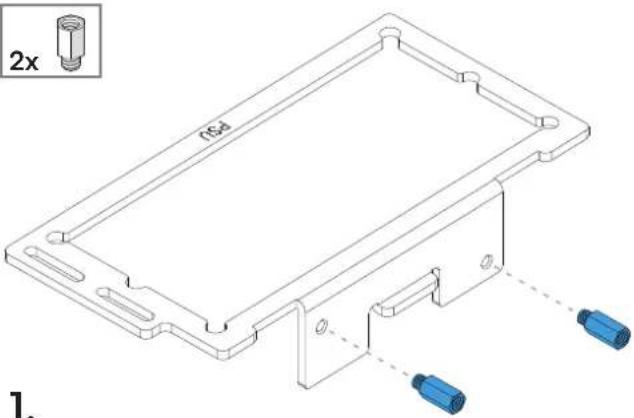
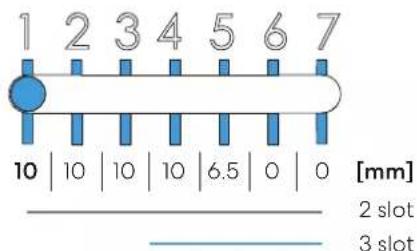
Standoff Height
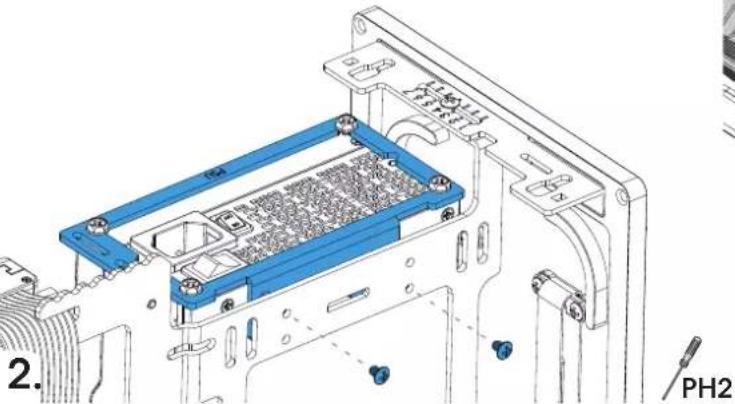
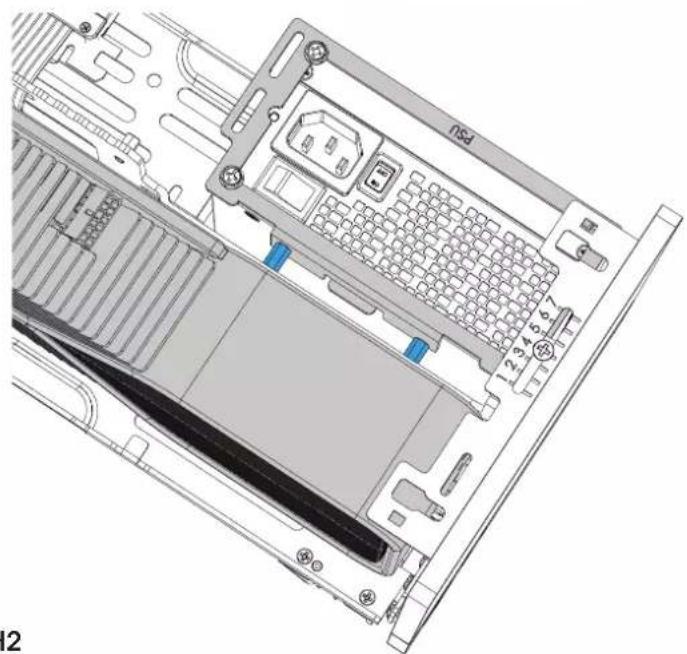
Alternative Orientation of Power Supply
Alternative Positionierung des Netzeits / Orientation alternative de l'importation electrolyque / Orientation alternativa de la fuente de alimentacion / Alternativ positioning en natal / AnlefteNativiena opresntaia 51 /電源の代替方向 / 电源供应器替代方向 / 電源供應器替代方向

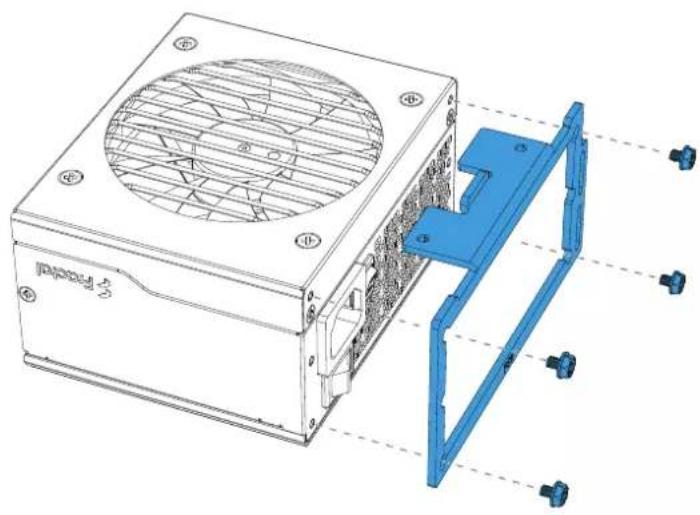
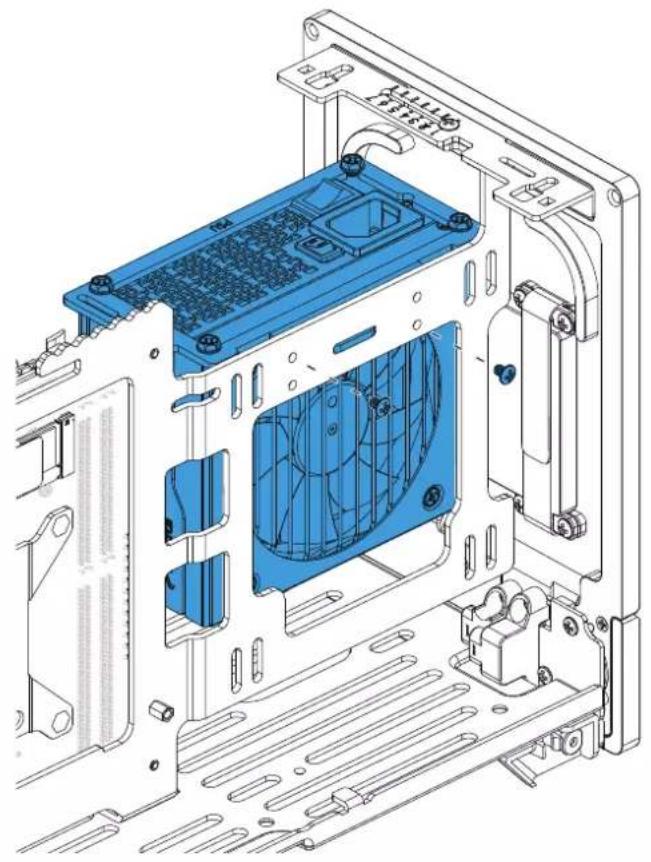
1.2.
Install Additional 2.5" Drive
Installation von 2.5" Laufwerten / Installer un lecteur 2,5 po supplementaire / Instale la région de 2,5" adicional / Installera extra 2,5" disk / Yctanohka dononHHBoro 2,5-dioMooro hakonHeta / 追加的2,5" ロフローをスルトーリス / 安装額外の2,5" 硬盘 / 加装其他2.5时硬碟
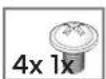
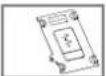

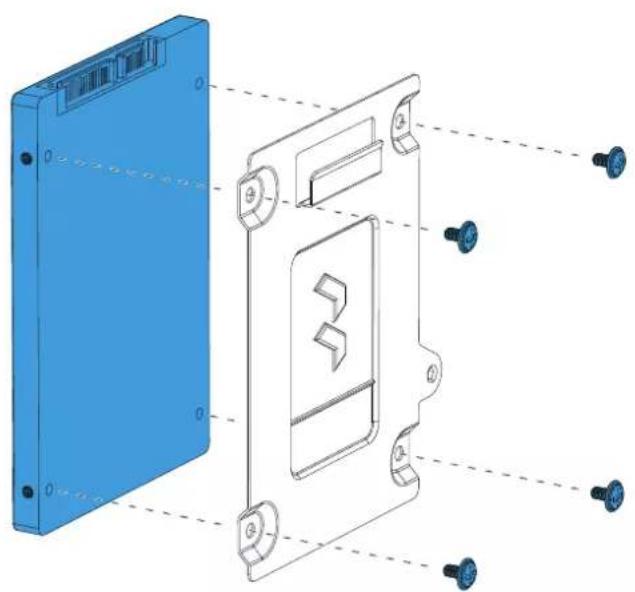
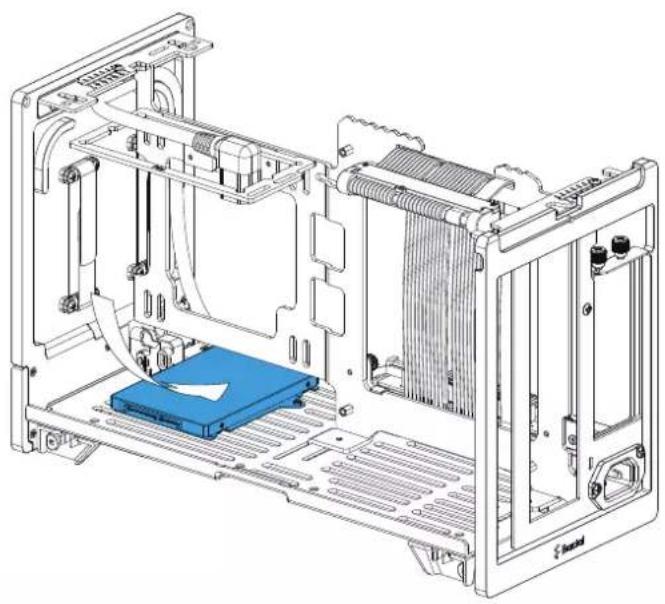
1.2.
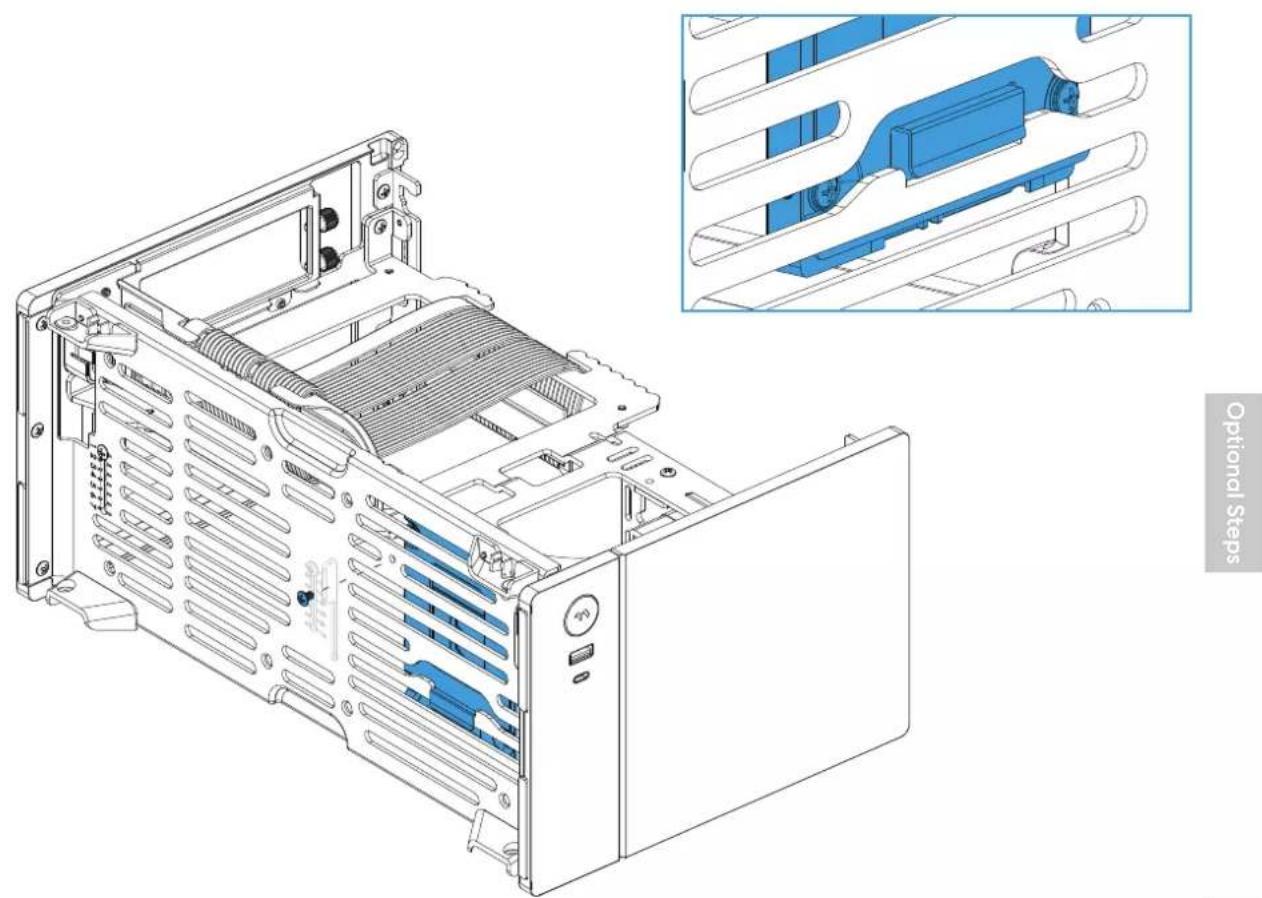
3.
40
Install a 120mm Case Fan
Installation eines 120 mm Lufters / Installer un ventilateur de boirier de 120 mm / Instale un ventilador de caja de 120 mm / Installerera en 120 mm chassiflakte / YCTaONOBKa 120-MM KOPNYCHORO BENTIWITTOPA / 120 mmのクasserをインストーリルお願いいたします / 安装一个120 mm机箱风扇 / 安装一個12公分扇風
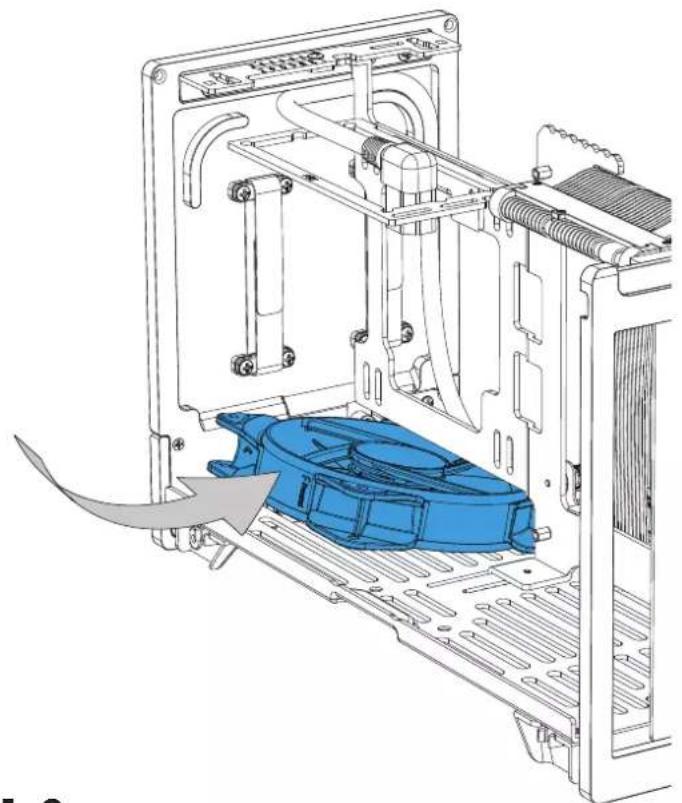
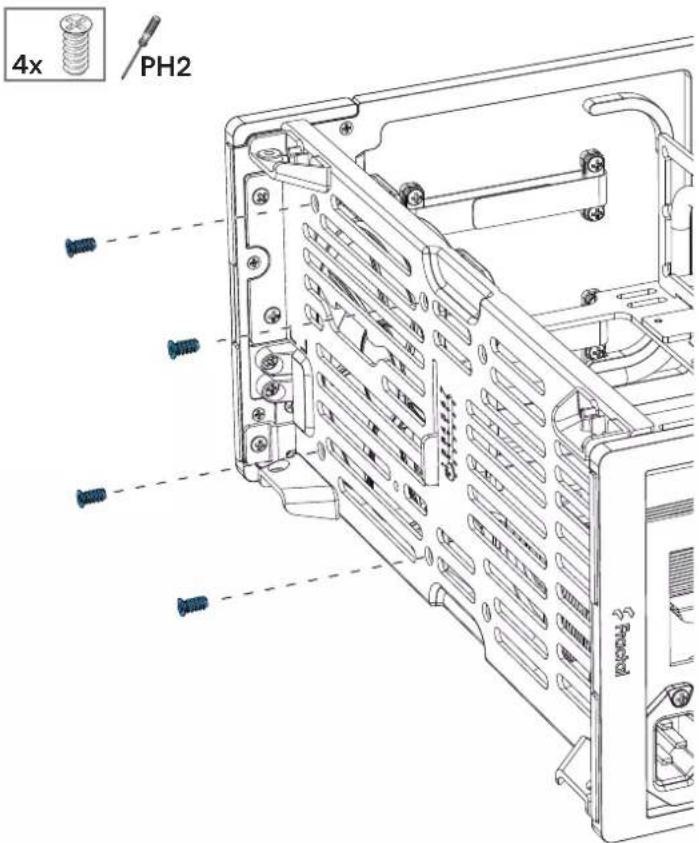
41 1.2.
Additional Info
Weitere Informationen / Informationsuplementaires/Informacion adicional/ovrig information/ DononHHTbnaHnHOpmaa/追加情報/附加信息/其他資訊
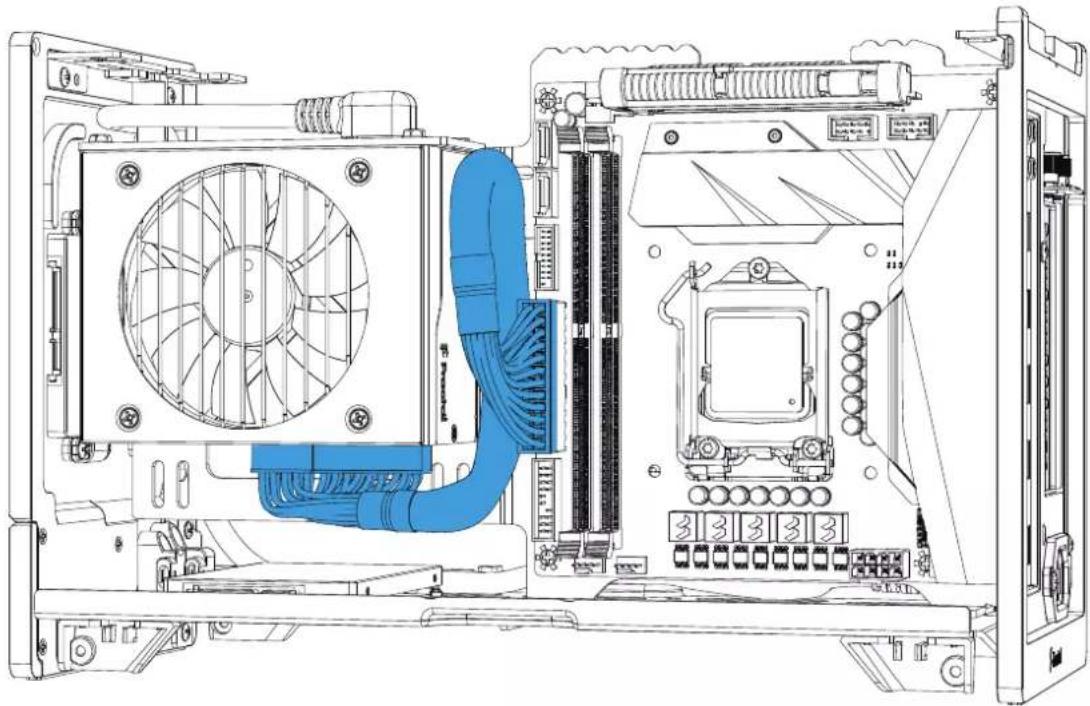
Cable Management Tips
Hinweis zum Kabelmanagement / Consels pour la gestion de cagliade / Consejos para la organizacion de cables / Kabeldragingnings tips /Пбдсовинete Кавел / グーテル配線のCNTB / 處線管理小貼士 / 怖線小技巧
ATX 24-pin
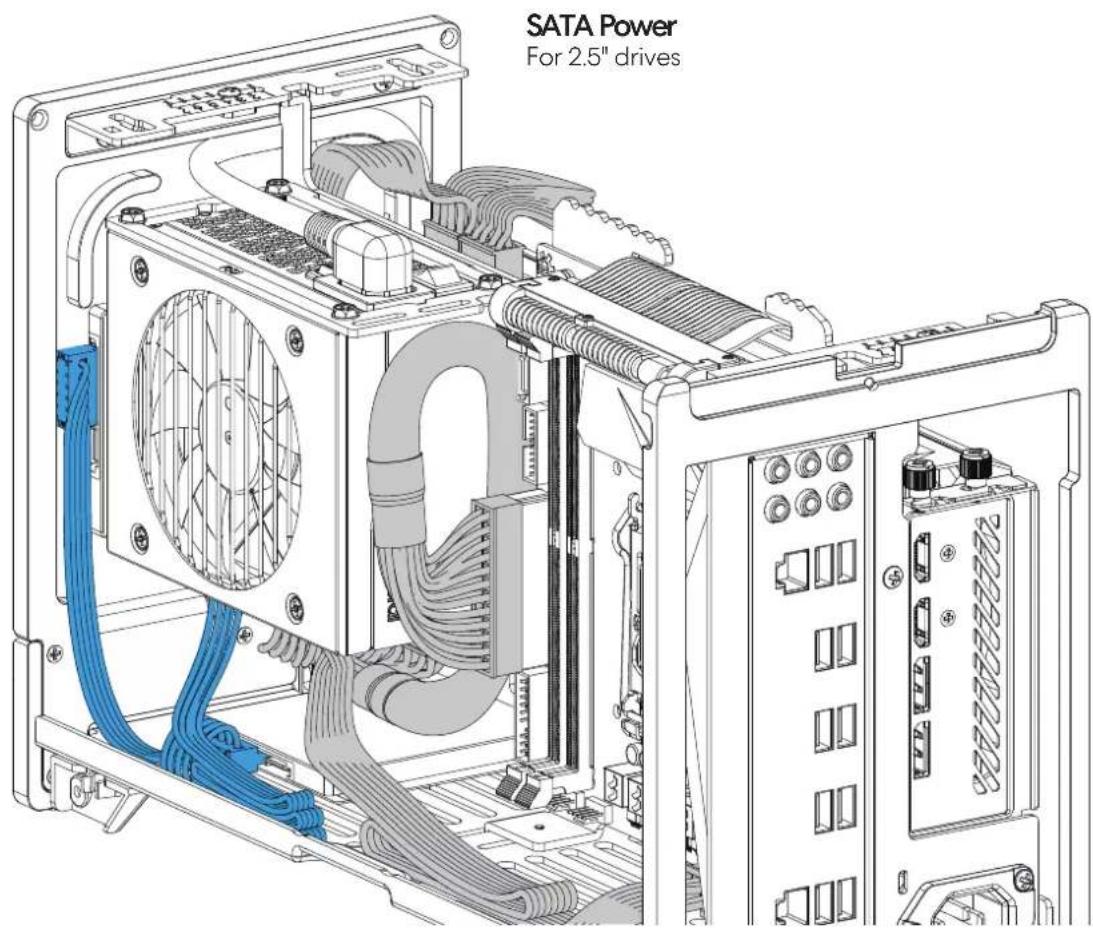
For motherboard
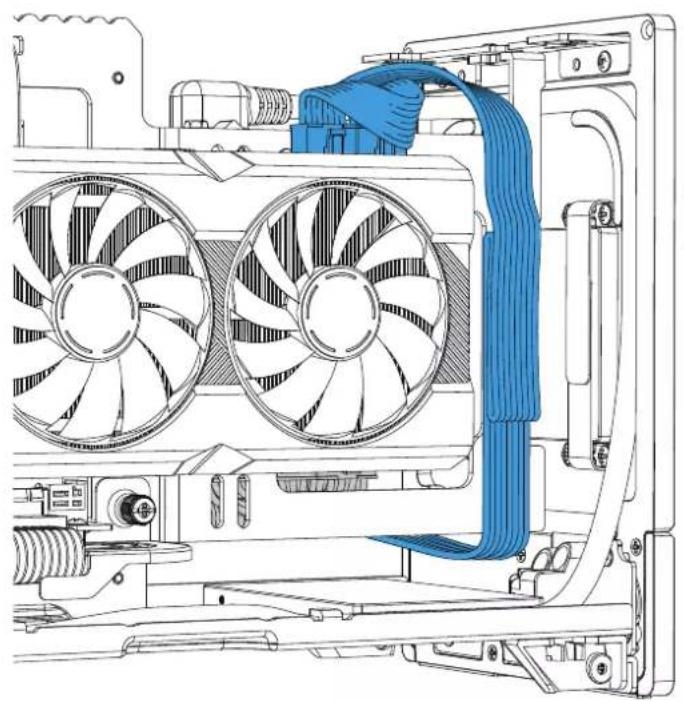
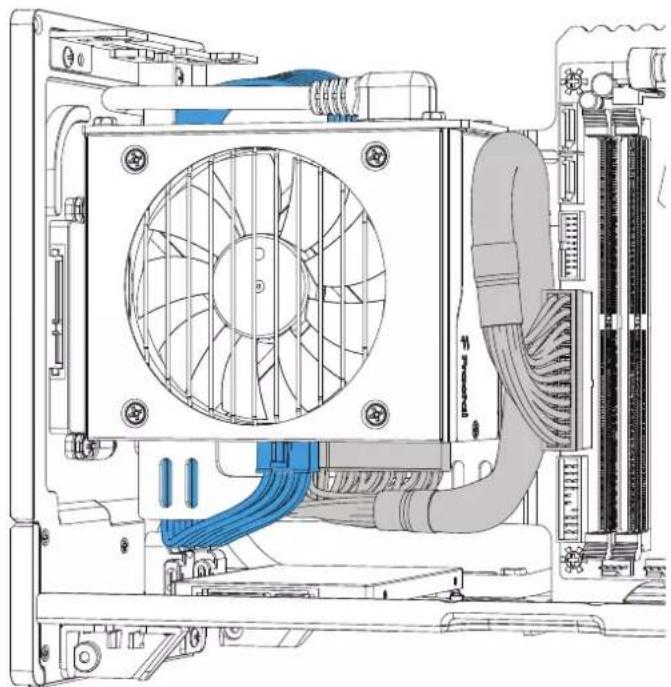
PCI-E 6+2-pin
For graphics card
Cable Management Tips
Hinweis zum Kabelmanagement / Consels pour la gestion de cagliade / Consejos para la organizacion de cables / Kabeldragingnings tips /Пбдсовинete Кавел / グーテル配線のヒ btv / 虫線管理小贴士 / 怖線小技巧
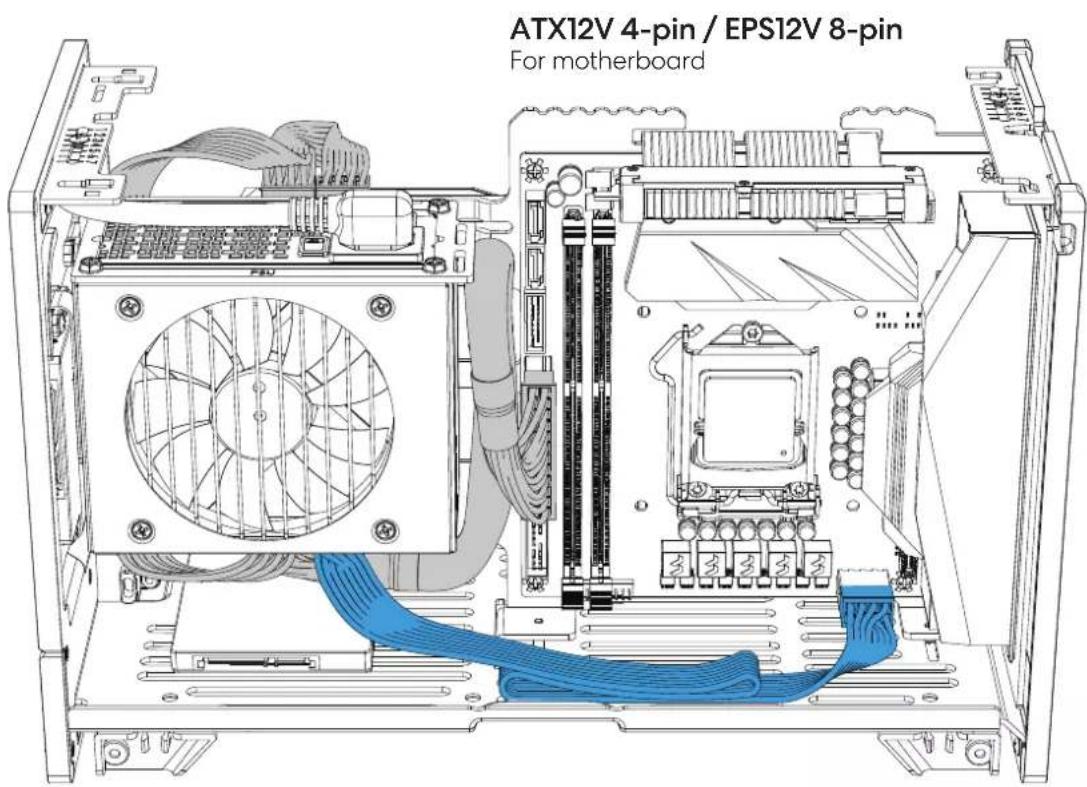
Water Cooling Radiator Options
Optionen firs Wasserlungen / Options der radiates der reifidement par eau / Opiones de radiates de refrigeracion liquida / Vattenkylningsamglicher / Yctanobka padatopora boanoro oxianchen /水冷却法兰工一者才/水冷却器选件 /水冷散熟器选题
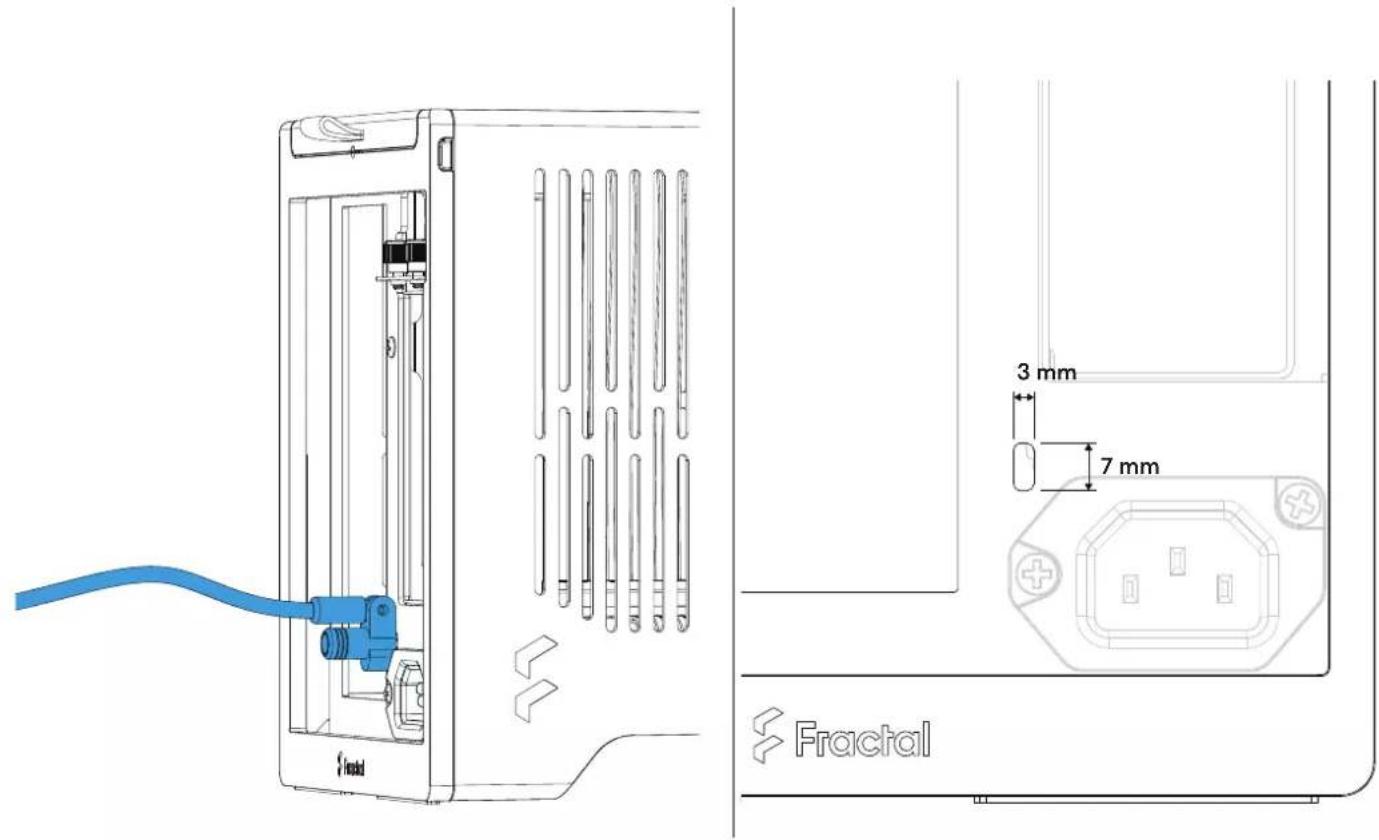
Security Lock Slot
Slof fur Sicherheitsschloss / Fente de verrouillage de sécurité / Ranura de bloqueo de segurid / Opping for / 3aФнсугte cnot 6e0anochtn/七毛尼口斯口木口 / 安全顿糟 / 安全编插孔
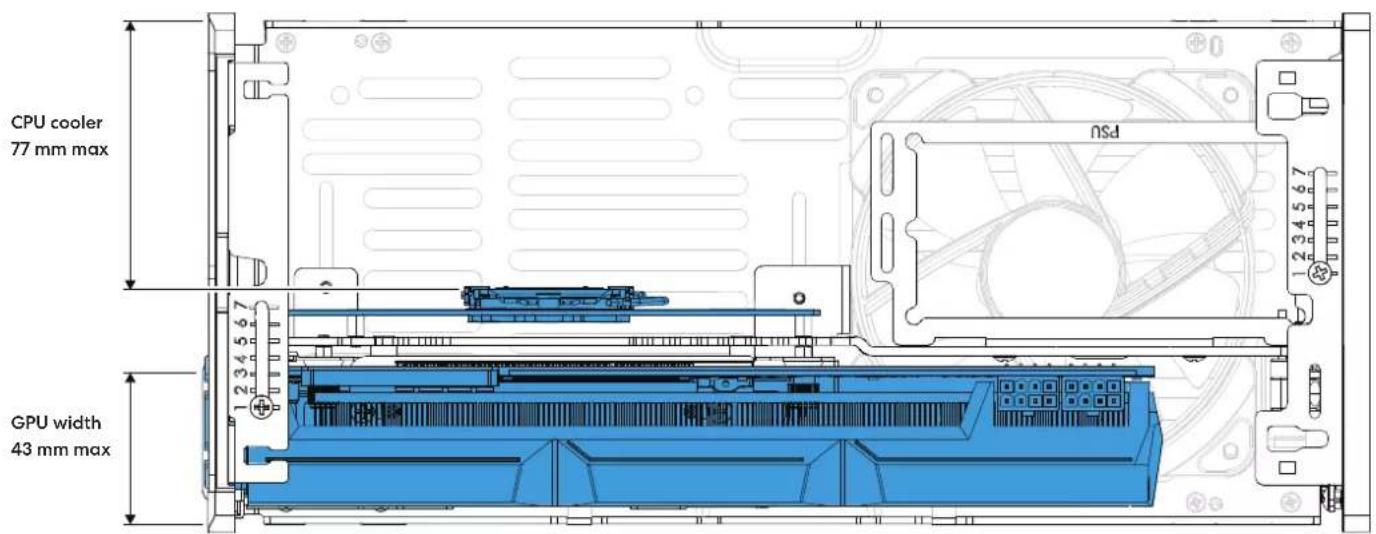
CPU cooler and Graphics Card Limitations
CPU Kuhler und Grafikkarten Limitierungen / Limites du refroidisseur du CPU et de la carte graphique / Limitaciones delsysteme de refrigeracion de la CPU y la tarjeta graphical / Begransnigar for CPU-kylare och grafikkort / OrpauHEnia npueccsporO kynepa nBndeokpnty / CPUKUra-er- undGrafiickus力一的制限 / CPU散热风扇和显卡限值 / CPU散热风扇和显卡限制
Spine Position 1 of 7 - MAX CPU Config

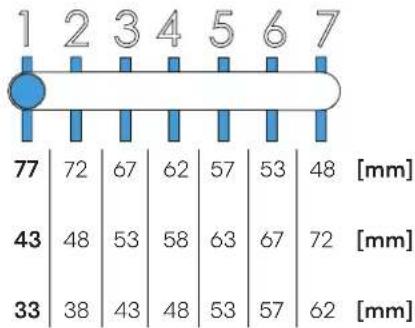
Recommended max backplate width 4 mm
Spine Position 7 of 7 - MAX GPU Config
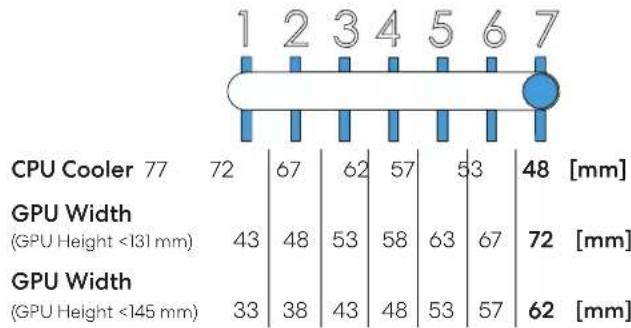
Recommended max backplate width 4 mm
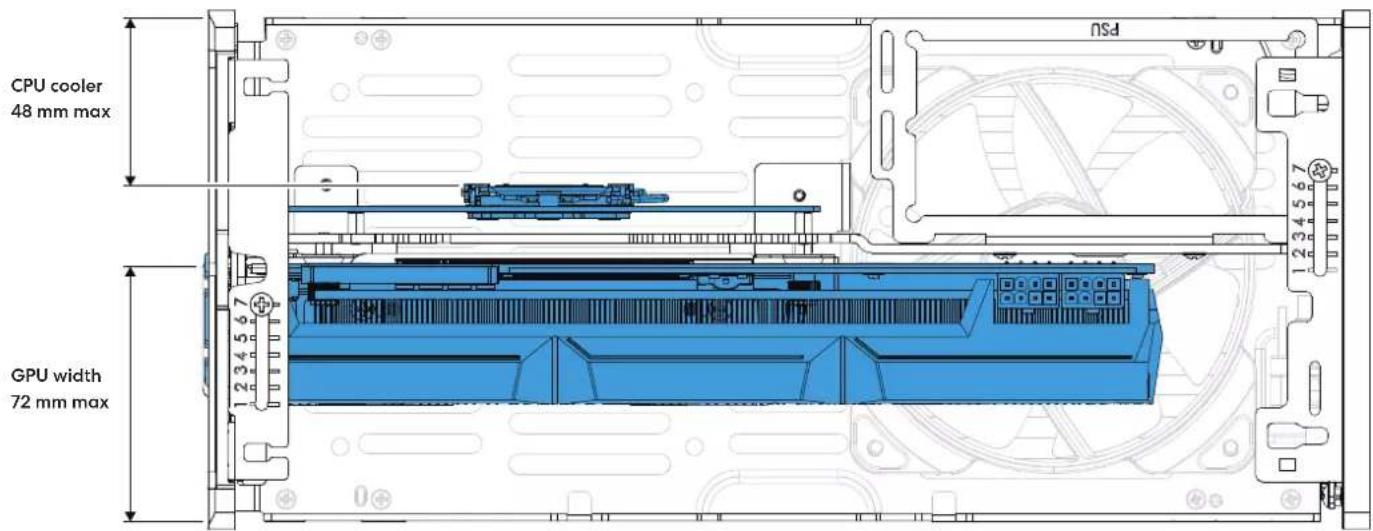
Graphics Card Limitations
Grafikkarte Grenzwert / Limitacoes de carte graphique / Limitacoes de la tarjeta grafica / Restrictioner for grafikkort / Orpamhena para rpapheceixn npar /
Spine Position 1 of 7 MAX CPU Config
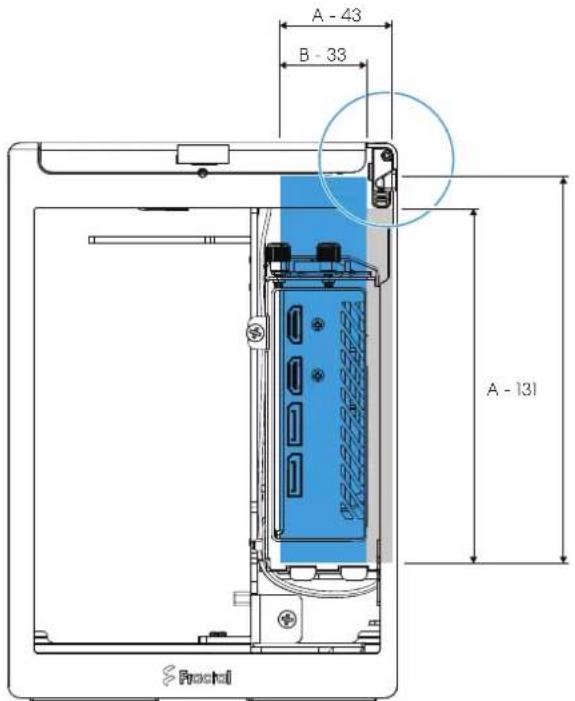
Scenario A Width max 43 mm Height max 131 mm
Scenario B Width max 33 mm Height max 145 mm
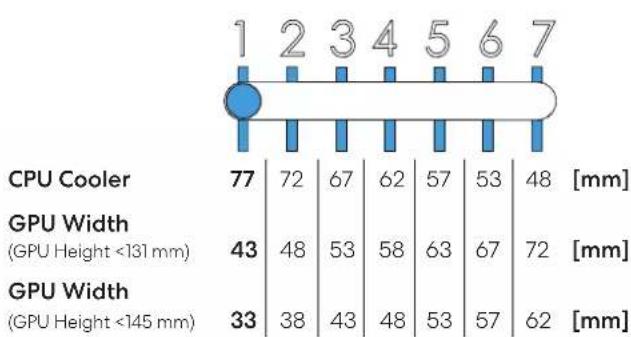
Recommended max backplate width 4 mm
Spine Position 7 of 7 - MAX GPU Config

Scenario A Width max 72 mm Height max 131 mm
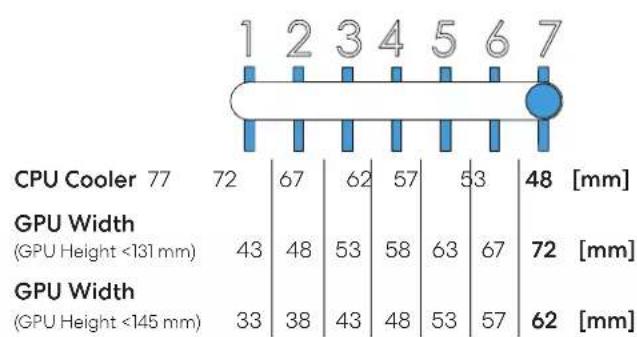
Recommended max backplate width 4 mm
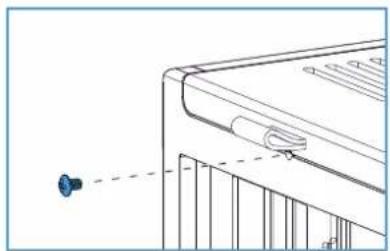
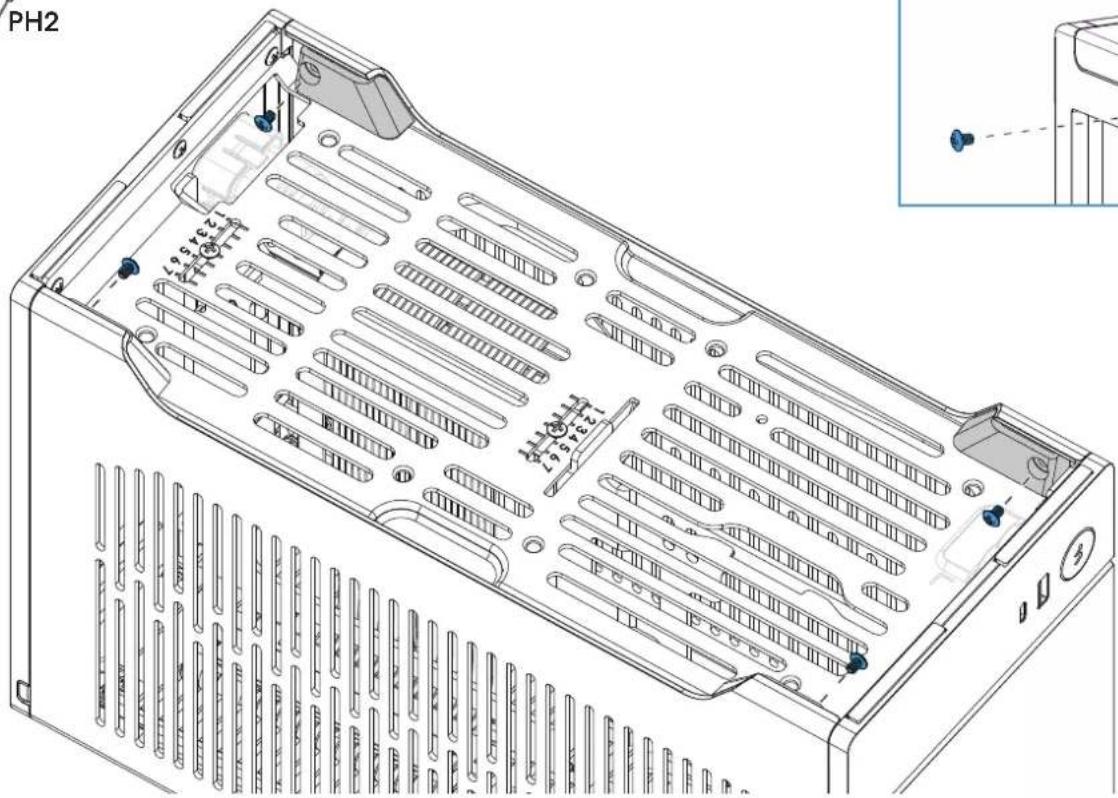
Secure Panels for Transport
Sicherung der Seiteiteufe der Transport / Fixer les panneux pour le transport / Fje los paneles para el transporte / Faste sidopanelar for transport / Φinkcaumna nahanen pyrahncnpotrobow /持を連用にルを固定しおす /固定面板以利运输 /固定面板以利搬運

Support and Service
Support und Kundengestn / Assistance technique et maintenance / Soporte y servicecio nico / Support ochervice / Пожд��жни Соблкунаиме / サト一ト一匕久 / 支持与服务 / 支援和服
For Assistance, Please Contact
SCHNHTETZC HAM/ 4

STEP1:Go to "support.fractal-design.com"

STEP 2: Click on "New support ticket"

Submit a ticket
Requester
Type
Where are you from?
Product Category
Subject
Description of Problem
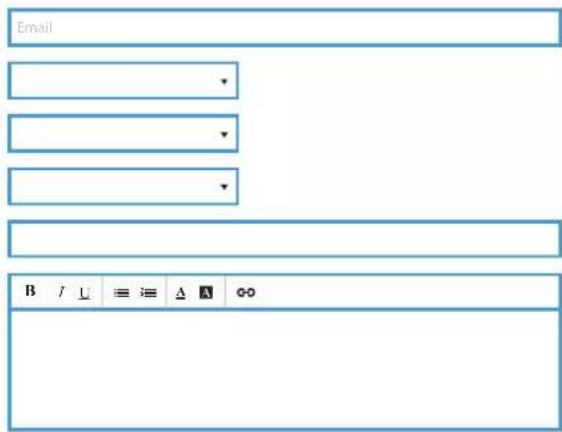
STEP 3: Fill in ticket request and submit
Limited Warranty and Limitations of Liability
This product is guaranteed for twenty four (24) months from the date of delivery to end-user, against defects in materials and/or workmanship. Within this limited warranty period, the product will either be repaired or replaced at Fractal Design's discretion. Warranty claims must be returned to the agent who sold the product, shipping prepaid.
The warranty does not cover:
- Products which have been used for rental purposes, misused, handled carelessly or applied in such a way that is not in accordance with its stated intended use.
- Products damaged from an Act of Nature including, but not limited to, lightning, fire, flood and earthquake.
- Products whose serial number have been tampered with or removed
- Products which have not been installed in accordance to the user manual
Fractal Design's maximum liability is limited to the current market value of the product (depreciated value, excluding shipping, handling, and other fees). Fractal Design shall not be liable for any other damage or loss, including but not limited to loss of profit, revenue, or data, or incidental or consequential damage, even if Fractal Design has been advised of the possibility of such damages.
© Fractal Design, All rights reserved.
Fractal Design, the Fractal Design logotypes, product names and other specific elements are trademarks of Fractal Design, registered in Sweden. Other product and company
names mentioned herein may be trademarks of their respective companies. Contents and specifications as described or illustrated are subject to change without notice.
- Introduction
- Case Overview
- Fron+Bezel
- PCI-E Gen. 4 Riser Cable
- Graphics Card Bracket
- Power Extension Cable
- 1x2.5"Bracket
- Side Panels
- SFX PSU Bracket
- CPU cooler Focused Configuration
- Triple Slot GPU Focused Configuration
- All-in-one Water cooler Configuration
- Accessory Box Contents
- Builder's Guide
- Remove Side Panels
- Remove Top Panel
- Remove Transport Locks
- Adjust Movable Spine for Hardware Clearance
- Movable Spine Configuration
- Secure Movable Spine
- Install 2.5" Drive
- Remove GPU Bracket
- Install the I/O Shield
- Prepare the Motherboard
- Install the Motherboard
- Install M.2 Drive (optional)
- Connect Cables for Front I/O
- Install the Power Supply
- Install a Graphics Card
- Install Riser Cable
- Flow-through GPU Cooler Offset
- Alternative Orientation of Power Supply
- Install Additional 2.5" Drive
- Install a 120mm Case Fan
- Additional Info
- Cable Management Tips
- Water Cooling Radiator Options
- Security Lock Slot
- CPU cooler and Graphics Card Limitations
- Graphics Card Limitations
- Secure Panels for Transport
- Support and Service
- For Assistance, Please Contact
- Submit a ticket
- Limited Warranty and Limitations of Liability
Brand : Fractal Design
Model : Terra
Category : Desktop Computer