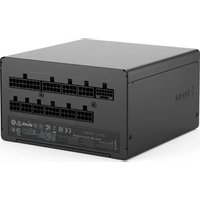
Ion 3 Gold 750W - PC Power Supply Fractal Design - Free user manual and instructions
Find the device manual for free Ion 3 Gold 750W Fractal Design in PDF.


| Product type | PC Power Supply |
| Brand | Fractal Design |
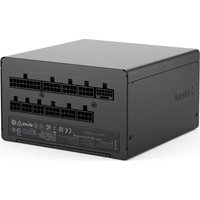
| Model | Ion 3 Gold 750W |
| Rated Power | 750 W |
| Efficiency Certification | 80 PLUS Gold |
| Form Factor | ATX |
| Cable Modularity | Fully Modular |
| Fan | 120 mm |
| Zero RPM Mode | Enable/disable (switch) |
| Dimensions (L x W x H) | 150 x 86 x 140 mm |
| Weight | ~1.8 kg |
| Integrated Protections | OVP, OCP, SCP, OTP |
| ATX24 Pin Count | 1 |
| Number of CPU Cables (4+4 pin) | 2 |
| Number of PCIe Cables (6+2 pin) | 4 |
| Number of SATA Connectors | 9 |
| Number of Molex Connectors | 3 |
| Manufacturer Warranty | 120 months (10 years) |
| Maintenance and Cleaning | Dust the fan grille with compressed air |
| Safety Instructions | Do not open the case; use in a dry environment |
| Approval | CAN ICES-003 (B) / NMB-003 (B) |
| Recycling | Do not dispose of with household waste; take to a WEEE collection point |
Frequently Asked Questions - Ion 3 Gold 750W Fractal Design
User questions about Ion 3 Gold 750W Fractal Design
0 question about this device. Answer the ones you know or ask your own.
Ask a new question about this device
Download the instructions for your PC Power Supply in PDF format for free! Find your manual Ion 3 Gold 750W - Fractal Design and take your electronic device back in hand. On this page are published all the documents necessary for the use of your device. Ion 3 Gold 750W by Fractal Design.
USER MANUAL Ion 3 Gold 750W Fractal Design
86 mm 150 mm
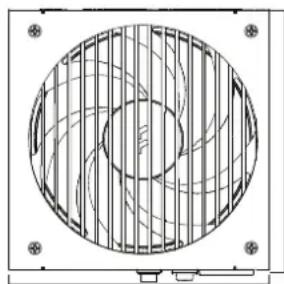
150mm
For more information and product specifications, visit fractal-design.com
Introduction
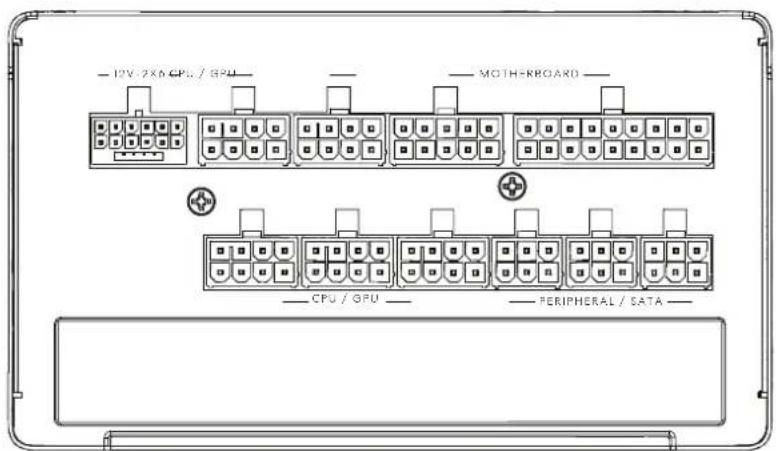
Connectors & Outputs
Safety Information, Installation & Troubleshooting, Support
General Specification
Allgemeine Spezifikation / Spécification générale / Especificaciones generales / Allmän specifikation / Общая спецификация / 一般仕様 / 一般规格 / 一般規格
| Life expectancy (MTBF) at maximum output load ≥90 000 hours | |
| Power factor correction (PFC) Active | |
| Fan type Momentum 14 Power Supply Edition | |
| Operating temperature at 100% load: ≤40°C | at 80% load: ≤50°C |
| Operating humidity ≤85% | |
| Operating altitude ≤5000 meter | |
| Protected against Over power | Over voltageUnder voltageShort circuitOver currentOver temperature |
| Efficiency 80PLUS® Gold Certified | |
| Standby power consumption ErP 2014 (<0.25W @ 230 VAC, 45mA load on +5Vsb) | |

제조자: Dongguan Seasonic
Electronic Co., Ltd
고객지원(02)-717-096
제조년월 별도표기
R-R-sc6-FD-P-IA3G-100
YU10086-25002
R R se6 FD P A3G 850
YU10086-25004
R-R-se6-FD-P-A3G-750
YU10086-25003





CANICES(R) / NMR(R)





150mm
Package Contents
Packungsinhalt / Contenu de l'emballage / Contenido de la caja / Förpackningsinnehåll / Комплект поставки / パッケージ内容 / 包装内容 / 包装内容
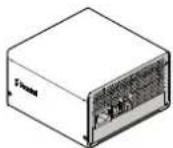
Power supply / Netzteil / Alimentation électrique / Fuente de alimentación / Nätaggregat / Источник питания / 電源 / 电源 / 電源
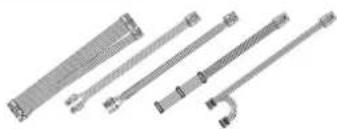
Modular cable kit / Modulares Kabelset / Kit de câble modulaire / Kit de cableado modular / Modulärkablage / Комплект отсегивающихся кабелей / モジュール式ケーブルキット / 模块化电缆套件 / 模組化纖線套件
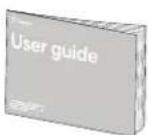
User guide (this booklet) / Benutzerleitfaden (diese Broschüre) / Guide de l'utilisateur (ce livret) / Guia del usuario (este folleto) / Användarguide (denna broschyr) / Руководство пользователя (этот буклет) / ユーザーガイド (本ドキュメント) / 用户指南 (本手册) / 使用者指南 (本手册)
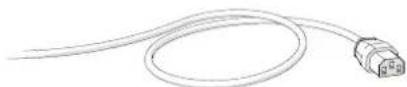
AC Power Cord (localized) / AC-Stromkabel (lokalisiert) / Cordon d'alimentation CA (localisé) / Cable de alimentación de CA (localizado) / Strömkabel (lokalitetsanpassad) / Шнур питания перем. тока (покализованный) / AC電源コード(地域別) / 交流电源线(本地化) / AC電源線(本地化)



4x Mounting screws, cable ties and PSU tester / 4x Montageschraube, Kabelbinder und PSU-Tester / 4x Vis de montage, attaches de câble et testeur PSU / 4x Tomillos de montaje, sujetacables y probador de PSU / 4x Monteringsskruvar, monteringsskruvar, buntband och PSU-testare / 4x MONTажных винта, кабельные стяжки и тестер PSU / 4x 取り付けネジ、ケーブルタイ、PSUテスター / 4x 安装螺丝、电线束带和PSU测试仪 / 4x 安装螺絲、束線帯和PSU測試儀 /
DC Connectors and Pinout
DC Stecker und Pins / Connecteurs CC et brochage / Conectores de CC y disposición de las patillas / Likströmskablar och anslutningsschema / Разъемы постоянного тока и схема расположения выводов / DCコネクタとピン出力 / 直流连接器和引脚排列 / DC 连接器和引脚排列
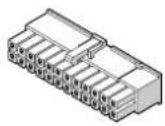
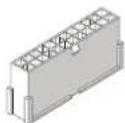
ATX 24-pin [20+4] ATX12V [4+4]
Provides power to the motherboard - can be split into 20-pin and 4-pin connectors, for compatibility with older ATX motherboards.
WARNING: Do not use the 4-pin connector of this cable as an ATX 12V 4-pin connector – they are incompatible.
![Fractal Design Ion 3 Gold 750W - ATX 24-pin [20+4] ATX12V [4+4] - 1](/content/2026/05/753454/images/191f67f42660cb72cd0de06ca7abcb420dc357a1330123a544946533caf26add.jpg)
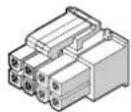
Provides power to modern CPUs – can be split into two 4-pin connectors, for compatibility with older motherboards and systems with limited power consumption.
Note: Some motherboards, typically dual processor systems, may require a secondary 12V connector – refer to the motherboard manual for details and connector locations.
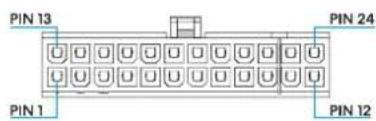
| Pin Signal Pin Signal | |||
| 1 +3.3 VDC 13 +3.3 VDC | |||
| 2 +3.3 VDC 14 -12 VDC | |||
| 3 COM 15 COM | |||
| 4 -5 VDC 16 PS_ON | |||
| 5 COM 17 COM | |||
| 6 +5 VDC 18 COM | |||
| 7 COM 19 COM | |||
| 8 PWR OK 20 Reserved | N/C | ||
| 9 +5 VSB 21 +5 VDC | |||
| 10 +12 VDC 22 +5 VDC | |||
| 11 | +12 VDC. | 23 | +5 VDC |
| 12 | +3.3 VDC | 24 | COM |
![Fractal Design Ion 3 Gold 750W - ATX 24-pin [20+4] ATX12V [4+4] - 3](/content/2026/05/753454/images/cb765195c442bcfbdec171c933c09c9ca68109fc6ab002faa5231079cb58d117.jpg)
| Pin | Signal | Pin | Signal |
| 1 | COM | 5 | +12 VDC |
| 2 | COM | 6 | +12 VDC |
| 3 COM | 7 | +12 VDC | |
| 4 | COM | 8 | +12 VDC |
DC Connectors and Pinout
DC Stecker und Pins / Connecteurs CC et brochage / Conectores de CC y disposición de las patillas / Likströmskablar och anslutningsschema / Разъемы постоянного тока и схема расположения выводов / DCコネクタとビン出力 / 直流连接器和引脚排列 / DC 连接器和引脚排列
PCI-E 8-pin [6+2]
Provides power to high-performance graphics cards – can be split into 6-pin and 2-pin connectors for use with graphics cards that require 6-pin connectors, or used together for graphics cards that require 8-pin connectors.
![Fractal Design Ion 3 Gold 750W - PCI-E 8-pin [6+2] - 1](/content/2026/05/753454/images/40ba48e96865b762da558d570623a83a07a414fed5919548b1ad4a608f9e2264.jpg)
| Pin Signal Pin Signal | ||
| 1 +12 VDC 5 COM | ||
| 2 +12 VDC 6 COM | ||
| 3 +12 VDC 7 COM | ||
| 4 COM 8 COM |
![Fractal Design Ion 3 Gold 750W - PCI-E 8-pin [6+2] - 2](/content/2026/05/753454/images/3134e70fbd314b28aad90123c12617f5dd9be300a35a5e8b5941a62fdd4329e6.jpg)
SATA
Provides power to modern hard drives, optical drives and other devices that require a SATA power cable.
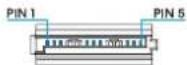
| Pin Signal |
| 1 +3.3 VDC |
| 2 COM |
| 3 +5 VDC |
| 4 COM |
| 5 +2 VDC |
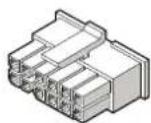
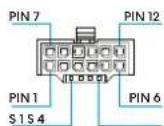
12V-2×6
Provides power (up to 600W) to high-performance graphics cards. The connector is fully compatible with both I2V-2x6 and I2VHPWR GPU sockets.
WARNING: Take care to fully insert the plug on both the PSU and GPU. Do not bend the wires in a way that puts strain on the connector plug.
| Pin Signal Pin Signal | |||
| 1 +12 VDC 7 COM | |||
| 2 +12 VDC 8 COM | |||
| 3 +12 VDC | 9 COM | ||
| 4 | +12 VDC | 10 | COM |
| 5 | +12 VDC | 11 | COM |
| 6 | +12 VDC | 12 | COM |
| S1 | CARD_PWR_STABLE | S3 | SENSE 0 |
| S2 | CARD_CBL_PRES | S4 | SENSE 1 |
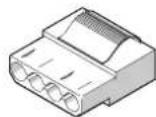
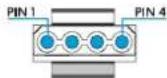
Peripheral
Provides power to older hard drives, optical drives and other non-SATA devices.
| Pin Signal |
| 1+12 VDC |
| 2 COM |
| 3 COM |
| 4+5 VDC |
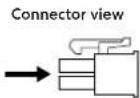
10 PWR OK
9 +5 VSB
8 12 VDC
7 112 VDC
6 +12 VDC
18 +3.3 VDC
17 +3.3 VDC
16 +3.3 VDC sense
15 COM
14 COM
13 COM
12 +5 VDC sense
11 +5 VDC
10 +5 VDC
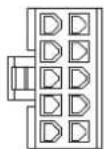
5 PS ON
4 +12 VDC sense
3 COM
2 COM
1 COM
9 +3.3 VDC
8 +3.3 VDC
7 N/C
6 COM sense
5 COM
4 COM
3 +5 VDC
2 +5 VDC
1 +5 VDC
8 COM
7 COM
6 COM
5 COM
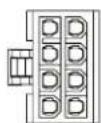
4 +12 VDC
3 +12 VDC
2 +12 VDC
1 +12 VDC
6 +5 VDC
5 COM
4 +3 VDC
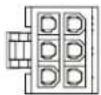
3 +12 VDC
2 COM
1 +12 VDC
12 COM
11 COM
10 COM
9 COM
8 COM
7 COM
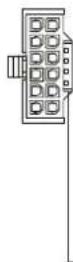
6 -12 VDC
5 12 VDC
4 -12 VDC
3 -12 VDC
2 +12 VDC
1 -12 VDC
S4 SENSE1
S3 SENSE O
S2 CARD_CBL_PRES
S1 CARD_PWR_STABLE
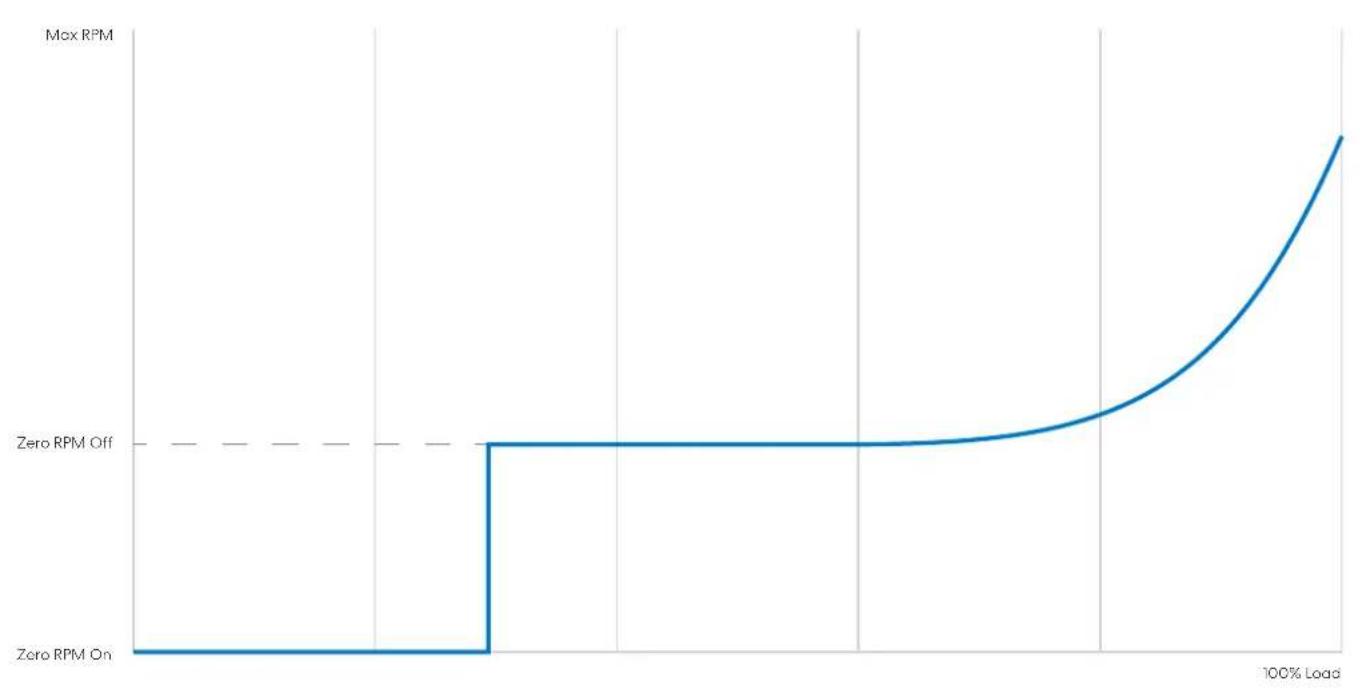
Zero RPM
Zero RPM offZero RPM on

While Zero RPM Mode is turned on, the fan will remain static at loads below approximately 30%. This enables quieter operation under low-intensity use.
If Zero RPM Mode is turned off, the fan will spin at all loads.
Zero RPM Demonstration Graph
Ion 3 Gold 750W
Cable Specification
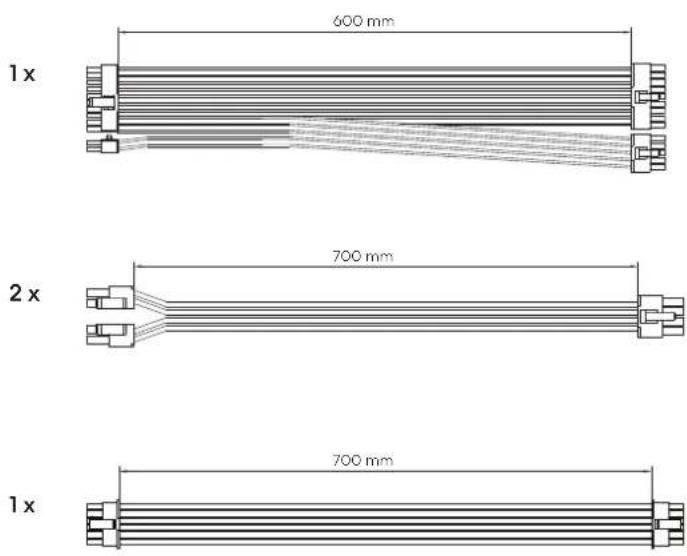
3 x

1x

1x

1x
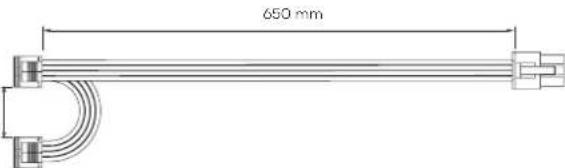
750W Output Specification
| AC Input交流电输入/交流電輸入 | 200-240V AC 5A 50-60 Hz适用于中国地区(for Korea)100-240V AC 10-5A 50-60 Hz不适用于中国地区(Not for Korea) | ||||
| DC Output直流输出/直流輸出 | +3.3V | +5V | +12V | -12V | +5VSB |
| 20A | 20A | 62A | 0.3A | 3A | |
| 100W | 744W | 3.6W | 15W | ||
| 750W | |||||
Ion 3 Gold 850W
Cable Specification
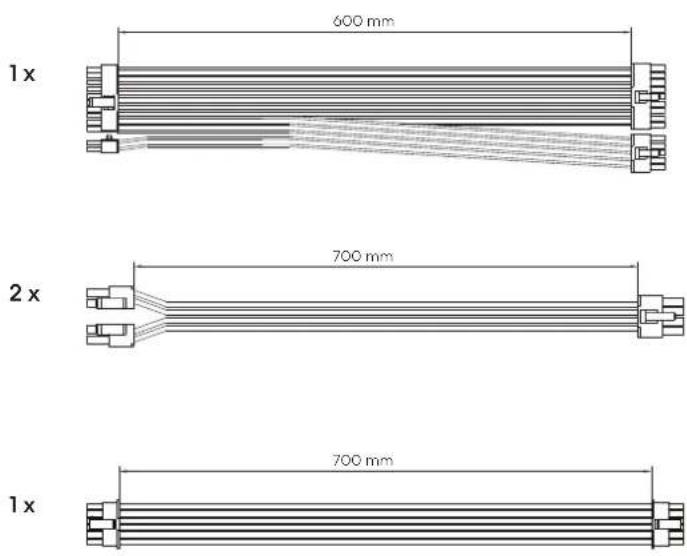
3 x

1x

1x

1x
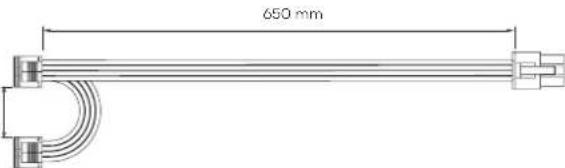
850W Output Specification
| AC Input交流电输入/交流電輸入 | 200-240V AC 5.5A 50-60 Hz适用于中国地区(for Korea)100-240V AC 11-5.5A 50-60 Hz不适用于中国地区(Not for Korea) | ||||
| DC Output直流输出/直流輸出 | +3.3V | +5V | +12V | -12V | +5VSB |
| 20A | 20A | 70A | 0.3A | 3A | |
| 100W | 840W | 3.6W | 15W | ||
| 850W | |||||
Ion 3 Gold 1000W
Cable Specification
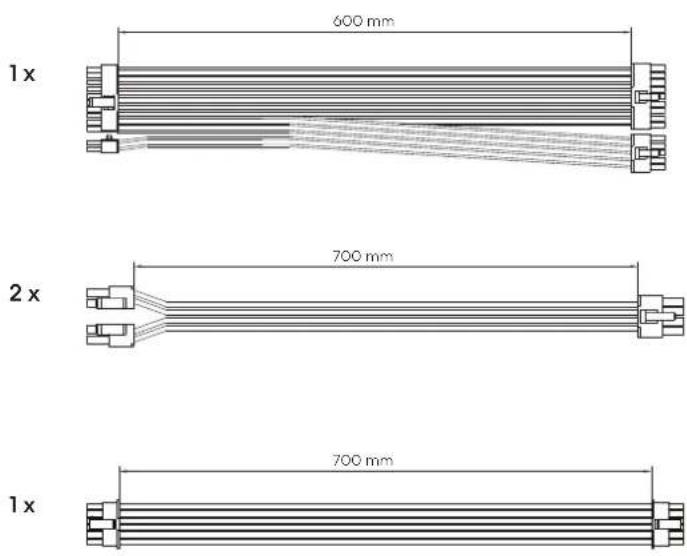
3 x

2x

1x

1x
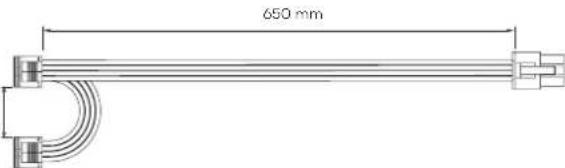
1000W Output Specification
| AC Input交流电输入/交流電輸入 | 200-240V AC 6.5A 50-60 Hz适用于中国地区(for Korea)100-240V AC 13-6.5A 50-60 Hz不适用于中国地区(Not for Korea) | ||||
| DC Output直流输出/直流輸出 | +3.3V | +5V | +12V | -12V | +5VSB |
| 25A | 25A | 83A | 0.3A | 3A | |
| 125W | 996W | 3.6W | 15W | ||
| 1000W | |||||
English
Safety Information
The following information is provided for personal safety, component safety and the correct operation of the PSU:
- Never open the PSU enclosure. The unit can discharge hazardous voltages and there are no user-serviceable components inside.
- Only operate the PSU in safe and dry environments.
- Never insert objects into the fan grille or the open ventilation areas of the PSU.
- Do not modify PSU cables and/or connectors.
- Do not force the connectors. Each connector is shaped to only fit when inserted into the correct socket. Using excessive force to insert a connector into an incompatible socket will cause damage to both the PSU and the attached device.
Installation
If replacing an existing power supply, continue with Section A; if not, skip to Section B.
Part A: Removing the existing PSU
- Disconnect the power cord from the computer and power outlet.
- Open the computer case and disconnect the power cables from all devices.
- Remove the existing PSU from the case.
- Continue with Section B.
Part B: Installing the new Fractal Design PSU
Do not connect the AC power cord to the new PSU before completing steps 1 through 5.
- Mount the PSU in the computer case – refer to the case manual for further instructions.
- Connect the ATX 24-pin cable to the motherboard.
- Connect the ATX12V cable(s) to the CPU.
- Connect all other devices such as graphics cards and storage devices using the appropriate modular power cable(s).
- Connect all modular power cables to the PSU using the appropriately labeled connectors with the matching number of pins. Note: Only use the included cables or cables explicitly approved for use with your PSU. Mixing cables or forcing connectors into incompatible sockets may result in permanent damage.
- Set the Zero RPM Mode to ON for quieter PSU operation under lighter loads, or set it to OFF for fan rotation at all loads.
- Close the computer case.
- Connect the AC power cord and switch the button on the back of the PSU to the ON position.
Congratulations! You have successfully installed your new PSU.
The PSU is now in standby mode and ready to power on via motherboard control.
Troubleshooting
Computer does not start
First, open the computer case and check if the standby LED on the motherboard is lit.
Note: The LED can be in various shapes and in different positions on the motherboard – refer to the motherboard manual for more details.
Motherboard LED is ON
In this case, the PSU is supplying the motherboard with standby power. Several common issues can cause it not to turn on. Please check the following before returning the PSU to the reseller:
- Ensure that the ATX12V cable(s) are connected correctly – consult the motherboard manual for more details.
- Ensure that the case's power button cable is correctly connected to the motherboard – consult the motherboard manual for more details. As a test, connect the two "Power Button" pins on the motherboard to the reset button cable from the case, then push the reset button. This will confirm whether or not the case's power button is working correctly.
- Disconnect all non-essential devices. Leave the PSU, system memory (RAM), CPU and CPU-cooler connected to the motherboard. If the computer starts in this configuration, reconnect the other components one by one to identify the faulty device.
- If possible, connect the PSU to a different PC or hardware set to confirm whether the problem persists.
Motherboard LED is OFF
In this case, the motherboard may be faulty or not receiving standby power from the PSU. Please check the following before assuming that the PSU is faulty and returning it to the reseller:
- Ensure that the main power cord is connected to both the PSU and to a live power source. Check the power outlet with another electric device, such as a lamp, to ensure that it provides power.
- Ensure that the switch on the back of the PSU is in the ON position (marked "I").
- Disconnect and reconnect the ATX power cables attached to the motherboard.
- If possible, connect the PSU to the PSU tester or a different motherboard to try and confirm whether the PSU or the motherboard is faulty. For PSU tester usage go to "support.fractal-design.com".
Computer powers on but then immediately turns off
Refer to the same troubleshooting steps as for the "Motherboard LED is ON" section above.
Power supply is noisy
All Fractal Design power supplies have been developed with low noise levels as a high priority. PSUs are typically never completely silent, however PSU noise should be barely perceptible with the computer case closed.
Mechanical noise / Fan noise
Fans generally get louder with time and wear, and this is not typically cause for a warranty claim. However, if the fan is excessively noisy on a brand-new power supply, please contact the reseller. Note: Over time dust can accumulate on the fan grille and produce excessive noise - clear the accumulation using a can of compressed air.
Electrical noise / humming / coil whine
Typically, electrical noise is caused by the sum of interference from interactions between several components, such as between the power supply and the VRM modules on a graphics card. However, this noise may occur only at certain load combinations and can often be mitigated by making slight changes to the power load.
Please try altering the following settings before returning your power supply to your reseller:
- Power saving features of the CPU and motherboard, such as C1E (Enhanced Halt State) and EIST (Enhanced Intel SpeedStep® Technology) – refer to the motherboard manual for more details on which features the motherboard supports and how to change their settings.
- Graphics card driver options, including the "vsync" option – refer to the graphics card manual for instructions on how to changes these settings.
If the noise level is not reduced after adjusting power load settings, Fractal Design considers loud electrical noise an acceptable cause for a warranty claim.
Limited Warranty and Limitation of Liability
This product is guaranteed for 120 months from the date of delivery to end-user, against defects in materials and/or workmanship. Within this limited warranty period, the product will either be repaired or replaced at Fractal Design's discretion.
Warranty claims must be returned to the agent who sold the product, shipping prepaid.
This warranty does not cover:
- Products which have been used for rental purposes, misused, handled carelessly or applied in such a way that is not in accordance with its stated intended use.
- Products damaged from an Act of Nature including, but not limited to, lightning, fire, flood and earthquake.
- Products whose serial number sticker has been tampered with or removed.
- Products which have not been installed in accordance to the user manual.
- Products that have been operated above or below the nominal voltage.
- Products damaged by wear and tear from normal use.
Fractal Design's maximum liability is limited to the current market value of the product (depreciated value, excluding shipping, handling, and other fees), Fractal Design shall not be liable for any other damage or loss, including but not limited to loss of profit, revenue, or data, or incidental or consequential damage, even if Fractal Design has been advised of the possibility of such damages.
For Assistance, Please Contact

Go to "support.fractal-design.com"


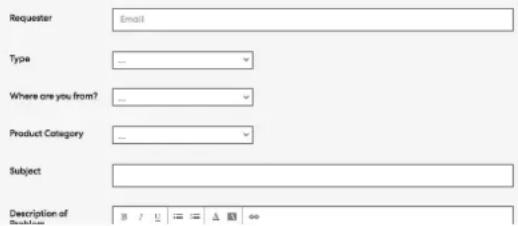
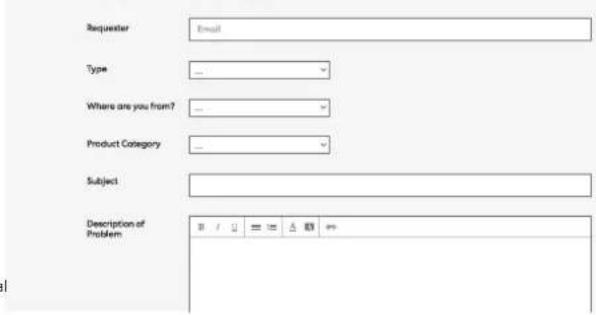
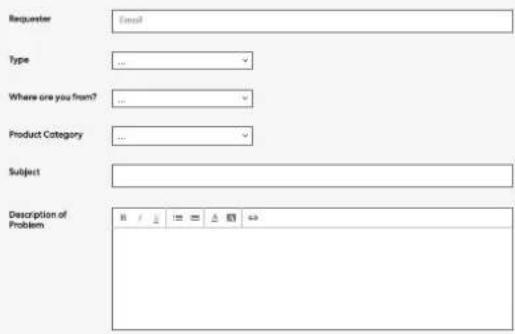
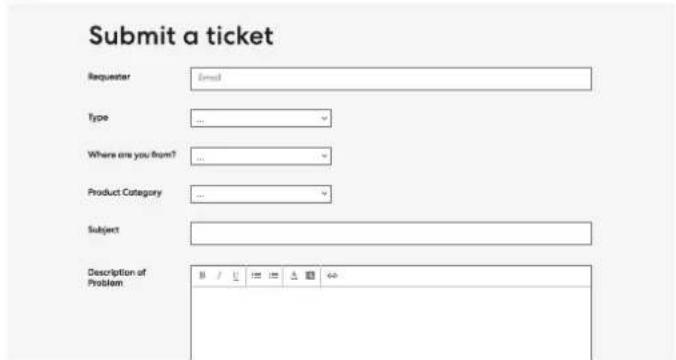
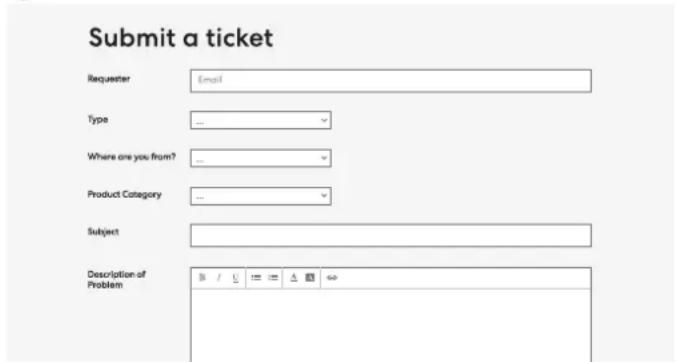
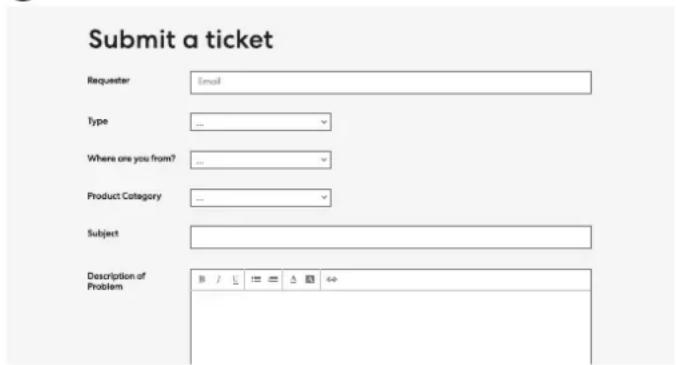
Fill in ticket request and submit
Submit a ticket

Environmental notice
For environment protection do not dispose of in household waste, but for recycling take to electric waste collection points provided in your country.
Federal Communication Commission Interference Statement
This device complies with Part 15 of the FCC Rules. Operation is subject to the following two conditions: (1) This device may not cause harmful interference, and (2) this device must accept any interference received, including interference that may cause undesired operation.
This equipment has been tested and found to comply with the limits for a Class B digital device, pursuant to Part 15 of the FCC Rules. These limits are designed to provide reasonable protection against harmful interference in a residential installation. This equipment generates, uses and can radiate radio frequency energy and, if not installed and used in accordance with the instructions, may cause harmful interference to radio communications. However, there is no guarantee that interference will not occur in a particular installation.
If this equipment does cause harmful interference to radio or television reception, which can be determined by turning the equipment off and on, the user is encouraged to try to correct the interference by one of the following measures:
- Reorient or relocate the receiving antenna.
- Increase the separation between the equipment and receiver.
- Connect the equipment into an outlet on a circuit different from that to which the receiver is connected.
- Consult the dealer or an experienced radio/TV technician for help.
FCC Caution: Any changes or modifications not expressly approved by the party responsible for compliance could void the user's authority to operate this equipment.
This transmitter must not be co-located or operating in conjunction with any other antenna or transmitter.

[EN]
This Class B digital apparatus meets all requirements of the Canadian Interference-Causing Equipment Regulations.
CAN ICES (B) / NMB (B)
[FR]
![Fractal Design Ion 3 Gold 750W - [FR] - 1](/content/2026/05/753454/images/35fa007c88a1997a72f274a734b73ac3ca8d1bf0290a4b21f6da84aec23244a4.jpg)
Umwelthinweis




Aviso medioambiental
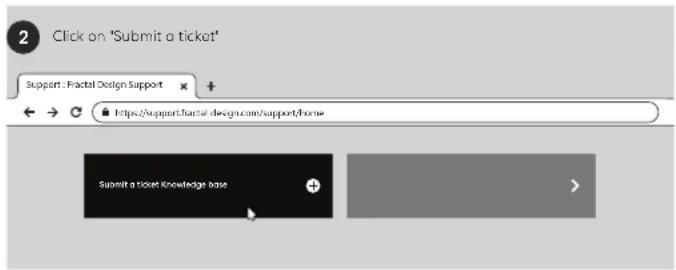
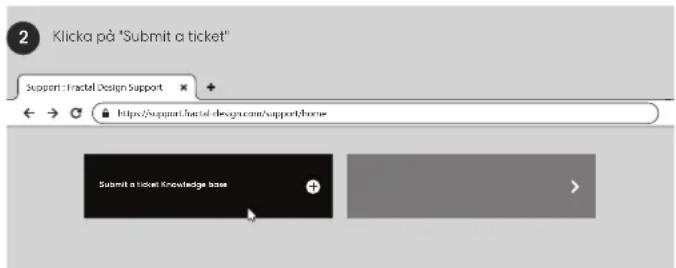
1 Go to 'support.fractal-design.com'

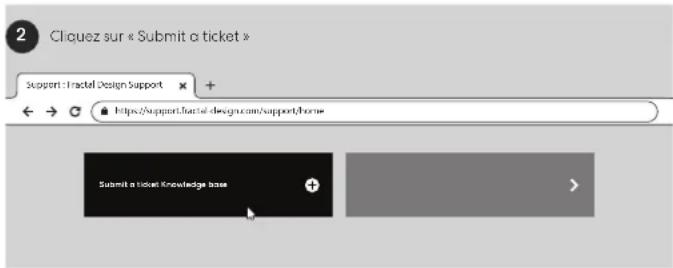
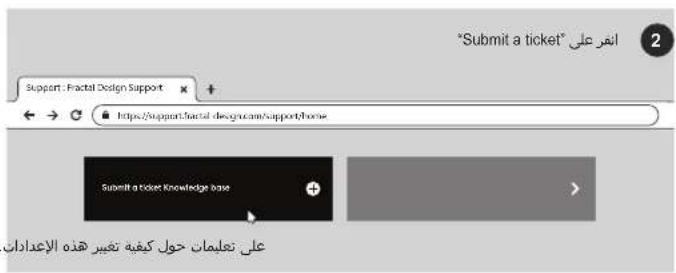
2 Click on "Submit a ticket"


3 Fill in ticket request and submit
保証
Submit a ticket
繁體中文
Traditional Chinese
安全資訊

填寫表單內容並送出
Submit a ticket
備考1.“超出0.1wt%”及“超出0.01wt%”係指限用物質之百分比含量超出百分比含量基準值
Note 1.: "Exceeding 0.1 wt %" and "indicate that the percentage content of the restricted substance exceeds the reference percentage value of presence condition.
備考2. "O"係指該項限用物質之百分比含量未超出百分比含量基準值。
Note 2. "O" indicates that the percentage content of the restricted substance does not exceed the percentage of reference value of presence.
備考3. “-”係指該項限用物質為排除項目。
Note 3: The "-"indicates that the restricted substancecorresponda to the example.
简体中文
Simplified Chinese
安全信息
访问"support.fractal-design.com"


点击"Submit a ticket"


请填写支持请求并提交
Svenska
Swedish


Miljöinformation




Notificare de mediu







2
3

Ekološka napomena
Radi zaštite okoliša nemojte odlagati u kućni otpad, već odnesite na mjesta za prikupljanje električnog otpada u vašoj zemlji.
Indonesia
Indonesian
LED Motherboard Mati
Kunjungi "support.fractal-design.com




Italiano
Italian



Avviso ambientale
Aceda a "support.fractal-design.com"
New Tab
support.fractal-design.com
Support: Fractal Design Support
https://support.fractal-design.com/support/home
Preencha o pedido no 'ticket' e envie
Aviso ambiental



관련 항목들을 작성해 제출합니다.
"support.fractal-design.com" adresini ziyaret edin




Çevre uyanısı
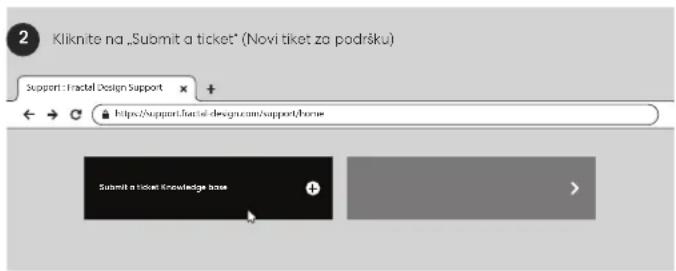

Popunite zahtev i pošaljite ga
Polski
Polish
Bezpieczeństwo


THANK YOU FOR CHOOSING

Fractal

Fractal
© Fractal Design, All rights reserved.
Fractal Design, the Fractal Design logotypes, product names and other specific elements are trademarks of Fractal Design, registered in Sweden.
Other product and company names mentioned herein may be trademarks of their respective companies. Contents and specifications as described or illustrated are subject to change without notice.
Fractal Gaming AB,
Victor Hasselblads Gata 16A,
S-421 31, Västra Frölunda, Sweden
Represented by:
Authorised Rep Compliance Ltd.
ARC House
Thurnham
Lancaster
LA2 ODT
Designed in Sweden
fractal-design.com
UK

- INTRODUCTION
- CONNECTORS & OUTPUTS
- SAFETY INFORMATION, INSTALLATION & TROUBLESHOOTING, SUPPORT
- GENERAL SPECIFICATION
- PACKAGE CONTENTS
- DC CONNECTORS AND PINOUT
- ATX 24-PIN [20+4] ATX12V [4+4]
- PCI-E 8-PIN [6+2]
- SATA
- 12V-2×6
- PERIPHERAL
- ZERO RPM
- ION 3 GOLD 750W
- ION 3 GOLD 850W
- ION 3 GOLD 1000W
- ENGLISH
- SAFETY INFORMATION
- INSTALLATION
- TROUBLESHOOTING
- COMPUTER DOES NOT START
- MOTHERBOARD LED IS ON
- MOTHERBOARD LED IS OFF
- COMPUTER POWERS ON BUT THEN IMMEDIATELY TURNS OFF
- POWER SUPPLY IS NOISY
- MECHANICAL NOISE / FAN NOISE
- ELECTRICAL NOISE / HUMMING / COIL WHINE
- LIMITED WARRANTY AND LIMITATION OF LIABILITY
- FOR ASSISTANCE, PLEASE CONTACT
- ENVIRONMENTAL NOTICE
- FEDERAL COMMUNICATION COMMISSION INTERFERENCE STATEMENT
- [EN]
- [FR]
- UMWELTHINWEIS
- AVISO MEDIOAMBIENTAL
- 繁體中文
- 安全資訊
- 简体中文
- 安全信息
- SVENSKA
- MILJÖINFORMATION
- EKOLOŠKA NAPOMENA
- INDONESIA
- LED MOTHERBOARD MATI
- ITALIANO
- AVVISO AMBIENTALE
- AVISO AMBIENTAL
- ÇEVRE UYANISI
- POLSKI
- BEZPIECZEŃSTWO
- FRACTAL
Brand : Fractal Design
Model : Ion 3 Gold 750W
Category : PC Power Supply