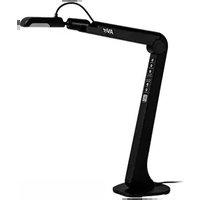
AVerVision M5 - Scanner AVERMEDIA - Free user manual and instructions
Find the device manual for free AVerVision M5 AVERMEDIA in PDF.


| Product Type | Document scanner and visualizer |
| Brand | AVerMedia |
| Model | AVerVision M5 |
| Sensor | CMOS 1/3.2 inch, 8 megapixels |
| Maximum Resolution | 3264 x 2448 pixels |
| Maximum Frame Rate | 60 fps (1920x1080), 15 fps (3264x2448) |
| Field of View | Up to A3 (420 x 315 mm) |
| Digital Zoom | Up to 16x |
| Focus | Automatic (button) / Manual (software) |
| Built-in LED light | Yes, 3 adjustable levels + off |
| Built-in microphone | Yes |
| Connectivity | USB 2.0 (power and data) |
| Power | USB 2.0, 5 V / 0.5 A |
| Power consumption | 1.7 W (light on), 1.3 W (light off) |
| Operating dimensions | 313.4 x 108.6 x 370.0 mm |
| Folded dimensions | 115.9 x 108.6 x 323.6 mm |
| Net weight | 0.78 kg |
| Gross weight | 1.1 kg |
| Included software | AVerTouch |
| Operating conditions | Temperature 0 to +40°C, humidity 10 to 90% |
| Storage conditions | Temperature -30 to +60°C, humidity 10 to 90% |
| Included accessories | USB cable, warranty card |
| Safety | Do not expose to water, do not force the mechanical arm |
| Maintenance | Clean with a soft, dry cloth |
Frequently Asked Questions - AVerVision M5 AVERMEDIA
User questions about AVerVision M5 AVERMEDIA
0 question about this device. Answer the ones you know or ask your own.
Ask a new question about this device
Download the instructions for your Scanner in PDF format for free! Find your manual AVerVision M5 - AVERMEDIA and take your electronic device back in hand. On this page are published all the documents necessary for the use of your device. AVerVision M5 by AVERMEDIA.
USER MANUAL AVerVision M5 AVERMEDIA
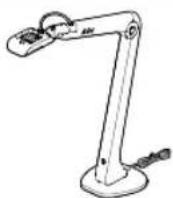
AVerVision M5 Document Camera
Quick Start Guide | 快速安装指南
M5 Unit Warranty Card
Optional Accessories
Carrying Bag Anti-glare Sheet

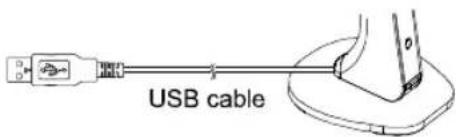
Connecting the M5 to a PC/Laptop
Desktop
Laptop
Software, FAQ, Training Videos
To download AVerTouch software, and check out frequently asked questions and training videos, please go to:
Global: https://www.aver.com/download-center
Europe: https://www.avereurope.com/download-center
Overview
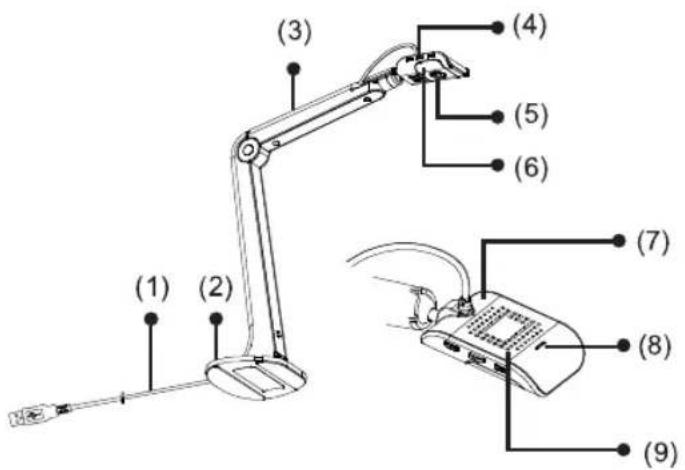
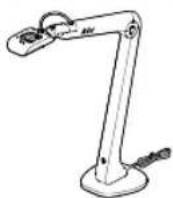
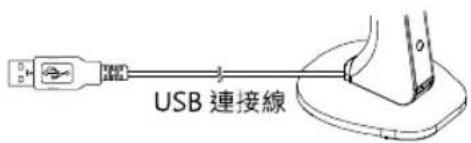
(1) USB 2.0 Cable
(2) Stand Base
(3) Mechanical Arm
(4) Capture/AF/LED Lamp Buttons
 | ■ Press for 1 second to capture a still image via AVerTouch.■ Press and hold 3 seconds to start recording via AVerTouch. To stop recording, press and hold 3 seconds again via AVerTouch. |
 | ■ Press for 1 second to automatically adjust the focus. |
 | ■ Press for 1 second to adjust the LED lamp brightness.1st press: lamp on (level 1). 2nd press: lamp on (level 2).3rd press: lamp on (level 3). 4th press: lamp off.■ Press and hold 3 seconds to rotate 180° . |
| Press together for 1 second to freeze via AVerTouch. |
(5) Camera Lens
(6) LED Lamp
(7) Camera Head
(8) LED Status Indicator – solid green indicates power on.
(9) Built-in Mic
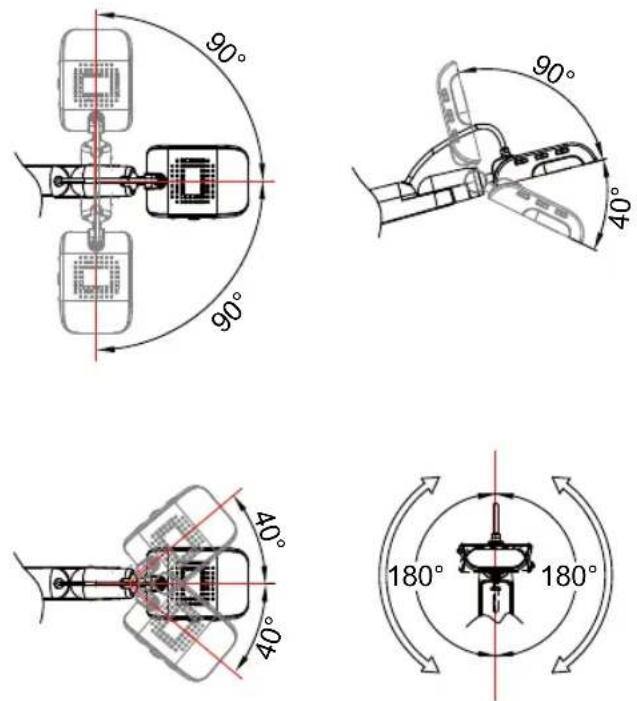
Camera Head Angle
Move the camera head as figure shown.
[CAUTION] To avoid damage the camera head, hold the edge of the camera head to rotate the camera head.
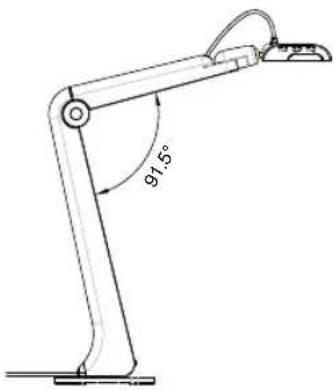
Camera Body Angle
[CAUTION] To avoid damage the camera unit, DO NOT pull the arm angle over 91.5°.
English-4
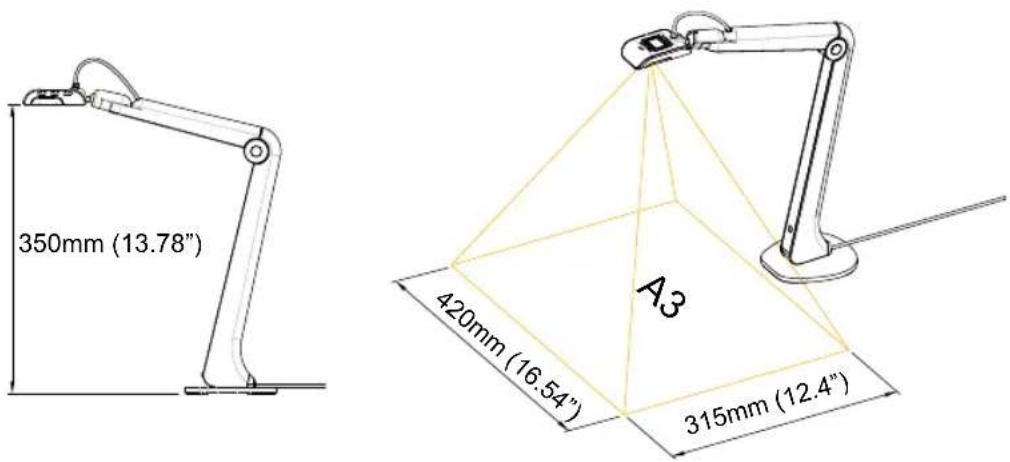
Shooting Area
When camera position is 350mm (13.78") high, the shooting area will be A3 size.
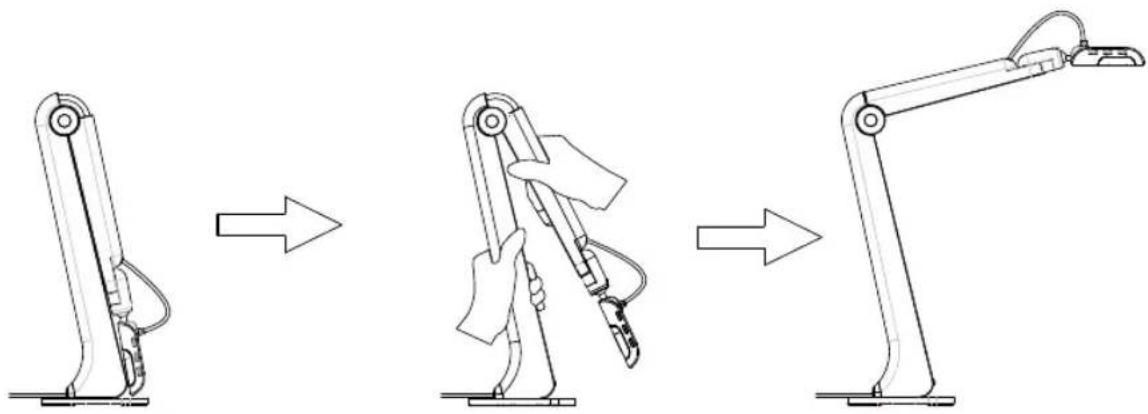
Unfold the Camera
[CAUTION] To avoid damage the camera head, DO NOT grab the camera head to unfold the camera.
Specification*
| Image Sensor 1/3.2" CMOS | |
| Pixel Count 8 megapixels | |
| Frame Rate | Max. 60fps @1920x1080Max. 15fps @3264x2448 |
| Output Resolution | 3264x2448, 1920x1080, 1280x1024, 1280x720, 1024x768, 800x600, 640x480, 640x360, 320x240, 320x184, 320x180 |
| Focus Auto (button)/Manual (via software) | |
| Shooting Area | Larger than A3 420mm x 315mm (16.53" x 12.4") |
| Zoom | 16X Digital Zoom (via software) |
| Power Source | USB 2.0, 5V/0.5A |
| Consumption | 1.7Watts (lamp on)1.3Watts (lamp off) |
| Operating Conditions | Temperature: 0°C to +40°C (+32°F to +104°F)**Humidity: 10% to 90% |
| Storage Conditions | Temperature: -30°C to +60°C (-22°F to +140°F)Humidity: 10% to 90% |
| Lamp Type LED | |
| USB | USB 2.0 (for power and computer connectivity) |
| Mic Built-in | |
| Operating(L x W x H) | 313.4mm x 108.6mm x 370.0mm (12.34" x 4.28" x 14.57") |
| Folded (L x W x H) | 115.9mm x 108.6mm x 323.6mm (4.56" x 4.28" x 12.74") |
| Net Weight 0.78kg (1.72lbs) | |
| Gross Weight 1.1kg (2.42lbs) | |
| Software AVerTouch | |
* Specifications are subject to change without prior notice.
** It is suggested that the operating temperature should between 0°C and +35°C (32°F and +95°F) when LED lamp is on.
WARNING
■ To reduce the risk of fire or electric shock, do not expose this appliance to rain or moisture. Warranty will be void if any unauthorized modifications are done to the product.
■ Do not drop the camera or subject it to physical shock.
■ Use the correct power supply voltage to avoid the damaging camera.
■ Do not place the camera where the cord can be stepped on as this may result in fraying or damage to the lead or the plug.
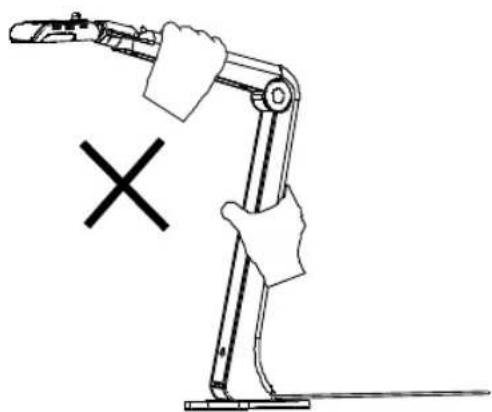
- Hold the bottom of the camera with both hands to move the camera. Do not grab the lens or arm to move the camera.
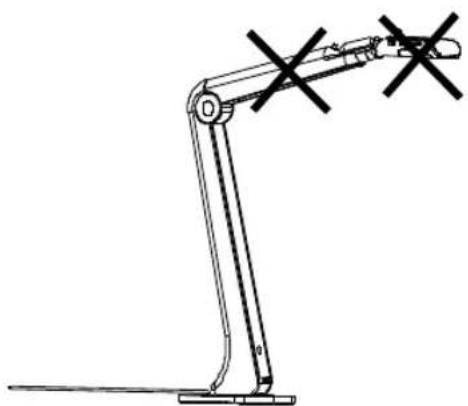
■ Do not pull the camera arm and camera part in the opposite direction.
English-7
COPYRIGHT
©2021 AVer Information Inc. All rights reserved.
Contact Information
Global
AVer Information Inc.
https://www.aver.com
8F, No.157, Da-An Rd., Tucheng Dist., New Taipei City
23673, Taiwan
Tel: +886 (2) 2269 8535
European Headquarters
AVer Information Europe B.V.
https://www.avereurope.com
Westblaak 134, 3012 KM, Rotterdam, The Netherlands
Tel: +31 (0) 10 7600 550
Technical support: eu.rma@aver.com
包装内容物
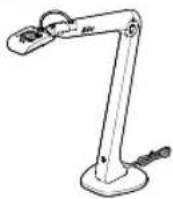
M5 機體 保固卡
選購配件
提袋 防眩光片

連接電腦
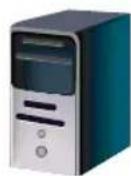
桌上型電腦
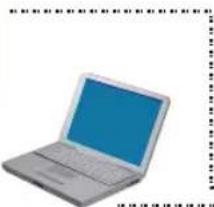
筆記型電腦
軟體、技術問題、訓練影片
繁體中文-11
拍攝範圍
規格*
著作權
©2021 圓展科技 版權所有
連絡資訊
圆展科技股份有限公司
https://www.aver.com
新北市236土城區大安路157號8樓
電話:(02) 2269-8535
| 單元Unit | 限用物質及其化學符號 | |||||
| 鉛Lead(Pb) | 汞Mercury(Hg) | 鎘Cadmium(Cd) | 六價鉻Hexavalent chromium( Cr+6 ) | 多溴聯苯Polybrominated biphenyls(PBB) | 多溴二苯醚Polybrominated diphenyl ethers(PBDE) | |
| 電路板及零組件(電子料或電機料...等) | - | ○ | ○ | ○ | ○ | ○ |
| 塑膠組件(外殼或導電泡棉...等) | ○ | ○ | ○ | ○ | ○ | ○ |
| 金屬組件(鐵殼或鐵條或螺柱...等) | - | ○ | ○ | ○ | ○ | ○ |
| 配件(電源供應器或遙控器或電纜線...等) | - | ○ | ○ | ○ | ○ | ○ |
| 紙製品及包裝件(紙盒或手冊或泡殼...等) | ○ | ○ | ○ | ○ | ○ | ○ |
| 備考1.“超出0.1 wt %”及“超出0.01 wt %”係指限用物質之百分比含量超出百分比含量基準值。Note 1:“Exceeding 0.1 wt %” and “exceeding 0.01 wt %” indicate that the percentage content of the restricted substance exceeds the reference percentage value of presence condition.備考2.“○”係指該項限用物質之百分比含量未超出百分比含量基準值。Note 2:“○” indicates that the percentage content of the restricted substance does not exceed the percentage of reference value of presence.備考3.“-”係指該項限用物質為排除項目。Note 3:The "-" indicates that the restricted substance corresponds to the exemption. | ||||||
パッケージ内容
カメラ本体
保証書
オプション販売品
キャリーバッグ
反射防止シート
書画カメラ M5 とパソコンとの接続
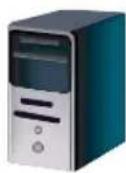
デスクトップ
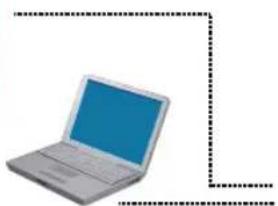
ノートパソコン
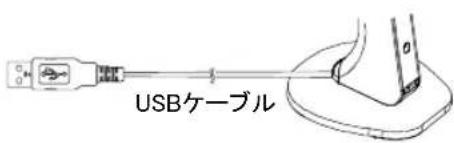
ソフトウェア、FAQ、よくある質問
撮影範囲
製品仕様*
日本語-21
VCCI-B
©2021 AVer Information Inc. All rights reserved.
連絡先
アバー・インフォメーション株式会社
https://jp.aver.com
Laptop
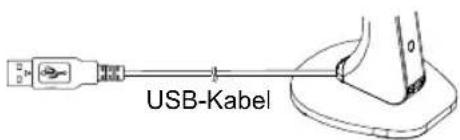
Software, FAQ, Training Videos
Deutsch-25
Aufnahmebereich
Technische Daten*
Deutsch-28
COPYRIGHT
Westblaak 134, 3012 KM, Rotterdam, The Netherlands
Tel: +31 (0) 10 7600 550
Champ de vision
Caractéristiques*
COPYRIGHT
Westblaak 134, 3012 KM, Rotterdam, The Netherlands
Tel: +31 (0) 10 7600 550
Assistance technique: eu.rma@aver.com
Área de disparo
Especificaciones*
Español-42
COPYRIGHT
Westblaak 134, 3012 KM, Rotterdam, The Netherlands
Tel: +31 (0) 10 7600 550
Italiano-46
Area di ripresa
Aprire la telecamera
COPYRIGHT
Westblaak 134, 3012 KM, Rotterdam, The Netherlands
Tel: +31 (0) 10 7600 550
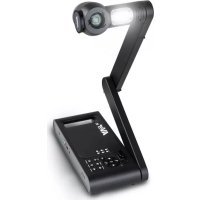
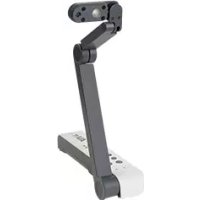
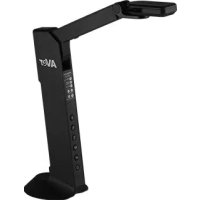
- AVERVISION M5 DOCUMENT CAMERA
- OPTIONAL ACCESSORIES
- CONNECTING THE M5 TO A PC/LAPTOP
- SOFTWARE, FAQ, TRAINING VIDEOS
- OVERVIEW
- CAMERA HEAD ANGLE
- CAMERA BODY ANGLE
- SHOOTING AREA
- UNFOLD THE CAMERA
- WARNING
- COPYRIGHT
- CONTACT INFORMATION
- GLOBAL
- EUROPEAN HEADQUARTERS
- 包装内容物
- 選購配件
- 連接電腦
- 軟體、技術問題、訓練影片
- 拍攝範圍
- 著作權
- 連絡資訊
- パッケージ内容
- オプション販売品
- 書画カメラ M5 とパソコンとの接続
- ソフトウェア、FAQ、よくある質問
- 撮影範囲
- 連絡先
- AUFNAHMEBEREICH
- CHAMP DE VISION
- ÁREA DE DISPARO
- AREA DI RIPRESA
- APRIRE LA TELECAMERA
Brand : AVERMEDIA
Model : AVerVision M5
Category : Scanner