FRITZ!DECT 440 - Thermostat AVM - Free user manual and instructions
Find the device manual for free FRITZ!DECT 440 AVM in PDF.


| Product type | Connected thermostat (temperature and humidity sensor) |
| Brand | AVM |
| Model | FRITZ!DECT 440 |
| Dimensions (L x H x D) | 69 x 69 x 18 mm |
| Weight | 75 g |
| Power supply | 2 AAA batteries (non-rechargeable, alkaline) |
| Radio standard | DECT-ULE |
| Frequency range | 1880 – 1900 MHz |
| Range (indoor) | Up to 40 m |
| Max. transmission power | 250 mW |
| Operating temperature | 10 °C to 40 °C |
| Operating humidity | Dry indoor, no condensation |
| Display | Temperature and relative humidity (RH) |
| Main functions | Control of smart home devices (thermostats, bulbs, sockets), guest Wi-Fi activation, answering machine, scenarios, temperature/humidity measurement |
| Registration on FRITZ!Box | Via Menu button and Connect/DECT button on FRITZ!Box |
| Configuration | Web interface http://fritz.box, menu Home Automation > Devices and Groups |
| Mounting | Wall mounting (screws or adhesive patch provided) |
| Maintenance and cleaning | Damp cloth, no liquid, no abrasive products |
| Safety | Magnets on the back: avoid contact with pacemakers, magnetic cards; batteries: observe polarity, do not mix, remove empty batteries, use recommended batteries |
| Recommended batteries | Varta Industrial Pro AAA, Varta Longlife Max Power AAA, GP Super Alkaline LR03, Duracell Industrial AAA (no zinc-carbon batteries) |
Frequently Asked Questions - FRITZ!DECT 440 AVM
User questions about FRITZ!DECT 440 AVM
0 question about this device. Answer the ones you know or ask your own.
Ask a new question about this device
Download the instructions for your Thermostat in PDF format for free! Find your manual FRITZ!DECT 440 - AVM and take your electronic device back in hand. On this page are published all the documents necessary for the use of your device. FRITZ!DECT 440 by AVM.
USER MANUAL FRITZ!DECT 440 AVM
Installation and Operation

DEUTSCH 3
ENGLISH 15
FRANÇAIS 27
ESPAÑOL 39
ITALIANO 51
NEDERLANDS 63
Lieferumfang
natural_image
Gray square button with a red downward arrow, no text or symbols present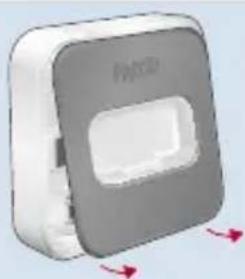
natural_image
3D rendered image of a gray rectangular device with a white central cutout and red directional arrows indicating motion (no text or symbols)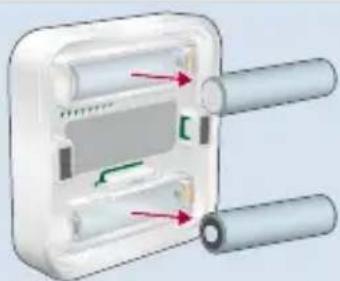
natural_image
Diagram of a device with two cylindrical components and internal components, no visible text or symbolsZurücksetzen
Illustration Number and Name
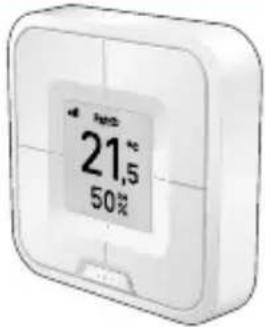 | 1 FRITZ!DECT 440 |
 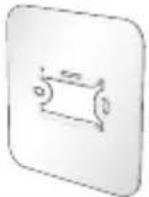 | 1 Wall mount |
 | 1 Adhesive strip |
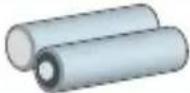 | 2 AA batteries (installed) |
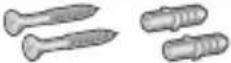 | 2 Screws and dowels |
no illustration 1 Booklet
Safety instructions

Explosion hazard! Injuries caused by explosion or burns through inappropriate handling of the batteries. Do not attempt to load, short-circuit, or disassemble the batteries!
- Do not use rechargeable batteries!
Rechargeable batteries usually have a higher internal resistance and often supply lower voltages. This can result in an incorrect estimation of battery life, reduced service life and erroneous battery warnings.
- Use high-quality batteries!
Varta Industrial Pro AAA, Varta Longlife Max Power AAA, GP Super Alkaline LR03, or Duracell Industrial AAA are suitable. Zinc carbon batteries are not suitable for operating FRITZ!DECT 440!
• Make sure that the batteries are inserted with the poles in the correct position!
- Remove dead batteries from FRITZ!DECT 440 as soon as possible.
- Do not mix used and new batteries.
- Keep batteries away from children and avoid contact with skin, eyes, and mucuous membranes. Should you come in contact with battery acid, rinse immediately with clear water and consult a doctor.
- Only use FRITZ!DECT 440 indoors.
- Operate FRITZ!DECT 440 in a dry place that is free of dust.
- Do not expose FRITZ!DECT 440 to contact with liquids.
- Clean the device using a moist cloth.
- FRITZ!DECT 440 has magnets on the back. Avoid contact with pacemakers, magnetic stripe cards, and magnetic data storage media.
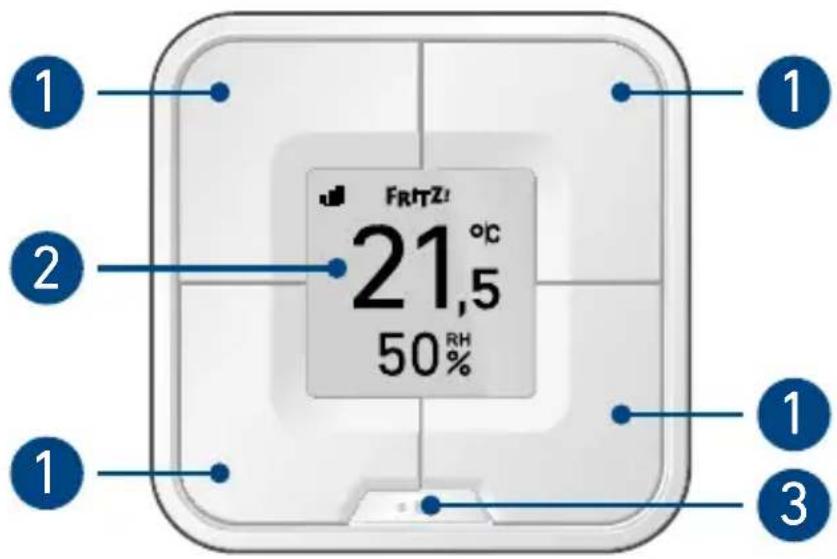
Overview of Devices
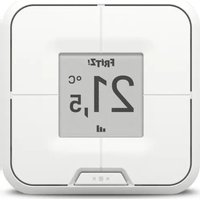
- Buttons (assignable)
- Screen with temperature, humidity, and connection display
- Menu button with LED
| Prerequisite | FRITZ!Box with DECT and FRITZ!OS 7.50 or newer |
| Function | Operating Smart Home devices•Radiator controls (FRITZ!DECT 300/301/302)•LED lights and smart plugs (FRITZ!DECT 500/210/200)•Scenes and templates |
| Display temperature and humidity | |
| Switch Wi-Fi guest access on/off | |
| Switch answering machine on/off |
Register
-
Press the Menü button to start registration.
-
Press the Connect button on your FRITZ!Box
or
Press the DECT button on your FRITZ!- Box and hold it down for 6 seconds.
- If registration was successful, the symbol appears.
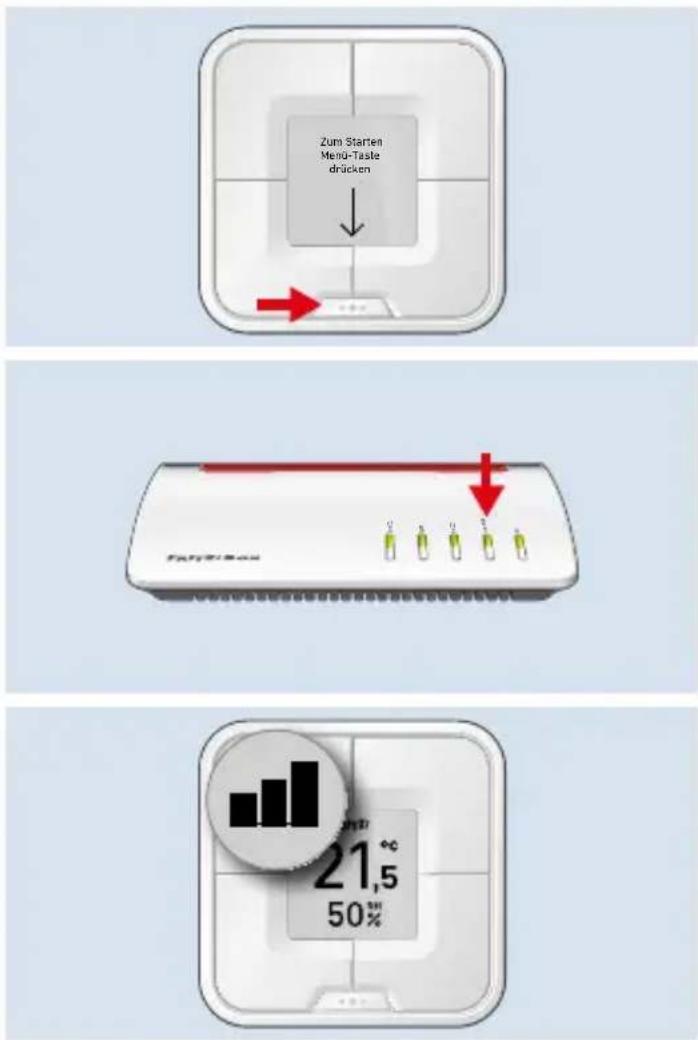
FRITZ!DECT 440 is ready for operation and can be configured.
Install
Screw Stick
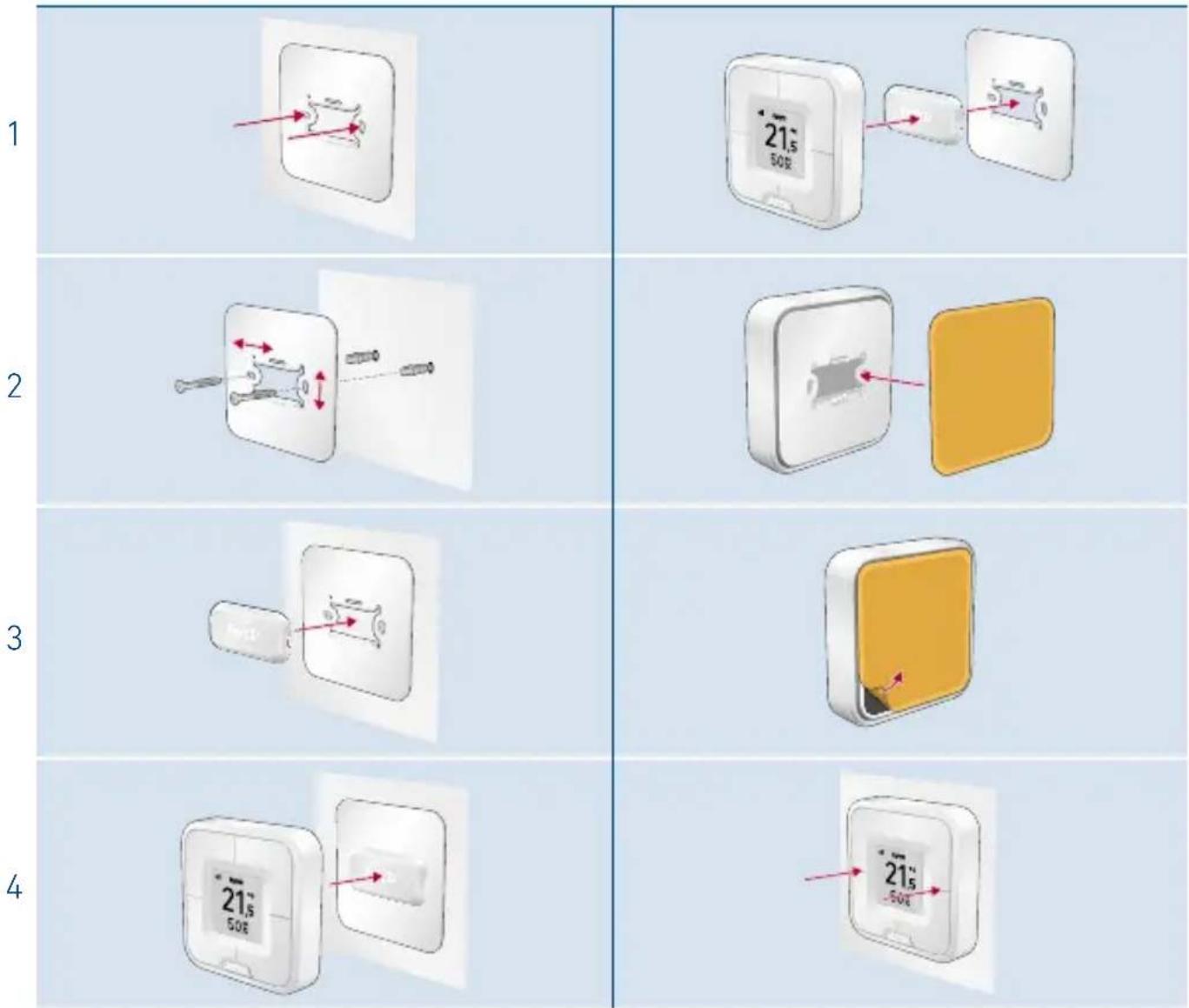
Menu
Use the Menu button to switch between displays or to open the menu.
| Switch displays | Press theMenübutton.FRITZ!DECT has 4 displays. One display for the temperature and 3 displays you can configure freely. |
| Open the menu | Press theMenübutton and hold it down for 2 seconds.In the menu you can rest FRITZ!DECT 440, start registration, or open information on the version. |
Connect again
If you would like to reconnect FRITZ!DECT 440 or register it with another FRITZ!Box, proceed as follows:
- Press the Menü button and hold it down for 2 seconds.
- Press the button with the Anmeldung (Register) display.
- Press the Connect button on your FRITZ!Box
or
Press the DECT button on your FRITZ!Box and hold it down for 6 seconds.
The connection will be established.
Configure
- Open a web browser and enter http://fritz.box.
The FRITZ!Box user interface appears. - Open the Smart Home > Devices and Groups menu.
- Click on 📋 behind your FRITZ!DECT 440.
- Under Button Assignments, click on + in an empty display.
- Select the Smart Home devices or function you would like to operate.
- Click on Next and follow the wizard's instructions.
http://fritz.box
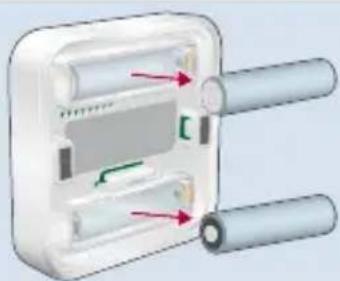
Change Batteries
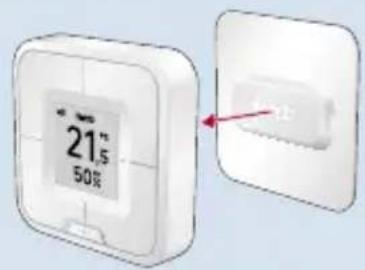
- Remove FRITZ!DECT 440 from the wall mount.
- Press the button on the back of FRITZ!-DECT 440 to open it.
- Remove the back panel.
- Replace the dead batteries with new batteries. Please note the "Safety instructions" on page 16.
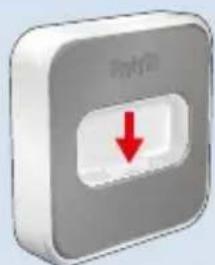
natural_image
Gray square button with a red downward arrow, no text or symbols present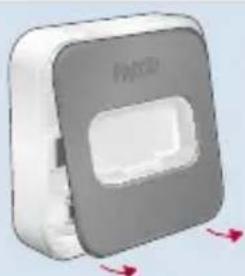
natural_image
3D rendered image of a gray square device with a white vent and red directional arrows indicating rotation (no text or symbols)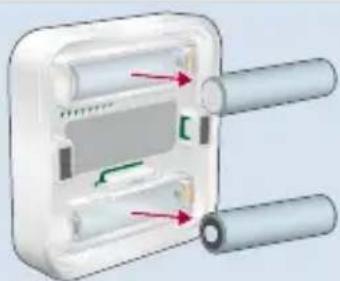
natural_image
Diagram of a device with two cylindrical components and internal components, no visible text or symbolsReset
If you would like to reconnect FRITZ!DECT 440 or register it with another FRITZ!Box, proceed as follows:
- Press the Menü button and hold it down for 2 seconds.
- Press the button with the Reset display.
The factory settings are restored to FRITZ!DECT 440.

After resetting, FRITZ!DECT 440 still appears in the FRITZ!Box user interface under Smart Home > Devices and Groups. Delete FRITZ!DECT 440 there manually if desired; see „Log Off“.
Log Off
- Open a web browser and enter http://fritz.box.
The FRITZ!Box user interface appears. - Open the Smart Home > Devices and Groups menu.
- Click on Delete Device.

appears behind your FRITZ!DECT 440.
- Click on 📋 to delete FRITZ!DECT 440.
FRITZ!DECT 440 is deregistered from the FRITZ!Box.
Help
Display Cause Solution
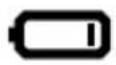 | Battery nearly dead “Change Batteries” on page 22 | |
 | Connection to the FRITZ!Box is disrupted | Reduce the distance to the FRITZ!Box or use it as a FRITZ!DECT Repeater 100. |
 | Humidity too low or too high | For an optimum room climate, make sure that the humidity is between 40 and 60%. |
EU Declaration of Conformity
AVM declares herewith that the device is compliant with directive 2014/53/EU. The full text of the declaration of EU conformity is available at
https://en.avm.de/service/declarations.
CE
Technical Specifications
| Dimensions (W x H x D) | 69 x 69 x 18 mm |
| Weight | 75 g |
| Battery operation | 2 x AAA batteries |
| Wi-Fi standard | DECT ULE |
| Frequency range | 1880 – 1900 MHz |
| Range | up to 40 m (indoors) |
| Transmitter power (max.) | 250 mW |
| Operating temperature | 10 – 40 °C (not in damp locations) |
Contenu du pack
natural_image
Gray square button with a red downward arrow, no text or symbols present.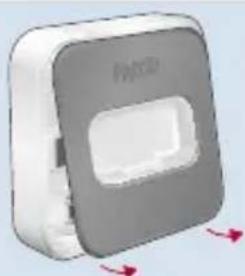
natural_image
3D rendered image of a gray square device with a white vent and red directional arrows indicating rotation (no text or symbols)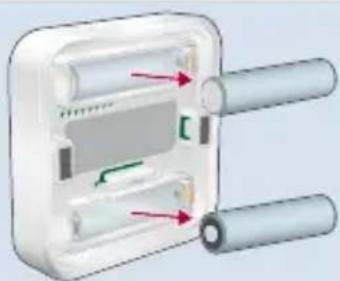
natural_image
Diagram of a device with two cylindrical components and internal components, no visible text or symbolsRéinitialisation
natural_image
Gray square button with a red downward arrow, no text or symbols present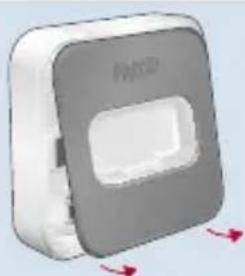
natural_image
3D rendered image of a gray square device with a white vent and red directional arrows indicating rotation (no text or symbols)
natural_image
Diagram of a device with two cylindrical components and internal components, no visible text or symbolsRestablecer
natural_image
Gray square button with a red downward arrow, no text or symbols present.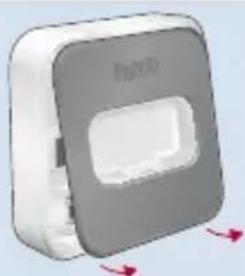
natural_image
3D rendered image of a gray square electronic device with a white vent and red directional arrows (no text or symbols)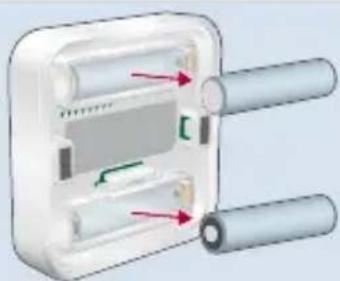
natural_image
Diagram of a mechanical component with two cylindrical parts and internal channels, no visible text or symbolsRipristino
natural_image
Gray square button with a red downward arrow, no text or symbols present.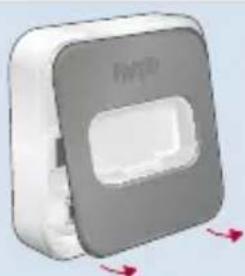
natural_image
3D rendered image of a gray square button with a white vent and red directional arrows (no text or symbols)