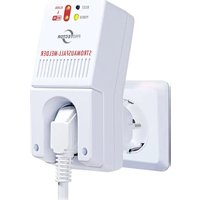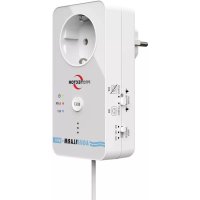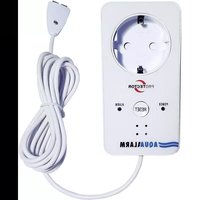
WA-5 - Alarm system Protector - Free user manual and instructions
Find the device manual for free WA-5 Protector in PDF.



| Product Type | Water detector with alarm and device control |
| Brand | Protector |
| Model | WA-5 |
| Power Supply | 230 V~ / 50 Hz, mains plug |
| Max. connected power | 2000 W |
| Sensor cable length | 2 m (shortenable) |
| Main functions | Water detection, adjustable audible alarm, ON/OFF switching of connected device, reset via RESET button |
| Alarm volume | 3 levels (MIN, MED, MAX) |
| Alarm duration | Approximately 2 minutes |
| LED indicators | Power (on/off) and alarm |
| Mounting | Wall or floor, with mounting bracket and screws |
| Housing material | Plastic |
| Safety class | Class 1 |
| Intended use | Indoor only |
| Package contents | Detector with 2 m sensor cable, 2 ring terminals, mounting bracket, user manual |
| Cleaning | Disconnect, clean surface with damp cloth and mild soap; do not use abrasives |
| Warranty | 2 years limited |
| Customer service | Email: service@protector24.de |
Frequently Asked Questions - WA-5 Protector
User questions about WA-5 Protector
0 question about this device. Answer the ones you know or ask your own.
Ask a new question about this device
Download the instructions for your Alarm system in PDF format for free! Find your manual WA-5 - Protector and take your electronic device back in hand. On this page are published all the documents necessary for the use of your device. WA-5 by Protector.
USER MANUAL WA-5 Protector
ABB. 2 WASSER-SENSOR
text_image
Diagram of a white electrical plug with numbered parts labeled 7, 12, 13, and 14ABB. 3
text_image
ABB. 3 14 ca. 5mm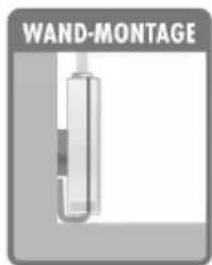
text_image
WAND-MONTAGE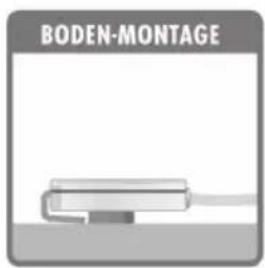
text_image
BODEN-MONTAGEtext_image
FIG. 1 PROVECTOR LOU OF ALARM ① ② ③ ④ ⑤ ⑥ ⑦ ⑧ ⑨ ⑪ ⑩FIG. 2
text_image
Diagram of a white electrical plug with numbered parts labeled 7, 12, 13, and 14FIG. 3
text_image
FIG. 3 14 ca. 5mm
natural_image
Simple line drawing of a vertical U-shaped object with a small rectangular block inside, no text or symbols present.
natural_image
Simple line drawing of a mechanical component or tool with a base and handle (no text or symbols)
Thank you for purchasing the WA-5 water detector. Please read these operating instructions through carefully before initial operation of the device and retain them for any later use.
This water detector is used to switch connected devices (to a maximum of 2000 watts) ON or OFF as soon as the sensor comes into contact with water. Once the water detector has detected water an alarm also sounds.
This water detector is only authorised for indoor use and may not be arranged successively.
Scope of delivery
1x Water detector including 2 m sensor cable and sensor
2x Ring cable lugs
1x Attachment material
1x Instructions
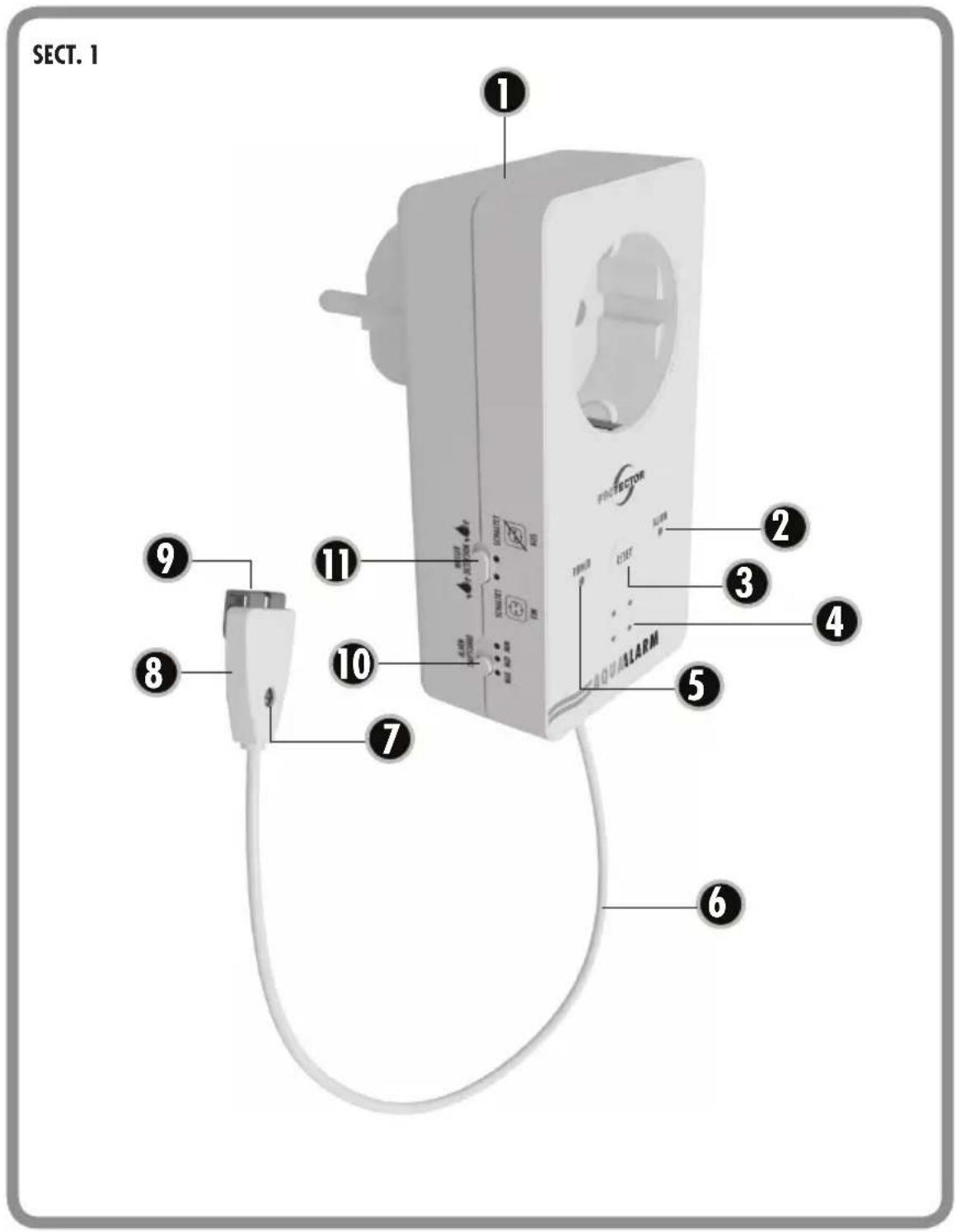
LEGEND
1 = Water detector
2 = ALARM LED
3 = RESET button
4 = Loudspeaker for alarm
5 = Power LED
6 = Sensor cable (2m)
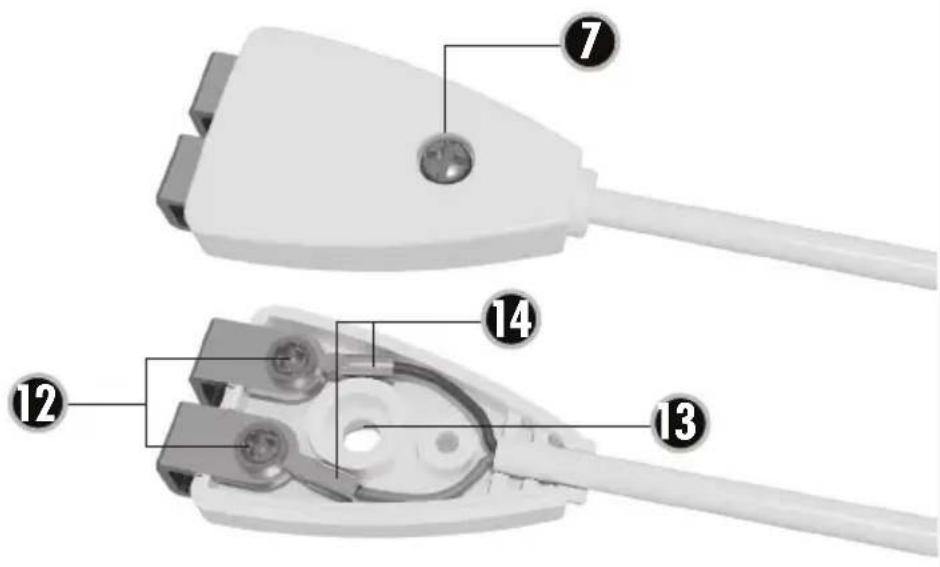
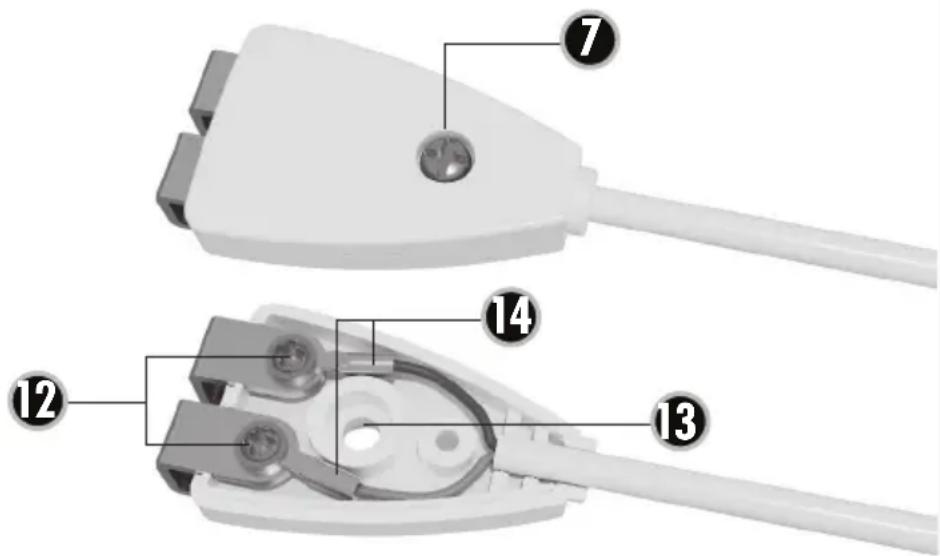
7 = Sensor casing screw
8 = Sensor
9 = Sensor electrode
10 = Alarm volume switch
11 = Function selector switch
12 = Electrode screws
13 = Attachment hole
14 = Ring cable lug
OPERATION
Insert a water detector into a suitable mains socket and connect any device you wish to protect into the socket on the water detector.
Use the slider on the side (11) to select whether a connected device should be switched ON or OFF. As soon as the water detector detects water an alarm will sound for approx. 2 minutes and the socket will switch ON or OFF in accordance with this selector switch. The alarm LED and the socket can only be cancelled using the RESET button. To do this press the button briefly once after the sensor is no longer in contact with water. Then the device can detect water again.
The POWER LED (5) shows whether the socket on the water detector is conducting electricity (LED lights up) or is switched off (LED not lit).
You should check the water detector for function at regular intervals. To do this submerge the sensor electrodes (9) briefly in tap water. If no alarm sounds see the section 'malfunction'.
MOUNTING
The sensor can be opened by removing the screw (7). There is a small hole (13) on the back of the sensor so that the sensor can be mounted at its

location using a small screw. You should select the mounting location in such a way that any water can be detected as quickly as possible. The two sensor electrodes (9) should be just above the floor.
Adjusting the sensor cable (figures 2 + 3)

NOTE: disconnect the water detector from the socket before shortening the cable.
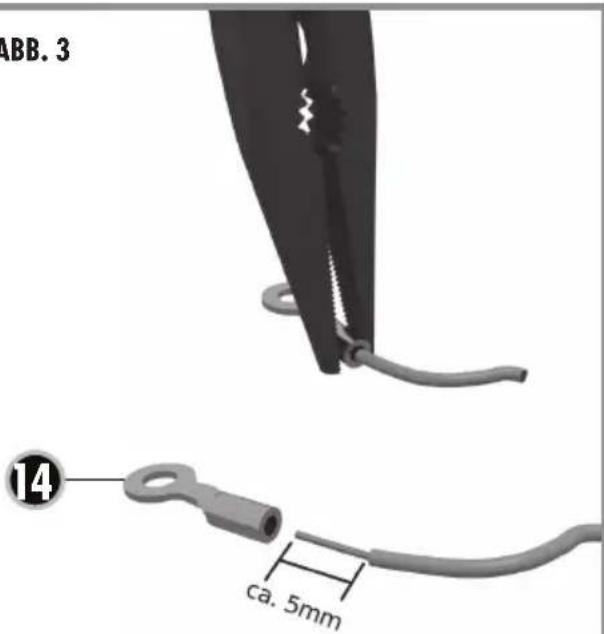
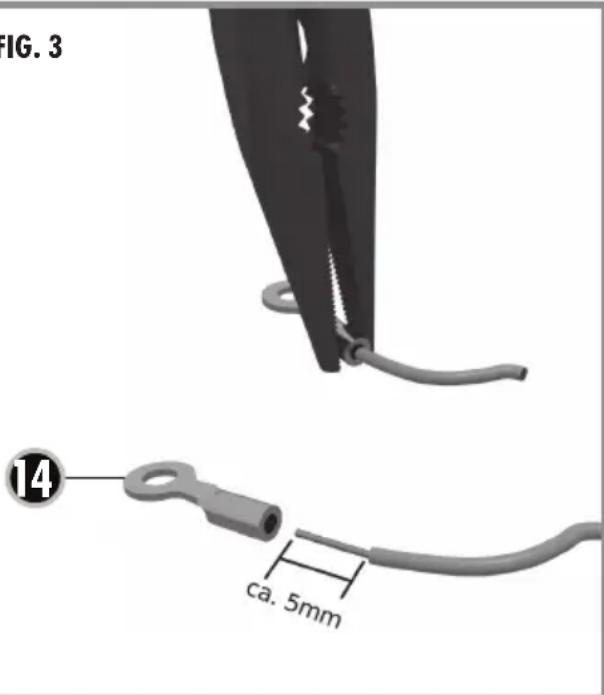
If the sensor cable is too long then you can shorten the cable as necessary. To do this you will need the supplied ring cable lug, a small Philips screwdriver and pliers (e.g. combination pliers).
First remove the casing screw (7) using the screwdriver and remove the lid from the sensor. The two electrode screws are now exposed and you can remove these also. Caution, the electrodes are then also released.
Use the pliers to shorten the cable and ensure that you do not cut too much off. Remove the outer insulation at the point of cutting to a length of approx. 15 mm and the insulation on the wires to approx. 5 mm, measured from the cut point. Push a ring cable lug onto one of the two exposed wires and then pinch the back of the ring cable lug together using the pliers. Alternatively the wires can also be soldered to the cable lugs.
SETTINGS
Function selector switch (11)
Use this selector switch to set whether a connected
device is to be switched ON or OFF. Slide the switch to the OFF setting (crossed out socket) in order to switch a connected device off if the sensor electrodes (9) come into contact with water. The water detector switches the connected device on when the selector is set to ON.
Alarm volume switch (10)
Use this switch to set the volume of the alarm to one of 3 levels. MAX is the highest setting and MIN is the lowest setting.
RESET button (3)
Press the RESET button briefly in order to cancel the alarm after water has been detected.
MALFUNCTION
Alarm cannot be switched off using the RESET button
If it is not possible to deactivate the alarm using this button then it is still detecting water. This can happen, for example, if water has penetrated the sensor. In this event remove the water detector from the socket and allow the sensor to dry. You can also dismantle the sensor and then dry it with a dry cloth.
No alarm although both sensor electrodes are submerged in water
-
Sensor electrodes have no contact to the sensor cable > check the pinch on the ring cable lug.
-
Sensor electrodes are contaminated > clean the sensor electrodes, e.g. with fine sandpaper or a glass fibre eraser.
WA-5 | ENGLISH
- If points 1 and 2 do not help then there may be a defect. In this event please contact our service
E-mail: service@protector24.de
i
NOTES
The functionality of the unit can be affected by the influence of strong static, electrical or high frequency fields (discharging, mobile phones, radios, microwaves).
Cleaning and maintenance
Always disconnect mains powered units from the mains supply before cleaning (disconnect the plug). The unit housing can be cleaned using a soapy soft cloth. Do not use any abrasive materials or chemicals. Remove dust build-up from ventilation slits using a brush and clean up using a vacuum cleaner. Do not hold the vacuum cleaner nozzle directly against the unit.
!
SAFETY NOTES
The warranty will be null and void in case of damages arising from violations of these operating instructions. We are not liable for consequential damages!
We accept no liability for material damages or injuries arising from inappropriate use or violation
of the safety instructions. In such cases all warranty claims are null and void!
For reasons of safety and licensing (CE), unauthorised conversion and /or modification of the product is prohibited.
The design of the product complies with protection class 1. Only a standard mains socket (230V\~/50Hz) of the public mains supply may be used to power the device. Devices powered by mains voltage must be kept away from children. Please therefore be particularly careful in the presence of children.
A
Do not take the product apart! There is a danger of lethal electric shock!
Do not leave packaging material lying about since plastic foils and pockets and polystyrene parts etc. could be lethal toys for children.
The device is suitable only for dry interior rooms (not bathrooms and other moist places). Do not allow the device to get moist or wet. There is a danger of lethal electric shock!
Please consult a specialist should you have doubts regarding the method of operation, the safety, or the connections of the device.
Handle the product with care - it is sensitive to bumps, knocks or falls even from low heights.
2 YEAR LIMITED GUARANTEE
For two years after the date of purchase, the defect-free condition of the product model and its materials is guaranteed. This guarantee is only valid when the device is used as intended and is subject to regular maintenance checks. The scope of this guarantee is limited to the repair or reinstallation of any part of the device, and is only valid if no unauthorised modifications or attempted repairs have been undertaken. Customer statutory rights are not affected by this guarantee.
i Please note!
No claim can be made under guarantee in the following circumstances:
- Operational malfunction
- Unauthorised modifications / actions
- Mechanical damage
- Moisture damage
- No proof of guarantee (purchase receipt)
Claims under warranty will be invalidated in the event of damage caused by non-compliance with the operating instructions. We do not accept any responsibility for consequential damage! No liability will be accepted for material damage or personal injury caused by inappropriate operation or failure to observe the safety instructions. In such cases, the guarantee will be rendered void.
Liability limitation
The manufacturer is not liable for loss or damage of any kind including incidental or consequential damage which is the direct or indirect result of a fault to this product.
GB
These operating instruction are published by Protector GmbH, An den Kolonaten 37, 26160 Bad Zwischenahn/Germany
The operating instructions reflect the current technical specifications at time of print. We reserve the right to change the technical or physical specifications.
text_image
SECT. 1 ① PROTECTOR TERRUM ALARM ② ③ ④ ⑤ ⑥ ⑦ ⑧ ⑨ ⑪ ⑪ ⑭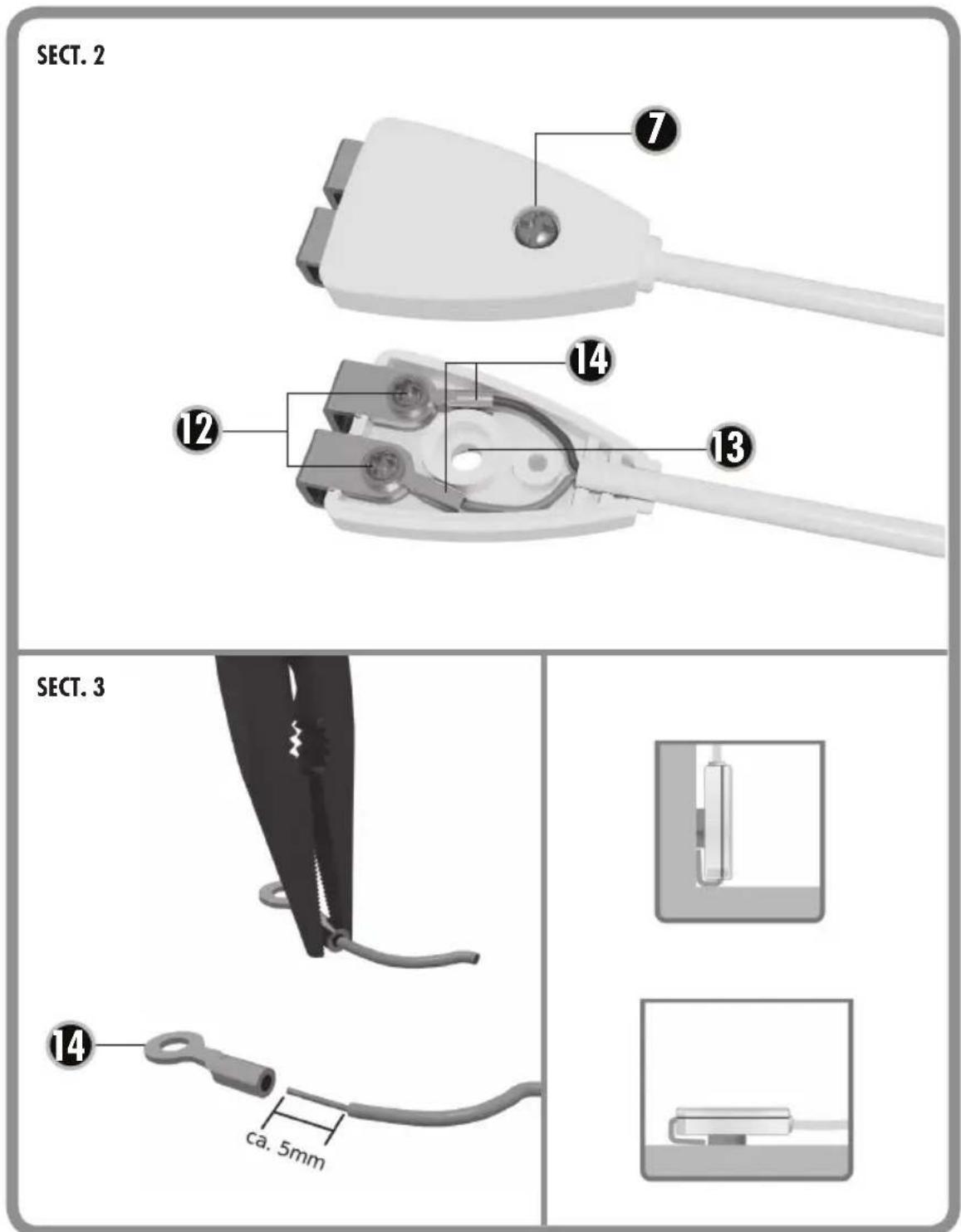
text_image
SECT. 2 ⑦ ⑭ ⑫ ⑬ ⑭ SECT. 3 ⑭ ca. 5mm