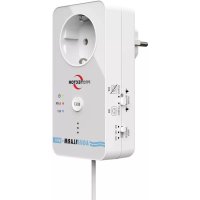
WA11 - Alarm system Protector - Free user manual and instructions
Find the device manual for free WA11 Protector in PDF.



| Product type | Water alarm (flood detector) with controlled outlet |
| Model | WA-11 |
| Brand | Protector |
| Power supply | 230 V~ 50 Hz (mains) |
| Power consumption | 1 W |
| Max. switching power | 3680 W (16 A) |
| WiFi frequency | 2.4 GHz, < 10 mW |
| Sensor cable length | 2 m (shortenable) |
| Audible alarm | Yes, adjustable to 3 levels (MIN/MED/MAX) |
| LED indicators | LED ALARM, LED Power, LED WiFi |
| Switch function | Turn on (EIN) / Turn off (AUS) of a connected device upon water detection |
| RESET button | Manual reset after detection |
| Connectivity | WiFi via TUYA app (smartphone) |
| Push notification | Yes, via TUYA app |
| Supplied items | Water alarm with cable, sensor, 2 ring terminals, mounting hardware, manual |
| Mounting | Screw-on sensor (small mounting hole Ø) |
| Cleaning | Soft damp cloth (soapy water), no abrasive cleaners |
| Maintenance | Regular test (every 6 months) by immersing the electrodes |
| Protection class | IP ? (not specified, but dry indoor only) |
| Warranty | 2 years (limited) |
| Repairability | Spare parts not listed; contact customer service (www.protector24.de) |
Frequently Asked Questions - WA11 Protector
User questions about WA11 Protector
0 question about this device. Answer the ones you know or ask your own.
Ask a new question about this device
Download the instructions for your Alarm system in PDF format for free! Find your manual WA11 - Protector and take your electronic device back in hand. On this page are published all the documents necessary for the use of your device. WA11 by Protector.
USER MANUAL WA11 Protector
ASSEMBLY AND OPERATING INSTRUCTIONS
forWaterAlarm Model WA-11
INTRODUCTION
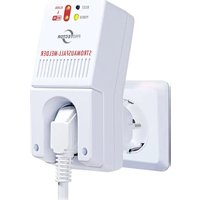
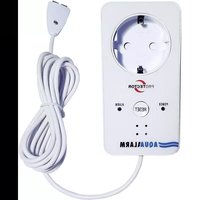
Thank you for purchasing the WA-11 water alarm. Please read this instruction manual carefully before operating the unit and keep it for future reference. This water alarm switches connected appliances (max. 3680 watts) either ON or OFF as soon as the sensor comes into contact with water. If the water alarm has detected water, an alarm will also sound. The status can also be monitored via the TUYA app on the smartphone.
Please note that we have no influence on the development of the TUYA app.
This water alarm is approved for indoor use only and must not be plugged in one after the other.
SCOPE OF DELIVERY
1x water alarm incl. 2m sensor cable and sensor
2x ring cable lugs
1x mounting material
1x instruction manual
KEY
1 = Wateralarm
2 = ALARM LED
3 = RESET button
4 = Loudspeaker for alarm sound
5 = Power LED
6 = Sensor cable (2m)
7 = Sensor housing screw
8 = Sensor
9 = Sensor electrodes
10 = Alarm volume switch
11 = Function switch
12 = Electrode screws
13 = Mounting hole
14 = Ring cable lug
15 = WiFi LED
OPERATION
Plug the water alarm into a suitable mains socket, plug any device to be switched into the socket of the water alarm. Use the slide switch (11) on the side to select whether a connected device is to be switched ON or OFF. Depending on the switch position, the WA-11 behaves as follows: Switch position ON (EIN)
As soon as the sensor detects water, the alarm sounds and the socket switches ON. As long as water is present at the sensor, this status is maintained. If the sensor no longer detects water, the alarm stops after approx. 2 minutes and the socket switches back.
Switch position OFF (AUS)
As soon as the water alarm detects water, an alarm sounds forapprox. 2 minutes and the socket switches OFF. The water alarm socket can only be reset by pressing the RESET button (3).To do this, press it once briefly afterthe sensor is dry again. The unit can then detect water again.
The POWER LED (5) lights up as soon as the water alarm is plugged into a mains socket. You should regularly check the water alarm for function. To do this, briefly immerse the sensor electrodes (9) in tap water. If no alarm sounds, please refer to the section "Malfunctions".
ASSEMBLY
The sensor can be opened by removing the screw (7). There is a small hole (13) at the rear of the sensor, so that the sensor can be screwed into its mounting location with a small screw. You should choose the mounting location so that any water that may occur can be detected as quickly as possible. The two sensor electrodes (9) should not touch the ground.
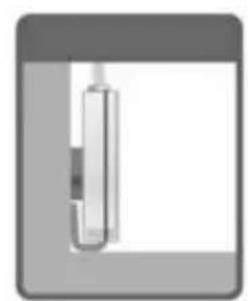
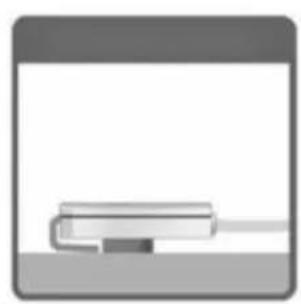
Adjusting the sensor cable (Fig. 2 + 3)
If the sensor cable is too long, you can shorten the cable individually.
A NOTE: Unplug the water alarm from socket before shortening the cable.
You will need the ring cable lugs supplied, a small Phillips screwdriver and pliers (e.g. combination pliers). First unscrewthe housing screw (7) with the screwdriver and remove the cover from the sensor. After that, the two electrode screws are exposed, which you can now also unscrew.
Be careful, as this will also loosen the electrodes.
Use the pliers to shorten the cable, taking care not to cut off too much. Remove the outer insulation at the interface for a length of approx. 15 mm and the insulation of the wires for approx. 5 mm, measured from the interface. Slide a ring terminal onto one of the two stripped cores and then crimp the rear part of the ring terminal together with the pliers. Alternatively, the cores can also be soldered to the cable lugs.
SETTINGS
Function selector switch (11) Use this selector switch to set whe
ther a connected device is to be switched ON or OFF. Slide the switch to the AUS position (crossed-out socket) to switch off a connected unit if the sensor electrodes (9) come into contact with water. When the switch is in the EIN position, the water alarm switches on the connected appliance.
Alarm volume switch (10)
With this switch you can set the volume ofthe alarm in 3 levels.MAX is the loudest level, MIN is the quiet-test level.
RESET button (3)
A short press on the RESET button resets the detector after water has been detected.
TUYA APP (WIFI)
The WA-11 can be connected to the wireless LAN to displaythe status via the TUYA app. In addition, the TUYA app can send a push notification to your smartphone when water is detected.
Requirements
The TUYA app* must be installed on your smartphone. Yoursmartphone must be on the same Wi-Fi network as the WA-11.
Add WA-11
Open the TUYA app and tap the plus symbol to add a device.
Select the category "Security sensor" and scroll in the overview to "High water detector".
Tap on "Flood detector (WiFi)".
Select yourWLAN and enter the corresponding password, then tap on "next".
If the WiFi LED on the WA-11 does not flash quickly, press and hold the RESET button for a few seconds.
Confirm in the app that the LED is flashing quickly and then tap "next".
The unit will now be added, this process can take up to 2 minutes. If your WA-11 is not found, follow the instructions in the app and try again.
*If you have not yet installed the TUYA app, depending on the smartphone you are using, open the Apple App Store or the Google Play Store and install the Tuyasmart app.
MALFUNCTIONS
Alarm cannot be switched off using the RESET button.
If the alarm cannot be deactivated via the RESET button, water is still detected. This can happen, for example, if water has entered the sensor. In this case, unplug the water alarm from the socket and leave the sensor dry. You can also disassemble the sensor and then dry it with a dry cloth.
No alarm even though both sensor electrodes are immersed in water.
-
sensor electrodes have no contact with the sensor cable > Check the crimping of the ring cable lugs.
-
Sensor electrodes are dirty > clean the sensor electrodes, e.g. with fine sandpaper or a glass fibre eraser.
- If 1. and 2. do not solve the problem, there may be a defect. In this case, please contact our service department. You will find the contact details at www.protector24.de.
TECHNICAL DATA
Voltage: 230V 50Hz AC; 1W
Switching capacity: max. 16A,
3680W; 1
Frequency: 2.4GHz; < 10mW

NOTES
Exposure to strong static, electric or high-frequencyfields (discharges, mobile phones, radio equipment, mobile phones, microwaves) may impair the function of the device. Cleaning and care
Disconnect mains operated units from the mains (pull out the plug) before cleaning. The surface of the
housing can be cleaned with a soft cloth moistened with soapy water. Do not use abrasive cleaners or chemicals. Loosen dust deposits on ventilation slots only with a brush and, if necessary, vacuum with a hoover. Do not hold the suction nozzle directly against the appliance.

SAFETY NOTES
The warranty will be null and void in case of damages arising from violations of these operating instructions. We are not liable for consequential damages!
We accept no liability for material damages or injuries arising from inappropriate use or violation of the safety instructions. In such cases all warranty claims are null and void!
For reasons of safety and licensing (CE), unauthorised conversion and/or modification of the product is prohibited.
The design of the outdoor unit complies with protection class 1. Only a standard mains socket (230V /50Hz) ofthe public mains supply may be used to power the device.
Devices powered by mains voltage must be kept awayfrom children. Please therefore be particularly careful in the presence of children.

Do not take the product apart! There is a danger of lethal electric shock!
Do not leave packaging material lying about since plastic foils and pockets and polystyrene parts etc. could be lethal toys for children.
The wireless doorbell is suitable only for dry interior rooms (not bathrooms and other moist places). Do not allow the device to get moist or wet. There is a danger of lethal electric shock!
Handle the product with care - it is sensitive to bumps, knocks or falls even from low heights.
Consult a specialist if you have any doubts about the operation, safety or connection of the appliance.
2 YEAR LIMITED GUARANTEE
Fortwo years after the date of purchase, the defect-free condition of the product model and its materials is guaranteed. This guarantee is only valid when the device is used as intended and is subject to regular maintenance checks. The scope of this guarantee is limited to the repair or reinstallation of any part of the device, and is only valid if no unauthorised modifications or attempted repairs have been undertaken.
Customer statutory rights are not affected by this guarantee.
Please note!
No claim can be made under guarantee in the following circumstances:
-
Operational malfunction
-
Unauthorised modifications / actions
- Mechanical damage
- Moisture damage
- No proof of guarantee (purchase receipt)
Claims under warranty will be invalidated in the event of damage caused by non-compliance with the operating instructions. We do not accept any responsibility for consequential damage! No liability will be accepted for material damage or personal injury caused by inappropriate operation or failure to observe the safety instructions. In such cases, the guarantee will be renderedvoid.
A Liability limitation
The manufacturer is not liable for loss or damage of any kind including incidental or consequential damage which is the direct or indirect result of a fault to this product.
The manufacturer has no influence on the operating systems of the devices on which the necessary app has been downloaded, which may
lead to a functional failure. The manufacturer cannot accept any responsibility for this.
To ensure properfunction, a test must be carried out at regular intervals of half a year. In addition, it is necessaryforthe properfunction of this model that the system requirements are met for an alarm or call via the Internet and that it is permanently ensured that the app required for this is at the latest revision level. The latter requires the performance of every software upgrade of your smartphone. Any claims against the manufacturer require compliance with the above conditions.
These operating instruction are published by
Protector GmbH,
The operating instructions reflect the current technical specifications at time of print. We reserve the right to change the technical or physical specifications.
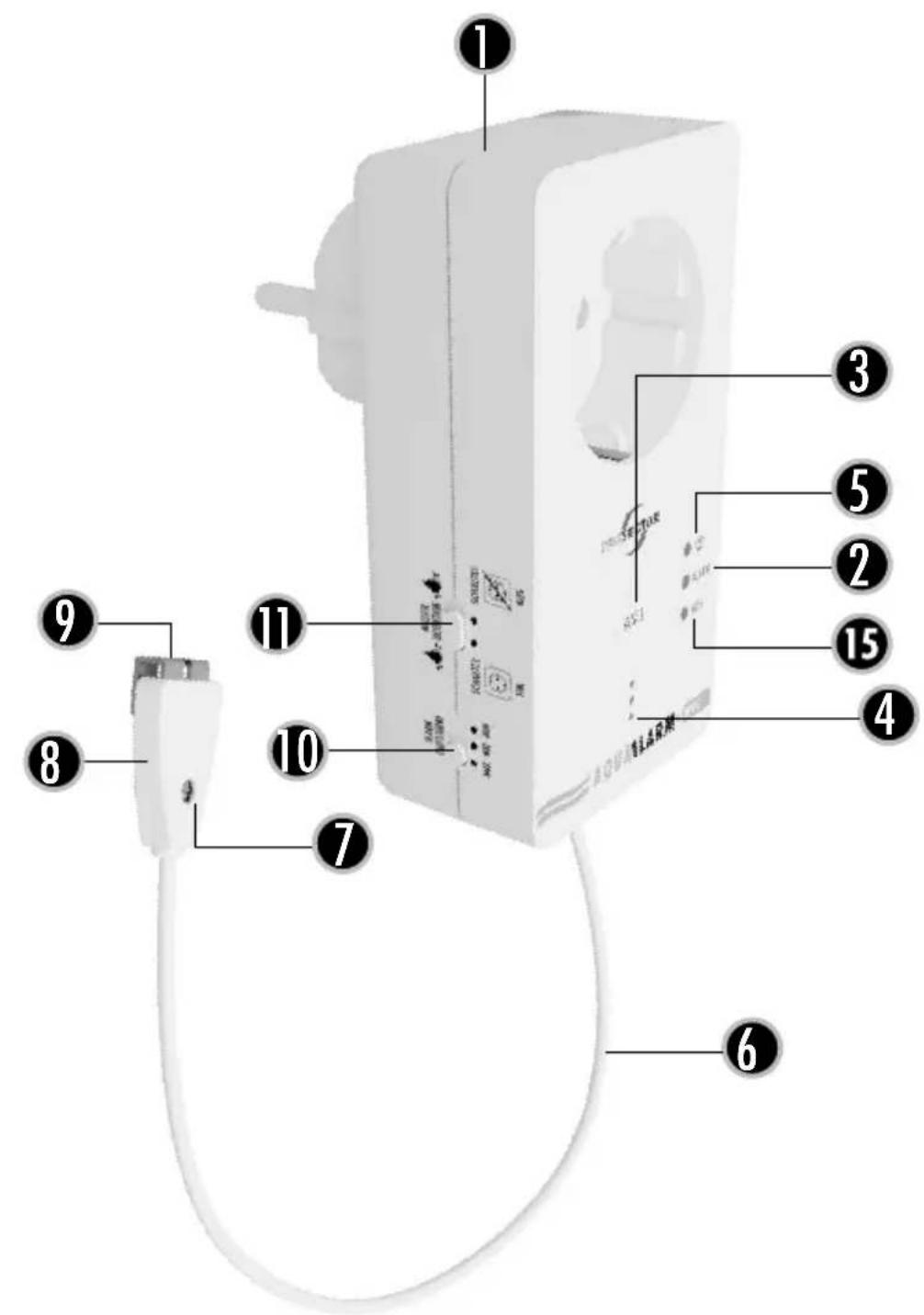
FIG.1
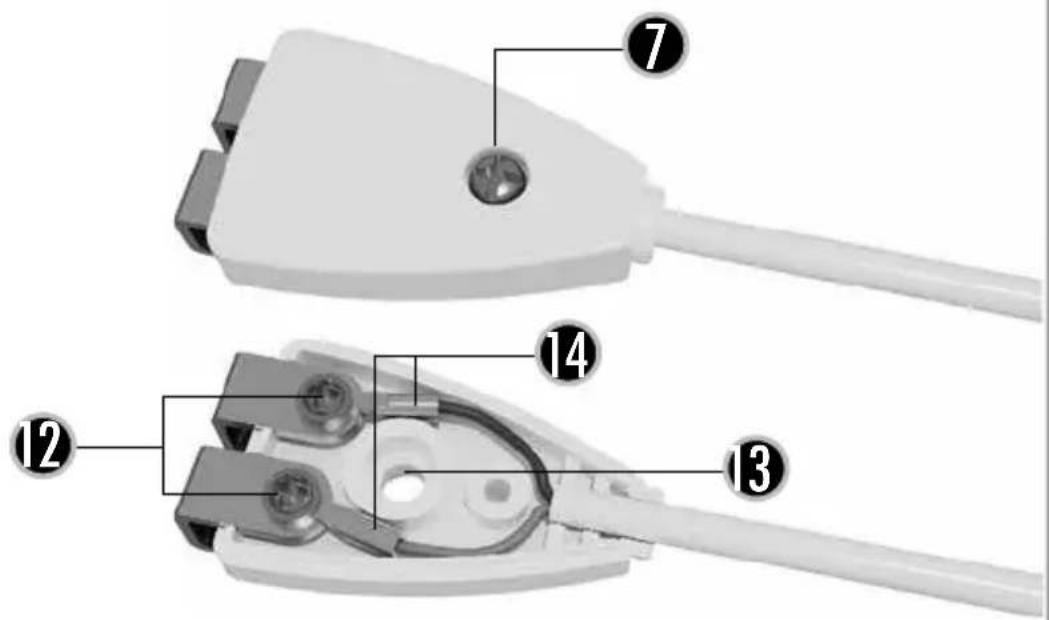
FIG.2 CAPTEUR
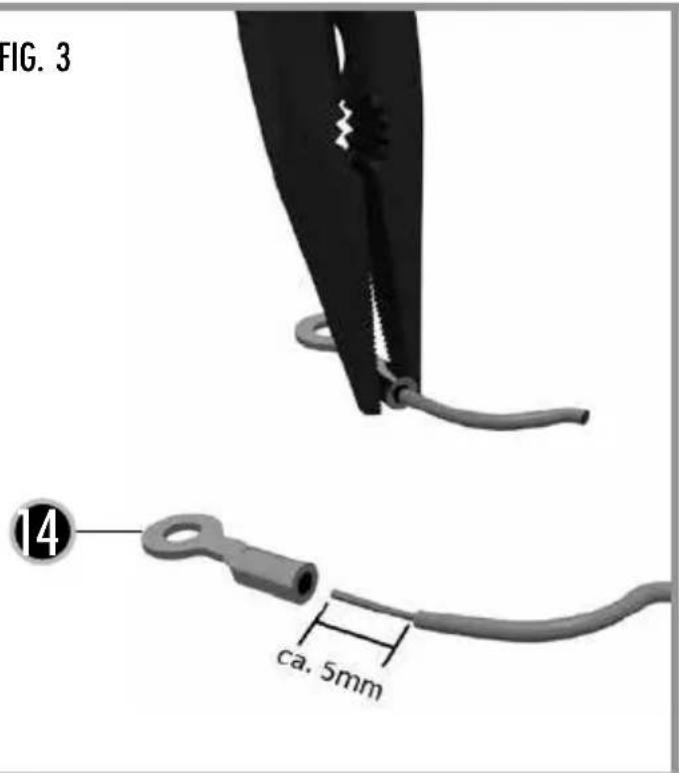
FIG. 3