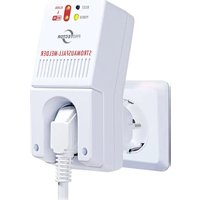
SAM-1010 - Alarm system Protector - Free user manual and instructions
Find the device manual for free SAM-1010 Protector in PDF.


| Product Type | Power failure detector with alarm |
| Brand | Protector |
| Model | SAM-1010 |
| Power supply | 230 V AC / 50 Hz |
| Energy consumption | Approximately 1 W (up to 1.5 W under load) |
| Built-in battery | 4.8 V / 650 mAh |
| Alarm volume | Approximately 85 dB |
| Alarm duration | At least 12 hours (batteries charged) |
| WLAN frequency | 2.4 GHz, >0.1 W |
| Maximum output power | 3500 W |
| Connectivity | WLAN, TUYA Smart app |
| Main function | Immediate alert in case of power outage |
| Reset button | Yes (RESET) |
| Safety cap | Yes, 2 caps included |
| Maintenance | Clean with soft damp cloth and soapy water |
| Safety | Do not disassemble, protection class 1, dry indoor use only |
| Warranty | 2 years limited |
Frequently Asked Questions - SAM-1010 Protector
User questions about SAM-1010 Protector
0 question about this device. Answer the ones you know or ask your own.
Ask a new question about this device
Download the instructions for your Alarm system in PDF format for free! Find your manual SAM-1010 - Protector and take your electronic device back in hand. On this page are published all the documents necessary for the use of your device. SAM-1010 by Protector.
USER MANUAL SAM-1010 Protector
Operating and Installation Manual 10
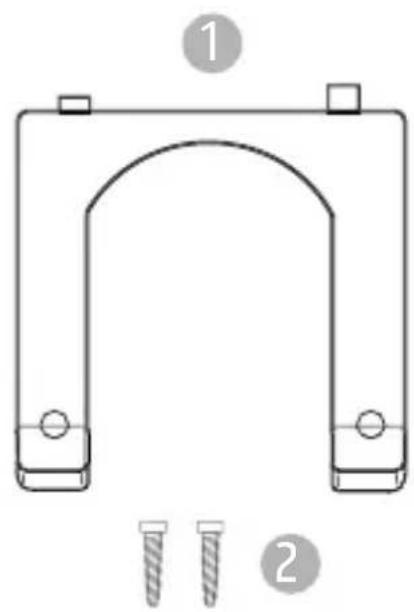
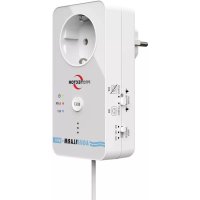
- Plug safety cover
- Screws for (1)
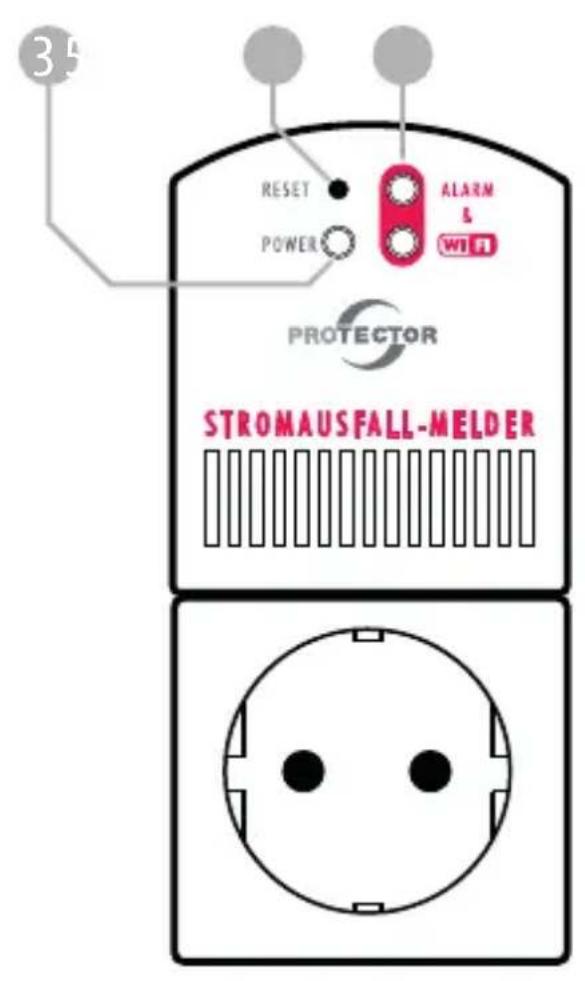
- Power LED
- Alarm LEDs
- Reset button
Thank you for purchasing the PROTECTOR WLAN Power Outage Alarm Model
SAM-1010
The power outage alarm SAM-1010 immediately alerts in case of a power outage. It is recommended wherever it is necessary to know immediately that a power outage occurred at the respective device. The power outage alarm then automatically triggers an alarm for up to 12 hours. The alarm can also be turned off immediately by pressing the RESET button. Additionally, it reports the alarm via a WLAN connection to the TUYA app.
COMMISSIONING
EN
- Plug the power plug of the device to be connected into the socket of the SAM-1010.
- Place the plug lock cap over the plug of the connected device and secure it with the supplied screws to prevent accidental unplugging. If the SAM-1010 itself is then pulled out of the socket, the device will also report the lack of power supply. Two different plug lock caps for all standard plugs are included.
- Plug the power plug of the SAM-1010 into a socket. The socket of the power outage alarm now carries mains voltage, the green mains power LED lights up, and the charging process of the built-in batteries begins (initial charging time approx. 24 hours). The connected device is now supplied with power.
- For safety reasons, you should perform a functional test at the end of commissioning by briefly removing the power outage alarm from the socket.
In proper operation, the red LEDs will flash and a loud alarm will sound. Now briefly press the reset button to turn off the alarm and plug the power outage alarm back into the socket. The device is now ready for use.
TUYA SMART APP
INSTALLATION
Open the app store on your smartphone, search for the "TUYA Smart" app, and install it like any other app. After opening the app for the first time, you can tap "Try now" to use the app without an account. Please note that some features will only work if you create an account.
EN
Adding a Device
To add the power outage alarm to the app, tap the "+" symbol or "Add Device".
i
Note: If the SAM-1010 is the first device added to the app, the app will prompt you to grant it various permissions. If you do not grant the app all or some permissions, it may malfunction.
The power outage alarm will be displayed directly, tap on the SAM-1010 in the app and enter your WLAN credentials on the following screen. After a few seconds, the SAM-1010 will be added, and you can click "Finish".
The app will now notify you of any power outages at the socket where the SAM-1010 is plugged in.
ALARM
Once the power outage alarm detects an interruption in the power supply, the red LEDs will flash, and a loud alarm will sound for at least 12 hours or until the built-in batteries are depleted.

Note: Even if the power supply is restored after a short interruption, the SAM-1010 will continue to alarm, the red LEDs will flash, and the alarm tone will briefly repeat every 3 minutes. In this case, also check if the function of the connected devices was affected by the power outage.
In the TUYA app, you can see the exact times when the power supply failed or was restored. To do this, tap on the SAM-1010 icon in the app, then on "setting" and then on "Power Log".
EN
TURNING OFF THE ALARM
To turn off the alarm, briefly press the RESET button.
TECHNICAL DATA
- Alarm volume: approx. 85 db/m
- Power supply: 230 Volts/50 Hz AC
- Power consumption: approx. 1 W (up to approx. 1.5 W during charging)
Frequency: 2.4GHz; > 0.1W
Built-in battery: 4.8 volts/650 mAh - Alarm duration: min. 12 hours (with fully charged batteries)
- Max. output power: 3500 W
EN
NOTES
Exposure to strong static, electrical, or high-frequency fields (discharges, mobile phones, radios, microwaves) can impair the function of the devices.
Cleaning and Maintenance
Disconnect mains-powered devices from the mains before cleaning (unplug). The surface of the housing can be cleaned with a soft cloth dampened with soapy water. Do not use abrasives or chemicals. Dust deposits on ventilation slots should only be removed with a brush and, if necessary, vacuumed off. Do not hold the suction nozzle directly to the device.
SAFETYINSTRUCTIONS
EN
If the housing, plugs, power cables, or insulation is damaged, take the device out of operation immediately and unplug the power cables. ELECTRIC SHOCK - DANGER TO LIFE. (Unplug the power plug from the socket!) Have damages repaired immediately by a professional!
Do not disassemble the product! There is a risk of a life-threatening electric shock!
Do not attempt any repairs yourself!
For safety and approval reasons (CE), unauthorized modification and/or alteration of the product is not permitted.
The construction of the product corresponds to protection class 1. Only a proper mains socket (230V~/50Hz) from the public supply network may be used as a power source. Devices that are operated with mains voltage do not belong in children's hands. Therefore, exercise special caution in the presence of children.
Do not leave the packaging material lying around carelessly; plastic films/bags, styrofoam parts, etc. could become dangerous toys for children and pets.
The indoor units are only suitable for dry indoor areas (no
bathrooms or similar damp rooms). Avoid getting the devices wet or damp. There is a risk of a life-threatening electric shock!
Consult a professional if you have any doubts about the operation, safety, or connection of the device.
Handle the product with care - shocks, blows, or drops from even a low height will damage it.
2 YEARS LIMITED WARRANTY
EN
It is guaranteed for a period of 2 years from the date of purchase that this product is free from defects in materials and workmanship. This only applies if the device is used in a customary manner and is regularly maintained. The obligations of this warranty are limited to the repair or replacement of any part of the device and apply only on the condition that no unauthorized modifications or attempted repairs have been made. Your statutory rights as a customer are not affected by this warranty in any way.
Please Note!
- There is no warranty claim in the following cases, among others:
- Operating errors
- Interference from other radio equipment (e.g., mobile phone operation)
Foreign interventions/effects - Mechanical damages
- Moisture damage
- No proof of warranty (purchase receipt)
Warranty claims are void if damage is caused by failure to follow these operating instructions. We accept no liability for consequential damages! We accept no liability for property or personal damage caused by improper handling or failure to follow safety instructions. In such cases, all warranty claims are void!
LIMITATION OF LIABILITY
The manufacturer is not liable for any loss or damage of any kind, including incidental or consequential damages, directly or indirectly resulting from the malfunction of this product.
EN
This user manual is a publication of
Protector GmbH,
This user manual corresponds to the technical status at the time of printing. Technical changes and equipment modifications reserved.

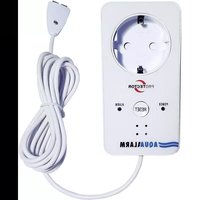


Brand : Protector
Model : SAM-1010
Category : Alarm system