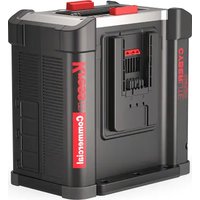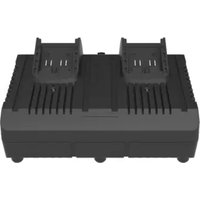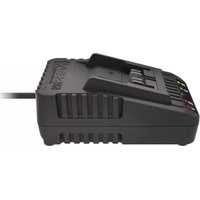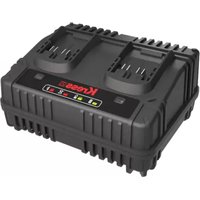
KAC15 - Battery charger KRESS - Free user manual and instructions
Find the device manual for free KAC15 KRESS in PDF.


| Product type | Battery charger |
| Brand | Kress |
| Model | KAC15 |
| Input voltage | 100-240 V ~ 50/60 Hz |
| Rated power | 380 W |
| Output voltage | 20 V DC |
| Output current | 15 A |
| Compatible battery type | Li-Ion (2.0 Ah, 4.0 Ah, 8.0 Ah) |
| Charging time (2.0 Ah / 4.0 Ah - 1 unit) | 20 minutes |
| Charging time (2.0 Ah / 4.0 Ah - 2 units) | 40 minutes |
| Charging time (8.0 Ah - 1 unit) | 35 minutes |
| Charging time (8.0 Ah - 2 units) | 70 minutes |
| Thermal protection | Yes, shutdown if < 0°C or > 45°C |
| Faulty battery detection | Yes, repair attempt or red indication |
| Protection class | II (double insulation) |
| Usage | Indoor only |
| Recommended charging temperature | 18°C to 24°C |
| Humidity | Protect from moisture and rain |
| LED indicators | Flashing green (charging), steady green (full), steady red (fault), flashing red (excessive temperature) |
| Compliance | CE, EN 60335, EN 55014, etc. |
| Maintenance | Clean with a dry cloth, disconnect before cleaning |
| Recycling | Do not dispose of with household waste, follow WEEE guidelines |
Frequently Asked Questions - KAC15 KRESS
User questions about KAC15 KRESS
0 question about this device. Answer the ones you know or ask your own.
Ask a new question about this device
Download the instructions for your Battery charger in PDF format for free! Find your manual KAC15 - KRESS and take your electronic device back in hand. On this page are published all the documents necessary for the use of your device. KAC15 by KRESS.
USER MANUAL KAC15 KRESS
natural_image
Exterior view of a black Kress-branded battery pack with two side slots and control buttons (no readable text beyond branding)| Battery Charger | EN | P03 |
| Ladegerät | D | P09 |
| Chargeur | F | P16 |
| Carica batteria | I | P23 |
| Cargador | ES | P30 |
| Oplaadapparaat | NL | P37 |
| Opladningsaggregat | DK | P44 |
| Зарядное устройство | RU | P50 |
| Laddningsaggregat | SV | P57 |
| KAC15 | ||
TABLE OF CONTENTS
Introduction....3
Component List....4
Safety Instructions....5
Charging Procedure....6
Maintenance....7
Troubleshooting....8
Technical Data....8
Environmental Protection....8
Declaration Of Conformity....8
INTRODUCTION
Dear Customer,
Thank you for buying this Kress product. We are dedicated to developing high quality products to meet your lawn & garden requirements.
The Kress brand is synonymous with premium quality service. Over the years of your products life, if you have any questions or concerns about your product, please contact your location of purchase or our Customer Service Team for assistance.
We are confident you will enjoy working with your Kress product for years to come.
EN
text_image
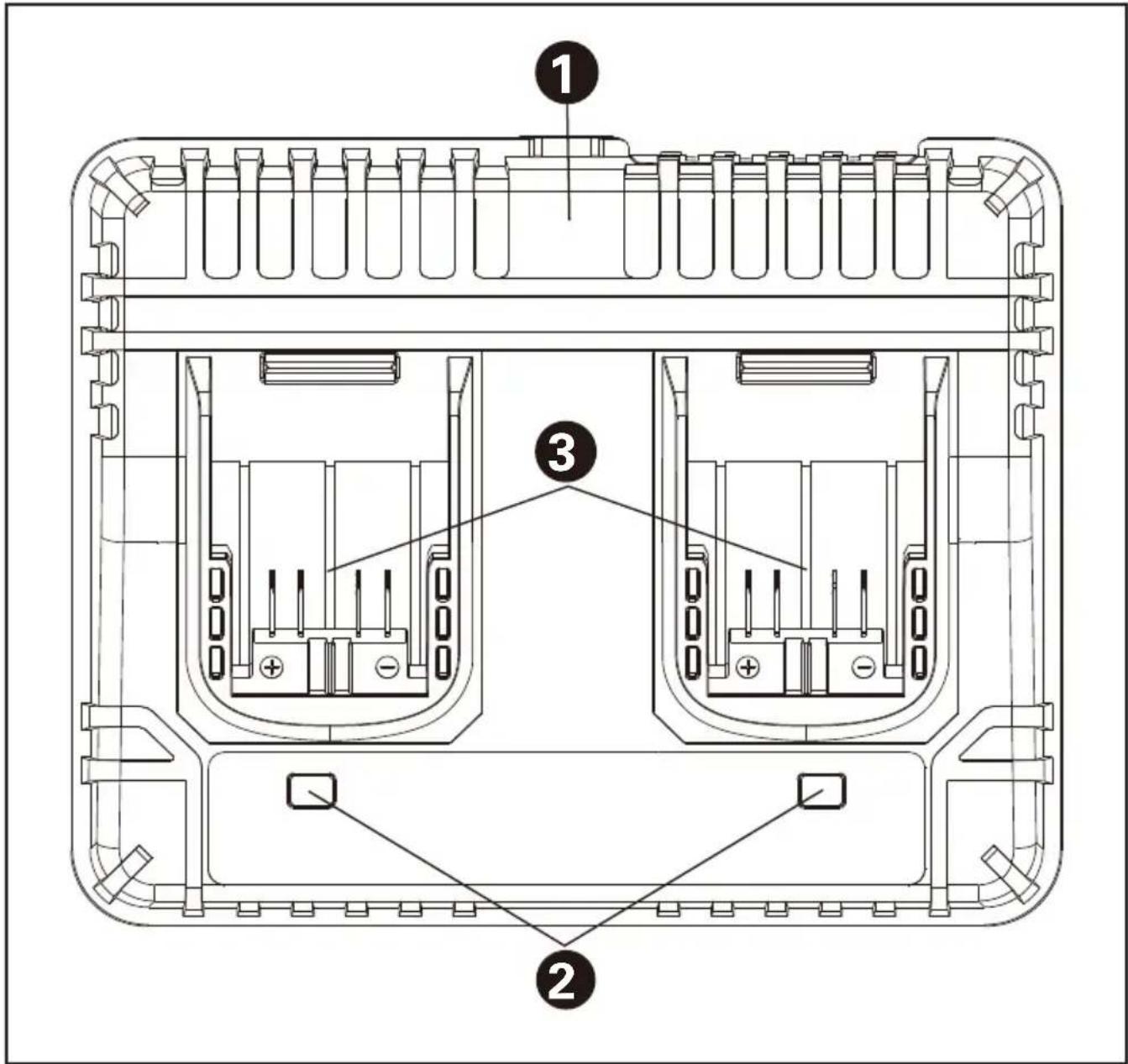
Technical diagram of a battery pack with labeled components and internal structureCOMPONENT LIST
- CHARGER
- CHARGE INDICATOR LIGHT
- DUAL CHARGING PORT
Not all the accessories illustrated or described are included in standard delivery.
Users can view the electronic instructions at https://www.kress.com/.
ORIGINAL INSTRUCTIONS PRODUCT SAFETY GENERAL SAFETY WARNINGS
WARNING: Read all safety warnings and all instructions. Failure to follow the warnings and instructions may result in electric shock, fire and/or serious injury. Save all warnings and instructions for future reference.
This appliance can be used by children aged from 8 years and above and persons with reduced physical, sensory or mental capabilities or lack of experience and knowledge if they have been given supervision or instruction concerning use of the appliance in a safe way and understand the hazards involved. Children shall not play with the appliance. Cleaning and user maintenance shall not be made by children without supervision.
If the supply cord is damaged, it must be replaced by the manufacturer, its service agent or similarly qualified persons in order to avoid a hazard.
ADDITIONAL SAFETY INSTRUCTIONS FOR YOUR BATTERY CHARGER
- Before charging, read the instructions.
- Do not charge a leaking battery.
- Do not use chargers for works other than those for which they are designed.
- Before charging, ensure your charger is matching the local AC supply.
- For indoor use, or do not expose to rain.
- The charging device must be protected from moisture.
- Do not use the charging device outdoors.
- Do not short out the contacts of battery or charger.
- Do not open the unit and keep it out of the reach of children.
- Do not charge the batteries of other manufactures or ill-suited models.
- Ensure that the connection between the battery charger and battery is correctly positioned.
- Keep battery charger's slots free of foreign objects and protect against dirt and
humidity. Store in a dry and frost-free place.
- When charging batteries, ensure that the battery charger is in a well-ventilated area and away from inflammable materials. Batteries can get hot during charging. Do not overcharge any batteries. Ensure that batteries and chargers are not left unsupervised during charging.
- Do not recharge non-rechargeable batteries, as they can overheat and break.
- Longer life and better performance can be obtained if the battery pack is charged when the air temperature is between 18°C and 24°C. Do not charge the battery pack in air temperatures below 0°C or above 40°C. This is important as it can prevent serious damage to the battery pack.
- Charge only battery packs of models recommended by Kress.
SYMBOLS

Read the operator's manual.
 | Warning |
 | For indoor use only |
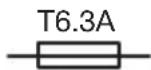 | Fuse |
 | Double insulation |
 | Positive terminal |
 | Negative terminal |
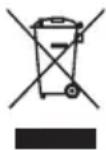 | Waste electrical products must not be disposed of with household waste. Please recycle where facilities exist. Check with your local authorities or retailer for recycling advice. |
CHARGING PROCEDURE

NOTE: Before using the tool, read the instruction book carefully.
CHARGING INSTRUCTIONS
- CHARGING YOUR BATTERY PACK (NOT SUPPLIED)

WARNING: The charger and battery pack are specifically designed to work together so do
not attempt to use any other devices. Never insert or allow metallic objects into your charger or battery pack connections because an electrical failure and hazard will occur.
Your battery pack is UNCHARGED and you must charge once before use.
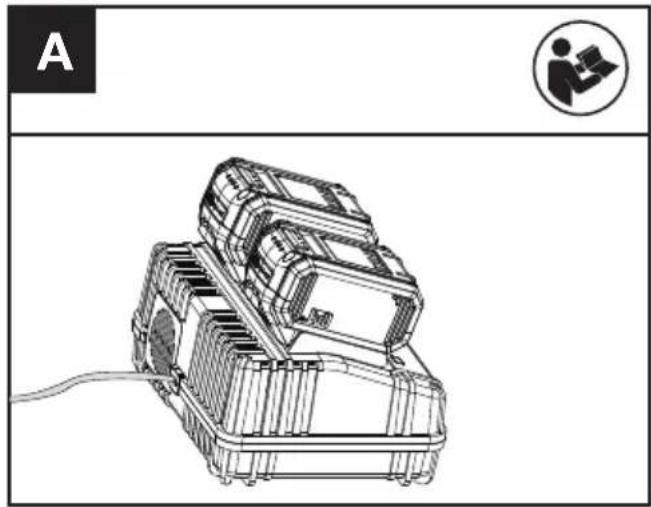
3. HOW TO CHARGE YOUR BATTERY (NOT SUPPLIED) (SEE FIG. A)
- CHARGING PROCEDURE
1) Plug the charger into an appropriate outlet.
2) Slide the battery pack into the charger. Normally, the relevant indication lights will flash in green color showing the battery is being charged.
WARNING: When battery charge runs out after continuous use or exposure to direct sunlight or heat, allow time for the battery to cool down before re-charging to achieve the full charge.
natural_image
Technical line drawing of a mechanical device with a person icon and label 'A' (no text or symbols on the device itself)- CHARGING INDICATOR
This charger is designed to detect some problems that can arise with battery packs. Indicator lights indicate problems (see table below). If this occurs, insert a new battery pack to determine if the charger is OK. If the new battery charges correctly, then the original pack is defective and should be returned to a service center or recycling service center. If the new battery pack displays the same problem as the original Battery Pack, have the charger tested at an authorized service center.
| Light ON/ Flash Status | ||
| Red on | Defective Battery | |
| Red flash | Battery Temperature ProtectionThe temperature of battery pack is less than 0°C or more than 45°C. | |
| Green on | Fully Charged | |
| Green flash | Charging | |
- BATTERY TEMPERATURE PROTECTION
This charger has a battery temperature protection feature. When the charger detects a battery pack that is too hot or cold (the light will be red and flash), it automatically activates the protection circuit, and suspends charging until the battery pack has reached the correct temperature. The charging process will then automatically begin (the
light will be green and flash). This feature ensures maximum battery life.
- DEFECTIVE BATTERY PACKS
This charger will detect a defective battery pack. When a defective battery pack is inserted into the charger, the charger will try to repair it. This process will last about 30mins (the light will be green and flash). If the repair is successful, the charger will automatically begin to charge the battery pack to the highest capacity possible (the light will be green and flash). If the light becomes solid red, then the battery pack is dead, and should be returned to a service center or recycling service center.
IMPORTANT CHARGING NOTES
-
For a new battery or a battery that has been in storage for sometime, please recharge the battery before use. If you want to store the battery for a long time, please fully charge the battery pack to ensure maximum battery life.
-
Longer life and better performance can be obtained if the battery pack is charged when the air temperature is between 18°C and 24°C. Do not charge the battery pack in air temperatures below 0°C, or above 40°C. This is important as it can prevent serious damage to the battery pack.
-
Never freeze your charger or immerse charger in water or any other liquid.
-
When the battery pack fails to produce sufficient power on jobs that were previously done easily, please recharge you battery, do not continue to use under this condition. You may charge a partially used pack whenever you desire with no adverse effect on the battery pack.
-
When charging it is normal that the charger and battery pack may become warm to touch.
-
If the battery pack does not charge properly:
- Check current at power outlet by plugging in another appliance.
- Plug and unplug to check whether the charger is ok.
- Check whether the battery has been damaged
- Move the charger and battery pack to a location where the surrounding air temperature is approximately 18°C\~24°C.
- If the charging problem persists, take the tool, battery pack and charger to an authorized service center.
- Under certain conditions, when the charger is plugged into the power supply, the exposed charging contacts inside the charger can be shorted by foreign material. Foreign materials of a conductive nature such as metallic particles should be kept away from charger cavities. Always unplug the charger from the power supply when there is no battery pack in the charger or before attempting to clean.
MAINTENANCE
Remove the plug from the socket before carrying out any adjustment, servicing or maintenance.
Your tool requires no additional lubrication or maintenance. Never use water or chemical cleaners to clean your tool. Wipe clean with a dry cloth.
Always store your tool in a dry place. If the supply cord is damaged, it must be replaced by the manufacturer, its service agent or similarly qualified persons in order to avoid a hazard.
TROUBLESHOOTING
1. I CANNOT FIT THE BATTERY INTO THE BATTERY CHARGER. WHY?
a) Check if the charger and the battery pack are specifically designed for working together.
b) The battery pack can be inserted into the charger only in one direction. Turn the battery pack around until it can be inserted into the slot, the indicator light should be green and flash when the battery pack is charging.
2. REASONS FOR DIFFERENT CHARGING TIMES
The charging time can be affected by many reasons which are not defects in your product.
a) If the battery pack is only partly discharged it may be re-charged in less than rated charging time.
b) If the battery pack and ambient temperature are very cold/ hot, it may take longer to re-charge. Please find an appropriate environment with proper air temperature to start charging.
TECHNICAL DATA
| Rated input voltage 100-240 V~50/60 Hz | |
| Rated input power 380 W | |
| Output 20 V DC, 15 A | |
| Battery type Li-Ion | |
| Charging time (approx.) | |
| 2.0 Ah (1 pc) | 20 mins |
| 2.0 Ah (2 pcs) | 40 mins |
| 4.0 Ah (1 pc) | 20 mins |
| 4.0 Ah (2 pcs) | 40 mins |
| 8.0 Ah (1 pc) | 35 mins |
| 8.0 Ah (2 pcs) | 70 mins |
| Protection class | ☐/II |
| Machine weight 1.5 kg |
For the technical data of the types, the number of cells and the rated capacity of the batteries that can be charged, please refer the nameplate of the battery pack supplied by manufacture.
ENVIRONMENTAL PROTECTION
Waste electrical products must not be disposed of with household waste. Please recycle where facilities exist. Check with your local authorities or retailer for recycling advice.
DECLARATION OF CONFORMITY
We, Positec Germany GmbH Postfach 680194, 50704 Cologne, Germany
On behalf of Positec declare that the product Description Kress Battery Charger Type KAC15
Complies with the following Directives, 2014/35/EU, 2014/30/EU, 2011/65/EU&(EU)2015/863
Standards conform to EN 60335-1, EN IEC 60335-2-29 EN 62233, EN IEC 55014-1, EN IEC 55014-2, EN IEC 61000-3-2, EN 61000-3-3 EN IEC 63000

text_image
A# C E2024/4/30 Allen Ding Deputy Chief Engineer Testing & Certification Positec Technology (China) Co., Ltd 18, Dongwang Road, Suzhou Industrial Park, Jiangsu 215123, P. R. China
INHALTSVERZEICHNIS
Einführung......9
Komponenten....10
text_image
Technical diagram of a battery pack with labeled components and internal structureKOMPONENTEN
natural_image
Technical line drawing of a mechanical device with a cable, no visible text or symbols
18, Dongwang Road, Suzhou Industrial
Park, Jiangsu 215123, P. R. China
SOMMAIRE
Introduction....16
Procedure de charge....20
Entretien....21
Declaration De Conformite....22
— INTRODUCTION
Cher Client,
text_image
Technical diagram of a battery pack with labeled components and internal structureLISTE DES COMPOSANTS
- CHARGEUR
- TÉMOIN LUMINEUX DE FIN DE CHARGE ET D'ETAT
- DOUBLE PORT DE CHARGE
natural_image
Technical line drawing of a mechanical device with a person icon and label 'A' (no text or symbols on the diagram itself)
DÉCLARATION DE CONFORMITÉ
Nous,
Positec Germany GmbH
Postfach 680194, 50704 Cologne, Germany
18, Dongwang Road, Suzhou Industrial
Park, Jiangsu 215123, P. R. China
INDICE
Introduzione....23
text_image
Technical diagram of a battery pack with labeled components and internal structureNOMBRE DE CELLULES
- CARICATORE BATTERIA
- TÉMOIN LUMINEUX DE FIN DE CHARGE ET D'ETAT
- DOUBLE PORT DE CHARGE
natural_image
Technical line drawing of a mechanical device with a cable, no visible text or symbols18, Dongwang Road, Suzhou Industrial
Park, Jiangsu 215123, P. R. China
ÍNDICE
Introducción....30
Lista De Componentes....31
text_image
Technical diagram of a battery pack with labeled components and internal structurenatural_image
Technical line drawing of a mechanical device with internal components and a person icon (no text or symbols)
18, Dongwang Road, Suzhou Industrial
Park, Jiangsu 215123, P. R. China
INHOUDSOPGAVE
Inleiding....37
Oplaad procedure....40
Onderhoud....42
Problemen oplossen....42
text_image
Technical diagram of a battery pack with labeled components and internal structureONDERDELENLIJST
- OPLADER
- LED LICHT INDICATOR
- DUBBELE OPLAADPOORT
natural_image
Technical line drawing of a mechanical device with a person icon and label 'A' (no text or symbols on the diagram itself)-- OPLAADINDICATOR
18, Dongwang Road, Suzhou Industrial
Park, Jiangsu 215123, P. R. China
INDHOLDSFORTEGNELSE
Introduktion....44
text_image
Technical diagram of a battery pack with labeled components and internal structureDK
AGGREGATELEMENTER
- OPLADER
- INDIKATORLYS FOR OPLADNING
- DOBBELT OPLADNINGSPORT
natural_image
Technical line drawing of a mechanical device with a cable, no visible text or symbols- OPLADNINGSINDIKATOR
18, Dongwang Road, Suzhou Industrial
Park, Jiangsu 215123, P. R. China
СОДЕРЖАНИЕ
Введение....50
text_image
Technical diagram of a battery pack with labeled components and internal structureСПИСОК КОМПОНЕНТОВ
natural_image
Technical line drawing of a mechanical device with a person icon and label 'A' (no text or symbols on the device itself)18, Dongwang Road, Suzhou Industrial
Park, Jiangsu 215123, P. R. China
INNEHÅLLSFÖRTECKNING
Introduktion....57
Komponenter....56
text_image
Technical diagram of a battery pack with labeled components and internal structureKOMPONENTER
- LADDARE
- LADDARE INDIKATOR LJUSET
- DUBBEL LADDNINGSPORT
natural_image
Technical line drawing of a mechanical device with a person icon and label 'A' (no text or symbols on the device itself)- LADDNINGSINDIKATOR
18, Dongwang Road, Suzhou Industrial
Park, Jiangsu 215123, P. R. China