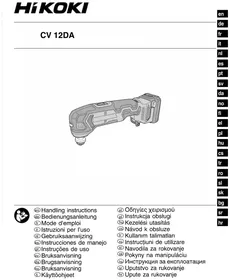
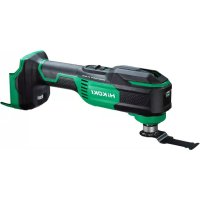
CV12DA - Multitools HiKOKI - Free user manual and instructions
Find the device manual for free CV12DA HiKOKI in PDF.



| Product type | Cordless multi-tool |
| Brand | HiKOKI |
| Model | CV12DA |
| Rated voltage | 10.8 – 12 V max |
| No-load speed | 6000 – 20000 min⁻¹ (adjustable from 1 to 6) |
| Total oscillation angle | Not specified (left/right) |
| Battery type | Lithium-ion |
| Compatible battery capacities | 1.5 Ah, 2.5 Ah, 4.0 Ah |
| Recommended charger | UC12SL |
| Charging time (1.5 Ah at 20 °C) | Approx. 22 min |
| Charging time (2.5 Ah at 20 °C) | Approx. 37 min |
| Charging time (4.0 Ah at 20 °C) | Approx. 60 min |
| Sound pressure level | 82 dB(A) (K = 3 dB(A)) |
| Sound power level | 93 dB(A) (K = 3 dB(A)) |
| Vibrations (sanding) | a_h = 5.0 m/s² (K = 1.5 m/s²) |
| Vibrations (wood cutting) | a_h = 11.1 m/s² (K = 1.5 m/s²) |
| Applications | Sawing, sanding, scraping, polishing |
| Standard included accessories | Blade, sanding pad, abrasive paper, hex key |
| Maintenance and cleaning | Wipe with a dry or slightly soapy cloth. Do not use solvents. |
| Storage | Keep away from moisture, temperature <40 °C, battery charged |
| Warranty | Complies with regulations; excludes misuse and normal wear |
| Repairability and spare parts | Authorized HiKOKI after-sales service, original parts available |
Frequently Asked Questions - CV12DA HiKOKI
User questions about CV12DA HiKOKI
0 question about this device. Answer the ones you know or ask your own.
Ask a new question about this device
Download the instructions for your Multitools in PDF format for free! Find your manual CV12DA - HiKOKI and take your electronic device back in hand. On this page are published all the documents necessary for the use of your device. CV12DA by HiKOKI.
USER MANUAL CV12DA HiKOKI
natural_image
Technical illustration of a mechanical component with no visible text or symbols
en Handling instructions
de Bedienungsanleitung
fr Mode d'emploi
it Istruzioni per l'uso
nl Gebruiksaanwijzing
es Instrucciones de manejo
pt Instruções de uso
sv Bruksanvisning
da Brugsanvisning
no Bruksanvisning
fi Käyttöohjeet
el Οδηγίες χειρισμού
pl Instrukcja obsługi
hu Kezelési utasítás
cs Návod k obsluze
tr Kullanım talimatları
ro Instructiuni de utilizare
sl Navodila za rokovanje
⑥sk Pokyny na manipuláciu
bg Инструкция за експлоатация
sr Uputstvo za rukovanje
hr Upute za rukovanje
1

2

3

4

5


flowchart
graph TD
    A["17"] --> B["16"]
    B --> C["18"]
    C --> D["3"]
    D --> E["4"]
    E --> F["10"]
    F --> G["20"]
    G --> H["4"]
    H --> I["10"]
    I --> J["3"]
    J --> K["4"]
    K --> L["2"]
    L --> M["19"]
    M --> N["17"]
    N --> O["1"]
9
10
natural_image
Illustration of a hand using a power tool to adjust or install a component, with no visible text or symbols.0
11

12
13


GENERAL POWER TOOL SAFETY WARNINGS

WARNING
Read all safety warnings, instructions, illustrations and specifications provided with this power tool.
Failure to follow all instructions listed below may result in electric shock, fi re and/or serious injury.
Save all warnings and instructions for future reference.
The term "power tool" in the warnings refers to your mains-operated (corded) power tool or battery-operated (cordless) power tool.
1) Work area safety
a) Keep work area clean and well lit. Cluttered or dark areas invite accidents
b) Do not operate power tools in explosive atmospheres, such as in the presence of fl ammable liquids, gases or dust.
Power tools create sparks which may ignite the dust or fumes.
c) Keep children and bystanders away while operating a power tool.
Distractions can cause you to lose control.
2) Electrical safety
a) Power tool plugs must match the outlet. Never modify the plug in any way. Do not use any adapter plugs with earthed (grounded) power tools.
Unmodified plugs and matching outlets will reduce risk of electric shock.
b) Avoid body contact with earthed or grounded surfaces, such as pipes, radiators, ranges and refrigerators.
There is an increased risk of electric shock if your body is earthed or grounded.
c) Do not expose power tools to rain or wet conditions.
Water entering a power tool will increase the risk of electric shock.
d) Do not abuse the cord. Never use the cord for carrying, pulling or unplugging the power tool.
Keep cord away from heat, oil, sharp edges or moving parts.
Damaged or entangled cords increase the risk of electric shock.
e) When operating a power tool outdoors, use an extension cord suitable for outdoor use.
Use of a cord suitable for outdoor use reduces the risk of electric shock.
f) If operating a power tool in a damp location is unavoidable, use a residual current device (RCD) protected supply.
Use of an RCD reduces the risk of electric shock.
3) Personal safety
a) Stay alert, watch what you are doing and use common sense when operating a power tool. Do not use a power tool while you are tired or under the influence of drugs, alcohol or medication.
A moment of inattention while operating power tools may result in serious personal injury.
b) Use personal protective equipment. Always wear eye protection.
Protective equipment such as a dust mask, non-skid safety shoes, hard hat or hearing protection used for appropriate conditions will reduce personal injuries.
c) Prevent unintentional starting. Ensure the switch is in the off -position before connecting to power source and/or battery pack, picking up or carrying the tool.
Carrying power tools with your fi nger on the switch or energising power tools that have the switch on invites accidents.
d) Remove any adjusting key or wrench before turning the power tool on.
A wrench or a key left attached to a rotating part of the power tool may result in personal injury.
e) Do not overreach. Keep proper footing and balance at all times.
This enables better control of the power tool in unexpected situations.
f) Dress properly. Do not wear loose clothing or jewellery. Keep your hair and clothing away from moving parts.
Loose clothes, jewellery or long hair can be caught in moving parts.
g) If devices are provided for the connection of dust extraction and collection facilities, ensure these are connected and properly used.
Use of dust collection can reduce dust-related hazards.
h) Do not let familiarity gained from frequent use of tools allow you to become complacent and ignore tool safety principles.
A careless action can cause severe injury within a fraction of a second.
4) Power tool use and care
a) Do not force the power tool. Use the correct power tool for your application.
The correct power tool will do the job better and safer at the rate for which it was designed.
b) Do not use the power tool if the switch does not turn it on and off. Any power tool that cannot be controlled with the switch is dangerous and must be repaired.
c) Disconnect the plug from the power source and/or remove the battery pack, if detachable, from the power tool before making any adjustments, changing accessories, or storing power tools.
Such preventive safety measures reduce the risk of starting the power tool accidentally.
d) Store idle power tools out of the reach of children and do not allow persons unfamiliar with the power tool or these instructions to operate the power tool.
Power tools are dangerous in the hands of untrained users.
e) Maintain power tools and accessories. Check for misalignment or binding of moving parts, breakage of parts and any other condition that may affect the power tool's operation. If damaged, have the power tool repaired before use.
Many accidents are caused by poorly maintained power tools.
f) Keep cutting tools sharp and clean.
Properly maintained cutting tools with sharp cutting edges are less likely to bind and are easier to control.
g) Use the power tool, accessories and tool bits etc. in accordance with these instructions, taking into account the working conditions and the work to be performed.
Use of the power tool for operations different from those intended could result in a hazardous situation.
h) Keep handles and grasping surfaces dry, clean and free from oil and grease.
Slippery handles and grasping surfaces do not allow for safe handling and control of the tool in unexpected situations.
5) Battery tool use and care
a) Recharge only with the charger specified by the manufacturer.
A charger that is suitable for one type of battery pack may create a risk of fire when used with another battery pack.
b) Use power tools only with specifically designated battery packs.
Use of any other battery packs may create a risk of injury and fire.
c) When battery pack is not in use, keep it away from other metal objects, like paper clips, coins, keys, nails, screws or other small metal objects, that can make a connection from one terminal to another.
Shorting the battery terminals together may cause burns or a fire.
d) Under abusive conditions, liquid may be ejected from the battery; avoid contact. If contact accidentally occurs, fl ush with water. If liquid contacts eyes, additionally seek medical help.
Liquid ejected from the battery may cause irritation or burns.
e) Do not use a battery pack or tool that is damaged or modified.
Damaged or modified batteries may exhibit unpredictable behaviour resulting in fire, explosion or risk of injury.
f) Do not expose a battery pack or tool to fire or excessive temperature.
Exposure to fire or temperature above 130 °C cause explosion.
g) Follow all charging instructions and do not charge the battery pack or tool outside the temperature range specified in the instructions.
Charging improperly or at temperatures outside the specified range may damage the battery and increase the risk of fi re.
6) Service
a) Have your power tool serviced by a qualified repair person using only identical replacement parts.
This will ensure that the safety of the power tool is maintained.
b) Never service damaged battery packs.
Service of battery packs should only be performed by the manufacturer or authorized service providers.
PRECAUTION
Keep children and infi rm persons away.
When not in use, tools should be stored out of reach of children and infi rm persons.
CORDLESS MULTI TOOL SAFETY WARNINGS
- Hold the power tool by insulated gripping surfaces, when performing an operation where the cutting accessory may contact hidden wiring.
Cutting accessory contacting a "live" wire may make exposed metal parts of the power tool "live" and could give the operator an electric shock.
ADDITIONAL SAFETY WARNINGS
-
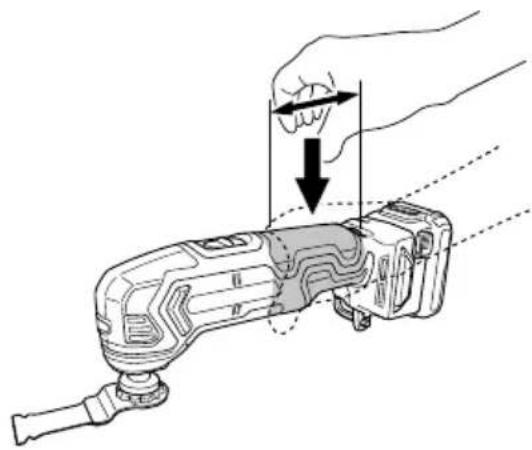
Always hold the tool firmly with one hand on housing (Fig. 10). Do not touch the metal part.
-
Make sure that the area to be cut is absolutely free of any hidden obstructions including electrical wiring, water, or gas pipes. Cutting into the aforementioned may result in electric shock or short circuit, gas leak or other hazards that can cause serious accidents or injuries.
-
Make sure to securely hold the tool during operation. Failure to do so can result in accidents or injuries.
-
Secure the workpiece. A workpiece clamped with clamping devices or in a vice is held more secure than by hand.
-
Setting up and checking the work environment. Check if the work environment is suitable by following the precaution.
-
Dust particles such as silica or asbestos are hazardous to your health. When working with materials containing these components, take appropriate dust-proofing measures.
-
Working with metal can cause sparks. Make sure there are no flammable and combustible materials in the vicinity and that they are stored in a safe location.
-
Do not allow foreign matter to enter the hole for connecting the rechargeable battery.
-
Never disassemble the rechargeable battery and charger.
-
Never short-circuit the rechargeable battery. Shortcircuiting the battery will cause a great electric current and overheat. It results in burn or damage to the battery.
-
Do not dispose of the battery in fire. If the battery is burnt, it may explode.
-
Bring the battery to the shop from which it was purchased as soon as the post-charging battery life becomes too short for practical use. Do not dispose of the exhausted battery.
-
Do not insert object into the air ventilation slots of the maycharger. Inserting metal objects or inflammables into the charger air ventilation slots will result in electrical shock hazard or damaged charger.
-
After use for continuous cutting or grinding works, rest the unit for 15 minutes or so when replacing the battery. The temperature of the motor, switch, etc., will rise if the work is started again immediately after battery replacement, eventually resulting in burnout.
-
The motor may stop in the event the tool is overloaded. In this should occur, release the tool's switch and eliminate the cause of the overload.
-
The use of the battery in a cold condition (below 0 degree Centigrade) can sometimes result in the weakened vibration frequency and reduced amount of work. This, however, is a temporary phenomenon, and returns to normal when the battery warms up.
-
Never touch moving parts. Never place your hands, fingers or other body parts near the tool's moving parts.
-
Do not look directly into the light. Such actions could result in eye injury.
-
Do not touch the application tool, its attachment area or other metal surfaces immediately after use as they will be hot. Doing so may result in burns or injury.
The metal is hot and can easily burn your skin.
-
Make sure that there is no one below when operating the tool in high locations. Dropping the tool or materials may result in accident or injury.
-
Never apply any unreasonable force to the application tool when working. Doing so may break the application tool or damage the motor.
-
Do not leave the tool running unattended on the floor, table or other locations. Doing so may result in injury.
-
If the application tool seems to be loose or uneven after attaching it to the unit, follow the instructions in Fig. 5 and re-attach the tool. Operating the unit with a loose or uneven application tool may result in injury.
-
When switching on the tool, make sure the application tool is not in contact with any processing materials. Failure to do so may result in injury.
-
For cutting efficiency, switch the vibration frequency of the application tool according to task conditions and materials to be cut.
English
- After use, be sure not to place the tool near chips or sawdust before it comes to a full stop as the tool may suck in those particles.
- Do not polish wood with sanding paper used for metal polishing.
- Do not use worn or clogged sanding paper.
-
Do not use the product if the tool or the battery terminals (battery mount) are deformed.
Installing the battery could cause a short circuit that could result in smoke emission or ignition. -
Keep the tool's terminals (battery mount) free of swarf and dust.
- Prior to use, make sure that swarf and dust have not collected in the area of the terminals.
During use, try to avoid swarf or dust on the tool from falling on the battery.
When suspending operation or after use, do not leave the tool in an area where it may be exposed to falling swarf or dust.
Doing so could cause a short circuit that could result in smoke emission or ignition.
-
Always use the tool and battery at temperatures between -5^ and 40^ .
-
Always charge the battery at an ambient temperature of 0^ C – 40^ C.
CAUTION ON LITHIUM-ION BATTERY
To extend the lifetime, the lithium-ion battery equips with the protection function to stop the output.
In the cases of 1 to 3 described below, when using this product, even if you are pulling the switch, the motor may stop. This is not the trouble but the result of protection function.
- When the battery power remaining runs out, the motor stops.
In such a case, charge it up immediately.
-
If the tool is overloaded, the motor may stop. In this case, release the switch of tool and eliminate causes of overloading. After that, you can use it again.
-
If the battery is overheated under overload work, the battery power may stop.
In this case, stop using the battery and let the battery cool. After that, you can use it again.
Furthermore, please heed the following warning and caution.
WARNING
In order to prevent any battery leakage, heat generation, smoke emission, explosion and ignition beforehand, please be sure to heed the following precautions.
- Make sure that swarf and dust do not collect on the battery.
During work make sure that swarf and dust do not fall on the battery.
○ Make sure that any swarf and dust falling on the power tool during work do not collect on the battery. -
Do not store an unused battery in a location exposed to swarf and dust.
Before storing a battery, remove any swarf and dust that may adhere to it and do not store it together with metal parts (screws, nails, etc.). -
Do not pierce battery with a sharp object such as a nail, strike with a hammer, step on, throw or subject the battery to severe physical shock.
-
Do not use an apparently damaged or deformed battery.
-
Do not use the battery in reverse polarity.
-
Do not connect directly to an electrical outlets or car cigarette lighter sockets.
-
Do not use the battery for a purpose other than those specified.
-
If the battery charging fails to complete even when a specified recharging time has elapsed, immediately stop further recharging.
-
Do not put or subject the battery to high temperatures or high pressure such as into a microwave oven, dryer, or high pressure container.
- Keep away from fire immediately when leakage or foul odor are detected.
-
Do not use in a location where strong static electricity generates.
-
If there is battery leakage, foul odor, heat generated, discolored or deformed, or in any way appears abnormal during use, recharging or storage, immediately remove it from the equipment or battery charger, and stop use.
-
Do not immerse the battery or allow any fluids to flow inside. Conductive liquid ingress, such as water, can cause damage resulting in fire or explosion. Store your battery in a cool, dry place, away from combustible and fl ammable items. Corrosive gas atmospheres must be avoided.
CAUTION
- If liquid leaking from the battery gets into your eyes, do not rub your eyes and wash them well with fresh clean water such as tap water and contact a doctor immediately.
If left untreated, the liquid may cause eye-problems.
- If liquid leaks onto your skin or clothes, wash well with clean water such as tap water immediately.
There is a possibility that this can cause skin irritation.
- If you find rust, foul odor, overheating, discolor, deformation, and/or other irregularities when using the battery for the first time, do not use and return it to your supplier or vendor.
WARNING
If a conductive foreign matter enters in the terminal of lithium ion battery, the battery may be shorted, causing fire. When storing the lithium ion battery, obey surely the rules of following contents.
○ Do not place conductive debris, nail and wires such as iron wire and copper wire in the storage case.
To prevent shorting from occurring, load the battery in the tool or insert securely the battery cover for storing until the ventilator is not seen.
REGARDING LITHIUM-ION BATTERY TRANSPORTATION
When transporting a lithium-ion battery, please observe the following precautions.
WARNING
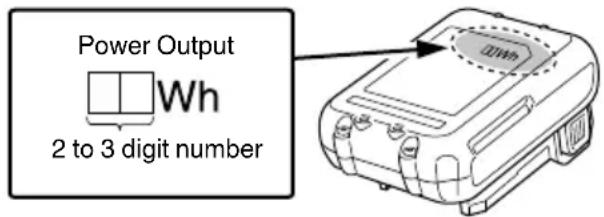
Notify the transporting company that a package contains a lithium-ion battery, inform the company of its power output and follow the instructions of the transportation company when arranging transport.
○ Lithium-ion batteries that exceed a power output of 100Wh are considered to be in the freight classification of Dangerous Goods and will require special application procedures.
☐ For transportation abroad, you must comply with international law and the rules and regulations of the destination country.
NAMES OF PARTS (Fig. 1 – Fig. 13)
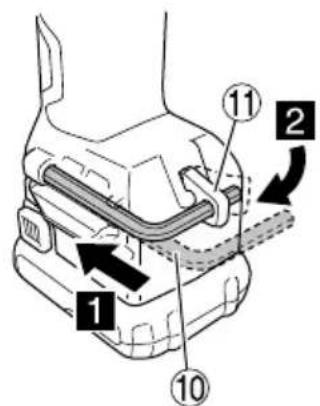
| 1 | Switch Display panel | 13 | |
| 2 | LED light | 14 | Remaining battery indicator switch |
| 3 | Attachment ring | 15 | Remaining battery indicator lamp |
| 4 | M6 bolt Retaining hole | 16 | |
| 5 | Nameplate Attachment ring | 17 | lug |
| 6 | Handle Blade | 18 | |
| 7 | Dial Sanding plate | 19 | |
| 8 | Battery Sanding paper | 20 | |
| 9 | Latch Dust collection adapter | 21 | |
| 10 | Hexagonal bar wrench Felt packing | ||
| 11 | Wrench holder Hose | 23 | |
| 12 | Pilot lamp | ||
SYMBOLS
WARNING
The following show symbols used for the machine. Be sure that you understand their meaning before use.
 | CV12DA: Cordless Multi Tool |
 | To reduce the risk of injury, user must read instruction manual. |
 | Only for EU countriesDo not dispose of electric tools together with household waste material!In observance of European Directive 2012/19/EU on waste electrical and electronic equipment and its implementation in accordance with national law, electric tools that have reached the end of their life must be collected separately and returned to an environmentally compatible recycling facility. |
 | Direct current |
| V | Rated voltage |
| n_0 | No-load speed |
| min-1 | Oscillation per minute |
 | Oscillation angle, Total (left / right) |
| Weight*(According to EPTA-Procedure 01/2014) | |
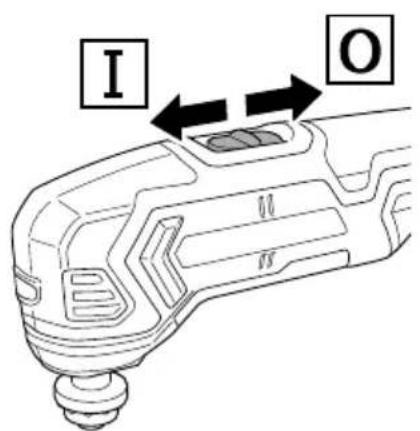
 | Switching ON |
 | Switching OFF |
| Disconnect the battery | |
 | Pad |
| Sanding paper | |
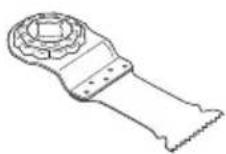
| Blade | |
| Cutsaw | |
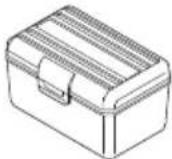
| Accessory case | |
| Warning | |
| Prohibited action |
* Depending on attached battery. The heaviest weight is measured with BSL1240M (sold separately).
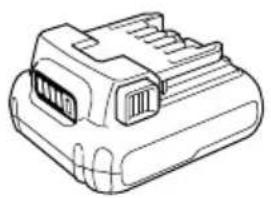
Battery
 | Remaining battery indicator switch |
 | Lights;The battery remaining power is over 75% |
 | Lights;The battery remaining power is 50% – 75%. |
 | Lights;The battery remaining power is 25% – 50%. |
 | Lights;The battery remaining power is less than 25% |
 | Blinks;The battery remaining power is nearly empty.Recharge the battery soonest possible. |
 | Blinks;Output suspended due to high temperature.Remove the battery from the tool and allow it to fully cool down. |
 | Blinks;Output suspended due to failure or malfunction.The problem may be the battery so please contact your dealer. |
NOTE
To prevent the battery power consumption caused by forgetting to turn off the LED light, the light goes off automatically in about 3 seconds.
STANDARD ACCESSORIES
In addition to the main unit (1 unit), the package contains the accessories listed on page 171.
Standard accessories are subject to change without notice.
APPLICATIONS
○ Flush cutting and pocket cutting of various materials
○ Peeling of tiles, caulking, etc.
○ Polishing wood materials, etc.
SPECIFICATIONS
The specifications of this machine are listed in the Table on page 171.
NOTE
Due to HiKOKI's continuing program of research and development, the specifications herein are subject to change without prior notice.
CHARGING
Before using the power tool, charge the battery as follows.
1. Connect the charger's power cord to the receptacle.
When connecting the plug of the charger to a receptacle, the pilot lamp will blink in red (At 1-second intervals).
2. Insert the battery into the charger.
Firmly insert the battery into the charger as shown in Fig. 3 (on page 2).
3. Charging
When inserting a battery in the charger, charging will commence and the pilot lamp will light continuously in red.
When the battery becomes fully recharged, the pilot lamp will blink in red. (At 1-second intervals) (See Table 1)
● Pilot lamp indication
The indications of the pilot lamp will be as shown in Table 1, according to the condition of the charger or the rechargeable battery.
Table 1
| Indications of the pilot lamp | ||||
| Pilot lamp(red) | Before charging | Blinks | Lights for 0.5 seconds. Does not light for 0.5 seconds. (off for 0.5 seconds) | |
| While charging | Lights | Lights continuously | ||
| Charging complete | Blinks | Lights for 0.5 seconds. Does not light for 0.5 seconds. (off for 0.5 seconds) | ||
| Overheat standby | Blinks | Lights for 1 second. Does not light for 0.5 seconds. (off for 0.5 seconds) | Battery overheated. Unable to charge. (Charging will commence when battery cools) | |
| Charging impossible | Flickers | Lights for 0.1 seconds. Does not light for 0.1 seconds. (off for 0.1 seconds) | Malfunction in the battery or the charger | |
● Regarding the temperatures and charging time of the battery.
The temperatures and charging time will become as shown in Table 2.
Table 2
| Battery\Charger | UC12SL | |
| Charging voltage V 10.8 | -12 Peak | |
| Type of battery Li-ion | ||
| Temperatures at which the battery can be recharged | 0°C - 50°C | |
| Charging time for battery capacity, approx.(At 20°C) | ||
| 1.5 Ah | min. | 22 (3 cells) |
| 2.5 Ah | min. | 37 (3 cells) |
| 4.0 Ah | min. | 60 (3 cells) |
NOTE
The recharging time may vary according to the ambient temperature and power source voltage. In addition, the charge time becomes significantly long in a low temperature environment, but this is not abnormal.
CAUTION
When the battery charger has been continuously used, the battery charger will be heated, thus constituting the cause of the failures. Once the charging has been completed, give 15 minutes rest until the next charging.
- Disconnect the charger's power cord from the receptacle.
- Hold the charger firmly and pull out the battery.
NOTE
Be sure to pull out the battery from the charger after use, and then keep it.
CAUTION
☐ If the battery is charged while it is heated because it has been left for a long time in a location subject to direct sunlight or because the battery has just been used, the pilot lamp of the charger lights for 1 second, does not light for 0.5 seconds (off for 0.5 seconds). In such a case, first let the battery cool, then start charging.
When the pilot lamp flickers (at 0.2-second intervals), check for and take out any foreign objects in the charger's battery connector. If there are no foreign objects, it is probable that the battery or charger is malfunctioning. Take it to your authorized Service Center.
○ Since the built-in micro computer takes about 3 seconds to confirm that the battery being charged with charger is taken out, wait for a minimum of 3 seconds before reinserting it to continue charging. If the battery is reinserted within 3 seconds, the battery may not be properly charged.
☐ If the pilot lamp does not blink in red (every second) even though the charger cord is connected to the power, it indicates that the protection circuit of the charger may be activated.
Remove the cord or plug from the power and then connect it again after 30 seconds or so. If this does not cause the pilot lamp to blink in red (every second), please take the charger to the HiKOKI Authorized Service Center.
MOUNTING AND OPERATION
| Action Figure Page | ||
| Removing and inserting the battery | 2 | 2 |
| Charging | 3 | 2 |
| Remaining battery indicator | 4 | 2 |
| Switch Operation 5 2 | ||
| How to use the LED light 6 3 | ||
| Adjusting operating speed*1 | 7 | 3 |
| Mounting the application tool 8 3 | ||
| Housing the hexagonal bar wrench 9 4 | ||
| Holding the tool 10 4 | ||
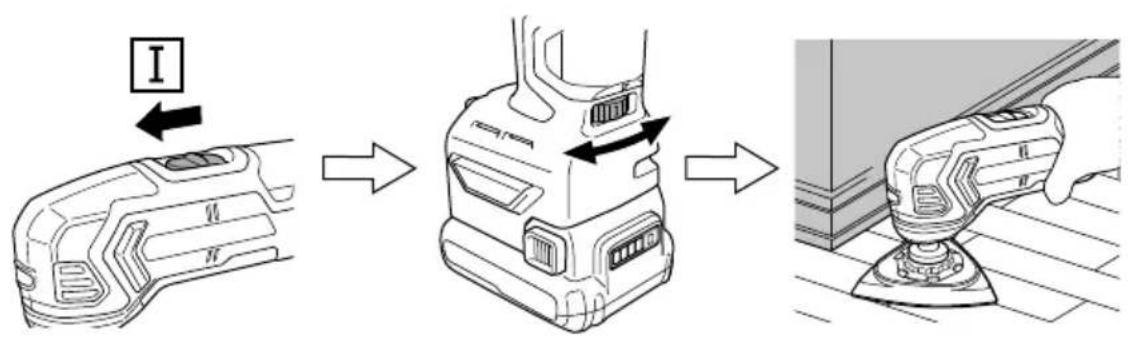
| Sawing*2 | 11 | 4 |
| Sanding*2 | 12 | 4 |
| Mounting dust collection adapter (sold separately) | 13 | 5 |
| Selecting accessories*3 | — 172 | |
*1 You can change the vibration frequency between 6000 to 20000min^-1 by adjusting the dial from "1" to "6".
Adjust the dial for the speed that best suits your task conditions and materials.
*2 Avoid applying excessive force to the tool. Avoid applying pressure to the battery while working.
*3 Select accessories that are suited to a specific task.
For details contact HiKOKI Authorized Service Center.
LED LIGHT WARNING SIGNALS
This product features functions that are designed to protect the tool itself as well as the battery. While the switch is pulled, if any of the safeguard functions are triggered during operation, the LED light will blink as described in Table 3. When any of the safeguard functions are triggered, immediately remove your finger from the switch and follow the instructions described under corrective action.

natural_image
Illustration of a handheld electric shaver with a probe inserted (no text or symbols)Table 3
| Safeguard Function | LED Light Display | Corrective Action |
| Overload Protection Temperature Protection | On 0.5 second/off 0.5 second | Remove the case of the overloading.Allow the tool and battery to thoroughly cool. |
| Low Voltage Protection | Recharge the battery. | |
| Damage to PCBA parts | On 0.25 second/off 0.25 second | Please take the tool to the HiKOKI Authorized Service Center. |
MAINTENANCE AND INSPECTION
1. Inspecting the application tool
Continued use of a dull or damaged application tool will result in reduced cutting efficiency and may cause overloading of the motor. Replace the application tool with a new one as soon as excessive abrasion is noted.
2. Inspecting the mounting screws
Regularly inspect all mounting screws and ensure that they are properly tightened. Should any of the screws be loose, retighten them immediately. Failure to do so could result in serious hazard.
3. Maintenance of the motor
The motor unit winding is the very “heart” of the power tool. Exercise due care to ensure the winding does not become damaged and/or wet with oil or water.
4. Cleaning on the outside
When the power tool is stained, wipe with a soft dry cloth or a cloth moistened with soapy water. Do not use chloric solvents, gasoline or paint thinner, for they melt plastics.
5. Storage
Store the power tool in a place in which the temperature is less than 40^ C and out of reach of children.
NOTE
Storing lithium-ion batteries
Make sure the lithium-ion batteries have been fully charged before storing them.
Prolonged storage (3 months or more) of batteries with a low charge may result in performance deterioration, significantly reducing battery usage time or rendering the batteries incapable of holding a charge.
However, significantly reduced battery usage time may be recovered by repeatedly charging and using the batteries two to five times.
If the battery usage time is extremely short despite repeated charging and use, consider the batteries dead and purchase new batteries.
CAUTION
In the operation and maintenance of power tools, the safety regulations and standards prescribed in each country must be observed.
Important notice on the batteries for the HiKOKI cordless power tools
Please always use one of our designated genuine batteries. We cannot guarantee the safety and performance of our cordless power tool when used with batteries other than these designated by us, or when the battery is disassembled and modified (such as disassembly and replacement of cells or other internal parts).
GUARANTEE
We guarantee HiKOKI Power Tools in accordance with statutory/country specific regulation. This guarantee does not cover defects or damage due to misuse, abuse, or normal wear and tear. In case of complaint, please send the Power Tool, undismantled, with the GUARANTEE CERTIFICATE found at the end of this Handling instruction, to a HiKOKI Authorized Service Center.
Information concerning airborne noise and vibration
The measured values were determined according to EN62841 and declared in accordance with ISO 4871.
Measured A-weighted sound power level: 93 dB (A) Measured A-weighted sound pressure level: 82 dB (A) Uncertainty K: 3 dB (A).
Wear hearing protection.
Vibration total values (triax vector sum) determined according to EN62841.
Vibration emission value (sanding) a_h = 5.0 m/s^2 Uncertainty K = 1.5 m/s^2
Vibration emission value (cutting wood) a_h = 11.1 m/s^2 Uncertainty K = 1.5 m/s ^2
The declared vibration total value has been measured in accordance with a standard test method and may be used for comparing one tool with another. It may also be used in a preliminary assessment of exposure.
WARNING
☐ The vibration emission during actual use of the power tool can differ from the declared total value depending in the ways in which the tool is used.
○ Identify safety measures to protect the operator that are based on an estimation of exposure in the actual conditions of use (taking account of all parts of the operating cycle such as the times when the tool is switched off and when it is running idle in addition to the trigger time).
NOTE
Due to HiKOKI's continuing program of research and development, the specifications herein are subject to change without prior notice.
ALLGEMEINE
natural_image
Technical line drawing of a mechanical device with no visible text or symbolsnatural_image
Diagram of a handheld device with a pointed tip and curved internal bands (no text or symbols)Tabelle 3
natural_image
Illustration of a handheld device emitting a laser beam, showing motion lines (no text or symbols)Tableau 3
natural_image
Illustration of a handheld electric shaver with a pointed tip emitting light (no text or symbols)Tabella 3
| Funzione di protezione Display | spie LED Azione correttiva | |
| Protezione da sovraccaricoProtezione da temperatura | Attiva 0,5 secondi/disattiva 0,5 secondi■ ■ ■ ■ ■ ■ ■are la batteria. | Eliminare la causa delsovraccarico.Far raff reddare completamentel'utensile e la batteria. |
| Protezione da bassa tensione Ricaricare la batteria. | ||
| Danni alle parti PCBA | Attiva 0,25 secondi/disattiva 0,25 secondi■■■■■■■■■■■■■■■■■■■■■■■■■■■■■■■■■■■■■■■■■■■■■■■■■■■■■■■■■■■■■■■■■■■■■■■■■■■■■■■■■■■■■■■■■■■■■■■■■■■■ | Portare l'utensile al Centroassistenza autorizzato HiKOKI. |
VEILIGHEIDSWAARSCHUWINGEN ACCU MULTITOOL
VEILIGHEIDSWAARSCHUWINGEN
WAARSCHUWINGSSIGNALEN LED-LAMPJE
natural_image
Illustration of a handheld device emitting a laser beam, showing concentric wave patterns (no text or symbols)Tabel 3
natural_image
Technical line drawing of a device casing with a highlighted component (no text or symbols)natural_image
Illustration of a handheld electric shaver with a pointed tip, showing internal waveform patterns (no text or symbols)Tabla 3.
natural_image
Illustration of a power tool emitting a laser beam, showing concentric wave patterns (no text or symbols)Tabela 3
natural_image
Illustration of a handheld electric shaver with a probe inserted (no text or symbols)Tabell 3
● Pilot lysindikation
natural_image
Illustration of a handheld electric shaver with a pointed tip, showing internal waveform (no text or symbols)Tabel 3
SIKKERHETSFORHOLDSREGLER FOR ELEKTROVERKT∅Y
ADVARSEL
natural_image
Illustration of a handheld electric shaver with a probe inserted (no text or symbols)Tabell 3
| Beskyttelsesfunksjon LED-lysskjerm Korrigerende tiltak | ||
| OverbelastningsvernTemperaturbeskyttelse | På 0,5 sekund/av 0,5 sekund■ ■ ■ ■ ■■ nytt. | Fjern årsaken til overbelastningen.La verktøyet og batteriet kjøle segordentlig ned. |
| Lavspenningsvern Lad opp batteriet på | ||
| Skader på PCBA-deler | På 0,25 sekund/av 0,25 sekund■■■■■■■■■■■■■■■■■■■■■■■■■■■■■■■■■■■■■■■■■■■■■■■■■■■■■■■■■■■■■■■■■■■■■■■■■■■■■■■■■■■■■■■■■■■■■■■■■■■■ | Vennligst ta med verktøyet til etHiKOKI autorisert servicesenter. |
VEDLIKEHOLD OG INSPEKSJON
natural_image
Illustration of a handheld electric shaver with a probe inserted (no text or symbols)Taulukossa 3
natural_image
Illustration of a handheld device emitting signal waves (no text or symbols)Півака 3
natural_image
Illustration of a handheld electric shaver with a pointed tip, showing internal waveform patterns (no text or symbols)Tabeli 3
natural_image
Illustration of a handheld electric shaver with a probe inserted (no text or symbols)- táblázat
natural_image
Illustration of a handheld device emitting a laser beam, showing motion lines (no text or symbols)Tabulce 3
natural_image
Illustration of a handheld electric shaver with a pointed tip, emitting light rays (no text or symbols)Tablo 3
natural_image
Illustration of a handheld device emitting a laser beam, showing motion lines (no text or symbols)Tabelul 3
natural_image
Illustration of a handheld electric shaver with a probe inserted (no text or symbols)Tabeli 3
natural_image
Illustration of a handheld device emitting a laser beam, showing concentric wave patterns (no text or symbols)Tabul'ke č. 3
natural_image
Illustration of a handheld electric shaver with a probe inserted (no text or symbols)Таблица 3
natural_image
Illustration of a handheld electric shaver with a probe inserted (no text or symbols)Tabela 3
| Zaštitna funkcija Prikaz LED svetla Korektivna radnja | ||
| Zašita od preopterećenja Temperaturna zaštita | Uključeno 0,5 sekundi/isključeno 0,5 sekundi | Uklonite uzrok preopterećenja. Dopustite alatu i bateriji da se ohlade temeljno. |
| Zašita od niskog napona | Napunite bateriju. | |
| Oštećenja na PCBA delovima | Uključeno 0,25 sekundi/isključeno 0,25 sekundi | Molimo vas da alat odnesete u ovlašćeni HiKOKI servisni centar. |
ODRŽAVANJE I PROVERA
1. Provera alata za primenu
Stalna upotreba tupog ili oštećenog alata za primenu će dovesti do smanjene efikasnosti pri sečenju i može da izazove preopterećenje motora. Zamenite alat za primenu novim čim primetite preteranu abraziju.
2. Provera montažnih zavrtnjeva
Redovno proveravajte sve montažne zavrtnje i postarajte se da budu dobro zategnuti. Ako bilo koji od ovih zavrtnjeva popusti, odmah ga pritegnite. Propust da to uradite može da izazove ozbiljnu opasnost.
3. Održavanje motora
natural_image
Illustration of a handheld electric shaver with a pointed tip, showing internal waveform patterns (no text or symbols)Tablica 3
| Zaštitne funkcije Zaslon | LED svjetla Korektivni postupci | |
| Zašita od preopterećenja Temperaturna zaštita | Uključeno 0,5 sekundu/isključeno 0,5 sekundi | Uklonite uzrok preopterećenja. Dopustite da se alat i baterija potpuno ohlade. |
| Zašita od niskog napona | Ponovno napunite bateriju. | |
| Oštećenje PCBA dijelova | Uključeno 0,25 sekunde/isključeno 0,25 sekunde | Molimo, odnesite alat u ovlašteni HiKOKI servisni centar. |
ODRŽAVANJE I INSPEKCIJA
1. Pregledavanje alata
| CV12DA | ||
| (2FS) | (NN) | |
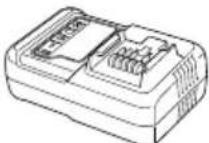 UC12SL UC12SL | 1- | |
 BSL1225M BSL1225M | 2- | |
 | 1- | |
 | 1- | |
 | 1 | 1 |
 | 5 | 5 |
 | 1 | 1 |
 | 1 | 1 |
 | 1 | 0 |
5 mm | 1 | 1 |

natural_image
Line drawing of a mechanical component with no visible text or symbolsBSL1215
natural_image
Line drawing of a 3-pin electrical connector (no text or symbols)BSL1240M
natural_image
Isometric technical drawing of a computer cooling unit with visible internal components (no text or labels)336471

natural_image
Line drawing of a battery pack with internal compartments and casing (no text or symbols)UC12SL

natural_image
Technical line drawing of a mechanical component housing (no text or symbols)376106
374778
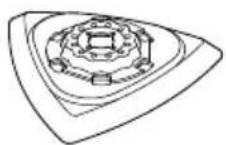
782791
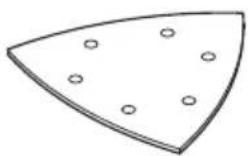
60, 80, 100, 120, 180, 240

natural_image
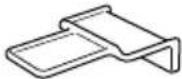
Simple line drawing of a mechanical component with a flanged top and rectangular base (no text or symbols)MW32P : 335871
MD28PB : 335881
MM32PB : 335883
MM20PB : 335884
MSW32PC : 782733
MSD32PBC:782721
MSM32PB : 782714
MSM20PB : 782712
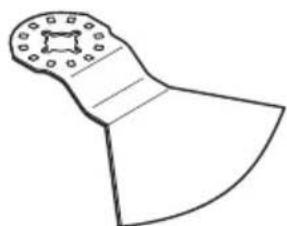
natural_image
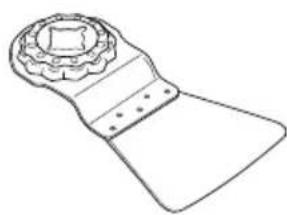
Simple line drawing of a mechanical tool or bracket with no text or symbolsMU52PKR : 335901
MU52PK : 335902
natural_image
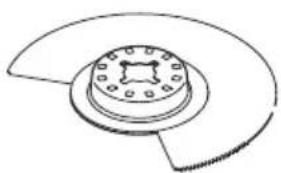
Line drawing of a mechanical component with a flanged top and rectangular body (no text or symbols)MSU52PKR : 782781
MSU52PK : 782782
natural_image
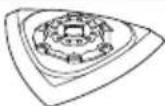
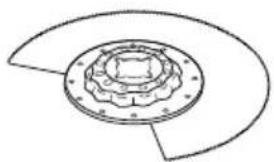
Technical line drawing of a mechanical component with a central circular housing and flanged ends (no text or symbols)MW85S : 335868
MD85SB : 335880
MA85SH : 335897
natural_image
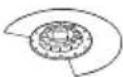
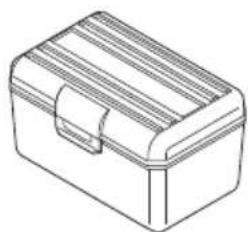
Technical line drawing of a mechanical component with concentric rings and mounting holes (no text or symbols)MSW85S : 782741
MSD85SB : 782724
MSA85SH : 782761
natural_image
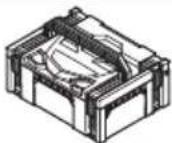
Line drawing of a rectangular toolbox with lid and handle (no text or symbols)337685

376118


376066
natural_image
Line drawing of a quill pen with inkwell (no text or symbols)
natural_image
Line drawing of a quill pen with inkwell (no text or symbols)| English Dansk Română | ||||
| GUARANTEE CERTIFICATE1 Model No.2 Serial No.3 Date of Purchase4 Customer Name and Address5 Dealer Name and Address(Please stamp dealer name and address) | GARANTIBEVIS1 Modelnummer2 Serienummer3 Købsdato4 Kundes navn og adresse5 Forhandlers navn og adresse(Indsæt stempel med forhandlers navn og adresse) | CERTIFICAT DE GARANTIE1 Model nr.2 Nr. de serie3 Data cumpărării4 Numele și adresa clientului5 Numele și adresa distributorului(Vă rugăm aplicați ștampila cu numele și adresa distributorului) | ||
| Deutsch Norsk Slovenščina | ||||
| GARANTIESCHEIN1 Modell-Nr.2 Serien-Nr.3 Kaufdatum4 Name und Anschrift des Kunden5 Name und Anschrift des Händlers(Bitte mit Namen und Anschrift des Handlers abstempeln) | GARANTISERTIFIKAT1 Modelnr.2 Serienr.3 Kjøpsdato4 Kundens navn og adresse5 Forhandlerens navn og adresse(Vennligst stemple forhandlerens navn og adresse) | GARANCIJSKO POTRDILO1 Št. modela2 Serijska št.3 Datum nakupa4 Ime in naslov kupca5 Ime in naslov prodajalca(Prosimo vtsnite žig z imenom in naslovom prodajalca) | ||
| Français Suomi Slovenčina | ||||
| CERTIFICAT DE GARANTIE1 No. de modèle2 No de série3 Date d'achat4 Nom et adresse du client5 Nom et adresse du revendeur(Cachet portant le nom et l'adresse du revendeur) | TAKUUTODISTUS1 Malli nro2 Sarja nro3 Ostopäivämäärä4 Asiakkaan nimi ja osoite5 Myyjän nimi ja osoite(Leimaa myyjän nimi ja osoite) | ZÁRUČNÝ LISTA1 Č. modelu2 Sériové č.3 Dátum zakúpenia4 Meno a adresa zákaznika5 Názov a adresa predajcu(Pečiatka s názvom a adresou predajcu) | ||
| Italiano Ελληνικά Βългарски | ||||
| CERTIFICATO DI GARANZIA1 Modello2 N° di serie3 Data di acquisto4 Nome e indirizzo dell'acquirente5 Nome e indirizzo del rivenditore(Si prega di apporre il timbro con questi dati) | ПІЗТОПОІНТІКО ЕГГУНЄНЕ1 Ap. Movtėlou2 Aŭξων Ap.3 Нμερομηνία αγοράς4 ́Овома кαι διεύθυνση πελάτη5 ́Овома кαι διεύθυνση μεταπωλητή(Παρακαλούμε να χρησιμοποιηθεί σφραγίδα) | ГАРАНЦИОНЕН СЕРТИФИКАТ1 Модел No2 Сериен No3 Дата за закупуване4 Име и адрес на клиента5 Име и адрес на търговеца(Моля, отпечатайте името и адрес на дильра) | ||
| Nederlands Polski Srpski | ||||
| GARANTIEBEWIJS1 Modelnummer2 Serienummer3 Datum van aankoop4 Naam en adres van de gebruiker5 Naam en adres van de handelaar(Stempel a.u.b. naam en adres vande de handelaar) | GWARANCJA1 Model2 Numer seryjny3 Data zakupu4 Nazwa klienta i adres5 Nazwa dealera i adres(Pieczęć punktu sprzedaży) | GARANTNI SERTIFIKAT1 Br. modela.2 Serijski br.3 Datum kupovine4 Ime i adresa kupca5 Ime i adresa prodavca(Molimo da stavite pečat na ime i adresu trgovca) | ||
| Español Magyar Hrvatski | ||||
| CERTIFICADO DE GARANTÍA1 Número de modelo2 Número de serie3 Fecha de adquisición4 Nombre y dirección del cliente5 Nombre y dirección del distribuidor(Se ruega poner el sello del distribuidor con su nombre y dirección) | GARANCIA BIZONYLAT1 Tipusszám2 Sorozatszám3 A vásárlás dátuma4 A Vásárló neve és címe5 A Kereskedő neve és címe(Kárjük ide olhelyezni a Kereskedő nevének és címének pecsétjét) | JAMSTVENI CERTIFIKAT1 Br modela.2 Serijski br.3 Datum kupnje4 Ime i adresa kupca5 Ime i adresa trgovca(Molimo stavite pečat na ime i adresu trgovca) | ||
| Português Čeština | ||||
| CERTIFICADO DE GARANTIA1 Número do modelo2 Número do série3 Data de compra4 Nome e morada do cliente5 Nome e morada do distribuidor(Por favor, carimbe o nome e morada do distribuidor) | ZÁRUČNÍ LIST1 Model č.2 Série č.3 Datum nákupu4 Jméno a adresa zákazníka5 Jméno a adresa prodejce(Prosíme o razitko se jménem a adresou prodejce) | |||
| Svenska Türkçe | ||||
| GARANTICERTIFIKAT1 Modellnr2 Serienr3 Inköpsdatum4 Kundens namn och adress5 Försäljarens namn och adress(Stámpla försäljarens namn och adress) | GARANTI SERTÍFÍKASI1 Model No.2 Seri No.3 Satin Alma Tarihi4 Müşteri Adi ve Adresi5 Bayi Adi ve Adresi(Lütfen bayi adini ve adresini kaşe olarak basin) | |||
HiKOKI
| 1 | |
| 2 | |
| 3 | |
| 4 | |
| 5 |
Siemensring 34, 47877 willich, Germany
Tel: +49 2154 49930
Fax: +49 2154 499350
URL: http://www.hikoki-powertools.de
Hikoki Power Tools Netherlands B.V.
Brabanthaven 11, 3433 PJ Nieuwegein, The Netherlands
Tel: +31 30 6084040
Fax: +31 30 6067266
URL: http://www.hikoki-powertools.nl
Hikoki Power Tools (U.K.) Ltd.
Precedent Drive, Rooksley, Milton Keynes, MK 13, 8PJ,
United Kingdom
Tel: +44 1908 660663
Fax: +44 1908 606642
URL: http://www.hikoki-powertools.uk
Hikoki Power Tools France S.A.S.
Hikoki Power Tools Belgium N.V./S.A.
Koningin Astridlaan 51, B-1780 Wemmel, Belgium
Tel: +32 2 460 1720
Fax: +32 2 460 2542
URL http://www.hikoki-powertools.be
Hikoki Power Tools Italia S.p.A
Via Piave 35, 36077, Altavilla Vicentina (VI), Italy
Tel: +39 0444 548111
Fax: +39 0444 548110
URL: http://www.hikoki-powertools.it
Hikoki Power Tools Ibérica, S.A.
C/ Puigbarral, 26-28, Pol. Ind. Can Petit, 08227 Terrassa
(Barcelona), Spain
Tel: +34 93 735 6722
Fax: +34 93 735 7442
URL: http://www.hikoki-powertools.es
Kjeller Vest 7, N-2007 Kjeller, Norway
Tel: (+47) 6692 6600
Fax: (+47) 6692 6650
URL: http://www.hikoki-powertools.no
Hikoki Power Tools Sweden AB
Rotebergsvagen 2B SE-192 78 Sollentuna, Sweden
Tel: (+46) 8 598 999 00
Fax: (+46) 8 598 999 40
URL: http://www.hikoki-powertools.se
Hikoki Power Tools Denmark A/S
Lillebaeltsvej 90, 6715 Esbjerg N, Denmark
Tel: (+45) 75 14 32 00
Fax: (+45) 75 14 36 66
URL: http://www.hikoki-powertools.dk
Hikoki Power Tools Finland Oy
Tupalankatu 9, 15680 Lahti, Finland
Tel: (+358) 20 7431 530
Fax: (+358) 20 7431 531
URL: http://www.hikoki-powertools.fi
Hikoki Power Tools Hungary Kft.
Hikoki Power Tools Romania S.R.L.
Ring Road, No. 66, Mustang Traco Warehouses, Warehouse
No.1, Pantelimon City, 077145, Ilfov County, Romania

- GENERAL POWER TOOL SAFETY WARNINGS
- WARNING
- 1) Work area safety
- 2) Electrical safety
- 3) Personal safety
- 4) Power tool use and care
- PRECAUTION
- CORDLESS MULTI TOOL SAFETY WARNINGS
- ADDITIONAL SAFETY WARNINGS
- English
- CAUTION ON LITHIUM-ION BATTERY
- CAUTION
- REGARDING LITHIUM-ION BATTERY TRANSPORTATION
- SYMBOLS
- NOTE
- STANDARD ACCESSORIES
- APPLICATIONS
- SPECIFICATIONS
- CHARGING
- Connect the charger's power cord to the receptacle.
- Insert the battery into the charger.
- Charging
- LED LIGHT WARNING SIGNALS
- MAINTENANCE AND INSPECTION
- Inspecting the application tool
- Inspecting the mounting screws
- Maintenance of the motor
- Cleaning on the outside
- Storage
- Important notice on the batteries for the HiKOKI cordless power tools
- GUARANTEE
- Information concerning airborne noise and vibration
- ALLGEMEINE
- VEILIGHEIDSWAARSCHUWINGEN ACCU MULTITOOL
- VEILIGHEIDSWAARSCHUWINGEN
- WAARSCHUWINGSSIGNALEN LED-LAMPJE
- SIKKERHETSFORHOLDSREGLER FOR ELEKTROVERKT∅Y
- ADVARSEL
- VEDLIKEHOLD OG INSPEKSJON
- ODRŽAVANJE I PROVERA
- Provera alata za primenu
- Provera montažnih zavrtnjeva
- Održavanje motora
- ODRŽAVANJE I INSPEKCIJA
- Pregledavanje alata
- 60, 80, 100, 120, 180, 240
- Hikoki Power Tools Netherlands B.V.
- Hikoki Power Tools (U.K.) Ltd.
- Hikoki Power Tools France S.A.S.
- Hikoki Power Tools Belgium N.V./S.A.
- Hikoki Power Tools Italia S.p.A
- Hikoki Power Tools Ibérica, S.A.
- Hikoki Power Tools Sweden AB
- Hikoki Power Tools Denmark A/S
- Hikoki Power Tools Finland Oy
- Hikoki Power Tools Hungary Kft.
- Hikoki Power Tools Romania S.R.L.
Brand : HiKOKI
Model : CV12DA
Category : Multitools