Ultravid 10x50 HD-Plus - Binoculars LEICA - Free user manual and instructions
Find the device manual for free Ultravid 10x50 HD-Plus LEICA in PDF.



| Product Type | Binoculars |
| Brand | Leica |
| Model | Ultravid 10x50 HD-Plus |
| Magnification | 10x |
| Objective Diameter | 50 mm |
| Exit Pupil | 5 mm |
| Twilight Factor | 22.36 |
| Geometric Brightness | 25 |
| Field of View | 115 m at 1000 m (6.6°) |
| Minimum Focus Distance | 3.35 m |
| Exit Pupil Distance | 14.6 mm |
| Interpupillary Distance | 58-74 mm |
| Prism Type | Roof |
| Anti-Reflective Coating | HDC™ on lenses, HLS™ and P40 on prisms |
| Diopter Adjustment | ±4 diopters |
| Waterproof | 5 m (0.5 bar) |
| Gas Filling | Nitrogen |
| Housing Material | Magnesium with titanium axis |
| Dimensions (L x H x W) | 125 x 70 x 178 mm |
| Weight | 1010 g |
| Operating Temperature | -25°C to +55°C |
| Storage Temperature | -40°C to +85°C |
| Included Accessories | Carrying strap, case, eyepiece and objective covers, manual, warranty card |
| Tripod Adapter (optional) | Ref. 42220 |
| Maintenance | Clean with a soft cloth, rinse with fresh water after use in salt water |
| Safety | Never look at the sun – risk of eye damage |
Frequently Asked Questions - Ultravid 10x50 HD-Plus LEICA
User questions about Ultravid 10x50 HD-Plus LEICA
0 question about this device. Answer the ones you know or ask your own.
Ask a new question about this device
Download the instructions for your Binoculars in PDF format for free! Find your manual Ultravid 10x50 HD-Plus - LEICA and take your electronic device back in hand. On this page are published all the documents necessary for the use of your device. Ultravid 10x50 HD-Plus by LEICA.
USER MANUAL Ultravid 10x50 HD-Plus LEICA
natural_image
Black Ultraviolet 10x32 binoculars with Leica logo, no visible text or symbols on the device itself.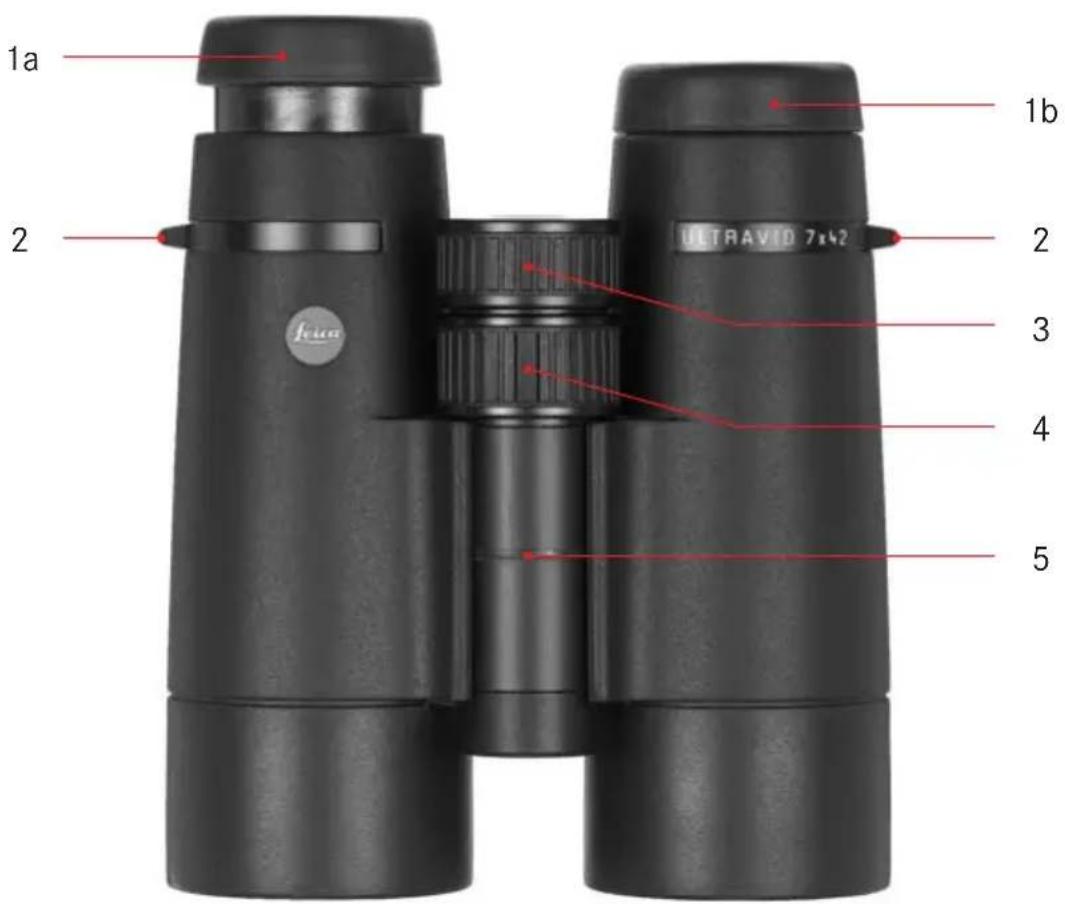
natural_image
Black binoculars with no visible text or symbols on the canVorwort
natural_image
Close-up of a black cylindrical mechanical component with flanges and a labeled section A (no text or symbols on the object itself)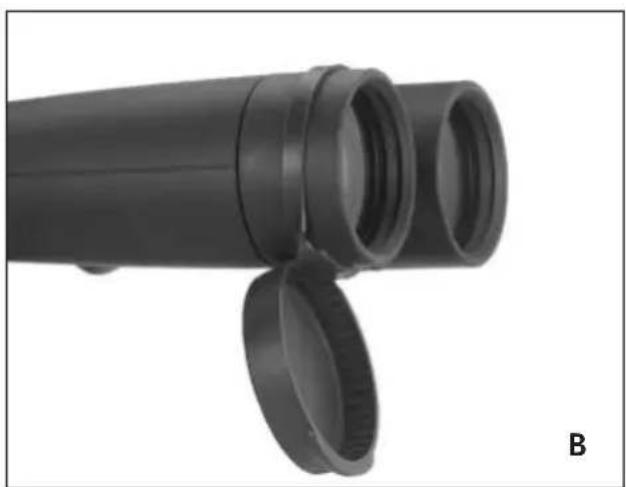
natural_image
Close-up of a black cylindrical mechanical component with two circular ends, labeled 'B' in the corner (no text or symbols on the object itself)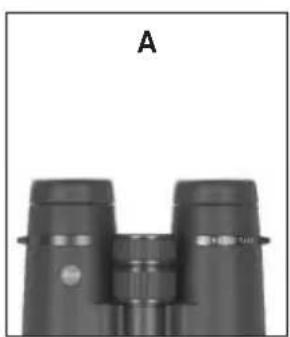
natural_image
Black binoculars with no visible text or symbols on the devices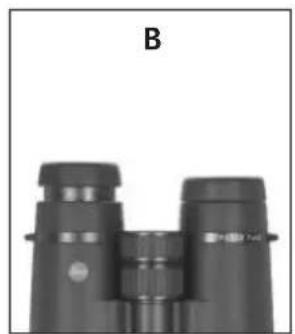
natural_image
Black binoculars with no visible text or symbols on the device itself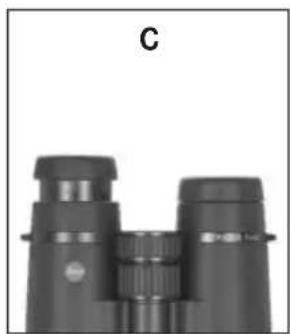
natural_image
Close-up of binoculars with no visible text or symbols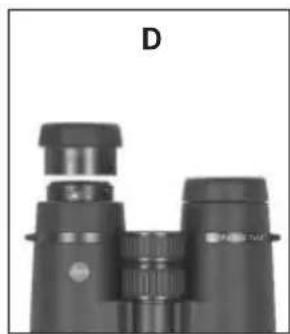
natural_image
Black binoculars with no visible text or symbols on the binches (title D)natural_image
Top-down view of a black binoculars with red directional arrows indicating rotation (no text or symbols)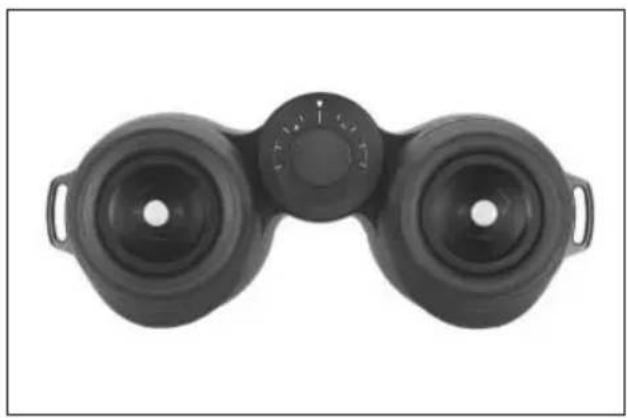
natural_image
Black binoculars with dual lenses and a central knob (no text or symbols visible)natural_image
Close-up of two black binoculars labeled 'ULTRAVEN 7x42' and 'Fisier', with no visible text beyond labels.natural_image
Black binoculars with dual lenses and a central dial (no text or symbols visible)Skalenangaben
Worldwide, the name Leica stands for superb optical quality, close-tolerance precision engineering, absolute reliability, and long product life.
We wish you a great deal of enjoyment and success with your new Leica Ultravid binoculars.
So that you can use them properly, we recommend that you first of all read these instructions.
Scope of Delivery
- Binoculars
- Carrying strap
- Ever-ready case
- Eyepiece protection cover
- 2 lens caps (only with BR-models)
- Instructions
- Warranty Card
- Test certificate
Nomenclature
- Eyepiece cups
Position a: unscrewed for viewing without glasses
Position b: screwed in for viewing with glasses - Eyelets for carrying strap
- Lockable diopter adjustment ring
- Central focusing ring
- Hinged joint for adjusting the eyebase
Table of Contents
Foreword 13
Scope of delivery....13
Nomenclature....13
Possible applications....15
Attaching the carrying strap and the protective eyepiece cover 15
Attaching the protective lens caps 15
Adjusting the eyecups / Use with and without glasses....16
Adjusting the eyebase 17
Focusing / Diopter adjustment....18
Indications on the scale 19
Care and maintenance 20
Accessories....20
Replacements 20
Trouble shooting guide 21
Technical data....22-23
Leica in the Internet and Leica Academy 24
Leica Information Service....24
Leica Customer Service 24
Warning notices
- Never look directly at the sun or other sources of bright light with your binoculars! This could cause eye damage!
- Never use your binoculars while you are walking! You might overlook obstacles!
Possible applications
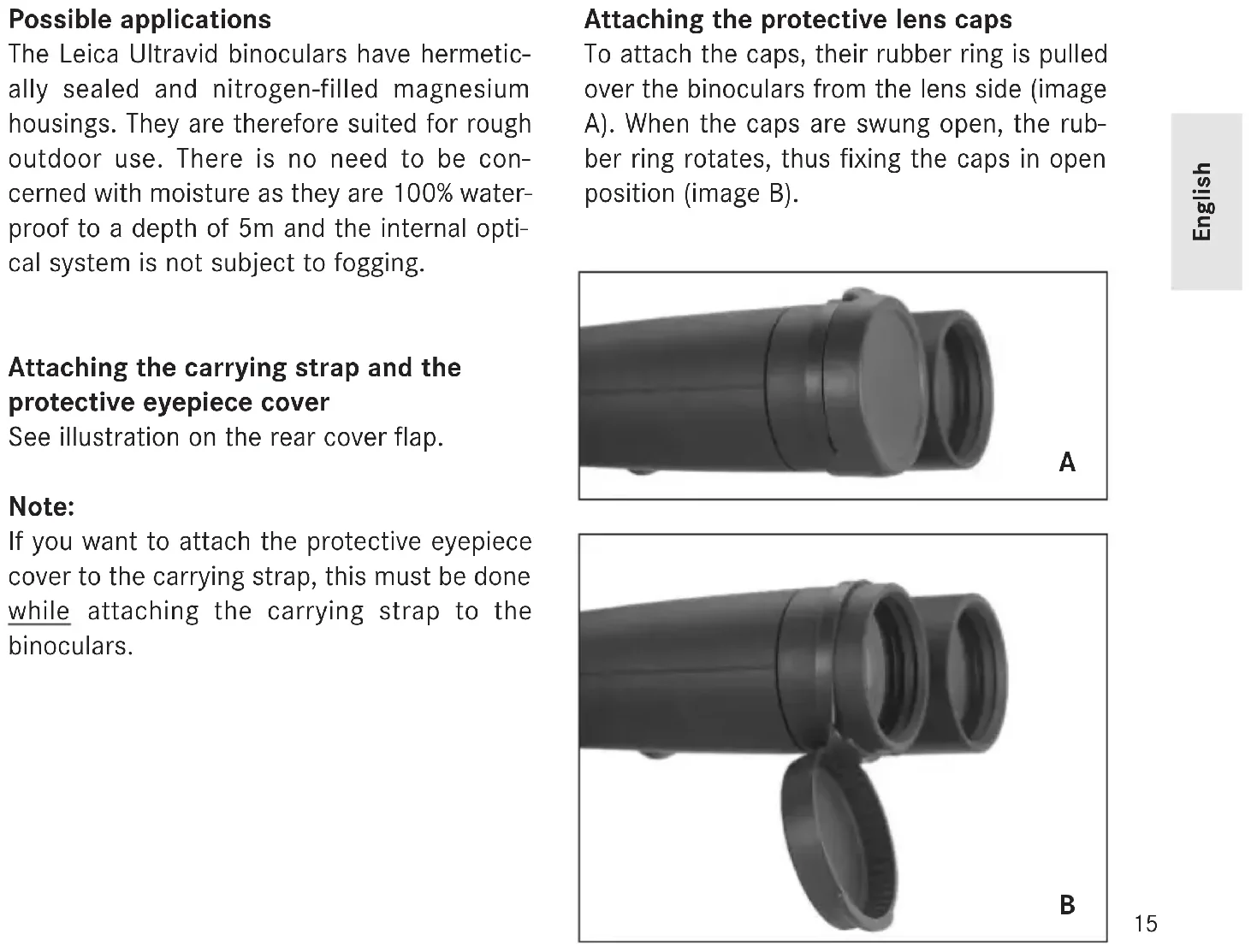
The Leica Ultravid binoculars have hermetically sealed and nitrogen-filled magnesium housings. They are therefore suited for rough outdoor use. There is no need to be concerned with moisture as they are 100% waterproof to a depth of 5m and the internal optical system is not subject to fogging.
Attaching the carrying strap and the protective eyepiece cover
See illustration on the rear cover flap.
Note:
If you want to attach the protective eyepiece cover to the carrying strap, this must be done while attaching the carrying strap to the binoculars.
Attaching the protective lens caps
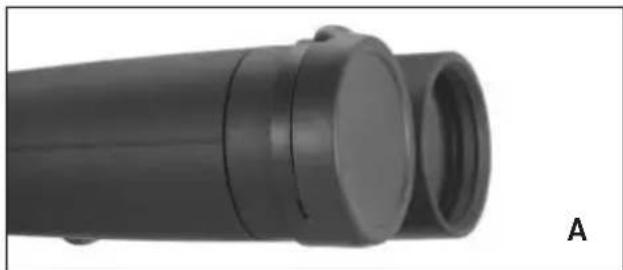
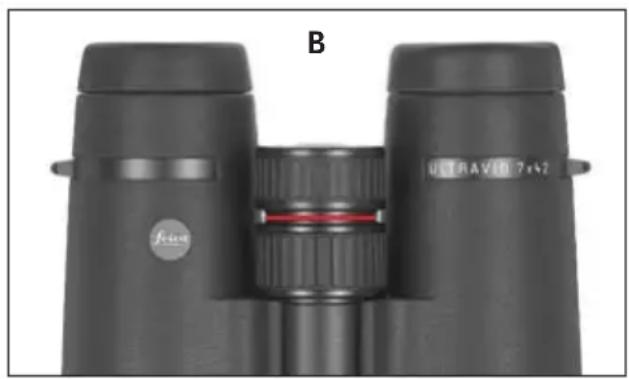
To attach the caps, their rubber ring is pulled over the binoculars from the lens side (image A). When the caps are swung open, the rubber ring rotates, thus fixing the caps in open position (image B).
natural_image
Close-up of a black cylindrical mechanical component with flanges and a labeled section A (no text or symbols on the object itself)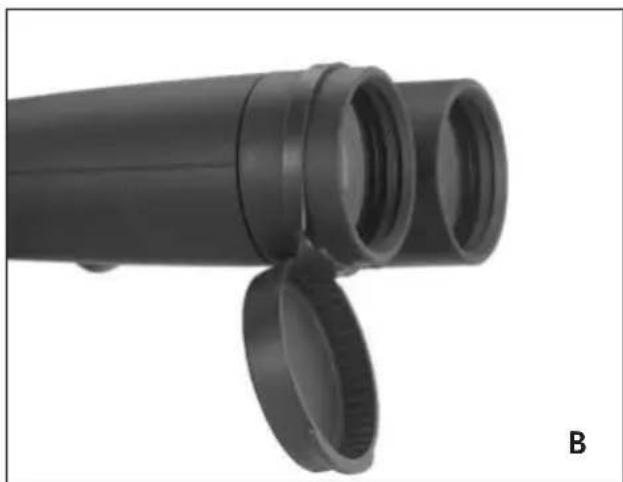
natural_image
Close-up of a black cylindrical mechanical component with two circular cutouts, labeled 'B' in the corner (no text or symbols on the object itself)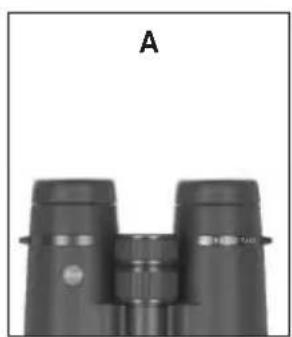
natural_image
Black binoculars with no visible text or symbols on the devices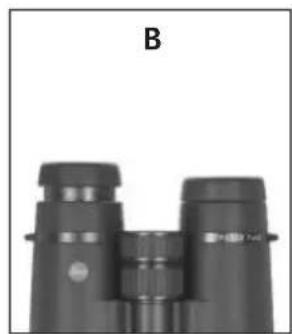
natural_image
Black binoculars with no visible text or symbols on the devices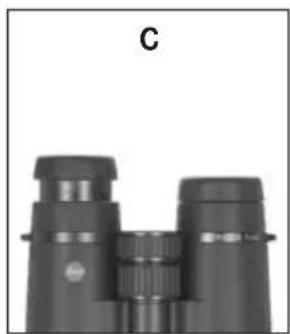
natural_image
Black binoculars with no visible text or symbols on the device itself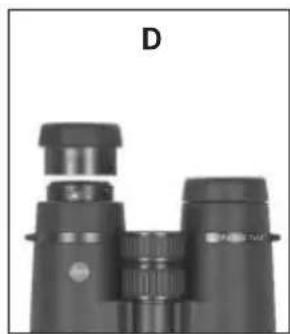
natural_image
Black binoculars with no visible text or symbols on the binches (title D)Adjusting the eyecups /
Use with and without glasses
The eyepiece cups (1) can be easily adjusted by turning them and they lock securely into the selected positions. They can also be completely removed for thorough cleaning.
For viewing with eyeglasses (image A) they remain in the fully screwed-in position. For viewing without eyeglasses, they are unscrewed by turning them anticlockwise. Two positions are available for optimum adjustment (images B, C).
If the eyepieces are very dirty, it is recommended to remove the cups for cleaning (image D). To do this, they are simply pulled off while in the fully unscrewed position.
natural_image
Top-down view of a black binoculars with red directional arrows indicating rotation (no text or symbols)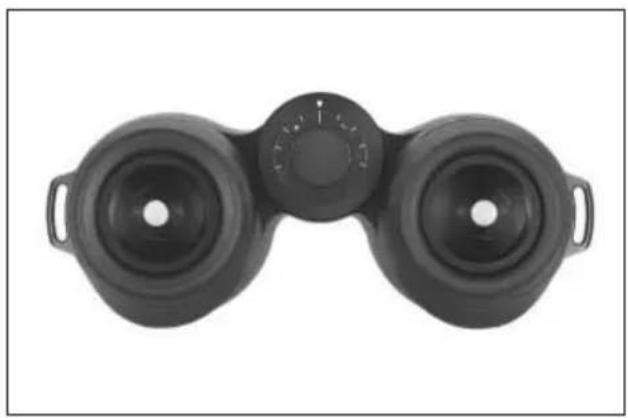
natural_image
Top-down view of a black binoculars with no visible text or symbolsAdjusting the eyebase
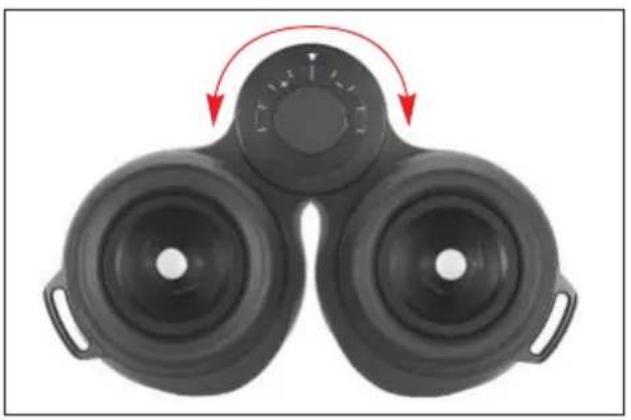
To set the eyebase, adjust the binoculars at the hinged joint. The left and right fields of view must merge and produce a single circular image.
natural_image
Close-up of two black binoculars labeled 'FEVER' and 'ULTRAVID 7x42', with no visible text or symbols beyond labels.Focusing / Diopter adjustment
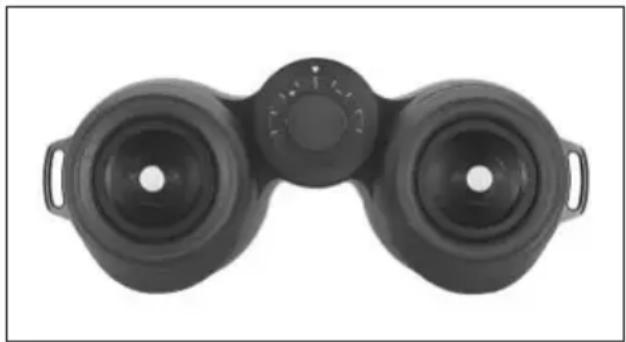
With the Leica Ultravid binoculars the central focusing ring (4) is used to set the focus for variously distant objects.
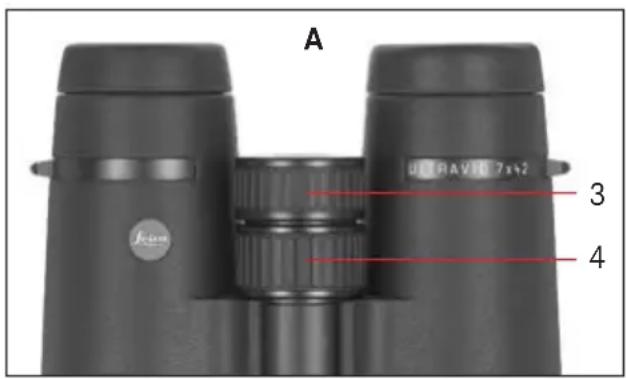
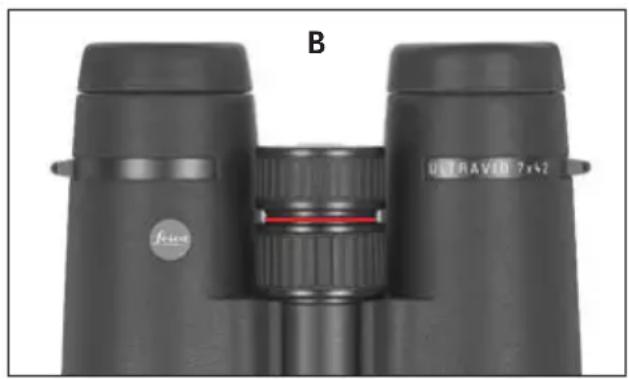
Compensation for individual defective vision for viewing without eyeglasses is made using the diopter ring (4), which is normally locked (Figure A). To unlock the two rings the diopter ring is pulled up (Figure B). Now, the central focusing ring only effects the focus of the left optical system, the diopter ring only that of the right system.
Using one of the rings, then focus the respective barrel on the desired subject. Continue by setting the optimal focus for the second barrel with the other ring. Pressing the diopter ring back down locks the set value. The set value can be conveniently read from the accurate scale on the diopter ring.
Notes:
- The diopter ring rotates freely, i.e. it can accidentally be rotated by more than 360^ with respect to the central focusing ring. Depending on the latter's previous setting, the combined system's focusing range can be limited considerably by this. Therefore, take care to turn the diopter ring only as far as necessary for the eyesight adjustment.
- For viewing on just the left or the right side, the other eye should be kept closed or the appropriate half of the binoculars simply covered at the front on the lens.
natural_image
Black binoculars with dual lenses and a central dial (no text or symbols visible)Indications on the scale
As long as the two halves of the drive are coupled together, the binoculars are permanently adjusted to your eyesight, irrespective of the focusing distance to an object. You need to make the adjustment only once. If other people use your binoculars, they may have to alter the setting. Simply note your personal setting on the scale; when someone else has used them, you can reset the binoculars in a matter of seconds.
The distance between two divisions on the scale represents a difference of approx. one diopter of correction being applied to the left and right eye.
Care and maintenance
Your Leica Ultravid binoculars need no special maintenance. Use a soft lens brush or a blower to remove large particles of dirt, sand, etc. To remove fingerprints etc., first wipe the eyepiece and lens with a damp cloth, then dry them with a piece of clean, soft chamois leather or lint-free cloth. If the binoculars, particularly the rotating eyecups, are very dirty, simply rinse them under a running faucet. Always rinse off salt water.
Moisture inside the central focusing unit (visible through the scale window) will dry quickest when the two rings (3/4) are unlocked.
Attention!
Do not apply too much pressure when wiping strongly soiled lens surfaces. Even though the coating is very tough, sand and salt crystals can cause scratches.
Accessories Order No.
Tripod adapter with 14 " thread .....42220
Floating carrying strap, orange .....42163
Replacements
Should you need replacements for your binoculars, such as eyecups, covers, or a strap, please turn to our Customer Service department or your national Leica agent. The addresses are listed in the Warranty Card.
Trouble shooting guide...
Problem Cause Solution
- The image seen through a) The binoculars are not a) Hinge the binoculars more the binoculars is not properly adjusted to your or less at their centerline, concentric. personal eyebase. as necessary, until the left
and right image merges.
b) Your pupils are not prop- b) Check the position or erly aligned with the exit your head, eyes and pupils of the binoculars. the binoculars.
c) The eyepieces are not set for the correct eyepieces: If you wear viewing conditions with or without eyeglasses. glasses, screw in the eye-piece tubes, if you do not wear glasses, unscrew the tubes. - Fogging due to water in the scale window.
- The two-piece drive was not properly coupled together when you cleaned the binoculars under running water.
- Disengage the two halves of the drive. Allow the moisture to dry. There is no risk of damage.
Technical data LEICA ULTRAVID LEICA ULTRAVID LEICA ULTRAVID LEICA ULTRAVID
8x32BR 10x32BR 7x42BR 8x42BR/BL
| Magnification 8x 10x 7x 8x | ||||
| Lens diameter 32mm 32mm 42mm 42mm | ||||
| Exit pupil 4mm 3.2mm 6mm | 5.25mm | |||
| Twilight factor | 16 | 17.9 | 17.15 | 18.33 |
| Geometric light value | 16 | 10.24 | 36 | 27.56 |
| Field of view | 135m/1000m7.7° | 120m/1000m6.8° | 140m/1000m8° | 130m/1000m7.4° |
| Close focusing limit(at 0 dioptr.) | approx. 2.20m | approx. 2.10m | approx. 3.30m | approx. 3.10m |
| Exit pupil longitudinal distance | 13.3mm | 13.5mm | 17mm | 15.9mm |
| Eyebase | 56-74mm | |||
| Type of prism | Roof | |||
| Coating on lenses on prisms | High Durable Coating (HDCTM)High Lux System (HLSTM) and phase correction coating P40 | |||
| Diopter compensation | ±4 Dioptr. | |||
| Operating temperature | -25° to +55° | |||
| Storage temperature | -40° to +85° | |||
| Waterproofing | 0.5 bar (up to approx. 5m water depth) | |||
| Housing | magnesium housing with titanium axle, BR-models rubber-armored | |||
| Dimensions (W1 x H2 x D1) | 117x55x119mm | 117x55x119mm | 121x67x142mm | 121x67x142mm (BR)121x63x141mm (BL) |
| Weight | approx. 560g | approx. 595g | approx. 765g | approx.790 g/710g (BR/BL) |
^1 With eyebase set to 65 mm
^2 With eyecups screwed in
Technical data LEICA ULTRAVID LEICA ULTRAVID LEICA ULTRAVID LEICA ULTRAVID
10x42BR/BL 8x50BR 10x50BR 12x50BR
| Magnification 1 | 0 | x | 8 | x |
| Lens diameter 42mm 50mm 50mm 50mm | ||||
| Exit pupil | 4.2 mm | 6.25 mm | 5 mm | 4.2 mm |
| Twilight factor | 20.5 | 20 | 22.36 | 24.5 |
| Geometric light value | 17.64 | 39.06 | 25 | 17.64 |
| Field of view | 110 m/ 1000 m | 115 m/ 1000 m | 115 m/ 1000 m | 100 m/ 1000 m |
| 6.3° (wide-angle) | 6.6° | 6.6° (wide-angle) | 5.7° (wide-angle) | |
| Close focusing limit(at 0 dioptr.) | approx. 2.95 m | approx. 3.60 m | approx. 3.35 m | approx. 3.25 m |
| Exit pupil longitudinal distance | 15.8 mm | 18.1 mm | 14.6 mm | 13.2 mm |
| Eyebase | 56-74 mm | 58-74 mm | 58-74 mm | 58-74 mm |
| Type of prism | Roof | |||
| Coatingon lenses on prisms | High Durable Coating (HDC ^TM )High Lux System (HLS ^TM ) and phase correction coating P40 | |||
| Diopter compensation | ±4 Dioptr. | |||
| Operating temperature | -25° to +55° | |||
| Storage temperature | -40° to +85° | |||
| Waterproofing | 0.5 bar (up to approx. 5 m water depth) | |||
| Housing | magnesium housing with titanium axle, BR-models rubber-armored | |||
| Dimensions (W ^1 x H ^2 x D ^1 ) | 121x67x147 mm (BR) | 125x70x183 mm | 125x70x178 mm | 125x70x183 mm |
| 121x63x146 mm (BL) | ||||
| Weight | approx. 765 g/695g (BR/BL) | approx. 1010 g | approx. 1010 g | approx. 1050 g |
^1 With eyebase set to 65 mm
^2 With eyecups screwed in
Leica in the Internet and Leica Academy
Up to date information about products, novelties, special events, Leica Academy seminars, and the Leica company is available on our home page on the internet at:
http://www.leica-camera.com
Leica Information Service
Should you have any technical questions regarding the use of Leica products, the Leica Information Service will be happy to answer in writing or by phone, fax, or e-mail:
Leica Camera AG
Leica Customer Service
For service of your Leica equipment and in case of necessary repairs please contact the customer services of Leica Camera AG or of any national Leica agency (see Warranty Card for address list). Ask your authorized dealer and Leica specialist for advice.
Leica Camera AG
Customer Service
Chère cliente, Cher client,
Echelle de graduation....31
Entretien/Nettoyage 32
Accessoires....32
Que faire, quand....33
natural_image
Close-up of a black plastic cylindrical pipe fitting with flanges (no text or symbols visible)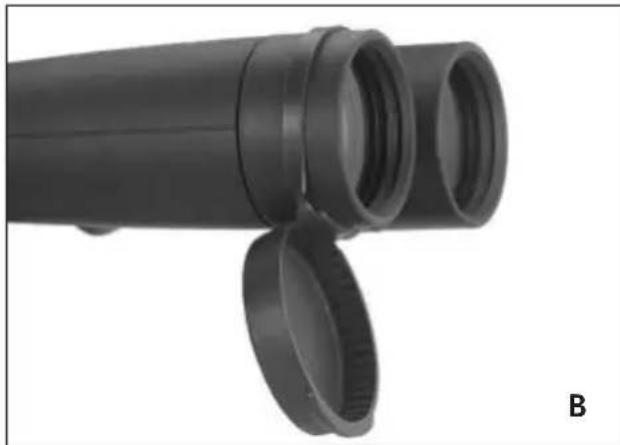
natural_image
Close-up of a black cylindrical pipe fitting with two circular ends, labeled 'B' in the corner (no text or symbols on the pipe itself)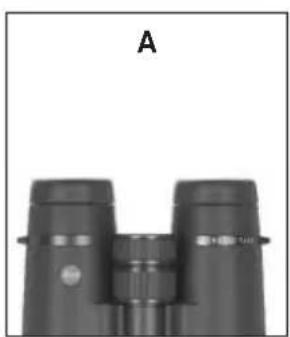
natural_image
Black binoculars with no visible text or symbols on the devices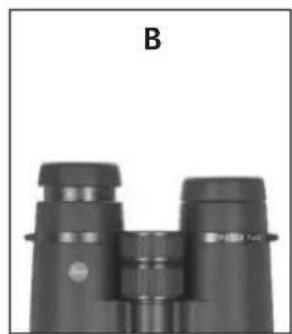
natural_image
Black binoculars with no visible text or symbols on the devices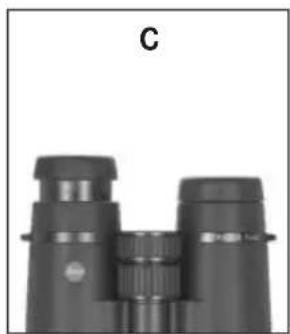
natural_image
Black binoculars with no visible text or symbols on the device itself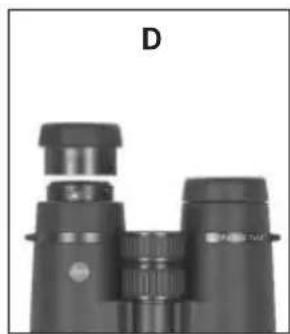
natural_image
Black binoculars with no visible text or symbols on the binches (title D)natural_image
Top-down view of a black binoculars with red directional arrows indicating rotation (no text or symbols)natural_image
Top-down view of a black binoculars with dual lenses (no text or symbols visible)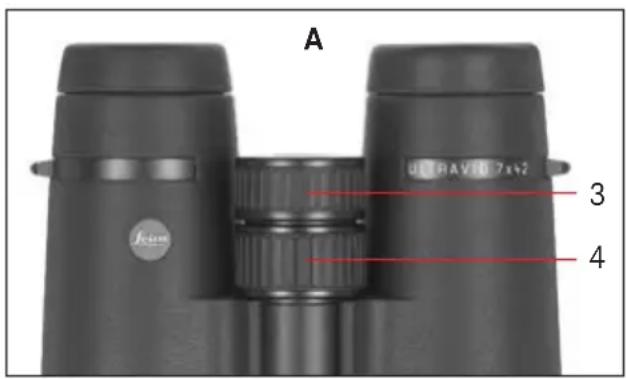
natural_image
Close-up of two black binoculars labeled 'ULTRAVEN 7x42' and 'Fisier', with no visible text beyond labels.natural_image
Black binoculars with dual lenses and a central dial (no text or symbols visible)Echelle de graduation
natural_image
Close-up of a black cylindrical mechanical component with flanges and a circular opening, labeled 'A' in the corner (no other text or symbols)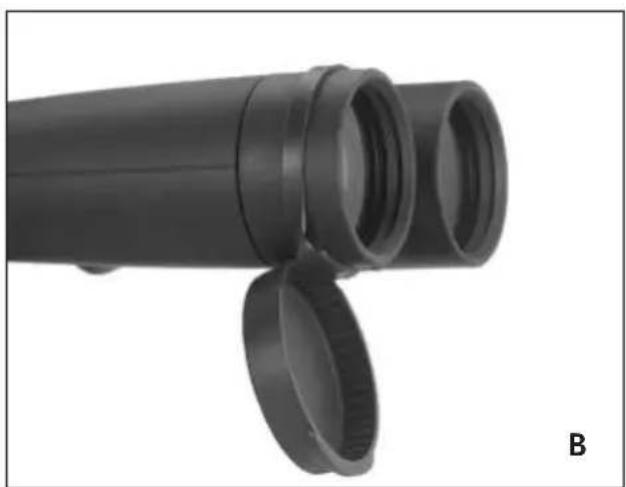
natural_image
Close-up of a black cylindrical mechanical component with two circular ends, labeled 'B' in the corner (no text or symbols on the object itself)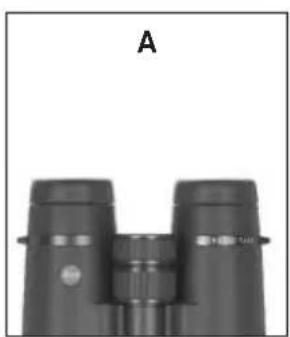
natural_image
Black binoculars with no visible text or symbols on the devices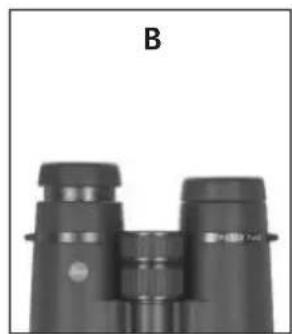
natural_image
Black binoculars with no visible text or symbols on the devices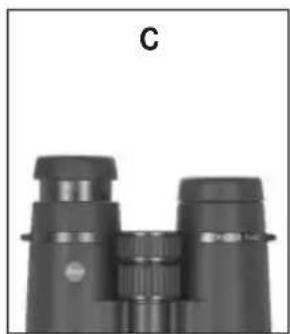
natural_image
Black binoculars with no visible text or symbols on the device itself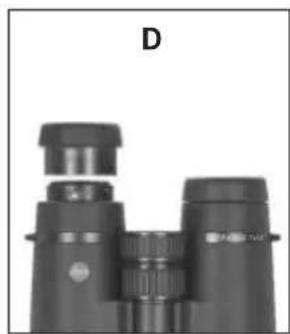
natural_image
Black binoculars with no visible text or symbols on the binches (title D)natural_image
Top-down view of a black binoculars with red directional arrows indicating rotation (no text or symbols)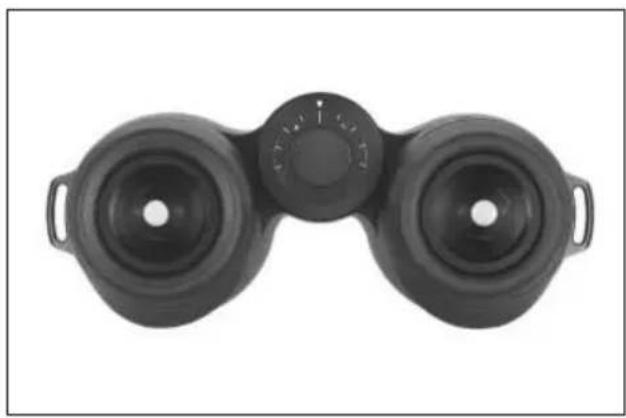
natural_image
Top-down view of a black binoculars with dual lenses (no text or symbols visible)natural_image
Close-up of two black binoculars labeled 'FEVER' and 'ULTRAVID 7x42', with no visible text or symbols beyond labels.natural_image
Black binoculars with dual lenses and a central dial (no text or symbols visible)Schaalgegevens
natural_image
Close-up of a black cylindrical pipe fitting with flanges, labeled 'A' in the corner (no text or symbols on the object itself)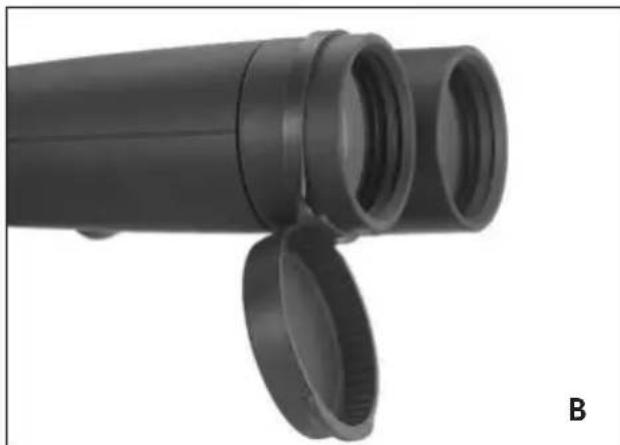
natural_image
Close-up of a black cylindrical optical device with two lensed ports and a separate lid, labeled 'B' in the corner (no text or symbols on the device itself)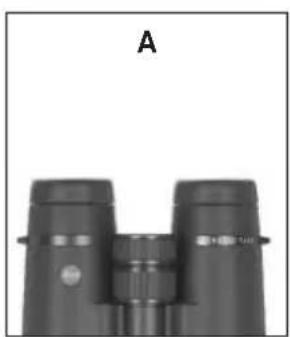
natural_image
Black binoculars with no visible text or symbols on the devices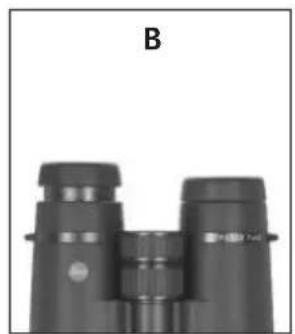
natural_image
Black binoculars with no visible text or symbols on the device itself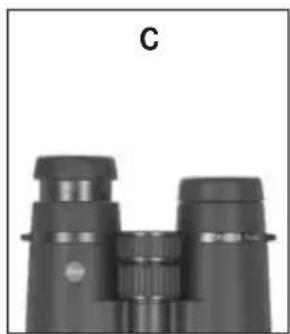
natural_image
Black binoculars with no visible text or symbols on the device itself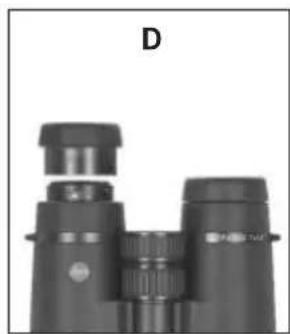
natural_image
Black binoculars with no visible text or symbols on the binches (title D)natural_image
Top-down view of a black binoculars with red directional arrows indicating rotation (no text or symbols)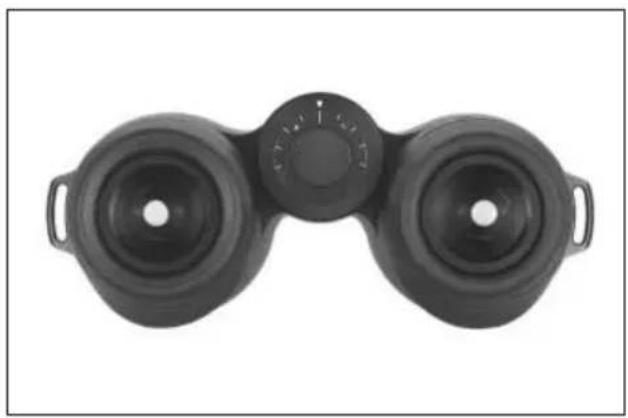
natural_image
Top-down view of a black binoculars with dual lenses (no text or symbols visible)natural_image
Close-up of two black binoculars labeled 'FEVER' and 'ULTRAVID 7x42', with no visible text or symbols beyond labels.natural_image
Black binoculars with dual lenses and a central dial (no text or symbols visible)Scala diottrica
natural_image
Close-up of two black cylindrical objects with flanges, labeled 'A' in the corner (no other text or symbols visible)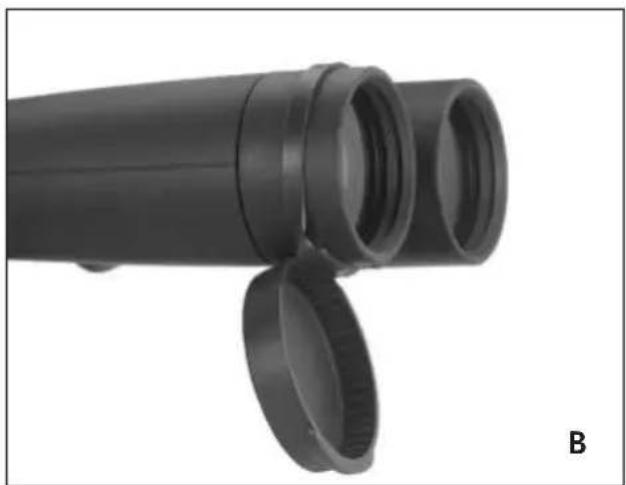
natural_image
Close-up of a black cylindrical device with two circular ends, labeled 'B' in the corner (no text or symbols on the device itself)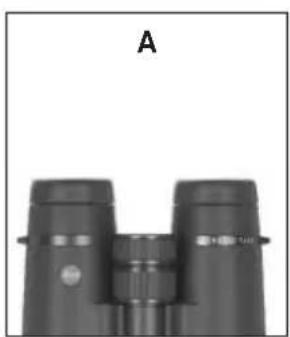
natural_image
Black binoculars with no visible text or symbols on the devices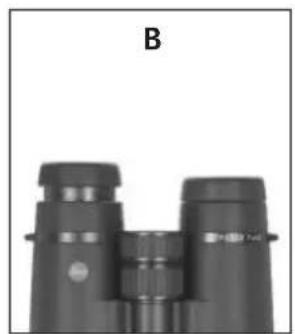
natural_image
Black binoculars with no visible text or symbols on the device itself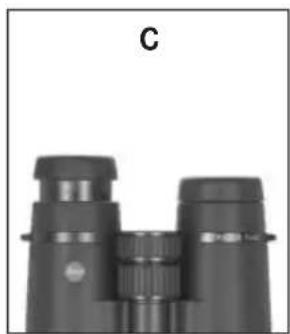
natural_image
Black binoculars with no visible text or symbols on the device itself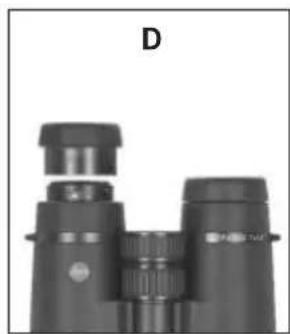
natural_image
Black binoculars with no visible text or symbols on the binchesnatural_image
Top-down view of a black binoculars with red directional arrows indicating rotation (no text or symbols)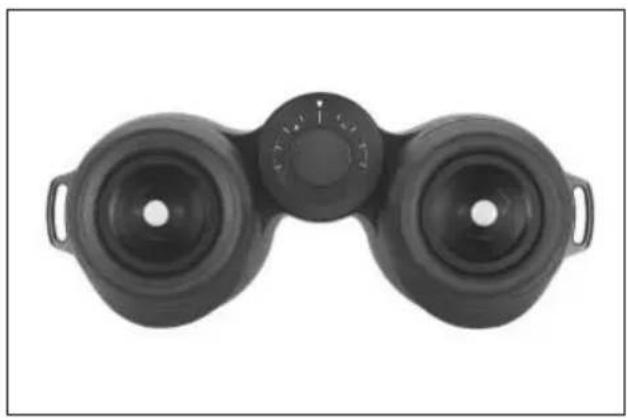
natural_image
Top-down view of a black binoculars with dual lenses (no text or symbols visible)natural_image
Close-up of two black binoculars labeled 'FEVER' and 'ULTRAVID 7x42', with no visible text or symbols beyond labels.Ajuste del enfoque /
natural_image
Black binoculars with dual lenses and a central dial (no text or symbols visible)Datos de la escala
natural_image
Diagram of a rope knot securing a cylindrical object (no text or symbols present)
my point of view
Leica Camera AG / Oskar-Barnack-Straße 11 / D-35606 Solms
www.leica-camera.com / info@leica-camera.com
Telephone +49 (0) 6442-208-0 / Fax +49 (0) 6442-208-333

- Vorwort
- Skalenangaben
- Scope of Delivery
- Nomenclature
- Table of Contents
- Warning notices
- Possible applications
- Attaching the carrying strap and the protective eyepiece cover
- Note:
- Attaching the protective lens caps
- Adjusting the eyecups /
- Use with and without glasses
- Adjusting the eyebase
- Focusing / Diopter adjustment
- Notes:
- Indications on the scale
- Care and maintenance
- Attention!
- Accessories Order No.
- Replacements
- Trouble shooting guide...
- Problem Cause Solution
- Leica in the Internet and Leica Academy
- Leica Information Service
- Leica Customer Service
- Echelle de graduation
- Schaalgegevens
- Scala diottrica
- Ajuste del enfoque /
- Datos de la escala
Brand : LEICA
Model : Ultravid 10x50 HD-Plus
Category : Binoculars