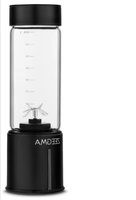
Vitamine Go Plus - Blender Zeegma - Free user manual and instructions
Find the device manual for free Vitamine Go Plus Zeegma in PDF.



| Product type | Portable blender |
| Brand | Zeegma |
| Model | Vitamine Go Plus |
| Power supply | Rechargeable battery via USB-C port (5V, 2A) |
| Charging time | Approximately 3 to 5 hours |
| Recommended capacity | 100 g solid food and 200 ml liquids |
| Container material | Glass |
| Functions | Blending, ice crushing |
| Maximum ingredient temperature | 40 °C |
| Operating time per cycle | 45 seconds (automatic stop) |
| Safety | Automatic stop, overload protection, thermal fuse, lock if container improperly attached |
| Usage angle | Tilt at approximately 45 degrees |
| Light indicator | Red (charging), white (charged), blinking for errors |
| Cleaning | Body: damp cloth; container: water and mild detergent |
| Spare parts available | Silicone ring, glass container, lid, blade (recommended genuine) |
| Approximate weight | 0.5 kg |
| Dimensions (estimated) | Height 20 cm, diameter 8 cm |
| Warranty | Not specified |
| Usage | Household only |
Frequently Asked Questions - Vitamine Go Plus Zeegma
User questions about Vitamine Go Plus Zeegma
0 question about this device. Answer the ones you know or ask your own.
Ask a new question about this device
Download the instructions for your Blender in PDF format for free! Find your manual Vitamine Go Plus - Zeegma and take your electronic device back in hand. On this page are published all the documents necessary for the use of your device. Vitamine Go Plus by Zeegma.
USER MANUAL Vitamine Go Plus Zeegma
natural_image
Black and white photo of a ZEEGMA blender jar with a small tripod stand inside (no visible text or symbols on the device body)ZEEGMA
A
1

2

natural_image
Diagram of a vertical container with internal granular material and a small plant, no text or symbols present3
natural_image
Diagram of a container with granular material inside, showing a 45-degree angle and a tool interacting with it (no text or symbols present)4
natural_image
Abstract grayscale illustration of a spiral vortex in a cylindrical container (no text or symbols)5
1,5 - 2,5 cm
6

natural_image
Simple line drawing of a container with rocks inside, no text or symbols present7

natural_image
Diagram of a mechanical device with internal components and a 45-degree angle标注 (no text or symbols beyond the angle marker)8

natural_image
Illustration of a stylized heart shape inside a cylindrical container (no text or symbols)9
EN
Introduction
Dear customer!
Thank you for placing trust in us and choosing Zeegma.
We provide you with a product perfect for everyday use thanks to the use of high-quality materials and modern solutions.
We are convinced that the product will satisfy your requirements as it has been designed with utmost care.
Before you use the product, please read this manual carefully.
Should you have any remarks or questions concerning the product, please do not hesitate to contact us:
support@zeegma.com
Important information
-
Before using the device, read the user's manual and follow the instructions contained in it. The manufacturer is not responsible for damage caused by the use of the device contrary to its intended use or for damage caused by improper operation of the device. The user's manual should be kept so that it can also be used for later use.
-
Do not leave a working device unattended.
-
To avoid the risk of electric shock, do not immerse the power cord, plug, or body of the device in water or other liquids. Do not use the device near a water source, with wet hands or standing on a wet surface. If the device comes into contact with water, unplug the power cord. The device's motor must not come into contact with water.
-
Regularly inspect the device for damage. Do not use a damaged device. Do not try to repair the device yourself – contact an authorized repair center. If the power cord becomes damaged, it should be replaced by the manufacturer to avoid danger.
-
Make sure that the electrical parameters indicated on the device label are compatible with the electrical parameters of the charger (not included in the set).
-
Do not let the power cord come into contact with hot
components. Do not pull it over sharp edges.
-
The device is for domestic use only. The device is not suitable for outdoor use. Do not use it for other purposes incompatible with its intended use.
-
The device is not intended for commercial use.
-
After use, during assembly, disassembly, changing accessories and cleaning, the device must be turned off and disconnected from the power supply.
-
The device may be used by persons with limited physical, sensory or mental abilities, as well as persons without relevant knowledge and experience in the use of the device, if they are supervised or have been previously instructed on the safe use of the device and the risks involved.
-
Be especially careful when using the device when children are around. Do not allow children to play with the device. Keep the device and the power cord out of the reach of children. The device shall not be used by children.
-
Be particularly careful when handling the blades and when cleaning the device.
-
Before use, make sure that the glass container is properly attached to the body of the device, and the lid is properly closed. Do not remove the container while the device is running.
-
Do not blend hard ingredients such as coffee beans, nuts, shells, seeds, etc. This may lead to damage to the device.
-
Use the device only with original accessories according to their application, taking all precautions. Use only original spare parts.
-
Avoid contact with moving parts of the device. Do not put anything into the device while it is running, to avoid personal injury and damage to the device.
-
Do not make any modifications to the device.
-
Do not use the device to blend hot liquids and meals.
-
Do not use the device to prepare potato puree, whip egg whites, stir hard dough or grind raw meat.
-
The device is equipped with a thermal cut-out to prevent damage to motor in case of extreme overloading. When the blender stops working, switch the device off and leave for 15 minutes
so that it can cool down, and then remove surplus of food.
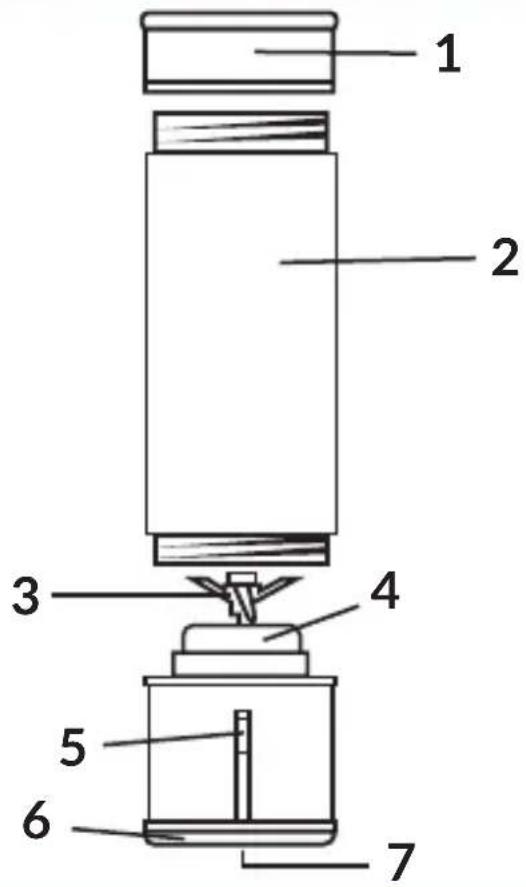
List of parts (fig. A)
-
Lid
-
On/off switch / indicator light
-
Glass container
-
Base
-
Blade
-
USB-C port
-
Body of the device
Cut power switch in the form of a button is located underneath the device.
Charging
- Connect the device to the mains charger via the USB-C port (7, fig. A). Use a 5V, 2A power adapter.
- During charging, the indicator light (5, fig. A) glows red.
- Fully charged – the light illuminates in white.
- Battery discharged – the light will turn red ten times.
- It is recommended to charge the device for about 3-5 hours. While charging, the device will not turn on.
Device operation
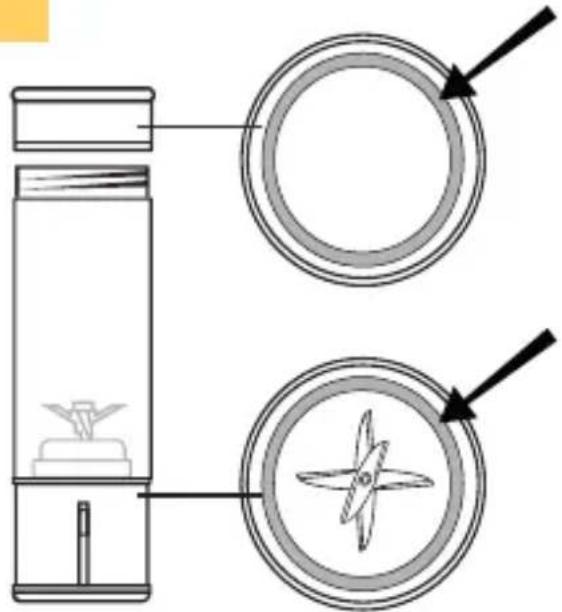
• Make sure the silicone ring is in the right place (fig. 9).
- Before you start blending, make sure the glass container is tightened firmly and the indicator light has turned white five times. If the container is not properly tightened, the indicator light will turn red five times.
• The maximum temperature of liquids is 40^ C.
- The amount of ingredients should not exceed the maximum amount indicated on the glass container.
- In the event of overloading or blockage, the device will automatically turn off and the light will alternately turn white and red.
Blending function
- Cut the ingredients into smaller pieces about 1.5-2 cm in size (fig. 1).
- Place the ingredients in the glass container (fig. 2). Tighten the lid (1, fig. A). The recommended amount of ingredients is 100 ~g
of food and 200 ml of liquids.
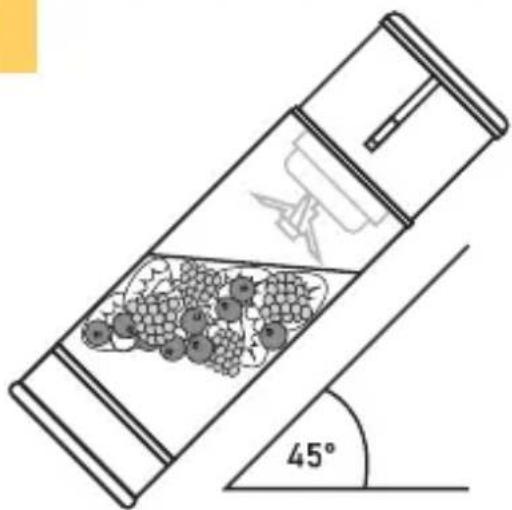
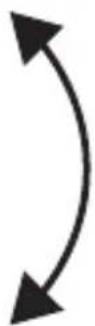
- Tilt the device at an angle of about forty-five degrees (fig. 3). Turn on the device by pressing and holding the switch for about two seconds (5, fig. A). Shake gently (fig. 4).
- After 45 seconds, the device will automatically turn off.
Ice crushing function
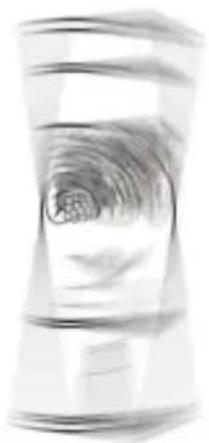
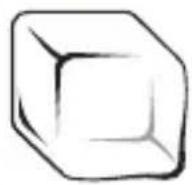
- Prepare about 40-45 g of ice cubes about 1.5 - 2.5 cm in size (fig. 5).
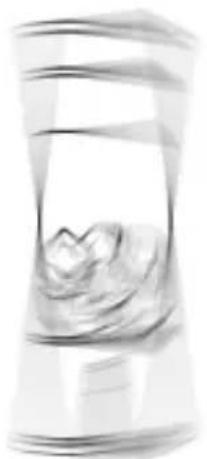
- Place the ice cubes in the glass container (fig. 6). Tighten the lid (1, fig. A).
- Tilt the device at an angle of about forty-five degrees (fig. 7). Turn on the device by pressing the switch twice (5, fig. A). Shake gently (fig. 8).
- After 45 seconds, the device will automatically turn off.
Troubleshooting
| Problem Causes Solutions | ||
| The light turned red five times. The device is not working. | The container was not properly mounted on the body of the device. | Mount the container again, tightening firmly until the light turns white five times. |
| The light turned red ten times. The device is not working. | The battery is discharged. | Charge the device according to this manual (see subsection Charging). |
| The device stops working. | Too few or too many ingredients. | Take out or add more ingredients, then restart the device. |
| The lamp illuminates in white and red during operation of the device. | The device is blocked. | Remove the food blocking the device, and then restart the device. |
| Water is leaking from the device. | The silicone ring is not properly installed. | Install the silicone ring in the correct place (fig. 9). |
| Smoke is coming out of the device. | The device is used for too long. | Stop using the device for about 30-60 minutes, and then restart the device. |
Cleaning
- Remove the lid, fill the container with water and mild detergent, then tighten the lid and turn on the device for about ten seconds.
- The body of the device can be cleaned with a damp cloth after removing the glass container.
Note! Wash the various parts of the device immediately after use.
Note! Take special care when cleaning sharp parts.
Photos are for reference only, the actual appearance of the products may differ from that shown in the photos.
Einführung
DE
EN: The product complies with the requirements of European Union directives.
In accordance with Directive 2012/19/EU, this product is subject to separate collection. The product should not be disposed of with municipal waste, as it may pose a threat to the environment and human health. Return the used product to a recycling center for electrical and electronic equipment.
Brand : Zeegma
Model : Vitamine Go Plus
Category : Blender