DIONE 950W - Speaker DEVIALET - Free user manual and instructions
Find the device manual for free DIONE 950W DEVIALET in PDF.


| Brand | Devialet |
| Model | DIONE 950W |
| Product Type | Soundbar |
| Category | Speaker |
| Power | 950 W |
| Connectivity | HDMI eARC/ARC, TOSLINK Optical, Bluetooth, Ethernet |
| Audio Inputs | HDMI, Optical |
| Bluetooth | Yes, pairing via dedicated button |
| Power Supply | Mains (power cable included) |
| Speakers | Central sphere for acoustic optimization |
| Acoustic Calibration | Yes, with built-in microphones |
| Controls | Devialet button, Volume +/-, Play/Pause, Bluetooth, Microphone off, Reset |
| LED Indicator | Yes |
| Wall Mount | Possible (mounting kit provided) |
| TV Compatibility | HDMI eARC/ARC or optical |
| App | Devialet (iOS/Android) |
| Support | help.devialet.com |
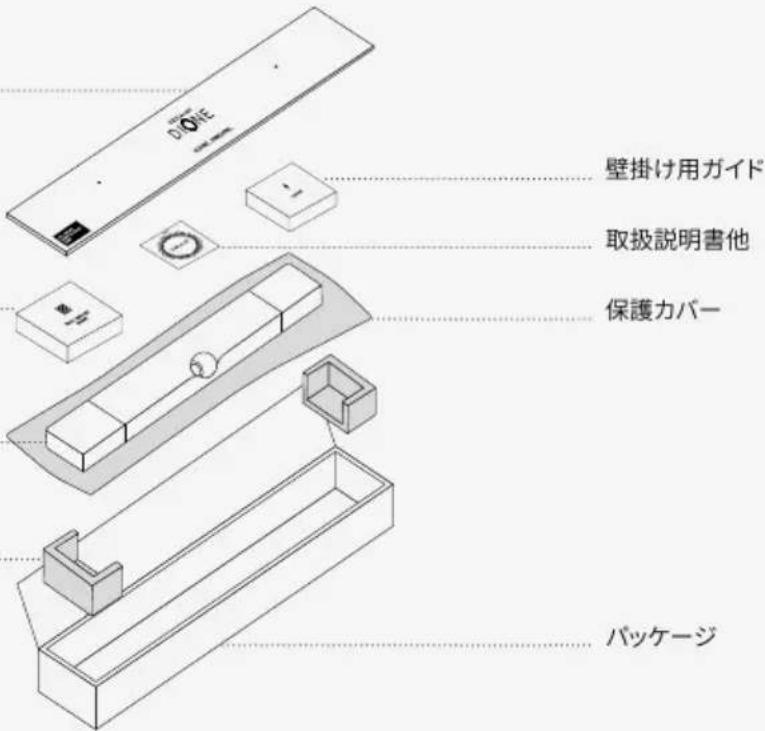
| Package Contents | Soundbar, HDMI cable, optical cable, power cable, installation shims, wall mount guide |
| Manual Languages | FR, DE, EN, ES, KO, ZH |
| Firmware Update | Via Devialet app |
Frequently Asked Questions - DIONE 950W DEVIALET
User questions about DIONE 950W DEVIALET
0 question about this device. Answer the ones you know or ask your own.
Ask a new question about this device
Download the instructions for your Speaker in PDF format for free! Find your manual DIONE 950W - DEVIALET and take your electronic device back in hand. On this page are published all the documents necessary for the use of your device. DIONE 950W by DEVIALET.
USER MANUAL DIONE 950W DEVIALET
Devialet was born of a pledge: to keep pushing the boundaries of sound experiences. Fourteen years later, after delivering groundbreaking, iconoclast innovations in the field of acoustics, Devialet ventures into the world of audio-visual.
Devialet Dione, our first soundbar, materializes our latest developments in audio technology to breathe new energy into the way you watch any content.
Grandiose, all-enveloping sound that complements all things visual and draws you deep into the action.
Watch your senses.
PREPARE DEVIALET DIONE
1
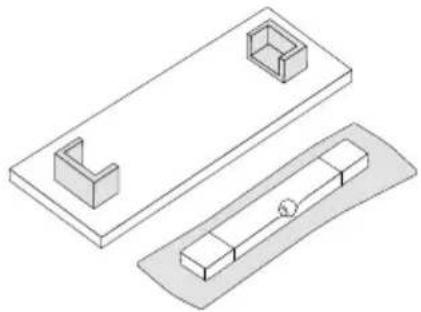
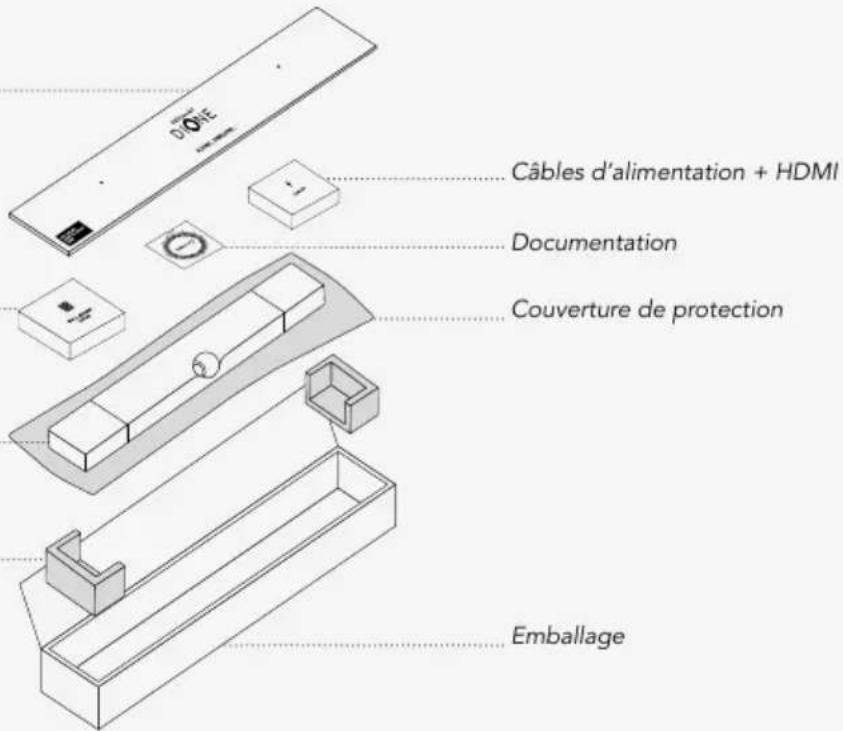
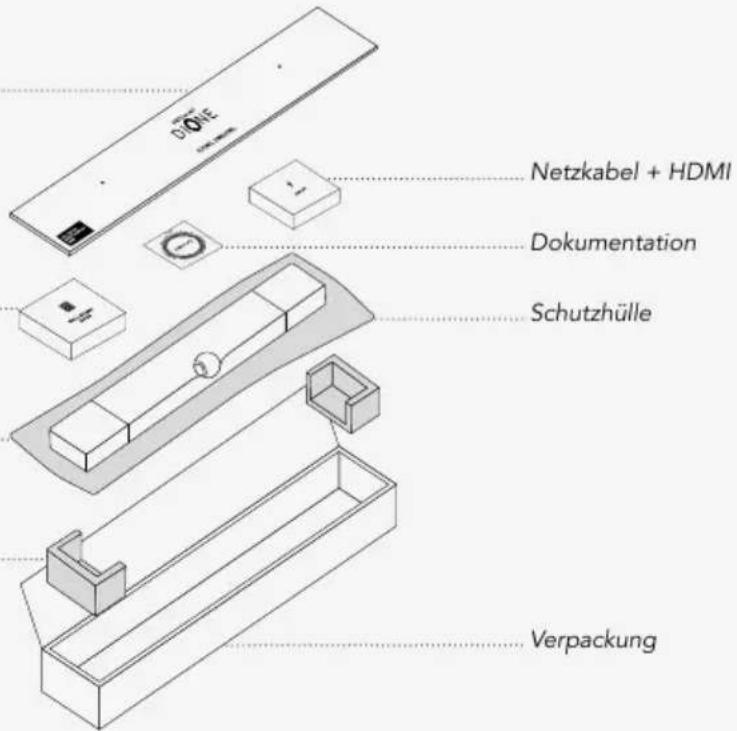
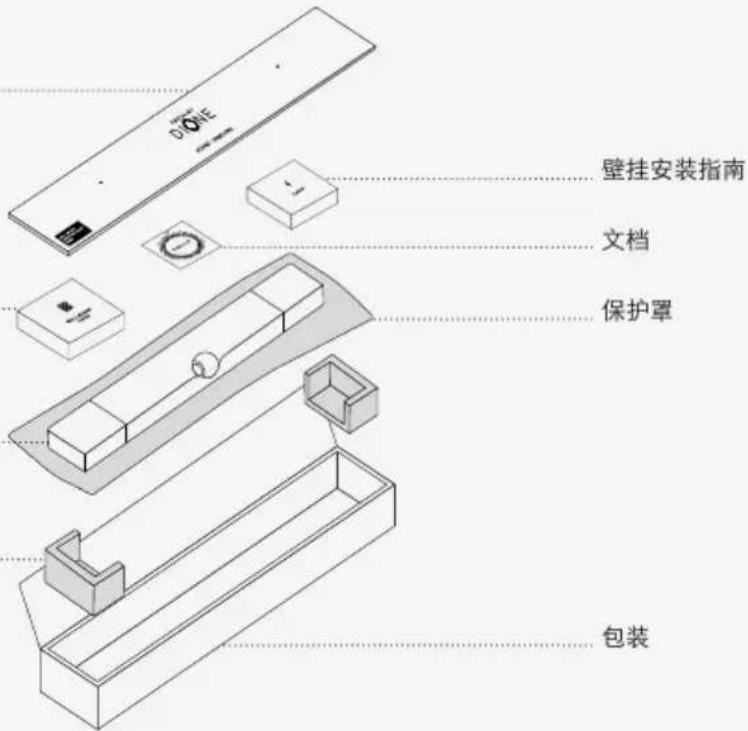
Remove the product from its packaging and place the installation wedges on a flat surface.
natural_image
Technical line drawing of two mechanical components with mounting holes and a central shaft (no text or symbols)Drilling template
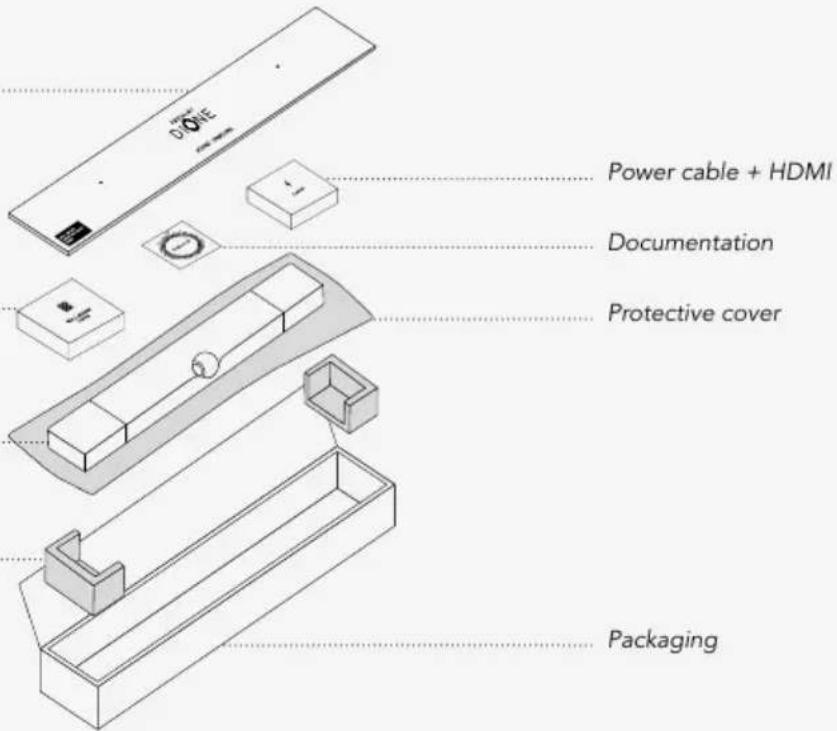
Wall mount guide
Devialet Dione
Installation wedges
2
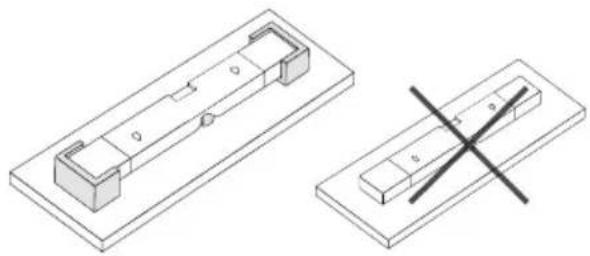
Place Devialet Dione upside down on the installation wedges.
Do not turn Devialet Dione upside down without using the installation wedges to avoid contact between the center sphere and a hard surface.
natural_image
Technical line drawing of two mechanical components with cross-sectional views (no text or symbols)3
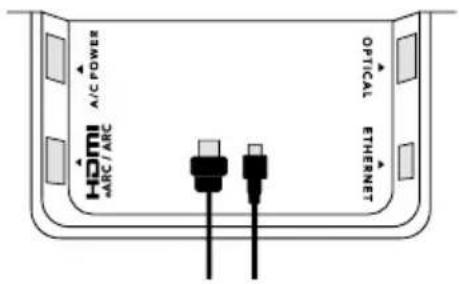
Insert the power cable into the power port, then connect the appropriate audio cable to the soundbar.
Use the HDMI cable if your TV has an HDMI port labeled eARC/ARC. If your TV does not have an HDMI eARC/ARC port, use the TOSLINK optical cable.
POSITIONING
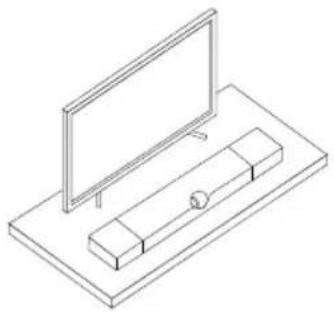
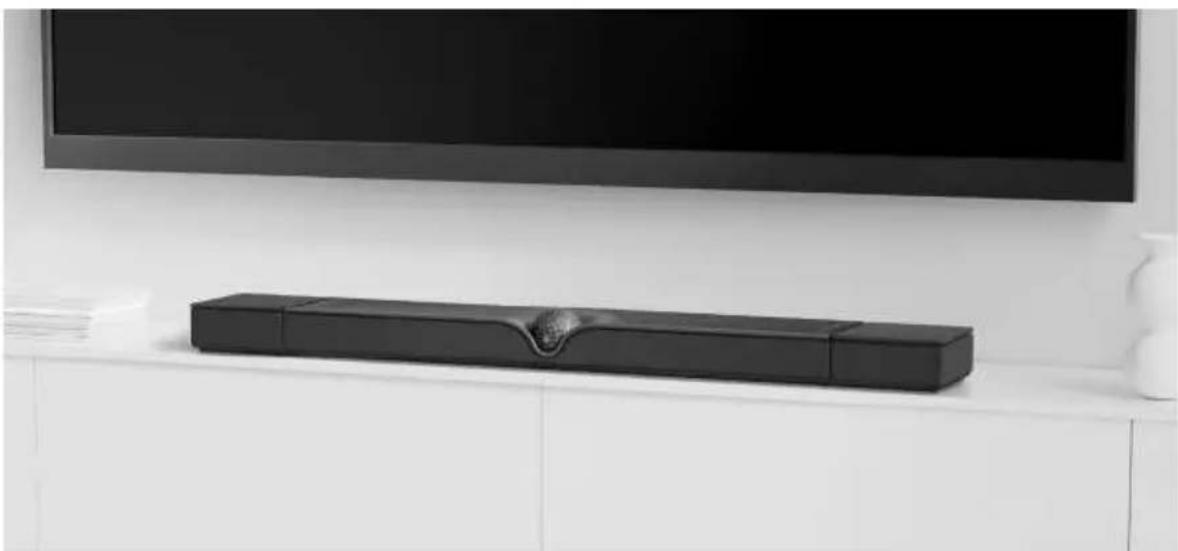
PLACE ON A SHELF
Place Devialet Dione on a stable and flat surface next to your TV. Make sure to leave some space between the wall and Devialet Dione, avoid placing any objects on top of the soundbar, and leave the sides unobstructed.
natural_image
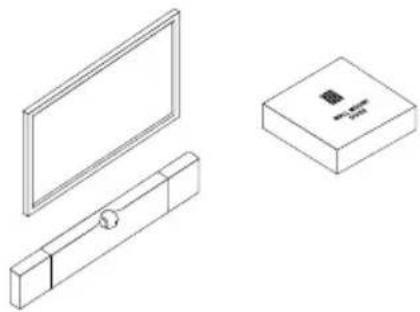
Isometric line drawing of a flat-screen monitor mounted on a rectangular base with a small cylindrical component (no text or symbols)MOUNT ON A WALL
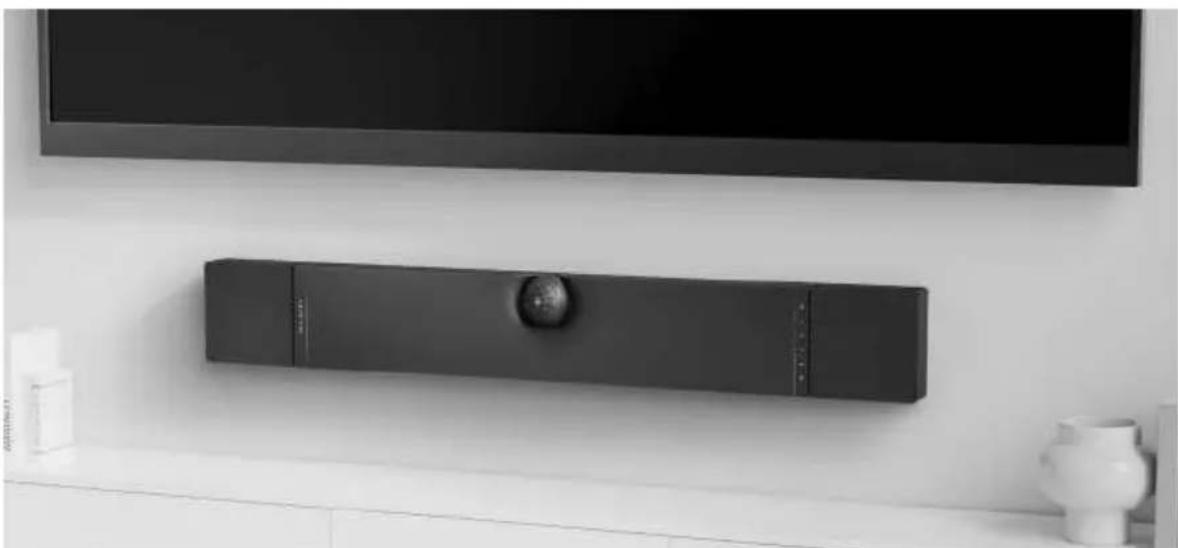
To fix Devialet Dione on a wall, carefully read the wall-mount guide inside the cardboard box marked «Wall-mount guide».
natural_image
Technical line drawings of a monitor, cabinet, and box components (no text or symbols)START DEVIALET DIONE
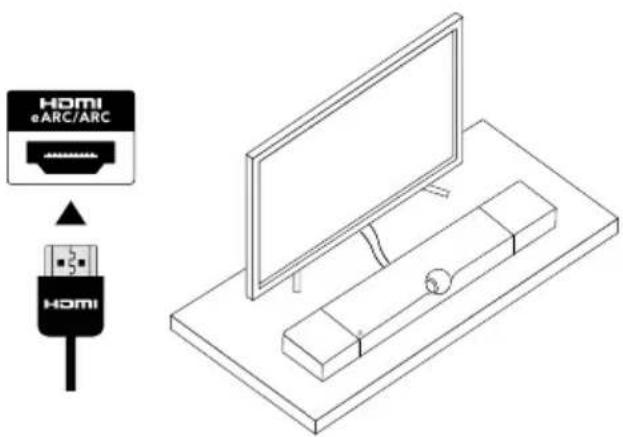
1
Connect the audio cable to the TV, make sure to plug the HDMI cable into the HDMI eARC/ARC port on your TV, or use an Optical cable.
Then, plug Devialet Dione into a power outlet and wait until the indicator light stops flashing.
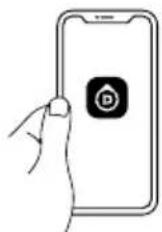
2
Download and launch the DEVIALET APP and follow the steps indicated on the screen to complete set-up.

Download on the App Store

GET IT ON Google Play
3
Before you start listening, check your TV's audio setting and make sure to set the audio output to HDMI eARC/ARC or to Optical depending on which audio cable you are using to connect Devialet Dione to the TV.
Enjoy Devialet Dione!
CONNECTIVITIES
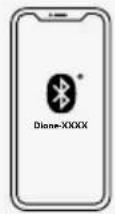
TO PLAY VIA BLUETOOTH
- Press and hold Devialet Dione Bluetooth button for 2 seconds.
When the indicator light blinks blue.
Devialet Dione is ready to be paired to a Bluetooth device.
- Open the Bluetooth settings on your device and search for «Dione-XXXX».
TO PLAY VIA AIRPLAY

- Connect Devialet Dione to the same Wi-Fi network as your Apple device.
- Play the audio track you want to stream
- Tap the AirPlay or streaming icon
- Choose Devialet Dione as the output speaker
TO PLAY VIA SPOTIFY CONNECT

- Use your phone, tablet or computer as a remote control for Spotify.
Go to spotify.com/connect to learn how
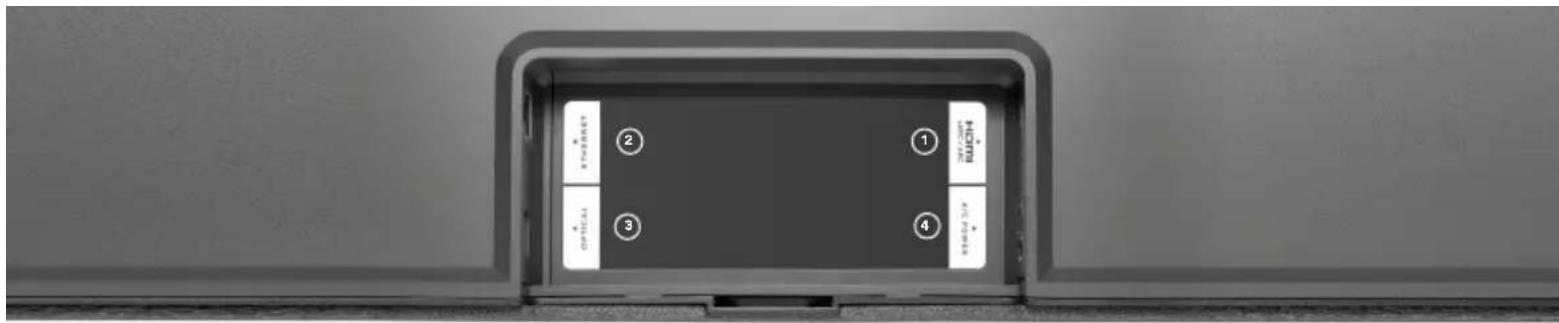
①2 HDMI eARC/ARC
Connect the HDMI cable to the HDMI port labeled eARC/ARC on your TV or Projector.
○ Ethernet
Use an Ethernet cable for better network stability.
○ Optical (TOSLINK)
Use a TOSLINK Optical cable if your TV or Projector does not have an HDMI eARC/ ARC port.
○ AC power
Connect to a power socket

Indicator light
Devialet button
Press to switch between HDMI and Optical source Press and hold for 7 seconds to enter standby mode To exit standby mode, press any button on Devialet Dione
- + Volume
Press to lower/increase volume
>> Play/Pause
Press to pause or resume playback
Bluetooth
Press and hold to enable Bluetooth pairing
Disable microphone
Press to disable room calibration microphones
Reset
Press and hold >|| for 6 seconds to reset Dione
WE CAN HELP: help.devialet.com
OPTIMAL PLACEMENT
SHELF
natural_image
Modern black rectangular electronic device on a white cabinet, placed near a large screen (no visible text or symbols)WALL MOUNT
natural_image
Modern wall-mounted electronic device mounted on a white shelf, with a TV set above (no visible text or symbols)PRÉPARER DEVIALET DIONE
1
natural_image
Technical line drawing of two mechanical components with mounting holes and a central shaft (no text or symbols)Gabarit de perçage

natural_image
Technical line drawing of two mechanical components with no visible text or symbols
natural_image
Isometric line drawing of a flat-screen TV mounted on a rectangular base (no text or symbols)FIXER SUR UN MUR
natural_image
Isometric line drawings of a monitor, a wall-mounted box, and a rectangular box with a small icon (no text or symbols)DÉMARRER DEVIALET DIONE
1
natural_image
Technical line drawing of two mechanical components with mounting holes (no text or symbols)Bohrschablone
natural_image
Technical line drawing of two mechanical components with no visible text or symbols
natural_image
Isometric line drawing of a flat-screen TV mounted on a rectangular base (no text or symbols)WANDMONTAGE
natural_image
Isometric line drawings of a TV and a box assembly (no text or symbols)DEVIALET DIONE IN BETRIEB NEHMEN
1
2
natural_image
Gray rectangular object with a horizontal control bar at the bottom (no text or symbols on the object itself)- Kontrollleuchte
Devialet-Taste
natural_image
Isometric line drawing of two rectangular components with recessed and rectangular cutouts, one with a central circular element (no text or symbols)natural_image
Technical line drawing of two mechanical components: a rectangular housing with internal compartments and a rectangular base with a cross-shaped cutout (no text or symbols)
natural_image
Isometric line drawing of a flat-screen monitor mounted on a rectangular base (no text or symbols)MONTAJE EN PARED
natural_image
Technical line drawing of a wall-mounted monitor, a rectangular box with a button, and a separate box with a small symbol (no text or labels)PRIMEROS PASOS CON DEVIALET DIONE
1
2
Luz indicadora
Botón Devialet
natural_image
Isometric line drawing of two rectangular components with recessed and flat surfaces, one with a central hole (no text or symbols)钻孔模板
natural_image
Technical line drawing of two mechanical components with cross-sectional views (no text or symbols)3
natural_image
Isometric line drawing of a monitor mounted on a base with a small rectangular component (no text or symbols)安装在墙上
natural_image
Technical line drawings of three electronic components: a flat-screen monitor, a rectangular box with a button, and a small rectangular device (no text or symbols)启动DEVIALET帝瓦雷 DIONE
1
2
指示灯
Devialet 按钮
natural_image
Technical line drawing of two mechanical components with mounting holes and a central shaft (no text or symbols)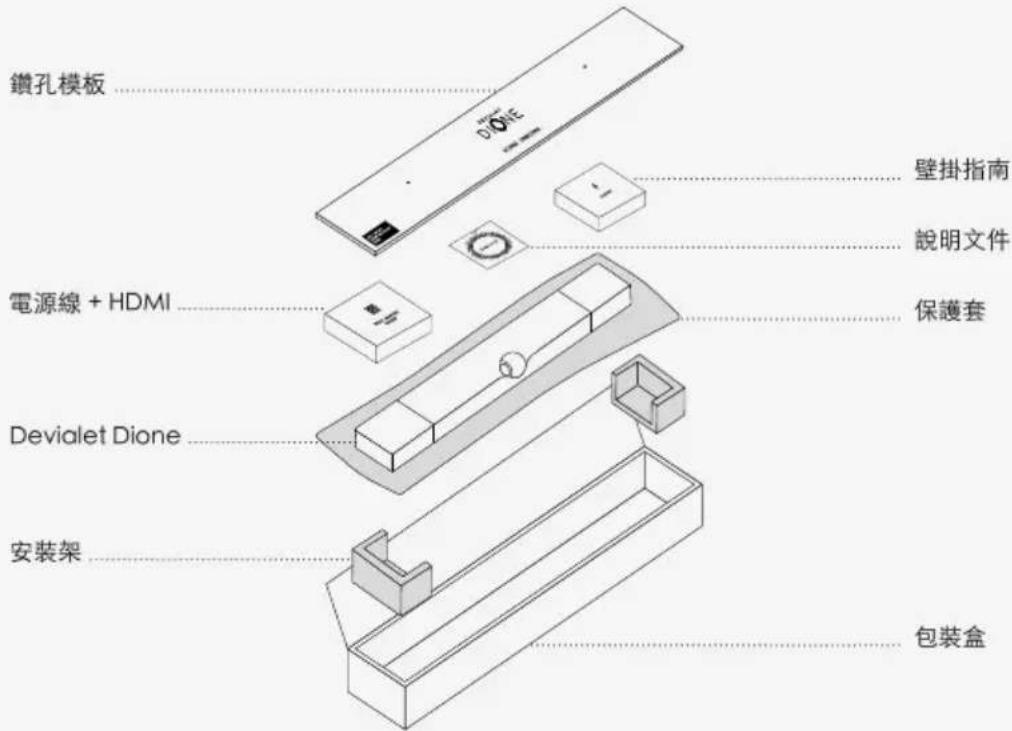
natural_image
Technical line drawing of two mechanical components with cross-sectional views (no text or symbols)
將電源線插入電源端口,
natural_image
Isometric line drawing of a monitor mounted on a base with a small rectangular component (no text or symbols)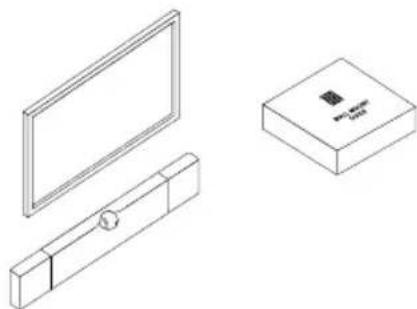
natural_image
Line drawings of three household appliances: a flat-screen monitor, a rectangular box with a small electronic component, and a side-mounted device (no text or symbols present)啟動 DEVIALET DIONE
1
2
Download on the App Store

GET IT ON Google Play
3
natural_image
Gray rectangular object with a horizontal line at the bottom (no text or symbols)指示燈
Devialet 按鈕
natural_image
Technical line drawing of two mechanical components with mounting holes and a central shaft (no text or symbols)穴開け用テンプレート
natural_image
Technical line drawing of two mechanical components with a cross symbol indicating a dislocation or alignment (no text or labels present)3
natural_image
Isometric line drawing of a monitor mounted on a base with a small cylindrical object inside (no text or symbols)壁掛け設置
natural_image
Line drawings of three household appliances: a flat-screen monitor, a rectangular box with a circular button, and a rectangular box with a small electronic component (no text or symbols)2
Download on the App Store

GET IT ON Google Play
3
natural_image
Gray rectangular object with a horizontal bar at the bottom containing small white symbols (no text or labels visible)ン ニ イジケータプ
Devialetボタ
natural_image
Isometric line drawing of two rectangular components with recessed and rectangular cutouts, one with a central circular element (no text or symbols)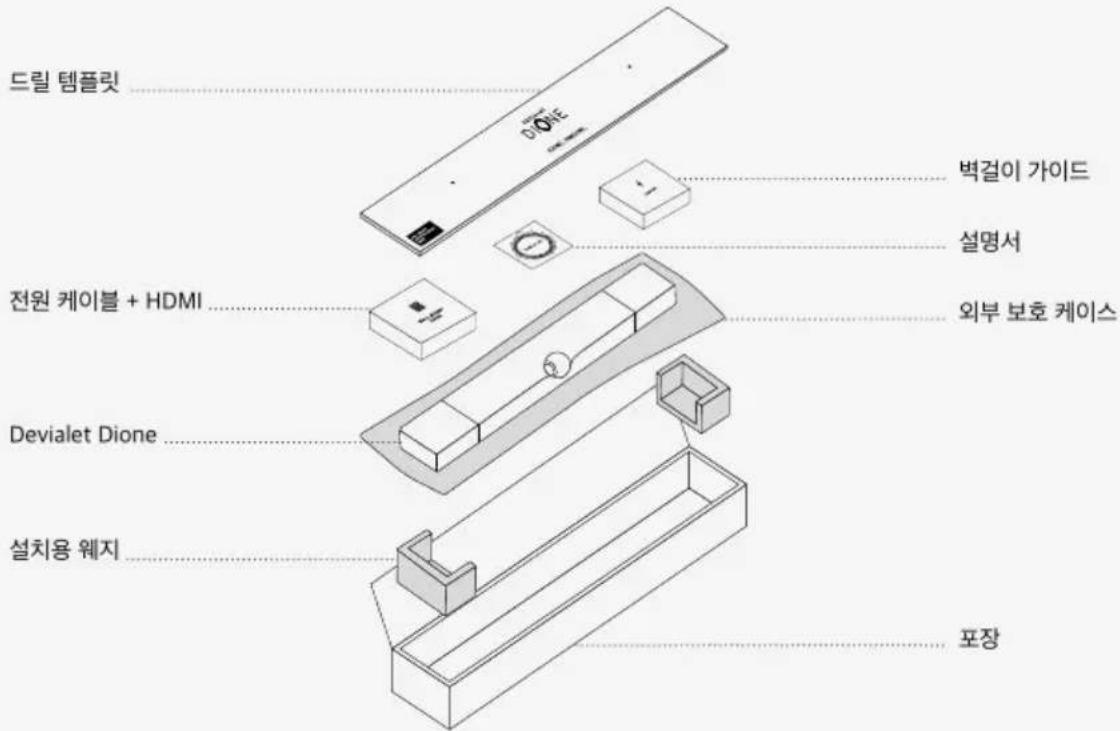
natural_image
Technical line drawing of two mechanical components with no visible text or symbols3
natural_image
Isometric line drawing of a monitor mounted on a base with a small rectangular object inside (no text or symbols)벽에 장착하기
natural_image
Technical line drawing of a display panel, a rectangular box with a small symbol, and a separate view of a mechanical component (no text or labels)DEVIALET DIONE 시작하기
1
2
Download on the App Store

GET IT ON Google Play