Mania - Speaker DEVIALET - Free user manual and instructions
Find the device manual for free Mania DEVIALET in PDF.


User questions about Mania DEVIALET
0 question about this device. Answer the ones you know or ask your own.
Ask a new question about this device
Download the instructions for your Speaker in PDF format for free! Find your manual Mania - DEVIALET and take your electronic device back in hand. On this page are published all the documents necessary for the use of your device. Mania by DEVIALET.
USER MANUAL Mania DEVIALET
Moments in metamorphosis.
Give in to your free-spirited side and turn every moment into a sensory frenzy.
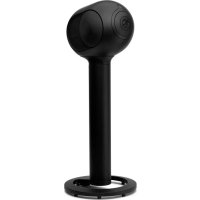
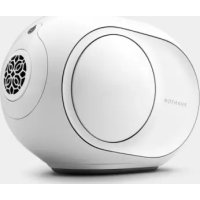
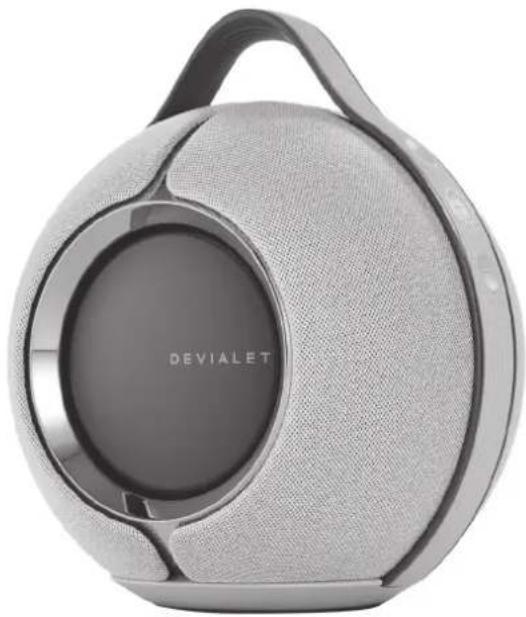
Introducing Devialet Mania, Devialet's first portable smart speaker.
Cutting-edge Devialet technologies elicit expansive 360° stereo sound that leaves an emotional imprint. More spontaneous, more adaptable, more obsession-inducing than ever.
Devialet Mania, metamorphic sound.
START DEVIALET MANIA
Press the On/Off button or connect your product with the supplied cable to wake it up.
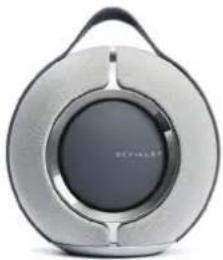
natural_image
Exterior view of a modern, silver and black circular electronic device (no visible text or symbols)Download the Devialet App.



Why use the Devialet App?
Connect your speaker to your Wi-Fi network, access performance upgrades, get tips, personalize your settings and set up voice assistant.
For best results when charging Devialet Mania, make sure to use the USB-C power cord and power supply provided. If you own the docking station, plug the power cord directly into the station and place your speaker on it.
LAUNCH YOUR MUSIC
USE WI-FI TO BENEFIT FROM THE BEST SOUND QUALITY
WITH AIRPLAY
- Connect Devialet Mania to the same Wi-Fi network as your Apple device.
- Play the audio track you want to stream.
• Tap the AirPlay or streaming icon.
- Choose Devialet Mania as the output speaker.
WITH SPOTIFY CONNECT
- Use your phone, tablet or computer as a remote control for Spotify.
• Go to spotify.com/connect to learn how.
WITH VOICE ASSISTANT
- Ensure mics are unmuted (see next page).
- Go to the settings of your Devialet app to configure voice assistant.*
*Voice services may vary and may not be available in all languages and countries.
USE BLUETOOTH TO ENJOY MUSIC EVERYWHERE
- Press and hold Bluetooth button for 2 seconds When the indicator light starts slowly blinking blue, your speaker is ready to be paired to a Bluetooth device.
- Open the Bluetooth settings on your device and search for «Devialet Mania-XXXX».
WE CAN HELP: help.devialet.com
DISCOVER
DEVIALET MANIA

natural_image
Exterior view of a Devialet audio amplifier device with textured back and handle (no visible text or symbols beyond brand logo)ON / OFF SIDE

On / Off button
Press and hold for 2 seconds to enter standby mode.
To exit standby mode, press any button.

Bluetooth
Press and hold for 2 seconds to enable Bluetooth pairing.

Devialet button
Press to access battery status.

Disable microphone
Toggle left to switch off mics.
When the mics are off, a red light appears on the On / Off side.
Important: it will disable voice assistant but also real-time room calibration. If you want to switch off voice assistant only, please go directly to the settings of your Devialet app.

natural_image
Exterior view of a Devialet portable radio with textured back panel and handle (no visible text or symbols beyond brand name)VOLUME SIDE

Indicator light
Product status.

Play / Pause
Press to pause or resume playback.
Press and hold for 6 seconds to enter setup mode.

Volume
Press to increase/decrease volume.

Battery status indicator lights
80%
60%
40%
20%
10%

Very low battery
DÉMARREZ DEVIALET MANIA
natural_image
Exterior view of a modern, silver and black circular device with a handle (no visible text or symbols)AVEC SPOTIFY CONNECT
natural_image
Exterior view of a modern portable electronic device with a black cover and gray body (no visible text or symbols)CÔTÉ ON / OFF

Bouton On / Off
natural_image
Exterior view of a Devialet portable radio speaker with textured back panel (no visible text or symbols beyond brand name)CÔTÉ VOLUME

Indicateur lumineux
État du produit.

Play / Pause
natural_image
Exterior view of a modern, silver and black circular device with a handle (no visible text or symbols)natural_image
Exterior view of a Devialet audio amplifier device with textured back panel and handle (no visible text or symbols on body)EIN / AUS-SEITE
[Non-Text]
Ein / Aus-Taste
natural_image
Exterior view of a Devialet portable radio with a circular cover and handle (no text or symbols on body)VOLUMENSEITE
。
Kontrollleuchte
Produktstatus.
Wiedergabe / Pause
natural_image
Exterior view of a modern, silver and black circular device with a handle (no visible text or symbols)natural_image
Exterior view of a modern office building (no signage)LADO ON / OFF
natural_image
Exterior view of a Devialet brand portable radio with textured back panel (no signage or text beyond branding)LADO DEL VOLUMEN

natural_image
Exterior view of a modern, silver and black circular electronic device (no visible text or symbols)
下载 Devialet 应用程序。


为什么使用Devialet应用程序?
natural_image
Exterior view of a Devialet brand audio amplifier with textured back panel and handle (no visible text or symbols beyond branding)开/关侧
[Non-Text]
开/关按钮
按住2秒,进入待机模式。
要退出待机模式,请按任何按钮。
*
蓝牙
长按2秒,启用蓝牙配对。
©
Devialet 按钮
点击查看电池状态。

禁用麦克风
向左拨动以关闭麦克风
当麦克风关闭时,在开/关侧会出现红灯

natural_image
Exterior view of a Devialet portable radio with a circular cover and handle (no text or symbols on body)音量侧

指示灯
产品状况。
播放/暂停
按下可暂停或恢复播放。
长按6秒进入设置模式。

音量
按下以调高/低音量。

电池状态指示灯
80%
60%
40%
20%
10%

电池电量极低
開啟 DEVIALET MANIA
natural_image
Exterior view of a modern, silver and black circular device with a handle (no visible text or symbols)下載 Devial et 應用程式。


natural_image
Exterior view of a Devialet audio amplifier device with textured back panel and handle (no visible text or symbols beyond brand logo)開/關側
[Non-Text]
開/關按鈕
長按2秒進入待機模式。
要退出待機模式,請按任意按鈕。
*
藍牙
長按 2 秒開啟藍牙配對。
©
Devialet 按鈕
按下可查看電池狀態。
[Non-Text]
停用麥克風
向左切換以關閉麥克風
麥克風關閉時,開/關側會出現紅燈。
natural_image
Exterior view of a modern office building (no signage)音量側

指示燈
產品狀態。
播放/暂停
natural_image
Exterior view of a modern, silver and black circular device with a central circular button (no visible text or symbols)natural_image
Exterior view of a modern office building (no signage)ON / OFF SIDE
[Non-Text]
オン/オフボタン
2秒間の長押しでスタンバイモード設定。
natural_image
Exterior view of a Devialet portable radio with textured back panel (no visible text or symbols on body)VOLUME SIDE

インジケーターランプ
製品の状態を表示。

再生/一時停止
再生、一時停止ボタン。
natural_image
Exterior view of a modern, silver and black circular electronic device with a handle (no visible text or symbols)Devialet 앱 다운로드.


natural_image
Exterior view of a modern office building (no signage)ON / OFF SIDE
[Non-Text]
On / Off 버튼
natural_image
Exterior view of a Devialet portable radio with textured back panel and handle (no signage or text beyond brand name)VOLUME SIDE

표시등
제품 상태.

재생/일시 중지
natural_image
Exterior view of a Devialet brand portable radio with textured back panel and handle (no visible text or symbols on device body)natural_image
Exterior view of a modern office building (no signage)جانب مستوى صوت
غو#المؤشر
حالة Startup


مستوى الصوت
natural_image
Exterior view of a modern silver and black circular device with a handle (no visible text or symbols)2
natural_image
Exterior view of a modern, silver and black circular electronic device with a handle (no visible text or symbols)Загрузите приложение Devialet App


natural_image
Exterior view of a modern office building (no signage)СТОРОНА ВКЛЮЧЕНИЯ/ВЫКЛЮЧЕНИЯ
(1)
natural_image
Exterior view of a Devialet portable radio with a circular cover and handle (no text or symbols on body)СТОРОНА ГРОМКОСТИ
。
Световой индикатор
Состояние продукта.
natural_image
Exterior view of a modern, silver and black circular electronic device with a handle (no visible text or symbols)natural_image
Exterior view of a modern office building (no signage)
natural_image
Exterior view of a Devialet brand portable radio with textured back panel (no signage or text beyond branding)ВКЛЮЧЕНА / ИЗКЛЮЧЕНА СТРАНА
[Non-Text]
natural_image
Exterior view of a modern, silver and black electronic device with a circular top and central button (no visible text or symbols)natural_image
Exterior view of a Devialet audio amplifier device with textured back panel and handle (no visible text or symbols on body)ON / OFF STRANA
[Non-Text]
natural_image
Exterior view of a Devialet portable radio with textured back panel and handle (no visible text or symbols beyond brand name)STRANA HLASITOSTI

Kontrolka
Stav výrobku

natural_image
Exterior view of a modern silver and black circular device with a handle (no visible text or symbols)natural_image
Exterior view of a Devialet brand portable radio with textured back panel and handle (no visible text or symbols on device body)ON / OFF PIIRKOND
[Non-Text]
Sisse / Välja nupp
natural_image
Exterior view of a Devialet portable radio with textured back panel and handle (no visible text or symbols beyond brand name)VOLUME PIIRKOND
。
Indikaatorvalgus
Toote staatus
Mängimine / paus
natural_image
Exterior view of a modern, silver and black circular device with a handle (no visible text or symbols)natural_image
Exterior view of a Devialet audio amplifier device with textured back panel and handle (no visible text or symbols beyond brand name)ON / OFF STRANA
[Non-Text]
natural_image
Exterior view of a Devialet portable radio with textured back panel and handle (no visible text or symbols beyond brand name)VOLUME STRANA

Svjetlosni indikator
Status proizvoda
Reproduciraj/pauziraj
Pritisnite za pauziranje ili nastavak reprodukcije. Pritisnite i držite 6 sekundi za ulazak u način postavljanja.

Volumen
natural_image
Exterior view of a modern, silver and black electronic device with a circular top and handle (no visible text or symbols)2
natural_image
Exterior view of a modern office building (no signage)
natural_image
Exterior view of a Devialet portable radio device with textured back panel and handle (no visible text or symbols on body)ON / OFF OLDAL
[NO TEXT]
Be / Ki gomb
natural_image
Exterior view of a modern office building (no signage)2
natural_image
Exterior view of a modern office building (no signage)
natural_image
Exterior view of a Devialet portable radio with a circular cover and handle (no text or symbols on body)natural_image
Exterior view of a modern, silver and black electronic device with a circular top and handle (no visible text or symbols)natural_image
Exterior view of a modern office building (no signage)
natural_image
Exterior view of a Devialet portable radio speaker with textured back panel and handle (no visible text or symbols beyond brand name)IJUNGIMO / IŠJUNGIMO PUSĖ
[Non-Text]
ljungimo / išjungimo mygtukas
natural_image
Exterior view of a modern, silver and black electronic device with a circular top and handle (no visible text or symbols)natural_image
Exterior view of a modern office building (no signage)
natural_image
Exterior view of a Devialet portable radio speaker with textured back panel (no visible text or symbols on body)IESLĘGŠANAS / IZSLĘGŠANAS PUSE
[Non-Text]
Loti zems akumulators
CTAPT DEVIALET MANIA
natural_image
Exterior view of a modern, silver and black electronic device with a circular top and handle (no visible text or symbols)natural_image
Exterior view of a modern office building (no signage)
natural_image
Exterior view of a Devialet portable radio with textured back panel and handle (no visible text or symbols on body)natural_image
Exterior view of a modern silver and black circular device with a handle (no visible text or symbols)natural_image
Exterior view of a modern office building (no signage)
natural_image
Exterior view of a Devialet portable radio speaker with textured back panel (no visible text or symbols on body)ON / OFF SIDE
[Non-Text]
Gumb za vklop/izklop
Pritisnite in držite 2 sekundi, da vstopite v stanje pripravljenosti.