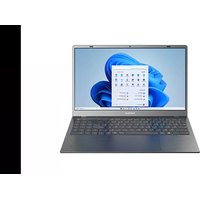
NEO-15.6 - Laptop THOMSON - Free user manual and instructions
Find the device manual for free NEO-15.6 THOMSON in PDF.



| Product type | Laptop |
| Brand | Thomson |
| Model | NEO-15.6 |
| Screen size | 15.6 inches |
| Dimensions (approx.) | 360 x 240 x 20 mm |
| Weight (approx.) | 1.8 kg |
| Power supply | AC adapter, built-in lithium-ion battery |
| Operating system | Windows 11 |
| Processor | Intel or AMD (depending on version) |
| RAM memory | 4 to 8 GB (depending on version) |
| Storage | SSD 128 to 256 GB (depending on version) |
| Connectivity | Wi-Fi, Bluetooth, USB Type-A, USB Type-C, HDMI, headphone/microphone jack, micro-SD card reader |
| Webcam | Built-in front camera |
| Keyboard | Keyboard with function keys and backlight (depending on version) |
| Touchpad | Multi-gesture touchpad |
| Security | Kensington security slot, safety instructions (avoid water, shocks, extreme temperatures) |
| Maintenance | Clean with a soft, dry cloth; do not use solvents |
| Repairability | Non-removable battery by user; intervention by authorized technician |
| General information | CE compliance, recycling via WEEE, warranty (see conditions) |
Frequently Asked Questions - NEO-15.6 THOMSON
User questions about NEO-15.6 THOMSON
0 question about this device. Answer the ones you know or ask your own.
Ask a new question about this device
Download the instructions for your Laptop in PDF format for free! Find your manual NEO-15.6 - THOMSON and take your electronic device back in hand. On this page are published all the documents necessary for the use of your device. NEO-15.6 by THOMSON.
USER MANUAL NEO-15.6 THOMSON
natural_image
Person typing on a laptop at a desk with books and curtains in the background (no visible text or symbols)MANUEL DE L'UTILISATEUR / USER'S MANUAL / MANUAL DE USUARIO / MANUAL DO USUÁRIO
mythomson.com
Thank you for choosing a Thomson Computing device. To ensure that you are fully satisfied with your device, we invite you to read the information in this user manual.
NEO - 15.6"
VERSION 1.0 - 0719
Avis Juridique
Marque commerciale
AVERTISSEMENT :
natural_image
Three hand gestures pointing at a document with two directional arrows (no text or symbols)Clic / Double-clic
natural_image
Illustration of two hands pointing at a surface with a blue lightning bolt symbol (no text or labels)Glissé et Déplacé
natural_image
Illustration of two hands performing a finger manipulation on a surface, showing a wavy line and a small virus-like symbol (no text or labels)Clic gauche
natural_image
Illustration of a hand pointing at a square with a small star-shaped mark on the surface (no text or symbols)Clic droit
natural_image
Illustration of two hands pointing at a surface with a small dark spot and blue arrows indicating motion (no text or symbols)Défilement
natural_image
Illustration of two hands pressing down on a sheet of paper with arrows indicating movement (no text or symbols)natural_image
Illustration of two hands pointing at a document with two arrows indicating movement (no text or symbols present)Zoom
natural_image
Line drawing of a hand pointing at a square with a star symbol (no text or symbols present)natural_image
Illustration of a hand pressing down on a square surface with two curved arrows indicating movement (no text or symbols)natural_image
Illustration of a hand pressing down on a sheet of paper with a downward arrow (no text or symbols)Afficher le bureau
natural_image
Illustration of a hand holding a pen writing on a sheet of paper with a small arrow symbol (no text or symbols present)natural_image
Illustration of a hand writing on paper with three small circular marks (no text or symbols present)natural_image
Person wearing headphones, seated indoors near a large window (no visible text or symbols)NEO - 15.6"
VERSION 1.0 - 0719
Legal Notice
Commercial brand
This product has been manufactured and sold under the responsibility of METAVISIO. THOMSON, and the THOMSON logo are trademarks used under license by METAVISIO - further information at www.thomson-brand.com.
Microsoft®, Windows®, Windows Server® and Windows Vista® are registered trademarks of Microsoft Corporation in the United States and/or other countries/regions. The software names in this User's Guide are the property of their respective companies in accordance with the corresponding license agreement. Any reference to this software is given for information only. All other products, services, companies, trademarks, trade or product names and logos referenced herein are the property of their respective owners. Any reference to these names is for information purposes only.
Copyrights
Copyright in this User Guide is held by METAVISIO SA. It is prohibited to copy, translate, modify or transmit this User Guide by any means or in any format whatsoever without the prior written consent of METAVISIO SA.
Disclaimer of liability
For a better user experience, METAVISIO SA reserves the right to make changes to this User Manual. The information contained in this document is subject to change without notice. Users are responsible for any damage resulting from improper use of this User Guide. In addition, except for the explicit warranty given in the product maintenance manual or in our service commitment, METAVISIO SA makes no warranty, express or implied, related to this User Guide (including on the formulations chosen).
Declaration of conformity
METAVISIO SA hereby declares that this product complies with the essential requirements and other applicable provisions of Directive 2014/53/EU. The declaration of conformity of the available on the internet link: www.mythomson.com

- Important safety instructions -
This unit should be used in an environment with an ambient temperature between 5^ C ( 41^ F) and 35^ C ( 95^ F).
Do not expose the unit to rain or moisture and keep it away from liquids. In case of splashing water or other liquid on the unit, immediately switch off the unit and wait until it is completely dry before turning it on again.
Do not expose the device directly to solar radiation
Do not use strong solvents, liquid detergents or other chemicals on or near the surface of the unit to prevent corrosion or deterioration of the surface of the unit.
Do not expose the camera to a dusty environment.
Do not use the unit during a gas leak.
Do not expose the device to strong magnetic or electric fields. You can run the device through airport x-ray detectors. However, it is recommended not to pass your device through the magnetic detection portals or expose it to portable detectors.
Do not place any objects on the device.
Do not place the unit on an uneven or unstable surface.
Make sure to protect the unit from falls or any other impact that may damage it.
Do not leave the appliance on or loaded on your lap or any other part of your body to avoid any risk of heat-related injuries.
Switch off the unit before transporting it or covering it with a material that does not allow optimal air circulation.
Do not use damaged power cords, accessories or other devices with your device.
We recommend the exclusive use of the accessories (power supply, cables, etc.) supplied with the unit.
Use only original batteries. Replacing the battery with an incorrect battery can cause an explosion risk.
Do not disassemble, modify or repair the unit yourself, as this may void the warranty.
Please back up your important content regularly to avoid data loss.
Our company accepts no responsibility for the loss or removal of items contained in the device due to improper use of the hardware or software, lack of maintenance or any other accidental event.

This product has been designed to allow proper recycling of parts and components. The symbol representing a crossed-out wheeled bin indicates that the device should not be disposed of with municipal waste. Consult local regulations for disposal of electronic devices.
The symbol representing a crossed-out wheeled bin indicates that the battery should not be disposed of with municipal waste. Consult local regulations for battery disposal.

To avoid possible hearing damage, do not listen to high sound levels for long periods of time.
- Presentation of the device -

Note : The presentation of the device and some features may vary by country, model or version.
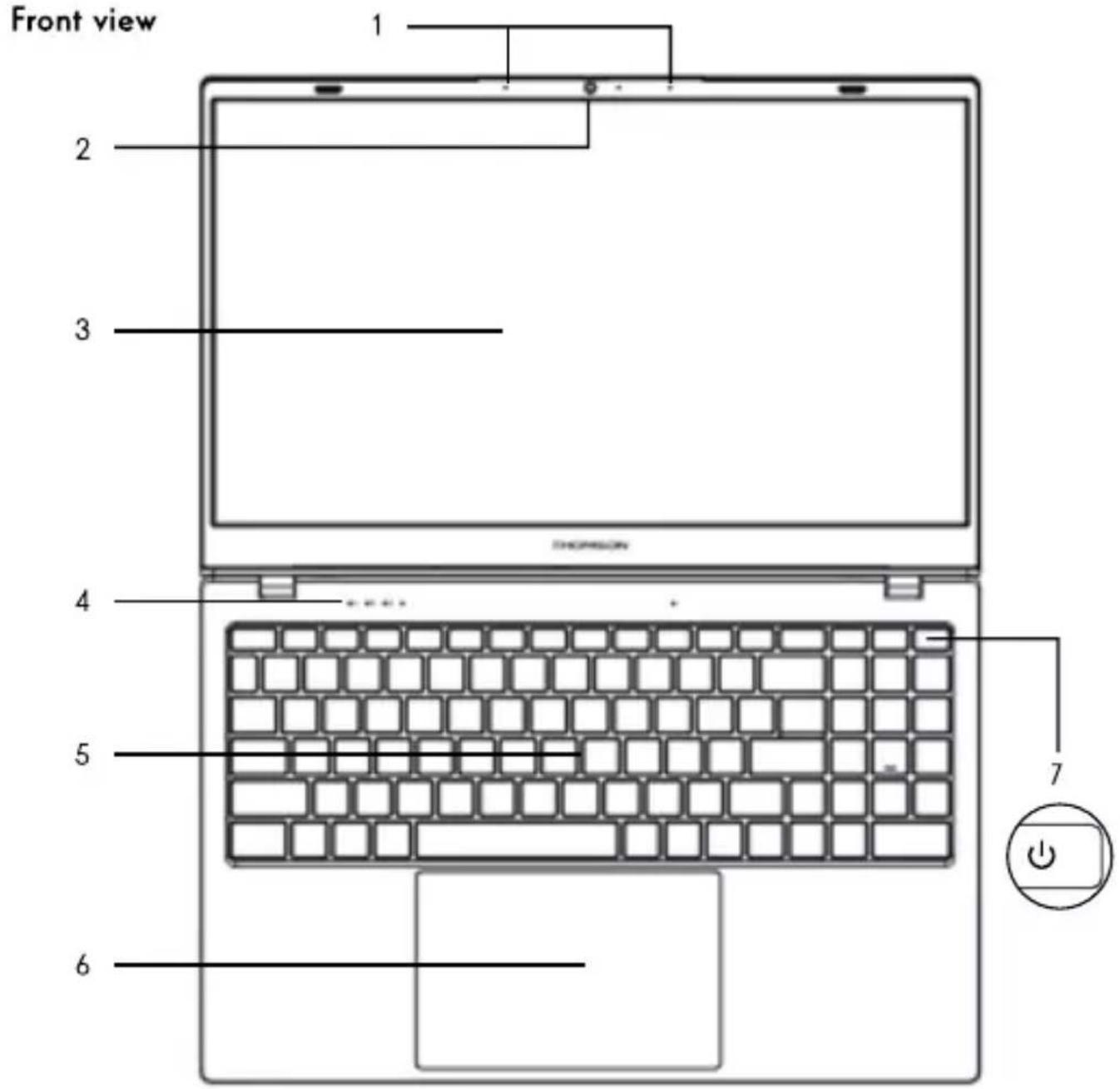
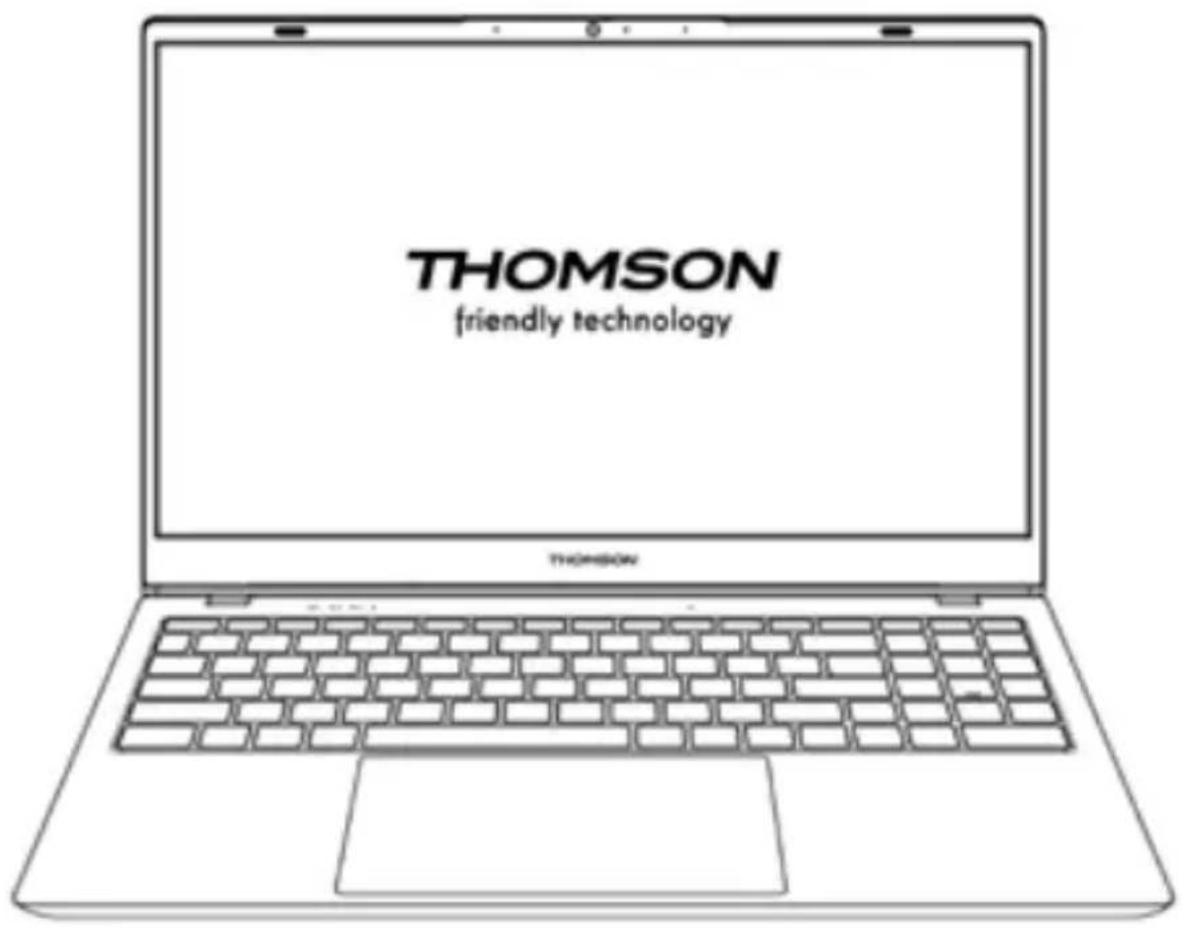
Front view
- Microphone
The microphone allows you to use the voice commands on your device, make audio/video calls, or make audio recordings. - Front camera - Webcam
Use this camera for video calls or to take pictures. - Screen
- Power supply indicator
- Keyboard
- Touchpad
The touchpad allows you to enjoy the features of a mouse. It offers an intuitive interface thanks to its multi-gestures features. - Power button
A long press of this button allows you to turn your device on or off.
Left view
- Mains power port
This port provides power when connected to an adapter.
- Charging indicator
This indicator lights up while the device is being charged.
- USB port type A
This port is compatible with USB devices such as a keyboard, mouse, flash drive (USB sticks, memory card readers...), external hard disk, printer.
- HDMI port (High - Definition Multimedia Interface)
This port allows you to connect your device to an HDMI-compatible device such as a TV, monitor or projector.
- USB Type-C port
This next-generation USB port has the distinction of being versatile, allowing data, video and audio streams, and power to pass through it. The micro-SD card reader allows you to read or write to micro-SDHC / micro-SDXC memory cards.
Right view
-
Speaker
-
Micro-SD card reader
The micro-SD card reader allows you to read or write to micro-SDHC / micro-SDXC memory cards.
- Headset/microphone socket
Use this port to connect external speakers or headphones to your device. You can also connect headphones with an external microphone.
- The Kensington security slot
The Kensington security slot (also known as Kensington lock, or K-lock) is part of an anti-theft system developed by Kensington Computer Products Group. It is a small rectangular hole reinforced around the edges. It is intended to accommodate a plug-in system associated with a padlock, then connected to a cable that must be fixed around a fixed object, or difficult to move.
- Switching on -
Note : Charge your Thomson device before using it for the first time.
Charging the battery of your device
Connect the AC adapter to an earthed electrical outlet.

WARNING :
Read carefully the following instructions concerning the battery of your THOMSON device:
- Only a technician authorized by Thomson is authorized to remove and handle the battery.
- The battery in your Thomson device may present a fire or burn hazard if it is removed or disassembled.
- Comply with the information on the device's warning labels to avoid any risk of injury.
- There is a risk of explosion if the battery is replaced by an incorrect model.
- Do not dispose of the battery in a fire.
- Do not attempt to short-circuit the battery of the Thomson camera.
- Do not attempt to disassemble the battery or reassemble the battery.
- Stop using the battery if it leaks.
- The battery and its components must be recycled or disposed of properly.
- Keep the battery and its components out of reach of children.
Turning your device on / off
Turn on your device by pressing and holding the power button for a long time.

To turn off your device, go to the Start menu and select Start/Stop > Stop.
First start of your device
During the first boot, the Windows ^® 11 operating system will guide you through the configuration steps.
Once these configuration steps are completed, the system completes the installation and applies your customized settings. Do not turn off the unit and ensure that there is sufficient battery power during this step.
The Windows ^® 11 home screen appears after installation and configuration is complete.
Note : If you want to restore the factory configuration or reinstall your operating system, we recommend using the Windows Reset function. For this reason,
- Open the start menu and choose «Settings».
- Select «Update and Update and Security» then «Recovery» from the Right menu.
- Click on the «Start» button in the «Reset this PC» section.
- Let us guide you.
- Using the touchpad -
Move the pointer
Slide your finger on the touchpad to move the cursor.
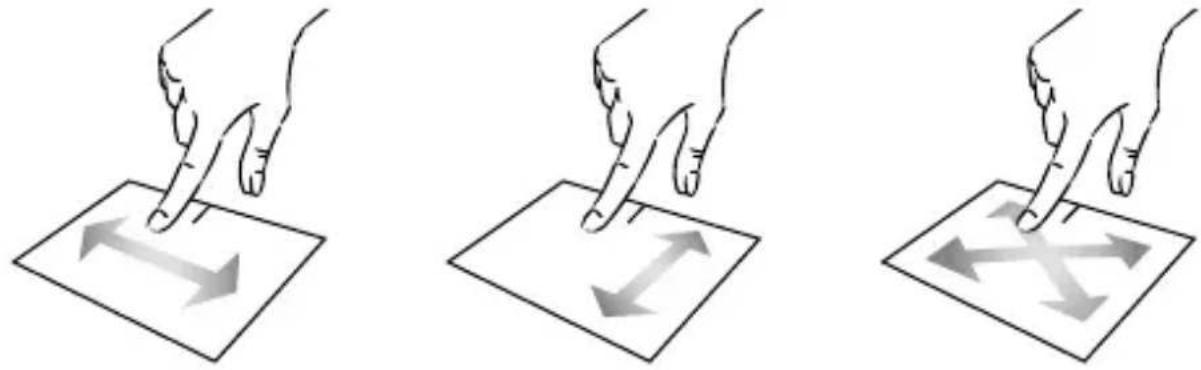
Click / Double-click
Press briefly once to make a click. For example, to select an item on the desktop or in the file explorer or to open an application from the start menu.
Press briefly twice to make a double click. For example, on the desktop or in the file explorer, this function will allow you to open the selected item.

natural_image
Illustration of a hand holding a pen tip over a document with a small starburst at the bottom (no text or symbols)
natural_image
Illustration of two hands pointing at a surface with a blue lightning bolt symbol (no text or labels)Drag and drop
Press the trackpad briefly twice to select the item and hold your finger on the trackpad by sliding it to the desired position and releasing. You can also select an element and hold down a left click while sliding another finger on the touchpad to drag and move an element.

Left click
Briefly press the touchpad once to make a left click.

natural_image
Illustration of a hand pointing at a square with a small star-shaped mark on the surface (no text or symbols)Right click
Press briefly once at the bottom right of the touchpad to make a right click or press briefly with two fingers on the touchpad.

natural_image
Illustration of two hands pointing at a surface with a small dark spot and blue arrows indicating motion (no text or symbols)Scrolling
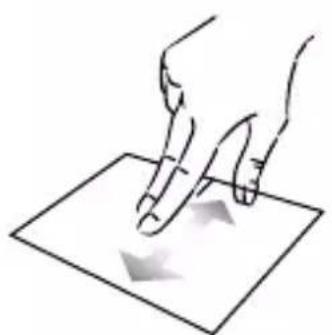
Slide two fingers up or down to scroll vertically.
natural_image
Illustration of two hands pointing at a document with arrows indicating movement (no text or symbols)Slide two fingers left or right to scroll horizontally.

natural_image
Illustration of two hands pointing at a document with two arrows indicating movement (no text or symbols present)Zoom
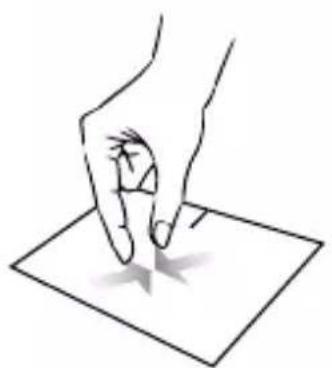
Move two fingers closer to the touchpad area to zoom out (zoom -).
Move two fingers away from the touchpad area to zoom in (zoom +).
natural_image
Line drawing of a hand pressing down on a square surface with a star symbol (no text or symbols present)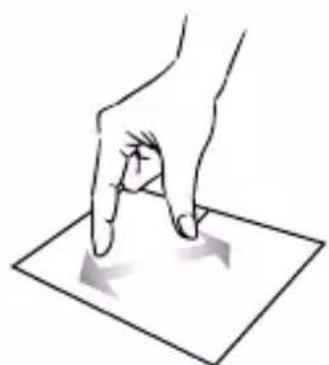
natural_image
Hand pressing down on a square surface with arrows indicating movement (no text or symbols)Show all applications running
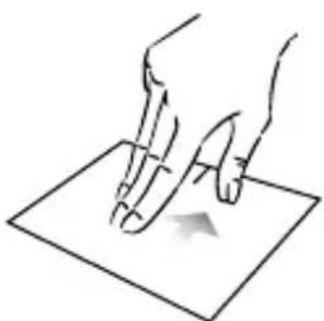
Slide three fingers upwards to display all applications running.
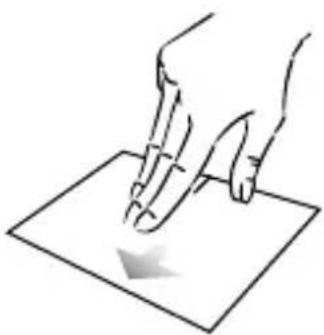
natural_image
Line drawing of a hand holding a pen over a sheet of paper with a downward arrow (no text or symbols)View the desktop
Slide three fingers down to display the Windows® 11 desktop.

natural_image
Line drawing of a hand pressing down on a sheet of paper with a small arrow indicating motion (no text or symbols)Open the action center
Briefly press with four fingers to open the Windows® 11 action center.

natural_image
Illustration of a hand holding a pen writing on a document with three small circular marks (no text or symbols present)- Using the keyboard -
Function keys
The keypad on your device is equipped with function keys for performing actions or settings.
Note : The key icons displayed and the functions offered may vary depending on the model.
Fn + Put the computer into standby mode
Fn + 📋 Opens the default web browser
Fn + 📋 Enables or disables the touchpad
Fn + 📌) Lower the volume level
Fn + 📌 Increases the volume level
Fn + ☒ Enables or disables sound
Fn + ♪ Opens the default media player
Fn + ▶/II Media player playback or pause function
Fn + ◀ Previous music or video
Fn + ▶▶▶ Next music or video
Fn + * - Decreases the brightness of the screen
Fn + ⚙️ + Increases the brightness of the screen
Fn + 📧 Opens the default email software
Fn + ☐ Enables the use of an external display
Fn + ⚙ Opens the settings menu
Fn + Ⓧ Opens the search pane
Fn + Δ|⁶Δ⁰ Enables / Disables the wireless network
Fn + [☐] Displays applications running at runtime
Fn + 📋 Opens the sharing pane
Fn + ↑ Vertical scrolling upwards
Fn + Vertical scrolling down
Fn + ↗ Start function
Fn + → Fine function
Fn + 🎨Activate or deactivate the keyboard backlight
Pause Cancels the current program (example: a game)
PrtScr/ Saves a screenshot of your Impécr screen
Numlck/ Enables/disables the numeric VerrNum keypad
ScrLk Enables/disables scrolling
Ins Enables/disables the Refresh mode
Shortcut keys
Using the shortcut keys makes it easier to navigate under Windows ^® 11.
| ■■ | Open or close Start. |
| ■■ | + A Open Quick Settings. |
| ■■ | + C Open Chat from Microsoft Teams. |
| ■■ | + D Display and hide the desktop. |
| ■■ | + E Open File Explorer. |
| ■■ | + G Open Xbox Game Bar when a game is open. |
| ■■ | + I Open Settings. |
| ■■ | + L Lock your PC or switch accounts. |
| ■■ | + M Minimize all windows. |
| ■■ | + P Choose a presentation display mode. |
| ■■ | + S Open search. |
| ■■ | + T Cycle through apps on the taskbar. |
- Windows® 11 Overview -
Presentation of the interface
Note : The interface may vary by country, model or version of Windows® 11

The Start menu is the entry point for your device. It allows you to access applications, folders and settings.
The taskbar displays the applications in use and allows you to switch between them.
The notification area displays important information about the use of your device.
The search pane allows you to easily search through your files, applications and other items on your device.
Presentation of the Start Menu
Note : The interface may vary by country, model or version of Windows® 10
The Start menu is the entry point for your device. It allows you to access applications, folders and settings.
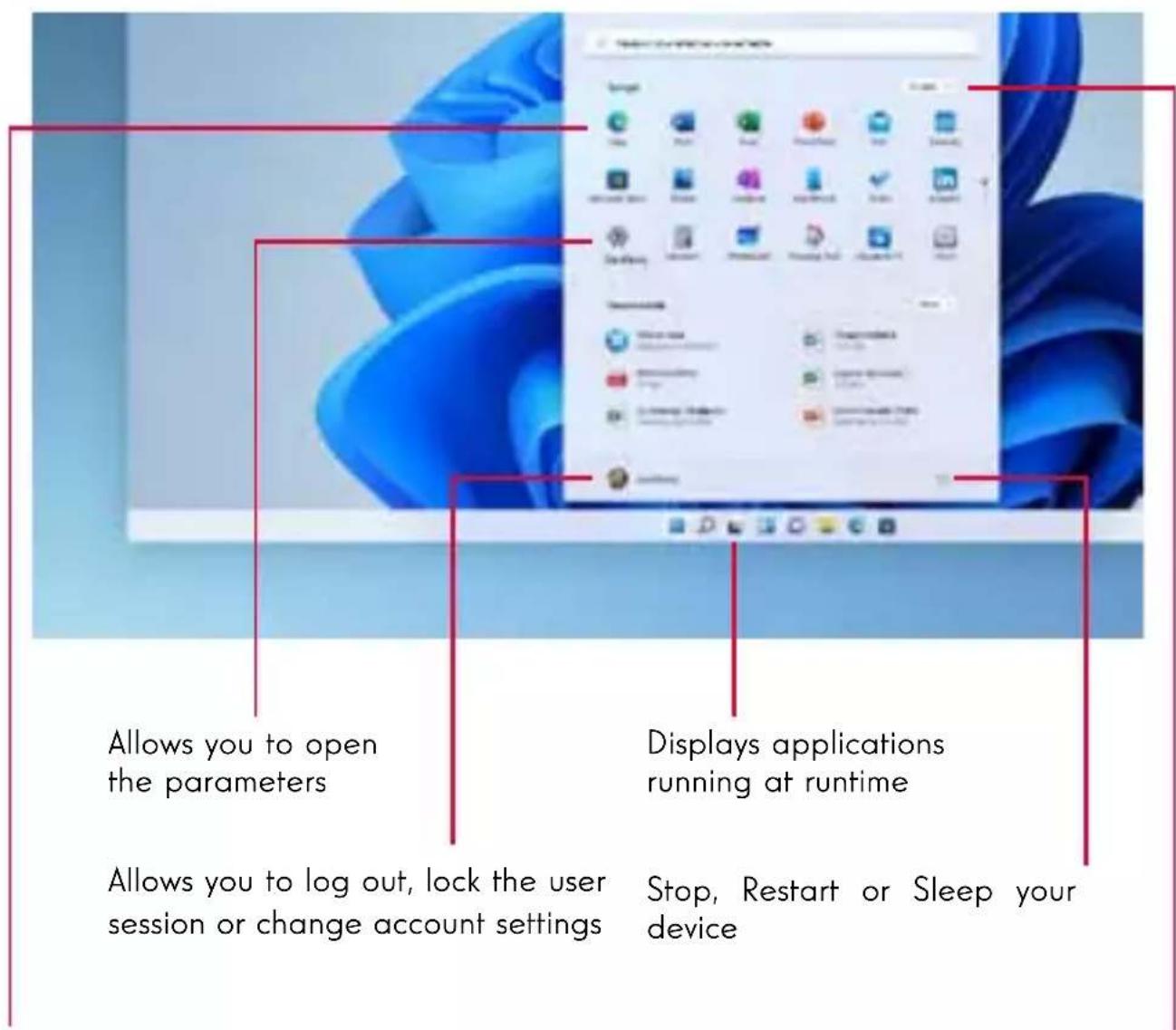
Displays your favorite applications as icons for quick and easy access.
The applications installed on your device are listed here.
Note : To display an item as a tile, right-click on it and select the «Pin to Start Menu» option. To remove a tile, right-click on it and select the option: «Detach from the start menu».
Note: To open an application, move the mouse pointer over it and click to open it.
Find your notifications
Note : The interface may vary by country, model or version of Windows ^® 11
Windows 11 puts notifications in Notification Center—right on the taskbar—where you can get to them instantly.
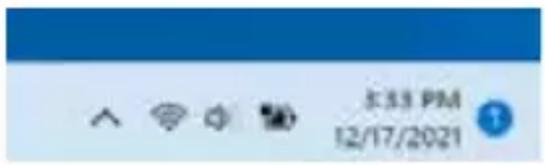
Notifications at a glance
Select the date and time in the taskbar to open the Notification Center. (You can also swipe in from the right edge of your screen, or press ■ + N.)
Select the notification to read more or take action. Don't want to take any action? Clear a specific notification by selecting the X next to the notification you want to clear. If you want to clear all your notifications, select the Clear all button.
Connecting to a wireless Wi-Fi network
Your device is equipped with a Wi-Fi module. Connecting to a Wi-Fi wireless network will allow you to access the Internet, check your e-mails, perform device updates or access a home or business network. To connect, follow these steps:
Click on the 🔺 🔺 in the notification area.
If Wi-Fi is not enabled, click on the
Select your wireless network from the list.
Click on «Connect». If your wireless network requires a security key, fill in the key before making the connection.
Pairing your device with a Bluetooth device
Your device is equipped with a Bluetooth module. This one allows you to connect it to a Bluetooth device (mouse, portable speakers...). To connect the two devices, follow these steps:
On the taskbar, select the Network icon 📋. Select the Bluetooth quick setting to turn it On or Off.
Select Start > Settings > Bluetooth & devices, then turn Bluetooth on or off.
Activate the Airplane mode
Airplane mode disables wireless Wi-Fi and Bluetooth connectivity. To activate the airplane mode :
Click on the icon 🎨 in the notification area.
Click on the button
To disable the airplane mode :
Click on the icon 🎯 in the notification area.
Click on the button
System restoration
WARNING:
Make a backup of your important data before running this option.
Windows® 11 offers several recovery options to restore the factory configuration :
- Keep my files: Reset your device by keeping your personal files.
- Delete All: Restores the factory configuration of your device. Make a backup of your important data before running this option.
- Retrograde to the previous version of Windows® 11: Use this option if you are having trouble with your device after the system update.
- Advanced boot: This option allows you to boot from an external device or access the device's firmware settings or change Windows boot settings or restore Windows from a disk image.
To perform a restoration operation, follow the following steps :
Select Start > Settings > System > Recovery.
Next to Reset this PC, select Reset PC. Then choose from the options and/or settings in the table below.
Select the restoration option to be executed.

Windows 11
Discover more features on the Microsoft website :
https://support.microsoft.com/en-US/windows#WindowsVersion=Windows_11

Windows 11 is here!
With the following purpose, the supply organization, 100% of a vehicle motor, entire supply and efficient repair to the current and production.
DOI: 1005.200693000,28191421
Explore Windows
Widow 11
Molová 18
Wilcoxon 6.1
Wireless 1
natural_image
Green background with a white square containing an internal symbol (no text or numbers)Prepare for Wisconsin 31
Final (as amended) for total goodwill about the Wisconsin ITI approvals
资料来源

natural_image
Simple icon of a computer monitor inside a square frame, no text or symbols presentMeet Widgets
(3) at 12:00am off your phone calls.
den avd Rogers
natural_image
Blue rectangular icon with a white document symbol and dotted line, no text or numbers present.Wrap your windows
One week that gives it through our
natural_image
Simple icon of a laptop computer on a purple background (no text or symbols)Explore the tackle
Trend group size: 0.0001388xxxxxx 11.
Total financial units
Trending topics
Whitloss 11
3900000018
Wadovia 3.1
Illinois, 1
10th corrected when moving up 304 minutes (1.16)
TJ-4 Microsoft products for Wollborel
Residential (Low-10)
Note to estimate 2016 in EUR thousands of Singapore
16.4.3.2 号, 得语, 01955
Standard Intention
Please call you to include me on the website:
B. Computer-based networking problems to microwave fly
Janning Personal
Note to pay on funds in thousands of €
Tanzovik ascerted in British
- FAQ -
A black or colored dot appears on the screen!
This does not affect the performance of your device. If the problem persists, please consult the general warranty conditions and then contact Thomson Customer Service.
The touchpad doesn't work!
Check that the touchpad is correctly activated using the function keys Fn +
The battery charge indicator does not light up!
Make sure that the AC charger is properly connected to an AC outlet and the power port of the unit. If the problem persists, contact Thomson Customer Service.
How to optimize battery life?
To optimize the battery life, you can adjust the screen brightness, disable Wi-Fi and Bluetooth if you are not using it and close applications you are not using.
I lost the AC adapter!
Contact Thomson Customer Service.
The battery doesn't work anymore!
Contact Thomson Customer Service.
The device does not emit any sound!
Check that the sound has not been disabled by using the function key Fn + or by increasing the volume by using the function key Fn + Make sure that no headphones are connected to your device.
When the device starts, the power indicator lights up but the operating system does not start!
Force the device to turn off by pressing the power button for 10 seconds and then disconnect all connected USB devices. Connect the device to a socket with the charger. Turn on the device.
If the problem persists, contact Thomson Customer Service.
The computer does not wake up from sleep mode !
Use the power button to exit the standby mode. Check that the battery level is sufficient by plugging the unit into an AC outlet using the charger. Press the power button again.
Where to find the drivers for your Thomson device ?
The drivers necessary for the proper functioning of your device are presentin the following folder :
C:\WINDOWS\DRIVERS\
We recommend that you backup the entire folder to an external storage medium (external hard disk, USB sticks, CD-R) in order to keep a copy of these drivers.
MANUAL DE USUARIO
NEO - 15.6"
VERSIÓN 1.0 - 0719
Aviso legal
Marca comercial
ADVERTENCIA :
natural_image
Three hand gestures pointing at a document with two directional arrows (no text or symbols)Clic / Doble clic
natural_image
Two hand-drawn diagrams showing a surface with a central point and two hands pointing at it, no text or symbols present.Arrastrar y soltar
natural_image
Two hand-drawn diagrams showing finger positioning on a surface with a wavy line and a small virus-like symbol (no text or labels)Clic izquierdo
natural_image
Illustration of a hand pointing at a square with a small star-shaped mark on the surface (no text or symbols)Clic derecho
natural_image
Illustration of two hands pointing at a surface with a small starburst, no text or symbols presentDesplazamiento
natural_image
Illustration of two hands pointing at a document with arrows indicating movement (no text or symbols)natural_image
Illustration of two hands pointing at a document with two arrows indicating movement (no text or symbols present)Zoom
natural_image
Line drawing of a hand pointing at a square with a star symbol (no text or symbols present)natural_image
Hand pressing a finger on a square surface with two curved arrows indicating movement (no text or symbols)natural_image
Illustration of a hand pressing down on a sheet of paper with a downward arrow (no text or symbols)Ver el escritorio
natural_image
Illustration of a hand holding a pen writing on a sheet of paper with a small arrow symbol (no text or symbols present)natural_image
Illustration of a hand writing on paper with three small circular marks (no text or symbols present)- Uso del teclado -
Teclas de función
natural_image
Green background with a white square containing an orange symbol (no text or numbers)
natural_image
Simple icon of a computer monitor inside a square frame, no text or symbols present
natural_image
Blue background with a white abstract icon resembling a stylized arrow or document (no text or symbols)
natural_image
Purple background with a white icon of a laptop (no text or symbols)Preparative para Windows 12
Waldmarksh. at 2016.com or https://www.waldmarksh.com
Earnings yield, available for sale and rights
One function project (if adjustment) can be determined by the information.
The following table is provided in the image.
Explore la hanta de tarent
Charges off in weakness on one (1000000) to
Chenango influentacoult que na juncuur de bilumen
Temas más populares
Windows 11
Windows 15
Question 4.1
Withless 1
Pension date: 04-04-2017
Activator derivative
- Results based on results reported by Morgan Chase
Tensionation, physical measures that can be used to represent an appropriate diet (100% of the population).
Chinese character for the former and reference are Winkoumua
NEO - 15.6"
VERSÃO 1.0 - 0719
Aviso Legal
Marca comercial
AVISO :
Clique / Duplo-clique
natural_image
Illustration of a hand pointing at a square with a small star-shaped mark on the surface (no text or symbols)Clique direito
natural_image
Illustration of two hands pointing at a surface with a small starburst, no text or symbols presentRolagem
natural_image
Illustration of two hands pointing at a document with arrows indicating movement (no text or symbols)natural_image
Illustration of two hands pointing at a document with two arrows indicating movement (no text or symbols present)Zoom
natural_image
Line drawing of a hand pointing at a square with a star symbol (no text or symbols present)Afaste dois dedos da área do touchpad para aumentar o zoom (zoom +).

natural_image
Illustration of a hand pressing down on a square surface with arrows indicating movement (no text or symbols)natural_image
Line drawing of a hand holding a pen over a sheet of paper with a downward arrow (no text or symbols)natural_image
Line drawing of a hand pressing down on a sheet of paper with a small arrow indicating motion (no text or symbols)natural_image
Illustration of a hand holding a pen writing on a document with three small circular marks (no text or symbols present)Fn + ♪ Abre o media player padrão
Windows 11 chegoul
natural_image
Green background with a white square containing an internal symbol (no text or numbers)Prespare-se partie à Windows 10
natural_image
Simple icon of a computer monitor inside a square frame, no text or symbols presentEmiheça às Wistjens
natural_image
Simple icon of a laptop computer on a purple background (no text or symbols)Exptive a tiavu de tarefas
ZaBix comi, premaan ve hiz affinansu 37
(2016) Officer sustainability: Tax burden for non-
Nominar probleming zone v. Notable in
Recommended to use PTE
Trendi potrimal na zugegen (preve 39°C, 2005) as a definition
表决结果:9票同意8票反对0票弃权
(Continental study term on Remed)
The following table is in English:
- FAQ -
NEO - 15.6"
VERSIONE 1.0 - 0719
Avviso legale
Marchio commerciale
ATTENZIONE :
natural_image
Three hand gestures pointing at a document with two directional arrows (no text or symbols)natural_image
Illustration of a hand holding a pen tip over a document with a small starburst at the bottom (no text or symbols)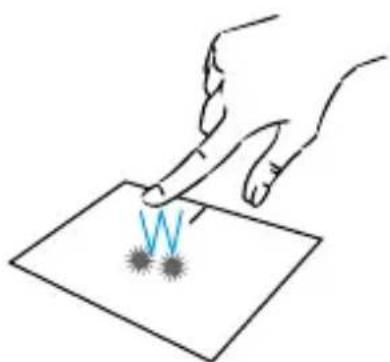
natural_image
Illustration of two hands pointing at a surface with a blue lightning bolt symbol (no text or labels)natural_image
Two hand-drawn diagrams showing finger positioning on a surface with a wavy line and starburst pattern (no text or symbols)Clic sinistro
natural_image
Illustration of a hand pointing at a square with a small star-shaped mark on the surface (no text or symbols)Clic destro
natural_image
Illustration of two hands pointing at a surface with a small dark spot and blue arrows indicating motion (no text or symbols)Scorrimento
natural_image
Illustration of two hands pointing at a document with arrows indicating movement (no text or symbols)natural_image
Illustration of two hands pointing at a document with two arrows indicating movement (no text or symbols present)Zoom
natural_image
Line drawing of a hand pointing at a square with a star symbol (no text or symbols present)natural_image
Hand pressing a finger on a square surface with two curved arrows indicating movement (no text or symbols)natural_image
Illustration of a hand pressing down on a sheet of paper with a downward arrow (no text or symbols)natural_image
Illustration of two hands writing on a sheet of paper with a small arrow symbol (no text or symbols present)natural_image
Illustration of a hand writing on paper with three small circular marks (no text or symbols present)Windows 11 é qui
Wadysztentne zebetelné a Sáciříba 60 szegyzemzetlenne zebeteltjeszeta a Škostane: 175 kcal (szerlity zecopitizomnade načenia, 1310 glna) da 4.2 kcal volatil (dav celence v ostratezovnost na Vora perezifikovia).
2017/November - 2017/10/01 www.mcmw.net
Esplora Windows
Widow 11
Molová 18
Muller 4.1
Wireless
natural_image
Green background with a white square containing an icon of a document or folder symbol (no text or numbers present)Frequency per Windows 11
natural_image
Simple icon of a computer monitor on a solid teal background (no text or symbols)Wolget Mawet
Tilvano diagnostika i,24 in 10.000円 pénminim
10.2.2017

natural_image
Blue background with a white abstract icon resembling a stylized arrow or document (no text or symbols)natural_image
Simple icon of a laptop computer on a purple background (no text or symbols)Thous in turg reemen in allevation [1].
1.000 mmol/min/100 mmol/min/100 mmol/min/100 mmol/min/100 mmol/min/100 mmol/min/100 mmol/min/100 mmol/min/100 mmol/min/100 mmol/min/100 mmol/min/100 mmol/min/100 mmol/min/100 mmol/min/100 mmol/min/10
Pension (independent authorised by Microsoft, as International
(1)股份转让情况
12.4% accommodation 19th or Supreme 5th or Business
Talen du gesteilfrika PC van 800m
Augusta 190006
(2) Interest rate is 100% to 150%.
Reconstruction: production of continuous (A)
noministrat de 20% consigna de Miostrats.
相
To date completion
Zuminiou cousser de Anteiro, 100% (zugliPenszafoid de Mécanismes 7-8)
NEO - 15.6"
VSIE 1.0 - 0719
WAARSCHUWING:
natural_image
Illustration of two hands pointing at a surface with a blue lightning bolt symbol (no text or labels)Slepen en neerzetten
natural_image
Two hand-drawn diagrams showing finger pressing down on a surface with a wavy line and a star-like symbol (no text or labels)Links klikken
natural_image
Illustration of a hand pointing at a square with a small star-shaped mark on the surface (no text or symbols)Rechtermuisklik
natural_image
Illustration of two hands pointing at a surface with a small starburst, no text or symbols presentScrollen
natural_image
Illustration of two hands pointing at a document with arrows indicating movement (no text or symbols)natural_image
Illustration of two hands pointing at a document with two arrows indicating movement (no text or symbols present)Zoom
natural_image
Line drawing of a hand pointing at a square with a star symbol (no text or symbols present)natural_image
Hand pressing a finger on a square surface with two curved arrows indicating movement (no text or symbols)Toon alle lopende applicaties
natural_image
Illustration of a hand pressing down on a sheet of paper with a curved arrow indicating downward motion (no text or symbols)natural_image
Line drawing of a hand pressing down on a sheet of paper with a small arrow indicating motion (no text or symbols)natural_image
Illustration of a hand holding a pen writing on a document with three small circular marks (no text or symbols present)
Windows 11 is hier!
That adaptive geogold en semidistige impellerar teelt diptosis 17 yet gathem never uterijs. Iken aag in effettente imoveren, ni certief ne constructet in also
- 清除限值相同, 未知其值
Windows verkennen
Windows 11
Molovsk 18
Washaw 6.1
Wireless
natural_image
Green background with a white square containing an internal symbol (no text or numbers)natural_image
Simple icon of a computer monitor inside a square frame, no text or symbols presentDrick Wutgers
(8) 100% of the following cash flow is consistent with interest rates:
Non-Intensive non-intensive
natural_image
Blue rectangular icon with a white arrow pointing to a document symbol (no text or numbers present)the vorder's allijpen
Dietralt reuzeln oletzengapazium (in as
natural_image
Simple icon of a laptop computer on a purple background (no text or symbols)Rook terms on over Wimazian (1).
Tawdavatelnemw. tijagen
System environment (out of 90 days)
Methode payments of Mombus,
NEO - 15.6"
VERSION 1.0 - 0719
Impressum
Handelsmarke
WARNUNG :
natural_image
Three hand gestures pointing at a document with bidirectional arrows, no text or symbols presentnatural_image
Illustration of a hand pointing at a small object on a surface, with no visible text or symbols.natural_image
Illustration of two hands pointing at a surface with a blue lightning bolt symbol (no text or labels)Ziehen und Ablegen
natural_image
Two hand-drawn diagrams showing finger positioning on a surface with a wavy line and virus-like particles (no text or symbols)Linksklick
natural_image
Illustration of a hand pointing at a square with a small star-shaped mark on the surface (no text or symbols)Rechtsklick
natural_image
Illustration of two hands pointing at a surface with a small dark spot and blue arrows indicating direction (no text or symbols)Scrollen
natural_image
Illustration of two hands pointing at a document with arrows indicating movement (no text or symbols)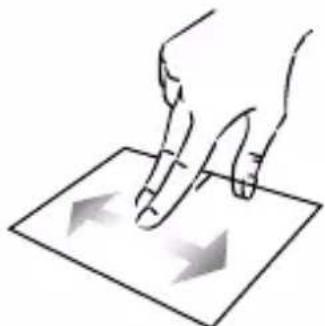
natural_image
Illustration of two hands pressing down on a sheet of paper with directional arrows (no text or symbols)Zoom
natural_image
Line drawing of a hand pointing at a square with a small arrow on the surface (no text or symbols)natural_image
Illustration of a hand pressing down on a square surface with two arrows indicating movement (no text or symbols)natural_image
Illustration of a hand pressing down on a sheet of paper with a curved arrow indicating downward motion (no text or symbols)natural_image
Line drawing of a hand pressing down on a sheet of paper with a small arrow indicating motion (no text or symbols)natural_image
Illustration of a hand writing on a document with three small circular marks (no text or symbols present)Windows 11 ist dal
natural_image
Green background with a white square containing an icon of a document or folder symbol (no text or numbers present)(1) Preference Week 20:00:00

natural_image
Simple icon of a computer monitor inside a square frame, no text or symbols present27.6.1.4 10.0% (non products)

natural_image
Blue background with a white abstract arrow icon (no text or symbols)(2) 2018/03 (Jan. 1947) 30, First Forward: \$650,000
natural_image
Simple icon of a laptop computer on a purple background (no text or symbols)In Mio. 2018, we were a new report on the following:
Beliebte Themen
Windows 13
Windows 18
Wilmington A.1
Withless 1
Moluzich A: 2018, N. Antitized, International
The following text in the
Let zusiteten Usp. Distribution in the Comms. Logonaktien causal: Monats van Pro
Milo Jones, CA: Greenfield, MA
(1) 2024年12月31日
In conformen Tax §10, 2018.
Tobacco Pharmaceutical A (MBUS)
- FAQ -
NEO - 15.6"
VERSION 1.0 - 0919
Juridisk meddelelse
Varemærke
Dette produkt er fremstillet og solgt under METAVISIO's ansvar.
ADVARSEL :
natural_image
Three hand gestures pointing at a document with two directional arrows (no text or symbols)Klik / dobbeltklik
natural_image
Illustration of two hands pointing at a surface with a small starburst symbol (no text or labels)
natural_image
Illustration of two hands pointing at a surface with a blue lightning bolt symbol (no text or labels)Træk og slip
natural_image
Two hand-drawn diagrams showing finger positioning on a surface with a wavy line and a virus-like symbol (no text or labels)Venstre-klik på
natural_image
Illustration of a hand pointing at a square with a small star-shaped mark on the surface (no text or symbols)Rul
Skub to fingre op eller ned for at rulle vertikalt.

natural_image
Illustration of two hands pointing at a document with arrows indicating movement (no text or symbols)Zoom
Saml to fingre på touchpad-området for at zoome ud (zoom -).

natural_image
Line drawing of a hand pointing at a square with a star symbol (no text or symbols present)Højreklik på
natural_image
Illustration of two hands pointing at a surface with a small dark spot and blue arrows indicating motion (no text or symbols)natural_image
Illustration of two hands pressing down on a sheet of paper with directional arrows (no text or symbols)natural_image
Hand pressing a finger on a square surface with two curved arrows indicating movement (no text or symbols)natural_image
Line drawing of a hand holding a pen over a sheet of paper with a downward arrow (no text or symbols)Vis skrivebordet
Skub tre fingre nedad for at få vist skrivebordet i Windows® 11.
natural_image
Line drawing of a hand pressing down on a sheet of paper with a small arrow indicating motion (no text or symbols)Åbn handlingscenteret
natural_image
Illustration of a hand holding a pen writing on a document with three small circular marks (no text or symbols present)- Brug af tastaturet -
Funktionstaster
Fn + ☒ Åbner standard-e-mailprogrammet
https://support.microsoft.com/da-DK/windows


NEO - 15.6"
VERSION 1.0 - 0919
- HDMI-port (High Definition Multimedia Interface)
WARNING :
natural_image
Illustration of a hand holding a pen tip over a document with a small starburst at the bottom (no text or symbols)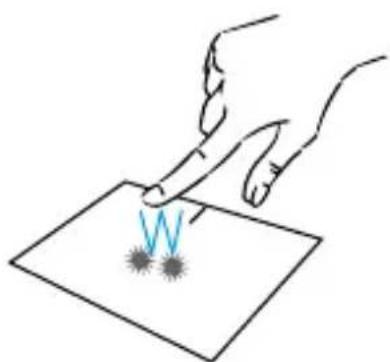
natural_image
Illustration of two hands pointing at a surface with a blue lightning bolt symbol (no text or labels)Dra och släpp
natural_image
Illustration of a hand pointing at a square with a small star-shaped mark on the surface (no text or symbols)Rulla
natural_image
Illustration of two hands pointing at a document with arrows indicating movement (no text or symbols)Zoom
natural_image
Line drawing of a hand pointing at a square with a star symbol (no text or symbols present)Högerklicka på
natural_image
Illustration of two hands pointing at a surface with a small dark spot and blue arrows indicating direction (no text or symbols)natural_image
Illustration of two hands pressing down on a sheet of paper with directional arrows (no text or symbols)natural_image
Illustration of a hand pressing down on a square surface with two curved arrows indicating motion (no text or symbols)natural_image
Line drawing of a hand holding a pen over a sheet of paper with a downward arrow (no text or symbols)Visa skrivbordet
natural_image
Line drawing of a hand pressing down on a sheet of paper with a small arrow indicating motion (no text or symbols)natural_image
Illustration of a hand holding a pen writing on a document with three small circular marks (no text or symbols present)Note: This is supporting with a review to generating and following IT will make your associates. In a group of patients with all data interests with associated aids.
natural_image
Laptop displaying a web browser interface with app icons, set against a blue background (no readable text or symbols)Utforska Windows
Shikawa 15
Bladona 18
Wolters 8.1
Wolters
natural_image
Green background with a white circular icon containing a refresh symbol (no text or numbers)
natural_image
Simple icon of a folder inside a teal rectangle (no text or symbols)
natural_image
Simple icon of a computer monitor on a blue background (no text or symbols)
natural_image
Purple background with a white shield icon in the center (no text or symbols)Will it go at least one
The data will be used to create a large-scale marketing and distribution system. The data is available as:
Job data for the holiday season after winter holiday season
Forlaemu prostendu
STT101 Singapore Pemphag and Tel. Tel. Credit Agricole Tobacco 120 Dalian Healthcare
Pensional care providers
This offer:
What is the case of the first case, we can see that
Incorporations and compensation of businesses
Populära ämnen
(1) 2016年10月
Benedo 18
windsor
Method
- VANLIGA FRÅGOR OCH SVAR -
NEO - 15.6"
VERSION 1.0 - 0919
VAROITUS :
natural_image
Illustration of a hand holding a pen tip over a document with a small starburst at the bottom (no text or symbols)
natural_image
Illustration of two hands pointing at a surface with a blue lightning bolt symbol (no text or labels)Vedä ja pudota
natural_image
Illustration of a hand pointing at a square with a small star-shaped mark on the surface (no text or symbols)Scroll
natural_image
Illustration of two hands pointing at a document with a curved arrow (no text or symbols)Zoomaus
natural_image
Line drawing of a hand pointing at a square with a star symbol (no text or labels)natural_image
Illustration of two hands pressing down on a sheet of paper with directional arrows (no text or symbols)natural_image
Illustration of a hand pressing down on a square surface with two curved arrows indicating motion (no text or symbols)natural_image
Line drawing of a hand holding a pen over a sheet of paper with a downward arrow (no text or symbols)Näytä työpöytä
natural_image
Line drawing of a hand pressing down on a sheet of paper with a small arrow indicating motion (no text or symbols)Avaa toimintokeskus
natural_image
Illustration of a hand holding a pen writing on a document with three small circular marks (no text or symbols present)Windows 11 on date!
natural_image
Laptop displaying a webpage with a blue background and navigation icons (no readable text or symbols)Tutustu Windowslin
Shikov 13
Balance 10
1970258 6:1
Molise
natural_image
Green background with a white circular icon containing a refresh symbol (no text or numbers)
natural_image
Simple icon of a folder inside a teal rectangle (no text or symbols)
natural_image
Simple icon of a computer monitor on a blue background (no text or symbols)
natural_image
Purple background with a white shield icon in the center (no text or symbols)For any reason
This solution represents the control of the condition of the performance signal waveform (TFT) from 12.5dB to 20.6V.
(1) 出水系统
Seal Miss
Tel. E-mail: e-mail: e-mail: e-mail:
- 信达安(中国)
Financier wachsanzijuk
Name of the fact that you want to know
Benture, accretionary, and
Suositut alheet
reneloue 13
Banning 10
Windows 8.1
Notes
- FAQ -
NEO - 15.6"
VERSION 1.0 - 0919
Rettsråd
Varemerke
- HDMI-port (High - Definition Multimedia Interface)
Denne porten lar deg koble enheten til en HDMI-kompatibel enhet som en TV, skjerm eller projektor.
- USB Type-C-port
ADVARSEL :
natural_image
Illustration of a hand holding a pen tip over a document with a small starburst at the bottom (no text or symbols)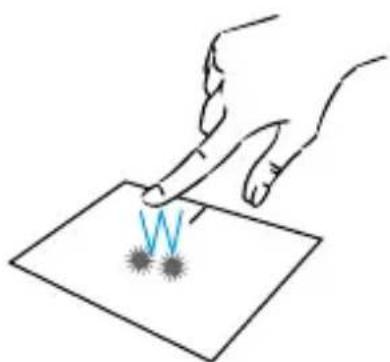
natural_image
Illustration of two hands pointing at a surface with a blue lightning bolt symbol (no text or labels)Dra og slipp
natural_image
Illustration of a hand pointing at a square with a small star-shaped mark on the surface (no text or symbols)Rull
natural_image
Illustration of two hands pointing at a document with arrows indicating movement (no text or symbols)Zoom
natural_image
Line drawing of a hand pointing at a square with a star symbol (no text or symbols present)Høyreklikk
natural_image
Illustration of two hands pointing at a surface with a small dark spot and blue arrows indicating motion (no text or symbols)natural_image
Illustration of two hands pointing at a document with two arrows indicating movement (no text or symbols present)natural_image
Hand pressing a finger on a square surface with two curved arrows indicating movement (no text or symbols)natural_image
Illustration of a hand holding a pen writing on a sheet of paper with a gray arrow indicating downward motion (no text or symbols present)Vis skrivebord
natural_image
Illustration of two hands pressing down on a sheet of paper with a small arrow indicating motion (no text or symbols)natural_image
Illustration of a hand writing on paper with three small circular marks (no text or symbols present)- Bruke tastaturet -
Funksjonstaster
Fn + 🏠 Åpne standard nettleser
Fn + ⚡‖ Aktiverer eller deaktiverer styre- Platen
Fn + 📄 Senk lydvolumet
Fn + 🔵 k lydvolumet
Fn + ✗ Aktiver eller deaktiver lyden
https://support.microsoft.com/nb-NO/windows

Stockholders by Professional
表决结果
10.000
表决结果
36F (exclitiv)
the following

m = 311

holding issue
m = 311

The following
(No text)

(No text)
-

Name: 2008

-
Windows 11 er her!
We believe that the first time of the year is a significant result of the impact of the economic conditions. This can also be sufficient to offer it in terms of the economic needs and its effectiveness as well.
www.hxh.com.cn
Regum (lavor notiflaser) Wissier IV
Übrige: Bestimmater für 1000 kgsch- und 12000000000000000000000000000000000000000000000000000000
7991-0546
natural_image
Laptop displaying a web interface with navigation icons, set against a blue background (no readable text or symbols)Utforske Windows
Mullins 19
Bladena 18
(1)
Wolters 8.1
Wolters

natural_image
Green background with a white circular icon containing a refresh symbol (no text or numbers)
natural_image
Simple icon of a folder inside a teal rectangle (no text or symbols)
natural_image
Simple icon of a desktop computer on a blue background (no text or symbols)
natural_image
Purple background with a white shield icon in the center (no text or symbols)moll åg aquiment
Over course, there is no other "information discovery of the library," which is recommended to have this
2.6.1 附件说明
Long time
Sara: "Institutional Business Management Solutions and Services (2017) 1-6"
7568 400
Turquoise platters
Investor's customers
TWYFUSE
In addition, the following table provides reference results: Management: For "Yes to be a general support" (in %):
Routaboir en nombre de annulants
Populare emner
(1)
Minnesota 18
windows 6.1
Method 2
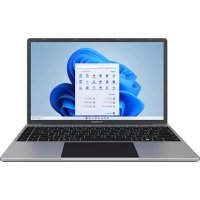
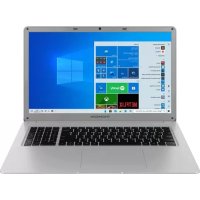
- MANUEL DE L'UTILISATEUR / USER'S MANUAL / MANUAL DE USUARIO / MANUAL DO USUÁRIO
- Avis Juridique
- Marque commerciale
- AVERTISSEMENT :
- Clic / Double-clic
- Glissé et Déplacé
- Clic gauche
- Clic droit
- Défilement
- Zoom
- Afficher le bureau
- Legal Notice
- Commercial brand
- Copyrights
- Disclaimer of liability
- Declaration of conformity
- - Important safety instructions -
- Front view
- Left view
- Right view
- - Switching on -
- Charging the battery of your device
- WARNING :
- Turning your device on / off
- First start of your device
- - Using the touchpad -
- Move the pointer
- Click / Double-click
- Drag and drop
- Left click
- Right click
- Scrolling
- Show all applications running
- View the desktop
- Open the action center
- - Using the keyboard -
- Function keys
- Shortcut keys
- - Windows® 11 Overview -
- Presentation of the interface
- Presentation of the Start Menu
- Find your notifications
- Connecting to a wireless Wi-Fi network
- Pairing your device with a Bluetooth device
- Activate the Airplane mode
- System restoration
- WARNING:
- Windows 11
- Explore Windows
- Trending topics
- - FAQ -
- A black or colored dot appears on the screen!
- The touchpad doesn't work!
- The battery charge indicator does not light up!
- How to optimize battery life?
- I lost the AC adapter!
- The battery doesn't work anymore!
- The device does not emit any sound!
- C:\WINDOWS\DRIVERS\
- MANUAL DE USUARIO
- Aviso legal
- Marca comercial
- ADVERTENCIA :
- Clic / Doble clic
- Arrastrar y soltar
- Clic izquierdo
- Clic derecho
- Desplazamiento
- Ver el escritorio
- - Uso del teclado -
- Teclas de función
- Temas más populares
- AVISO :
- Clique / Duplo-clique
- Clique direito
- Rolagem
- Avviso legale
- Marchio commerciale
- ATTENZIONE :
- Clic sinistro
- Clic destro
- Scorrimento
- Esplora Windows
- WAARSCHUWING:
- Slepen en neerzetten
- Links klikken
- Rechtermuisklik
- Scrollen
- Toon alle lopende applicaties
- Windows verkennen
- Impressum
- Handelsmarke
- WARNUNG :
- Ziehen und Ablegen
- Linksklick
- Rechtsklick
- Beliebte Themen
- Juridisk meddelelse
- Varemærke
- ADVARSEL :
- Klik / dobbeltklik
- Træk og slip
- Venstre-klik på
- Rul
- Højreklik på
- Vis skrivebordet
- Åbn handlingscenteret
- - Brug af tastaturet -
- Funktionstaster
- Dra och släpp
- Rulla
- Högerklicka på
- Visa skrivbordet
- Utforska Windows
- Populära ämnen
- - VANLIGA FRÅGOR OCH SVAR -
- VAROITUS :
- Vedä ja pudota
- Scroll
- Zoomaus
- Näytä työpöytä
- Avaa toimintokeskus
- Tutustu Windowslin
- Suositut alheet
- Rettsråd
- Varemerke
- Dra og slipp
- Rull
- Høyreklikk
- Vis skrivebord
- - Bruke tastaturet -
- Funksjonstaster
- Utforske Windows
- Populare emner
Brand : THOMSON
Model : NEO-15.6
Category : Laptop