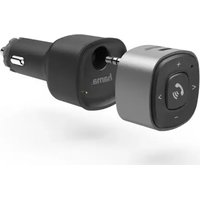
00014159 - Bluetooth Receiver HAMA - Free user manual and instructions
Find the device manual for free 00014159 HAMA in PDF.


| Product type | Bluetooth receiver for vehicle |
| Brand | Hama |
| Model | 00014159 |
| Bluetooth version | 4.2 |
| Range | Up to 10 m |
| Frequency band | 2.42 - 2.48 GHz |
| Transmission power | Max. 4 dBm |
| Power supply | Built-in Li-Po battery 300 mAh |
| Input voltage | 12 V (vehicle) |
| Charging | Via micro-USB or included 12V USB charger |
| Operating time | Max. 7 hours |
| Main functions | Hands-free calling, music control (play/pause, next/previous, volume), charging devices via USB |
| Connectivity | 3.5 mm male jack, 2 USB ports (max 2.4 A each), micro-USB for charging |
| LED indicator | Charging status, Bluetooth connection |
| Control buttons | Multifunction, + (volume+), - (volume-), > (next), < (previous) |
| Microphone | Built-in |
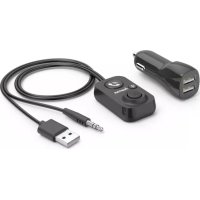
| Package contents | Bluetooth receiver, 12V USB charger, user manual |
| Maintenance and cleaning | Clean with a slightly damp lint-free cloth, avoid harsh detergents |
| Operating temperature | Moderate, avoid humidity and excessive heat |
| Recycling | Complies with WEEE directive (2012/19/EU) and 2006/66/EC, do not dispose of with household waste |
| Standards | Directive 2014/53/EU, declaration of conformity available at www.hama.com |
| Safety | Risk of electric shock, do not open, use only in dry environments |
Frequently Asked Questions - 00014159 HAMA
User questions about 00014159 HAMA
0 question about this device. Answer the ones you know or ask your own.
Ask a new question about this device
Download the instructions for your Bluetooth Receiver in PDF format for free! Find your manual 00014159 - HAMA and take your electronic device back in hand. On this page are published all the documents necessary for the use of your device. 00014159 by HAMA.
USER MANUAL 00014159 HAMA
Bluetooth® ReceiverforCars
Bluetooth®-ReceiverfürKfz
GB
D
F
natural_image
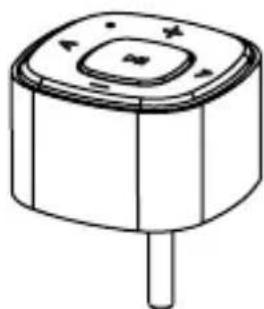
Simple line drawing of a cylindrical device with a central square top and a single screw base (no text or symbols)3.5mmAuxmalejack
Thankyouforchoosinga H amaproduct.
Takeyourtimeandreadthefollowinginstructionsand informationcompletely. P leasekeeptheseinstructions in a safe place for future reference. If you sell the device, pleasepasstheseperatinginstructionsontothenew owner.
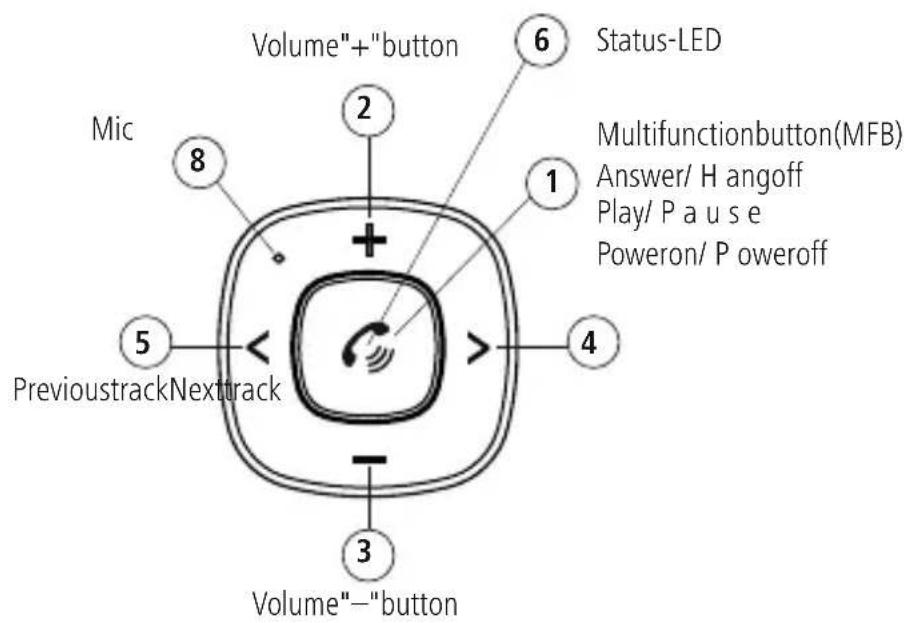
1. Controlsanddisplays
- Multi-functionkey(Power/Play/Pause/Telephone/Pairing)
2.+ b utton(louder)
3.- b utton(quieter)
4.> b utton(nexttrack) - < button(previousstrack)
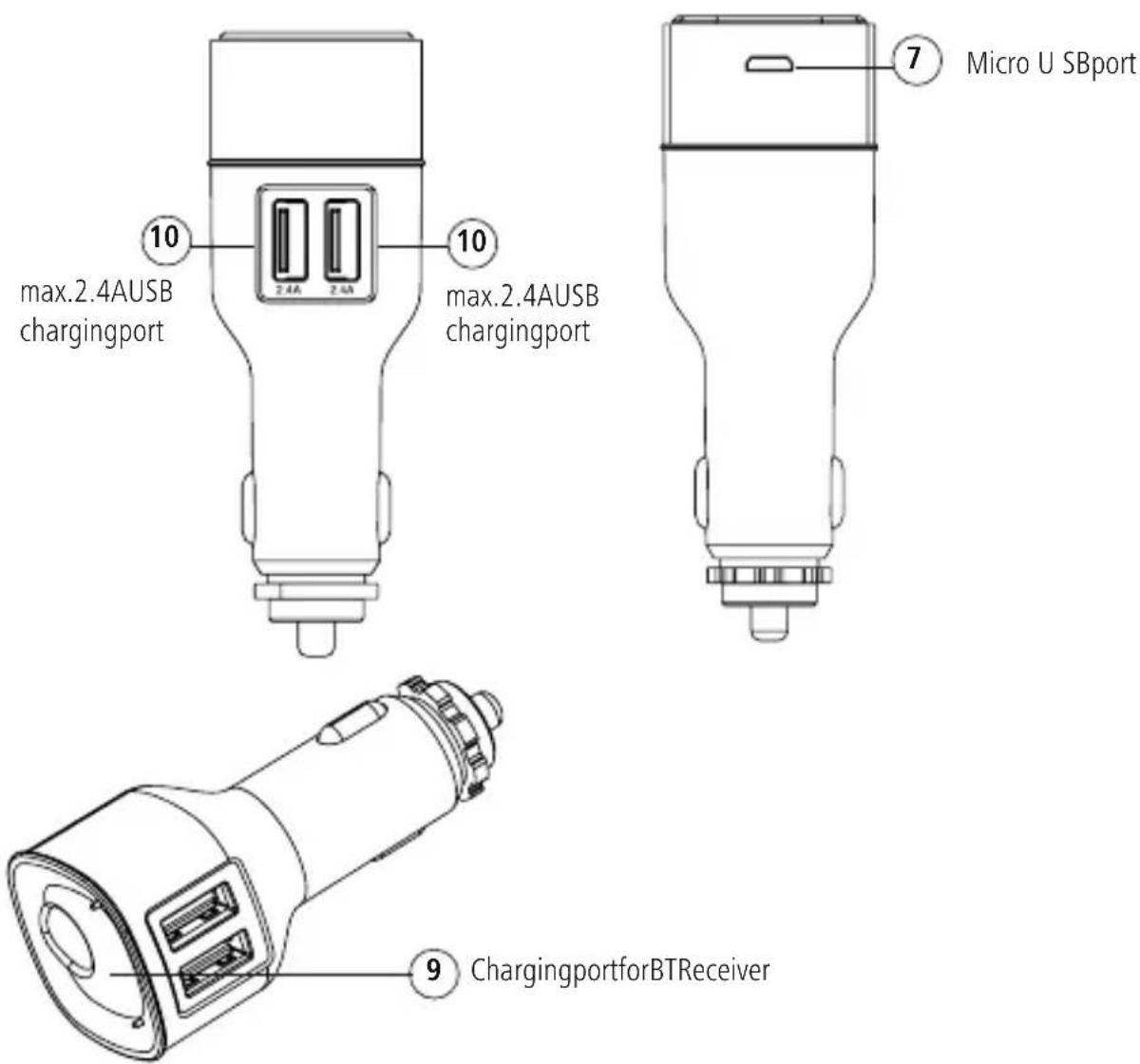
6.StatusLED - Micro-USB connection
8.microphone - ChargingportfortheBTreceiver
10.2 USBchargingports(max.2.4Aeach)
2. Explanationofwarningsymbolsandnotes
Riskofelectricshock
This symbol indicates a risk of electric shock from touching product parts carrying hazardous voltage.

Warning
This symbol is used to indicate safety instructions to draw your attention to specific hazards and risks.

Note
This symbol is used to indicate additional information or important notes.

3.Packagecontents
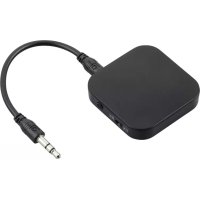
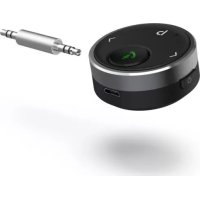
- Blue t®oreeitven
• 1 2 V U SBcharger
• Theseoperatinginstructions
4. Safetyinstructions
- The product is intended for private, non-commercial use only.
- Protect the product from dirt, moisture and overheating and use it indry environments only.
- Do not usethe product in the immediate vicinity of heaters, other heatsources or indirect sunlight.
- While driving a car or using sports equipment, do not allow yourself to be distracted by your product and keep an eye on the traffic situation and your surroundings.
- D o n otdroptheproductanddonotexposeittoany majorshocks.
- Do not operate the product outside the power limits specified in the technical data.
- The battery is permanently installed and cannot be removed; dispose of the product as a whole in accordance with the statutory regulations.
- D isposeofpackagingmaterialimmediatelyin accordancewiththelocallyapplicableregulations.
- Do not modify the device in any way. Doing so voids the warranty.
• U setheproductonlyfortheintendedpurpose. - Onlyusethearticleundermoderateclimatic conditions.
- Onlyusethearticleundermoderateclimatic conditions.
- Donotusetheproductinareasinwhichelectronic productsare notpermitted.
- Donotincineratethebatteryortheproduct.
- Donottamperwithordamage/heat/disassemblethe batteries/rechargeablebatteries.
- Ensure that the product is securely mounted before every journey.
- Take care that components such as airbags, safety areas, controls, instruments, etc. and visibility are not blocked or restricted.
- Aswithallelectricalproducts, thisdevices should be kept outofthereachofchildren.
- Do not use the product in a damp environment and avoidsplashingwater.
Riskofelectricshock(car)

- Donotopenthedeviceorcontinuetooperateitifit becomesdamaged.
- Donotusetheproductifthechargingcable, adaptercableorpowercableisdamaged.
- Donotattempttoserviceorrepairtheproduct yourself. Leave any and all service work to qualified experts.
Warning – rechargeable battery

- OnlyusesuitablechargingdevicesorUSB connectionstochargetheproduct.
- DonotusedefectivechargersorUSBportsanddo notattempttorepairthem.
- Donotoverchargetheproductorallowthebattery tocompletelydischarge.
- Avoidstoring, charging and using in extreme temperatures and at extremely low atmospheric pressures (such as at high altitudes).
- Chargeregularly(atleastquarterly)duringperiods ofprolongedstorage.
- Donotchargeanddischargetheproductatthe sametime.
Note- 1 2 V I nevoltage

Thechargeriscompatiblewitha linevoltageof 12V.
Note- c arbattery

Withsomevehicles, it can happen that power continues to be supplied, though the ignition has been switched off. You should therefore disconnect the product from the line connection when not in use to protect your car battery from being drained.
5. Gettingstarted
- TheBluetooth ^ receiverhasanintegratedLi-Po rechargeable battery. Prior to initial commissioning, fullychargetheBluetooth ^ receiverviathesupplied 12V U SBchargerusingtheon-board electrical system.
-
InserttheBluetooth ^ receiverintotheUSBcharger's chargingport(9).ThenconnecttheUSBchargerto thevehicle's12V socket.
-
Alternatively, the device can also be charged via a micro-USBcable(notincludedintheextentof delivery)connectedtoa suitablepowersource(USB chargerorUSBportona P C/notebook).
- The status LED lights up solid red during the charging process.
• Thechargingprocessbeginsandendsautomatically. - Oncethechargingprocessiscomplete, thestatusLED goesout- t hebatteryisfullycharged.
6.Operation
6.1 Initial connection via Bluetooth® (pairing)
Note

- Ensure yourBluetooth®-enableddeviceisswitchedon andthatBluetooth ® isactivated.
- For more information, please refer to the operating instructions of your device.
- ConnecttheBluetooth ^ receiverusingthe3.5mm jacksoncket(orAUX)onthereceivingdevice(e.g.on thecarradio).
- Press the multi-function key (1) for 3 seconds to switchtheBluetooth ^ receiveronandtoactivate searchmode(LED(6)flashesblue).
- ThenactivatetheBluetooth® functiononyour transmittingdevice(e.g.smartphone)andselectthe device"BT09".
- The status LED (6) lights up solid blue - the device is paired and readytouse.
Note- Bluetooth®password

- Some devices require a password in order to connecttoanotherBluetooth ^ device.
- If your device requests a password to connect, enter thepassword 0 000,1234,1111or8888.
6.2 Terminating the connection
- Press the multi-function key (1) for 3 seconds to terminate the connection and switch off the device.
6.3 Automaticconnection
- For a further connection with the Bluetooth® receiver, you simply need to switch the device on. Thelasttransmittingdeviceispre-settoensure fast connectivity.
- If this does not work, establish a new connection (see Point5.1InitialconnectionviaBluetooth®).
6.4Acceptingcalls
- Pressingthemulti-functionkey(1)onceallowsyou toaccepta c all.
• Toendit, pressthemulti-functionkeyagain. - To reject a call, press the multi-function key for around 2 seconds.
6.5 Power-saving
- IftheBluetooth ^ receiverisnotconnectedtoa Bluetooth ^ device,itswitchesitselfoffwithin10 minutesofnotbeingusedinordertoprotectthe integratedrechargeablebattery.
7. Charging devices
Warning- C onnection of devices

- Before connecting a device, check whether it can be adequately supplied with the charger's current delivery.
- Ensure that the output of the connected device does not exceed 20W (USB-A 12W + USB-A 8W).
-
Notetheinstructionsinyourdevice'soperating manual.
-
Unlessdifferentinstructionshavebeenexpresslygiven intheoperatinginstructionsforthedevicesyouare charging,proceedasfollows:
- Connect your device to a USB charging port using a suitableUSBcable.
- Thenconnectthechargertotheon-board electrical system'scarsocket.
• Thechargingprocessisdisplayedonyourdevice. - Disconnect the device from the charger if you wish to interrupt the charging processor when the device is fully charged.
- Thendisconnectthechargerfromthelineconnection.
-
Whenchargingtherechargeablebatteriesinthe device,notethemaximumchargingtimesforthe built-inbatteries.
-
Buttonfunctions
| Device | |
| Switchon | Multi-functionkey:Longpress3 s ec. |
| Switchoff | Multi-functionkey:Longpress3 s ec. |
Call
| Acceptcalls | Multi-functionkey: Briefpress |
| Reject | Multi-functionkey: Longpress |
| Hangup | Multi-functionkey: Briefpress |
Musiccontrol
| Increasevolume+:briefpress | |
| Decreasevolume-:briefpress | |
| Nexttrack>:briefpress | |
| Previousstrack<:briefpress | |
| Play/Pause | Multi-functionkey: Briefpress |
StatusLED
| Inoperation/ connected | Solidblue |
| Batterybelow10%Flashesred | |
| AttemptingtoconnectFlashesblue | |
| ChargingSolidred | |
| Fully chargedLightoff |
9. Care and maintenance
Note

Disconnect the device from themains before cleaning and during prolonged period so non-use.
- Only clean this product with a slightly damp, lint-free clothanddonotuseaggressivecleaningagents.
- Ensure that no water is able to enter the product.
10.WarrantyDisclaimer
HamaGmbH& C o K G a ssumesnoliabilityandprovides nowarrantyfordamageresultingfromimproper installation/mounting,improperuseoftheproductor from failure to observe the operating instructions and/orsafetynotes.
11.Technicaldata
| Connection3.5mmjackplug | |
| Max.range10m | |
| Powersupply | IntegratedLi-Po 3 00mAh rechargeablebattery |
| Bluetooth® version4.2 | |
| Max.operatingtimeMax.7 hours | |
| Frequencyband(s)2,42-2 ,48GHz | |
| Maximumradio-frequencypower transmitted | Max.4 dB m |
12. Recycling information
Noteonenvironmentalprotection:
Following the implementation of European Directive 2012/19/EU and 2006/66/EU into thenational legal systems, the following applies:
electricalandelectronicdevicesaswellas batteriesmustnotbedisposedofwithhouseholdwaste. Consumersare o bligedbylawtoreturnelectricaland electronicdevicesaswellasbatteriestothedesignated publiccollectionpointsortothepointofsaleatthe endoftheirservicelives.Detailedinformationonthis topicisdefinedinthenationallawsoftherespective country. T hispresenceoftheabovesymbolonthe product,operatinginstructionsorpackageindicates thattheproductissubjecttotheseregulations.By recycling,reusingthematerialsorotherformsofutilising olddevices/batteries,youare m akinganimportant contributiontoprotectingourenvironment.
13. Declaration of Conformity

HamaGmbH& C o K G h erebydeclaresthat theradioequipmenttype[00014159]isin compliancewithDirective2014/53/EU. T h e
fulltextoftheEUdeclarationofconformitycanbefound onthefollowingwebsite:www.hama.com-> 00014159->Downloads.
86652Monheim/Germany
Service& Support
www.hama.com
+499091502-0
D | GB

All listed brands are trademarks of the corresponding companies. Errors and omissions excepted, and subject to technical changes. Our general terms of delivery and payment are applied.
- Bluetooth® ReceiverforCars
- Bluetooth®-ReceiverfürKfz
- Controlsanddisplays
- Explanationofwarningsymbolsandnotes
- Riskofelectricshock
- Warning
- Note
- 3.Packagecontents
- Safetyinstructions
- Riskofelectricshock(car)
- Warning – rechargeable battery
- Note- 1 2 V I nevoltage
- Note- c arbattery
- Gettingstarted
- 6.Operation
- Initial connection via Bluetooth® (pairing)
- Note- Bluetooth®password
- Terminating the connection
- Automaticconnection
- 6.4Acceptingcalls
- Power-saving
- Charging devices
- Warning- C onnection of devices
- Care and maintenance
- 10.WarrantyDisclaimer
- 11.Technicaldata
- Recycling information
- Noteonenvironmentalprotection:
- Declaration of Conformity
- Service& Support
Brand : HAMA
Model : 00014159
Category : Bluetooth Receiver