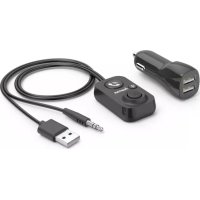
014167 - Bluetooth Receiver HAMA - Free user manual and instructions
Find the device manual for free 014167 HAMA in PDF.



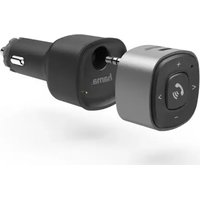
| Product type | Bluetooth hands-free kit for vehicle |
| Brand | Hama |
| Model | 014167 |
| Power supply | 12 V USB car charger (max. 2.1 A) |
| Bluetooth version | 5.1 |
| Maximum range | 10 m |
| Connectivity | 3.5 mm male jack plug, USB male plug |
| Cable length | 1 m |
| Frequency bands | 2.40 GHz – 2.48 GHz |
| Maximum transmission power | 4 dBm |
| Main functions | Hands-free calling (answer/end call, reject, hang up), music control (play/pause, volume, next/previous tracks), bass boost |
| Device charging | Output USB port (max. 10.5 W) for charging a smartphone or other device |
| Package contents | Bluetooth hands-free kit, 12 V USB charger, self-adhesive hook-and-loop strip, user manual |
| Safety | Do not use near water, protect from shocks, follow vehicle instructions |
| Maintenance | Clean with a slightly damp lint-free cloth, without harsh detergent |
| Protection rating | Not specified, for in-vehicle use only |
Frequently Asked Questions - 014167 HAMA
User questions about 014167 HAMA
0 question about this device. Answer the ones you know or ask your own.
Ask a new question about this device
Download the instructions for your Bluetooth Receiver in PDF format for free! Find your manual 014167 - HAMA and take your electronic device back in hand. On this page are published all the documents necessary for the use of your device. 014167 by HAMA.
USER MANUAL 014167 HAMA
Bluetooth®-handsfreesetforcarswithAUX-In
ThankyouforchoosingaHamaproduct.
Takeyourtimeandreadthefollowinginstructionsand informationcompletely.Pleasekeeptheseinstructions inasafeplaceforfuturereference.Ifyousellthedevice, pleasepasstheseoperatinginstructionsontothenew owner.
1. Controlsanddisplays
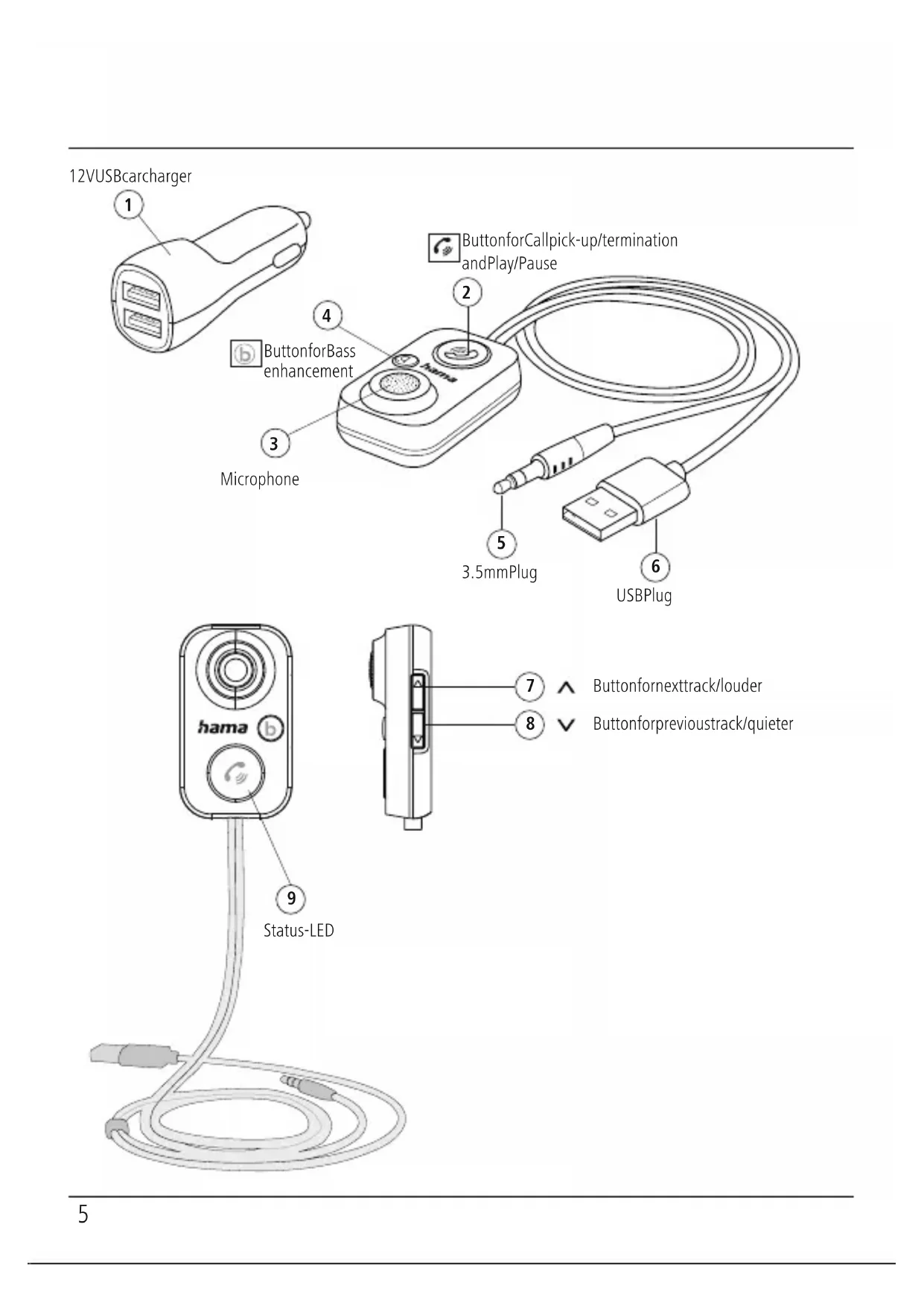
• 1.12VUSBcarcharger(max.2.1A)
•3.Microphone
• 4. Buttonforbassamplification
•5.3.5mmplug
•6.USBplugforpowersupply
- 7. Buttonfornexttrackandlouder
•8. Buttonforprevioustrackandquieter
•9.BluestatusLED
- 2. Multi-functionkeyforcallpick-up/termination/Play/Pause
2. Explanationofwarningsymbolsandnotes
Riskofelectricshock
This symbol indicates a risk of electric shock from touching product parts carrying hazardous voltage.

Warning
This symbolised to indicate safety instructions to draw your attention to specific hazards and risks.

Note
This symbol is used to indicate additional information or important notes.

3.Packagecontents
- Bluetooth®hands-freefacility
• 12VUSBcharger - 1self-adhesivehookandloopstrip
• Theseoperatinginstructions
4. Safetyinstructions
- Theproductisintendedforprivate,non-commercial useonly.
- Protect the product from dirt, moisture and overheating and use it indry environments only.
-
Donotusetheproductintheimmediatevicinityof heaters,otherheatsourcesorindirectsunlight.
-
Donotallowyourselftobedistractedbytheproduct whendrivingvehicle.Alwayspayattentiontothe surroundingtrafficandyourenvironment.
- Donotdropheproductanddonotexposeittoany majorshocks.
- Donotoperatetheproductoutsidethepowerlimits specifiedinthetechnicaldata.
- Disposeofpackagingmaterialimmediately in accordancewiththelocallyapplicableregulations.
- Donotmodifythedeviceinanyway.Doingsovoids thewarranty.
- Usetheproductonlyfortheintendedpurpose.
- Onlyusethearticleundermoderateclimatic conditions.
- Aswithallelectricalproducts, thisdevices should be kept out of thereachofchildren.
- Donotusetheproductinadampenvironment and avoidsplashingwater.
- Donotusetheproductinareasinwhichelectronic productsarenotpermitted.
- Donotbendorcrushthecable.
- Alwayspulldirectlyontheplugwhendisconnecting thecable,neveronthecableitself.
- Ensure that the product is securely mounted before every journey.
- When using this product, observ the applicable local traffic laws and regulations.
• Takecarethatcomponentssuchasairbags, safety areas, controls, instruments, etc. and visibility are not blocked or restricted.
Riskofelectricshock(car)
- Donotopenthedeviceorcontinuetooperateitifit becomesdamaged.
- Donotusetheproductifthechargingcable, adaptercableorpowercableisdamaged.
- Donotattempttoserviceorrepairtheproduct yourself.Leaveanyandallserviceworktoqualified experts.

Note-12Vlinevoltage
Thechargeriscompatiblewithalinevoltageof 12V.

Note-Carbattery

Withsomevehicles, it can happen that power continues to be supplied, though the ignition has been switched off. You should therefore disconnect the product from the line connection when not in use to protect your car battery from being drained.
Note-Carcharger

- Onsometypesofvehicle, theignitionmustbe switchedonforthevoltagetotraveltothecar socket. Formoreinformation, pleaserefertoyour vehicle'sowners'manual.
- Usetheenclosedcarchargeronlytochargethis device.
5. Gettingstarted
A
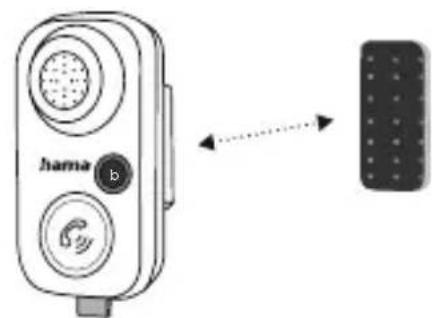
- Positionthesuppliedhookandloopstripinasuitable placeinthecarandattachtheBluetoothhands-free facilitytoit.
B
natural_image
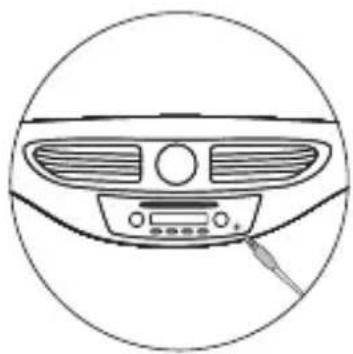
Line drawing of a car dashboard with ventilation grilles and control buttons (no text or symbols)- Connectthe3.5mmjackplug(5)tothecar'sAUX socket.
C
natural_image
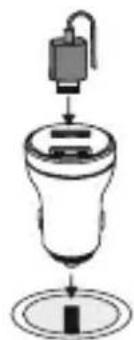
Simple line drawing of a mechanical device with a cylindrical component and a base, no text or symbols present.- PlugtheUSBcarcharger(1)intothecar'scigarette lightersocketandthenconnecttheUSBplug(6) ontheBluetoothhands-freefacilitytotheUSBcar charger.
D
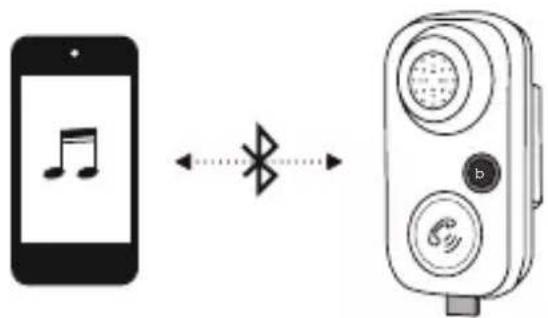
- Youcannowconnectyourtransmittingdevice(e.g. smartphone)totheBluetoothhands-freefacility.
6. Operation
6.1 Firstconnection via Bluetooth ^ (pairing)
Note
- MakesurethatyourBluetooth ^ -capabledeviceis switchedonandthatBluetooth ^ isactivated.
- Formoreinformation, pleaserefertotheoperating instructionsofyourdevice.

- ConnecttheBluetooth ^ hands-freefacilityusingthe 3.5mmjacksocket(orAUX)tothereceivingdevice (e.g.onthecarradio).
- Tosupplypowertothedevice,thesuppliedUSBcar chargermustbepluggedintothecar'scigarette lightersocketandtheUSBplugontheBThands-free facilitymustbeconnectedtotheUSBcarcharger.
- ThestatusLED(9)startstoflashblueandthedevice isinsearchmode.
- ThenactivatetheBluetooth®functiononyour transmittingdevice(e.g.smartphone)andselectthe device"BT61".
- ThestatusLED(9)lightsupsolidblue-thedeviceis pairedandreadytouse.
Note-Bluetooth ^® password

- SomedeVICESrequireapasswordinorderto connecttoanotherBluetooth ^ device.
- If your device requests a password to connect, enter the password 0000, 1234, 1111 or 8888.
6.2 Terminating the connection
- Toswitchoffthedeviceandterminatetheconnection, unplugtheUSBplug(6)fromtheUSBcarcharger(1).
6.3 Automaticconnection
- ToreconnecttotheBluetooth ^ receiver, simplyplug theUSBplug(6)backintotheUSBcarcharger(1).
- Thelasttransmittingdeviceispre-settoensurefast connectivity.
- If this does not work, establish anew connection (see Point6.1 Initial connection via Bluetooth®).
6.4 Acceptcalls
- Pressingthemulti-functionkey(2)onceallowsyou toacceptacall.
• Toendit, pressthemulti-functionkeyagain. - Torejectacall, pressandholdthemulti-functionkey foraround2seconds.
6.5 Bassamplification
• Toactivatethebassamplificationfunction, press and hold the button(4) until the symbol lightsup blue.
7. Charging devices

Warning-Connectionof devices
- Beforeconnectingadevice, checkwhetheritcan beadequatelysuppliedwiththecharger'scurrent delivery.
- Ensure that the power of the connected device does not exceed 10.5W.
- Notetheinstructionsinyourdevice'soperating manual.
Unlessdifferentinstructionshavebeenexpresslygiven intheoperatinginstructionsforthedevicesyouare charging,proceedasfollows:
- ConnectyourdevicetoaUSBchargingportusinga suitableUSBcable.
- Thenconnectthechargertotheon-boardelectrical system'scarsocket.
• Thechargingprocessisdisplayedonyourdevice. - Disconnect the device from the charger if you wish to interrupt the charging processor when the device is fully charged.
- Thendisconnectthechargerfromthelineconnection.
8. Buttonfunctions
| Call | |
| Acceptcalls:Briefpress | |
| Reject:Longpress | |
| Hangup:Briefpress | |
| Musiccontrol | |
| Increasevolume:Longpress ^ | |
| Decreasevolume:Longpress √ | |
| Bassamplification:Briefpress b | |
| Nexttrack:Briefpress ^ | |
| Previoustrack:Briefpress √ | |
| Play/Pause:Briefpress | |
StatusLED
| Inoperation/ connected | Solidblue |
| AttemptingtoconnectFlashesblue | |
9. Care and maintenance
Note

Disconnect the device from themains before cleaning and during prolonged period so of non-use.
- Onlycleanthisproductwithaslightlydamp,lint-free clothanddonotuseaggressivecleaningagents.
- Ensure that now waterisable to enter the product.
10.Warrantydisclaimer
HamaGmbH&CoKGassumesnoliabilityandprovides nowarrantyfordamageresultingfromimproper installation/mounting,improperuseoftheproductor fromfailuretoobservetheoperatinginstructionsand/orsafetynotes.
11.Technicaldata
| Connection3.5mmjackplug | |
| Max.range10m | |
| Cablelength1m | |
| Powersupply12VUSBcarcharger | |
| Bluetooth®version5.1 | |
| Frequencyband(s)2.40GHz-2.48GHz | |
| Maximumradio-frequencypower transmitted | Max.4dBm |
12. Declaration of Conformity
CE HamaGmbH&CoKGherebydeclaresthat theradioequipmenttype[00014167]isin compliancewithDirective2014/53/EU.The fulltextoftheEUdeclarationofconformitycanbefound onthefollowingwebsite:www.hama.com->00014167->Downloads.
natural_image
Top-down line drawing of a car's front dashboard and rear air vent (no text or symbols)natural_image
Simple diagram of a device with a sensor above a funnel and base, no text or symbols present.flowchart
graph LR
    A["Smartphone with musical note"] <--> B["Radio receiver with Bluetooth signal"]
    style A fill:#f9f,stroke:#333
    style B fill:#bbf,stroke:#333
natural_image
Line drawing of a car dashboard with ventilation grilles and a control panel (no text or symbols)natural_image
Simple line drawing of a mechanical device with a lever and base, no text or symbols present.flowchart
graph LR
    A["Smartphone with musical note"] <--> B["Radio receiver"]
    style A fill:#f9f,stroke:#333
    style B fill:#bbf,stroke:#333
86652Monheim/Germany
Service&Support
www.hama.com
+499091502-0
D | GB
CE


PAP RaccoltaCarta
All listed brands are trademark of the corresponding companies. Errors and mission excepted, and subject to technical changes. Our general terms of delivery and payment are applied.

- Bluetooth®-handsfreesetforcarswithAUX-In
- Controlsanddisplays
- Explanationofwarningsymbolsandnotes
- Riskofelectricshock
- Warning
- Note
- 3.Packagecontents
- Safetyinstructions
- Riskofelectricshock(car)
- Note-12Vlinevoltage
- Note-Carbattery
- Note-Carcharger
- Gettingstarted
- Operation
- Firstconnection via Bluetooth ^ (pairing)
- Note-Bluetooth ® password
- Terminating the connection
- Automaticconnection
- Acceptcalls
- Bassamplification
- Charging devices
- Warning-Connectionof devices
- Buttonfunctions
- Care and maintenance
- 10.Warrantydisclaimer
- 11.Technicaldata
- Declaration of Conformity
- 86652Monheim/Germany
- Service&Support
Brand : HAMA
Model : 014167
Category : Bluetooth Receiver