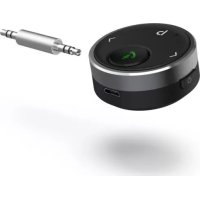
00014168 - Bluetooth Receiver HAMA - Free user manual and instructions
Find the device manual for free 00014168 HAMA in PDF.



| Product type | Bluetooth receiver |
| Brand | Hama |
| Model | 00014168 |
| Bluetooth version | 5.1 |
| Maximum range | 7 m |
| Power supply | Built-in Li-Po battery 150 mAh, recharge via micro-USB |
| Battery life | Up to 10 hours |
| Connectivity | 3.5 mm audio jack, Bluetooth |
| Main functions | Play/pause, volume control, track skip, call handling, bass boost, voice assistant Siri/Google Assistant |
| Care and cleaning | Clean with a slightly damp lint-free cloth, avoid harsh detergents, do not let liquid enter |
| Safety instructions | Do not open, do not repair yourself, protect from moisture and overheating, keep out of reach of children |
| Operating conditions | Dry environments, moderate temperatures, avoid heat sources and direct sunlight |
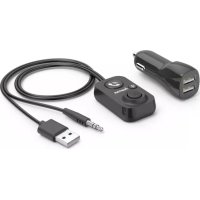
| Package contents | Bluetooth receiver, micro-USB cable, 3.5 mm male-to-male audio adapter, user manual |
| Frequency bands | 2.40 GHz - 2.48 GHz |
| Maximum transmission power | 4 dBm |
Frequently Asked Questions - 00014168 HAMA
User questions about 00014168 HAMA
0 question about this device. Answer the ones you know or ask your own.
Ask a new question about this device
Download the instructions for your Bluetooth Receiver in PDF format for free! Find your manual 00014168 - HAMA and take your electronic device back in hand. On this page are published all the documents necessary for the use of your device. 00014168 by HAMA.
USER MANUAL 00014168 HAMA
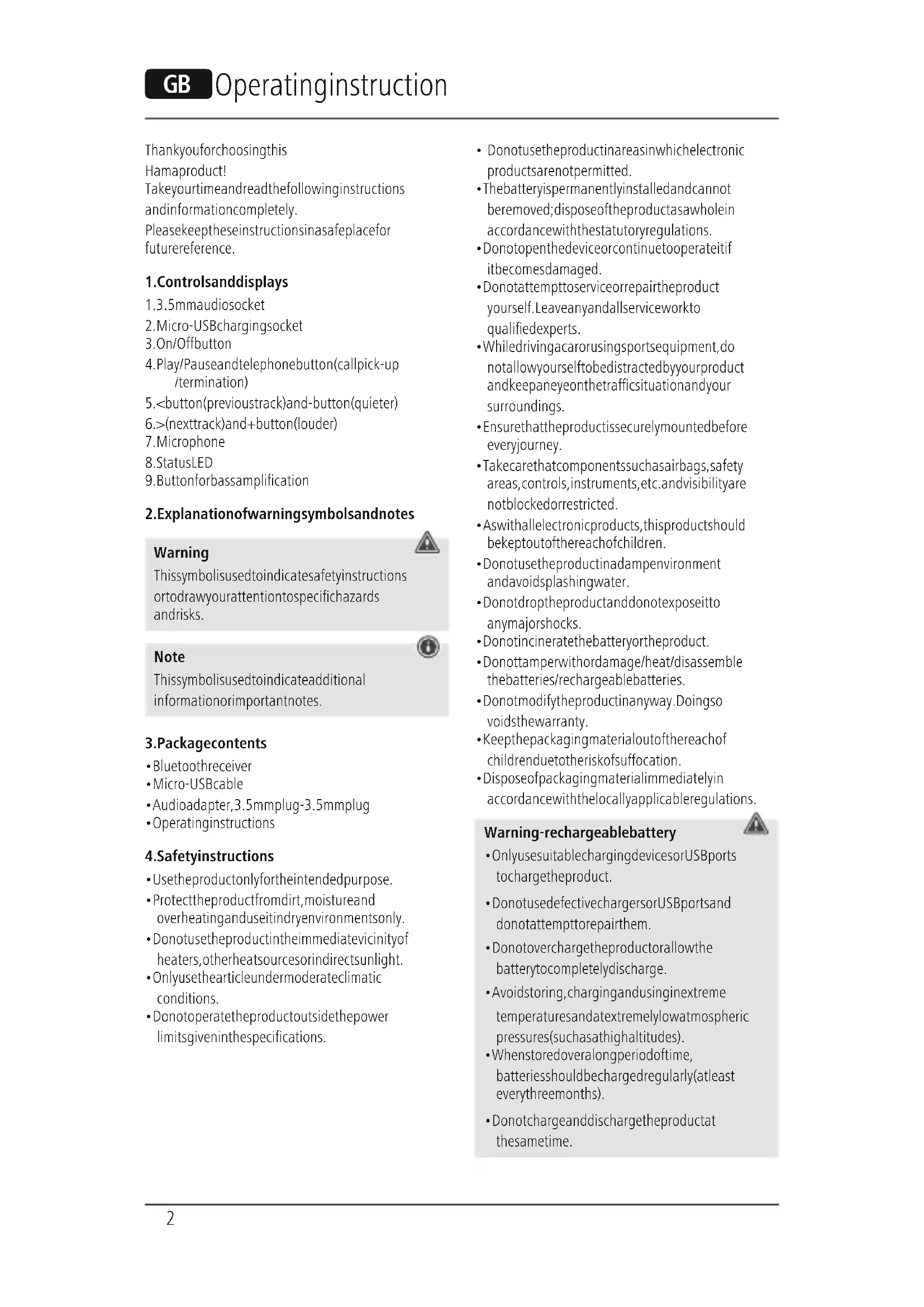
Bluetooth® ReceiverforCarswithAUX-IN
Thankyouforchoosingthis
Hmaproduct!
Takeyourtimeandreadthefollowinginstructions andinformationcompletely.
Please keep these instructions in asafeplace for futurereference.
1.Controlsanddisplays
1.3.5mmaudiosocket
2. Micro-USBchargingsocket
3.0n/Offbutton
4. Play/Pauseandtelephonebutton(callpick-up/termination)
5.
7.Microphone
8.StatusLED
9. Buttonforbassamplification
2.Explanationof warningsymbolsandnotes
Warning
Thissymbolisusedtoindicatesafetyinstructions ortodrawyourattentionospecifichazards andrisks.

Note
Thissymbolisusedtoindicateadditional informationorimportantnotes.

3.Packagecontents
Bluetoothreceiver
- Micro-USBcable
Audioadapter,3.5mmplug-3.5mmplug
-Operatinginstructions
4.Safetyinstructions
- Usetheproductonlyforthenthintendedpurpose.
- Protect the product from dirt, moisture and overheating and use it in dry environments only.
- Donotusetheproductintheimmediatevicinity of heaters, other heatsourcesorindirectsunlight.
Onlyusethearticleundermoderateclimatic conditions. -
Donotoperatetheproductoutsidethepower limitsgiveninthespecifications.
-
Donotusetheproductinareasinwhichelectronic productsarenot permitted.
Thebatteryispermanentlyinstalledandcannot beremoved;disposeftheproductasawholein accordancewiththestatutoryregulations. - Donotopenthedevicerecontinuetooperatitif itbecomesdamaged.
- Donattempttoserviceorrepairtheproduct yourself.Leaveanyandallserviceworkto qualifiedexperts.
- Whiledrivingacarorusingsportequipment,do not allow yourself to bedistractedbyyour product and keeppaneyeonthetrafficsituationand your surroundings.
- Ensurethattheproductissecurelymountedbefore everyjourney.
- Takecarethatcomponentssuchasairbags, safety areas, controls, instruments, etc. and visibility are not blockedorrestricted.
- Aswithallelectronicproducts, thisproductshould bekeptoutofthereachofchildren.
- Donotusetheproductinadampenvvironment andavoidsplashingwater.
- Donotdroptheproductanddonotexposeitto anymajorshocks.
- Donotincineratethebatteryortheproduct.
- Donottamperwithordamage/heat/disassemble thebatteries/rechargeablebatteries.
- Donotmodifytheproductinyway.Doingsvoidsthewarranty.
- Keepthepackagingmaterialoutofthereachof childrenduetotheriskofsuffocation.
- Disposefpackagingmaterialimmediately in accordancewiththelocallyapplicableregulations.
Warning-rechargeablebattery
- OnlyusesuitablechargingdevicesorUSBports tochargetheproduct.
- DonotusedefectivechargersorUSBportsand donotattempttorepairthem.
- Donotovercharge the productor allow the battery to completely discharge.
- Avoidstoring, charging and using inextreme temperaturesandatextremely lowatmospheric pressures(suchasathighaltitudes).
- Whenstoredoveralongperiodoftime, batterieesshouldbechargedregularly(atleast everythreemonths).
- Donotchargeanddischarge the product at the same time.

5. Getting started
- TheBluetooth® receiverhasanintegratedLi-Po rechargeablebattery.Beforeusingitforthe firsttime,fullychargetheBluetooth® receiver usingthesuppliedmicro-USBcableatasuitable powersource(USBchargerorUSBportonaPC/ notebook).
- ThestatusLEDlightsupsolidredduring the chargingprocess.
Thechargingprocessbeginsandends automatically. - Oncethechargingprocessiscomplete, thestatus LEDgoesout-thebatteryisfullycharged.
6. Operation
6.1InitialconnectionviaBluetooth®(pairing)
Note
- EnsurethattheBluetooth®-enableddeviceis switchedonandthattheBluetooth®function isactivated.
-
Pleaserefertotheoperatingsinstructionsof yourdeviceformoreinformation.
-
ConnecttheBluetooth receiverusingtheincluded 3.5mmplug-3.5mmplugaudioadaptertothe 3.5mmjacksocket(orAUX)onthereceiverdevice (e.g.carradio).
- PressandholdtheOn/Offbutton(3)foraround3 secondstoswitchtheBluetooth receiveron and toactivatesearchmode(LED(8)flashesblue).
- ThenactivateBluetooth® functiononyour transmittingdevice(e.g.smartphone)andselect thedevice"BT13R".
- ThestatusLED(8)lightsupsolidblue-thedevicispairedandreadytouse.
Note-Bluetooth ^ 假 password
- Somedevicesrequireapasswordnorderto connecttoanotherBluetooth device.
- Ifyourdevicerequestsapasswordtoconnect, enterthepassword0000,1234,1111or8888.
6.2Terminatingtheconnection
PressandholdOn/Offbutton(3)foraround3 secondstoterminatetheconnectionandswitch offthedevic.
6.3Automaticconnection
- ForafurtherconnectionwithBluetooth ® receiver, yousimplyneedtoswitchthedevicemon.The lasttransmittingdeviceispre-settoensurefast connectivity.
- Ifthisdoesnnetwork,establishanewconnection (seePoint6.1InitialconnectionviaBluetooth
6.4Callpick-up/termination
- Pressingthecallpick-upbutton(4)onceallows youtoacceptacall.
-Toendit, pressthebuttonagain. - Torejectacall, pressandholdthemulti-function buttonforaround3seconds.
- Abriefsecondpressonthecallpick-upbutton(4) automaticallyestablishesaconNECTIONtothelast numberedialled.
6.5Power-saving
IftheBluetooth receiverisnotconnectedtoa Bluetooth device,itswitchesitselfoffwithin10 minutesofnotbeingusedinordertoprotecttthe integratedrechargeablebattery.
6.6ActivatingSiri/GoogleAssistant
Alongerpress(approx.3-4seconds)onthe callback-upbutton(4)
activatesthevoiceassistantsSiriorGoogleAssis onyourconnectedsmartphone
6.7Bassamplification
Toactivatethebassamplificationfunction,press thebutton(9).Pressingitagaindeactivatesthis functionagain.

7.Buttonfunctions
| Device | |
| Switchon | 按钮(3): Longpress3sec. |
| Switchingoff | 按钮(3): Longpress3sec. |
| Call | |
| Acceptcalls | button:briefpress |
| Reject | button:longpress |
| Hangup | button:briefpress |
| Musiccontrol | |
| Increasevolume>button:longpress | |
| Decreasevolume<button:longpress | |
| Nexttrack>:briefpress | |
| Previoustrack<:briefpress | |
| Play/Pause | Multi-function button: Briefpress |
| StatusLED | |
| Inoperation/ connected | Solidblue |
| Batterybelow10%Flashesred | |
| Attemptingto connect | Flashesblue |
| ChargingSolidred | |
| FullychargedLightoff | |
8.Careandmaintenance
Onlycleanthisproductusingalint-free,slightly dampclothanddonotuseanyharshcleaners.
- Ensurethatnowaterisabletoentertheproduct.
9.Warranty disclaimer
HamaGmbH&CoKGassumesnoliabilityand providesnowarrantyfordamageresultingfrom improperinstallation/mounting,improperusef theproductorfromfailureooservertheoperating instructionsand/orsafetynotes.
10. Technical data
| Connection3.5mmjackplug | |
| Max range 7m | |
| Powersupply | Integrated Li-Po150mAh rechargeable battery |
| Bluetooth® version5.1 | |
| Max operating time Max. 10 hours | |
| Frequencyband(s) | 2.40GHz-2.48 GHz |
| Maximum radio-frequency powertransmitted | Max. 4dBm |
11.Declarationofconformity
CE HamaGmbH&CoKGhereby declaresthattheradioequipment type[00014168]isincompliance withDirective2014/53/EU.Thefull
textoftheEUdeclarationofconformityisavailable atthefollowingInternetaddress:
www.hama.com->00014168->Downloads.
- Bluetooth® ReceiverforCarswithAUX-IN
- 1.Controlsanddisplays
- 2.Explanationof warningsymbolsandnotes
- Warning
- Note
- 3.Packagecontents
- 4.Safetyinstructions
- Warning-rechargeablebattery
- Getting started
- Operation
- 6.1InitialconnectionviaBluetooth®(pairing)
- Note-Bluetooth ^ 假 password
- 6.2Terminatingtheconnection
- 6.3Automaticconnection
- 6.4Callpick-up/termination
- 6.5Power-saving
- 6.6ActivatingSiri/GoogleAssistant
- 6.7Bassamplification
- 7.Buttonfunctions
- 8.Careandmaintenance
- 9.Warranty disclaimer
- Technical data
- 11.Declarationofconformity
Brand : HAMA
Model : 00014168
Category : Bluetooth Receiver