P310W - Printer HITI - Free user manual and instructions
Find the device manual for free P310W HITI in PDF.


User questions about P310W HITI
0 question about this device. Answer the ones you know or ask your own.
Ask a new question about this device
Download the instructions for your Printer in PDF format for free! Find your manual P310W - HITI and take your electronic device back in hand. On this page are published all the documents necessary for the use of your device. P310W by HITI.
USER MANUAL P310W HITI
natural_image
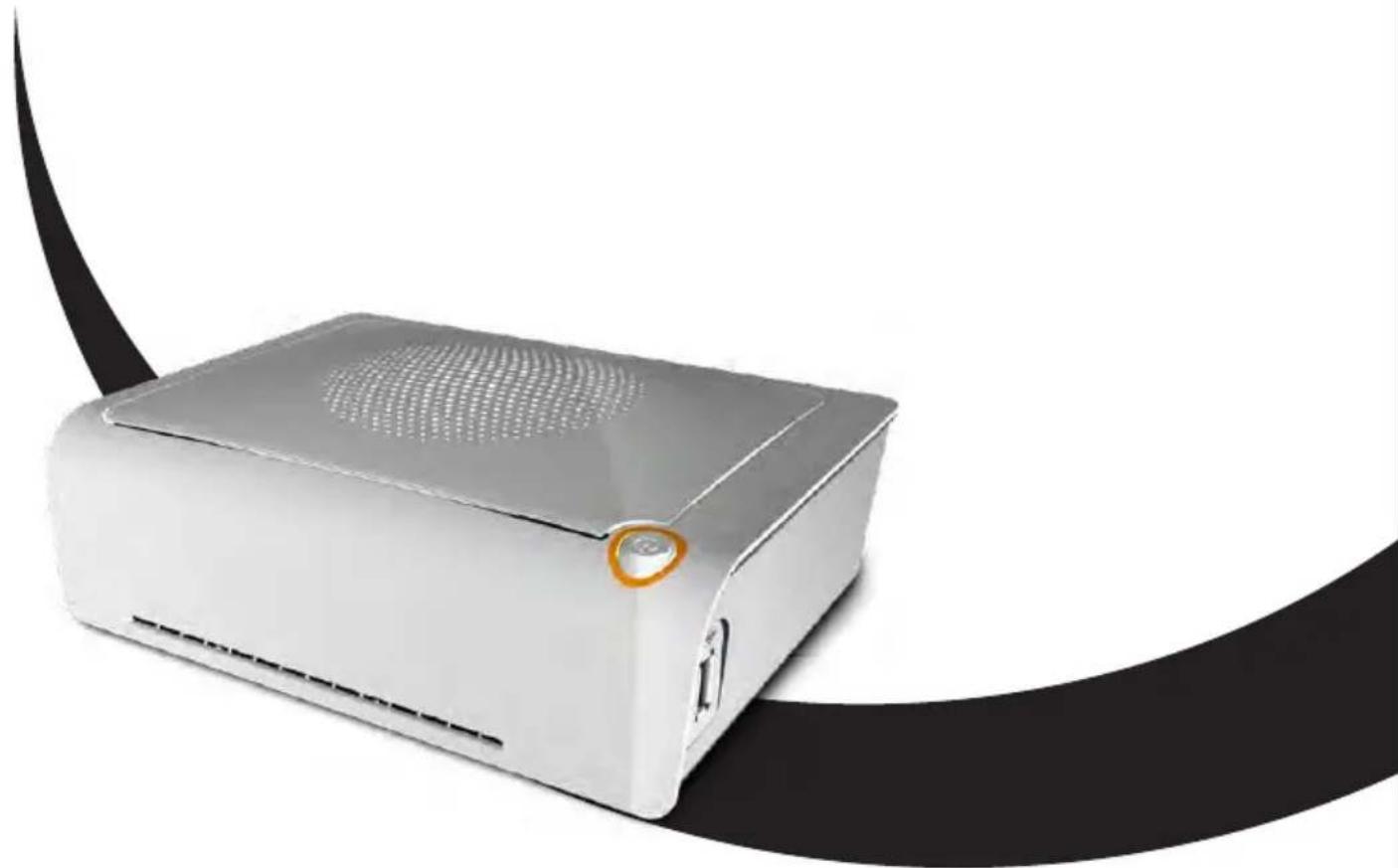
White electronic device with perforated top and ventilation grille, resting on a black curved surface (no text or symbols visible)HiTi Digital, Inc.
www.hiti.com
TABLE OF CONTENTS
Chapter 1. Important Safety Instruction
Environments 1-1
Handling Instruction 1-2
Handling Instruction for Consumable and Printed Output 1-3
Chapter 2. Installing and Set Up
Table of Contents 2-1
Parts Name and Function 2-2
Connecting Power Cord 2-2
Loading Ink Ribbon 2-3
Loading Paper 2-3
Chapter 3. Connect to the Printer
Free APP (Prinbiz) 3-1
Wireless 3-1
Link to PC 3-1
Chapter 4. LED Massage
LED Massage table 4-1
Chapter 5. After-sales Service
Specification 5-1
Chapter 1. Important Safety Instruction
This manual provides detail instructions for the safety use of the printer.
Please read this manual carefully before operating the printer to ensure having proper use.
In this manual, there are notes that require special attention. For your safety operation, Safety Notices are separated as follows;

Inappropriate handling can cause serious wounds and/or physical damage to the users.

Explanation about the cause of the trouble and the environmental condition.
It is difficult to forecast all the danger in setting and use of the printer. Therefore, warnings in this Operation Manual, in the other documents on the printer cannot cover all the cases. In case of performing the operation or maintenance which is not described in this manual, all the concern for the safety have to be taken care of at the customer side.
◆ Operation and the notification for the maintenance described in this manual and other documents are for the proper use of the printer. In case of using the printer for the other purpose, all the concern for the safety has to be taken care of at the customer side.
Do not perform the operation which is prohibited in this manual and other document.
◆ The contents that cannot be printed due to a failure while using the use of this printer are not guaranteed.
- Environments
To use the printer safety, please pay attention to the followings:

Do not let children to touch the printer or cables. It may cause accidents or electric shock.

Do not place the printer under a humid or dusty place. It can cause a fire, electric shock or printer problem. Do not place the printer with dust, sand and high humidity such as bathing place, bathroom, hot spring, or on the street.

Do not place the printer on rickety place and/or inclined place. Printer may fall down or tumble and it can cause serious injury.

Do not place the printer under the low temperature such as ski yard, skating rink or open-air with direct sunlight.

Do not put vase, flowerpot, and cup or anything contents water or metric items on the printer. Water spilt or metallic items fall into the printer may cause the fire and electric shock. In case the water spilt or metallic items fall into the printer, please turn off the printer power immediately.

Do not block the openings of the printer. In case, the opening blocked, the heat will remain inside and it can cause the fire.
Chapter 1. Important Safety Instruction
- Handling Instruction
When handling the printer, please pay attention to the followings;

Lift the printer from its box and put it onto a flat and firm table or desk.

When moving the printer, hold the bottom edge of the printer.

In the case of dropping the printer during transportation, contact HiTi dealers or service center for inspection of the printer. Using the printer with possible damage without proper inspection may cause fire or electric shock.

Do not dismantle or remodel the printer. Some sections of the printer contain a high voltage or become very hot. Ignoring this warning may cause electric shock, fire, or burns.

Please make sure the power is off and the power cord is removed from the printer before transportation.

Please take caution when transporting the printer on the slippery floor.

Secure the power cable firmly while using.

The thermal head reaches high temperature during operation but it is normal. Do not touch the thermal head by any case. Touch the thermal head may cause personal injury or damage of the printer.

Touching the surface of the thermal head directly may cause damage to the thermal head. Hard object getting into the printer may also cause the damage to the printer mechanism. In such case, please do not use the printer while any obstacle inside the printer.

Do not attempt to service the printer beyond the instruction specified in this document. In case of irrecoverable problem, please contact HiTi dealers or service center.
Chapter 1. Important Safety Instruction
- Handling Instruction for Consumable and Printed Outputs
In handling the ink ribbon, paper and printed outputs, please pay attention to the followings;

Paper Handling
• Use only the paper specified by HiTi.
- Store the paper flat.
- Store the paper in a dry and dark place to avoid direct sunlight. (Temperature less than 30^ , Humidity: lass than 60% ).
- Do not touch the paper surface before printing to avoid fingerprints.

Ink Ribbon Handling
- Use the ink ribbon specified by HiTi.
- Store the ink ribbon in cool place to avoid sunlight.
(Temperature less than 30^ C, Humidity: less than 60%).

Printout Handling
- Store the ink ribbon in cool place to avoid sunlight.
- Store the printout way from the organic solvent or fluid which may change or deteriorate the colors.

When abandon the ink ribbon, please handle it as harmful industrial waste.

Please take caution while handling the paper to prevent injure to the hands or paper-cut.
FCC Statement:
This device complies with part 15 of the FCC Rules. Operation is subject to the following two conditions:
(1) This device may not cause harmful interference, and
(2) this device must accept any interference received, including interference that may cause undesired operation.
NOTE: This equipment has been tested and found to comply with the limits for a Class B digital device, pursuant to part 15 of the FCC Rules. These limits are designed to provide reasonable protection against harmful interference in a residential installation.
This equipment generates, uses and can radiate radio frequency energy and, if not installed and used in accordance with the instructions, may cause harmful interference to radio communications. However, there is no guarantee that interference will not occur in a particular installation.
If this equipment does cause harmful interference to radio or television reception, which can be determined by turning the equipment off and on, the user is encouraged to try to correct the interference by one or more of the following measures:
- Reorient or relocate the receiving antenna.
- Increase the separation between the equipment and receiver.
- Connect the equipment into an outlet on a circuit different from that to which the receiver is connected.
- Consult the dealer or an experienced radio/TV technician for help.
Changes or modifications not expressly approved by the party responsible for compliance could void the user's authority to operate the equipment.
Chapter 2. Installing and Set Up
• Table of Contents
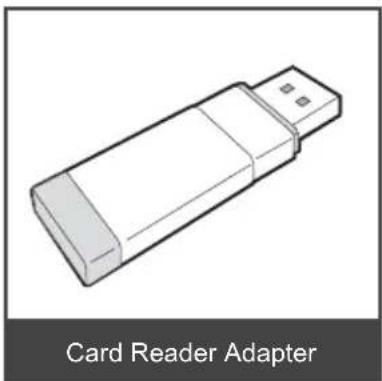
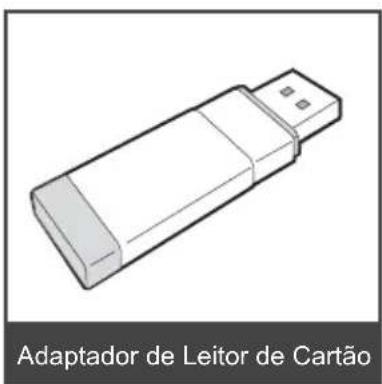
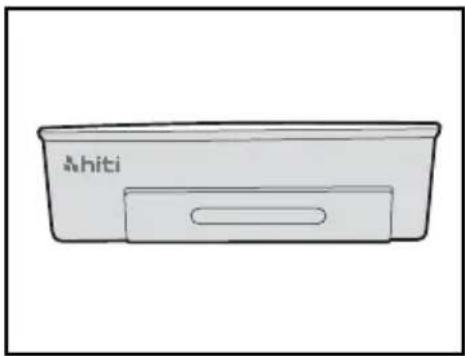
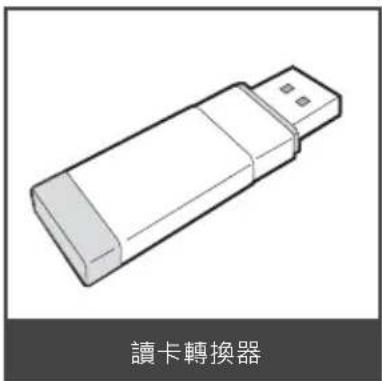
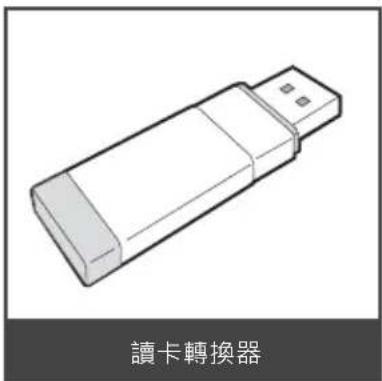
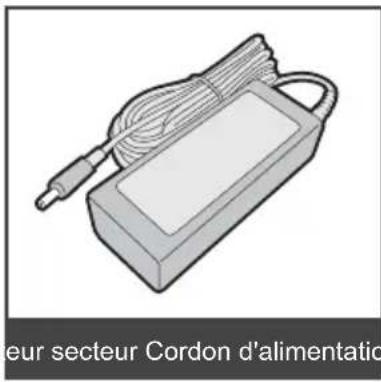
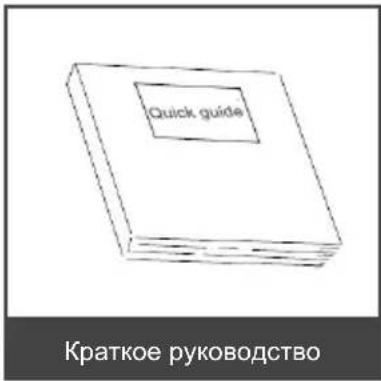
Take out the printer and accessories from the accessory bag and check the contents.
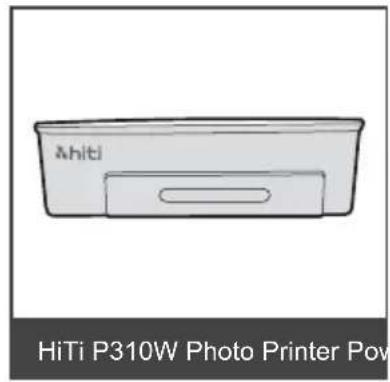
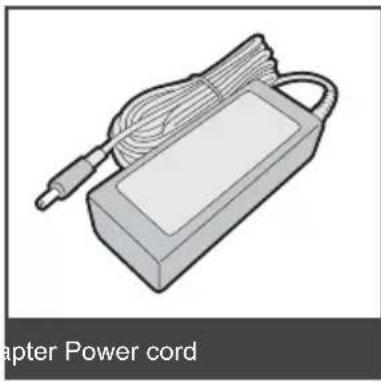
natural_image
Illustration of a power cord device with coiled cable and handle (no text or symbols on the device itself)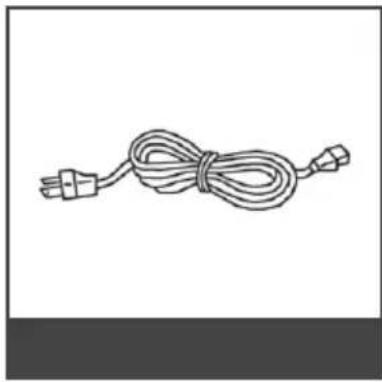
natural_image
Line drawing of a cord tied with two connectors (no text or symbols)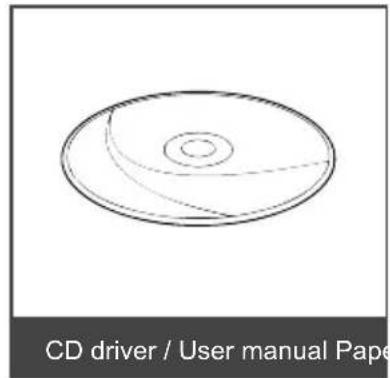
natural_image
Diagram of a CD driver / User manual Paper showing a circular cross-section with concentric rings (no text or symbols on the diagram itself)
natural_image
Illustration of a card reader adapter device (no text or symbols on the device itself)Chapter 2. Installing and Set Up
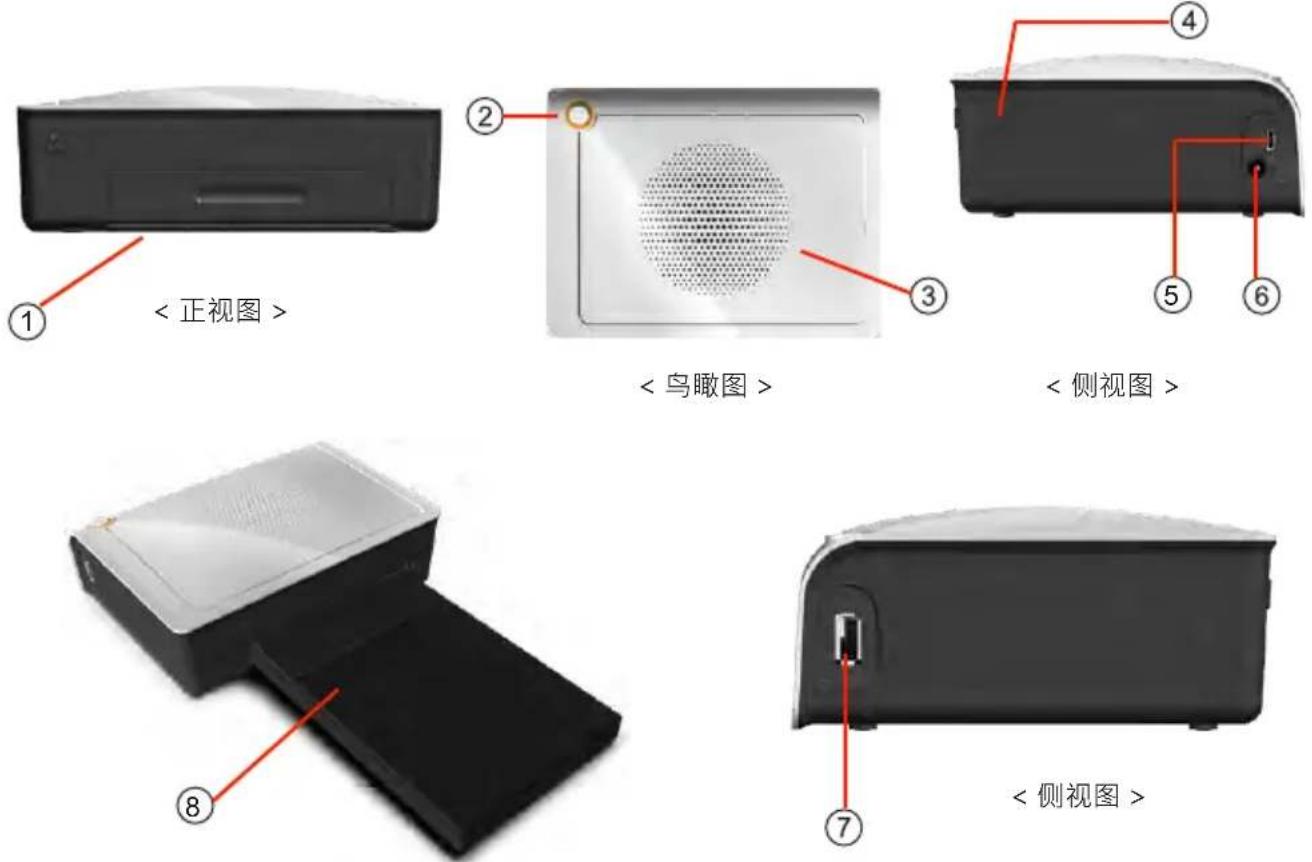
- Parts Name and Function
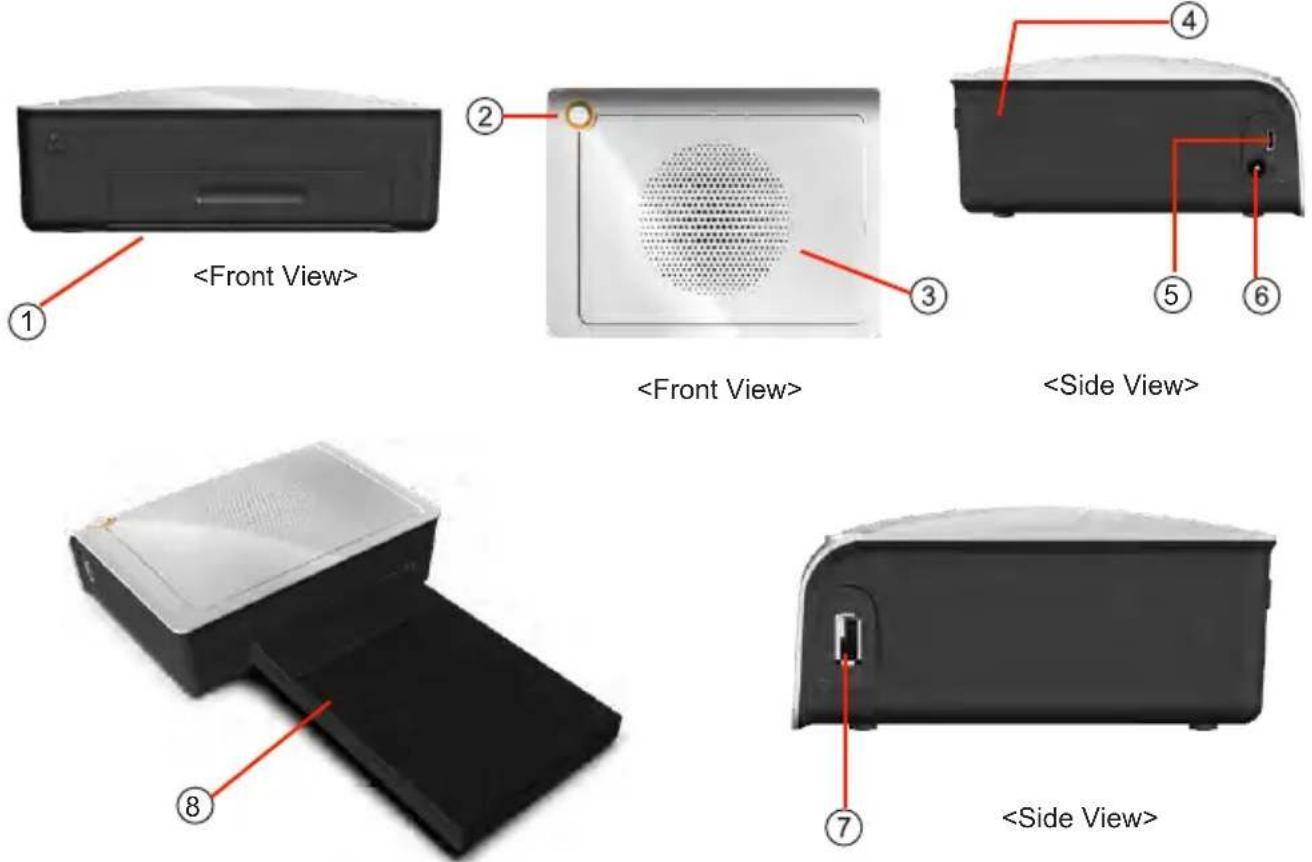
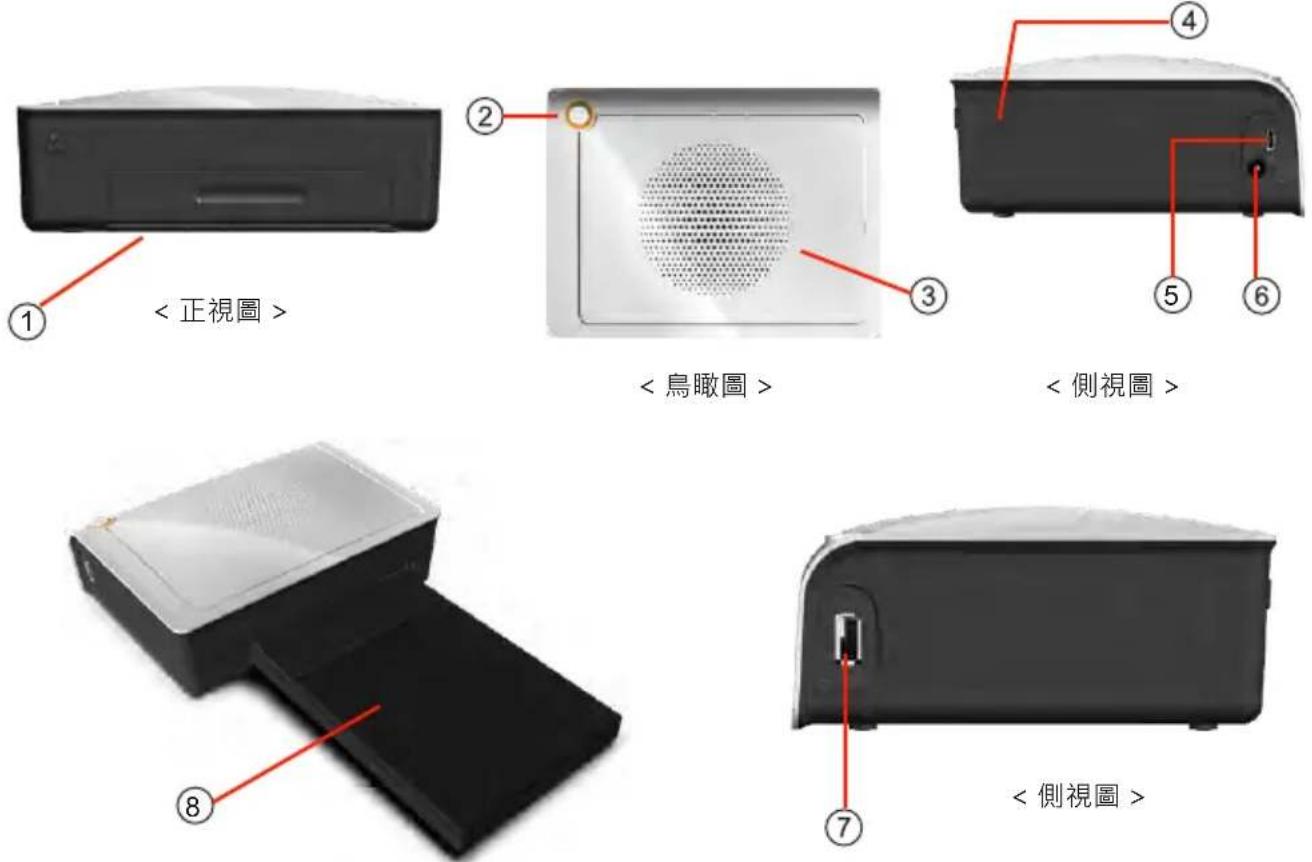
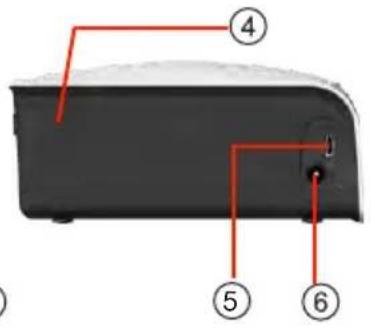
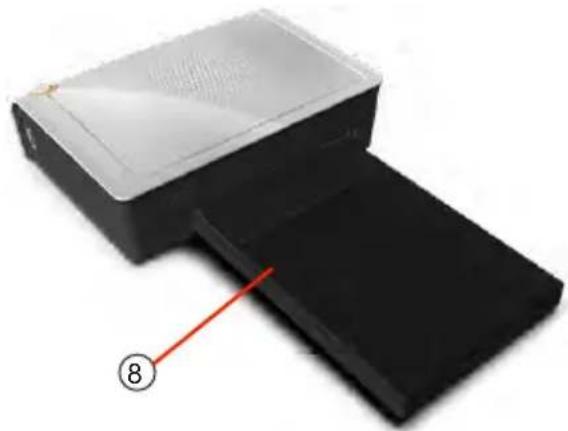
| NO. Name | Function | |
| 1 | Paper Cassette Door | Push down the door then open it. Place paper cassette here. |
| 2 | Power Switch | This switch turns on/off the power of the printer. |
| 3 | Heat Ventilation | Don't block this to avoid over heating the printer. |
| 4 | Ribbon Door Switch | Open the cover when replacing the ribbon, or when performing maintenance. |
| 5 | USB Port | For link PC. |
| 6 | Power Connector | To be used to connect the power cord. |
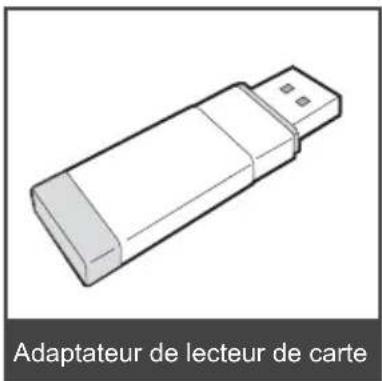
| 7 | USB Slot | To be used to connect card reader adapter. |
| 8 | Paper Cassette Input/output | put the paper. |
Chapter 2. Installing and Set Up
- Connecting the Power Cord
Connect the power cord according to the safety instructions below.
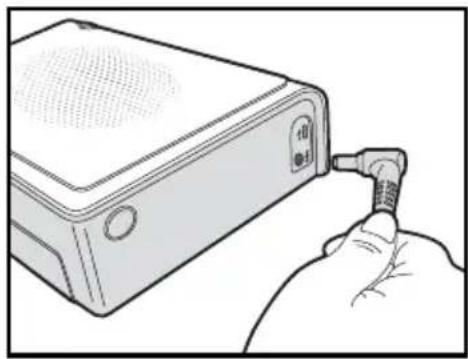
natural_image
Illustration of a hand inserting a USB into a device housing (no text or symbols visible)Connect the printer power cord to the power connector and then plug it into the power outlet.

Before connecting the power cord, please make sure the printer is powered off.

Incorrect insertion of power cord may cause the fire or damage of printer.

Do not insert or remove the power cord with wet hands. It may cause electric leakage.

Do not damage or make any modification to the power cord. Misusing, such as putting the heavy items on the power cord, giving a strong pull to the power cord and twist the power cord may cause the fire and electric shock.

When moving the printer, make sure to turn off the power of the printer, remove the power cord in order to have no connection with other devices. Otherwise, the power cord might be damaged and it can cause the fire and electric shock. Also there is a possibility to fall down caught by the cord.

For the safety consideration, please remove the power cord from the printer if the printer is not to be used for long time.
Chapter 2. Installing and Set Up
- Loading Ribbon
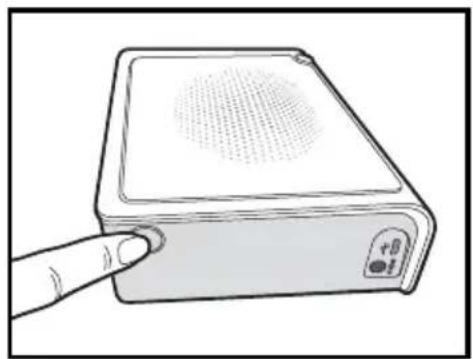
natural_image
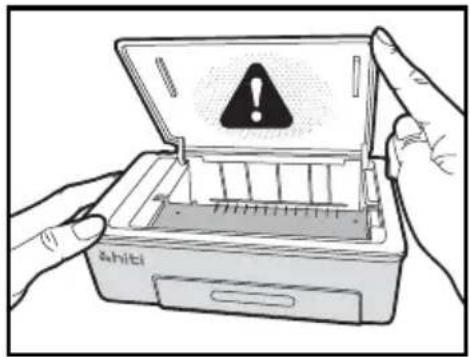
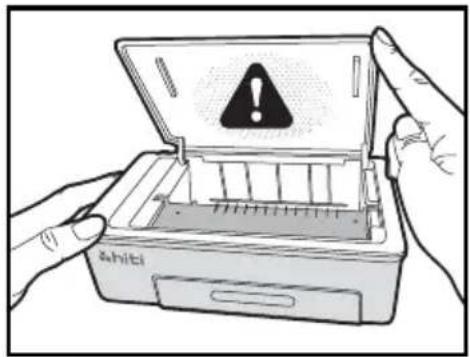
Illustration of a handheld electronic device with a finger pointing to its screen (no text or symbols visible)- Open the ribbon door by pushing the ribbon door switch

- Lift the ribbon door. The printing head needs to be heat up to perform the intended functions of the product properly.

DO NOT TOUCH THE PRINTING HEAD DURING OR RIGHT BEFORE OR AFTER PRINTING PROCESS!
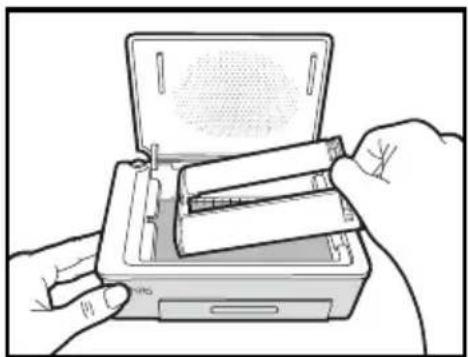
natural_image
Illustration of hands inserting a cylindrical device into a rectangular box (no text or symbols visible)- Insert the Ribbon cartridge
natural_image
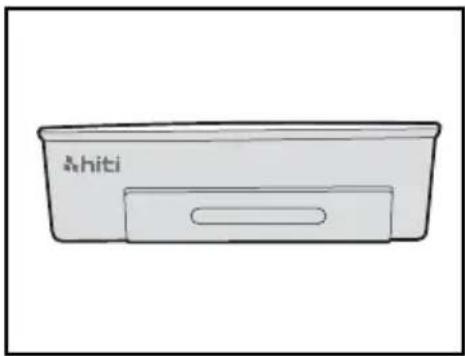
Simple line drawing of a rectangular device labeled 'A.hiti' (no additional text or symbols)- Close the ribbon door
Chapter 2. Installing and Set Up
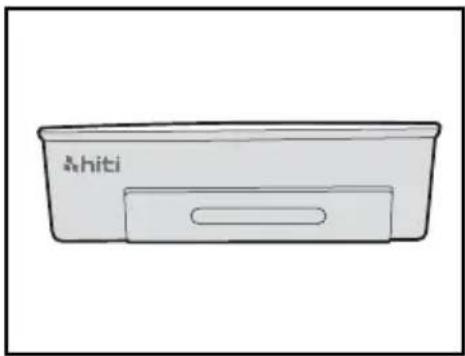
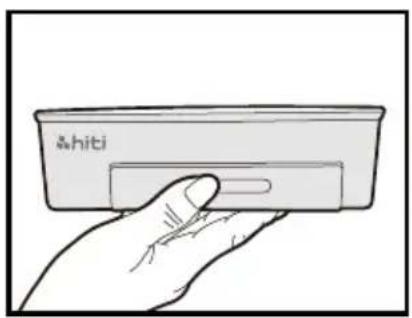
- Loading Paper
natural_image
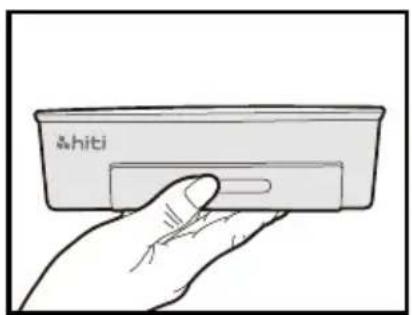
Hand holding a small electronic device labeled '&hiti' (no other text or symbols visible)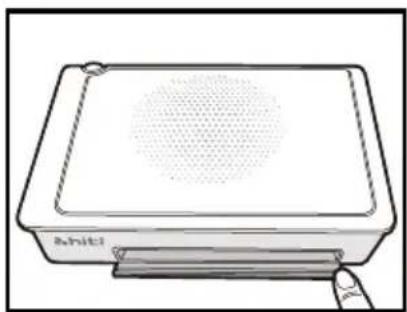
natural_image
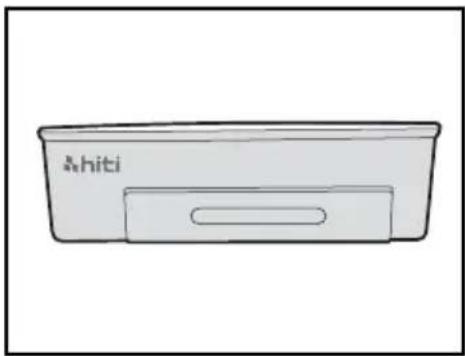
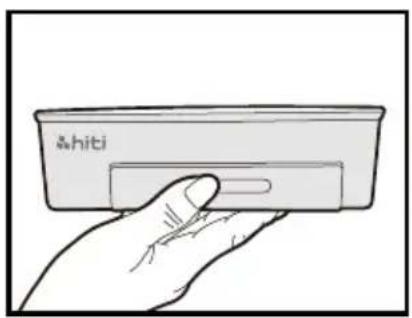
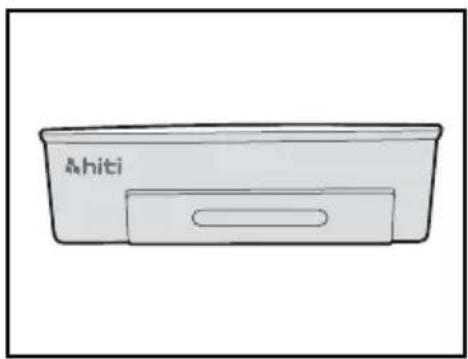
Line drawing of a rectangular electronic device with a circular top and base, no text or symbols present.- Open the paper cassette door. Please push down the door first and then open it.
natural_image
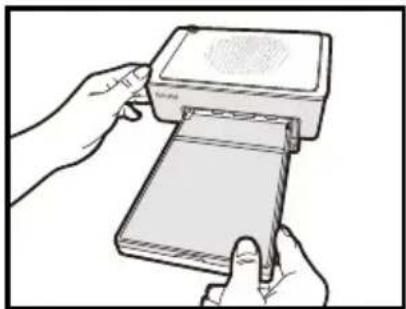
Illustration of hands inserting a card into a rectangular device (no text or symbols visible)- Place the paper cassette to it.
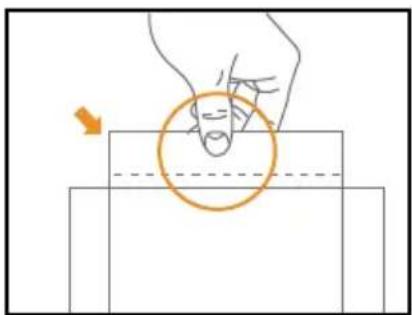
natural_image
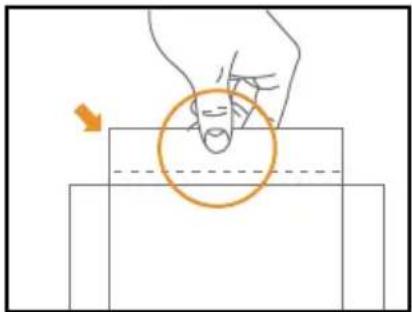
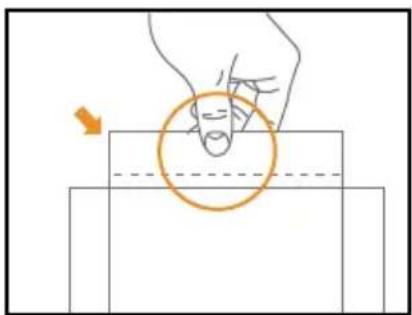
Diagram showing a hand pressing a circular object on a rectangular surface, with an arrow indicating motion direction (no text or symbols)- Take out the paper carefully

PLEASE HOLD THE PERFORATED SIDE OF PHOTO PAPER AND AVOID TOUCHING THE SURFACE WHEN TAKING THEM OUT FROM THE PACKING
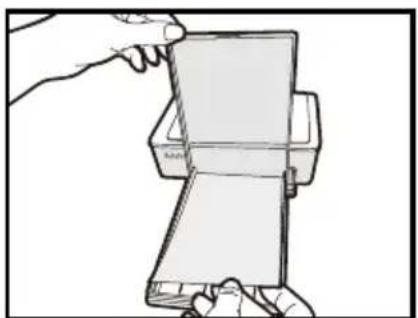
natural_image
Line drawing of a hand holding a flatboard device (no text or symbols)- Open the paper cassette and insert the paper to the paper cassette. We suggest to place less than 15pcs paper at once to avoid error.

MAKE SURE THE PAPER PUT IN WITH CORRECT SURFACE (THE SHINNY SURFACE FACE UP AND HITI LOGO FACE DOWN).
Chapter 3. Connect to the printer
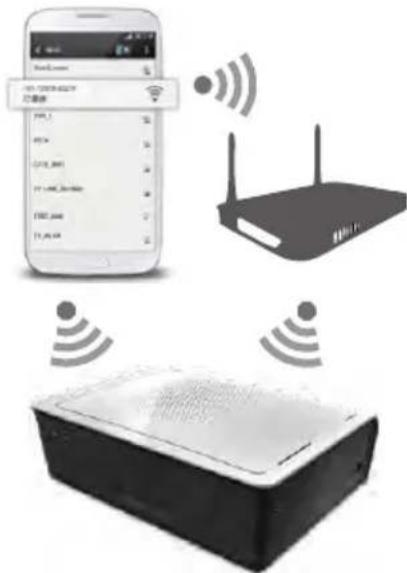
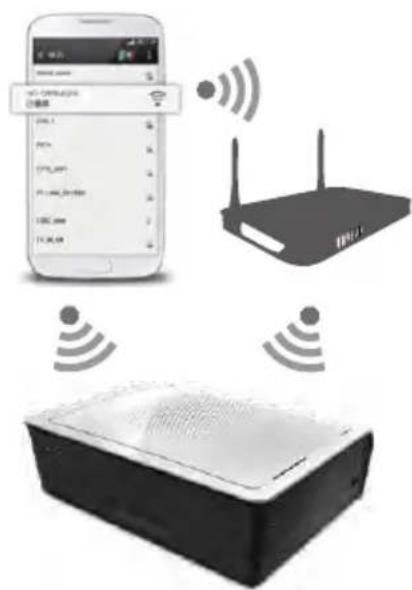
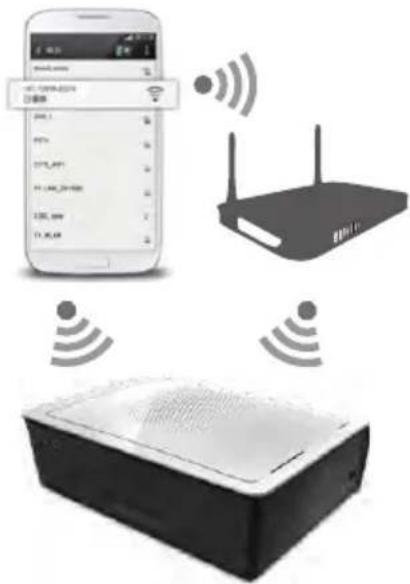
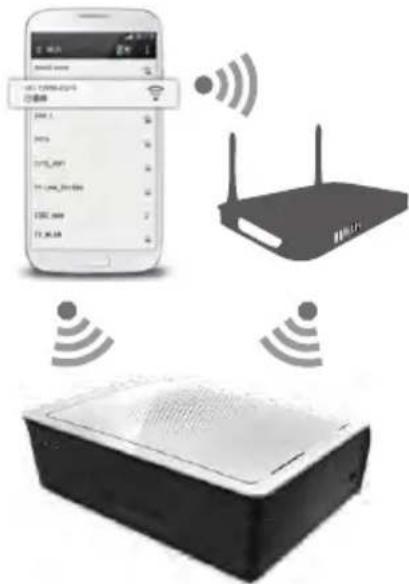
- Wireless:
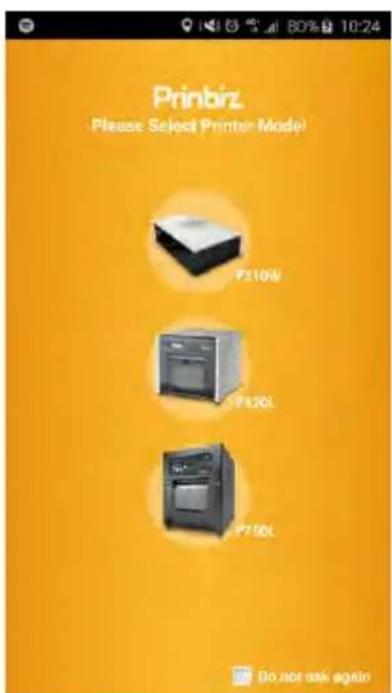
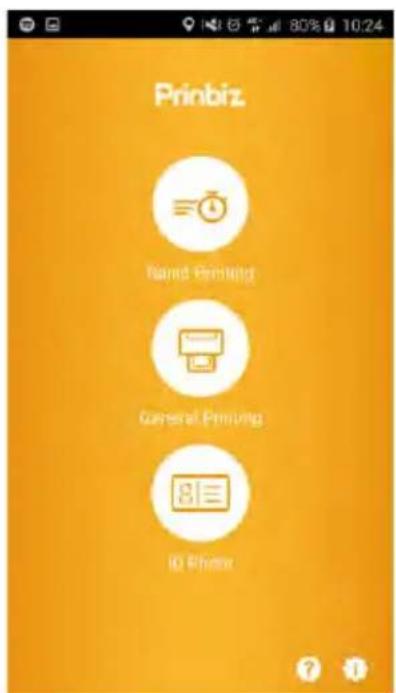
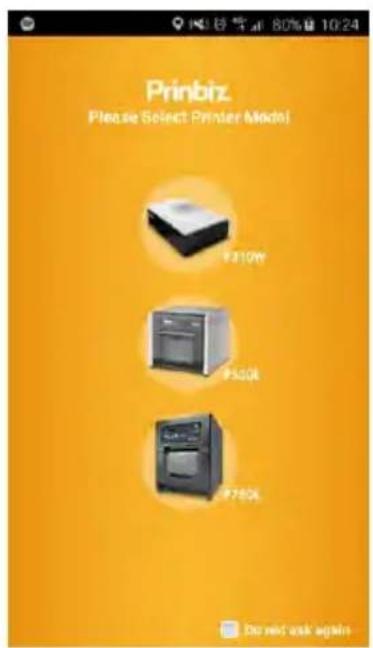
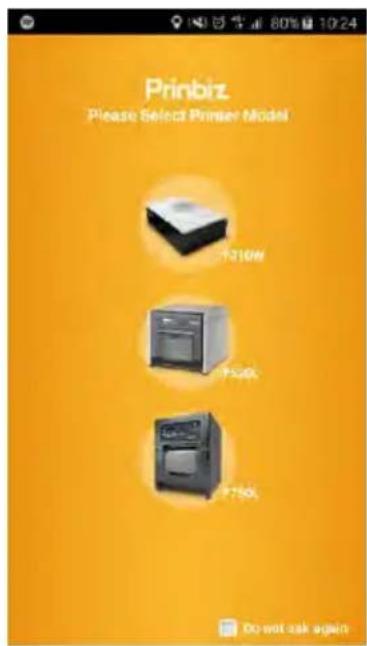
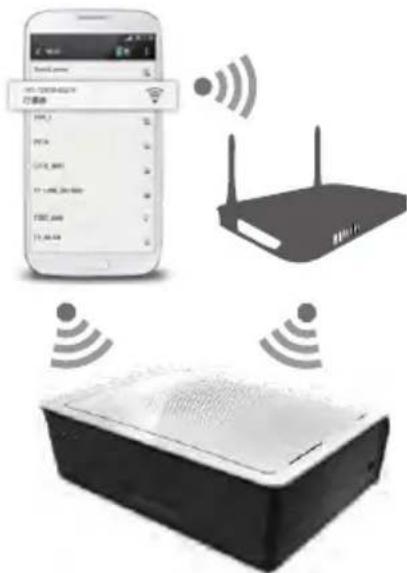
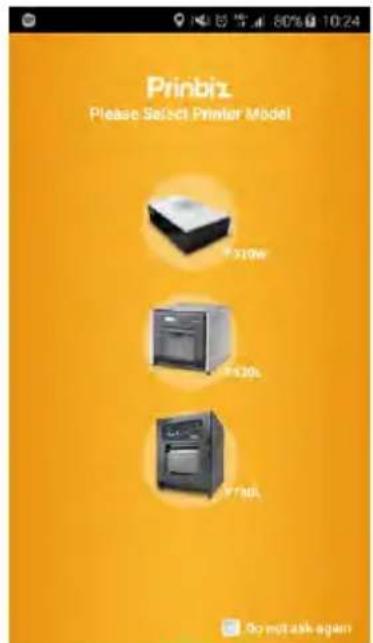
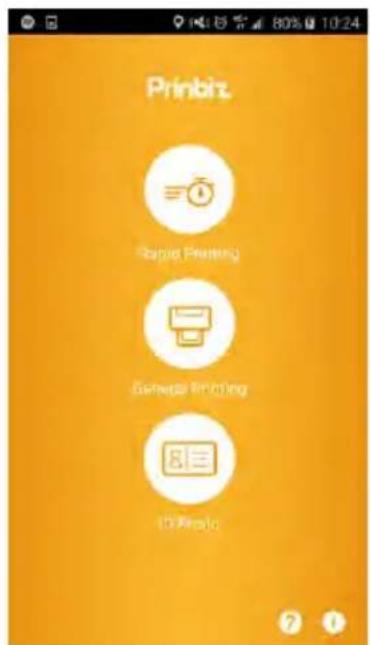
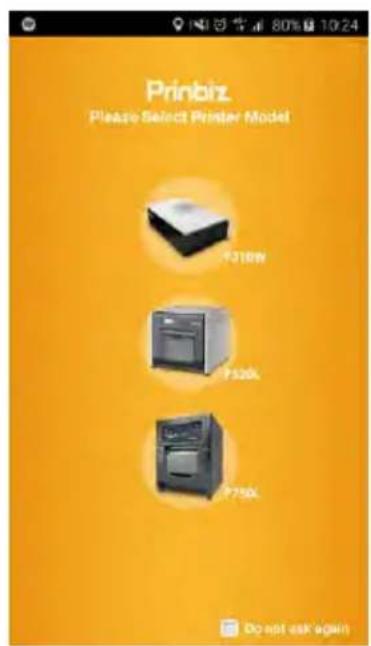
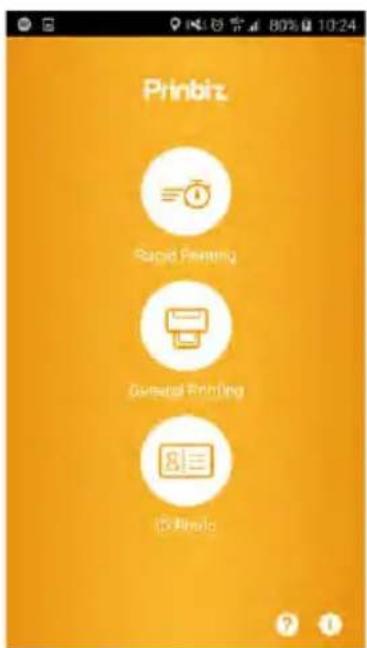
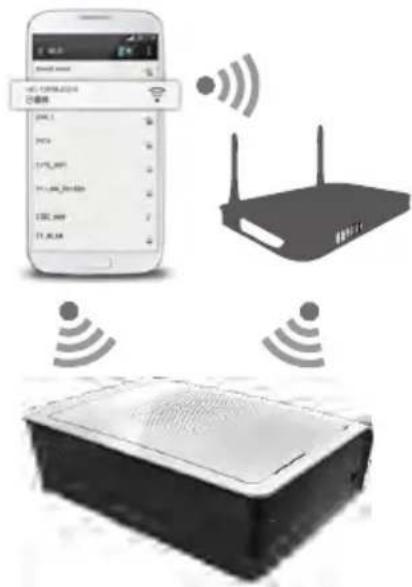
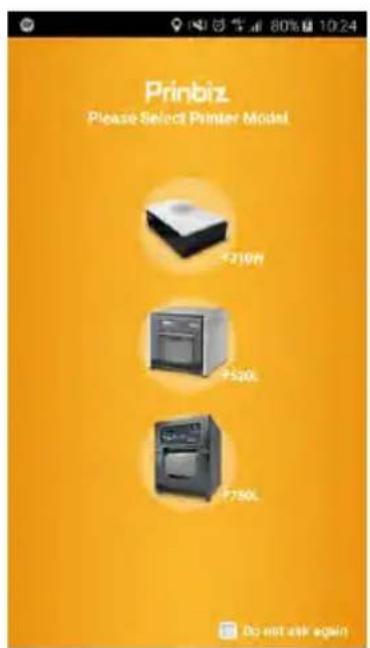
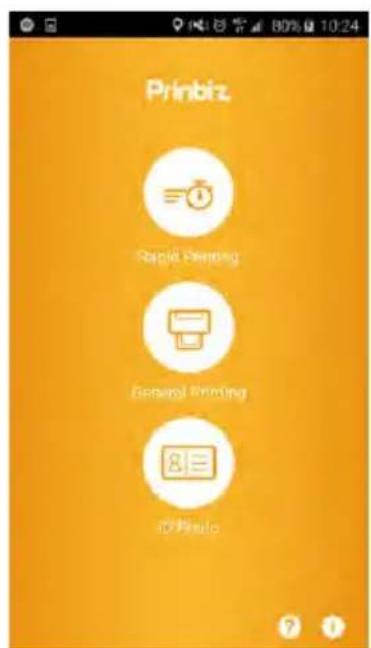
Step 1: Download & Install free APP, "Prinbiz" to the hand-held device. It can be downloaded from Apple Store or Google Play.
Step 2: Connect the hand-held device to P310W (SSID: HiTi P310W)
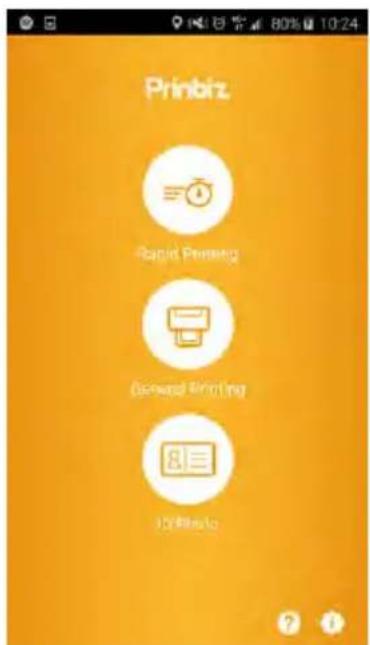
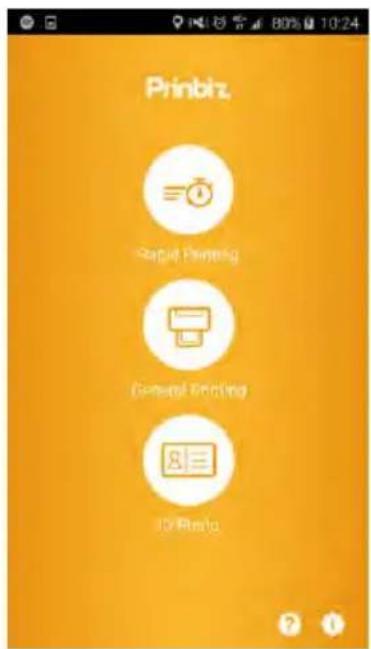
Step 3: Once connected, you might begin to use Prinbiz APP to edit and print the photos
1




2

3
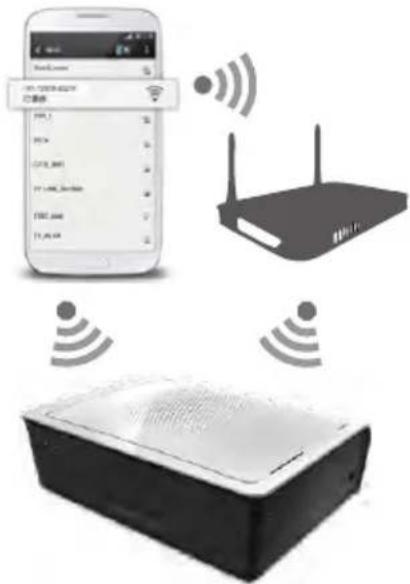

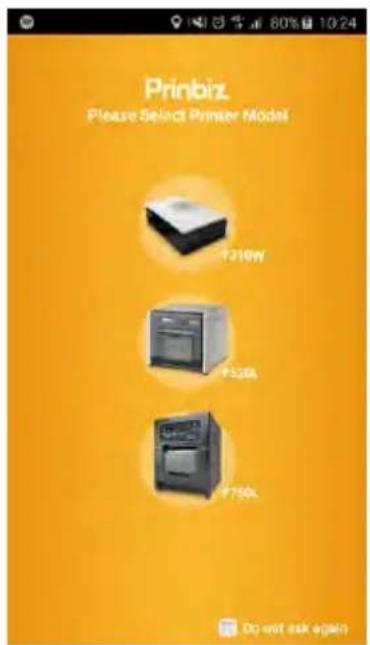
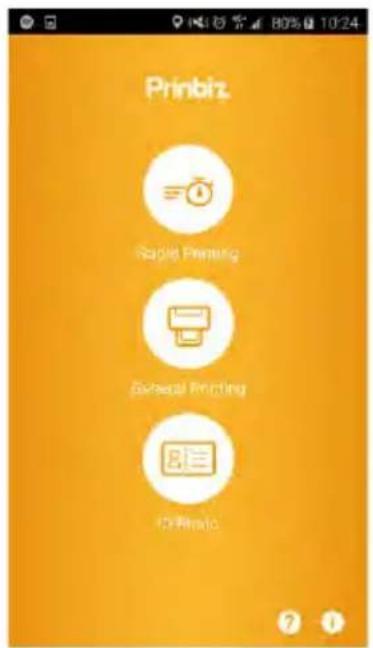
Chapter 3. Operation Panel
- Connect to PC
Step 1: Connect the PC to P310W by your own USB cable.
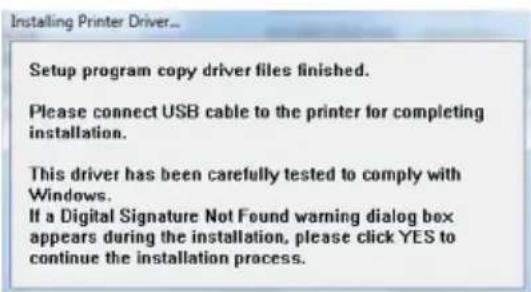
Step 2: Install the printer driver by following the steps below.
Step 3: Download IDQuickDesiree from CD and you can edit and create your own ID format.
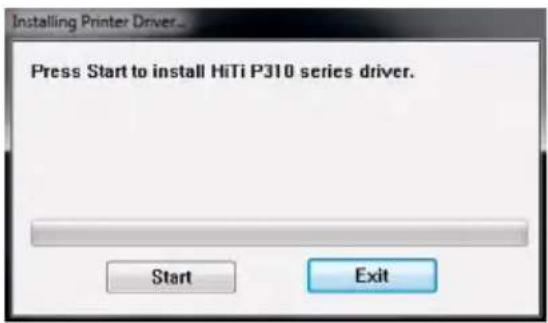
- Install the CD driver to run the installation and Press Start.
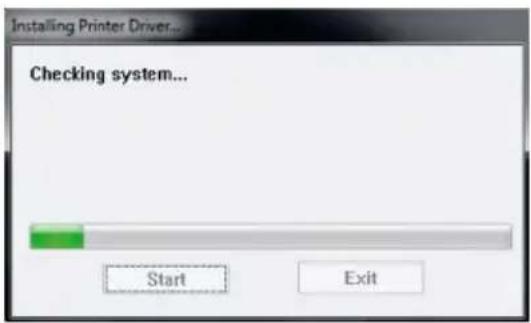
- Power on the printer to continue.
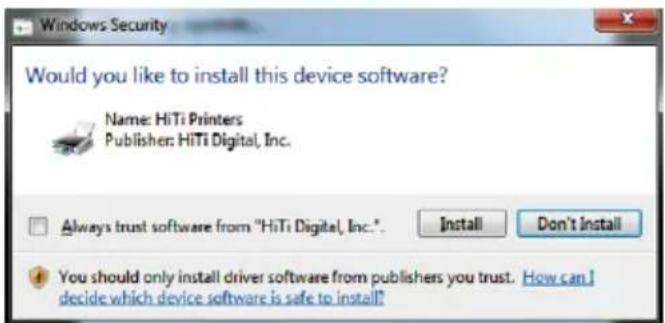
- The PC is installing the printer driver. 4. Choose PC connection type by either USB or WiFi.
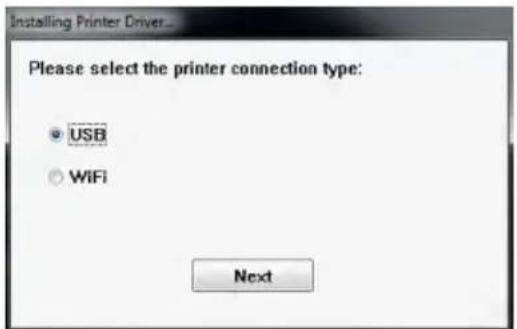
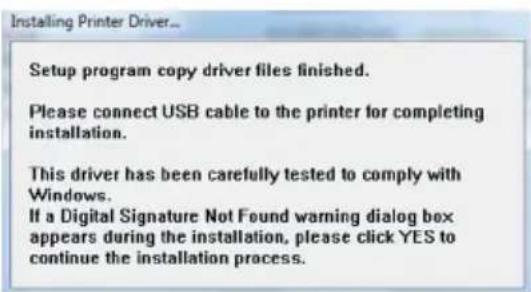
- Installation is completed after choosing WiFi or else connecting your own USB cable to the printer.
Chapter 4. LED Message
| Red: | ErrorBlink (When the error happens, error message will be displayed on the mobile devices) | Blink 1 time: didn't close the ribbon door or no ribbonBlink 3 times: Ribbon emptyBlink 4 times: Out of PaperBlink 5 times: Paper jam or Ribbon jamBlink 13 times: can't update F/W |
| Green: | Standby, Ready | Press the power switch to turn on the power |
| Power can be turned off by pressing the power switch for 3 seconds. | ||
| Blink fast 0.1s | Transiting Printing info/ Updating FW | |
| Blink slower 0.5s | Printing | |
| Blue: | Wireless reset mode- Press the power switch for 6 seconds until blue blink.- Press the switch one more time, once the light turns to green means its been reset. | |
Chapter 5. After-sales Service
Contact your HiTi dealers or service center for the details about after-sales service.
| Resolution | 300*300 dpi |
| Print Speed | 4x6" : 47 sec (HOD off) / 58 sec (HOD on) |
| Print Size | 4x6" |
| Ribbon Cassette Capacity | 60 prints/cassette |
| Paper Cassette Capacity | Up to 30 sheets |
| APP Support File Formats | JPEG, PNG, BMP |
| Power | 19V 65W DC Adapter |
| I/O port Micro-B. | |
| Way to Print | WiFi, NFC, Memory card, PC link |
| Data Transfer | Win7 and above, macOS v.10.6 or above |
| App Support OS | iOS5.1.1, Android 4.0.3 |
| Dimensions 186 x 138 x 64.5 mm | < 1kg |
*Specifications subject to change without notice
HiTi P310W
Manual del usuario
natural_image
White electronic device with perforated top and ventilation grille, resting on a black curved surface (no text or symbols visible)HiTi Digital, Inc.
www.hiti.com
TABLA DE CONTENIDO
This device complies with part 15 of the FCC Rules. Operation is subject to the following two conditions:
(1) This device may not cause harmful interference, and
(2) this device must accept any interference received, including interference that may cause undesired operation.
NOTE: This equipment has been tested and found to comply with the limits for a Class B digital device, pursuant to part 15 of the FCC Rules. These limits are designed to provide reasonable protection against harmful interference in a residential installation.
This equipment generates, uses and can radiate radio frequency energy and, if not installed and used in accordance with the instructions, may cause harmful interference to radio communications. However, there is no guarantee that interference will not occur in a particular installation.
If this equipment does cause harmful interference to radio or television reception, which can be determined by turning the equipment off and on, the user is encouraged to try to correct the interference by one or more of the following measures:
—Reorient or relocate the receiving antenna.
—Increase the separation between the equipment and receiver.
—Connect the equipment into an outlet on a circuit different from that to which the receiver is connected.
—Consult the dealer or an experienced radio/TV technician for help.
Changes or modifications not expressly approved by the party responsible for compliance could void the user's authority to operate the equipment.
natural_image
Illustration of a hand inserting a USB into a device housing (no text or symbols visible)natural_image
Illustration of a handheld electronic device with a textured top and control buttons (no text or symbols)natural_image
Illustration of hands inserting batteries into a device case (no text or symbols visible)natural_image
Simple line drawing of a rectangular device labeled 'Ahit' with no additional text or symbolsnatural_image
Hand holding a small electronic device labeled 'A-hiti' (no other text or symbols visible)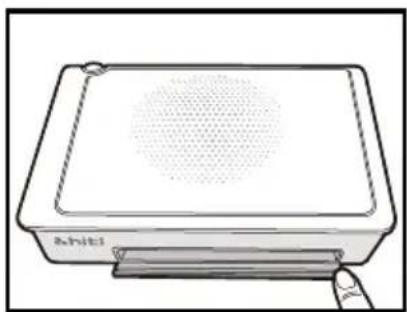
natural_image
Line drawing of a rectangular electronic device with a perforated top and base, labeled 'Ahiti' at the bottom (no other text or symbols)natural_image
Illustration of hands inserting a card into a device (no text or symbols visible)natural_image
Illustration of a hand pressing a circular object on a rectangular surface, with an arrow indicating motion direction (no text or symbols)natural_image
Line drawing of a hand holding a flatboard device (no text or symbols)

2

3

natural_image
White electronic device with perforated top and ventilation grille, resting on a black curved surface (no text or symbols visible)HiTi Digital, Inc.
www.hiti.com
ÍNDICE
natural_image
Line drawing of a cord tied with two connectors, labeled 'mentação' at the bottom (no other text or symbols)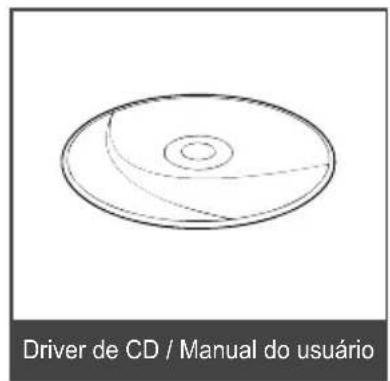
natural_image
Illustration of a hand inserting a USB into a device housing (no text or symbols visible)natural_image
Illustration of a handheld electronic device with a textured top and a finger pointing to its screen (no text or symbols)natural_image
Illustration of hands inserting a cylindrical device into a rectangular box (no text or symbols visible)- Insira o cartucho de fita
natural_image
Simple line drawing of a rectangular device labeled 'Ahiti' with a handle and lid (no additional text or symbols)natural_image
Hand holding a small electronic device labeled 'A-hiti' (no other text or symbols visible)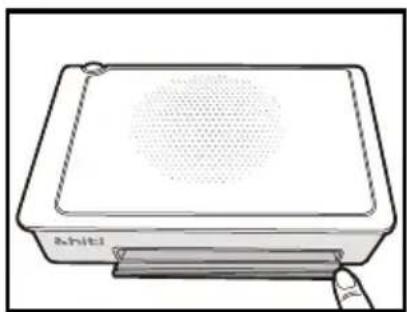
natural_image
Simple line drawing of a rectangular electronic device with a perforated top and base, no text or symbols present.natural_image
Illustration of hands inserting a card into a rectangular device (no text or symbols visible)natural_image
Diagram showing a hand pressing a circular object on a rectangular surface, with an arrow indicating motion direction (no text or symbols)natural_image
Line drawing of a hand holding a flatboard device (no text or symbols)- Abra a fita de papel e insira o papel na fita de papel. Sugerimos colocar menos de 15 folhas de papel cada vez para evitar erros.

VERIFIQUE SE O PAPEL COLOCADO COM SUPERFÍCIE A CORRETA (A FACE DA SUPERFÍCIE BRILHANTE PARA CIMA E A LOGO HITI PARA BAIXO).


2

3

natural_image
White electronic device with perforated top and ventilation grille, resting on a curved black graphic element (no text or symbols visible)HiTi Digital, Inc.
www.hiti.com
目录
前言
第一章. 使用安全守则
关于使用环境和设置 …… 1-1
关于打印机的使用 1-2
Taiwan regulatory information(NCC)
第十二条
natural_image
Illustration of a handheld electronic device with coiled cable and handle (no text or symbols)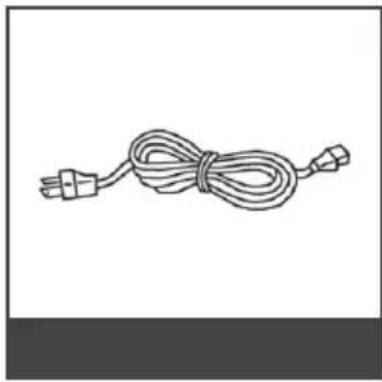
natural_image
Line drawing of a cord tied with a plug, no text or symbols present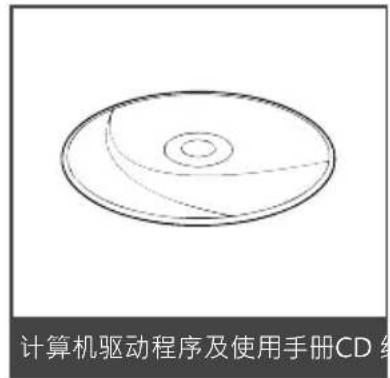
第二章. 设置和安装
·部件名称及功能
natural_image
Illustration of a hand inserting a USB into a device housing (no text or symbols visible)natural_image
Illustration of a handheld electronic device with a finger pointing to its screen (no text or symbols visible)- 按下色带门按钮, 将色带门打开
natural_image
Illustration of hands inserting batteries into a device case (no text or symbols visible)- 放入色带
natural_image
Simple line drawing of a rectangular device labeled 'A.hiti' (no additional text or symbols)- 关起色带门
第二章. 设置和安装
· 相纸的安装方法
natural_image
Hand holding a small electronic device labeled 'ahiti' (no other text or symbols visible)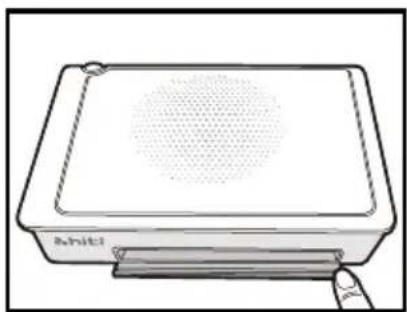
natural_image
Line drawing of a rectangular electronic device with a circular top and base, no text or symbols present.natural_image
Illustration of hands inserting a card into a rectangular device (no text or symbols visible)- 将纸匣放进纸匣门。
natural_image
Illustration of a hand pressing a circular object on a rectangular block, with an arrow indicating motion (no text or symbols)- 小心将纸拿出。

natural_image
Line drawing of a hand holding a flatboard device (no text or symbols)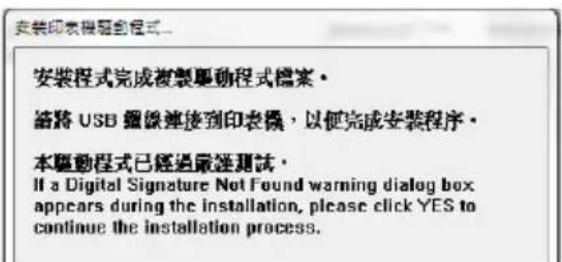
natural_image
White electronic device with perforated top and ventilation grille, resting on a black curved surface (no text or symbols visible)HiTi Digital, Inc.
www.hiti.com
目錄
前言
第一章. 使用安全守則
關於使用環境和設置 …… 1-1
關於印表機的使用 1-2
Taiwan regulatory information(NCC)
第十二條
natural_image
Illustration of a handheld electronic device with coiled cable and handle (no text or symbols)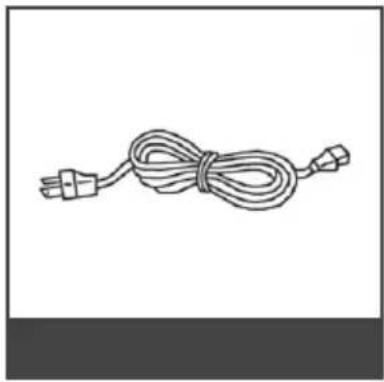
natural_image
Simple line drawing of a cord tied with two connectors (no text or symbols)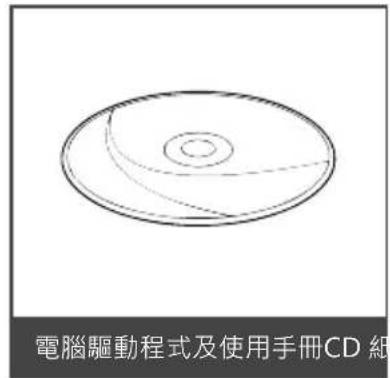
第二章. 設置和安裝
·部件名稱及功能
natural_image
Illustration of a hand inserting a USB into a device housing (no text or symbols visible)natural_image
Illustration of a handheld electronic device with a finger pointing to its screen (no text or symbols visible)- 按下色帶門按鈕, 將色帶門打開
natural_image
Illustration of hands inserting batteries into a device case (no text or symbols visible)- 放入色带
natural_image
Simple line drawing of a rectangular device labeled 'A.hiti' (no additional text or symbols)- 關起色帶門
第二章. 設置和安裝
· 相紙的安裝方法
natural_image
Hand holding a small electronic device labeled 'ahiti' (no other text or symbols visible)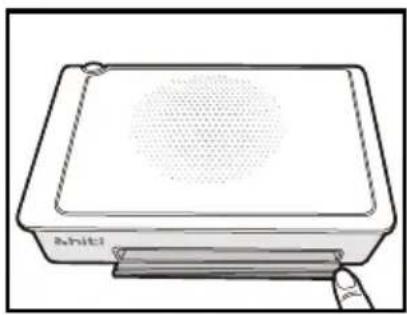
natural_image
Line drawing of a rectangular electronic device with a circular top and base, no text or symbols present.natural_image
Illustration of hands inserting a card into a device (no text or symbols visible)- 將紙匣放進紙匣門。
natural_image
Illustration of a hand pressing a circular object on a rectangular surface, with an arrow indicating motion direction (no text or symbols)- 小心將紙拿出。

natural_image
Line drawing of a hand holding a flatboard device (no text or symbols)
natural_image
White electronic device with perforated top and ventilation grille, resting on a black curved surface (no text or symbols visible)HiTi Digital, Inc.
www.hiti.com
TABLE DES MATIÈRES
This device complies with Industry Canada license-exempt RSS standard(s).
Operation is subject to the following two conditions: (1) this device may not cause interference, and (2) this device must accept any interference, including interference that may cause undesired operation of the device.
natural_image
Line drawing of a cord tied with two connectors (no text or symbols)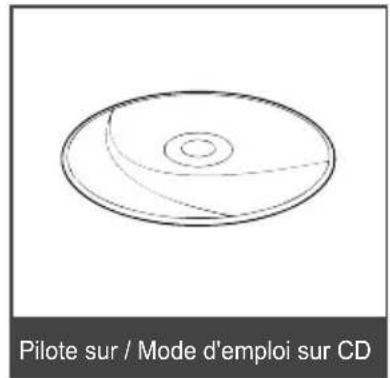
natural_image
Illustration of a hand inserting a USB into a device labeled with ports (no text or symbols present)natural_image
Illustration of a handheld electronic device with a finger pointing to its screen (no text or symbols visible)natural_image
Illustration of hands inserting a cylindrical device into a rectangular box (no text or symbols visible)natural_image
Simple line drawing of a rectangular device labeled 'A.hiti' (no additional text or symbols)natural_image
Hand holding a small electronic device labeled '&hiti' (no other text or symbols visible)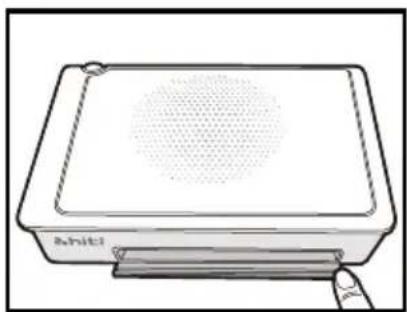
natural_image
Line drawing of a rectangular electronic device with a circular top and base, no text or symbols present.natural_image
Illustration of hands inserting a card into a device (no text or symbols visible)natural_image
Diagram showing a hand pressing a circular object on a rectangular surface, with an arrow indicating motion direction (no text or symbols)natural_image
Line drawing of a hand holding a rectangular object with a handle, no text or symbols present

2

3

natural_image
White electronic device with perforated top and ventilation grille, resting on a black curved surface (no text or symbols visible)HiTi Digital, Inc.
www.hiti.com
Inhalt
natural_image
Illustration of a handheld electronic device with coiled cable and handle (no text or symbols)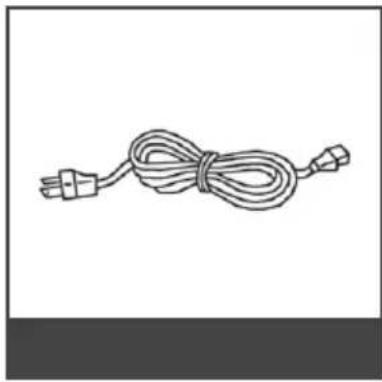
natural_image
Line drawing of a cord tied with two connectors (no text or symbols)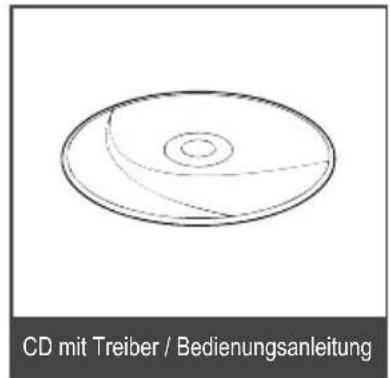
natural_image
Illustration of a Kartenleser adapter device (no text or symbols on the device itself)natural_image
Illustration of a hand inserting a USB into a device housing (no text or symbols visible)natural_image
Illustration of a handheld electronic device with a circular grille and a finger pointing to it (no text or symbols)natural_image
Illustration of hands inserting a battery into a device case (no text or symbols visible)natural_image
Simple line drawing of a rectangular device labeled 'Ahiti' with a handle and lid (no additional text or symbols)natural_image
Hand holding a small electronic device labeled 'A-hiti' (no other text or symbols visible)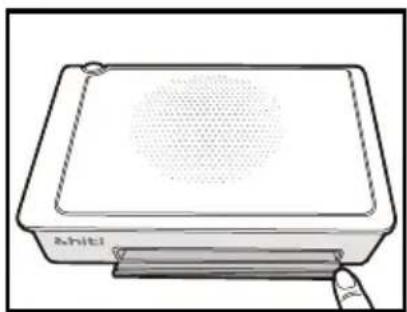
natural_image
Line drawing of a rectangular electronic device with a circular top and base, labeled 'Ahiti' (no additional text or symbols)natural_image
Illustration of hands inserting a card into a device (no text or symbols visible)natural_image
Diagram showing a hand pressing a circular object on a rectangular block, with an arrow indicating motion (no text or symbols present)natural_image
Line drawing of a hand holding a rectangular object with a flat top, no text or symbols present


2

3

natural_image
Exterior view of a silver server unit with ventilation grille and indicator lights, shown against a white background (no text or symbols)HiTi Digital, Inc.
www.hiti.com
СОДЕРЖАНИЕ
natural_image
Line drawing of a cord tied with two connectors (no text or symbols)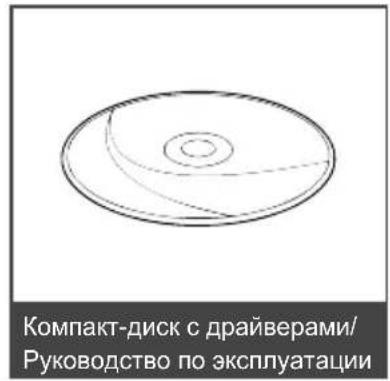
natural_image
Illustration of a hand inserting a USB into a device housing (no text or symbols visible)natural_image
Illustration of a handheld electronic device with a circular grille and a finger pointing to its screen (no text or symbols)natural_image
Illustration of hands inserting a battery into a device case (no text or symbols visible)natural_image
Simple line drawing of a rectangular device labeled 'Ahiti' (no additional text or symbols)natural_image
Hand holding a small electronic device labeled 'A-hiti' (no other text or symbols visible)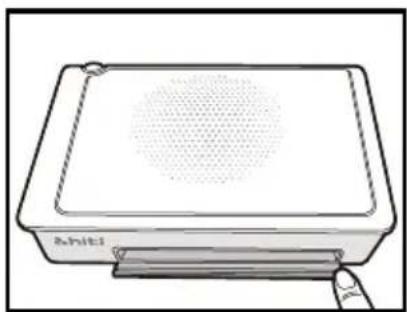
natural_image
Line drawing of a rectangular electronic device with a perforated top and base, labeled 'Ahiti' at the bottom (no other text or symbols)natural_image
Illustration of hands inserting a card into a device (no text or symbols visible)natural_image
Diagram showing a hand pressing a circular object on a rectangular block, with an arrow indicating motion (no text or symbols present)natural_image
Line drawing of a hand holding a rectangular object with a handle, no text or symbols present


2

[Non-Text]

<منظر علوي>
<منظر جانبي>
natural_image
Black rectangular device with a white top and a red arrow pointing to its side, labeled with number 8 (no text or symbols on the device itself)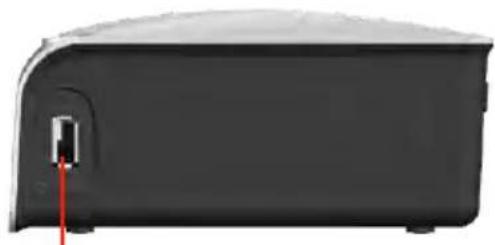
natural_image
Exterior view of a black rectangular electronic device with a red cable inserted (no text or symbols visible)⑦
<-منظر جانبي>
natural_image
Line drawing of a hand inserting a USB into a device housing (no text or symbols)natural_image
Illustration of a handheld electronic device with a textured screen and a finger pointing to it (no text or symbols)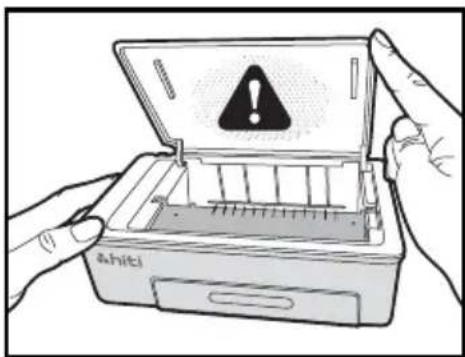
natural_image
Illustration of hands inserting batteries into a device case (no text or symbols visible)4- أغلق بابالاشریط
natural_image
Simple line drawing of a rectangular device labeled 'A.hiti' (no additional text or symbols)natural_image
Line drawing of a rectangular electronic device with a circular top and base, labeled 'Achiti' (no other text or symbols)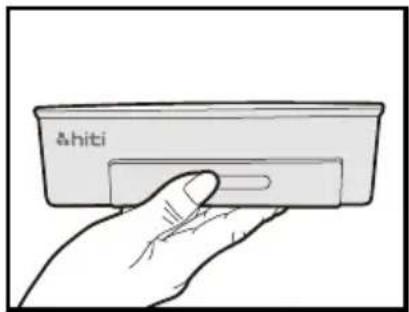
natural_image
Hand holding a card with 'āhiti' branding (no other text or symbols visible)natural_image
Illustration of hands inserting a card into a device (no text or symbols visible)natural_image
Diagram showing a hand pressing a circular object on a rectangular surface, with an arrow indicating motion (no text or symbols present)natural_image
Line drawing of a hand holding a rectangular object with a handle, no text or symbols present

2

3