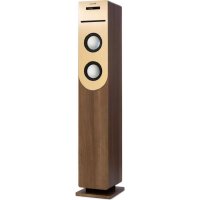
Berklee Tower - Loudspeaker Auna - Free user manual and instructions
Find the device manual for free Berklee Tower Auna in PDF.



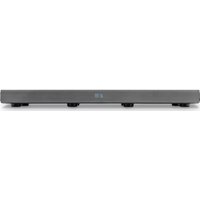
| Product type | Speaker with CD player, FM radio and Bluetooth |
| Dimensions (W x D x H) | 196 x 156 x 935 mm |
| Weight | 5.4 kg |
| Mains adapter power supply | Input: 100-240 V ~ 50/60 Hz, Output: 12 V = 2 A |
| RMS power | 20 W |
| Disc formats supported | CD, CD-R, CD-RW, MP3, WMA |
| Bluetooth range | 10 m |
| Bluetooth frequency | 2402 - 2480 MHz |
| Bluetooth transmission power | 27 dBm (EIRP) |
| Connectivity | USB 2.0, SD/MMC, 3.5 mm jack input (LINE IN) |
| FM radio band | 87.5 - 108 MHz |
| Included accessories | Mains adapter, remote control |
| Article numbers | 10038694, 10038695 |
| Main functions | Play/Pause, repeat, FM auto search, remote control |
| Safety | Do not open the housing, avoid exposure to water, unplug during storms |
| Maintenance and cleaning | Clean with a dry, soft cloth, do not use chemicals |
| Spare parts and repairability | No user-serviceable parts, contact a qualified professional |
Frequently Asked Questions - Berklee Tower Auna
User questions about Berklee Tower Auna
0 question about this device. Answer the ones you know or ask your own.
Ask a new question about this device
Download the instructions for your Loudspeaker in PDF format for free! Find your manual Berklee Tower - Auna and take your electronic device back in hand. On this page are published all the documents necessary for the use of your device. Berklee Tower by Auna.
USER MANUAL Berklee Tower Auna
Member of Berlin Brands Group
Handwerkerstr. 11
15366 Dahlwitz-Hoppegarten
Deutschland
Congratulations on purchasing this equipment. Please read this manual carefully and take care of the following hints to avoid damages. Any failure caused by ignoring the items and cautions mentioned in the instruction manual are not covered by our warranty and any liability. Scan the QR code to get access to the latest user manual and other information about the product.
CONTENTS
Specifications 16
Safety Instructions 18
Product Description 19
Basic Operation 21
Mode Selection 22
Troubleshooting 23
Disposal Considerations 24
Declaration of Conformity 24
SPECIFICATIONS
| Item number 10038694 | 10038695 |
| Power supply (power adapter) | Input AC 100V~240V 50/60Hz Output DC 12 V=2A |
| RMS power 20 W | |
| Playable disc types CD | CD-R/CD-RW/MP3/WMA |
| BT Range: 10 m | Frequency range: 2402-2480 MHz, radio-frequency power:27 dBm (EIRP) |
| Ports USB 2.0# | SD/MMC SLOT CARD 3.5mm INPUT |
| FM radio band 87.5-108 MHz | |
| Measurements 196x156 x935 mm | |
| Weight 5.4 kg | |
Accessories included
- AC adaptor
remote control
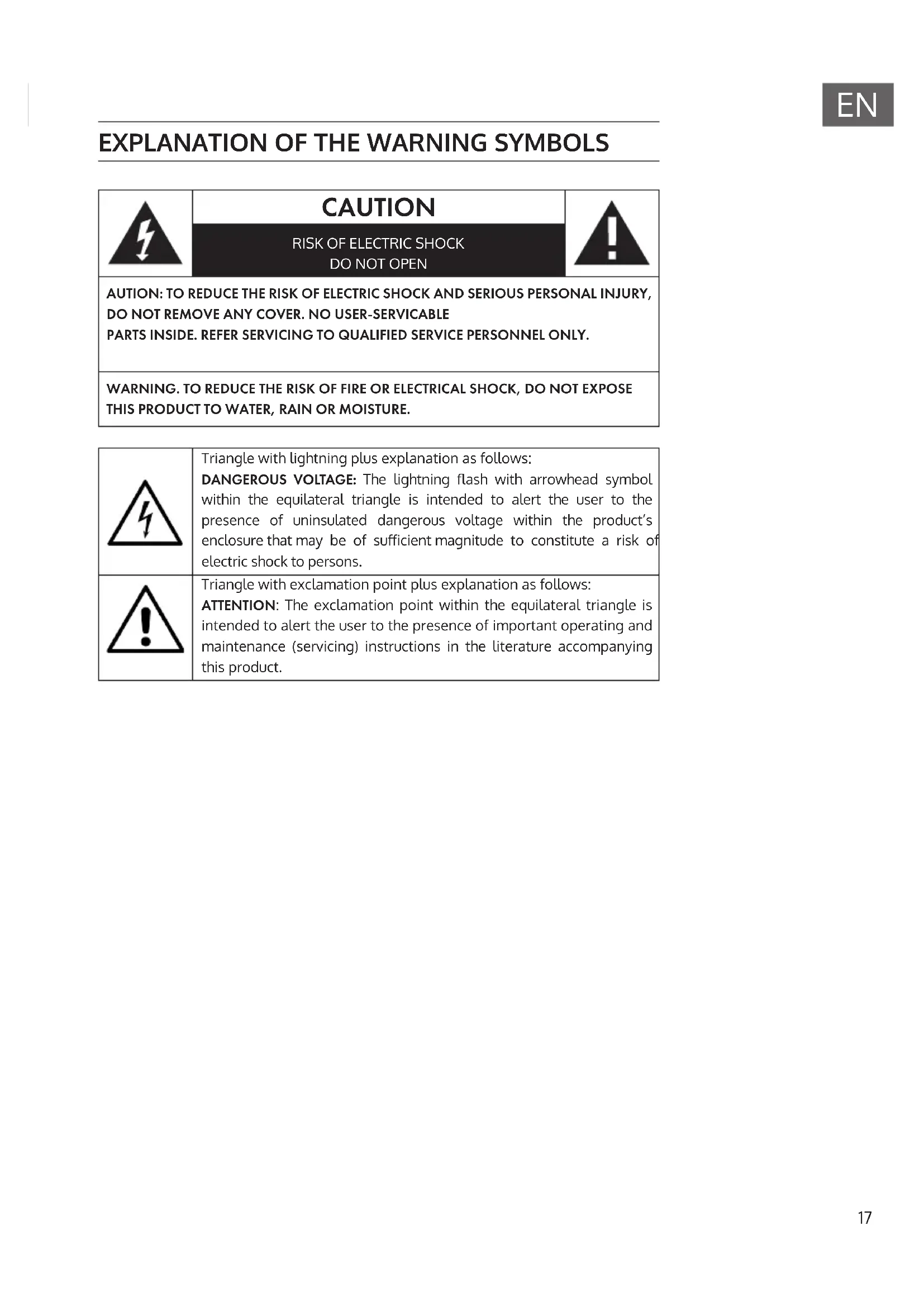
EXPLANATION OF THE WARNING SYMBOLS
| CAUTION RISK OF ELECTRIC SHOCK DO NOT OPEN | A |
| AUTION: TO REDUCE THE RISK OF ELECTRIC SHOCK AND SERIOUS PERSONAL INJURY, DO NOT REMOVE ANY COVER. NO USER-SERVICABLE PARTS INSIDE. REFER SERVICING TO QUALIFIED SERVICE PERSONNEL ONLY. | |
| WARNING. TO REDUCE THE RISK OF FIRE OR ELECTRICAL SHOCK, DO NOT EXPOSE THIS PRODUCT TO WATER, RAIN OR MOISTURE. | |
| 3 | Triangle with lightning plus explanation as follows: DANGEROUS VOLTAGE: The lightning flash with arrowhead symbol within the equilateral triangle is intended to alert the user to the presence of uninsulated dangerous voltage within the product's enclosure that may be of sufficient magnitude to constitute a risk of electric shock to persons. |
| 4 | Triangle with exclamation point plus explanation as follows: ATTENTION: The exclamation point within the equilateral triangle is intended to alert the user to the presence of important operating and maintenance (servicing) instructions in the literature accompanying this product. |
SAFETY INSTRUCTIONS
General information
- Lightning - If you are not going to use the device for a long time or if there is a storm, disconnect the plug from the electrical outlet and disconnect the device from the antenna connector. This will avoid damage to the product that may be caused by lightning or overvoltage.
- Overload - Do not overload power outlets, extension cords, or built-in power outlets, as this may result in a fire or electric shock.
- Foreign objects and liquid - Never push objects of any kind through openings in the device as they may touch dangerous voltage points or short out parts, which could result in a fire or electric shock. Never spill liquids of any kind on the device.
- Repairs and maintenance - Do not attempt to service this product yourself, as opening or removing covers will expose you to dangerous voltages or other hazards. Leave all maintenance to qualified service personnel.
- Damage requiring service - Disconnect the power plug from the outlet and consult a qualified specialist if any of the following conditions occur:
a) If the power cord or plug is damaged.
b) If liquid has been spilled or objects have fallen onto the product.
c) If the product has been exposed to rain or water.
d) If the product has been dropped or damaged.
e) If the product has a markedly reduced performance.
- Replacement parts - When replacement parts are required, make sure that the service professional who replaces the parts only uses replacement parts that have been approved by the manufacturer or that have the same characteristics as the original part. Unauthorized replacement may result in fire, electric shock or other hazards.
- Heat - Do not place the unit near heat sources such as radiators, heaters, stoves or other products (including amplifiers).
This device may be only used by children 8 years old or older and persons with limited physical, sensory and mental capabilities and / or lack of experience and knowledge, provided that they have been instructed in use of the device by a responsible person who understands the associated risks.

Top panel
| FUNC | Operating mode selection key |
| II | In USB/SD/CD/BT mode: play/ pause In FM mode: Automatically searching station |
| III | In USB/SD/CD/BT mode: Previous section or next section In FM mode: Previous station or next station |
| Volume button | Rotate the round button to adjust the volume |
| OPEN/CLOSE | Open/Close the CD door |
| SD/MMC | Digital card input socket for SD or MMC card |
| USB | USB input jack |
| DC 12V | DC 12V power input jack |
| LINE IN | Audio input jack (connect another audio output device) |
| ANT | FM antenna (fixed) |

1 MUTE
2 Modes (CD/FM/BT/LINE IN/USB/SD)
3 Volume +
4 Repeat track
5 Play/Pause (FM: search station)
6 Next section
7 Volume -
8 Number keys
9 Previous section/sation
10 Stop
11 Power on/off
BASIC OPERATION
1. Turn on CD player
Connect to power adapter.
The LED screen of player will appear "LOAD".
If there is no disc on the tray, it shows "NO DISC".
2. PLAY/PAUSE
- When playing music, press to pause music.
- Press this button again to resume playing mode.
3. STOP (on the remote control)
- When press the STOP key for the first time, the player will stop playing.
- Pressing PLAY/PAUSE will continue to play from current music.
4. REPEAT (on the remote control)
- When playing music, press REPEAT for the first time will repeat current playing.
- Press REPEAT twice will repeat the whole disc.
- Press REPEAT for three times will cancel repeat function.
5. NUMBER KEY (0 - 9,10 + ) for CD disc
- To appoint 1-9 tracks, press the corresponding number keys (1-9).
- To appoint 10 tracks, press the number key (0).
- To appoint 10+ tracks, press the number key (10+) . For example: the 15th song, press number key (10+) and (5).
- To appoint 20+ tracks, press the number key (10+) for twice. For example: the 25th song, press number key (10+) for twice time and press number key (5).
- If the track does not exist, the key is invalid.
6. Volume adjustment
Rotate the round button in the top middle of the unit, or press the VOL+ /+ or VOL-/- button on the remote control to adjust volume.
MODE SELECTION
BT mode
- The first time you use your BT device with this player, you will need to connect or "pair" it with the player first.
- Switch to the BT model, then use BT device to search the "Berklee Tower" pairing.
- There will be a prompt sound after the successful pairing.
- If the pairing device is disconnected, the unit will also issue a prompt sound.
USB or SD/MMC card mode
Insert USB flash driver or SD/MMC card, then press the FUNCTION key or MODE key on the remote control to choose CD mode status, and then press CD/USB/CD key to choose USB flash driver mode or SD/MMC card mode.
FM mode
When you switch the unit to the radio mode, you can listen to the FM radio program in this mode.
- This radio antenna is on the back of the machine. When you need to listen to radio, please open the FM antenna.
- In FM mode, press the PLAY/PAUSE key on the unit or remote control to automatically search station. It will save the station once searching completed.
- Press the or on the unit or remote control to select station.
LINE IN mode
Switching to LINE IN mode, use 3.5mm audio cable to connect player with other audio output devices (such as mobile phone, computer, etc).
TROUBLESHOOTING
If you are suffering from following problem, please refer to following supplied method. If the problem still can't be solved, please contact the maintaining center.
| Problem Solution | |
| No sound 1. To check the player connection between the mobile phone or other audio output device. 2. The volume is turned down. Adjust the volume. | |
| The disc does not play. 1. To check the disc which is put in the proper direction. 2. To check whether there is disc in the tray. 3. The disc is dirty. Please clean the disc. | |
| The remote control does not work | 1. To remove obstacles between remote control and player. 2. If the battery is exhausted, replace it with a new one. 3. The insulation sheet has been inserted in the battery compartment when shipped from the factory. Pull it out before use. |
| Button does not work. It may be caused by the power wave or other abnormality, please turn off the power and turn it on again after 10 seconds. | |
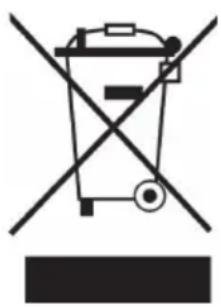
If there is a legal regulation for the disposal of electrical and electronic devices in your country, this symbol on the product or on the packaging indicates that this product must not be disposed of with household waste. Instead, it must be taken to a collection point for the recycling of electrical and electronic equipment. By disposing of it in accordance with the rules, you are protecting the environment and the health of your fellow human beings from negative consequences. For information about the recycling and disposal of this product, please contact your local authority or your household waste disposal service.
This product contains batteries. If there is a legal regulation for the disposal of batteries in your country, the batteries must not be disposed of with household waste. Find out about local regulations for disposing of batteries. By disposing of them in accordance with the rules, you are protecting the environment and the health of your fellow human beings from negative consequences.
DECLARATION OF CONFORMITY
CE UK CA
Manufacturer:
Chal-Tec GmbH, Wallstrasse 16, 10179 Berlin, Germany.
Importer for Great Britain:
Berlin Brands Group UK Ltd PO Box 1145
Oxford, OX1 9UW
United Kingdom
Hereby, Chal-Tec GmbH declares that the radio equipment type Berklee Tower is in compliance with Directive 2014/53/EU. The full text of the EU declaration of conformity is available at the following internet address: use.berlin/10038694
For Great Britain: Hereby, Chal-Tec GmbH declares that the radio equipment type Berklee Tower is in compliance with the relevant statutory requirements. The full text of the declaration of conformity is available at the following internet address: use.berlin/10038694
Cher client, chere clientele,
Berlin Brands Group UK Ltd
PO Box 1145
Oxford, OX1 9UW
United Kingdom
Berlin Brands Group UK Ltd
PO Box 1145
Oxford, OX1 9UW
United Kingdom
Berlin Brands Group UK Ltd
PO Box 1145
Oxford, OX1 9UW
United Kingdom
- Member of Berlin Brands Group
- Handwerkerstr. 11
- Dahlwitz-Hoppegarten
- Deutschland
- CONTENTS
- SPECIFICATIONS
- Accessories included
- EXPLANATION OF THE WARNING SYMBOLS
- SAFETY INSTRUCTIONS
- General information
- BASIC OPERATION
- Turn on CD player
- PLAY/PAUSE
- STOP (on the remote control)
- REPEAT (on the remote control)
- NUMBER KEY (0 - 9,10 + ) for CD disc
- Volume adjustment
- MODE SELECTION
- BT mode
- USB or SD/MMC card mode
- FM mode
- LINE IN mode
- TROUBLESHOOTING
- DECLARATION OF CONFORMITY
- CE UK CA
- Manufacturer:
- Importer for Great Britain:
- Cher client, chere clientele,
Brand : Auna
Model : Berklee Tower
Category : Loudspeaker