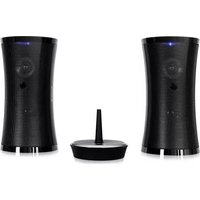
Tower 70 - Loudspeaker Auna - Free user manual and instructions
Find the device manual for free Tower 70 Auna in PDF.


| Product Type | Tower Speaker |
| Brand | Auna |
| Model | Tower 70 |
| Dimensions (approx.) | 30 x 30 x 120 cm (11.8 x 11.8 x 47.2 in) |
| Weight (approx.) | 6.5 kg (14.3 lbs) |
| Power Supply | AC 100-240V, 50/60 Hz |
| Amplifier Power | 100 W RMS |
| Frequency Response | 40 Hz - 20 kHz |
| Connectivity | Bluetooth 5.0, USB, AUX-in, FM radio |
| Controls | Volume, source selection, playback buttons, remote control |
| Speaker Configuration | 2-way: tweeter + woofer |
| Display | LED display for FM frequency and source |
| Housing Material | Wooden cabinet with fabric grille |
| Cleaning Instructions | Wipe with a soft, dry cloth. Do not use solvents. |
| Safety Precautions | Keep away from water, heat sources, and direct sunlight. Do not disassemble. |
| Spare Parts & Repairability | Contact Auna support or authorized service center for replacement parts. |
Frequently Asked Questions - Tower 70 Auna
User questions about Tower 70 Auna
0 question about this device. Answer the ones you know or ask your own.
Ask a new question about this device
Download the instructions for your Loudspeaker in PDF format for free! Find your manual Tower 70 - Auna and take your electronic device back in hand. On this page are published all the documents necessary for the use of your device. Tower 70 by Auna.
USER MANUAL Tower 70 Auna
natural_image
Black cylindrical electronic device with mesh grille and circular vent, no visible text or symbols
natural_image
Black and white photo of a modern cylindrical device with a conical spout and a circular vent, no visible text or symbols.FERNBEDIENUNG:
natural_image
Line drawing of a mobile phone casing with a warning symbol pointing to the screen (no text or labels present)natural_image
Symbol of a trash bin crossed with a diagonal line, no text or labels presentElektroaltgeräte
Congratulations on purchasing this product. Please read and follow these instructions, in order to avoid damaging the item. We do not cover any damages that may arise from improper use of the item or the disregard of the safety instructions.
Important Safety Advice
- Read all instructions before using.
- To protect against a fire, electric shock or personal injury, do not immerse cord, electric plugs or device in water or other liquids.
- Do not expose the appliance to extreme temperatures. The appliance shall be used in moderate climates.
- The use of attachments that are not recommended by the appliance manufacturer may result in fire, electric shock or personal injury.
- Do not open the unit by removing any cover parts. Do not attempt to repair the unit. Any repairs or servicing should be done by qualified personell only.
- Only qualified persons may perform technical work on the product. The product may not be opened or changed. The components cannot be serviced by the user. The manufacturer is not responsible for any radio or TV interference caused by unauthorized modifications.
- The appliance is not a toy. Do not let children play with it. Never let children insert foreign objects into the appliance.
- Never clean the surface of the device with solvents, paint thinners, cleansers or other chemical products. Instead, use a soft, dry cloth or soft brush.
- Save these instructions.
Small objects
Keep small objects (i.e. screws, mounting material, memory cards etc.) and packaging out of the range of children. Do not let Children play with foil. Choking hazard!
Transporting the device
Please keep the original packaging. To gain sufficient protection of the device while shipment or transportation, make sure to put it back in its original packaging.
Cleaning the surface
Do not use any volatile liquids, detergents or the like. Use a clean dry cloth.
Technical Data
Art. # 10029108, 10006879
Transmission UHF Stereo, 863MHz
Power supply
Transmitter: AC/DC 8V 200mA power adapter
Speakers: AC/DC 1.2A power adapter; alt: 6x AA batteries (not supplied)
Channel Separation 30dB
Controls
Transmitter:

| Power LED | 1 | 4 Channel switch |
| Signal LED | 2 | 5 DC IN (Transmitter) |
| Audio IN | 3 |
Speakers:
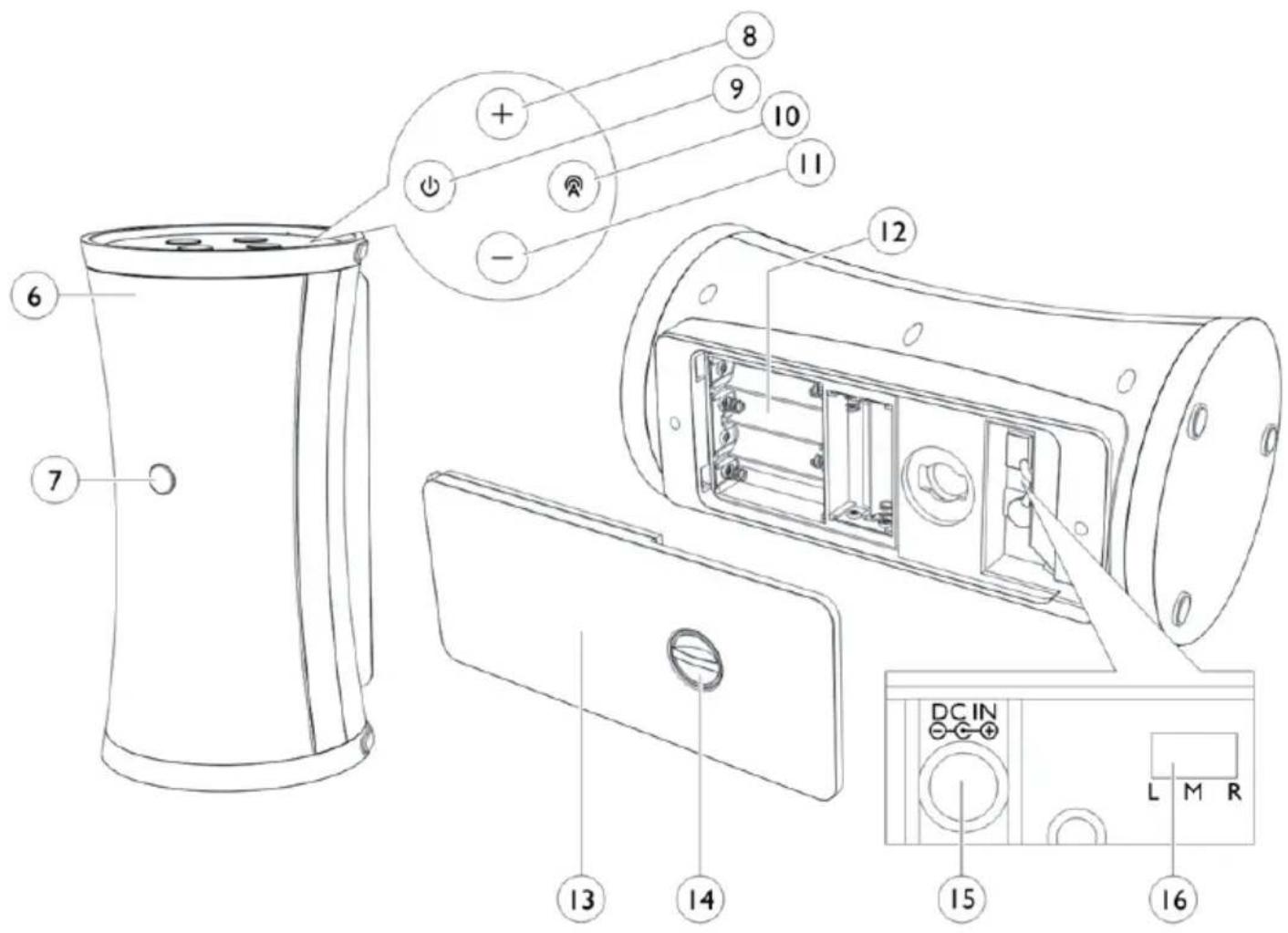
| Speaker cover | 6 | 12 | Battery compartment |
| IR Sensor (RC) | 7 | 13 | Battery compartment cover |
| VOL+ | 8 | 14 | Latch |
| On/Off | 9 | 15 | DC/N (Speaker) |
| EQ | 10 | 16 | Position switch (left/mono/right) |
| VOL- | 11 |
Remote Control:
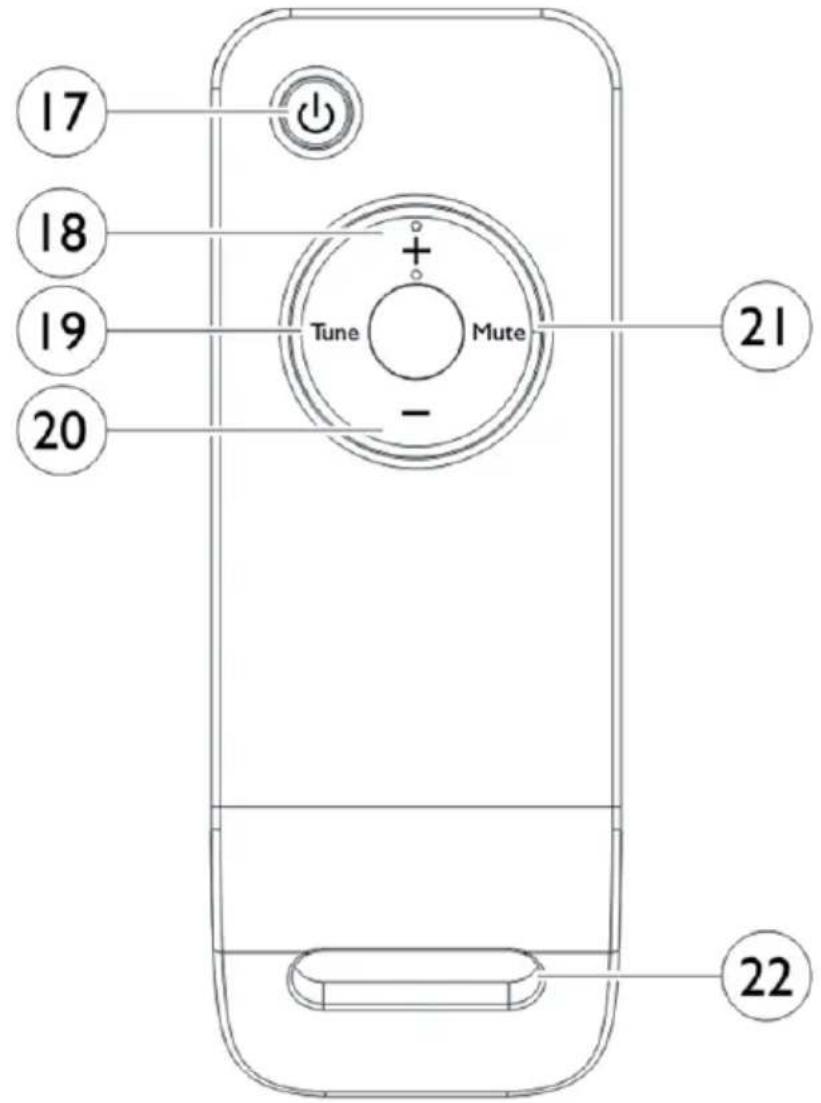
| On/Off | 17 20 VOL- | |
| VOL+ | 18 21 MUTE | |
| Tune | 19 22 Lanyard ring |
Initial Use
TRANSMITTER:
- Plug the supplied 8V AC/DC power adaptor in the DC jack located on the rear of the transmitter.
- Connect the supplied 8V AC/DC power adaptor to an electrical wall outlet. The Power LED then glows.
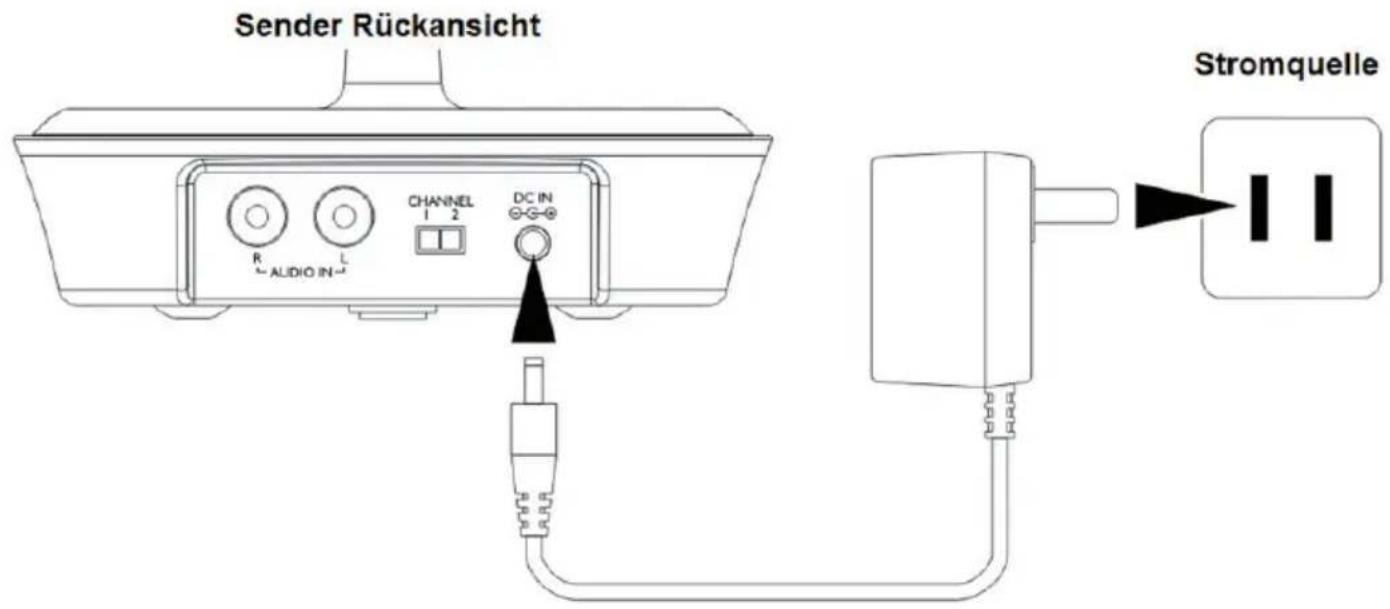
- The transmitter can be connected to audio output jack of TV, Monitor, VCR, Radio, CD, MP3/iPod, VCD or DVD players with the cables provided.

Having finished the above simple wiring, Signal LED glows when the transmitter detects audio input signal played from the source.
SPEAKERS (receivers):
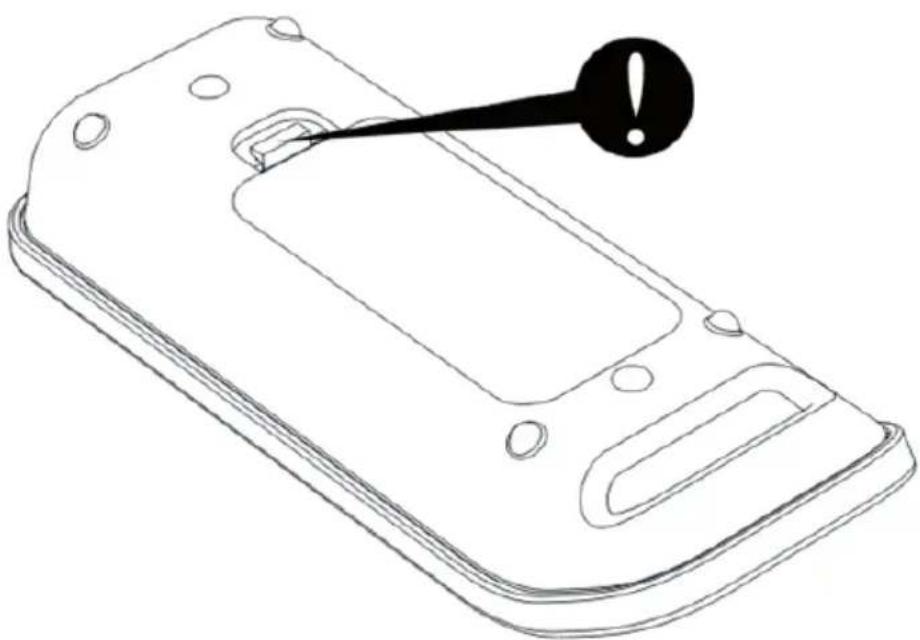
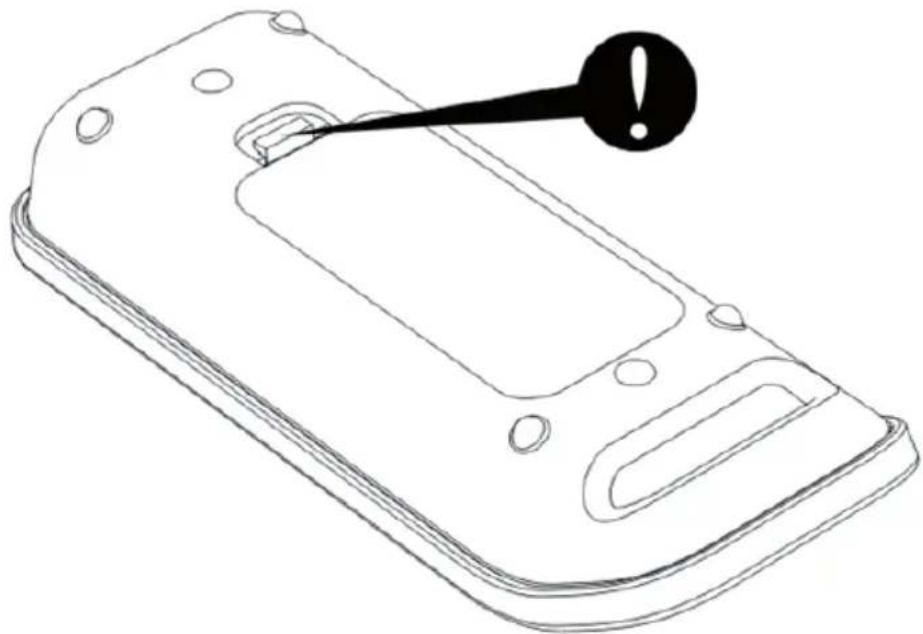
- Remove the door of the battery compartment.
- Insert 6 pieces of 'AA' size ALKALINE batteries into the battery compartment with correct polarity under the speakers, then replace the door of battery compartment, or connect the provided AC/DC 9V Adaptor to the DC input jack under the speakers, then plug it to the wall AC outlet.

REMOTE CONTROL:
natural_image
Line drawing of a mobile phone casing with a black warning symbol pointing to the screen (no text or labels present)- Remove the door of the battery compartment.
- Insert 2 x AAA 1.5V batteries (not included) into the compartment.
Operation
- Turn on the audio source to which the transmitter is connected with. The Signal LED on transmitter will light up.
- Select a channel of the transmitter for best performance in your location.
- Select the L/M/R (Left/Mono/Right) selector under the speakers, one to L (Left) and the other to R (Right) for the best stereo reception. In case the audio device only provides Mono audio signal, select to M (Mono) for the best mono reception.
- Press the "POWER" button on the speaker to turn on the speaker. Press the "TUNE" button to get the best tuning reception in the speakers. When the button is pressed, frequency tuning starts automatically and it stops when a signal is detected.
- Volume can be adjusted on the speakers by pressing the up or down buttons or by pressing " + " or " - " on the remote control.
-
Tuning:
-
Keep a distance of 7 meters between speaker and transmitter, and then press TUNE for best reception.
• Once the frequency is jammed, select another channel on the transmitter, then press TUNE again.
- Switching Off:
- For protection of the transmitter and power saving, the transmitter will cut off automatically if there is no/weak operation input signal from audio source for 4 minutes. In other words, if the signal comes back, the transmitter will work again automatically.
- Press POWER to turn off the speaker and the LED light goes off.

PLEASE NOTE:
You should now be able to place the speakers freely from room to room without disruption. If disruption should occur (signal breaks up), press the "TUNE" button under the speakers to maximize best reception. If you hear interference from other components, switch the channel control of transmitter, and then move the speakers to other free location. You can re-adjust the tuning control by moving it among channels of the transmitter, then pressing "TUNE" button of the speakers for best reception.
When transmitting / receiving over long distances, the signal from the system will become weaker.
Troubleshooting
NO SOUND
- Ensure the AC adaptor is fully inserted into the AC outlet and the power connection input on the transmitter.
- Ensure the speaker is switch ON.
Speaker's battery capacity is too low, replace with new batteries or connect the AC adaptors to the speakers. - Ensure the TV or audio component is ON.
- The connected audio / video equipment is not playing. Start playing the equipment.
- The volume of speaker is too low, adjust the volume to an appropriate level.
DISTORTED SOUND
- Press the "TUNE" button under the speakers until the frequency between the transmitter and speakers are matched.
- Change the position of the channel selector on the transmitter. You must then press the "TUNE" button on the speakers.
- Battery capacity is too low. Replace with the new battery.
- Ensure the volume level of speakers is adjusted properly.
- The speaker is too far away from transmitter, move them closer.
• The input level of the audio signal is too low. Turn up the volume of the audio source equipment.
Environment Concerns
natural_image
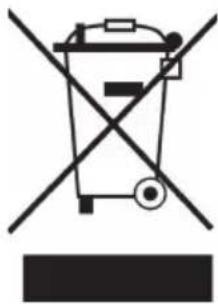
Symbol of a trash bin crossed with a diagonal line, no text or numbers presentAccording to the European waste regulation 2002/96/EG this symbol on the product or on its packaging indicates that this product may not be treated as household waste. Instead it should be taken to the appropriate collection point for the recycling of electrical and electronic equipment. By ensuring this product is disposed of correctly, you will hep prevent potential negative consequences for the environment and human health, which could otherwise be caused by inappropriate waste handling of this product. For more detailed information about recycling of this product, please contact your local council or your household waste disposal service.
Declaration of Conformity
Manufacturer: CHAL-TEC GmbH, Wallstraße 16, 10179 Berlin, Germany.
This product is conform to the following European directives:
1999/05/EC (R&TTE)
2011/65/EU (RoHS)
CE
- FERNBEDIENUNG:
- Elektroaltgeräte
- Important Safety Advice
- Small objects
- Transporting the device
- Cleaning the surface
- Technical Data
- Controls
- Initial Use
- TRANSMITTER:
- SPEAKERS (receivers):
- REMOTE CONTROL:
- Operation
- PLEASE NOTE:
- Troubleshooting
- NO SOUND
- DISTORTED SOUND
- Environment Concerns
- Declaration of Conformity
Brand : Auna
Model : Tower 70
Category : Loudspeaker