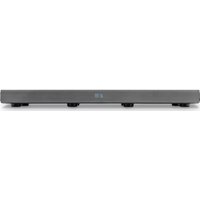
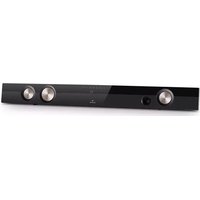
Stealth Bar 70 - Loudspeaker Auna - Free user manual and instructions
Find the device manual for free Stealth Bar 70 Auna in PDF.


| Type | Speaker |
| Model | Stealth Bar 70 |
| Brand | Auna |
| Dimensions (approx.) | 900 x 70 x 80 mm (35.4 x 2.8 x 3.1 in) |
| Weight (approx.) | 2.5 kg (5.5 lbs) |
| Power Supply | DC 5V 2A via USB or AC adapter |
| Audio Input | Bluetooth 5.0, AUX 3.5mm, USB (MP3 playback) |
| Output Power | 2 x 15W RMS (30W total) |
| Frequency Response | 60 Hz - 20 kHz |
| Remote Control | Yes, included with battery |
| Mounting Options | Tabletop or wall mount (brackets included) |
| Care Instructions | Wipe with a soft, dry cloth. Do not use harsh chemicals. |
| Safety | Keep away from moisture and heat sources. Do not disassemble. |
| Spare Parts Availability | Contact Auna support for remote or power adapter replacement. |
| General Information | Indoor use only. Operating temperature: 10-40°C. |
Frequently Asked Questions - Stealth Bar 70 Auna
User questions about Stealth Bar 70 Auna
0 question about this device. Answer the ones you know or ask your own.
Ask a new question about this device
Download the instructions for your Loudspeaker in PDF format for free! Find your manual Stealth Bar 70 - Auna and take your electronic device back in hand. On this page are published all the documents necessary for the use of your device. Stealth Bar 70 by Auna.
USER MANUAL Stealth Bar 70 Auna
natural_image
Black rectangular electronic device with textured surface and silver accent (no visible text or symbols)natural_image
Simple line drawing of a mechanical component with a downward arrow and circled number 1 (no text or symbols)
natural_image
Line drawing of a cable being inserted into a CD-ROM drive (no text or symbols)natural_image
Symbol of a trash bin crossed with a diagonal line, no text or numbers presentElektroaltgeräte
Congratulations on purchasing this product. Please read and follow these instructions, in order to avoid damaging the item. We do not cover any damages that may arise from improper use of the item or the disregard of the safety instructions.
Important Safety Advice
- Read all instructions before using.
- To protect against a fire, electric shock or personal injury, do not immerse cord, electric plugs or device in water or other liquids.
- Do not expose the appliance to extreme temperatures. The appliance shall be used in moderate climates.
- The use of attachments that are not recommended by the appliance manufacturer may result in fire, electric shock or personal injury.
- Do not open the unit by removing any cover parts. Do not attempt to repair the unit. Any repairs or servicing should be done by qualified personell only.
- Only qualified persons may perform technical work on the product. The product may not be opened or changed. The components cannot be serviced by the user. The manufacturer is not responsible for any radio or TV interference caused by unauthorized modifications.
- The appliance is not a toy. Do not let children play with it. Never let children insert foreign objects into the appliance.
- Never clean the surface of the device with solvents, paint thinners, cleansers or other chemical products. Instead, use a soft, dry cloth or soft brush.
- This appliance is to be used with 12V car power supply.
- Save these instructions.
Small objects
Keep small objects (i.e. screws, mounting material, memory cards etc.) and packaging out of the range of children. Do not let Children play with foil. Choking hazard!
Transporting the device
Please keep the original packaging. To gain sufficient protection of the device while shipment or transportation, make sure to put it back in its original packaging.
Cleaning the surface
Do not use any volatile liquids, detergents or the like. Use a clean dry cloth.
Technical Data
Article No. 10028654
General
| Power supply AC 100-240V ~ 50-60Hz |
| Power consumption 19W (Standby: <0.5W) |
| Total harmonic distortion <1% (1kHz, 1W) |
| Input sensitivity 500mV |
| Frequency response | 40Hz - 20kHz |
| Dimensions | 120 x 51 x 330mm |
Speakers
| Front speakers | 2 x 8 Ω |
| Woofer 4 Ω |
BT
| Version 3.0 |
| Range approx. 10m |
| Transmission frequency | 2.402~24.80GHz |
| Protocols A2DP/AVRCP |
Accessories
Device, remote control, user manual, RCA cable
Device Overview / Controls
Top view
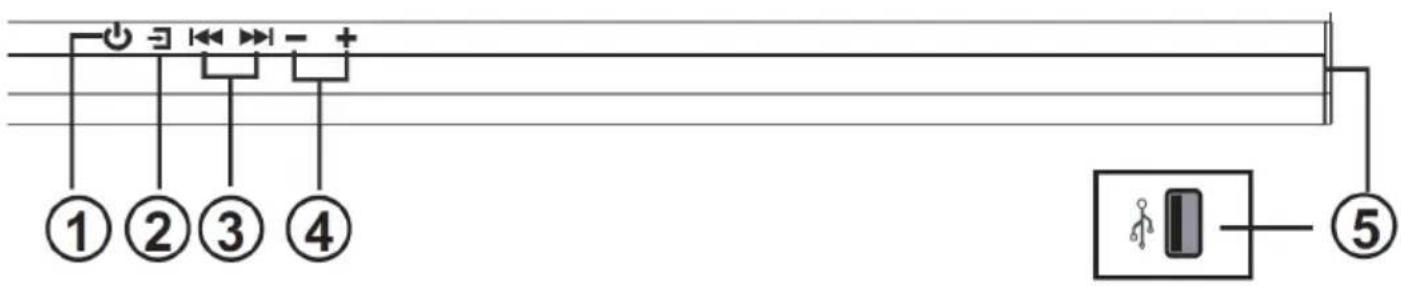
Front view

Connections (rear)

| 1 | ∅ | On / Standby |
| 2 | ∅ | Press repeatedly to choose from the connected audio sources. |
| 3 | ◀◀ ▶▶ | Previous / Next track (BT & USB)Previous / Next station (radio)Press and hold to manually tune to previous / next FM station. |
| 4 VOL +/- Change volume | ||
| 5 | USB slot. Use to charge connected devices (5V/500mA) or connect any USB drives with stored media to play over the Stealth Bar. | |
| 6 Standby LED Indicates standby | ||
| 7 IR Sensor | ||
| 8 Display | ||
| 9 Antenna Connect FM antenna here. | ||
| 10 Audio In (3.5mm) | ||
| 11 AUX In (Cinch) | ||
| 12 Coaxial Eingang | ||
| 13 | Optischer Eingang | Remove the plastic cap before initial use. |
Remote Control
General advice
- The remote control uses a CR2025 (3V) battery. Replace the battery with one of the same type as soon as the battery power has noticeably decreased.
- Batteries and rechargeable batteries may not be disposed into household waste. Dispose only regarding local laws and regulations.

natural_image
Simple line drawing of a mechanical component with a downward arrow and circled number 1 (no text or symbols)
| 1 | On / Standby | |
| 2 | VOL +/- Volume + / - | |
| 3 | MUTE Mute on/off | |
| 4 | BT/USB | Choose from USB and BT as input source. |
| 5 | FM/SCAN | Set FM radio as input source. Press and hold for automatic station scan. |
| 6 | AUDIO/AUX | Choose from AUDIO and AUX as input source. |
| 7 | OPTI/COAX | Choose optical / coaxial connection as input source. |
| 8 | PAIR | Press and hold to activate BT pairing mode or, respectively, to disconnect currently active BT connection. |
| 9 | Play/Pause (BT/USB) | |
| 10 | Next / Previous (Track/FM station) | |
| 11 | MUSIC NORMAL NEWS | Choose EQ modes, perfectly fitted to MUSIC or NEWS or switch EQ off (NORMAL). |

- The RC sensor has a reception angle of 60^ . Please note that teh operating distance may vary depending on the brightness of the room.

Connections
Mains Connection
- Risk of product damage! Ensure that the power supply voltage corresponds to the voltage printed on the rating label on the back or on the underside of the unit.
- Before connecting the AC power cord, ensure that you have completed all other connections.
- Be sure to unplug the power cord from the outlet when the system is not in use for an extended period of time.

natural_image
Line drawing of a cable being inserted into a CD-ROM drive (no text or symbols)Audio Connections
Digital inputs connection

Analogue inputs connection: RCA

Analogue inputs connection: 3.5mm audio cable
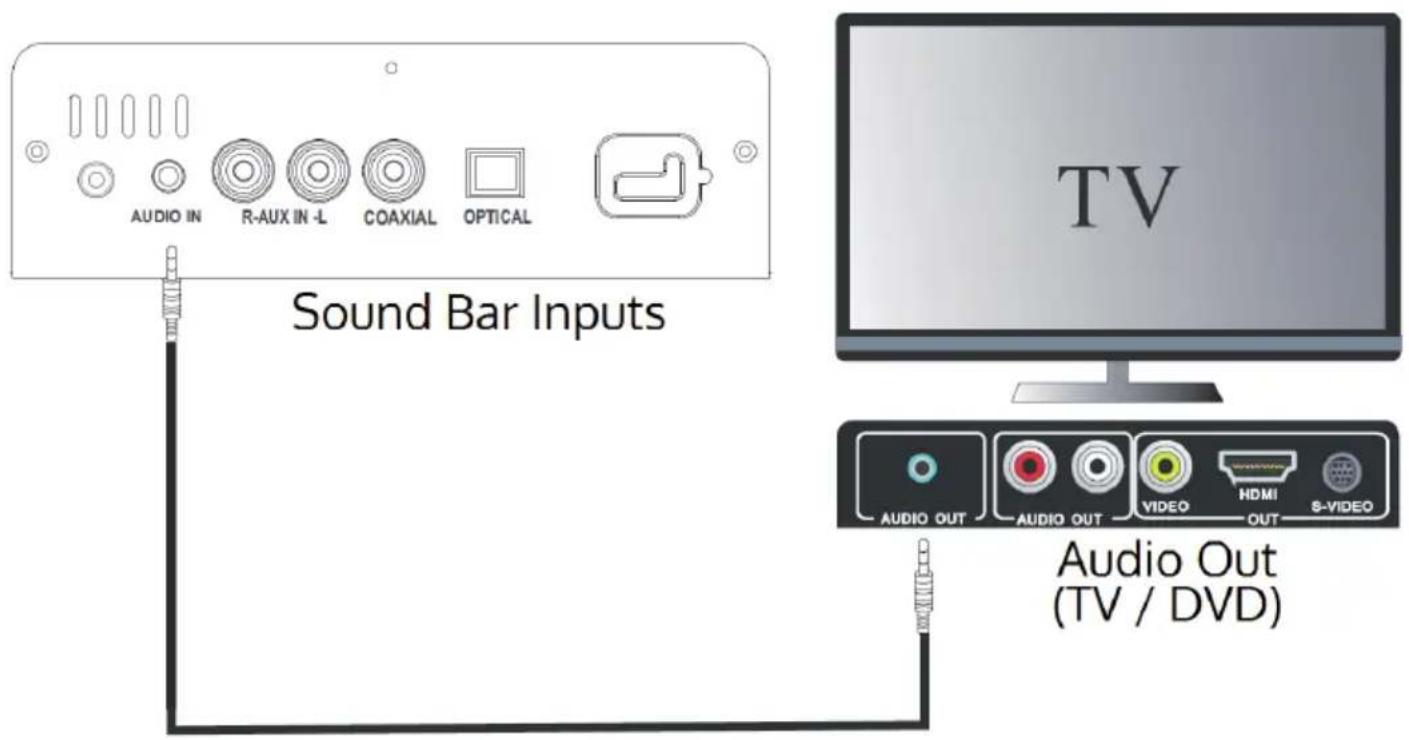
- Connect your audio sources (DVD player, TV, game console, ...) each in one of the above shown ways to the Stealth Bar 70.
• Make sure to set each of these devices to put out audio signals correspondingly. Please check user manuals or help files if necessary.
Operation
All functions of the Stealth Bar 70 can be selected and controlled via the control panel or through the corresponding buttons on the RC (see „Device Overview / Controls”).
BT
If any BT device is already connected to the Stealth Bar 70, you only need to switch input source to BT (press INPUT SOURCE (- repeatedly or switch to BT / USB with the RC).
To pair a BT device, press and hold PAIR on the RC to activate pairing mode. The sound bar should now appear in the list of found BT devices in your smart device.
The display shows „bT“ upon successful connection.
FM Radio
- Switch to FM mode by repeatedly pressing the input source button (→) or hit FM/SCAN on the RC.
- Press and hold FM/SCAN for an automatic station scan or use ◀◀ / ▶▶ to manually tune in your desired frequency.
USB
You can use the USB slot to recharge any mobile devices such as mobile phones or tablets. The connection power is 5V at 500mA.
When connecting any external players, please make sure to turn its output volume up to some extent. The energy saving feature of the Stealth Bar 70 is set to switch the device to standby after 19 minutes of no (or too low) audio input.
Trouble Shooting
| The remote control does not work • Use the remote control near to the unit. Point the remote control at the remote control sensor on the unit. Replace the batteries in the remote control with new ones. Remove any obstacles between the remote control and the unit. |
| Loud hum or noise • Maybe the plugs and sockets are dirty. Wipe them with a cloth slightly moistened with an appropriate non-abrasive cleaning solution. |
| The unit does not respond when pressing any buttons The unit may freeze up during use. Switch off and then switch on the unit again at the mains socket to reset it. |
| No sound • Make sure that the unit is not muted. Press MUTE or VOL + to resume normal listening. Ensure that the audio setting of the input source (e.g. TV, game console, DVD player, etc.) is set to PCM mode while using Optical connection. |
| I can’t find the BT name of this unit on my BT device for BT pairing Ensure that the unit is switched on. Ensure that the BT function is activated on your BT device. The unit has a BT function that can receive a signal within 8 metres. Keep a distance within 8 metres both devices. |
| The unit switches off automatically during playing | Please increase the volume level on your input source player like DVD player / TV etc. |
Environment Concerns
natural_image
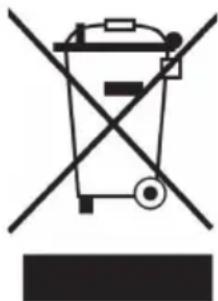
Symbol of a trash bin crossed with a diagonal line, no text or numbers presentAccording to the European waste regulation 2002/96/EG this symbol on the product or on its packaging indicates that this product may not be treated as household waste. Instead it should be taken to the appropriate collection point for the recycling of electrical and electronic equipment. By ensuring this product is disposed of correctly, you will hep prevent potential negative consequences for the environment and human health, which could otherwise be caused by inappropriate waste handling of this product. For more detailed information about recycling of this product, please contact your local council or your household waste disposal service.
Declaration of Conformity
Producer: CHAL-TEC Vertriebs- + Handels GmbH, Wallstraße 16, 10179 Berlin, Germany.
This product is conform to the following European directives:
2004/108/EC (EMC)
2011/65/EU (RoHS)
2006/95/EC (LVD)
CE
- Elektroaltgeräte
- Important Safety Advice
- Small objects
- Transporting the device
- Cleaning the surface
- Technical Data
- Accessories
- Device Overview / Controls
- Remote Control
- General advice
- Connections
- Mains Connection
- Audio Connections
- Operation
- BT
- FM Radio
- USB
- Trouble Shooting
- Environment Concerns
- Declaration of Conformity
Brand : Auna
Model : Stealth Bar 70
Category : Loudspeaker