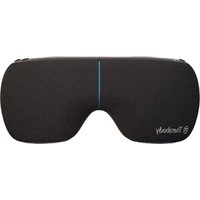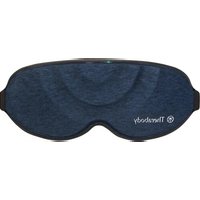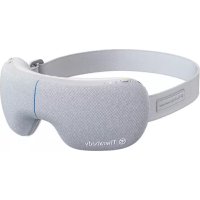
Smart Goggles - Massage device THERAGUN - Free user manual and instructions
Find the device manual for free Smart Goggles THERAGUN in PDF.


| Product Type | Smart Eye Massage Device |
| Brand | Theragun (Therabody) |
| Model | Smart Goggles |
| Dimensions (approx.) | 20 x 15 x 10 cm |
| Weight (approx.) | 200 g |
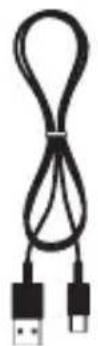
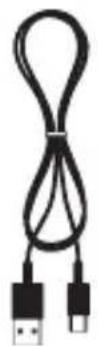
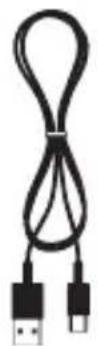
| Power Supply | Rechargeable battery via USB-C (USB-C to USB-A cable included) |
| Battery Life (approx.) | 2 to 3 sessions (depending on intensity) |
| Massage Modes | SmartRelax, Concentration, Sleep |
| Features | Air massage, vibration (3 levels), heat (3 levels) |
| Technology | SmartSense™ (biometrics for personalization) |
| Vibration Levels | Low intensity, high intensity, wave |
| Heat Levels | Low, medium, high |
| Care and Cleaning | Clean with a non-abrasive, lint-free cloth, slightly damp if necessary; do not immerse or machine wash |
| Safety | Do not use the device while charging; use only certified chargers |
| Box Contents | SmartGoggles, USB-C cable, soft case, instruction manual |
Frequently Asked Questions - Smart Goggles THERAGUN
User questions about Smart Goggles THERAGUN
0 question about this device. Answer the ones you know or ask your own.
Ask a new question about this device
Download the instructions for your Massage device in PDF format for free! Find your manual Smart Goggles - THERAGUN and take your electronic device back in hand. On this page are published all the documents necessary for the use of your device. Smart Goggles by THERAGUN.
USER MANUAL Smart Goggles THERAGUN
Relaxation meets relief.
From the creators of Theragun® comes SmartGoggles, a science-backed wearable that combines gentle heat, targeted vibration, and soothing massage with SmartSense Technology™, which uses your biometric data to personalize your experience and maximize your results. With three unique modes-Focus, SmartRelax, and Sleep-SmartGoggles target pressure points to ease tension, relieve eye strain, ease discomfort related to headaches and migraines, and improve sleep quality.
natural_image
Line drawing of a Therabody VR headset with visible branding (no text or symbols on the device itself)Intended Use
SmartGoggles intend to deliver relief to the eyes and head to promote relaxation and sleep. Combining vibration with a gentle massage increases blood circulation to the eyes, reducing eye strain and irritation. Strengthen the connection between the mind and body with SmartGoggles.

Getting started
Step 1
Use your device
-
Place the device on clean, dry skin. Remove makeup, eyeglasses, and contact lenses prior to SmartGoggles use.
-
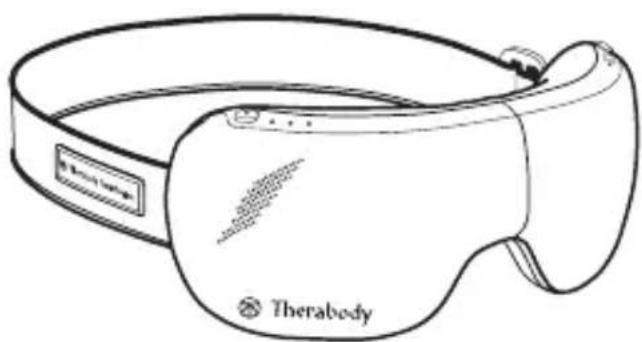
Place SmartGoggles on your head. The Therabody SmartGoggles should perfectly align with your temples and sit comfortably on your nose bridge. The heart rate sensor should maintain contact with your cheekbone.
-
Keep your eyes closed during the treatment. Avoid frequent movement during treatment as it may impact heart rate tracking.
-
Long Press the Power Button to switch ON SmartGoggles. Adjust the strap to fit comfortably on your head.
-
Short Press the Power Button to toggle through the different modes, SmartRelax, Sleep, and Focus.
-
Short Press the Vibration Button to toggle through the three vibration patterns. Long Press the vibration button to stop the vibration.
-
Short Press the Heating Button to toggle through the three heating patterns. Long Press the heating button to stop the heating.
-
Long press the Power Button to turn off SmartGoggles. Make sure the Battery status LED is OFF.
Step 2
Feel the difference.® Every day.
Whether used for alleviating eye strain or for general relaxation, SmartGoggles will help you feel your best.
See Warnings for important safety instructions
Scan the QR code to get started.
Getting to know your wearable device
EN
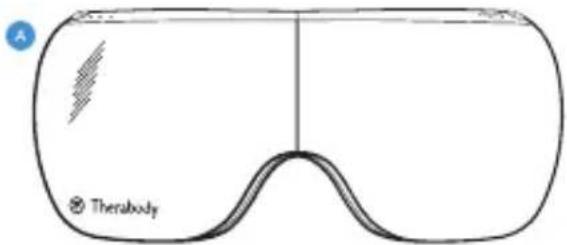
SmartGoggles device
B USB-C cable
c Soft case
D Instruction manual
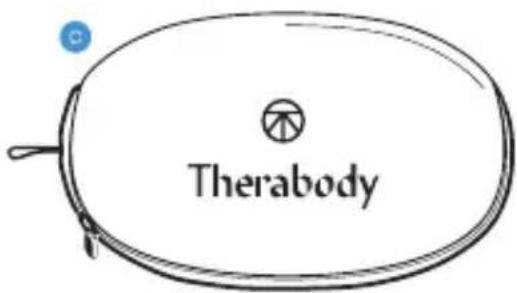
D
natural_image
Line drawing of a medical device with a labeled 'Therabody' and a blue circular icon (no text or symbols on the device itself)B
EN
Modes Overview
SmartGoggles has three strategically designed presets, SmartRelax, Sleep, and Focus.

Mode 1 - SmartRelax: SmartRelax promotes relaxation by gently massaging the eye area. SmartRelax's vibration pattern reflects your heart rate, designed to optimize relaxation quickly.
Mode 2 - Focus: Focus aids in relaxation by releasing tension between the eyebrows. The single vibration pattern is intended to relax the mind and aid focus while heat is delivered to the eye area.
Mode 3 - Sleep: Sleep gently massages the temples and delivers slow-wave vibration to promote sleepiness.
SmartGoggles has three key features: air massage, heat, and vibration. Heat and vibration each have three intensity levels:
- Three vibration settings: low intensity, high intensity, wave
- Three heat settings: low, medium, high
natural_image
Simple line drawing of a fish head with marked eye and tail (no text or symbols)Charging
• SmartGoggles are USB-C enabled.
- SmartGoggles include a Therabody USB-C to USB-A cable.
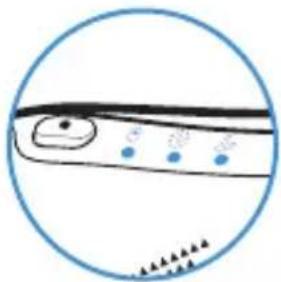
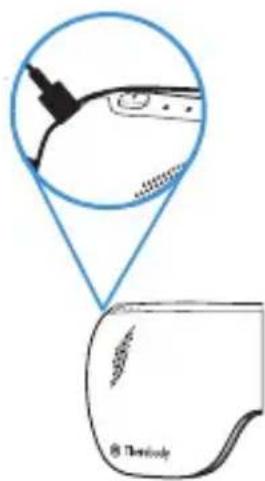
- The USB port is located on the side of the device, behind the Power Button.
- Ensure that the battery status LED light is OFF before charging.
- Insert the USB-C cable into the port to charge SmartGoggles.
- The battery level is displayed in the LED indicator on the battery, next to the USB-C connector:
- Orange: low charge, blue: mid charge, green: fully charged.
- When charging, the LED will flash to indicate it is properly connected and will turn solid green when complete.
Note: If using a charger from a third party, ensure that it is from a certified manufacturer and has not suffered any structural damage. Do not try to use the device while charging.
Cleaning Instructions:
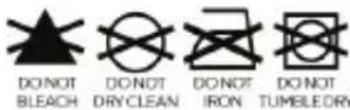
- To clean, wipe the inner fabric of your SmartGoggles with a non-abrasive, lint-free cloth.
- Lightly dampen a non-abrasive, lint-free cloth with water or an alcohol-based solution to clean if necessary.
- Dry SmartGoggles with a non-abrasive, lint-free cloth.
- SmartGoggles are NOT waterproof or machine washable. Do not allow excess liquids or water to enter the product.
DE
Produktübersicht
SmartGoggles
natural_image
Line drawing of a Therabody VR headset with labeled buttons (no text beyond branding)Scan the QR code to get started.
natural_image
Simple line drawing of a fish head inside a circular frame (no text or symbols)natural_image
Line drawing of a Therabody VR headset with labeled buttons (no text beyond labels)Scan the QR code to get started.
natural_image
Line drawing of a Therabody VR headset with a wavy grip and blue indicator light (no text or symbols on the device itself)日
Aperçu des modes
natural_image
Simple line drawing of a fish inside a circular frame (no text or symbols)Rechargement :
natural_image
Line drawing of a Therabody VR headset with labeled buttons (no text beyond branding)Uso previsto
Scan the QR code to get started.
Uso del dispositivo
natural_image
Simple line drawing of a fish inside a circle, showing eye, mouth, and tail (no text or symbols)Per ricaricare
IT
Uso previsto
Scan the QR code to get started.
Uso del dispositivo
natural_image
Line drawing of a Therabody VR headset with a curved body and screen (no text or symbols on the device itself)日
natural_image
Simple line drawing of a fish head inside a circular frame (no text or symbols)Batería y carga
natural_image
Line drawing of a Therabody VR headset with visible branding (no text or symbols on the device itself)Gebruiksdoel
Scan the QR code to get started.
natural_image
Simple line drawing of a fish head inside a circular frame (no text or symbols)Opladen
NL
natural_image
Line drawing of a Therabody VR headset with no visible text or symbols on the device itselfUtilização prevista
Scan the QR code to get started.
natural_image
Simple line drawing of a fish head inside a circular frame (no text or symbols)Carregamento
natural_image
Line drawing of a Therabody VR headset with visible branding (no text or symbols on the device itself)Scan the QR code to get started.
natural_image
Coiled black cable with two USB connectors (no text or symbols visible)natural_image
Simple line drawing of a fish head inside a circular frame (no text or symbols)Зарядка
Born in Los Angeles, CA.
Designed for everybody.


@Therabody