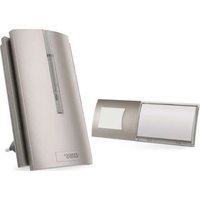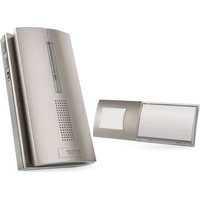
P5750T - Doorbells Emos - Free user manual and instructions
Find the device manual for free P5750T Emos in PDF.



User questions about P5750T Emos
0 question about this device. Answer the ones you know or ask your own.
Ask a new question about this device
Download the instructions for your Doorbells in PDF format for free! Find your manual P5750T - Emos and take your electronic device back in hand. On this page are published all the documents necessary for the use of your device. P5750T by Emos.
USER MANUAL P5750T Emos
natural_image
Technical line drawing of a mechanical component with a circular feature and labeled part '3' (no text or symbols beyond label)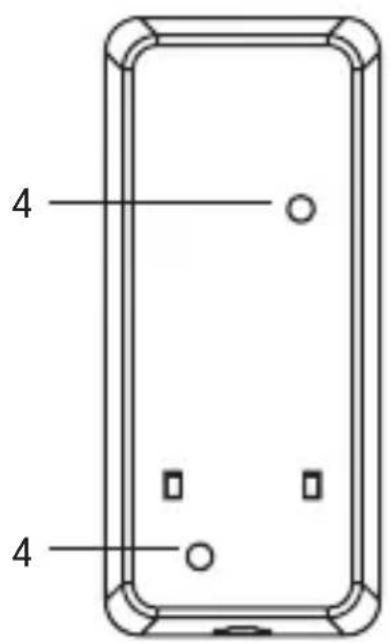
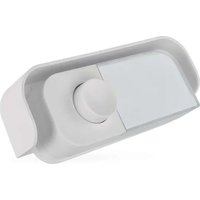
GB | Replacement Button
Designed for wireless doorchimes P5750, P5750.2R, P5750.2T.
Specifications
Transmission range: up to 150 m in an open area (can drop down to one fifth in a busy area)
Transmission frequency: 433.92 MHz, 10 mW e.r.p. max.
Button: water resistant; IP44 enclosure rating
Pairing the chime with buttons: self-learning function
Button power supply: battery-free
Includes: double-sided adhesive tape
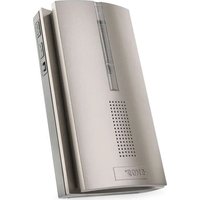
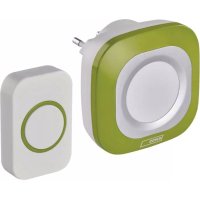
Chime Description (see Fig. 1)
1 - bell LED
3 - ringtone change
2 - pairing/volume setting button
4 – speaker
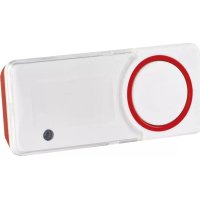
Button Description (see Fig. 2)
1 - button LED
4 – openings for mounting onto a wall
2 - ring button
3 – hole for opening the battery cover
Pairing the Button with the Chime
- Plug the chime(s) into a socket.
- Then, long-press the pairing button on the chime for ca. 5 seconds.
- The chime LED will light up; release the button. The chime will switch to self-learning pairing mode which lasts for 25 seconds. During this time, press the ring button. The chime will ring and the button is now paired
with the chime. This automatically ends self-learning mode (chime LED turns off).
- To pair multiple buttons, repeat the process for each button from step 1. Note: The chime has an internal memory where it stores the codes of the currently paired buttons for the event of a power failure. There is thus no need to pair buttons again after a power failure.
Erasing the Memory of Paired Buttons
Press and hold the pairing button on the chime. Plug the chime into a socket. The LED of the chime will light up after ca. 5 seconds. Release the button. The LED will turn off. The memory of all paired buttons will be erased.
Installing the Doorbell Button (Transmitter)
- First, pair the button with the chime.
- Before installation, check that the pair works reliably in the chosen spot.
- Remove the rear cover by inserting a screwdriver into the hole on the side of the button.
- Use the double-sided adhesive tape (included) or two screws to fix the rear portion of the cover to the wall. Although the button is weather-resistant, choose a location where it is protected, e.g. in a wall recess.
- Re-assemble the button.
- Press the button to ring the chime. Pressing is accompanied by flashing of an LED, indicating the button has sent a radio signal. The chime will play the selected ringtone and its LED will flash.
Note: The doorbell button (transmitter) can be placed on wood or brick walls without issue. However, never place the button directly onto metal objects or materials containing metal, such as plastic windows or doors that have a metal frame. In such cases, the transmitter will not work properly.
Upkeep and Maintenance
The wireless digital doorchime is a sensitive electronic device. Therefore, it is necessary to observe the following precautions:
- The chime (receiver) is designed for indoor use in dry environments only.
- The chime must be located in an easily accessible location for ease of handling and unplugging.
- Periodically check the functionality of the doorbell button and replace the battery in time.
- Do not expose the button or chime to excessive vibrations and shocks.
- Do not expose the button or chime to excessive heat and direct sunlight or moisture.
- When cleaning the chime, unplug it from the socket.
- To clean the device, use a slightly moistened cloth with a small amount of detergent; do not use aggressive cleaning agents or solvents.
- This device is not intended for use by persons (including children) whose physical, sensory or mental disability or lack of experience and expertise prevents safe use, unless they are supervised or instructed in the use of the appliance by a person responsible for their safety. Children must always be supervised to ensure they do not play with the device.
Hereby, EMOS spol. s r. o. declares that the radio equipment type P5750T is in compliance with Directive 2014/53/EU. The full text of the EU declaration of conformity is available at the following internet address: http://www.emos.eu/download.
1 – LED dioda zvonku
3 – změny melodie
1 – LED dioda zvonca
3 – sprememba melodije