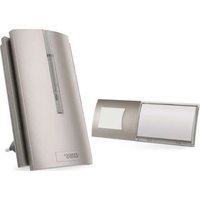
P5760N - Doorbells Emos - Free user manual and instructions
Find the device manual for free P5760N Emos in PDF.


| Product type | Wireless doorbell with indoor chime and outdoor button |
| Chime power supply | 230 V AC / 50 Hz |
| Button power supply | 1 x 3 V battery (CR2032, included) |
| Signal range in open field | Up to 180 m |
| Range in built environment | Approximately 20% of open field range (≈ 36 m) |
| Transmission frequency | 433.92 MHz, max. 10 mW e.r.p. |
| Number of melodies | 16 selectable melodies |
| Pairing capacity | Up to 8 buttons per chime |
| Button protection rating | IP44 (splash-proof) |
| Special functions | Auto-learning, repeater mode (range extension), memory in case of power failure |
| Chime settings | Volume (100%, 75%, 50%, 25%, 0%), ringing mode (sound, optical, sound+optical) |
| USB-C connector (chime) | Output 5 V DC/3 A/15 W, 9 V DC/2.2 A/20 W, 12 V DC/1.67 A/20 W max. |
| Package contents | Chime, button, CR2032 battery, double-sided adhesive tape, screws, manual |
| Chime usage | Indoor use only, must remain accessible |
| Maintenance and cleaning | Unplug the chime, clean with a soft damp cloth and a little soap. Do not use solvents |
| Safety | Do not expose to shocks, high temperatures, or humidity. Keep out of reach of children. Batteries: do not throw into fire, do not disassemble |
| Compliance | Directive 2014/53/EU, declaration available at emos.eu |
Frequently Asked Questions - P5760N Emos
User questions about P5760N Emos
0 question about this device. Answer the ones you know or ask your own.
Ask a new question about this device
Download the instructions for your Doorbells in PDF format for free! Find your manual P5760N - Emos and take your electronic device back in hand. On this page are published all the documents necessary for the use of your device. P5760N by Emos.
USER MANUAL P5760N Emos
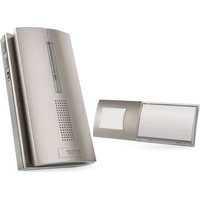
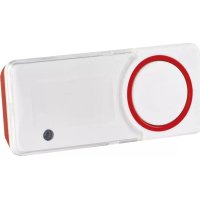
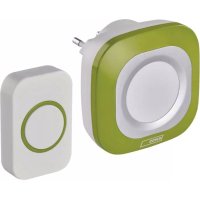
The set consists of a doorchime button (transmitter) and a chime (receiver). The chime is deigned for constant connection to a 230 V AC/50 Hz power network. The transmission between the button and the chime is done via radio waves at a frequency of 433.92 MHz. The range depends on local conditions and reaches up to 180 m in open spaces without interference.
The set has a so-called „self-learning“ function – the button is able to generate its own pairing code which is then received by the chime and stored in its memory. The set can thus be expanded with additional buttons. Their „self-learning“ function also prevents them from affecting neighbouring doorchimes.
The range of the button can be extended using the „repeater“ function (signal repeater).
For proper usage of the wireless doorchime, read the instruction manual thoroughly.
Technical Specifications
Transmission range: up to 180 m in an open area (can drop down to one fifth in a busy area)
Button: water resistant; enclosure IP44
Pairing of chime and buttons: „self-learning“ function
Pairing capacity: maximum of 8 buttons per 1 chime
Number of ringtones: 16
Transmission frequency: 433.92 MHz, 10 mW e.r.p. max.
Chime power supply: 230 V AC/50 Hz
Button power supply: 1×3 V battery (type CR2032, included)
USB-C output: 5 V DC/3 A/15 W, 9 V DC/2.2 A/20 W, 12 V DC/1.67 A/20 W max.
Includes: double-sided adhesive tape, screws
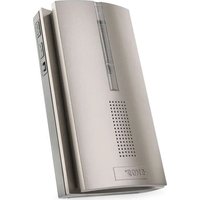
Chime Description (see Fig. 1)
1 - chime LED
2 - ringing mode button
3 - volume settings button
4 - repeater button (signal repeating)
5 – speaker
6 - USB-C connector (used for charging compatible devices, see Technical Specifications).
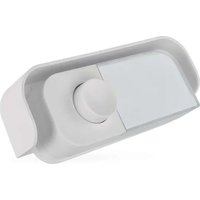
Button Description (see Fig. 2)
A - battery
B – button for changing ringtone/erasing memory of paired buttons
C - ring button/LED
Opening the Rear Compartment of the Button (see Fig. 3)
Pairing the Button with the Chime
-
Remove the rear cover of the button with a screwdriver through the hole on the side (see Fig. 3). Insert a 3 V battery, type CR2032, into the button. When inserting the battery, make sure to observe correct polarity (+ polarity up)!
-
Plug the chime into a 230 V AC/50 Hz socket. You will hear a „ding dong“ tone.
The chime automatically switches to „self-learning“ mode which lasts for 60 second.
-
During these 60 seconds, press the button you want to pair with the chime. If the chime receives signal from the button, a tone will sound, the button will pair with the chime and the self-learning mode will automatically end.
-
For pairing multiple buttons, repeat steps 1 to 3.
Note: Before pairing each button, the chime must be put into self-learning mode – unplug and plug into a 230 V socket.
You can pair a maximum of 8 buttons per chime this way.
Note: The chime has an internal memory where it stores the codes of the currently paired buttons for cases of power failure. Once power supply to the chime is restored, the chime will automatically enter self-learning mode for 60 seconds. However, if no signal is received within these 60 seconds (new pairing is not performed), the chime will automatically load the codes of the previously paired buttons after self-learning mode ends. There is thus no need to pair buttons again after a power failure.
Wiping the Memory of Paired Buttons
Remove the rear cover of the button with a screwdriver through the hole on the side.
-
Set the chime to pairing mode – unplug the chime from the socket and replug it again; a tone will sound.
-
Press button B in the battery compartment of the button within 60 seconds since replugging the chime – the LED indicator on the chime and the button will flash and a tone will sound.
This will erase the memory of ALL paired buttons.
- Re-assemble the button.
Ringtone Selection
You can change the ringtone at any time. The pairing of the chime with a button is not affected by ringtone change.
- Remove the rear cover with a screwdriver through a hole on the side of the button.
- Repeatedly press the B button on the printed circuit of the button. Each press will play a different ringtone.
- You can set a different ringtone for each paired button to better identify which button was pressed to ring the chime.
- Re-assemble the button.
Setting Chime Volume
Repeatedly press the button located on the side of the chime.
Each press will set a different volume level in the following order:
100% - 75% - 50% - 25% - 0% - 25% - 50% - 75% - 100%
Setting Ringing Mode
Repeatedly press the button located on the side of the chime.
Each press sets a different ringing mode:
- Acoustic signalisation only
- Optical signalisation only
- Acoustic + optical signalisation
Note: Acoustic + optical signalisation is the default mode.
This mode will be set automatically if power supply to the chime is interrupted.
Repeater Mode (Signal Repeater)
Signal transmission may be unreliable if the chime is too far away from the button or if there is a source of electromagnetic interference in the vicinity.
The repeater mode serves to extend the range of the chime.
Setting Repeater Mode
First pair the basic set of receiver (first in order) + button.
Set a new receiver (second in order) to self-learning mode – plug into a socket.
The new receiver will be in pairing mode for 60 seconds.
Switch the button on the first receiver to position I; the receiver will send a signal to the second receiver. The second receiver will receive the signal and the LED will flash + a tone will sound. Both receivers are now interconnected.
When the outdoor button is pushed, the first receiver will ring first, then forward the signal to the second receiver, which will then also ring.
All paired receivers will play the same ringtone upon ringing.
Repeater mode is indicated upon sending signal to the next receiver by flashing of red LED.
You can pair an unlimited number of receivers into repeater mode.
Repeat the same procedure (activating pairing mode) for pairing each additional new receiver and the last receiver in the line (switching the button to position I).
All paired receivers are in parallel connection.
It is thus necessary that each paired receiver is powered throughout for the repeater function to work properly.
Deactivating Repeater Mode
Switch the button to position 0 on the chosen receiver.
The receiver will not forward signal to other paired receivers in the line upon ringing – the receivers after it will not ring.
Installation of the Doorchime (Transmitter) Button
- Begin by pairing the button with the chime.
- Before installation, verify the reliable functioning of the set in the chosen spot.
- Remove the rear cover with a screwdriver through a hole on the side of the button.
- Use the double sided adhesive tape (included) or two screws to fix the rear portion of the cover to the wall. Although the button is weather resistant, choose a location where it is protected, e.g. in a wall recess.
- Re-assemble the button.
- Press the button to ring the chime. Pressing is accompanied by LED illumination indicating the button has sent a radio signal. The chime plays the selected melody.
Note: The doorchime button (transmitter) can be placed on wood or brick walls without issue. However, never place the button directly onto metal objects or materials containing metal, such as plastic window or door structures that have a metal frame. In such cases, the transmitter will not work properly.
Installing the Chime (Receiver)
- The chime is intended for indoor use only. When running, it must be plugged in a 230 V AC/50 Hz socket and with free space around it so that it is always accessible.
- The transmission range (max. 180 m) is influenced by local conditions, such as the number of walls through which the signal passes, metal door frames and other elements which affect the transmission of radio signals (presence of other radio devices operating at a similar frequency, such as wireless thermometers, gate controls etc.). The transmission range can decrease drastically due to these factors.
Troubleshooting
The chime is not ringing:
- The chime may be out of range.
- Change the distance between the button and the chime; the range may be affected by local conditions.
- The chime battery may be flat.
- Replace the battery. Make sure it has the correct polarity. Pair the button with the chime again.
- The chime is not powered.
- Make sure the chime is properly inserted in the socket and that the power is running or the fuse/circuit breaker for the electric network section is on.
Upkeep and Maintenance
The wireless digital doorchime is a sensitive electronic device. Therefore, it is necessary to observe the following precautions:
- The chime (receiver) is designed for interior use in dry environments only.
- The chime must be located in an easily accessible location for ease of handling and unplugging.
- Periodically check the functionality of the doorchime button and replace the battery in time. Use only quality alkaline batteries with the prescribed parameters.
-
When the doorchime is not used for a long time, remove the battery from the doorchime button.
-
Do not throw batteries into fire, disassemble or short-circuit.
- Keep out of reach of children. Ingestion can lead to chemical poisoning, soft tissue perforation and death. Severe poisoning may occur within two hours of trouble. Seek immediate medical attention.
- Do not expose the chime to excessive vibrations and shocks.
- Do not expose the chime to excessive heat and direct sunlight or moisture.
- When cleaning the chime, unplug it from the socket.
- For cleaning, use a slightly moistened cloth with a small amount of detergent; do not use aggressive cleaning agents or solvents.
This device is not intended for use by persons (including children) whose physical, sensory or mental disability or whose lack of experience or knowledge prevents them from using it safely. Such persons should be instructed as to how to use the device and supervised by a person responsible for their safety. Children must always be supervised and must never play with the device.
Hereby, EMOS spol. s r. o. declares that the radio equipment type P5760N is in compliance with Directive 2014/53/EU. The full text of the EU declaration of conformity is available at the following internet address: http://www.emos.eu/download.
1 - LED dioda zvonku
- Technical Specifications
- Chime Description (see Fig. 1)
- Button Description (see Fig. 2)
- Opening the Rear Compartment of the Button (see Fig. 3)
- Pairing the Button with the Chime
- Wiping the Memory of Paired Buttons
- Ringtone Selection
- Setting Chime Volume
- Setting Ringing Mode
- Repeater Mode (Signal Repeater)
- Setting Repeater Mode
- Deactivating Repeater Mode
- Installation of the Doorchime (Transmitter) Button
- Installing the Chime (Receiver)
- Troubleshooting
- The chime is not ringing:
- Upkeep and Maintenance
Brand : Emos
Model : P5760N
Category : Doorbells