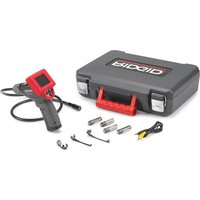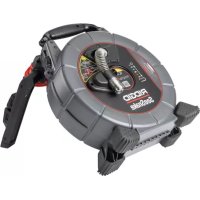
SeeSnake CSx Via - Video camera RIDGID - Free user manual and instructions
Find the device manual for free SeeSnake CSx Via RIDGID in PDF.


| Product Type | Inspection Video Camera |
| Brand | RIDGID |
| Model | SeeSnake CSx Via |
| Dimensions (L x D x H) | 149 mm x 106 mm x 126 mm |
| Weight (with cover) | 0.38 kg |
| Power source | 18 V Li-ion battery or Lucid 18.5 V lithium polymer battery |
| Connectivity | Bluetooth Low Energy (BLE), Wi-Fi 802.11 b/g/n and a/n/ac |
| Operating temperature range | -10 °C to 50 °C |
| Storage temperature | -20 °C to 60 °C |
| Relative humidity | 5 % to 95 % |
| Compatible applications | SeeSnake HQx Live (iOS/Android), SeeSnake HQ (Windows) |
| Drum compatibility | Compatible with most SeeSnake drums; requires CSx Via support for Standard or Mini drums |
| Main functions | Live video streaming, image and video capture, media sharing, distance measurement |
| Key buttons | Power, Zero (measurement), Probe (enable/disable) |
| Status LED | Wi-Fi LED, Probe LED, Power/Start LED |
| Power states | On, Off, Sleep mode |
| Maintenance and cleaning | Clean with a dry cloth; do not use abrasive products; have repairs done by an authorized RIDGID service center. |
| Safety | Wear safety glasses; avoid explosive atmospheres; use a GFCI circuit breaker in wet environments; follow battery handling instructions. |
| Spare parts and repairability | Removable battery; repair only by authorized RIDGID service center; do not open the device. |
| Regulatory information | Compliant with FCC Part 15; Directive 2014/53/EU; contains transmitter modules FCC ID: TFB-1004 and X8WBM832. |
Frequently Asked Questions - SeeSnake CSx Via RIDGID
User questions about SeeSnake CSx Via RIDGID
0 question about this device. Answer the ones you know or ask your own.
Ask a new question about this device
Download the instructions for your Video camera in PDF format for free! Find your manual SeeSnake CSx Via - RIDGID and take your electronic device back in hand. On this page are published all the documents necessary for the use of your device. SeeSnake CSx Via by RIDGID.
USER MANUAL SeeSnake CSx Via RIDGID
- Français – 13
- Español – 25

WARNING!
Read this Operator's Manual carefully before using this tool. Failure to understand and follow the contents of this manual may result in electrical shock, fire, and/or serious personal injury.



For support and additional information about using your CSx Via go to support.seesnake.com/csxvia or scan this QR code.
Table of Contents
Introduction
Regulatory Statements....3
Safety Symbols.... 3
General Safety Rules
Work Area Safety....4
Electrical Safety 4
Personal Safety 4
Equipment Use and Care 5
Battery Use and Care 5
Pre-Operation Inspection....6
Description
Specifications 7
Components 8
Operation
Installation 8
Removal....8
Key Functions 9
LED Behaviors....9
Power States....10
Maintenance and Support
Support.... 10
Transport and Storage....10
Service and Repair....11
Disposal....11
*Original Instructions – English
Introduction
The warnings, cautions, and instructions discussed in this manual cannot cover all possible conditions and situations that may occur. It must be understood by the operator that common sense and caution are factors that cannot be built into this product, but must be supplied by the operator.
Regulatory Statements
The EC Declaration of Conformity (890-011-320.10) will accompany this manual as a separate booklet when required.
| Directive 2014/53/EU | |
| Radio Operating Spectrum / Power | |
| BluetoothLowEnergy(BLE) | 2400 – 2483.5 MHz 5.44 dBm |
| Wi-Fi802.11b/g/n | 2400 – 2483.5 MHz 15.43 dBm |
| Wi-Fi802.11a/n/ac | 5470 – 5725 MHz 18.65 dBm |

This device complies with Part 15 of FCC rules. Operation is subject to the following two conditions: (1) This device may not cause harmful interference, and (2) this device must accept any interference received, including interference that may cause undesired operation.
Contains Transmitter Modules: FCC ID: TFB-1004 / IC: 5969A-1004 and FCC ID: X8WBM832 / IC: 4100A-BM832
Safety Symbols
In this manual and on the product, safety symbols and signal words are used to communicate important safety information. This section is provided to improve understanding of these signal words and symbols.

This is the safety alert symbol. It is used to alert you to potential personal injury hazards. Obey all safety messages that follow this symbol to avoid possible injury or death.

DANGER
DANGER indicates a hazardous situation which, if not avoided, will result in death or serious injury.

WARNING
WARNING indicates a hazardous situation which, if not avoided, could result in death or serious injury.

CAUTION
CAUTION indicates a hazardous situation which, if not avoided, could result in minor or moderate injury.
NOTICE
NOTICE indicates information that relates to the protection of property.

This symbol means read the operator's manual carefully before using the equipment. The manual contains important information on the safe and proper operation of the equipment.

This symbol means always wear safety glasses with side shields or goggles when handling or using this equipment to reduce the risk of eye injury.
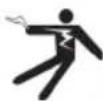
This symbol indicates the risk of electrical shock.

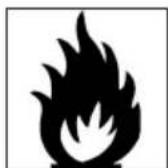
This symbol indicates the risk of fire.
General Safety Rules

WARNING
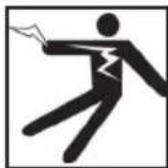

Read all safety warnings and instructions. Failure to follow the warnings and instructions may result in electrical shock, fire, and/or serious injury.
SAVE THESE INSTRUCTIONS!
Work Area Safety
- Keep your work area clean and well lit. Cluttered or dark areas invite accidents.
- Do not operate equipment in explosive atmospheres, such as in the presence of flammable liquids, gases, or dust. Equipment can create sparks which may ignite the dust or fumes.
- Keep children and bystanders away while operating equipment. Distractions can cause you to lose control.
- Avoid traffic. Pay attention to moving vehicles when using on or near roadways. Wear high-visibility clothing or reflector vests.
Electrical Safety
- Avoid body contact with earthed or grounded surfaces such as pipes, radiators, ranges, and refrigerators. There is an increased risk of electrical shock if your body is earthed or grounded.
- Do not expose equipment to rain or wet conditions. Water entering equipment will increase the risk of electrical shock.
- Keep all electrical connections dry and off the ground. Touching equipment or plugs with wet hands can increase the risk of electrical shock.
- If operating equipment in a damp location is unavoidable, use a ground fault circuit interrupter (GFCI) protected supply. Use of a GFCI reduces the risk of electrical shock.
Personal Safety
- Stay alert, watch what you are doing, and use common sense when operating equipment. Do not use equipment while you are tired or under the influence of drugs, alcohol, or medication. A moment of inattention while operating equipment may result in serious injury.
- Dress properly. Do not wear loose clothing or jewelry. Loose clothes, jewelry, and long hair can be caught in moving parts.
- Practice good hygiene. Use hot, soapy water to wash hands and other body parts exposed to drain contents after handling or using drain inspection equipment. To prevent contamination from toxic or infectious material, do not eat or smoke while operating or handling drain inspection equipment.
- Always use appropriate personal protective equipment when handling and using equipment in drains. Drains may contain chemicals, bacteria, and other substances that may be toxic, infectious, and cause burns or other issues. Appropriate personal protective equipment always includes safety glasses and may include a dust mask, hard hat, hearing protection, drain cleaning gloves or mitts, latex or rubber gloves, face shields, goggles, protective clothing, respirators, and steel toed, non-skid footwear.
- If using drain cleaning equipment and drain inspection equipment at the same time, wear RIDGID drain cleaning gloves. Never grasp the rotating drain cleaning cable with anything else, including other gloves or a rag which can become wrapped around the cable and cause hand injuries. Only wear latex or rubber gloves underneath RIDGID drain cleaner gloves. Do not use damaged drain cleaning gloves.
Equipment Use and Care
- Do not force equipment. Use the correct equipment for your application. The correct equipment does the job better and more safely.
- Do not use equipment if the power key does not turn it on and off when a compatible, charged battery pack is connected. Any equipment that cannot be controlled with the power key is dangerous and must be repaired.
- Store idle equipment out of the reach of children and do not allow persons unfamiliar with the equipment or these instructions to operate the equipment. Equipment can be dangerous in the hands of untrained users.
- Maintain equipment. Check for misalignment or binding of moving parts, missing parts, breakage of parts, and any other condition that may affect the equipment's operation. If damaged, have the equipment repaired before use. Many accidents are caused by poorly maintained equipment.
- Do not overreach. Keep proper footing and balance at all times. This enables better control of the equipment in unexpected situations.
- Use the equipment and accessories in accordance with these instructions, taking into account the working conditions and the work to be performed. Use of the equipment for operations different from those intended can result in a hazardous situation.
- Keep handles dry, clean, and free from oil and grease. Clean handles give better control of the equipment.
Battery Use and Care
- Use equipment only with specifically designed battery packs. Use of any other battery packs may create a risk of injury and/or fire.
- Recharge only with the charger specified by the manufacturer. A charger suitable for one type of battery pack may create a risk of fire when used with another battery pack.
- Do not cover charger while in use. Proper ventilation is required for correct operation. Covering charger while in use could result in fire.
- Use and store batteries and chargers in dry, appropriate temperature areas according to their documentation. Extreme temperatures and moisture can damage batteries and result in leakage, electrical shock, fire, or burns.
- Do not probe the battery with conductive objects. Shorting of battery terminals may cause sparks, burns, or electrical shock. When the battery pack is not in use, keep it away from other metal objects, like paper clips, coins, keys, nails, screws or any other small metal object that can make a connection from one terminal to the other. Shorting the battery terminals may cause burns or a fire.
- Under abusive conditions, liquid may eject from battery; avoid contact. If contact occurs, flush with water. If liquid contacts eyes, seek medical help. Liquid ejected from the battery may cause irritation or burns.
- Properly dispose of batteries. Exposure to high temperatures can cause the batteries to explode; do not dispose of in a fire. Some countries have regulations concerning battery disposal. Follow all applicable regulations.
Pre-Operation Inspection

WARNING
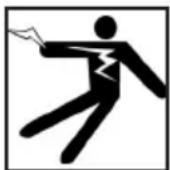
To reduce the risk of serious injury from electrical shock or other causes, and to prevent damage to your equipment, inspect all equipment and correct any problems before each use.
To inspect all equipment, follow these steps:
- Power off your equipment.
- Disconnect and inspect all cords, cables, and connectors for damage or modification.
- Clean any dirt, oil, or other contamination from your equipment to ease inspection and to prevent it from slipping from your grip during transportation or use.
- Inspect your equipment for any broken, worn, missing, misaligned, or binding parts, or any other condition which might prevent safe, normal operation.
-
Refer to the instructions for all other equipment to inspect and make sure it is in good, usable condition.
-
Check your work area for the following:
-
Adequate lighting.
- The presence of flammable liquids, vapors, or dust that may ignite. If present, do not work in area until sources have been identified and corrected. The equipment is not explosion proof. Electrical connections can cause sparks.
-
A clear, level, stable, and dry place for the operator. Do not use the equipment while standing in water.
-
Examine the job to be done and determine the correct equipment for the task.
-
Observe the work area and erect barriers as necessary to keep bystanders away.
Description
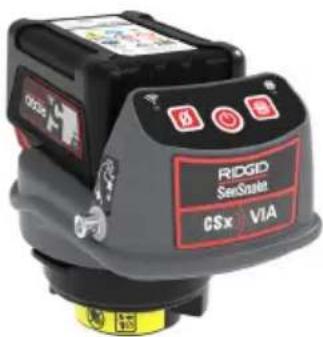
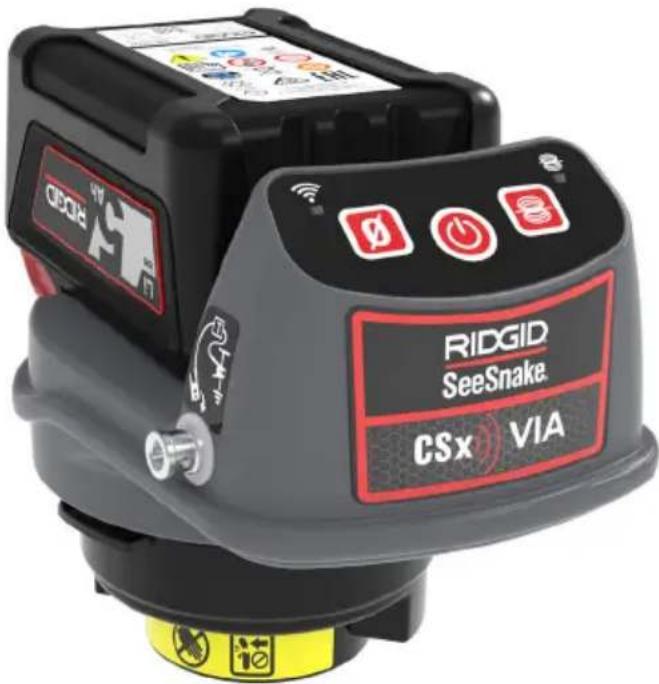
TheRIDGID ^ SeeSnake ^ CSx Via ^TM* is a flexible inspection solution for streaming, capturing, and sharing media using a mobile device. With its integrated Wi-Fi and Bluetooth, the CSx Via connects with an iOS ^TM , Android ^TM , or Windows-powered device to enable inspections with the SeeSnake HQx Live app or SeeSnake HQ software for Windows. The CSx Via is powered by an 18 V rechargeable battery.
The CSx Via is compatible with most RIDGID SeeSnake camera reels. The CSx Via Mount accessory is required for using the CSx Via with the SeeSnake Standard or Mini camera reels.
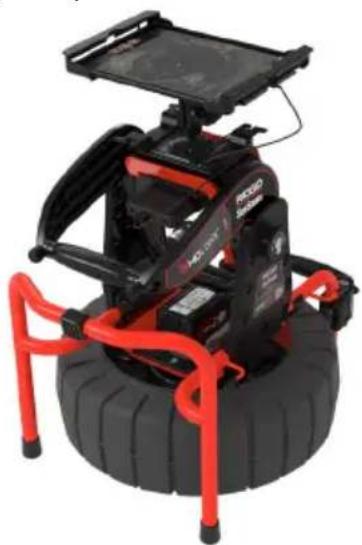
The RIDGID SeeSnake HQx Dock is designed to optimize inspection viewing when using HQx Live or HQ with a tablet. Use as a free-standing unit or mount onto any RIDGID SeeSnake Compact Series reel for fast, easy setup.
natural_image
Robotic vehicle with black body, red arm, and blue wheels (no visible text or symbols)*Patent pending
| Specifications | |
| Weight (with cap) 0.38 kg [0.83 lb] | |
| Dimensions | |
| Length 149 mm [5.9 in] | |
| Depth 106 mm [4.2 in] | |
| Height 126 mm [5 in] | |
| Power Source | 18 V Li-Ion orLucid 18.5 Vlithium polymerbattery |
| Connectivity | |
| Bluetooth | Bluetooth LowEnergy (BLE) |
| Wi-Fi | 802.11 b/g/n802.11 a/n/ac |
| Operating Environment | |
| Temperature | -10°C to 50°C[14°F to 122°F] |
| Storage temperature | -20°C to 60°C[-4°F to 140°F] |
| Relative humidity | 5 to 95 percent |
Specifications
Components
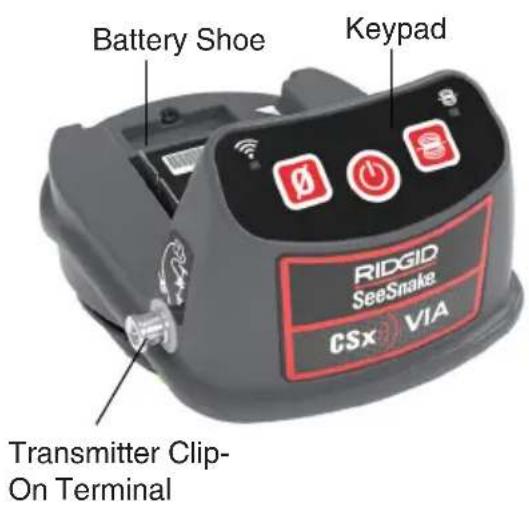
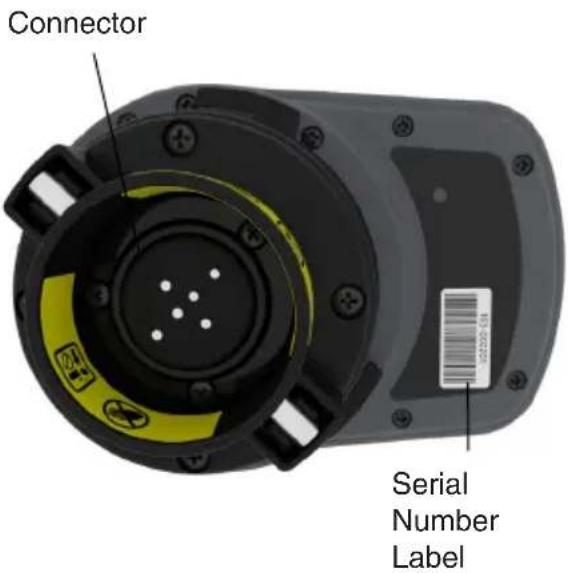
Operation
Installation
Note: Refer to the CSx Via Mount instructions for installing the CSx Via onto the SeeSnake Standard or Mini camera reels.
- Remove the SeeSnake System Cable from the reel. Refer to your reel's Operator's Manual for instructions on removal.
- Slide the battery into the CSx Via battery shoe.
- Remove the shipping cap from the CSx Via connector.
- Align the arrow on the connector with the unlock symbol 6 on the frame and insert the CSx Via into the slip-ring cavity.
- Turn the CSx Via so that it locks into place 8.
NOTICE
Do not touch the contact pins inside the slip-ring dial. Stressing the contact pins can cause them to break.

natural_image
Close-up of a robotic arm with visible control buttons and red/grey components (no readable text or symbols)Removal
To remove the CSx Via, turn it so that the arrow is aligned with the unlock symbol 8 and pull straight out.
Performing an Inspection
The CSx Via can be used to perform an inspection using HQx Live, available on iOS and Android devices, or SeeSnake HQ software for Windows devices.
To set up for an inspection, enable your device's Wi-Fi and Bluetooth, open the app, and connect to the CSx Via. Once connected, you can live stream inspection footage and capture, view, and share media.
Visit the HQx Live and HQ support pages on SeeSnake Support for additional instructions, including detailed connection instructions and media capturing and sharing.
• HQx Live: support.seesnake.com/hqx-live/
• HQ: support.seesnake.com/hq
Key Functions
 | Power | Power on and off. Press to wake up while in Standby Mode. |
 | Zero | Press and hold to set the system measurement to zero. Press to start and stop temporary segment measurements. |
 | Sonde | Enable and disable the sonde. |
LED Behaviors
The CSx Via uses its LEDs to communicate booting and Wi-Fi connectivity status.
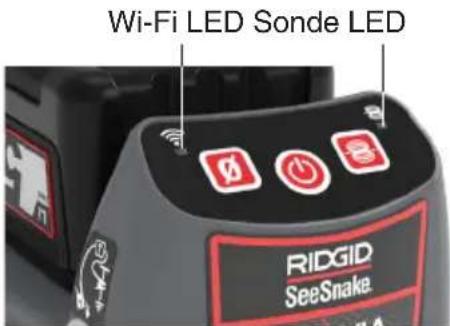
| Power and Booting LEDs | |
| Status LED | |
| Booting | Both LEDs alternate flashing |
| Restarting/ powering off | Both LEDs flash simultaneously |
| Recovery mode: The CSx Via will refresh its firmware and restart in the event it does not power on | Both LEDs flash simultaneously |
| Wi-Fi Connectivity LEDs | |
| Status LED | |
| Wi-Fi booting | Wi-Fi LED flashes rapidly |
| Wi-Fi ready | Wi-Fi LED flashes steadily |
| Wi-Fi connected Wi-Fi LED solid | |
Power States
The CSx Via has three power states: on, off, and Standby Mode, a low power state that turns off the camera and its LEDs to conserve energy. The CSx Via enters Standby Mode after a period of inactivity, or when closing the app or exiting live view. To wake up the CSx Via from Standby Mode, press the Power key or open the app's live view.
The CSx Via beeps to communicate different power states.
| Power State Sounds | |
| Power State Sound | |
| Power on Single beep | |
| Power off Long beep | |
| Entering Standby Mode | Two beeps |
| Wake up from Standby Mode | Single beep |
Maintenance and Support
Support
For support and additional information about using your system, visit support. seesnake.com/csxvia.
Transport and Storage
Store and transport your system with the following in mind:
- Store in a locked area out of the reach of children and people unfamiliar with its purpose.
- Store in a dry place to reduce risk of electrical shock.
- Store away from heat sources such as radiators, heat registers, stoves, and other products (including amplifiers) that produce heat.
- Storage temperature should be -20°C to 60°C [-4°F to 140°F].
- Do not expose to heavy shocks or impacts during transport.
- Remove the battery before shipping and before storing for extended periods of time.
Service and Repair
Improper service or repair can cause the CSx Via to be unsafe to operate.
Service and repair of the CSx Via must be performed at a RIDGID Independent Authorized Service Center. To maintain the safety of the unit, make sure a qualified repair person services your unit using only identical replacement parts. Discontinue using the CSx Via, remove the battery, and contact service personnel under any of the following conditions:
- If liquid has been spilled or objects have fallen into the equipment.
- If the equipment does not operate normally when operating instructions are followed.
- If the equipment has been dropped or damaged.
- If the equipment exhibits a distinct change in performance.
For information on your nearest RIDGID In-dependent Service Center or any service or repair questions:
- Contact your local RIDGID distributor.
- Visit RIDGID.com.
- Contact Ridge Tool Company Technical Service Department at rtctechservices@emerson.com or, in the USA and Canada, call 1-800-519-3456.
Disposal
Parts of your system contain valuable materials that can be recycled. There are companies that specialize in recycling that may be found locally. Dispose of the components in compliance with all applicable regulations. Contact your local waste management authority for more information.
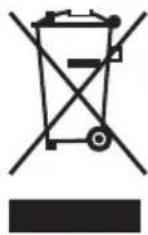
EC Countries: Do not dispose of electrical equipment with household waste!
According to the European Guideline 2012/19/EU for Waste Electrical and Electronic Equipment and its implementation into national legislation, electrical equipment that is no longer usable must be collected separately and disposed of in an environmentally correct manner.
Battery Disposal
EC Countries: Defective or used batteries must be recycled according to the guideline 2006/66/EEC.
SeeSnake®
CSx VIA™

AVERTISSEMENT!
natural_image
Black and red wheeled vehicle with a flat roof, mounted on a tire (no visible text or symbols)*Brevet en instance
natural_image
Close-up of a robotic arm with a black and gray device labeled 'abid' and a red control panel (no readable text beyond labels)Désinstallation
natural_image
Mechanical device with black frame and red handle, mounted on a tire (no visible text or symbols)*Patente pendiente
natural_image
Top-down view of a black and yellow electronic device component with mounting holes and a barcode tag (no text or symbols visible)natural_image
Close-up of a robotic arm with visible control buttons and red/grey components (no readable text or symbols)Extracción
Ridge Tool Europe NV (RIDGID)
Belgium
© 2020 Ridge Tool Company. All rights reserved.
Every effort has been made to ensure that the information in this manual is accurate. Ridge Tool Company and its affiliates reserve the right to change the specifications of the hardware, software, or both as described in this manual without notice. Visit www.RIDGID.com for current updates and supplemental information pertaining to this product. Due to product development, the photos and other presentations specified in this manual may differ from the actual product.
RIDGID and the RIDGID logo are trademarks of Ridge Tool Company, registered in the USA and other countries. All other registered and unregistered trademarks and logos mentioned herein are the property of their respective owners. Mention of third-party products is for informational purposes only and constitutes neither an endorsement nor a recommendation.
iPad, iPhone, iPod touch, and App Store are trademarks of Apple Inc., registered in the USA and other countries. "Made for iPod," "Made for iPhone," and "Made for iPad" mean that an electronic accessory has been designed to connect specifically to iPod, iPhone, or iPad respectively, and has been certified by the developer to meet Apple performance standards. Apple is not responsible for the operation of this device or its compliance with safety and regulatory standards. Please note that the use of this accessory with iPod, iPhone, or iPad may affect wireless performance.
IOS is a trademark or registered trademark of Cisco in the USA and other countries and is used under license by Apple Inc.
The Bluetooth word mark and logos are owned by the Bluetooth SIG, Inc.
Android and Google Play are trademarks of Google Inc.
Printed in USA 2020/11/04
999-995-235.10
742-050-0028-00-0A