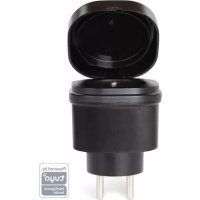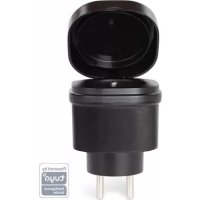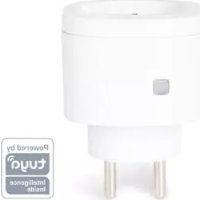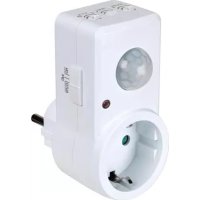
SMART1003 - Measuring equipment Perel - Free user manual and instructions
Find the device manual for free SMART1003 Perel in PDF.



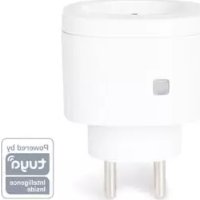
| Product type | Smart plug (Schuko) |
| Brand | Perel |
| Model | SMART1003 |
| Power supply | 220-240 V~, 50 Hz |
| Maximum power | 3000 W |
| Maximum current | 13 A |
| Connectivity | Bluetooth 2.4 GHz |
| Bluetooth range | ≤ 50 m (open field) |
| Max. RF power | 71.1 mW |
| Max. ambient temperature | 35 °C |
| Protection rating | IP20 (indoor use) |
| Dimensions (approx.) | 6 x 5 x 4 cm |
| Weight (approx.) | 150 g |
| Application | Tuya (iOS and Android) |
| Main functions | Remote control, timer, scheduling |
| Installation | Plug into mains socket, Bluetooth pairing via app |
| Cleaning | Damp cloth, no harsh products |
| Safety | Indoor use only, do not immerse, no user-serviceable parts |
| Spare parts | From retailer, no user-repairable parts |
| Warranty | 24 months (consumer), detailed conditions in the manual |
Frequently Asked Questions - SMART1003 Perel
User questions about SMART1003 Perel
0 question about this device. Answer the ones you know or ask your own.
Ask a new question about this device
Download the instructions for your Measuring equipment in PDF format for free! Find your manual SMART1003 - Perel and take your electronic device back in hand. On this page are published all the documents necessary for the use of your device. SMART1003 by Perel.
USER MANUAL SMART1003 Perel
natural_image
White electrical plug with metallic pins, no visible text or symbolsSMART1001
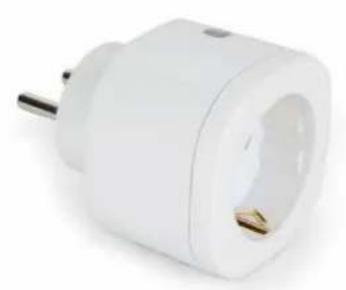
natural_image
White electrical plug with a metallic terminal and gold socket (no text or symbols visible)SMART1003
USER MANUAL 2
HANDLEIDING 7
MODE D'EMPLOI 12
MANUAL DEL USUARIO 17
To all residents of the European Union
Important environmental information about this product
This symbol on the device or the package indicates that disposal of the device after its lifecycle could harm the environment. Do not dispose of the unit (or batteries) as unsorted municipal waste; it should be taken to a specialized company for recycling. This device should be returned to your distributor or to a local recycling service. Respect the local environmental rules.
If in doubt, contact your local waste disposal authorities.
Thank you for choosing Perel! Please read the manual thoroughly before bringing this device into service. If the device was damaged in transit, do not install or use it and contact your dealer.
2. Safety Instructions
Read and understand this manual and all safety signs before using this appliance.
Indoor use only.
Switch of micro-gap construction.
- This device can be used by children aged from 8 years and above, and persons with reduced physical, sensory or mental capabilities or lack of experience and knowledge if they have been given supervision or instruction concerning the use of the device in a safe way and understand the hazards involved. Children shall not play with the device. Cleaning and user maintenance shall not be made by children without supervision.
- There are no user-serviceable parts inside the device. Refer to an authorized dealer for service and/or spare parts.
- Do not immerge the device in any liquid. Keep the main unit away from high humidity, high heat and fire.
3. General Guidelines
- Refer to the Velleman ® Service and Quality Warranty on the last pages of this manual.
- All modifications of the device are forbidden for safety reasons. Damage caused by user modifications to the device is not covered by the warranty.
- Only use the device for its intended purpose. Using the device in an unauthorised way will void the warranty.
- Damage caused by disregard of certain guidelines in this manual is not covered by the warranty and the dealer will not accept responsibility for any ensuing defects or problems.
- Nor Velleman nv nor its dealers can be held responsible for any damage (extraordinary, incidental or indirect) – of any nature (financial, physical...) arising from the possession, use or failure of this product.
- Keep this manual for future reference.
4. Operation
4.1 General Operation
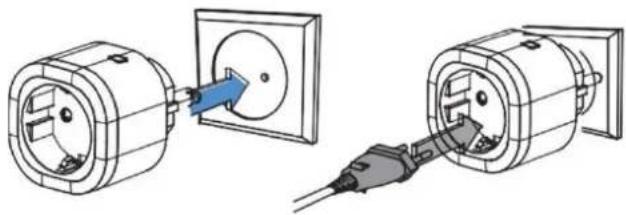
- Plug the smart socket into an appropriate electrical outlet.
- Plug your appliance into the smart socket.
natural_image
Two technical illustrations of electrical plug connections, one showing internal components and the other showing a plug inserted into a socket (no text or symbols present)4.2 Using the Tuya App
- Enable the Bluetooth function on your mobile device. Download the Tuya app from your app store.
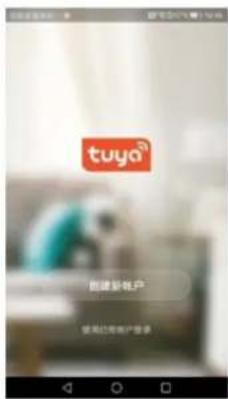
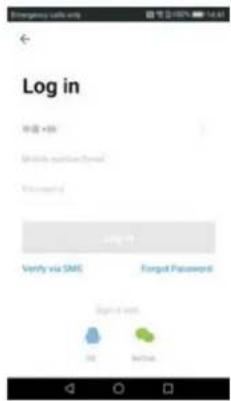
- Register to the cloud by inputting your e-mail address and password. Login.
text_image
Log in 申请 + 86 My device version: Email Password: Log 11 Verify via SMS Forgot Password Signed via OK Cancel- Press + to add the smart socket.
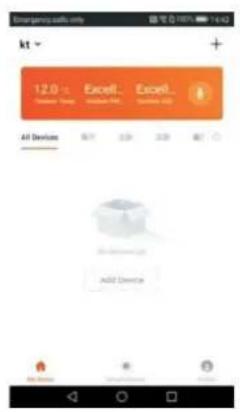
text_image
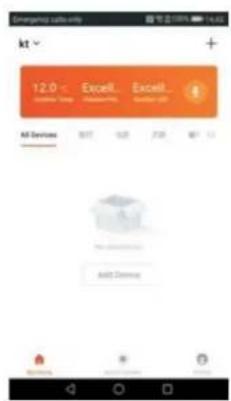
Emergency calls.com kt 12.0 - Excel... Excel... All Devices Add Device- Click on All Devices. Click on the device you want to add. Click on the smart socket.
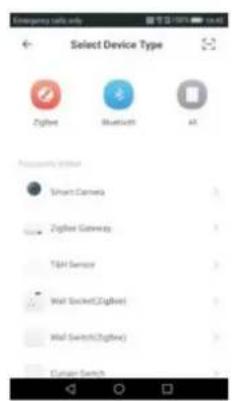
text_image
Select Device Type Zigbee Bluetooth AI Pre Slovenia Internet Smart Camera Zigbee Gateway TSH Sensor Wall Socket(Zigbee) Wall Switch(Zigbee) Custom Search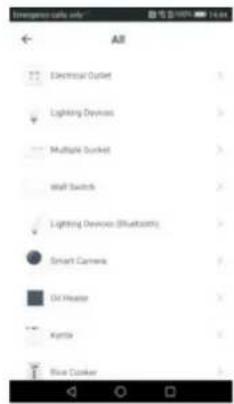
text_image
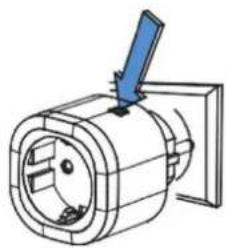
Emergency calls only ALL Electrical Outlet Lighting Devices Multiple Outlet Wall Switch Lighting Devices (Bluetooths) Smart Camera DC Heater Kypia Blue Cooker- Plug the smart socket into an electrical outlet. Keep the Learn button pressed until the LED blinks blue, meaning the smart socket has entered the pairing mode.
natural_image
Technical line drawing of a mechanical component with a blue arrow indicating direction (no text or symbols)- The Wi-Fi link starts blinking. Click Confirm.
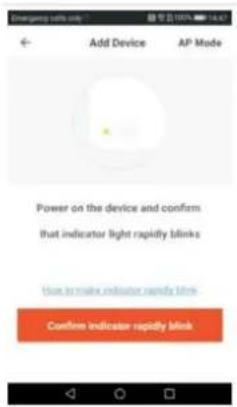
text_image
Add Device AP Mode Power on the device and confirms that indicator light rapidly blinks Use to make indicator rapidly blinks Confirm indicator rapidly blink- Check whether the connect Wi-Fi name and password are correct. Click Confirm. The smart socket will automatically connect to the network indicating that the device is added successfully. Modify the device name and select in which room the smart socket is being used.
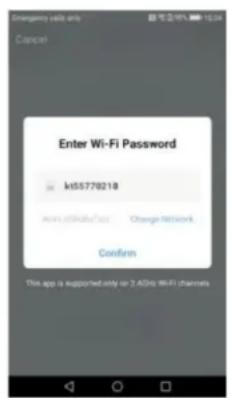
text_image
Enter Wi-Fi Password k55770218 www.6666666666 Change Networks Confirm This app is supported only on 7.4GHz WiFi channels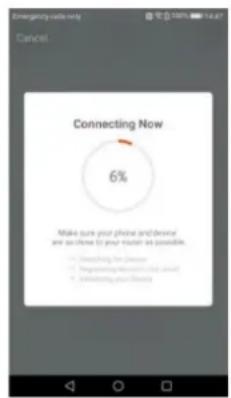
text_image
Emerging needs only Cancel Connecting Now 6% Make sure your phone and device are so close (i) your model as possible. ● Clearing the device ● Programing devices and users ● Em Running your device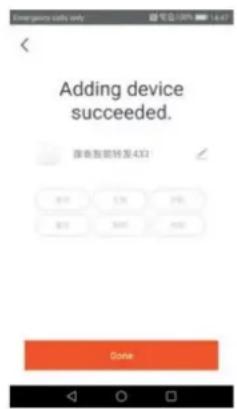
text_image
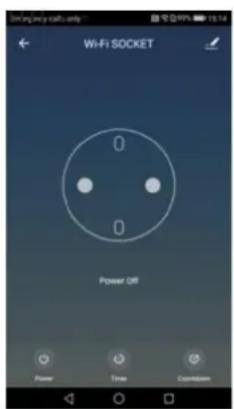
Emergent calls only Adding device succeeded. 弹出智能转发至4321 019 128 256 072 300 400 Done- You can now control the smart socket through your mobile device.
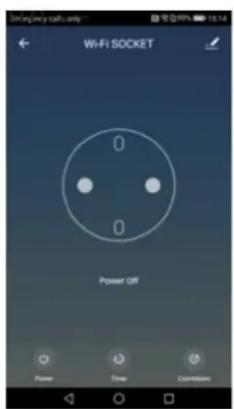
text_image
WiFi Socket 0 0 Power Off Power Time Download5. Care and Maintenance
Care
Unplug the smart socket from the electrical outlet before cleaning.
Cleaning
Occasionally wipe with a damp cloth to keep it looking new. Do not use harsh chemicals, cleaning solvents or strong detergents.
6. Technical Specifications
socket type
SMART1001 ...... French
SMART1003 Schuko
voltage....220-240 V\~, 50 Hz
max. power....3000 W
max. current....13 A
operating range.... ≤ 50 m in open area
operation frequency 2.4 GHz
max. radio frequency power....71.1 mW
max. environmental temperature.... t_a 35 °C
IP rating ....
dimensions
weight....
Hereby, Velleman NV declares that the radio equipment type SMART1001/SMART1003 is in compliance with Directive 2014/53/EU. The full text of the EU declaration of conformity is available at the following internet address: www.velleman.eu.
Use this device with original accessories only. Velleman nv cannot be held responsible in the event of damage or injury resulting from (incorrect) use of this device. For more info concerning this product and the latest version of this manual, please visit our website www.velleman.eu. The information in this manual is subject to change without prior notice.
© COPYRIGHT NOTICE
The copyright to this manual is owned by Velleman nv. All worldwide rights reserved. No part of this manual may be copied, reproduced, translated or reduced to any electronic medium or otherwise without the prior written consent of the copyright holder.
HANDLEIDING
1. Inleiding
natural_image
Diagram showing two electrical socket installation steps: one with a plug inserted into a socket, the other with a plug inserted into a socket (no text or symbols present)text_image
Emerging calls only Log in 10:00 + 85 My home website (http:// Password 9 Log to Verify via SMS Forgot Password Signets 32 No 34text_image
Emergency calls only ALL Electrical Outlet Lighting Devices Multiple Outlet Wall Switch Lighting Devices (Bluetooths) Smart Camera DC Heater Kypia Blue Cookernatural_image
Technical line drawing of a mechanical component with a blue arrow indicating direction (no text or symbols)text_image
Add Device AP Mode Power on the device and confirm that indicator light rapidly blinks Use to make indicator rapidly blinks Confirm indicator rapidly blinktext_image
Enter Wi-Fi Password k55770218 www.6666666666 Change Networks Confirm This app is supported only on 7.4GHz WiFi channels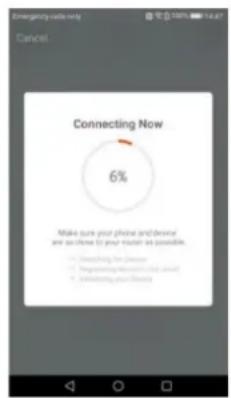
text_image
Emerging today only Cancel Connecting Now 6% Make sure your phone and device are so close (i) your model as possible. ● Clearing the device ● Programing devices and users ● Em Running your device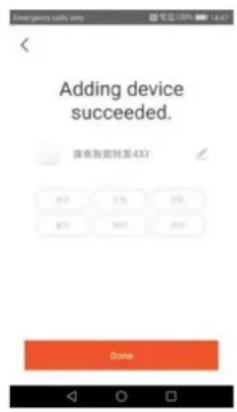
text_image
Emergent daily only Adding device succeeded. 准备智能转发至433 019 124 256 872 3007 4002 Done- U kunt nu de slimme stekker via uw mobiele toestel bedienen.
text_image
WiFi Socket 0 0 Power Off Power Time Downloadnatural_image
Two technical illustrations of electrical plug connections, one showing internal components and the other showing a plug inserted into a socket (no text or symbols present)4.2 Utiliser l'application Tuya
text_image
Log in 单击 * 66 单击单击单击 Email Password Log 11 Verify via SMS Forgot Password Single user OK Finishtext_image
Preference calls only All Electrical Cutout Lighting Devices Multiple Squet Wall Switch Lighting Devices (Bluetooth) Smart Camera Oil Header Airline Blue Crackernatural_image
Technical line drawing of a mechanical component with a blue tool inserted (no text or symbols)text_image
Add Device AP Mode Power on the device and confirm that indicator light rapidly blinks How to make indicate security blinks Confirm indicator rapidly blanktext_image
Enter Wi-Fi Password k55770218 www.6666666666 Change Networks Confirm This app is supported only on 7.4GHz WiFi channels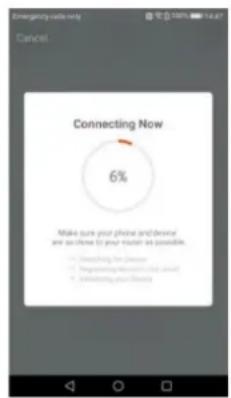
text_image
Emerging today only Cancel Connecting Now 6% Make sure your phone and device are so close (i) your model as possible. ● Clearing the device ● Programing devices and users ● Em Running your device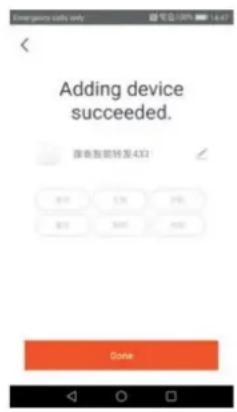
text_image
Emergent daily only Adding device succeeded. 准备智能转发至433 019 124 256 872 3007 4002 Donetext_image
WiFi Socket 0 0 Power OFF Power Time Dismissions5. Entretien
Entretien
natural_image
Two technical illustrations of electrical plug connections, one showing internal components and the other showing a plug inserted into a socket (no text or symbols present)text_image
Log in 10:00:4:00 Log-in Verify via SMS Forgot Password Sign-in with OK Finishtext_image
Emergency Alert only All Electrical Outlet Lighting Devices Multiple Pocket Wall Switch Lighting Devices (Bluetooth) Smart Camera Oil Heater Radio Phone Clickernatural_image
Technical line drawing of a mechanical component with a blue arrow indicating direction (no text or symbols)text_image
Add Device AP Mode Power on the device and confirm that indicator light rapidly blinks How to make indicator rapidly blink Confirm indicator rapidly blinktext_image
Enter Wi-Fi Password kt55770218 WiFi200MHz/Text Change Network Confirm This app is supported only on 2.4GHz WiFi channels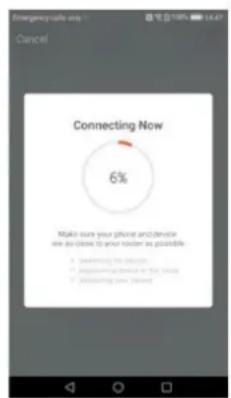
text_image
Emergency calls only Cancel Connecting Now 6% Make sure your phone and device are so close to your timer as possible • Checking the device • Mocking the device in the room • Unlocking new device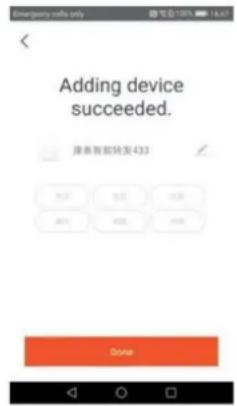
text_image
Adding device succeeded. 服务智能转发433 Donenatural_image
Two technical illustrations of electrical plug connections, one showing internal components and the other showing a plug inserted into a socket (no text or symbols present)text_image
Emerging calls only Log in 10:00 + 85 My home website (http:// Password 9 Log to Verify via SMS Forgot Password Signets 32 No 34text_image
Emergence calls only All Electrical Outlet Lighting Devices Multiplex Tacket Wall Switch Lighting Devices (Bluetooth) Smart Camera Oil Header Kettle File Casketnatural_image
Technical line drawing of a mechanical component with a blue arrow indicating direction (no text or symbols)text_image
Add Device AP Mode Power on the device and confirm that indicator light rapidly blinks How to make indicator rapidly blink Confirm indicator rapidly blinktext_image
Enter Wi-Fi Password k55770218 www.6666666666 Change Networks Confirm This app is supported only on 7.4GHz WiFi channels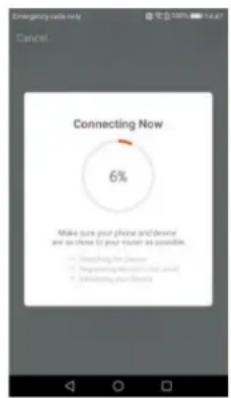
text_image
Emerging needs only Cancel Connecting Now 6% Make sure your phone and device are so close (i) your model as possible. ● Clearing the device ● Programing devices and users ● Em Running your device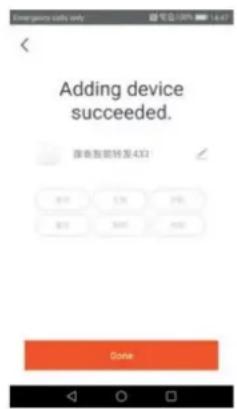
text_image
Emergent calls only Adding device succeeded. 弹出智能转发至4321 019 128 256 072 300 400 Donenatural_image
Two technical illustrations of electrical plug connections, one showing internal components and the other showing a plug inserted into a socket (no text or symbols present)text_image
Log in NO. 65 Mobile https://www.login/ Password Log in Verify via SMS Forgot Password Login via SMS 20 No/Yestext_image
International calls only AB Electrical Outlet Lighting Devices Multiple Outlet Wall Switch Lighting Devices (Bluetooth) Smart Camera Oil Heater Krypton Blue Cookernatural_image
Technical line drawing of a mechanical component with a blue arrow indicating direction (no text or symbols)text_image
Add Device AP Mode Power on the device and confirm that indicator light rapidly blinks How to make indicator rapidly blink Confirm Indicator rapidity blinktext_image
Enter Wi-Fi Password k55770218 www.6666666666 Change Networks Confirm This app is supported only on 7.4GHz WiFi channels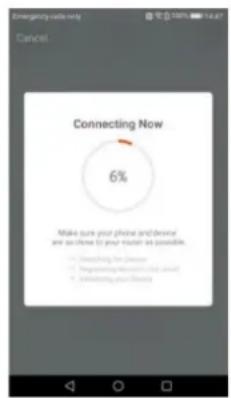
text_image
Connecting Now 6% Make sure your phone and device are so close (2 your touch as possible. ● Connecting for Device ● Programing for Internet ● Servering for Devices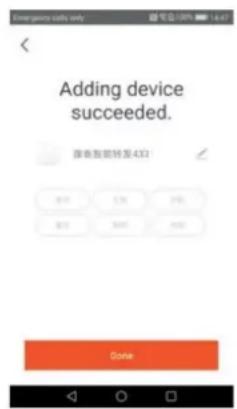
text_image
Emergent calls only Adding device succeeded. 原单智能转发至4321 019 128 256 072 300 400 Donetext_image
Wiring my radio only Wi-Fi SOCKET 0 0 Powder OR Power Time Customizenatural_image
Diagram showing two electrical socket installation steps: one with a plug inserted into a socket, the other with a plug inserted into a socket (no text or symbols present)text_image
Emerging calls only Log in 10:00 + 85 My home website (http:// Password 9 Log to Verify via SMS Forgot Password Signets 32 No 34- Pressione + para adicionar a ficha inteligente.
text_image
12.0 - Excel... Excel... All Devices 8:37 10:35 7:30 6:37 12 Add Discounttext_image
Emergency Alert only All Electrical Outlet Lighting Devices Multiple Pocket Wall Switch Lighting Devices (Bluetooth) Smart Camera Oil Heater Radio Phone Clickernatural_image
Technical line drawing of a mechanical component with a blue tool inserted (no text or symbols)text_image
Add Device AP Mode Power on the device and confirm that indicator light rapidly blinks How to make indicator rapidly blink Confirm indicator rapidly blinktext_image
Enter Wi-Fi Password k55770218 www.6666666666 Change Networks Confirm This app is supported only on 7.4GHz WiFi channels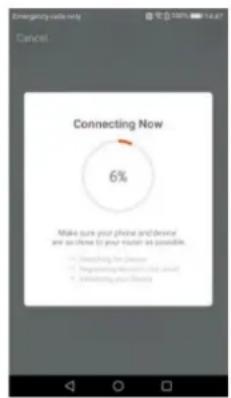
text_image
Emerging today only Cancel. Connecting Now 6% Make sure your phone and device are so close (2 your result as possible. ● Clearing the device ● Programing devices and users ● Unlocking your device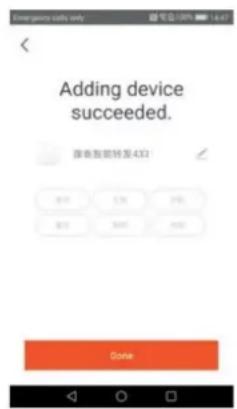
text_image
Emergent calls only Adding device succeeded. 弹出智能转发至4321 019 128 256 072 300 400 Donetext_image
Wiring my radio only Wi-Fi SOCKET 0 0 Powder OR Power Time CustomizeVelleman® Service and Quality Warranty
Since its foundation in 1972, Velleman® acquired extensive experience in the electronics world and currently distributes its products in over 85 countries.
All our products fulfil strict quality requirements and legal stipulations in the EU. In order to ensure the quality, our products regularly go through an extra quality check, both by an internal quality department and by specialized external organisations. If, all precautionary measures notwithstanding, problems should occur, please make appeal to our warranty (see guarantee conditions).
General Warranty Conditions Concerning Consumer Products (for EU):
- All consumer products are subject to a 24-month warranty on production flaws and defective material as from the original date of purchase.
- Velleman® can decide to replace an article with an equivalent article, or to refund the retail value totally or partially when the complaint is valid and a free repair or replacement of the article is impossible, or if the expenses are out of proportion.
You will be delivered a replacing article or a refund at the value of 100% of the purchase price in case of a flaw occurred in the first year after the date of purchase and delivery, or a replacing article at 50% of the purchase price or a refund at the value of 50% of the retail value in case of a flaw occurred in the second year after the date of purchase and delivery.
- Not covered by warranty:
- all direct or indirect damage caused after delivery to the article (e.g. by oxidation, shocks, falls, dust, dirt, humidity...), and by the article, as well as its contents (e.g. data loss), compensation for loss of profits;
- consumable goods, parts or accessories that are subject to an aging process during normal use, such as batteries (rechargeable, non-rechargeable, built-in or replaceable), lamps, rubber parts, drive belts... (unlimited list);
- flaws resulting from fire, water damage, lightning, accident, natural disaster, etc....;
- flaws caused deliberately, negligently or resulting from improper handling, negligent maintenance, abusive use or use contrary to the manufacturer's instructions;
- damage caused by a commercial, professional or collective use of the article (the warranty validity will be reduced to six (6) months when the article is used professionally);
- damage resulting from an inappropriate packing and shipping of the article;
- all damage caused by modification, repair or alteration performed by a third party without written permission by Velleman®.
- Articles to be repaired must be delivered to your Velleman® dealer, solidly packed (preferably in the original packaging), and be completed with the original receipt of purchase and a clear flaw description.
- Hint: In order to save on cost and time, please reread the manual and check if the flaw is caused by obvious causes prior to presenting the article for repair. Note that returning a non-defective article can also involve handling costs.
- Repairs occurring after warranty expiration are subject to shipping costs.
- The above conditions are without prejudice to all commercial warranties.