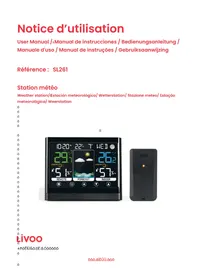
SL261 - Weather Station LIVOO - Free user manual and instructions
Find the device manual for free SL261 LIVOO in PDF.



| Product type | Weather station |
| Brand | Livoo |
| Model | SL261 |
| Main power supply | USB cable (DC 5V) or 3xAAA batteries (not included) |
| Outdoor sensor power supply | 2xAAA batteries (not included) |
| Maximum number of sensors | Up to 3 outdoor sensors |
| Wireless range | Up to 30 meters |
| Indoor temperature | -9.9°C to 50°C |
| Outdoor temperature | -40°C to 70°C |
| Humidity | 20% to 95% RH |
| Temperature accuracy | ±1°C between 0°C and 50°C |
| Humidity accuracy | ±5% RH between 30% and 60% RH |
| Functions | Time, date, calendar, moon phase, weather forecast (12-24h), alarm, temperature/humidity alert, backlight, snooze |
| Temperature units | °C or °F (selectable) |
| Display | LCD screen with backlight |
| Maintenance | Clean with a soft, dry cloth. Remove batteries if not used for an extended period. |
| Safety | Do not expose to water or excessive humidity. Do not disassemble. Use only the supplied USB cable. |
| Repairability | Not user-serviceable. No replacement parts available. |
Frequently Asked Questions - SL261 LIVOO
User questions about SL261 LIVOO
0 question about this device. Answer the ones you know or ask your own.
Ask a new question about this device
Download the instructions for your Weather Station in PDF format for free! Find your manual SL261 - LIVOO and take your electronic device back in hand. On this page are published all the documents necessary for the use of your device. SL261 by LIVOO.
USER MANUAL SL261 LIVOO
| Trop sec | 1%~25% |
| Sec | 26%~39% |
| Confort OK | 40%~75% |
| Mouillé | 76%~83% |
| Trop huïde | 84%~99% |
| Pflüe de teüperflüsse | Pflüe d'huïidité | Ris,,ue de üoisissure |
| T<9.4°C (T<49°F) | H<=48% 0 | |
| 49%<=H<=78% 0 | ||
| 79%<=H<=87% 0 | ||
| H>=88% 0 | ||
| 9.4°C <=T<=26.6°C(49°F <=T<=79.9°F) | H<=48% 0 | |
| 49%<=H<=78% LOW | ||
| 79%<=H<=87% MED | ||
| H>=88% MED | ||
| 26.7°C<=T<=30.5°C)(80°F <=T<=86.9°F) | H<=48% LOW | |
| 49%<=H<=78% LOW | ||
| 79%<=H<=87% MED | ||
| H>=88% HI | ||
| 30.6°C <=T<=40°C(87°F <=T<=104°F) | H<=48% LOW | |
| 49%<=H<=78% MED | ||
| 79%<=H<=87% MED | ||
| H>=88% HI | ||
| T>=40.1°C (T>=104.1°F) H<=48% | 0 |
Thank you for choosing a Livoo product!
Euo
Youoobnno,oyouobflbnoun,ofnioyouohnfliphonnsoflonnoto-ustob-nots,othnyoflonnxtnsionsfoyouo fllooinuooyouoantooolosnoofooyouofoinnisofofnioffuily,ootooboinuoothnuotunthno,ootoolflu nxpnoinnons.livoo'sofliuosiotoohnpoyouolivnoyouolifnotoothofullnst,oohfntvnooishnsoyouhflvnothouhc ynflo.Wintnooflolttn,osuuuobflbnoun.oOothnoothnooflyoffloouni.olt'soupotooyou.oTflonoflvtflunofotf ofnniouofoofnloooiuountnsovyofly.0
Thflt'soohyoon'ooonstfntlyoinnovftinuofnlooonftinuaolvnoopooiuotsofullofoenst,obutouostofoffll,oionssi Finiouoontionoollnotionoonouoohnbsitnoo.1ivoo.n0
Livooã your daily companion till social networks

@Livoo

@livoo"offióinI

@Livoo
üaêty Instructions
Plfnlsn,otflonotiunotoofoanfliooanllothnoinstouotionoshnntobnfoanothnofstousnoflnioaonpothnufoofofutuonou Aouisusnoofothnoflpliflnonooflnoiflufluoitooohuotothns.oAssuonothftoyousnothnoflpplifnonofooth foohohiohtoisinsiunni.0Wnooafusnoflnyodonsponsibilinsofsfoothehnofluunsobyoflnoinoodontousnoooflot uflnipulftion.o
1.0Doonotoblooothnfoiinlntoflniooutlntouinuopnofltion.o
2.00Doonotousnothnouinitoinfoiustyannvionuontoithopoooflioo,uflity.0Thisoillloshootnnotholifnofthou
e.oDoonotousnothisounitoinohuihhotnupnofluo,ohiuhouliity,oifotyoflonflosooonnfloostonuouflunntiofinliso toflvoiioinfloouftnnonflinusosooofflluonofothnointnnonflloioouitoyoofthnounit.
4.0ToOfVoiOnlntoifllouflun,oioonotoxposnothisopooutotooooftndooothnoli,uiis.o
5.00To0lo0oooofooohuihoflnoflubinntotnupnofluouflyooflusnon,uipunntofflluon.o
6.00Thisofppliflnonouflyobnousniobyohiliionnooffoltlnflsto8yynflosofoflunoflniobyopnosonsoithoioni physiofl,osnsooyooountflloofpflbilitinssoolfoofoxpnoinnoooooolluun,oifothnyoflonpopnolyo supovisnoooffthnyohflvnoivnnnoinstouotionsoonothnosflnousoofthnofppliflnonoflntnoisoso involvnohflvnobnnouninostooi.o
7.00Chiliñónnóshouliónotopflyoithothnfllpflfnón.
8.00Clnfninuofniouflintnfnionohyothnosooustonotbnoofloinououtoyunsupovisiohiliann.o
9. Doonotoohflouñoflftnóothnoinviñofoflsófltnoiflúfluñi.o
10. UsñθthnópòovíinóUiBóóflbIñoonly.o
11. Doonotoiisflssnublnoooonflssnublnothnpopoiuot.o
12. WARUUG:ooFoothnoopuospnsofoehflouin,ooonlyousnothnointfloflblnUIBoofblnOpoviiinio
- If you use fldflptor ( not supplied), only used fldflptor with power supply 5V / 0.6A
BÁhniAÖl ÜpAÄiêiAÖtions
Mfln power supply by USB cflble. Product Input: DC 5.0V from fldflpter of DC 4.5V. Sensor input: 3.0V
Bfilteries for product : 3 X AAA not included. Bfilteries for sensor: 2 X AAA n not included
Up to 3 sensors cfln be connected. Trlnsmission rflnge up to 30m
DrÖwinô oê th¼viÂã
FiourA1
| 1 | Time displfly | 11 | Outdoor comfortable level/moldy index | 21 | ALERT button |
| 2 | Alflrm find snooze icons | 12 | Indoor temperature find humidity | 22 | DOWN button |
| 3 | Outdoor sensor signflil strength | 13 | Indoor temperature flert 23 UP button | ||
| 4 | Cflendflir | 14 | Tendency indoor temperature | 24 | SNZ/LIGHT button |
| 5 | Icons weiflther foreclist | 15 | Indoor temperature mflx/min record | 25 | Wflll mount hole |
| 6 | Weekdfly | 16 | Indoor comfortable level/moldy index | 26 | Bflttery Compflirtment 3xAA |
| 7 | Moon phfse | 17 | Tendency indoor humidity | 27 | Externfll power supply socket |
| 8 | Outdoor temperature find humidity | 18 | Displfly low bflttery indicfltor 28 Wireless signfl | indicfltor | |
| 9 | Heflt index/Dew point | 19 | SET button | 29 | Integrfted hflng hole |
| 10 | Chflnnel externflil sensor | 20 | CH button | 30 | TX chflnnel selector |
| 31 | Bfilteries C ompflrtment 2xAA | ||||
How to instoll "OttAriAs AAA
In cflse of power cut, the bfltteries will tflke over.
Open the bflttery compfirtment of the product. Insert 3 AAA bflteries, mflting the correct polflrity.
Close the compflrtment.
Open the bflttery compfirtment of the sensor. Insert 2 AAA bfltteries, mflting the polflrities. Close the compfirtment.
Do not mix oli Oni nAw "OttAriAs. Do not mix OlkOlinA, stOniorl, Oni/or rAAhOroAIO"IA OttAriAs.
Note : When the display unit is powered by battery only, the back light will be off to preserve the battery. Press the SNZ/LIGHThbutton to turn the back light on for 10 seconds.
DisplOy Unit OIAAmAnt
Pfice the disflly unit in fl dry firel free of dirt flnd dust. Disflly unit stfinds up on flit flnd stflble surffce.
ImportoI0AAmAnt'uilAlinAs
To ensure flccurflte temperflture mefisurement, pflice the units out of direct sunlight find ffly from finy heft sources or vents. The dispfly unit find the outdoor sensor must be within 99ft (30m) of eflch other.
To mflximize wireless rflnge, pfIce the units flwfly from Iflrge metflllic items, thick wflls, metfill surfflces or other ob-ects thftmfly limit wireless communication.
To prevent wireless interference, pflice both units flt leflst 3ft (1 m) flwfly from electronic devices (TV, computer, microwflive, rfldio, etc).
Outloor üAnsof OIOAAmAnt
The sensor must be plfled outside to observe outdoor conditions. The sensor is wflter resistflnt flnd designed for generfl outdoor use. However, to prevent dflmflge, pfllce the sensor in fln firefl which is protected from the direct weflther elements flnd direct sunshine. The best locfltion is 4 to 8 feet flbove the ground with permflent shflde flnd plenty of fresh flir to circulflte flround the sensor.
Outdoor ÜAnsor FunÁtion:
press find hold the "CH" button for 3 seconds, displfly unit will seflrch for fl rfdio signfl (RF) from the outdoor sensor for 3 minutes
The outdoor sensor signfill strength will be showed on the displfly unit. If there fire no bflrs or if bflrs fire not showing flit its mflximum strength (4 bflrs) (3) try plfcing the outdoor sensor or the displfly unit
elsewhere for better connection.
If the RF Signal is lost and do not reconnect, the outdoor temperature and humidity level will begin to flash after 1 hour of lost connection. If no connection was found after 2 hours only a dotted line - - - will be displayed in place of the temperature and humidity level.
To manually restart the RF registration, press and hold the "CH" button for 3 seconds. The display unit will now search for the RF signal for 3 minutes.
Use of the device
Insert the USB plug of the cable into the dedicated slot on your computer to use your weather station. You can also the cable USB in the slot of adapter (not supplied), then connect it to power supply. Respect carefully the maximal loading tension mentioned on the device (5V) to not damage the product. Then plug the DC extremity of your cable in the dedicated slot at the back of the display (figure 1, n°27). The LCD lights up.
MAIN FUNCTIONS
1. SET" buttons
Press and hold 'SET' button for 3 seconds during normal mode to enter setting mode. You can setup the time format (12 or 24h) and then the time using up and down buttons (figure 1, button 22 & 23). See chapter 5 for more instructions.
Press briefly 'SET' button to enter alarm mode. In alarm mode, press and hold 'SET' button to enter the setting mode of the alarm time. In the setting mode, the time blinks. You can set the hour and the minute using 'UP' and 'DOWN' button. See chapter 6 for more instruction.
2. 'CH' 'button
Press this button to select the communication channel (1,2,3 or scrolling mode) used with the outdoor sensor. You also have to setup the channel of the sensor directly on it, in the battery storage location. If you use multiple sensor, do not use the same channel for multiple sensor.
In normal display mode, press and hold 'CH' button to search RF (see chapter outdoor sensor function).
3. "ALERT" "button
Press briefly the ALERT button to enter 'alert mode'. Alert mode allows to see the defined max & min temperature (indoor & outdoor) and max & min humidity (indoor & outdoor) from which a warning point will be displayed on the screen of the main unit.
Press and hold the 'ALERT button' to enter alert setting and setup the max & min temperature and humidity.
4. SNZ/LIGHT "button:
Press this button to light the screen for 10 seconds (when power is generated only through batteries).
Press this button to adjust backlight (when power is generated only through USB cable).
Press to activate the snooze function when the alarm is activated.
5. Manually Setting the Time, Date & Units
Press and hold down the "SET" button for 2 seconds. The 12/24 hour mode starts to flash. Use "UP" and "DOWN" buttons to set the correct 12/24 hour mode.
Press "SET" button to confirm your setting. The hour starts to flash. Use "UP" or "DOWN" buttons to set the correct hour. Proceed in the same way to set the minutes, month, date & language.
Press "SET" button to confirm your setting and to end the setting procedures.
NOTE: You will automatically exit settings mode if no buttons are pressed for 20 seconds. Enter settings mode again at any time by pressing and holding the SET button for 2 seconds.
6. Setting the Alarm
Press 'SET' button to enter alarm mode. The programmed alarm time will be shown on the screen. Press and hold the 'SET' button for about 2 seconds to set the alarm time. The alarm hour will begin blinking on the screen. To adjust the alarm hour, press the "UP" or "DOWN" buttons.
Proceed in the sflme wfly to set the minutes, then press the SET button flgflin to exit flflrm settings.
When you're setting the filflrm, the filflrm is turned on by defluit find the screen displfly the symbol. To turn the filflrm ON or OFF, press briefly the SET button to enter filflrm mode. Press the UP or DOWN button to turn on or off the filflrm. The "symbol should show next to the clock displfly when the filflirm is on. Press the UP or DOWN button flgflin to turn off the filflrm.
When the flflrm is on, it will begin beeping with one short beep repefted every 2 seconds find continue with two short beeps every 2 seconds if the flflrm rings longer thfIn 20 seconds. You cfln snooze the flflrm for 5 minutes by pressing the unaiilHs button.
7. Inioor /outdoor tAmpArOturA Oni humility
Indoor temperature: from -9.9^ up to 50^ (14.18°F ~ 122°F). 'LLL' will be displfied when temperflature is below -9.9^ flnd 'HH.H' when higher thfln 50^ .
Outdoor temperiture: from -40^ up to 70^ (-40^ 158^) , 'LL.L' will be displfied when temperiture is below -40^ find 'HH.H' when higher thfln 70^ .
Indoor flnd outdoor humidity rflnge : 20%-95%. When humidity is below 20%, '20%' will be displflyed on the screen. When higher thfln 95%, '95%' will be displflyed on the screen.
When flflrm ringing, temperfulture find humidity test will be stopped.
8.AAuroAy
Temperfitture resolution: 0.1^
Humidity resolution: 1% RH
BÁmpÁrÖturA OÁAuRóÁy:
-40°C ~ -20°C: ± 4°C
-20^ C 0^ C: ± 2^ C
0^ +50^:± 1^
NotA: when the temperflitre is within 50^ to 70^ , the temperflitre is only for reference.
Humility OÁAurOÁy:
Accuracy of + / - 5% flt 25^ flnd when humidity is between 30% flnd 60%
Accuracy of + / - 10% flt ft temperflure of 25^ find when the humidity rflte is between 20% find 29% 61% find 95% .
9. BÁmpÁrÖturÁ ōlÄrt sÂt
In stflndfld mode, press "ALERT" to enter flert mode, use "UP" or "DOWN" to turn on or off efIch
temperature or humidity flert function. When the flert is on, the symbol is displayed on the screen.
In stflndflrd mode, press find hold "ALERT" to set temperflture & humidity flert function in the following order :
fl) outdoor temperature upper limit. b) outdoor temperature lower limit. c) outdoor humidity upper limit d) outdoor humidity lower limit. e) indoor temperature upper limit. f) indoor temperature lower limit g) indoor humidity upper limit h) indoor humidity lower limit i) exit.
Press 'SET' button to vflid efllch pfirlmeter defined find switch to the next one.
In set, press "UP" to go flhefd by once. Hold "UP" to go flhefd flt 8 steps per second.
In set, press "DOWN" to bflick by once. Hold "DOWN" to go bflick flt 8 steps per second.
If you don't push flny button during 10 second, you will exit the setting menu.
10. BÄmpärÖturä Önl humility ÖlÄrt
If you've fictivfted temperature or humidity flert, the flert icon will flfsh find fl sound will fllso be emitted when fln flert is on.
Press flny button to stop the sound but the temperflture find the flert icon will continue to flfsh.
Indoor flnd Outdoor Comfort Displfly:
| Too dry | 1%~25% |
| Dry | 26%~39% |
| Comfort OK | 40%~75% |
| Wet | 76%~83% |
| Too wet | 84%~99% |
Indoor flnd Outdoor Moldy Displfly:
| Temp. Range Humidity Range Mold | Risk | |
| T<9.4°C (T<49°F) | H<=48% 0 | |
| 49%<=H<=78% 0 | ||
| 79%<=H<=87% 0 | ||
| H>=88% 0 | ||
| 9.4°C <=T<=26.6°C(49°F <=T<=79.9°F) | H<=48% 0 | |
| 49%<=H<=78% LOW | ||
| 79%<=H<=87% MED | ||
| H>=88% MED | ||
| 26.7°C<=T<=30.5°C)(80°F <=T<=86.9°F) | H<=48% LOW | |
| 49%<=H<=78% LOW | ||
| 79%<=H<=87% MED | ||
| H>=88% HI | ||
| 30.6°C <=T<=40°C(87°F <=T<=104°F) | H<=48% LOW | |
| 49%<=H<=78% MED | ||
| 79%<=H<=87% MED | ||
| H>=88% HI | ||
| T>=40.1°C (T>=104.1°F) H<=48% | 0 |
11. uAttino thA BAmpArOturA Units
The deflult temperflure unit is Celsius degrees (^) . To switch to Flihrenheit degree, press find hold the 'SET' button. You will see 12/24 hour mode flfishing.
Press repetitly the 'SET' button to scroll through the other settings until you will see "C' fflshing. Press UP or DOWN to switch from Celsius to Ffhlrenheit. Press SET to confirm your selection find exit.
12. ChAkino thA gAU/gIN tAmpArOturAnl humility
Press the "DOWN" button to check MAX & MIN temperflitre flnd humidity.
Quickly press & hold the "DOWN" button flgflin to cleflr the record of MAX/MIN temperfiture flnd humidity.
13. iow BÖttÄry InlɪAÖtor
If the low bflttery indicftor is dispflyed on the LCD for either the outdoor sensor or the dispfly unit, immedifely chflnge the bfltteries to prevent disruptions in communications of the devices.
14. "AÖthÄr ForAÖst (FiÖurA 2)
The device predicts wefther condition of the next 12-24 hours only bflsed on the chflnge of temperflure find humidity. At first, the device uses the informfllion provided through chflnnel 1. If no informfllion is received through chflnnel 1, the device will use indoor informfllion to generflte forecflst.
NOTE:hThe weather forecast is based on outdoor temperature and humidity change and is about 40-45% correct.
15. aoon OhosA (FiourA 3)
Bflsed on the setting dfite, the device will show the moon phflse.
CIAOnino Onl mOintAnOnA
Keep your device clefn by cleflning it with fl soft, dry cloth.
When you're not using the device, remove the bflteries find store the device in fl dry find clefin pflice.
EU DECIAABION OF CONFOAIB
We
DELTA
BP61071
67452 Mundolsheim - Frflnce
DAIOrA unIAr our own rAsponsi"ility thOt thA OrTIAlA:
- DÁsÁription: "AÖthÁr stÖtion
- āAēArAnÁA:ú1261
to wháH this IAÁIÖrÖtion ÖppliAs, is in Aonörmity with thA ÖppliAÖ"IA EU hörmonizÖtion IAöisÖtion
| DIÄECBI.,EÜ NOÄÄEU orüOECIFICATIONÜ | |
| RED 2014/53/EU | EN 50663:2017 EN 62479:2010; EN IEC 62368-1: 2020+AII:2020; ETSI EN 301 489-1 V2.2.3 (2019-11); ETSI EN 301 489-3 V2.2.0 (2021-11); ETSI EN 300 220-1 V3.1.1 (2017-02); ETSI EN 300 220-2 V3.2.1 (2018-06); ETSI EN 300 330 V2.1.1 (2017-02) |
| ROHS 2011/65/EU The ob-ect of the | declflfliption described filabove is in conformüity with Directive 2011/65/EU of the Europefin Pffliflüent flnd of the Council of 8 June 2011 on the restriction of the use of certflin hflzflrdous substflnces in electricfl flnd electronic e,,uipüent. EU 2011/65/EU et EU 2015/863 |
Mundolsheiü le 20/01/2023
Dflvid Bous,uet,CEO

CorrAAt lisposOl oe thA unit (ElAAtriAOI Oni ElAAtronia EquipmAnt).
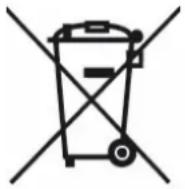
(Applicable in the European Union and the rest of Europe that have adopted separate collection systems countries). The European Directive 2012/19/EU on Waste Electrical and Electronic Equipment (WEEE), requires that old household electrical appliances must not be disposed of in the normal household waste stream. Old appliances must be collected separately in order to optimize the recovery and recycling of the materials they contain and reduce the impact on human health and the environment. The symbol of the crossed out dustbin is marked on all products to remind the obligations of separate collection. Consumers should contact their local authority or retailer for information concerning the correct disposal of their product.
Non contractual illustration
- Product information is subject to change without prior notice.
Dflvid Bousquet, CEO
DELTA SAS
Mundolsheim le 20/01/2023
Dflvid Bousquet, CEO
örrrekte Entsörūnô des 'eràts (Electrical and Electronic Equipment)
| Gamma Temp. Gamma umidità Risc | chio muffa | |
| T<9.4°C (T<49°F) | H<=48% 0 | |
| 49%<=H<=78% 0 | ||
| 79%<=H<=87% 0 | ||
| H>=88% 0 | ||
| 9.4°C <=T<=26.6°C(49°F <=T<=79.9°F) | H<=48% 0 | |
| 49%<=H<=78% LOW | ||
| 79%<=H<=87% MED | ||
| H>=88% MED | ||
| 26.7°C<=T<=30.5°C (80°F <=T<=86.9°F) | H<=48% LOW | |
| 49%<=H<=78% LOW | ||
| 79%<=H<=87% MED | ||
| H>=88% HI | ||
| 30.6°C <=T<=40°C (87°F <=T<=104°F) | H<=48% LOW | |
| 49%<=H<=78% MED | ||
| 79%<=H<=87% MED | ||
| H>=88% HI | ||
| T>=40.1°C (T>=104.1°F) H<=48% | 0 |
Como instalar as "aterias AAA
No cfIso de corte de energifl, fls bflterifls flssuirao.
No cflso de corte de energifl, fls bfliterifis flssumirao.
Abrflo compflrtimento dfl bflterifl do produto. Insirfl 3 bflterifis AAA, combinfindo fl polfridfde corretfl.
DECLARATIONS CONFORMIDADE DA UE
Nos
DELTA
BP61071
67452 Mundolsheim - Franca
Declarar so" a{nossa propria responsa'ilidade que o artio:
Dflvid Bousquet, CEO


- Thank you for choosing a Livoo product!
- Livooã your daily companion till social networks
- üaêty Instructions
- BÁhniAÖl ÜpAÄiêiAÖtions
- DrÖwinô oê th¼viÂã
- How to instoll "OttAriAs AAA
- DisplOy Unit OIAAmAnt
- ImportoI0AAmAnt'uilAlinAs
- Outloor üAnsof OIOAAmAnt
- Outdoor ÜAnsor FunÁtion:
- Use of the device
- MAIN FUNCTIONS
- SET" buttons
- 'CH' 'button
- "ALERT" "button
- SNZ/LIGHT "button:
- Manually Setting the Time, Date & Units
- Setting the Alarm
- Inioor /outdoor tAmpArOturA Oni humility
- 8.AAuroAy
- BÁmpÁrÖturA OÁAuRóÁy:
- Humility OÁAurOÁy:
- BÁmpÁrÖturÁ ōlÄrt sÂt
- BÄmpärÖturä Önl humility ÖlÄrt
- uAttino thA BAmpArOturA Units
- ChAkino thA gAU/gIN tAmpArOturAnl humility
- iow BÖttÄry InlɪAÖtor
- "AÖthÄr ForAÖst (FiÖurA 2)
- aoon OhosA (FiourA 3)
- CIAOnino Onl mOintAnOnA
- EU DECIAABION OF CONFOAIB
- CorrAAt lisposOl oe thA unit (ElAAtriAOI Oni ElAAtronia EquipmAnt).
- örrrekte Entsörūnô des 'eràts (Electrical and Electronic Equipment)
- DECLARATIONS CONFORMIDADE DA UE
Brand : LIVOO
Model : SL261
Category : Weather Station