Tempest HBH650 - Blender HAMILTON BEACH - Free user manual and instructions
Find the device manual for free Tempest HBH650 HAMILTON BEACH in PDF.


User questions about Tempest HBH650 HAMILTON BEACH
0 question about this device. Answer the ones you know or ask your own.
Ask a new question about this device
Download the instructions for your Blender in PDF format for free! Find your manual Tempest HBH650 - HAMILTON BEACH and take your electronic device back in hand. On this page are published all the documents necessary for the use of your device. Tempest HBH650 by HAMILTON BEACH.
USER MANUAL Tempest HBH650 HAMILTON BEACH
natural_image
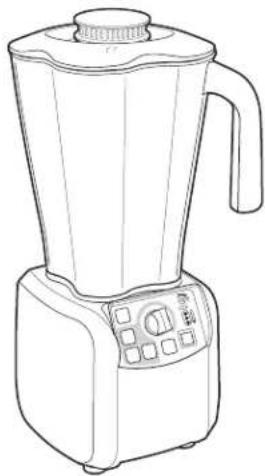
Line drawing of a Hamilton Beach blender with control panel and buttons (no text or symbols on the device itself)Model HBH650
Bar blender
Operation Manual
Page 2
Modèle HBH650
Mélangeur de bar
IMPORTANT: This operation manual should be reviewed with all equipment operators as part of your operator training program.
IMPORTANT SAFETY INSTRUCTIONS
WARNING — When using electrical appliances, basic safety precautions should be followed, including the following:
-
Read the Operation Manual before using blender. Keep Operation Manual handy.
-
Plug into a grounded 3-prong outlet.
-
Do not remove ground prong.
-
Do not use an adapter.
-
Do not use an extension cord.
-
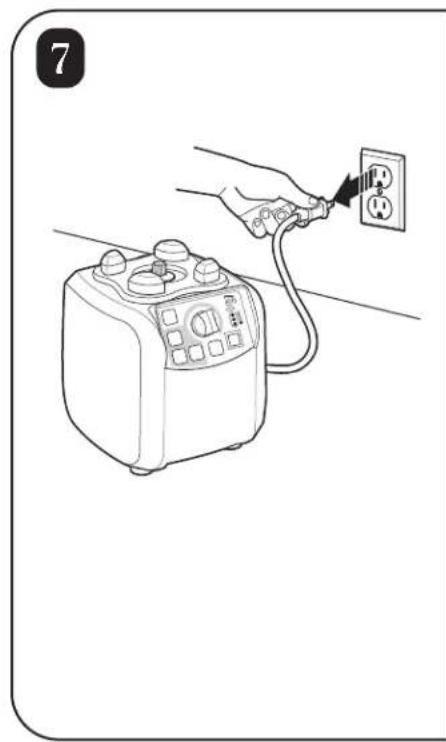
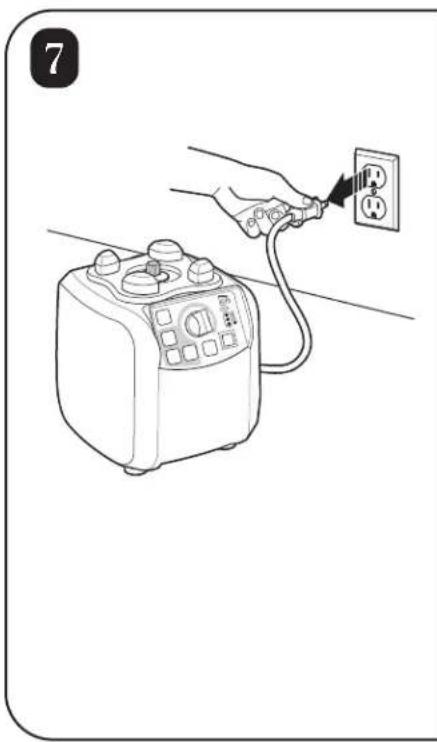
Disconnect power before cleaning or servicing.
-
To reduce risk of personal injury, unplug cord from outlet when not in use, and before putting on or taking off parts.
-
To protect against electrical shock, do not immerse cord, plug, or blender base in water or any other liquid.
-
Do not spray the base with a high-pressure spray gun.
-
Extreme caution must be used when moving an appliance containing hot oil or other hot liquids.
-
Do not use appliance for other than intended use.
-
Not intended for use by or near children.
-
The use of accessory attachments not recommended by Hamilton Beach may cause injuries.
-
To reduce risk of personal injury and to prevent damage to blender or container and cutter assembly, DO NOT insert utensils into blender container while operating blender.
-
Do not store any kitchen utensils in the container because the blender would be damaged if inadvertently turned on.
-
To prevent possibility of serious personal injury, keep hands out of blender container while operating blender. Always operate blender with container lid in place.
-
Avoid contacting moving parts.
-
Blades are sharp. Handle carefully.
-
If cutter assembly blades are loose, discontinue use immediately and replace cutter assembly. Do not attempt to repair or tighten cutter assembly.
-
Inspect container and cutter assembly daily. Do not use broken, chipped or cracked container. Check cutter for wear, nicks, or broken blades. Do not use broken or cracked cutting blades.
-
Do not use outdoors.
-
This appliance is intended for short periods of operation, with a rated operating time of 3 minutes.
-
Do not leave blender unattended while it is operating.
-
To prevent damage to blender, container, or cutter assembly, DO NOT move or shake blender while in operation.
-
When blending hot liquids, remove center-piece of two-piece lid. Hot liquids may push lid off jar during blending. To prevent possible burns: Do not fill blender jar beyond the 1 quart (1 liter) level. With the protection of an oven mitt or thick towel, place one hand on top of lid. Keep exposed skin away from lid. Start blending at lowest speed.
-
Always operate blender with container lid in place.
-
Do not operate any appliance with a damaged cord or plug or after the appliance malfunctions, or is dropped or damaged in any manner. Call the Technical Service number, 866-285-1087 or 910-693-4277, for instructions on examination, repair, or electrical or mechanical adjustment.
- SAVE THESE INSTRUCTIONS -
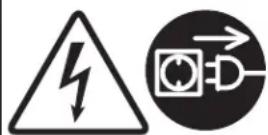
Electrical Shock Hazard Disconnect power before cleaning blender base.
Failure to follow these instructions can result in death or electrical shock.
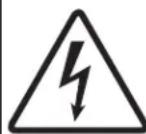
Electrical Shock Hazard Plug into a grounded outlet
Do not remove ground.
Do not use an adapter.
Do not use an extension cord.
Failure to follow these instructions can result in death, fire, or electrical shock.

Cut Hazard
Always place lid on container when blending.
Do not put hands, spoons, or other utensils in container when blending.
Failure to follow these instructions can result in broken bones, cuts, or other injuries.

Burn Hazard
Always use caution when blending hot contents.
Failure to follow these instructions can result in burns.
Sanitizing
Sanitize using 1 tablespoon (15 ml) of household bleach per 1 gallon (3.8 liter) of clean, cool water (60°F/16°C), mixed according to the instructions on the bleach.
- Fill container with sanitizing solution, replace lid and filler cap and run on LOW speed for 2 minutes. Empty container.
- Wipe exterior with soft cloth dampened with sanitizing solution.
- Immerse lid and filler cap in sanitizing solution for 2 minutes.
- Place empty container on base and run on HIGH speed for 2 seconds to remove any moisture from the cutter assembly.
- When ready to use, rinse with clean water.
Technical Service
For assistance or replacement parts, call our Technical Service number: 866-285-1087 or 910-693-4277
8 a.m. – 5:00 p.m. EST Monday – Friday www.commercial.hamiltonbeach.com
Replacement Parts
The following components are subject to wear and should be replaced at least yearly. We recommend keeping a replacement container and cutter on hand.
| Part Description | Part Number |
| 64 oz. polycarbonate container 6126-650 | |
| Cutter assembly 98650 |
Parts and Features
The parts and features for the Tempest blender are shown on this page. Become familiar with all parts and features before using your blender.
Your Tempest blender is designed for blending and mixing beverages.
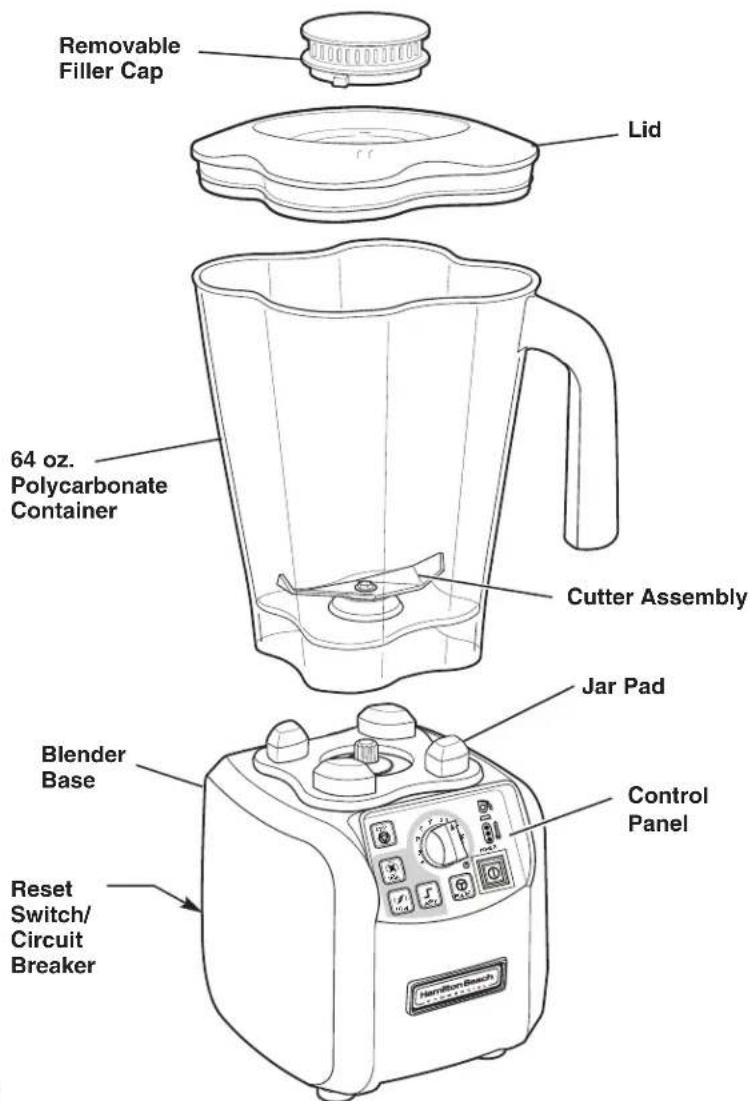
text_image
Removable Filler Cap Lid 64 oz. Polycarbonate Container Cutter Assembly Jap Pad Blender Base Control Panel Reset Switch/ Circuit Breaker Hamilton BoschControl Panel
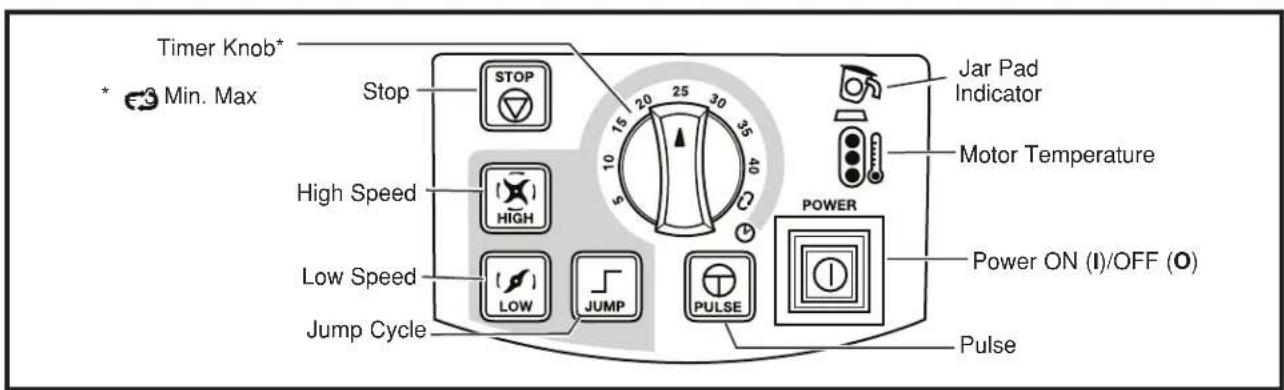
text_image
Timer Knob* * Min. Max Stop STOP 15 20 25 30 35 10 5 40 High Speed HIGH Power Low Speed LOW JUMP PULSE Jump Cycle Jar Pad Indicator Motor Temperature Power ON (I)/OFF (O) PulsePower Requirements
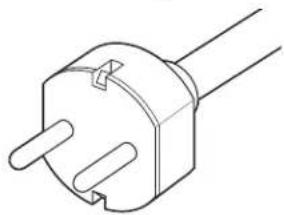
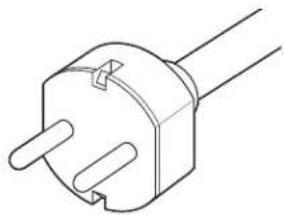
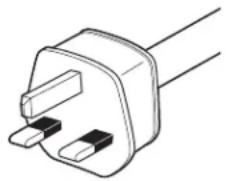
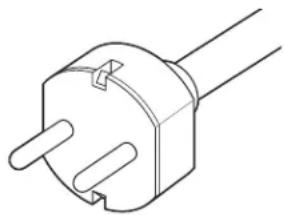
Use a fused electric outlet for the blender. Depending on the model of your blender, the plug will look like the following to meet power requirements:
120 VAC, 60Hz
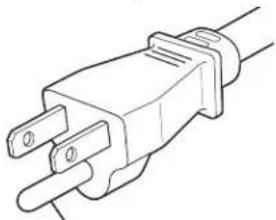
natural_image
Line drawing of an electrical outlet plug (no text or symbols)Ground prong
230 VAC, 50Hz
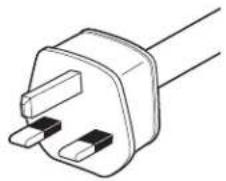
natural_image
Line drawing of a 3-pin electrical plug (no text or symbols)230 VAC, 50Hz
natural_image
Line drawing of a dual-pin electrical plug (no text or symbols)Blender Operation – Quick Start Guide
- Read Important Safety Instructions and Warnings before use.
- Place the blender on a dry, level surface.
- Make sure the power switch is OFF (O). Plug the blender into a grounded 3-prong electrical outlet.
-
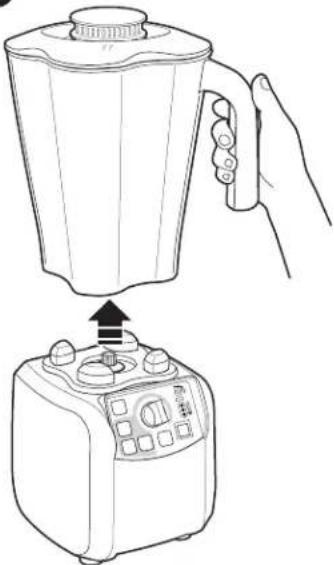
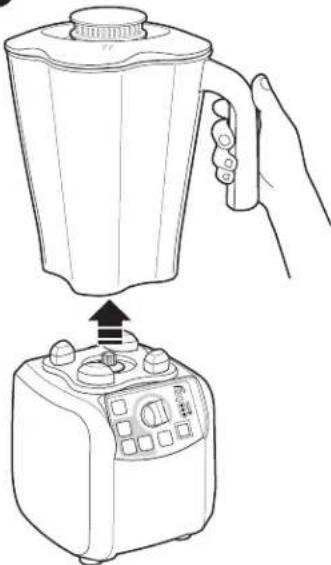
Place the container on the base with ingredients and container lid in place.
-
Press the Power ON (I)/OFF (O) button to turn the blender ON (I). The red LED lamp indicates that power is ON (I).
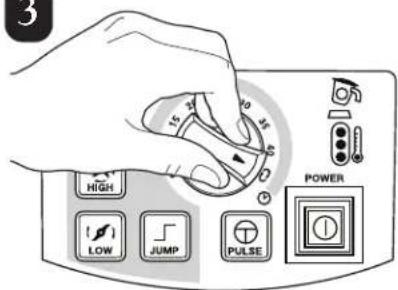
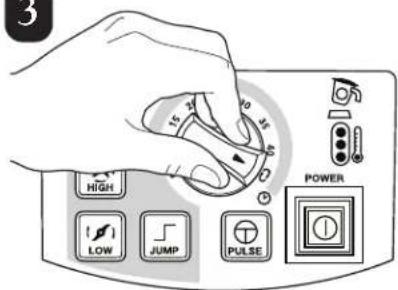
- Adjust the timer knob to desired run time.
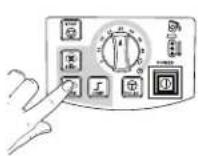
- Select the desired function (HIGH, LOW or JUMP). NOTE: Use the Jump Cycle for automatic speed adjustment from LOW to HIGH during the blending cycle.

text_image
Two triangular warning signs with Chinese characters, one showing a falling object and the other a pile of material.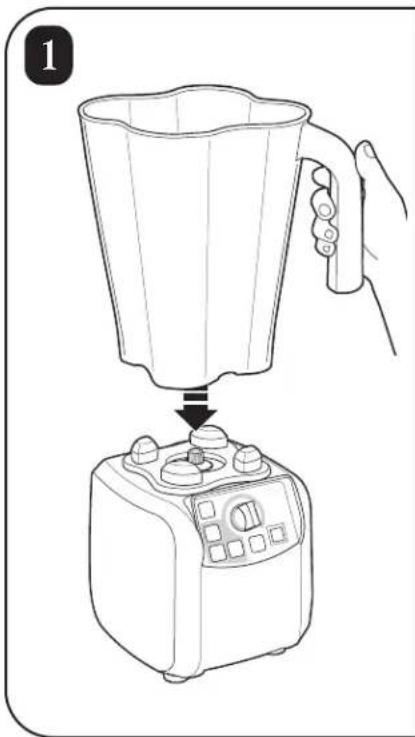
natural_image
Line drawing of a blender being placed into a microwave oven using a hand (no text or symbols)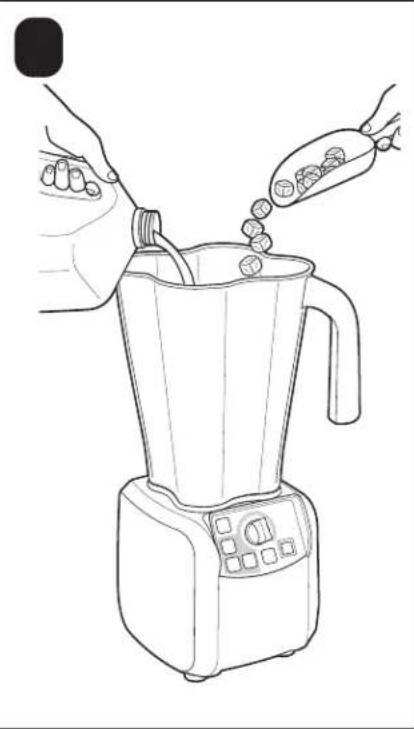
natural_image
Line drawing of a blender being piped with food, no text or symbols present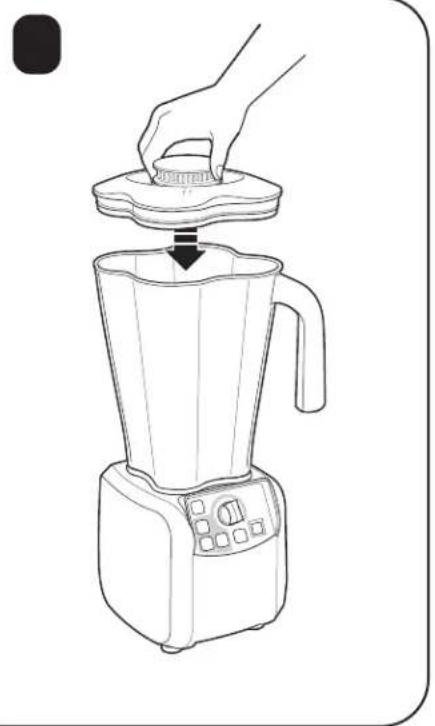
natural_image
Line drawing of a blender with a hand pressing down on top (no text or symbols)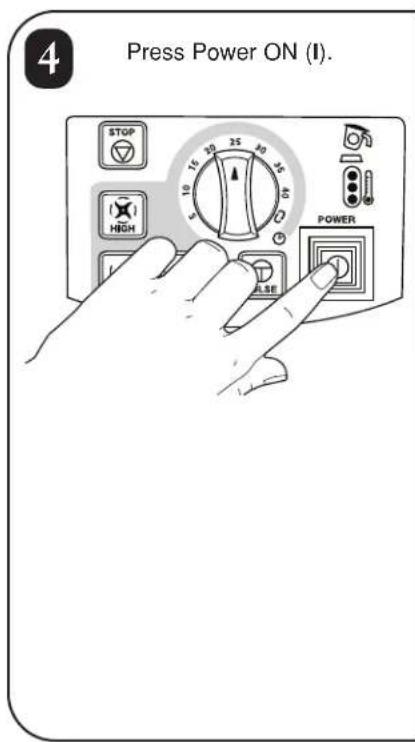
text_image
4 Press Power ON (I). STOP HIGH 5 10 15 20 25 30 35 40 10 15 20 25 30 35 40 POWER ALSE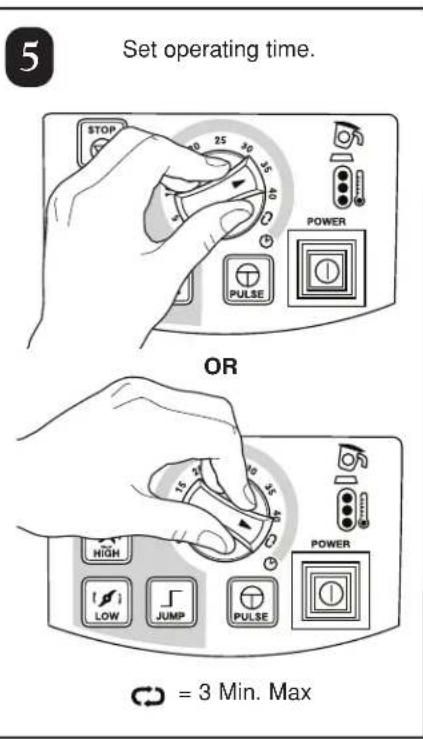
text_image
5 Set operating time. STOP 25 30 35 40 POWER PULSE OR 15 20 35 40 HIGH LOW JUMP PULSE POWER CD = 3 Min. Max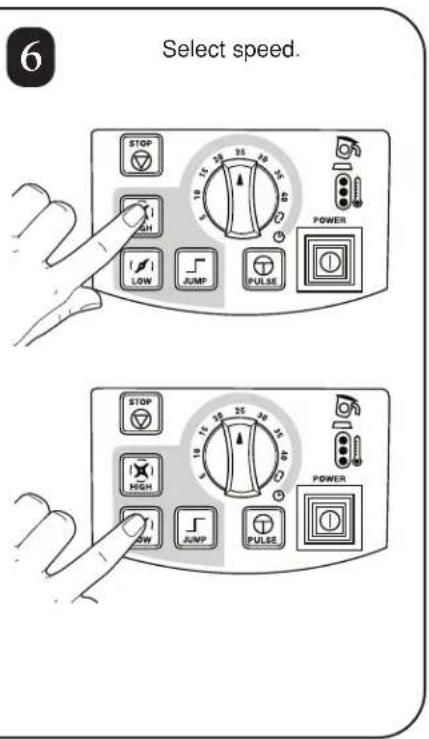
text_image
6 Select speed. STOP 10 25 35 HIGH LOW JUMP PULSE POWER STOP 10 25 35 45 HIGH LOW JUMP PULSE POWER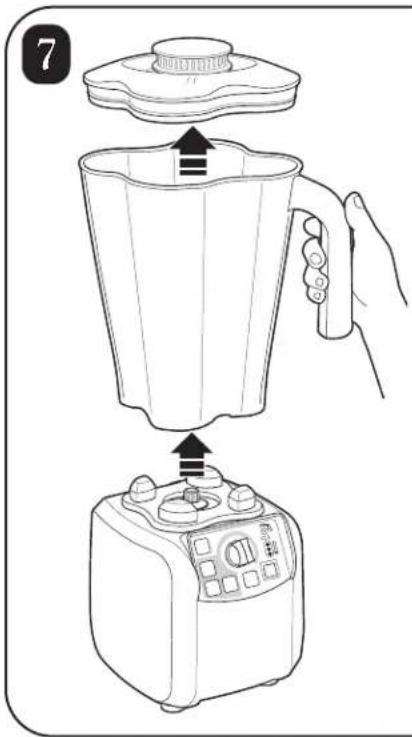
text_image
7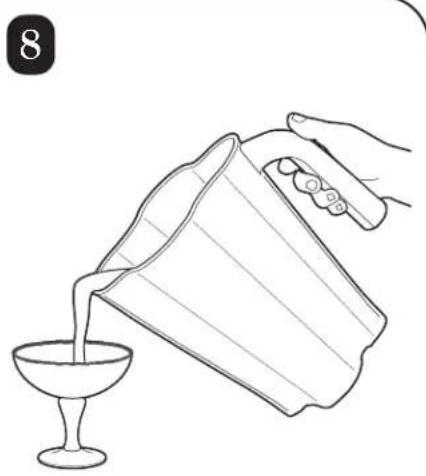
natural_image
Line drawing of a hand pouring liquid from a glass bowl into a cup (no text or symbols)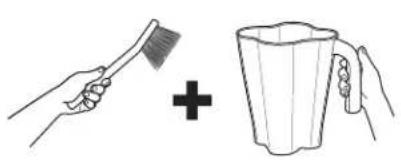
natural_image
Illustration showing a hand brushing a brush and adding a plus sign to a mug (no text or symbols)
natural_image
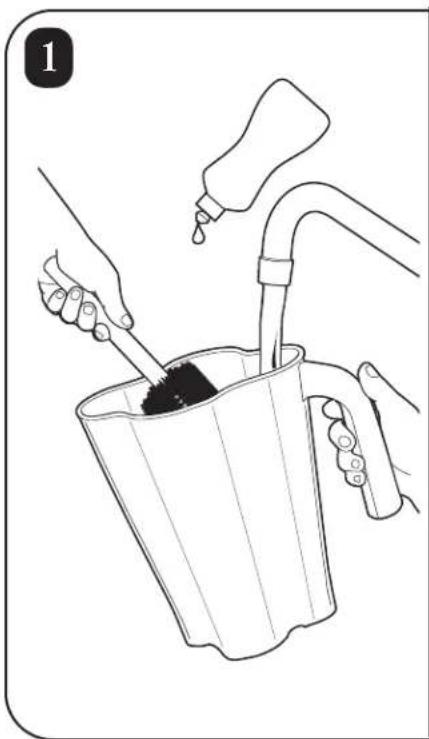
Illustration of hands using a bucket to clean or wash material, with a water dispenser pouring liquid from the bucket (no text or symbols)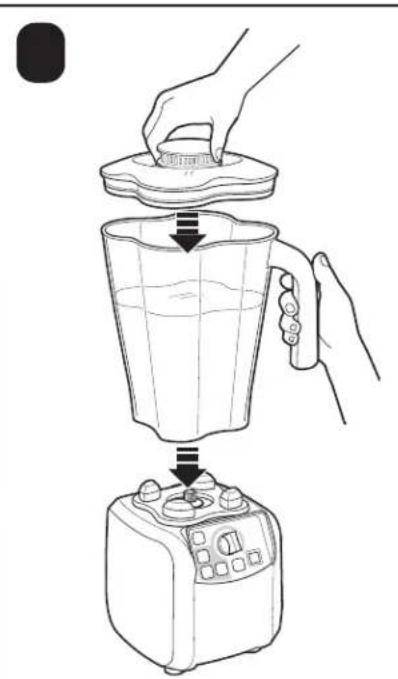
natural_image
Line drawing of a blender being placed into a microwave oven using a hand (no text or symbols)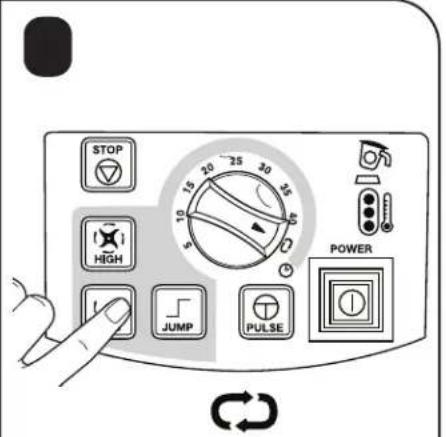
text_image
STOP HIGH JUMP PULSE POWER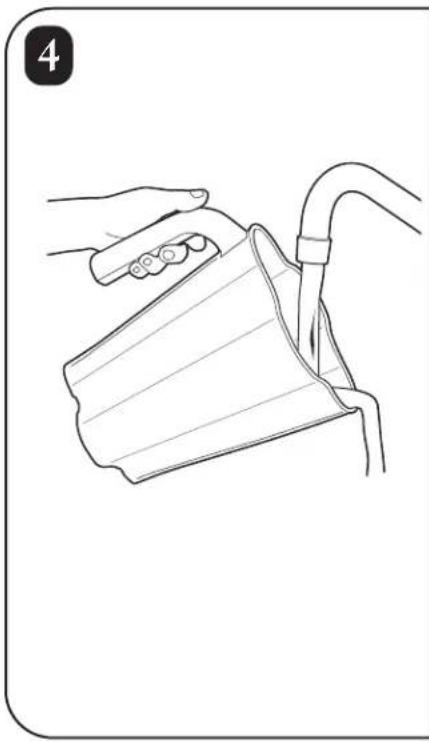
natural_image
Line drawing of a hand holding a cup and tubing, no text or symbols present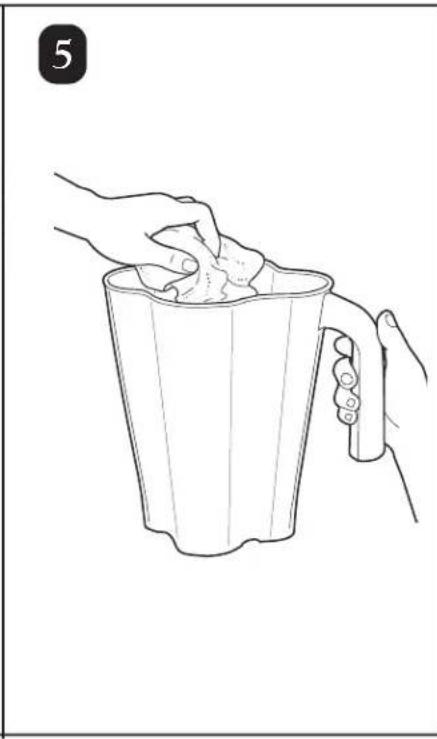
natural_image
Line drawing of two hands holding a cup filled with food, no text or symbols present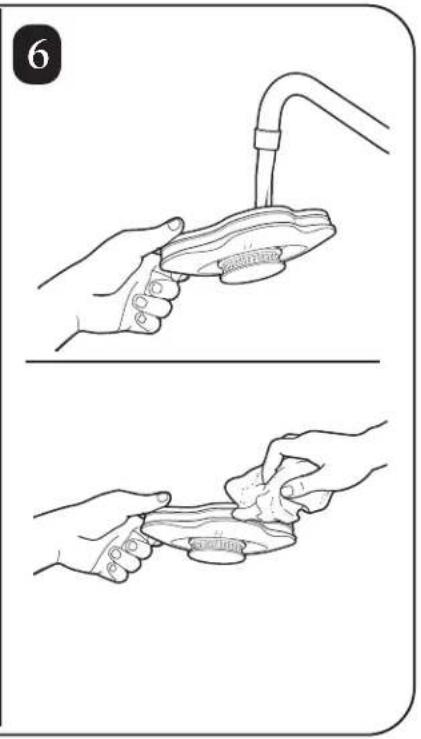
natural_image
Illustration showing two steps of a hand washing a fish from a faucet, with no text or symbols present.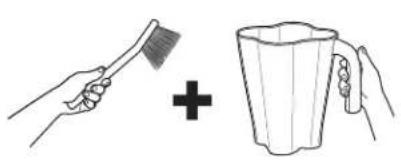
natural_image
Illustration showing a hand brushing a broom and adding a plus sign to a mug (no text or symbols)
natural_image
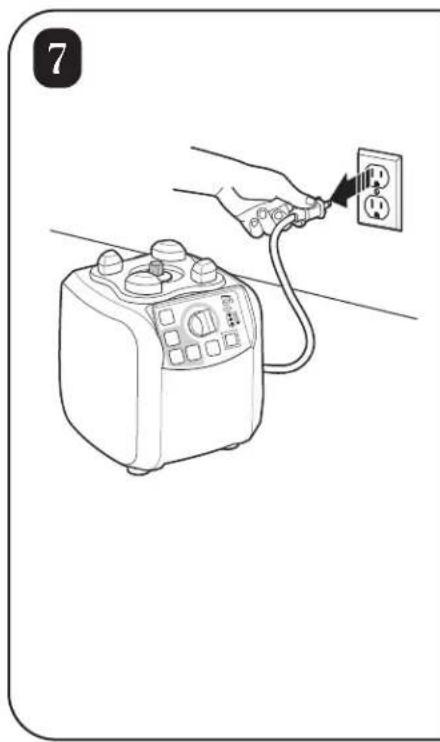
Line drawing of a hand connecting an electrical outlet to a small appliance (no text or symbols)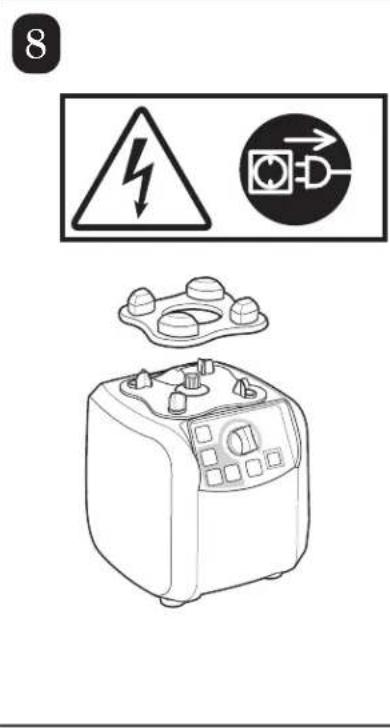
text_image
8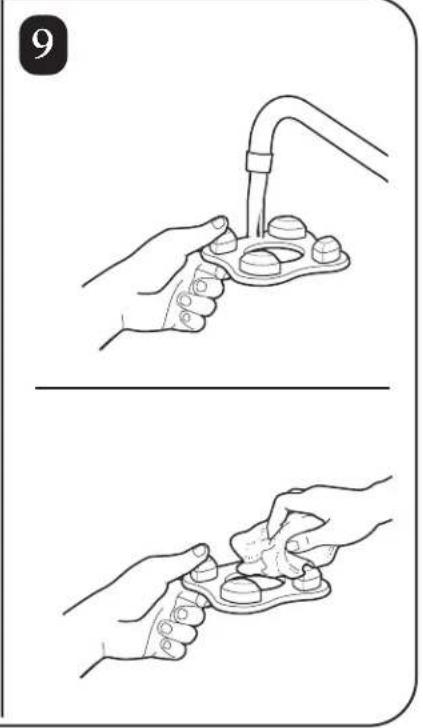
natural_image
Illustration showing two steps of a hand holding a medical device, with no visible text or symbols.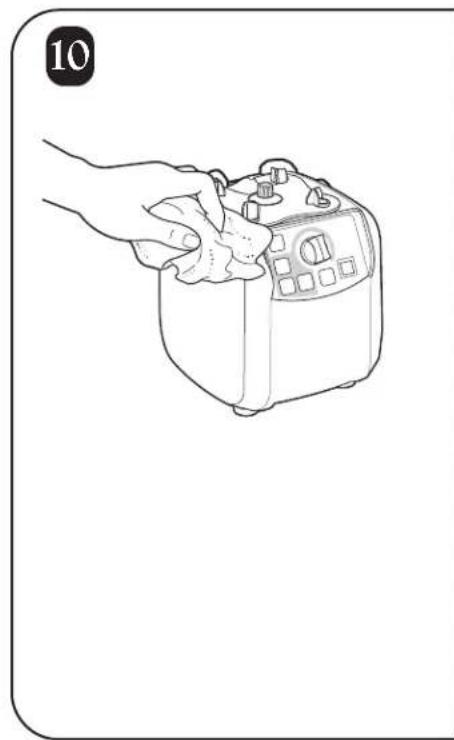
natural_image
Line drawing of a hand holding a small kitchen appliance (no text or symbols)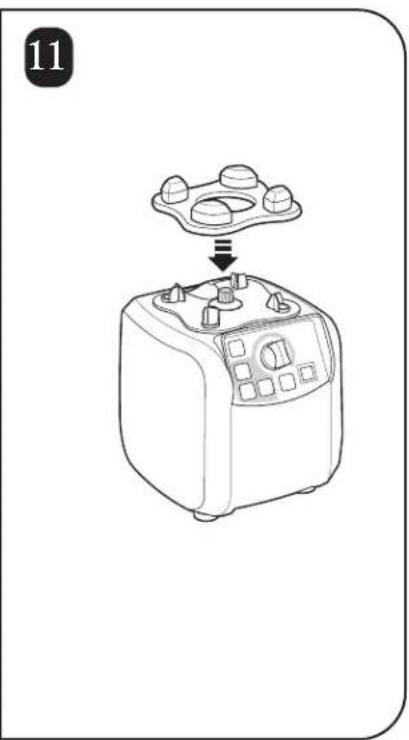
natural_image
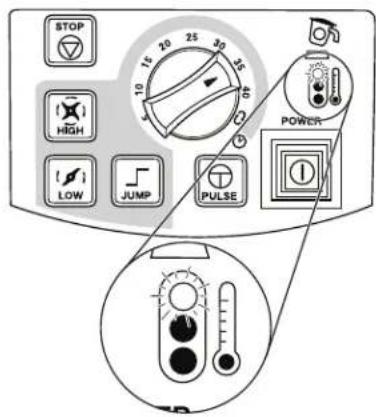
Line drawing of a kitchen appliance with a tray and control knob, no text or symbols presentThermal Overload Protection

1
text_image
STOP 15 20 25 30 10 HIGH LOW JUMP PULSE POWER 1 2 3 4 5 6 7 8 9 10 11 12 13 14 15 16 17 18 19 20 21 22 23 24 25 26 27 28 29 30 31 32 33 34 35 36 37 38 39 40 41 42 43 44 45 46 47 48 49 50 51 52 53 54 55 56 57 58 59 60 61 62 63 64 65 66 67 68 69 70 71 72 73 74 75 76 77 78 79 802
natural_image
Line drawing of a blender with control panel (no text or symbols)3
text_image
3 15 10 35 HIGH LOW JUMP PULSE POWER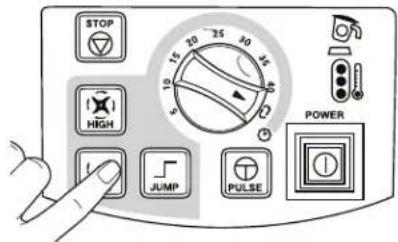
text_image
STOP HIGH JUMP PULSE POWER4
natural_image
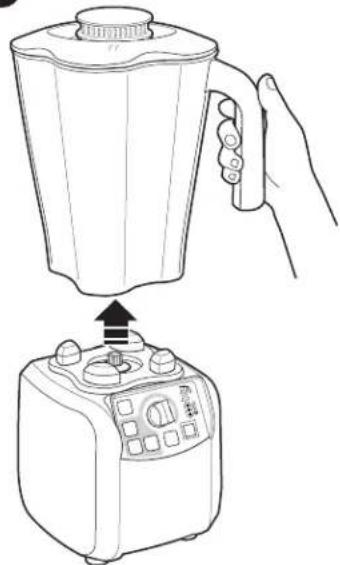
Line drawing of a blender being placed into a microwave oven using a hand (no text or symbols)Remove jar within
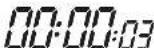
5
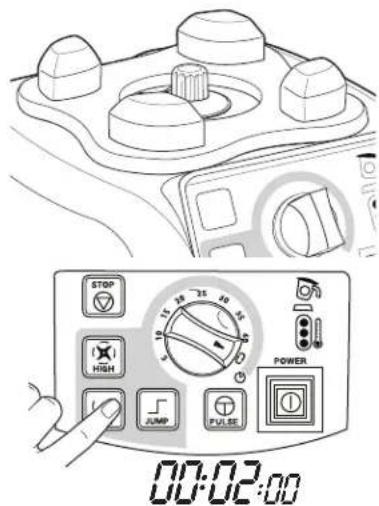
text_image
STOP HIGH JUMP PULSE POWER 00:02:00Blender will automatically turn off after 2 minutes of low-speed "cool down cycle".
6
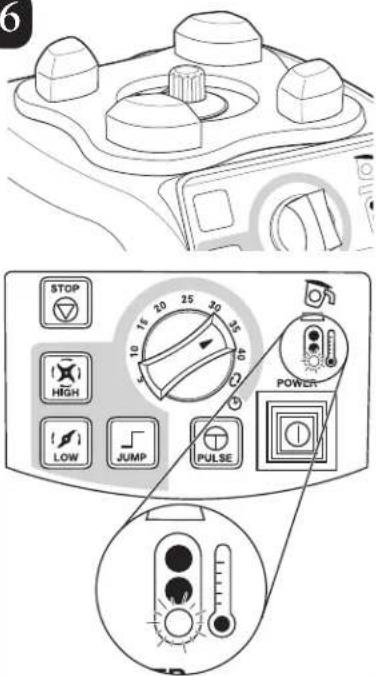
text_image
6 STOP 15 20 25 30 35 HIGH 10 15 20 25 30 LOW JUMP PULSE POWER PULSEReplacing the Cutter Assembly

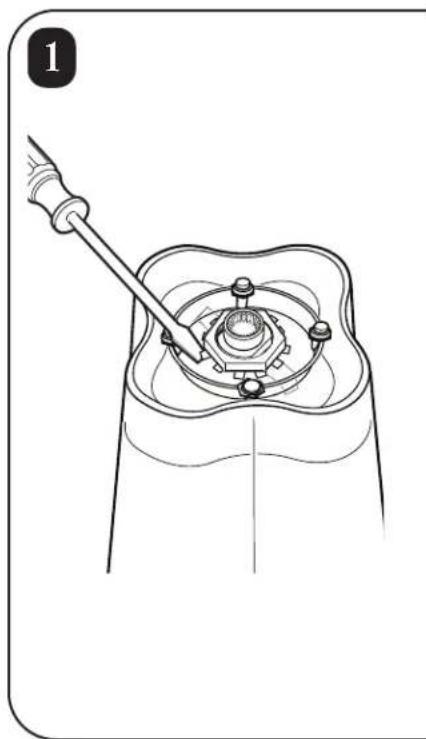
natural_image
Technical line drawing of a mechanical assembly with a tool inserted, showing a central component and surrounding parts (no text or symbols)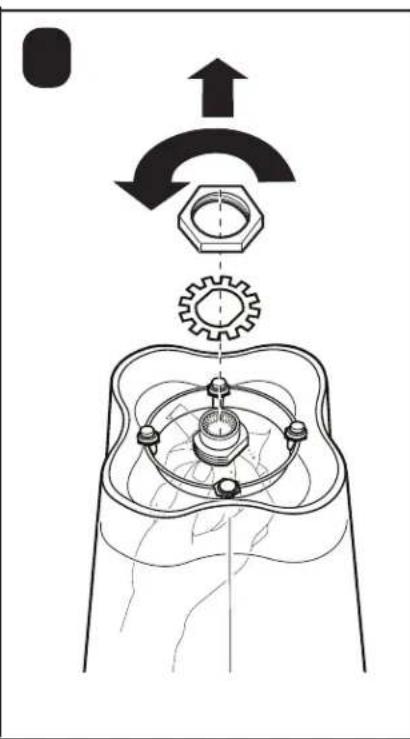
text_image
Technical diagram showing mechanical assembly with labeled components and directional arrows indicating motion or rotation.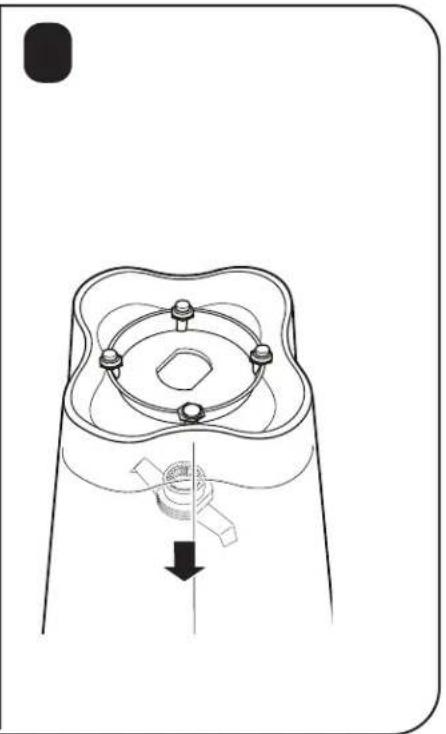
natural_image
Technical line drawing of a mechanical component with a central shaft and mounting holes (no text or symbols)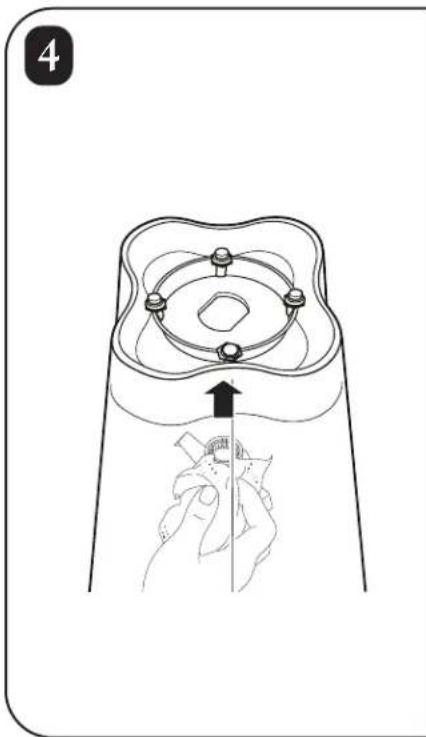
natural_image
Diagram of a hand holding a small object inside a container with a circular top and ring, no text or symbols present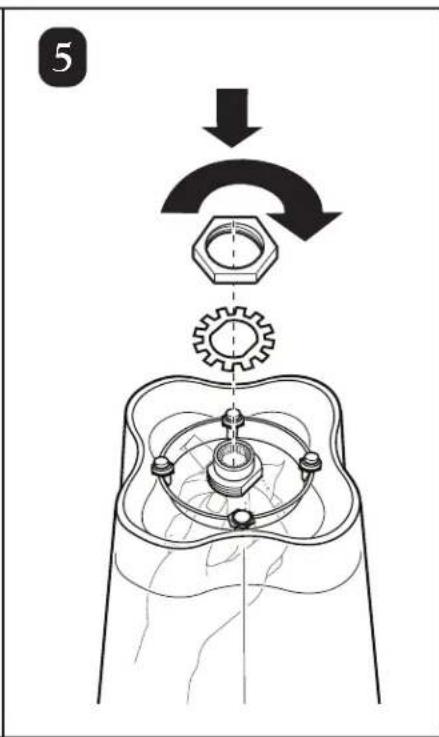
text_image
5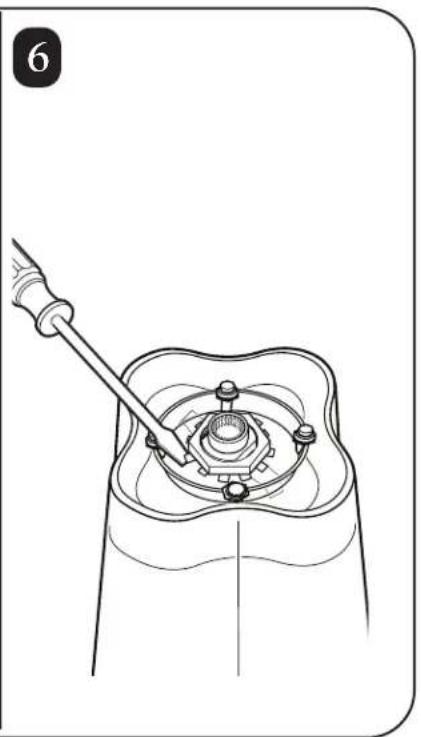
natural_image
Technical line drawing of a mechanical assembly with a tool inserted, showing no text or symbolsTroubleshooting Guide
| Problem . . . Solution | ... |
| Blender fails to start or stops while it is running and no lights show on the control panel. | Make sure that the main power ON (I)/OFF (O) button is ON (I).Check to see if unit is securely plugged into an electric outlet of the proper voltage and frequency.Check to see if the fuse for the electric outlet has blown or if a circuit breaker has tripped.Check the integrated circuit breaker on the bottom of the blender base. If it trips again immediately or frequently, contact Customer Service. |
| Blender fails to start or stops while it is running and jar pad light is blinking. | Make sure that the jar is seated properly on the blender base. When the jar is properly positioned, the light will go off.Blender will not operate unless jar is properly seated. |
| Blender fails to start or stops while it is running and the red temperature light is on. | Thermal overload protection has been tripped. Attempt to run “cool down cycle” or allow unit to cool until temperature light is green. See “Thermal Overload Protection” for additional details. |
| Motor temperature light is yellow or red. | The motor is overheating. Try mixing smaller batches or running for shorter cycle times. Allow motor to cool between batches. See “Thermal Overload Protection” for additional details. |
| Ingredients will not mix properly | Check to see if enough liquid has been added to the ingredients. Mixture should be fluid and free-running at all times.Solid pieces are too large.Container is too full. Do not fill past highest graduation marking.Cutter assembly blades are not sharp or are damaged. Inspect container and cutter assembly daily. Replace cutter assembly at least yearly or sooner if cutter assembly appears worn or damaged.Check to see if cutter assembly is installed properly.Select speed to create a fluid blend. |
Maintenance
Inspect the blender and its various parts and replace as follows:
| Daily | Unplug the blender and remove the container from the base, and then inspect the container and cutter assembly for wear, nicks, and broken or loose blades. Replace if necessary. If the blades are loose, discontinue use immediately and replace the blades. Do not attempt to repair or tighten the cutter assembly. See “Replacement Parts”. |
| Weekly | Unplug the blender, and then inspect the power cord insulation and power plug for cracks. Refer to “Technical Service” for repair or replacement. Remove jar from blender base. Inspect the cutter by rotating the drive end of the cutter by hand. It should turn smoothly. If it does not, replace the cutter assembly. See “Replacing the Cutter Assembly” for details. |
Product Warranty
This Warranty supersedes all other Product Warranties
LIMITED WARRANTY
This product is warranted to be free from defects in material and workmanship for a period of two (2) years or 20,000 cycles, whichever comes first, from the date of original purchase, except as noted below. During this period, we will repair or replace this product, at our option.
THE FOREGOING WARRANTY IS IN LIEU OF ANY OTHER WARRANTY OR CONDITION, WHETHER EXPRESS OR IMPLIED, WRITTEN OR ORAL INCLUDING WITHOUT LIMITATION ANY STATUTORY WARRANTY OR CONDITION OF MERCHANTABILITY OR FITNESS FOR A PARTICULAR PURPOSE, ANY LIABILITY IS EXPRESSLY LIMITED TO AN AMOUNT EQUAL TO THE PURCHASE PRICE PAID, AND ALL CLAIMS FOR SPECIAL, INCIDENTAL AND CONSEQUENTIAL DAMAGES ARE HEREBY EXCLUDED.
There is no warranty with respect to parts subject to wear, including without limitation: motor brushes, container and cutter assembly, clutches, bristle brushes, funnel, stainless steel cup, agitators, carafes, etc. This warranty extends only to the original purchaser and does not lid any condition resulting from abuse, misuse, neglect, unauthorized repair, or use not in conformity with the printed directions. Always use this product in accordance with the printed directions. This warranty gives you specific legal rights and you may also have other legal rights which vary from state to state, or province to province. Some states do not allow limitations on implied warranties or special, incidental or consequential damages, so the foregoing limitations may not apply to you.
If you have a claim under this warranty please contact our TECHNICAL SERVICE DEPARTMENT at 1-866-285-1087 or 910-693-4277. (For faster service please have model, series, and type numbers ready for operator to assist you.) Reasonable proof of date of purchase must be presented; otherwise the effective date of the warranty will be based upon the date of manufacture plus ninety (90) days. You are responsible for paying shipping and handling charges to return the product to us.
Hamilton Beach/Proctor-Silex, Inc.
Commercial Technical Service
261 Yadkin Road
Southern Pines, NC 28387

text_image
ECSPTwo-Year Express Care Service Program \*
* Available only to end users located in the continental U.S., Alaska, and Hawaii
Hamilton Beach Commercial understands that your foodservice equipment is a crucial element in the profitability of your business. If your equipment breaks down, you would like repair that's quick, convenient, and dependable. That's why we provide the Express Care Service Program for this product while it's under the Product Warranty. You'll find that it's better for your bottom line and your peace of mind.
Follow these three easy steps for quick, convenient and dependable ECSP repairs:
Step One: Dial 1-866-285-1087 toll-free to speak to a member of our highly trained technical service staff (hours Monday – Friday 8:00 AM – 5:00 PM EST). We will make an initial phone diagnosis.
Step Two. If it is determined that minimal on-site maintenance cannot be performed, Hamilton Beach Commercial will ship a replacement product to your location.
Step Three: Once the replacement unit is received, you send the troubled unit back to Hamilton Beach Commercial (we'll provide the box and supporting materials to return the unit). Hamilton Beach Commercial will pay the freight cost for the returned unit.
NOTE: The warranty of the replacement unit will be prorated based on the time period remaining on the replaced unit.
natural_image
Line drawing of an electrical outlet plug (no text or symbols)natural_image
Line drawing of a 3-pin electrical plug (no text or symbols)230 VCA 50Hz
natural_image
Line drawing of a dual-pin electrical plug (no text or symbols)text_image
Two triangular warning signs with Chinese characters, one showing a falling object and the other a rising graph.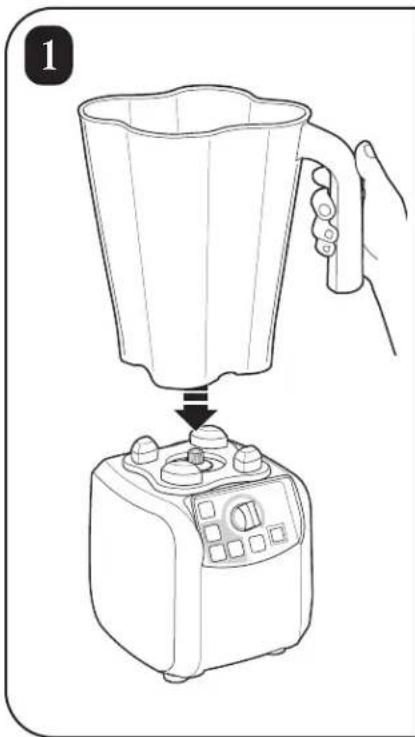
natural_image
Line drawing of a blender being placed into a microwave oven using a hand (no text or symbols)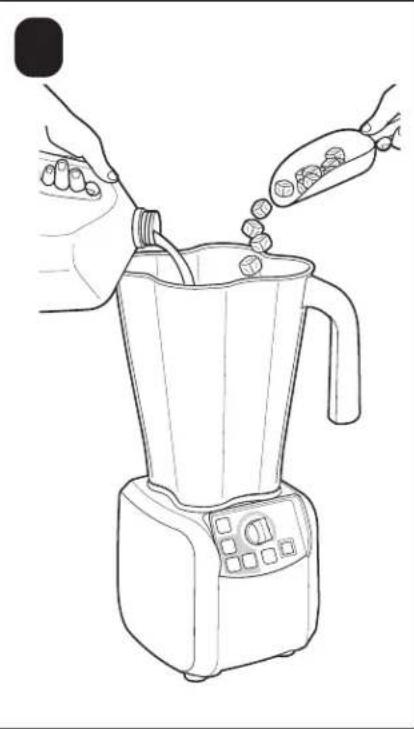
natural_image
Line drawing of a blender being piped with food, no text or symbols present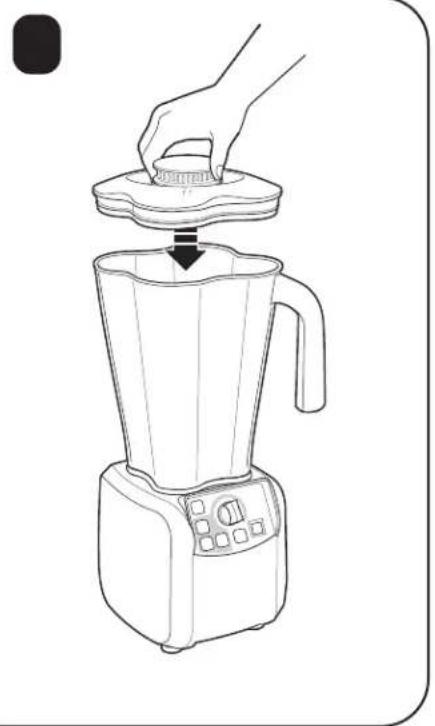
natural_image
Line drawing of a blender with a hand pressing down on top (no text or symbols)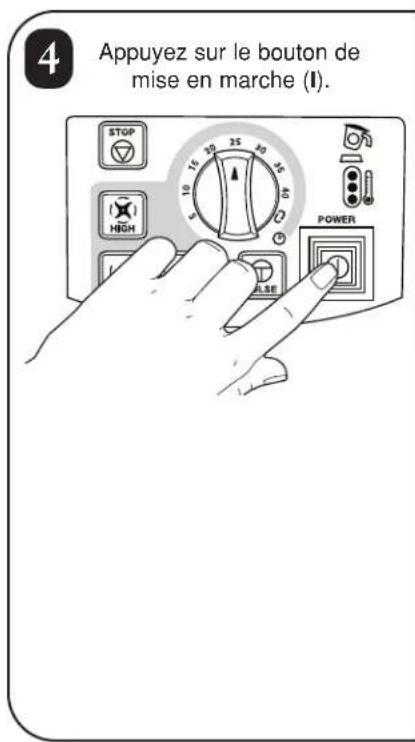
natural_image
Line drawing of a hand pouring liquid from a glass bowl into a cup (no text or symbols)
natural_image
Illustration showing a hand brushing a brush and adding a plus sign to a mug (no text or symbols)
natural_image
Illustration of hands using a bucket to clean or wash material, with a spray bottle pouring liquid from the bucket (no text or symbols)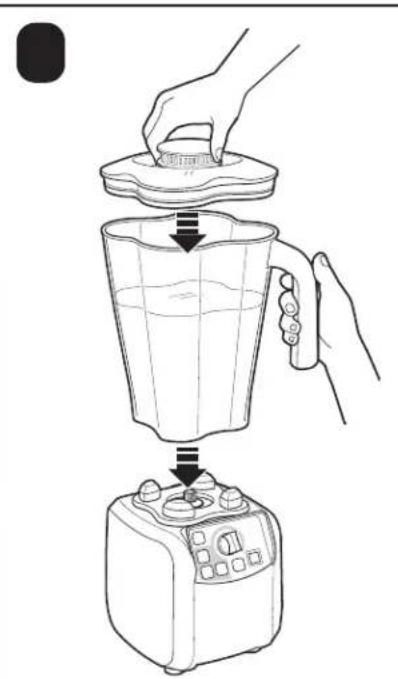
natural_image
Line drawing of a blender being placed into a microwave oven using a hand (no text or symbols)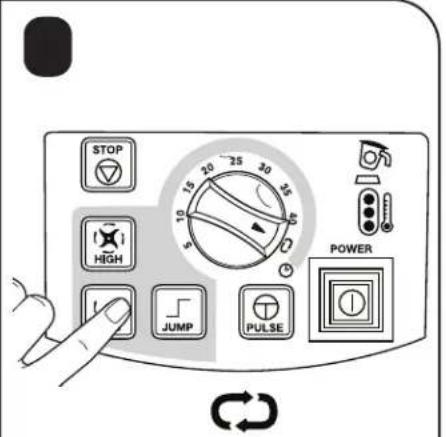
text_image
STOP HIGH JUMP PULSE POWER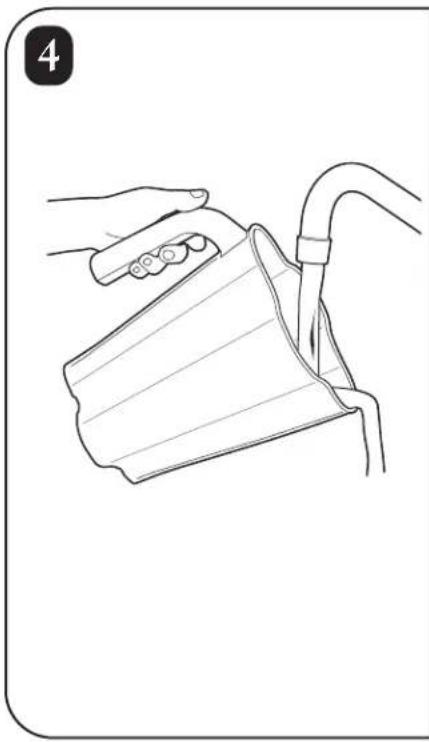
natural_image
Line drawing of a hand holding a cup and a tube, no text or symbols present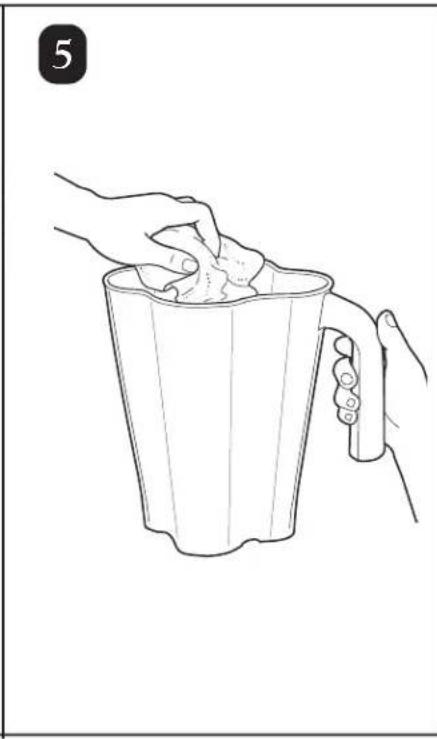
natural_image
Line drawing of two hands holding a cup filled with food, no text or symbols present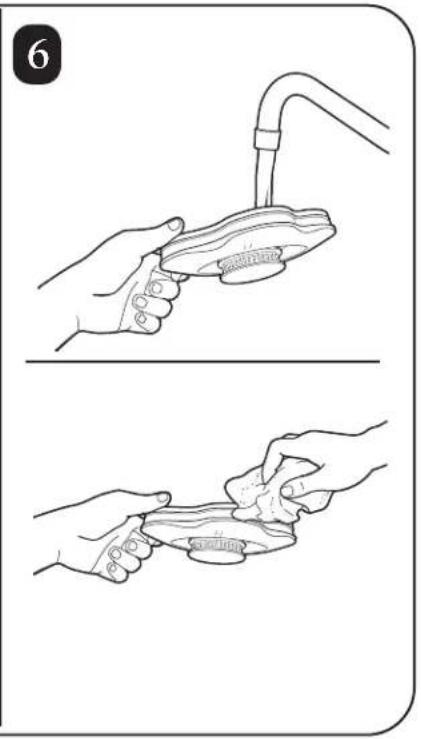
natural_image
Illustration showing two steps of a hand washing a fish from a faucet, with no text or symbols present.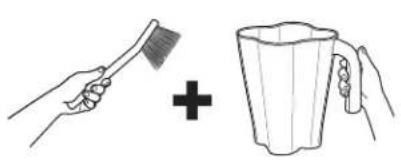
natural_image
Illustration showing a hand brushing a broom and adding a plus sign to a mug (no text or symbols)
natural_image
Line drawing of a hand connecting an electrical outlet to a small appliance (no text or symbols)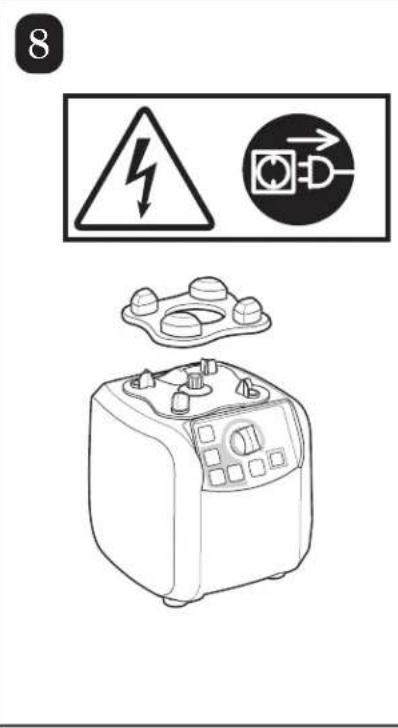
text_image
8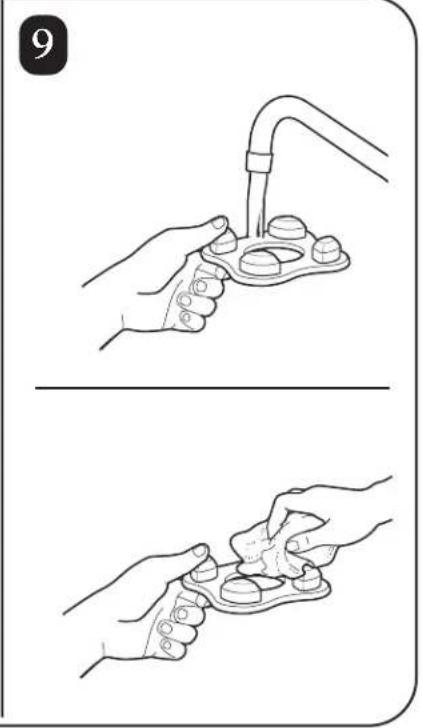
natural_image
Illustration showing two steps of a hand holding a medical device, no text or symbols present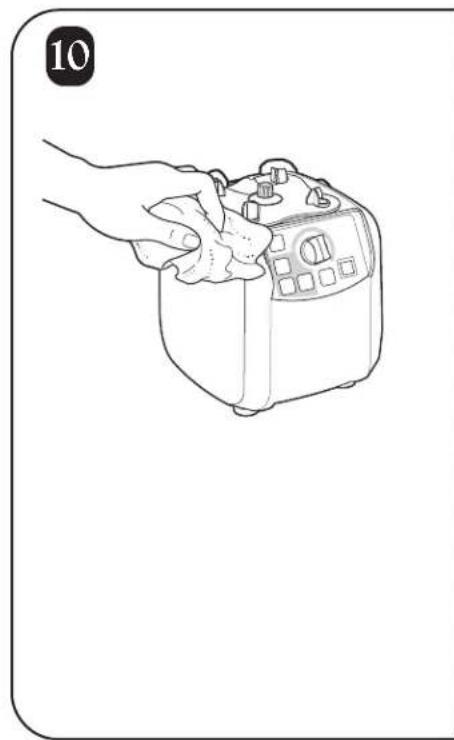
natural_image
Line drawing of a hand holding a small kitchen appliance (no text or symbols)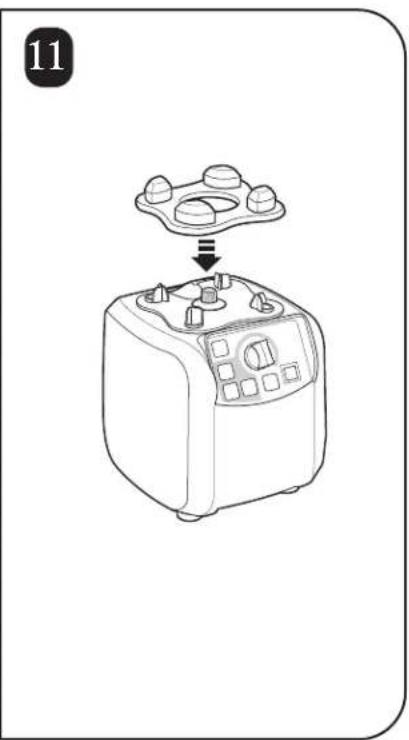
natural_image
Line drawing of a kitchen appliance with a tray and control panel (no text or symbols)natural_image
Line drawing of a blender with control panel and handle (no text or symbols)3
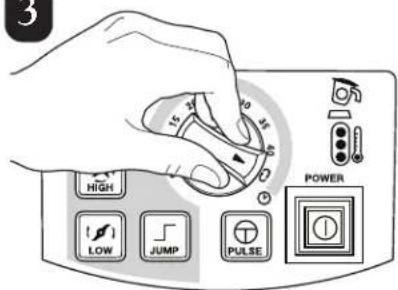
text_image
3 15 10 35 HIGH LOW JUMP PULSE POWER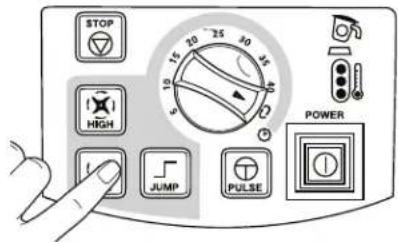
text_image
STOP HIGH JUMP PULSE POWER4
natural_image
Line drawing of a blender being placed on top of a microwave oven, with no text or symbols present.text_image
Technical diagram illustrating three-step mechanical assembly steps with labeled components and directional arrows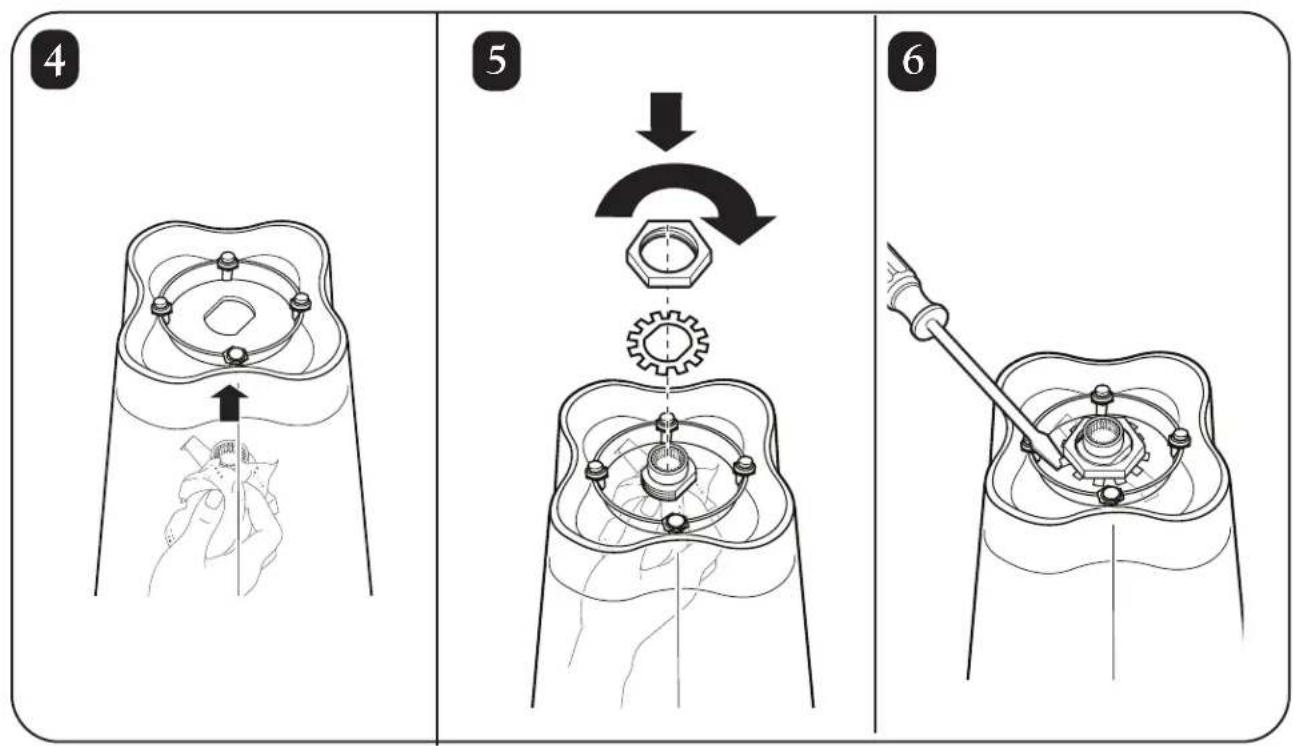
text_image
Technical diagram illustrating three-step mechanical assembly steps with labeled parts and directional arrowsEn cas de panne
Commercial Technical Service
261 Yadkin Road
Southern Pines, NC 28387

text_image
ECSP8 a.m. – 5:00 p.m. EST Lunes – Viernes
www.commercial.hamiltonbeach.com
Piezas de Repuesto
natural_image
Line drawing of a white electrical outlet plug with two leads (no text or symbols)Clavija a tierra
230 VAC, 50Hz
natural_image
Line drawing of a dual-pin electrical plug (no text or symbols)230 VAC, 50Hz
natural_image
Line drawing of a dual-pin electrical plug (no text or symbols)text_image
Two triangular warning signs with Chinese characters, one showing a falling object and the other a pile of material.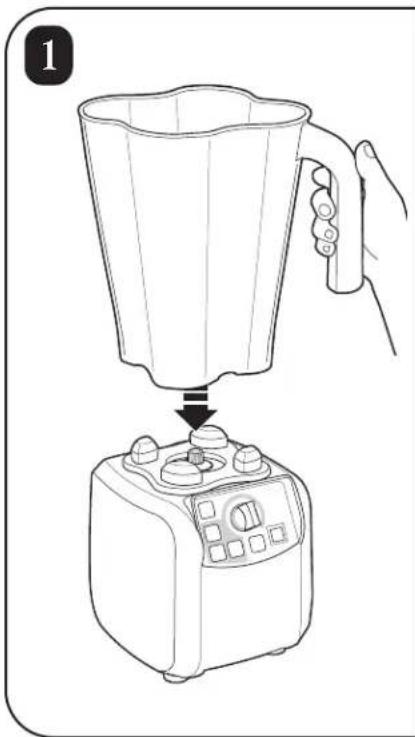
natural_image
Line drawing of a blender being placed into a microwave oven using a hand (no text or symbols)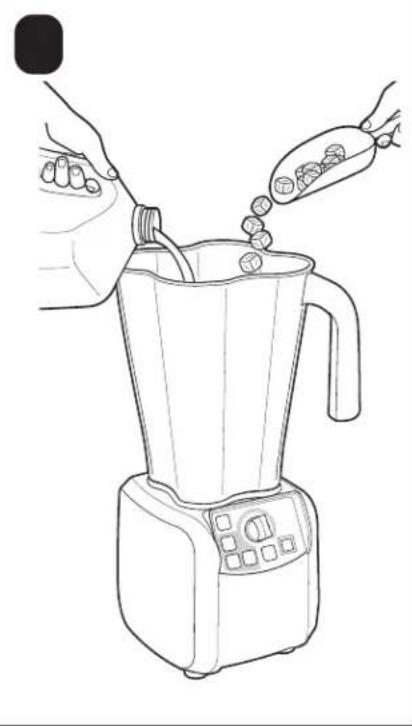
natural_image
Line drawing of a blender being piped with food, no text or symbols present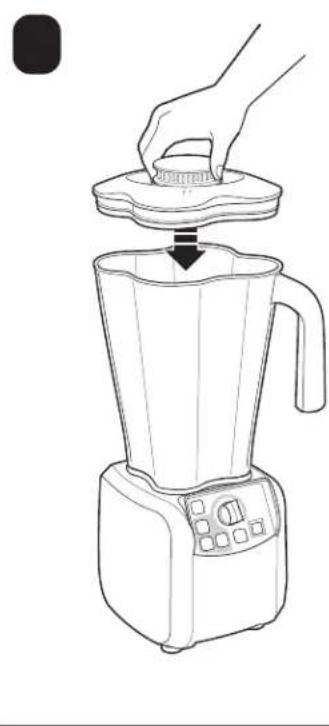
natural_image
Line drawing of a blender with a hand pressing down on top (no text or symbols)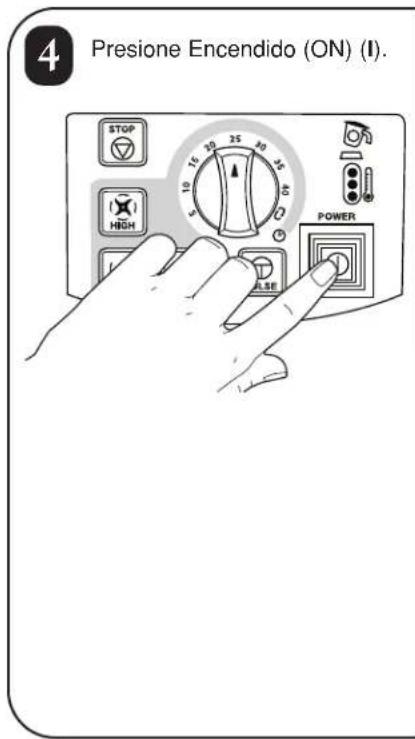
text_image
4 Presione Encendido (ON) (I). STOP 15 20 25 30 35 HIGH 5 10 15 20 25 30 POWER ASE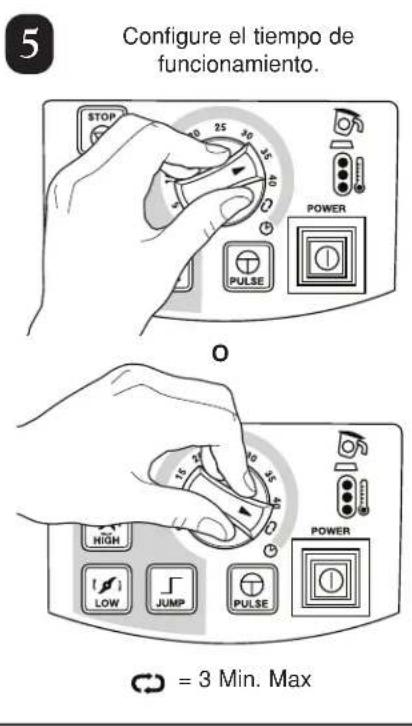
natural_image
Line drawing of a hand pouring liquid from a cup into a glass (no text or symbols)
natural_image
Illustration showing a hand brushing a brush and adding a plus sign to a mug (no text or symbols)
natural_image
Illustration of hands using a bucket to clean or wash material, with a spray bottle pouring liquid from the bucket (no text or symbols)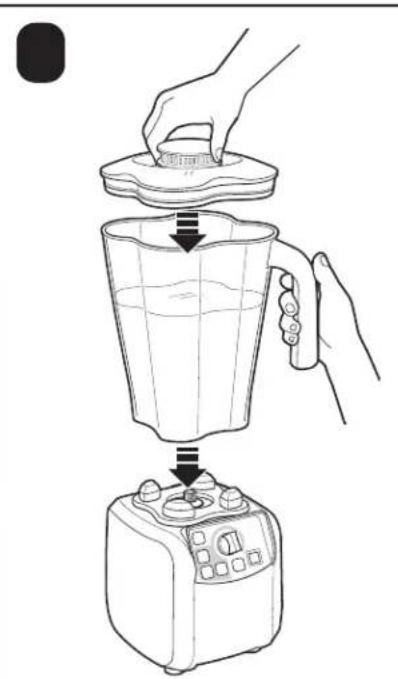
natural_image
Line drawing of a blender being placed into a microwave oven using a hand (no text or symbols)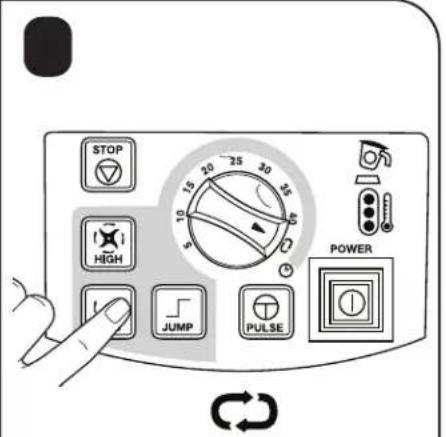
text_image
STOP HIGH JUMP PULSE POWER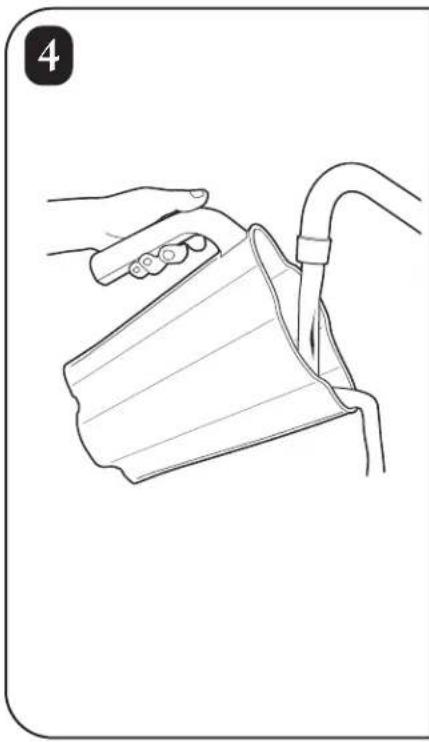
natural_image
Line drawing of a hand holding a cup and a tube, no text or symbols present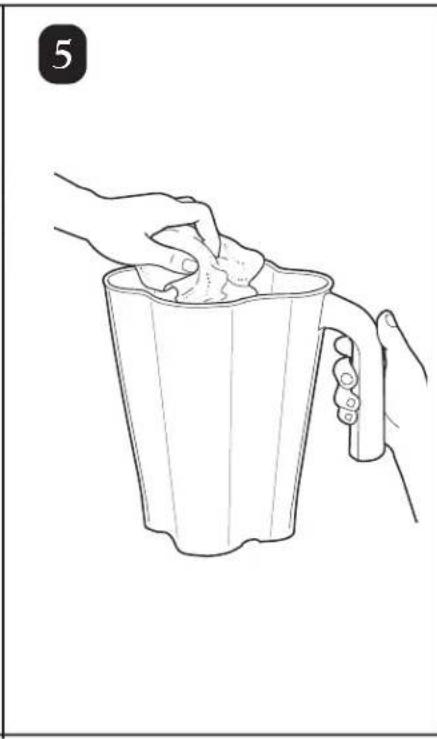
natural_image
Line drawing of two hands holding a cup filled with food, no text or symbols present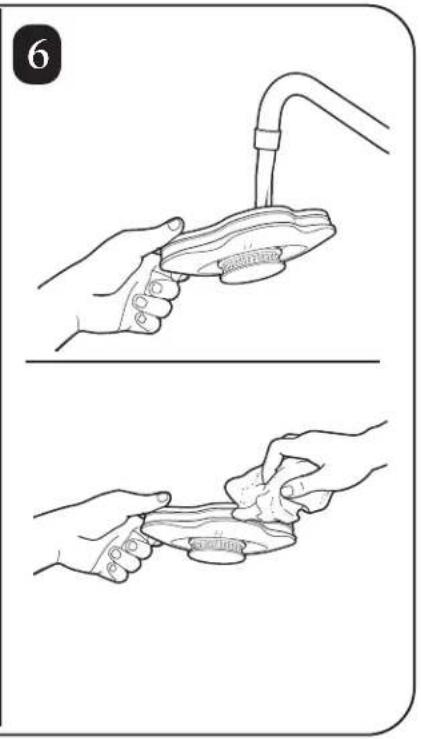
natural_image
Illustration showing two steps of a hand washing a fish from a faucet, with no text or symbols present.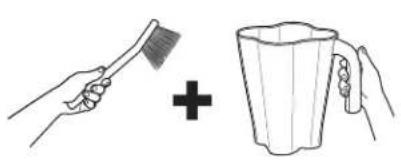
natural_image
Illustration showing a hand brushing a broom and adding a plus sign to a mug (no text or symbols)
natural_image
Line drawing of a hand connecting an electrical outlet to a small appliance (no text or symbols)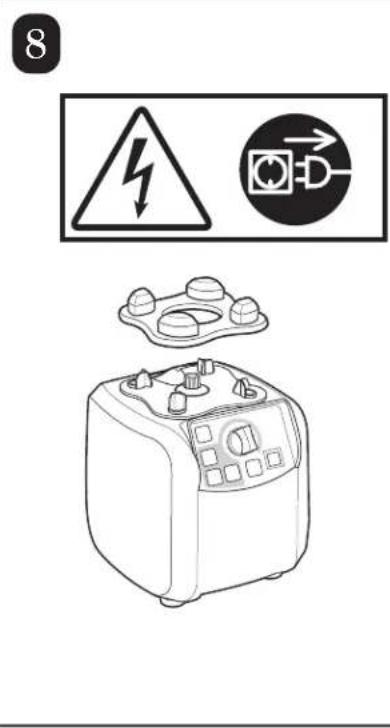
text_image
8
natural_image
Illustration showing two steps of a hand holding a medical device, with no visible text or symbols.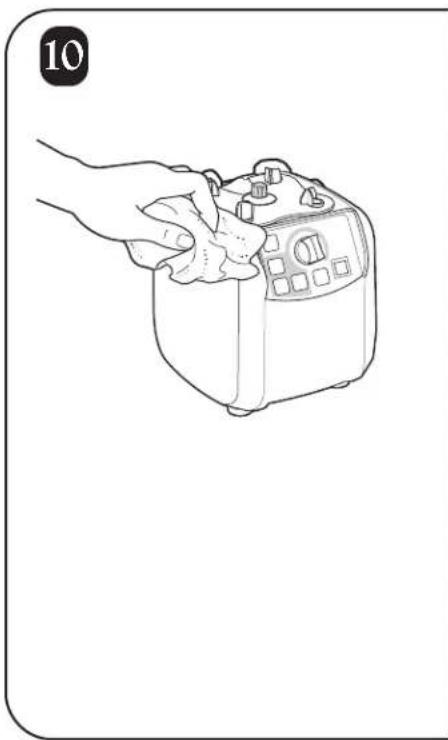
natural_image
Line drawing of a hand holding a small kitchen appliance (no text or symbols)
natural_image
Line drawing of a kitchen appliance with a tray and control knob, no text or symbols presentnatural_image
Line drawing of a blender with control panel and handle (no text or symbols)3
text_image
3 15 10 35 HIGH LOW JUMP PULSE POWER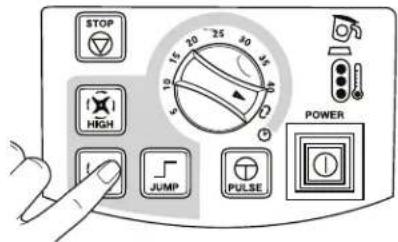
text_image
STOP HIGH JUMP PULSE POWER4
natural_image
Line drawing of a blender being placed into a microwave oven using a hand (no text or symbols)text_image
Technical diagram illustrating three-step mechanical assembly steps with labeled components and directional arrows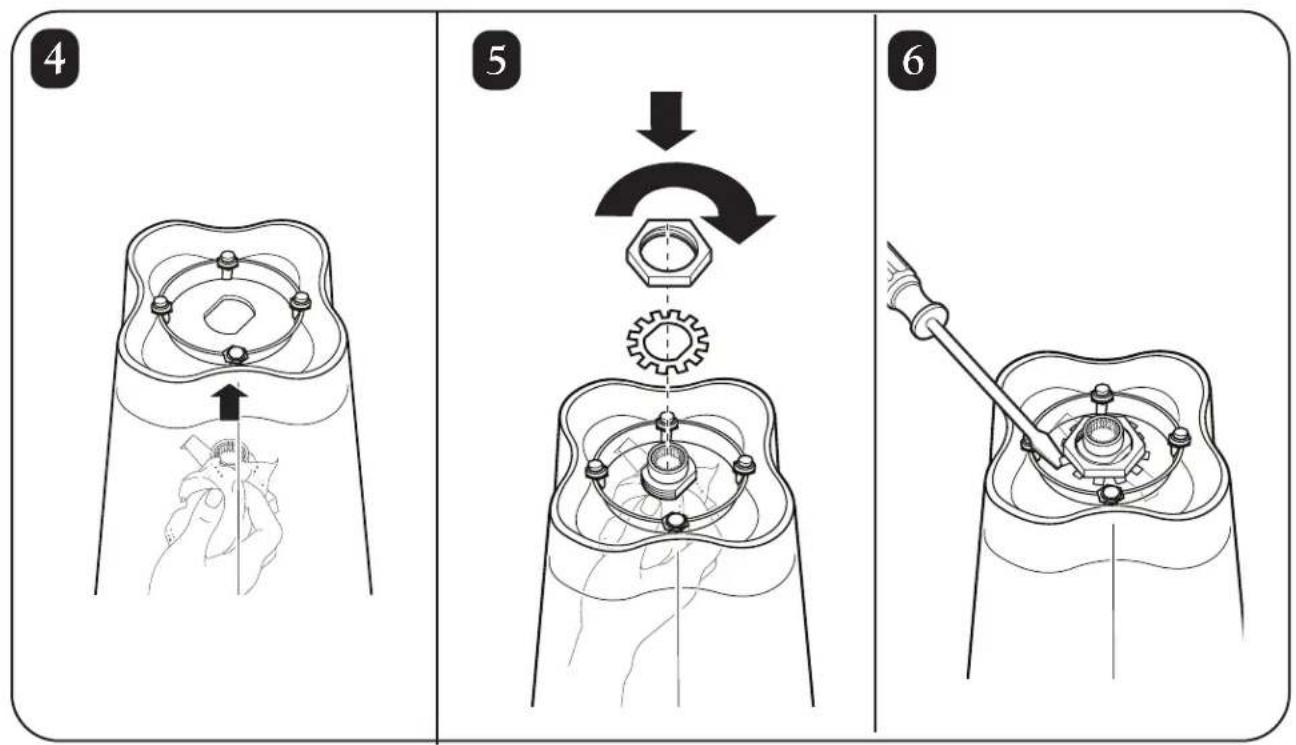
text_image
Technical diagram illustrating three-step mechanical assembly steps with labeled parts and directional arrowsCommercial Technical Service
261 Yadkin Road
Southern Pines, NC 28387