HE120A1010 - Humidifier HONEYWELL - Free user manual and instructions
Find the device manual for free HE120A1010 HONEYWELL in PDF.


User questions about HE120A1010 HONEYWELL
0 question about this device. Answer the ones you know or ask your own.
Ask a new question about this device
Download the instructions for your Humidifier in PDF format for free! Find your manual HE120A1010 - HONEYWELL and take your electronic device back in hand. On this page are published all the documents necessary for the use of your device. HE120A1010 by HONEYWELL.
USER MANUAL HE120A1010 HONEYWELL
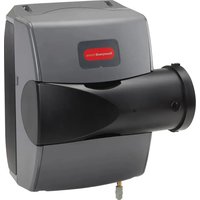
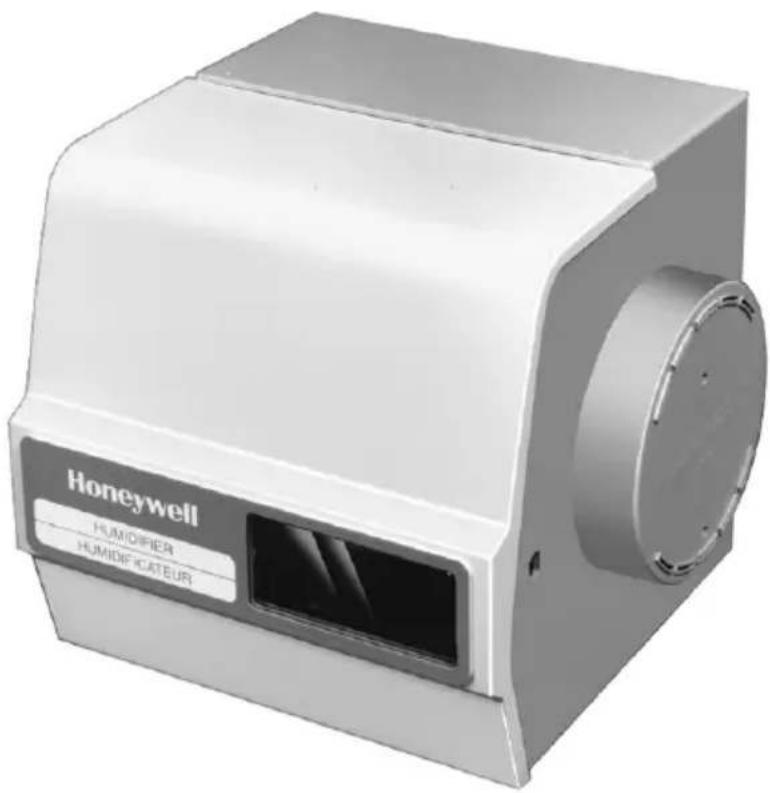
HE120 By-Pass Drum Humidifier
OWNER'S MANUAL
text_image
Honeywell HUMIDIFIER HUMIDIFICATEURContents
How Your Humidifier Works ...... 2
Operating Your Humidifier 2
Maintaining Your Humidifier 3
Checking Your Humidifier Operation 6
Troubleshooting Your Humidifier 6
Your Honeywell humidifier uses the principle that vapor (evaporated water) is created when warm air blows over a water soaked area. As the vapor circulates, the relative humidity rises.
Your humidity control monitors the relative humidity and activates the humidifier accordingly. The humidifier has a water supply that disburses water evenly over a humidifier pad. The warm dry air from the furnace passes over the humidifier pad and picks up the moist air to circulate it through your home.
Humidified air feels warmer and more comfortable so you may be able to lower your thermostat heating setpoint and save money on your heating fuel bills. The end result is that your humidifier gives you a comfortable environment that is also energy efficient.
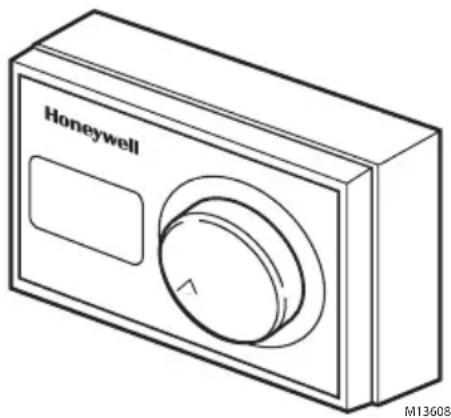
Your HE120 Honeywell humidifier is controlled by the Humidity Control that is installed either on the return air duct or on an interior wall in your living area. Choose the humidity control setting using the combination relative humidity/outdoor temperature setting scale on your humidity control. Match the dial setting to the outdoor temperature for optimizing the humidity level while reducing the moisture condensation on your windows. The table below can also be used to adjust the humidity control to the recommended setting.
natural_image
Line drawing of a Honeywell digital camera with a circular dial and rectangular button (no text or symbols on the device itself)| At Outside Temperature | Recommended Setting | At Outside Temperature | Recommended Setting |
| -20°F (-29°C) Low | +10°F (-12°C) Med | ||
| -10°F (-23°C) Low | +20°F (-7°C) High | ||
| 0°F (-18°C) Med | Above 20° (-7°C) High |
NOTE: As the outside temperature drops, the recommended humidity control setting is lowered to accommodate for the effects of dewpoint. These settings should reduce the accumulation of moisture and ice on your windows and in other areas of your home.
Some indoor activities such as cooking, showering and clothes drying can cause excessive levels of humidity and start the accumulation of moisture on your windows.
NOTE: If this condition persists for more than a few hours, set the humidity control to the lowest setting to turn off the humidifier. If the condition does not improve, ventilate your home to remove the moisture.
MAINTAINING YOUR HUMIDIFIER
A regular maintenance program prolongs the life of your humidifier and provides a more comfortable home. The frequency of cleaning will depend on the condition of your water.
You can use either hard or soft water in your humidifier, but hard water mineral deposits are more difficult to clean than soft water deposits.
Cleaning Humidifier
(Every 1 to 3 Months Depending on Water Quality)

CAUTION
Voltage Hazard.
Can cause electrical shock
and equipment damage.
Disconnect power and shut off water supply before installing or servicing.
IMPORTANT
Never oil any part of the humidifier.
Use the following steps to clean your Honeywell humidifier:
- Disconnect the power and turn off the humidifier water supply.
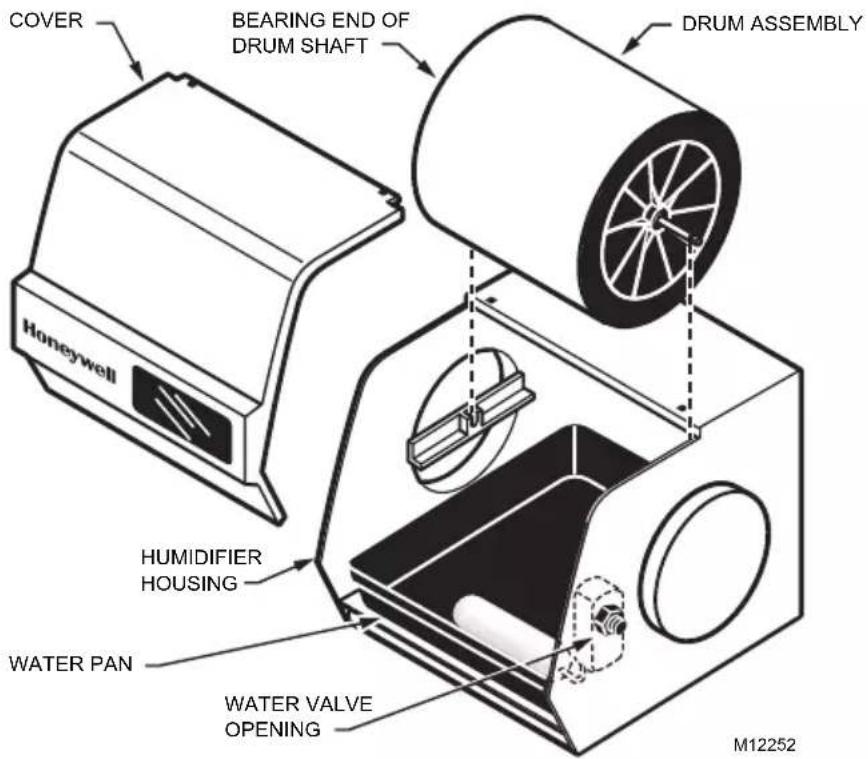
- Remove the humidifier cover by lifting the bottom of the cover upward.
- Lift up the drum shaft from the bearing end and slide it out of the motor coupling to remove the drum assembly. See Fig. 1.
NOTE: You will encounter some resistance when removing the drum shaft until you hear an audible click.
- Remove the drum from the assembly.
text_image
COVER BEARING END OF DRUM SHAFT DRUM ASSEMBLY Honeywell HUMIDIFIER HOUSING WATER PAN WATER VALVE OPENING M12252Fig. 1. Removing Drive Assembly
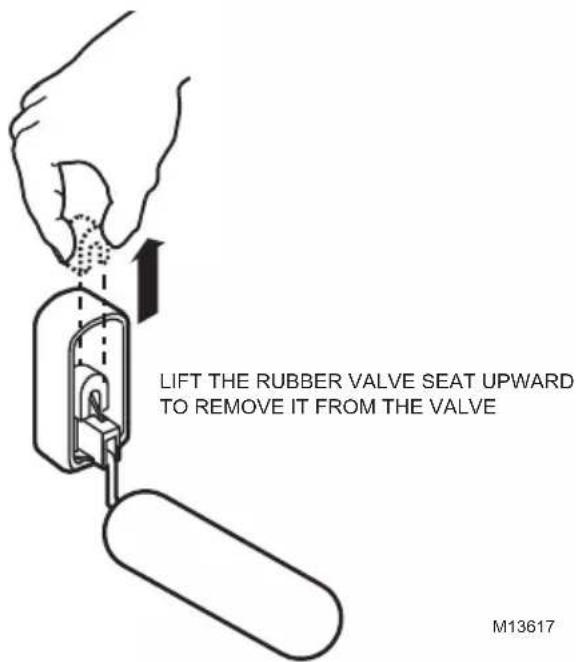
- Grasp the rubber valve seat between your thumb and forefinger and lift it upward to remove the valve seat from the valve. The seat is located inside the humidifier housing at the water valve opening. See Fig. 2.
text_image
LIFT THE RUBBER VALVE SEAT UPWARD TO REMOVE IT FROM THE VALVE M13617Fig. 2. Float Valve Assembly
-
Raise up the float and remove the water pan.
-
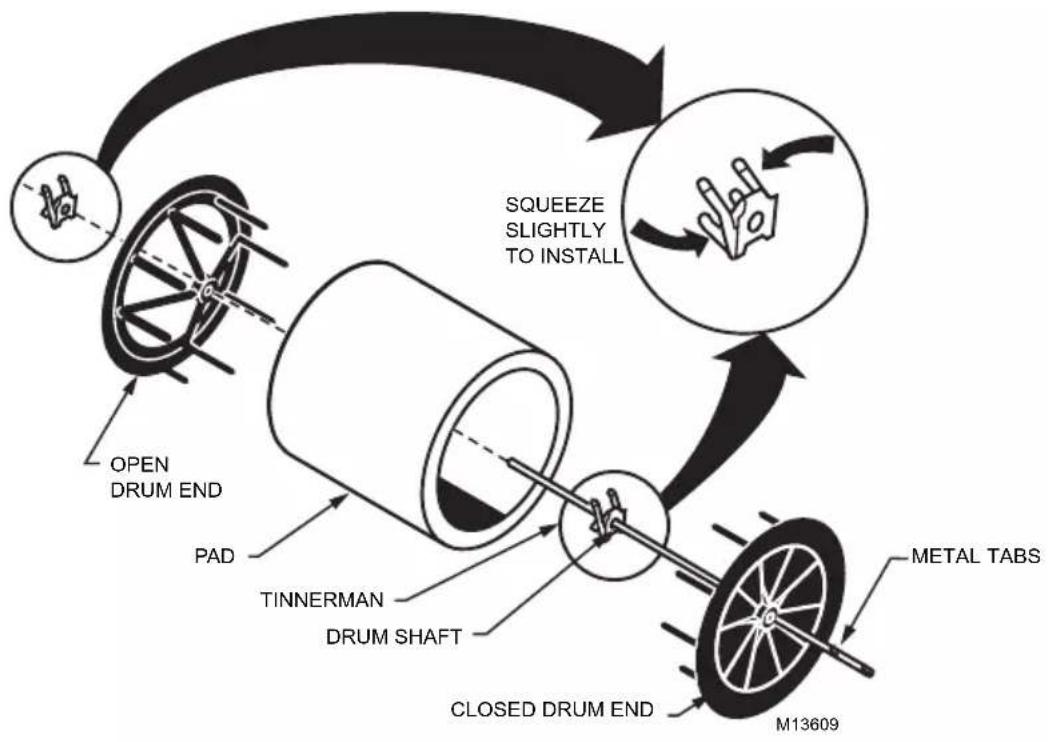
Refer to the drawing to disassemble the drum. See Fig. 3.
flowchart
graph TD
    A["OPEN DRUM END"] --> B["TINNERMAN DRUM SHAFT"]
    B --> C["CLOSED DRUM END"]
    C --> D["M13609"]
    D --> E["METAL TABS"]
    E --> F["SQUEEZE SLIGHTLY TO INSTALL"]
    F --> A
Fig. 3. Drum Assembly
- Clean all humidifier parts in a 50% solution of vinegar (or a humidifier cleaner) and water. Soak overnight to remove stubborn deposits.
NOTE: Replace humidifier pad yearly with the new Honeywell Drum Humidifier Pad (Part no. HC12A1015). The actual frequency depends on the quality of the water used.
- After the humidifier components are clean, reassemble the humidifier by reversing the order of steps 1 through 7.
NOTE: Be sure that the drum shaft is completely seated-listen for the click.
- Verify the humidifier operation by following the steps in the Checking Your Humidifier Operation section.
Start of Humidification Season
Replace the humidifier pad with a new Honeywell Drum Humidifier Pad (Part no. HC12A1015) at the beginning of the heating season. Follow the cleaning instructions to replace the pad and check for proper operation.
End of Humidification Season
Clean the humidifier and shut it off at the end of the heating season. Follow the cleaning instructions, steps 1 through 9, to shut down the device for the season.
IMPORTANT
Be sure the humidifier power is off and the humidifier water pan is empty.
Vacation
When leaving on vacation, turn off the humidifier water supply and your humidity control. Turn on the humidifier water supply and reset your humidity control when you return.
After winter startup or maintenance, use the following steps to check the humidifier operation:
- Turn on the humidifier power and water supply.
- Open By-Pass Damper (if installed).
- Check the water level in the humidifier water pan; water level setting should be 1-3/8 in.
NOTE: Turn the valve adjustment screw, located on the water valve inside the humidifier, clockwise to lower the water level and counter clockwise to raise it.
- Turn the Humidity Control to the highest setting.
- Check that the humidifier pad is rotating.
- Reset the thermostat and Humidity Control to a comfortable setting.
TROUBLESHOOTING YOUR HUMIDIFIER
| Problem What To Look For What To Do | ||
| Low humidity | Furnace blower not operating. | Reset circuit breaker or check for blown fuse.Check that the furnace power is on.Check all external wiring connections.Check the humidity control setting.Call a professional heating contractor. |
| Rapid air changes.Drafts (cold air is dry and is an added load to the humidifier). | Keep doors and windows closed.Close fireplace damper when not in use.Keep exhaust fan running time to a minimum.Seal around doors and windows. | |
| High humidity | Condensation on walls. | Turn off the humidity control and water until condensation is completely evaporated. |
| Heavy condensation on windows. | Turn humidity control down low enough to eliminate condensation caused by moisture from bathing, mopping, cooking, etc. If moisture persists, more ventilation is needed. | |
LIMITED WARRANTY
Honeywell warrants this product to be free from defects in the workmanship or materials, under normal use and service, for a period of one (1) year from the date of purchase by the consumer. If, at any time during the warranty period, the product is defective or malfunctions, Honeywell shall repair or replace it (at Honeywell's option) within a reasonable period of time.
If the product is defective, return it, with a bill of sale or other dated proof of purchase, to the retailer from which you purchased it.
This warranty does not cover removal or reinstallation costs. This warranty shall not apply if it is shown by Honeywell that the defect or malfunction was caused by damage which occurred while the product was in the possession of a consumer.
Honeywell's sole responsibility shall be to repair or replace the product within the terms stated above. HONEYWELL SHALL NOT BE LIABLE FOR ANY LOSS OR DAMAGE OF ANY KIND, INCLUDING ANY INCIDENTAL OR CONSEQUENTIAL DAMAGES RESULTING, DIRECTLY OR INDIRECTLY, FROM ANY BREACH OF ANY WARRANTY, EXPRESS OR IMPLIED, OR ANY OTHER FAILURE OF THIS PRODUCT. Some states do not allow the exclusion or limitation of incidental or consequential damages, so this limitation may not apply to you.
THIS WARRANTY IS THE ONLY EXPRESS WARRANTY HONEYWELL MAKES ON THIS PRODUCT. THE DURATION OF ANY IMPLIED WARRANTIES, INCLUDING THE WARRANTIES OF MERCHANTABILITY AND FITNESS FOR A PARTICULAR PURPOSE, IS HEREBY LIMITED TO THE ONE YEAR DURATION OF THIS WARRANTY. Some states do not allow limitations on how long an implied warranty lasts, so the above limitation may not apply to you.
This warranty gives you specific legal rights, and you may have other rights which vary from state to state.
If you have any questions concerning this warranty, please write Honeywell Customer Relations, 1985 Douglas Dr. N MN10-1461, Golden Valley, MN 55422 or call 1-800-468-1502, Monday-Friday, 7:00 a.m. to 5:30 p.m., Central time. In Canada, write Honeywell Limited/Honeywell Limitée, 35 Dynamic Dr., ON15, Scarborough, Ontario M1V4Z.
Automation and Control Solutions
Honeywell International Inc. Honeywell Limited-Honeywell Limitée
1985 Douglas Drive North 35 Dynamic Drive
Golden Valley, MN 55422 Toronto, Ontario M1V 4Z9
yourhome.honeywell.com

Printed in U.S.A. on recycled paper containing at least 10% post-consumer paper fibers.
® U.S. Registered Trademark
© 2009 Honeywell International Inc.
69-1110EF—02 E.K. 05-09
Honeywell
natural_image
Line drawing of a Honeywell digital camera module (no text or symbols on body)1985 Douglas Drive North 35, Dynamic Drive
Golden Valley, MN 55422 Toronto (Ontario) M1V 4Z9
yourhome.honeywell.com