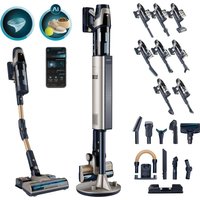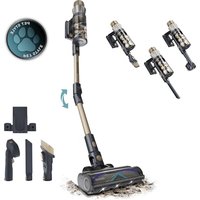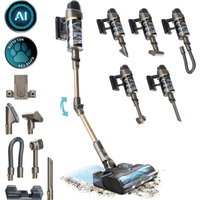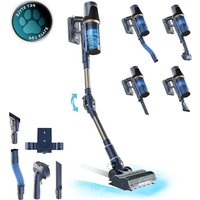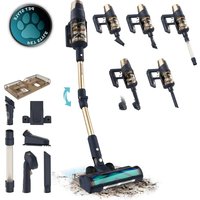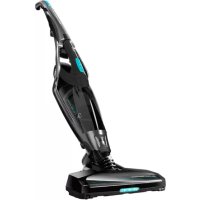
Conga Popstar 4070 H2O Max - Vacuum Cleaner CECOTEC - Free user manual and instructions
Find the device manual for free Conga Popstar 4070 H2O Max CECOTEC in PDF.



| Brand | Cecotec |
| Model | Conga Popstar 4070 H2O Max |
| Product type | Cordless stick vacuum with mopping function |
| Power supply | 220-240 V ~, 50/60 Hz |
| Battery | Lithium-ion 40.7 V, 2200 mAh |
| Charging time | Approximately 5 hours |
| Filter | High efficiency filter |
| Dust container capacity | Not specified |
| Included accessories | Main brush, 2-in-1 accessory (furniture/corners), water tank, mop cloth, charger |
| Mopping function | Yes, with water tank and mop cloth |
| Power levels | 2 levels (via button) |
| Handheld mode | Removable handheld vacuum |
| Safety | Overheat protection, protected Li-ion battery |
| Maintenance | Tank and filter washable with warm water; brush and wheels cleanable |
| Warranty | 2 years (excluding consumable parts) |
| Reference | 05549 |
Frequently Asked Questions - Conga Popstar 4070 H2O Max CECOTEC
User questions about Conga Popstar 4070 H2O Max CECOTEC
0 question about this device. Answer the ones you know or ask your own.
Ask a new question about this device
Download the instructions for your Vacuum Cleaner in PDF format for free! Find your manual Conga Popstar 4070 H2O Max - CECOTEC and take your electronic device back in hand. On this page are published all the documents necessary for the use of your device. Conga Popstar 4070 H2O Max by CECOTEC.
USER MANUAL Conga Popstar 4070 H2O Max CECOTEC
4-in-1 upright vacuum cleaner

natural_image
Exterior view of a black and silver KUKO vacuum cleaner with turquoise handle (no text or symbols visible)cecòtec
Safety instructions 6
- Parts and components 24
- Before use 24
- Operation 25
- Cleaning and maintenance 25
- Technical specifications 26
- Disposal of old electrical appliances 27
- Technical support and warranty 27
SOMMAIRE
Read these instructions thoroughly before using the appliance. Keep this instruction manual for future reference or new users.
Make sure that the mains voltage matches the voltage stated on the rating label of the appliance and that the outlet is grounded.
This appliance is intended for domestic use only. It is not suitable for commercial or industrial use.
Do not place the appliance close to heat sources, flammable substances, wet surfaces where it can fall or be pushed into water or allow it to come into contact with water or other liquids. Do not operate outdoors.
Place the appliance on a flat, stable and dry surface.
Check the power cord regularly for visible damage. If the cord is damaged, it must be replaced by the official Technical Support Service of Cecotec, in order to avoid any type of danger.
Do not immerse the appliance in water or any other liquid, nor expose the electrical connections to water. Make sure your hands are dry before handling the plug or switching on the appliance.
Do not pull the cord to disconnect or move the device. Use the plug instead.
Disconnect the device from the plug to carry out cleaning and maintenance of the device.
The appliance is not intended to be used by children under the age of 8. It can be used by children over the age of 8, as long as they are given continuous supervision.
This appliance is not intended to be used by persons with reduced physical, sensory, or mental capabilities, or lack of experience or knowledge, unless they have been given supervision or instruction concerning the use of the appliance
in a safe way by a person responsible for their safety, and understand the hazards involved. Do not let children play with the device.
Supervise young children to make sure that they do not play with the appliance. Close supervision is necessary when the appliance is being used by or near children.
Battery instructions
This appliance includes Li-ion batteries, do not incinerate or expose them to high temperatures, as they may explode.
Leaks from the battery or battery cells can occur under extreme conditions. Do not touch any liquid that leaks from the battery. If the liquid gets into contact with skin, wash immediately with soap and water.
If the liquid gets into the eyes, flush them immediately with clean water for a minimum of 10 minutes and seek medical attention.
Wear gloves to handle the battery and dispose of immediately in accordance with local regulations.
Avoid contact between the battery and small metallic objects such as paper clips, coins, keys, nails or screws.
Before a new battery is used or the battery is used for the first time after long-term storage, fully charge the battery. When the device is stored and not used for long periods of time, ensure that the battery pack is fully charged.
INSTRUCTIONS DE SÉCURITÉ
- Upright vacuum cleaner power switch
- Suction power level button
- Handheld vacuum cleaner release button
- Handheld vacuum cleaner power button
- Dust tank release button
- Battery
- Handheld vacuum cleaner body
- High-efficiency filter
- Filter holder
- Dust tank
- Wide 2-in-1 accesory for furniture and corners
- Battery charger
- Main brush
- Water tank cover
- Water tank
- Mop
2. BEFORE USE
Take the product out of the box and remove all packaging material, stickers or labels.
Make sure all the parts and accessories are present and that there are no visible signs of damage. If there are, contact immediately the Technical Support Service of Cecotec.
Assemble the product by attaching the handle to the device:
Use the provided screw.
Fig. 2
Connect the charger to the power supply and to the device's socket. Before connecting it, make sure the device is turned off. The indicators will light up indicating it is on.
Fig. 3
Allow the device to charge for 5 hours before the first use.
Note:
When the device is completely discharged, it will require 5 charging hours in order to fully charge the battery again.
Leave the device on the charging base while it is not being used to ensure it is always charged when it is going to be used.
ENGLISH
The adapter might become warm during charging, this is normal and does not affect to its operating.
When not being used for a long time, we recommend disconnecting the device from the power supply.
3. OPERATION
Upright Vacuum Cleaner
Turn on the device by pressing the power button.
Press the suction power button to select the desired power level.
Handheld vacuum cleaner
To clean tables, furniture and car seats, press the handheld vacuum cleaner release button to remove the handheld vacuum cleaner.
Press the handheld vacuum cleaner power button to activate it.
Assembling 2-in-1 accessory
To clean corners or other narrow spaces or difficult objects, the 2-in1 accessory can be fitted into the handheld vacuum cleaner suction nozzle. Select the desired accessory and place it in its place.
Fig. 4
Assembling the mop cloth
Open the water tank lid, fill it with water and close it properly again.
Assemble the water tank and attach the cloth.
Operate the device normally to vacuum and mop the floor.
It is recommended to moisten the mop cloth with water in order to achieve more uniform scrubbing results.
Fig. 5
Along with water, you can use a small amount of non-abrasive and non-dense liquid.
4. CLEANING AND MAINTENANCE
Emptying and cleaning the dust tank and filter
Take the handheld vacuum cleaner out.
Remove the dust tank by pressing the release button and turning the tank.
Pull the filter out and empty the dust tank.
The dust tank and the filter can be rinsed with warm water. Make sure all the parts are completely dry before reassembling them.
ENGLISH
Fig. 6
Cleaning the main brush
If the brush becomes blocked or tangled, the device's performance will be affected. In this case, clean the brush.
Open the brush compartment.
Fig. 7
Take the main brush out by pulling from it and clean it.
It is suggested to clean the brush after each use.
Cleaning the wheels
To prevent the wheels from blocking and from wearing off, it is suggested to clean them after each use.
Use a screwdriver to unscrew the wheels and take them out of their compartment.
Remove any dirt stuck to them or to their axes.
Insert the wheels in their compartment and press them down to assemble them back.
Cleaning of the water tank and the mop
After each use:
Remove the mop and clean it. Make sure it is completely dry before using it again
Clean and rinse the water tank.
In case the mop cloth is very used, replace it by a new one.
Fig. 8
Replacing the battery
The battery is a consumable part which can wear off with use and time. If it is damaged or wears off, contact the Technical Support Service of Cecotec to acquire a new one.
The battery can be removed as shown in this picture:
Fig. 9
5. TECHNICAL SPECIFICATIONS
Product reference: 05549
Product: Conga PopStar 4070 H20 Max
Battery: 40,7 V, 2200 mAh Li-ion
220-240 VAC \~ 50/60 Hz
Made in China | Designed in Spain
6. DISPOSAL OF OLD ELECTRICAL APPLIANCES

The European directive 2012/19/EU on Waste Electrical and Electronic Equipment (WEEE), specifies that old household electrical appliances must not be disposed of with the normal unsorted municipal waste. Old appliances must be collected separately, in order to optimise the recovery and recycling of the materials they contain, and reduce the impact on human health and the environment.
The crossed out "wheeled bin" symbol on the product reminds you of your obligation to dispose of the appliance correctly.
Consumers must contact their local authorities or retailer for information concerning the correct disposal of old appliances and/or their batteries.
7. TECHNICAL SUPPORT AND WARRANTY
This product is under warranty for 2 years from the date of purchase, as long as the proof of purchase is submitted, the product is in perfect physical condition, and it has been given proper use, as explained in this instruction manual.
The warranty will not cover the following situations:
The product has been used for purposes other than those intended for it, misused, beaten, exposed to moisture, immersed in liquid or corrosive substances, as well as any other fault attributable to the customer.
The product has been disassembled, modified, or repaired by persons, not authorised by the official Technical Support Service of Cecotec.
Faults deriving from the normal wear and tear of its parts, due to use.
The warranty service covers every manufacturing defects of your appliance for 2 years, based on current legislation, except consumable parts. In the event of misuse, the warranty will not apply.
If at any moment you detect any problem with your product or have any doubt, do not hesitate to contact Cecotec Technical Support Service at +34 963 210 728.
1. PIÈCES ET COMPOSANTS
Img. 1
text_image
Technical diagram of a vacuum cleaner with numbered parts for identification and assembly reference.natural_image
Technical line drawing of a mechanical bracket or housing component (no text or symbols)
natural_image
Simple line drawing of a folded paper or envelope with a square cutout (no text or symbols)
natural_image
Line drawing of a mechanical clamp or bracket assembly (no text or symbols)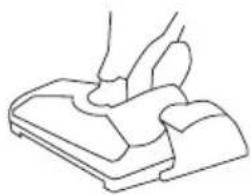
natural_image
Line drawing of a hand pressing down on a mechanical component (no text or symbols)Fig./Img./Abb./Rys./Obr. 5

natural_image
Technical line drawings of mechanical components, including a clip, handle, and connector (no text or symbols)Fig./Img./Abb./Rys./Obr. 6

natural_image
Three-step diagram showing a mechanical component before and after disassembly, with arrows indicating the process (no text or symbols present)Fig./Img./Abb./Rys./Obr. 7

natural_image
Simple line drawing of a folded paper or envelope with a square cutout (no text or symbols)Fig./Img./Abb./Rys./Obr.8

natural_image
Technical line drawing of a car seatbelt component, showing front and side views with no text or symbolsFig./Img./Abb./Rys./Obr.9
www.cecotec.es
Quart de Poblet, Valencia (Spain)
EA01200717