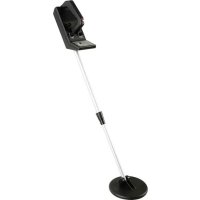
CS100N - Detector VELLEMAN - Free user manual and instructions
Find the device manual for free CS100N VELLEMAN in PDF.

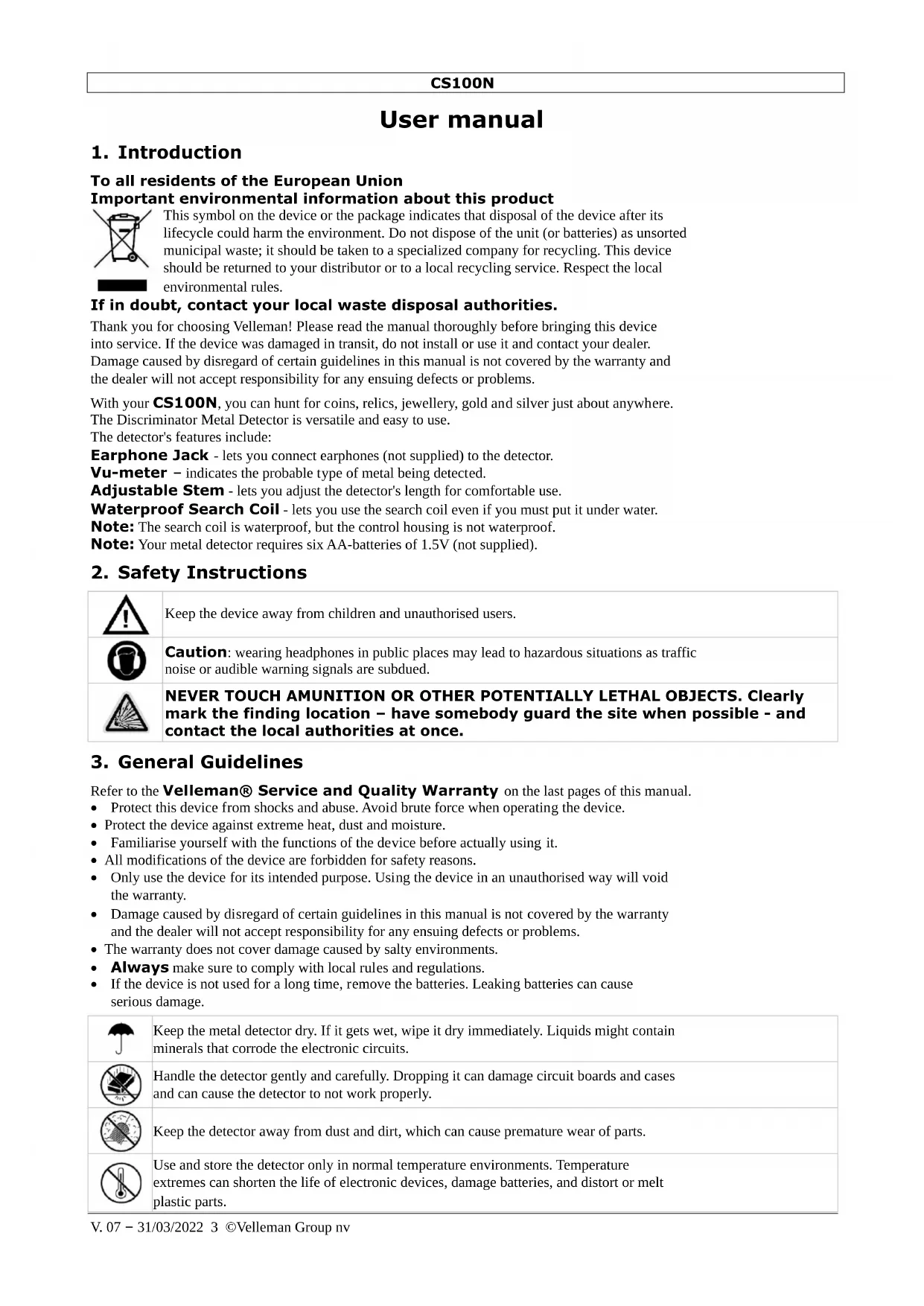


| Product Type | Selective Metal Detector |
| Brand | Velleman |
| Model | CS100N |
| Power Supply | 6 LR6 (AA) 1.5 V batteries, not included |
| Operating Frequency | 20.96 kHz |
| Dimensions (adjustable length) | 60 to 91 cm |
| Detection Head Diameter | 16.5 cm |
| Weight | 660 g (approx.) |
| Search Coil | Waterproof (can be submerged in fresh or salt water) |
| Control Box | Not waterproof |
| Display | Analog VU meter (ferrous/non-ferrous metal type) |
| Adjustments | TUNE, DISCRIMINATION, volume |
| Headphone Jack | 1/8 inch (3.5 mm) stereo jack for headphones (not included) |
| Main Functions | Metal detection with ferrous/non-ferrous discrimination, target localization, battery test |
| Care and Cleaning | Clean with a damp cloth; rinse coil with fresh water after saltwater use; do not use harsh chemicals |
| Safety | Keep out of reach of children; do not use headphones near traffic; do not touch ammunition; remove batteries if not in use |
| Code of Conduct | Follow laws, ask permission, fill holes, preserve historical treasures |
| Warranty | 24 months for consumer products (conditions apply) |
Frequently Asked Questions - CS100N VELLEMAN
User questions about CS100N VELLEMAN
0 question about this device. Answer the ones you know or ask your own.
Ask a new question about this device
Download the instructions for your Detector in PDF format for free! Find your manual CS100N - VELLEMAN and take your electronic device back in hand. On this page are published all the documents necessary for the use of your device. CS100N by VELLEMAN.
USER MANUAL CS100N VELLEMAN
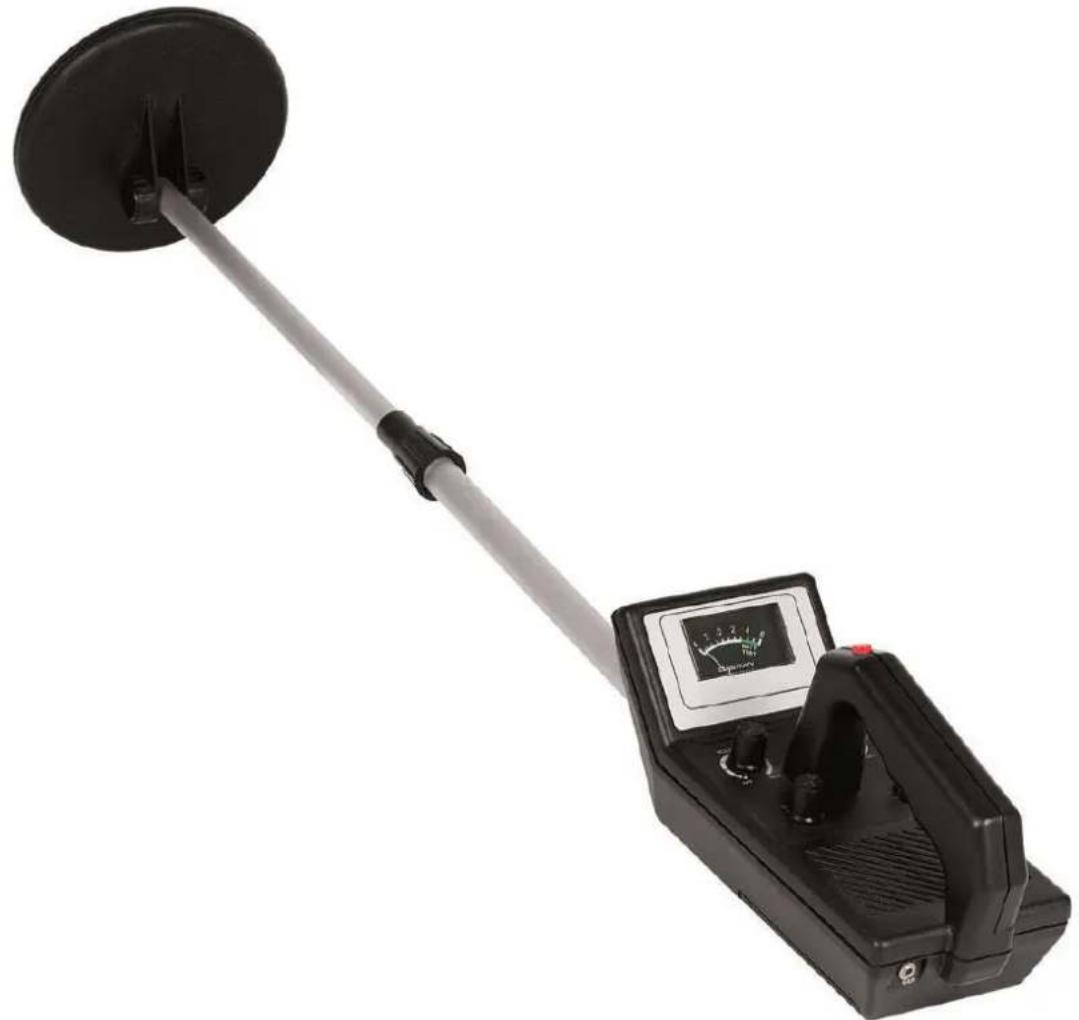
BASIC METAL DETECTOR
METAALDETECTOR - BASISMODEL
DETECTEUR DE METAUX - MODELE DE BASE
DETECTOR DE METALES - MODELO BÁSICO
METALLDETEKTOR - BASISMODELL
WYKRYWACZ METALI - MODEL PODSTAWOWY
DETECTOR DE METAIS BÁSICO
USER MANUAL 3
GEBRUIKERSHANDLEIDING 9
NOTICE D'EMPLOI 15
MANUAL DEL USUARIO 21
To all residents of the European Union Important environmental information about this product

This symbol on the device or the package indicates that disposal of the device after its lifecycle could harm the environment. Do not dispose of the unit (or batteries) as unsorted municipal waste; it should be taken to a specialized company for recycling. This device should be returned to your distributor or to a local recycling service. Respect the local environmental rules.
If in doubt, contact your local waste disposal authorities.
Thank you for choosing Velleman! Please read the manual thoroughly before bringing this device into service. If the device was damaged in transit, do not install or use it and contact your dealer. Damage caused by disregard of certain guidelines in this manual is not covered by the warranty and the dealer will not accept responsibility for any ensuing defects or problems.
With your CS100N, you can hunt for coins, relics, jewellery, gold and silver just about anywhere.
The Discriminator Metal Detector is versatile and easy to use.
The detector's features include:
Earphone Jack - lets you connect earphones (not supplied) to the detector.
Vu-meter - indicates the probable type of metal being detected.
Adjustable Stem - lets you adjust the detector's length for comfortable use.
Waterproof Search Coil - lets you use the search coil even if you must put it under water.
Note: The search coil is waterproof, but the control housing is not waterproof.
Note: Your metal detector requires six AA-batteries of 1.5V (not supplied).
2. Safety Instructions

Keep the device away from children and unauthorised users.

Caution: wearing headphones in public places may lead to hazardous situations as traffic noise or audible warning signals are subdued.

NEVER TOUCH AMUNITION OR OTHER POTENTIALLY LETHAL OBJECTS. Clearly mark the finding location – have somebody guard the site when possible - and contact the local authorities at once.
3. General Guidelines
Refer to the Velleman® Service and Quality Warranty on the last pages of this manual.
- Protect this device from shocks and abuse. Avoid brute force when operating the device.
- Protect the device against extreme heat, dust and moisture.
- Familiarise yourself with the functions of the device before actually using it.
- All modifications of the device are forbidden for safety reasons.
- Only use the device for its intended purpose. Using the device in an unauthorised way will void the warranty.
- Damage caused by disregard of certain guidelines in this manual is not covered by the warranty and the dealer will not accept responsibility for any ensuing defects or problems.
- The warranty does not cover damage caused by salty environments.
• Always make sure to comply with local rules and regulations.
- If the device is not used for a long time, remove the batteries. Leaking batteries can cause serious damage.
 | Keep the metal detector dry. If it gets wet, wipe it dry immediately. Liquids might contain minerals that corrode the electronic circuits. |
 | Handle the detector gently and carefully. Dropping it can damage circuit boards and cases and can cause the detector to not work properly. |
 | Keep the detector away from dust and dirt, which can cause premature wear of parts. |
 | Use and store the detector only in normal temperature environments. Temperature extremes can shorten the life of electronic devices, damage batteries, and distort or melt plastic parts. |
CS100N

WARNING: malfunction may occur if the power is on when the batteries are replaced. Do not attempt to recharge non-rechargeable batteries, do not puncture or do not throw batteries in fire as they might explode. Dispose of batteries in accordance with local regulations. Keep batteries away from children.
4. Treasure Hunter's Code of Ethics
All treasure hunters might be judged by the example you set. Here are a few basic rules you should follow:
• Always get permission before searching any site.
- Respect the rights and property of others.
- Observe all national, state, and local laws while treasure hunting.
- Never destroy historical or archaeological treasures. If you are not sure about an object you have found, contact a museum or historical society in your area.
- Leave the land and vegetation as it was. Fill in any holes you dig.
- Use your detector only in safe areas.
- Dispose of any junk you find, only in approved areas. Do not leave it for the next treasure hunter to find.
5. Preparation
Refer to the illustrations on page 2 of this manual.
a. Adjusting the Search Coil
- Loosen the knobs at the search coil's end and adjust the search coil to the desired angle. (The search coil should be parallel with the ground). Tighten the knobs just enough to keep the search coil from rotating or wobbling.
- Turn the stem's lock nut clockwise until it loosens [A].
- Lengthen or shorten the stem so when you stand upright with the detector in your hand, the search coil is level with the ground and about 1/2 to 2 inches (1 to 5cm) above it with your arm relaxed at your side [B].
- Turn the stem's lock nut anticlockwise to lock it in place [C].
- Loosen the knob at the search coil's end and adjust the search coil to the desired angle. (The search coil should be parallel with the ground). Tighten the knob just enough to keep the search coil from rotating or wobbling [D].
Caution: Do not tighten the search coil too hard or use tools such as pliers to tighten it.
b. Installing the batteries
Caution:
- Use only fresh batteries of the required size and recommended type.
-
Do not mix old and new batteries, different types of batteries (standard, alkaline or rechargeable batteries of different capacities).
-
If the detector is on, turn VOLUME (on the control housing) to OFF (the control clicks) [E].
- Press on the battery compartment cover and slide the cover off in the direction of the arrow [F]
- Insert the 6 AA batteries into the compartment as indicated by the polarity symbols (+ and -) marked inside the compartment [G].
- Replace the battery compartment cover.
Caution:
- Always remove old or weak batteries. They can leak chemicals that can destroy electronic parts.
- If you do not plan on using the detector for a week or more, remove the batteries.
- Dispose of old batteries promptly and properly.
You can extend battery life by using earphones, which require less power than the speaker.
c. Testing the Batteries
If the detector does not turn on, has weak volume, will not tune properly, has erratic operation or drifts, test the battery power.
- Rotate VOLUME [E] away from OFF and set OPERATE/BATT TEST to BATT TEST [H]. If the pointer on the VU-meter is between 3 and 6 (green area), the batteries are OK. If the pointer is not in the green area [I], replace the batteries.
d. Using Earphones
Using stereo earphones (not supplied) allows you to listen privately. It also saves battery power and eases identifying subtle sound changes for better results.
CS100N
- To connect headphones to the detector, insert the earphones' 1/8-inch plug into the EAR jack. [J].
Note: The detector's internal speaker disconnects when you connect earphones.
e. Listening Safely
To protect your hearing, follow these guidelines when you use earphones.
- Set the volume to the lowest setting before you begin. Adjust the volume to a comfortable level while listening.
- Do not listen at very high volume levels. Extended high-volume listening can lead to permanent loss of hearing.
- Once you set the volume, do not increase it. Over time, your ears adapt to the volume level, so a volume level that does not cause discomfort might still damage your hearing.
f. Traffic Safety
Do not wear earphones while operating your detector near high-traffic areas. Even though some earphones are designed to let you hear outside noise when listening at normal volume levels, they still can present a traffic hazard.
6. Operation
Your Velleman metal detector distinguishes between ferrous and non-ferrous metals. Ferrous metals contain iron, while non-ferrous metals such as gold, silver, copper, platinum, aluminium, lead and zinc do not.
a. Preparing the detector
Turning on the Detector
- Rotate VOLUME [E] away from OFF to the desired sound level.
- Set OPERATE/BATT TEST [H] to OPERATE to detect.
Tuning the Detector
TUNE fine-tunes the balance between the detector's receiver and transmitter circuitry to provide consistent pointer and tone indications.
Follow these steps to set TUNE:
- Rotate VOLUME to the 11 o'clock position.
- Set DISCRIMINATION [K] to its midpoint.
- Hold the search coil about 1 foot (30cm) away from the ground and any metal object, hold down the red button on the handle, and slowly rotate TUNE [L] left and right until the pointer on the vu-meter rests at or near 0, then release the red button.
As you search, you can fine-tune the detector using DISCRIMINATION (see "Fine-Tuning the Detector").
Note: Press the red button on the handle at any time during operation to automatically return the pointer to 0.
b. Testing and Using the Detector
To learn how the detector reacts to different metals, you should test it before you use it the first time. You can test the detector indoors or outdoors.
IMPORTANT: If the device emits a signal for nonferrous metals and none for ferrous metals, start the setting procedure again. Do it slowly to make sure that the procedure is executed correctly.
- Remove any watches, rings, or other metal jewellery you are wearing and place the detector on a wooden or plastic table.
- Adjust the search coil's angle so the flat part faces the ceiling.
Note: Never test the detector on a floor inside a building. Most buildings have metal of some kind in the floor, which might interfere with the objects you are testing or mask the signal completely.
-
Rotate VOLUME to the 11 o'clock position.
-
Set DISCRIMINATION to its mid-point. Keep the red button on the handle pressed down and slowly turn the TUNE button to the left and right until the needle of the VU meter indicates "0". Release the red button
-
Move a sample of the material you want the detector to find (such as a gold ring or coin) about 2 inches ( ± 5cm) above the search coil.
Notes:
- The search coil will not detect without motion. You must move the object since you are not sweeping with the detector at this time.
CS100N
- If you are using a coin, the detector detects it more easily if you hold it so a flat side (not the edge) is parallel with the flat side of the search coil.
- If the detector detects the material, it sounds a tone and the pointer moves to the left (ferrous) or to the right (non-ferrous) while the detector determines the type of metal it is detecting.
- If the detector does not detect the material, check the battery power and verify that the search coil is properly connected. Also, you might need to fine-tune the detector (see "Fine-Tuning the Detector").
c. Outdoor testing and use
- Find an area on the ground outside where there is no metal.
- Place a sample of the material you want the detector to find (such as a gold ring or a coin) on the ground. (If you are using a valuable metal such as gold to test the detector, mark the area where you placed the item, to help you find it later. Do not place it in tall grass or weeds).
- Rotate VOLUME about two-thirds clockwise.
- Press and release the red button on the handle. Slowly rotate TUNE until the pointer is at or near 0. You should barely hear a tone.
-
While holding the search coil level and about 1-2 inches above the ground, slowly move the search coil over the area where you place the sample, sweeping the search coil in a side-to-side motion [O].
-
Try finding other metal in the area.
When you find a metal item, wait a few seconds after the tone stops before continuing, to allow the detector time to reset (or, press the red button on the handle to return the pointer to the centre of the vu-meter.
d. Search coil sweeping hints:
- Never sweep the search coil as if it were a pendulum. Raising the search coil while sweeping or at the end of a sweep causes false readings [P].
- Sweep slowly - hurrying makes you miss targets.
- If the detector detects the material, it sounds a tone and the pointer moves to the type of material if found.
- If the detector does not detect the material, make sure you are moving the search coil correctly.
Notes:
- The detector responds with a strong signal when it detects most valuable metal objects. If a signal does not repeat after you sweep the search coil over the target a few times, the target is probably junk metal.
- False signals can be caused by trashy ground, electrical interference or large irregular pieces of junk metal. False signals are usually broken or non-repeatable.
e. Fine-tuning the detector
When you become familiar with how your detector works, fine-tune it to make it more selective in what it finds.
Discrimination is the detector's ability to differentiate between types of metal. The detector's DISCRIMINATION setting determines the distinction between different types of ferrous and non-ferrous metals.
You can set DISCRIMINATION to minimum (fully anticlockwise), to maximum (fully clockwise), or anywhere in between. As you set DISCRIMINATION to higher levels, the detector first does not detect small pieces of silver paper, then thick foil, and finally metal objects like pull tabs from aluminium cans.
Note: Each time you use the detector in a different area, you must adjust DISCRIMINATION.
Each search location presents new challenges.
f. False signals
Because your detector is extremely sensitive, trash-induced signals and other sources of interference might cause signals that seem confusing. The key to handling these types of signals is to dig for only those targets that emit a strong, repeatable signal. As you sweep the search coil back and forth over the ground, learn to recognise the difference between signals that occur at random and signals that are stable and repeatable.
To reduce false signals when searching very trashy ground, only scan a small area at a time using slow, short overlapping sweeps.
g. Detection hints
No detector is 100 percent accurate. Various conditions influence metal detection. The detector's reaction depends on a number of things:
CS100N
- The angle at which the object rests in the ground.
• The depth of the object.
• The amount of iron in the object.
• The size of the object.
h. Pinpointing a target
Accurately pinpointing a target makes digging it up easier.
Accurate pinpointing takes practice, and we suggest you practice finding and digging up small metal objects on your own property before you search other locations.
Sometimes, targets are difficult to accurately locate due to the sweep direction. Try changing your sweep direction to pinpoint a target.
Follow these steps to pinpoint a target.
- When the detector detects a buried target, continue sweeping the search coil over the target in a narrowing side-to-side motion.
- Make a visual note of the exact spot on the ground where the detector beeps.
- Stop the search coil directly over this spot on the ground. Then move the search coil straight forward away from you and straight back toward you a couple of times.
Make a visual note of the exact spot on the ground where the detector beeps. - Repeat Steps 1-3 at a right-angle to the original search line, making an "X" pattern. The target will be directly below the "X" at the point of the loudest response [Q].
Notes:
- If trash in an area is so heavy that you get false signals, slow your sweep and use shorter sweeps.
- Recently buried coins might not respond the same as coins buried for a long period of time because of oxidation.
- Some nails, nuts, bolts, and other iron objects (such as old bottle caps) oxidise and create a "halo" effect. A halo effect is caused by a mixture of natural elements in the ground and the oxidation created by different metals. Because of the metal mixtures, target signals might not be in a "fixed" position. This effect makes these objects very hard to detect accurately. (See "Fine-Tuning the Detector").
7. Care and maintenance

Wipe the detector with a damp cloth occasionally to keep it looking new. Do not use harsh chemicals, cleaning solvents or strong detergents to clean the detector.
- Modifying or tampering with the detector's internal parts can cause a malfunction and might invalidate its warranty.
- The search coil supplied with the detector is waterproof and can be submerged in either fresh or salt water. However, do not let water enter the detector's control housing. After using the search coil in salt water, rinse it with fresh water to prevent corrosion of the metal parts.
8. Troubleshooting
If your detector is not working as it should, follow these suggestions to see if you can eliminate the problem.
| PROBLEM | SUGGESTION |
| The detector displays or sounds false signals | You might be sweeping the detector's search coil too fast or at the wrong angle. Sweep the search coil more slowly and hold the detector correctly. See "Testing and Using the Detector" and "Pinpointing a Target". |
| The detector might sound a false signal if it detects heavily oxidised metals. Try pinpointing the target from several different angles (see "Pinpointing a Target"). If the detector does not display and sound the same signal each time, the target is probably heavily oxidised metal. | |
| The display does not show the correct metal type when the detector finds a target or the detector sounds more than one type of tone when it finds a target. | There might be more than one target in the area you are searching. |
| The target might be a type of metal that the detector does not recognise. | |
| If the target is heavily oxidised, the detector might not display the correct metal type. This is not a malfunction. |
CS100N
9. Technical specifications
| power supply | 6 x 1.5V AA batteries (not incl., LR6C) | |
| frequency | 20.96 kHz | |
| dimensions | length | 60~91cm (23.6"~35.8") |
| coil | ∅16.5cm (6.5") | |
| weight | ±660g | |
Use this device with original accessories only. Velleman Group nv cannot be held responsible in the event of damage or injury resulted from (incorrect) use of this device. For more info concerning this product and the latest version of this user manual, please visit our website www.velleman.eu. The information in this manual is subject to change without prior notice.
RED Declaration of Conformity
Hereby, Velleman Group nv declares that the radio equipment type [CS100N] is in compliance with Directive 2014/53/EU.
The full text of the EU declaration of conformity is available at the following internet address: www.velleman.eu.
© COPYRIGHT NOTICE
This manual is copyrighted. The copyright to this manual is owned by Velleman Group nv.
All worldwide rights reserved. No part of this manual may be copied, reproduced, translated or reduced to any electronic medium or otherwise without the prior written consent of the copyright holder.
© INFORMACJA O PRAWACH WŁASNOŚCI
b. Colocar as pilhas
Atenção:
Velleman® Service and Quality Warranty
Since its foundation in 1972, Velleman® acquired extensive experience in the electronics world and currently distributes its products in over 85 countries.
All our products fulfil strict quality requirements and legal stipulations in the EU. In order to ensure the quality, our products regularly go through an extra quality check, both by an internal quality department and by specialized external organisations. If, all precautionary measures notwithstanding, problems should occur, please make appeal to our warranty (see guarantee conditions).
General Warranty Conditions Concerning Consumer Products (for EU):
- All consumer products are subject to a 24-month warranty on production flaws and defective material as from the original date of purchase.
- Velleman® can decide to replace an article with an equivalent article, or to refund the retail value totally or partially when the complaint is valid and a free repair or replacement of the article is impossible, or if the expenses are out of proportion.
You will be delivered a replacing article or a refund at the value of 100% of the purchase price in case of a flaw occurred in the first year after the date of purchase and delivery, or a replacing article at 50% of the purchase price or a refund at the value of 50% of the retail value in case of a flaw occurred in the second year after the date of purchase and delivery.
- Not covered by warranty:
- all direct or indirect damage caused after delivery to the article (e.g. by oxidation, shocks, falls, dust, dirt, humidity...), and by the article, as well as its contents (e.g. data loss), compensation for loss of profits;
- consumable goods, parts or accessories that are subject to an aging process during normal use, such as batteries (rechargeable, non-rechargeable, built-in or replaceable), lamps, rubber parts, drive belts... (unlimited list);
- flaws resulting from fire, water damage, lightning, accident, natural disaster, etc....;
- flaws caused deliberately, negligently or resulting from improper handling, negligent maintenance, abusive use or use contrary to the manufacturer's instructions;
- damage caused by a commercial, professional or collective use of the article (the warranty validity will be reduced to six (6) months when the article is used professionally);
- damage resulting from an inappropriate packing and shipping of the article;
- all damage caused by modification, repair or alteration performed by a third party without written permission by Velleman®.
- Articles to be repaired must be delivered to your Velleman® dealer, solidly packed (preferably in the original packaging), and be completed with the original receipt of purchase and a clear flaw description.
- Hint: In order to save on cost and time, please reread the manual and check if the flaw is caused by obvious causes prior to presenting the article for repair. Note that returning a non-defective article can also involve handling costs.
• Repairs occurring after warranty expiration are subject to shipping costs.
- The above conditions are without prejudice to all commercial warranties.
The above enumeration is subject to modification according to the article (see article's manual).
NL
- TO ALL RESIDENTS OF THE EUROPEAN UNION IMPORTANT ENVIRONMENTAL INFORMATION ABOUT THIS PRODUCT
- IF IN DOUBT, CONTACT YOUR LOCAL WASTE DISPOSAL AUTHORITIES
- SAFETY INSTRUCTIONS
- GENERAL GUIDELINES
- CS100N
- TREASURE HUNTER'S CODE OF ETHICS
- PREPARATION
- ADJUSTING THE SEARCH COIL
- INSTALLING THE BATTERIES
- CAUTION
- TESTING THE BATTERIES
- USING EARPHONES
- LISTENING SAFELY
- TRAFFIC SAFETY
- OPERATION
- PREPARING THE DETECTOR
- TURNING ON THE DETECTOR
- TUNING THE DETECTOR
- TESTING AND USING THE DETECTOR
- NOTES
- OUTDOOR TESTING AND USE
- SEARCH COIL SWEEPING HINTS
- FINE-TUNING THE DETECTOR
- FALSE SIGNALS
- DETECTION HINTS
- PINPOINTING A TARGET
- CARE AND MAINTENANCE
- TROUBLESHOOTING
- TECHNICAL SPECIFICATIONS
- © COPYRIGHT NOTICE
- COLOCAR AS PILHAS
- ATENÇÃO
- VELLEMAN® SERVICE AND QUALITY WARRANTY
- GENERAL WARRANTY CONDITIONS CONCERNING CONSUMER PRODUCTS (FOR EU)
- NOT COVERED BY WARRANTY
- THE ABOVE ENUMERATION IS SUBJECT TO MODIFICATION ACCORDING TO THE ARTICLE (SEE ARTICLE'S MANUAL)
- NL
Brand : VELLEMAN
Model : CS100N
Category : Detector