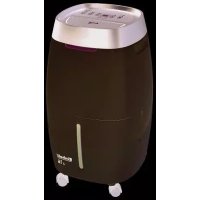
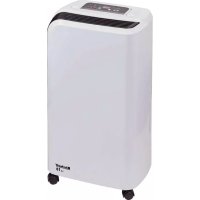
LE 30 - Dehumidifier EINHELL - Free user manual and instructions
Find the device manual for free LE 30 EINHELL in PDF.

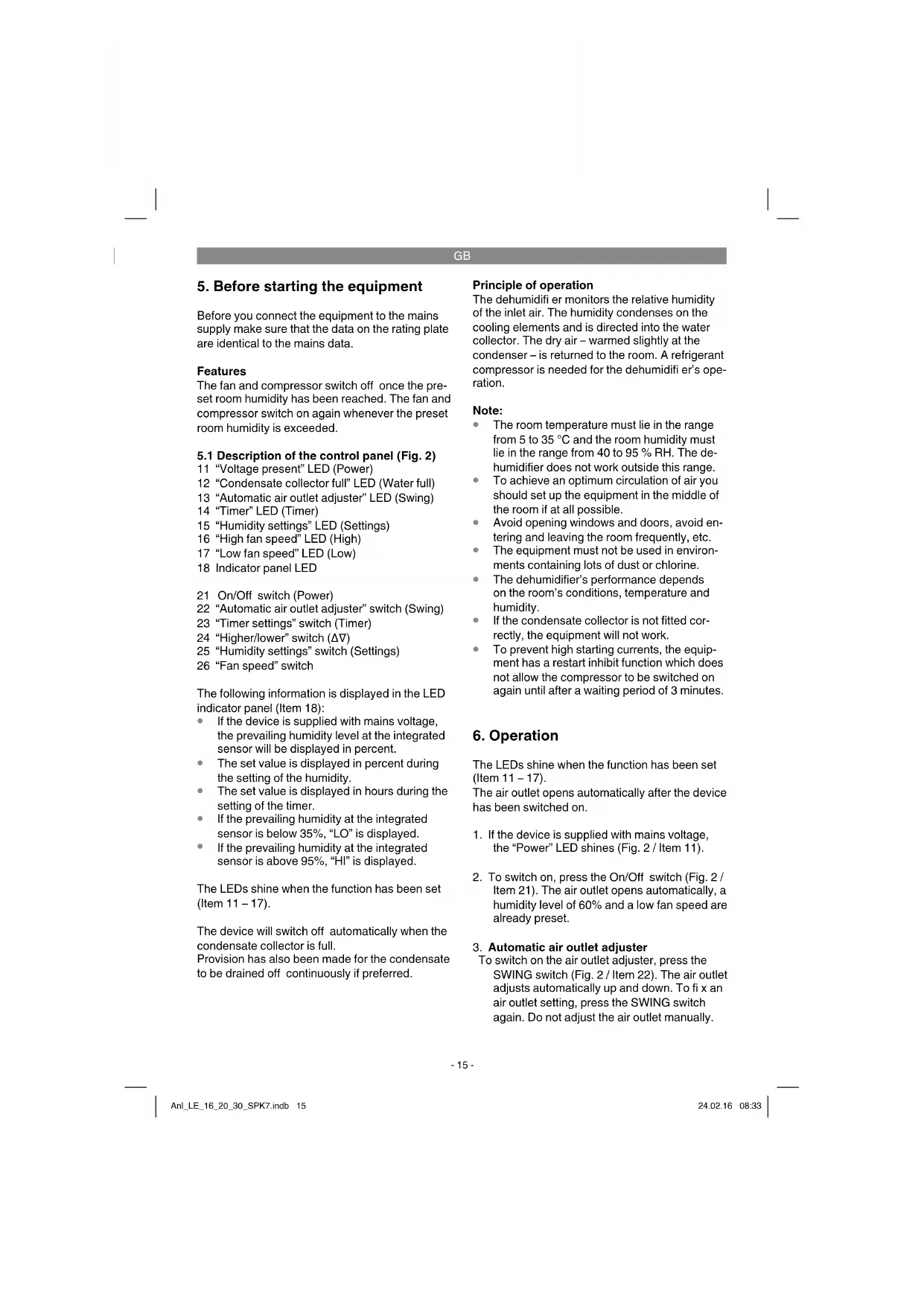


| Product type | Dehumidifier |
| Brand | Einhell |
| Model | LE 30 |
| Dimensions (W x D x H) | 386 x 386 x 662 mm |
| Weight | 15,3 kg |
| Power supply | 220-240 V ~ 50 Hz |
| Max. power consumption | 550 W |
| Max. rated current | 2,74 A |
| Dehumidification capacity (30°C / 80% RH) | 1,25 l/h |
| Dehumidification capacity (27°C / 60% RH) | 0,64 l/h |
| Collection tank capacity | 8 L |
| Refrigerant | R134a, 290 g |
| Max. air flow | 260 m³/h |
| Sound pressure level | ≤ 50 dB(A) |
| Operating temperature range | 5 - 35 °C |
| Operating ambient humidity | 40 - 95 % RH |
| Main functions | Timer 1-24 h, two fan speeds, automatic air outlet oscillation, automatic defrost, auto stop when tank full, continuous drainage possible |
| Air filter cleaning | Every 2 weeks, washable with warm water (max. 40 °C) |
| Safety | Compressor protection (restart after 3 min), auto stop if tank full |
| Warranty | 24 months |
Frequently Asked Questions - LE 30 EINHELL
User questions about LE 30 EINHELL
0 question about this device. Answer the ones you know or ask your own.
Ask a new question about this device
Download the instructions for your Dehumidifier in PDF format for free! Find your manual LE 30 - EINHELL and take your electronic device back in hand. On this page are published all the documents necessary for the use of your device. LE 30 by EINHELL.
USER MANUAL LE 30 EINHELL
When using the equipment, a few safety precautions must be observed to avoid injuries and damage. Please read the complete operating instructions and safety regulations with due care. Keep this manual in a safe place, so that the information is available at all times. If you give the equipment to any other person, hand over these operating instructions and safety regulations as well. We cannot accept any liability for damage or accidents which arise due to a failure to follow these instructions and the safety instructions.
1. Safety regulations
Danger!
Read all safety regulations and instructions.
Any errors made in following the safety regulations and instructions may result in an electric shock, fi re and/or serious injury.
Keep all safety regulations and instructions in a safe place for future use.
- The dehumidifier must always be in an upright position.
- Whenever the equipment has been transported or tilted (inclined positions), leave it for at least one hour before connecting it to a socket outlet.
- The equipment must have approx. 0,5 m air clearance above and behind to enable it to take in sufficient air.
- Keep all foreign bodies away from the air inlet opening and the air outlet opening.
- Set up the equipment well clear of heaters or other heat-generating units.
- Never pour or spray water over the equipment.
- Never use the power plug to switch the equipment on or off.
• Always use the switch on the control panel. - Before you move the equipment, switch it off with the Off/On switch, then pull out the power plug and empty the condensate collector.
- Clean the air filter before it becomes heavily soiled. The equipment works best when the filter is clean.
- Do not use spray solutions or other combustible cleaning agents on the equipment.
- If the equipment displays any malfunctions, pull out the power plug and contact your customer service center.
• If the power cable for the equipment becomes
damaged, it must be replaced by the manufacturer, its customer service or similarly trained personnel in order to avoid danger.
This equipment can be used by children of 8 years and older and by people with limited physical, sensory or mental capacities or those with no experience and knowledge if they are supervised or have received instruction in how to use the equipment safely and understand the dangers which result from such use. Children are not allowed to play with the equipment. Unless supervised, children are not allowed to clean the equipment and carry out user-level maintenance work.
2. Layout and items supplied
2.1 Layout (Fig. 1)
- Condensate collector
- Front housing panel
- Handle
- Air outlet
- Control panel
- Air filter
- Air inlet grille
- Mains power cable
- Rear housing panel
- Guide roller
2.2 Items supplied
- Open the packaging and take out the equipment with care.
- Remove the packaging material and any packaging and/or transportation braces (if available).
• Check to see if all items are supplied. - Inspect the equipment and accessories for transport damage.
- If possible, please keep the packaging until the end of the guarantee period.
Danger!
The equipment and packaging material are not toys. Do not let children play with plastic bags, foils or small parts. There is a danger of swallowing or suffocating!
• Dehumidifier
• Original operating instructions
GB
3. Proper use
The dehumidifi er is designed only for use in privately used rooms (e.g. living rooms, bedrooms, bathrooms, storage areas, laundry rooms or basements).
Note:
65% humidity is the upper limit at which the human body feels comfortable. If it is too warm for the human body, the humidity level (i.e. water content) is too high. Humidity and temperature are interrelated. A relative humidity (RH) of 35 to 65% at 21°C is generally considered to be ideal.
It is uneconomical to use the equipment at a room temperature below 10^ C or at a room humidity below 40%.
The equipment is to be used only for its prescribed purpose. Any other use is deemed to be a case of misuse. The user / operator and not the manufacturer will be liable for any damage or injuries of any kind caused as a result of this.
Please note that our equipment has not been designed for use in commercial, trade or industrial applications. Our warranty will be voided if the machine is used in commercial, trade or industrial businesses or for equivalent purposes.
4. Technical data
LE 16
Power supply: 220-240 V \~ 50 Hz
Max. rated current consumption: 1.42 A
Starting current: 10 A
Max. power consumption: 285 W
Sound pressure level: .... ≤ 47 dB(A)
Dehumidifying capacity:
.... 0.67 l/h (at a room temperature of 30°C and air .....humidity of 80%)
.... 0.34 l/h (at a room temperature of 27°C and air ......humidity of 60%)
Humidity operating range: .... > 40%
Temperature operating range: 5 - 35°C
Max. volumetric air flow: 180 m³
Condensate collector capacity: ....4 liters
Refrigerant: R134a
Greenhouse warming potential ....
(GWP, kg CO2 eq.) 1430
Coolant quantity: 160 g
Equipment dimensions:.... 316 x 316 x 536 mm
Equipment weight: 13 kg
LE 20
Power supply: 220-240 V \~ 50 Hz
Max. rated current consumption: 1.74 A
Starting current: 10 A
Max. power consumption: 350 W
Sound pressure level: .... ≤ 47 dB(A)
Dehumidifying capacity:
.... 0.83 l/h (at a room temperature of 30°C and air .....humidity of 80%)
.... 0.42 l/h (at a room temperature of 27°C and air .....humidity of 60%)
Humidity operating range: .... > 40%
Temperature operating range: 5 - 35°C
Max. volumetric air flow: 180 m ^3
Condensate collector capacity: ....4 liters
Refrigerant: R134a
Greenhouse warming potential
(GWP, kg CO2 eq.) 1430
Coolant quantity: 250 g
Equipment dimensions:.... 316 x 316 x 536 mm
Equipment weight: 14 kg
LE 30
Power supply: 220-240 V \~ 50 Hz
Max. rated current consumption: 2.74 A
Starting current: 12 A
Max. power consumption: 550 W
Sound pressure level: .... ≤ 50 dB(A)
Dehumidifying capacity:
.... 1.25 l/h (at a room temperature of 30°C and air .....humidity of 80%)
.... 0.64 l/h (at a room temperature of 27°C and air .....humidity of 60%)
Humidity operating range: .... > 40%
Temperature operating range: 5 - 35°C
Max. volumetric air flow: 260 m³
Condensate collector capacity: 8 liters
Refrigerant: R134a
Greenhouse warming potential ....
(GWP, kg CO2 eq.) 1430
Coolant quantity: 290 g
Equipment dimensions:.... 386 x 386 x 662 mm
Equipment weight: 15,3 kg
GB
5. Before starting the equipment
Before you connect the equipment to the mains supply make sure that the data on the rating plate are identical to the mains data.
Features
The fan and compressor switch off once the preset room humidity has been reached. The fan and compressor switch on again whenever the preset room humidity is exceeded.
5.1 Description of the control panel (Fig. 2)
11 "Voltage present" LED (Power)
12 "Condensate collector full" LED (Water full)
13 "Automatic air outlet adjuster" LED (Swing)
14 "Timer" LED (Timer)
15 "Humidity settings" LED (Settings)
16 "High fan speed" LED (High)
17 "Low fan speed" LED (Low)
18 Indicator panel LED
21 On/Off switch (Power)
22 "Automatic air outlet adjuster" switch (Swing)
23 "Timer settings" switch (Timer)
24 "Higher/lower" switch (Δ∇)
25 "Humidity settings" switch (Settings)
26 "Fan speed" switch
The following information is displayed in the LED indicator panel (Item 18):
- If the device is supplied with mains voltage, the prevailing humidity level at the integrated sensor will be displayed in percent.
- The set value is displayed in percent during the setting of the humidity.
- The set value is displayed in hours during the setting of the timer.
- If the prevailing humidity at the integrated sensor is below 35%, "LO" is displayed.
- If the prevailing humidity at the integrated sensor is above 95%, "HI" is displayed.
The LEDs shine when the function has been set (Item 11 - 17).
The device will switch off automatically when the condensate collector is full.
Provision has also been made for the condensate to be drained off continuously if preferred.
Principle of operation
The dehumidifi er monitors the relative humidity of the inlet air. The humidity condenses on the cooling elements and is directed into the water collector. The dry air – warmed slightly at the condenser – is returned to the room. A refrigerant compressor is needed for the dehumidifi er's operation.
Note:
- The room temperature must lie in the range from 5 to 35 °C and the room humidity must lie in the range from 40 to 95 % RH. The de-humidifier does not work outside this range.
- To achieve an optimum circulation of air you should set up the equipment in the middle of the room if at all possible.
- Avoid opening windows and doors, avoid entering and leaving the room frequently, etc.
- The equipment must not be used in environments containing lots of dust or chlorine.
- The dehumidifier's performance depends on the room's conditions, temperature and humidity.
- If the condensate collector is not fitted correctly, the equipment will not work.
- To prevent high starting currents, the equipment has a restart inhibit function which does not allow the compressor to be switched on again until after a waiting period of 3 minutes.
6. Operation
The LEDs shine when the function has been set (Item 11 - 17).
The air outlet opens automatically after the device has been switched on.
- If the device is supplied with mains voltage, the "Power" LED shines (Fig. 2 / Item 11).
- To switch on, press the On/Off switch (Fig. 2 / Item 21). The air outlet opens automatically, a humidity level of 60% and a low fan speed are already preset.
To switch on the air outlet adjuster, press the SWING switch (Fig. 2 / Item 22). The air outlet adjusts automatically up and down. To fix an air outlet setting, press the SWING switch again. Do not adjust the air outlet manually.
3. Automatic air outlet adjuster
GB
4. Fan speed
To choose between a high and a low fan speed, press the "Fan speed" switch (Fig. 2 / Item 26).
5. Desired humidity
To adjust the desired humidity setting within the range of 40% to 80% in 5% increments, press the "Humidity setting" switch (Fig. 2 / Item 25) and then press the "Higher/lower" button (Fig. 2 / Item 24). If the prevailing humidity at the integrated sensor falls below the desired humidity setting by approx. 2%, the compressor will stop, followed a little later by the fan. If the prevailing humidity at the integrated sensor exceeds the desired humidity setting by approx. 2%, both the fan and the compressor (3 minute restart inhibit function) will start up again.
6. Timer
To set the desired operating time (1 – 24 hours) in 1 hour increments, press the switch for "Timer settings" (Fig. 2 / Item 23) with the device switched on and then press the "Higher/lower" button (Fig. 2 / Item 24). If the timer has not been switched on, the device will run continuously. If the device is connected to the voltage supply, press the switch for "Timer settings" and then press the "Higher/lower" button (Fig. 2 / Item 24) to set the time, in 1 hour increments, until the device is switched on (1 – 24 hours).
- To switch off, press the On/Off switch (Fig. 2 / Item 21).
7. Emptying the condensate collector
Note:
- The device switches off automatically when the condensate collector (Fig. 1 / Item 1) is full. The „Condensate collector full“ LED will light up and a warning signal will sound for a few seconds.
- If the condensate collector (Fig. 1 / Item 1) is not refitted correctly after it has been emptied, the "Condensate collector full" LED will continue to shine.
- Never remove the "Float" (Fig. 3 / Item A) from the condensate collector, otherwise the automatic switch-off function will no longer work.
- If the condensate collector is dirty, you can clean it with warm water.
-
Remove the condensate collector (Fig. 1 / Item 1) by pulling it out carefully and then empty it.
-
Slide the collector back into the device after you have emptied it.
8. Using an external condensate drain (Fig. 4)
Note:
- Important: To prevent water damage, make sure that the condensate is drained away properly at all times.
- Important: If the weather is very cold you will have to take appropriate measures to prevent the water from freezing in the drainage hose.
- It is best to direct the condensate into a lower lying drain. If you use an external collecting container (e.g. a trough), the equipment must be positioned accordingly higher.
- The drainage hose must be installed with a downward gradient. It must not be kinked or become clogged.
- If the drainage hose becomes clogged, the condensate must run into the condensate collector from the overflow.
- Remove the rubber plug and keep it in a safe place (it must be reinserted in the connection socket when the external condensate drain is no longer used).
- Connect the suction port (B) with a matching water hose (C) with a 10 mm inside diameter.
De-icing function
To prevent the cooling elements becoming iced up at operating temperatures below 21^ , the equipment has a de-icing function. In this case the compressor is switched off but the fan motor continues to run.
During this phase the dehumidifying function is interrupted for a few minutes.
Please observe the equipment's operating range (see Technical Data).
The equipment has a compressor protector which automatically shuts down the equipment when the temperature rises above 35^ C or falls below 5^ C, or when the power consumption rises too high.
GB
9. Cleaning, maintenance and ordering of spare parts
Be sure to pull out the power plug before doing any maintenance and cleaning work!
• Use only a soft cloth to clean the casing.
- Do not use any aggressive chemicals, detergents, chemically treated cleaning cloths or solvents. They could damage the casing.
Cleaning the air fi iter (every 2 weeks)
- Remove the air inlet grille (Fig. 5 / Item 7) and then the air filter washer (Fig. 5 / Item 6). Use a vacuum cleaner.
- If the filter is very dirty, wash it with warm water (max. 40°C). Then allow it to dry thoroughly. Never expose the filter to the sun or other sources of heat. Never reinsert the filter while it is still damp.
Maintenance
- There are no other parts inside the equipment which require maintenance.
Storage
If you are not going to use the dehumidifi er for some time, proceed as follows:
- Switch off the equipment, pull out the power plug and roll up the power cable. (fig. 5/Pos. D)
- Empty the water collector and dry it thoroughly.
- Remove the rubber plug as described in section 8 and tilt the device slightly to remove any remaining water.
- Clean the ventilation grille and the dust filter cover the equipment and store it in a dry and dust-free place.
Ordering replacement parts:
Please quote the following data when ordering replacement parts:
• Type of machine
• Article number of the machine
• Identification number of the machine
- Replacement part number of the part required
For our latest prices and information please go to www.isc-gmbh.info
10. Storage
Store the equipment and accessories in a dark and dry place at above freezing temperature. The ideal storage temperature is between 5 and 30
°C. Store the electric tool in its original packaging.
11. Troubleshooting
• The equipment does not start:
- Check whether the power plug has been inserted properly.
- Is there a power failure?
- Is the red lamp of the water level indicator lit? If it is, the water collector is full and must be emptied or the collector is not inserted properly.
- Do the room conditions lie within the operating range (see Technical Data)?
- The equipment does not seem to be working:
- Is the fi Iter soiled?
- Is the air supply line or exhaust line blocked?
- Is the room's humidity already very low?
- The equipment seems to be working very poorly:
- Are too many doors and windows open?
- Is something in the room producing too much humidity?
• The equipment is very loud:
- Is the equipment vibrating because it is not standing squarely or is tilted?
- Is the floor uneven?
Important. Never try to repair the equipment yourself. Contact your customer service center.
GB

For EU countries only
Never place any electric power tools in your household refuse.
To comply with European Directive 2012/19/EC concerning old electric and electronic equipment and its implementation in national laws, old electric power tools have to be separated from other waste and disposed of in an environment-friendly fashion, e.g. by taking to a recycling depot.
Recycling alternative to the return request:
As an alternative to returning the equipment to the manufacturer, the owner of the electrical equipment must make sure that the equipment is properly disposed of if he no longer wants to keep the equipment. The old equipment can be returned to a suitable collection point that will dispose of the equipment in accordance with the national recycling and waste disposal regulations. This does not apply to any accessories or aids without electrical components supplied with the old equipment.
The reprinting or reproduction by any other means, in whole or in part, of documentation and papers accompanying products is permitted only with the express consent of the iSC GmbH.
Subject to technical changes
GB
Warranty certifi cate
Dear Customer,
All of our products undergo strict quality checks to ensure that they reach you in perfect condition. In the unlikely event that your device develops a fault, please contact our service department at the address shown on this guarantee card. You can also contact us by telephone using the service number shown. Please note the following terms under which guarantee claims can be made:
- These guarantee terms apply to consumers only, i.e. natural persons intending to use this product neither for their commercial activities nor for any other self-employed activities. These warranty terms regulate additional warranty services, which the manufacturer mentioned below promises to buyers of its new products in addition to their statutory rights of guarantee. Your statutory guarantee claims are not affected by this guarantee. Our guarantee is free of charge to you.
- The warranty services cover only defects due to material or manufacturing faults on a product which you have bought from the manufacturer mentioned below and are limited to either the rectification of said defects on the product or the replacement of the product, whichever we prefer. Please note that our devices are not designed for use in commercial, trade or professional applications. A guarantee contract will not be created if the device has been used by commercial, trade or industrial business or has been exposed to similar stresses during the guarantee period.
-
The following are not covered by our guarantee:
-
Damage to the device caused by a failure to follow the assembly instructions or due to incorrect installation, a failure to follow the operating instructions (for example connecting it to an incorrect mains voltage or current type) or a failure to follow the maintenance and safety instructions or by exposing the device to abnormal environmental conditions or by lack of care and maintenance.
- Damage to the device caused by abuse or incorrect use (for example overloading the device or the use or unapproved tools or accessories), ingress of foreign bodies into the device (such as sand, stones or dust, transport damage), the use of force or damage caused by external forces (for example by dropping it).
-
Damage to the device or parts of the device caused by normal or natural wear or tear or by normal use of the device.
-
The guarantee is valid for a period of 24 months starting from the purchase date of the device. Guarantee claims should be submitted before the end of the guarantee period within two weeks of the defect being noticed. No guarantee claims will be accepted after the end of the guarantee period. The original guarantee period remains applicable to the device even if repairs are carried out or parts are replaced. In such cases, the work performed or parts fitted will not result in an extension of the guarantee period, and no new guarantee will become active for the work performed or parts fitted. This also applies if an on-site service is used.
-
To make a claim under the guarantee, please register the defective device at: www.isc-gmbh.info. Please keep your bill of purchase or other proof of purchase for the new device. Devices that are returned without proof of purchase or without a rating plate shall not be covered by the guarantee, because appropriate identification will not be possible. If the defect is covered by our guarantee, then the item in question will either be repaired immediately and returned to you or we will send you a new replacement.
Of course, we are also happy offer a chargeable repair service for any defects which are not covered by the scope of this guarantee or for units which are no longer covered. To take advantage of this service, please send the device to our service address.
Also refer to the restrictions of this warranty concerning wear parts, consumables and missing parts as set out in the service information in these operating instructions.
F
Danger!
Apsorbovana snaga, maks: 285 W
Nivo zvučnog pritiska: ....... ≤ 47 dB(A)
Učinak odvlaživanja:
...0,67 litra/sat (na sobnoj temperaturi 30°C i vlazi vazduha 80%)
...0,34 litra/sat (na sobnoj temperaturi 27°C i vlazi vazduha 60%)
Vlaga radnog područja: .... > 40 %
Temperatura radnog područja: ....5 – 35 °C
Zapremina protoka vazduha, maks.: ..... 180 m³
Zapremina rezervoara za kondenzat: .....4 litara
Sredstvo za hlađenje:......R134a
Potencijal globalnog zagrevanja (GWP, kg CO2 uč. kvoc.) 1430
Količina sredstva za hlađenje:...... 160 g
Dimenzije uređaja: 316 x 316 x 536 mm
Težina uređaja:....13kg
LE 20
Naponsko napajanje: .....220-240 V \~ 50 Hz Potrošnja nominalne struje, maks.: ..... 1,74 A
Struja pokretanja: 10 A
Apsorbovana snaga, maks: 350 W
Nivo zvučnog pritiska: ....... ≤ 47 dB(A)
Učinak odvlaživanja:
...0,83 litra/sat (na sobnoj temperaturi 30°C i vlazi vazduha 80%)
...0,42 litra/sat (na sobnoj temperaturi 27°C i vlazi vazduha 60%)
Vlaga radnog područja: .... > 40 %
Temperatura radnog područja: .....5 – 35 °C
Zapremina protoka vazduha, maks.: ..... 180 m ^2
Zapremina rezervoara za kondenzat: .....4 litara
Sredstvo za hlađenje:......R134a
Potencijal globalnog zagrevanja (GWP, kg CO2
uč. kvoc.) 1430
Apsorbovana snaga, maks: 550 W
21 Interruptor ON/OFF (Power)
22 Interruptor „regulación automática de la salida del aire“ (Swing)
23 Interruptor „temporizador“ (Timer)
24 Interruptor „subir/bajar“ (Δ∇)
25 Interruptor „ajuste de la humedad ambiental“ (Settings)
26 Interruptor „velocidad de ventilador“
Subject to change without notice


Archive-File/Record: NAPR013015
Documents registrar: Landauer Josef
Wiesenweg 22, D-94405 Landau/Isar
Subject to change without notice


Archive-File/Record: NAPR013016
Documents registrar: Landauer Josef
Wiesenweg 22, D-94405 Landau/Isar
□ 2006/42/EC
Annex IV
Notified Body:
Notified Body No.:
Reg. No.
□2000/14/EC_2005/88/EC
□ Annex V
Annex VI
Noise: measured L_ = dB(A) ; guaranteed L_ = dB(A)
P = KW: L/∅ = cm ^mm
Notified Body:
□ 2004/26/EC
Emission No.:
Standard references: EN 60335-1; EN 60335-2-40; EN 62233; EN 55014-1; EN 55014-2; EN 61000-3-2; EN 61000-3-3
Subject to change without notice
Archive-File/Record: NAPR013018
Documents registrar: Landauer Josef
Wiesenweg 22, D-94405 Landau/Isar
EH 02/2016 (01)
- Safety regulations
- Danger!
- Layout and items supplied
- Layout (Fig. 1)
- Items supplied
- GB
- Proper use
- Note:
- Technical data
- LE 16
- LE 20
- LE 30
- Before starting the equipment
- Features
- Description of the control panel (Fig. 2)
- Principle of operation
- Operation
- Automatic air outlet adjuster
- Fan speed
- Desired humidity
- Timer
- Emptying the condensate collector
- Using an external condensate drain (Fig. 4)
- De-icing function
- Cleaning, maintenance and ordering of spare parts
- Be sure to pull out the power plug before doing any maintenance and cleaning work!
- Cleaning the air fi iter (every 2 weeks)
- Maintenance
- Storage
- Ordering replacement parts:
- Storage
- Troubleshooting
- Warranty certifi cate
- F
- Standard references: EN 60335-1; EN 60335-2-40; EN 62233; EN 55014-1; EN 55014-2; EN 61000-3-2; EN 61000-3-3
Brand : EINHELL
Model : LE 30
Category : Dehumidifier