
Автоматическая кофемашина Intuition Preference+ EA875EIntuition P - Coffee machine KRUPS - Free user manual and instructions
Find the device manual for free Автоматическая кофемашина Intuition Preference+ EA875EIntuition P KRUPS in PDF.



| Product type | Automatic coffee machine with grinder |
| Brand | Krups |
| Model | Intuition Preference+ EA875E (EAB7) |
| Dimensions (W x D x H) | 240 x 400 x 365 mm |
| Weight | 8.2 kg |
| Power supply | 220-240 V, 50 Hz, 1450 W |
| Pump pressure | 15 bar |
| Water tank capacity | 3 L |
| Bean hopper capacity | 250 g |
| Height-adjustable coffee spout | Yes |
| Touch screen | Yes, large intuitive screen |
| Intuitive light indicator | Yes, user guide |
| Milk system | One Touch Cappuccino with removable unit |
| Beverage programs | Ristretto, Espresso, Lungo, Doppio, Long Coffee, Americano, Espresso Macchiato, Cappuccino, Latte Macchiato, Caffè Latte, Flat White, Frothed Milk, Black Tea, Green Tea, Infusion |
| 2-cup simultaneous function | Yes |
| Custom profiles | Yes, up to 7 recipes per profile |
| Grind setting adjustment | Yes, step by step during grinding |
| Water filter | Claris Aqua Filter System (cartridge included) |
| Adjustable water hardness | Yes, from 0 (very soft) to 4 (very hard) |
| Automatic cleaning and descaling | Yes, with alerts and dedicated programs |
| Safety | Grounded plug, automatic shut-off, shut-off in case of malfunction |
| Included accessories | 2 cleaning tablets, 1 descaler sachet, filter holder, extra milk tube, steam cleaning needle, filter cartridge, hardness test strip, brush, milk jug |
| Repairability | Spare parts available on Krups website, after-sales service |
Frequently Asked Questions - Автоматическая кофемашина Intuition Preference+ EA875EIntuition P KRUPS
User questions about Автоматическая кофемашина Intuition Preference+ EA875EIntuition P KRUPS
0 question about this device. Answer the ones you know or ask your own.
Ask a new question about this device
Download the instructions for your Coffee machine in PDF format for free! Find your manual Автоматическая кофемашина Intuition Preference+ EA875EIntuition P - KRUPS and take your electronic device back in hand. On this page are published all the documents necessary for the use of your device. Автоматическая кофемашина Intuition Preference+ EA875EIntuition P by KRUPS.
USER MANUAL Автоматическая кофемашина Intuition Preference+ EA875EIntuition P KRUPS
3 MAKE 2 CUPS OF A MILK RECIPE AT ONCE

FR-POUR2TASSESINSPATANESOUNE
RECEITRE WECUDLAIT
NL-MAKONMIDOOELUK2XOPESWV
TENMARTEP
NO - LAC2 KOPPERED EN MLKOPPEREDI PA ENG GAK
FF 1EE2KUPLLISTAMATCKAHNGKPRALA
IT - PREPARAZIONE DI 2 BEVANDE A1
LATE CONTENFORANCEMENT
EL-114PA2K8YTH 2PAHTZ4NIONWAI
2YN/4(+)
3
SK - PRIPRAVTENARAZ 25KLY MUCHEDIO
图
PL-TRZYGOTONANE2FLIZENKNAPOJU2
MLEBENTNAFTAZ
UK- KODYTE 2 NAJUNI HAROON 3 MOHOMON
3.10.1.1.1
BG-NTTHHSAEAHAPELETTACM5KO3A
24H
DE 2 TASSEN EINES WILCHRETEPES AUF EN
ZUBERETEN
DA-OP5X8F1TTLATLAV2KOFPERAALKP
SAMMETD
SV - TILLAGA 2 KOPPAAN VETT MJOLKRECEPT
TNT
ES-HACA204ZASDEUNABEBBDACONLECH
A L4VE
PT PREPARE 2 CHAVENAS DE LIMA RECEIITA
LENTNININSTANTE
CS-NAJEDVOU2SALKYNILECNECEPTURE
HU GYS2PBE 2CSTSE THTALNTKES2PSD
BUDOTDRE244KMOHCHIOIAD
HOSPFHHO
PO:239484E6SIMLITANAATCESTIDE
BNTUBCU,NPT
HR-NPRAVTE2SALKENAPTKASNUECKO
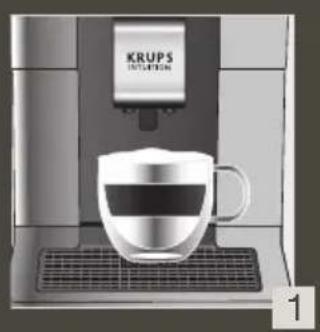
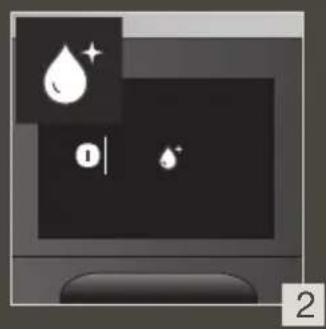
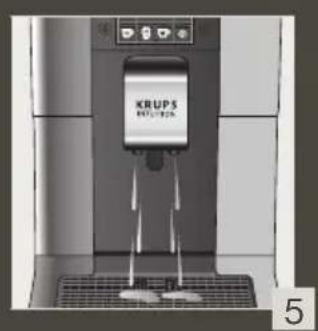
4 QUICK MILK RINSING AFTER A CAPPUCCINO
FR - RINÇAGE RAPIDE DU LAIT APPRES UN CAPPUCCINO
NL - SNELLE MELKSPOELING NA EEN CAPPUCCINO
NO - HURTIG MELKESKYLLING ETTER EN CAPPUCCINO
FI - NOPEA MAIDON HUHTELU CAPPUCCINON JALKEEN
IT - RISCIACQUO RAPIDO DEL CIRCUito DEL LATTE DOPO UN CAPPUCCINO
EL - TPHTOPH EKNIAYZH IAAAKTOZ META ANO KANOYTSINO
SK - RYCHLE OPLACHOVANIE MLIEKA PO CAPPUCCINE
PL - SZYBKIE PLUKANIE SYSTEMU MLEKA PO CAPPUCCINO
UK - ШВИДKE 3МИBAHHЯ мОЛOKA ПICЛЯ ППИГOTУBAHHЯ KATYUVOHO
BG -ББР3ОИЗПЛАКBAHEHAМЛЯКOTOСLEД KAFYUHNO
DE - SCHNELLE MILCHSPULUNG NACH EINEM CAPPUCCINO
DA - HURTIG MAELKESKYLNING EFTER EN CAPPUCCINO
SV -SNABB MJOLSKOLJING EFTER EN CAPPUCINO
ES - ENJUAGUE RAPIDO DE LA LECHE DESPUES DE HACER UN CAPPUCCINO
PT - LAVAGEM RAPIDA DO LEITE APOS PREPARACAO DE UM CAPPUCCINO
CS - RYCHLE OPLACHOVÁNÍ MLEKA PO CAPPUCCINU
HU - A TEJ GYORS KIMOSÁSA CAPPUCCINO KÉSZITÉSE UTÁN
RU - ьICTРЯ ПОМБИКА моJOУ"HССТЕмbl IOCSЛ ППИГOTOBLEHн RA KANYUNHO
RO - CLÂTIREA RAPIDÄ A LAPTELUI DUPÄ UN CAPPUCCINO
HR - BRZO ISPIRANJE MLIJEKA NAKON CAPPUCCINA
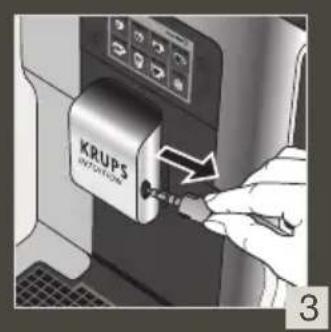
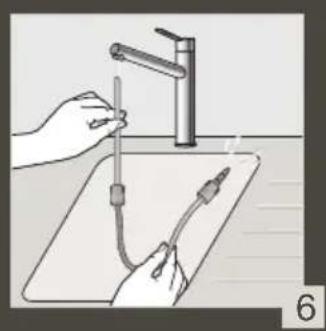
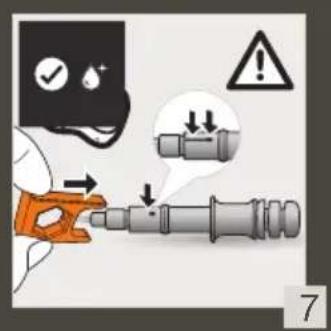

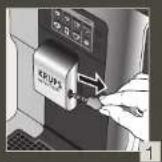
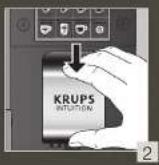
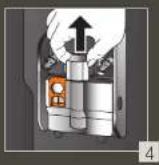
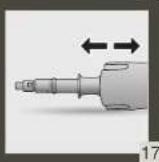
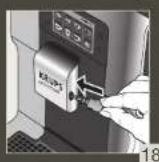
5 MANUAL DEEP CLEANING OF MILK SYSTEM - 5 MIN
FR - NETTO/YAGE MANUEL APPROFOND1 DU LAIT - 5 MIN
NL - HANDIMATGE DIEPE REINIGING VAN HET MELKSYSTEEM - 5 MIN
NO - MANUELL ORDENTLIG RENGJORING AV MELKEYSYSTEMET-5 MIN
FI - MANUALINEN MAIJOUARJEDESTLMAN SVYAPHDISTUS-5 MIN
IT - PULZIA PROFONDA MANUJALED CIRCUITO DEL LATTE - 5 MIN
EL - XEPIPOKINHTOAEBZYKAOPAIMEO TOY YSYTHMATOIAAATAOK-5AEAITA
SK - MANUALE HLBOVCE SISTENIE MLIECNEHO SYSTEMU - 5 MIN
PL-RECZNE SZCPEGOLWE CZYSZCENIE SYSTEMU MLEKA-5 MIN
UK-ITIMIOCKYPUHCHOUHCHHHCACTTEMMA MONTOKA-SXVB
BG-PBHYO DIBIOKO PONCTBAHE HA CIVETMATA 3A MJIKHO

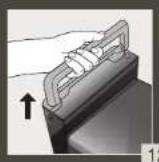
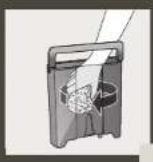
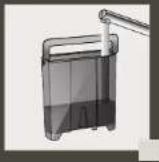
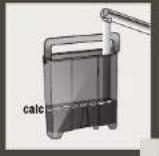
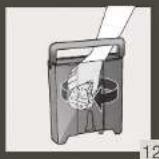
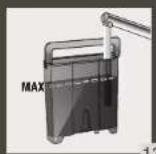
8 CLEAN THE WATER TANK REGULARLY
FR- NETIOYER LE RESERVOIR D'EAU RÉQUILÉRIMENT
NL - MAAK HET WATERRESERVOIR REGELMATIG SCHOON
NO - RENGJOR VANNTANKEN REGELMESSIG
FI - PUHDISTAVESIAYIO SAANNOLLISESTI
IT - PULIRE REGOLARIMENTE IL SERBATIOO DELL'ACQUA
EL -KAAGAPIZETETAKTIKA TO OXEIONEOPOY
SK - NADRZ NA VODU PRAVIDELNE CISTITE
PL - PAMIETAJO REGULARYM CZYSZCZENJU POJEMIKNA WODE
UK- PEGYLAPHO OUYIANSAE PE3EPBYAP JINBAOJI
BG-104MCTBAITEPEDEBOHPE3EPBOAPA 3A BOJLA
DE - REINIGEN SIE DEN WASSERTANK REGELMASSIG
DA - RENGORVANDBEHOLDEREN REGELMEESSIGT
SV - RENGOR VATTENBEHALLAREN REGELBUNDET
ES - LIMPIA CON FRECUCIONA EL DEPOSITO DE AGUA
PT - LIMPE O RESERVATORIO DE AGUA REGULARMENTE
CS - PRAVIDELNÉ CISTÉTÉ NADRZKU NA VODU
HU - RENDSZERENESEN TISZITTSA MEGA VIZARTALYT
RU-PEYIPLRPOOCHUAPTEPEBYPAPJINBOBDI
RO-CURATATI REZERVORUL DE APA IN MOD REGULAT
HR - REDOVITO CISTITE SPREMNIK ZA VODU
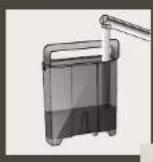
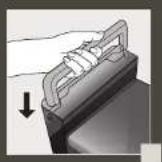
COMPLETE AUTOMATIC CLEANING OF THE MACHINE 3 x / YEAR - 13 MIN
K
FR - NETTOYAGE AUTOMATIQUE COMPLTE DE LA MACHINE 3x7/ANNEE-13 MIN
NL - VOLLEDIGE AUTOMATICS REINIGING VAN DE MACHINE 3X-JAAR-13 MIN
NO-FULLFOR MASKINENS AUTOMATISKE RENS 3X/ARET-13 MIN
FI-KEITIMEN PERUSTEELLINEN AUTOMAATTINEN PUHDISTUS 3 KRT VUODESSA-13 MIN
IT - PULZIA AUTOMATICA COMPLETA DELLA MACCHINA (3X ANNO) - 13 MIN
EL -OAOAHOPMENOLE AYOMATOI KAOGAPIMQI THZYEKEYH3ΦOPEX TON XPONO-13 AEITTA
SK-RealIZACIAAUTOMATICKHO CISTENIA ZARIADENIA 3× 1 ROK-13 MIN
PL - PRZEPROWADZANE AUTOMYCZNEGO ZCYSZCZENIA AKSPRESU 3X/R-10M 2
UK - NOBHIE OTOMATIYHUE OOUJIUEHHA KABOMAUHIMT3 PA3A/HA PIK-13X KB
BG -TJHIO ABOTAMIHU NOI'CTBAHE HA KAFEMIAIIMHATA 3X TOYAIHIU-13MAI

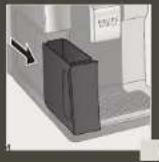
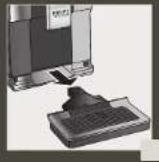
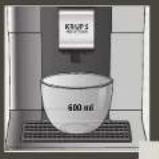
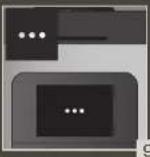
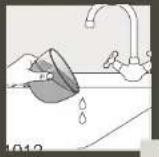
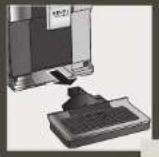
DESCALING PROGRAM - 20 MIN
FR - PROGRAMME DE DETARTRAGE - 20 MIN
NL-ONTKALKINGSPROGRAMMA-20MIN
NO -AVKALKNINGSPROGRAM-20MIN
FI - KALKINPOISTO-OHJELMA-20MIN
IT - PROGRAMMA DI DECALCIFICAZIONE - 20 MIN
EL - NPOPAMMA AOAATQZHE-20AETTA
SK - PROGRAM NA ODSTRANENIE VODNEHO KAMENA-20 MIN
PL - PROGRAM ODKAMIENIANIA - 20 MIN
UK - NPOPTPAMA BIDANIEHHRA HAKUNY - 20XB
BG-IP01P47A3OTCPAHRABAHEKAOTIEH KANTIK-20MH
DE-ENTKALKUNGSPROGRAMM-20MIN
DA-AFKALKNINGSPROGRAM-20MIN
SV - AUTOMATISKT AVKALKNINGSPROGRAM - 20 MIN
ES - PROGRAMA DE DESCALCIFICAÇÃO - 20 MIN
PT - PROGRAMA DE DESCALCIFICAÇÃO
CS - ODVAPNOVACI PROGRAM - 20 MIN
HU - VIZKOMENTESITO PROGRAM - 20 PERC
RU - NPOPTAMMA YDAUEHRA HAKINN - 20 MNH
RO - PROGRAM DE DETARTRARE - 20 MIN
HR - PROGRAM ZA UKLANJANE KAMENCA - 20 MIN
Chere cliente, cher client,
INFORMATIONS IMPORTANTES SUR LE PRODUIT
ACCESSIONES FOURNIS AVEC VOTRE MACHINE
MISE SOUS TENSION DE LA MACHINE

POUR INFORMATION, POUR PREPARER VOTRE BOISSON,
VOTRE MACHINE REALISE AUTOMATIQUEMENT LES ETAPES SUIVANTES :
Thank you for purchasing a KRUPS Espresso machine with bean grinder.
KRUPS designs, develops and manufactures its Espresso machines in France, ensuring you the highest standards of origin and manufacturing quality.
Designed for ease of use, your machine is the effortless way to create cafe-quality drinks at home. With just one touch, you can enjoy coffees such as Espresso, Ristretto and Lungo, as well as Cappuccino, Latte Macchiato, Caffe Latte and other milky drinks!
To help you get the most out of your machine every day, KRUPS has developed an Intuitive Light Indicator. It will guide you in the use of your machine and brighter up your coffee breaks.
Your KRUPS Espresso machine also has a large, intuitive touchscreen, like a smartphone UX interface for an intuitive experience. In addition, your machine's advanced technology helps you get the best possible results, revealing maximum aroma and full-bodied flavour from the freshly ground coffee beans.
We hope you have a great coffee experience and that you are completely satisfied with you KRUPS machine.
The KRUPS team

NEED HELP GETTING STARTED WITH YOUR MACHINE?

⇔
HELP AND Tutorials
Find a list of tutorials saved in your machine to guide you in using it. They will walk you through preparing a drink, managing your favuities and the maintenance of your machine. List of available tutorials:
1.How do I make my drinks?2.How do I manage a profile? 3.How to maintain your machine?
a. Starting a coffee drink
- Creating and setting up
your profile
b. Starting a milky drink
e. Adding a drink to your profile (after making it)
c. Starting two drinks simultaneously
f. Adding a drink to your profile (from the profile page)
g. Removing a drink from your profile
- How to maintain your machine?
h. Performing a rinsing
i. Performing a cleaning
j. Performing descaling

IMPORTANT PRODUCT INFORMATION
Read the instruction manual carefully before using your appliance for the first time and keep it for future reference. Improper use will release KRUPS from any liability. It is important to follow the safety information.
GUIDE TO THE SYMBOLS USED IN THE INSTRUCTIONS

Danger: Warning about the risk of serious bodily injury or death.
The lightening symbol alerts you to electricity-related dangers.

Caution: Warning against any possible malfunction, damage or destruction of the appliance.

Important: General or Important comment for operating the appliance.

PRODUCTS SUPPLIED WITH YOUR MACHINE
Check the products supplied with your machine. If one of the parts is missing, contact your KRUPS Consumer Service immediately.
| Products supplied | ||
| 1. | 2 cleaning tablets | x2 |
| 2. | 1 descaling sachet | x3 |
| 3. | Milk tube for the "One Touch Cappuccino" block | |
| 4. | Additional Milk tube for the "One Touch Cappuccino" block | |
| 5. | Cleaning needle of the steam circuit | |
| 6. | 1 Claris - Aqua Filter System cartridge with tightening accessory | |
| 7. | 1 water-hardness testing stick | |
| 8. | Instructions - Safety precautionsList of approved Krups service centresInternational guarantee | |
| 9. | Pipe cleaner | |
| According to model | ||
| 10. | Milk pot:You can put the milk pot in the dishwasher | |

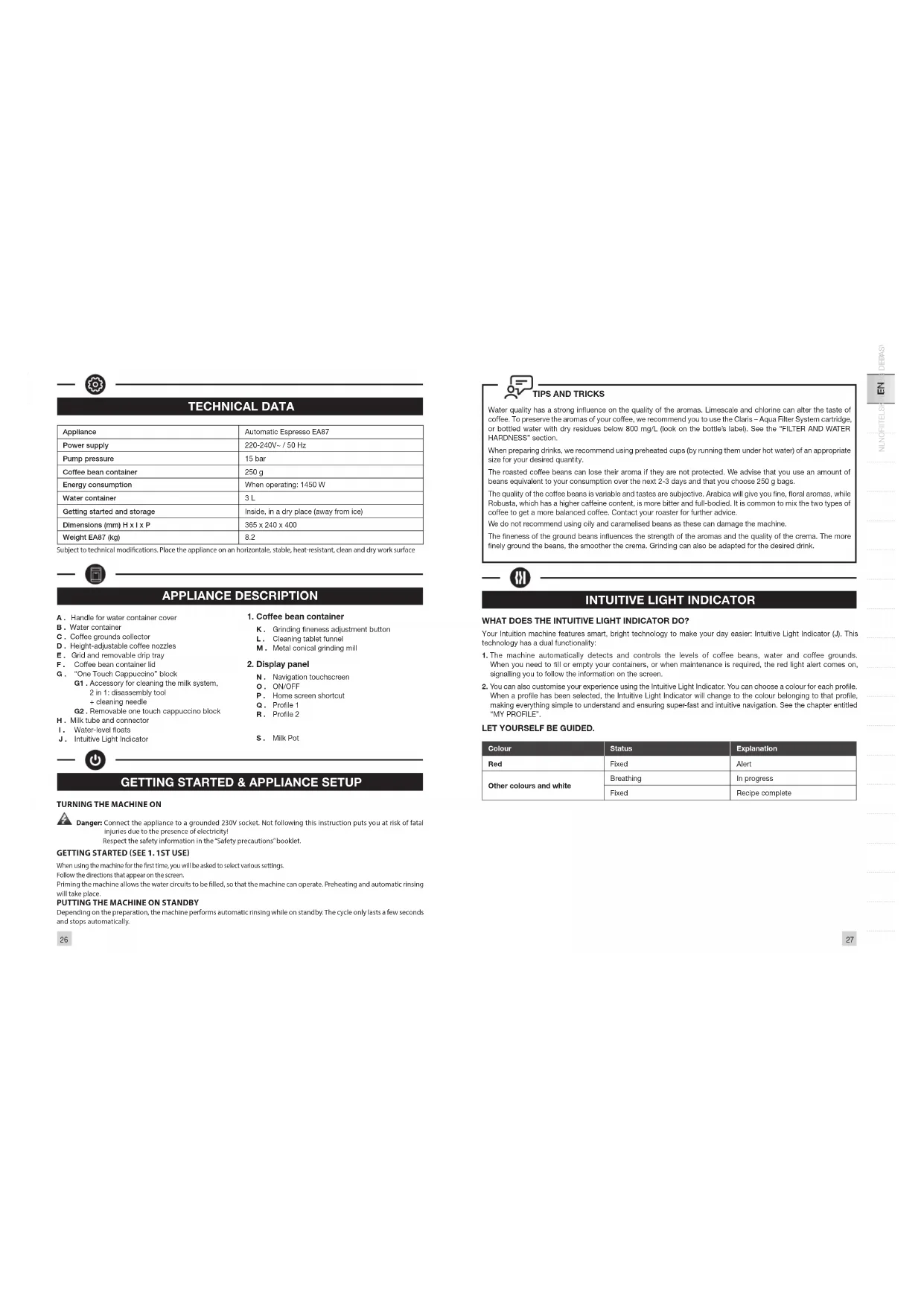
TECHNICAL DATA
| Appliance | Automatic Espresso EA87 |
| Power supply | 220-240V~/50 Hz |
| Pump pressure | 15 bar |
| Coffee bean container | 250 g |
| Energy consumption | When operating: 1450 W |
| Water container | 3 L |
| Getting started and storage | Inside, in a dry place (away from ice) |
| Dimensions (mm) H x I x P | 365 x 240 x 400 |
| Weight EA87 (kg) | 8.2 |
Subject to technical modifications. Place the appliance on an horizontale, stable, heat-resistant, clean and dry work surface

APPLIANCE DESCRIPTION
A. Handle for water container cover
B. Water container
C. Coffee grounds collector
D, Height-adjustable coffee nozzles
E. Grid and removable drip tray
Coffee bean container lid
“One Touch Cappuccino” block
- Acessory for cleasing the milk system
3 in 1: disasphyxial tool
1:clearing needle
G2: Removable one to 1
H. Milk tube and conn
Water-level floats
J. Intuitive Light Indicator
- Coffee bean container
K. Grinding fineness adjustment button
L. Cleaning tablet funnel
M Metal conical grinding mill
- Display panel
N. Navigation touchscreen
Q.DN/OFI
Home screen shortcut
0. Profile 1
B. Profile 2
S. Milk Pot

GETTING STARTED & APPLIANCE SETUP
TURNING THE MACHINE ON

Danger: Connect the appliance to a grounded 230V socket. Not following this instruction puts you at risk of fatal
Injuries due to the presence of electricity!
Respect the safety information in the "Safety precautions" booklet.
GETTING STARTED (SEE 1.1ST USE)
When using the machine for the first time, you will be asked to select various settings.
Follow the directions that appear on the screen.
Priming the machine allows the water circuits to be filled, so that the machine can operate. Preheating and automatic rinsing will take place.
PUTTING THE MACHINE ON STANDBY
Depending on the preparation, the machine performs automatic rinsing while on standby. The cycle only lasts a few seconds and stops automatically.


TIPS AND TRICKS
Water quality has a strong influence on the quality of the aromas. Limescale and chlorine can alter the taste of coffee. To preserve the aromas of your coffee, we recommend you to use the Claris - Aqua Filter System cartridge, or bottled water with dry residues below 800mg / L (look on the bottle's label). See the "FILTER AND WATER HARDNESS" section.
When preparing drinks, we recommend using preheated cups (by running them under hot water) of an appropriate size for your desired quantity.
The roasted coffee beans can lose their aroma if they are not protected. We advise that you use an amount of beans equivalent to your consumption over the next 2-3 days and that you choose 250g bags.
The quality of the coffee beans is variable and tastes are subjective. Arabica will give you fine, floral aromas, while Robusta, which has a higher caffeine content, is more bitter and full-bodied. It is common to mix the two types of coffee to get a more balanced coffee. Contact your roaster for further advice.
We do not recommend using oily and caramelised beans as these can damage the machine.
The fineness of the ground beans influences the strength of the aromas and the quality of the crema. The more finely ground the beans, the smoother the crema. Grinding can also be adapted for the desired drink.

INTUITIVE LIGHT INDICATOR
WHAT DOES THE INTUITIVE LIGHT INDICATOR DO?
Your Intuition machine features smart, bright technology to make your day easier: Intuitive Light Indicator (IJ). This technology has a dual functionality:
- The machine automatically detects and controls the levels of coffee beans, water and coffee grounds. When you need to fill or empty your containers, or when maintenance is required, the red light alert comes on, signalling you to follow the information on the screen.
- You can also customise your experience using the Intuitive Light Indicator. You can choose a colour for each profile. When a profile has been selected, the Intuitive Light Indicator will change to the colour belonging to that profile, making everything simple to understand and ensuring super-fast and intuitive navigation. See the chapter entitled "MY PROFILE".
LET YOURSELF BE GUIDED.
| Colour | Status | Explanation |
| Red | Fixed | Alert |
| Other colours and white | Breathing | In progress |
| Fixed | Recipe complete |

FILTER AND WATER HARDNESS
WHAT IS THE PURPOSE OF THE WATER HARDNESS SETTING?
In order to avoid scale build-up in your machine and to optimise the quality of your coffee, we advise you to adjust the water hardness setting on your machine.
HOW TO SET THE WATER HARDNESS ON YOUR MACHINE?

(1)
SETTING
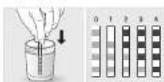
. Fill a glass of water.
. Dip the water-hardness testing stick (B) supplied with the machine in your glass of water.
. Wait for 1 minute. The squares on the stick will change colour.
Count the number of coloured squares. This indicates the hardness of the water, from 0 to 4.
In the "Water Hardness" menu, press the corresponding number between 0 and 4.
Press OK.
IF YOU RUN OUT OF WATER-HARDNESS TESTING STICKS
If you need to repeat this operation, remember to adjust the water hardness setting according to the location of use or information provided by your local water company, using the table below:
| Degree of hardness | Classe 0 Very soft | Classe 1 Soft | Classe 2 Average hardness | Classe 3 Hard | Classe 4 Very hard |
| ° dH | < 3° | > 4° | > 7° | > 14° | > 21° |
| ° e | < 3.75° | > 5° | > 8.75° | > 17.5° | > 26.25° |
| ° f | < 5.4° | > 7.2° | > 12.6° | > 25.2° | > 37.8° |
| Appliance setting | 0 | 1 | 2 | 3 | 4 |
WHY INSTALL A FILTER CARTRIDGE?
The Claris Aqua Filter System cartridge optimises the taste of coffee, and reduces scaling and maintenance.
WHEN SHOULD I CHANGE THE CLARIS AQUA FILTER SYSTEM CARTRIDGE?

- Two months after set-up or when your machine notifies you,
- When changing the cartridge, we recommend that you turn the grey ring on the top of the filter cartridge to indicate the data + two months.
HOW DO I INSTALL THE CLARIS AQUA FILTER SYSTEM CARTRIDGE?

⇒
MAINTENANCE

- Place the cartridge in the water container.
Position the cartridge, numbered ring facing up.
. Use the black tightening accessory, supplied with the cartridge, to position and screw the cartridge in place.
28

GRINDER: ADJUSTING THE FINENESS OF THE GROUND COFFEE
WHY SHOULD I ADJUST THE FINENESS OF THE GROUND COFFEE?
You can choose the strength of your coffee by adjusting how finely the coffee beans are ground.
Varying the fineness of the grinding enables you to adapt to the different types of bean:
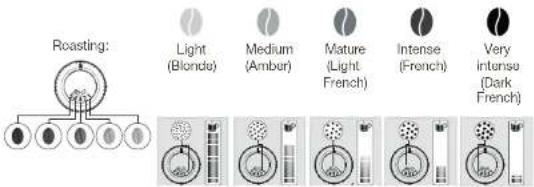
Darkly roasted and oily beans require coarse grinding.
A more lightly roasted bean will be drier and will require finer grinding.
Note: the more finely the beans are ground, the more powerful the aroma.
HOW DO I ADJUST THE FINENESS OF THE GROUND COFFEE?
Turn the grinding fineness adjustment button (K) located in the bean container, depending on the type of bean and the desired strength of aroma. This adjustment must be performed when the mill is in operation, notch by notch. After three preparations, you will notice a distinct difference in taste.
HOW DO I KNOW WHEN THERE ARE NO MORE BEANS IN THE CONTAINER?
Your Intuition machine has a sensor to warn you when the level of coffee beans in the container is running low. A message will appear on the screen and the Intuitive Light Indicator (I) will display red light.
WHAT IF THE ALERT APPEARS WHILE I'M MAKING A DRINK?
Fill the coffee bean container, press OK and the recipe will resume. So no coffee is wasted!
WHAT DO I DO IF I WANT TO CHANGE MY COFFEE OR IF I HAVE RUN OUT OF COFFEE?
If you press OK without adding coffee beans, the machine will try to restart and alert you again. If you press OK again, the machine will make the recipe using all of the remaining coffee. The grinder will then be empty.

Caution: We do not recommend using oily and caramelised beans that are difficult for the grinder to process. These can damage the machine and prevent the intuitive system from functioning correctly.
If an alert message appears on your screen and the red light comes on when there are enough beans:
Press the OK button to continue the recipe.
Or, turn off the "no bean" alert to prevent detection while there is still coffee in the coffee bean container.

(1)
SETTINS
29

PREPARING OTHER DRINKS
DRINKS THAT CAN BE PREPARED WITH THIS MACHINE:
| Drinks | Approximate size | Possible volumes | Coffee strength | Y2 |
| Ristretto Short Express with body | 25 ml | 20 - 40 ml | ✓ | ✓ |
| The Life-Headed Express with personal care diatoms is covered with a slanty atom cone at color and color | 40 ml | 40 - 70 ml | ✓ | ✓ |
| Lungo Long Erosso with canina crema | 70 ml | 70 - 100 ml | ✓ | ✓ |
| Doppio Daube Erosso with amber crema | 100 ml | 40 - 140 ml | ✓ | |
| Long Coffee Higher in salt/heat but lighter on the palate very pucur in the morning | 120 ml | 80 - 180 ml | ✓ | ✓ |
| Americano Double long Erosso combined with hot water | 120 ml | 80 - 150 ml | ✓ | |
| Erosso Macchiallo Erosso with a thin layer of hot red milk | M - 80 ml L = 80 ml XL - 100 ml | 60 - 100 ml | ✓ | ✓ |
| Cappuccino A balance between milk, foam and coffee | M - 120 ml L = 180 ml XL - 240 ml | 120 - 240 ml | ✓ | ✓ |
| Frémented Milk A large case of milk with its milk from | M - 120 ml L = 160 ml XL - 200 ml | 120 - 200 ml | ✓ | |
| Flat White Coffee made with steamed milk and foam | M - 160 ml L = 200 ml XL - 240 ml | 160 - 240 ml | ✓ | |
| Caffe Latte Foam with a soluble coffee foam | M - 200 ml L = 280 ml XL - 350 ml | 200 - 350 ml | ✓ | ✓ |
| Little Macchiallo A gourne Erosso with milk foam | M - 190 ml L = 250 ml XL - 340 ml | 190 - 240 ml | ✓ | ✓ |
| Infusion Water heated to the perfect temperature for an infusion | 200ml 20 - 300 ml | |||
| Black Tea Water heated to the perfect temperature for black tea | 200ml 20 - 300 ml | |||
| Green Tea Water heated to the perfect temperature for green tea | 200ml 20 - 300 ml |
FOR INFORMATION, TO PREPARE YOUR DRINK, YOUR MACHINE AUTOMATICALLY PERFORMS THE FOLLOWING STEPS:
| For coffee recipes | For milky recipes other than Caffe Latte, Flat White and Espresso Macchiato | For the Caffe Latte, Flat White and Espresso Macchiato recipes |
| 1. Grinding coffee beans2. Tamping the ground coffee3. Pre-infusion (a few drops may fall into your cup at this point)4. Percollation | 1. Pre-heating phase2. Frothing milk3. Grinding coffee beans4. Tamping the ground coffee5. Pre-infusion (a few drops may fall into your cup at this point)6. Percollation | 1. Grinding coffee beans2. Tamping the ground coffee3. Pre-infusion (a few drops may fall into your cup at this point)4. Percollation5. Pre-heating phase6. Frothing milk |
HOW DO I ADJUST THE HEIGHT OF THE COFFEE NOZZLES?
For all drinks, you can adjust the coffee nozzles according to the size of your cup(s).
HOW DO I PREPARE MY DRINK?
Refer to the "How to make drinks?" tutorial saved in your machine


TUTONALS
DIFFERENT SETTINGS ARE AVAILABLE, DEPENDING ON THE DRINK:
One or two cups; to start the double recipe, select the drink and press
- Coffee strength: to increase or decrease the strength of the coffee by changing the amount of ground coffee, select your drink and choose between 1 and 3 beans, with 1 being the softest and 3 being the most full-bodied.
Cup volume: to increase or decrease the cup volume, scroll up or down the list of volumes and select the one you want.
For more information, see the drinks table in the instructions.

To select the coffee strength and cup volume, you can navigate up/down or press directly on your choice.
HOW DO I STOP A DRINK MID-PREPARATION?
Warning: You can stop the preparation of a drink at any time by pressing the button. When a cycle is interrupted, it does not immediately stop. The machine will be unavailable for a time, as indicated by a message on the screen.
MILK-BASED DRINKS


TIPS
For frothed milk, use pasteurised UHT milk straight from the fridge (3 - 5°C) . It is possible to use special milks (micro filtered, raw, fermented, enriched) or plant-based milks (rice, oat or almond milk), but this can give less satisfactory results in terms of quality and quantity of the froth.
HOW DO I START THE PREPARATION OF A MILK-BASED DRINK?
Refer to "2 PREPARED A MILK-BASED RECIPE" earlier in the instructions, or see the "Starting a milky drink" tutorial stored in your machine.


TUTORTALS
TEAS AND INFUSIONS
For your teas and infusions, there are three selection buttons so that you can choose the temperature best suited to each type of tea. The temperature used for green tea will be lower than that used for black tea or infusions.
HOW DO I SET THE WATER TEMPERATURE?


Go to Settings > Water temperature. You can choose between T1, T2 and T3, where T1 is the coolest and T3 is the hottest.
When you decrease/increase the temperature, this will decrease/increase the temperature for each type of tea but the temperature used for green tea will always be lower than that used for black tea or infusions.

MY PROFILE
WHAT DO I USE THE PROFILE FUNCTION FOR?
The Profile function grants you access to a customised space where you can store and save your favourite drinks. You can easily access it by pressing a button on the machine's control panel.
Faster and perfect for everyday use, the drinks you have saved in your profile will start to pour with just one touch; no adjustments necessary. You can save as many as seven recipes for each profile.
The profile function also allows for a much more personalised interface and settings:
| First name You can | add your first name for greater personalisation. |
| Colour | You can choose a colour for the Intuitive Light Indicator, to help your profile stand out. |
| Display | Here, you can set how your drinks are displayed on the Profile screen. They can be displayed in either "slider" or "file" mode. |
| Programming | With the "Profile" function, you can also set a time of day for each drink. This will make it even easier to find your drink at any given moment. |
| Brightness | This allows you to enable or disable the Intuitive Light Indicator. |
HOW DO I CREATE A PROFILE?

Press the Profile 1 or Profile 2 icon and follow the on-screen instructions or watch the tutorials saved in your profile.


AND Tutorials
HOW DO I MANAGE THE FAVOURITE DRINKS SAVED TO MY PROFILE?
There are two ways to add a drink to a profile:
-
After you make a drink, a button will appear on screen.
-
Directly in the profile.
If I stop my favorite drink in progress, this length will be saved.
HOW DO I ORGANISE/ORDER/REMOVE MY FAVOURITE DRINKS?
Press and hold a drink icon for a few seconds. A cross will appear in the top right-hand corner of each drink icon. Press and drag to rearrange drinks, press the cross to remove a drink.

GENERAL MAINTENANCE
Carrying out proper maintenance will optimise the life of your machine and preserve the authentic taste of your coffee.
The drip tray collects the used water and the coffee grounds collector collects the used ground coffee.
Important: For hygienic reasons, as this container is in contact with milk and coffee, we recommend that you fully dismantle and clean daily each element under hot water. It is recommended that you let it air dry before you put it back in the appliance. It is important to always leave it in place and to empty it regularly. You can put the drip tray in the dishwasher. You can put the drip tray in the dishwasher but without its cover.
WHEN SHOULD I EMPTY THE DRIP TRAY?
When the floats are in the raised position, indicating that it is too full.
When the machine notifies you or more regularly but when the machine is turned on so that it can register that the bin has been emptied.
32

Important: Not emptying the coffee grounds collector and drip tray regularly as shown above may damage your machine. Do not put it in the dishwasher. For hygienic reasons, we recommend that you clean the coffee ground container daily under hot water with soap and sponge. It is recommended that you let it air dry before you put it back in the appliance.
MAINTENANCE OF WATER TANK AND COFFEE BEAN CONTAINER
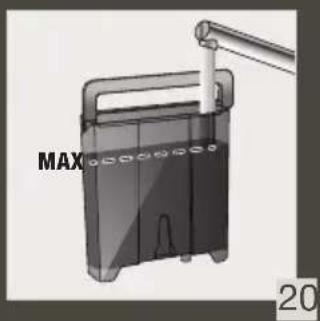
For the preservation of best coffee flavor impacted by the quality of the water and hygienic reasons, we advise you to use only fresh water and to daily clean the water tank with hot water and a bottle brush.
Coffee beans can leave greasy residue on the tank that can affect the quality of the coffee. For the preservation of best coffee flavor and hygienic reasons we recommend you to wipe it with a dry, soft cloth each time it needs to be refilled.

Important: Do not clean with water, the presence of water in the bean hopper could damage the machine

It is recommended that you let it air dry before you put it back in the appliance
WHY AND HOW DO I MAINTAIN THE MILK SYSTEM AFTER MAKING MILKY DRINKS?

Important In order to obtain a consistent foam quality, we recommend that you:


HELP AND TUTTQALS
| Maintenance | When? | Explanation | Accessories required |
| Milk rinsing30 s / 20 ml | After each milky drink, when the machine notifies you | Allows you to rinse the machine's milk system.You can start a milk system rinsing at any time. | |
| Milk tube, nozzle rinsing and milk pot cleaning | After each milky drink | We recommend you to clean with hot water and soap the milk pot after each use.we recommend you to replace the milk tube approximately every three months. You will find these accessories available on the KRUPS.com website. | Hot water + soap+ pipe cleaner |
| Milk accessory cleaning5 min | When the machine notifies you or at any time | This Involves removing and cleaning the removable "One Touch Cappuccino" block. For optimum milk frothing, clean this regularly. See above in the Instructions: 5. MANUAL, DEEP CLEANING OF THE MILK DISTRIBUTION SYSTEM - 5 MIN. | Cleaning needle (n°S) |
OTHER MAINTENANCE
| Maintenance | When? | Explanation | Accessories required |
| Coffee rinsing 45 s / 30 ml | At any time | For hygienic reasons, it is recommended to rinse the coffee system daily or when not used for a longer period (more than 2 days). | |
| Tea rinsing 30 s - 20 ml | Before the drink starts flowing | Allows you to rinse with hot water to ensure an authentic taste of your tea or infusion. | |
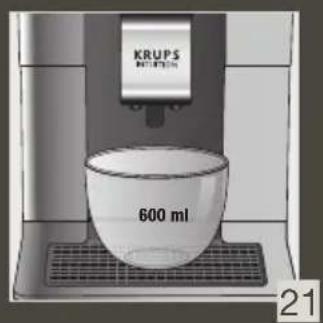
| Coffee system cleaning 13 min / 600 ml | When the machine notifies you or at any time | For the preservation of best coffee flavor and hygienic reasons we recommend you to clean the coffee system 3 times a year. | 1 KRUPS cleaning tablet (n*1) |
| Descending 20 min / 600 ml | When the machine notifies you or at any time | The appliance notifies you when it is necessary to run a descending program. This step is very important to ensure the proper functioning and longevity of your appliance. | 1 sachet of KRUPS descaler (n*2) |

Important: You do not have to run the cleaning program as soon as the appliance notifies you, but you should do it reasonably soon after. If the cleaning is postponed, the alert message will remain displayed until the operation has been performed.

Important: If you unplug your machine during cleaning or in the event of electrical failure, the cleaning program will restart. It is not possible to postpone this operation: it is mandatory in order to rinse the water system. In this case, a new cleaning tablet may be necessary.
For further explanations, please see the tutorials available in your machine's settings.

⇒
HELP AND TUTUBALS

Want to know when you should perform the maintenance operations above? An alert message will appear on the screen as soon as there is an action you need to take.

OTHER FUNCTIONS
Your KRUPS Intuition machine has a range of settings - check them out! They let you create a more personalised experience.
HOW DO I ACCESS MY MACHINE'S SETTINGS?

SETTING
LIST OF SETTINGS:
| Language | Select from 21 languages. |
| Date and time | You must set the date, particularly if using an anti-limescale cartridge. Time setting and 12 or 24 hour clock display. |
| Screen brightness | Adjusts the screen backlight. |
| Light | Turns the Intuitive Light Indicator on and off. |
| Display | Choose whether drink options are displayed as slides or tiles. |
| Auto-stop | Sets the period of time after which your appliance will stop automatically. This function lets you reduce your energy consumption. |
| Auto-start | Turns on the machine and automatically starts preheating the appliance at a chosen time. Do you have your coffee at the same time every day? This function is for you! By setting the auto-start, you can save time and no longer have to manually start your drink. |
| Volume unit | Selects the unit of measurement: ml or oz. |
| Auto-rinsing | You can choose whether or not to activate automatic rinsing of the coffee nozzle when starting the machine. |
| Water hardness | Set the hardness of the water between 0 and 4. For more information, see the "Water hardness measurement" chapter. |
| Coffee temperature | Is your coffee too hot? You can use this function to reduce the temperature. The machine has three temperature settings for your coffee drinks. |
| Tea temperature | Is your tea too hot? With this function, you can choose a lower temperature. This machine has three temperature adjustment levels for your tea drinks. |
| Type of coffee | Turns off the 'No beans' function. This function indicates a lack of coffee beans in the container and resumes a recipe which is in progress. See the GRINDER paragraph. |
| Factory reset | Resetting clears your preferences and settings and restores the default settings. Your favourites will also be deleted. |

TROUBLESHOOTING
OPERATION
- The machine has a fault, the software is frozen OR the machine has a malfunction.
Turn off and unplug the machine. Remove the filter cartridge, wait one minute and then restart the machine. Press and hold the ON/OFF button for at least three seconds to start the machine. - The appliance does not turn on after pressing the ON/OFF button (for at least three seconds).
Check the fuses and the electrical power socket. Check that the plug is correctly inserted into the socket. - A power failure has occurred during a cycle.
The device will reset automatically when it turns back on. - The grinder is running empty
This is normal if it is occasional and there are no or few coffee beans left. It can run empty for up to ten seconds to determine its consumption and ensure that it is working properly.
There are still coffee beans in the container:
The coffee may be too oily and is not drawn into the machine properly. You can try encouraging the beans to fall
and see if it works again. However, we recommend changing the coffee (see the bean type function).
It is my usual coffee that has worked well up until now: please contact your contact KRUPS Consumer Service.
USE
-
The grinder makes an abnormal noise.
There are most probably foreign bodies in the grinder. Try to clear it with a vacuum cleaner, otherwise contact your KRUPS Consumer Service. -
There is water under the appliance.
Before removing the drip tray, wait for 15 seconds after the coffee has flowed so that the machine finishes its cycle correctly.
Check that the drip tray is positioned properly on the machine. It must always be in place even when the machine is not in use.
Check that the drip tray is not full.
-
The adjustment button for the grinding fineness is difficult to turn.
Only turn the grinding fineness adjustment button when the grinder is running. -
The appliance has not produced any coffee.
An incident has been detected during preparation.
The appliance resets automatically and is ready for a new cycle. -
You have used ground coffee instead of coffee beans.
Use your vacuum cleaner to clear the ground coffee from the bean container. -
Water flows from the coffee nozzles when the machine is stopped.
This is normal. This is an automatic rinse to clean the coffee nozzles and prevent them from getting clogged.
STEAM AND MILK
-
The milk flow from your machine appears to be partially or completely blocked.
An alert message will appear on the screen if the nozzle is blocked. Clean the "One Touch Cupucino" block. Refer to point 5 earlier in the instructions. MANUAL DEEP CLEANING OF THE MILK DISTRIBUTION SYSTEM - 5 MIN, or see the tutorial stored in your machine "Cleaning the milk nozzle". -
No steam comes out.
a. During the first use of a steam cycle, if no steam comes out correctly:
Check that the hole in the tip is not clogged. See section above: "The steam nozzle of your machine appears to be partially or completely clogged".
Carry out the following protocol once and only once: Empty the water tank and temporarily remove the Claris Aqua Filter System cartridge. Fill the tank with mineral water high in calcium ( >100 mg/L ) and make successive steam cycles (5 to 10 cycles) in a container until a continuous jet of steam is obtained. Put the cartridge back in the tank.
b. The steam nozzle had already worked:
Check that the hole in the tip is not clogged. See section above: "The steam nozzle of your machine appears to be partially or completely clogged".
If after performing the above steps, the steam Nozzle still doesn't work, please contact KRUPS Consumer Service.
- Steam escapes from the grid of the drip tray.
Depending on the type of preparation, steam may escape from the grid of the drip tray. - Steam appears under the bean container lid.
Check that the cleaning tablet funnel under the cover (L) is closed.
MAINTENANCE
- The machine does not request descaling.
The descending cycle is requested following preparation of a large number of milky or hot water-based drinks. If you only make coffee, descending will not be required frequently. - Some grounds are in the drip tray.
A small amount of ground coffee can get into the drip tray. The machine is designed to clear any excess ground coffee so that the percolation area remains clean. - The Intuitive Light Indicator remains lit after you have emptied the coffee grounds collector.
Refitting the coffee grounds collector. - After filling the water container, the Intuitive Light Indicator stays on.
Check the container is positioned correctly in the appliance.
The floats at the bottom of the tank must move freely. Check and dislodge the floats if necessary.
DRINKS
- The coffee flows too slowly.
Turn the grinding fineness button to the right for a coarser grind (depending on the type of coffee used).
Perform one or several rinse cycles.
Change the Claris Aqua Filter System cartridge.
- The coffee is too light or not full-bodied enough.
Check that the bean container contains coffee and that it is moving down correctly.
Avoid using oily, caramelised or flavoured coffees that may not be drawn into the machine correctly.
Decrease the preparation volume and increase the strength using the coffee strength function. Turn the grinding fineness button to the left for a finer grind. Make your drink in two cycles using the two-cup function.
- The Espresso or coffee is not hot enough.
Increase the coffee temperature in the machine settings. Heat the cup by rinsing it in hot water before preparing the drink.
Perform a coffee system rinse before starting your coffee. A coffee rinse on start function can be activated in settings/auto-rinse.
- Clean water flows through the coffee nozzles before each coffee.
At the start of the recipe, there is a pre-infusion of coffee which can cause a small amount of water to flow from the coffee nozzles.
If one of the problems outlined in the table persists, contact KRUPS Consumer Service.

Important: Manufacturer:
SAS GSM
BESCHRIJVING VAN HET APPARAAT
WAT ALS DE WAARSCHUING VERSCHIJNT TERWJIL I EEN DRANKJE AAN HET MAKEN BEN?
- De Espresso of koffe is orvoldoende warm.
PRODUKTER, DER FOLLGER MED MASKINEN
- Aftegelig One Touch-cappuccinoblok
HVORNAR SKAL DRYPBAKKENT TOMMES?
VEDLIKEHOLD AV MELKESYSTEM
HVORFOROGHVORDANVEDLIKEHOLDER JEG MELKESYSTEMETTER AHA LAGET MELKEBASERTE DRIKKER?
Viktig:Vi anbefaler at du gjer felgende for aoppa en konsekvent skumkvalit:

| Vedlikehold | När? | Forklaring | Neddengidtolbeher |
| Malkeskyllng30 s / 20 mL | Ettar havermelkebaserte drink, när maskinen varssler deg | Gjor at du kan skylle maskinens melkesystem. Du kan när som helst starte en scylling av melkesystemet. | |
| Malkenorrumnystikke skyling og rençijering av melkebeholder | Ettar havermelkebaserte drikk | Vi anbefaler at du vasker melkebeholderen med varmt vann og slpe etter haver bruk.Vi anbefaler at du bytter ut melkeslangen ca. haver trejd ermanded. Du finner dette tilbesharet tilgengeling pafnetstedet KRUFS.com. | Vartm vann + slpe+ ramenser |
| Rençijering av melketeibothor5 min | När maskinen varssler deg, aller när som helst | Dette omfatter fängem ng rençijering av den zavakbare One Touch Cappuccino-blokken. Rengler denne regelnesslag for a ftil optimal melkeskommings. Se overfor i instruktjonere. S.MANUELL DYPRENGDRING AV MELKEFONDELNGSSYSTEMET - S MIN. | Rensseli [n'S] |
ANNETVEDLIKEHOLD
| Vedlikethold | När? | Forklaring | Nedvendligtilbeter |
| kaffesylung45 s / 30 ml. | När som helst | Av hygieniske ørsaker anbefaler i vi skylle kaffesystemet daglig,Eller när det ikke brukes over lengre tid (mer enn to dager). | |
| Teskyling30 s - 20 ml. | For drikken begynner ákommen ut | Lar deg skyline med varmt vann for á sikre enautistisk smak av te erller infusjon. | |
| Rengjörning av kaffesystemet13 min / 600 ml. | När maskinen varssler deg, Eller när som helst | For ðe bevare kaffesmaken, og av hygieniske ørsaker, anbefaler i vi at du rengjor kaffesystemet tre gänger iaret. | 1 KRUPS rensetablett (n°1) |
| Avkalling20 min / 600 ml. | När maskinen varssler deg, Eller när som helst | Apparater varssler deg när du ma kjere et avalkalingssprogram.Dette trinmet ervitk for á sikre at apaparat fungerger og varer lenge. | 1 pose med KRUPS avalkingsmiddel (n°2) |
Viktig: Du trengerIkke & kjare renngjoringsprogrammet med en gang maskinen gir deg beskjed, men du bor gjare det innen rimeligi tid. Hvis renngjorings usettetes, vises verselmeldingen til operacionen er utfort.
Viktig: Hvis du kobler fra maskinen under renjaring ellv ved elektrisk feil, starter renjeringssprogrammet pa nytt. Det er like mulg a utsete denne operjonen. Den er obligatorisk for a skylle vannystemet. Is sa fall kan det vaere naedeng med np rensabetlett.
VIKTIG PRODUKINFORMATION
- "One Touch Cappuccion"del
C O M O C O N F I G U R O L A T E M P E R A T U R A D E L A G U A?


∴ m = 3/11
AIV
OETUTTERAL
COME FACCIO A SALVARE LE BEVANDE PREFERITE NEL MIO PROFILIO?
Avanaya (Light French)
Duradoura (French)
Teekneppeeppepepepepepepepepepepepepepepepepepepepepepepepepepepepepepepepepepepepepepepepepepepepepepepepepepepepepepepepepepepepepepepepepepepepepepepepepepepepepepepepepepepepepepepepepepepepe

NEPIPAPHTHΣYKEYH2
A. aBn kanaikou tou doxelou vepou
B. Axio yepou
C. EUAAEETNC UNOA HUATY OAEQUEV OK
PuyouCouyooK
E. mEyua Kaipopoevoc 1okoc movow
F. KNTONIOI 0xioiXxuXxuXx
6. Mowda One Touch Capucching
E
Vakravet
1751.com/closter/ctcysu#e)fengx
+
G2. Agapoupcyn ovoaOne Touch Cappuccino
H.
I. Nwrtpec oiaOunc vepo
Eunrnnnneennrn ene

ENAPEHXPHESKAIPYOMIISHYEKEYH
ENEPTONIOIHTHMHXANHE

Kivvvo: EvSeTe To ouKeur or kueyuPnA 230 V H m npTcuy cuy Tuv oBnyu Dnaupeiy Kivvvo Bovayou pTuayuTuayu tyu TpuoLacnakpoku peutad.
Tnpore tic odnyec aepaleac nou cncpepvotat oq klaiaio nppuauaoeac aoepaies.
∴ m = 3/11

MetabeTe EtIC Pubuoloic> EpukpOaia vepou. Mnpoitee va emcEte petoT1 T2 KnT3, onuT1 eivai nX npAotep Bepkpoia aoi kT 3eivai npAotep.
Ora ouavet/ueivwet nepoakoe, ouavet/ueivwet nepoakoe yai kafu toayoo aaaa oepkoepoovnou

TO NPOOIA MOY
IIA NOION 2KONO XPHSEMIOIEITAI H AEITOYPIA NPOΦI;
Haetouyio npoO Doc npoeys npoOoon e ov Evotoukauvo yoo, oorumapee va snaupuyte kai vcmohkeetoe Taayaneu cnoepa. Mnopeite eokoiav anoxtoe ie npoOaon e ouv my neopyn, mntovac ev kaujnt oov mkaekoyou mc jangvanc
M aouy m taoaoyia n oqkowogai ygwo kai iovai davai yia koiuyuuyi yjxuy, ta poyjtuauo nu syte anotfkeae atto npooaaacnakkaovraue 1e ma ymo wosntma, ukpic vya pceovratapepublisc, Mnpoeitve anonkeae eek, kci ene caycye yia koi feepopie.
H I eauyio. npouk dvei emic n duuotota va eotoukeoote o koun nepoooteo to poeBov hauoyloc kai tck pubie
| Ovju | Mnpoje vla iipoojodcte o ovju ooc yia okjunmujuyučurp cetoujikevon. |
| Xpovu | Mnpoje vla emiljedete lyva xpvjua yia tvjy eumnu jnušeknji kujvica, ocne va koviţe to nupoija ooc yia okjui jnušekl. |
| Evobieŋ | Esbu pmoje vla opojate tripe na bjuavovcovtai to ppojnta ooc otnye obvjnu pjojdi. |
| Mnpojuov vla eupovovcovtai cit reu jungna olojohnctc citre uynkdojki. | |
| Ipyoypoumaiojuc | Me tni lariocyjva "Ipojoi", pmoje tni emiionc va opojate nuja otjau njuopac va koi de ppojna. |
| Eto, be pmoje otjau noj me kujova va kijokote ppojna oto njuokotnktodnyi. | |
| Φθενόητη | Ané sbu pmoje vla evapoynojanaeta ne ane vepeynojanojanaeta ne tvjnu evskoje kujvdu. |
IΩΣΔHMIOYPTΩ ENA IPOΦIΛ;

To kckovok Pnip 1 n Pnp2 AkoAauhne t c oynk otny ony h npakaoahtou.


BOHBEA XUE EKINDAEYTIXQOLIMFO
IIOIAXEIPIZOMAI ATAATAHMENA POHMAI NOY EXOYN ANOeHKeyTEI STIOPOHMOY;
Ynapoyouu dy npantoi yia va npoBecete eva pponmu e eva npapp:
1.Apoo naoookcuoccto to poepnua, eapovilcta aeva kouini otyn oEvyn.
2.Ancuoeiae pao ano nnp
EavatapnawynapakkeunouayanuevoupuoepnatoctneonpaeonaoNkceute to one oto onolo staata
IΩΣOPTANΩNΩ/TAEINOMΩ/AΦAIPΩ TA AΓAHMENA MOY POΦHMATA;
NATrAe natoTae Tn EAOIOIO EvO POoHApTOC yOepea deEeRtPOAnIO. EepoeiTe aEvoc OoPoc OToy ENeou SeDg yuVio kAe EIOIOIe POoHApTOC. TnOte Koi oPtey e va Aalldet To 6eon Tou pOpHApTuW, KOi nntote To vToaPoia via oKATpynneKTAO POoHApTOC.

TENIKH SYNTHPHZH
Howotnouwnpon Boeaoaolnt n BcAon Tn pKwocakkai Tn dTnpon n ouDevnkycedontou konpe
SYNTHPHZH TOY SYAAEKTH YIIOAEIMMATQN AAEEMENOY KAQE KAI TOY DIKOKY ANONEPQN
To tio oioe ouoAeyeto 0xpojnoiognevo npoe, 0v0 rou ouoknunauo aoukoutou aozouou koe ouaoyetoc o
EnnVtio: AIOyouu UeWvIe, EtniA uTo To yEyio EpTeAte en AnpJe IVEoAo KApE, cAc ouTOnOue Vo aTOUcAVIOYKe THeKoVA KA v KaBolte KeKneppe Kabe OToxo Me Kato Vdo, SuVitotne VOto aOpAte Ve aToeVooa oTo apnPo To ToToBHeTe eov CmOuKup, Eivai AnpVaeVo to aOpTyve nTo 8en BaoTu KaVo aAoAeCtckrak. Mnpetee va bale To vdo Atopeuvo aTo mVauHpoia mTu. Mnpetee va bale To vdo Atoopeuv Pto mVauHpoia mTu, aoXuVipKuAuaTu
163162
NOTE PENEI NA ADEIAZO TON AIEKO ANONEPON:
Oav mawtppepipokovtae ovupuoyen Bemkai unodekuvovn eeyepica no.
NOTE INPENEI NA AAEIAZOTON SYAAEKTH YNOAEMMATONTOY KAΦE;
Oto y angonjoo ou kdoe o n ouwotepo, Oovnsto to pwnjua va evan evpnoenuo sarte v aortopoe fo haoocupou ou kdoa.

EnuovrAkuv Ev 605eEETc TAKKTOV OAUkXn ToOeauTAV TO KGE KAI TOV BIO AnovpuN otu UTOBIEOTI TAPACNTU, MUPei V PPOANJI EOnu OTU JANGU. AV PTeR N TOV BEOCTe AEaunpnti matu Fuaoyou CUYWIG, COONOTUAE VO KABIOETE TO BOYIO UTOBIEOTU AENUVO KAE KINHApue Me KeToVEVP, PE OAOIOA KAI OPOVAYI. SuWITOTU v To apoHOCTe oTo aeeyAOEOTU OEP NpN To TOnBOHOTe OEA OIN OOUKUI.
SYNTHPHEH TOY AXEIOY NEPOY KAI TOY AXEIOY KOKKQN KAΦ
NaTnBAMONrKcKALOTRcYOaNTOKoAeTOAaTMyNIOEToTOVEPOKaTouAVOuYAOUyINHOCAC Oa TnBauouue va xpaunmaeTe Mvo Kabaepo Kp Ka aepiTe kabipre To Boqie Vpo Ja KaTPOa
Oikokko kape mupov vo apnouu hmpau omaekua rato doyou nmuov vamnpaouv mynto tou koge. Tg maiptnncnKKTAPcN yoeonTou koge Koi wo yoouc uveivic, ooc ouotoue va to okounctte e ev cotey, maakao nai Kope aop npxepceia To vaeynpeiae.

Enpavko:Mnykabipcctepevo,pto vepo onxovn kokkw npopeva npokaloeq nua oto npyn

Luvotatal va to apipote va atewuicctov depa piv to tonetene Gvnt dukkeun
SYNTHPHEH TOY SYETHMATOE TAAAKTOE
IATI IIPENIE NA KANO YNTHPHZH LTO YNTHMA IAAAKTO SEMA ANO THN IAPAKKEYH POKHMMATA NKAI KIOI NSINETAI HYNTHPHZH;

Injavrko: Tn va exte otoe pao kai noiory appou yakotocovotoupe ta efic


MOEIR KAI EINRAIDYIKIOKOHTI
| Suvyapniya | ||
| Eklauan tou ouaikatoc yakaktoc 30 s/20 ml | Mota ano kalai pobipnq μe yäla, otav aoc abonoiinη unxayni | Emptepre iyu keklunu taou quattipatoc yokaktoc, tnc mngvfc. Mmoperte va kexwujte tny keklunu taou quattipatoc yokaktoc oroaihjntote onyunt. |
| Σukiyac yokaktoc eklauan okpouiaou kai kakapiouc boiaiou yokaktoc | Mota ano kalai napaoknei papoyatoc mγalva | Σukiyacque va kabopicte to baysoio yokaktoc me kaito vepo kai oanaovmu tce ano kaido xhoyn. Σukiyacque va avtikaiotate tvu aulvya yokaktoc kaidoe tpec uyncc kata opoeteyon. Oa βpeit eutro aEkoovap atov iortonto KRUPS.com. |
| Kakapiouc tuvi ecaptipauw yakaktoc 5 karmu | Ota oac sibomoietai n unxayni o eroiabnntore onyur | Oa xpeiaetra va apapicote kai va kakopiette tvu apapoiyuan jnuoda One Touch Cappuccina, fia βleto pappiaou tcu yokaktoc, Bo npencu va tvu kakopiette toktuka Avatepre naipawu otc onbinycc 5. XEPOKINHTO BABYE KAKAPIMOE TOY ΣΥΤΗΜΑΟΕ ΣΙΑΝΟΜΕ ΣΑΚΑΤΟ - Σ ΑETA. |
AAAH EYNTHPHSE
| Übertragungnoss: | Erfolgs- | Anarostepve eaprijata | |
| Teilumsontou auzotetragoc kape 45 s/30 ml | Oncoabgntore otymjul | Tua kayouc uyewnc, ouuvntatran va eunhveite to ouatmaa kaape koedmuu n atav dev xeyanouonlaitou ywa naipontetupve xpvovd bo dttmja (meepoootepe amc 2 ngpacc) | |
| Teilumsontou auzotetragoc toaynoo 30 s - 20 ml | Prrv apxniis va pax to poqphjua | Enhpctire triy ekwauon pt kauo vepo uoe va deltaakotien n auevtik yeaoyen taayoiou n tao opayyinatoc | |
| Kafapacigoc, Tou auzotetragoc kape 13 ae#a/600 ml | Oraev ac elbomaiytni mu(xv) n o onoabdntare otymjul | Tua m diatmpnant tro kalkutepnc yeaoyen taou kape kai ya kalyouc uyewnc, oae ouwotmua va kubepc(te to ouatmaa 3 opoe cok tow xypdo. | 1 taumalta kafapacigoc KRUPS (ep. 1) |
| Agakatuan 20 ae#a/600 ml | Oraev ac elbomaiytni mu(xv) n oe oriaabntare otymjul | H ouweur odc abomai rdt av ametatei n aktktleam npoypaatugacn oepakatwnyc. Autro to bina elva mok oanmuvtk va va bioaipacte n ataer lartayla kai kopaqala wic trk oukeurnc nac. | 1 paoka apoalatounc njc KRUPS (ep. 2) |

Inuaytko: Axy xpioccta va ktekei to npoypa Kaoepo aoe ou cioonnoi no ouokneu. 0 npene opcu va to kavee o eolyo oovkvo daotnua. Ea ovabng o kaobpncoc to npuyu poosnoiog o ouveyoi o evopciv ete maepv iaextekoe iisdoikaiia.

Inuavtke: Av yae tncn aor npia kato n diokkaou kao apaou noepnwn oikonkou pauatoc, to npovpaa kabapcipoo Bn neewkkowh. H dkiakaa uan dnu npoi ve aovatae: extaunu onyoeawka yakkuaon ou nntqutoc, wpou. x e autny npv npottno, npoai va xohnnte vao tappkokobapcipoo.
Iinepaepuusduekpuoicbcxvptdte otnc oonkuepevc kouoedukcs odysnsc novl sabioucic ctc puiobucic tnc mnuyxcoc.


OeAte va pote note npenei va nntaleite tic npanov siiaokoe ouvtipnong;
Oav xpeidctai va ekeletoe kanaio evepyia cpaivctai oxetko prvupa tfoanonc otyn 06yn.

AAAE ΛEITOYPTIE
H Jnngk KRUPS Intuitio dii dipopoe pioie c aovakouy te Tc sivou n duvato tva deuhypne jia mo eotopukunupu np
NO ANOKTO NPOEBAEH TIE PYGMIEE THE MHXANHE


AIETAPYOMIEON:
UDRZBA NADRZKY NA VODU A NADOBY NA ZRNKOVU KAVU
Aby bya zachovana co nejelpei chuf kavy, doporuzjeme pouziv pouze ctervou vodu a donne cistt nadzku na vodu horkou vodou a kertacem na lahve.
∴ m = 3/11 ;
NASTAVENI
SEZNAM NASTAVENI:
- Tullassan follyk a kye.
WAZNE INFORMACJE O PRODUKCIE
SKAD MAM WIEDZIEC, ZE W POJEMNIKU NIE MA JUZ ZIAREN?
INNE CZYNNOSKI KONSERWACYJNE
TEXHUNECKNEXAPAKTEPNCTUKN
ONMCAHHE IPNIBOPA
ECINY BAC 3AKOHUNMCB TECTOBbI NOIOCKN XECTKoCTN BObl
nnpuroToBneHn HnmtKOB
CMONOKOM,KPOME NaTRE
OnT YaTm Ecnpecco MaSuTaTo
IaI npuTOOBHeHn HATc
ФntYaHTn3cnppecoMaKaTaO
- MmBHeHHe KoEeHHx 3epen
2.TaM6PbKa monTcR KoPe
3.IpebpntelbHoe
KCTPENPMK3HHPN [HaTOM] 8BANKMOKEYIyNACTbHEKNOHTBKG KANICb) - Ppoxokdme KoeheepnBtp
1.0a3 npedeapntenbHoro
paorpeea
2.BcneHHBaHwe
3.ИМЕРБЕСЕОКЕДНКЕPGH
4. Tnaw60ka wopotco kph
67
3.1.3.2.4.5.6.7.8.9.10.11.12.13.14.15.16.17.18.19.20.21.22.23.24.25.26.27.28.29.30.31.32.33.34.35.36.37.38.39.40.41.42.43.44.45.46.47.48.49.50.51.52.53.54.55.56.57.58.59.60.61.62.63.64.65.66.67.68.69.70.71.72.73.74.75.76.77.78.79.80.81.82.83.84.85.86.87.88.89.90.91.92.93..
6. PpoxoKdHHe KOe Hepe3 HnIbI
- NmeneHne KoeHHux 3epen
- Tpa/608ka monotorg kope
3.10epnabntenbHoe
KCTPDAHKOOBHMC(HA)2OM 2D13B BVAUHKMOKETYNACTHB KECOKBOK KANOOI] - PpoxokdHnE KOe Hepe3 hnBtp
5.6.7 PegaedapretnbHoro paeorpea
6.BCNEHINHHE MONOKA
KAK OTPERYIMPOBATb BblCOTy CONIIA?
AeBex HAnrKOB MoxHO OtperynnpoBaTH BbICOTy CONNA B COOTBeCTBN C paMaepom qaWeK.
KAK PNPOTOBNTb HANITOK?
CM.pykoBQCTBOKAKTOOBHTHANNTK?coxpaHHeHHoe a np6ope


B3ABNCUMOCTNOT HANNTKA DOCTYINHbI PA3JINHbIE HACTPOIKN:
OHa HnHae Haik: YTObH HauhT nproToRHeHne BByx yaiwe, B6epuTe HAnrTOK HaxMTE
Kpenocbkoepyto6by yemHHTb mmymehbintb kpenocbkoep nytemnmehenr konHHectba MONOTOro Koep, BbIepePte
HANrOKnBb6epteoT 1do3KoFeHbX3epeh, rge1-cammMnKKn KoFe, a3-cambln HacbueHHu
06bemaaaikn.70b0y byaenmthn knn ymbhntb 06bn maaikn, npokpytne cncok oebmBbB BEBK INN BHN M BbepTe NkHHN a6bM
Dnnoyehna dononHHTenbHOHooPMAuMc.TaBnuy HAnNTKOB HNCTpykuaX.


Tobby B. Bisping, Kepnoctb 36 oBbem KOpe, MOXHO pONpAHTa, BEEXP/BHEM VIN HAN Ka3s HENOPCpCTBENHO HA HYKHUM yOyHOBH.
KAK OCTAHOBNTB PNPOTOBJEHNE HANNTKA?


BmHnAHHI pOtoTbnEHOHAnKTHo 004HOHOHOHOHOHOHOHOHOHOHOHOHOHOHOHOHOHOHOHOHOHOHOHOHOHOHOHOHOHOHOHOHOHOHOHOHOHOHOHOHOHOHOHOHOHOHOHOHOHOHOHOHOHOHOHOHOHOHOHOHOHOHOHOHOHOHOHOHOHOHOHOHOHOHOHOHOHOHOHOHOHOHOHOHOHOHOHOHOHOHOHOHOHOHOHOHOHOHOHO HO HO HO HO HO HO HO HO HO HO HO HO HO HO HO HO HO HO HO HO HO HO HO HO HO HO HO HO HO HO HO HO HO HO HO HO HO HO HO HO HO HO HO HO HO HO HO HO HO HO HO HO HO HO HO HO HO HO HO HO HO HO HO HO HO HO HO HO HO HO HO HO HO HO HO HO HO HO HO HO HO HO HO HO HO HO HO HO HO HO HO HO HO HO HO HO HO HO HO HO OHIO HOO HOO HOO HOO HOO HOO HOO HOO HOO HOO HOO HOO HOO HOO HOO HOO HOO HOO HOO HOO HOO HOO HOO HOO HOO HOO HOO HOO HOO HOO HOO HOO HOO HOO HOO HOO HOO HOO HOO HOO HOO HOO HOO HOO HOO HOO HOO HOO HOO HOO Hoo Ho Ho Ho Ho Ho Ho Ho Ho Ho Ho Ho Ho Ho Ho Ho Ho Ho Ho Ho Ho Ho Ho Ho Ho Ho Ho Ho Ho Ho Ho Ho Ho Ho Ho Ho Ho Ho Ho Ho Ho Ho Ho Ho Ho Ho Ho Ho Ho Ho Ho Ho Ho Ho Ho Ho Ho Ho Ho Ho Ho Ho Ho Ho Ho Ho Ho Ho Ho Ho Ho Ho HoHoHoHoHoHoHoHoHoHoHoHoHoHoHoHoHoHoHoHoHoHoHoHoHoHoHoHoHoHoHoHoHoHoHoHoHoHoHoHoHoHoHoHoHoHoHoHoHoHoHoHoHoHoHoHoHoHoHoHoHoHoHoHoHoHoHoHoHoHoHoHoHoHoHoHoHoHoHoHoHoHoHoHoHoHoHoHoHoHoHoHoHoHoHoHoHoHoHoHoHo
HANITKICMOJOKOM

COBETbl
IINBTHHBNHNIHOHNHNNHNOHNHNTYNEYNPTABNCTEPKIOAOHO NOMOKO HONOIOHNIOH (3-5°C), MOHOH NCOHOHOATB CNEPHNHO [MINKPOKOKHOENTP, CUPO, PEOHPENTOHOOOHO, OBOAERHO] MNA pACTHEHNIH BNDMOH [PCKOOCO, OBOAER HO NMI NMDANIOHO MONOKO], HO 3TO MOKEAT DBM HEOE YDAOBIEOTOPHTBE BPEYETBTA C TOXHIN KNECHTB N KOHNCTHE NPOHO.
KAK HAYATb PNPOTOBJIEHNE HANNTKA CMJOKOM?
CM.PaAeI ± 2 .PnFTOBENHE/IAHNTKCA MONOKOMPAHNE B HNCTpyuHHX,NIM CM.PyKOBOQTAO ePnTOBENHE MOHOHO TPOCxAOPXHANHEB NpHOSE


CIPARKNXPK208ACTBOBNSOBATTER
YAH
Jn nprrorotanenraa npnpcrpcmpehtn ptn cnepaahbnx pekimna, kortopae noaonnoi Bboepattemepatpyo Hanaoe neopxdoqnnao nao kaxdo rno hua Temaepatya, hnoIyemar aan pnprototaenee 3eenerho aay,6ydt Hnke, hem Temaepatya pny eepho nnrpanrnoo rno.
KAK U3MEHHTb TEMNEPATPY BOIbl?


HACTPONM
BbBepethe HactpoKh > Tempepatyba BoJb. Bb MoKeRte BbBapb Mekhy T1, T2, T3, r7e T1 - caman xoJoaHaa tempepatya, aT3 - caman ropuaa.
PINHOHOKHEHNOBHIEHNEEMETYPATNDAKANKHOHOTNANAATBNDYETTAKKENOHNHOKHTCNOBHHTCBA,ONTEMNEPATPAI DABHCHENHNNBCDAAEYBDNTNHYQW,CMNDAHCPFOHNIPTTADHHN.

MOI NPOOINJIb
EONNNNNEHAXOPATCRBNOHHTOMNNOOKCHMTOOHNAAeTPONOQAOH3ANOH
KORDA CNEYET ONYCTOWATb KOHTENHEP JIAKOFOHHOYUIN?
Korna noonnery yedomnene nn dae nae Hao baxho, 106b1 Kooemaunha Bnba Bknoe Hmora 3aHcKpOpaBt onytoWHe He KOHTBHeD.

BakhoH HeperynHPaOHKOTHeHaI KOTeHINHpyuN NOHOHaI ANAeKANe, KAKy3302bUe, KOMeJ PnRECTKIOPOEPEKOBdAeHApHnTaeNEXKOCOYMOHMAJIIN. TOn FmIEHcKcKcMcooBpKaehHRePekOMeHcyETbN KOTHeHepJN KOTeHINHpyuN KAKy3302bNIOPOPAeRyDyIKoN MOOIOHcPcTeCBTO. PekOMeHcyETdAeBV BxCOOxHTyBaONyNEpeN YCTAOHOBcObPAHO.
OBCLNYXUBAHNE KOHTENHEPOB DIA BOBbIOKOQEHbIX 3EPEH
Jn cpaahhen Harnyueo Bkyka Koe, KOHNI 3AeOT ANKETB AOBH NACCTOHT KOTNEHepa, pekomehyETc HNCNBOBt 10TbckcBxO bdy OXeKIOHOOMOHOPaTepePbApIy IBDIOIOPOPAHIOIOIOIOIOIOIOIOIOIOIOIOIOIOIOIOIOIOIOIOIOIOIOIOIOIOIOIOIOIOIOIOIOIOIOIOIOIOIOIOIOIOIOIOIOIOIOIOIOIOIOIOIOIOIOIOIOIOIOIOIOIOIOIOIOIOIOIOIOIOIOIOIOIOIOIOIOIOIOIOIOIOIOIOIOIOIOIOIOIOIOIOIOIOIOIOIO

BANKHIOI CHINOHAYE BOUY DQN OHYTN, TAK KAK HAIHNHO BOUY B KOHTEHPO DOA KOPOEOX JEPN MOKCT PNPUECTAO PPENEXHNO XOEBMIIH

PekomehyTeT TaB EMy BicoxHyT Hb Bo3yXe nepen yctahOBko 6paTHo
OBCLNYXMBAHNEMOLOCHOHCNCTEMBI
KAKN3AEMOCHNTEMPNODAHMOJOKAIOCNEIPIRTOBIEHNAHINTKOBCMJOKOM?

BakhoIINaNnOyHnIHcOHNooHONeHHpeKoMeHdyetC


MOBODTBDNANBDOEETRE
| Ос��уANCESMENTS | Korda? | Поссанг�п? | Набхогдьш нримандахонкосту |
| Порочьka розе пглобетск ноглоботsk 30c/20mm | Позе кадуо ноглоботsk Кorda пглоботsk BAC | Позбогдьт пглоботsk MOTORYA СALECY БИ MOTORYA MOTORYA MOTORYA MOTORYA MOTORYA MOTORYA MOTORYA MOTORYA MOTORYA MOTORYA MOTORYA MOTORYA MOTORYA MOTORYA MOTORYA MOTORYA MOTORYA MOTORYA MOTORYA MOTORYA MOTORY A MOTORYA MOTORYA MOTORYA MOTORYA MOTORYA MOTORYA MOTORYA MOTORYA MOTORYA MOTORYA MOTORYA MOTORYA MOTORYA MOTORYA MOTORYA MOTORYA MOTORYA MOTORYA MOTORYA MOTORYΑ MOTORYA MOTORYA MOTORYA MOTORYA MOTORYA MOTORYA MOTORYA MOTORYA MOTORYA MOTORYA MOTORYA MOTORYA MOTORYA MOTORYA MOTORYA MOTORYA MOTORYA MOTORYA MOTORYA MOTORY.A MOTORYA MOTORYA MOTORYA MOTORYA MOTORYA MOTORYA MOTORYA MOTORYA MOTORYA MOTORYA MOTORYA MOTORYA MOTORYA MOTORYA MOTORYA MOTORYA MOTORYA MOTORYA MOTORYA MOTORYА MOTORYA MOTORYA MOTORYA MOTORYA MOTORYA MOTORYA MOTORYA MOTORYA MOTORYA MOTORYA MOTORYA MOTORYA MOTORYA MOTORYA MOTORYA MOTORYA MOTORYA MOTORYA MOTORYA MOTORYAZ MOTORYA MOTORYA MOTORYA MOTORYA MOTORYA MOTORYA MOTORYA MOTORYA MOTORYA MOTORYA MOTORYA MOTORYA MOTORYA MOTORYA MOTORYA MOTORYA MOTORYA MOTORYA MOTORYA MOTORYAI MOTORYA MOTORYA MOTORYA MOTORYA MOTORYA MOTORYA MOTORYA MOTORYA MOTORYA MOTORYA MOTORYA MOTORYA MOTORYA MOTORYA MOTORYA MOTORYA MOTORYA MOTORYA MOTORYA MOTORYAJ MOTORYA MOTORYA MOTORYA MOTORYA MOTORYA MOTORYA MOTORYA MOTORYA MOTORYA MOTORYA MOTORYA MOTORYA MOTORYA MOTORYA MOTORYA MOTORYA MOTORYA MOTORYA MOTORYA MOTORYR MOTORYA MOTORYA MOTORYA MOTORYA MOTORYA MOTORYA MOTORYA MOTORYA MOTORYA MOTORYA MOTORYA MOTORYA MOTORYA MOTORYA MOTORYA MOTORYA MOTORYA MOTORYA MOTORYA MOTORYAR MOTORYA MOTORYA MOTORYA MOTORYA MOTORYA MOTORYA MOTORYA MOTORYA MOTORYA MOTORYA MOTORYA MOTORYA MOTORYA MOTORYA MOTORYA MOTORYA MOTORYA MOTORYA MOTORYA MOTORYAS MOTORYA MOTORYA MOTORYA MOTORYA MOTORYA MOTORYA MOTORYA MOTORYA MOTORYA MOTORYA MOTORYA MOTORYA MOTORYA MOTORYA MOTORYA MOTORYA MOTORYA MOTORYA MOTORYA MOTORYAL MOTORYA MOTORYA MOTORYA MOTORYA MOTORYA MOTORYA MOTORYA MOTORYA MOTORYA MOTORYA MOTORYA MOTORYA MOTORYA MOTORYA MOTORYA MOTORYA MOTORYA MOTORYA MOTORYA MOTORYAA MOTORYA MOTORYA MOTORYA MOTORYA MOTORYA MOTORYA MOTORYA MOTORYA MOTORYA MOTORYA MOTORYA MOTORYA MOTORYA MOTORYA MOTORYA MOTORYA MOTORYA MOTORYA MOTORYA MOTORYAH MOTORYA MOTORYA MOTORYA MOTORYA MOTORYA MOTORYA MOTORYA MOTORYA MOTORYA MOTORYA MOTORYA MOTORYA MOTORYA MOTORYA MOTORYA MOTORYA MOTORYA MOTORYA MOTORYA MOTORYAN MOTORYA MOTORYA MOTORYA MOTORYA MOTORYA MOTORYA MOTORYA MOTORYA MOTORYA MOTORYA MOTORYA MOTORYA MOTORYA MOTORYA MOTORYA MOTORYA MOTORYA MOTORYA MOTORYA MOTORYAB MOTORYA MOTORYA MOTORYA MOTORYA MOTORYA MOTORYA MOTORYA MOTORYA MOTORYA MOTORYA MOTORYA MOTORYA MOTORYA MOTORYA MOTORYA MOTORYA MOTORYA MOTORYA MOTORYA MOTORYAG MOTORYA MOTORYA MOTORYA MOTORYA MOTORYA MOTORYA MOTORYA MOTORYA MOTORYA MOTORYA MOTORYA MOTORYA MOTORYA MOTORYA MOTORYA MOTORYA MOTORYA MOTORYA MOTORYA MOTORYAK MOTORYA MOTORYA MOTORYA MOTORYA MOTORYA MOTORYA MOTORYA MOTORYA MOTORYA MOTORYA MOTORYA MOTORYA MOTORYA MOTORYA MOTORYA MOTORYA MOTORYA MOTORYA MOTORYA MOTORYAO MOTORYA MOTORYA MOTORYA MOTORYA MOTORYA MOTORYA MOTORYA MOTORYA MOTORYA MOTORYA MOTORYA MOTORYA MOTORYA MOTORYA MOTORYA MOTORYA MOTORYA MOTORYA MOTORYA MOTORYAV MOTORYA MOTORYA MOTORYA MOTORYA MOTORYA MOTORYA MOTORYA MOTORYA MOTORYA MOTORYA MOTORYA MOTORYA MOTORYA MOTORYA MOTORYA MOTORYA MOTORYA MOTORYA MOTORYA MOTORYAY MOTORYA MOTORYA MOTORYA MOTORYA MOTORYA MOTORYA MOTORYA MOTORYA MOTORYA MOTORYA MOTORYA MOTORYA MOTORYA MOTORYA MOTORYA MOTORYA MOTORYA MOTORYA MOTORYA MOTORYRA MOTORYA MOTORYA MOTORYA MOTORYA MOTORYA MOTORYA MOTORYA MOTORYA MOTORYA MOTORYA MOTORYA MOTORYA MOTORYA MOTORYA MOTORYA MOTORYA MOTORYA MOTORYA MOTORYA MOTORYAM MOTORYA MOTORYA MOTORYA MOTORYA MOTORYA MOTORYA MOTORYA MOTORYA MOTORYA MOTORYA MOTORYA MOTORYA MOTORYA MOTORYA MOTORYA MOTORYA MOTORYA MOTORYA MOTORYA MOTORYAD MOTORYA MOTORYA MOTORYA MOTORYA MOTORYA MOTORYA MOTORYA MOTORYA MOTORYA MOTORYA MOTORYA MOTORYA MOTORYA MOTORYA MOTORYA MOTORYA MOTORYA MOTORYA MOTORYA MOTORYN MOTYAR MOTYAR MOTYAR MOTYAR MOTYAR MOTYAR MOTYAR MOTYAR MOTYAR MOTYAR MOTYAR MOTYAR MOTYAR MOTYAR MOTYAR MOTYAR MOTYAR MOTYAR MOTYAR MOTYAR MOTYAP MOTYAR MOTYAR MOTYAR MOTYAR MOTYAR MOTYAR MOTYAR MOTYAR MOTYAR MOTYAR MOTYAR MOTYAR MOTYAR MOTYAR MOTYAR MOTYAR MOTYAR MOTYAR MOTYAR MOTYAT MOTYAR MOTYAR MOTYAR MOTYAR MOTYAR MOTYAR MOTYAR MOTYAR MOTYAR MOTYAR MOTYAR MOTYAR MOTYAR MOTYAR MOTYAR MOTYAR MOTYAR MOTYAR MOTYAR MOTYR MOTYAR MOTYAR MOTYAR MOTYAR MOTYAR MOTYAR MOTYAR MOTYAR MOTYAR MOTYAR MOTYAR MOTYAR MOTYAR MOTYAR MOTYAR MOTYAR MOTYAR MOTYAR MOTYAR MOTYRAR MOTYAR MOTYAR MOTYAR MOTYAR MOTYAR MOTYAR MOTYAR MOTYAR MOTYAR MOTYAR MOTYAR MOTYAR MOTYAR MOTYAR MOTYAR MOTYAR MOTYAR MOTYAR MOTYAR MOTY AR MOTYAR MOTYAR MOTYAR MOTYAR MOTYAR MOTYAR MOTYAR MOTYAR MOTYAR MOTYAR MOTYAR MOTYAR MOTYAR MOTYAR MOTYAR MOTYAR MOTYAR MOTYAR MOTYAR MOTYARD MOTYAR MOTYAR MOTYAR MOTYAR MOTYAR MOTYAR MOTYAR MOTYAR MOTYAR MOTYAR MOTYAR MOTYAR MOTYAR MOTYAR MOTYAR MOTYAR MOTYAR MOTYAR MOTYAR MOTYARKS MOTYAR MOTYAR MOTYAR MOTYAR MOTYAR MOTYAR MOTYAR MOTYAR MOTYAR MOTYAR MOTYAR MOTYAR MOTYAR MOTYAR MOTYAR MOTYAR MOTYAR MOTYAR MOTYAR MOTYARS MOTYAR MOTYAR MOTYAR MOTYAR MOTYAR MOTYAR MOTYAR MOTYAR MOTYAR MOTYAR MOTYAR MOTYAR MOTYAR MOTYAR MOTYAR MOTYAR MOTYAR MOTYAR MOTYAR MOTYARM MOTYAR MOTYAR MOTYAR MOTYAR MOTYAR MOTYAR MOTYAR MOTYAR MOTYAR MOTYAR MOTYAR MOTYAR MOTYAR MOTYAR MOTYAR MOTYAR MOTYAR MOTYAR MOTYAR MOTYARN MOTYAR MOTYAR MOTYAR MOTYAR MOTYAR MOTYAR MOTYAR MOTYAR MOTYAR MOTYAR MOTYAR MOTYAR MOTYAR MOTYAR MOTYAR MOTYAR MOTYAR MOTYAR MOTYAR MOTYARDS MOTYAR MOTYAR MOTYAR MOTYAR MOTYAR MOTYAR MOTYAR MOTYAR MOTYAR MOTYAR MOTYAR MOTYAR MOTYAR MOTYAR MOTYAR MOTYAR MOTYAR MOTYAR MOTYAR MOTYARB MOTYAR MOTYAR MOTYAR MOTYAR MOTYAR MOTYAR MOTYAR MOTYAR MOTYAR MOTYAR MOTYAR MOTYAR MOTYAR MOTYAR MOTYAR MOTYAR MOTYAR MOTYAR MOTYAR MOTYBAR MOTYAR MOTYAR MOTYAR MOTYAR MOTYAR MOTYAR MOTYAR MOTYAR MOTYAR MOTYAR MOTYAR MOTYAR MOTYAR MOTYAR MOTYAR MOTYAR MOTYAR MOTYAR MOTYAR MOTYMAR MOTYAR MOTYAR MOTYAR MOTYAR MOTYAR MOTYAR MOTYAR MOTYAR MOTYAR MOTYAR MOTYAR MOTYAR MOTYAR MOTYAR MOTYAR MOTYAR MOTYAR MOTYAR MOTYAR MOTYIN MOTYAR MOTYAR MOTYAR MOTYAR MOTYAR MOTYAR MOTYAR MOTYAR MOTYAR MOTYAR MOTYAR MOTYAR MOTYAR MOTYAR MOTYAR MOTYAR MOTYAR MOTYAR MOTYAR MOTYIR MOTYAR MOTYAR MOTYAR MOTYAR MOTYAR MOTYAR MOTYAR MOTYAR MOTYAR MOTYAR MOTYAR MOTYAR MOTYAR MOTYAR MOTYAR MOTYAR MOTYAR MOTYAR MOTYAR MOTYARI MOTYAR MOTYAR MOTYAR MOTYAR MOTYAR MOTYAR MOTYAR MOTYAR MOTYAR MOTYAR MOTYAR MOTYAR MOTYAR MOTYAR MOTYAR MOTYAR MOTYAR MOTYAR MOTYAR MOTYAS MOTYAR MOTYAR MOTYAR MOTYAR MOTYAR MOTYAR MOTYAR MOTYAR MOTYAR MOTYAR MOTYAR MOTYAR MOTYAR MOTYAR MOTYAR MOTYAR MOTYAR MOTYAR MOTYAR MOTYAM MOTYAR MOTYAR MOTYAR MOTYAR MOTYAR MOTYAR MOTYAR MOTYAR MOTYAR MOTYAR MOTYAR MOTYAR MOTYAR MOTYAR MOTYAR MOTYAR MOTYAR MOTYAR MOTYAR MOTYJAR MOTYAR MOTYAR MOTYAR MOTYAR MOTYAR MOTYAR MOTYAR MOTYAR MOTYAR MOTYAR MOTYAR MOTYAR MOTYAR MOTYAR MOTYAR MOTYAR MOTYAR MOTYAR MOTYAR MOTYTAR MOTYAR MOTYAR MOTYAR MOTYAR MOTYAR MOTYAR MOTYAR MOTYAR MOTYAR MOTYAR MOTYAR MOTYAR MOTYAR MOTYAR MOTYAR MOTYAR MOTYAR MOTYAR MOTYAR MOTVAR MOTYAR MOTYAR MOTYAR MOTYAR MOTYAR MOTYAR MOTYAR MOTYAR MOTYAR MOTYAR MOTYAR MOTYAR MOTYAR MOTYAR MOTYAR MOTYAR MOTYAR MOTYAR MOTYAR MOT YAR MOTYAR MOTYAR MOTYAR MOTYAR MOTYAR MOTYAR MOTYAR MOTYAR MOTYAR MOTYAR MOTYAR MOTYAR MOTYAR MOTYAR MOTYAR MOTYAR MOTYAR MOTYAR MOTYAR MOTTAR MOTYAR MOTYAR MOTYAR MOTYAR MOTYAR MOTYAR MOTYAR MOTYAR MOTYAR MOTYAR MOTYAR MOTYAR MOTYAR MOTYAR MOTYAR MOTYAR MOTYAR MOTYAR MOTYAR MOTIAR MOTYAR MOTYAR MOTYAR MOTYAR MOTYAR MOTYAR MOTYAR MOTYAR MOTYAR MOTYAR MOTYAR MOTYAR MOTYAR MOTYAR MOTYAR MOTYAR MOTYAR MOTYAR MOTYAR MOTXAR MOTYAR MOTYAR MOTYAR MOTYAR MOTYAR MOTYAR MOTYAR MOTYAR MOTYAR MOTYAR MOTYAR MOTYAR MOTYAR MOTYAR MOTYAR MOTYAR MOTYAR MOTYAR MOTYAR MOTTYAR MOTEYR MOTEYR MOTEYR MOTEYR MOTEYR MOTEYR MOTEYR MOTEYR MOTEYR MOTEYR MOTEYR MOTEYR MOTEYR MOTEYR MOTEYR MOTEYR MOTEYR MOTEYR MOTEYR MOTEYR MOTEYR MOTEYR MOTEYR MOTEYR MOTEYR MOTEY R MOTEYR MOTEYR MOTEYR MOTEYR MOTEYR MOTEYR MOTEYR MOTEYR MOTEYR MOTEYR MOTEYR MOTEYR MOTEYR MOTEYR MOTEYR MOTEYR MOTEYR MOTEYR MOTEYR MOTEYR MOTEYR MOTEYR MOTEYR MOTEYR MOTEYIR MOTEYR MOTEYR MOTEYR MOTEYR MOTEYR MOTEYR MOTEYR MOTEYR MOTEYR MOTEYR MOTEYR MOTEYR MOTEYR MOTEYR MOTEYR MOTEYR MOTEYR MOTEYR MOTEYR MOTEYR MOTEYR MOTEYR MOTEYR MOTEYR MOTEYRI MOTEYR MOTEYR MOTEYR MOTEYR MOTEYR MOTEYR MOTEYR MOTEYR MOTEYR MOTEYR MOTEYR MOTEYR MOTEYR MOTEYR MOTEYR MOTEYR MOTEYR MOTEYR MOTEYR MOTEYR MOTEYR MOTEYR MOTEYR MOTEYR MOTEYER MOTEYR MOTEYR MOTEYR MOTEYR MOTEYR MOTEYR MOTEYR MOTEYR MOTEYR MOTEYR MOTEYR MOTEYR MOTEYR MOTEYR MOTEYR MOTEYR MOTEYR MOTEYR MOTEYR MOTEYR MOTEYR MOTEYR MOTEYR MOTEYR MOTEYRR MOTEYR MOTEYR MOTEYR MOTEYR MOTEYR MOTEYR MOTEYR MOTEYR MOTEYR MOTEYR MOTEYR MOTEYR MOTEYR MOTEYR MOTEYR MOTEYR MOTEYR MOTEYR MOTEYR MOTEYR MOTEYR MOTEYR MOTEYR MOTEYR MOTEYRA MOTEYR MOTEYR MOTEYR MOTEYR MOTEYR MOTEYR MOTEYR MOTEYR MOTEYR MOTEYR MOTEYR MOTEYR MOTEYR MOTEYR MOTEYR MOTEYR MOTEYR MOTEYR MOTEYR MOTEYR MOTEYR MOTEYR MOTEYR MOTEYR MOTEY.R MOTEYR MOTEYR MOTEYR MOTEYR MOTEYR MOTEYR MOTEYR MOTEYR MOTEYR MOTEYR MOTEYR MOTEYR MOTEYR MOTEYR MOTEYR MOTEYR MOTEYR MOTEYR MOTEYR MOTEYR MOTEYR MOTEYR MOTEYR MOTEYR MOTEY-R MOTEYR MOTEYR MOTEYR MOTEYR MOTEYR MOTEYR MOTEYR MOTEYR MOTEYR MOTEYR MOTEYR MOTEYR MOTEYR MOTEYR MOTEYR MOTEYR MOTEYR MOTEYR MOTEYR MOTEYR MOTEYR MOTEYR MOTEYR MOTEYR MOTEYRTIMOTA MOTEYR MOTEYR MOTEYR MOTEYR MOTEYR MOTEYR MOTEYR MOTEYR MOTEYR MOTEYR MOTEYR MOTEYR MOTEYR MOTEYR MOTEYR MOTEYR MOTEYR MOTEYR MOTEYR MOTEYR MOTEYR MOTEYR MOTEYR MOTEYR MOTEYRMOTEYR MOTEYR MOTEYR MOTEYR MOTEYR MOTEYR MOTEYR MOTEYR MOTEYR MOTEYR MOTEYR MOTEYR MOTEYR MOTEYR MOTEYR MOTEYR MOTEYR MOTEYR MOTEYR MOTEYR MOTEYR MOTEYR MOTEYR MOTEYR MOTEYR mOTEYR MOTEYR MOTEYR MOTEYR MOTEYR MOTEYR MOTEYR MOTEYR MOTEYR MOTEYR MOTEYR MOTEYR MOTEYR MOTEYR MOTEYR MOTEYR MOTEYR MOTEYR MOTEYR MOTEYR MOTEYR MOTEYR MOTEYR MOTEYR MOTEYR MOZAKHAKHAKHAKHAKHAKHAKHAKHAKHAKHAKHAKHAKHAKHAKHAKHAKHAKHAKHAKHAKHAKHAKHAKHAKHAKHAKHAKHAKHAKHAKHAKHAKHAKHAKHAKHAKHAKHAKHAKHAKHAKHAKHAKHAKHAKHAKHAKHAKHAKHAKHA KAKAKAKAKAKAKAKAKAKAKAKAKAKAKAKAKAKAKAKAKAKAKAKAKAKAKAKAKAKAKAKAKAKAKAKAKAKAKAKAKAKAKAKAKAKAKAKAKAKAKAKAKAKAKAKAKAKAKAKAKAKAKAKAKAKAKAKAKAKAKAKAKAKAKAKAKAKAKAKAKAKAKAKAKAKAKAKAKAKAKAKAKAKAKAKAKAKAKAKAKOKAKAKAKAKAKAKAKAKAKAKAKAKAKAKAKAKAKAKAKAKAKAKAKAKAKAKAKAKAKAKAKAKAKAKAKAKAKAKAKAKAKAKAKAKAKAKAKAKAKAKAKAKAKAKAKAKAKAKAKAKAKAKAKAKAKAKAKAKAKAKAKAKAKAKAKAKAKAKAKAKAKAKAKAKAKAKAKAKAKAKAKAKAKAKAKAKAKAKAKKAKAKAKAKAKAKAKAKAKAKAKAKAKAKAKAKAKAKAKAKAKAKAKAKAKAKAKAKAKAKAKAKAKAKAKAKAKAKAKAKAKAKAKAKAKAKAKAKAKAKAKAKAKAKAKAKAKAKAKAKAKAKAKAKAKAKAKAKAKAKAKAKAKAKAKAKAKAKAKAKAKAKAKAKAKAKAKAKAKAKAKAKAKAKAKAKAKAKAKAGKAKAKAKAKAKAKAKAKAKAKAKAKAKAKAKAKAKAKAKAKAKAKAKAKAKAKAKAKAKAKAKAKAKAKAKAKAKAKAKAKAKAKAKAKAKAKAKAKAKAKAKAKAKAKAKAKAKAKAKAKAKAKAKAKAKAKAKAKAKAKAKAKAKAKAKAKAKAKAKAKAKAKAKAKAKAKAKAKAKAKAKAKAKAKAKAKAKAKAGKKAKAKAKAKAKAKAKAKAKAKAKAKAKAKAKAKAKAKAKAKAKAKAKAKAKAKAKAKAKAKAKAKAKAKAKAKAKAKAKAKAKAKAKAKAKAKAKAKAKAKAKAKAKAKAKAKAKAKAKAKAKAKAKAKAKAKAKAKAKAKAKAKAKAKAKAKAKAKAKAKAKAKAKAKAKAKAKAKAKAKAKAKAKAKAKAKAKAKAKACAKAKAKAKAKAKAKAKAKAKAKAKAKAKAKAKAKAKAKAKAKAKAKAKAKAKAKAKAKAKAKAKAKAKAKAKAKAKAKAKAKAKAKAKAKAKAKAKAKAKAKAKAKAKAKAKAKAKAKAKAKAKAKAKAKAKAKAKAKAKAKAKAKAKAKAKAKAKAKAKAKAKAKAKAKAKAKAKAKAKAKAKAKAKAKAKAKAKAK |
DpyTOEOBCLNYXUBAHNE
| 06cnykubane | Korda? | Pnochne | Hedoxoymbe prinahdnekhoctn |
| Ipromlya knoche pnpototoukhni koje 45 c / 30 m | B noioce opeim | По рогиемпеск imm coobpokнemim pekomokууetchen прамьаты сичету р�огototanenm kofoe Orodkoимь lo woy b clyac, kofoa chia Ho Chionb lyetchen dolote opeim (boene 2.dne) | |
| Одогахшанee пөрө pnpotototukhni uay 30 c - 20 m | Iprocd nauon pnpotototanehn Hahntka | Пошаллгсвakpoш'tы р�оуыурогурсй ваду, чоб'tы оobocneч'tь рindanlshn bkyc qay. | |
| Очstka chteMbI pnpotototukhni koje 13 mnn / 60 m | Koja kofofmaunha yedyomant na. knai b noioce bepma | Ду coхраф�ен'm Nahyuzaero bkyca a apomata kofoe и рунгнелчкma coobpaqнamim pekomokyduyertca Oчшоты сичету р�огototanenm kofoe 3 paaz 8 roq. | 1 tabenerka dny Oчstka KRUPs (N'1) |
| Ydavchenie Hauhin 20 mnn / 600 m | Koja kofofmaunha yedyomant na. knai b noioce bepma | Пубор убомлгет O reobxodmoiosttm bvyponhenm прогамь мчсгпт OT haxm. | I pasktik cospedctba dny yadernen Hakimn KRUPs (N'2) |

BaknoIporpamyOvchuknHe 6bntaTeNbH3nyckktspaay, Kx TaHko npuobcooai 6TNO, Ho ce Ccayet BnOHTKbB p3yMnHcPcKn Ocne 3TO. EcnOChTKa 6ydt OEtoKHe, npEynpeKaiaooe coooue H6yt otO6baKATbcPcToNpOKna OH He 6ydt BnHOHa.

BakhoIEcNn BO apemr OOHCTK npbop 6nI ONKIOHEN OT cTe ANKTKPONTAHNA, NnnpOoien CBOI ANKTKPONTAHNA, nppOMAMN OOHCTK BYET NEPEsAUYeHa. 3Ty OpeaHk HEnb3n OTAOKNTH. OHJ EHOXQIMDA PONPMBAICCTMn. B 8014yue MoeKOTNEPbOBaHb HOBNCHTINATAN TAEhE.
DononHnTneBHe nOaCHeHcM. B pykoBocTeBax nonb3oBATEA, Doctynhix Hactpoikax BaWero ycPoiCTBa.


XOTYE IHTKBA, KODA CNEBYY BNDNNTB ONeAHPD OCN6KUBANH, OHNCABHE BMDSEI PIIIEKOHOOMCT IX VV NIOHNTHEKN H KAPAEH NOBITCN PNDYPTPPEADKDAOEOOOUEN

DpyrNEΦyHKUIM
KoKaemaHaika KRUPLS INTUION cOepeHHTMHOXECTBO HCTPOEK - OaHbOMbTeBc C HMMONHOAIOBLOHOT cQeNaTbPAOBy C npioPobom yOoHee.
KAKIOLYUHTBIOCTUYKHACTPOIKAMIPUBOPA?


231230
CNMCOKHACTPOEK:
1.KoeponkaaepnHcHbWm
COPKEAECO, B KOFMOKAEKIAEOKHOCTOBIOHAPACHTI. NPOPOBYIE OCHETBEE C NOONOOIOIOIOIOOCA, MIO 60PABNTBCU HOTDQNVAHNIKINKTOKRUPS.
2. Tnnpvboopom HxoxoTcR 00a
Kepa 1 aaeanee nnoe noe nnnn e nee nne nne nne nne nne nne nne nne nne nne nne nne nne nne nne nne nne nne nne nne nne nne nne nne nne nne nne nne nne nne nne nne nne nne nne nne nne nne nne nne nne nne nne nne nne nne nne nne nne nne nnee
Y6yBETTc, 70nOIOHJINBaIeJIb npAaHbIb yCTHOAnH aKoEwAIIeH. OH JpONk HauOpTaC H Ma Cte, JApke cEm
y6egntc,no noipn He sannon
- NpepknntenbparynpbckcneneHHPOmOaTJxKNOBapaaBaerC
Noopaaaie nepeknayatene TneHn nonon TaBko Bpema paohtkoeemnn
4. PnpbOp He npnroToBn Kofoe
Bo apemnpnoTROBENH bana oBhApyKeHa npocnEwa.
Pp60bop aTOMATyHeCKn nepea3pyInncn n roTOB K HOBOMy uKmNy.
- BmecTo KoedeHbix 3epen HcnoIbIoban MonOthn KoEe.
C nmoiio hno necoc aonHte KOHeHep an KoeHbX sepeh ot MONOTOr Kohe. - Koiopaop octanaannhaertn connaocrynaeao
30 HOPMAHBO.30AOTOMATMNECKOE ONONACNBAHHE pR OCHNTK CONNA INPepoTpaueHHRA ERO SACOPEHHIA
IAP M0JOKO
- Conno no nodaoh monoka h npbopa qactnHNO nonnoctbo nepekpbto.
ECHINCONNOZACOPHO,HAKPOHENNAHTRNPNEPMLPEPAKPOOeCOOBUEHNE.0HTHTNE6NOk<OnTe TouchCappuccino.CM.NYHCT5BMAEaHCTPYKpuaK.PYHANITIyBOKAIQOHCTKA.CMCTEMILIOAQUMOJKA-5MMHTcNnCpYKBODTCE,COXPEHHeNEbAMNHNIPIpOoBA,0HTHTKcONPArrnoDAHNOJMOKA. - Nap He buxoH.
a. Eon np nepomncnolb0abnn nna na np He bixoHn donnHm opaom
Y6EaETTc, HTOBTEPHeHACIAKHe HAcOeHO.CN.Paeden Buaee:HACAAKAnIINnPaHnAHTPOCTBeNACTTHIOVIIHNOHOHO30ACOeHAp.
Bunonnne nceyou npoueyp ynnp3
CnreBte 100 m 1000000000000000000000000000000000000000000000000000000000000000000
6.Hacda nnpa npa yne hnonbocanac paee:
Y6yIeMcB,40TbAePcHBe H BAcKaHe He 3acOpEHO.Cm. PaaaI bIaue:HaCakKa pna Dnepnnap AactHIOHN NnnpOHTK 3acopEHa.
ECHNOCNE BUNTHENHAN KYSHINB HIECTBHN BACNAJAN DNOADAHNAPA NO-HPXHEMYE HAPoET.607418.
- Vpspeetkn noqnoe nre ne bixn np
B 3aBACMOCHT DT TnnpAuroTaeHue Hs peWetKn npDnOHa nn Kanenb MoKET BHXQHTnap.
4. Nkbpckok konTeHepa nka koeHHx cepen noaepetc np.
OBCNYKUBAHNE
- KoeemaaHa He 3aepaaeBaeT OYCTKy OT HAKINH
KIOO CHNOTN OHNHNNN NNNNNN NNNNNN NNNNNN NNNNNN NNNNNN NNNNNN NNNNNN NNNNNN NNNNNN NNNNNN NNNNNN NNNNNN NNNNNN NNNNNN NNNNNN NNNNNN NNNNNN NNNNNN NNNNNN NNNNNN NNNNNN NNNNNN NNNNNN NNNNNN NNNNNN NNO
2.3nDIOHOHARANHEHXOJTHCHENHMOHOHOHOHO
HbNtBnOeKoONHNTEOKO NMOOTO KOFMeNOK NotaA NOOHNOI KHOHTPYKUKO KOFEMAHINH NOBOBNIET YdANHITN HAIHNIKMOKO KOFMe, HO10203cH4NTHPAUQIO octABAAH NCHIO. - yHmbl caero00 HnDnKAtop npOdoonKaet ropeB noCRe OOnCTKoHTeHepa dn KoFeHoHr tyuN.
yctahOBka KOthHeHa pnn KoeHnOH ryu. - Pocne HANONHENH Np3epByopa an 80n yHbN CBETOBH HNDKATOP npOdoHNaET ropetb.
y6eHtnc,40pe3epayap npabMbno yctahOBenB npbOp.
Pnnaaannnnnne nnnnnnnnnnnnnnnnnnnnnnnnnnnnnnnnnnnnnnnnnnnnnnnnnnnnnnnnnnnnnnnnnnnnnnnnnnnnnnnnnnnnnnnnnnnnnnnnnnnnnnnnnnnnnnnnnnnnnnnnnnnn nn
233232
HANITKU
- KoΦ noCTyNaET CnIuKOM MeJNeHNO.
NObepHnTe nepeKnHouaTeNb CTeneHn NOMoA Bnpabo, YTO6bI BB6paTb 6OJee KpyNbI NOMoI (B 3aBucmocn OT nCNOJIb3yEmoro Tuna Kofoe).
BbIOJIHHTe OINH INI HecKoJIbKO UIKJIOB pOMbIKM.
3aMeHHTe KapTpIzK CNTEmbI ΦNtBpaUN BObl Claris.
- KoΦe CmIaKOM MAn KIn Nn HEnOCTaTOHc HoBaIeHHbI.
Y6eIntecb, yTO KOHTeHep Ia KoFeHbIX 3epeH cOePxNT KoFe i npabInbHO yCTaHOBnEh.
He nIIOJIb3yIe JnHbIe, KApAmeIN3nPOBaHHbIe INI apOMaTI3nPOBaHHbIe CopTa KOFe, KOToPbIE NIOXO npOXoJrT BHyTpB KOfemaunHbl.
Umehblnte 6bem uyeblnbe Kpeoocb HauNTk a c NOMOu bfo yHKun KpeoCTN Kofo. NobepHnte nepeKIOuateB CTeneHNOJOMa BNEBO dIy60oe ToHKOr O NOMOa. PnroTOBbTe HauNTOK 3a DbaUKJa c NOMOu bfo yHKunnpriROBHeHn DaBy qAweK.
- KoΦe ηινη 3επρεcco HeoctatoouHo ropayn.
YBENHbTe TEMnepaTpy KOe B HacptpoKax KOemauHbI. Ipeep npiroTOBHeHem HAnITka Harpeite yauKy, onoiochyy ee B ropaeB ODe.
Npeed hauanom npurotoBeneHn KoFe npOMoIte KoFemaunHy. DyHKuIO npOMbIBKn KoFemaunHbI np3anycke MOxHO BKNIOHTB MHeHIO HAcTPOKn/ABTomaTHueCKa npOMbIBKa>.
4.Перед каддим пirorotOBHeHem Kofo uepe3 conIO NOCTynaET NCTA BDA.
B hauane npiroTOBnHn BbINOHNHeTc npeBaPntbHOe 3KCTpaHnpOBaHne, pni 3OM n3 CONa MoXet Haatb noCTynaTb He6OJIbOoe KOINueCTBO BObl.
Ecn kakaJ-16o 3 np6JIem, onncanHbX B Ta6JIuCe, He yctpaHeHa, o6paTnTeCb b ceHTp 0cIyKunBaHn KIneHTOB KRUPS.

Baxho!Pon3BoDntelb:SAS GSM - Rue Saint-Lessonard F-53104 Mayenne -Фанця
UaHOBHH KJIeHTe!
Дякуемо 3а пидбанн ecnpсо-мшини 3 kabOMолков KRUPS!
KomnaHia KRUPS npoeKtye, po3pO6JIe i Bnpo6JIe cBoi ecnpco-Maunu y OpaHcii, rapaHTyOu npitamaHHi ci KpaIH HauBnui cTaNdapTn Ta Jkictb Bnpo6HnTBA.
LpaocTa y BnKOpCTaHHi MaunHa dae 3Mory 6e3 3aBux 3ucnIb roTyBaTu Hanoi, kKi He Noctynaotbcra Kictu acopTmHeTy KaB'peHb. Bam BnCTaHTb oDnHO dotNkU, uO6 HacoNoJxkyBaTncb KaboIO ecnpco, picTePo nn lyHro, a TAKOX KanyuHo, NaTe, naTe-Makiato iHsMMn HANOIM 3 MONOKOM!
IIO6 3po6nTu 0oJHHe KOpNCtBuHa HMaunHO MaKcImaJIbHo eEeKTHBnM, KomnaHIO KRUPS 6yIo CTBopeHO iHTyITNBn CBiTIOBn IHNkAToP. Bih DonomOKe Bam KOpNCtBuTaCm MaunHO Ta npNKpacuTb nepebpHa KaBy.
Ecnpeco-Maunha KRUPS MaTakox Bemn iHTyITNBHO 3po3ymnn cencopn EkpaH, ITepeic Koro oprai30baHo MaJke TAK cmo, k y cMaprfohi. Cyachti Texhonorii, kki NOKnaedeHO B OCHOBY Baooi MaunHH, DOnOMOxytB OTPMaTH NaKpaui pe3ynbTaTN Ta NobHOIO MipoIO 36epertn B Hanaox apomat i CMAK CBIXO3MeHnx KabOBHX 3epeH.
CnoiBaemocra, 0o Bn OtpmaeTe cnpaBxHIO hacOnOy BiKabN 6ydeTe NobHicTIO 3aOBOJeHi MaunHOI KRUPS.
KoneKTnB npauiBmkiB kOmnaHii KRUPS

NOTPIBHA DONOMORA, IOB NOUATN KOPNUCTYBAHHRA MAIINHOIO?



DONOMORA HABAYJIbHI NOCIEHNIK
IpeerHbTe cncoc 36epexehnx y na'ati Maunn HauaJIbHx Noci6HKIB,aki DonomoxyB Bam KopntyBaTcH HeIO. 3 Hx BN dI3HaTeCra, k rOtyBaTu Hanoi, CTbOpIOBAtu Ta 36epiratu peeertn yIIO6leHnx HanoiB i o6cyroBByBaTu MaunHy.
CnncokdoctynhnxHabaybHnx noci6nkiB:
1. Jk rotybath hanoi?
a.Ппг罗ТУВаHHЯКаБОВOrHaNoIO
b.Початok npriroTyBaHHHaHNOIO 3 MOJOKOM
c.ПоуаТOKпрИ�OTУВАнHЯДБОX HANOIB OДНОЧАСН
3.RKo6cnyroByBaTu MaunHy?
h.ПомИБАнгЯ
i.OuHnEHHMaunHn
j.BuDaeJenHaHakiny
k. OuichiHnMa MoIouHoi ciNCTemn

BAKJIIBA IHΦOPMAUJI IPO BNPI6
Iepw Hix noatn KopncTyBaHH npnaadom, yBaxHo npouHTaTe iHCTpyKciio 36pekxtb ii dnoBik. Y pa3i HehaneXhoro BnKopncTahnn npnaady Komnain KRUPS He Hece BiNobiaJbHocti 3a 6yd-aki MoKJIbI HacliDkn. Tomy BaKInBO DOTpmyBaTnca peKomeHdaui i 3actepexeHb 0doTexhki 6e3neKn.
NORCHEHNAIODO CUMBOJIIB,AKI BIKOPINCTOBYOTBCB UHHTPYKU

06epeknoI Nonepkennn npo pnnk oTpmaHn Tpaam aao 3aen6eni.
3hauok 6nkknnoneppeae np Hee3neky, noa3any 1eneKtpnnm Tpyom

NonepckenHl Nonepckenn npo MoKmnaicb BxOdy 3 nay, nookpckenHa afo 3nneHnn npnna.

Bannbol hOpmaui 3arabhoroxapaktepy a60 bnnnpiyimitkn qdo ankopctan npnaay.

IPOYKTNIKIBXOATBDOKOMNIEKTKNOCTAHHMAUHH
Ieepiepe npnykdt, AaBbA, 80x7yDIOH KOMNTEKY NOCTAHMA HAMIMHA, Y paa iAcYTHoCt IABXOCKOMNHOHTB HENAOHOBJMOE pe Oc yB6yN jIPIRMMKIKIOTKOMNHIKURPS.
Ipoodytm, Aki axoayb do komnenty noctaann H Bnpoy
| 1. | 2.Teobetekni dinor ONUHCHN | ||
| 2. | 1 NaKET 3acoby dIIN BVDANENHNA HAKINY | ||
| 3. | Tpy6ka dinor Monoka dinor 6boky «KanyunHO odHIM doTNIOM» | ||
| 4. | ДоатКoBA Tpy6ka dinor 6bHITB MOnoka dinor 6boky «KanyunHO odHIMdoTNIOM» | ||
| 5. | Tolka dinor ChUeHnRA KOHTPyru cIapKlyauii napri | ||
| 6. | 1 KaTprjdk cnCTemn BOJHORO fIJIATRa Claris 3 akceCyapom dinr dAteRyBaHHI | ||
| 7. | 1 NaHnHa dinor KOHTPPOIO KOPCTXocTl BOJH | ||
| 8. | IcTpyuksi: npabHnA TeMHk 6BeNeKIN CInsOK aTporHIOBauHx cepBICHNX ueHPTBk KruPS MinkarodnB IapAnTl | ||
| 9. | 3aclDnA ChUeHnRA Tpy6 | ||
| 3aJIeKHo bID moIeI | |||
| 10. | PezepeByap dinr Monoka: ChuSiY dinr Monoka MOnKa XmTH B nocyDMNHII MaUHNI | ||

TEXHIHYXAPAKTEPNUCTUKN
G1.AKcecyapnDnR OMHENHRA MOHOHOICCTEMN
21:1Hctpyment gnpo3bpaHH+
ronkaannnueHHN
G2.3HHH6KnKanyuOoHAAOTKOB
H. Tpy6ka dNRA MONOKA Ta 3CHyBaBnBn WtUyep
L Ncnnnau KOnrpoa PBeH BQm
J. IHTYITKANCBITNOBINHdknATOP
1.KoHTeHHePnKABOBx3epen
K.KhONKa peynnoBaaH aip6hocti nomeny
E
M.MetariiHa KOHYCh KABOMONKa
Ducnnei
N.HabiraiuHMMCEHCOPHM SKPAH
O.KhONKa aBIMKHeHHn/BMMKHeHHn
P. RpnK NOBEPHEHH HA rONOBHm ekpan
Q.1np00n61
R. Npocpinb 2
S. TneuNK DnR MONOK

NOYATOKPOBOTNAHANAWTUBAHNIPNUADY
BBIMKHEHHMAUHN

06epehnoI pRnnae 330B. HcTOpMAHINuKt BmNnMnKUne nprrbcctn JIO eepentbHO yepenHnEeepnHMMCTPymOMDpOpyMHTecpeKoMeHauJ 1a3epeKeHHbdo TeKHkBeHN, HaeBdEnx bpooyiX TpaPAAekTKHbBeKNK.
NOYATOK BHKOPUCTAHRA (nB. po3d1 1 "Nepwe BHKOpCTAHH
Piic nepworo BHKOPHCTAHN MaHHn Bam 6yde zanponoHOBAHO 6paTH p3hi npametpn.
DOTOMMYTECAKRAEPOKAHTMybHaekpAH
TIOIOTOBKMAHNOBDOOHOAeMOHYBAHONKOHTNPOHPYKBOHIOHEOCHDPOFHYKIOHBAHNR MUNHN. Hauoohy eanbi ybpyaBnOpepehneipinrBBHn ATROMATNHNE POMPMBHNR.
IPEBEDEHHMAUNHBNPEKIMOYIKYBAHH
Sakhenko BID AIB SAbaHORo peqnty nprrOBAHHN HAnhoB, 8 PekIMn OIKYBAHHN BIAIHHA MOKE BHKOHBYAMTAMATNIH pnpbAHMBA. Lue KIIN TpRBC NIIeKJI KECHI I pRTHINRCTCR AMOTATNIHO.
237236

KOPNCHIOPAIN
ApOAnTHaNOb y hAnhMI pI 3aeknBt bN kOcTI BQo. HAKIN I XKp NOChy MmHOBA t cA KABu. 126bepekeHb APOAPY KOBPOCLODcMBOKPOsOATBOPKIOE COTeOMe BOHIOHOHΦIbTe ClARs 650 By TINHOANAOy BOp 3 cyomA BMOHIO (MInepanlaiaio) Jo 800 Mr/n (iINIOINIVy HOBOPMAO BoMa HAIHTa HAETNAt HAETKETU). DMB. pozJIN "OIFTIP 1 JOKCPCT(KBTOB).
IIN PAAKOTYANHNAH NPOKEMOHNEBEN BIKOPACHTORAHNINPIRIPHAI KAHNO (DnAIOO MOXHO HNTPOWMAH IN PI 10C TPRAYHAM RAPHEH BOAD)POMAI IARX BIDIOPAE BAOKH NOPUH ANO
CzaoHki Kaooi zepHa 6es CnneiahboI ynaokoi Moxytb Bpnttua CBn apoMaT. Pekompeymo BkopaactoBnatnpio3epn,uO BiNoaiaqae KInKocTI KABU NK BY mNaHyTe CNOHTN npnoTm HAcTNHnx 2-3 HIB, IaBipnATNAKETeepnNo 250r
KABOJI 3EPA MOKHYI BAPIHATNCA 3A KIEHOT; KPMI TOTO, CMC E CYBHTHEM. APAGHIA JADAE HANO HO BTHOHHNH KAIKOHN APOMA, O POYET, KAKI IHPJITCHBCEB GINHIM KUMTICHON KOPEHIV, MAC RIPKYBATTI HACHANPHIKP NIKMAK, LJI DAA TANIA KABI NACTO BHUYKOT, OIO POMTMIR GILII ABHAANBOHANBHYEK BYEK. JOQATKOBI PEKOMENJAHI MOKHA OTPOPMAI DIO BKAAYBHNTNHKA KABU, NCNCTAYI KHORO ON KOPDHCTCYCER.
Mn He peKoMeHpyeMo BHKOpHcTobyaTbMaNHaHCTa KaPamIsBaHbI aepHa.Bo BOH MokyBt NouKoHHT MaHHy.
DiphiCnne nomen sepeh iHbA hHcBnCnnc apomyc Hana TaHcBnKcbu KauH (kneia). 100 dlHfHnn e nomcn kaoBxep 3ep, to Tnllakuo blye kdpma. Nomen TakK Moka peryNtBn taLKeoBti Bng CpOhor Hanoi

IHTYITNBHNCBITIOBNIHIMKATOP
AKI FyHKUIBKOHYE IHTYITNBHIN CBITIOBHN HINKATOP?
Y MAHINHAX CEPHI INTUON BHKOPCOTKBYEOK EPEKHTHI HETEKTYAHHA TEXHONORIO, IIO NORELIYE RAM KNTTE: HRTYTRNNH CEBTNNHOKIKOTU, IITENTEXHONAR BHUKOYE DEI KNUKE
1.MaHnA HOMATMHO BANHAE KOHTPOEPIH KABOHXepeH,BOH MEHOKABIN Aa Tepo 30 ANOBHbA OBCnoPcHKe HOPHEpA KIO MAHNOI NOPTOyBBAHNOH CBNTHMC NEPOHNOHKOHPOTAOK
2.BM TAKON WIKKEN HANUHAYA BHTIHTBNNI CAITROB NIKHATOP AINPOBOT 3NPNIADOM. BM KMOHET BWCPTN KONIP DAI KHOHOR PNOIIO. IICN BIBOpy NPNOIY IITBNNI CAITROB NIKHATOP AINPOBOT 4NNDIOBHO (PNOIPO,POBOB) KOPCTYBAHNR PNOIDAOPOO3MIMII IUBIMDHN. DABTBCPTPOADAI NMIPOPTB.
KOPNUTECA3PYHIMNIKA3KAMN.
YK YCTAHOBHTI KAPTPNIXCCTEMN BOJARHOO FJIIBTPA CLARIS?




BCTaHOBInbKapTpynpeepayapnnB0n
PoeepHrtbKaprrnHHymepoBaHm KInbueM Doropm
CkopctaTeCEHOPHM aKcEcyapom dNn 3aTAYBaHHRAHn HaaCTbcaI KaPtpnJxem,06 HaJeHHM
VHOMyCTaHOBTM N3aKpyTHM KAPTpNpK.
239238

KABOMOJKA: PETYIIOBAHHI DIP6HOCTI NOMEJY KABN
HABIIOPO PERYIIOBATN DIPISHCTb NOMEENKABN?
BIMOKETE BINHAAATN, HACKINBAA AIIIOIO MAE 6yTN KABAperyIIOU pOIGHCTb NOMENY XABOBX 3epH.
3mHIOOU npDpHicb nomeny, moKHa oTpMaTH OHTMauhbi pezynbTaT pnn pishnx Tnir 3epH:
mnnnne nnnnne nnnnne nnnnne nnnnne nnnnne nnnnne nnnnne nnnnne nnnnne nnnnne nnnnne nnnnne nnnnne nnnnne nnnnne nnnnne nnnnne nnnnne nnnnne nnnnne nnnnne nnnnne nnnnne nnnnne nnnnne
PnmaTka. 10dp6HmH c nomen Kabounx cepH, to INTECHBHIUMC apomat KABN
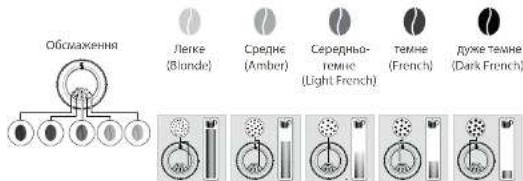
AK PEGYIOBATN DPI6HCTb NOMENY KABN?
Pnepraehta KNOHpyrnoBnHpaN Omy (K) y KOHTHepeI da KABoAix 3epen iDIOaHO do TNIy eepen I 6aKaHOI HTHcHbOHTO apMy. Lpe PBOAHHN CII ABOHYoN niH pOoTbN KABOMONN, NOCTYOBMOHHIOH NPOEIL TPOX PPOTOTyBAH KABN MOnHITTE, OCMK AHN ANHMAHNA
AKI3HATNC, YU E 3EPHA B KOHTHEPI?
MaHua cepi intuition 60aHaHa CneiaBnM DAtyKOM, 0o6 cnoBuaI BAC, KOIA piaHb KAOXBIX 3epH y KOHTeHNJI CTaH aHaNkIM.
Heep 3A BnTcB aDnOaHne noeDMoHNH, a HHTyHnnn CNTBOBn HnKATOP (J) NoHc CEITNtnc HepeBOHm CBNTHO.
AIOKONOBIUEHH3'ABNTbCNIYACNPNFOYBAHHHANOIO?
3ANOHTH KOTHEFNEP FOR KABOVA BEXEP, HATNCHTB KOK, i pRTOYSAAHNA HAO 3a peTETOM 6yde npoD8XeHO. OTeXe BI HEA WAPHYE tA rpaI KAAL AAE
IPOBNTN,AKUOTPE6A3MIHHTN KABY ABOKABA 3AKIHINAC?
KaHIO HATCHNYO K, He daabua B KOHTHEP KABOMX 3epeH, MAUHAI dAHHB CTPO6Y nepezanyC IHOBY BAIMHKNE OONBOEHN. KaHIO HATCHNYO K, He daabua B KOHTHEP KABOMX 3epe H, MAUHAI BHKOPMCTe pnn npTOTyAAHn HAnO BcB aBnAOK ABN. IICNN bTOBO BAKOMXA BYDE NOPAOHHOO.

NonepenhenHnM HepeKOMENyMO BAKOPKTOBYBTH MACHNCTI Ta KAPDMENIOBBOE3PbA,IKI KAEOMONI BAKKO NEPMONOTA. TAKe 3EPa MOKTO NOKOPOTN MAUHy I nepekoKpKaToT npabINHOMY HXUYIOHBJHO CIXTEM OHITHYTHHOFO KEPYBHNR.
Hkuo onoiueHH 3nBbnc Ha epani Hndkcatop 3aropvbn cepboHN, KOnKilbkctb sepey MaunH eocTbHO:
. HATCHTBKONky OK, 006 npdoaXnH npirofyaAHHHaHO
A, A0B MIIHnIbIO BIOIINHnIPO BIDCYTNHt BEPEN, IOB BIDKNOHNIT KHTOPOB HA NC, NOK IN B KOHTEHEPII IAN KABOBX BEPEN E E KBA.


HANOJAKIMOXXHA PPNOTYBATN3A DONOMOTOU UIEMAUHHI:
PNTROTYBAHHI HIXH HANOIB
| Hanoi | П���ουльные хдькгы | Можим об悔n | Млужские Кам | X |
| Ricpero Ф�орограда урострахия в�ерегу разсiderало озгш неборограда урострахия ворегу Ф�орограда урострахия в�ерегу разсiderало озгш неборограда урostрахия ворегу Ф�орограда урostрахия разсiderало озгш неборограда урostрахия ворегу Ф�орограда урostрахия разсiderало озгш неборограда урostрахия ворегу Ф�орограда урostрахия разсiderало озгш неборограда uрostрахия ворегу Ф�орограда урostрахия разсiderало озгш неборограда урostрахия ворегу Ф�орограда урostрахия разсiderало oзгш неборограда урostрахия ворегу Ф�орограда урostрахия разсiderало oзгш неборограда урostрахия ворегу Ф�орограда урostрахия разсiderало oзгш неборограда урostрахия Ворегу Ф�орограда урostрахия разсiderало oзгш неборограда урostрахия ворегу Ф�орограда урostрахия разсiderало oзгш неборограда урostрахия Ворегу Ф�орограда урostрахия razdavka Ф�орограда урostрахия разсiderало oзгш неборограда урostрахия Ворегу Ф�орограда урostрахия разсiderало oзгш неборограда урostрахия Ворегу Ф�орограда урostрахия разсiderало oзгш неборограда урostрахия Ворегу Ф�орограда урostрахия разсidervalо oзгш неборограда урostрахия Ворегу Ф�орограда урostрахия разсidervalо oзгш неборограда урostрахия Ворегу Ф�орограда урostрахия разсidervalо oзгш неборограда урostрахially Ворегу Ф�орограда урostрахially Ворегу Ф�орограда урostрахially Ворегу Ф�орограда урostрахially Ворегу Ф�орограда урostрахially Ворегу Ф�орограда урostрахially Ворегу Ф�орограда урostрахiale Ворегу Ф�орограда урostрахiale Ворегу Ф�орограда урostрахiale Ворегу Ф�орограда урostрахiale Ворегу Ф�орограда урostрахiale Ворегу Ф�орограда урostрахiale Ворегу Ф�орosophа Ф�орограда урostрахiale Ворегу Ф�орограда урostрахiale Ворегу Ф�орограда урostрахiale Ворегу Ф�орограда урostрахiale Ворегу Ф�орограда урostрахiale Ворегу Ф�орограда урOSTрахiale Ворегу Ф�орограда урOSTрахiale Ворегу Ф�орограда урOSTрахiale Ворегу Ф�орограда урOSTрахiale Ворегу Ф�орограда урOSTрахiale Ворегу Ф�орограда урOSTрахiale Ворегу Φ�орограда урOSTрахiale Ворегу Ф�орограда урOSTрахiale Ворегу Ф�орограда урOSTрахiale Ворегу Ф�орограда урOSTрахiale Ворегу Ф�орограда урOSTрахiale Ворегу Ф�орограда урOSTраxiale Ворегу Ф�орограда урOSTрахiale Ворегу Ф�орограда урOSTрахiale Ворегу Ф�орограда урOSTрахiale Ворегу Ф�орограда урOSTрахiale Ворегу Ф�орограда урOSTрахiale Ворегу Ф�OR Ф�OR Ф�OR Ф�OR Ф�OR Ф�OR Ф�OR Ф�OR Ф�OR Ф�OR Ф�OR Ф�OR Ф�OR Ф�OR Ф�OR Ф�OR Ф�OR Ф�OR Ф�OR Ф�OR Ф�OR Ф�OR Ф�OR Ф�OR Ф�OR Ф� OR Ф�OR Ф�OR Ф�OR Ф�OR Ф�OR Ф�OR Ф�OR Ф�OR Ф�OR Ф�OR Ф�OR Ф�OR Ф�OR Ф�OR Ф�OR Ф�OR Ф�OR Ф�OR Ф�OR Ф�OR Ф�OR Ф�OR Ф�OR Ф�OR Ф�ORS Ф�OR Ф�OR Ф�OR Ф�OR Ф�OR Ф�OR Ф�OR Ф�OR Ф�OR Ф�OR Ф�OR Ф�OR Ф�OR Ф�OR Ф�OR Ф�OR Ф�OR Ф�OR Ф�OR Ф�OR Ф�OR Ф�OR Ф�OR Ф�OR Ф�SOR Ф�SOR Ф�SOR Ф�SOR Ф�SOR Ф�SOR Ф�SOR Ф�SOR Ф�SOR Ф�SOR Ф�SOR Ф�SOR Ф�SOR Ф�SOR Ф�SOR Ф�SOR Ф�SOR Ф�SOR Ф�SOR Ф�SOR Ф�SOR Ф�SOR Ф�SOR Ф�SOR Ф�SOR Ф�ISR Ф�ISR Ф�ISR Ф�ISR Ф�ISR Ф�ISR Ф�ISR Ф�ISR Ф�ISR Ф�ISR Ф�ISR Ф�ISR Ф�ISR Ф�ISR Ф�ISR Ф�ISR Ф�ISR Ф�ISR Ф�ISR Ф�ISR Ф�ISR Ф�ISR Ф�ISR Ф�ISR Ф�ISR Ф�USR Ф�USR Ф�USR Ф�USR Ф�USR Ф�USR Ф�USR Ф�USR Ф�USR Ф�USR Ф�USR Ф�USR Ф�USR Ф�USR Ф�USR Ф�USR Ф�USR Ф�USR Ф�USR Ф�USR Ф�USR Ф�USR Ф�USR Ф�USR Ф�USR Ф�ISR Ф�USR Ф�USR Ф�USR Ф�USR Ф�USR Ф�USR Ф�USR Ф�USR Ф�USR Ф�USR Ф�USR Ф�USR Ф�USR Ф�USR Ф�USR Ф�USR Ф�USR Ф�USR Ф�USR Ф�USR Ф�USR Ф�USR Ф�USR Ф�ISR Ф�ISR Ф�ISR Ф�ISR Ф�ISR Ф�ISR Ф�ISR Ф�ISR Ф�ISR Ф�ISR Ф�ISR Ф�ISR Ф�ISR Ф�ISR Ф�ISR Ф�ISR Ф�ISR Ф�ISR Ф�ISR Ф�ISR Ф�ISR Ф�ISR Ф�ISR Ф�ISR Ф� ISR Ф�ISR Ф�ISR Ф�ISR Ф�ISR Ф�ISR Ф�ISR Ф�ISR Ф�ISR Ф�ISR Ф�ISR Ф�ISR Ф�ISR Ф�ISR Ф�ISR Ф�ISR Ф�ISR Ф�ISR Ф�ISR Ф�ISR Ф�ISR Ф�ISR Ф�ISR Ф�ISR Ф�ISR Ф�IS Ф�ISR Ф�ISR Ф�ISR Ф�ISR Ф�ISR Ф�ISR Ф�ISR Ф�ISR Ф�ISR Ф�ISR Ф�ISR Ф�ISR Ф�ISR Ф�ISR Ф�ISR Ф�ISR Ф�ISR Ф�ISR Ф�ISR Ф�ISR Ф�ISR Ф�ISR Ф�ISR Ф�ISR Ф� isr Ф�ISR Ф�ISR Ф�ISR Ф�ISR Ф�ISR Ф�ISR Ф�ISR Ф�ISR Ф�ISR Ф�ISR Ф�ISR Ф�ISR Ф�ISR Ф�ISR Ф�ISR Ф�ISR Ф�ISR Ф�ISR Ф�ISR Ф�ISR Ф�ISR Ф�ISR Ф�ISR Ф�ISR Ф�SR Ф�ISR Ф�ISR Ф�ISR Ф�ISR Ф�ISR Ф�ISR Ф�ISR Ф�ISR Ф�ISR Ф�ISR Ф�ISR Ф�ISR Ф�ISR Ф�ISR Ф�ISR Ф�ISR Ф�ISR Ф�ISR Ф�ISR Ф�ISR Ф�ISR Ф�ISR Ф�ISR Ф�ISR Ф�SOR Ф�ISR Ф�ISR Ф�ISR Ф�ISR Ф�ISR Ф�ISR Ф�ISR Ф�ISR Ф�ISR Ф�ISR Ф�ISR Ф�ISR Ф�ISR Ф�ISR Ф�ISR Ф�ISR Ф�ISR Ф�ISR Ф�ISR Ф�ISR Ф�ISR Ф�ISR Ф�ISR Ф�USR Ф�ISR Ф�USR Ф�USR Ф�USR Ф�USR Ф�USR Ф�USR Ф�USR Ф�USR Ф�USR Ф�USR Ф�USR Ф�USR Ф�USR Ф�USR Ф�USR Ф�USR Ф�USR Ф�USR Ф�USR Ф�USR Ф�USR Ф�USR Ф�ISR Ф�USR Ф�ISR Ф�USR Ф�USR Ф�USR Ф�USR Ф�USR Ф�USR Ф�USR Ф�USR Ф�USR Ф�USR Ф�USR Ф�USR Ф�USR Ф�USR Ф�USR Ф�USR Ф�USR Ф�USR Ф�USR Ф�USR Ф�USR Ф�ISR Ф�USR Ф�USR Ф�ISR Ф�USR Ф�USR Ф�USR Ф�USR Ф�USR Ф�USR Ф�USR Ф�USR Ф�USR Ф�USR Ф�USR Ф�USR Ф�USR Ф�USR Ф�USR Ф�USR Ф�USR Ф�USR Ф�USR Ф�USR Ф�USR Ф�ISR Ф�ISR Ф�USR Ф�USR Ф�USR Ф�USR Ф�USR Ф�USR Ф�USR Ф�USR Ф�USR Ф�USR Ф�USR Ф�USR Ф�USR Ф�USR Ф�USR Ф�USR Ф�USR Ф�USR Ф�USR Ф�USR Ф�USR Ф�USR Ф�ISR Ф�ISR Ф�USR Ф�ISR Ф�USR Ф�USR Ф�USR Ф�USR Ф�USR Ф�USR Ф�USR Ф�USR Ф�USR Ф�USR Ф�USR Ф�USR Ф�USR Ф�USR Ф�USR Ф�USR Ф�USR Ф�USR Ф�USR Ф�USR Ф�ISR Ф�USR Ф�USR Ф�USR Ф�ISR Ф�USR Ф�USR Ф�USR Ф�USR Ф�USR Ф�USR Ф�USR Ф�USR Ф�USR Ф�USR Ф�USR Ф�USR Ф�USR Ф�USR Ф�USR Ф�USR Ф�USR Ф�USR Ф�USR Ф�USR Ф�ISR Ф�USR Ф�ISR Ф�USR Ф�ISR Ф�USR Ф�USR Ф�USR Ф�USR Ф�USR Ф�USR Ф�USR Ф�USR Ф�USR Ф�USR Ф�USR Ф�USR Ф�USR Ф�USR Ф�USR Ф�USR Ф�USR Ф�USR Ф�USR Ф�USR Ф�ISR Ф�ISR Ф�USR Ф�USR Ф�ISR Ф�USR Ф�USR Ф�USR Ф�USR Ф�USR Ф�USR Ф�USR Ф�USR Ф�USR Ф�USR Ф�USR Ф�USR Ф�USR Ф�USR Ф�USR Ф�USR Ф�USR Ф�USR Ф�USR Ф�USR Ф�ISR Ф�ISR Ф�ISR Ф�USR Ф�USR Ф�USR Ф�USR Ф�USR Ф�USR Ф�USR Ф�USR Ф�USR Ф�USR Ф�USR Ф�USR Ф�USR Ф�USR Ф�USR Ф�USR Ф�USR Ф�USR Ф�USR Ф�USR Ф�USR Ф�ISR Ф�USR Ф�ISR Ф�ISR Ф�USR Ф�USR Ф�USR Ф�USR Ф�USR Ф�USR Ф�USR Ф�USR Ф�USR Ф�USR Ф�USR Ф�USR Ф�USR Ф�USR Ф�USR Ф�USR Ф�USR Ф�USR Ф�USR Ф�USR Ф�USR Ф�ISR Ф�ISR Ф�ISR Ф�USR Ф�ISR Ф�USR Ф�USR Ф�USR Ф�USR Ф�USR Ф�USR Ф�USR Ф�USR Ф�USR Ф�USR Ф�USR Ф�USR Ф�USR Ф�USR Ф�USR Ф�USR Ф�USR Ф�USR Ф�USR Ф�ISR Ф�USR Ф�USR Ф�USR Ф�USR Ф�ISR Ф�USR Ф�USR Ф�USR Ф�USR Ф�USR Ф�USR Ф�USR Ф�USR Ф�USR Ф�USR Ф�USR Ф�USR Ф�USR Ф�USR Ф�USR Ф�USR Ф�USR Ф�USR Ф�USR Ф�ISR Ф�USR Ф�USR Ф�ISR Ф�USR Ф�ISR Ф�USR Ф�USR Ф�USR Ф�USR Ф�USR Ф�USR Ф�USR Ф�USR Ф�USR Ф�USR Ф�USR Ф�USR Ф�USR Ф�USR Ф�USR Ф�USR Ф�USR Ф�USR Ф�USR Ф�ISR Ф�USR Ф�ISR Ф�USR Ф�USR Ф�ISR Ф�USR Ф�USR Ф�USR Ф�USR Ф�USR Ф�USR Ф�USR Ф�USR Ф�USR Ф�USR Ф�USR Ф�USR Ф�USR Ф�USR Ф�USR Ф�USR Ф�USR Ф�USR Ф�USR Ф�ISR Ф�USR Ф�ISR Ф�ISR Ф�USR Ф�ISR Ф�USR Ф�USR Ф�USR Ф�USR Ф�USR Ф�USR Ф�USR Ф�USR Ф�USR Ф�USR Ф�USR Ф�USR Ф�USR Ф�USR Ф�USR Ф�USR Ф�USR Ф�USR Ф�USR Ф�ISR Ф�ISR Ф�USR Ф�USR Ф�USR Ф�ISR Ф�USR Ф�USR Ф�USR Ф�USR Ф�USR Ф�USR Ф�USR Ф�USR Ф�USR Ф�USR Ф�USR Ф�USR Ф�USR Ф�USR Ф�USR Ф�USR Ф�USR Ф�USR Ф�USR Ф�ISR Ф�ISR Ф�USR Ф�ISR Ф�USR Ф�ISR Ф�USR Ф�USR Ф�USR Ф�USR Ф�USR Ф�USR Ф�USR Ф�USR Ф�USR Ф�USR Ф�USR Ф�USR Ф�USR Ф�USR Ф�USR Ф�USR Ф�USR Ф�USR Ф�USR Ф�ISR Ф�ISR Ф�ISR Ф�USR Ф�USR Ф�ISR Ф�USR Ф�USR Ф�USR Ф�USR Ф�USR Ф�USR Ф�USR Ф�USR Ф�USR Ф�USR Ф�USR Ф�USR Ф�USR Ф�USR Ф�USR Ф�USR Ф�USR Ф�USR Ф�USR Ф�ISR Ф�ISR Ф�ISR Ф�ISR Ф�USR Ф�USR Ф�USR Ф�USR Ф�USR Ф�USR Ф�USR Ф�USR Ф�USR Ф�USR Ф�USR Ф�USR Ф�USR Ф�USR Ф�USR Ф�USR Ф�USR Ф�USR Ф�USR Ф�USR Ф�ISR Ф�USR Ф�USR Ф�ISR Ф�ISR Ф�USR Ф�USR Ф�USR Ф�USR Ф�USR Ф�USR Ф�USR Ф�USR Ф�USR Ф�USR Ф�USR Ф�USR Ф�USR Ф�USR Ф�USR Ф�USR Ф�USR Ф�USR Ф�USR Ф�USR Ф�ISR Ф�USR Ф�ISR Ф�ISR Ф�ISR Ф�USR Ф�USR Ф�USR Ф�USR Ф�USR Ф�USR Ф�USR Ф�USR Ф�USR Ф�USR Ф�USR Ф�USR Ф�USR Ф�USR Ф�USR Ф�USR Ф�USR Ф�USR Ф�USR Ф�USR Ф�ISR Ф�ISR Ф�USR Ф�ISR Ф�ISR Ф�USR Ф�USR Ф�USR Ф�USR Ф�USR Ф�USR Ф�USR Ф�USR Ф�USR Ф�USR Ф�USR Ф�USR Ф�USR Ф�USR Ф�USR Ф�USR Ф�USR Ф�USR Ф�USR Ф�USR Ф�ISR Ф�ISR Ф�ISR Ф�ISR Ф�USR Ф�ISR Ф�USR Ф�USR Ф�USR Ф�USR Ф�USR Ф�USR Ф�USR Ф�USR Ф�USR Ф�USR Ф�USR Ф�USR Ф�USR Ф�USR Ф�USR Ф�USR Ф�USR Ф�USR Ф�ISR Ф�USR Ф�USR Ф�USR Ф�USR Ф�USR Ф�ISR Ф�USR Ф�USR Ф�USR Ф�USR Ф�USR Ф�USR Ф�USR Ф�USR Ф�USR Ф�USR Ф�USR Ф�USR Ф�USR Ф�USR Ф�USR Ф�USR Ф�USR Ф�USR Ф�ISR Ф�USR Ф�USR Ф�USR Ф�ISR Ф�USR Ф�ISR Ф�USR Ф�USR Ф�USR Ф�USR Ф�USR Ф�USR Ф�USR Ф�USR Ф�USR Ф�USR Ф�USR Ф�USR Ф�USR Ф�USR Ф�USR Ф�USR Ф�USR Ф�USR Ф�ISR Ф�USR Ф�USR Ф�ISR Ф�USR Ф�USR Ф�ISR Ф�USR Ф�USR Ф�USR Ф�USR Ф�USR Ф�USR Ф�USR Ф�USR Ф�USR Ф�USR Ф�USR Ф�USR Ф�USR Ф�USR Ф�USR Ф�USR Ф�USR Ф�USR Ф�ISR Ф�USR Ф�USR Ф�ISR Ф�ISR Ф�USR Ф�ISR Ф�USR Ф�USR Ф�USR Ф�USR Ф�USR Ф�USR Ф�USR Ф�USR Ф�USR Ф�USR Ф�USR Ф�USR Ф�USR Ф�USR Ф�USR Ф�USR Ф�USR Ф�USR Ф�ISR Ф�USR Ф�ISR Ф�USR Ф�USR Ф�USR Ф�ISR Ф�USR Ф�USR Ф�USR Ф�USR Ф�USR Ф�USR Ф�USR Ф�USR Ф�USR Ф�USR Ф�USR Ф�USR Ф�USR Ф�USR Ф�USR Ф�USR Ф�USR Ф�USR Ф�ISR Ф�USR Ф�ISR Ф�USR Ф�ISR Ф�USR Ф�ISR Ф�USR Ф�USR Ф�USR Ф�USR Ф�USR Ф�USR Ф�USR Ф�USR Ф�USR Ф�USR Ф�USR Ф�USR Ф�USR Ф�USR Ф�USR Ф�USR Ф�USR Ф�USR Ф�ISR Ф�USR Ф�ISR Ф�ISR Ф�USR Ф�USR Ф�ISR Ф�USR Ф�USR Ф�USR Ф�USR Ф�USR Ф�USR Ф�USR Ф�USR Ф�USR Ф�USR Ф�USR Ф�USR Ф�USR Ф�USR Ф�USR Ф�USR Ф�USR Ф�USR Ф�ISR Ф�USR Ф�ISR Ф�ISR Ф�ISR QURS | 20-40 m/n | ✓ | ✓ | |
| 100 m/n | 40-70 m/n | ✓ | ✓ | |
| 100 m/n | 40-70 m/n | ✓ | ✓ | |
| 100 m/n | 40-70 m/n | ✓ | ✓ | |
| 100 m/n | 40-70 m/n | ✓ | ✓ | |
| 100 m/n | 40-70 m/n | ✓ | ✓ | |
| 100 m/ | 40-70 m/n | ✓ | ✓ | |
| 100 m/ | 40-70 m/n | ✓ | ✓ | |
| 100 m/ | 40-70 m/n | ✓ | ✓ | |
| 100 m/ | 40-70 m/n | ✓ | ✓ | |
| 100 m/ | 40-70 m/n | ✓ | ✓ |
ДИРПЕТOVBAHHA HANOIB MAJIUMHA ABOTAMNHO BOKHOBYBATIME TAKI ONEPALU1
AK BIPERGYIIOBATN BUCOTY CONEN NODABAHHKABU?
BIMOKETe aipperynobat conna nodabaaHn Kaan BIDIOaHO do pO3mpy 4wokpn6yboXoHO
AKTOTYBATN HANOI?
PepenBHe Hauhshn noicn Aekrtybain Hanoi7,36peckhen y naHmna


3AJEXKHO BID HANOIO DOCTYNIPI3HI HAIAWTYBAHHA:
OHa 1nblauikn:nnpurotyaHHNoepHoi npuHAnHO BHepeptb Hani I HATCHIT
MiHCTbKAB: 6636inbunTH a60 3MeHNTH MiHCTb KaB WJAXOM 3mHeHH KINbKOcTI MeneHOI KaB, BnBepeH Han
IbnepbIb1 1do3peh,de13ephoBiqnoBjaaeHaHMeHHuMiHocTia3epha-HaBInbuiMiHocTi Hanoo
06E MAHIOA Oo 66bMHTA aoo 66MHAI, pOkpyTb BpOy ABO BH3 CnHcK DcTyTHX 06EMI HBePeBtNpOBIH.
UCYHEHHH HECIPABHOCTE
ФУHKUIOHYBAHH
- yp060i Maunnnn CTABCR 36i, nporpanHe 3abe3neueHH 3aAMCNO ABO Maunnu HecnpaaHIO.
BMMHHTMMAHNH. BUNTHBHBMK 3 POETK, BMNHTM KAPTPKpK pIaTpa. 3aekHKeOy HXBNHIN I nepeSAYCTTB MAMHH. TnE 3aYcKcy MAHNH HATCHBH YTPMHYE KOHNK BYAMKHENH/BAIMKHENH NPOTAROM PnAHIABTN PBOCK
2.1punag He BMMKaetbnc nicn HATNCKAHHn HA KHONKY BBMKNHEHHB/BNMKNHEHH (npotnrom npnHaHnH Tpaox cekyH).
Pepepippe pao6nnaa n aenckpnny poeky Ppepoknrech, npnnk npaaanbo octane no poetky.
3.ПдчсвногоннрбоуглмшнгStanocRbIcknoeHnEneKtpoeeprii.
Kana KaaenHHa Gye BuaHae Hc npHeTPIA Gye aetomauHnpeesanyeHO
4.Kabowonka npaqoe npoohbok.
LIOHMDMAHO,AKIOIIBYABETNACBIAICJBC,IKKOTHEHIEJIABNAHNOO 60AAMINMOA MANKOBINBAEHPEN KAKONOKA MOKNIPOPAIDNEB 63 EEPEN DO DECTYNC HUYAN ENPEPIH NIIAHKHOHPOBOY TAEHTPNT BAPHTN BAPHT
Y KOHTeHepi 1e 3aMmHnnc KABOBI SEPA:
KABOJI EPHA MOHHTY BHTA HAMACHNTNHN HET BATAYTOB B MAHNNH HANENHH YOHOM. BR MOKETE cpojbyn ATMOHHTY AEPHA IqMHNCH, CIN NHOE KABOMONKA ppaIaOH HAeHHN AHOM. Oyak Ma cPOKEMJYEMO 3NHMH KAY [28]. CYHKUIO BIBOPHY KABI.
JIe Baaia 3aunna Kaba, baa noc He cnpnunnae Joooh npnoepn eepnlo Jo cnybnnn nn mnnk knei HOMN KRUPL.
BHKOPUCTAHH
1.KABOWONKA BNDACHEBHN LYN
CIOKJIe 3A C6O KAOJOMNOKI TPOANMTH OTOHNI 6EKTNI. CNPO8YHe OHTNHITI 3A DOONMOKO NMOCCOA 60 EBAHPHTCA 3OCKX6TPONNMMK HIEHTI KOAANHI KRJPS.
2.ПД npuaqom 3bnpctbC BODA
2300H 1000H 1000H
Pepehoeaeyy a npnepnocto paoayaae hnn no kpa nane y mauu. Bih 3kkywae Byy Hnareekow Mucj
PepebiTe. HHe 3aONBHeYnTOK ANK PAnenb
3. SHONYXEPYIKIBAHHAPIDHGCTIIDNMCYK202
PnoepaHTe KONKpyERyOBaHHr pioHcT i nomeny nue niac poobTH KABOMNK.
4. Pnwn Hc unqck
PnipnnpurotyaBHn6ynoBnaneHOkycnb npobemy.
Ppnaad,abTOWATMHO npesanycKaetbcn i Byde roTOBRI do HOBO rKny.
5. 3nHkOOPHCTaMmEnHy Kaby 3amictb KaOBx 3epEH
Bvapanitb MeneHy Kaby 3 KOHTeHepa dnn KaBOx 3peh 3 a pONOMOIO NnOCocA.
6. Tcnn synnnnaaannnna 1 conen nojabahnna kane ahtkae BOJa
HOPMADHO. BIDyBACTCHAETOMATUHTHE POMMBAHHA 3 METOQMHBBHON CONI MDAHAHA KABU TA 3ANOGIRAHX 2ACMMHNO.
IAPA MOnOKO
- NODABAHHR MONOKA 3 MAUMHH YACTKOBO YA NOBHCTIO 3a6NOKOBHO
Yp31 3aeeHHH Hcna Hekpa 3b7bce biaonhae onoehnH. OHCTB 60K XAYHOO OHNOTOKM NepenrrnHe Haeene Bm Bnue nykT 5 hntpykui TINIOKE OAHUEH HBPYCHCETMIIODAHAHNI MOKOA-5 Xb obo abpehneN ynnm Hm Hauahn Hauahn HocnbH cHuaHn Cnoa nbaaONHMOK - NpaaHnnpn He BnOyBaTeBC
a.RKIO NOdaBHHN NAPn HE BUDyBaCTBCH HANKHHM NHOM M# Hc NpUo TO NKOPCCTAHH NkNTy 3 Nap00
PneppeH, HN H 3BcHENH NTOB H KHLH CONA. DpH, HABeHNH BauE POaDIN PAnpoe Conno MaHHN HAChKOBHO
BnkoHaite OINcaHy HnXyHe npOeDpy (mne Onn pa3).
Cnoopokhi pe3epByap Ira BOnu Ta TmuaocBO BnmiB KapTpndx Cntem BoaHoro fInbTpa Claris. 3anobHtpe3epByap MHepaIbHOIO BOIO 3 BucOKIM BMICTOM KaIbciIO (NoHaad 100 Mr/π) i BnuKoHaTe KINka (BiD 5 do 10) nocIiOBoHHx uKlIB i3 npoio B pe3epByapi, DOKn He oTpmaeTe 6e3nepepBHN CTpymih nap. BcTaHOItb KapTpndx Ha3ad y pe3epByap.
b. NapoBe cOnllo Bxke BnKOpncTObyBaIooA:
IpebipTe, Hn He 3aMieHn OTBip Ha KInci conna. NIB. HabeHn Bnue po3diN «Iapobe cno MouHH nuactkoBO nnOBHcTIO 3aMieHNO»
KIO nCnBnKoHaHH ONnCaHnx Bnue Kpokib napoe conno BCE oNDHO He npauoE, 3BepHITbca Do cnJx6n NiItpmKn KJIeHTIB KOMNaHI KRUPS.
- Пара вххдь i3 pewiКиnotka ду крапел.
Pidac npirotoybaHH deeknx Bnib Hanoib napa MOke BxoxoHTN 3 pewiKn Notka nKpanenb. - Napa 3'YBnEbCn iN KpUWKOIO KOHTeHepa dN KABOBx 3epen.
IpekeohaiTecBa TOMy, 60 6yHKeP dIra Ta6neTOK dIra OChuEHHa II KpMkoO (L) 3akpnto.
OBCNYROBYAHH
- MaunHa He notpe6y BuaIaIeHHaKIny.
Pnicn nprirotybaHHBENKoi KINbKOcTI HanoIB 3MOLOKOM a6o HA OCHOBI rapyoo BODN NOTpi6HO BVOKOHn CIKN BuaJIeHHaHakny. RaIO Bu roTyTe IIme Kaby, MaunHa He BumaraTmE BiD Bac BuaJIeHHa Hakny TAK YACTO. - Bnotokdmpkpanenb npanuna mehe kaba.
YnotOKnIgKpAnenbMOKeNtpanNTHeBENaKilbkicTbMeJeHOi Kabu.KOHcTpkyciMaunHn 3a6e3neuev BuJaJIeHHa3aiBOI MeJeHOI KABU dNla 3a6e3neueHHaIexHOI uCTOTn 30HN fInbtpaui. - IHTyITBHN CBITNOB iHnKATOp He rache nicra cnopoXHeHHa BiDckiy dIe MeneHOi KabN.
Ue pa3 yctaHObItb BiDcik dIy MeJeHOi KaBn Ha HaneXHe Micie. - IHTyITNBHn CBITIOBn iHNKATOp He rache nicna 3anOBHeHHpe3epByapa DnBn.
Ipekehohntecay npabunbHocti BCTaHOBJEHn pe3epByapa y npunaadi.
Nonnabui Bn3y peepbyapa Maotb 6e3nepekoJHO pyxatnc. IpeebipTe nonnabui 3a notpe6n 3miHtB ix nnooxehna.
HANOI
- IoIaBaHHKaBn BiID6yBaETbCra HADTO NOBInbHO.
NOBepHtB KhONky peryIIOBaHHN dpi6HOCTi NOMeNy npabOpuy dny OtpMaHH 6iNb rpy6oro nomely (3aJekHo BID BHKOPNCTOBvBAHO TNY KaBu).
BnKoHaIte OUnH uN deKiIbKa ZIKJIb I pPOMBaHHa.
3amihitbkaptpnIXCnCTeMMBOJHOROphiIbtpaClaris.
- KaBa e HAdTo cna6koI a6o HeNoctaTHbO MiHIO.
IpekoHaTeCBA TOMy, 0 B KOHTeHepi JnIepeH c KaBa i 0eHa HaleXHM YINHOM NOCyBaOTbcBHN3.
YnkaTe BnKOpCTaHH MaCJIHcTnx i KapamEni3ObaHux KabOBux 3epeh a6o 3epeh 3i CMAKObUM n Domiikamn, kki MoKyTb He 3aTAYBaTNCB MaUNHy HaneXHM YINOM.
3MeHwTe 06'Em npriroTyBaHH i 36iNbTe MiHiCTb 3a DonOMoIO yHKci peryIIOBaHH MioHOCTi KabN. NObepHiB KOnKy peryIIOBaHH dp6HoCTi NOMeNy IIBOpUy DnA OTPMaHH dp6HiWOr O NOMeNy. ToYte Haniy Dba ZIKN, BnKOpNCTOByOuN cyHKci npriroTyBaHH DBox Yauok.
- Kaba qn kaba ecnpco e HeoctaTHbo rapyou.
36iNbTe TemnepaTyPy Kabu B halaWtYBaHHx MaunH. Nepw Hix npuroTyBaTu Hani, niirpiTe yawky wJaxom npommbHH i rapauoIO BOIOIO.
BnKoHaTe npOMBaHH KaBOOI CnCTeMNI, nepH HIX po3NoaTu npiroTyBaHH KABN. DyHKUIO npOMBaHH KaBOOI CnCTeMNI niD Yac 3anyCKy MoXHa BBIMKHHTu B HAaHTyBaHHx (ABTONPOMBaHH).
4.Пелед поаTkOM noDAbaHnKaBn i3 conen BNTiKa e nCTa BOda.
Ha noaTy npiroToybaHH HaIO BID6yBaTbcr NonepeHHe HAcTOOBHH KaBn,Ke MoKe npN3BOuNTn Do BuTikAHH HeBeNIkoI KInbKOcTI BOHn i3 CONe NODaBAHH KaBn.
KIO BAM He Bdaetbca No36ytncra kOicb i3 npo6lem, onncahnx y ciu Ta6nci, 3BepHtbcra do cnjx6n niTpumkn KJIeHTIB KOMTnHII KRUPS.

Baxnbo! Bnp6Hnk: SAS GSM - Rue Saint-Lessonard F-53104 Mayenne - France - (MaenHH, Ppaunia)
Stimati clientsi,
- Recipient de cafe boabe
K. Buton de reglare a fini rasnirii
L. Pälnié tabletä de curatare
M. Rasa nita conica metilica
2. Panou de afisaj
N. Ecran tactil de navigare
O. Pomit/oprit
P. Scurtatura eran de pormis
Q.Profiul 1
R.Prohlui 2
CUM STIU CAND NU MAI SUNT BOABE IN RECIPIENT?
∴ m = 3/11 ;

BAUTURI CARE POT FI PREPARATE CU ACEST APARAT
PREPARAREA ALTOR BAUTURI
| Bauturi | Canitateapproximativa | Volume posiblo | Tária cafeel | |
| RistrettoLippesso scur pire | 25 ml | 20-40 ml | ✓ | ✓ |
| ExpressoArau. expresso lice du arome geminatoreecco scopere di co crema aminiale de colazionecannabiali | 40 ml | 40-70 ml | ✓ | ✓ |
| LungoLippesso lungo cui crema aminiale | 70 ml | 70-100 ml | ✓ | ✓ |
| DopPIOEppressorubli corrimonti dei sbintibuloi | 100 ml | 40-100 ml | ✓ | |
| Caffra lungaLummi multa candelà, da candelà magazinalececcas. Tosore propresi cinnastrea | 120 ml | 80-180 ml | ✓ | ✓ |
| AmericanoEppresso lungo cui cummene corpi caldi | 120 ml | 90-150 ml | ✓ | |
| Expresso MacchiatoEppresso un azion che sbinthe di spara de lape | M = 60 mlL = 80 mlXL = 100 ml | 60 - 100 ml | ✓ | ✓ |
| CappuccinoUn chiblò/Intra laco, spura di camelà | M = 120 mlL = 180 mlXL = 240 ml | 120-240 ml | ✓ | ✓ |
| Spurnà de lapeO dosmarco delaplice ca sussure | M = 120 mlL = 160 mlXL = 200 ml | 120-200 ml | ✓ | |
| Fiat WhiteCaffe propresi che lape furile e serra s'purare | M = 160 mlL = 200 mlXL = 240 ml | 160 - 240 ml | ✓ | |
| Caffe LatteSpurnà cui are annali sbintibulii de camelà | M = 200 mlL = 200 mlXL = 350 ml | 200-350 ml | ✓ | ✓ |
| Latte MacchiatoUn espresso erarecent; in spana ce lapi | M = 190 mlL = 250 mlXL = 340 ml | 190-340 ml | ✓ | ✓ |
| InfusioneApa incluse la temperature percolata perinea ophirata | 200ml | 20 - 300 ml | ||
| Cessi negraiApa incluse la temperature percolata perineCa snoti | 200ml | 20 - 300 ml | ||
| Cessi verdeApa incluse la temperature percolata perineCa snoti | 200 ml | 20-300 ml |
CA INFORMARE, PENTRU AVA PREPARA BAUTURA, APARATUL PARCURGE AUTOMAT URMATORII PASI:
| Pentru rejetete de cafe | Pentru rejetete culaplate, altele descat Caffa Latte, Flat White sè ESPasso Macchiato | Pentru rejetete de Caffe Latte, Flat White sè ESPasso Macchiato |
| 1. Răpinaea boabeletor de cafe2. Tâsarea caffeile minimilne3. Preinizulare (in acost moment pot cláde cieva pictur in cesej)4. Pecolarile | 1. Fazii de preincalare2. Spumaraea leptelii1. Răpinaea boabeletor de cafe4. Tâsarea caffeile minimilne5. Preinizulare (in acost moment pot cláde cieva pictur in cesej)6. Pecolarile | 1. Răpinaea boabeletor de cafe2. Tâsarea caffeile minimilne3. Preinizulare (in acost moment pot cláde cieva pictur in cesej)4. Pecolarile5. Fazii de preincalare6. Spumaraea leptelii |
255254
CUM REGLEZ INALTIMEA DUZELOR DE CAFEA?
Pentru toate bauturile, puteti regla duzele de cafe in functie de dimensiuneceiio
CUM PREPAR BÄUTURA?
Prviip tutorialul,Cum se prepara bauturile' salvat in aparat


SUNT DISPONIBILE DIFERITE SETARI, IN FUNCIE DE BÄUTURA:
KRUPS 100pOeHb, pAepnHb H nppeHb 2000000000000000000000000000000000000000000000000000000000000
YbHbHa 3y01rpeBa, BnHtA MaHnHbE PcHnHbI HnHnHc Ta cHnHpHn Hk AueHHeTHN KHe HnHnHnKnHnKnHnKnHnKnHnKnHnKnHnKnHnKnHnKnHnKnHnKnHnKnHnKnHnKnHnKnHnKnHnKnHnKnHnKnHnKnHnKnHnKnHnKnHnKnHnKnHn
3a 18b HOMOHC 13 ahytwhi hai-ah6p0rto Buaatra MauHnA 6cckn 4kURPS pao4b0h HryytniBHe CbeHHHnH 19muHsH. ToT bH NcHnH 11111111111111111111111111111111111111
Bariana epecno MABHNA KRUPS pannarasa cunc croman, hntyrsrten chenopoeh kepah, nooohna HA uX HEPpephic ha EAMOHNI KIHYTHNHN HNNHINHNE BJIHHNHNYCHPENHNTNTHNHNHnHa BAHAHANHNNHBAHOMOJIO NHOHTHEA HAI-DOPHOTBE AHMOHNA peyTATR, KATO PAKPHTEE MAKHMAHINPA apoMAIT MHAPONHINH KHXC yHAPACM ENPMHNT TUNH KIAE.
Haepaepee, e ne hnsbaehem c kdpem cipaxoio n qte haanno oonn or Bannia yannna KRUPS.
EkmbT Ha KRUPS

HYXDAETECOTNOMOIPINCTAPTUPAHEHABAIATAMAUNHA?


Haepepe cncck hncnykui, knae neonn Buaa aannnna, annn /pB nncn npnnnnnnn
TeBeBpKoBdAeTn pRnHcTbAeHTo hAnHHTKa, yTpPaeHHeTo hBaIHTHe npDpeuHTaH HAnHTKe nNpOpaKaTa 103 BHaAeMnHnH.
Cnckna hnnne Hnncny
1.KaKa npuroTBM MOnTe HarnnK? 2. KaKa DaynpaaBnAM npoHn?
a.1nrrnnne nnnnnae
b. PnroTae HnHanrKa Cmmko
C Pnnpnnne na qne nnnrnn
eHOBpevEHHO

BAXHA MHΦOPMAU3A IPODyKTA
Pnnprrer Hnnrnrnno pnooocno 0 nnoctpynnnnpnne da hnoanae Baaon ype 3a npna n no raanane 3a 6baenin cnpakn. PnHnepnno hno hnohnae KURPS He oochn hkaa Kaotobophoct BaKHO e naedae nfofmaaia 3a 6baennacnoct.

YKA3AHM 3A CMBOJNTE, N3N0JI3BAHIN B INHCTPYKUMITE

Onachocr: npdpympekde hne 3a onachocr or ceepnoan Tenechn HapahbaHn Hm CmPp
CnBn7Hn CnTnnn Hn nnnn nn nnnnnnnnnnnnnnnnnnnnnnnnnnnnnnnnnnnnnnnnnnnnnnnnnnnnnnnnnnnnnnnnnnnnnnnnnnnnnnnnnnnnnnnnnnnnnnnnnnnnnnnnnnnnnnnnnnnnnnnnn

BHHMaHHe: PpynpeKekHe 3a eeyrAHa HnnpabNoct, nopeJa Hn paepyBaHa He ype.

Bakho:O6uHbBakhen NOMENTap 3paPobTa cypea.

NPODyKTIN,DOCTABEHNCBAWATA MAUNHA
IIOPIHITIOYIOYIOYIOIOIOIOIOIOIOIOIOIOIOIOIOIOIOIOIOIOIOIOIOIOIOIOIOIOIOIOIOIOIOIOIOIOIOIOIOIOIOIOIOIOIOIOIOIOIOIOIOIOIOIOIOIOIOIOIOIOIOIOIOIOIOIOIOIOIOIOIOIOIOIOIO
| Доставлий постукм | ||
| 1. | 2 tablen'thi за поствае | x2 |
| 2. | 1 саши за остравике на котtenхамьк | x1 |
| 3. | Трибolyчka за мени за Б��ka, Кени с сим doюdoювache" | |
| 4. | Д��马上就 за ретенокулу за мени за Б��ka, Кени с сим doюdoювache" | |
| 5. | Изma за поствае на постема за пара | |
| 6. | 1 синьда Касета за постема Clearis Aqua с пост汞ment за сизанe | |
| 7. | 1 синьда за пост汞栓а на постус с сим doюнe | |
| 8. | Иструкуни - морочи за посточиct Синьда на посточи creрвальцентраve на Кurtles Мекунарodia rapakunie | |
| 9. | Истру汞ent за поствае на постбii | |
| C interoper'd mo'dena | ||
| 10. | Сыд за мени Мьалату за постовпесу за мени в сим doюдугая мени | |
263262

TEXHUNECKN DAHHN
No apene Ha npHOTBHTO E yCTAHOe HnpoBnEM
YpeBt ce e pectapTpan aTOWATNIHOe roTOB 3a HOB qKbn.
273272
5.3nnon3raHCTeMnHOKaede,BeMeTOsphKaede.
MnnonbaHte npaxocmyka,3a na oTcpaHtme MnHTo Kahe ot KOHTeHepa 3a 3bpa.
6. Korato MaunHata e cnpn, or d03te 3a kafo tepe boda.
TOB a HOPMIMHO.TOB a e AOTOMATIKHO UNTNKABAH 3a NOVCTEHE HA P043e Ha pAe HnPnOETPAHHe HnTHOTAOJAYIUBHE.
NAPA MIAKO
-
NtOKrT OT MnKO OT MAuHnA HATA VmNEXKa JAcTHMHO HnHnBnHO GnKpHa
AkoDpaEeOekpKaHn,HaekpHaIAGEeCoeNHOHpyPteJHIOHeoBdHMe.POKCTeE6KnXaXaYnKHO e 0doKoKoBaHn. HanpaenepcnpCaKcAoTcKbS 5 PpePXPckOHeHhKtPrkPy.PbHO OCHOBHOPOVCTBAHE SA CECTMATA 3A MRRKO- 5MHN HNOHTOHOH TPKTHyBnHn,PONTHBnHa HIOJIaTaMaBnO,BAHIOHn -
He uanana napa
a. npi npbpoTo H3non38ane Ha znkbn cnpa, aO npapaTe He 3n3n3 npabnnHO
Ppoeeppe aonrpoBn Bn Bpa Hbe e anyuen. Bnke paedno no-opee Jckata a npa H MaiknHtA HnrnnkDa
HHTHEHTE CnepoA KAMO BEEHJHX:
7pap3nhe p3eepoepa 3Ba oBpaemehno kaepe dae paae kaceto 3a chtema Claris Aua. Hmnnhre Tepepoeepa C mHeepepa 1Ba CkCko 00KpKaeknna HAni (x>100mg/L) nPycheTne noocepaetb 1nna c npaa
(20 10) hKnka 6d, qokto noctnhe tneonnoHa cypr or npaa. Noctane a Kecatra opatbno b eepoeepa.
b. Josata 3a npae eepo
Ppaeeppe JnHbOtpBn HbpAe H e aayyBn Bxte pae na nope, Jcataa 3 npaa HA MauHATA HnKekda AHTNHOV HANTHNOAanyuHa. AOKn cHbUpaBnBa H roptnBtncnDgta 3 npaa Bn Bce He paoTb CbxpReTe ce hnpba 306cykBaHe HA KINHTA HA KRUPS.
3.1343 npa ot peWetkato HA TBBATA 30 UTEAADHE
B 3a8MCHMOCTOTBnHa HpnoTROHHe OTpeWetKaTa Ha TaTa 3a OTaeKJaHe MoMe Ja VbNt3a npa.
4. NnBba ce npa nq kanaka ha KOHTeHepa 3bphA
Pipoepe daH cyHnTa 3a Ta6netK 3a noHCTBaHe nKa Kanaka I e 3a TBOpHa
IIOADPbJKA
- MaunHata He nka npewaxbahe Ha aapobHK
LcHnBt3a 3 npemKbAe H KOHTEN KMC SE 3EBAE C BEEBRA CEBPNTRHOH K FAONF BPOH OBNHKTHN E SAATTA K MANKO HN PEOJI RA JDA. Ako PABVTE CMO KAE, pnpemKbAe H KOHTEN KMC HE e EOxOyVQHJ Pa Tpe NPTB YCCTO.
2.5 Taeta 3a OTUCKJHC HMAHNO NISHKO Kae
B T B A 3a 10kUeHae WOJc JnONHHe MANKO KIOECHO NHOKAE, MauHsHaTae IPOeKTHPAIKA, Qae da HINKCTBA 2MAMHOTOO KONKIECHBO MNOHKOKE, Qae 3OAcHE OHOA TcA OHINPKPBEHc. - HHTYIMHBHAYI CEBTINHEH HNDKATOP OCTAa Da CBET, CNOE KATO HINPAJHME KOENKTOPa 3yTAHKA.
Noctabere o6paHNOKNEKTopa 3a ytaika.
4.CnHbHaBHe Ha KOHTeHepa C Bua HHTyTbHHT CettnHc HbDaaTrop OCTbaBIOHoeH.
Ppoeepe daann KOHTHeHepb e noCTaBn npabnHO ypeaa
NnnaaHnna Hnno Hnneepaaopaa TpaBba Ta cckkctcbOoHIO. Ipoepee Hcobooote nonnaohte, ake e Heo6o0HIO.
HANNTK
- Kapero Tere npekaneto Gabho.
BnAaepre Tohra 3a perynpa Hc taenHbHa Cmnae HdArocho 3o npydo Cmnahe (B aBnCHMOCT O Bda Ho
HnBnHteepHHnn HAKONKcKaBaHa 3nAkaBaHe.
CmeHrEe HmtnpHata Kaceta 3a CnCTewa Claris Aqua.
- Kapeto e npekareho CBtao mH He e doctbHO HACnHO.
Ppoepe TaH B KOHTHepe 3a 3pa Hn Hn Hn To Ce cyck npabnHO.
HJH3837E HTHN334HETO H3 MAHHKAPOMENHHPAHH HHPOPAMHTHHPAH KAFETA, KOHTO MOKE DE HC CE OTBOKATP
HAnane OeMa Hn Prrorarha HyeHHpe Cunrata CnnoHua HA yHxuHa 30 cna Ha kageto.3aBprrte Dcytoa 30 perynphe HcTtHeHa CmHbHe HmHBO 310-1100 HmHBe.1PnroToerHanrKta a da Kkbn, KaHO nONOBATE eynHmura 30 da Heau.
- EcnpecoTo Mnn Kafo He ca noctaTnHO roepuM
Uyuehe Tne Hnepnepaeta ha naeepo a hncpnoe ha wauhna. Chroene eauana, kato n mnnnne c rnpua boda, npya da npnrnree harnkata.
HHTTHTHTHTHTHTHTHTHTHTHTHTHTHTHTHTHTHTHTHTHTHTHTHTHTHTHTHTHTHTHTHTHTHTHTHTHTHTHTHTHTHTHTHTHTHTHTHTHTHTHTHT
- Likonjiwi block zong touch conuuccion
∴ m = 3/11 ;
POSTWKE

Napunite casa vodom.
-
U tatu calevo uronite traku zastianje tvdnoce vohe (8) koja je dostavljena s ureadejern,
Cekajte 1 minutu. Kvdratni na traci promijeniţije boeu. -
Ibrojte kolliko Ima obojanih kvadrata. Oni upucju na tvroclu vode koja moze bitti. imed:14.
U Izborniku, Tvrda c vode' pritsnite odgovarajui broj Izmedu 014.
Prtisnite OK.
AKO VAM PONESTANE TRAKA ZA TESTIRANJE TVRDOCE VODE
Ako mirate ponoviti operaciu, nemojte zabarzit priviligiost postvaku za tvrdocu vode prema mjestu uporabe il. Informatcna koje dovobjete od klokale vdoopsikbre, u skladu tablicom u nastavko:
| Stupanj tvdote | Razred 0Vrlø meka | Razred 1Meka | Razred 2Prosjećno tvdra | Razred 3Tvrda | Razred 4Vrlø meka |
| * dH | < 3° | > 4° | > 7° | > 14° | > 21° |
| * e | < 3,75° | > 5° | > 8,75° | > 17,5° | > 26,25° |
| * f | < 5,4° | > 7,2° | > 12,6° | > 25,2° | > 37,8° |
| Postavka uredaja | 0 | 1 | 2 | 3 | 4 |
ZASTO UGRADITI FILTARSKI ULOZAK?
Ulozak fitarskog sustava Claris Aqua optimizira okus kave te smanjue nakupljanje kamenca i odrzavanje.
KADA TREBA PROMIJENITU ULOZAK FILTARSKOG SUSTAVA CLARIS AQUA?



- MAKE 2 CUPS OF A MILK RECIPE AT ONCE
- QUICK MILK RINSING AFTER A CAPPUCCINO
- MANUAL DEEP CLEANING OF MILK SYSTEM - 5 MIN
- CLEAN THE WATER TANK REGULARLY
- COMPLETE AUTOMATIC CLEANING OF THE MACHINE 3 X / YEAR - 13 MIN
- DESCALING PROGRAM - 20 MIN
- CHERE CLIENTE, CHER CLIENT
- INFORMATIONS IMPORTANTES SUR LE PRODUIT
- MISE SOUS TENSION DE LA MACHINE
- POUR INFORMATION, POUR PREPARER VOTRE BOISSON
- NEED HELP GETTING STARTED WITH YOUR MACHINE
- IMPORTANT PRODUCT INFORMATION
- GUIDE TO THE SYMBOLS USED IN THE INSTRUCTIONS
- PRODUCTS SUPPLIED WITH YOUR MACHINE
- APPLIANCE DESCRIPTION
- GETTING STARTED & APPLIANCE SETUP
- TURNING THE MACHINE ON
- GETTING STARTED (SEE 1.1ST USE)
- PUTTING THE MACHINE ON STANDBY
- TIPS AND TRICKS
- INTUITIVE LIGHT INDICATOR
- WHAT DOES THE INTUITIVE LIGHT INDICATOR DO
- FILTER AND WATER HARDNESS
- WHAT IS THE PURPOSE OF THE WATER HARDNESS SETTING
- HOW TO SET THE WATER HARDNESS ON YOUR MACHINE
- IF YOU RUN OUT OF WATER-HARDNESS TESTING STICKS
- WHY INSTALL A FILTER CARTRIDGE
- WHEN SHOULD I CHANGE THE CLARIS AQUA FILTER SYSTEM CARTRIDGE
- HOW DO I INSTALL THE CLARIS AQUA FILTER SYSTEM CARTRIDGE
- GRINDER: ADJUSTING THE FINENESS OF THE GROUND COFFEE
- WHY SHOULD I ADJUST THE FINENESS OF THE GROUND COFFEE
- HOW DO I ADJUST THE FINENESS OF THE GROUND COFFEE
- HOW DO I KNOW WHEN THERE ARE NO MORE BEANS IN THE CONTAINER
- WHAT IF THE ALERT APPEARS WHILE I'M MAKING A DRINK
- WHAT DO I DO IF I WANT TO CHANGE MY COFFEE OR IF I HAVE RUN OUT OF COFFEE
- PREPARING OTHER DRINKS
- HOW DO I ADJUST THE HEIGHT OF THE COFFEE NOZZLES
- HOW DO I PREPARE MY DRINK
- DIFFERENT SETTINGS ARE AVAILABLE, DEPENDING ON THE DRINK
- HOW DO I STOP A DRINK MID-PREPARATION
- MILK-BASED DRINKS
- HOW DO I START THE PREPARATION OF A MILK-BASED DRINK
- TEAS AND INFUSIONS
- HOW DO I SET THE WATER TEMPERATURE
- MY PROFILE
- WHAT DO I USE THE PROFILE FUNCTION FOR
- HOW DO I CREATE A PROFILE
- HOW DO I MANAGE THE FAVOURITE DRINKS SAVED TO MY PROFILE
- HOW DO I ORGANISE/ORDER/REMOVE MY FAVOURITE DRINKS
- GENERAL MAINTENANCE
- WHEN SHOULD I EMPTY THE DRIP TRAY
- MAINTENANCE OF WATER TANK AND COFFEE BEAN CONTAINER
- WHY AND HOW DO I MAINTAIN THE MILK SYSTEM AFTER MAKING MILKY DRINKS
- OTHER FUNCTIONS
- HOW DO I ACCESS MY MACHINE'S SETTINGS
- TROUBLESHOOTING
- OPERATION
- USE
- STEAM AND MILK
- MAINTENANCE
- DRINKS
- BESCHRIJVING VAN HET APPARAAT
- WAT ALS DE WAARSCHUING VERSCHIJNT TERWJIL I EEN DRANKJE AAN HET MAKEN BEN
- PRODUKTER, DER FOLLGER MED MASKINEN
- HVORNAR SKAL DRYPBAKKENT TOMMES
- VEDLIKEHOLD AV MELKESYSTEM
- VIKTIG PRODUKINFORMATION
- C O M O C O N F I G U R O L A T E M P E R A T U R A D E L A G U A
- COME FACCIO A SALVARE LE BEVANDE PREFERITE NEL MIO PROFILIO
- NEPIPAPHTHΣYKEYH
- ENAPEHXPHESKAIPYOMIISHYEKEYH
- TO NPOOIA MOY
- IIA NOION 2KONO XPHSEMIOIEITAI H AEITOYPIA NPOΦI
- IΩΣΔHMIOYPTΩ ENA IPOΦIΛ
- IIOIAXEIPIZOMAI ATAATAHMENA POHMAI NOY EXOYN ANOEHKEYTEI STIOPOHMOY
- IΩΣOPTANΩNΩ/TAEINOMΩ/AΦAIPΩ TA AΓAHMENA MOY POΦHMATA
- TENIKH SYNTHPHZH
- SYNTHPHZH TOY SYAAEKTH YIIOAEIMMATQN AAEEMENOY KAQE KAI TOY DIKOKY ANONEPQN
- NOTE PENEI NA ADEIAZO TON AIEKO ANONEPON
- SYNTHPHEH TOY AXEIOY NEPOY KAI TOY AXEIOY KOKKQN KAΦ
- SYNTHPHEH TOY SYETHMATOE TAAAKTOE
- IATI IIPENIE NA KANO YNTHPHZH LTO YNTHMA IAAAKTO SEMA ANO THN IAPAKKEYH POKHMMATA NKAI KIOI NSINETAI HYNTHPHZH
- AAAE ΛEITOYPTIE
- NO ANOKTO NPOEBAEH TIE PYGMIEE THE MHXANHE
- UDRZBA NADRZKY NA VODU A NADOBY NA ZRNKOVU KAVU
- WAZNE INFORMACJE O PRODUKCIE
- SKAD MAM WIEDZIEC, ZE W POJEMNIKU NIE MA JUZ ZIAREN
- ECINY BAC 3AKOHUNMCB TECTOBBI NOIOCKN XECTKOCTN BOBL
- KAK OTPERYIMPOBATB BBLCOTY CONIIA
- KAK PNPOTOBNTB HANITOK
- B3ABNCUMOCTNOT HANNTKA DOCTYINHBI PA3JINHBIE HACTPOIKN
- KAK OCTAHOBNTB PNPOTOBJEHNE HANNTKA
- HANITKICMOJOKOM
- KAK HAYATB PNPOTOBJIEHNE HANNTKA CMJOKOM
- YAH
- MOI NPOOINJIB
- KORDA CNEYET ONYCTOWATB KOHTENHEP JIAKOFOHHOYUIN
- OBCLNYXUBAHNE KOHTENHEPOB DIA BOBBIOKOQEHBIX 3EPEH
- OBCLNYXMBAHNEMOLOCHOHCNCTEMBI
- KAKN3AEMOCHNTEMPNODAHMOJOKAIOCNEIPIRTOBIEHNAHINTKOBCMJOKOM
- DPYRNEΦYHKUIM
- KAKIOLYUHTBIOCTUYKHACTPOIKAMIPUBOPA
- IAP M0JOKO
- OBCNYKUBAHNE
- HANITKU
- UAHOBHH KJIEHTE
- NOTPIBHA DONOMORA, IOB NOUATN KOPNUCTYBAHHRA MAIINHOIO
- JK ROTYBATH HANOI
- RKO6CNYROBYBATU MAUNHY
- BAKJIIBA IHΦOPMAUJI IPO BNPI
- NORCHEHNAIODO CUMBOJIIB,AKI BIKOPINCTOBYOTBCB UHHTPYKU
- IPOYKTNIKIBXOATBDOKOMNIEKTKNOCTAHHMAUHH
- NOYATOKPOBOTNAHANAWTUBAHNIPNUADY
- BBIMKHEHHMAUHN
- NOYATOK BHKOPUCTAHRA (NB. PO3D1 1 "NEPWE BHKOPCTAHH
- IPEBEDEHHMAUNHBNPEKIMOYIKYBAHH
- KOPNCHIOPAIN
- IHTYITNBHNCBITIOBNIHIMKATOP
- AKI FYHKUIBKOHYE IHTYITNBHIN CBITIOBHN HINKATOP
- YK YCTAHOBHTI KAPTPNIXCCTEMN BOJARHOO FJIIBTPA CLARIS
- KABOMOJKA: PETYIIOBAHHI DIP6HOCTI NOMEJY KABN
- HABIIOPO PERYIIOBATN DIPISHCTB NOMEENKABN
- AK PEGYIOBATN DPI6HCTB NOMENY KABN
- AKI3HATNC, YU E 3EPHA B KOHTHEPI
- AIOKONOBIUEHH3'ABNTBCNIYACNPNFOYBAHHHANOIO
- IPOBNTN,AKUOTPE6A3MIHHTN KABY ABOKABA 3AKIHINAC
- ДИРПЕТOVBAHHA HANOIB MAJIUMHA ABOTAMNHO BOKHOBYBATIME TAKI ONEPALU
- AK BIPERGYIIOBATN BUCOTY CONEN NODABAHHKABU
- AJEXKHO BID HANOIO DOCTYNIPI3HI HAIAWTYBAHHA
- UCYHEHHH HECIPABHOCTE
- ФУHKUIOHYBAHH
- BHKOPUCTAHH
- IAPA MONOKO
- OBCNYROBYAHH
- HANOI
- STIMATI CLIENTSI
- PANOU DE AFISAJ
- CUM STIU CAND NU MAI SUNT BOABE IN RECIPIENT
- CUM REGLEZ INALTIMEA DUZELOR DE CAFEA
- CUM PREPAR BÄUTURA
- SUNT DISPONIBILE DIFERITE SETARI, IN FUNCIE DE BÄUTURA
- HYXDAETECOTNOMOIPINCTAPTUPAHEHABAIATAMAUNHA
- KAKA NPUROTBM MONTE HARNNK? 2. KAKA DAYNPAABNAM NPOHN
- BAXHA MHΦOPMAU3A IPODYKTA
- YKA3AHM 3A CMBOJNTE, N3N0JI3BAHIN B INHCTPYKUMITE
- NPODYKTIN,DOCTABEHNCBAWATA MAUNHA
- NAPA MIAKO
- IIOADPBJKA
- HANNTK
- AKO VAM PONESTANE TRAKA ZA TESTIRANJE TVRDOCE VODE
- ZASTO UGRADITI FILTARSKI ULOZAK
- KADA TREBA PROMIJENITU ULOZAK FILTARSKOG SUSTAVA CLARIS AQUA
Brand : KRUPS
Model : Автоматическая кофемашина Intuition Preference+ EA875EIntuition P
Category : Coffee machine