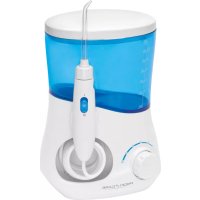
PCMD 3005 - Toothbrush ProfiCare - Free user manual and instructions
Find the device manual for free PCMD 3005 ProfiCare in PDF.



| Product Type | Oral irrigator (electric toothbrush with water jet) |
| Model | PCMD 3005 |
| Brand | ProfiCare |
| Net weight | Approximately 692 g |
| Tank capacity | 600 ml |
| Power supply | Mains adapter: input AC 100-240 V, 50/60 Hz, 0.8 A; output DC 12 V, 1500 mA |
| Protection rating | IPX4 (splash-proof) |
| Number of nozzles | 4 nozzles with color markings (for different users) |
| Pressure adjustment | Rotary knob on the power button (10 levels) |
| Built-in timer | Automatic shut-off after 2 minutes; audible signal every 30 seconds to change area |
| Water cut-off switch | Yes, on the handle for momentary stop |
| Magnetic mount | Magnetic attachment for storing the handle |
| Protective cover | Removable lid for nozzle storage |
| Recommended use | Brush teeth before use, then irrigate gums and interdental spaces |
| Water temperature | Cold or lukewarm water only (not hot water) |
| Cleaning | Rinse the tank and run clean water through after use; clean nozzles with warm water; wipe the base with a dry cloth |
| Safety precautions | Do not immerse the device or adapter; do not use with a damaged power supply; unplug before cleaning |
| Warranty | Keep the warranty certificate and receipt |
| Disposal | Do not dispose of with household waste; take to a collection point for electronic devices |
Frequently Asked Questions - PCMD 3005 ProfiCare
User questions about PCMD 3005 ProfiCare
0 question about this device. Answer the ones you know or ask your own.
Ask a new question about this device
Download the instructions for your Toothbrush in PDF format for free! Find your manual PCMD 3005 - ProfiCare and take your electronic device back in hand. On this page are published all the documents necessary for the use of your device. PCMD 3005 by ProfiCare.
USER MANUAL PCMD 3005 ProfiCare
natural_image
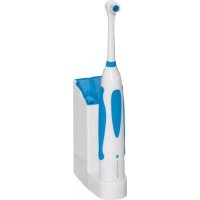
Product photo of a white and blue medical or oral care station with a hand tool, no visible text or symbols on the device itself.Munddusche PC-MD 3005
Overview of the Components ......Page 3
Instruction Manual......Page 25
Technical Data......Page 27
Bedienungsanleitung
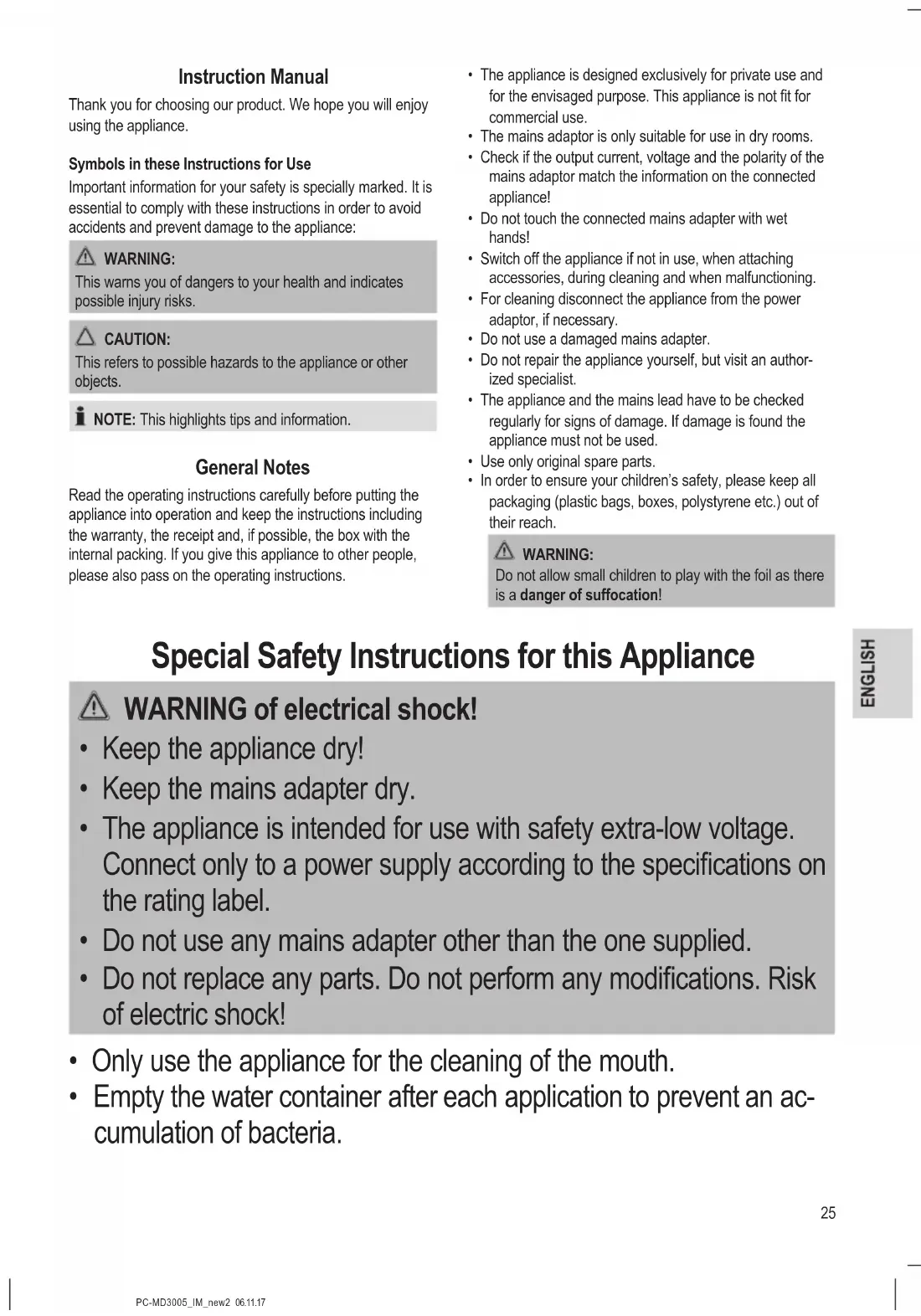
Thank you for choosing our product. We hope you will enjoy using the appliance.
Symbols in these Instructions for Use
Important information for your safety is specially marked. It is essential to comply with these instructions in order to avoid accidents and prevent damage to the appliance:

WARNING:
This warns you of dangers to your health and indicates possible injury risks.

CAUTION:
This refers to possible hazards to the appliance or other objects.

NOTE: This highlights tips and information.
General Notes
Read the operating instructions carefully before putting the appliance into operation and keep the instructions including the warranty, the receipt and, if possible, the box with the internal packing. If you give this appliance to other people, please also pass on the operating instructions.
- The appliance is designed exclusively for private use and for the envisaged purpose. This appliance is not fit for commercial use.
- The mains adaptor is only suitable for use in dry rooms.
- Check if the output current, voltage and the polarity of the mains adaptor match the information on the connected appliance!
- Do not touch the connected mains adapter with wet hands!
- Switch off the appliance if not in use, when attaching accessories, during cleaning and when malfunctioning.
- For cleaning disconnect the appliance from the power adaptor, if necessary.
- Do not use a damaged mains adapter.
- Do not repair the appliance yourself, but visit an authorized specialist.
- The appliance and the mains lead have to be checked regularly for signs of damage. If damage is found the appliance must not be used.
- Use only original spare parts.
- In order to ensure your children's safety, please keep all packaging (plastic bags, boxes, polystyrene etc.) out of their reach.

WARNING:
Do not allow small children to play with the foil as there is a danger of suffocation!
Special Safety Instructions for this Appliance

WARNING of electrical shock!
- Keep the appliance dry!
- Keep the mains adapter dry.
- The appliance is intended for use with safety extra-low voltage. Connect only to a power supply according to the specifications on the rating label.
- Do not use any mains adapter other than the one supplied.
-
Do not replace any parts. Do not perform any modifications. Risk of electric shock!
-
Only use the appliance for the cleaning of the mouth.
-
Empty the water container after each application to prevent an accumulation of bacteria.
-
When using braces, find out whether the usage of an oral irrigator is possible. We do not assume any liability for possible damages.
- In case of diseases in the mouth and throat area, you should ask your doctor whether the use of an oral irrigator is advisable.
- Ensure that the water tube (connection of appliance and oral irrigator) is not stuck or kinked.
- This appliance can be used by children over the age of 8 and by persons with reduced physical, sensory or mental capabilities or lack of experience and / or knowledge if they are supervised.
• Children may not play with the appliance. - The appliance may only be used with cold or lukewarm water. If wanted, you can also add a little mouthwash.
Overview of the Components / Scope of Delivery
1 Nozzles
2 Water container
3 Water stop switch
4 Handle
5 Water hose compartment
6 Water hose
7 On / off switch and water pressure regulator
8 Magnetic holder for the handle
9 Unit base
10 Release button for the nozzles
11 Scale
12 Lid and storage compartment for the nozzles
Bottom Side of Appliance (Not Shown)
Power supply socket
Not Shown
Mains Adapter
Unpacking the Appliance
- Take the appliance out of its packaging.
- Remove all packaging materials, such as foils, filler material, cable brackets and cardboard packaging.
- Check the contents for completeness.
- In case of incomplete delivery or damage, do not operate the appliance. Return it to your dealer immediately.
i NOTE:
There may still be some dust or production residues on the appliance. We recommend to clean the appliance as described under "Cleaning".
Notes on Use
On / off Switch (Double Function)
The on / off switch of the appliance has 2 functions:
Pressing: Turn the appliance on
Turning: Adjust the water pressure
Water Stop Switch
You can use this switch to momentarily interrupt the application. The shut-off is done mechanically. The pump of the appliance will continue to be in operation.
Position I of the switch: Water is flowing
Position O of the switch: Water is stopping
i NOTE:
If you do not want to use the appliance, always turn the switch into the O position.
Nozzles
4 nozzles with different colour markings are contained in the scope of delivery. These can be assigned to different users. The nozzles are located in the lid of the appliance.
When the Gums are Bleeding ...
It is normal for a normal bleeding to occur when using the oral irrigator the first few times. Should your gums bleed continually, please consult your dentist.
Initial Operation
- Connect the power supply plug with the power supply socket on the bottom of the appliance. Insert the cable into the cable duct so that the appliance cannot tilt over.
- Take the water tank off the appliance base. Remove the lid.
- Fill the water container with water. Do not fill water above the 600 ml marking. Close the water tank with the lid. Place it back onto the unit base. Press the water container firmly down. To avoid unwanted water discharge, it must sit flush with the unit base.
- Plug the power adaptor into wall outlet.
- Turn on the appliance with the on / off switch
- Remove the handle of the unit base. Hold the opening above a wash basin.
- Switch the regulator to level 10.
- Unlock the water stop switch by sliding it to position I.
- Let the water run directly into the wash basin to remove possible residues. Then lock the water stop switch by sliding it to the position O.
- Turn off the appliance.
- Briefly rinse off the nozzles under running water.
Your oral irrigator is now ready for use.
Usage
Before using the water jet you should clean your teeth with a toothbrush.
- Insert the nozzle onto the handle as far as possible. It must audibly engage. Turn the nozzle so that its opening points to the water stop switch.
- Fill the water container with water which is hand warm.

WARNING:
Do not fill it with hot water!
- In order to clean the nozzles, allow water to flow through the nozzle head (at maximum water pressure) into the wash basin before and after each time the appliance is used.
- Select the desired water pressure by turning the on/off switch. Begin on the smallest setting, especially if you have problems with bleeding of the gums or when the water jet is used by children.
- Unlock the water stop switch on the handle.
- Lean over the wash basin. Guide the water jet along the gums, around the teeth. Clean all four parts of your mouth in this way for approx. 30 seconds each. The appliance will indicate these intervals by short interruptions. After 2 minutes, the appliance will turn itself off automatically.
- Lock the water stop switch after the application. Select the minimum water pressure.
- Put the handle back onto the magnetic holder.
- Turn off the appliance.
- Please clean the appliance as described under "Cleaning".
Cleaning

WARNING:
- Turn off the appliance and disconnect the mains adapter from the mains supply when cleaning.
- Do not immerse the appliance and the mains adapter into the water. It could result in an electric shock or fire.

CAUTION:
- Do not use any wire brush or other abrasive objects.
-
Do not use any sharp or abrasive cleaners.
-
Pour out the remaining water from the water container.
- Press the release button and pull the nozzle off the handle. Clean the nozzles under warm running water. Dry off the nozzles and put them back into the lid.
- If you have used water additives, rinse the water container with clear water. Then let ca. 300 ml clear water run through the appliance as described under "Initial
Operation". Dry off the handle before you put it back onto the holder on the appliance.
- Dry off the water container.
- Clean the unit base with a moist towel. Then wipe it dry.
Technical Data
Model: PC-MD 3005
Net weight: .... approx. 692 g
Degree of protection against liquids: IPX4*
Mains adapter
Protection class:....II
Input: AC 100 - 240 V, 50 / 60 Hz, 0.8 A
Output: DC 12V, 1500mA
* This appliance complies with IPX4. This means that the appliance is protected against water splashes.
The right to make technical and design modifications in the course of continuous product development remains reserved.
This appliance has been tested according to all relevant current CE guidelines, such as electromagnetic compatibility and low voltage directives, and has been constructed in accordance with the latest safety regulations.
Disposal
Meaning of the "Dustbin" Symbol
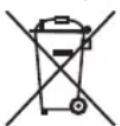
Protect our environment: do not dispose of electrical equipment in the domestic waste.

Please return any electrical equipment that you will no longer use to the collection points provided for their disposal.
This helps avoid the potential effects of incorrect disposal on the environment and human health.
This will contribute to the recycling and other forms of reutilisation of electrical and electronic equipment.
Information concerning where the equipment can be disposed of can be obtained from your local authority.
Instrukcja obsługi
CTC Clatronic Sp. zo.o.
Ul. Brzeska 1
45 - 960 Opole
Usuwanie
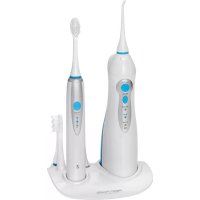


- Munddusche PC-MD 3005
- Bedienungsanleitung
- Symbols in these Instructions for Use
- WARNING:
- CAUTION:
- General Notes
- Special Safety Instructions for this Appliance
- WARNING of electrical shock!
- Overview of the Components / Scope of Delivery
- Bottom Side of Appliance (Not Shown)
- Not Shown
- Unpacking the Appliance
- i NOTE:
- Notes on Use
- On / off Switch (Double Function)
- Water Stop Switch
- Nozzles
- When the Gums are Bleeding ...
- Initial Operation
- Usage
- Cleaning
- Technical Data
- Mains adapter
- Disposal
- Meaning of the "Dustbin" Symbol
- Instrukcja obsługi
- Usuwanie
Brand : ProfiCare
Model : PCMD 3005
Category : Toothbrush