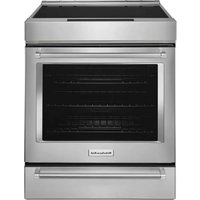
KDRS483VBK - Cooker KITCHENAID - Free user manual and instructions
Find the device manual for free KDRS483VBK KITCHENAID in PDF.


User questions about KDRS483VBK KITCHENAID
0 question about this device. Answer the ones you know or ask your own.
Ask a new question about this device
Download the instructions for your Cooker in PDF format for free! Find your manual KDRS483VBK - KITCHENAID and take your electronic device back in hand. On this page are published all the documents necessary for the use of your device. KDRS483VBK by KITCHENAID.
USER MANUAL KDRS483VBK KITCHENAID
For questions about features, operation/performance, parts, accessories or service, call: 1-800-422-1230
or visit our website at www.kitchenaid.com.
In Canada, for assistance, installation and service, call: 1-800-807-6777
or visit our website at www.kitchenaid.ca.
SAFETY INFORMATION ....3
The Anti-Tip Bracket....4

PARTS AND FEATURES....6

Range 6
Oven Interior....6
Electronic Oven Controls....7
COOKTOP FEATURES....8
Burners....8
Grill 9
Chrome Electric Griddle....10
USING YOUR OVEN....11

Control Panel....11
Oven Display....11
Functions....11
Options....12
Know Your Oven....15
Traditional Cooking....17
Special Modes 20
CARE AND CLEANING....22

Cooktop Surface....22
Sealed Surface Burners 22
Porcelain-Coated Grates and Caps 23
Grill 23
Griddle....25
Cooktop Controls....26
Stainless Steel......26
Control Panel....27
Door Exterior 27
Door Interior 27
Oven Racks 27
Oven Cavity 27
Self-Cleaning the Oven....28
Oven Lights 29
TROUBLESHOOTING....30

ASSISTANCE OR SERVICE....32

ACCESSORIES 32

WARRANTY ....33
Table des matières
INFORMATIONS DE SÉCURITÉ....34
ASSISTANCE OU SERVICE....65

ACCESSOIRES....65

GARANTIE....66
Your safety and the safety of others are very important.
We have provided many important safety messages in this manual and on your appliance. Always read and obey all safety messages.

This is the safety alert symbol.
This symbol alerts you to potential hazards that can kill or hurt you and others.
All safety messages will follow the safety alert symbol and either the word "DANGER" or "WARNING."
These words mean:
DANGER
You can be killed or seriously injured if you don't immediately follow instructions.
WARNING
You can be killed or seriously injured if you don't follow instructions.
All safety messages will tell you what the potential hazard is, tell you how to reduce the chance of injury, and tell you what can happen if the instructions are not followed.
WARNING: If the information in these instructions is not followed exactly, a fire or explosion may result causing property damage, personal injury or death.
- Do not store or use gasoline or other flammable vapors and liquids in the vicinity of this or any other appliance.
-
WHAT TO DO IF YOU SMELL GAS:
-
Do not try to light any appliance.
- Do not touch any electrical switch.
- Do not use any phone in your building.
- Immediately call your gas supplier from a neighbor's phone. Follow the gas supplier's instructions.
- If you cannot reach your gas supplier, call the fire department.
- Installation and service must be performed by a qualified installer, service agency or the gas supplier.
WARNING: Gas leaks cannot always be detected by smell.
Gas suppliers recommend that you use a gas detector approved by UL or CSA.
For more information, contact your gas supplier.
If a gas leak is detected, follow the "What to do if you smell gas" instructions.
State of California Proposition 65 Warnings:
WARNING: This product contains one or more chemicals known to the State of California to cause cancer.
WARNING: This product contains one or more chemicals known to the State of California to cause birth defects or other reproductive harm.
THE ANTI-TIP BRACKET
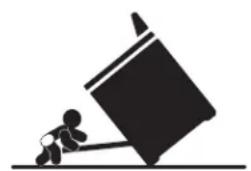
The range will not tip during normal use. However, the range can tip if you apply too much force or weight to the open door without the anti-tip bracket fastened down properly.
natural_image
Silhouette of a person pushing a large block on a horizontal line (no text or symbols)WARNING
Tip Over Hazard
A child or adult can tip the range and be killed.
Verify the anti-tip bracket has been properly installed and engaged per installation instructions.
Re-engage the anti-tip bracket if the range is moved.
Do not operate range without anti-tip bracket installed and engaged.
Failure to follow these instructions can result in death or serious burns to children and adults.
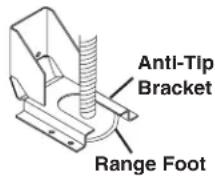
To verify the anti-tip bracket is installed and engaged:
- Slide range forward.
- Look for the anti-tip bracket securely attached to floor or wall. Slide range back so rear range foot is under anti-tip bracket.
• See installation instructions for details.
IMPORTANT SAFETY INSTRUCTIONS
WARNING: To reduce the risk of fire, electrical shock, injury to persons, or damage when using the range, follow basic precautions, including the following:
■ WARNING: TO REDUCE THE RISK OF TIPPING OF THE RANGE, THE RANGE MUST BE SECURED BY PROPERLY INSTALLED ANTI-TIP DEVICES. TO CHECK IF THE DEVICES ARE INSTALLED PROPERLY, SLIDE RANGE FORWARD, LOOK FOR ANTI-TIP BRACKET SECURELY ATTACHED TO FLOOR OR WALL, AND SLIDE RANGE BACK SO REAR RANGE FOOT IS UNDER ANTI-TIP BRACKET.
■ WARNING: TO REDUCE THE RISK OF BURNS, DO NOT MOVE THE RANGE WHILE HOT. THIS RANGE IS PROVIDED WITH WHEELS TO FACILITATE MOVEMENT. TO REDUCE THE RISK OF INJURY DUE TO TIPPING OF THE APPLIANCE, VERIFY THE REINSTALLATION OF THE RANGE INTO THE ANTI-TIP DEVICE PROVIDED, AND EXTEND LEVELING FEET AFTER RETURNING THE RANGE TO THE ORIGINAL INSTALLED POSITION.
■ WARNING: NEVER use this appliance as a space heater to heat or warm the room. Doing so may result in carbon monoxide poisoning and overheating of the oven.
■ WARNING: NEVER cover any slots, holes or passages in the oven bottom or cover an entire rack with materials such as aluminum foil. Doing so blocks air flow through the oven and may cause carbon monoxide poisoning. Aluminum foil linings may also trap heat, causing a fire hazard.
■ CAUTION: Do not store items of interest to children in cabinets above a range or on the backguard of a range – children climbing on the range to reach items could be seriously injured.
- Do Not Leave Children Alone – Children should not be left alone or unattended in area where the range is in use. They should never be allowed to sit or stand on any part of the range.
■ Wear Proper Apparel – Loose-fitting or hanging garments should never be worn while using the range.
■ User Servicing – Do not repair or replace any part of the range unless specifically recommended in the manual. All other servicing should be referred to a qualified technician.
■ Storage in or on the Range – Flammable materials should not be stored in an oven or near surface units.
- Do Not Use Water on Grease Fires – Smother fire or flame or use dry chemical or foam-type extinguisher.
■ Use Only Dry Potholders – Moist or damp potholders on hot surfaces may result in burns from steam. Do not let potholder touch hot heating elements. Do not use a towel or other bulky cloth.
■ DO NOT TOUCH SURFACE UNITS OR AREAS NEAR UNITS – Surface units may be hot even though they are dark in color. Areas near surface units may become hot enough to cause burns. During and after use, do not touch, or let clothing or other flammable materials contact surface units or areas near units until they have had sufficient time to cool. Among those areas are the cooktop and surfaces facing the cooktop.
- Never Leave Surface Units Unattended at High Heat Settings – Boilover causes smoking and greasy spillovers that may ignite.
■ Glazed Cooking Utensils – Only certain types of glass, glass/ceramic, ceramic, earthenware, or other glazed utensils are suitable for range-top service without breaking due to the sudden change in temperature.
SAVE THESE INSTRUCTIONS
IMPORTANT SAFETY INSTRUCTIONS
- Utensil Handles Should Be Turned Inward and Not Extend Over Adjacent Surface Units – To reduce the risk of burns, ignition of flammable materials, and spillage due to unintentional contact with the utensil, the handle of a utensil should be positioned so that it is turned inward, and does not extend over adjacent surface units.
- Clean Cooktop With Caution – If a wet sponge or cloth is used to wipe spills on a hot cooking area, be careful to avoid steam burn. Some cleaners can produce noxious fumes if applied to a hot surface.
■ Use Care When Opening Door – Let hot air or steam escape before removing or replacing food. - Do Not Heat Unopened Food Containers – Build-up of pressure may cause container to burst and result in injury.
- Keep Oven Vent Ducts Unobstructed.
- Placement of Oven Racks – Always place oven racks in desired location while oven is cool. If rack must be moved while oven is hot, do not let potholder contact hot heating element in oven.
■ DO NOT TOUCH HEATING ELEMENTS OR INTERIOR SURFACES OF OVEN – Heating elements may be hot even though they are dark in color. Interior surfaces of an oven become hot enough to cause burns. During and after use, do not touch, or let clothing or other flammable materials contact heating elements or interior surfaces of oven until they have had sufficient time to cool. Other surfaces of the appliance may become hot enough to cause burns – among these surfaces are oven vent openings and surfaces near these openings, oven doors, and windows of oven doors.
■ Proper Installation – The range, when installed, must be electrically grounded in accordance with local codes or, in the absence of local codes, with the National Electrical Code, ANSI/NFPA 70. In Canada, the range must be electrically grounded in accordance with Canadian Electrical Code. Be sure the range is properly installed and grounded by a qualified technician.
■ Disconnect the electrical supply before servicing the appliance.
■ Injuries may result from the misuse of appliance doors or drawers such as stepping, leaning, or sitting on the doors or drawers.
■ Maintenance – Keep range area clear and free from combustible materials, gasoline, and other flammable vapors and liquids.
■ Top burner flame size should be adjusted so it does not extend beyond the edge of the cooking utensil.
For self-cleaning ranges –
- Do Not Clean Door Gasket – The door gasket is essential for a good seal. Care should be taken not to rub, damage, or move the gasket.
- Do Not Use Oven Cleaners – No commercial oven cleaner or oven liner protective coating of any kind should be used in or around any part of the oven.
■ Clean Only Parts Listed in Manual.
■ Before Self-Cleaning the Oven – Remove broiler pan and other utensils. Wipe off all excessive spillage before initiating the cleaning cycle.
For units with ventilating hood -
■ Clean Ventilating Hoods Frequently – Grease should not be allowed to accumulate on hood or filter.
■ When flambéing foods under the hood, turn the fan on.
SAVE THESE INSTRUCTIONS
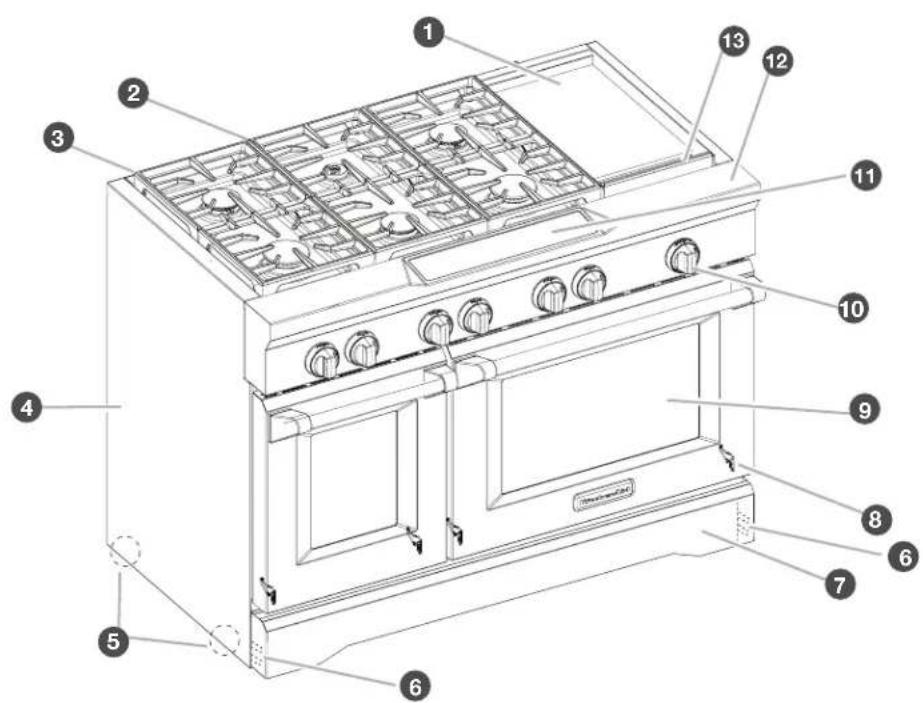
These instructions cover several different models. The range you have purchased may have some or all of the items listed. The locations and appearances of the features shown here may not match those of your model. Refer to these instructions or the Frequently Asked Questions (FAQs) section of our website at www.kitchenaid.com for more detailed instructions. In Canada, refer to the Customer Service Section at www.kitchenaid.ca.
RANGE
text_image
Labeled diagram of a 13-inch cooktop oven with numbered components for identification.1 Electric griddle (on some models)
② Cooktop grate
3 Island trim
4 Side panels
5 Roller feet
6 Leveling rods
7 Lower panel/kick plate
8 Oven doors
9 Window
10 Control knobs
11 Control panel
12 Culinary ledge
13 Drip tray (on griddle models)
48" (121.9 cm) range shown
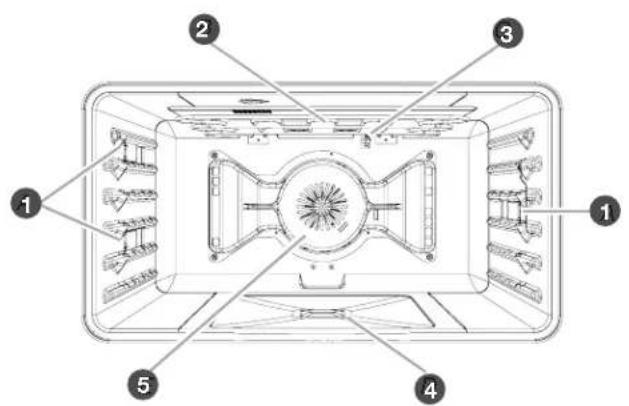
OVEN INTERIOR
text_image
Technical diagram of a microwave oven with numbered components for identification1 Halogen lights
2 Broil elements
3 Oven cavity sensor
4 Hidden element
5 Convection fan(s)
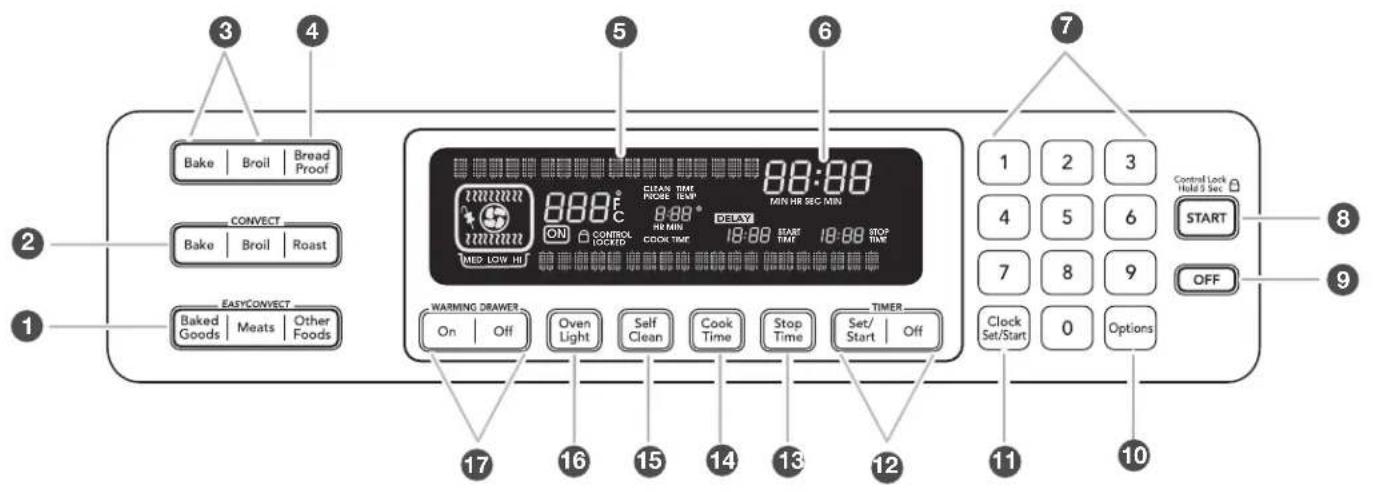
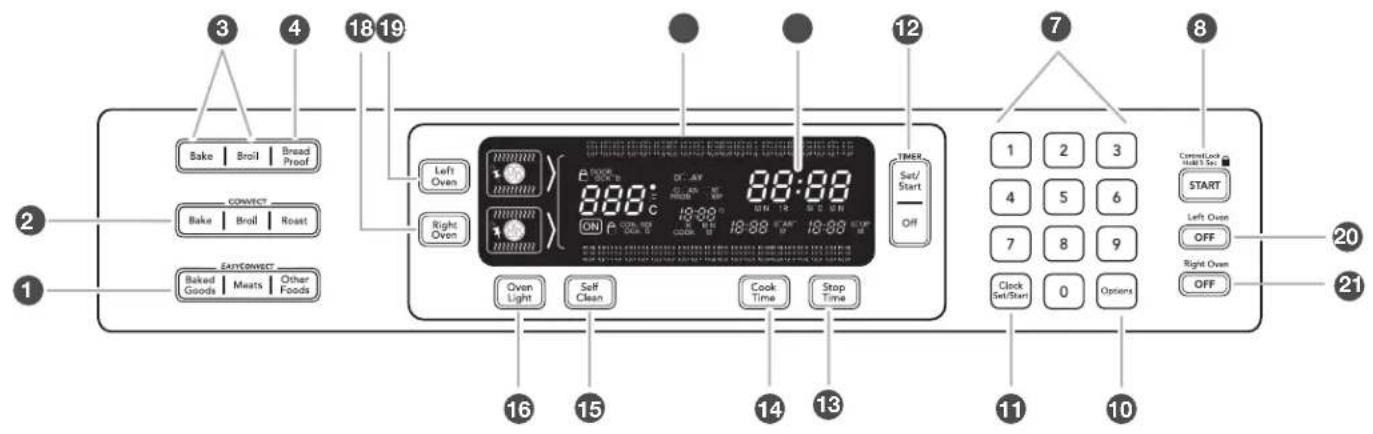
ELECTRONIC OVEN CONTROLS
30" (76.2 CM) AND 36" (91.4 CM)
text_image
Bake | Broil | Bread Proof CONVECT Bake | Broil | Roast EASYCONVECT Baked Goods | Meats | Other Foods 17 16 15 14 13 12 11 10 5 6 7 8 9 Control Lock Hold 5 Sec START OFF 1 2 3 4 5 6 7 8 9 Clock Set/Start 0 Options48" (121.9 CM)
text_image
3 4 18 19 Bake | Broil | Bread Proof CONNECT Bake | Broil | Roast EASY CONNECT Baked Goods | Meats | Other Foods 16 15 14 13 12 7 8 1 TIME Set/ Start Off 1 2 3 4 5 6 7 8 9 Clock Set/Start 0 Options START Left Oste OFF Right Oste OFF 20 211 EasyConvect™ conversion
2 Convection oven modes
3 Oven modes
4 Bread proof mode
5 Oven display
6 Clock/time of day display
7 Numberpads
8 Start(control lock/unlock when pressed for 5 seconds)
9 Off
10 Options selection pad
11 Clock set/start
12Timer
13 Stop time
14 Cook time (length of cooking time)
15 Self-clean
16 Oven light (on/off)
17 Warming drawer on/off
18 Right oven selector
19 Left oven selector
20 Left oven off
21 Right oven off
BURNERS
WARNING

Fire Hazard
Do not let the burner flame extend beyond the edge of the pan.
Turn off all controls when not cooking.
Failure to follow these instructions can result in death or fire.
| BTU/Hr | BURNER APPEARANCE FEATURES | |
| Ultra PowerTM dual-flame burner | 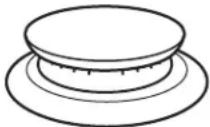 | This burner has an upper and lower level of flame. The Power HI setting uses both flame levels at full power to provide the highest heat. It is ideal for cooking large quantities of food or liquid, and using large pots and pans. The Simmer HI and LO settings use the upper flame only. |
| Medium burner | 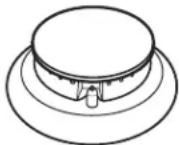 | This burner is ideal for cooking smaller quantities of food and melting chocolate or butter. |
| Simmer burner | 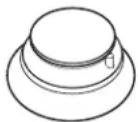 | This burner reaches a low of 500 BTU/hr. It provides the gentle, low temperatures required for simmering soups, stewing, and melting delicate ingredients like butter, cheese, and chocolate. |
■Check that the control knob is pressed completely down on the valve shaft. If the spark igniter still does not operate, call a trained repair specialist.
■When the control knobs for any small or medium burner are turned to the LITE position, all small and medium burners will click. When the control knob for the large burner is turned to the LITE position, these burners will click independent of the other burners. In both cases, only the burner with the control knob turned to LITE will produce a flame.
REMEMBER: When range is in use or during the Self-Cleaning cycle, the entire cooktop area may become hot.
Reignition Feature
During cooktop use, if one or more burners are extinguished due to external causes (such as a water spill, wind, or ventilation draft), the ignition system will turn on to reignite the flame. When the flame comes back on, the system will stop sparking. If the draft in the room is not removed, occasional sparking may continue. Sparking may also occasionally occur when using the low setting on a burner.
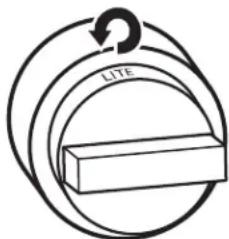
To Set a Burner:
text_image
LITEPush in and turn counterclockwise to LITE.

natural_image
Abstract circular diagram with concentric rings and a curved arrow, no text or symbols presentTurn knob counterclockwise between HI and LO.
Push in one more time to get from LO to HI.
In Case of Power Failure
Hold a lit match near a burner, and turn knob counterclockwise to HI. After burner lights, turn knob to the desired setting.
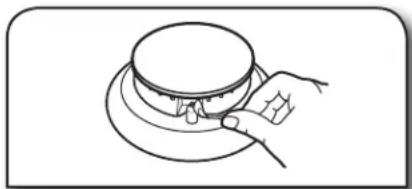
natural_image
Line drawing of a hand holding a circular object with a handle, no text or symbols present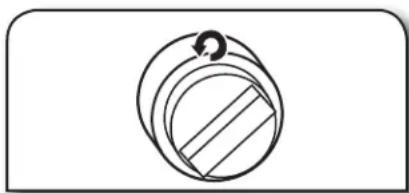
natural_image
Simple line drawing of a circular mechanical component with internal parallel grooves and a small circular feature (no text or symbols)Igniting Burners:
■Electric igniters automatically light the surface burners when control knobs are turned to LITE.
■Before setting a control knob, place filled cookware on the grate. Do not operate a burner using empty cookware or without any cookware on the grate.
■Visually check that the burner has lit. If the burner does not ignite, listen for the clicking sound. If you do not hear the igniter click, turn off the burner. Check for a tripped circuit breaker or blown fuse.
Sealed Surface Burners
Sealed surface burners are designed to minimize gaps and seams that can allow liquids and spills to get under the cooktop. This design makes cleanup quick and easy.
Stacked Power Burner
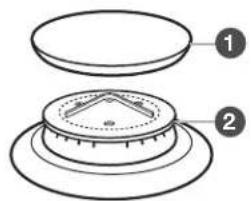
text_image
Diagram showing two labeled components of a mechanical or electronic component with numbered parts 1 and 2.1 Burner cap
2 Burner base
③ Choke (for use with medium burner, propane only)
Medium Burner
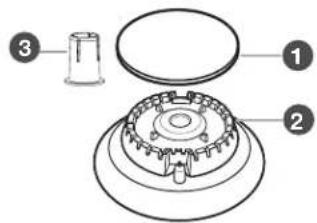
text_image
Technical diagram of a mechanical assembly with numbered components labeled 1, 2, and 3.Simmer/Melt Burner
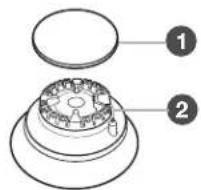
IMPORTANT: Do not obstruct the flow of combustion and ventilation air around the burner grate edges.
Burner cap: Always keep the burner cap in place when using a surface burner. A clean burner cap will help avoid poor ignition and uneven flames. Always clean the burner cap after a spillover, and routinely remove and clean the caps according to the "Care and Cleaning" section.
Gas opening: Gas must flow freely throughout the gas opening for the burner to light properly. Keep this area free of soil, and do not allow spills, food, cleaning agents, or any other material to enter the gas opening. Keep spillovers out of the gas opening by always using a burner cap.
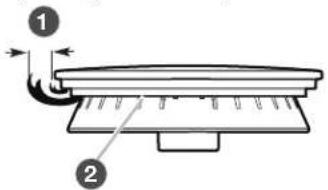
text_image
Diagram showing a mechanical or electrical component with labeled parts 1 and 2, likely illustrating a motion or assembly process.1 1-1 ^1/2 " (2.5-3.8 cm)
2 Burner ports
Burner ports: Check burner flames occasionally for proper size and shape as shown above. A good flame is blue in color, not yellow. Keep this area free of soil, and do not allow spills, food, cleaning agents, or any other material to enter the burner ports.
GRILL (ON SOME MODELS)
The grill module consists of a cast-iron grate, a wave tray, a flame spreader, a burner assembly, 2 grease trays and a drip tray.
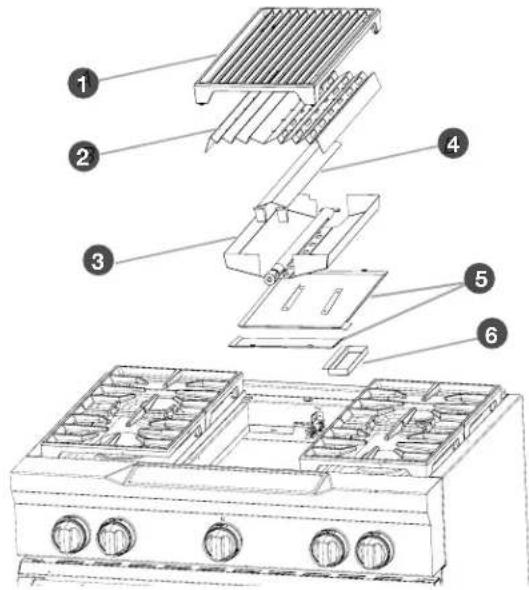
text_image
Exploded diagram of a kitchen appliance with numbered parts for identification1 Grill grate
2 Wave tray
③ Burner assembly
4 Flame spreader
5 Grease trays
6 Drip tray
When using the grill, follow the guidelines below:
■Trim excess fat to reduce spattering. Slit the remaining fat on the edges to avoid curling.
■Allow space between food on the grill. Crowding food will result in uneven cooking.
■Use a metal spatula or tongs to turn food.
■Steaks, chops and hamburgers should be turned only once to avoid loss of juices.
■For even cooking, foods such as chicken quarters should be turned several times.
■To check for doneness of meats and poultry, use an instant read thermometer or make a small cut in the center of the food. This will avoid loss of juices.
■Do not leave the grill unattended while cooking.
■To avoid damage to the grill, do not use aluminum foil, charcoal or wood chips.
■To avoid damage to cookware, do not place cookware on the grill when in use. Food should be cooked directly on the grill grate.
COOKTOP FEATURES
To Use:
| 1.Turn on overhead range hood. | 4. Turn knob to MED and allow grill to preheat for 15 minutes. Turn knob to MED and allow grill to preheat for 15 minutes. |
| 2.Apply vegetable oil, if desired. Apply a light coating of vegetable oil or nonstick cooking spray to grill grate. | 5. Turn knob to desired cook setting. Turn knob to desired cook setting. |
3. Push in and turn knob to LITE/HI. The flame will ignite in 1-4 seconds. Push in and turn knob to LITE/HI. The flame will ignite in 1-4 seconds. | 6.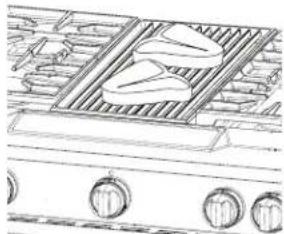 Place food on grill. Place food on grill. |
CHROME ELECTRIC GRIDDLE (ON SOME MODELS)
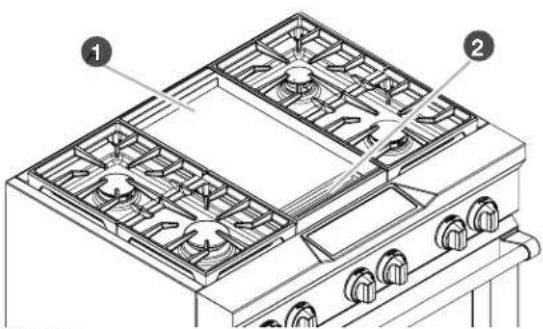
The chrome electric griddle provides the perfect cooking surface for grilled sandwiches, pancakes, eggs, burgers, sautéed vegetables, and many more family favorites. The attractive low-stick surface is designed to make cleanup easy.
text_image
Technical diagram of a gas stove with labeled components, showing internal fan structures and numbered parts.1 Griddle
2 Drip tray
The chrome electric griddle system provides an evenly heated cooking surface.
■Be sure plastic film has been removed, and wash with hot water before first use.
■To avoid scratching the griddle, do not place any pots or pans on the griddle. Use only heat resistant plastic or wooden utensils.
■The griddle surface is ready to use and does not need to be seasoned.
■Pouring cold water on a hot griddle may warp the griddle, resulting in an uneven cooking surface.
To Use:
1.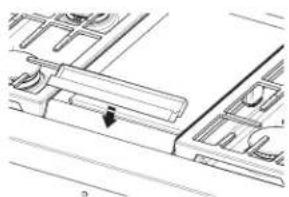 Position drip tray. Position drip tray. | |
2.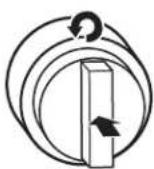 Push in and turn knob. Push in and turn knob. | 3.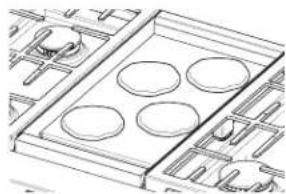 Place food on griddle, and cook to desired doneness. Place food on griddle, and cook to desired doneness. |
The griddle light will turn off when the griddle has finished preheating. The griddle light will turn on and off during use to indicate that the griddle element is maintaining the selected surface temperature.
CONTROL PANEL
When pressing any control pad function on the Electronic Oven Control, use the pad of your finger to press the desired function. Hold down the pad a few seconds, or until the desired function appears in the display.
When entering multiple functions within one setting, pause briefly between each control pad command. If a command pad is pressed several times repeatedly, the pad may briefly stop working. Wait a few seconds, and the pad should function again as normal.
OVEN DISPLAY
■When the oven is in use, this display shows the oven temperature, heat source(s) and start time.
■During Timed Cooking, this display also shows a timed countdown and the stop time (if entered).
■If "Err" appears on the display, an invalid pad was pressed. Press OFF and retry your entry.
■When the oven is not in use this display is blank, except for the clock display.
FUNCTIONS
Control Panel
Using the Start Pad
The START pad begins any oven function except the Timer, Control Lock and Sabbath Mode. If not pressed within 5 seconds after pressing a pad, "START?" will appear on the oven display as a reminder. If not pressed within 5 minutes after pressing a pad, the oven display will return to inactive mode (blank) and the programmed function will be canceled.
If a function has been started and a different function is selected, "START?" will appear in the display after 5 seconds. If the START pad is not pressed within 5 seconds, the oven display will return to the active/already started function.
Using the Off Pad
The OFF pad stops any oven function except for the Clock, Timer, and Control Lock.
Using Control Lock
The Control Lock shuts down the control panel pads to avoid unintended use of the oven(s).
The Control Lock feature may be used either when the range is in use or turned off (for example, during cleaning).
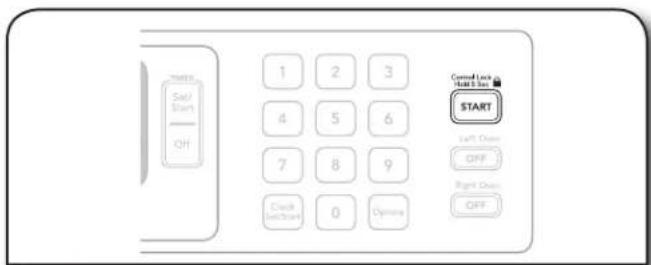
The Control Lock is preset unlocked, but can be locked. When the control is locked, only the TIMER SET/START, TIMER OFF and OVEN LIGHT pads will function.
To Lock or Unlock Control:
Before locking, make sure the oven, the Timer and Timed Cooking are off.
text_image
Start Set/Start OFF 1 2 3 4 5 6 7 8 9 Clock (Set/Start) 0 Options Cancel Lock a Start box START Left Open Off Right Open OffPress and hold START for 5 seconds until "CONTROL LOCKED" appears on the display. Repeat to unlock and remove "CONTROL LOCKED" from the display.
Clock
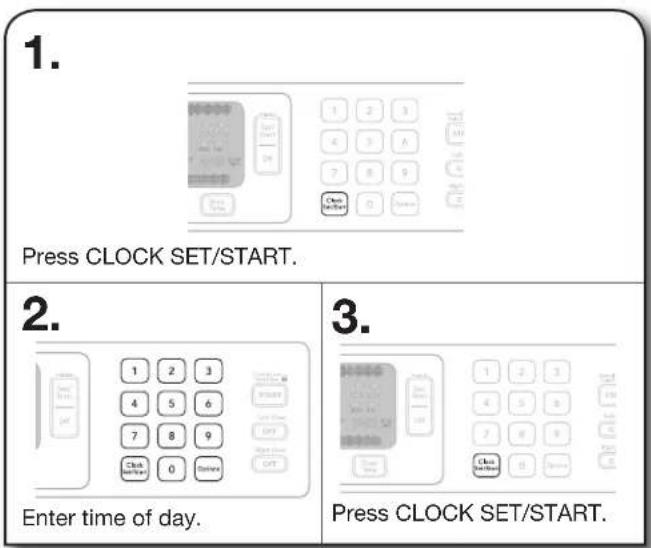
Setting the Clock
This is a 12-hour clock.
text_image
1. Press CLOCK SET/START. 2. Enter time of day. 3. Press CLOCK SET/START.TIMER
Setting the Timer
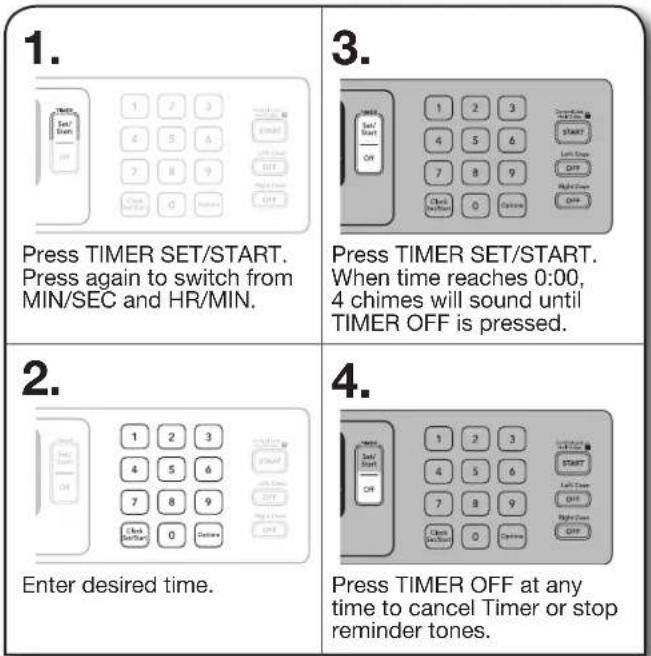
The Timer can be set in minutes and seconds or hours and minutes and counts down the set time. The time can be reset during the countdown by repeating the steps below.
NOTE: The Timer does not start or stop the oven.
text_image
1. Press TIMER SET/START. Press again to switch from MIN/SEC and HR/MIN. 2. Enter desired time. 3. Press TIMER SET/START. When time reaches 0:00, 4 chimes will sound until TIMER OFF is pressed. 4. Press TIMER OFF at any time to cancel Timer or stop reminder tones.OPTIONS
These instructions cover different models. The oven you have purchased may have some or all of the items listed. The locations and appearances of the items shown here may not match those of your model.
Options Selection Pad
The OPTIONS selection pad allows you to access special functions within the Electronic Oven Control that allow you to customize the product to your needs. These special functions allow you to change the oven temperature between Fahrenheit and Celsius, turn the audible signals and prompts on and off, and adjust the oven calibration. The Dehydrate and Sabbath Mode are also set using the OPTIONS selection pad.
NOTE: The Sabbath mode can only be set using the Options selection pad after the mode is enabled (See “Sabbath Mode – Option 7” section.)
To Use:
text_image
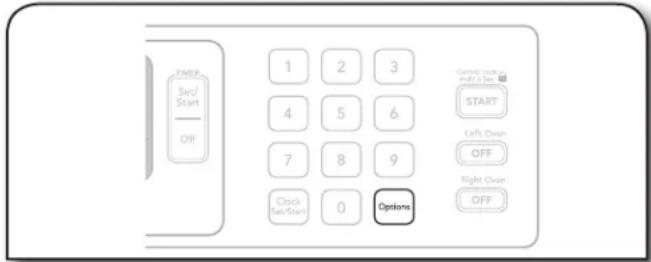
TIME Ser/ Start Off 1 2 3 4 5 6 7 8 9 Clock Set/Start 0 Options Control (with and off 2 sec) START Left Over OFF Right Over OFFPress OPTIONS. The oven display will scroll through the 6 options, or you can press a number pad to quickly enter the desired hidden function. Each time an option is selected, the oven will toggle to the setting displayed.
OPTIONS SPECIAL FUNCTION
1 Fahrenheit and Celsius conversion
2 Tones On/Off
3 Tones High/Low
4 Cooking Time Completion Tones On/Off
6 Oven Temperature Calibration
7 Sabbath Mode
Fahrenheit and Celsius – Option 1
Fahrenheit is the default setting, but setting may be changed to Celsius.
Tones – Options 2, 3, 4
Tones are audible signals, indicating the following:
One beep
■Function has been entered
Three beeps
■Invalid pad press
Preheat Completion Tone
■One chime indicates a preheat cycle has been completed.
Timer Completion Tones
■Four chimes sound twice when the timer reaches zero.
This can occur when using the timer for functions other than cooking.
Cooking Time Completion Tones
■Three beeps indicate the end of a cooking cycle.
All Tones ON/OFF
All tones are preset to ON, but can be turned OFF.
Tone Volume High/Low
The volume is preset to HIGH but can be changed to LOW.
Cooking Time Completion Tones ON/OFF
All tones are preset to ON but can be turned OFF.
Oven Temperature Calibration - Option 6
IMPORTANT: Do not use a thermometer to measure oven temperature because opening the oven door during cycling may give incorrect readings.
The oven provides accurate temperatures; however, it may cook faster or slower than your previous oven, so the temperature calibration can be adjusted. It can be changed in Fahrenheit or Celsius.
A minus sign means the oven will be cooler by the displayed amount. The absence of a minus sign means the oven will be warmer by the displayed amount. Use the following chart as a guide.
ADJUSTMENT °F (AUTOMATIC °C CHANGE) COOKS FOOD
30^ (15°C)...much more
20^ (10^) ...moderately more
10^ (5°C)...a little more
0^ (0^) ...default setting
-10°F (-5°C) ...a little less
-20°F (-10°C) ...moderately less
-30°F (-15°C) ...much less
To Adjust:
1.
text_image
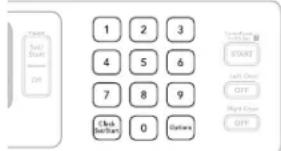
Start Start OFF 1 2 3 4 5 6 7 8 9 Click Start/Start 0 Options Cancel/Start/Off START Left Over OFF Right Over OFFPress 3 to increase or 6 to decrease the temperature calibration level by 10 degrees.
2.
text_image
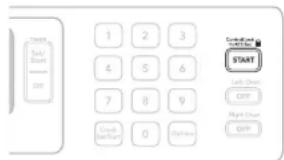
Health Self/Start Microsoft OK 1 2 3 4 5 6 7 8 9 Create Back of Start 0 Options START Self-Start OK Right-Start OKPress START to end calibration.
Sabbath Mode
■The Sabbath Mode sets the oven(s) to remain ON in a bake setting until turned off.
■A timed Sabbath Mode can also be set to keep the oven on for only part of the Sabbath.
■When the Sabbath Mode is set, only the number and start keys will function.
■No tones will sound, and the display will not show messages or temperatures changes.
■The heat source icons will appear lit on the oven display throughout the Sabbath Mode.
■When the oven door is opened or closed, the oven light will not turn on or off and the heating elements will not turn on or off immediately.
If a power failure occurs when the Sabbath Mode is set, the oven will remain in Sabbath Mode but will no longer be actively cooking. The "ON" indicator will no longer be illuminated. Press OFF to return to normal operating mode (non-Sabbath Mode compliant, not cooking).
To Enable:
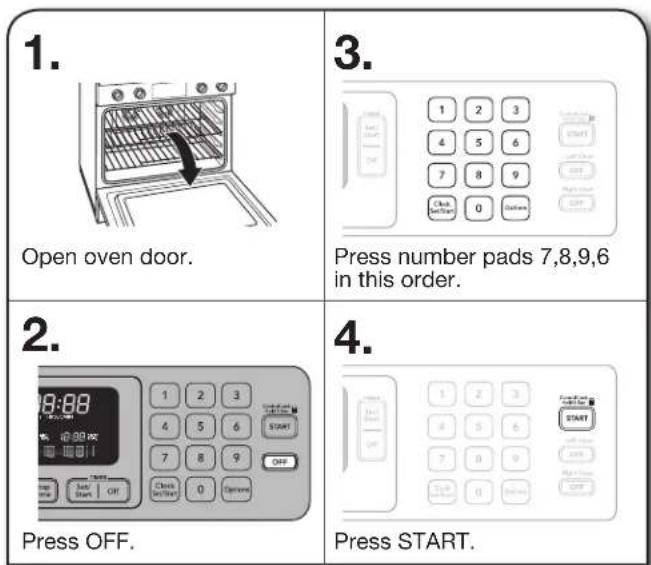
IMPORTANT: Before the Sabbath Mode can be regularly set, the oven(s) must first be enabled with a one time only setup.
text_image
1. Open oven door. 2. Press OFF. 3. Press number pads 7,8,9,6 in this order. 4. Press START.To Disable:
The Sabbath Mode setting capability can be disabled by repeating the previous steps. The Sabbath Mode cannot be regularly set until re-enabled.
To Set Regularly Untimed:
text_image
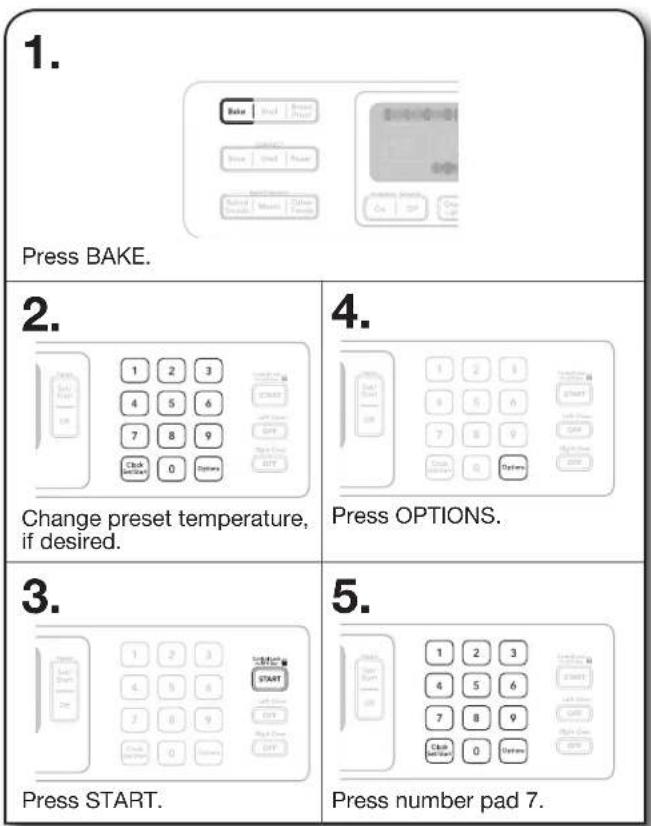
1. Press BAKE. 2. Change preset temperature, if desired. 3. Press START. 4. Press OPTIONS. 5. Press number pad 7.To Set Regularly Timed:
WARNING
Food Poisoning Hazard
Do not let food sit in oven more than one hour before or after cooking.
Doing so can result in food poisoning or sickness.
1.
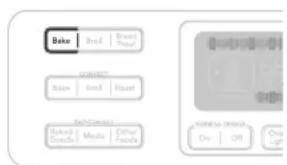
text_image
Delo Break Smart Lock Connect: Ratio Break Reset Back Control Sized Controls Music Other Supports Display to Event On Off Over UpPress BAKE.
2.
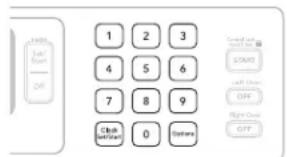
text_image
1 2 3 4 5 6 7 8 9 Clock OFF 0 Buttons Control button START OFF Rightmost OFFChange preset temperature, if desired.
5.
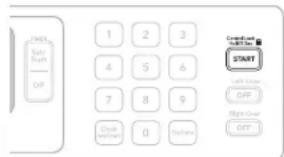
text_image
Start OFF 1 2 3 4 5 6 7 8 9 Open OK DownPress START.
3.
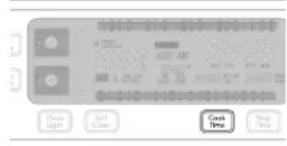
text_image
Drive Light Sell Close Cook Time Stop TimePress COOK TIME.
6.
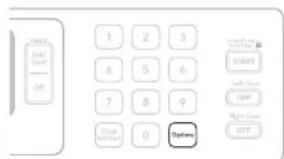
text_image
Start End/Start Off 1 2 3 4 5 6 7 8 9 Stop Start/Start 0 Options Start/Start OFF Right/Down OFFPress OPTIONS.
4.
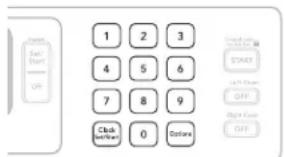
text_image
1 2 3 4 5 6 7 8 9 Click Next/Next 0 Options START OFF Right End OFFEnter cook time.
7.
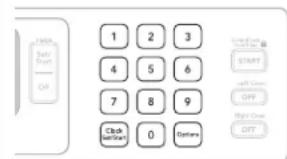
text_image
1 2 3 4 5 6 7 8 9 Clock NOTAT 0 CancelPress number pad 7.
When the stop time is reached, the oven will automatically turn off. The oven control will remain in the Sabbath Mode until the OFF button is pressed.
Temperature Change
The oven temperature can be changed when the oven(s) are in the Sabbath Mode. No tones will sound, and the display will not change. The heating elements will not turn on or off for a random time, anywhere from 16 to 24 seconds. It may take up to 30 minutes for the oven to change temperature.
Number pads 1 through 0 represent temperatures.
Use the following chart as a guide.
NUMBER KEY OVEN TEMPERATURE
| 1 170°F (77°C) |
| 2 200°F (95°C) |
| 3 225°F (107°C) |
| 4 250°F (120°C) |
| 5 300°F (149°C) |
| 6 325°F (163°C) |
| 7 350°F (177°C) |
| 8 375°F (191°C) |
| 9 400°F (204°C) |
| 0 450°F (232°C) |
To Change Temperature:
| 1. | 2. |
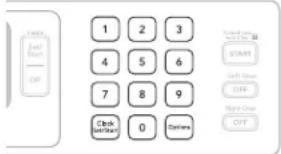 | 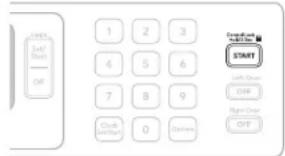 |
| Press the number pad from the chart. | Press START. |
1.
2.
KNOW YOUR OVEN
■Odors and smoke are normal when the oven is used the first few times, or when it is heavily soiled.
■ IMPORTANT: The health of some birds is extremely sensitive to the fumes given off. Exposure to the fumes may result in death to certain birds. Always move birds to another closed and well-ventilated room.
■ IMPORTANT: This oven automatically adjusts for 208V operation without affecting cooking performance. Preheat times may be longer.
Aluminum Foil
■ IMPORTANT: To avoid permanent damage to the oven bottom finish, do not line the oven bottom with any type of foil or liner.
■On models with bottom oven vents, do not block or cover the vents.
■For best cooking results, do not cover rack with foil because air must be able to move freely.
Positioning Rack and Bakeware
IMPORTANT: To avoid permanent damage to the porcelain finish, do not place food or bakeware directly on the oven door or bottom.
Racks
■Position racks before turning on the oven.
■Do not position racks with bakeware on them.
■Make sure racks are level.
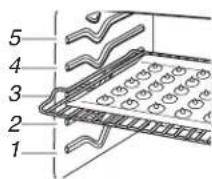
To move a rack, pull it out to the stop position, raise the front edge, then lift out. Use the following illustration and charts as a guide.
Bakeware
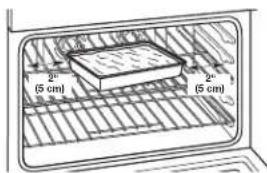
To cook food evenly, hot air must be able to circulate. Allow 2" (5.0 cm) of space around bakeware and oven walls. For convection cooking, allow 1" (2.5 cm) of space around bakeware and oven walls.
text_image
2" (5 cm) 2" (5 cm)Roll-Out Extension Rack
The roll-out extension rack allows easy access to position and remove food in the oven. It can be used in rack positions 1 through 4. The roll-out extension rack will not fit in position 5.
Open Position
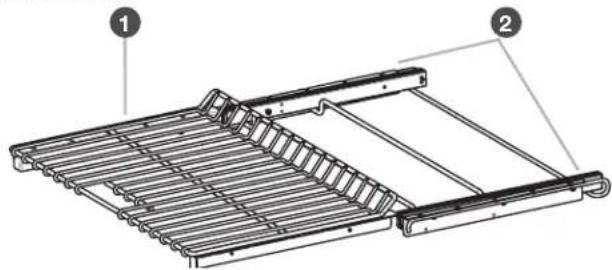
natural_image
Technical line drawing of a metal rack structure with two labeled components (1 and 2), showing internal structure without any text or symbols.Closed and Engaged Position
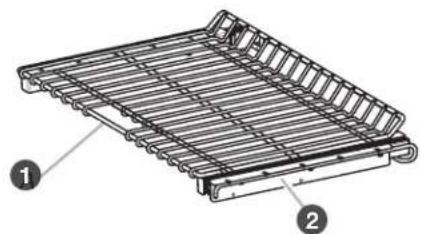
natural_image
Technical illustration of a metal rack structure with labeled components (no text or symbols present)1 Roll-out extension rack
② Sliding shelves
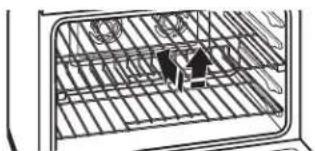
To Remove the Roll-Out Extension Rack:
1.
natural_image
Diagram of a grid structure with two small figures, no text or symbols presentLift up rack/shelf front and slide in.
Rack must be closed and engaged with sliding shelf. Using 2 hands, lift up on front edge of rack and sliding shelf together. Slowly push both to back wall of oven.
The front edge of the sliding shelf should sit on the rack guide located on the sides of the oven.
The front edge of the rack and the sliding shelf should be higher than the back edge.
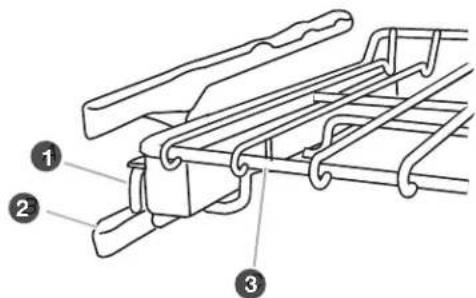
text_image
Technical diagram of a mechanical device with numbered components labeled 1, 2, and 3.1 Sliding shelf
2 Rack guide
3 Roll-out extension rack

USING YOUR OVEN
natural_image
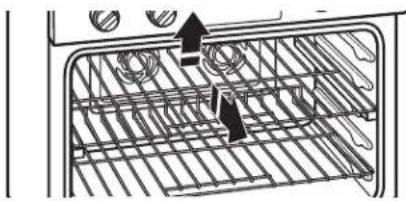
Diagram of a kitchen interior showing a grid with rebar and ceiling-mounted fixtures (no text or symbols)Lift up rack/shelf rear.
Using 2 hands, lift up back of rack and sliding shelf so that back and front are level on rack guide. Pull out.
To Replace the Roll-Out Extension Rack:
1.
natural_image
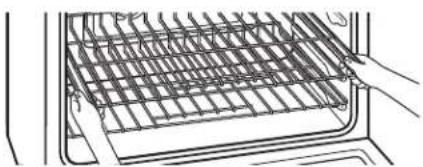
Line drawing of a kitchen appliance with a hand opening the tray (no text or symbols)Place on rack guide.
Using 2 hands, grasp front of the closed rack and sliding shelf. Place the closed rack and sliding shelf on the rack guide.
natural_image
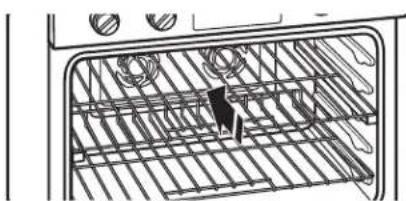
Interior view of an oven with rack-mounted appliances and a person inside (no text or symbols visible)Slide in rack/shelf.
Slowly push the rack and sliding shelf to the back of oven until the back edge of the sliding shelf drops.
natural_image
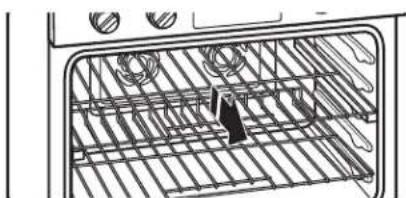
Interior view of an oven with grating and coiled wires (no text or symbols visible)Pull rack/shelf forward.
Pull the rack and sliding shelf slightly forward until the front edge drops and the sliding shelf is on the rack guide.
Know Your Racks
■To avoid damage to the sliding shelves, do not place more than 25 lbs (11.4 kg) on the rack.
- Do not clean the roll-out extension rack in a dishwasher. It may remove the rack's lubricant and affect its ability to slide.
■See the "Care and Cleaning" section for more information.
Meat Thermometer
When not using the supplied temperature probe, use a meat thermometer to determine whether meat, poultry, and fish are cooked to the desired degree of doneness. The internal temperature, not appearance, should be used to determine doneness. A meat thermometer is not supplied with this appliance. Follow manufacturer's directions for using a meat thermometer.
Oven Vent
The oven vent should not be blocked or covered since it allows the release of hot air and moisture from the oven. Blocking or covering the vent will cause poor air circulation, affecting cooking and cleaning results. Do not put plastics, paper, or other items that could melt near the oven vent.
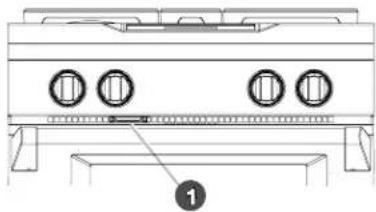
text_image
Technical diagram of a gas stove with labeled components and mounting base
Oven vent
USING YOUR OVEN

| BAKED GOODS | RECOMMENDED MODE(S) | RECOMMENDED RACK POSITION(S) TIPS | ||
| Cakes Bake, Convect Bake Three racks — 1, 3, 5 | 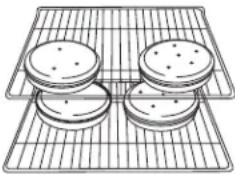 | For best results when baking cakes on two racks, place the cakes on the racks as shown. | ||
| Cookies Bake, Convect Bake Three racks — 1, 3, 5 | ||||
TRADITIONAL COOKING
Bake, Roast, and Broil
Set traditional cooking modes by following these steps:
1.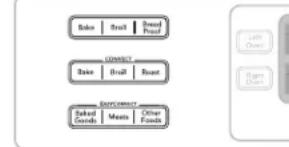 Touch desired mode. Touch desired mode. | 3.Set optional modes (Bake and Roast only).(See “Time/Delay Cooking” section.)(See “Temperature Probe” section.) |
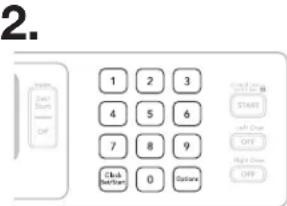 Enter desired cooking temperature. Enter desired cooking temperature. | 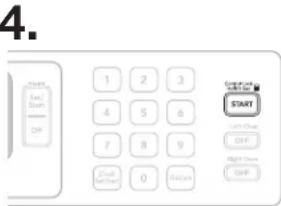 Touch START. Touch START. |
Baking and Roasting
The Bake/Roast Mode relies primarily on heat from the lower bake element and radiant heat from the oven cavity to produce the perfect conditions for cakes, cookies, quick breads, yeast breads, meatloaf, and baked desserts. This mode is perfect for foods that require both upper and lower browning.
Know Your Bake/Roast Mode
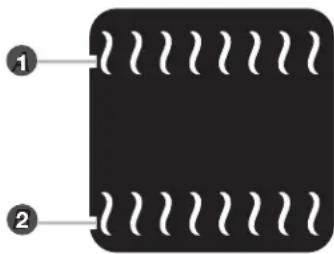
■During baking or roasting, the bake and broil elements will cycle on and off in intervals to maintain the oven temperature.
■If the oven door is opened during baking or roasting, the heating elements (bake, both broils, and convection fan) will turn off approximately 30 seconds after the door is opened. They will turn on again approximately 30 seconds after the door is closed.
■For baking, allow the range to preheat before placing food in the oven.
■When roasting, it is not necessary to wait for the oven to preheat before putting food in, unless recommended in the recipe.
1 Broil elements
2 Bake element
natural_image
Pure diagram of a black rectangle with white wavy lines on its sides, labeled with numbers 1 and 2 (no text or symbols beyond labels)
USING YOUR OVEN
True-Broil® Reflector Full and Center Broiling
The Broil Mode uses intense heat from above to cook foods quickly and is ideal when you want rich, flavorful browning of exterior surfaces. Use for steak, chicken, pork, fish, or vegetables like onions and peppers. This mode can also brown and crisp desserts or casserole toppings.
Know your Broil Mode
■Broiling uses direct radiant heat to cook food.
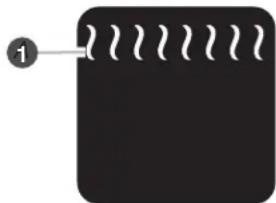
■During full broiling, both the inner and outer broil elements heat. During center broiling, only the inner broil element heats. The element(s) cycle on and off in intervals to maintain the oven temperature.
■Press BROIL once for full broil or twice for center broil (right oven only).
If the oven door is opened during broiling, the broil element will turn off in approximately 30 seconds. When the oven door is closed, the elements will come back on approximately 30 seconds later.
■For best results, use a broiler pan and grid. It is designed to drain juices and help avoid spatter and smoke.
natural_image
Simple black square with white wavy lines on top and a numbered label '1' pointing to the top-left corner (no text or symbols on the main subject)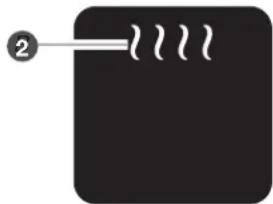
natural_image
Simple diagram with a black rectangle and white lines, no text or symbols present1 Full Broil
2 Center broil
■For proper draining, do not cover the grid with foil. The bottom of the broiler pan may be lined with aluminum foil for easier cleaning.
- Trim excess fat to reduce spattering. Slit the remaining fat on the edges to avoid curling.
■ When broiling, changing the temperature allows more precise control. The lower the temperature, the slower the cooking. Thicker cuts and unevenly shaped pieces of meat, fish, and poultry may cook better at lower broiling temperatures.
■Pull out oven rack to stop position before turning or removing food. Use tongs to turn food to avoid the loss of juices. Very thin cuts of fish, poultry, or meat may not need to be turned.
■After broiling, remove the pan of food from the oven. Drippings will bake on the pan if left in the heated oven, making cleaning more difficult.
Even-Heat™ True Convection Cooking
Convection Bake, Convection Roast, Convection Broil, and EasyConvect™ Conversion
Even-Heat™ true convection cooking uses a fan in the oven to circulate hot air continually. This distributes heat more evenly than the natural movement of air in a standard thermal oven. The movement of hot air helps maintain a consistent temperature throughout the oven, cooking foods more evenly, crisping surfaces while sealing in moisture and yielding crustier breads.
It is normal for the convection fan to cycle on and off during a cooking cycle.
Baked goods and casseroles can be cooked by lowering cooking temperatures 25^ F ( 14^ C). It is not necessary to reduce temperature when cooking meats and poultry. Cooking times for large turkeys and other poultry may be shorter when using the convection function.
■It is important not to cover foods with lids or aluminum foil so that surface areas remain exposed to the circulating air, allowing browning and crisping.
- Keep heat loss to a minimum by opening the oven door only when necessary.
- Choose cookie sheets without sides and roasting pans with lower sides to allow air to move freely around the food.
■Test baked goods for doneness a few minutes before the minimum cooking time using a method such as a toothpick.
■Use a meat thermometer or the temperature probe to determine the doneness of meats and poultry. Check the temperature of pork and poultry in 2 or 3 places.
Set convection cooking modes by following these steps:
1.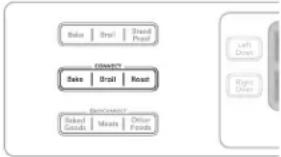 Press CONVECT BAKE,ROAST, or BROIL. Press CONVECT BAKE,ROAST, or BROIL. | 3.Set optional modes(Convection Bake and Roast only).(See “Time/Delay Cooking” section.)(See “Temperature Probe” section.) |
2.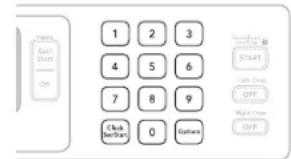 Enter desired cooking temperature. Enter desired cooking temperature. | 4.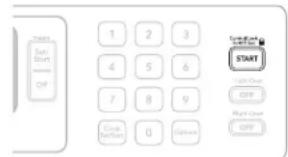 Press START. Press START. |
- 4.
USING YOUR OVEN

Convection Baking
The Convection Bake mode uses an element and a fan to circulate hot air throughout the oven, resulting in baking 10–20% faster than traditional baking. Convection baking can be used for most baked goods, but it is exceptional for baking cookies, biscuits, pies, pasta dishes, casseroles, and frozen or convenience foods.

natural_image
Simple diagram with a central circular symbol and an arrow pointing to it, no text or labels present.Know Your Convection Bake Mode
1 Convectionelement (hidden) and fan
■A convection element is hidden in the rear panel of the oven cavity, and assisted by the convection fan, provides balanced, efficient heating.
■Convection baking can be used for baking delicate cakes and pastries, as well as foods on multiple racks. It is helpful to stagger items on the racks to allow a more even flow of heat. If the oven is full, extra cooking time may be needed.
■When cooking an oven meal with several different types of foods, be sure to select recipes that require similar temperatures. Cookware should sit in the oven with at least 1" (2.5 cm) of space between the cookware and the sides of the oven.
■During convection baking preheat, the convection element, broil element, and the CleanBake™ element all heat the oven cavity. After preheat, the convection element, the CleanBake™ element, and the fan will cycle on and off in intervals to maintain oven temperature.
■If the oven door is opened during convection baking, the fan turns off immediately when the door is opened and turns on immediately when the door is closed. Convection, Bake and Broil (only during preheating) elements will turn off approximately 30 seconds after the door is opened. They will turn on again approximately 30 seconds after the door is closed.
■Reduce recipe temperature 25^ F ( 14^ C). The cook time may need to be reduced also.
Convection Roasting
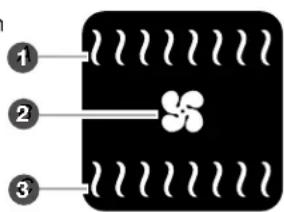
The Convect Roast Mode uses multiple elements and a fan to stream heated air throughout the cavity. The circulating air caramelizes food surfaces for enhanced flavor while maintaining moist and tender interiors. Convect Roast is perfect for roasting meats, poultry, firm-fleshed fish, and vegetables. The consistent and even heat distribution speeds cooking up to 25% compared to traditional roasting. The recipe temperature does not need to be reduced for this mode.
text_image
① ② ③1 Broilheat
2 Convection fan
3 Bake heat
Know Your Convection Roast Mode
If the oven door is opened during convection roasting, the fan turns off immediately when the door is opened and turns on immediately when the door is closed. Broil and bake elements will turn off approximately 30 seconds after the door is opened. They will turn on again approximately 30 seconds after the door is closed.
■ It is not necessary to reduce oven temperature when roasting with convection. Roasting time may be shorter for poultry.
■For best results, use a broiler pan, grid, and roasting rack designed to drain juices and help avoid spatter and smoke.
Before Using Convection Roast:
■It is not necessary to wait for the oven to preheat before putting in food, unless recommended in the recipe.
■Use a roasting rack on top of the broiler pan and grid. This holds the food above the grid and allows air to circulate completely around all surfaces.
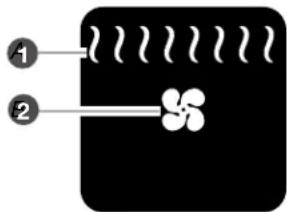
Convection Broiling
The Convect Broil Mode uses multiple elements and a fan to stream heated air throughout the cavity.
Convection broil shortens broiling times by removing the insulating air from around the food, allowing the moving hot air to cook the food faster. Thick, tender cuts of meat, fish, and poultry benefit from this cooking method.
text_image
Diagram showing two labeled components (① and ②) with wavy lines and a flower-like shape inside a black rectangular block.1 Broilheat
2 Convection fan
Know Your Convection Broil Mode
■During convection broiling, the broil elements will cycle on and off in intervals to maintain oven temperature, while the fan constantly circulates the hot air.
■The temperature is preset at 325^ F ( 163^ C), but can be changed to a different temperature. Cooking times will vary depending on the rack position and temperature and may need to be adjusted.
If the oven door is opened during convection broiling, the fan turns off immediately when door is opened and turns on again immediately when door is closed. Broil elements will turn off approximately 30 seconds after the door is opened. They will turn on again approximately 30 seconds after the door is closed.
Using Convection Broil:
■Before convection broiling, see "True-Broil® Reflector Full and Center Broiling" section for general broiling guidelines.
■Position food on the unheated grid on the broiler pan, then place it in the center of the oven rack with the longest side parallel to the door.
EasyConvect™ Conversion
Convection temperatures and times can differ from those of standard cooking. Depending upon the selected category, EasyConvect™ conversion will automatically reduce standard recipe temperatures and/or times for convection cooking.
Foods are grouped into 3 general categories. Choose the category most appropriate for the food to be cooked. To ensure optimal cooking results, the oven will prompt a food check at the end of a non-delayed cook time.
Use the following chart as a guide:
SETTING COOKS FOOD
| Baked Goods | Biscuits, Breads: quick and yeastCakes and CookiesCasseroles: including frozen entrées and soufflésFish |
| Meats | Baked potatoes, Chicken: whole and piecesMeat Loaf, Roasts: pork, beef, and ham(Turkey and large poultry are not included because their cook times vary.) |
| Other Foods | Convenience foods: french fries, nuggets, fish sticks, pizzaPies: fruit and custard |
| Biscuits & Bread | Biscuits, Breads: quick and yeast |
To Use EasyConvect™ Conversion:
When using convection temperature conversion for BAKED GOODS and OTHER FOODS, allow the oven to preheat before placing food in the oven. When using convection for meats, preheating is not necessary.
1.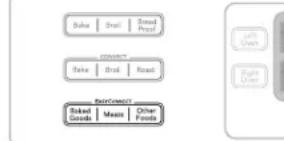 Press BAKED GOODS, MEATS, or OTHER FOODS. Press BAKED GOODS, MEATS, or OTHER FOODS. | 3.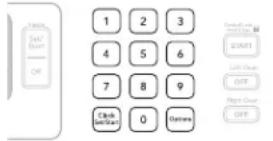 Enter standard cook time. Enter standard cook time. |
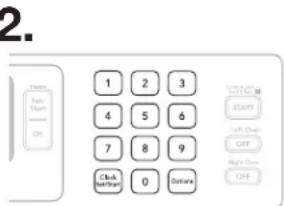 Enter standard temperature. Enter standard temperature. |  Press START, and then place food in the oven. Press START, and then place food in the oven. |
SPECIAL MODES
Proofing Bread
Proofing bread prepares dough for baking by activating the yeast. Follow recipe direction as a guide.
To Proof:
1.
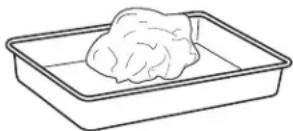
Before first proofing, place dough in a lightly greased bowl and cover loosely with wax paper coated with shortening. Close door.
2.
text_image
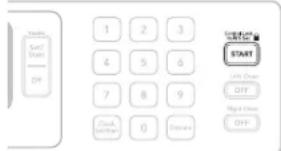
Start Start OFF 1 2 3 4 5 6 7 8 9 Clock and Start 0 Discount START Start Check OFF High Print OFFPress START.
3.
text_image
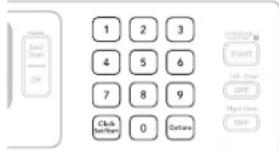
1 2 3 4 5 6 7 8 9 Click Set/Start 0 Outlaw START Left Churn Off Right Churn OffPress BREAD PROOF.
NOTE: The Proof cycle will start even if the oven temperature is over 300^ F ( 149^ C). You cannot change the temperature under Bread Proofing.
Before second proofing, shape dough, place in baking pan(s) and cover loosely with plastic wrap coated with cooking spray. Follow same placement and control steps above. Before baking, remove plastic wrap.
Temperature Probe
The temperature probe accurately measures the internal temperature of meat, poultry and casseroles and should be used in determining the doneness of food. It is available on most cycles including: Bake, Convection Bake, Convection Roast, and EasyConvect™ Conversion.
Know Your Temperature Probe
■Always unplug and remove the temperature probe from the oven when removing food.
■When using the probe, the Cook Time function may not be used.
USING YOUR OVEN

Before Using Temperature Probe:
■Remove any racks above the food that are not in use.
■Insert the probe into the food item. For meats, the probe tip should be located in the center of the thickest part of the meat and not into the fat or touching a bone.
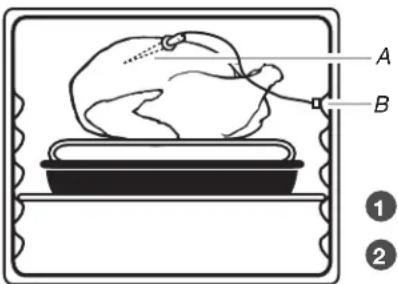
■Place food in oven and connect the temperature probe to the jack.
- Keep probe as far away from heat source as possible. Close oven door.
text_image
A B ① ②1 Temperatureprobe
2 Temperature probe jack
To Use Temperature Probe:
text_image
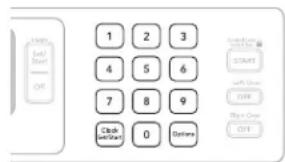
Help Left/ Start OFF 1 2 3 4 5 6 7 8 9 Clock (Off) 0 Options Take-Form START LEFT Stop OFF Right Stop OFFEnter desired probe temperature before selecting a cooking mode. The probe temperature is the desired temperature of the food when it is done.
After Cooking:
Unplug and remove the probe when removing food.
Timed/Delay Cooking
WARNING
Food Poisoning Hazard
Do not let food sit in oven more than one hour before or after cooking.
Doing so can result in food poisoning or sickness.
Timed Cooking allows the oven(s) to cook for a set length of time. Delay Cooking allows the oven(s) to be set to turn on at a certain time of day. Delay start should not be used for food such as breads and cakes because they may not bake properly.
Timed Cooking is available on most cycles including: Bake, Convect Bake, Convect Roast, EasyConvect™ Conversion, Bread Proof, and Keep Warm.
Delay Cooking is available on the Bake, Convect Bake, and Convect Roast cycles.
NOTE: For best cooking results, when the temperature probe is being used, the Cook Time function cannot be used.
To Set a Cooking Time:
text_image
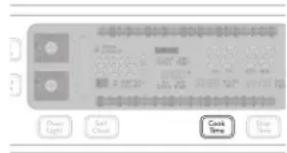
Power Light Salt Clean Cook Time Clear TimePress COOK TIME.

text_image
1 2 3 4 5 6 7 8 9 Clock Start/Start 0 Seconds START Left Check QAT Right Check QATEnter desired cook time.
text_image
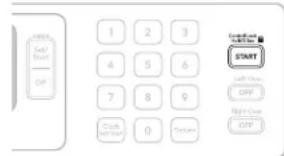
Start Sub/Start Off 1 2 3 4 5 6 7 8 9 Crack Off Start 0 Down Start Sub/Start OFF Right/Down OffPress START.
To Set a Delay Cooking Time:
Before setting, make sure the clock is set to the correct time of day. See "Clock" section.
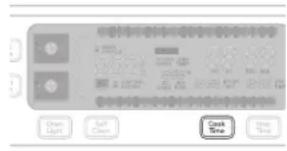
text_image
Clean Light Self-Clean Cook Time Save TimePress COOK TIME.
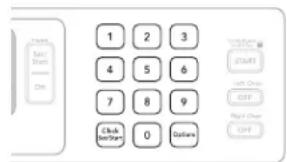
text_image
1 2 3 4 5 6 7 8 9 Click OK 0 OptionsEnter desired cook time.
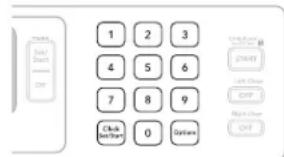
text_image
Start Start Stop 1 2 3 4 5 6 7 8 9 Click Stop/Start 0 OptionsEnter desired stop time. The start time is automatically calculated. When the start time is reached, the oven will automatically turn on. When the stop time is reached, the oven will shut off automatically.
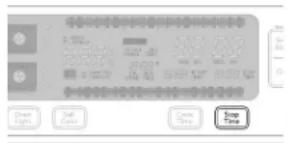
text_image
Stop Clear Lights Pull Cover Cancel Time Stop TimePress STOP TIME.
text_image
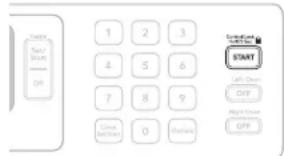
Start Terry/Struck OFF 1 2 3 4 5 6 7 8 9 Close OFF 0 OK StartButton OFF Right Door OFFPress START.
COOKTOP SURFACE
After Each Use:
natural_image
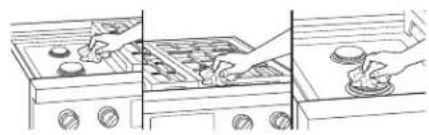
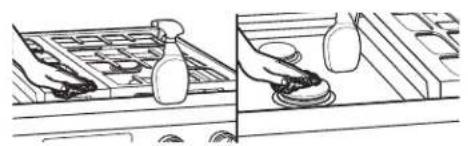
Illustration of a kitchen scene with three steps: heating, cleaning, and cleaning (no text or symbols)Wipe off cooktop, grates, and caps.
natural_image
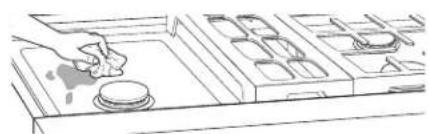
Line drawing of a kitchen counter with a hand placing a cup on the tray (no text or symbols)Clean food spills.
To preserve the finish, clean food spills containing acids, such as vinegar and tomato, as soon as the entire appliance is cool.
SEALED SURFACE BURNERS
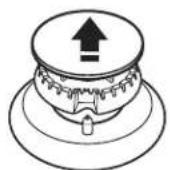
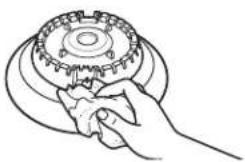
Remove burner cap and base.
natural_image
Line drawing of a hand gripping a mechanical gear (no text or symbols)Wipe off cooktop, grates, and caps.
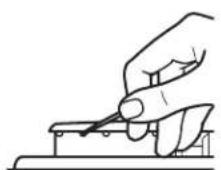
Clean clogged burner ports.
Use a straight pin. Do not enlarge or distort the port. Do not use a wooden toothpick. If the burner needs to be adjusted, contact a trained repair specialist.
4.
Replace burner cap.
Dual-Flame Burner
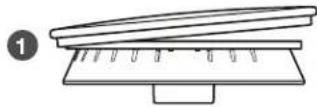
1 Incorrect
2 Correct
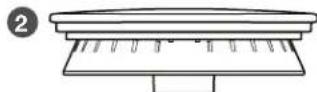
Medium Burner
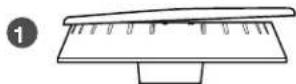
1 Incorrect
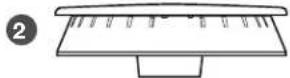
2 Correct
Simmer/Melt Burner
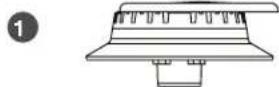
1 Incorrect
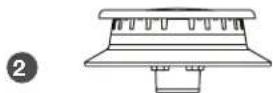
2 Correct
Make sure alignment pins are properly aligned with burner cap.

Turn ON burner.
If the burner does not light, check cap alignment. If the burner still does not light, do not service the sealed burner yourself. Contact a trained repair specialist.
PORCELAIN-COATED GRATES AND CAPS
natural_image
Illustration of a hand using a tool to clean or store items, showing a tray with bottles and a close-up of the handle (no text or symbols present)Use scrub and cleanser.
Clean with a nonabrasive nylon scrub pad and mildly abrasive cleanser.
Know Your Grates and Caps
■Food spills containing acids, such as vinegar and tomato, should be cleaned as soon as the cooktop, grates, and caps are cool. These spills may affect the finish.
■To avoid chipping, do not bang grates and caps against each other or hard surfaces such as cast iron cookware.
■Do not reassemble caps on burners while wet.
■Do not clean in the Self-Cleaning cycle.
■Do not clean in dishwasher.
GRILL
To Remove:
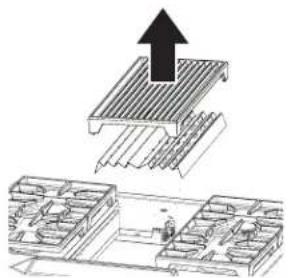
Before removing or replacing grill, make sure the control knobs are turned to OFF. Allow the grill to cool completely before handling.
natural_image
Diagram showing a roof structure with an upward arrow and a small inset view of a building facade (no text or symbols)Remove grill grate and wave tray.
text_image
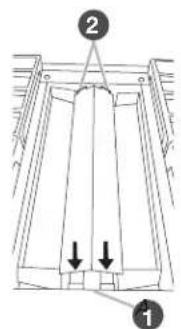
Technical diagram showing a structural component with labeled parts and directional arrows indicating force or movement.Remove flame spreader. Pull forward slightly on the flame spreader to release the tabs from the rear slots and lift out.

Grill front

Rear tabs and slots
natural_image
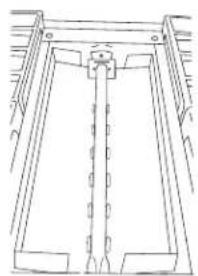
Pure technical line drawing of a mechanical component without any text, numbers, or symbolsRemove burner assembly. Lift up and out.
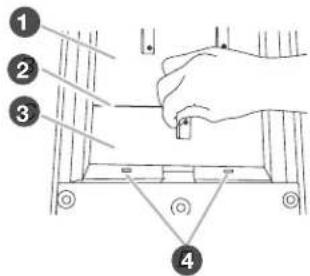
text_image
Diagram showing a hand holding a small object above a mechanical component with numbered callouts indicating steps 1 to 4.1 Large grease tray
② Greasetray connection
3 Smallgrease tray
4 Slots
Remove small grease tray. Unhook tabs from slots and lift slightly to disengage from the large grease tray.
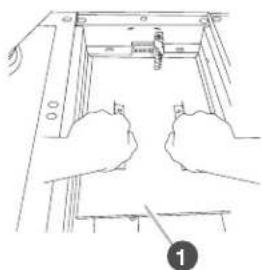
natural_image
Line drawing of two hands holding a mechanical component, no text or symbols present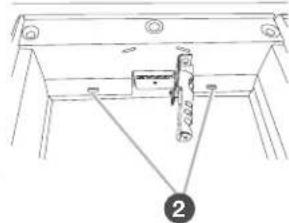
natural_image
Technical line drawing of a mechanical assembly with no visible text or symbols1 Large grease tray
2 Slots
Remove large grease tray. Unhook slots and lift out.
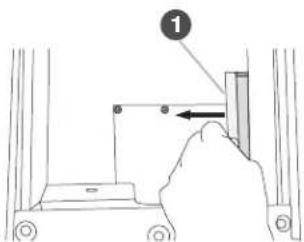
text_image
Diagram showing a hand pressing a component labeled '1' with an arrow indicating direction, likely illustrating a mechanical or electrical assembly.1 Drip tray
Remove and clean drip tray.

CARE AND CLEANING
To Clean:
Do not use oven cleaners, metal brushes, abrasive scouring pads or other scrubbers made to clean outdoor grills.
Grate:
■Do not clean grill grate in dishwasher.
■Do not clean in a self-cleaning oven.
1.
Scrub with brush while grate is still warm. Use a soft-bristle brush. Oven mitts may be worn while cleaning.
2.
Soak in warm, soapy water for 30 minutes. After soaking, scrub with nonabrasive pad.
Wave Tray and Wave Plate:
1.
Soak in warm, soapy water to loosen soil. After soaking, scrub with non-abrasive pad. Oven cleaner may be used.
Burner Assembly:
■Do not soak in water.
1.
Wipe with warm, soapy water or non-abrasive cleanser. Use damp cloth or non-abrasive pad.
Grease Trays and Drip Tray:
■Allow cooktop to cool before cleaning.
1.
Wipe with warm, soapy water or non-abrasive cleanser. Use damp cloth or non-abrasive pad.
Module Basine:
1.
Wipe with warm, soapy water or non-abrasive cleanser. Use damp cloth or non-abrasive pad.
2.
For heavy soil, soak with paper towels. Soak paper towels in household cleanser and lay them on the soil for at least 30 minutes. After soaking, scrub with a nonabrasive pad.
To Replace
text_image
11
Drip tray
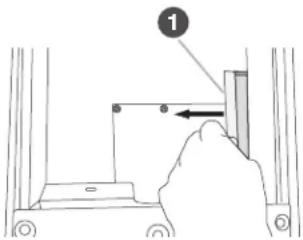
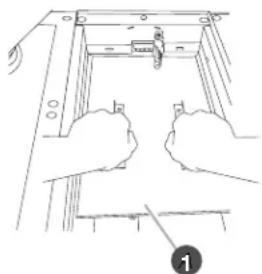
Replace drip tray. Slide drip tray into opening on the right front side of the grill basin. Follow the guides to ensure correct placement.
natural_image
Line drawing of hands assembling a mechanical component with a scale and bracket (no text or symbols)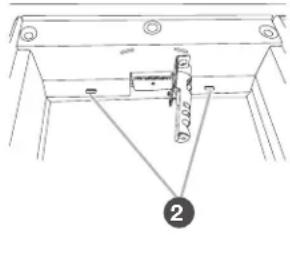
natural_image
Technical line drawing of a mechanical assembly with no visible text or symbols1 Large grease tray
2 Slots
Replace large grease tray. Insert the large grease tray all the way under the back edge of the grill basin and hook it into the slots.
text_image
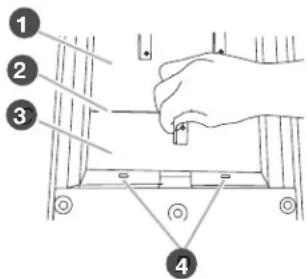
Diagram showing a hand operating a tool on a mechanical component with numbered parts labeled 1 to 4.1 Large grease tray
2 Greasetray connection
3 Smallgrease tray
4 Slots
Replace small grease tray. Insert the small grease tray all the way under the front of the grill basin and hook it into the slots.
When the 2 grease trays are installed properly, the small grease tray will hook over the large grease tray.
CARE AND CLEANING

4.
natural_image
Technical line drawing of a mechanical component with labeled part '1' (no text or symbols beyond label)1 Front opening
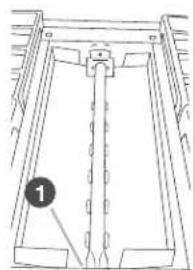
Replace burner assembly. Insert the orifice tube on the front of the burner assembly into the opening at the front of the grill basin and set into place.
5.
text_image
Technical diagram showing a structural component with labeled parts 1 and 2, including directional arrows indicating movement or force.
Grill front

Rear tabs and slots
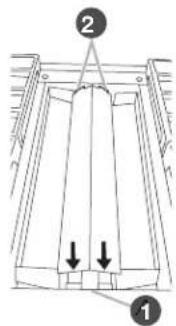
Replace flame spreader. Insert front tabs of the flame spreader into slots at the front of the grill basin; then insert rear tabs into the rear slots.
6.
natural_image
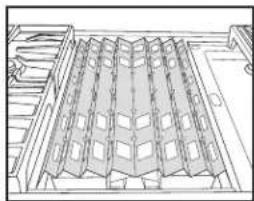
Architectural line drawing of a multi-level building facade with tiered structural elements (no text or symbols)Place wave tray on top of flame spreader.
7.
natural_image
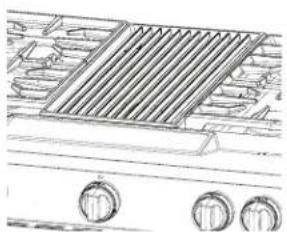
Line drawing of a grating machine with three rotary knobs (no text or symbols)Place grill grate into position.
GRIDDLE
Tips:
■Prior to cleaning the griddle make sure that all cooktop burners have been turned off and the oven controls have been locked.
■For best results, clean the griddle shortly after removing the food.
Do Not Use:
Soap
■Abrasive materials
■Cleaning materials, including stainless steel cleaner
After Each Use:
- Heat for 10 to 15 minutes at 300°F (149°C).
2.
natural_image
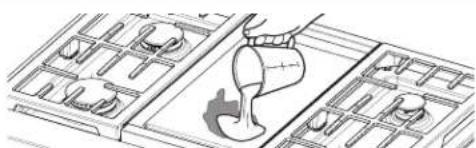
Diagram of a funnel pouring liquid into a grid-patterned container (no text or symbols)Pour water on soiled area.
Using a measuring cup, pour up to 1 cup (236.6 mL) tap water over the soiled area starting at the back allowing the water to run toward the drip tray in the front. Allow the water to bubble on the griddle for 3–4 seconds.
Use a pad holder or wooden spoon with non-scratch pad. Use pressure on soiled areas. Repeat if needed for heavy soils.
3.
natural_image
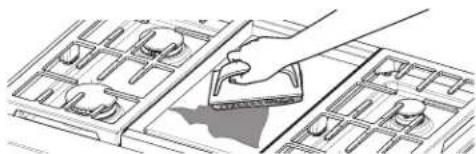
Line drawing of a hand using a tool to clean or store items on a grid-patterned surface (no text or symbols)Scrape residue into drip tray.
Use a pad holder or wooden spoon with non-scratch pad. Use pressure on soiled areas. Repeat if needed for heavy soils.

CARE AND CLEANING
natural_image
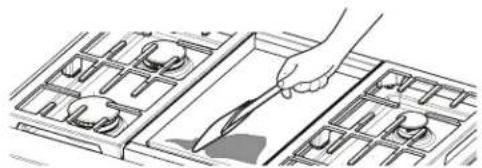
Line drawing of a hand placing a component into a grid-like structure (no text or symbols)Remove remaining residue.
Fold a damp towel and with the pad holder or wooden spoon, go over the griddle to remove remaining residue.
5.
Turn off griddle and let cool.

natural_image
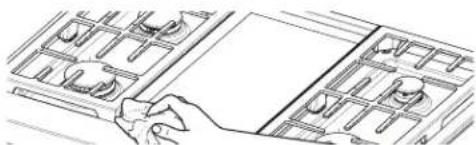
Line drawing of a hand placing objects into a tray with compartments (no text or symbols)Wipe off griddle.
Once cool, wipe the griddle with a clean, damp terry cloth towel. Then buff with a microfiber cloth. If streaking, rainbowing, or ghosting occur use a mixture of 1 part white vinegar to 2 parts water on a towel to wipe the griddle.
natural_image
Line drawing of a hand pressing down on a grid-like object with multiple compartments (no text or symbols)Remove, empty, and clean drip tray.
Clean the drip tray with warm soapy water. Wipe the area under the drip tray clean. Once dry, put the drip tray back in position.
COOKTOP CONTROLS
natural_image
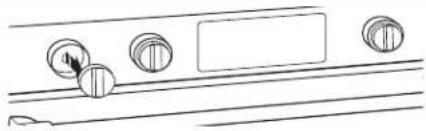
Line drawing of a door handle with circular buttons and a blank panel (no text or symbols)Remove knobs.
Pull the knobs straight away from the control panel to remove.
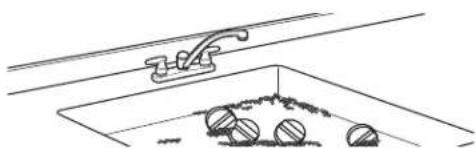
natural_image
Simple line drawing of a pool with balls and a ladder, no text or symbols presentClean with warm, soapy water.
Know Your Cooktop Controls
■To avoid damage to the cooktop controls, do not use steel wool, abrasive cleansers or oven cleaner.
■To avoid damage, do not soak knobs.
■When replacing knobs, make sure knobs are in the Off position.
■Do not remove seals under knobs.
■When replacing knobs after cleaning either the surface burner controls or the griddle module control, make sure the knobs are replaced to the correct location. The power burner knobs have power settings and the griddle knob has temperature settings. All other knobs have Hi, Med, Lo settings only.
STAINLESS STEEL
natural_image
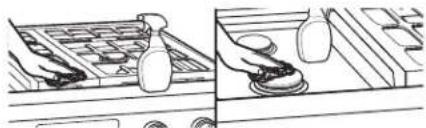
Illustration of two hand-drawn scenes: one showing a tray with items, the other showing hands holding a coin (no text or symbols present)Use cleaner or wipes.
Use affresh® Stainless Steel Cleaner or affresh® Stainless Steel Cleaning Wipes (not included). Rub in direction of grain to avoid possible damage to the steel surface.
Do not use:
■Soap-filled scouring pads
■Abrasive cleaners
■Cooktop Polishing Creme
■Steel-wool pads
■Gritty washcloths
■Abrasive paper towels
CONTROL PANEL
1.
text_image
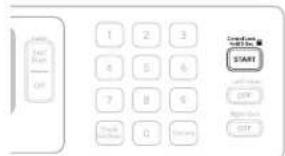
START OFF OFF OFF OFF OFF OFF OFF OFF OFF OFF OFF OFF OFF OFF OFF OFF OFF OFF OFF OFF OFF OFF OFF OFF OFF OFF OFF OFF OFF OFF OFF OFF OFF OFF OFF OFF OFF OFF OFF OFF OFF OFF OFF OFF OFF OFF OFF OFF OFF OFF FF 1 2 3 4 5 6 7 8 9 G 0 10 11 12 13 14 15 16 17 18 19 20 21 22 23 24 25 26 27 28 29 30 31 32 33 34 35 36 37 38 39 40 41 42 43 44 45 46 47 48 49 50 51 52 53 54 55 56 57 58 59 60 61 62 63 64 65 66 67 68 69 70 71 72 73 74 75 76 77 78 79 80 81 82 83 84 85 86 87 88 89 90 91 92 93 94 95 96 97 98 99Press and hold START for 5 seconds until "CONTROL LOCK" appears on the display.
Locking buttons avoids press screen activation during cleaning.
2.
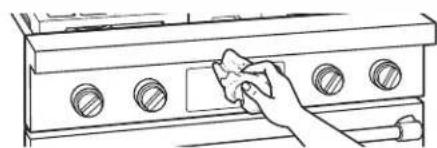
natural_image
Line drawing of a hand cleaning a kitchen appliance with circular windows (no text or symbols)Apply cleaner.
Apply glass cleaner to soft cloth or sponge, not directly on panel, or use affresh® Kitchen and Appliance Cleaner (not included).
Do not use:
■Abrasive cleaners
■Steel-wool pads
■Gritty washcloths
■Abrasive paper towels
■When replacing knobs after cleaning either the surface burner controls or the griddle module control, make sure the knobs are replaced to the correct location. The power burner knobs have power settings and the griddle knob has temperature settings. All other knobs have Hi, Med, Lo settings only.
DOOR EXTERIOR
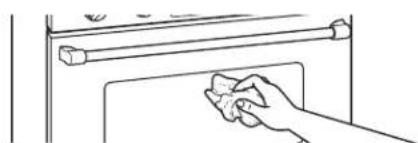
natural_image
Line drawing of a hand cleaning a kitchen appliance with a towel (no text or symbols)Apply cleaner.
Apply glass cleaner to soft cloth or sponge, not directly on panel, or use affresh® Kitchen and Appliance Cleaner (not included).
DOOR INTERIOR
1.
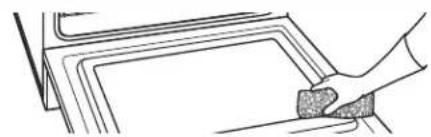
natural_image
Line drawing of a hand cleaning or cleaning a rectangular surface (no text or symbols)Wipe away any deposits.
Use a damp sponge.
2.
Use Self-Cleaning cycle (See "Self-Cleaning the oven" section.
OVEN RACKS
1.
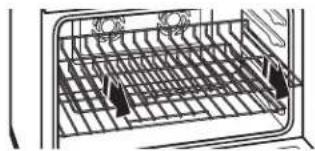
natural_image
Diagram of a refrigerator interior showing internal grid layout and ventilation ducts (no text or labels)Empty out oven and remove racks.
Remove broiler pan, grid, cookware and bakeware and, on some models, the temperature probe from the oven.
IMPORTANT: Remove racks before the Self-Cleaning cycle to avoid discoloring and difficulty sliding.
2.
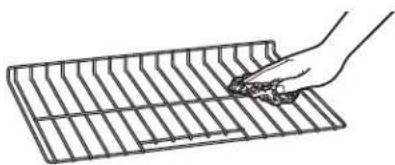
natural_image
Line drawing of a hand holding a tool over a grid-patterned rectangular object (no text or symbols)Use steel-wool pad.
OVEN CAVITY
■Do not use oven cleaners.
■Food spills should be cleaned when oven cools. At high temperatures, foods react with porcelain and staining, etching, pitting, or faint white spots can result.
SELF-CLEANING THE OVEN
WARNING
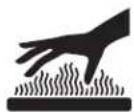
Burn Hazard
Do not touch the oven during the Self-Cleaning cycle.
Keep children away from oven during Self-Cleaning cycle.
Failure to follow these instructions can result in burns.
IMPORTANT:
■The health of some birds is extremely sensitive to the fumes given off during the Self-Cleaning cycle. Exposure to the fumes may result in death to certain birds. Always move birds to another closed and well-ventilated room.
■Self-clean the oven before it becomes heavily soiled. Heavy soil results in longer cleaning and more smoke.
■Keep the kitchen well-ventilated during the Self-Cleaning cycle to help get rid of heat, odors, and smoke.
■Do not block the oven vent(s) during the Self-Cleaning cycle. Air must be able to move freely. See the "Oven Vent" section in the "Know Your Oven" section.
■Do not clean, rub, damage, or move the oven door gasket. The door gasket is essential for a good seal.
Prepare Oven:
1.
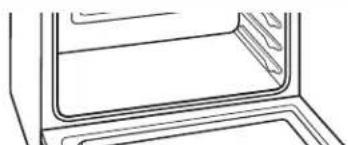
natural_image
Line drawing of a door frame with no text or symbolsEmpty out oven and remove racks.
Remove broiler pan, grid, cookware and bakeware and, on some models, the temperature probe from the oven.
IMPORTANT: Remove racks before the Self-Cleaning cycle to avoid discoloring and difficulty sliding.
2.
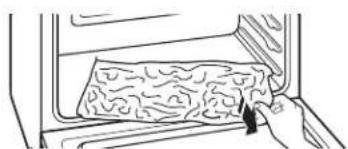
natural_image
Line drawing of a hand placing a textured substance into a oven (no text or symbols)Remove any foil from oven.
Foil may burn or melt, damaging the oven.
3.
natural_image
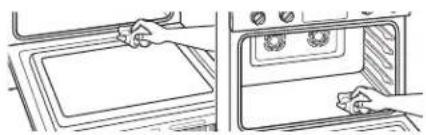
Illustration of hands installing or opening a door into an oven (no text or symbols visible)Hand clean.
With a damp cloth, hand clean the inside door edge and 1½" (3.8 cm) of the area around the inside oven cavity frame. Be certain not to move or bend the gasket. This area does not get hot enough during self-cleaning to remove soil. Do not let water, cleaner, etc., enter slots on doorframe.
4.
natural_image
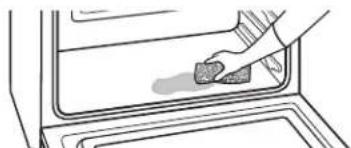
Line drawing of a hand cleaning a kitchen sink with a sponge (no text or symbols)Wipe out loose soil.
Wiping out soil reduces smoke and avoids damage. At high temperatures, foods react with porcelain. Staining, etching, pitting, or faint white spots can result. This will not affect cooking performance.
Prepare Cooktop:
natural_image
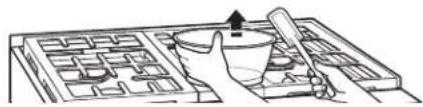
Illustration of a hand using a mortar to handle a wooden block, with no visible text or symbols.Remove plastic items.
Plastic items may melt.
How the Cycle Works
IMPORTANT:
■The heating and cooling of porcelain on steel in the oven may result in discoloring, loss of gloss, hairline cracks, and popping sounds.
■The Self-Cleaning cycle uses very high temperatures, burning soil to a powdery ash.
■The oven is preset for a 5 hour clean cycle; however, the time can be changed.
Use the following chart as a guide to determine the desired cleaning level:
TOTAL CLEANING TIME CLEANING LEVEL (includes a 30 minute cool down time
| 1 (Quick) 3 hours 30 minutes |
| 2 3 hours 45 minutes |
| 3 (Regular) 4 hours |
| 4 4 hours 15 minutes |
| 5 (Maxi) 4 hours 30 minutes |
CARE AND CLEANING

Once the oven has completely cooled:
■Remove ash with a damp cloth.
■If soil remains after wiping, that means the length of the clean cycle was not long enough for the amount of soil in the oven. Repeat the self-clean cycle if desired, or the soil will be removed during the next clean cycle.
■To avoid breaking the glass, do not apply a cool damp cloth to the inner door glass before it has completely cooled.
■The oven lights will not light during the Self-Cleaning cycle.
To Self-Clean:
text_image
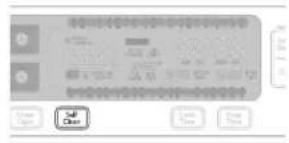
Scanned interface of a software toolbar with icons and labels, including 'Open', 'Close', and 'Save' buttons.Press SELF CLEAN.
2.
Select cleaning level. To set a cleaning level other than 4 hours, press SELF CLEAN until the desired time is reached.
To Delay Start (optional):
Before delay starting Self-Clean, make sure the clock is set to the correct time of day. See "Clock" section.
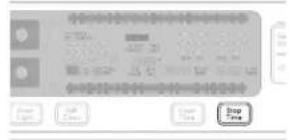
text_image
Digital display control interface with buttons and status bar showing 'Stop Time'Press STOP TIME.
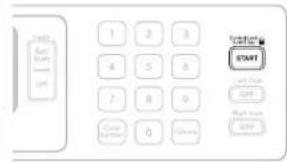
text_image
START with Price START Right Issue STARTPress START.
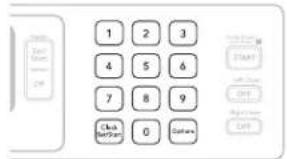
text_image
1 2 3 4 5 6 7 8 9 Click Get/Start 0 ColorsEnter desired stop time.
6.
Press any button or open door to clear the oven display.
To Stop Self-Clean any time:
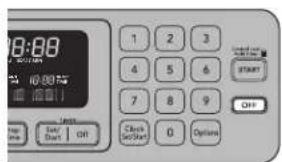
text_image
18:00 START 1 2 3 4 5 6 7 8 9 Clock Start OK OptionsPress OFF.
If the oven temperature is too high, the door will remain locked. It will not unlock until the oven cools.
OVEN LIGHTS
The oven lights are 120-volt, 25-watt maximum halogen bulbs. They will come on when the oven door is opened.
On 48" (121.9 cm) ranges, both the left and right oven lights turn on or off when OVEN LIGHT is touched. The oven lights will not work during the Self-Cleaning cycle. When the oven door is closed, touch OVEN LIGHT to turn light on or off.
To Replace:
Before replacing the bulb, make sure the oven is OFF and cool.
-
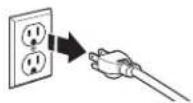
Disconnect power. -
Use a tissue or wear cotton gloves to handle the bulb. To avoid damage or decreasing the life of the new bulb, do not touch bulb with bare fingers.
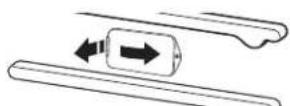
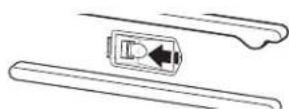
Remove glass light cover. Grasp the front edge and pull away from the oven.
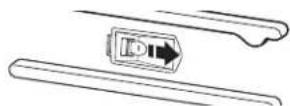
Replace bulb cover. Snap bulb cover back into wall.
-
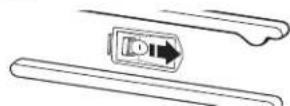
Remove bulb from socket. -
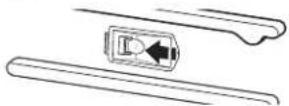
Reconnect power.
First try the solutions suggested here. If you need further assistance or more recommendations that may help you avoid a service call, refer to the warranty page in these instructions and scan the code there with your mobile device, or visit https://kitchenaid.com. In Canada, visit http://www.kitchenaid.ca.
If you experience Possible causes Solution
| Nothing will operate A household fuse has blown or a circuit breaker has tripped. | Replace the fuse or reset the circuit breaker. If the problem continues, call an electrician. | ||
| Surface burners will not operate | This is the first time the surface burners have been used. | Turn on any one of the surface burner knobs to release air from the gas lines. | |
| The control knob is not set correctly. Push in knob before turning to a setting. | |||
| The burner ports are clogged. Clean clogged burner ports with a straight pin. | |||
| Surface burner flames are uneven, yellow, and/or noisy | The burner ports are clogged. Clean clogged burner ports with a straight pin. | ||
| On models with caps, the burner caps are not positioned properly. | Make sure alignment pins are properly aligned with the burner cap. | ||
| Propane gas is being used. The range may have been converted improperly. Contact a trained repair specialist. | |||
| Surface burner makes popping noises | The burner is wet. Let it dry. | ||
| Burner sparks but does not light | There is continuous sparking, but the burner does not light. | Discontinue use of the surface burner and contact a service technician. | |
| Excessive heat around cookware on cooktop | The cookware is not the proper size. | Use cookware about the same size as the surface cooking area, element, or surface burner. Cookware should not extend more than 1/2" (1.3 cm) outside the cooking area. | |
| Cooktop cooking results not what expected | The proper cookware is not being used. Use medium-to-heavy cookware made of the material that cooks food the way you want. The best cookware should have a flat bottom, straight sides, and a well-fitting lid. | ||
| The control knob is not set to the proper heat level. | Set the Cooktop Control to HI, MED, or LO, depending upon the type of cooking you want to do. | ||
| The range is not level. The range must be level for the griddle to operate properly. See the Installation Instructions for leveling instructions. | |||
| Oven will not operate This is the first time the oven has been used. | Turn on any one of the surface burner knobs to release air from the gas lines. | ||
| Make sure you have followed the instructions for the function you want to perform. | |||
| A delay start has been set. This will cause the oven to start at a later time. | |||
| The Control Lock is set. All the buttons will be locked. Slide the bar up on the main screen to unlock the button/screen. | |||
| The Sabbath Mode is set. | This mode allows oven operation in keeping with the Jewish Sabbath. When set, only the number and start keys will function. | ||
| Oven temperature too high or too low | The oven temperature calibration needs adjustment. | Select the temperature offset up to +35°F. | |
| Display shows messages | The display is showing a letter followed by a number. | Clear the display. If a letter followed by a number reappears, call for service. | |
TROUBLESHOOTING

First try the solutions suggested here. If you need further assistance or more recommendations that may help you avoid a service call, refer to the warranty page in these instructions and scan the code there with your mobile device, or visit https://kitchenaid.com. In Canada, visit http://www.kitchenaid.ca.
If you experience Possible causes Solution
| Self-Cleaning cycle will not operate | The oven door is open. Close the oven door all the way. | |
| The function has not been entered. Make sure you have properly followed the Self-Cleaning Cycle instructions. | ||
| On some models, a delay start Self-Clean cycle has been set. | This will cause the oven to start the Self-Clean cycle at a later time. | |
| A delay start has been set. This will prevent the oven from starting any function until the delay start time is reached or has been canceled. | ||
| On 48" (121.9 cm) ranges, one oven is self-cleaning. | When one oven is self-cleaning, the other oven cannot be set to self-clean. | |
| Oven cooking results not what expected | The proper temperature is not set. Double-check the recipe in a reliable cookbook. | |
| The proper oven temperature calibration is not set. | Select the temperature offset up to +35°F to increase or decrease the temperature as desired. | |
| The oven was not preheated. If the proper steps are followed when setting the desired function, the oven will preheat before cooking. | ||
| The proper bakeware is not being used. Make sure the bakeware used is appropriate for the food being cooked. | ||
| The racks are not positioned properly. Place racks so there is adequate space above each food item. | ||
| There is not proper air circulation around bakeware. | Allow 2" (5.0 cm) of space around bakeware and oven walls. | |
| The batter is not evenly distributed in the pan. | Check that batter is level in the pan. | |
| The proper length of time is not being used. | Adjust cooking time. | |
| The oven door has been opened while cooking. | Oven peeking releases oven heat and can result in longer cooking times. | |
| Baked items are too brown on the bottom. | Move rack to higher position in the oven. | |
| Pie crust edges are browning early. Use aluminum foil to cover the edge of the crust and/or reduce baking temperature. | ||

ASSISTANCE OR SERVICE
Before calling for assistance or service, please check “Troubleshooting.” It may save you the cost of a service call. If you still need help, follow the instructions below. When calling, please know the purchase date and the complete model and serial number of your appliance. This information will help us to better respond to your request.
If you need replacement parts
If you need to order replacement parts, we recommend that you use only factory specified parts. These factory specified parts will fit right and work right because they are made with the same precision used to build every new KitchenAid® appliance.
To locate factory specified parts in your area, call us or your nearest KitchenAid designated service center.
IN THE U.S.A.
Call the KitchenAid Customer eXperience Center toll free: 1-800-422-1230.
Our consultants provide assistance with:
■Features and specifications on our full line of appliances.
■Installation information.
■Use and maintenance procedures.
■Accessory and repair parts sales.
■Specialized customer assistance (Spanish speaking, hearing impaired, limited vision, etc.).
■Referrals to local dealers, repair parts distributors and service companies. KitchenAid designated service technicians are trained to fulfill the product warranty and provide after-warranty service anywhere in the United States. To locate the KitchenAid designated service company in your area, you can also look in your telephone directory Yellow Pages.
For further assistance
If you need further assistance, you can write to KitchenAid with any questions or concerns at:
KitchenAid Brand Home Appliances
Customer eXperience Center
553 Benson Road
Benton Harbor, MI 49022-2692
Please include a daytime phone number in your correspondence.
IN CANADA
Call the KitchenAid Customer eXperience Centre toll free: 1-800-807-6777.
Our consultants provide assistance with:
■Features and specifications on our full line of appliances.
■Use and maintenance procedures.
■Accessory and repair parts sales.
■Referrals to local dealers, repair parts distributors and service companies. KitchenAid Canada designated service technicians are trained to fulfill the product warranty and provide after-warranty service anywhere in Canada.
For further assistance
If you need further assistance, you can write to KitchenAid Canada with any questions or concerns at:
Customer eXperience Centre
KitchenAid Canada
200 - 6750 Century Ave.
Mississauga, Ontario L5N 0B7
Please include a daytime phone number in your correspondence.

ACCESSORIES
To order accessories, call the KitchenAid Customer eXperience Center toll free at 1-800-422-1230 and follow the menu prompts.
Or visit our website at www.kitchenaid.com and click on “Shopping Options.” Go to “Replacement Parts & Accessories” and click on “applianceaccessories.com.” Portable appliances, bakeware, cookware, gadgets, and textiles are also available.
In Canada, call the KitchenAid Customer eXperience Center toll free at 1-800-807-6777 and follow the menu prompts. Or visit our website at www.kitchenaid.ca and click on "Shopping Options." Go to "Replacement Parts & Accessories" and click on "applianceaccessories.ca." Portable appliances, bakeware, cookware, gadgets, and textiles are also available.
Or see the "Accessories" brochure to order.
affresh® Stainless Steel Cleaner
(stainless steel models)
affresh® Stainless Steel Cleaning Wipes
(stainless steel models)
affresh® Cooktop Cleaner
Cooktop Protectant
Gas Grate/Drip Pan Cleaner
affresh® Kitchen and Appliance Cleaner
Griddle
Grill and Griddle Cover
Wok Ring
KitchenAid® Premium Broil Pan and Roasting Rack
SatinGlide™ Roll-Out Extension Rack
KitchenAid® Replacement Water Filter
KITCHENAID® DUAL FUEL RANGE LIMITED WARRANTY
ATTACH YOUR RECEIPT HERE. PROOF OF PURCHASE IS REQUIRED TO OBTAIN WARRANTY SERVICE.
Please have the following information available when you call the Customer eXperience Center:
■Name, address and telephone number
■Model number and serial number
■A clear, detailed description of the problem
■Proof of purchase including dealer or retailer name and address
IF YOU NEED SERVICE:
- Before contacting us to arrange service, please determine whether your product requires repair. Some questions can be addressed without service. Please take a few minutes to review the Troubleshooting or Problem Solver section of the Use and Care Guide, scan the QR code on the right to access additional resources, or visit http://kitchenaid.custhelp.com.
- All warranty service is provided exclusively by our authorized KitchenAid Service Providers. In the U.S. and Canada, direct all requests for warranty service to:
KitchenAid Customer eXperience Center
In the U.S.A., call 1-800-422-1230. In Canada, call 1-800-807-6777.

http://kitchenaid.custhelp.com
If outside the 50 United States or Canada, contact your authorized KitchenAid dealer to determine whether another warranty applies.
FIVE YEAR LIMITED WARRANTY
WHAT IS COVERED WHAT IS NOT COVERED
FIRST YEAR LIMITED WARRANTY (PARTS AND LABOR)
For one year from the date of purchase, when this major appliance is installed, operated and maintained according to instructions attached to or furnished with the product, KitchenAid brand of Whirlpool Corporation or Whirlpool Canada, LP (hereafter "KitchenAid") will pay for factory specified replacement parts and repair labor to correct defects in materials or workmanship that existed when this major appliance was purchased or, at its sole discretion replace the product. In the event of product replacement, your appliance will be warranted for the remaining term of the original unit's warranty period.
SECOND THROUGH FIFTH YEAR LIMITED WARRANTY (CERTAIN COMPONENT PARTS ONLY - LABOR NOT INCLUDED)
In the second through fifth years from the date of original purchase, when this major appliance is installed, operated and maintained according to instructions attached to or furnished with the product, KitchenAid will pay for factory specified parts for the following components to correct non-cosmetic defects in materials or workmanship in these parts that prevent function of this major appliance and that existed when this major appliance was purchased. This is a limited 5-year warranty on the below named parts only and does not include repair labor.
Electric element
■Solid state touch control system parts
■Any Gas Burner
YOUR SOLE AND EXCLUSIVE REMEDY UNDER THIS LIMITED WARRANTY SHALL BE PRODUCT REPAIR AS PROVIDED HEREIN. Service must be provided by a KitchenAid designated service company. This limited warranty is valid only in the United States or Canada and applies only when the major appliance is used in the country in which it was purchased. This limited warranty is effective from the date of original consumer purchase. Proof of original purchase date is required to obtain service under this limited warranty.
- Commercial, non-residential or multiple-family use, or use inconsistent with published user, operator or installation instructions.
- In-home Instruction on how to use your product.
- Service to correct improper product maintenance or installation, installation not in accordance with electrical or plumbing codes or correction of household electrical or plumbing (i.e. house wiring, fuses or water inlet hoses).
-
Consumable parts (i.e. light bulbs, batteries, air or water filters, etc.).
-
Defects or damage caused by the use of non-genuine KitchenAid parts or accessories.
-
Conversion of your product from natural gas or L.P. gas.
-
Damage from accident, misuse, abuse, fire, floods, acts of God or use with products not approved by KitchenAid.
-
Repairs to parts or systems to correct product damage or defects caused by unauthorized service, alteration or modification of the appliance.
-
Cosmetic damage including scratches, dents, chips, and other damage to appliance finishes unless such damage results from defects in materials and workmanship and is reported to KitchenAid within 30 days.
-
Discoloration, rust or oxidation of surfaces resulting from caustic or corrosive environments including but not limited to high salt concentrations, high moisture or humidity or exposure to chemicals.
-
Food loss due to product failure.
-
Pick-up or delivery. This product is intended for in-home repair.
-
Travel or transportation expenses for service in remote locations where an authorized KitchenAid servicer is not available.
-
Removal or reinstallation of inaccessible appliances or built-in fixtures (i.e. trim, decorative panels, flooring, cabinetry, islands, countertops, drywall, etc.) that interfere with servicing, removal or replacement of the product.
-
Service or parts for appliances with original model/serial numbers removed, altered or not easily determined.
The cost of repair or replacement under these excluded circumstances shall be borne by the customer.
DISCLAIMER OF IMPLIED WARRANTIES
IMPLIED WARRANTIES, INCLUDING ANY IMPLIED WARRANTY OF MERCHANTABILITY OR IMPLIED WARRANTY OF FITNESS FOR A PARTICULAR PURPOSE, ARE LIMITED TO ONE YEAR OR THE SHORTEST PERIOD ALLOWED BY LAW. Some states and provinces do not allow limitations on the duration of implied warranties of merchantability or fitness, so this limitation may not apply to you. This warranty gives you specific legal rights, and you also may have other rights that vary from state to state or province to province.
DISCLAIMER OF REPRESENTATIONS OUTSIDE OF WARRANTY
KitchenAid makes no representations about the quality, durability, or need for service or repair of this major appliance other than the representations contained in this warranty. If you want a longer or more comprehensive warranty than the limited warranty that comes with this major appliance, you should ask KitchenAid or your retailer about buying an extended warranty.
LIMITATION OF REMEDIES; EXCLUSION OF INCIDENTAL AND CONSEQUENTIAL DAMAGES
YOUR SOLE AND EXCLUSIVE REMEDY UNDER THIS LIMITED WARRANTY SHALL BE PRODUCT REPAIR AS PROVIDED HEREIN. KITCHENAID SHALL NOT BE LIABLE FOR INCIDENTAL OR CONSEQUENTIAL DAMAGES. Some states and provinces do not allow the exclusion or limitation of incidental or consequential damages, so these limitations and exclusions may not apply to you. This warranty gives you specific legal rights, and you also may have other rights that vary from state to state or province to province.
natural_image
Silhouette of a person pushing a large block on a horizontal line (no text or symbols)AVERTISSEMENT
text_image
Labeled diagram of a 13-inch electric stove with numbered components for identification.text_image
Technical diagram of a refrigerator interior with numbered components for identificationtext_image
Bake | Broil | Bread Proof CONVECT Bake | Broil | Roast EASYCONVECT Baked Goods | Meats | Other Foods 17 16 15 14 13 12 11 10 5 6 7 8 9 Control Lock Hold 5 Sec START OFF 1 2 3 4 5 6 7 8 9 Clock Set/Start 0 Options48" (121,9 cm)
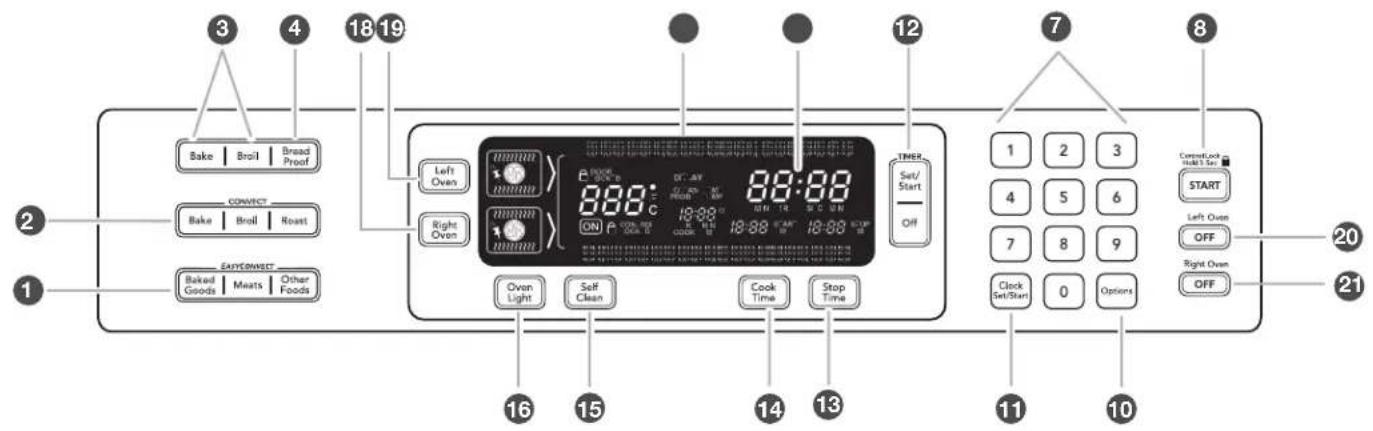
text_image
3 4 18 19 Bake | Broil | Bread Proof CONNECT Bake | Broil | Roast EASY CONNECT Baked Goods | Meats | Other Foods 16 15 14 13 12 7 8 1 2 3 4 5 6 7 8 9 Clock Set/Start 0 Options Current Lock HOLT SET START Left Oste OFF Right Oven OFF 20 21natural_image
Abstract circular diagram with concentric rings and a diagonal stripe, no text or symbols presentnatural_image
Line drawing of a hand holding a circular object with a knob, no text or symbols present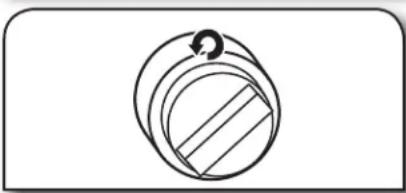
natural_image
Simple line drawing of a circular mechanical component with a curved arrow indicating rotation (no text or symbols)text_image
Diagram of a mechanical component with labeled parts 1 and 2Brûleur moyen
text_image
Technical diagram of a mechanical assembly with numbered components labeled 1, 2, and 3.text_image
Diagram showing a mechanical or electrical component with labeled parts 1 and 2, likely illustrating a process or assembly.text_image
Exploded diagram of a kitchen appliance with numbered parts for identificationtext_image
Technical diagram of a gas stove with labeled components, showing internal fan structures and numbered parts.natural_image
Architectural line drawing of a building facade with structural elements and a small arrow indicating a detail (no text or symbols)natural_image
Technical line drawing of a tray with four circular compartments (no text or symbols)text_image
Start SET Start OFF 1 2 3 4 5 6 7 8 9 Clock Set/Start 0 Options Correct Next to Hold Set START Left Open OFF Right Open OFFtext_image
Disk Disk Bread Process Bread Bread Fread Bread Process Bread Process Bread Process Bread Process Bread Process Bread Process Bread Process Bread Process Bread Process Bread Process Bread Process Bread Process Bread Process Bread Process Bread Process Bread Process Bread Process Bread Process Bread Process Bread Process Bread Process Bread Process Bread Process Bread Process Bread Process Bread Processing On Off Close Righttext_image
2" (5 cm) 2" (5 cm)natural_image
Technical line drawing of a metal rack structure with labeled components (no text or symbols present)natural_image
Technical illustration of a metal rack structure with labeled components (no text or symbols present)natural_image
Diagram of a grid structure with two small figures, possibly depicting a mechanical or architectural component (no text or symbols present)text_image
Technical diagram of a mechanical device with numbered components labeled 1, 2, and 3.natural_image
Diagram of a kitchen interior showing a grid with arrows indicating direction (no text or symbols)natural_image
Line drawing of a kitchen appliance with a hand holding a rack (no text or symbols)natural_image
Interior view of an oven with coiled insulation and a small object inside (no text or symbols visible)natural_image
Interior view of an oven with rack-mounted appliances and a small black object inside (no text or symbols visible)Tirer la grille/le support.
text_image
Technical diagram of a gas stove or boiler with labeled components and a numbered annotation pointing to the base.① Évent du four
UTILISATION DU FOUR

natural_image
Pure diagram of a black rectangle with white wavy lines on its sides, no text or symbols present.natural_image
Simple diagram of a black square with wavy lines and a numbered label (1) pointing to it, no text or symbols present.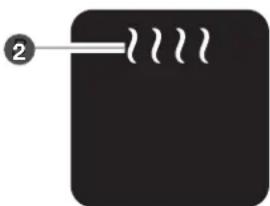
natural_image
Simple diagram with a black rectangle and white lines, no text or symbols presentCUISSON PAR CONVECTION VÉRITABLE EVEN-HEAT™
natural_image
Simple diagram with a central circular symbol and an arrow pointing to it, no text or labels present.text_image
Diagram showing two labeled components (1 and 2) connected by a wavy line between them, with a flower-like symbol inside.text_image
1 2 3 4 5 6 7 8 9 Clock Off Start 0 Before Start On START Left Coup OFF Right Coup OFFtext_image
1 2 3 4 5 6 7 8 9 Clock and Start 0 Buttons Button Button OK Canceltext_image
Scanned image of a computer interface with buttons and status labels, including 'Create Time' and 'Send OK'text_image
Start START OFF Charge OFF High Charge OFF Canceltext_image
Scanned image of a software interface panel with buttons and control iconstext_image
Scanned image of a computer control panel with buttons and display iconstext_image
START OFF OKnatural_image
Line drawing showing three steps of cooking a stove with pots and a hand holding a container (no text or symbols)natural_image
Line drawing of a kitchen counter with a hand placing food into the tray (no text or symbols)natural_image
Line drawing of a hand gripping a mechanical gear (no text or symbols)natural_image
Illustration showing two stages of a kitchen or dining setup with a bottle and tray (no text or symbols)natural_image
Diagram showing a roof structure with an upward arrow and a detailed floor plan below (no text or symbols)text_image
Technical diagram showing a structural component with labeled parts and directional arrows indicating force or movement.natural_image
Pure technical line drawing of a mechanical component without any text, numbers, or symbolstext_image
Diagram showing a hand holding a small object above a mechanical component with numbered annotations pointing to different parts.text_image
Technical diagram showing two mechanical assembly steps with labeled components and directional arrowstext_image
Diagram showing a hand pressing a component labeled '1' with an arrow indicating direction, likely illustrating a mechanical or electrical process.text_image
Diagram showing a hand pressing a component labeled '1' with an arrow indicating direction or force.1
Plateau
d'égoutte
text_image
Technical diagram showing two mechanical assembly steps with labeled components and directional arrowstext_image
Diagram showing a hand holding a small object with numbered annotations pointing to different positions on a mechanical or electrical component.natural_image
Technical line drawing of a mechanical component with a labeled part (1), no readable text or symbols present.1 Ouverture avant
text_image
Technical diagram showing a structural component with labeled parts 1 and 2, including directional arrows indicating movement or force.natural_image
Architectural line drawing of a multi-level building facade with tiered structural elements (no text or symbols)natural_image
Technical line drawing of a heat exchanger or cooling unit with three circular valves (no text or symbols)Mettre la grille de gril en position.
PLAQUE À FRIRE
Astuces :
natural_image
Illustration of a hand pouring liquid into a tray with compartments (no text or symbols)Mouiller la zone sale.
natural_image
Illustration of a hand using a tool to clean or store items in a storage tray (no text or symbols visible)natural_image
Line drawing of a hand using a tool to clean or inspecting a grid-patterned object (no text or symbols)natural_image
Line drawing of a hand placing objects into a grid-like structure (no text or symbols)Essuyer la plaque.
natural_image
Line drawing of a hand holding a rectangular object with internal compartments (no text or symbols)natural_image
Line drawing of a kitchen appliance with circular buttons and a blank door (no text or symbols)natural_image
Simple line drawing of a pool with balls and a curved structure above (no text or symbols)natural_image
Illustration of a hand placing eggs into a tray with another egg, showing different states (no text or symbols)natural_image
Line drawing of a hand cleaning a kitchen appliance with a cloth (no text or symbols)natural_image
Line drawing of a hand cleaning a kitchen appliance with a scroll (no text or symbols)natural_image
Line drawing of a hand cleaning or applying material on a surface (no text or symbols)Essuyer tout dépôt.
natural_image
Diagram of a refrigerator interior showing rack layout and ventilation system (no text or labels)natural_image
Line drawing of a hand using a tool to press or interact with a grid-patterned object (no text or symbols)natural_image
Line drawing of a door frame with no text or symbolsnatural_image
Line drawing of a hand placing a textured substance into an oven (no text or symbols)natural_image
Illustration of hands installing or opening a door into an oven (no text or symbols visible)natural_image
Line drawing of a hand using a tool to clean or store contents inside an oven (no text or symbols)natural_image
Illustration of a hand using a hammer to press a mallet into a grid-patterned tray (no text or symbols)ASSISTANCE OU SERVICE

KitchenAid Brand Home Appliances
Customer eXperience Center
553 Benson Road
Benton Harbor, MI 49022-2692
Customer eXperience Centre
KitchenAid Canada
200 - 6750 Century Ave.
Mississauga, Ontario L5N 0B7

http://www.kitchenaid.ca
Aux É.-U., composer le 1-800-422-1230. Au Canada, composer le 1-800-807-6777.