NS3000 - Speakers YAMAHA - Free user manual and instructions
Find the device manual for free NS3000 YAMAHA in PDF.



| Product type | 2-way bass-reflex bookshelf speaker |
| Brand | YAMAHA |
| Model | NS3000 |
| Dimensions (W x H x D) | 244 × 394 × 326 mm |
| Weight | 13.1 kg |
| Impedance | 6 Ω (minimum 4.6 Ω) |
| Frequency response | 39 Hz – 60 kHz (-10 dB), 100 kHz (-30 dB) |
| Rated input power | 60 W |
| Maximum input power | 120 W |
| Crossover frequency | 2.8 kHz |
| Woofer type | 16 cm cone type |
| Tweeter type | 3 cm dome type |
| Diaphragm material | ZYLON™ (Toyobo trademark) |
| Port technology | Twisted Flare Port |
| Included accessories | Cushion pads (×4), port plugs (×2) |
| Power supply | Passive (powered by amplifier) |
| Care and cleaning | Soft, dry cloth; do not use chemical products |
| Safety | Do not disassemble; avoid water; keep out of reach of children |
| Spare parts and repairability | Contact a Yamaha dealer or qualified technician |
Frequently Asked Questions - NS3000 YAMAHA
User questions about NS3000 YAMAHA
0 question about this device. Answer the ones you know or ask your own.
Ask a new question about this device
Download the instructions for your Speakers in PDF format for free! Find your manual NS3000 - YAMAHA and take your electronic device back in hand. On this page are published all the documents necessary for the use of your device. NS3000 by YAMAHA.
USER MANUAL NS3000 YAMAHA
The precautions listed below are to prevent risk of harm to the user and others, as well as to prevent property damage, and to help the user use this unit properly and safely. Be sure to follow these instructions.
After reading this manual, be sure to keep it in a safe place where it can be referenced at any time.
- Be sure to request inspections or repairs from the dealer where you purchased the unit or from qualified Yamaha service personnel.
- Yamaha cannot be held responsible for injury to you or damage of the products caused by improper use or modifications to the unit.
- This product is for ordinary homes. Do not use for applications requiring high reliability, such as managing lives, health care or high-value assets.

WARNING
This content indicates "risk of serious injury or death."
If you notice any abnormality
- If any of the following abnormalities occur, immediately turn off any amplifiers and receivers.
- An unusual smell, unusual sound or smoke is emitted from the unit.
– Foreign material or water gets into the interior of the unit.
– There is a loss of sound during use.
– There is a crack or damage in the unit.
Continued use could cause electric shocks, a fire, or malfunctions. Immediately request an inspection or repair from the dealer where you purchased the unit or from qualified Yamaha service personnel.
Installation
• Install in the manner instructed in the manual. Falling or toppling may result in injury or damage.
- Confirm that the finished installation is safe and secure. Also, carry out safety inspections periodically. Failure to observe this may cause devices to fall and result in injury.
• Always fix the speaker cable to a wall or similar. If you catch your feet or hands on the cable, the speakers may fall or overturn, causing malfunctions or injuries.
Do not disassemble
- Do not disassemble or modify this unit. Failure to observe this may cause a fire, electric shocks, injury, or malfunctions.
Water warning
- Do not expose the unit to rain, use it near water or in damp or wet conditions, or place on it any containers (such as vases, bottles or glasses) containing liquids which might spill into any openings or places where water may drop. A liquid such as water getting into the unit may cause a fire, electric shocks, or malfunctions.
Fire warning
- Do not place any burning items or open flames near the unit, since they may cause a fire.

CAUTION
This content indicates "risk of injury."
Installation
- Do not place the unit in an unstable position where it might accidentally drop or fall over and cause injuries.
- Do not install the unit in other ways than indicated. Failure to observe this may cause malfunctions or for the unit to fall and cause injury.
- Do not install the unit in places where it may come into contact with corrosive gases or salt air or places that have excessive smoke or steam. Doing so may result in malfunction.
- Avoid being near the unit during a disaster, such as an earthquake. Since the unit may turn over or fall and cause injury, quickly move away from the unit and go to a safe place.
- Before moving this unit, be sure to disconnect all connection cables. Failure to observe this may damage the cables or cause you or someone else to trip and fall.
Hearing loss
- Do not use the unit for a long period of time at a high or uncomfortable volume level, since this can cause permanent hearing loss. If you experience any hearing loss or ringing in the ears, consult a physician.
- Before connecting the unit to other devices, turn off the power for all devices. Failing to do so may result in hearing loss, electric shock, or device damage.
Handling caution
- Do not insert your hand or fingers into bass reflex port (hole on the rear) of this unit. Failure to observe this may cause injury.
- Do not insert foreign materials such as metal or paper into bass reflex port (hole on the rear) of this unit. Failure to observe this may cause a fire, electric shocks, or malfunctions. If foreign material gets into the unit, immediately then turn off any amplifiers and receivers and request an inspection from the dealer where you purchased the unit or from qualified Yamaha service personnel.
- Keep small parts out of the reach of infants. Your children may accidentally swallow them.
- Do not do the following:
- Stand on or sit on the equipment.
- Put heavy items on top of the equipment.
- Place the equipment in a stack.
- Apply unreasonable force to buttons, switches, input/output terminals, etc.
– Lean against the equipment.
Failure to observe this may cause injuries or damage to the equipment.
- Avoid pulling the connected cables to prevent injuries or damage to the unit by causing it to fall.
- Do not operate the unit if the sound is distorting. Prolonged use in this condition could cause overheating and result in fire.
- When selecting an amplifier or a receiver to use with this unit, check that the output level on the amplifier or receiver is within this unit's permitted input level (see page 10). If the output power is higher than the power capacity, malfunction or fire may occur.
NOTICE
Indicates points that you must observe in order to prevent product failure, damage or malfunction and data loss.
Installation
- Do not use this unit in a location that is exposed to direct sunlight that becomes extremely hot, such as near a heater, or extremely cold, or that is subject to excessive dust or vibration. Failure to observe this may cause the unit's panel to become deformed, the internal components to malfunction, or for operation to become unstable.
Connections
- If connecting external units, be sure to thoroughly read the manual for each unit and connect them in accordance with the instructions. Failure to properly handle a unit in accordance with the instructions could cause malfunctions.
Handling
- Do not place vinyl, plastic, or rubber products on this unit. Failure to observe this may cause discoloration or deformation in the panel of this unit.
Maintenance
- If the temperature or humidity changes drastically, water droplets (condensation) may form on the unit surface. If water droplets form, immediately wipe them off with a soft cloth. If water droplets are left on the unit, they may be absorbed into the wooden parts, causing deformation. - When cleaning the unit, use a dry, soft cloth. Using chemicals such as benzine or thinner, cleaning agents, or chemical scrubbing cloths can cause discoloration or deformation.
Speakers
- Do not touch the diaphragm. Failure to observe this may damage the diaphragm.
This unit's speakers use magnets. Do not place items that are sensitive to magnetism, such as CRT-type TVs, clocks, credit cards, floppy disks, etc., on or beside this unit.
Information
About functions included in the unit
- Air may be blown out from the bass reflex port. This is not a malfunction. This occurs particularly often when outputting music with heavy bass.
About content in this manual
- This manual is for the users of this unit. - This manual uses the following signal words for the important information:

WARNING
This content indicates "risk of serious injury or death."

CAUTION
This content indicates "risk of injury."
NOTICE
Indicates points that you must observe in order to prevent product failure, damage or malfunction and data loss, as well as to protect the environment.
NOTE
Indicates notes on instructions, restrictions on functions, and additional information that may be helpful.
- The illustrations and screens in this manual are for instructional purposes only.
- The company names and product names in this manual are the trademarks or registered trademarks of their respective companies.
The model number, serial number, power requirements, etc., may be found on or near the name plate, which is at the bottom of the unit. You should note this serial number in the space provided below and retain this manual as a permanent record of your purchase to aid identification in the event of theft.
Model No.
Serial No.
Information for users on collection and disposal of old equipment:
This symbol on the products, packaging, and/or accompanying documents means that used electrical and electronic products should not be mixed with general household waste.
For proper treatment, recovery and recycling of old products, please take them to applicable collection points, in accordance with your national legislation.
By disposing of these products correctly, you will help to save valuable resources and prevent any potential negative effects on human health and the environment which could otherwise arise from inappropriate waste handling.
For more information about collection and recycling of old products, please contact your local municipality, your waste disposal service or the point of sale where you purchased the items.
For business users in the European Union:
If you wish to discard electrical and electronic equipment, please contact your dealer or supplier for further information.
Information on Disposal in other Countries outside the European Union:
This symbol is only valid in the European Union. If you wish to discard these items, please contact your local authorities or dealer and ask for the correct method of disposal.
Contents
PRECAUTIONS....3
Features......5
Port plug....5
Accessory 6
Placing the speakers....6
Connecting to your amplifier....8
Specifications 10
Features
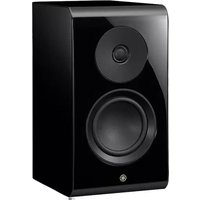
The NS-3000 are speakers developed for hi-fi enthusiasts who have a lifetime relationship with music and seek a high sound quality. The whole-surface piano mirror finish is achieved with the same painting and polishing processes used on the Yamaha grand piano.
• 16 cm 2-way bookshelf type speaker
• Z Y L ODNaphragm
(ZYLON™ is a trademark of Toyobo Co., Ltd.)
- Acoustic Absorber
• R.S. Chamber (Resonance Suppression Chamber) - Twisted Flare Port
Port plug
natural_image
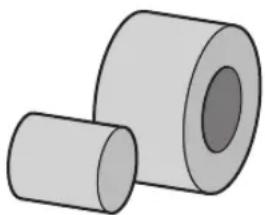
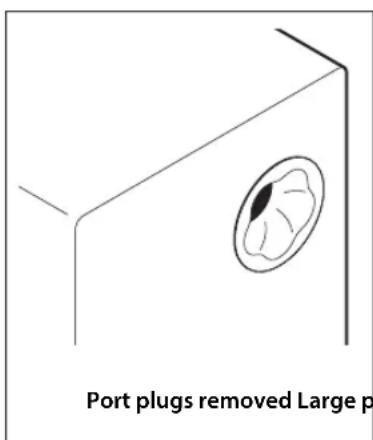
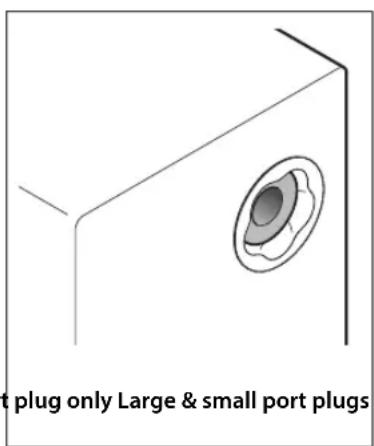
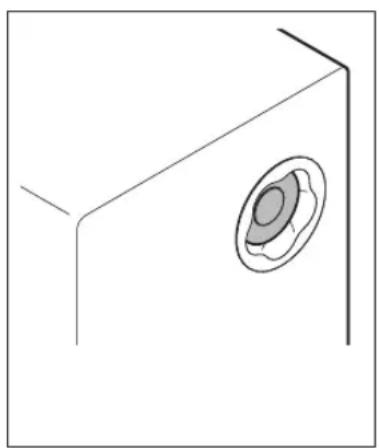
Two gray cylindrical objects with no text or symbolsFor adjustment of the sound in the low-frequency range, the speaker is equipped (inside the Twisted Flare Port on the back) with a port plug (acoustic absorbent material).
Depending on the setup location of the speaker and its distance from the wall, insert or remove the port plug if it is necessary to adjust the sound in the low-frequency range.
With the two parts (large and small plugs), the sound can be adjusted in two levels.
To suppress the sound in the low-frequency range ☐ Insert the port plug.
Manufacturer's recommendation 📋 Use the speaker with the port plug removed.
natural_image
Simple line drawing of a 3D rectangular block with an oval recess on one corner (no text or symbols)NOTICE
- When inserting the port plugs into the speaker, do not push it in too far. Otherwise, the port plug may fall into the speaker.
- If the port plug cannot be removed or fall into the speaker, contact your nearest authorized Yamaha dealer or the service center.
Accessory
Make sure that all accessories are included.
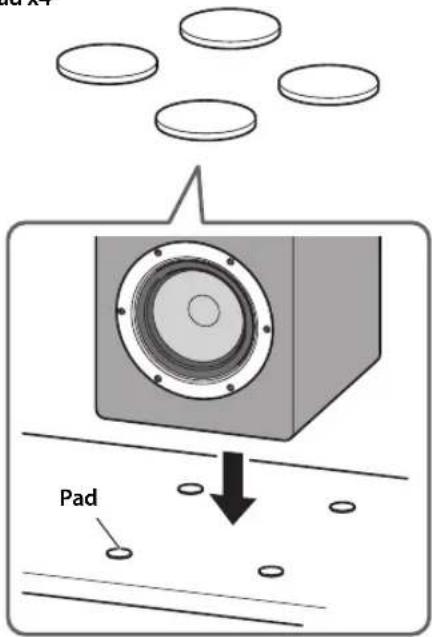
Pad x4
■ Using the pads

CAUTION
- Make sure that the speakers do not slide around. Otherwise, they may fall, causing injuries.
The included pads are for protecting the bottom of the speakers as well as the surface that they are placed on.
When placing the speakers directly on the floor or a shelf, be sure to use the pads between the bottom of the speaker (4 corners) and the surface that it is placed on, as shown.
NOTICE
- Do not attach the pads with adhesive or double-sided tape. Otherwise, the finish on the bottom of the speakers or on the surface that they are placed on may peel off.
NOTE
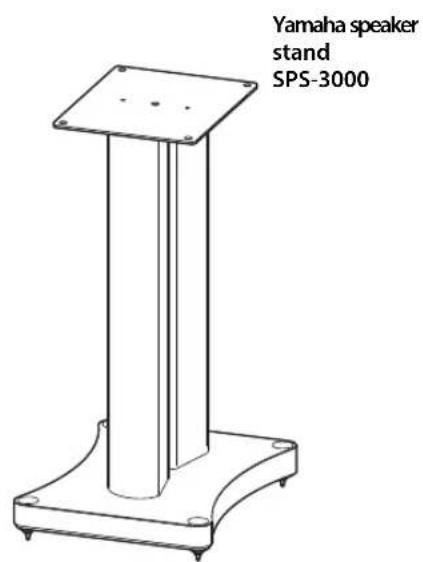
- When the optional Yamaha speaker stand (SPS-3000) is used, the pads are not necessary.
Placing the speakers
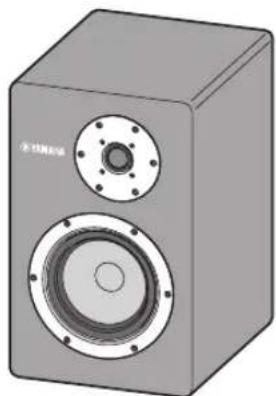
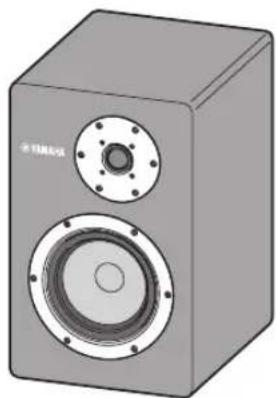
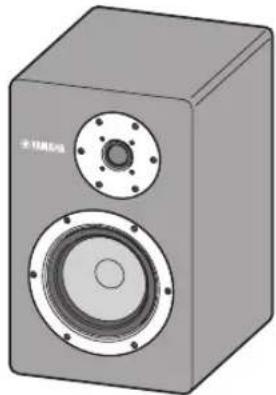
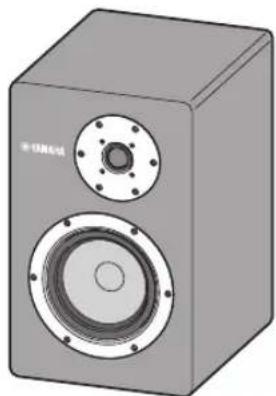
NS-3000 (L) NS-3000 (R)
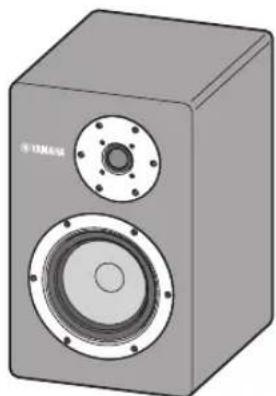
natural_image
3D rendering of a gray audio speaker with two speakers and a circular head (no text or symbols visible)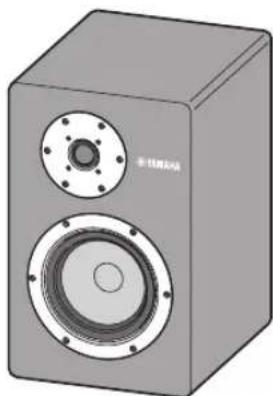
natural_image
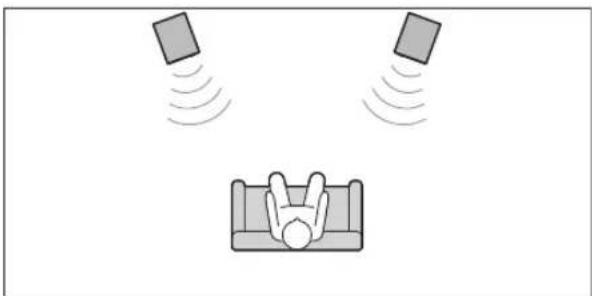
3D rendering of a gray speaker with two speakers and a circular top (no text or symbols visible)■ Using as 2ch stereo speakers
Better stereo images will be obtained when the speakers are slightly angled in towards the listener.
natural_image
Illustration of a person relaxing in bed with floating objects above, no text or symbols presentNOTE
- In rooms with unusual shapes or containing obstacles, effective stereo playback can be achieved by changing the positions and orientations of the speakers as necessary or reversing the positions of the left and right speakers.
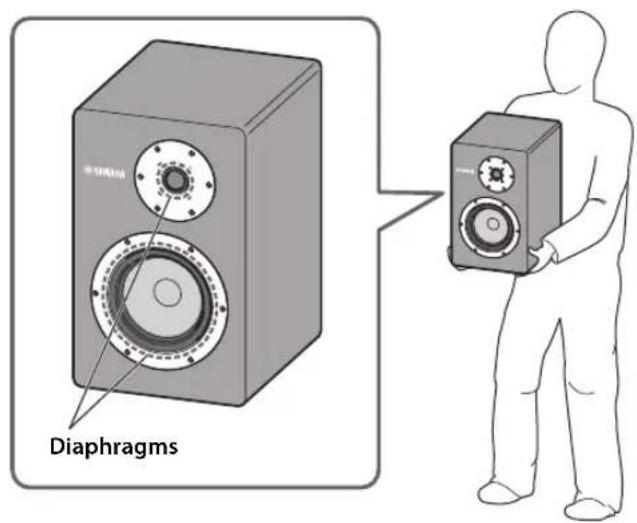

CAUTION
- Since the polished-finish side surfaces are slick, hold the speaker from the sides and bottom to carry it.
- When placing the speaker on the speaker stand, etc., be sure not to pinch your hands or fingers.
NOTICE
- Be sure not to touch the diaphragms on the front. Otherwise, they may be damaged.
- This unit is designed with a non-magnetic shield. Placing this unit too close to a CRT TV set might impair picture color or create a buzzing noise. In this case, move the speakers away from the TV.
NOTE
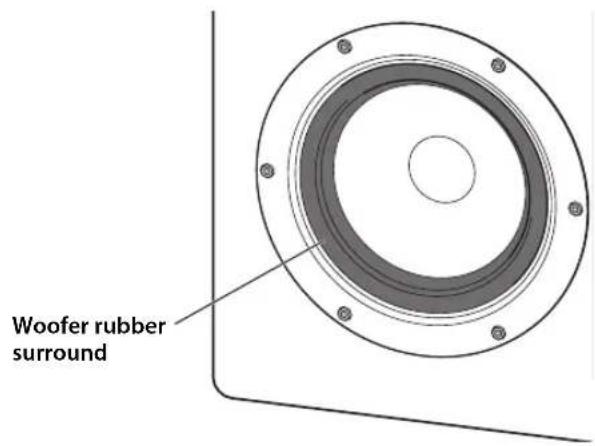
- The particular type of rubber used for the woofer surround was carefully chosen to contribute to the best sound quality. In rare cases, this rubber may turn an off-white color. Do not worry about this whitening, since it is only a component of the rubber penetrating to the surface, and will not adversely affect performance.
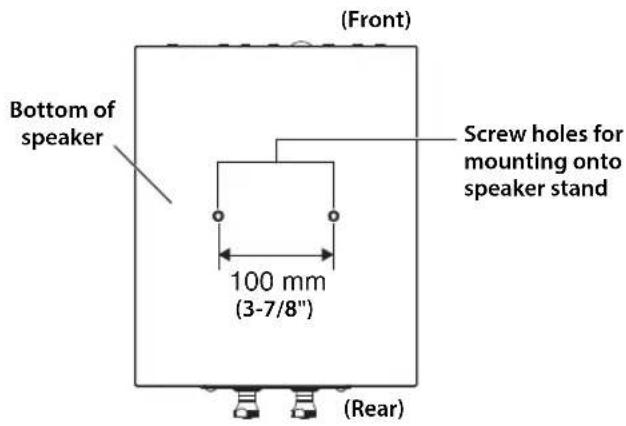
When using the optional Yamaha speaker stand (SPS-3000)
To use as floor stand speakers, attach the speakers to the SPS-3000 using the holes at the bottom of the speakers.
For installation, also refer to the "SPS-3000 Owner's Manual".
Connecting to your amplifier
Before making connections, make sure that the amplifier is switched off.
■ Connections
You need a commercially available speaker cable.
The size and/or material of a speaker cable affects on the sound quality. Therefore, we recommend you to purchase a high-quality speaker cable to exert the performance of this unit.
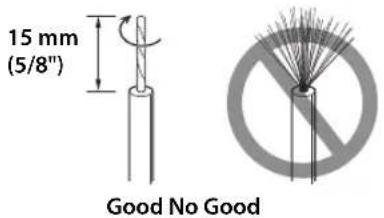
Remove 15 mm (5/8") of insulation from each end of the cables, and twist the exposed conductors together neatly and tightly, as shown left.
■ How to connect the speaker cables
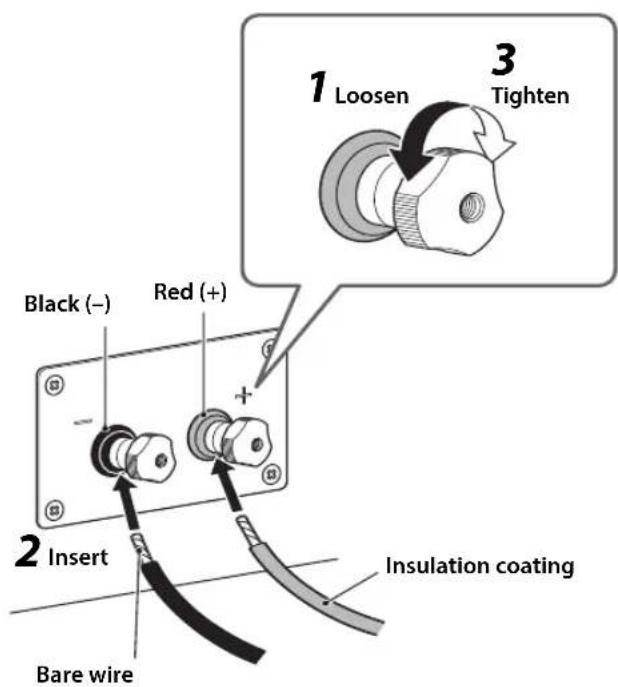
1 Loosen the terminal knob on the rear panel of this unit.

CAUTION
- When the terminal knob is completely loosened, it will fall off. Keep the removed knobs out of the reach of infants to prevent accidental ingestion.
2 Insert the bare wire to the terminal hole. NOTE
- Do not insert the insulation coating into the hole. The sound may not be produced.
3 Tighten the terminal knob and secure the cable.
Test the firmness of the connection by pulling lightly on the cable at the terminal.
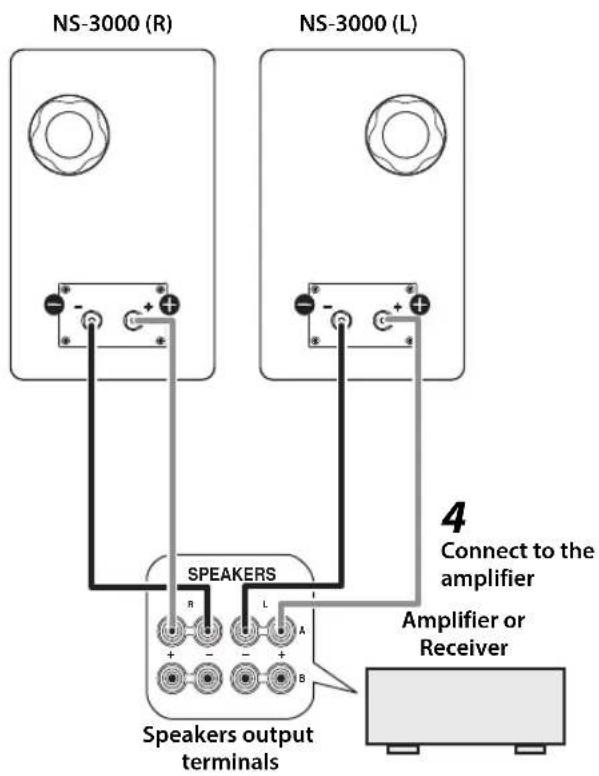
4 Connect the speaker cables to the L (left) and R (right) terminals on the amplifier.
NOTE
- The red terminal of this unit is positive (+), and the black terminal is negative (−).
- If one speaker is connected with reversed polarity, the sound will be unnatural and lack bass.
NOTICE
- Be careful not to allow the bare wires of the positive (+) and negative (−) speaker cables to come into contact with each other or other metal parts. Otherwise, the speakers may be damaged.
• To avoid accidents resulting from tripping over loose speaker cables, affix them to the floor. - The speaker may be damaged if certain sounds are continuously output at high volume level. For example, if sine waves from a test disc, bass sounds from electronic instruments, etc., are continuously output, or when the stylus of a turntable touches the surface of a disc, reduce the volume level to prevent the speaker from being damaged.
NOTE
- When using an amplifier with a rated output power higher than the nominal input power of the speaker, care should be taken never to exceed the speaker's maximum input.
- Please refer to the owner's manual that came with your amplifier or receiver.
■ When using a banana plug
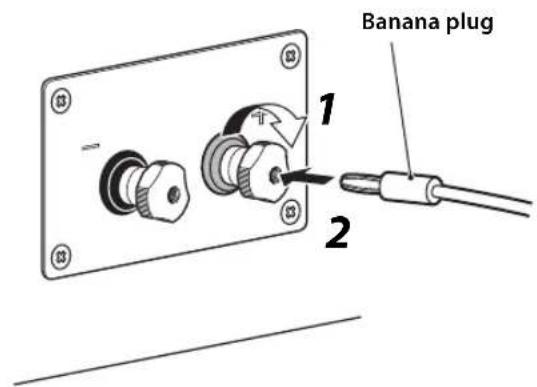
1 Tighten the terminal knob.
2 Simply insert the banana plug into the terminal hole.
Specifications
Type ...... 2-way bookshelf bass-reflex type Non-magnetic shielding type
Driver ....Woofer: 16 cm (6-1/2") cone type Tweeter: 3 cm (1-1/4") dome type
Impedance.... 6 Ω (Minimum 4.6 Ω)
Frequency response....39 Hz - 60 kHz (-10 dB) - 100 kHz (-30 dB)
Nominal input power 60 W
Maximum input power 120 W
Sensitivity....87 dB/2.83 V, 1 m
Crossover frequency 2.8 kHz
Dimensions (W x H x D).... 244 × 394 × 326 mm (9-5/8" × 15-1/2" × 12-7/8")
Weight 13.1 kg (28.9 lbs.)
* The contents of this manual apply to the latest specifications as of the publishing date. To obtain the latest manual, access the Yamaha website then download the manual file.
* Care should be taken not to exceed the input power values noted above.
PRÉCAUTIONS D'USAGE LISEZ ATTENTIVEMENT AVANT DE PROCÉDER À TOUTE UTILISATION. VEILLEZ À SUIVRE CES INSTRUCTIONS.
natural_image
Two gray cylindrical objects with no text or symbols, resembling mechanical parts or containers (no visible labels or symbols)NS-3000 (L) NS-3000 (R)
natural_image
3D rendering of a gray audio workstation with speaker and sound block (no text or symbols visible)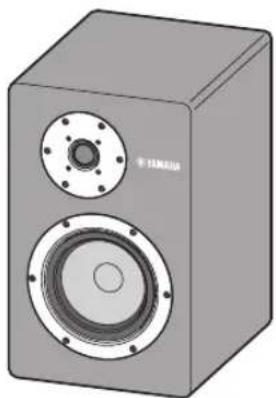
natural_image
3D rendering of a gray speaker with two speakers and a circular head (no text or symbols visible)natural_image
Simple line drawing of a person lying on a couch with two floating cards above, no text or symbols present.NOTE

ATTENTION
natural_image
Technical line drawing of a vertical metal frame with base and mounting holes (no text or symbols)natural_image
Two gray cylindrical objects with different hole positions, no text or symbols presentNS-3000 (L) NS-3000 (R)
natural_image
3D rendering of a gray speaker with two speakers and a circular top (no text or symbols visible)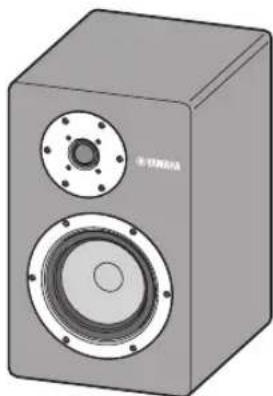
natural_image
3D rendering of a gray audio speaker with two speakers and a circular head (no text or symbols visible)natural_image
Illustration of a person sitting in a bed with two floating cards above, no text or symbols presentHINWEIS
natural_image
Line drawing of a simple metal stand with a cylindrical base and mounting feet (no text or symbols)natural_image
Two gray cylindrical objects with no text or symbols visibleNS-3000 (L) NS-3000 (R)
natural_image
3D rendering of a gray speaker with two speakers and a circular top (no text or symbols visible)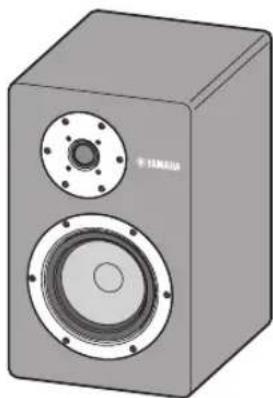
natural_image
3D rendering of a gray speaker with two speakers and a circular head (no text or symbols visible)natural_image
Illustration of a person sleeping in bed with floating devices emitting sound waves (no text or symbols)NOTA
natural_image
Technical line drawing of a vertical metal frame with base and mounting holes (no text or symbols)natural_image
Two gray cylindrical objects with no text or symbolsNS-3000 (L) NS-3000 (R)
natural_image
3D rendering of a gray speaker with two speakers and a circular top (no text or symbols visible)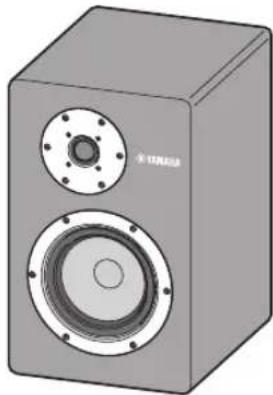
natural_image
3D rendering of a gray audio amplifier with two speakers and a circular vent (no text or symbols visible)natural_image
Illustration of a person lying on a couch with floating devices emitting sound waves (no text or symbols)ПРИМЕЧАНИЕ
natural_image
Technical line drawing of a vertical support base with mounting holes (no text or symbols)natural_image
Two gray cylindrical objects with no text or symbols visibleNS-3000 (L) NS-3000 (R)
natural_image
3D rendering of a gray speaker with two speakers and a circular top (no text or symbols visible)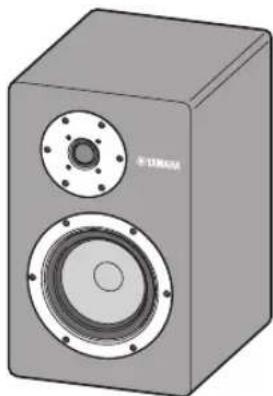
natural_image
3D rendering of a gray speaker with two speakers and a circular head (no text or symbols visible)■ 用作双声道立体声扬声器
natural_image
Simple line drawing of a person relaxing on a couch with two floating squares above, no text or symbols present.注
natural_image
Technical line drawing of a vertical metal frame with base and mounting holes (no text or symbols)连接放大器
进行连接前必须关闭放大器。
■ 连接
您需要市面出售的音箱缆线。
https://download.yamaha.com/
Manual Development Group
© 2020 Yamaha Corporation
Published 02/2021
2021年2月发行
IPEI-B0
VFA6720

- WARNING
- This content indicates "risk of serious injury or death."
- If you notice any abnormality
- Installation
- Do not disassemble
- Water warning
- Fire warning
- CAUTION
- This content indicates "risk of injury."
- Hearing loss
- Handling caution
- NOTICE
- Connections
- Handling
- Maintenance
- Speakers
- Information
- About functions included in the unit
- About content in this manual
- NOTE
- Information for users on collection and disposal of old equipment:
- Contents
- Features
- Port plug
- Accessory
- ■ Using the pads
- Placing the speakers
- ■ Using as 2ch stereo speakers
- When using the optional Yamaha speaker stand (SPS-3000)
- Connecting to your amplifier
- ■ Connections
- ■ How to connect the speaker cables
- Loosen the terminal knob on the rear panel of this unit.
- Insert the bare wire to the terminal hole. NOTE
- Tighten the terminal knob and secure the cable.
- Connect the speaker cables to the L (left) and R (right) terminals on the amplifier.
- ■ When using a banana plug
- Specifications
- PRÉCAUTIONS D'USAGE LISEZ ATTENTIVEMENT AVANT DE PROCÉDER À TOUTE UTILISATION. VEILLEZ À SUIVRE CES INSTRUCTIONS.
- ATTENTION
- HINWEIS
- NOTA
- ПРИМЕЧАНИЕ
- ■ 用作双声道立体声扬声器
- 注
- 连接放大器
- ■ 连接
Brand : YAMAHA
Model : NS3000
Category : Speakers