
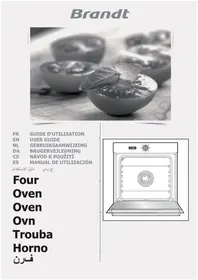
CEN31700 - Electric oven BRANDT - Free user manual and instructions
Find the device manual for free CEN31700 BRANDT in PDF.

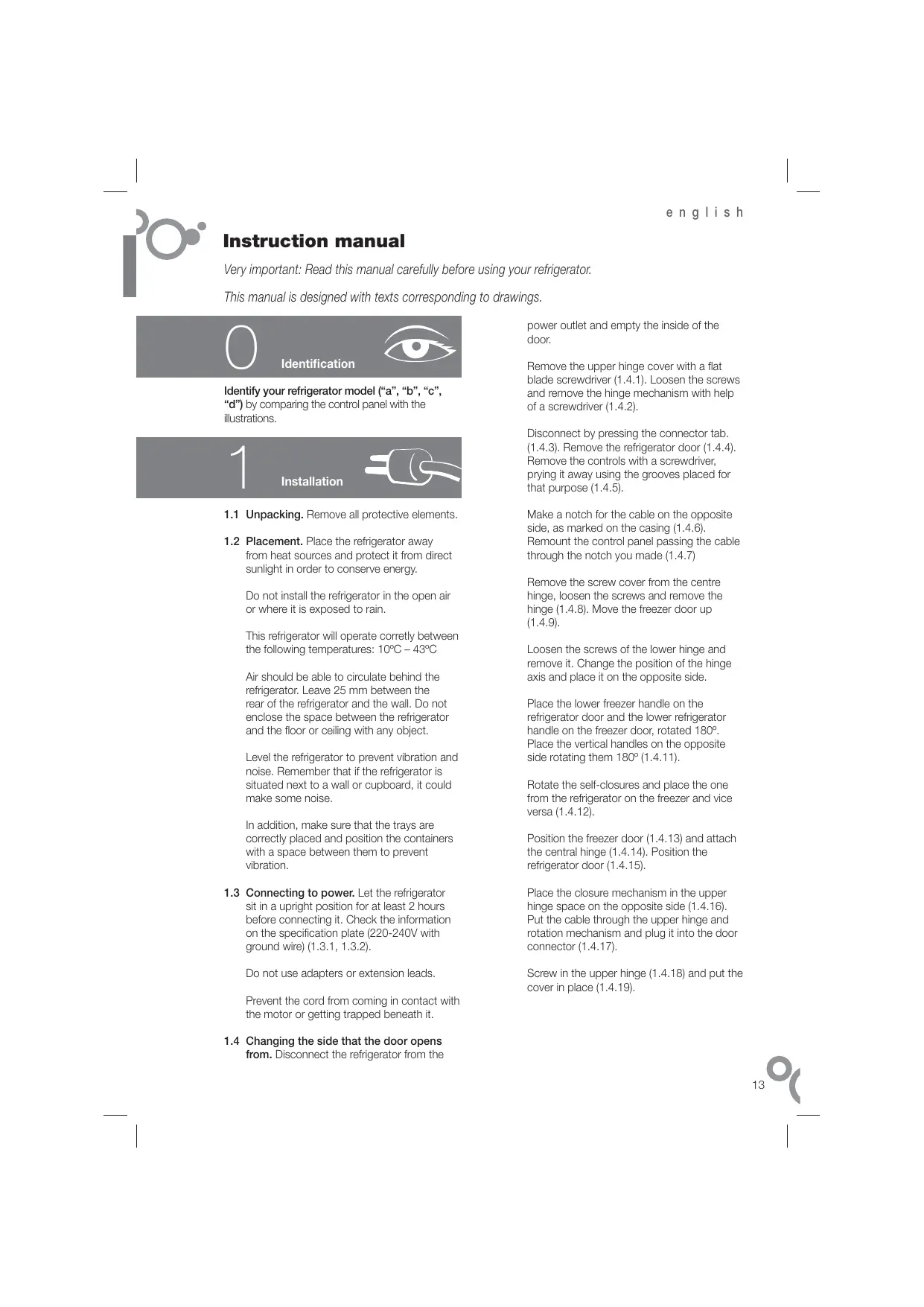


| Product type | Combined refrigerator-freezer |
| Brand | BRANDT |
| Model | CEN31700 |
| Electrical supply | 220-240 V, earthed plug |
| Refrigerant | R600A (environmentally friendly) |
| Climate class | 10 °C - 43 °C |
| Defrost type | No Frost (fan-assisted) |
| Fast cooling function (refrigerator) | Active for 6 hours |
| Fast freezing function | Active for 52 hours |
| Holiday function | Reduces consumption in eco mode |
| Open door alarm | After 2 minutes, audible alarm and light off |
| Freezer temperature alarm | Flashing light and beep in case of abnormal temperature |
| Interior lighting | Bulb E14, 220-240 V, 15/25 W |
| Charcoal filter | Absorbs odors, lifespan 6 months |
| H.D. humidifier (optional) | Maintains humidity in the vegetable crisper |
| Door reversibility | Possible, instructions provided |
| Interior cleaning | Water and baking soda, no steam or abrasive detergents |
| Exterior cleaning | Soft cloth, no steam cleaner |
| Number of pages in manual | 58 pages |
Frequently Asked Questions - CEN31700 BRANDT
User questions about CEN31700 BRANDT
0 question about this device. Answer the ones you know or ask your own.
Ask a new question about this device
Download the instructions for your Electric oven in PDF format for free! Find your manual CEN31700 - BRANDT and take your electronic device back in hand. On this page are published all the documents necessary for the use of your device. CEN31700 by BRANDT.
USER MANUAL CEN31700 BRANDT
Very important: Read this manual carefully before using your refrigerator.
This manual is designed with texts corresponding to drawings.

Identification

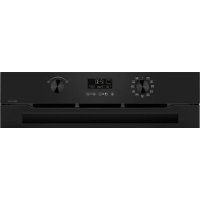
Identify your refrigerator model ("a", "b", "c", "d") by comparing the control panel with the illustrations.
1
Installation

1.1 Unpacking. Remove all protective elements.
1.2 Placement. Place the refrigerator away from heat sources and protect it from direct sunlight in order to conserve energy.
Do not install the refrigerator in the open air or where it is exposed to rain.
This refrigerator will operate correctly between the following temperatures: 10^ - 43^
Air should be able to circulate behind the refrigerator. Leave 25~mm between the rear of the refrigerator and the wall. Do not enclose the space between the refrigerator and the floor or ceiling with any object.
Level the refrigerator to prevent vibration and noise. Remember that if the refrigerator is situated next to a wall or cupboard, it could make some noise.
In addition, make sure that the trays are correctly placed and position the containers with a space between them to prevent vibration.
1.3 Connecting to power. Let the refrigerator sit in a upright position for at least 2 hours before connecting it. Check the information on the specification plate (220-240V with ground wire) (1.3.1, 1.3.2).
Do not use adapters or extension leads.
Prevent the cord from coming in contact with the motor or getting trapped beneath it.
1.4 Changing the side that the door opens from. Disconnect the refrigerator from the
power outlet and empty the inside of the door.
Remove the upper hinge cover with a flat blade screwdriver (1.4.1). Loosen the screws and remove the hinge mechanism with help of a screwdriver (1.4.2).
Disconnect by pressing the connector tab. (1.4.3). Remove the refrigerator door (1.4.4). Remove the controls with a screwdriver, prying it away using the grooves placed for that purpose (1.4.5).
Make a notch for the cable on the opposite side, as marked on the casing (1.4.6). Remount the control panel passing the cable through the notch you made (1.4.7)
Remove the screw cover from the centre hinge, loosen the screws and remove the hinge (1.4.8).Move the freezer door up 1.4.9
Loosen the screws of the lower hinge and remove it. Change the position of the hinge axis and place it on the opposite side.
Place the lower freezer handle on the refrigerator door and the lower refrigerator handle on the freezer door, rotated 180^ . Place the vertical handles on the opposite side rotating them 180^ (1.4.11).
Rotate the self-closures and place the one from the refrigerator on the freezer and vice versa (1.4.12).
Position the freezer door (1.4.13) and attach the central hinge (1.4.14). Position the refrigerator door (1.4.15).
Place the closure mechanism in the upper hinge space on the opposite side (1.4.16). Put the cable through the upper hinge and rotation mechanism and plug it into the door connector (1.4.17).
Screw in the upper hinge (1.4.18) and put the cover in place (1.4.19).
2
Operation

2.1 Switching on the refrigerator. Turn the dial (2.1.1). Press + or — until a digit appears on the display (2.1.2), or press 0 (2.1.3). models will block automatically. To unblock, press any button and hold it down for 3 seconds.
2.2 Selecting the compartment. On bcd
models, the refrigerator compartment and the freezer compartment work separately. On model a the two compartments work together.
2.3 Temperature selection. Turn the control (2.3.1) or press the + keys, first for the freezer compartment and then for the refrigerator compartment (2.3.2, 2.3.3).
When you have selected the temperature, on bcd models you can view the real temperature by pressing the + or - buttons for the desired compartment and holding them down for 5 seconds. The temperature of the compartment will flash (2.3.4).
Recommendation: The recommended temperatura for the refrigeration compartment is 4 and the freezer compartment -19 for already frozen food. If you want to freeze, the recommended temperature is -24.
Remember that the interior temperature depends on the temperature of the environment, placement, and frequency with which the door is opened.
2.4 Refrigerator functions.
Rapid cooling mode: This function activates the refrigerator at its coldest temperature for 6 hours. It is recommended to activate it when you place a large amount of food in the refrigerator. To activate and deactivate the function: Press SUPER (2.4.1) or (2.4.2). Model does not have this function.
Holiday mode: The holiday function is very useful if you are not going to use the refrigerator for a long period of time but you wish to keep food in the freezer. With this function, your refrigerator will go into low consumption mode and no bad smells will be
generated inside it. Model a does not have this function.
Warning: To use this function, the refrigerator door must be closed.
To activate and deactivate this function: Press the +, - buttons until H appears on the display (2.4.3) or press and hold them down for 3 seconds (2.4.4) until appears. To deactivate it, repeat the operation. On some models, you can switch off the refrigerator compartment. Press the + or - buttons (2.4.5, 2.4.6) until no digits are seen on the display.
2.5 Freezer functions.
Rapid cooling mode: This function activates the freezer at its coldest temperature for 52 hours. It is recommended to activate it 24 hours before placing a large amount of food in the freezer. On model a, you will need to deactivate it 24 hours later.
To activate and deactivate this function: Press SUPER (2.5.1, 2.5.2) or / C (2.5.3).
Connecting / disconnecting the freezer: Turn the dial to ON-OFF (2.5.4). Press the + or - buttons until there is no temperature on the display (2.5.5), or press and hold it down for 3 seconds (2.5.6). When you switch off the freezer, the refrigerator compartment will also switch off.
2.6 Usage recommendations.
- Don't leave the door open more time than necessary and don't put hot foods in the refrigerator. This will provide the most efficient use of the refrigerator and avoid increasing power consumption.
- If your refrigerator is of the NO FROST variety, don't block the ventilation grille and try leave space between food items so that air circulates around them.
- Don't put carbonated drinks or glass bottles containing liquid in the freezer, they can burst.
- Store food in hermetically sealed containers to prevent drying.
- Do not eat extremely cold ices or food as they can produce burns in the mouth.
3 Maintenance and cleaning
3.1 Interior cleaning. To clean the interior, use a sponge or cloth soaked in water with bicarbonate in order to prevent odours developing.
In no case use steam cleaning machines, solvents, or abrasive detergents.
3.2 Exterior cleaning. Do not clean the screens with a steam cleaning machine.
It is advisable to clean the back vent once a year with a vacuum cleaner.
3.3 Cleaning the accessories. Accessories are not suitable for automatic dishwashers. Clean them by hand with a sponge or cloth.
3.4 Changing the lamp. If the lamp fails: unplug the refrigerator. Press the flap to remove the cover (3.4.1, 3.4.3) and take out the blown lamp (3.4.2, 3.4.4). Replace it by another lamp with the same type of thread, E14, 220-240V, 15/25W or as indicated on the light fitting.
3.5 Changing the carbon filter. The refrigerator may incorporate a carbon filter that absorbs the odours of certain foods and retains microorganisms (fungus and bacteria) circulating in the air.
The filter keeps its properties for 6 months. After that time, it is recommended to replace it. Its location varies based on model.
To activate the filter: Press the tab and remove the cover to access the filter (3.5.1, 3.5.3). Separate the filter from the tab (3.5.2, 3.5.4) and remove the seals (3.5.5).
Press the BIOFILTER viewer until hearing a click (3.5.6) and in a few seconds the duration scale will become coloured. Place the new filter in the original location.
Keep the old filters and the replacements out of the reach of children: Ingesting a large quantity could be dangerous.
Don't get the filter wet, as it will lose it properties.
3.6 S.P.A. salus per aquam (optional)
Your refrigerator may incorporate the S.P.A. accessory which maintains a constant level
of humidity in the vegetable compartment, preventing drying.
It is located on the spacer seal of the vegetable compartment (3.6.1). It consists of a tank with a pouring vessel and a fill level indicator. When the S.P.A. needs filling with water, the level will drop and be hidden. Take out the vessel (3.6.2) and pour in a measure (3.6.3). The level may take some time to rise.
The filter should be changed every 2 years (3.6.4).

Diagnostics
4.1 Door open. If the door stays open for more than 2 minutes, an alarm will sound and the refrigerator light will go off. The alarm is disconnected when the door is closed.
4.2 Freezer not cold enough.
- If the freezer temperature is abnormally high, an alarm light will come on (4.2.1) or the icon A (4.2.2) will flash and a beeper will sound at the same time. Press SUPER (4.2.3) or B (4.2.4) to deactivate the beeper manually.
- The first time the refrigerator is connected, the icon or the warning light will appear, but the alarm won't sound.
4.3 Loss of electrical power.
Open the refrigerator doors as little as possible. When the power returns, check if the frozen food has thawed.
4.4 Normal refrigerator noises.
It is perfectly normal for your refrigerator to make certain noises while it is running and you should not worry about them.
- The coolant gas can make a bubbling sound as it circulates.
- The compressor may make humming or tapping sounds, especially at start-up.
-
The expansion and contraction of material used may make clicking or creaking sounds.
-
The air that moves the freezer ventilator may generate a light background sound.
Don't try to repair the refrigerator. Call technical service.

Safety

- Keep the ventilation grille uncovered.
- Be careful not to damage refrigeration circuits.
- Don't use electrical devices in the interior of the refrigerator, unless they are recommended by the manufacturer.
- Don't use mechanical devices or means other than those recommended by the manufacturer to speed up the thawing process.
- This appliance is not intended for use by people (including children) whose physical, sensory, or mental capacities are reduced or who lack experience or knowledge, except under supervision or after receiving instruction regarding use of the appliance from a person responsible for their safety. Use by children should be supervised to prevent them playing with the appliance.
- If the power cable is damaged, it should be replaced by the manufacturer, by their after sales service, or by personnel similarly qualified in order to prevent dangerous situations.

The environment

This refrigerator was designed with environmental conservation in mind.
The appliance operates with coolant R600A, which does not damage the environment.
Respect the environment. Use the recommended temperatures for each compartment. They will depend on the mode you need for efficient use of your refrigerator.
Disconnect the refrigerator or set it to holiday mode when you will not be using it for a prolonged period. You will reduce power consumption and save energy.
Avoid leaving the doors open more time than necessary. It causes an increase in power use.
Waste management of electrical and electronic appliances.
The symbol indicates that the appliance must not be disposed of in conventional bins for domestic waste.
Deliver your refrigerator to a special collection centre.
Recycling domestic appliances prevents negative impacts on health and the environment and helps save energy and resources.
For more information, contact your local authorities or the establishment where you purchased your refrigerator.
Bedienungsanleitung
OnpeDenite, KaKaY BaC MoDeNb XoJIoDJIbHnKa ("a", "b", "c", "d"), COIOCTaBIV NaHeJIb yIpaBJIeHnI C IJIIOCTpAciMNI.
1
YctaHOBka

1.1 Pacnakobka. CHMnTE BCE 3aunTHbIe 3neMeHTbl.
1.2 PaonoloxeHne. nKoKpaueHnIOTpe6bHeHHaekTPO3HePrnXOLOdNbHnK CnEduyET YCTAHOBtB DaJIN OT NcTOHKnOB TEnJa B CNEuAIAHbO OTBEdHHeOe MecTo, 3aunuHHeO T PONaADHnPnMbIX cOnHeuHbIX nyuei.
XoIOnMbHnK He cJeNyet YcTaHaBnBaTbN IOI OTKpbItbIM He6om IIN B MeCTe, rHe Ha Hero MOrYT IONaCTb CTpyn DoxJa.
Pn yctaHOBKe npnbopa n03aDn Hero Heo6xOJIMO OCTaBNTb IpocTpaHCTBO DnI cyRkUyAIN B03dyxa.Mexjdy OCHOBAHMeM np6oRa n CTeHOI DOJIXHO 6bITb paCtOHRHe 25 MM. He 3aRpOMXJaTe NocToPOHHMm PpeDMTaMn PnoCTpaHCTBO MExJy XONOJIbHNKOM IN NOLOM, a TaKXE MeJy xOLONJbHNKOM IN NOTOKOM NOMeueHNA.
Bo n36exaHne BVbpaunn mUyMOB npi6op Heo6XoIMO yCTAHOBNT BOR30HTALBO. O6paTNE BHNMaHne Ha To, YTO npn pacnoJooKhen XoJOnIbHuNKa B6NIm3n CTeHb IINI shkaDa BO bpeMa erpoBt bMOrY Bo3HKnBa Tbeonblue Wymbl.
Bo n36eXaHne Bn6paun TaKke Heo6xOdmo npoBepIrB npAunBbHOCTb YCTAHOBKN BblDINKbIX bIuNKOB,a CTABr B XOJOniNbHK NocyD, CNeDInTb 3a TEM, Yo6bI OTeNbHbe PpeMTeB He KacaImCb dpyrpa.
1.3 PookKIOUeHHe K cTeN 3NeKTPoPNTaHn. Npepe PookKIOUeHHeM pIn6Opa K cTeN eMy HuxHO dAteb NOCToTb B BEpTKaNbHOM pNOJKeHm He MeHee Yem 2 Yac. PIOBepTe COOTBeTCTBne fakTNuecknx NapameTPOB 3NeKTPeCKoCtN C daHNbIMy, ykazAAHHbMI B nAsCnOPTHo TaBJNKe (OT 220 Do 240 B C 3a3eMHeHMe) (1.3.1, 1.3.2).
3anpeaaetcnaonb30BaHne aanTepeo (pepeoHnKOB) uynHnHTenEi.
IpocneJeTe 3a TeM, YTObI CeTeBOI UHyp He Kacanr3NeKtpoDBVaTeJIr H He 3actprn PoHm.
1.4 CmeHa CTopoHbI OTKpbIBaHnI DBepuI.
OTKJIOUHTb npBOp OT cTeN CHRTb BCE npICNOCO6JIeHn C BHyTpeHHeI CTOpOHbl DBePcIb.
CHaTb KpbUkCy b BepxHero UapHnpa c NMOuBbO 06bHNoH (NtNOCKO) oBTEpTKI (1.4.1).OTnyCTNTb BVHTb I N3BJIeHu aPmHPN i BpaauTeIbHyo HAKnAaKy, NOMORaCe6e OTEpTKO (1.4.2).
Pa3beHnHTb KOMMyHkaaHH, HaaJb Ha
"RbYIOK" pa3bema (1.4.3). ChrTb DBepyU
XoIOniNbHorO toDJIeHnA (1.4.4). N3BLeCy
fNkCAtOp, cDeIab KpReNEx B pIpeHa3NaueHHbx
dHrTOF0 3aceKxac NMOOJbO OTBepTKs (1.4.5).
CdenaTb n3ДЯ Ka6eJIc n npotuBONIOJHNOCToPoHbI - B MeTe, Yka3aHHOM Ha KOpnyce(1.4.6).YctaHOBnTb QHKcatop Ha MeTo,npOyuctNb Ka6eJIb Chepe3 CdeNaHHbI na3 (1.4.7).
CHrTb KpbIiKy C BnHTOB ueHtpaJIbHOrO shapHnpa, OTyNCTNb BnHTb N CHrTb 7apHnP (1.4.8). CMeCTNb DBepy MOp3nJIbHOrO otJeHEnH BBePx (1.4.9).
OTnyCTnTb BVNTbl HNXHero 7apHnpa n CHRTb ero. NImeHTb HanpaJIeHne OcH Na 7apHnpe n yctAHOBnTB er c npOTbONIOJXHOH cTOPOhbl (1.4.10).
YCTaHOBnTb HIXHIOIpyKU MOpO3INbHORO OTDeHENHa DBePcY XONODINbHORO OTDeHENHa, aHNXHOIOpyKU XONODINbHORO OTDeHENHa - Ha DBePcY MOpO3INbHORo OTDeHENHa, pa3BepHyBnx HA 180. YCTaHOBtB BePTNkAJIbHbIe pyKu Ha COOTBETCTBYOUHe MEcTo C pNOTIBONONOHO CTOpOHbI, pa3BepHyB nx Ha 180^ (1.4.11).
2.5 Peximbl pa60tI MOp03nJbHOrO OTdeHeHH
Pexm6bIcTporo oxlaJeHn. PIn BKIOHeHn 3TOrO pEXmAb M BOPO3INbHOM OTDeJIeHnB TTeHHe N 52acob 6ydt NDpeDxHBatcb6BoHe H3Kaar TEMepaTypa.DaHHbIe pEXmpeKOMeHdyETcB BKIOu4b 3a 24 caca do TOR, KAK B MOPO3INbHoe OTDeJIeHb6ydt NOMeUHcO6IbJOe KOINueCTBO npOyKToB.B Moden a 3OT pEXm CJeDuYet BbIKIOu4b YpeEz 24 caca.
ДЯВКЛIOHECHИ AND BHKJIIOHCHENIA: HαχaTb SUPER (2.5.1, 2.5.2) nIe (2.5.3).
BkIIOHeH/ByIKIOHeH MOp03NlbHO 107EHH: NOBepHybpyKu BY NOIOXeHHNE ON-OFF (2.5.4). Haxatb KONKy + INI -UdepKbBaee HaxaToD IO uChE3HOBeHH Bn3yAun3aUN TEmMepaTpybHa DCINCTPee, INI HaxKaTb Y UdepKbBaT bKONKy [x]3 cekyHdb(2.5.6). Pocne BkJIIOHeHH MOp03NlbHOrOTdEHHNA TAKKe BkIIOOaehTC XoIOINbHbY OTcEK.
2.6 PeKOMeHdaIIN IO 3KcIIyataIIN
HepeKNTeDBepcblOTkpbTbIMN60bnE HeoXoDMTOBVPemHn,HNEKJaNTeB XoOoNtBnHKROPHEmnpOyKTbNnPIu. Blaorap3tOMyXoOoNtBnHK6yDet NcIb3OBAbTC60bnIe3PcFekTNBOCTbO, nBbI36eKHTeNOBbIeHHOITpPe6JIeHn3NeKTPoHeprMn.
EclnBaWxXoIOniBnIK OChaJSeH cyHKUmeN NO FROST, He 3aIopaxiBaiTe BENTINIAIOHbIe
OTBVPCTNIA N OCTABJIANEHEKOTOPOE pOCTPAHCTBO MEXJy PNOYKTAMN, DAbaR B03MOXHOCTb BO3JxU YIUPKUYINPOBA Tb MEXJy HMM.
He KlaIaIte B MOpO3NJIbHoe OTeJaEHeMe 6yTbJIKN C ra3IPOBaAHbIMn HAnITKamm N CTKeJIAHbIe 6yTbJIKN C XIKIOCTbIO, TAK KaK OHN MOrYT B3OpBaTbCra.
Bo n36eKaHHe BbIcUHbAHHn IpOduKToB KnaDInTe Hx B XoIOJMbHnK B TepMeTNUeCKHX EMKOCTX.
He yntoTpe6nIte OueHb xnoIaHoe MOpoxeHoe nCnIbHO 3aMopoxeHhble IpOdyKtbl, TaK KaK 3TO MOkET BblBaTb OXOI pTa.
3
UcTka uyxo
3.1 YnCTKa BHyTpeHnHex qacte. IyIaYnCTKn BHYtpeHnHex qacte NIOINbIyTe ry6kN mI TpAnky, yBIAJXHeHHyO Cna6bIM BoNDbIM pactBOPOM CoDbI, YTO6bI yctpaHntb HnepnHTbIe 3anaXI.
KateropnHeckn 3anpeaetaCT npIMeHbI nIy ChTKn pIn6obpy I c npOBoi YCHTKo, pactBOpTeIN I abpa3nHBIbe MOIOUme cpeCTBa.
3.2ЧИстka hapyxhbxчastey.Заршаetca
пименгтbpиборьсарobочИсткоДЯчSTКI
ДИСТПЕБ.
PeKOMeHnyETcH OJIN Hpa3B rOJ YIcHTNtB PbJIeCOCOM 3aJHOIO peWetKY.
3.3 YnCTKa npHnAdJeXHoCTe. 3aIpeuaTcYnCTntb PnHnAdJeXHOCTN B IocyDOMOeHbIX MaIINHax. PeKoMeHdyeTe pyuHaJy nCTKa C nOMOJIbI y6Kn IIN TpAIIKN.
3.4 3aMeHa IaMbl. Ecln IaMa nepectaIa CBeTNTb. OTKHIOHTb XOIOINbIK OTcETN. ChTB KpbIiKhU, HxKAB Ha 一 B t i o k T _ 出 (3.4.1,3.4.3), INBLeHb Hepa60taIOuyo lampy (3.4.2,3.4.4). 3aMeHntb ee HOBOI LAMNOI aHIoTHHO TINOpa3Mepa (E14, 220- 240 B, 15/25 Br) INI B COOTBCTBm C yKa3aHnRMn IOOCBEeHHIO.
3.5 3aMeHa yroIbHoro fHbItpa.BxOIOINbHIKe MOKET IMeTcBcA rYoIbHbIy fNlTp, KOTOpbI NOIIOaET NoCTOPOHHe 3aJaxIn, ObaPaeYbIe HeKOTOpbIMN npOykTaMn, IyNAblBaET MmKpOoPrAnH3MbI (rpi6Kn i BakTeprn) n3 LIPKPyIuRpyUOe BO3dyxa.
CBoCTBaФnIbTpcoxpaHrTOcTcIIMuB OPrEeJIeHHoeBPEM,OKOTo6MeCHeB.To NCTeEHm3TOr0BpeMeHnФnIbTppeKoMeHdyETc4 3aMeHtB.MecOpacnIOXKeHneФnIbTp3aBNCITOT MOndJI.
Iopraok BKIOUeHnA qinbTa. HaaKabT R3b4OK K CHaTB KpbIbKu, YTO6bI NOyUHT BoCTyn K qinbTpY (3.5.1, 3.5.3). OTDeJIbT qInbTpO TcBbIKM (3.5.2, 3.5.4) n CHaTB yNIOtHeHnA (3.5.5).
HaxaTb Bn3np BIOFILTER do IeKoro ueIyka (3.5.6);Yepe3 HeckoJIko CeKHyD Ixkana DInTeJIbHOCTN HauHET OkpaJINBaTcR.YCTaHOBNTbФINbTp B HauaJIbHOE nIOJOKeHMe.
N3HOWeHbIe HcMeHbIe QInbTpbl Heo6XoIMO XpaHnTb HNeOCTyTNHom DnA DeTei MeCTe;
IopnaadHne 3HaHTeJIbHbIX KOJIHyeCTB MaTePnAla ФиЛТРаВОprAHIN3M MOKET 6bITb OAnChbIM.
He donyckaite HamokanuФильтpa, TAK KaK OH MOKET YTPaTb CBOI CBOICTBA.
3.6 OnlmoHaJIbHaJ FyHKnIg S.P.A. (salus per aquam, «3dOpOBbe Yepe3 Body»)
Bau xOJINbMOK 6bITb OChaueh yctpoTcBOM S.P.A., KOTOPOE NOdEPRKbMaET NOCToHHy UPOBeH BIAxKHoCTN B OTCKeI dBOUeH NpFkTOB, N6laorpa3TOMy PnpedTbPAaTaETC IN BvCbUHNBaHne.
J = 120^ S
J, aJlll aJlll J 1
aalall gll 2, bilall aaii 25
jji,jzaiyj1j0i j
j j j j j j j j j j j j j j j j j j j j j j j j j j j j j j j j j j j j j j j
.
a 1
ii 1
3.1
e 2
aaii aii i j 1j, jilj j
abwglg240-220)
(2.3.1,1.3.1)
y
i 1
4.1
g lal 0xLa e jiljll j
.
alallg jaiell g jil g 1jll (1.4.1)
(2.4.1)
(3.4.1)
J (4.4.1)
(5.4.1)
joll 1000
J (6.4.1)
(7.4.1)
gj jll gj jll
(8.4.1)
(9.4.1)
Jj jie jie jil galeall
.(10.4.1)
Jalll Jlll 1
Jalalll 180
180 1
.(11.4.1)
yIe 1
(12.4.1).
山dallg (13.4.1)
.(15.4.1) (14.4.1)
aill g sall Jauell jSg jall 1bc
(16.4.1)
.(17.4.1)
(18.4.1)Lallal
.(19.4.1)
2
JLaeiu

2.1
(2.1.1).
a+6-1
[12] = 12 (2.1.2).
(2.1.3).
gJd d, gila jUkuii
3 3 3 3 3 3 3 3 3
2.2
d 15
aillac
aill 1y j, aiaiaia yj b Jai
1
a
3.2
<Jal ^-1 + 1.3.2
. (3.3.2, 2.3.2)
bcd
g5 5d aal aal aal aal g e jzss
jaiy jaiy jaiy jaiy jaiy jaiy jaiy jaiy
(4.3.2)
:
aill wol 4
a#
-24 1
aannnnae aee
. jai gai y
J4.2
:
6 6d jll lill aal al lal ool o 0
Jusill jg gill Jusill aLill 1
[ \Rightarrow \left\lbrack {{\log }{2}b - {\log }{2}a > 0}\right\rbrack ]
(1.4.2)SUPER
(2.4.2) |1| = 1
a
:Jbll
a dill jui yj yic 12 aag jbbell aeg
aie 1 g c abolall yj loic g, aygb aio j 2d
liiill g baiydl aaybll oabw
gill, jlll g 1
a
:
j 1
必须
+jll bial: jill jil jil
(3.4.2) H
(4.4.2)3
J 1
(5.4.2,6.4.2)-+
A
2020 all 5.2
:
10 - 1 = 10( 2)
yjlll 1g jall
jglg jglg jglg jglg
.
1
. 1
3
aaiii

1.3
Jia 1 aaiia Jaii iill aiitll
C. ci1 + ii2 = 1
iill jie Jiaui 2, 11 all
a 1
2.3
yjill yll jil
L
aBwJyAaill Aaill Aaill aaii
aill 5
3.3
Jiai jiall S.P.A lice gao j
(2.6.3)
Sall 3.6.3)
.
(4.6.3) 2J
4
#

1.2
2 11 11 11 11 11
iie 88888888888888888888888888
2.4
gusu jnssy aas yall gaae y s y sls loaic
(2.2.4)(1.2.4)
julj (3.2.4)SUPER
.(4.2.4)
Ji jie jie jie jie jie jie
J 1
ylll 3.4
i 1
. 1
4.4
a 1
j 1 j
.
Lioie 1
. jglallll
j j j j j j j j j j j j j j j j
- 1
j jSaa jzall gie gaiall jzlal all aiui, dai
.
a
5
A
#
jglalajalai gill sll
aJ1j 1
.
Cuiyiyu juyi juyu pluiyi Jauui 2
. 1
Jalil
aIalaiI aIaunll Aicly I gJ (JIabIy peL)
y dallal ydall
1 1
j 1
J 1
j 1
jnnn nnnn nn nnnnnnnnnnnnnnnnnnnnnnnnnnnnnnnnnnnnnnnnnnnnnnnnnnnnnnnnnnnnnnnnnnnnnnnnnnnnnnnnnnnnnnnnnnnnnnnnnnnnnnn
1 1
6
#
#
sle lloll
111 1
R600A 1
. 111 111 111 111
iill bial gl bila
Jaa Jai jai jai aaii aai
gJalll Jauill Jauill Jauill Jauill
. p i j e
aia jll aoll ilbc albc pblill jgljglal
aull lde aulllll 1n aaiy gail bala
. 1000000000000000000000000000
aIbIyIJIaJIyI I yIyIgEaII JyJall
aaii jj yj aaiil all
| j1| = | j2| = | j_3|
Manual d'instrukcions
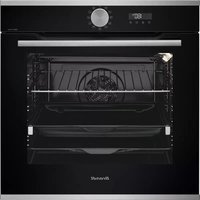
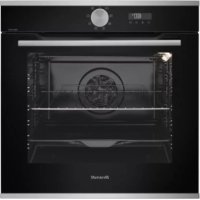
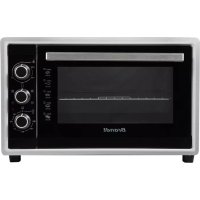
- Identification
- Installation
- 2
- Operation
- Refrigerator functions.
- Freezer functions.
- Usage recommendations.
- Maintenance and cleaning
- Diagnostics
- Safety
- The environment
- This refrigerator was designed with environmental conservation in mind.
- Waste management of electrical and electronic appliances.
- Bedienungsanleitung
- YctaHOBka
- CmeHa CTopoHbI OTKpbIBaHnI DBepuI.
- Peximbl pa60tI MOp03nJbHOrO OTdeHeHH
- PeKOMeHdaIIN IO 3KcIIyataIIN
- 3
- UcTka uyxo
- N3HOWeHbIe HcMeHbIe QInbTpbl Heo6XoIMO XpaHnTb HNeOCTyTNHom DnA DeTei MeCTe;
- OnlmoHaJIbHaJ FyHKnIg S.P.A. (salus per aquam, «3dOpOBbe Yepe3 Body»)
- JLaeiu
- aaiii
- 4
- #
- 5
- A
- 6
- Manual d'instrukcions
Brand : BRANDT
Model : CEN31700
Category : Electric oven