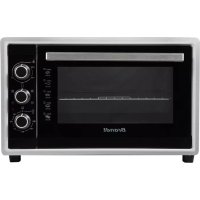
FC4200MS - Electric oven BRANDT - Free user manual and instructions
Find the device manual for free FC4200MS BRANDT in PDF.

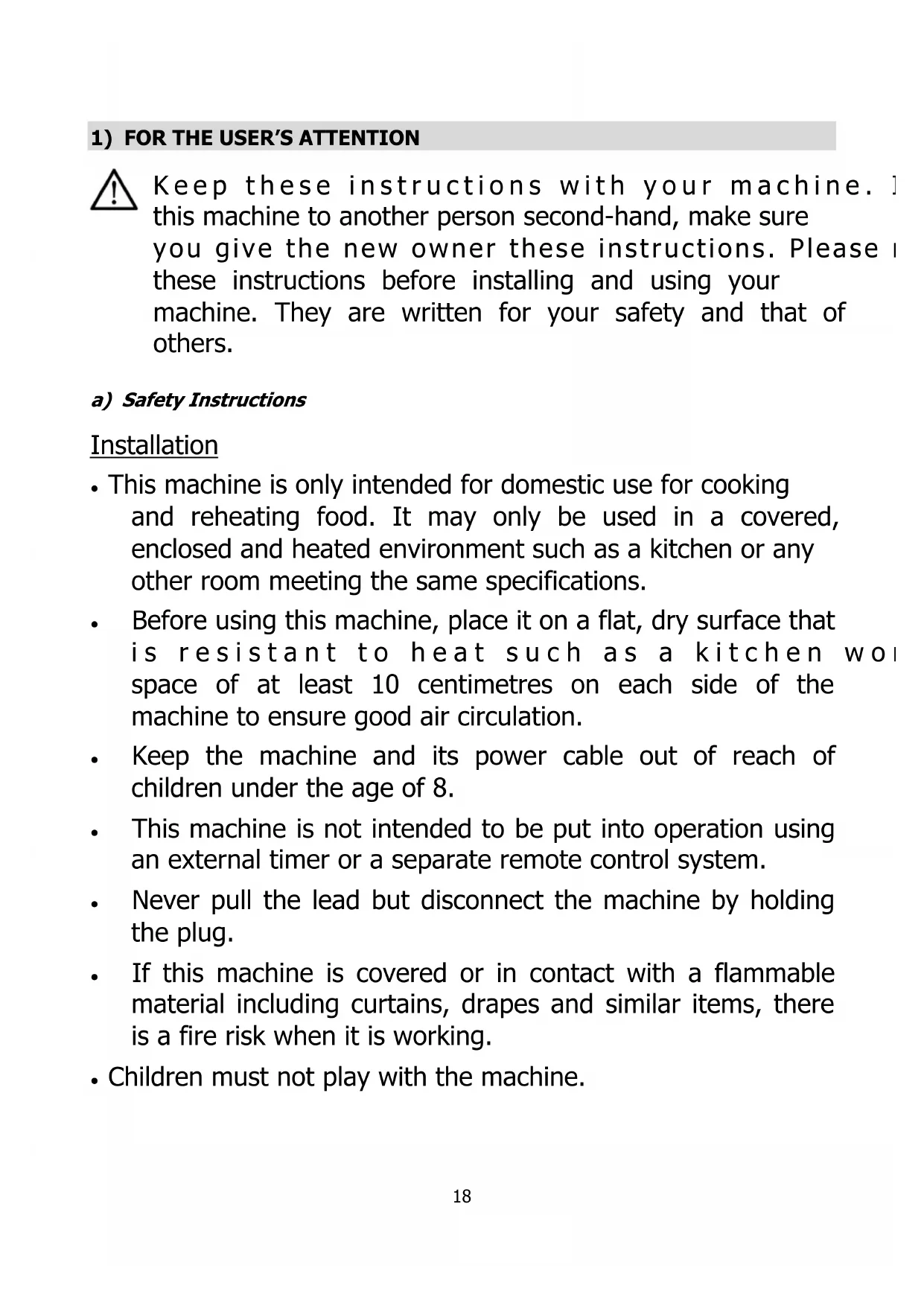


| Product type | Electric oven |
| Brand | Brandt |
| Model | FC4200MS |
| Dimensions (HxWxD) | 376 x 578 x 400 mm |
| Net weight | 10 kg |
| Power supply | 220-240 V, 50/60 Hz |
| Power consumption | 1800 W |
| Temperature range | 70 °C to 240 °C |
| Timer | 0 to 120 minutes with automatic shut-off |
| Cooking modes | Multi-function (top + bottom + fan), Ventilated grill, Natural convection, Grill, Rotisserie, Multi-function + Rotisserie |
| Rotisserie function | Yes, with spit rod and removable forks |
| Included accessories | Drip tray, rack, rotisserie rod, tongs |
| Door type | Tempered glass |
| Safety | Automatic shut-off at end of cooking, resistant glass surface |
| Cleaning | Mild non-abrasive cleaner, avoid abrasive sponges |
| Warranty | Manufacturer's warranty - refer to conditions provided by the reseller |
| Customer service | www.brandt.com or contact via the reseller |
| Intended use | Domestic use for cooking and reheating |
| Environmental protection | Do not dispose of in household waste, take to recycling center |
Frequently Asked Questions - FC4200MS BRANDT
User questions about FC4200MS BRANDT
0 question about this device. Answer the ones you know or ask your own.
Ask a new question about this device
Download the instructions for your Electric oven in PDF format for free! Find your manual FC4200MS - BRANDT and take your electronic device back in hand. On this page are published all the documents necessary for the use of your device. FC4200MS by BRANDT.
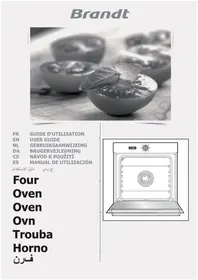
USER MANUAL FC4200MS BRANDT
natural_image
Black-and-white illustration of a pie chart, wheat stalks, and sun symbol (no text or labels)MANUEL D'INSTRUCTION FR
INSTRUCTION MANUAL EN
و Implementation Enforcement Herzberg
Four compact 42L Compact oven 42L Horno compacto 42L Compacte oven 42L
لتر 42 فرن مُصغر
natural_image
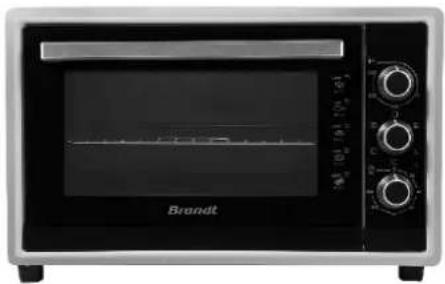
Front view of a brandt microwave oven with control knobs and a visible grille (no text or symbols on the device itself)FC4200MS
Chère Cliente, Cher Client,
natural_image
Illustration of a toaster oven with a tray and handle (no text or symbols)natural_image
Circular diagram with a central white circle and surrounding directional arrows and squares (no text or symbols)natural_image
Diagram of a room with directional arrows and numbered blocks, no readable text or symbolsnatural_image
Diagram of a train interior showing a double-decker train with passengers inside (no text or labels)Droite
-
Installer le tournebroche
-
Retirer le tournebroche
natural_image
Illustration of a chicken inside an oven with two labeled parts (① and ②), no text or symbols present.Thank you for buying a BRANDT product and for your confidence in our company.
This product has been designed and manufactured for you considering your lifestyle and your requirements, so that it meets your expectations in the best way possible. We have invested it with our expertise, spirit of innovation and all the enthusiasm which has driven us for more than 60 years.
So that we are always able to satisfy your requirements as well as possible, our customer service is available, ready to listen and suggestions
You can also visit our website www.brandt.com where you will find our latest innovations as well as additional useful information.
BRANDT is happy to support you daily and hopes you will enjoy your purchase to the full.

Important: Before starting your machine, please read this guide for installation and use carefully in order to familiarise yourself with how it operates quickly.
CONTENTS
1) FOR THE USER'S ATTENTION....18
a) Safety Instructions....18
b) Technical Data....21
c) Environmental Protection....21
2) INSTALLATION OF YOUR MACHINE ....22
a) Installing your machine safely....22
b) Electrical Connections ......23
c) Description of Your Machine 23
3) USING YOUR OVEN....23
a) Before Using your Machine for the First Time....23
b) Setting the temperature 24
c) Setting the cooking duration....24
d) Selection of the cooking mode 25
e) Recommendations for Use....27
4) LOOKING AFTER YOUR MACHINE 28
a) Cleaning Instructions 28
b) Storage Instructions....28
1) FOR THE USER'S ATTENTION

Keep these instructions with your machine. I this machine to another person second-hand, make sure you give the new owner these instructions. Please I these instructions before installing and using your machine. They are written for your safety and that of others.
a) Safety Instructions
Installation
- This machine is only intended for domestic use for cooking and reheating food. It may only be used in a covered, enclosed and heated environment such as a kitchen or any other room meeting the same specifications.
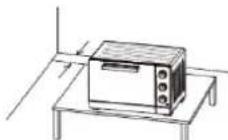
- Before using this machine, place it on a flat, dry surface that is resistant to heat such as a kitchen room space of at least 10 centimetres on each side of the machine to ensure good air circulation.
- Keep the machine and its power cable out of reach of children under the age of 8.
- This machine is not intended to be put into operation using an external timer or a separate remote control system.
- Never pull the lead but disconnect the machine by holding the plug.
- If this machine is covered or in contact with a flammable material including curtains, drapes and similar items, there is a fire risk when it is working.
• Children must not play with the machine.
Use
- This machine may be used by children aged 8 or older and also by people with reduced physical, sensory or mental capacities, but only after having given them the necessary information concerning the use of the machine, so that they are aware of the dangers.
- The accessible parts of this machine may become hot when it is operating.
- Young children must be ke supervised.
- Do not touch the hot surfaces of this machine with working.
- Do not place anything on the machine when it is working.
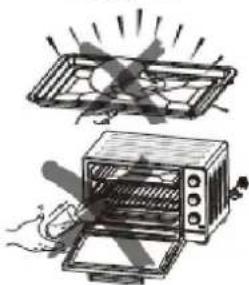
- Do not cover any part of the oven with aluminium foil. This may cause malfunctions and a fire risk.
- Do not allow the power cable come into contact v surfaces.
- Do not put the following materials in the oven: cardboard plastic, paper or similar materials that are sensitive to heat.
• Make sure that utensils and food that are too big a put in the oven. Utensils and food must not come into contact with the heating elements.
- This machine is not intended for any use other than cooking or reheating food. Drying of food, towels, reheating wet towels or any other similar use may cause a fire risk or injuries.
- Handling accessories with a dish on them is dangerous is dangerous. In order to avoid the accessories (racks or trays) tipping forward and so that you are not injured,
remove the dish from the oven and always use th when you put the accessories in or take them out.
- The use of accessories not recommended by the manufacturer of the machine may cause danger or injuries.
Maintenance
- Cleaning and maintenance of the machine should not be carried out by children unless they are older than 8 and are supervised.
- Unplug the machine when you are not using it or before cleaning. Wait until the machine cools before putting objects in the oven or taking them out, or before cleaning it.
• To protect yourself from the risk of electric sl immerse any part of the oven in water or other liquids.
- Do not clean the machine with an abrasive metal scraper.
- The power cable cannot be replaced. If the cable is damaged the machine should be discarded. However, this product is guaranteed by your distributor. For more details please refer to the guarantee conditions provided by your distributor.
- This machine is fitted with a toughened glass door which will not crack but will break into minuscule pieces which will not cut. Avoid scratching the glass or distorting the door frame. If the door has scratches or impacts on it, contact customer service before using the oven.
- For cleaning surfaces in contact with food please refer to the "Cleaning Instructions" section.
Non-compliant use
- The manufacturer denies all responsibility in the event of non-compliant use.
- This machine is exclusively intended for do private dwellings. The use of this product in communal or professional premises such as rooms for breaks in offices or workshops, camping or hotel premises, does not represent compliant use as defined by the manufacturer.
The surfaces of the machine are hot during use Alw wear insulated oven gloves when you touch an oven, dishes or hot food, or when you insert or remove the racks or oven dishes.
b) Technical Data
| Model FC4200MS | |
| Power supply 220-240V ~ 50/60 Hz | |
| Energy consumption 1800 W | |
| Dimensions mm (HxWxD) | H376 x W578 x D400 mm |
| Net weight 10 kg | |
c) Environmental Protection

At the end of its life this product must not be discarded with household waste. It must be taken to a recycling centre or to your dealer. This makes it possible to avoid consequences resulting from inappropriate disposal that are harmful to health and the environment, and to recycle materials to save energy and significant resources.
A logo appears on the product reminding you not to discard it with household waste. For further information, contact your council offices or the shop where you bought this product.
2) INSTALLATION OF YOUR MACHINE
a) Installing your machine safely

If the oven is placed too close to a wall this could be burnt or stained. Make sure that curtains, etc. are not in contact with the oven.
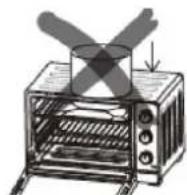
Do not put anything between the base of the oven and the surface which it stands. Anything placed under the oven could be burnt. Do not place anything on the oven when it is operation because the heat could possibly distort, crack or damage it.
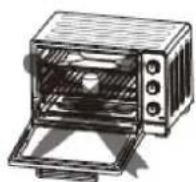
Do not heat food in bottles or tins because the receptacle could break and burn you.
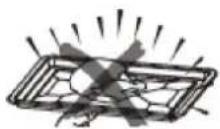
Always use the tongs when you insert the tray or take it out. Yc serious burns if you touch it.

natural_image
Illustration of a toaster oven with a handle and tray, no text or symbols presentNever pour water into the oven when it is hot.

When you unplug the machine always take hold of the plug. Never pull on the lead as this could break the wires inside.
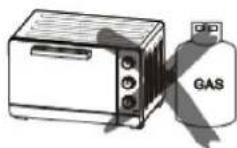
When in use never place the machine near a gas burner, a source of high heat or an electric fan, etc. This could damage the temperature control.
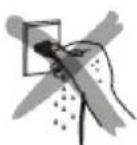
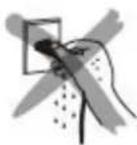
Never splash the power cable or handle the machine with wet hands. Always disconnect the lead after use or when the machine is left unsupervised. If it is left plugged in a malfunction could cause a fire.
When you cook dishes with oil, such as a roast chicken, it is recommended that 2 sheets of foil are used to reduce splashing. Place one sheet on the tray and the other on the chicken. In this way the oil will run between the two sheets.
Warning:

Check that your machine has not been damaged during transport (door or seals distorted, etc.). If you note any damage whatsoever contact your dealer before continuing to use the machine.
b) Electrical Connections

The oven must be connected to a suitable electrical socket. Make sure the plug is completely in the socket. Otherwise it could overheat. Do not use a lighting socket. Never connect several plugs to the same socket.
c) Description of Your Machine
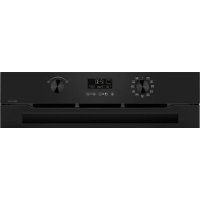
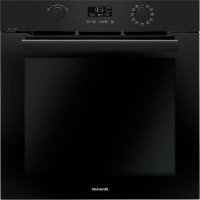
The oven
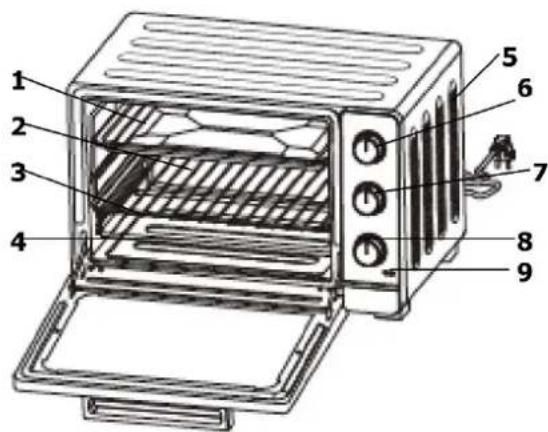
- Drip pan
- Grill rack
- Shelf levels
- Heating elements
- Ventilation holes
- Temperature adjustment
- Cooking mode selector
- Timer (120 minutes)
- Power on indicator light
Accessories
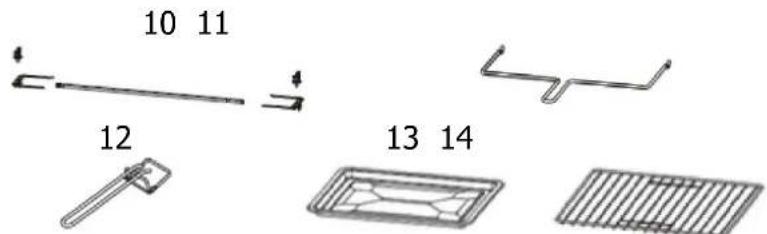
- Rotisserie skewer with detachable forks
- Rotisserie handle
- Tongs
- Drip pan
- Grill rack
3) USING YOUR OVEN
a) Before Using your Machine for the First Time
- Unpack the machine and check that the parts and accessories are all there and not damaged.
- Check that all the packaging items (plastic, cardboard, polystyrene) have been removed from inside the machine.
- Clean all the parts as described in the section "Looking after your machine".
• Dry all the parts carefully and assemble them. The machine can now be used.
Heat the oven empty.
- Insert the drip pan and the cooking rack
- Adjust the cooking mode selector and put the thermostat on "240°C" and then heat the oven empty for about 10 minutes.
• After leaving it to cool unplug and clean the spare parts again.
Note:
It is possible that there is a smell of smoke and burning. However, this is normal.
b) Setting the temperature
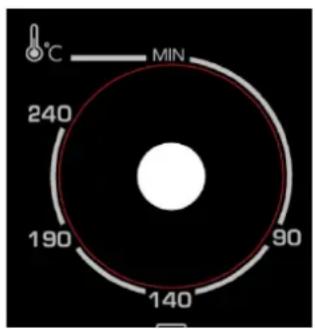
Adjust the "temperature control" by turning it clockwise to select the appropriate temperature for the dish you are going to cook (Temperatures between 70°C and 240°C).
c) Setting the cooking duration

Adjust the timer to the appropriate cooking minutes) for the dish you are going to cook by clockwise.
The indicator light enables you to check the heating elements are functioning correctly. The oven will turn off automatically at the end of the selected cooking time and an alarm will sound,
You can turn off the oven manually during cooking by turning the timer anticlockwise to Position "0".
Note:
If the inside of the oven is dirty it may be that cooking has taken longer than usual.
d) Selection of the cooking mode

natural_image
Circular diagram with a central white circle and surrounding directional arrows and squares (no text or symbols)| Sequences Cooking mode | |
 | Multifunction: Vault + Bottom + Fan |
 | Fan grill Vault + Fan |
 | Natural convection : Vault + Bottom |
 | Grill: Vault and Rotisserie |
 | Multifunction + Rotisserie: Vault + Bottom + Rotisserie + Fan |
Specific functions
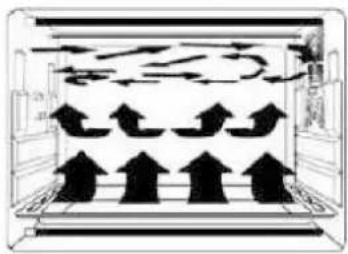
1. Multifunction (Vault + Bottom + Fan)
natural_image
Diagram of a storage or ventilation system with upward and downward arrows indicating flow direction (no text or symbols)Due to the fan located on the side of the oven cavity the hot air circulates throughout the entire oven. The better distributed and cooking is more even.
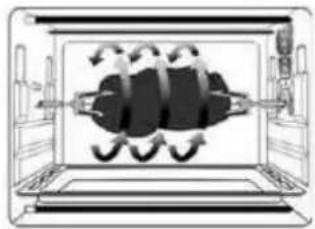
2. Rotisserie function
This function makes it possible to prepare food roasted on the skewer.
natural_image
Diagram of a double bass with three legs and two legs crossed, enclosed in a rectangular frame (no text or symbols)1. Install the rotisserie forks
To operate the rotisserie must be positioned on the cor side with the small hook on the left of the oven
Left
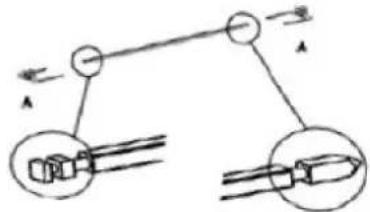
Right
- Install the rotisserie 3. Remove the rotisserie Rotisserie handle
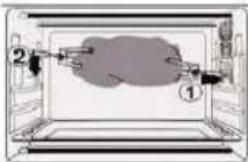
Insert the rotisserie forks in the rotisserie orifice and then place the drip pan under the rotisserie

natural_image
Diagram of a chicken inside a tray with two labeled parts (① and ②), no text or symbols present.Remove the rotisserie forks using the rotisserie handle and then remove the drip pan

To avoid burning yourself always use the rotisserie handle to take it out of the oven
Recommended cooking times:
* preheat the oven for 5 min
| SEQUENCE | DISHES TEMPERATURE | LEVEL | DURATION in mins | |
 | FISH 180°C / | 200°C 2 15-20 | ||
 | ROAST BEEF 230°C* 2 30 for 1000 g | |||
 | CHICKEN 220°C | Rotisserie | 55 for 1500 g | |
 | QUICHE | 200°C | 2 40-45 | |
 | GRATIN DAUPHINOIS | 180°C / 200°C 2 | 40-45 | |
 | LASAGNES | 180°C / 200°C 2 | 40-45 | |
 | PIZZA | 220°C* 2 | 15-20 depending on thickness | |
 | TARTS 200°C | 2 30-35 | ||
 | TOASTS GRILLES 180°C 4 5-8 on the grill | |||
 | CAKE 170°C 2 | 45-55 depending on thickness | ||
 | CUPCAKES 160°C 2 25 | |||
 | SHORTBREADS 170°C* 3 10 | |||
e) Recommendations for Use
1. Drip pan and grill rack
| Accessories | Food (for information only) | How to use the tongs |
Drip pan | Grilled chicken wings, minced steak, gratins, cakes and almost all other food prepared in the oven |  |
| Note:We recommend you use it as a crumb tray | ||
| Grill rack | Baked potatoes, dry food | |
2. Shelf levels

You may adjust the height of the tray at 3 dif depending on the dishes you want to cook. For example when you prepare a gratin and you want the upper part to be cooked more, use the third level. To roast a chicken use the first or second level.
4) LOOKING AFTER YOUR MACHINE
a) Cleaning Instructions
Always unplug the machine and let it cool completely before cleaning or moving it. Clean the tray, grill rack and the handle of the tray and drip tray after its use. Clean the inside of the electric oven and all the detachable parts with a gentle, non-abrasive cleaner and a plastic scourer after each use. Rinse and dry carefully. Do not rub too hard on the internal surfaces of the oven which could be scratched. Clean the exterior glass door of the electric oven with a cleaner for glass surfaces or a gentle detergent and a damp cloth, or a plastic scourer. Do not use an abrasive scourer or cleaner which could scratch the machine's glass. Rinse and dry carefully using a clean cloth. Allow the oven to dry before closing the glass door.
b) Storage Instructions
Unplug the oven, allow it to cool and clean it before putting it away. Store the electric oven in its box and keep it in a cool, dry place. Never store the machine when it is hot or still plugged in. Never wind the power cable around the machine. Never put any tension on the power cable at the location where it enters the machine. It could be damaged and break.
natural_image
Circular diagram with a central white circle and surrounding directional arrows and squares (no text or symbols)natural_image
Diagram of a room with directional arrows and ceiling-mounted objects (no text or symbols)natural_image
Diagram of a mechanical device with internal components and directional arrows, no visible text or symbolsDerecha
natural_image
Illustration of a chicken being cut with two labeled parts (① and ②), no text or symbols present.2) INSTALLATIE VAN UW APPARAAT
a) Uw apparaat in alle veiligheid installeren
natural_image
Illustration of a toaster oven with a knife inserted into the tray (no text or symbols)natural_image
Circular diagram with a central white circle and surrounding directional arrows (no text or symbols)natural_image
Diagram of a room with directional arrows and stacked blocks, no text or symbols presentnatural_image
Diagram of a mechanical device with internal components and directional arrows, no visible text or symbolsRechts
natural_image
Illustration of a chicken inside an oven with two labeled parts (① and ②), no text or symbols present.natural_image
Circular diagram with a central white circle and surrounding geometric symbols (no text or labels)natural_image
Diagram of a multi-tiered storage unit with upward and downward arrows indicating flow or movement (no text or symbols)natural_image
Diagram of a mechanical or electrical component with internal components and directional arrows (no text or symbols)يسار

natural_image
Pure mechanical linkage diagram without any text, numbers, or symbolsيمين
-
صينية تنقيط
-
الشواية
3.الرف
. عناصر تسخين 4
natural_image
Illustration of a toaster oven and its open lid with heat rays, no text or symbols present
- CONTENTS
- 1) FOR THE USER'S ATTENTION....18
- 2) INSTALLATION OF YOUR MACHINE ....22
- 3) USING YOUR OVEN....23
- 4) LOOKING AFTER YOUR MACHINE 28
- 1) FOR THE USER'S ATTENTION
- a) Safety Instructions
- Installation
- Use
- Maintenance
- Non-compliant use
- b) Technical Data
- c) Environmental Protection
- 2) INSTALLATION OF YOUR MACHINE
- a) Installing your machine safely
- b) Electrical Connections
- c) Description of Your Machine
- 3) USING YOUR OVEN
- a) Before Using your Machine for the First Time
- Note:
- b) Setting the temperature
- c) Setting the cooking duration
- d) Selection of the cooking mode
- Specific functions
- Multifunction (Vault + Bottom + Fan)
- Rotisserie function
- Install the rotisserie forks
- e) Recommendations for Use
- Drip pan and grill rack
- Shelf levels
- 4) LOOKING AFTER YOUR MACHINE
- a) Cleaning Instructions
- b) Storage Instructions
- 2) INSTALLATIE VAN UW APPARAAT
- a) Uw apparaat in alle veiligheid installeren
Brand : BRANDT
Model : FC4200MS
Category : Electric oven