EasyManual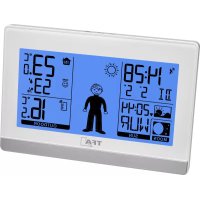
Weather Boy 35.1159.02 - Weather Station TFA - Free user manual and instructions
Find the device manual for free Weather Boy 35.1159.02 TFA in PDF.



User questions about Weather Boy 35.1159.02 TFA
0 question about this device. Answer the ones you know or ask your own.
Ask a new question about this device
Download the instructions for your Weather Station in PDF format for free! Find your manual Weather Boy 35.1159.02 - TFA and take your electronic device back in hand. On this page are published all the documents necessary for the use of your device. Weather Boy 35.1159.02 by TFA.
USER MANUAL Weather Boy 35.1159.02 TFA
Thank you for choosing this instrument from TFA.
1. Before you use this product
- Please make sure you read the instruction manual carefully. This information will help you to familiarize yourself with your new device, to learn all of its functions and parts, to find out important details about its first use and how to operate it and to get advice in the event of a malfunction.
- Following and respecting the instructions in your manual will prevent damage to your instrument and loss of your statutory rights arising from defects due to incorrect use.
- We shall not be liable for any damage occurring as a result of non-following of these instructions. Likewise, we take no responsibility for any incorrect readings or for any consequences resulting from them.
- Please take particular note of the safety advice!
- Please keep this instruction manual safe for future reference.
2. Delivery contents
- Wireless weather station (base station) • Outdoor transmitter (Cat.-No. 30.3246.02)
3. Range of application and all the benefits of your new instrument at a glance
- Outdoor temperature wireless (433 MHz), distance range up to 60 m (open field)
- Expandable up to 3 outdoor transmitters, also for the temperature control of remote rooms, e.g. children's room, wine- cellar etc.
- Indoor temperature and humidity with comfort level indicator
- Maximum and minimum values
- Weather forecast by symbols and “Weather Boy”
- Atmospheric pressure trend
- Radio controlled clock with day of the week and date WEATHER BOY – Wireless weather station
- Alarm with snooze function, adjustable snooze interval
- Time of sun rising and setting and day length (164 world cities)
- This product is exclusively intended for the range of application described above. It should only be used as described with- in these instructions.
- Unauthorized repairs, alterations or changes to the product are prohibited. Caution! Risk of injury!
- Keep these devices and the batteries out of reach of children.
- Batteries contain harmful acids and may be hazardous if swallowed. If a battery is swallowed, this can lead to serious inter- nal burns and death within two hours. If you suspect a battery could have been swallowed or otherwise caught in the body, seek medical help immediately.
- Batteries must not be thrown into a fire, short-circuited, taken apart or recharged. Risk of explosion!
- Low batteries should be changed as soon as possible to prevent damage caused by leaking. Never use a combination of old and new batteries together, nor batteries of different types. Wear chemical-resistant protective gloves and safety glass- es when handling leaking batteries. Important information on product safety!
- The outdoor transmitter is splash proof, but not watertight. When placed outdoors, choose a shady and dry place for the transmitter.
5.1 Base station (Receiver)
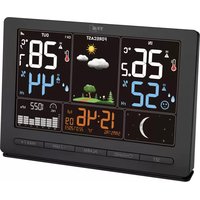
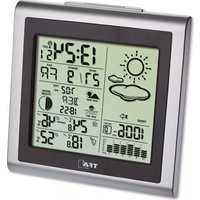
A: LCD display (Fig. 1): A 1: DCF reception symbol A 2: Time (DCF) A 3: Weather forecast with symbols and “Weather Boy” A 4: Atmospheric pressure trend A 5: Battery symbol for the base station A 6: Comfort level indicator of indoor climate A 7: Indoor temperature A 8: Indoor humidity A 9: Maximum and minimum values A 10: Battery symbol for outdoor transmitter A 11: Outdoor temperature A 12: Circle symbol for the alternating channel A 13: Channel number and reception symbol A 14: City code A 15: Time of sun rising/sun setting/day length A 16: Moon phase A 17: Symbol of sun rising/sun setting/day length A 18: Date/alarm time/seconds A 19: Day of the week A 20: Alarm symbol A 21: Snooze symbol A 22: Symbol Daylight Saving Time (DST) B: Buttons (Fig. 2): B 1: SET button B 2: +/CH button B 3: – /WAVE button B 4: MEM button B 5: sensor button C: Housing (Fig. 2): C 1: Battery compartment C 2: Stand WEATHER BOY – Wireless weather station
D 1: Transmission indication LED D 2: Battery compartment D 3: 1/2/3 switch for channel selection D 4: Wall mounting hole D 5: RESET button
- Remove the protective film from the base station display.
- Open the battery compartments of the transmitter and receiver and place both instruments on a desk with a distance of approximately 1.5 meter from each other. Avoid being close to possible sources of interference such as electronic devices and radio equipment.
- Insert at first two new batteries 1,5 V AA in the battery compartment of the base station and then two new batteries 1,5 V AA in the battery compartment of the outdoor transmitter. Make sure the polarities are correct.
- The device will alert you with a beep and all LCD segments will be displayed for a short moment. The LED transmission indicator on the transmitter flashes red.
- After a successful installation close the battery compartments carefully.
6.2 Reception of outdoor temperature
- After the batteries are inserted, the outdoor values will be transmitted to the base station. The reception symbol for the transmitter flashes.
- As soon as the base station receives the outdoor temperature, the value is permanently shown.
- If the reception of the outdoor values fails within three minutes, “- -” remains on the display. Check the batteries and try it again. Check if there is any source of interference.
- You can also start the outdoor transmitter search manually later on (for example when the outdoor transmitter is lost or the batteries are changed). TFA_No. 35.1159_Anleitung_ 17.06.2020 18:09 Uhr Seite 132726 WEATHER BOY – Wireless weather station
- Press and hold +/CH button for three seconds. The last registered transmitter (channel) will be cancelled.
- Press the RESET button on the outdoor transmitter. The transmission of the outdoor data will take place immediately.
6.3 Radio-controlled time reception
- After 3 minutes the clock will then scan the DCF (radio-controlled clock) frequency signal. The DCF reception symbol will be flashing. When the time code is successfully received after a maximum of 7 minutes, the radio-controlled time, the date, the day of the week and the DCF symbol will be shown steadily on the display.
- The clock automatically scans the time signal at 1:00, 2:00 and 3:00 a.m. every day to maintain accurate timing (less dis- turbances).
- If the reception is not successfully received, another DCF reception will take place the next full hour (up to 5 times).
- You can also start the initialization manually. Press the – /WAVE button for 2 seconds. The DCF reception symbol will be flashing.
- Press the – /WAVE button again during the active DCF77 signal reception to stop scanning the DCF time signal.
- There are 3 different reception states: flashing symbol – reception is active solid – reception is very good no symbol – no DCF reception
- By default, the DCF reception is activated and after successful reception of the DCF signal no manual time setting is necessary.
- If the clock cannot detect the DCF-signal (e.g. due to interference, transmitting distance, etc.), the time can be set manually. The clock will then work as a normal quartz clock. (see: Setting of the clock, calendar and location). Note on radio-controlled time The time base for the radio-controlled time is a caesium atomic clock operated by the Physikalisch Technische Bundesanstalt based in Braunschweig (Brunswick), Germany. It has a time deviation of less than one second in one million years. WEATHER BOY – Wireless weather station
The time is coded and transmitted from Mainflingen near Frankfurt via the frequency signal DCF-77 (77.5 kHz) and has a transmitting range of approximately 1,500 km. Your wireless weather station receives the signal, converts it and always shows the exact time. The adjustment to Daylight Saving Time (summer/wintertime) is automatic. In Daylight Saving Time DST is shown on the display. The reception quality depends mainly on geographic location. Therefore, please note the following steps:
- The recommended distance to any interfering sources like computer screens or TV sets is at least 1.5 - 2 meters.
- Within concrete walls (reinforced with steel) such as basements, the received signal is naturally weakened. In extreme cases, please place the unit close to a window to improve reception.
- During night-time, the atmospheric interference is usually less severe and reception is possible in most cases. A single daily reception is adequate to keep the accuracy deviation under 1 second.
- Important: The device cannot be operated during the DCF time-signal reception.
- The device will automatically quit the setting mode if no button is pressed for 20 seconds.
- Press and hold the +/CH or – /WAVE button in setting mode for fast mode.
7.1 Setting of the clock, calendar and location
- Press and hold the SET button in normal mode for three seconds to enter the setting mode.
- RC and the DCF reception symbol appear on the display and ON will be flashing.
- By default, the DCF reception is activated (RC ON) and after successful reception of the DCF signal no manual adjustment is necessary.
- Once the DCF time reception is deactivated the clock and date must be manually set.
- Confirm the setting with the SET button.
- Press the SET button again and the setting sequence is shown as follows: the 12 or 24 hours system (24hr - default), time zone (Hr 00 - default), hours, minutes, day/month sequence (European version - default) or month/day sequence (Ameri- can version), year, month and day, the language of the day-of-the-week (GE - default), the temperature unit °C or °F (°C - default), the city code (BER - default) and the weather symbol. Adjust the settings with the +/CH or – /WAVE button.
- Confirm the settings with the SET button.
- If the DCF reception is activated (RC ON), the manually set time will be overwritten by the DCF time when the signal is received successfully.
7.1.1 12 or 24 hour system
- In setting mode you can choose between the 12 - or 24 hours system. In the 12 Hr system AM or PM (after 12 o'clock) appears on the display.
7.1.2 Time zone setting
- In the setting mode you can make the time zone correction +12/-12).
- The time zone correction is needed for countries where the DCF signal can be received but the time zone is different from the DCF time (e.g. +1=one hour plus).
7.1.3 Day-of-the week language
- You can set the day-of-the week language in setting mode: German (GE - default), French (FR), Spanish (ES), Italian (IT), Dutch (NE), Danish (DA) and English (EN). WEATHER BOY – Wireless weather station
- It can be chosen from among 164 cities. See the city list at the end of this manual. The city code will start flashing. Set the first letter of your location with the +/CH or – /WAVE button. Confirm with the SET button. Set the second and third letter in the same way. Display ERR - Repeat procedure.
7.1.5 Weather symbol setting
- For a correct weather forecast the actual weather conditions have to be set. The weather station will start the first forecast 8 hours after the setting of the current weather status. The weather forecast may be not accurate if the entered weather symbol is incorrect.
- Each press on the SET button in normal mode will change the display between date, alarm time and seconds.
- Choose with the SET button the alarm time AL.
- Press and hold the SET button.
- Press the +/CH or – /WAVE button to set the hours.
- Confirm the setting with the SET button and set minutes in the same way.
- Press the SET button again and the snooze symbol flashes. Press the +/CH or – /WAVE button to adjust the minutes (1 to 30) for the snooze function or to switch it off (OFF). The default setting is 8 minutes.
- The display shows the current time.
- To activate and deactivate the alarm function press the – /WAVE button in normal mode.
- The alarm symbol appears/disappears on the display.
- When the alarm is activated, the alarm starts to ring when the set alarm time is reached. The alarm symbol flashes.
- If the alarm is not stopped manually, the ascending alarm tone automatically turns off after two minutes and the alarm will be reactivated at the same set time on the following day.
- Press any button (except ) and the alarm will stop.
- Press the sensor button to activate the snooze function.
- Once the snooze function is activated, the snooze symbol will be flashing on the display.
- The alarm will be interrupted for the set time.
- Press any button (except ) and the snooze function will stop.
- Press the sensor button. The backlight turns on for ten seconds.
- For the indication of the comfort level of the indoor climate on the display appears: Display Description Temperature range Humidity range indoor indoor DRY Dry < 40%RH WEATHER BOY – Wireless weather station
- Press the MEM button to show the maximum (MAX) values of temperature and humidity of the indoor sensor and outdoor temperature. Press MEM button again to show the minimum (MIN) values.
- The maximum and minimum values are automatically reset at midnight.
- Manual reset: If you press and hold the MEM button for 3 seconds, the values are deleted and reset to the actual value.
- The wireless weather station distinguishes 5 different weather symbols (sunny, partly cloudy, cloudy, rainy, heavy rain). A snow crystal is shown if rain is forecasted and the outdoor temperature on channel 1 is under 0°C.
- The weather forecast covers a range of 8 hours and indicates only a general weather trend. For example, if the current weather is cloudy and the rain symbol is displayed, it does not mean the product is faulty because it is not raining. It sim- ply means that the air pressure has dropped and the weather is expected to get worse but not necessarily rain. The accura- cy is about 70 %.
- Weather forecast by “Weather Boy”: Swimming trunks, scarf, gloves or umbrella? The “Weather Boy” shows in 22 varia- tions always the correct clothing for the current weather.
- Please keep in mind that the clothing state of “Weather Boy” is based on the information of the transmitter received on channel 1. If this transmitter is not situated outside or if there is no transmitter connected to channel 1, a wrong or no dis- play will be the result.
- The trend arrows on the display indicate if the atmospheric pressure values are currently increasing or decreasing.
- After setting the local city in the setting mode, the main unit calculates the time for the sunrise/sunset and day length.
- Each press on the button in normal mode will change the display between: WEATHER BOY – Wireless weather station
- The moon phase of each day is shown on the display: A: New moon B+C: Waxing crescent D: Half-moon (first quarter) E+F: Waxing gibbous G: Full Moon H+I: Waning gibbous J: Half-moon (last quarter) K+L: Waning crescent
12. Additional outdoor transmitters
- One outdoor transmitter is included, which is normally set to channel 1.
- When having more than one external transmitter, select a different channel for each one with the 1/2/3 switch inside the transmitter's battery compartment. Insert two new AA 1.5 V batteries, polarity as illustrated. Start the base station opera- tion or the manual search for the outdoor transmitter.
- Choose the respective transmitter by pressing the +/CH button.
- Press the RESET button in the corresponding transmitter's battery compartment. The transmission of the outdoor data will take place immediately.
- The outdoor values and the channel number will be shown on the base station display. If you have installed more than one outdoor transmitter, press the +/CH button on the base station to change between the channels 1 to 3.
- You can also choose an alternating channel display. When pressing the +/CH button, a circle symbol will appear after the last registered channel (1 to 3). To deactivate the function press the +/CH button again.
- After a successful installation close the outdoor transmitter's battery compartment carefully.
13. Positioning and mounting of the base station and the transmitter
- When placed outdoors, choose a shady and dry place for the transmitter. Direct sunlight may trigger incorrect measure- ment and continuous humidity damages the electronic components needlessly.
- Place the base station in any room of the house. Make sure to avoid the vicinity of any source of interference such as com- puter screens, TV sets or solid metal objects.
- Once the desired location is chosen, check whether the transmission from the transmitter to the base station is possible (transmission range of up to 60m in open areas). Within solid walls, especially ones with metal parts, the transmission range can be reduced considerably.
- If necessary, choose another position for the outdoor transmitter and/or receiver.
- Once the transmission is successful, you can wall mount the transmitter.
14. Care and maintenance
- Clean the devices with a soft damp cloth. Do not use solvents or scouring agents. Protect it from moisture!
- Remove the batteries from all devices if you do not use the products for a long period of time.
- Store the devices in a dry place. WEATHER BOY – Wireless weather station
14.1 Battery replacement
- As soon as the battery symbol appears on the display of the base station beside the outdoor temperature, change the bat- teries of the outdoor transmitter.
- Change the batteries of the base station, when the battery symbol appears on the indoor values display.
- Please note: When the batteries are changed, the contact between the transmitter and the receiver must be restored – so always insert new batteries into both devices or start the manual search for the transmitter.
15. Trouble shooting
Problem Solution No indication ➜ Ensure the batteries' polarities are correct on the base station ➜ Change the batteries No transmitter reception ➜ No transmitter installed Display "- -" ➜ Check the outdoor transmitter's batteries (do not use rechargeable batteries!) for channel 1/2/3 ➜ Restart the transmitter and the base station according to the manual ➜ Start manual search for the outdoor transmitter: Press the +/CH button on the base station for 3 seconds and then the RESET button in the transmitter's battery compartment ➜ Choose another place for the outdoor transmitter and/or the base station ➜ Reduce the distance between the outdoor transmitter and the base station ➜ Check if there is any source of interference No DCF reception ➜ Activate DCF reception in setting mode (RC ON) ➜ Press and hold the – /WAVE button for 2 seconds and start the initialisation manually ➜ Wait for an attempt reception during the night ➜ Choose another place for your product TFA_No. 35.1159_Anleitung_ 17.06.2020 18:09 Uhr Seite 183736 WEATHER BOY – Wireless weather station
➜ Set the clock manually ➜ Check if there is any source of interference ➜ Restart the instrument according to the manual Incorrect indication ➜ Change the batteries If your device fails to work despite these measures, contact the retailer where you purchased the product.
This product has been manufactured using high-grade materials and components which can be recycled and reused. Never dispose of empty batteries and rechargeable batteries with ordinary household waste. As a consumer, you are required by law to take them to your retail store or to an appropriate collection site depending on national or local regulations in order to protect the environment. The symbols for the contained heavy metals are: Cd = cadmium, Hg = mercury, Pb = lead This product is labelled in accordance with the EU Waste Electrical and Electronic Equipment Directive (WEEE). Please do not dispose of this product in ordinary household waste. As a consumer, you are required to take end- of-life devices to a designated collection point for the disposal of electrical and electronic equipment, in order to ensure environmentally-compatible disposal.
Measuring range outdoor Temperature -25°C…+60°C (-13…+140 °F) Range max. 60 m (open area) Transmission frequency 433 MHz Maximum radio-frequency power < 10mW Power consumption Base station: 2 x 1.5 V AA batteries (not included) Outdoor transmitter: 2 x 1.5 V AA batteries (not included) Use alkaline batteries Base station Dimensions 145 x 39 x 97 mm Weight 189 g (device only) Outdoor transmitter Dimensions 40 x 25 (27) x 105 mm Weight 42 g (device only) TFA_No. 35.1159_Anleitung_ 17.06.2020 18:09 Uhr Seite 193938 WEATHER BOY – Wireless weather station
No part of this manual may be reproduced without written consent of TFA Dostmann. The technical data are correct at the time of going to print and may change without prior notice. The latest technical data and information about this product can be found in our homepage by simply entering the product number in the search box. EU Declaration of conformity Hereby, TFA Dostmann declares that the radio equipment type 35.1159 is in compliance with Directive 2014/53/EU. The full text of the EU declaration of conformity is available at the following internet address: www.tfa-dostmann.de/service/downloads/ce www.tfa-dostmann.de E-Mail: info@tfa-dostmann.de TFA Dostmann GmbH & Co.KG, Zum Ottersberg 12, D-97877 Wertheim, Germany 06/20 WEATHER BOY – Station météo radio-pilotée