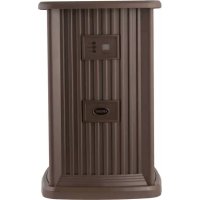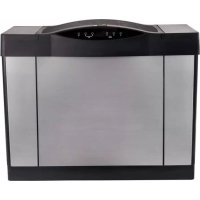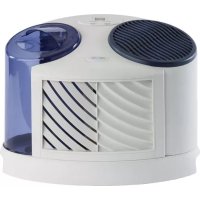
TableTop 7D6100 - Humidifier AirCare - Free user manual and instructions
Find the device manual for free TableTop 7D6100 AirCare in PDF.


| Product Type | Evaporative Humidifier |
| Brand | AirCare |
| Model | TableTop 7D6100 |
| Power Supply | 120 V AC, 60 Hz |
| Tank Capacity | 2 gallons (approx. 7.6 L) |
| Wick Type | Super Wick® (réf. SGL1040) |
| Number of Fan Speeds | 4 (F1 to F4) + sleep (F0) |
| Humidity Control Range | 25% to 65% RH |
| Hygrostat | Built into power cord, automatic shut-off at set humidity |
| Continuous Mode Function | Yes (setting at 65%) |
| Control Lock | Yes (code CL) |
| Wick Change Indicator | Yes (code CF after 720 hours) |
| Recommended Placement | Flat surface, against an interior wall, at least 5 cm from wall |
| Maintenance | Regular cleaning with white vinegar or bleach (do not mix) |
| Water Additives | Do not use essential oils or water softeners; bacteriostat recommended |
| Replacement Parts | Available from the manufacturer (phone 800 547-3888) |
| Warranty | 2 years (excluding wicks and filters: 30 days) |
| Safety | Polarized plug, automatic shut-off, do not use extension cord |
Frequently Asked Questions - TableTop 7D6100 AirCare
User questions about TableTop 7D6100 AirCare
0 question about this device. Answer the ones you know or ask your own.
Ask a new question about this device
Download the instructions for your Humidifier in PDF format for free! Find your manual TableTop 7D6100 - AirCare and take your electronic device back in hand. On this page are published all the documents necessary for the use of your device. TableTop 7D6100 by AirCare.
USER MANUAL TableTop 7D6100 AirCare
natural_image
Illustration of a portable air conditioner unit with two circular fans and a side panel showing internal airflow patterns (no text or symbols)Everything you need to know about your
TABLE-TOP
ALL 7D6100 MODELS
Read and save these instructions
IMPORTANT SAFETY INSTRUCTIONS - READ BEFORE USING YOUR HUMIDIFIER
WARNING: To reduce the risk of fire, electric shock, or injury, always unplug the unit before moving, filling, servicing, or cleaning. Do not pour or spill water onto the controls or motor area. If these get wet, let them dry completely and have unit checked by authorized service personnel before plugging in. Do not use the humidifier if any parts are damaged or missing. Contact us for replacement parts at 800.547.3888.
- To reduce the risk of fire or shock hazard, this humidifier has a polarized plug (one blade is wider than the other). Plug humidifier directly into a 120V, A.C. electrical outlet. Do not use extension cords. If the plug does not fully fit into the outlet, reverse plug. If it still does not fit, contact a qualified electrician to install the proper outlet. Do not change the plug in any way.
- Keep the electric cord out of traffic areas. To reduce the risk of fire hazard, never put the electric cord under rugs, near heat registers, radiators, stoves or heaters.
- Always unplug the unit before moving, cleaning or removing the fan assembly section from the humidifier, or whenever it is not in service.
- Keep the humidifier clean. To reduce the risk of injury, fire or damage to humidifier, use only cleaners specifically recommended for humidifiers. Never use flammable, combustible or poisonous materials to clean your humidifier 5. Do not put foreign objects inside the humidifier.
- Do not allow unit to be used as a toy. Close attention is necessary when used by or near children.
- To reduce the risk of electrical hazard or damage to humidifier, do not tilt, jolt or tip humidifier while unit is running.
- To reduce the risk of accidental electrical shock, do not touch the cord or controls with wet hands.
- To reduce the risk of fire, do not use near an open flame such as a candle or other flame source.
HUMIDIFIER TWO-YEAR LIMITED WARRANTY POLICY
SALES RECEIPT REQUIRED AS PROOF OF PURCHASE FOR ALL WARRANTY CLAIMS
This warranty is extended only to the original purchaser of this humidifier when the unit is installed and used under normal conditions against defects in workmanship and materials as follows:
• Two (2) years from date of sale on the unit, and
- Thirty (30) days on wicks and filters, which are considered disposable components and should be replaced periodically. The manufacturer will replace the defective part/product, at its discretion, with return freight paid by the manufacturer. It is agreed that such replacement is the exclusive remedy available from the manufacturer and that TO THE MAXIMUM EXTENT PERMITTED BY LAW, THE MANUFACTURER IS NOT RESPONSIBLE FOR DAMAGES OF ANY KIND, INCLUDING INCIDENTAL AND CONSEQUENTIAL DAMAGE OR LOSS OF PROFITS OR REVENUES. Some states do not allow limitations on how long an implied warranty tests, so the above limitations may not apply to you. Warranty Exclusions: We are not responsible for replacement of wicks and filters. We are not responsible for any incidental or consequential damage from any malfunction, accident, misuse, alterations, unauthorized repairs, abuse, including failure to perform reasonable maintenance, normal wear and tear, nor where the connected voltage is more than 5% above the nameplate voltage. We are not responsible for any damage from the use of water softeners or treatments, chemicals or descaling materials. We are not responsible for the cost of service calls to diagnose the cause of trouble, or labor charge to repair and/or replace parts. No employee, agent, dealer or other person is authorized to give any warranties or conditions on behalf of the manufacturer. The customer shall be responsible for all labor costs incurred. Some states do not allow the exclusion or limitation of incidental or consequential damages, so the above limitations or exclusions may not apply to you.
Obtaining Warranty Service: Within the limitations of this warranty, purchaser with inoperative units should contact customer service at 800.547.3888 for instructions on how to obtain service within warranty as listed above. This warranty gives the customer specific legal rights, and you may also have other rights which vary from province to province, or state to state. Register your product at www.alcareproducts.com.
1
I-ET'S GFT YOU UP AND RUNNING

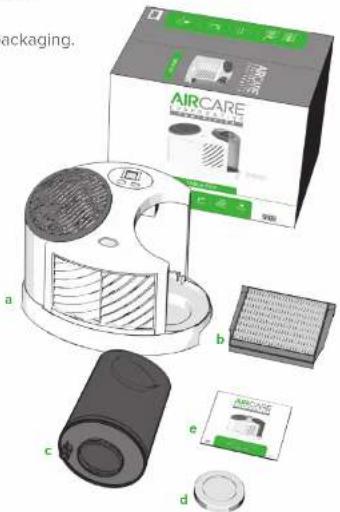
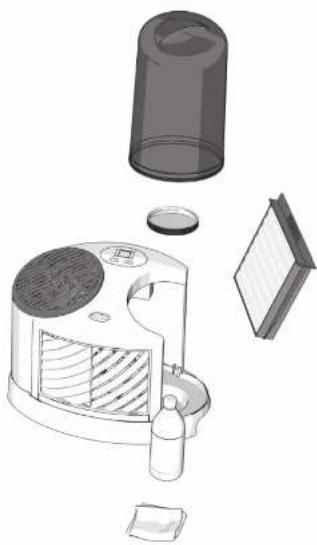
Remove the Table-Top from its packaging. You should have:
a. Main unit
b. SGL1040 Super Wick®
ALL SGL1040 AND 1040 WICKS
C. Water bottle
137779
d. Water bottle cap
1B71780
e. Owner's manual
1873355
text_image
packaging. AIRCARE AIRCARE a b c d eIf you are missing any parts, or need replacement parts, call us at 800.547.3888 or visit our website aircareproducts.com.

We hope you love your Mini-Console.
Prefer to see a video? Watch the Table-Top set-up at aircareproducts.com/support.

SCAN THE CODE TO THE RIGHT WITH YOUR PHONE'S CAMERA


Your Table-Top is fully assembled and needs no additional set-up.
Put your Table-Top in the most centrally-located room of your home. It should be on a level surface against an interior wall. Make sure it's at least two inches from the wall so the humidistat (on the cord) can accurately read your humidity.
More about positioning:
- To maximize humidity circulation, put your unit near a cold air return.
- If you prefer to put your unit in the room where humidity is most needed, you can! But the humidity won't circulate as well with this choice.
- Don't pull your humolifer under a window, as condensation may occur.
- Put the unit on the bottom floor of a multi-story home.

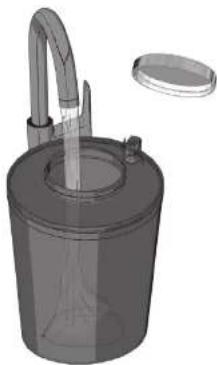
Fill your water bottle, then screw the cap back on, making sure the cap is y threaded. Your Table-Top holds 2 of water.
About water additives:
- Do not use essential oils in your Table-Top.
• Do not use water softeners.
• We recommend our Essiex Air Bacteriostel to help inhibit mold growth.

Put the water bottle in the base. Wait 20 minutes for the wick to become urated, then proceed to step 5.

Plug in your unit and press the fan button 📋.
natural_image
3D rendering of a cylindrical container with a curved tube and lid, no visible text or symbols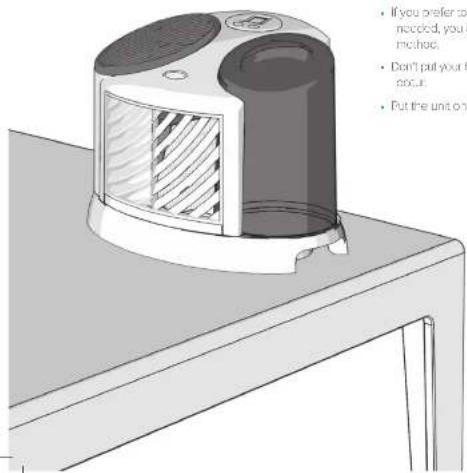
text_image
If you prefer to needed, you method. Don't put your point. Put the unit on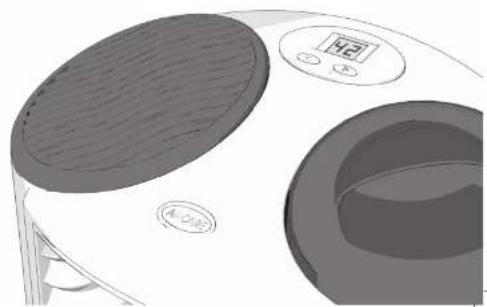
natural_image
Illustration of a kitchen appliance with a digital display and circular vent (no text or symbols)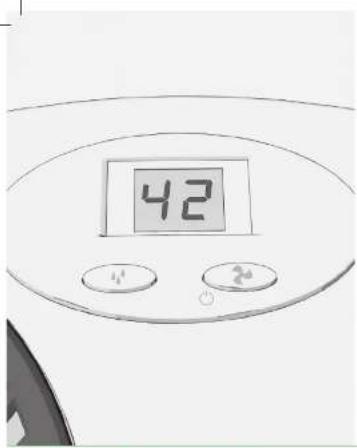
text_image
426 Press the fan button again to select your desired fan speed. Your Table-Top has four fan speeds that are displayed by F1 (the lowest speed) through F4 (the highest speed). F0 indicates your Table-Top is in standby mode.
7 Press the humidity control button to set your humidity level from 25% to 65%. The humidistat on your cord will read your home's humidity and turn your fan off when the set level is reached. When set to 65%, your unit will run continuously.
That's it! Your Table-Top is ready to use.
ABOUT THE CODES
CL Your CONTROLS ARE LOCKED on the current setting. Activate the control lock by holding the power button for five seconds, until CL appears. Your Table Too will lock on the current fan and humidity settings. Release the lock by pressing the power button again for five seconds until the display finishes CL three times, lotting you know the lock is off.
CF - The CF code triggers after 720 hours of use and means it's time to CHECK YOUR FILTER (wick). Undering your unit and check your wick. If your wick is still in good shape, simply clear the code by plugging your humidifier back in. If your wick needs replacing, follow these quick steps.
1. Remove the water bottle from the base.
2. Remove the old vick and replace it with a new SGI 10-40 Super Wick®.
9. Reassemble the unit.
HOW TO CLEAN YOUR TABLE-TOP
Regular cleaning is important for preventing mold, mildew, and other bacterial growth in your humidifier. It also keeps your Table-Top working its best.
- Let the unit run until it's empty, then turn it off and unplug it.
- Remove the water bottle and the wick. Throw your wick away if it is time to replace it. Otherwise, put it in a sink while you finish cleaning your Table-Top.
- Pour out any remaining water from the base and bottle.
- Fill the bottle half-full with water and sold 1/2 cup of white vinegar. Put the cap back on, shake the bottle gently, then let sit for 20 minutes. To disinfect, replace the vinegar with 1 teaspoon of bleach. Do not mix vinegar and bleach.
- After 20 minutes, empty the bottle.
- Dampen a sponge with white vinegar and wipe down the base, water bottle, and cap. Rinse everything thoroughly. To disinfect replace the vinegar with bleach.
- Wipe everything dry and replace the wick, if needed. Then reassemble.
When storing your Table-Top, discard the used wicks and disinfect the unit using the directions above. Dry the unit thoroughly, and store in a temperature-regulated area. Do not install new wicks until you are ready to use your humidifier again.
natural_image
Exploded view diagram of a portable air conditioner unit showing internal components and casing (no text or labels)FORE AUX QUESTIONS
natural_image
Technical illustration of a cylindrical device with internal hatched pattern and two circular ports (no text or symbols)
Intertek
natural_image
3D rendering of a cylindrical container with a curved handle and lid, no visible text or symbols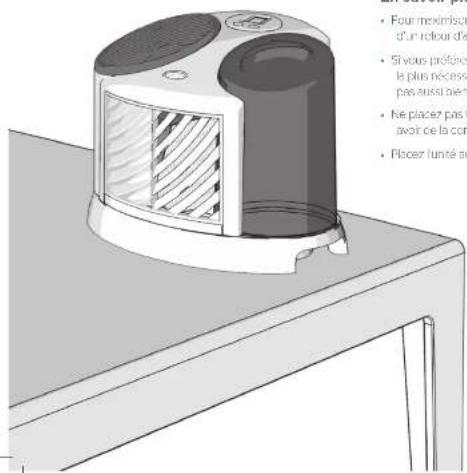
natural_image
Illustration of a kitchen appliance with a digital timer and circular button (no text or symbols)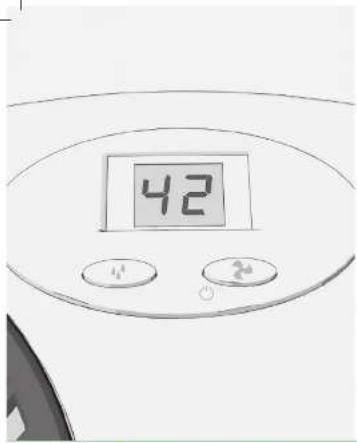
text_image
42natural_image
Exploded view diagram of a portable air conditioner unit showing internal components and casing (no text or labels)natural_image
Technical illustration of a cylindrical device with two circular tops and a shaded internal panel (no text or symbols)
Intertek
natural_image
3D rendering of a cylindrical container with a curved handle and a lid, no text or symbols visible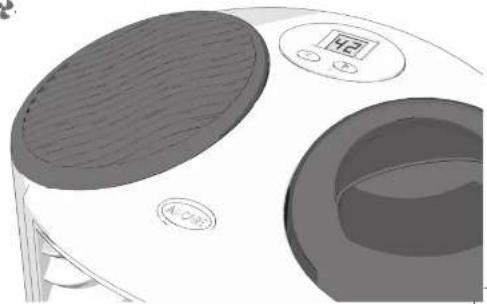
natural_image
Illustration of a kitchen appliance with a digital timer and circular base (no text or symbols)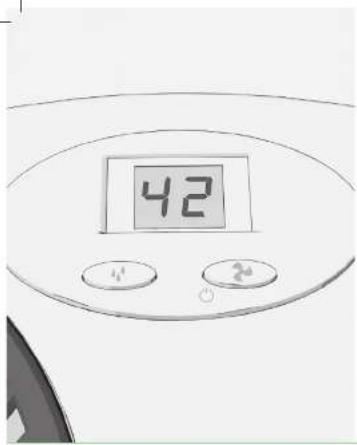
text_image
42natural_image
Exploded view diagram of a portable air conditioner unit showing internal components and casing (no text or labels)FREQUENTLY ASKED QUESTIONS
| Where is my serial number? | Your serial number is on the sticker on the back of your unit. You can write it here for future reference: |
| Why isn't my unit running? | Your unit has reached your set humidity level. |
| The display is flashing “20,” what does this mean? | Your humidity level is below 20%. Try increasing your fan speed and output level. |
| The display is flashing“--,” what does this mean? | Your humidity level is over 90%. Try lowering your fan speed and output level. |
| Why isn't my humidity increasing? | It can take 2-3 days for your new humidifier to bring your humidity up, especially if it is very dry in your home.If your wick is old, replace it with a new one. |
| How often should I replace my wick? | Your water's mineral content dictates how often your wick needs replacing. Harder water means more frequent changes. Using our Bacteriostat (part #1970) can help keep your unit cleaner and lengthen the life of your wick. Always change your wick at the beginning of every season. |
| Can I order replacement parts? | Yes! Your Table-Top's parts and their part numbers are listed on page 2. |
For any other questions or issues, contact our humidifier experts!
They are ready by phone, email, or chat.
AIRCARE®

800.547.3888

info@essickair.com

aircareproducts.com